Action Plan Template with Tracking Chart, KPI Dashboard, Gantt Timeline & Progress Tracker Excel Model
Originally published: 13/05/2026 14:01
Publication number: ELQ-31765-1
View all versions & Certificate
certified

Action Plan Template with Tracking Chart, KPI Dashboard, Gantt Timeline & Progress Tracker Excel Model

Professional Excel action plan template with KPI dashboard, tracking charts, Gantt timeline, owners, milestones, budget, risks, and progress checks.

Description

🚀 Action Plan Template with Tracking Chart, KPI Dashboard, Gantt Timeline & Progress Tracker Excel Model

This professional Excel Action Plan Template is designed for businesses, consultants, managers, project teams, entrepreneurs, finance professionals, and operations leaders who need a clear and structured way to plan, assign, monitor, and report action items.

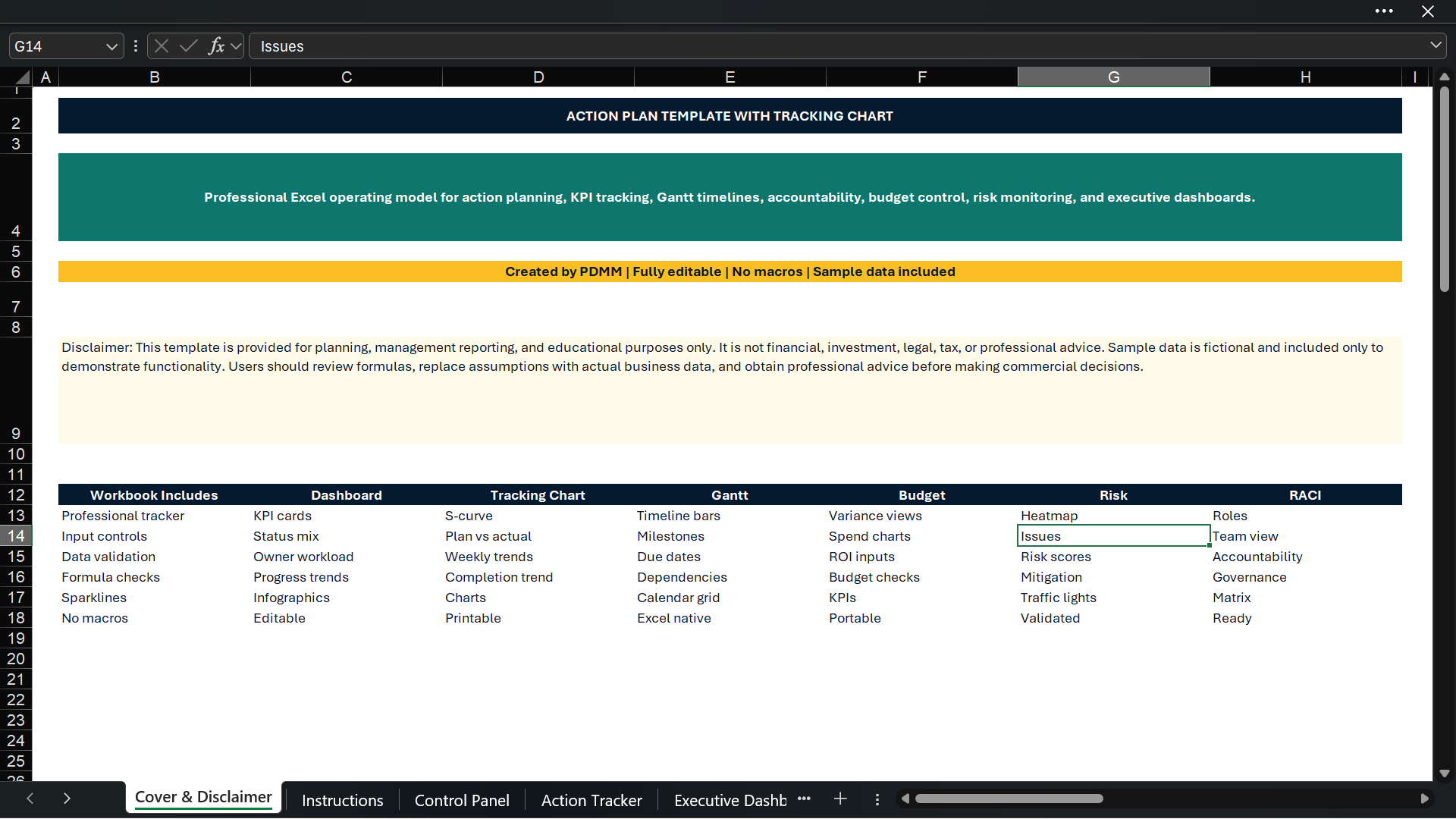
The template provides a complete action management system in Excel with dashboards, KPI cards, tracking charts, progress visuals, sparklines, risk monitoring, milestone tracking, budget monitoring, owner accountability, priority analytics, and built-in quality checks.

It is built to help users move from simple task lists to a more professional execution management framework.

What This Template Is Used For

This Excel template is used to create, manage, and monitor action plans across projects, departments, business initiatives, audits, strategy execution, operational improvements, consulting engagements, transformation plans, and management reporting.

It allows users to track:

✅ Action items ✅ Task owners ✅ Priorities ✅ Deadlines ✅ Completion percentage ✅ Status updates ✅ Milestones ✅ Budget impact ✅ Risks and issues ✅ Workstreams ✅ Weekly progress ✅ Owner performance ✅ Delayed actions ✅ Completion trends

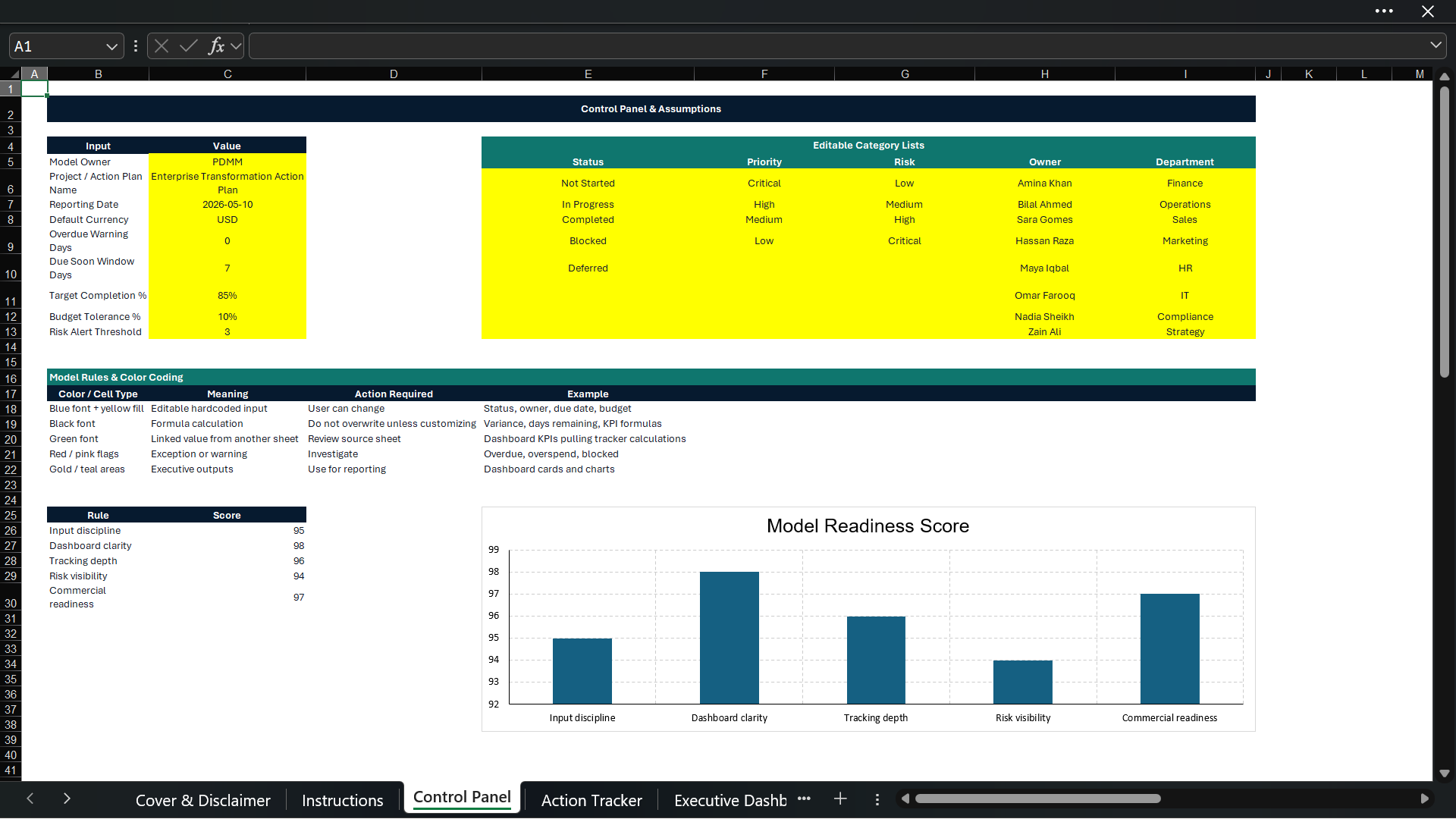
The model includes sample data so users can immediately understand how it works, test the formulas, and replace the dummy data with their own project information.

📊 Main Features Included

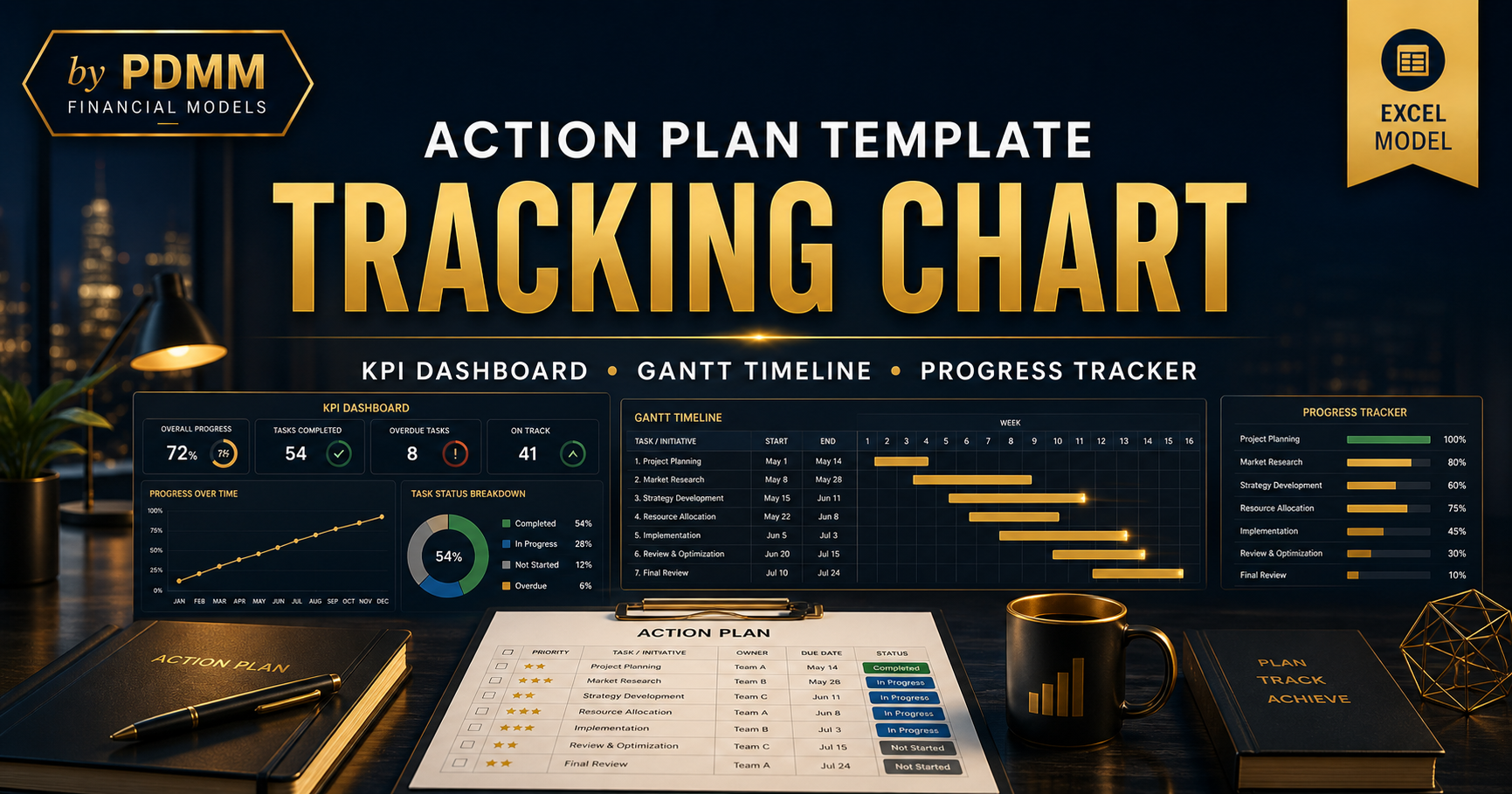
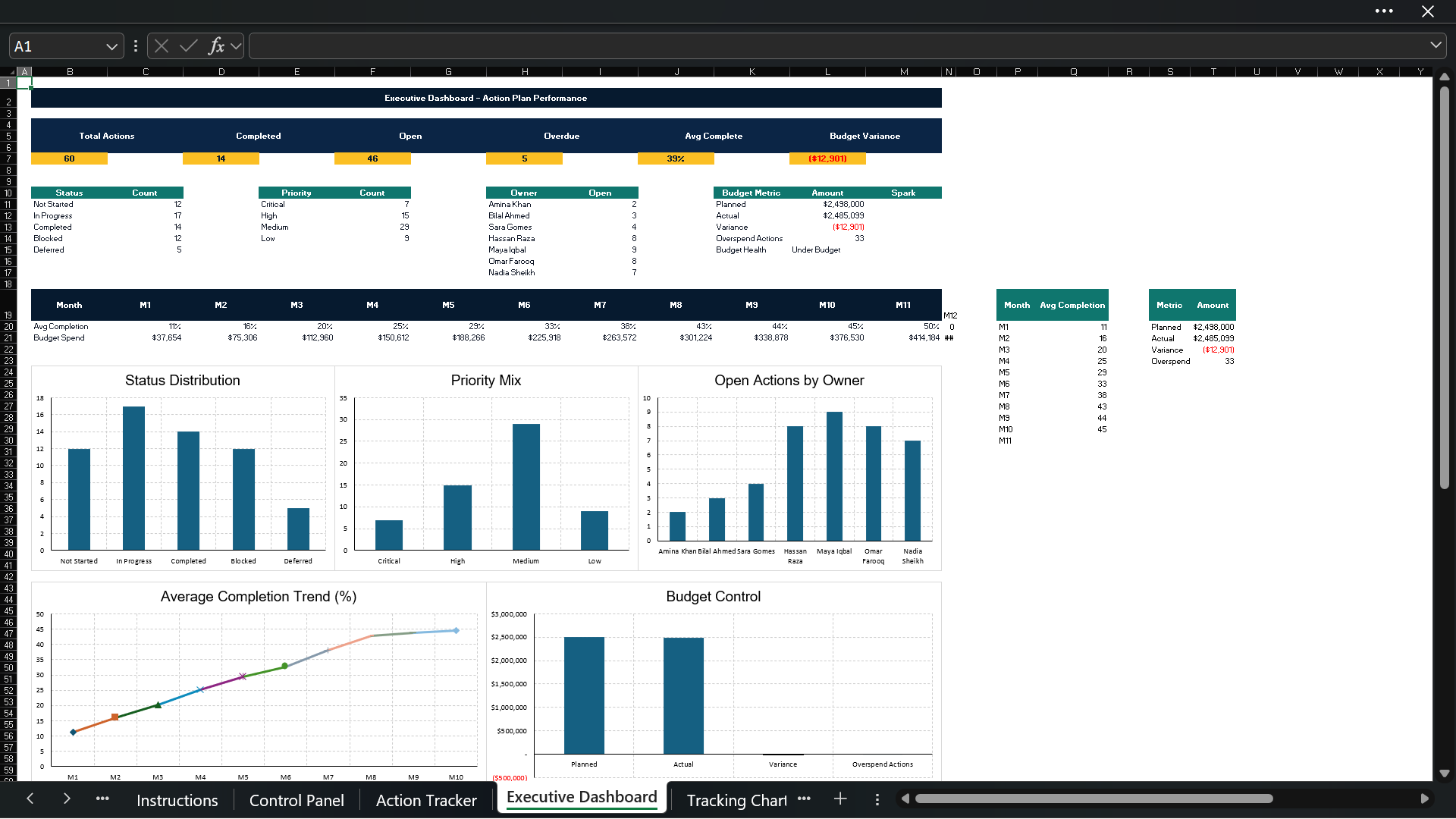
🔹 Executive Dashboard A visually formatted dashboard with KPI cards, progress indicators, completion rates, overdue tasks, priority breakdowns, status charts, owner performance visuals, and professional dashboard-style layout.

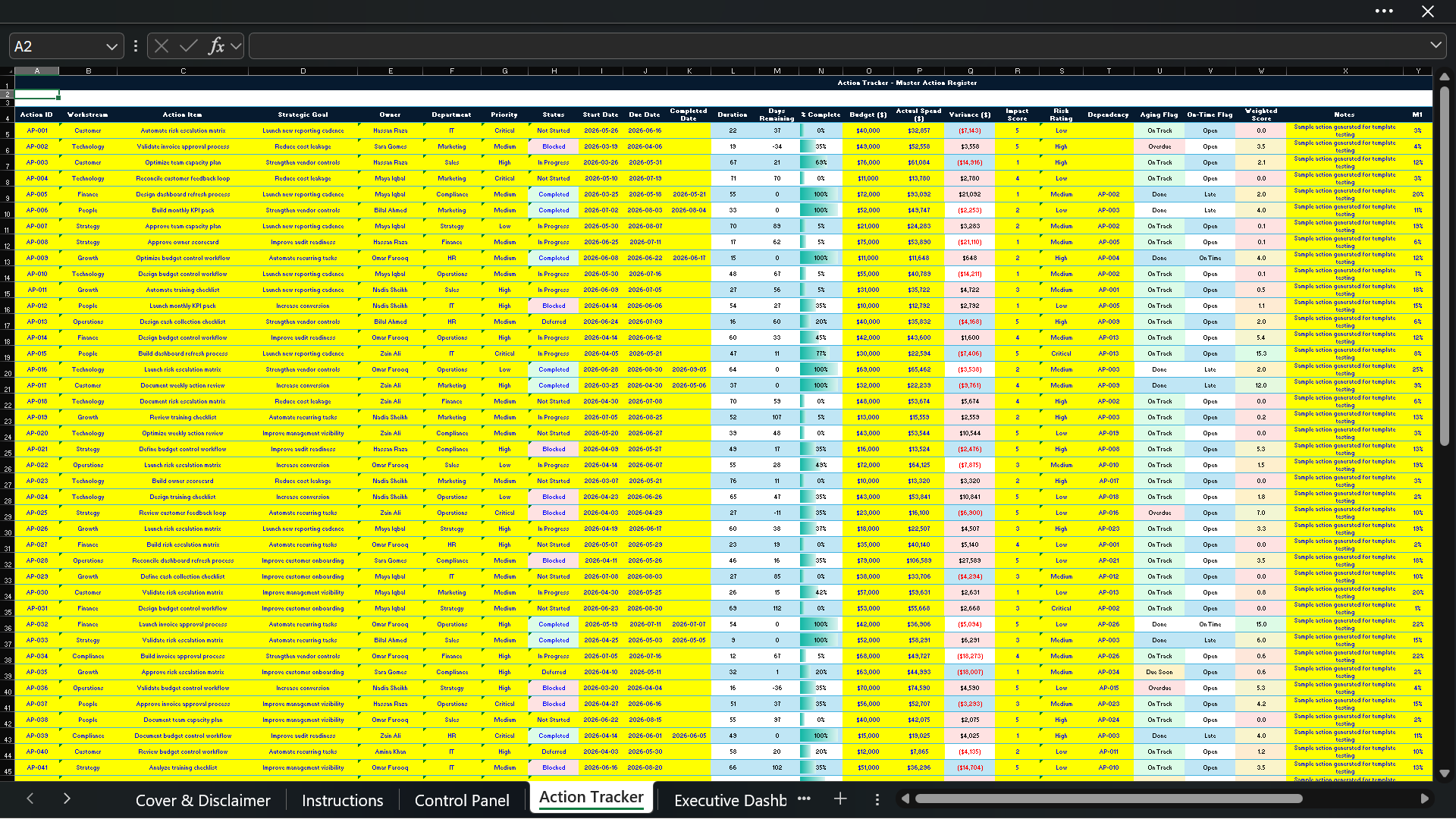
🔹 Master Action Tracker A detailed action tracker where users can input action items, owners, workstreams, due dates, priority level, completion percentage, status, budget, risk level, and notes.

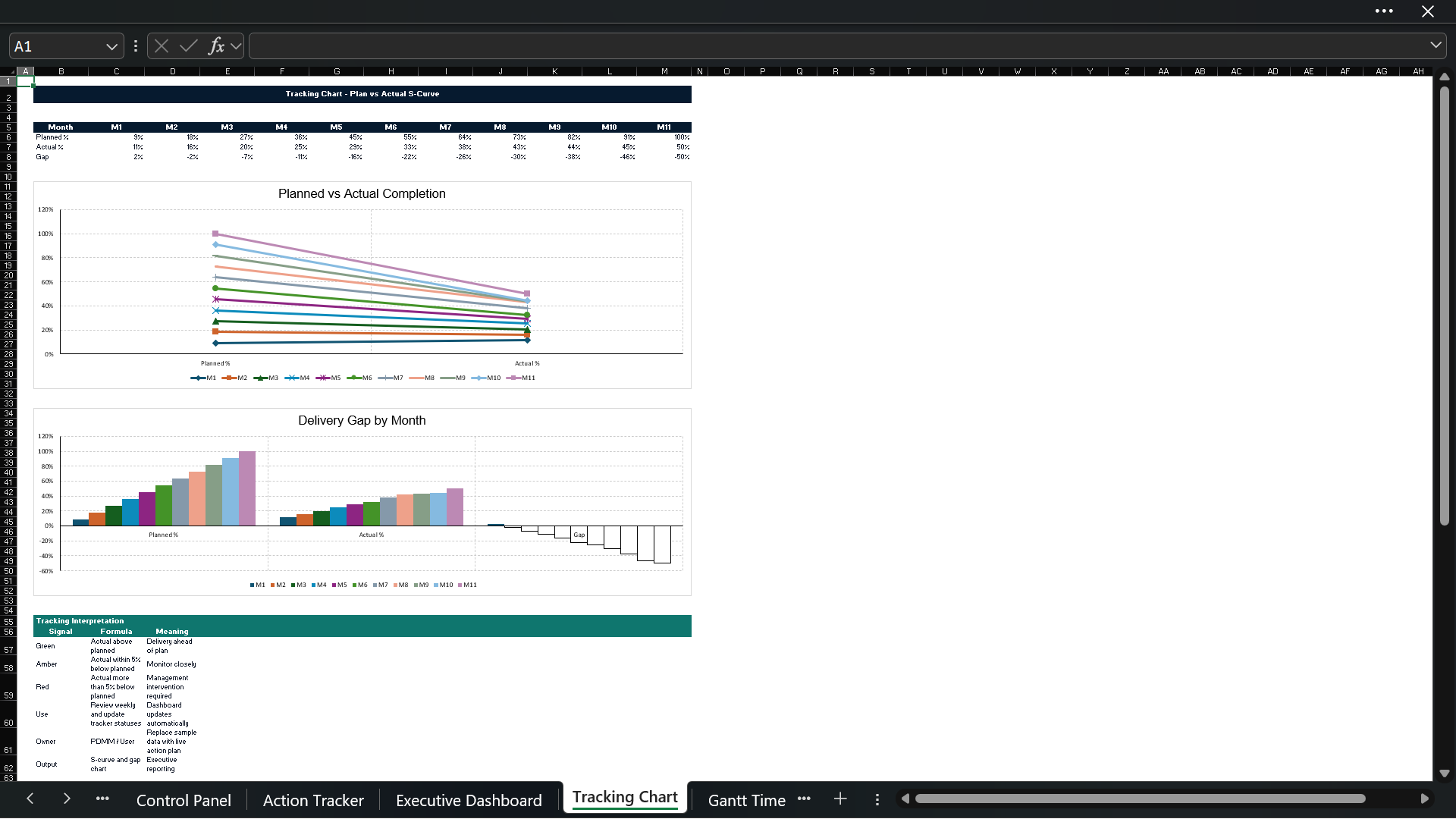
🔹 Tracking Chart / S-Curve A professional tracking chart showing planned progress vs actual progress over time, helping users quickly identify whether execution is on track or falling behind.

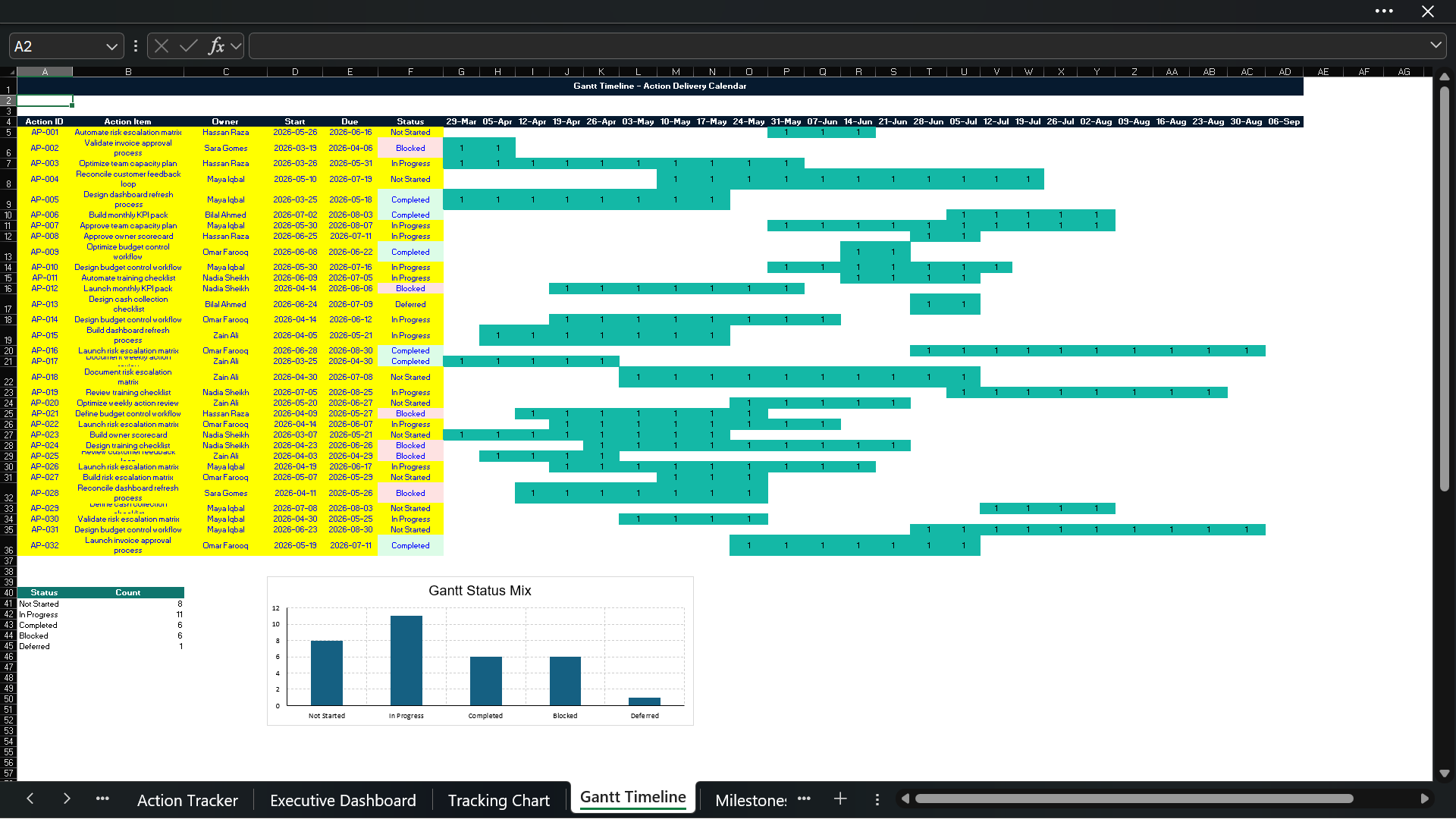
🔹 Gantt Timeline A timeline-style view to help users visualize action schedules, start dates, due dates, and progress across multiple workstreams.

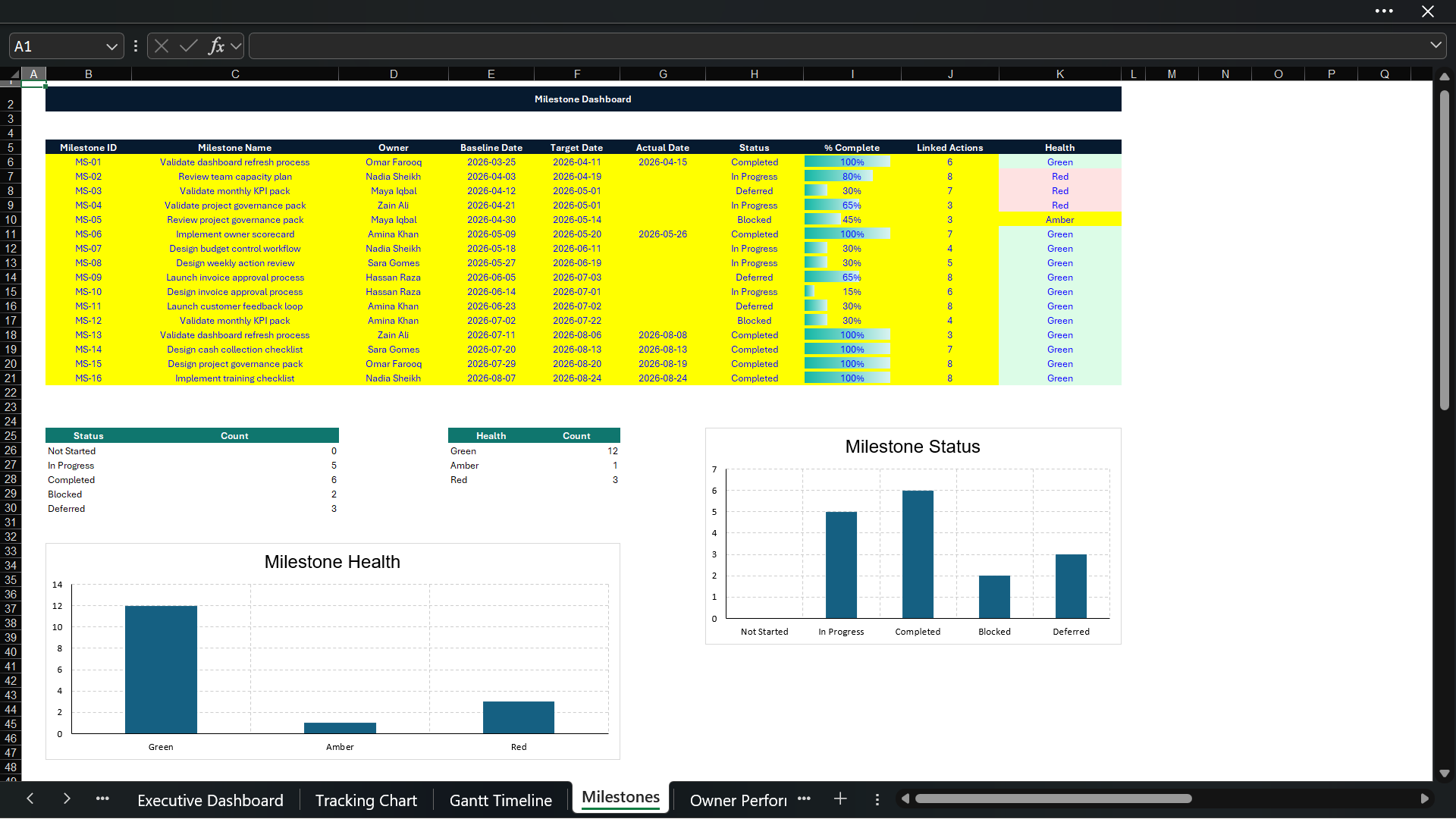
🔹 Milestone Dashboard Tracks major milestones, due dates, completion status, responsible owners, and progress against key deliverables.

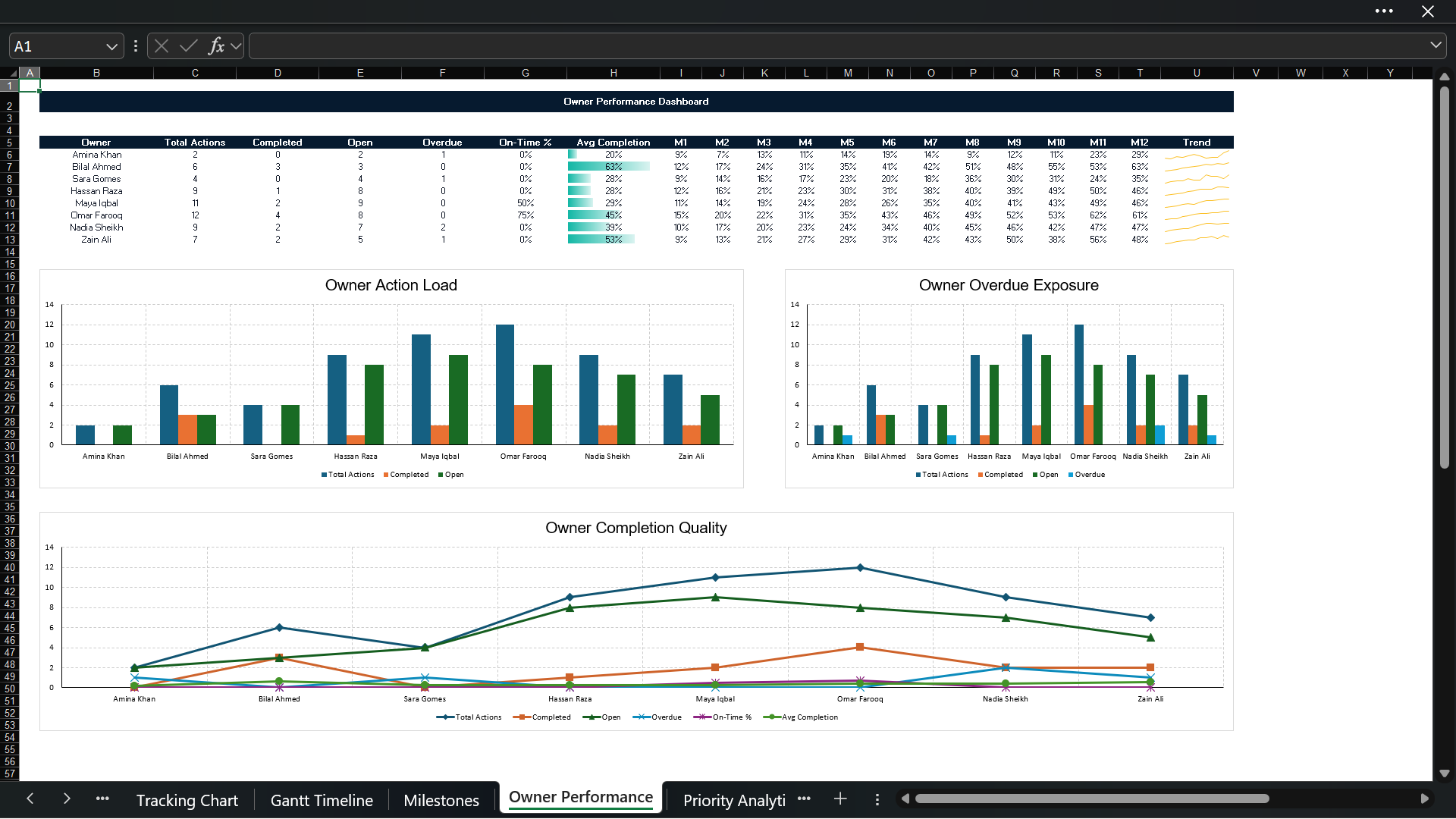
🔹 Owner Performance Dashboard Shows action ownership, accountability, completion rates, overdue items, and performance by responsible person or team.

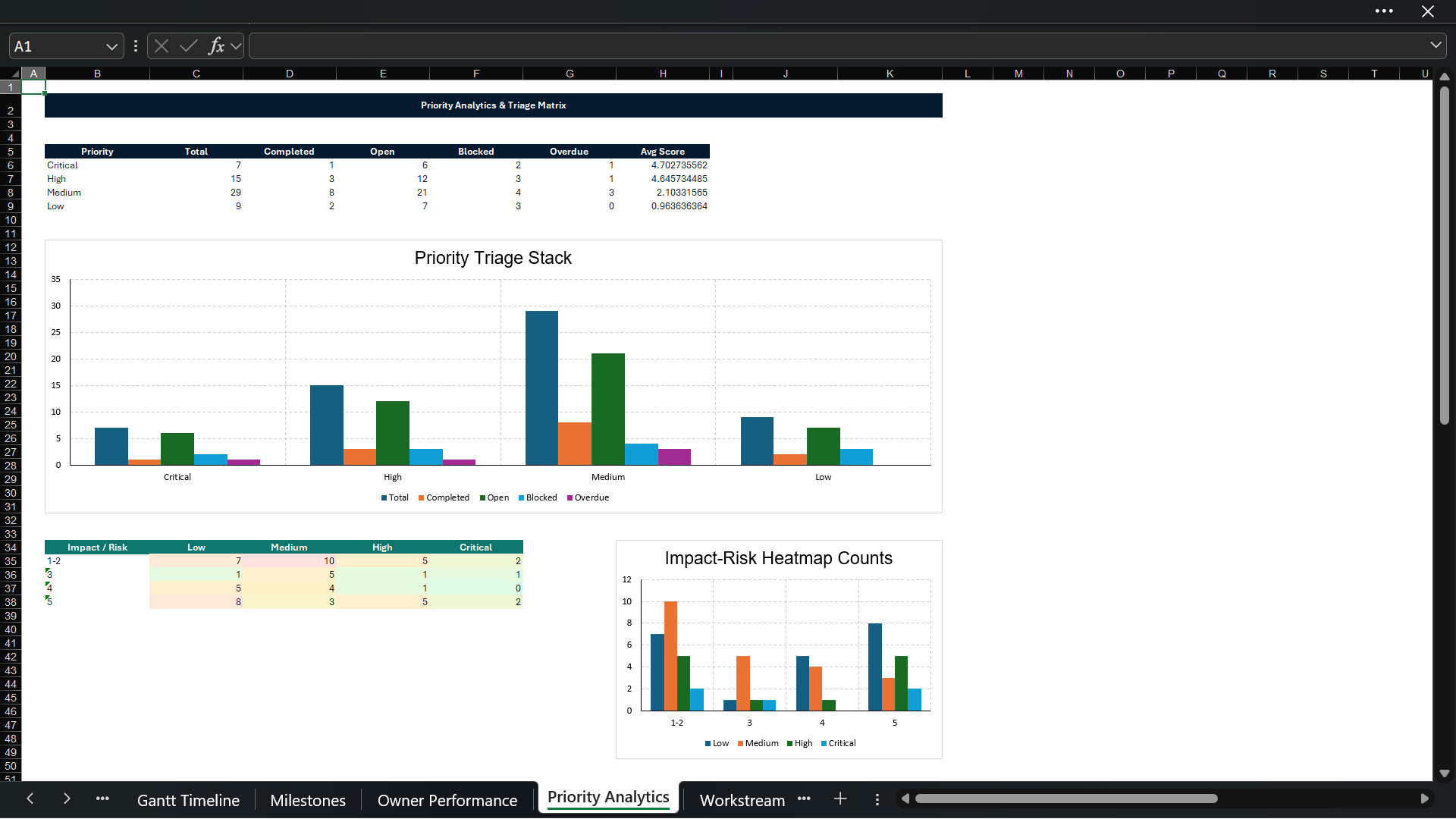
🔹 Priority Analytics Analyzes actions by priority level so users can clearly identify high-priority items, urgent tasks, and execution bottlenecks.

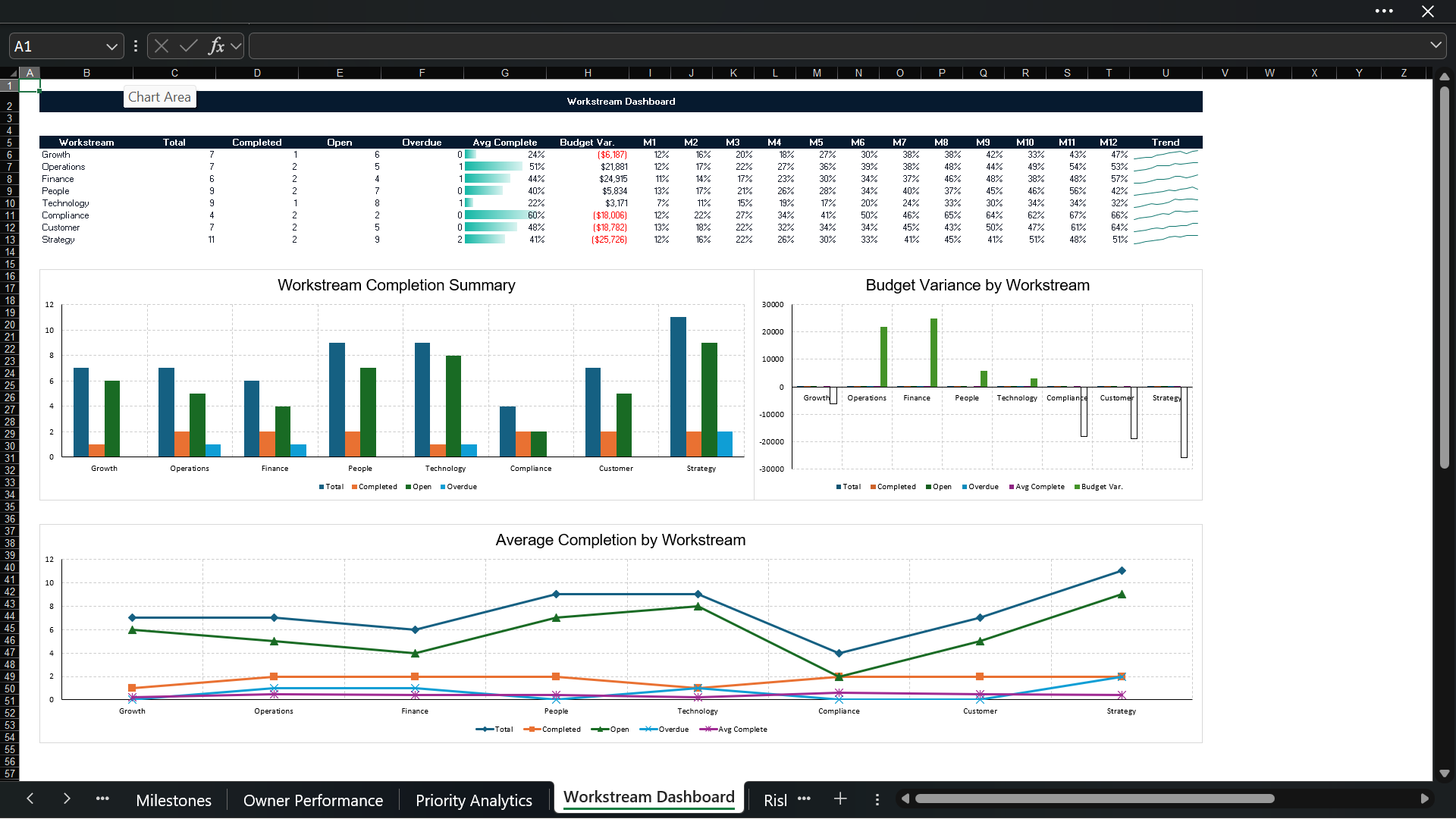
🔹 Workstream Dashboard Groups action items by department, function, project phase, or workstream for better management reporting.

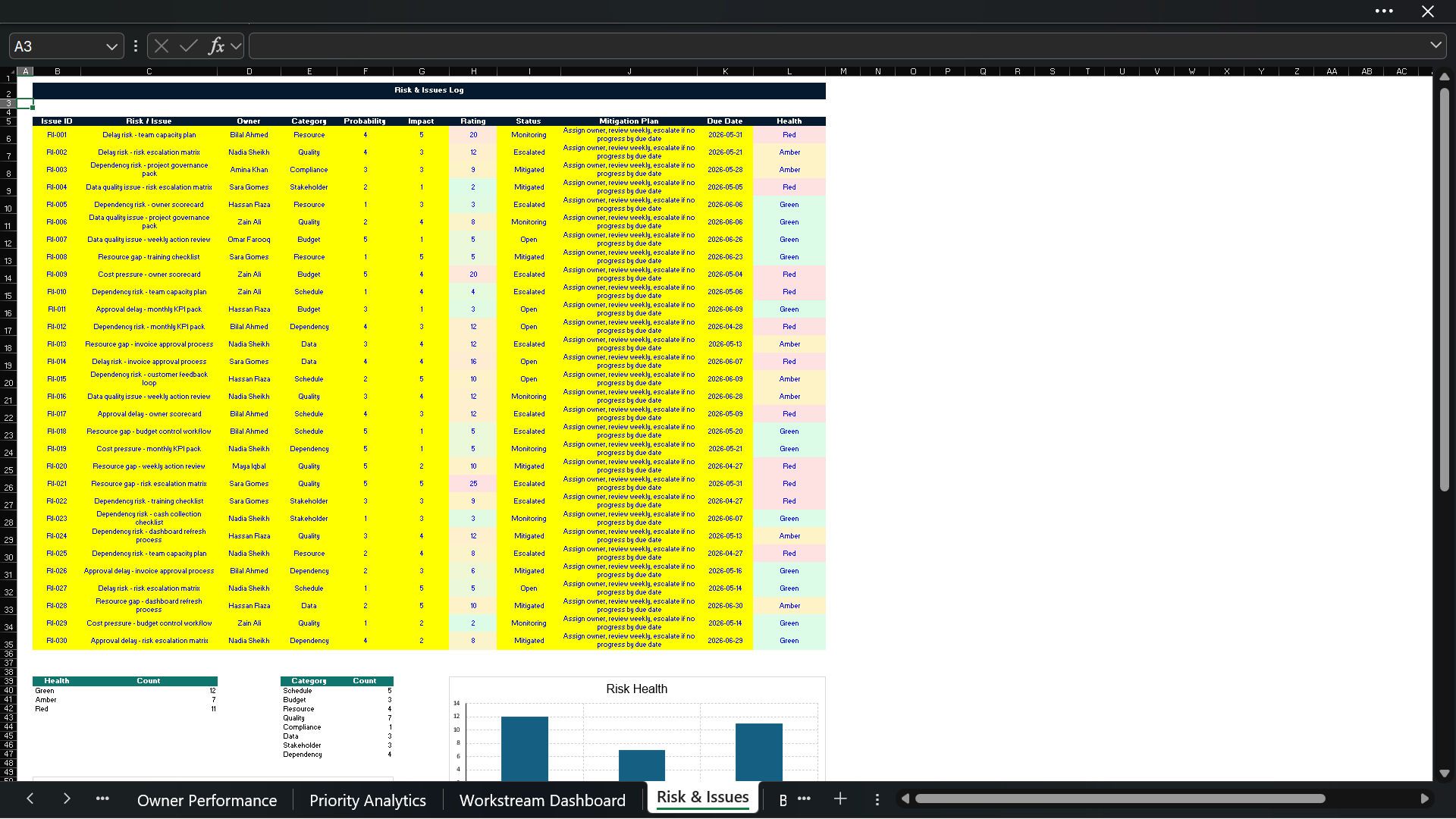
🔹 Risk & Issues Log Includes a structured risk and issue tracker with severity, likelihood, mitigation actions, owner, due date, and status.

🔹 Budget Tracker Tracks planned budget, actual spend, variance, and budget utilization by action item, workstream, or project area.

🔹 Weekly Progress Sheet Helps users monitor weekly execution progress, completion trends, delayed tasks, and overall movement in the action plan.

🔹 RACI Matrix Supports role clarity by mapping responsibilities across Responsible, Accountable, Consulted, and Informed parties.

🔹 Quality Checks Sheet Includes validation checks to help users identify missing owners, incomplete dates, overdue items, missing priorities, and other potential data issues.

🔹 Instructions & Disclaimer Pages Includes user guidance and a professional disclaimer page for clear usage expectations.

📈 Charts, Dashboards & Visual Design

This template is built with a modern professional layout and includes multiple visual elements such as:

📌 KPI cards 📌 Progress bars 📌 Dashboard charts 📌 Timeline visuals 📌 Tracking charts 📌 Status summaries 📌 Priority charts 📌 Risk visuals 📌 Budget variance views 📌 Sparkline indicators 📌 Milestone progress visuals 📌 Conditional formatting 📌 Visual checks and alerts

The workbook is designed to look professional, clean, and presentation-ready. It can be used internally for management reporting or externally for consulting deliverables, client updates, project status reports, and business planning packs.

🧩 How To Use The Template

Using the model is simple:

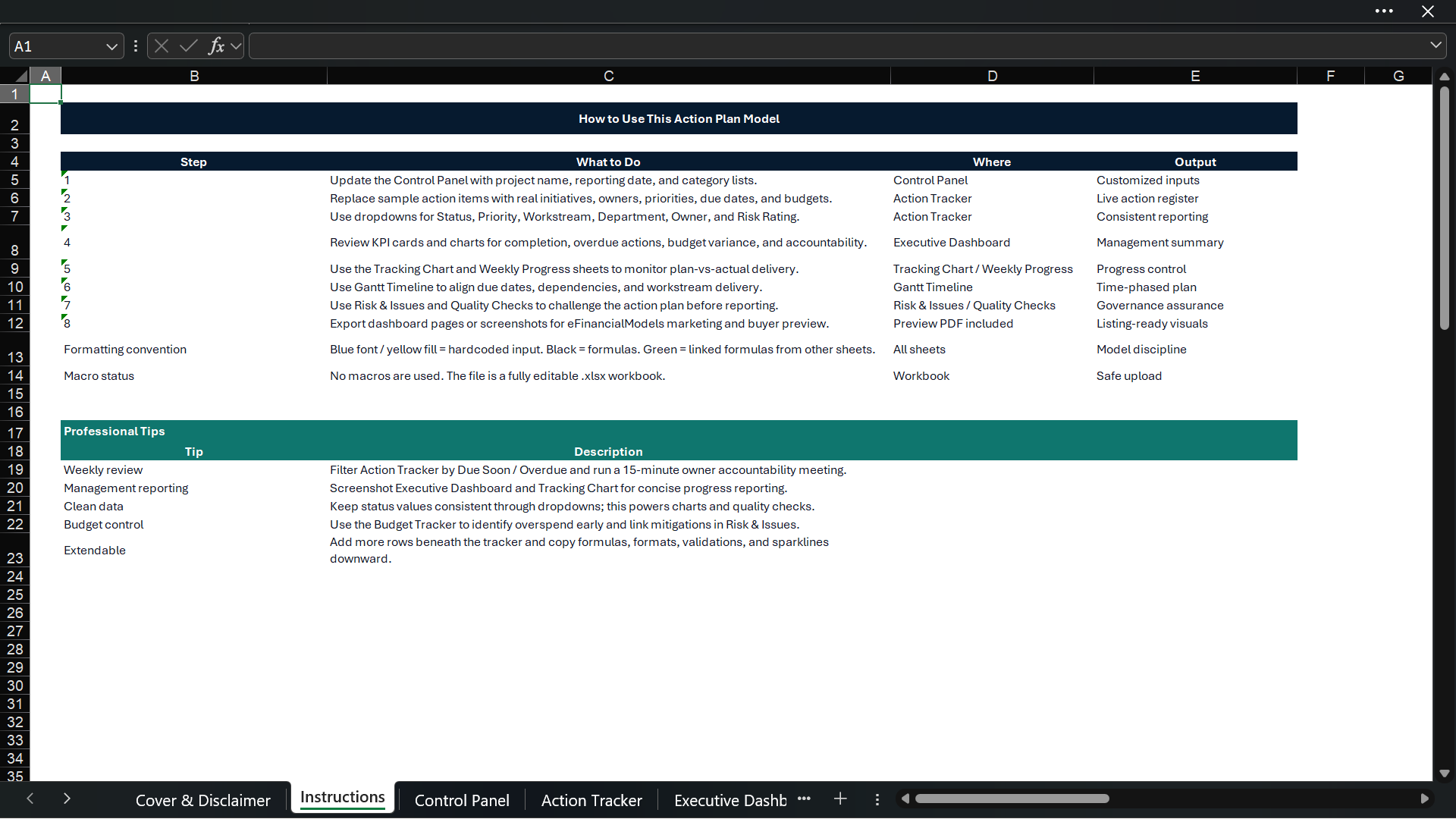
  1. Open the Excel file.
  2. Review the instructions sheet.
  3. Replace the sample data with your own action plan.
  4. Add action owners, start dates, due dates, priorities, budget values, and progress percentages.
  5. Update the status of each action item.
  6. Review the dashboards and tracking charts.
  7. Use the quality check sheet to identify missing or inconsistent inputs.
  8. Present the dashboard outputs to management, clients, or project teams.

The template is fully editable, so users can adjust categories, owners, departments, project names, budgets, dates, and formatting according to their own requirements.

This Best Practice includes
1 Excel Model Template

Muhammad Awais Bin Saeed offers you this Best Practice for free!

download for free

Add to bookmarks

Discuss

Further information

The objective of this downloadable best practice is to provide users with a professional, structured, and easy-to-use Excel-based Action Plan Template for planning, tracking, managing, and reporting business initiatives, projects, tasks, milestones, and execution progress.

This template is designed to help users:

✅ Create a clear action plan with defined owners, deadlines, priorities, and responsibilities
✅ Track progress through visual dashboards, KPI cards, charts, and progress indicators
✅ Monitor planned vs actual progress using tracking charts and timeline views
✅ Improve team accountability through owner performance tracking and RACI mapping
✅ Identify overdue tasks, delayed actions, risks, issues, and execution gaps
✅ Manage budgets, milestones, workstreams, priorities, and weekly progress in one file
✅ Present action plan status professionally to management, clients, teams, or stakeholders
✅ Replace scattered task lists with a structured, dashboard-driven execution tool

The template aims to support better decision-making, improved project visibility, stronger execution discipline, and more professional reporting.

This downloadable best practice applies best when a user needs a practical and professional Excel tool to manage action items, projects, business initiatives, operational tasks, or strategy execution.

It is best suited for:

✅ Project management and task tracking
✅ Business action plans and execution roadmaps
✅ Strategy implementation plans
✅ Consulting project deliverables
✅ Internal management reporting
✅ Audit action tracking and remediation plans
✅ Operational improvement initiatives
✅ Department-level planning and monitoring
✅ Weekly or monthly progress reporting
✅ Team accountability and owner tracking
✅ Budget and milestone monitoring
✅ Risk and issue tracking
✅ Startup, SME, corporate, consulting, finance, and operations teams

This template works best when users already have defined actions, owners, target dates, milestones, priorities, and expected outcomes that they want to organize, track, and report in a professional Excel format.

It is ideal for users who want a fully editable, non-macro Excel workbook with sample data, dashboards, charts, checks, and a structured workflow that can be customized for different industries, teams, and business functions.

This downloadable best practice may not apply ideally in cases where the user requires a highly specialized enterprise project management system, real-time multi-user cloud collaboration, automated workflow approvals, or direct integration with external project management software.

It may not be ideal for:

❌ Users looking for a full ERP, CRM, or enterprise project management platform
❌ Projects requiring automated real-time collaboration across hundreds of users
❌ Users needing advanced resource leveling or complex critical path scheduling
❌ Highly technical engineering projects requiring specialized scheduling software
❌ Users expecting automatic integration with systems such as Jira, Asana, Monday.com, SAP, Oracle, or Power BI
❌ Situations where no manual data input or periodic update is possible
❌ Users requiring macros, VBA automation, or database-driven workflow approvals
❌ Legal, tax, investment, or regulatory decision-making without professional review

The template is designed as a professional Excel-based action planning and tracking tool. It should be customized according to the specific project, organization, reporting needs, and decision-making context of the user.


0.0 / 5 (0 votes)

please wait...