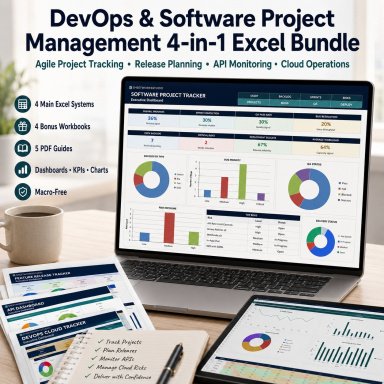



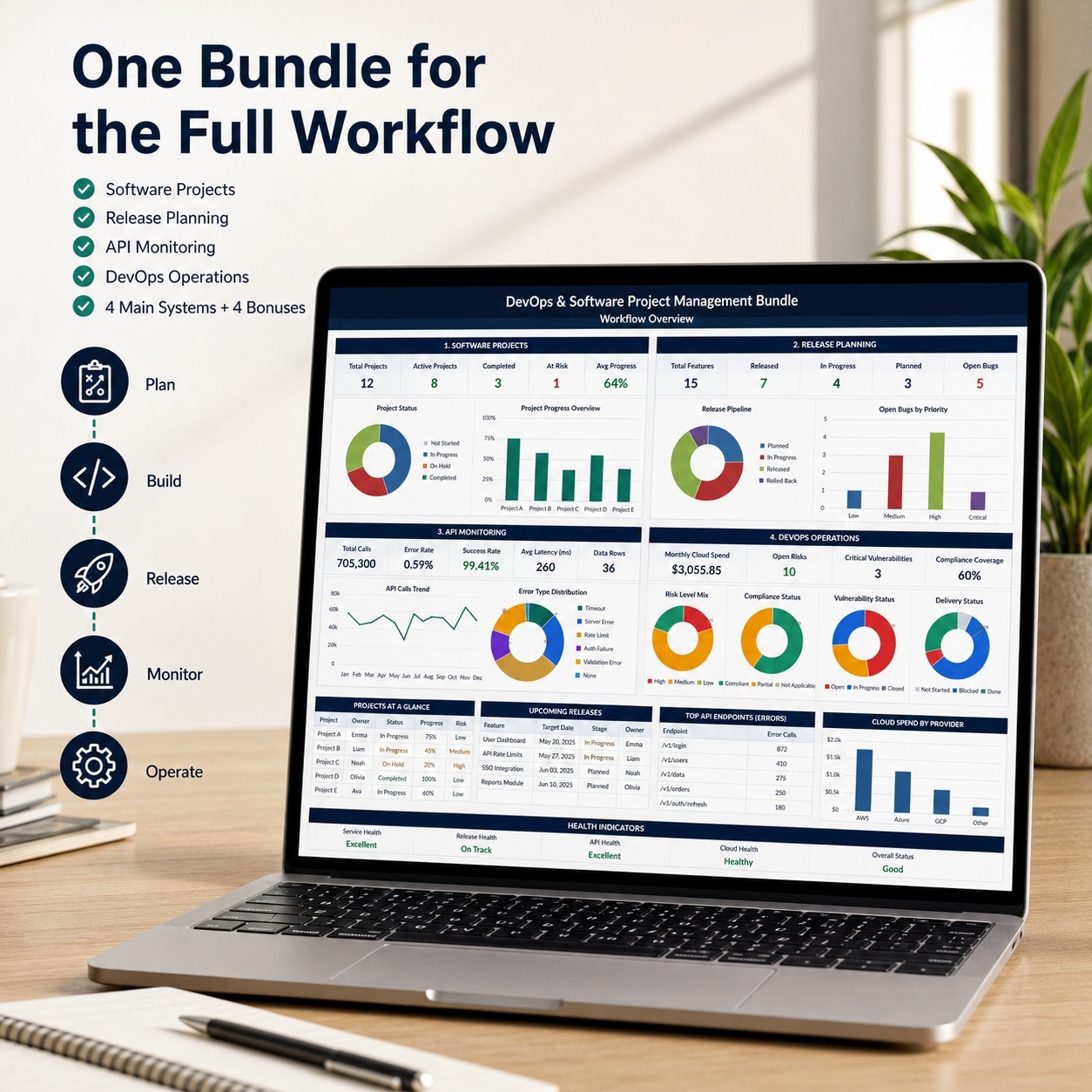
DevOps & Software Project Management 4-in-1 | Agile, API, Cloud & Release Excel

4-in-1 Excel toolkit for software projects, Agile delivery, release planning, API analytics, DevOps, cloud operations and technical reporting.

Description
๐Ÿš€ DEVOPS & SOFTWARE PROJECT MANAGEMENT 4-IN-1 EXCEL BUNDLE

Bring software delivery, release management, API monitoring and DevOps operations into one professional technical-management toolkit.


This premium bundle combines four complete Excel systems for modern software, SaaS, DevOps, API and cloud teams.


Instead of managing projects, releases, API performance and operational information in disconnected spreadsheets, you receive one structured workflow:


PLAN โ†’ BUILD โ†’ RELEASE โ†’ MONITOR โ†’ OPERATE
๐Ÿ’ฐ BUNDLE VALUE & SAVINGSGet all four complete professional systems at around 25% less than purchasing the products individually.
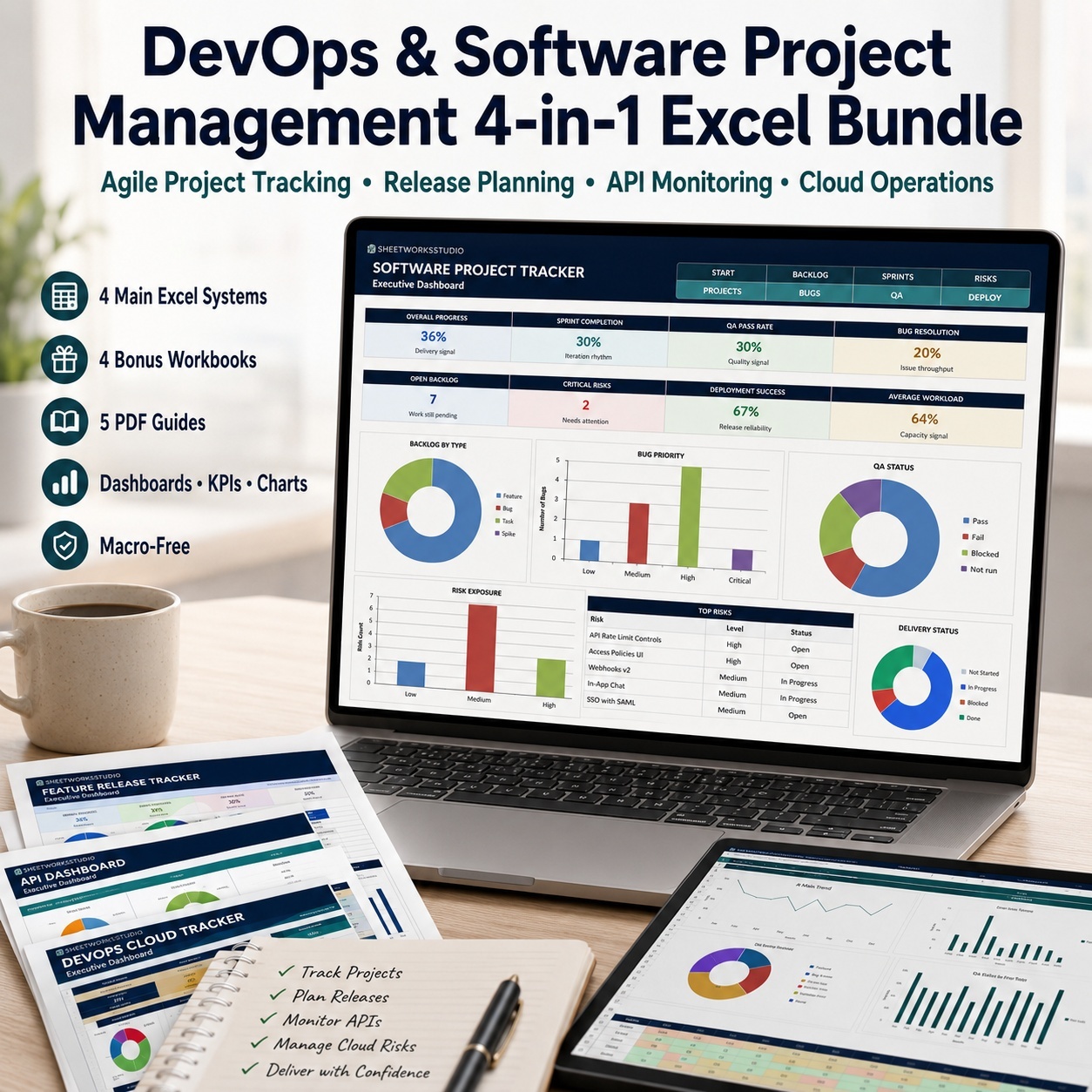
โœ… 4 Main Excel Systems
โœ… 4 Bonus Excel Workbooks
โœ… 4 Detailed Product Guides
โœ… 1 Central Bundle Start Guide
โœ… 13 Working Files
โœ… One-Time Purchase
โœ… No Subscription


Save around 25% compared with buying the four systems separately.


๐Ÿ’Ž COMPLETE TECHNICAL MANAGEMENT TOOLKIT
The complete package includes:
โœ… 8 Excel Workbooks
โœ… 56 Excel Worksheets
โœ… 44 Worksheets Across the 4 Main Systems
โœ… 21 Charts Across All Excel Files
โœ… 5 PDF Guides / 42 Pages
โœ… Professional Dashboards & KPI Views
โœ… Realistic Sample Data
โœ… Automated Formulas
โœ… Dropdowns & Structured Inputs
โœ… No Macros / VBA
โœ… No PowerQuery
โœ… No External Workbook Connections


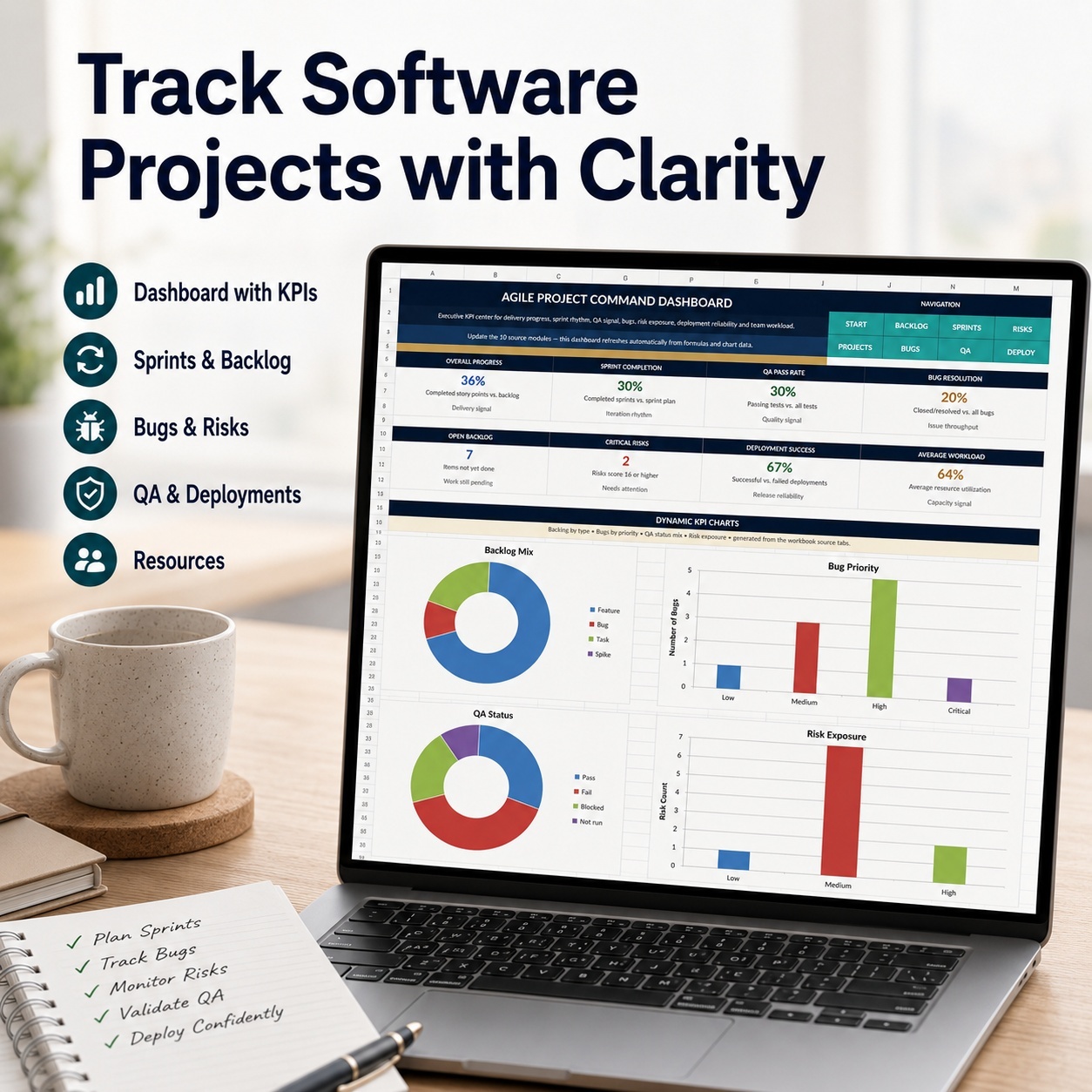
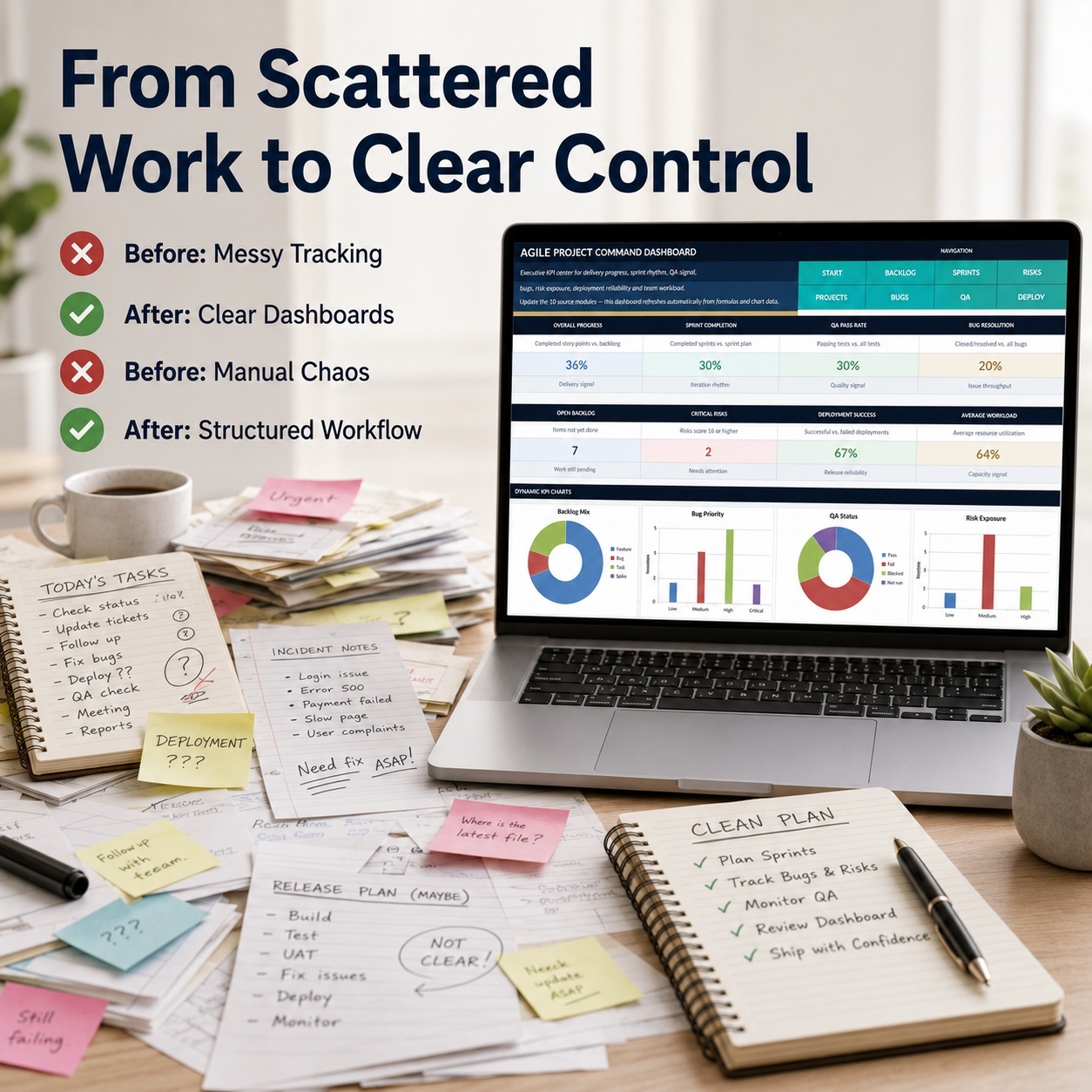
๐Ÿ“Š 1. SOFTWARE PROJECT TRACKER
A structured system for Agile and hybrid software-project delivery.


Includes:
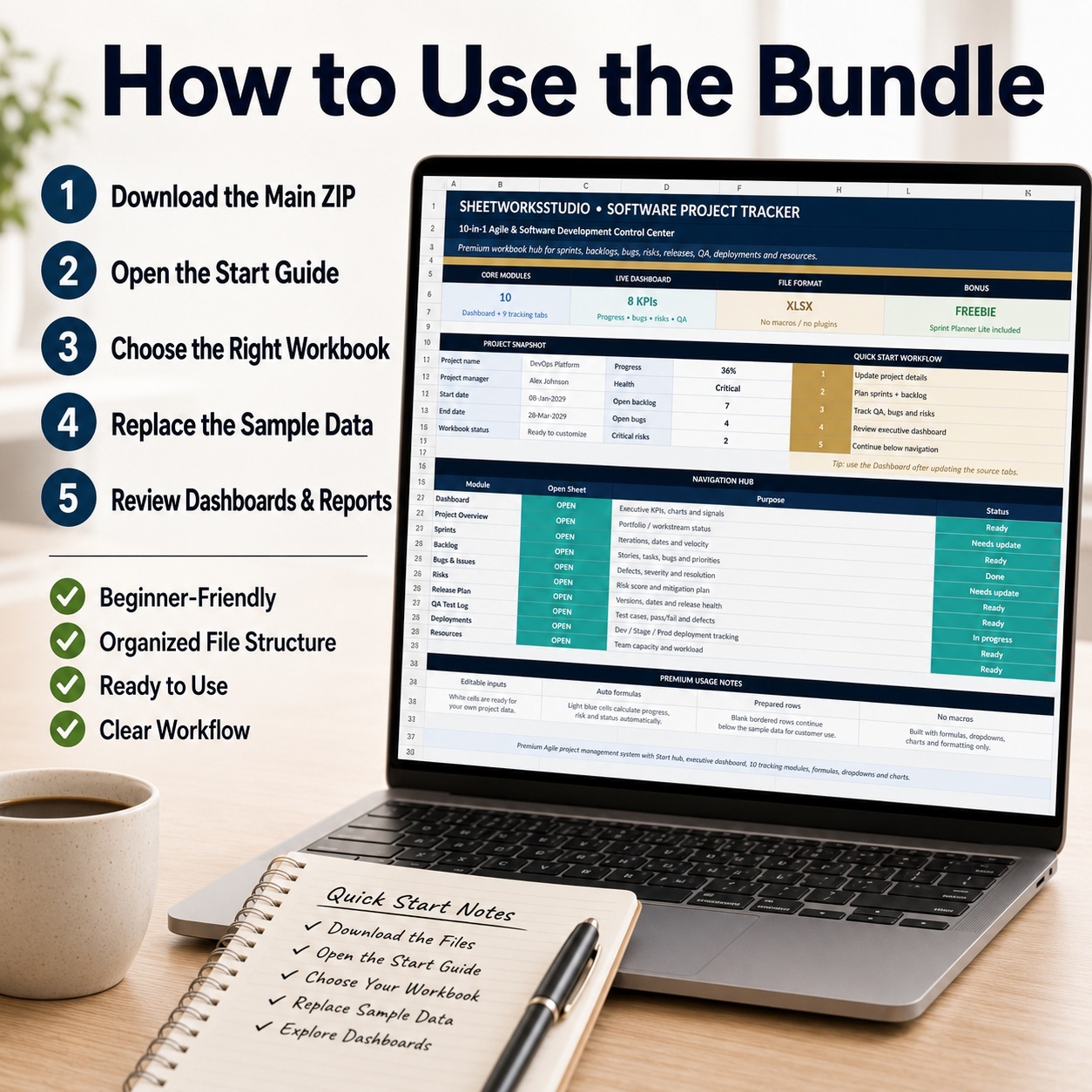
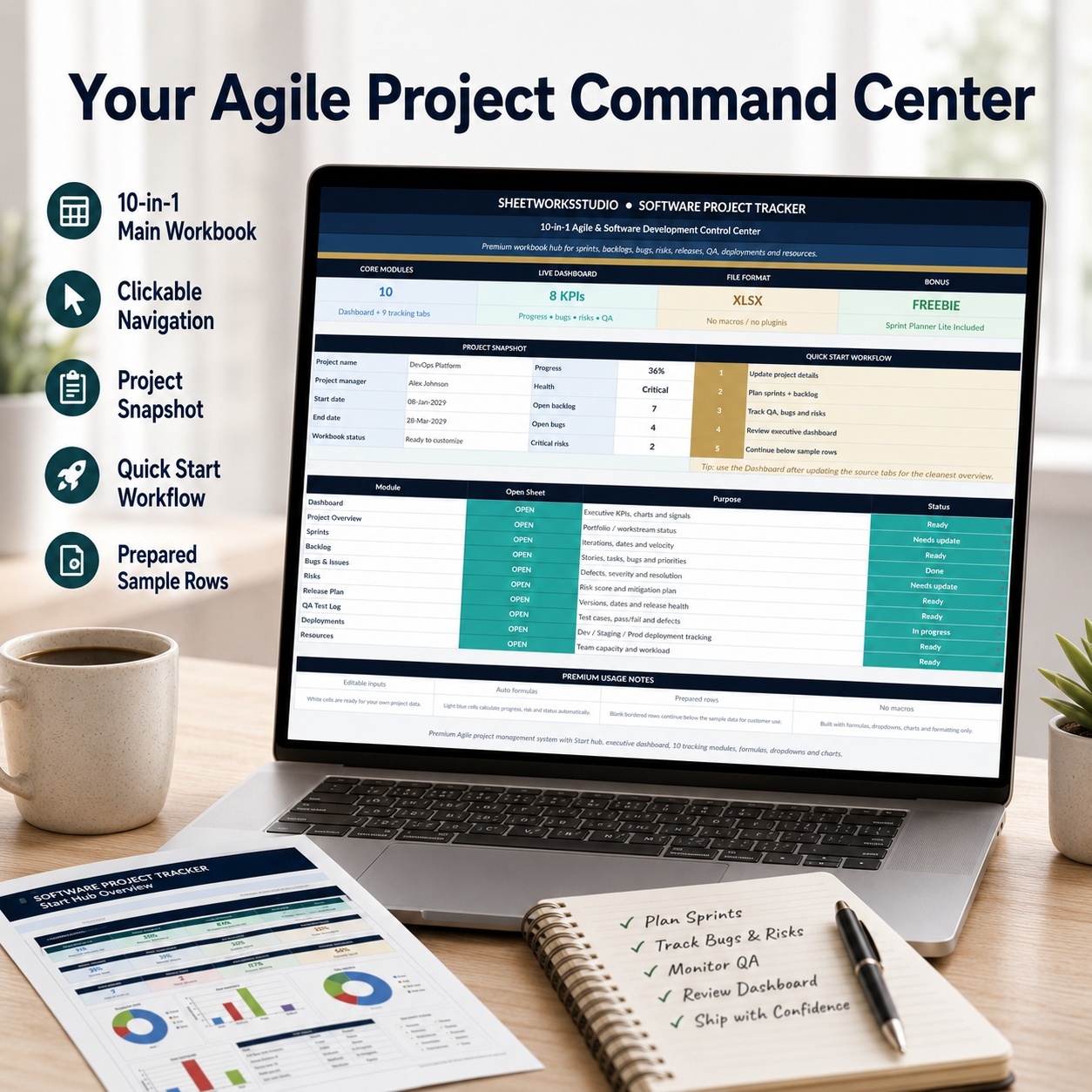
โ€“ Project Overview
โ€“ Sprint Management
โ€“ Product Backlog
โ€“ Bug Tracking
โ€“ Risk Management
โ€“ Release Planning
โ€“ QA Tracking
โ€“ Deployments
โ€“ Resources
โ€“ Executive Dashboard


The main workbook contains 12 worksheets and 4 Dashboard charts.
Use it to connect project progress, Agile delivery, quality, risks, releases and technical resources.


๐ŸŽ BONUS: SPRINT PLANNER
A separate 4-sheet planning workbook with:
โ€“ Sprint Planning
โ€“ Backlog Management
โ€“ 8 KPI Cards
โ€“ 2 Dashboard Charts


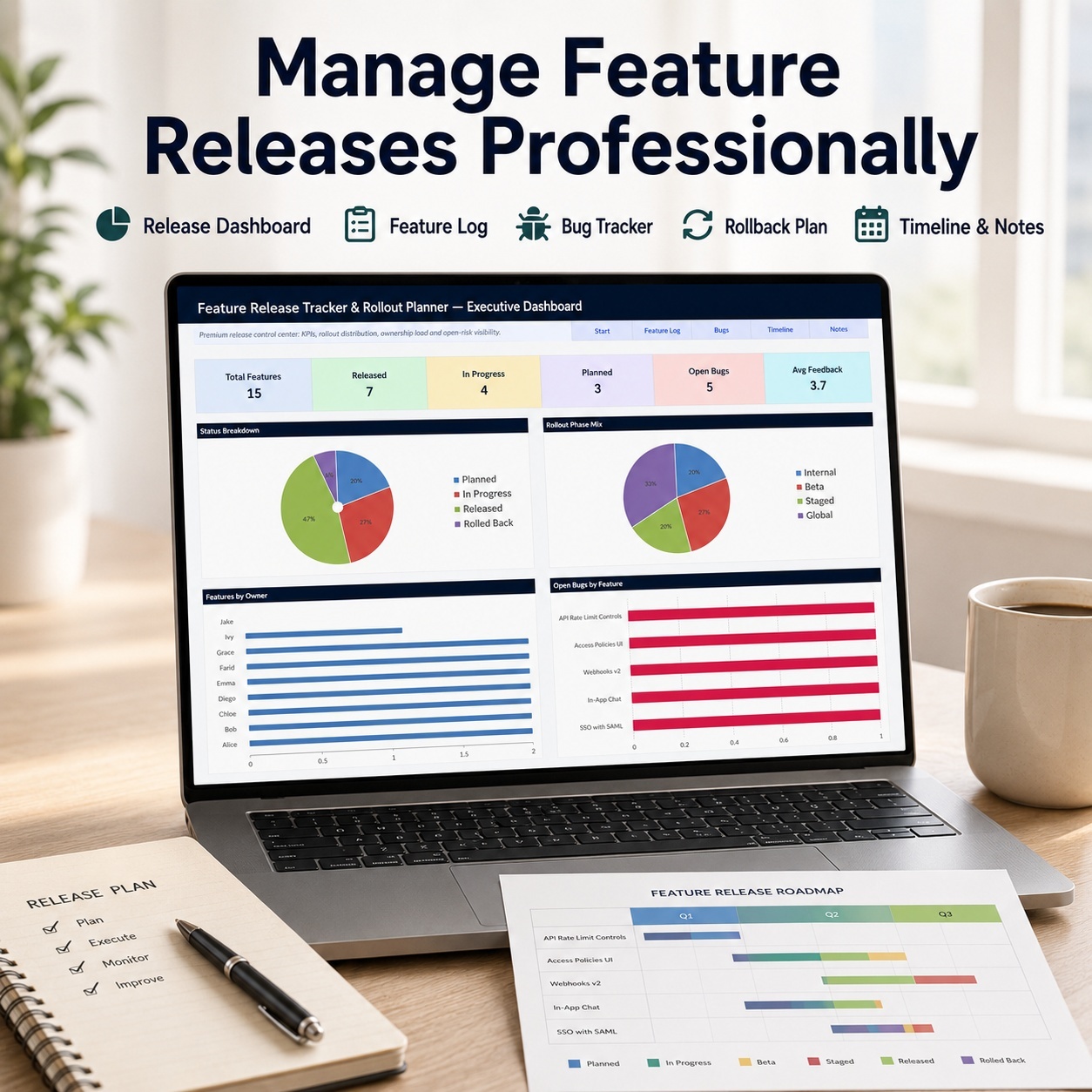
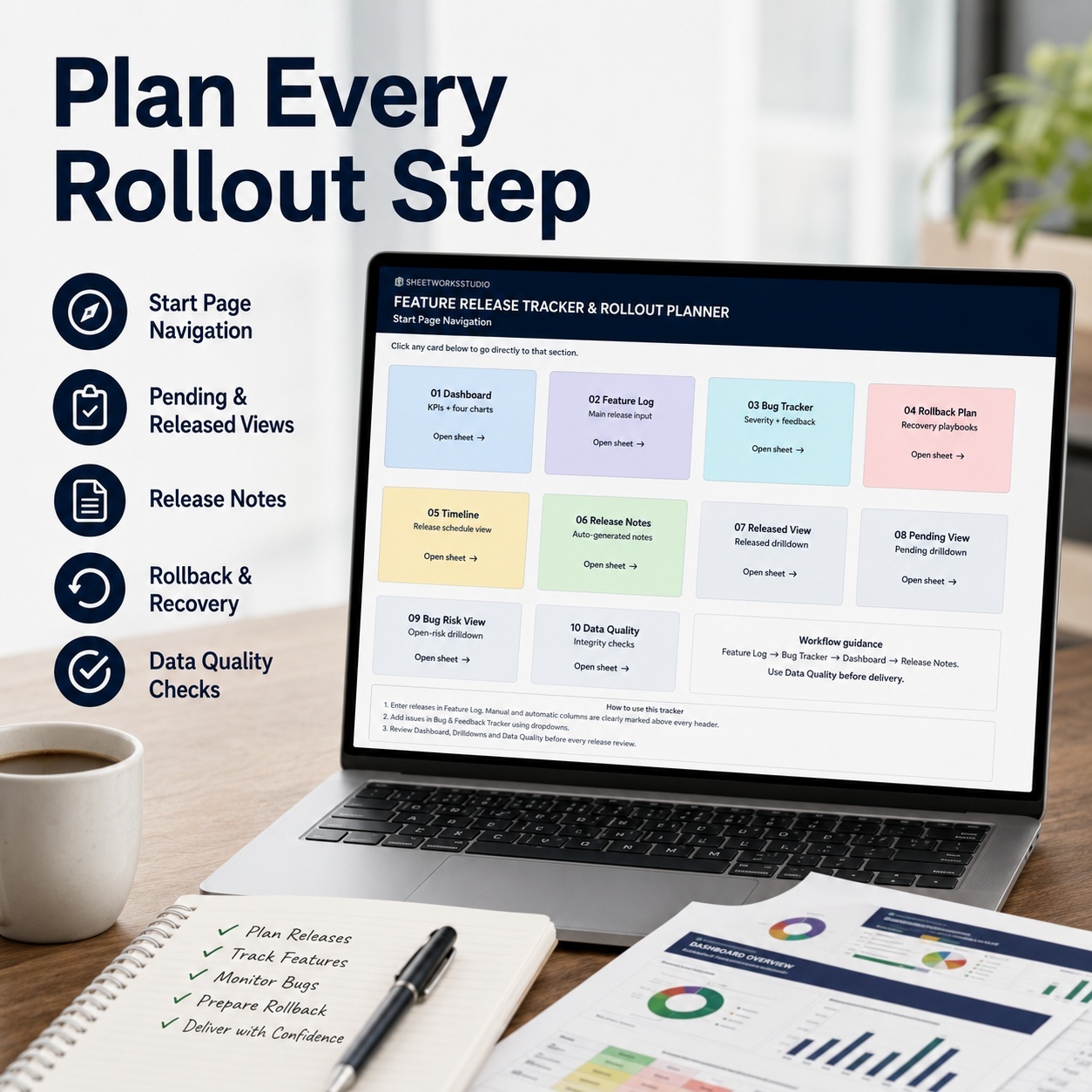
๐Ÿš€ 2. FEATURE RELEASE TRACKER & ROLLOUT PLANNER
Manage features from development readiness through release and post-launch review.


Includes:
โ€“ Feature Tracking
โ€“ Bug & Feedback Management
โ€“ Release Planning
โ€“ Rollout Preparation
โ€“ Rollback Planning
โ€“ Release Timeline
โ€“ Release Notes
โ€“ Management Dashboard


The main workbook contains 12 worksheets and 4 Dashboard charts.
Use it to improve release visibility, ownership, QA coordination and rollout preparation.


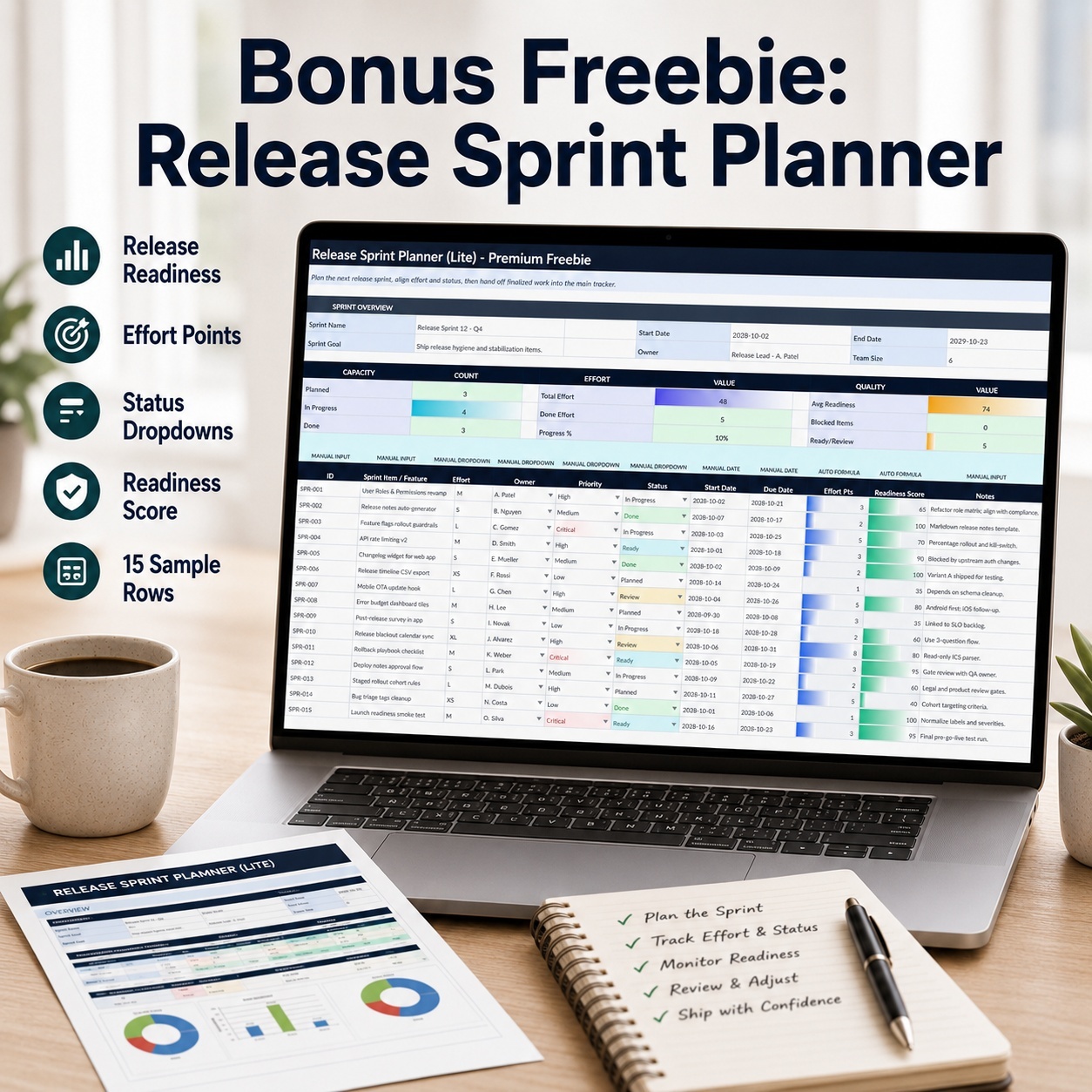
๐ŸŽ BONUS: RELEASE SPRINT PLANNER LITE
A separate 3-sheet workbook for lightweight release and sprint planning.


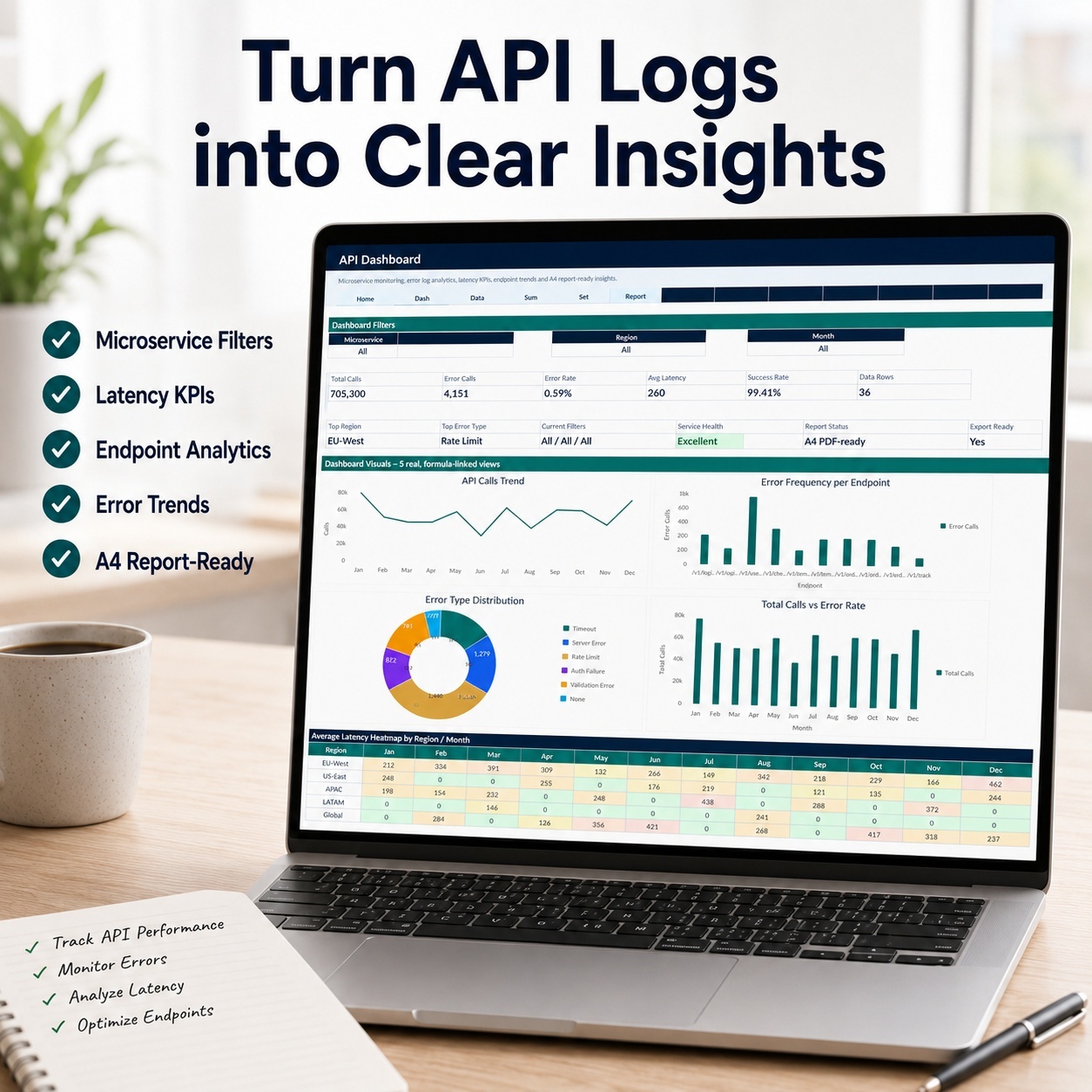
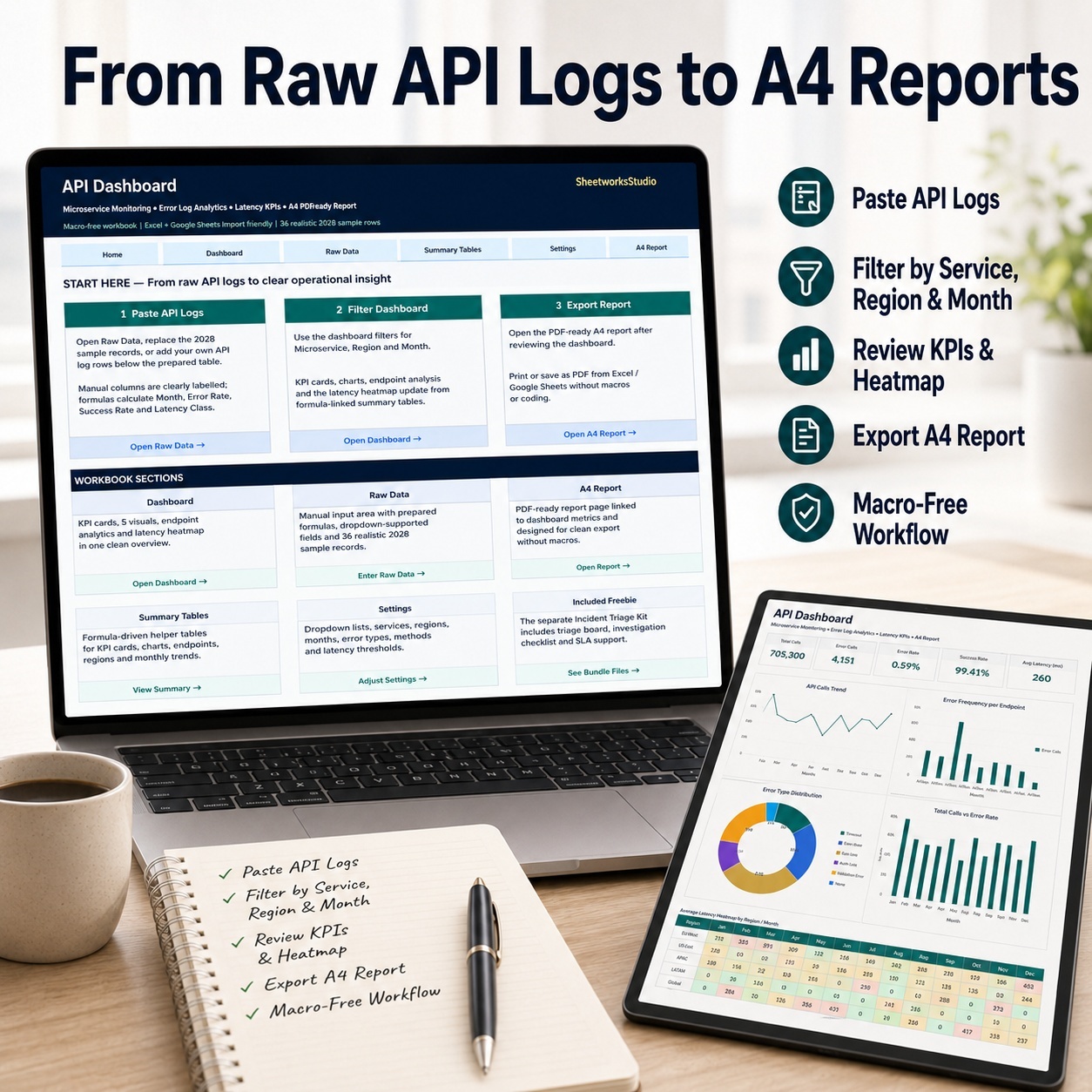
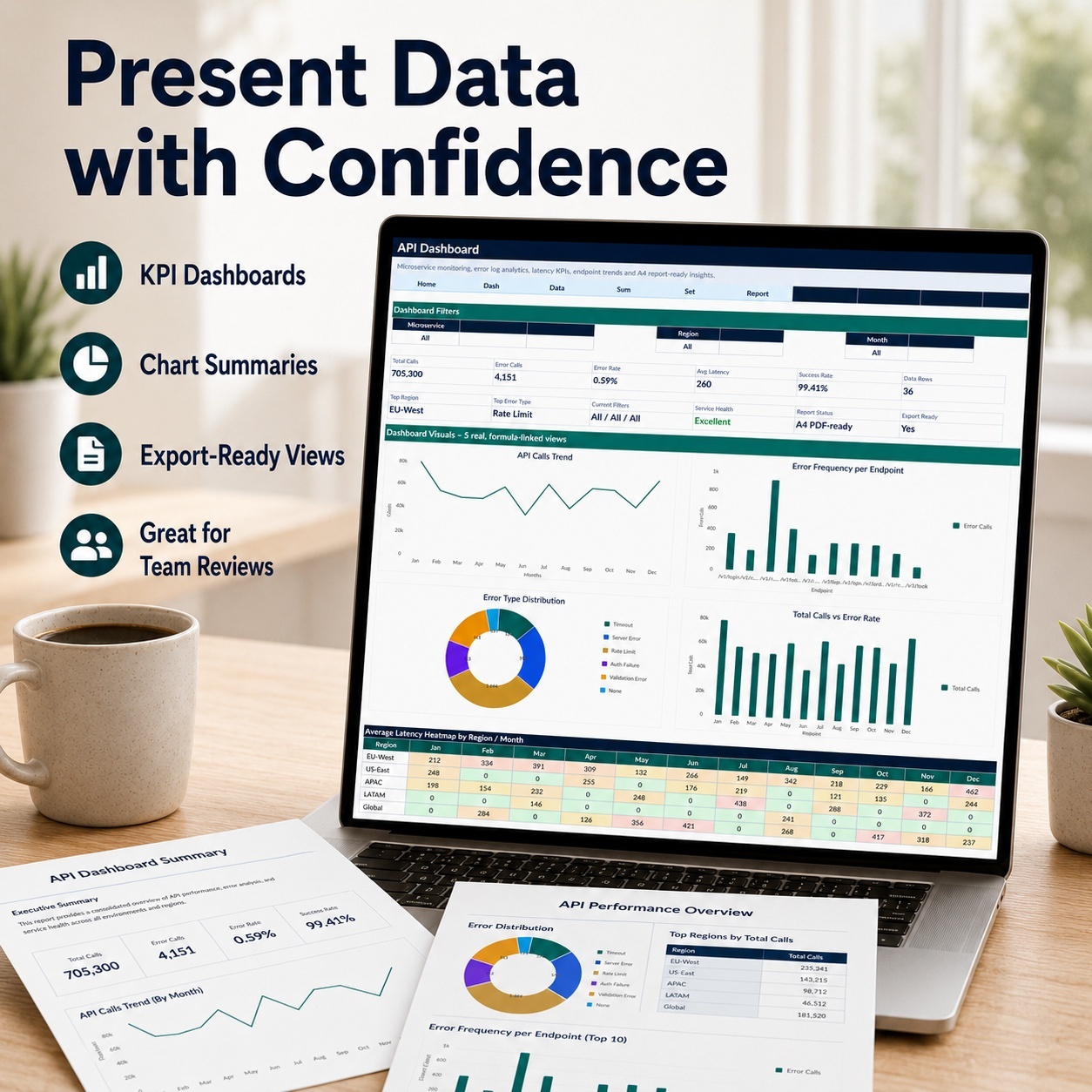
๐Ÿ“ก 3. API DASHBOARD & ERROR LOG ANALYTICS
A focused analytics system for API activity, errors and technical performance.


Track:
โ€“ API Calls
โ€“ Error Rates
โ€“ Latency
โ€“ Endpoints
โ€“ Regions
โ€“ Performance Trends
โ€“ Summary Analytics
โ€“ Management Reporting


The main workbook contains 6 worksheets and 5 charts.
Use it to structure API operational information and identify recurring error or performance patterns.


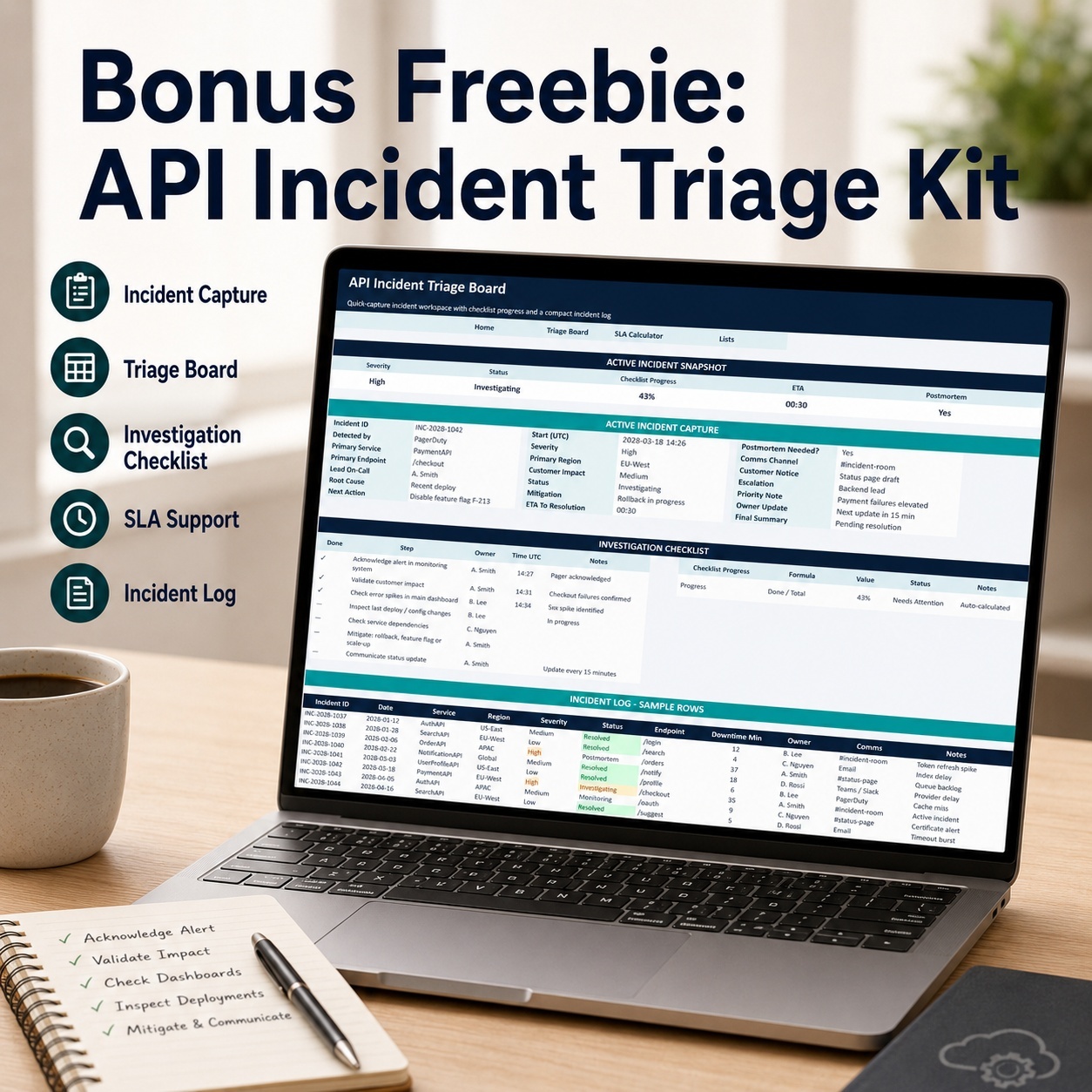
๐ŸŽ BONUS: API INCIDENT TRIAGE KIT
Includes:
โ€“ Incident Triage
โ€“ Prioritization
โ€“ Operational Follow-Up
โ€“ SLA / Uptime Support


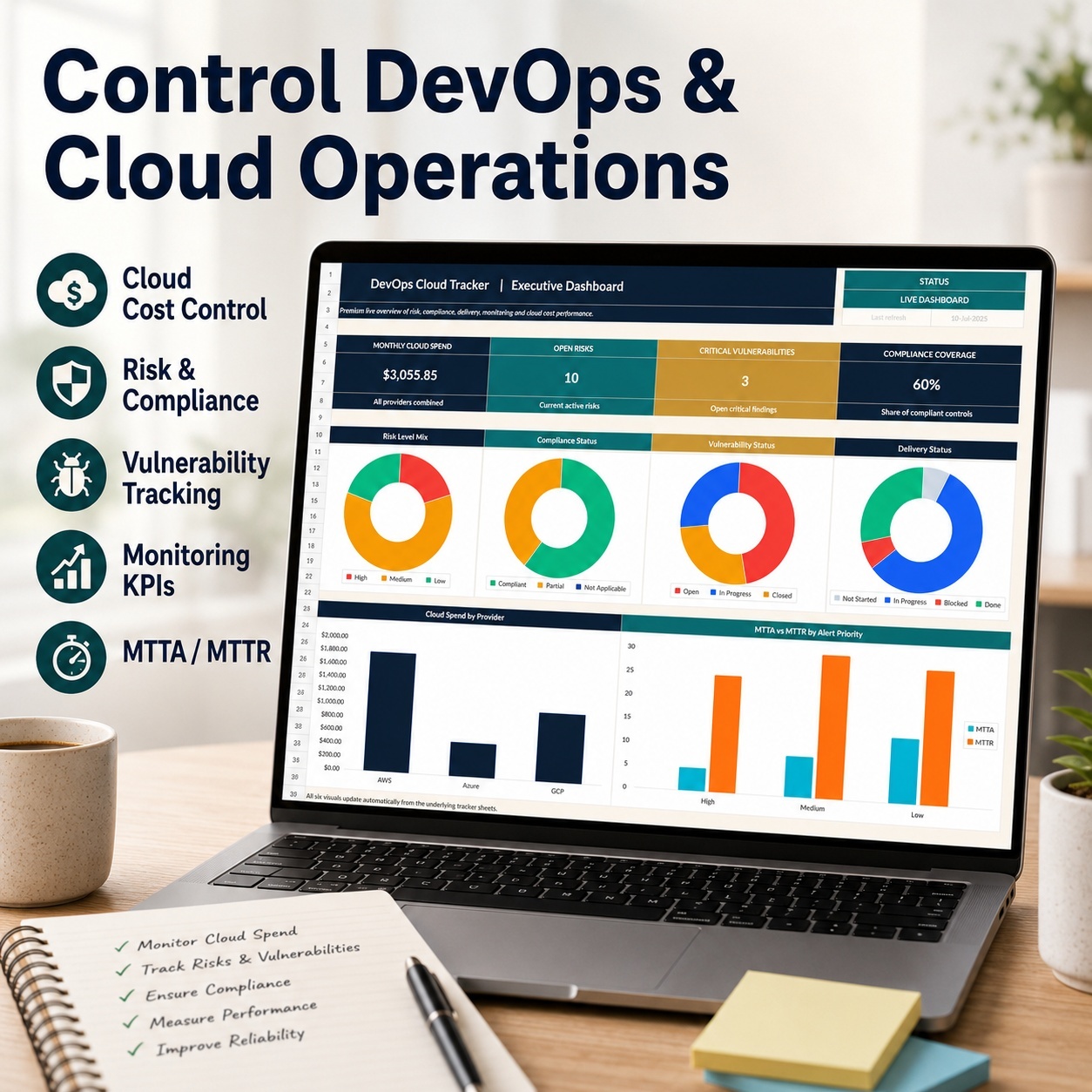
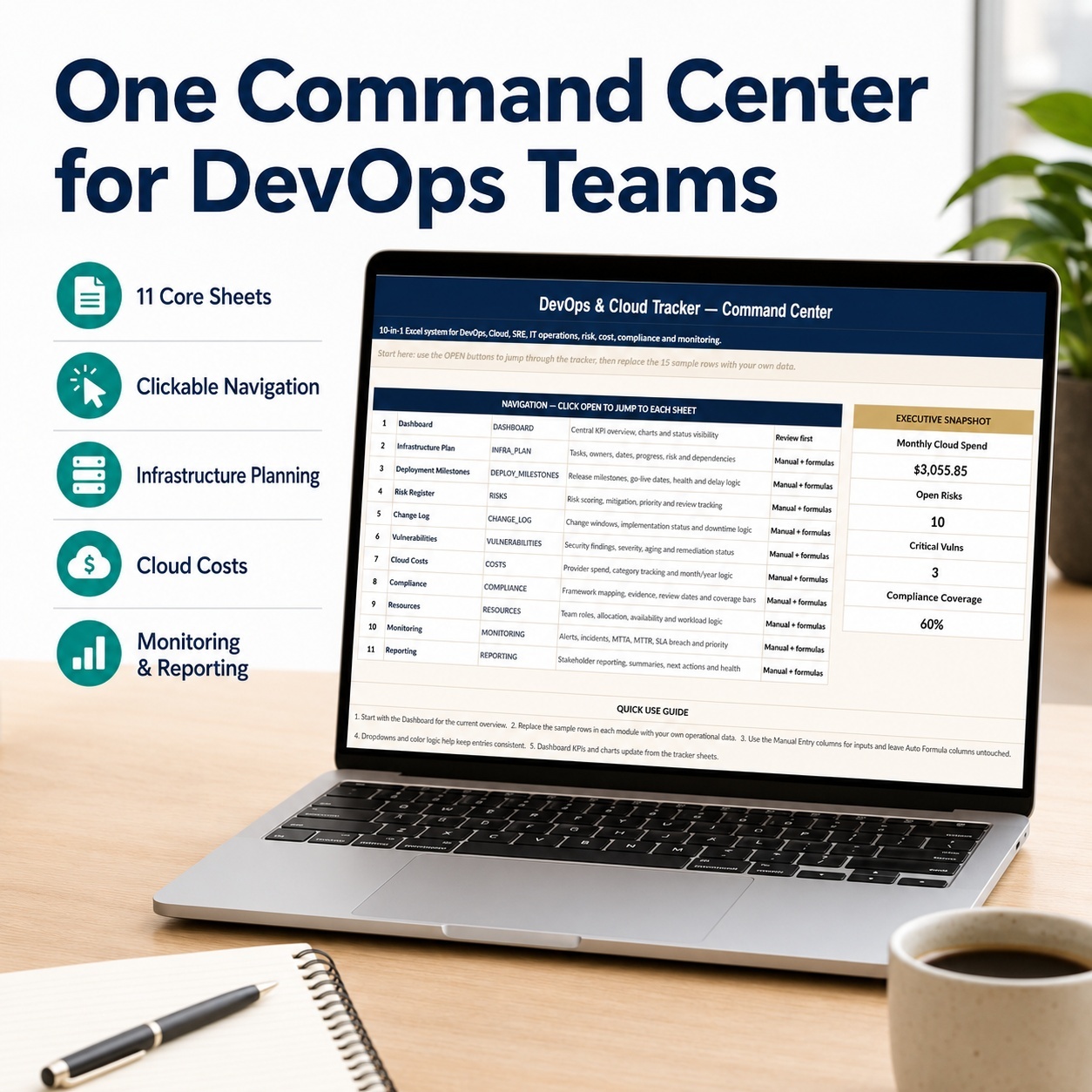
โ˜๏ธ 4. DEVOPS & CLOUD OPERATIONS TRACKER
A professional operational-management system for DevOps and cloud environments.


Includes:
โ€“ Infrastructure
โ€“ Deployment Milestones
โ€“ Change Management
โ€“ Operational Risks
โ€“ Vulnerabilities
โ€“ Cloud Costs
โ€“ Compliance
โ€“ Resources
โ€“ Monitoring
โ€“ Management Reporting
โ€“ Executive Dashboard


The main workbook contains 14 worksheets and 6 Dashboard charts.
Use it to monitor operational risks, deployments, vulnerabilities, costs, compliance and technical-performance indicators.


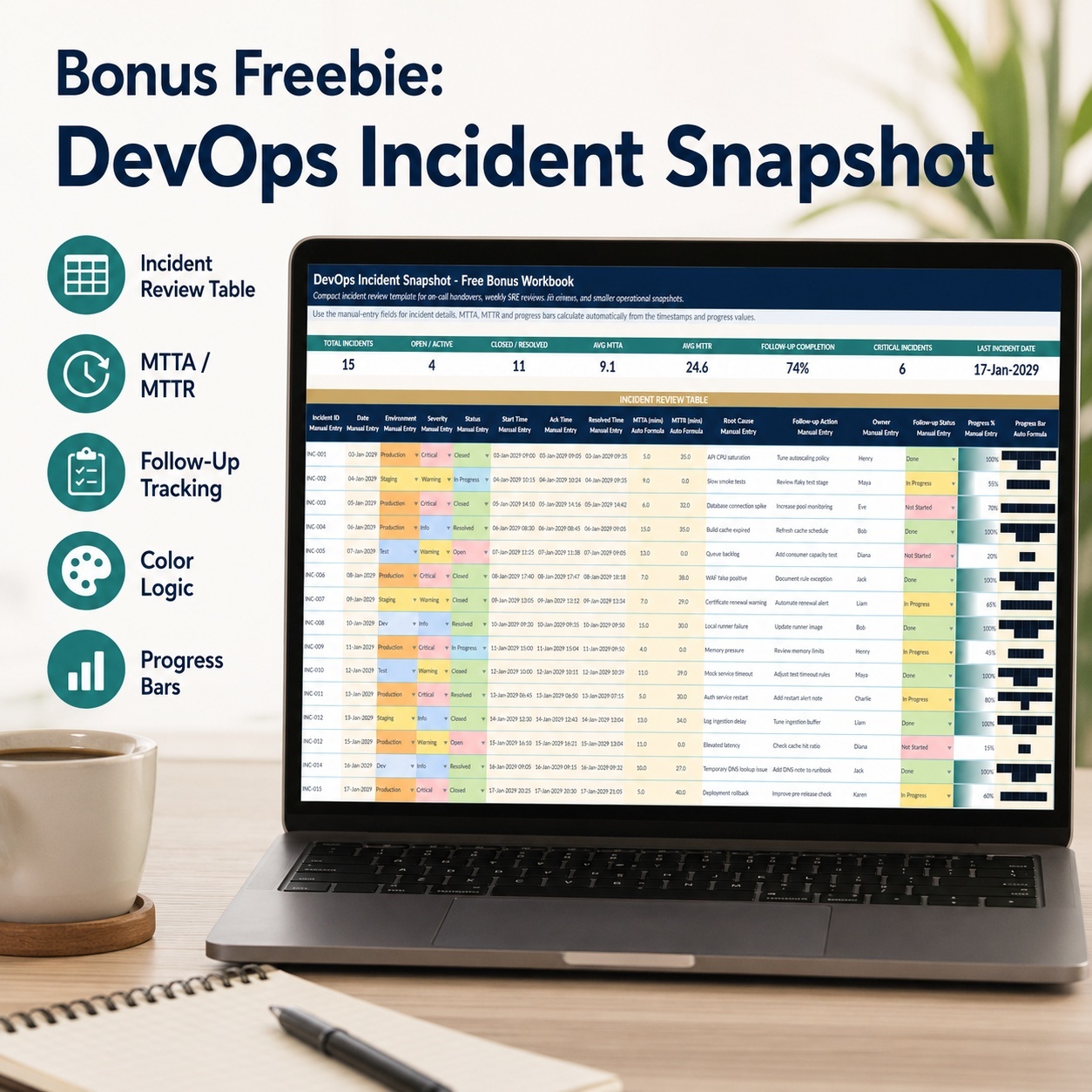
๐ŸŽ BONUS: DEVOPS INCIDENT SNAPSHOT
A focused companion workbook for incident review and operational follow-up.


๐Ÿ”— FOUR SYSTEMS โ€“ ONE SOFTWARE & DEVOPS WORKFLOW
๐Ÿงฉ PLAN
Organize software projects, sprints, resources, risks and backlog.
๐Ÿ› ๏ธ BUILD
Track features, bugs, QA, tasks and technical delivery.
๐Ÿš€ RELEASE
Plan releases, rollout activities, release notes and rollback readiness.
๐Ÿ“ก MONITOR
Review API calls, errors, latency and operational trends.
โ˜๏ธ OPERATE


Manage infrastructure, deployments, vulnerabilities, costs and operational risks.


The four systems intentionally remain independent workbooks.


Automatic synchronization is not included, allowing users to control which information is transferred between project, release, API and DevOps processes.


๐ŸŽฏ IDEAL FOR
๐Ÿ‘จโ€๐Ÿ’ป DevOps Teams
โ˜๏ธ Cloud & Infrastructure Teams
๐Ÿ“ก API & Backend Teams
๐Ÿš€ Software & SaaS Teams
๐Ÿ“Š Product Managers
๐Ÿงฉ Agile Project Managers
๐Ÿงช QA & Release Teams
๐Ÿ”” SRE Teams
๐Ÿ› ๏ธ IT Operations
๐Ÿข Small & Mid-Sized Technical Organizations


๐Ÿ’ก WHY THIS BUNDLE?
Use the toolkit to:
โ€“ Improve software-project visibility
โ€“ Structure sprint and backlog management
โ€“ Coordinate QA, bugs and releases
โ€“ Strengthen rollout and rollback planning
โ€“ Monitor API errors and latency
โ€“ Track DevOps risks and vulnerabilities
โ€“ Improve cloud-cost visibility
โ€“ Support recurring technical-management reviews


๐Ÿ“˜ PROFESSIONAL GUIDANCE
Each of the four systems includes its own dedicated PDF guide.


An additional 8-page Bundle Start Guide explains how the complete package is structured and which system to use for each stage of the workflow.


๐Ÿ’ป EXCEL & GOOGLE SHEETS
โœ… Microsoft Excel Recommended
โœ… XLSX Format
โœ… Google Sheets Import Supported
โœ… Fully Editable
โœ… No Macros
โœ… No VBA
โœ… No PowerQuery


Google Sheets conversion may change charts, formatting, dropdown behavior or other Excel-specific elements.


โš–๏ธ IMPORTANT DISCLAIMER
This toolkit is intended for internal planning, documentation, organization, analysis and productivity support.
It is not an official monitoring platform, cybersecurity system, compliance service, legal document, financial tool or professional consulting service.


Dashboard indicators, API metrics, risks, vulnerabilities, project statuses and other outputs depend on the information entered by the user.


Users remain responsible for validating data, applying appropriate technical and security controls and independently reviewing all operational and business decisions.

This Best Practice includes
4 x Main Excel Systems, 4 x Bonus Excel Workbooks, 4 x Product-Specific PDF Guides, 1 x Bundle Start Guide

Acquire business license for $89.60

Add to cart

Add to bookmarks

Discuss

Further information

โ€“ Improve software-project visibility
โ€“ Structure Agile delivery workflows
โ€“ Coordinate features, QA and releases
โ€“ Improve rollout and rollback preparation
โ€“ Monitor API errors and performance trends
โ€“ Strengthen DevOps operational visibility
โ€“ Track cloud costs and vulnerabilities
โ€“ Improve recurring technical-management reporting

Best suited where:
โ€“ Software delivery involves multiple projects and releases
โ€“ Agile work needs clearer tracking
โ€“ API performance information requires structured analysis
โ€“ DevOps and cloud operations need management visibility
โ€“ Releases require documented rollout and rollback processes
โ€“ Technical teams prefer flexible Excel tools over larger platforms

Not designed to replace:
โ€“ Jira or enterprise Agile platforms
โ€“ Azure DevOps
โ€“ GitHub or GitLab
โ€“ APM or observability platforms
โ€“ SIEM or SOC systems
โ€“ Cloud-provider monitoring systems
โ€“ Automated vulnerability scanners
โ€“ Professional cybersecurity or technical advice


0.0 / 5 (0 votes)

please wait...