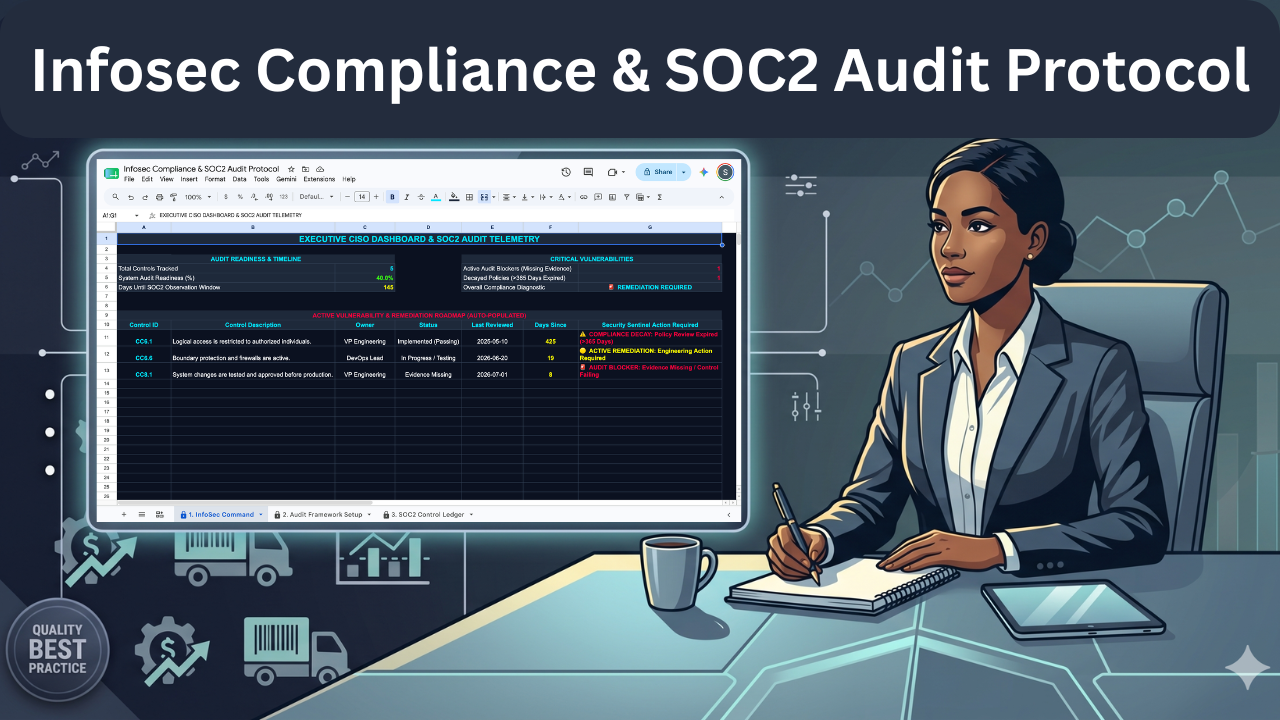
Infosec Compliance & SOC2 Audit Protocol - Google Sheet
Originally published: 22/12/2025 21:46
Last version published: 07/08/2026 12:44
Publication number: ELQ-31389-3
View all versions & Certificate
certified

Infosec Compliance & SOC2 Audit Protocol - Google Sheet

A centralized Google Sheets tracking terminal to manage SOC2 compliance, monitor policy decay, and identify audit vulnerabilities.

Description

Preparing for a SOC2 audit requires tracking numerous security controls, evidence links, and review dates across multiple departments. This tracking terminal provides a clear, centralized repository to monitor your exact audit readiness and identify critical vulnerabilities before the auditor arrives.


The Operational Friction

Managing compliance through manual lists or scattered documents creates subjective bias and multi-user errors. Without a standardized system, teams lose track of when policies expire, fail to link necessary evidence, and cannot accurately calculate how close they are to passing an external audit.


The Mathematical & Structural Solution


This locked-down spreadsheet removes subjectivity by enforcing strict data validation and calculation rules. To ensure you can operate the system with confidence, the purchase includes two supplementary documents:


  • The Operational User Guide: Provides step-by-step instructions so the user can deploy the tool immediately without staring at a confusing blank screen.
  • The Technical Spec Sheet: Fully exposes the background formulas, math, and logical framework so the user has absolute trust in the calculations and knows exactly what is happening under the hood.


Core System Capabilities

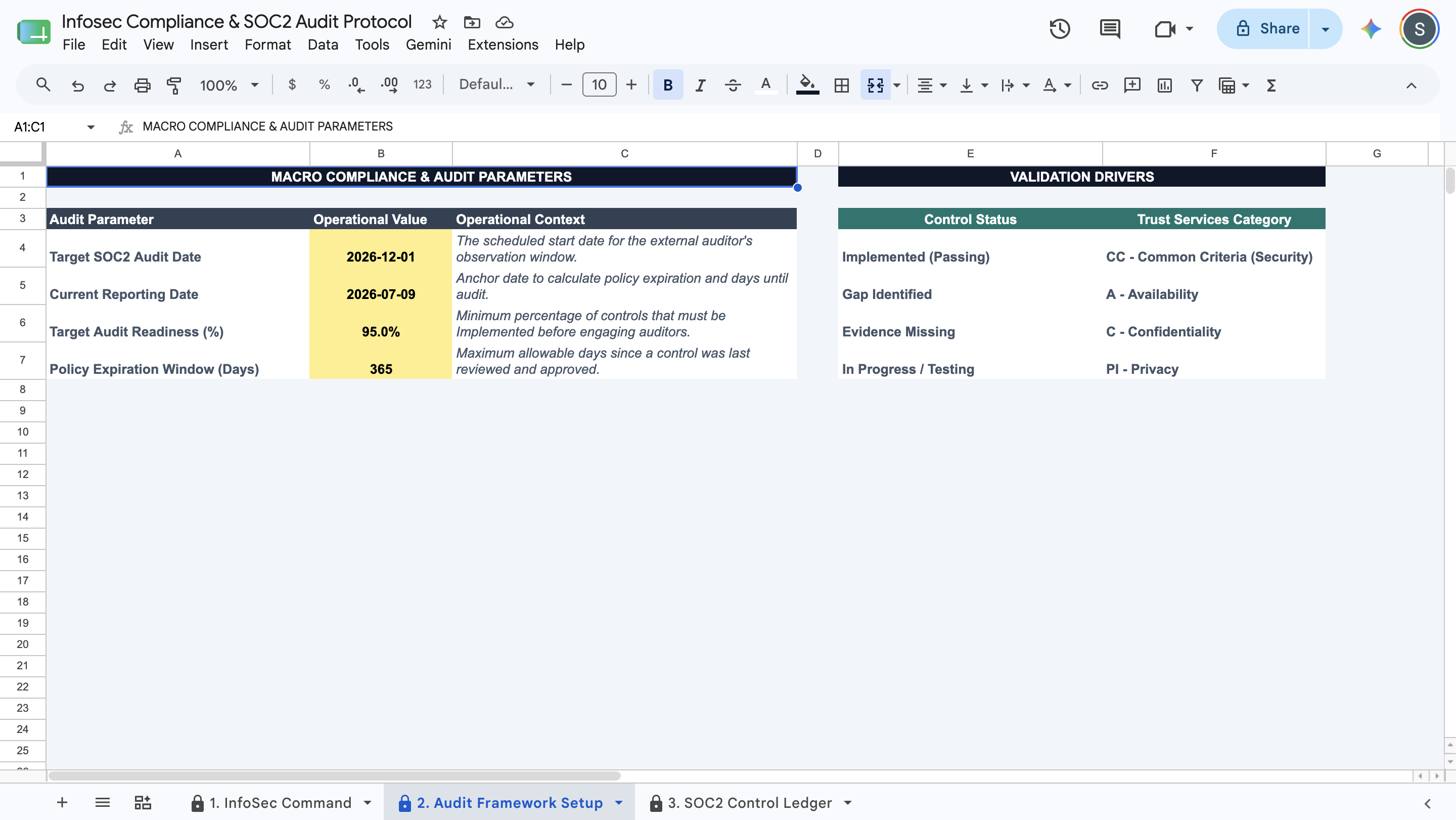
  • Macro Compliance Setup: Define your target audit date, readiness goals, and policy expiration window in a centralized control panel.
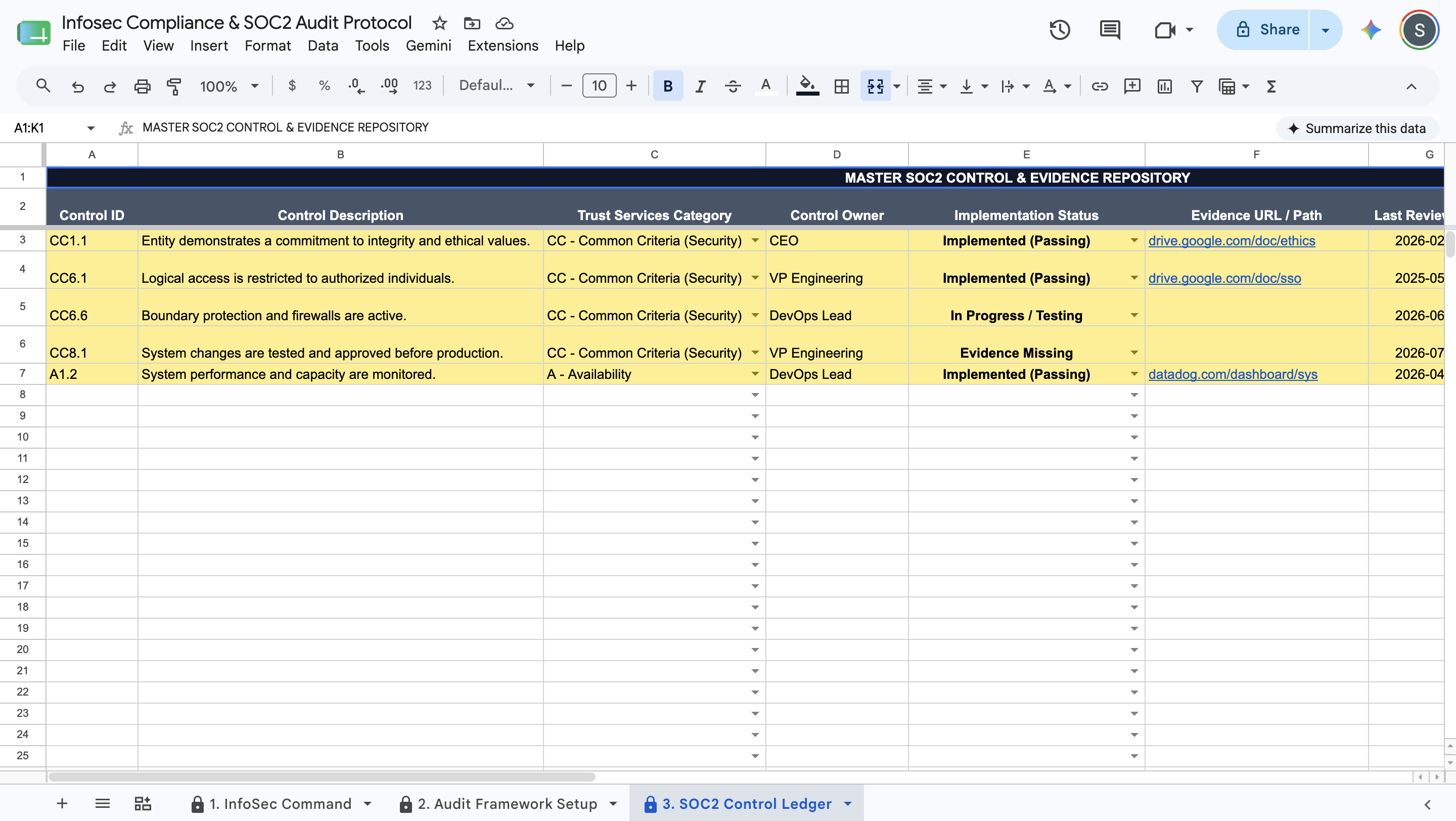
  • SOC2 Control Ledger: Log individual security controls, assign owners, and link direct evidence URLs in a standardized matrix.
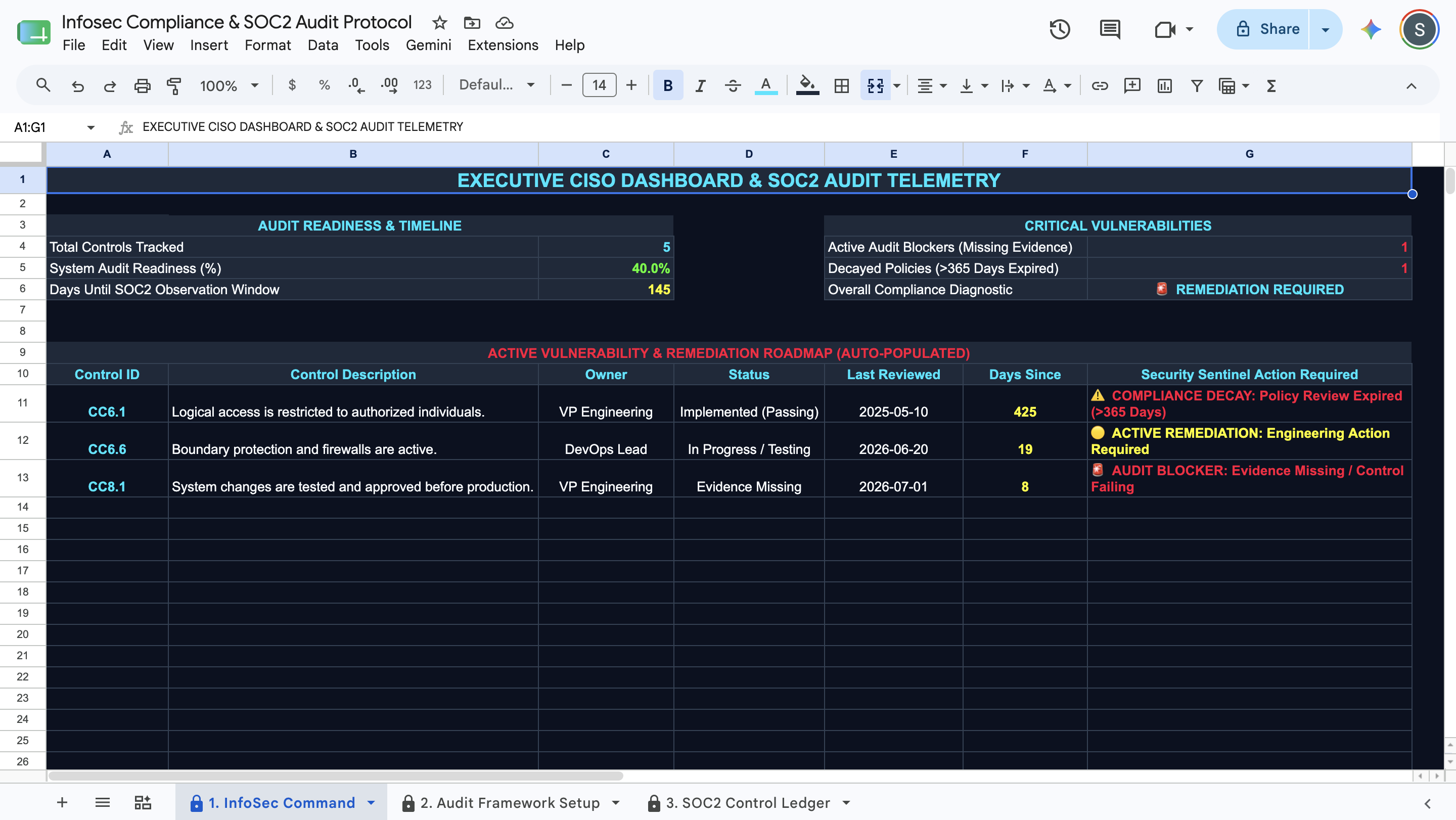
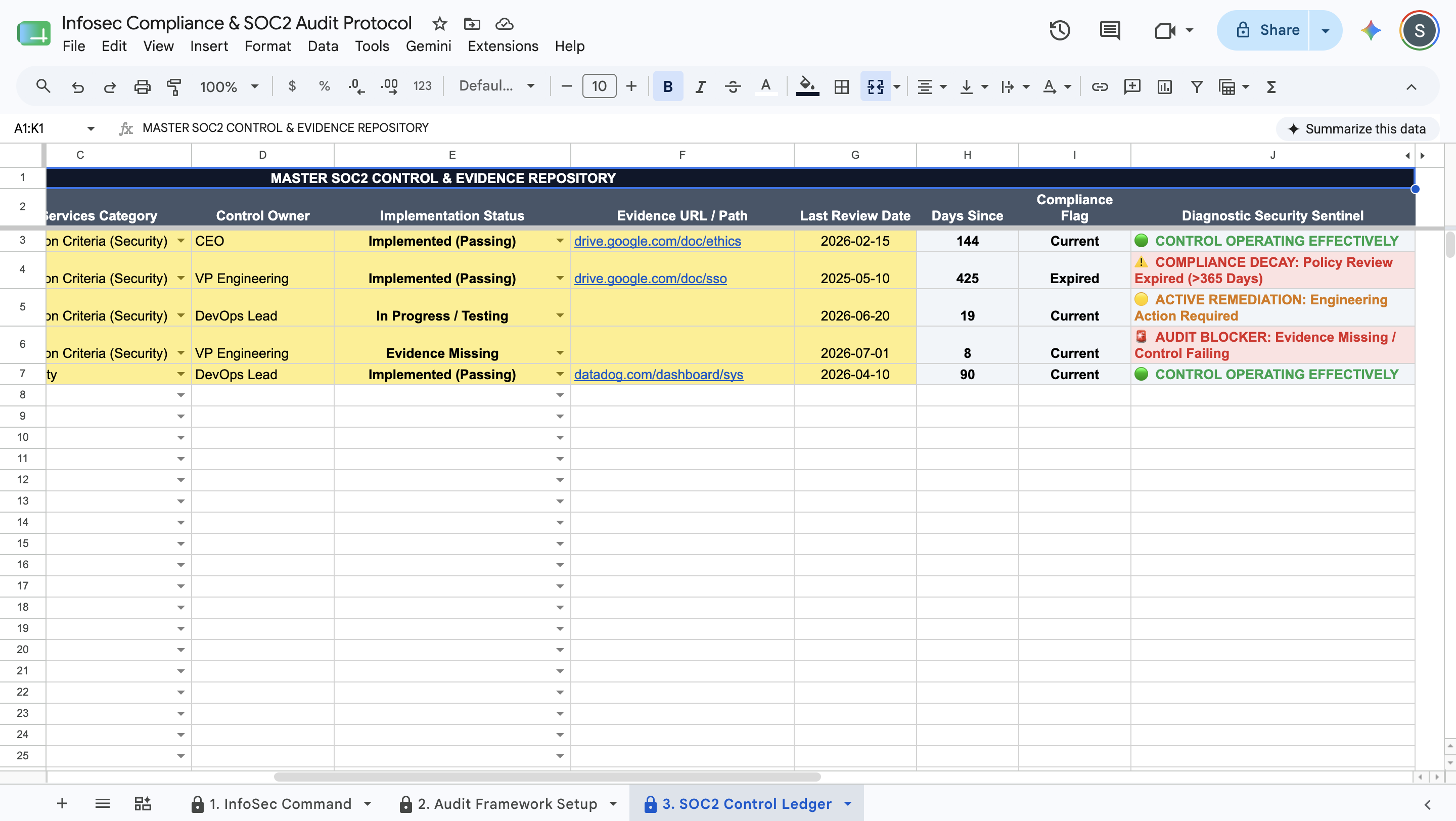
  • Policy Decay Tracking: Calculates the days since a policy was last reviewed and flags controls that fall outside the allowed expiration window.
  • Diagnostic Security Sentinels: Evaluates each control's status and tags it as an audit blocker, active remediation, or operating effectively.
  • Executive CISO Dashboard: Displays a read-only telemetry panel showing total tracked controls, overall audit readiness percentage, and days until the observation window.
  • Dynamic Remediation Roadmap: Extracts failing controls and expired items into a prioritized action list for daily remediation efforts.


Deployment & Prerequisites

  • Included Assets: 1 Native Google Sheets Template, 1 Step-by-Step User Guide, 1 Technical Spec Sheet.
  • Format: Native Google Sheets Template
  • Prerequisites: A free Google Workspace or Gmail account (Not compatible with Microsoft Excel).
  • Time to Deploy: Under 15 minutes (Input your parameters into the yellow cells; calculations run automatically).

This Best Practice includes
1 Google Sheet, 1 User Guide

Acquire business license for $20.00 $5.00

Add to cart

Add to bookmarks

Discuss

Further information

Consolidates all SOC2 security controls and evidence links into a single, organized ledger.


Calculates exact audit readiness percentages based on implemented and current policies.


Identifies specific operational vulnerabilities, such as missing evidence or expired review dates.

Operations leaders and CISOs needing a standardized method to track audit readiness.


Organizations preparing for an upcoming SOC2 observation window.


Teams requiring a clear visual roadmap of failing controls and compliance decay.

Not compatible with Microsoft Excel (requires Google Sheets).


Does not write infosec policies or generate evidence documents.


Does not establish direct connections to your network or cloud infrastructure.


0.0 / 5 (0 votes)

please wait...