Financial Model Audit Checklist and Scorecard - 61 Tests, Severity Weighting, Grade and Findings Log (Excel)
Originally published: 08/10/2026 14:05
Publication number: ELQ-28025-1
View all versions & Certificate
certified

Financial Model Audit Checklist and Scorecard - 61 Tests, Severity Weighting, Grade and Findings Log (Excel)

A checklist you run against a financial model: 61 tests in 8 categories, weighted by severity, with a scorecard, a grade and a findings log.

Description
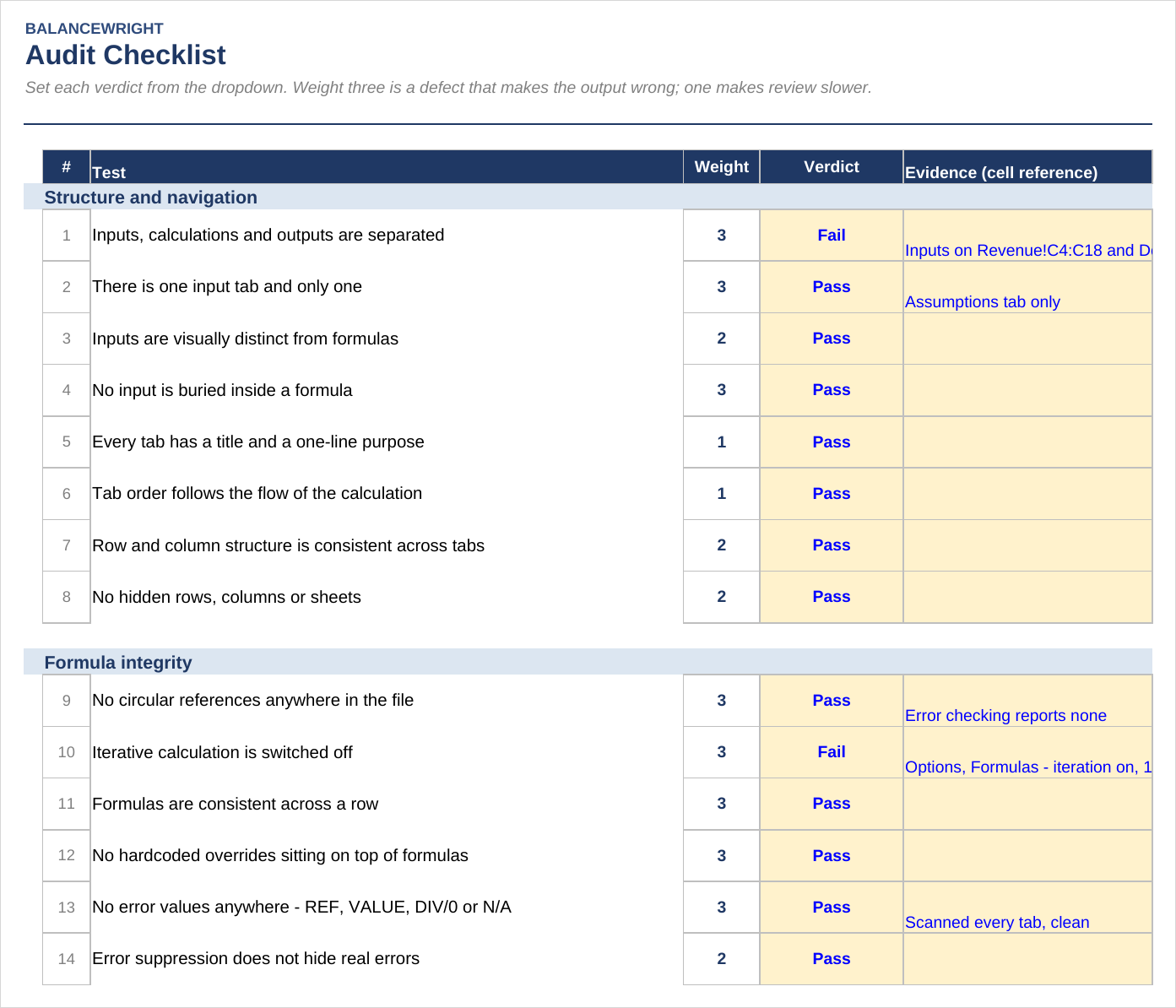
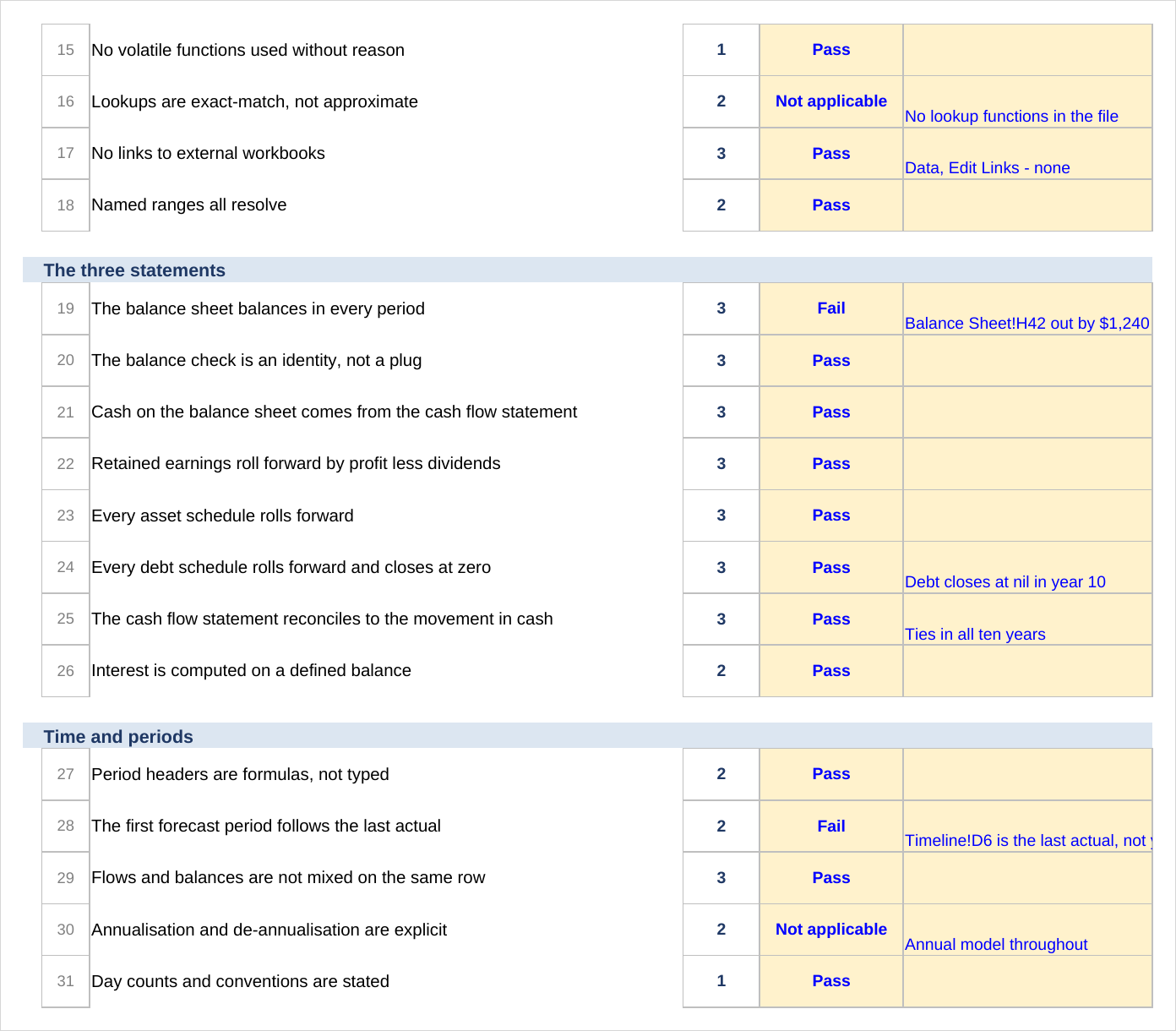
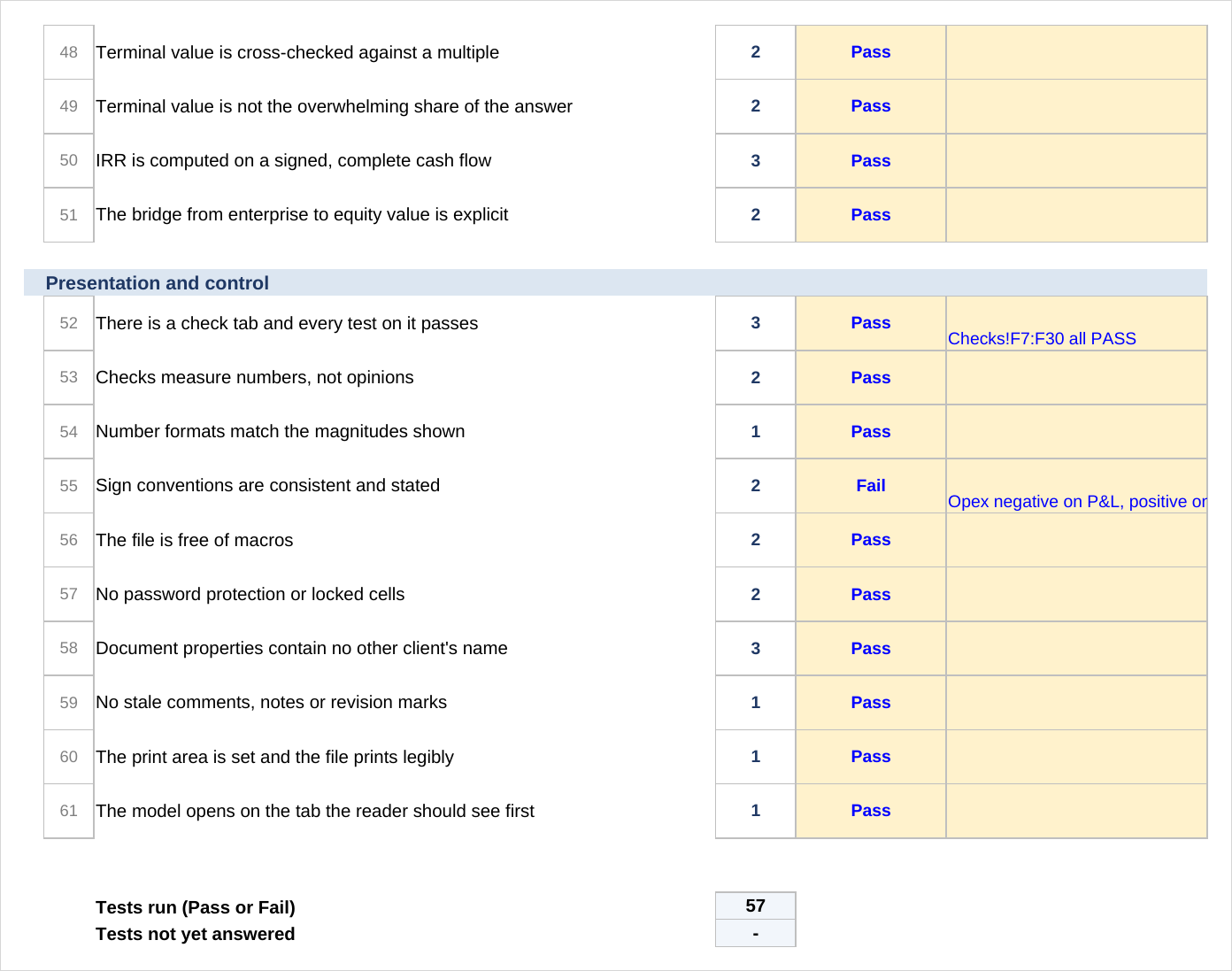
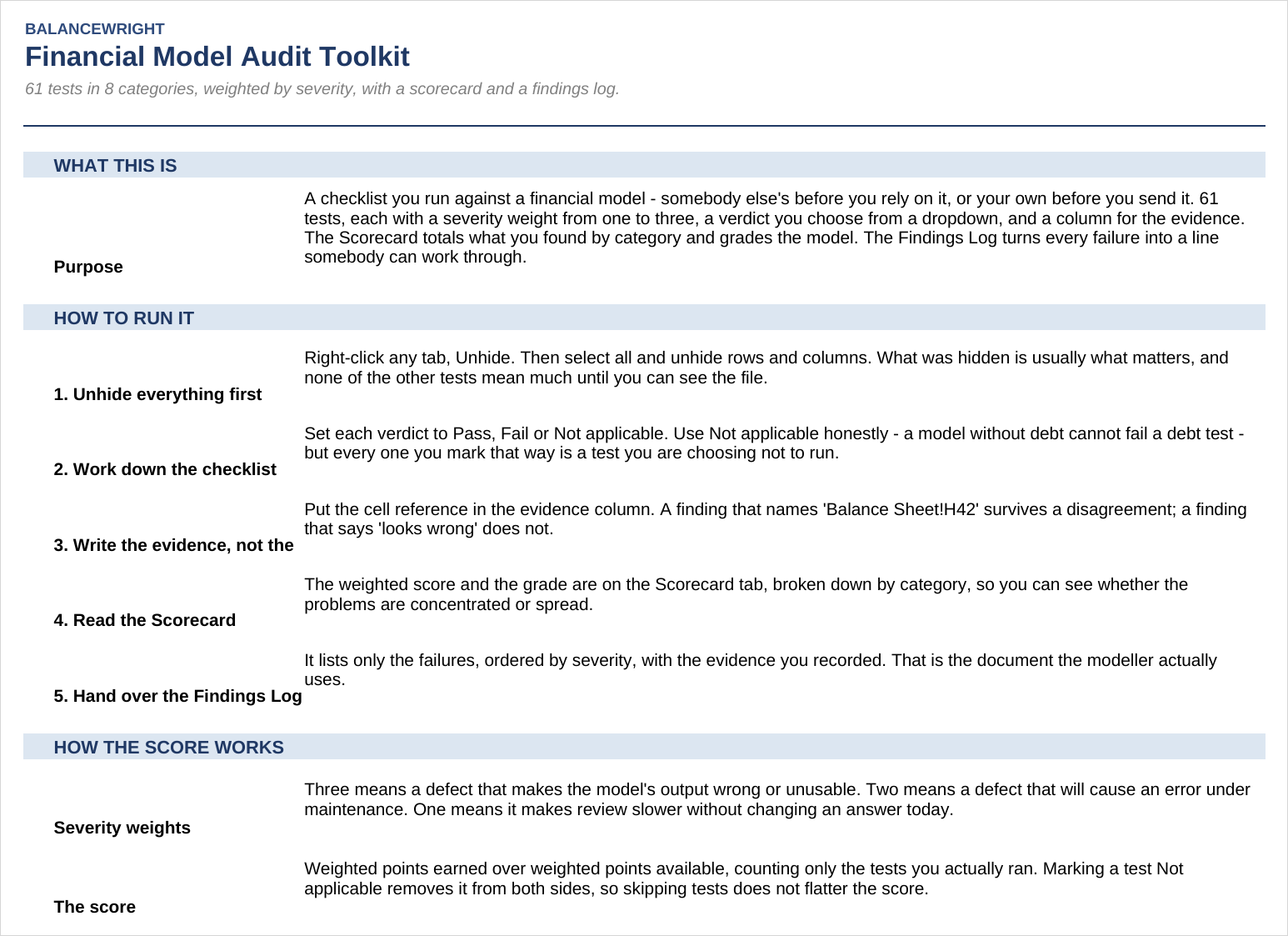
This is not a model. It is the checklist you run against a model — somebody else's before you rely on it, or your own before you send it. Sixty-one tests in eight categories, each carrying a severity weight from one to three, a verdict you pick from a dropdown and a column for the evidence. Four tabs, 359 live formulas.

Why a checklist and not a scanner. There are add-ins that scan a workbook and produce a list of anomalies. They are useful and they are not this. A scanner finds inconsistent formulas; it cannot tell you that the growth rate was applied to the wrong base, that the covenant definition in the model is not the definition in the credit agreement, or that the file carries another client's name in its document properties. Those are the findings that end deals, and they are found by a person who knows where to look. So every test here is written to be run by a human in under a minute, and every one names the thing to click.

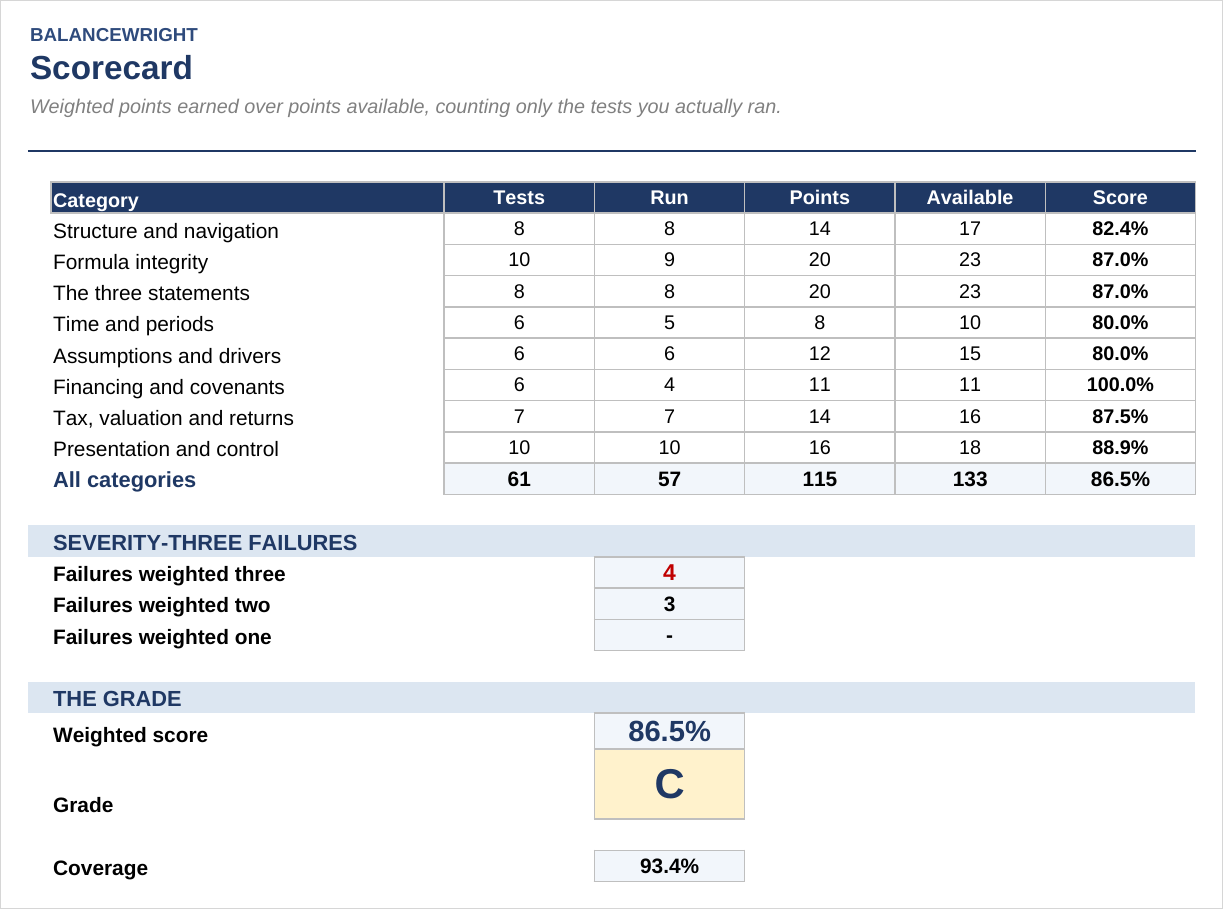
Severity is built into the arithmetic. Three means a defect that makes the output wrong or the file unusable. Two means a defect that will cause an error under maintenance. One means it makes review slower without changing an answer today. The score is weighted points earned over weighted points available, so a failure on "the balance sheet balances" costs three times what a failure on "the print area is set" costs.

Not applicable removes a test from both sides. Marking a test Not applicable takes it out of the numerator and the denominator, so skipping tests cannot flatter the score. A separate coverage figure reports what share of the tests you actually ran.

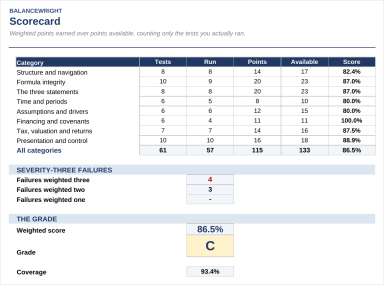
One severity-three failure caps the grade at C. Whatever the percentage says. In the worked example in the guide, a model scores 86.5 per cent across 57 tests run and still grades C, because four of the failures are severity three and one of them is the balance sheet. A model whose balance sheet does not balance is not a model with a small problem, and an average is the wrong way to say so.

The eight categories. Structure and navigation (8 tests) — inputs, calculations and outputs separated; one input tab; inputs buried inside formulas; hidden rows, columns and sheets. Formula integrity (10) — circular references and iterative calculation; formulas consistent across a row; hardcoded overrides; error values; error suppression; volatile functions; approximate-match lookups; external links; broken names. The three statements (8) — whether the balance sheet balances exactly and whether the check is an identity rather than a plug; cash from the cash flow statement; retained earnings rolling forward; asset and debt schedules. Time and periods (6). Assumptions and drivers (6) — units, compounding, the base a percentage is applied to, scenario switches, the same assumption used twice with two values, sensitivity grids agreeing with the base model. Financing and covenants (6). Tax, valuation and returns (7). Presentation and control (10) — including another client's name in the document properties, which is the leak that ends relationships.

Tabs: Read Me, Audit Checklist, Scorecard, Findings Log.

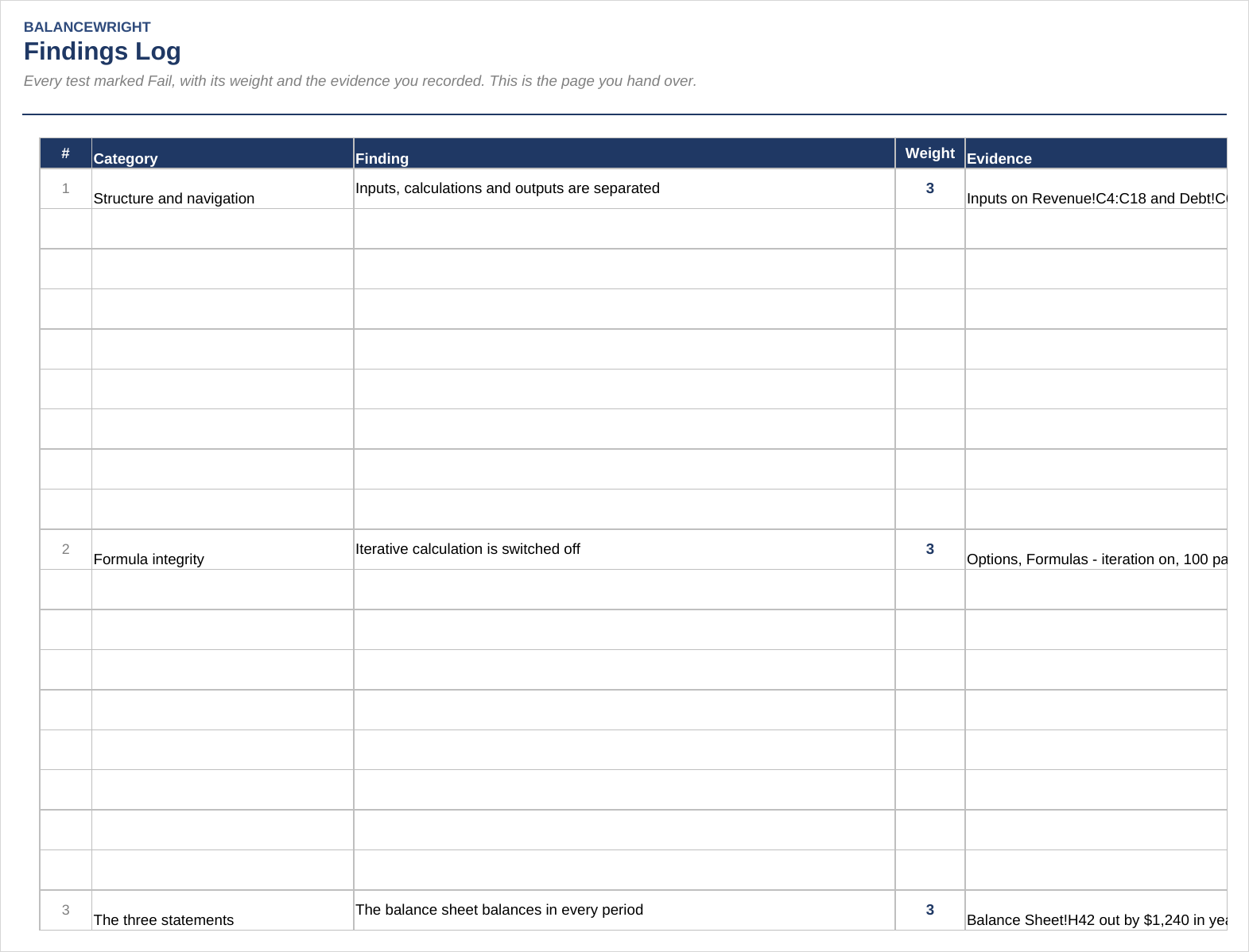
How to run it. Unhide everything first — right-click any tab, Unhide, then select all and unhide rows and columns; what was hidden is usually what matters. Work down the checklist setting each verdict. Write the evidence, not the opinion: a finding that says "Balance Sheet!H42 is out by $1,240 in year six" survives a disagreement with the person who built the model, and one that says "the balance sheet looks wrong" does not. Read the scorecard by category first, then the grade. Hand over the findings log, sorted by weight.

How it is built. Microsoft Excel (.xlsx). No macros, no add-ins, no external links, no password protection and no locked cells — which are four of the things it tests for. It ships blank on purpose; the verdict and evidence columns are yours to fill, and the completed example lives in the guide.

What it is not. Not an add-in and it scans nothing. Not a substitute for understanding the business — a model can pass all sixty-one tests and still be wrong about the market. Not audit in the statutory sense, and nothing in it constitutes an opinion on financial statements. Not tied to one model type: it runs against a three-statement model, a project finance model or a real estate proforma without changing the tests.

A 7-page guide and preview PDF, including the completed worked example, is included with the download.

This Best Practice includes
One Excel workbook (.xlsx) with four tabs and 359 live formulas, plus a 7-page guide and preview PDF with a completed worked example

Acquire business license for $29.00

Add to cart

Add to bookmarks

Discuss

Further information

Review any financial model - somebody else’s before you rely on it, or your own before you send it - to a repeatable standard, and produce a findings list the modeller can work through.

You have been handed a model built by somebody who has left, you are doing diligence on a sponsor’s numbers, you want a last pass before sending your own file, or your team needs one standard for what "reviewed" means.

You want an add-in that scans the workbook for you. Every test here is run by a person; the tests it contains are the ones a scanner cannot answer.


0.0 / 5 (0 votes)

please wait...