Trade Show & Field Marketing ROI Terminal - Google Sheet
Originally published: 22/12/2025 21:45
Last version published: 07/08/2026 12:42
Publication number: ELQ-22055-3
View all versions & Certificate
certified

Trade Show & Field Marketing ROI Terminal - Google Sheet

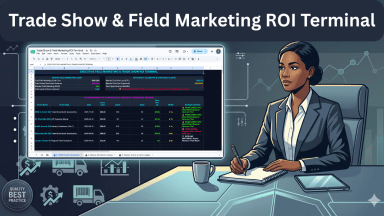
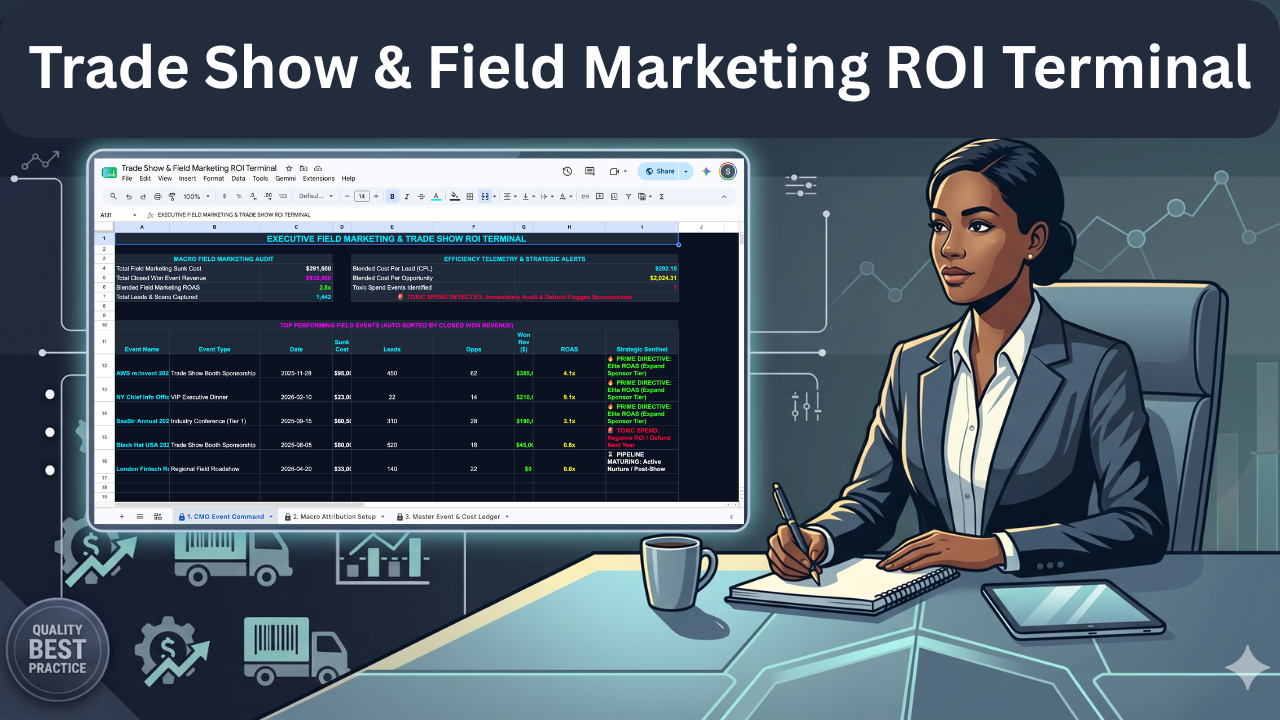
Track trade show costs, measure exact return on ad spend (ROAS), and instantly flag toxic field marketing events with this locked Google Sheets ledger.

Description

Tracking the true financial return of trade shows and field marketing events is often messy and subjective. This tool provides a centralized ledger to record all event costs, pipeline attribution, and final revenue to determine precise return on ad spend (ROAS). This spreadsheet is designed to be used in Google Sheets.


The Operational Friction

Relying on scattered spreadsheets to track event ROI often results in broken formulas and subjective bias. When marketing teams estimate event success without calculating the exact cost per lead or closed won revenue, toxic spend goes unnoticed. Without a locked, centralized ledger, executives cannot accurately compare competing sponsorships or identify which events are burning budget.


The Mathematical & Structural Solution


This terminal delivers a uniform, protected interface that calculates your event ROI safely. The underlying calculation framework is completely locked, preventing accidental formula deletion while instantly updating your executive dashboard based on simple ledger entries. To ensure immediate deployment, your purchase includes two supplementary documents:


  • The Operational User Guide: Provides step-by-step instructions so the user can deploy the tool immediately without staring at a confusing blank screen.
  • The Technical Spec Sheet: Fully exposes the background formulas, math, and logical structure so the user has absolute trust in the calculations and knows exactly what is happening under the hood.


Core System Capabilities

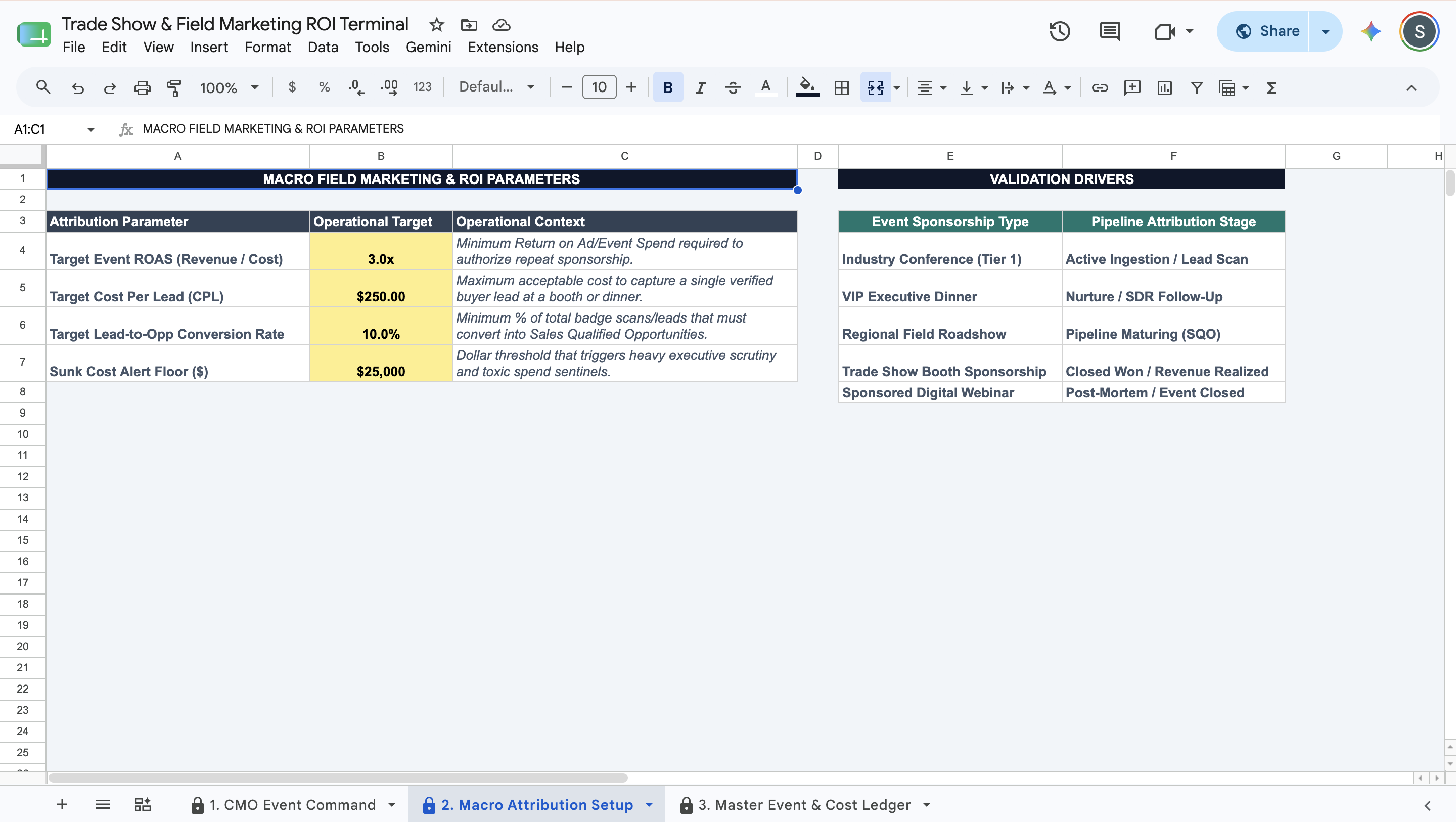
  • Macro Attribution Setup: Establish your minimum acceptable ROAS, target cost per lead, and the sunk cost alert floor.
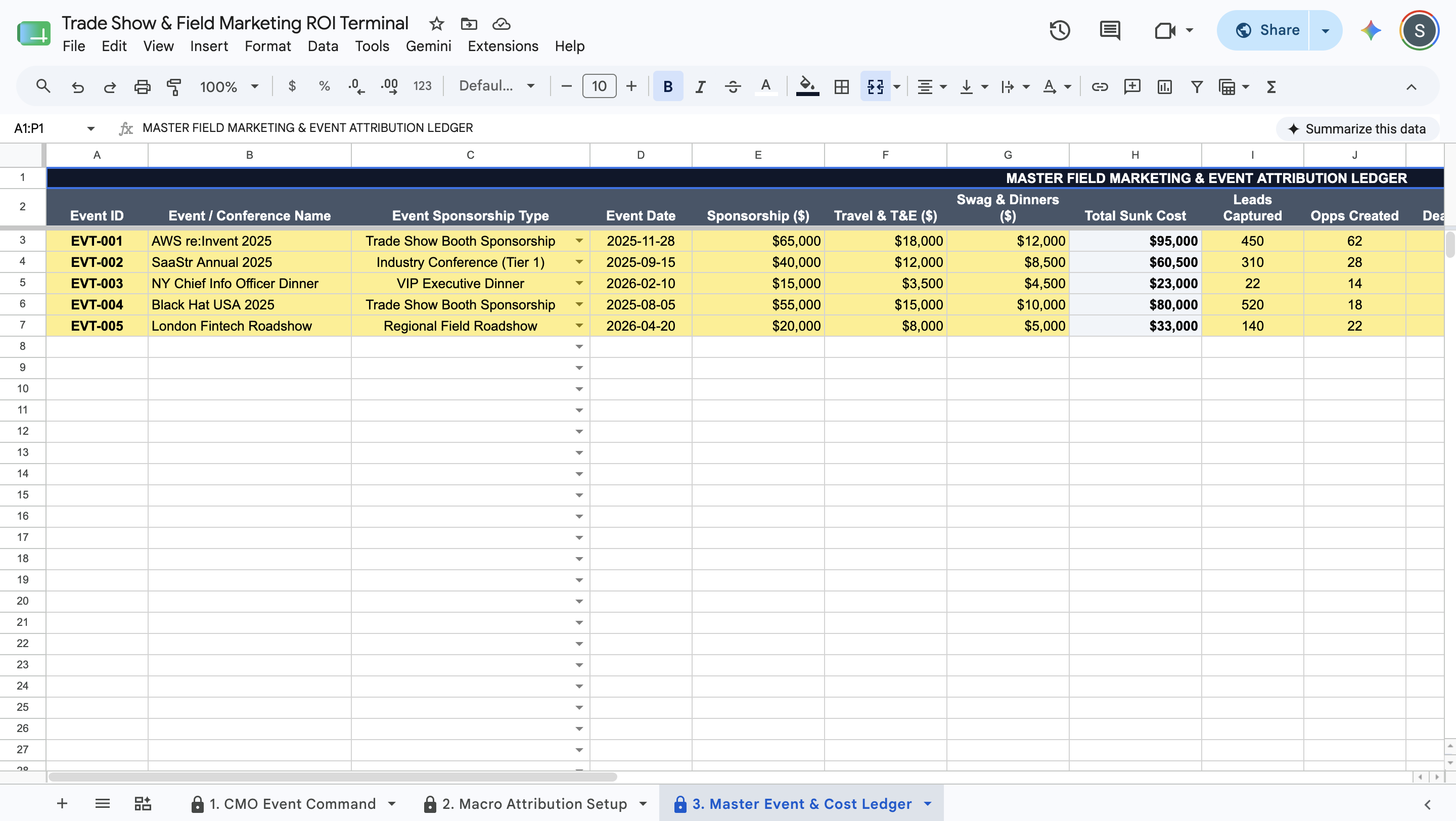
  • Master Event & Cost Ledger: Log individual events with their itemized costs, lead capture counts, and final revenue attribution.
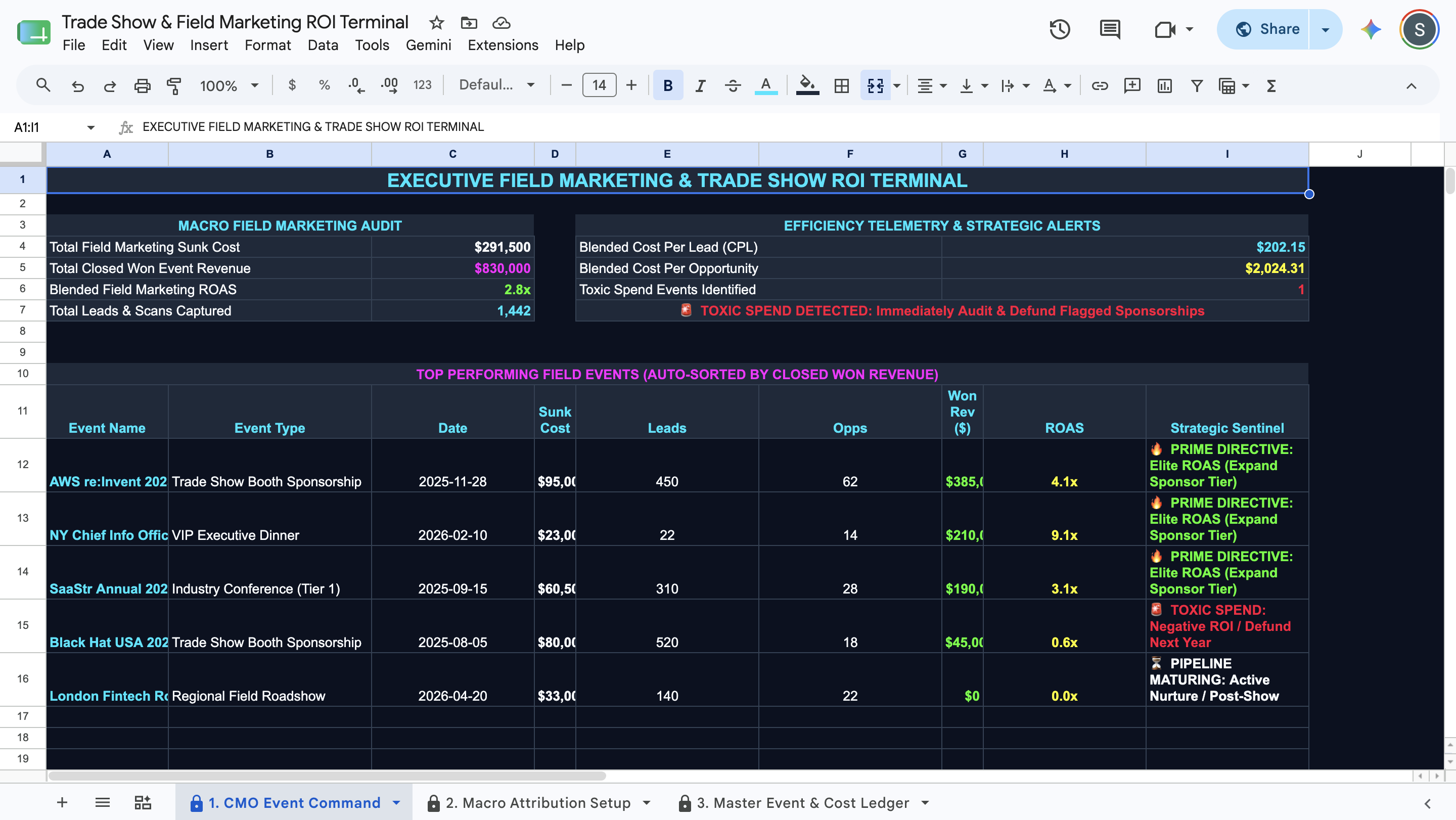
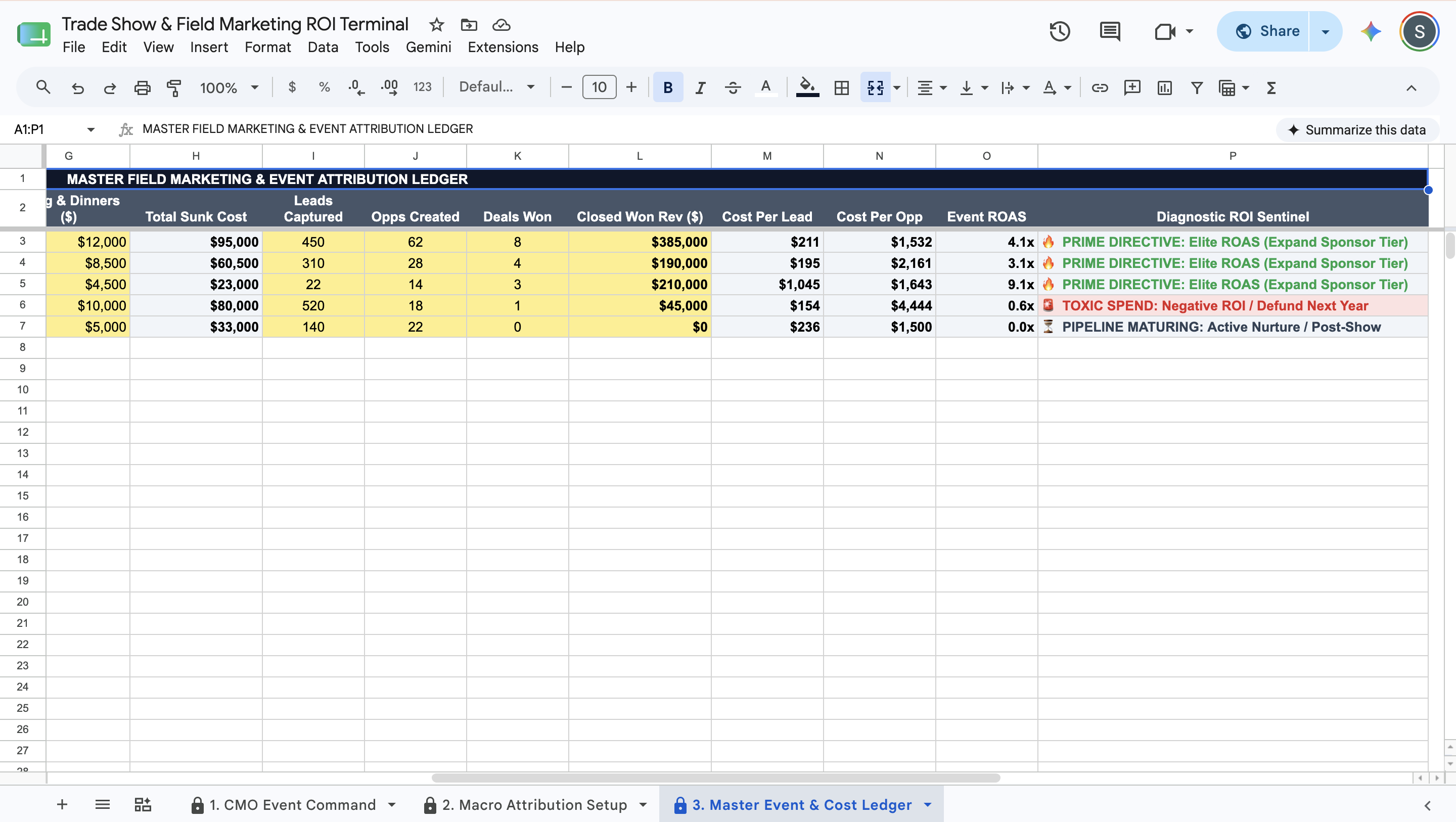
  • Efficiency Telemetry: Calculate the exact Cost Per Lead (CPL) and Cost Per Opportunity (CPO) for every event automatically.
  • Diagnostic ROI Sentinel: Automatically flag events as Prime Directive, Toxic Spend, Ghost Booth, or Pipeline Maturing based on the math.
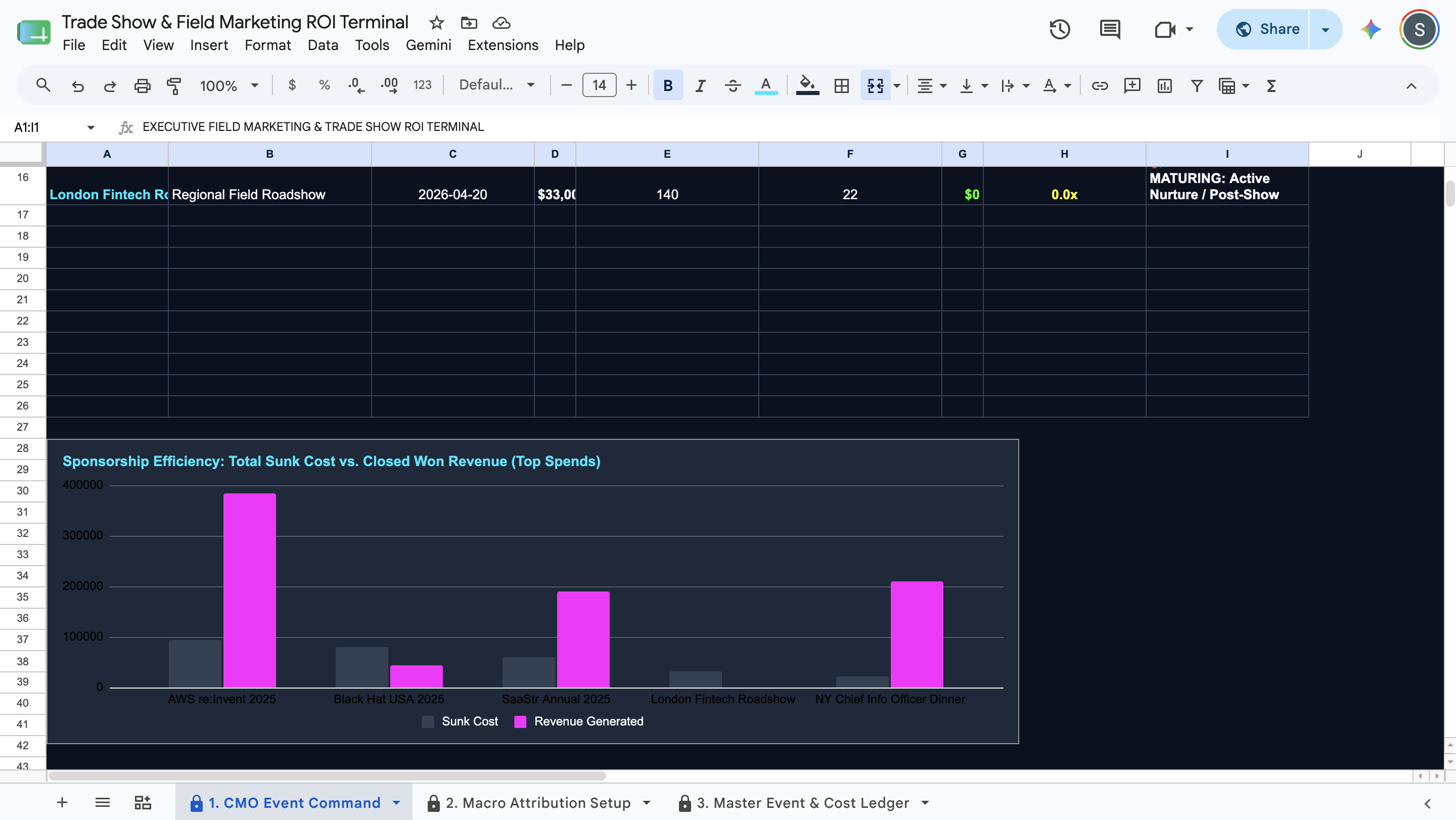
  • CMO Event Command: Review a locked, dark-mode dashboard displaying your blended ROAS and a ranked matrix of your top-performing events.


Deployment & Prerequisites

  • Included Assets: 1 Native Google Sheets Template, 1 Step-by-Step User Guide, 1 Technical Spec Sheet.
  • Format: Native Google Sheets Template
  • Prerequisites: A free Google Workspace or Gmail account (Not compatible with Microsoft Excel)
  • Time to Deploy: Under 15 minutes (Input your macro parameters into the yellow cells; calculations run automatically)

This Best Practice includes
1 Google Sheet, 1 User Guide, 1 Technical Spec Sheet

Acquire business license for $20.00 $5.00

Add to cart

Add to bookmarks

Discuss

Further information

Centralize all field marketing costs and pipeline attribution into a single ledger.


Calculate exact Cost Per Lead (CPL), Cost Per Opportunity (CPO), and ROAS.


Instantly identify high-performing events to expand sponsorship tiers.


Automatically flag toxic spend events that generate negative returns.

Chief Marketing Officers (CMOs) managing a portfolio of trade show sponsorships.


Field marketing managers needing to prove exact revenue attribution.


Revenue operations teams auditing event spend efficiency.

Not compatible with Microsoft Excel (requires Google Sheets).


Not an event logistics or booth staff scheduling planner.


Not a CRM for tracking individual sales contacts.


0.0 / 5 (0 votes)

please wait...