



Product Management Excel Suite | RICE, MoSCoW, PRD, Release Planning, QA, Bugs & Executive Dashboard

Product management Excel suite with RICE, MoSCoW, UX research, PRDs, release planning, QA, bug tracking, executive dashboard and weekly reporting.

Description

πŸš€ PRODUCT DEVELOPMENT & RELEASE MANAGEMENT SUITE


Bring feature prioritization, UX research, product requirements, release planning, quality assurance, defect management, and stakeholder reporting into one structured product-management system.


Designed for Product Managers, Product Owners, SaaS teams, startups, engineering teams, QA professionals, UX teams, consultants, and internal product organizations, this professional Excel suite provides a connected workflow from early prioritization and evidence gathering through requirements, release execution, testing, defect management, and executive reporting.


The package includes:

πŸ“Š 1 Product Development & Release Management Excel Workbook 🎁 1 Weekly Product Pulse Bonus Workbook πŸ“˜ 1 detailed 10-page How-to-Use PDF Guide


The main workbook includes realistic sample data across the core modules, allowing users to understand the intended workflows before replacing the examples with their own product portfolio, research findings, PRDs, releases, tests, and defects.


Rather than managing product decisions across disconnected prioritization files, research notes, PRD documents, release plans, QA sheets, and bug trackers, the suite provides one consistent operating framework for recurring product-management work.


🎯 FEATURE PRIORITIZATION WITH RICE & MoSCoW

Build a structured feature and initiative portfolio using both quantitative and qualitative prioritization methods.

Track:

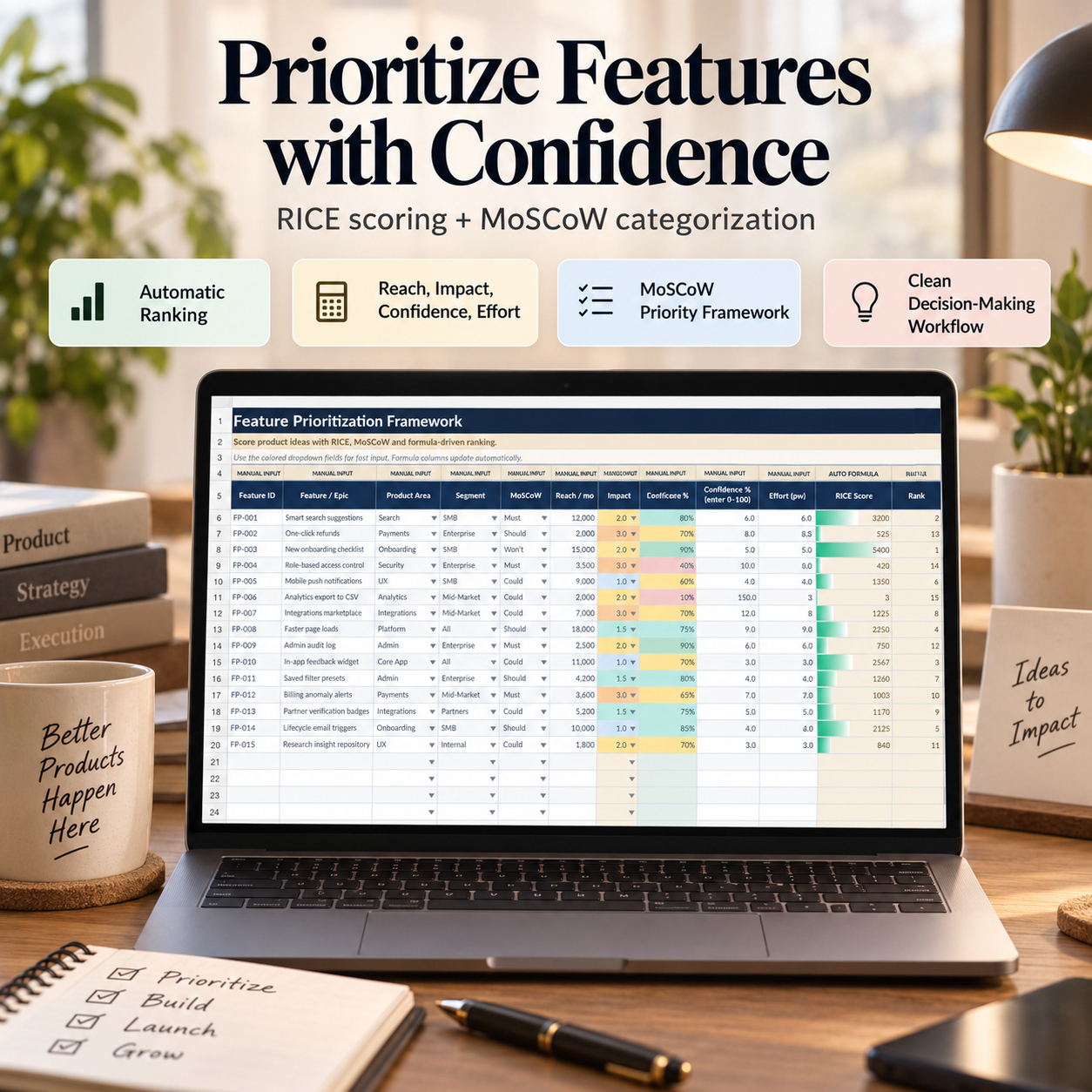
βœ… Feature / Epic βœ… Product Area βœ… Customer Segment βœ… MoSCoW Classification βœ… Reach βœ… Impact βœ… Confidence βœ… Effort βœ… Theme / OKR βœ… Notes


The workbook automatically calculates:

RICE Score = Reach Γ— Impact Γ— Confidence Γ· Effort

and assigns a formula-driven Rank across the feature portfolio.


The included sample portfolio contains 15 realistic product initiatives, demonstrating different product areas, customer segments, effort assumptions, strategic themes, and prioritization outcomes.


MoSCoW classifications provide an additional commitment-oriented view through:

πŸ”΅ Must 🟣 Should 🟒 Could 🟠 Won't


RICE provides a quantitative signal, while MoSCoW, UX evidence, strategic context, capacity, and risk can be reviewed together before a final product decision is made.


πŸ”Ž UX RESEARCH LOG

Turn product research and discovery activity into a structured evidence base.


The UX Research Log captures:

βœ… Study ID βœ… Research Date βœ… Product Area βœ… Research Method βœ… Objective βœ… Participants βœ… Persona βœ… Key Finding βœ… Impact βœ… Confidence βœ… Follow-up Action βœ… Owner βœ… Status βœ… Related Feature


A formula-driven Research Score helps create an additional signal from participation, impact, and confidence.


The workbook includes 15 sample research records across methods such as:

πŸ”Ή Usability Testing πŸ”Ή Interviews πŸ”Ή Surveys πŸ”Ή Analytics Review πŸ”Ή Card Sorting πŸ”Ή A/B Testing πŸ”Ή Diary Studies πŸ”Ή Heuristic Reviews πŸ”Ή Field Studies πŸ”Ή Tree Testing


Research findings can be linked back to related features so prioritization decisions retain an evidence trail rather than relying only on scoring.


πŸ“ PRD GENERATOR

Create structured Product Requirement Documents within the workbook.


Maintain PRD records covering:

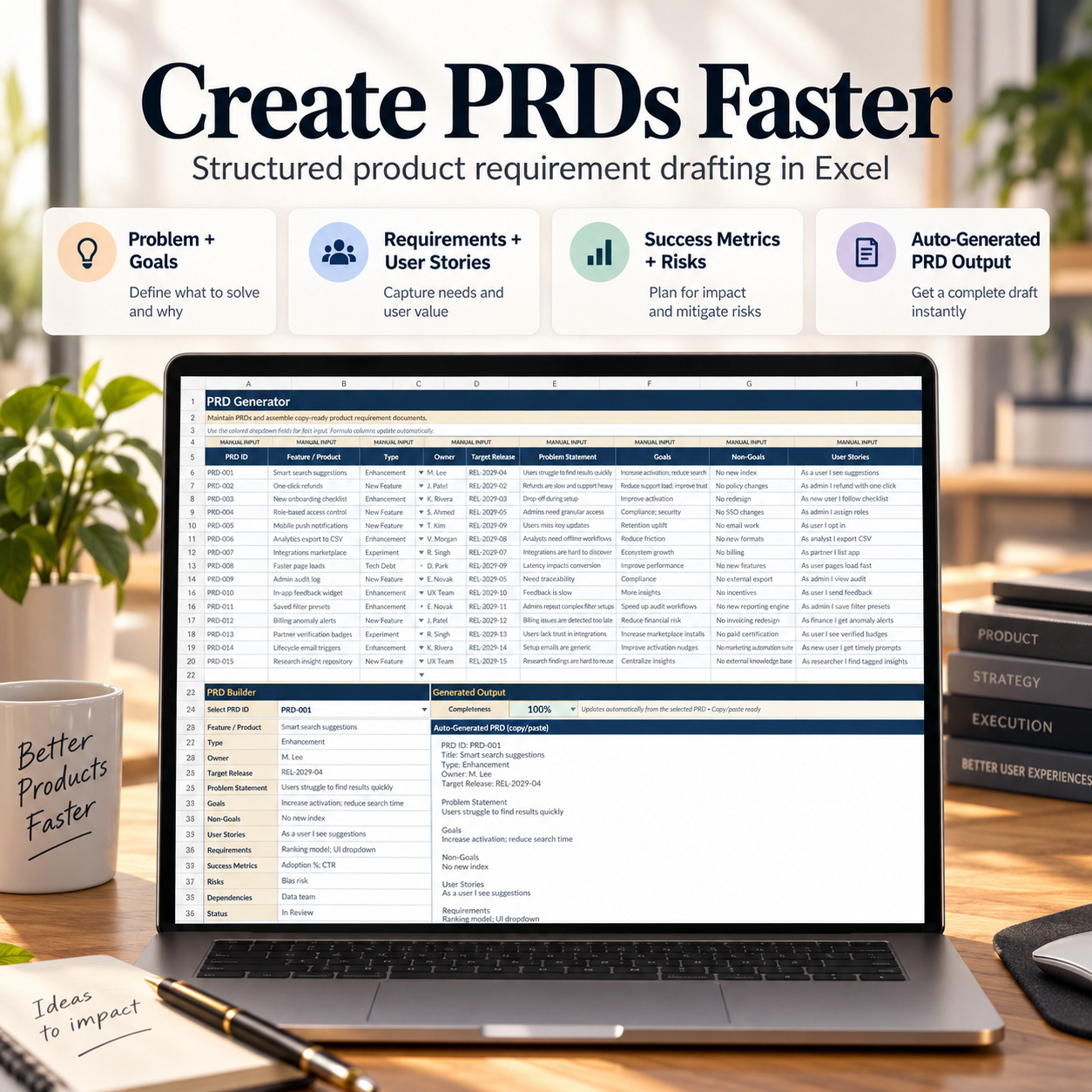
βœ… PRD ID βœ… Feature / Product βœ… PRD Type βœ… Owner βœ… Target Release βœ… Problem Statement βœ… Goals βœ… Non-Goals βœ… User Stories βœ… Requirements βœ… Success Metrics βœ… Risks βœ… Dependencies βœ… Status βœ… Last Updated


The included PRD Builder allows users to select a PRD and review its structured content in a dedicated output area.

Automatic functionality includes:


πŸ“Œ Completeness Indicator πŸ“„ Copy/Paste-Ready Generated PRD Output


The generated output assembles the core PRD information into a readable format covering the problem, goals, non-goals, user stories, requirements, success metrics, risks, dependencies, ownership, release target, and status.

The workbook includes 15 illustrative PRDs demonstrating different product and development use cases.


πŸ—“οΈ RELEASE PLANNING

Manage release scope, dates, capacity, risk, and launch decisions within a dedicated release-planning module.


Track:

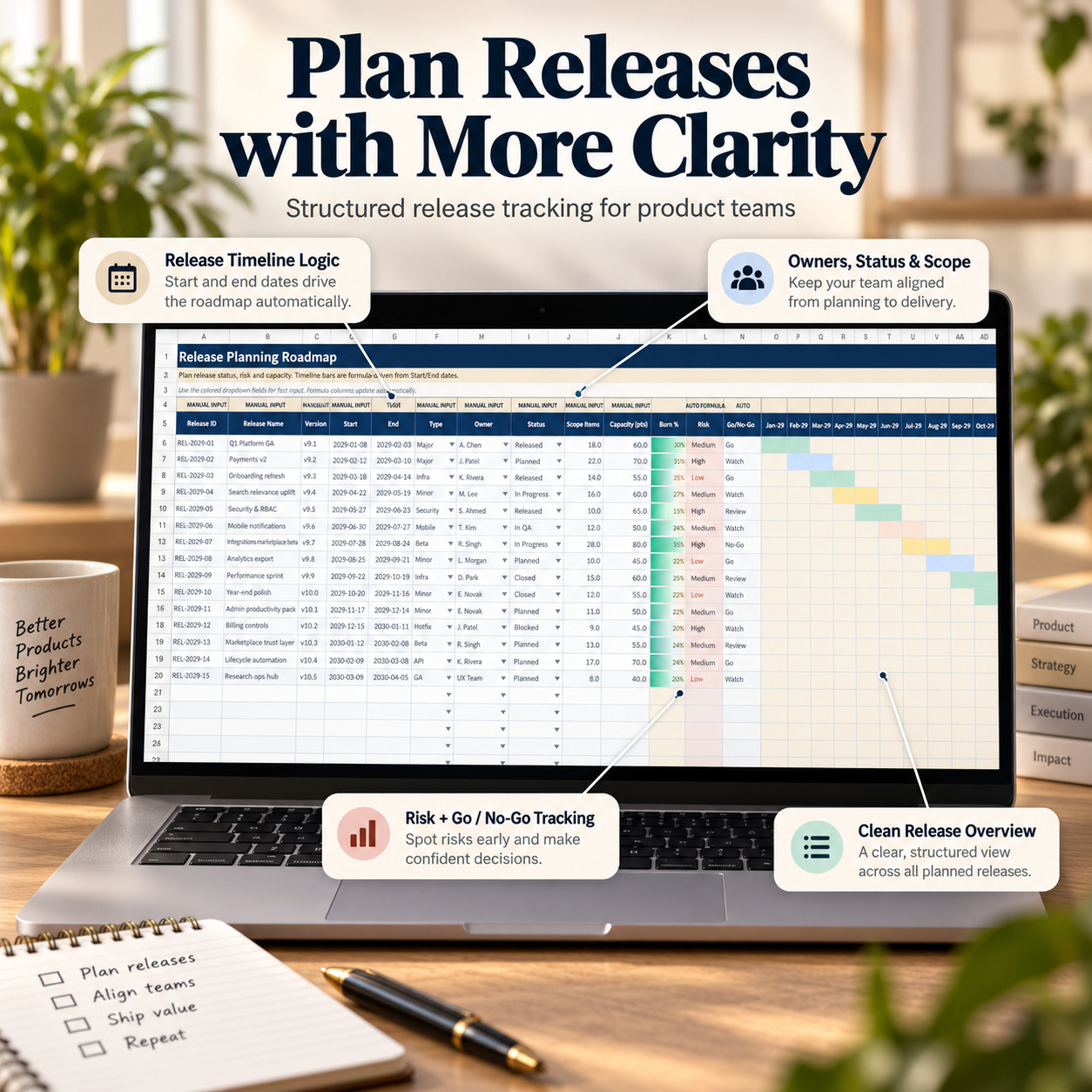
βœ… Release ID βœ… Release Name βœ… Version βœ… Start Date βœ… End Date βœ… Release Type βœ… Owner βœ… Status βœ… Scope Items βœ… Capacity βœ… Risk βœ… Go / No-Go βœ… Notes


The system automatically calculates Burn % and includes formula-driven timeline logic across the release schedule.

The sample data contains 15 releases, demonstrating different statuses and release types including Major, Minor, Security, Mobile, Infra, Beta, Hotfix, API, and GA.


This provides a clear management view of planned, active, QA-stage, released, blocked, and closed delivery work.


πŸ§ͺ QA TEST CASE MANAGEMENT

Organize product-quality testing through a structured QA workflow.


Each test case can include:

βœ… Test Case ID βœ… Linked Feature ID βœ… Module βœ… Test Type βœ… Priority βœ… Test Status βœ… Last Run Date βœ… Owner βœ… Preconditions βœ… Test Steps βœ… Expected Result βœ… Actual Result βœ… Defect ID βœ… Automation Status βœ… Release ID βœ… Notes

The QA module automatically summarizes:


πŸ“ˆ QA Pass Rate 🐞 Open Defects


The included 15 sample test cases demonstrate functional, regression, security, smoke, performance, integration, end-to-end, exploratory, and other testing workflows.

Tests can be linked to features, releases, and defects so execution risk is easier to review before a release decision.


🐞 BUG & DEFECT MANAGEMENT

Track defects from reporting through resolution and closure.


The Bug & Defect Log includes:

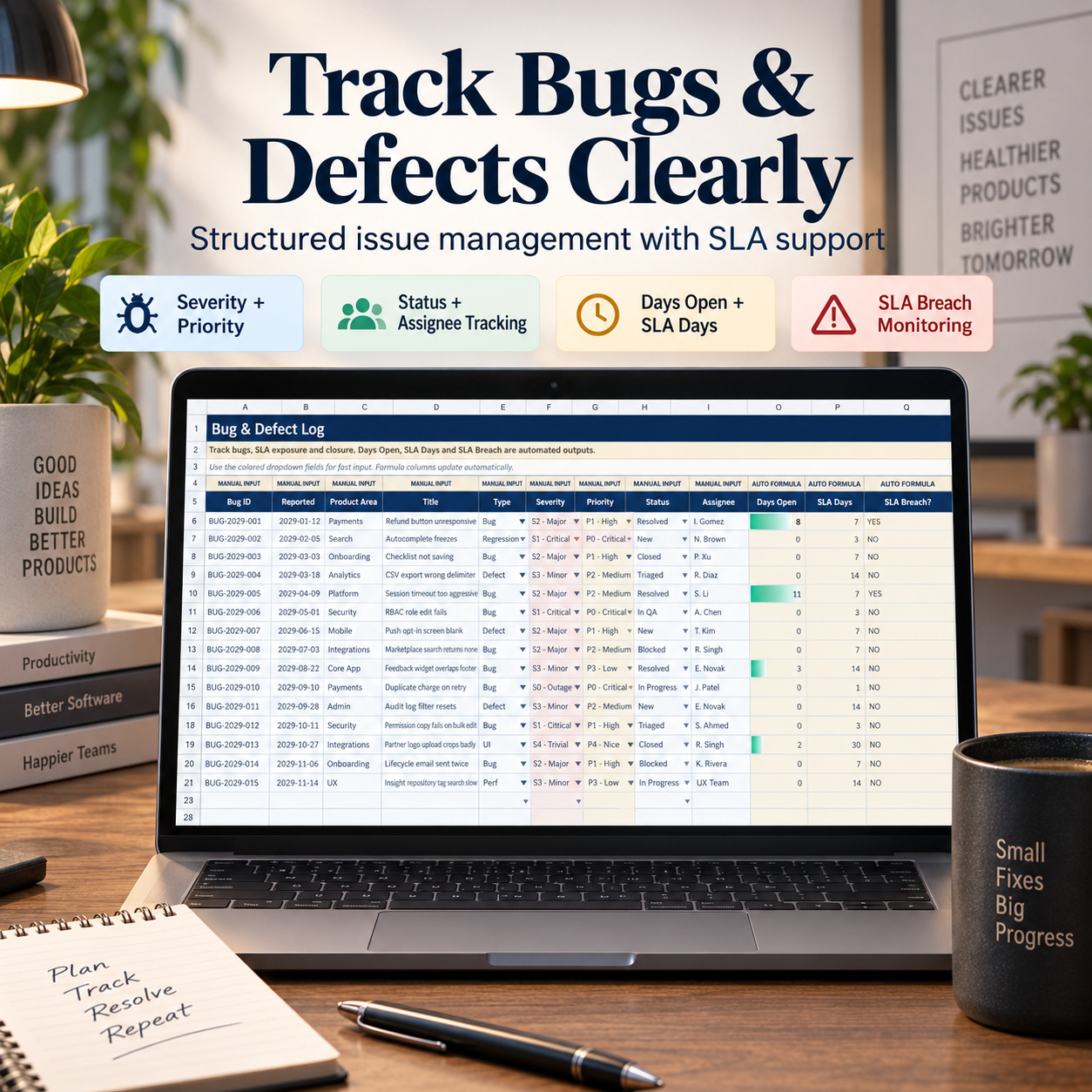
βœ… Bug ID βœ… Reported Date βœ… Product Area βœ… Title βœ… Bug Type βœ… Severity βœ… Priority βœ… Status βœ… Assignee βœ… Reporter βœ… Environment βœ… Reproduction Steps βœ… Expected Result βœ… Actual Result βœ… Root Cause βœ… Fix Version βœ… Closed Date


Automatic logic calculates:

⏳ Days Open ⏱️ SLA Days 🚨 SLA Breach


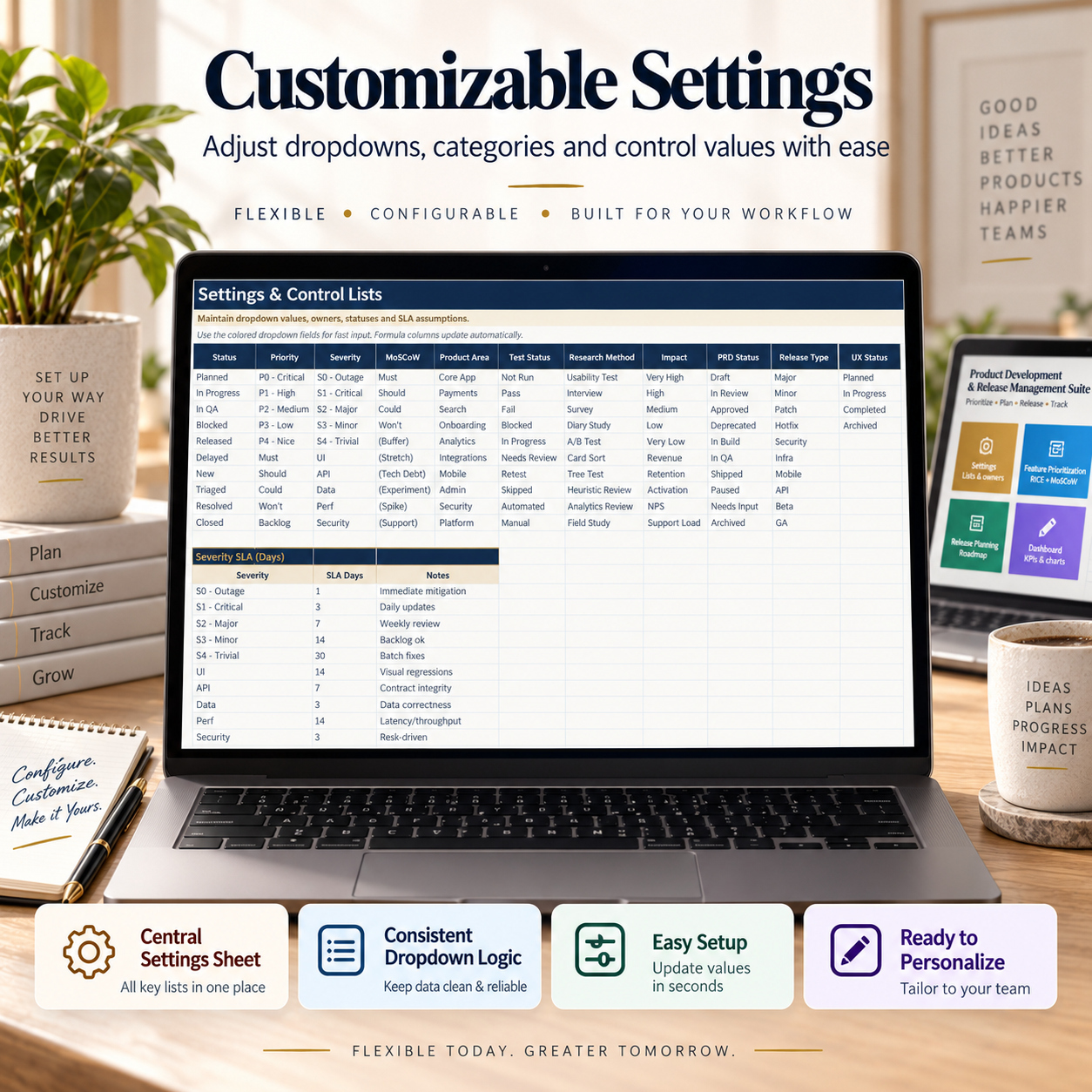
Severity-based SLA assumptions are maintained centrally in SETTINGS.

The included configuration demonstrates differentiated SLA targets for severity levels ranging from S0 - Outage through S4 - Trivial, together with additional issue-type assumptions.


The workbook contains 15 sample defects across product areas, severity levels, environments, owners, and lifecycle statuses.


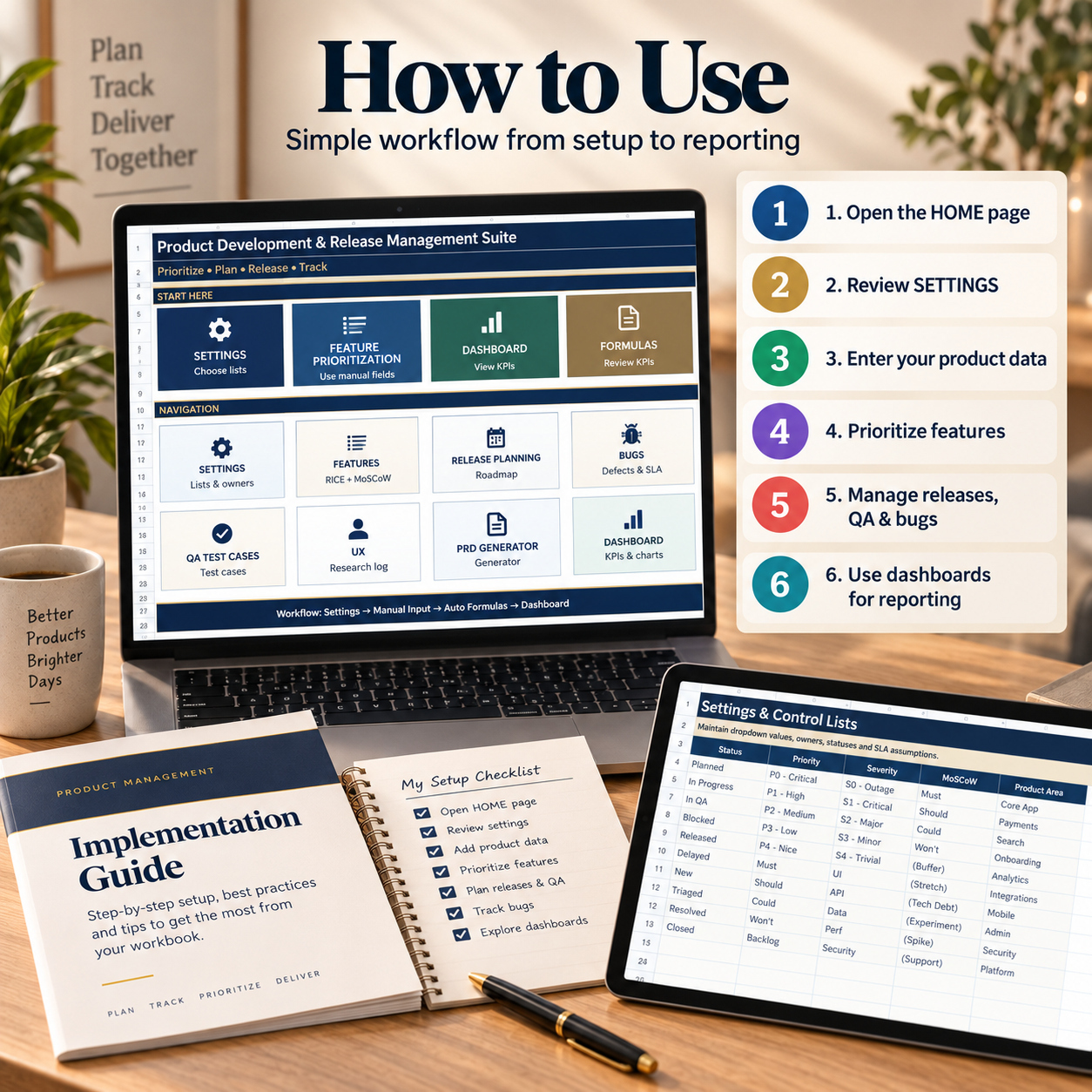
βš™οΈ CENTRAL SETTINGS & CONTROL LISTS

The SETTINGS module keeps recurring categories and workflow rules consistent across the suite.

Control lists include:

βœ… Status βœ… Priority βœ… Severity βœ… MoSCoW βœ… Product Area βœ… Test Status βœ… Research Method βœ… Impact βœ… PRD Status βœ… Release Type βœ… UX Status βœ… Customer Segment βœ… Bug Type βœ… Environment βœ… Module βœ… Test Type βœ… Persona βœ… Risk βœ… Go / No-Go βœ… Automation βœ… PRD Type


Severity-based SLA assumptions for the defect workflow are also maintained centrally.

This reduces inconsistent entries and supports more reliable dropdowns, formulas, KPIs, and charts.


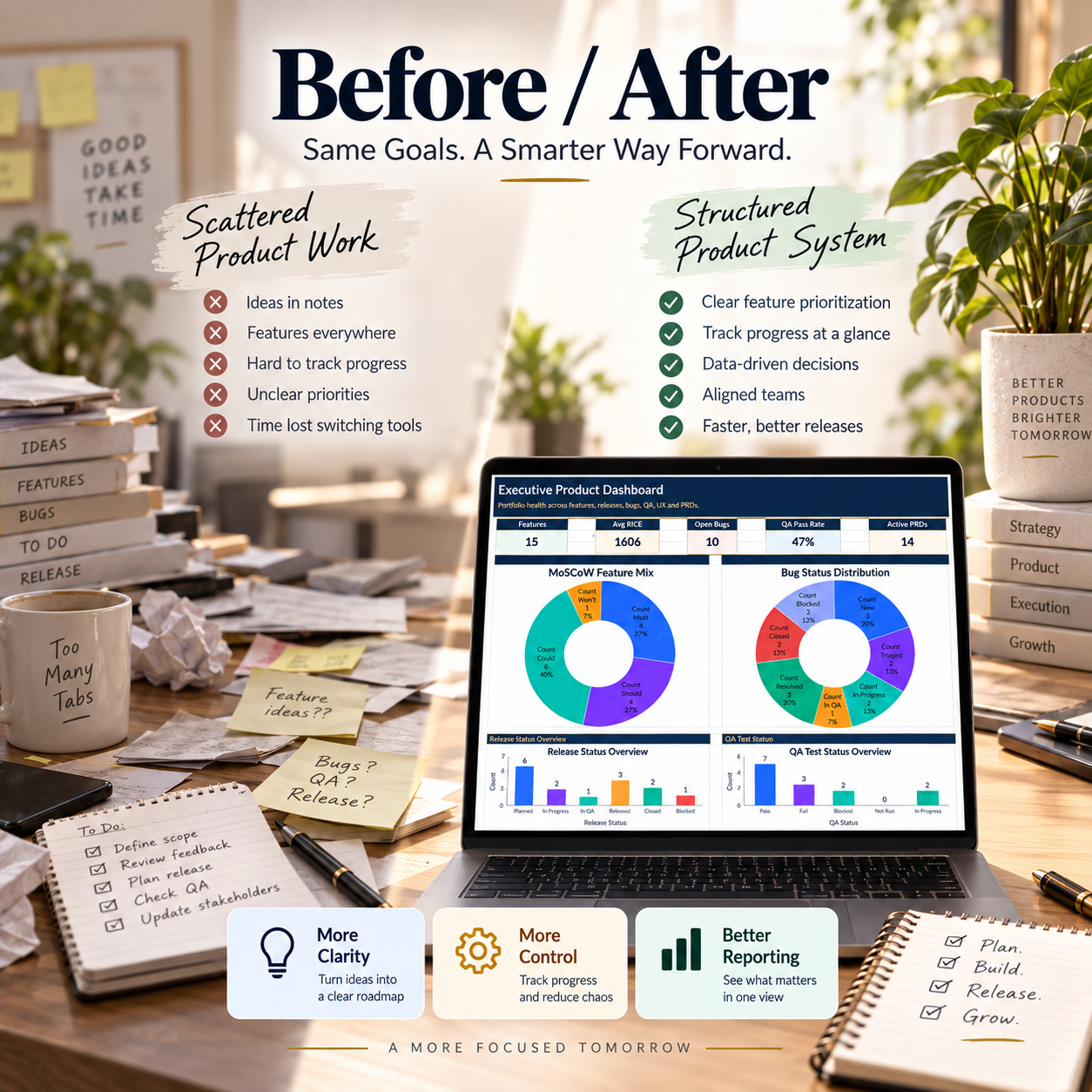
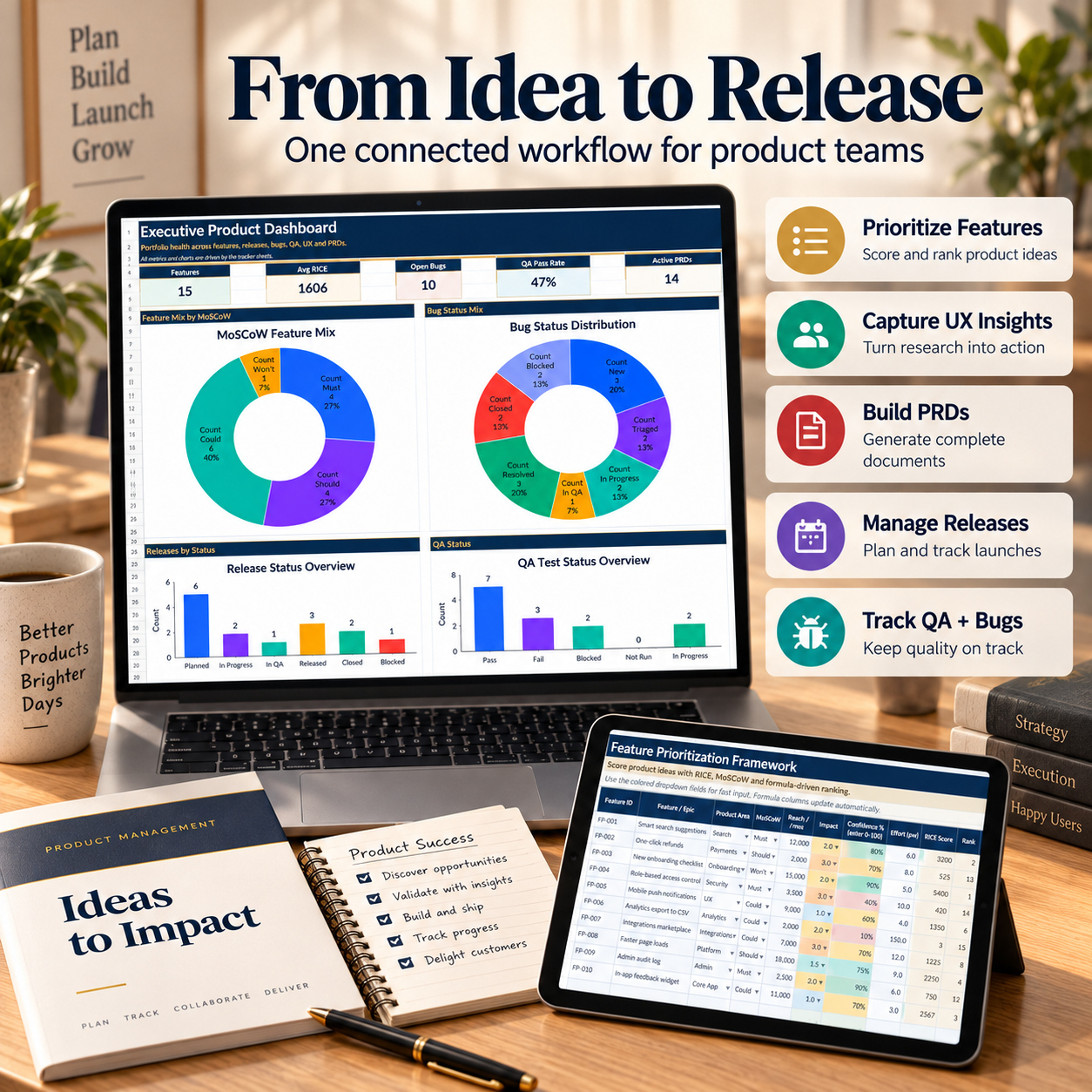
πŸ“Š EXECUTIVE PRODUCT DASHBOARD

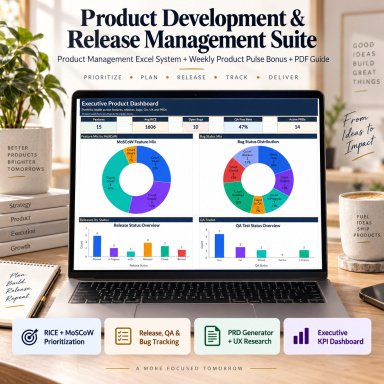
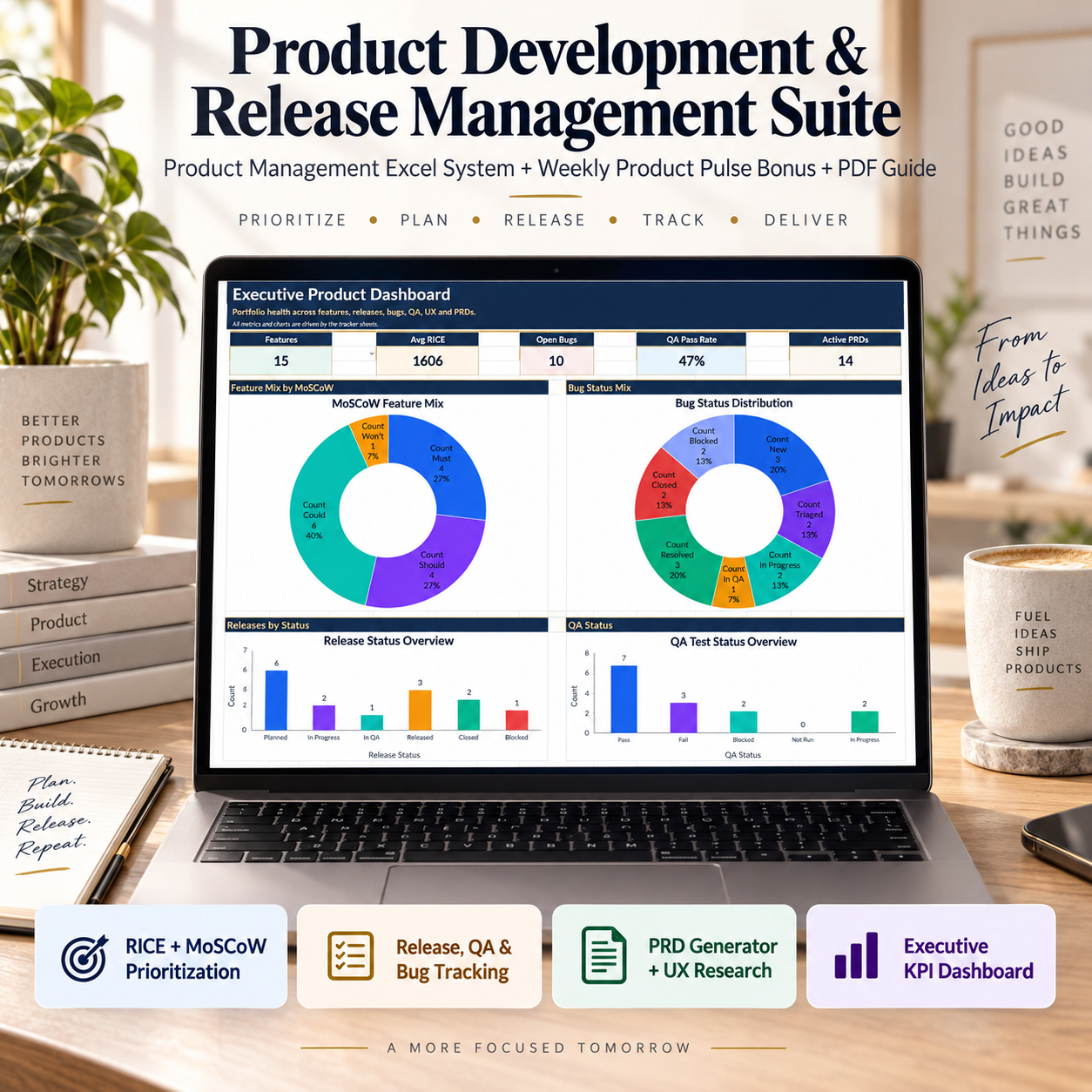
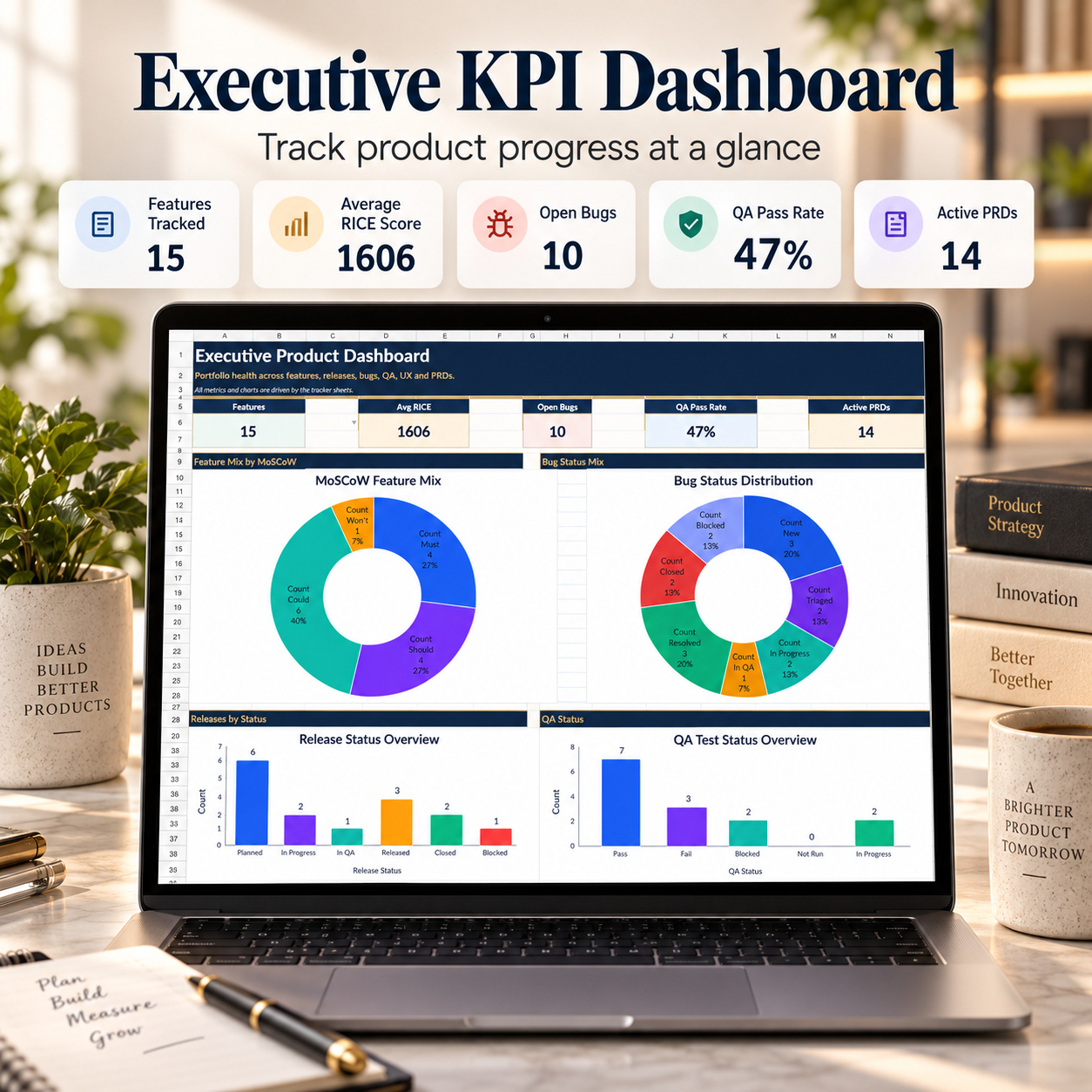
The main Executive Dashboard provides a concise management view across the product-development workflow.


Five headline KPIs include:

✨ Features Tracked 🎯 Average RICE Score 🐞 Open Bugs πŸ§ͺ QA Pass Rate πŸ“ Active PRDs


Four dynamic Excel charts visualize:

πŸ“Š MoSCoW Feature Mix 🐞 Bug Status Distribution πŸ—“οΈ Release Status Overview πŸ§ͺ QA Test Status Overview


The dashboard is driven by the underlying tracker modules and provides a high-level interpretation layer for product reviews, roadmap discussions, delivery meetings, and stakeholder updates.


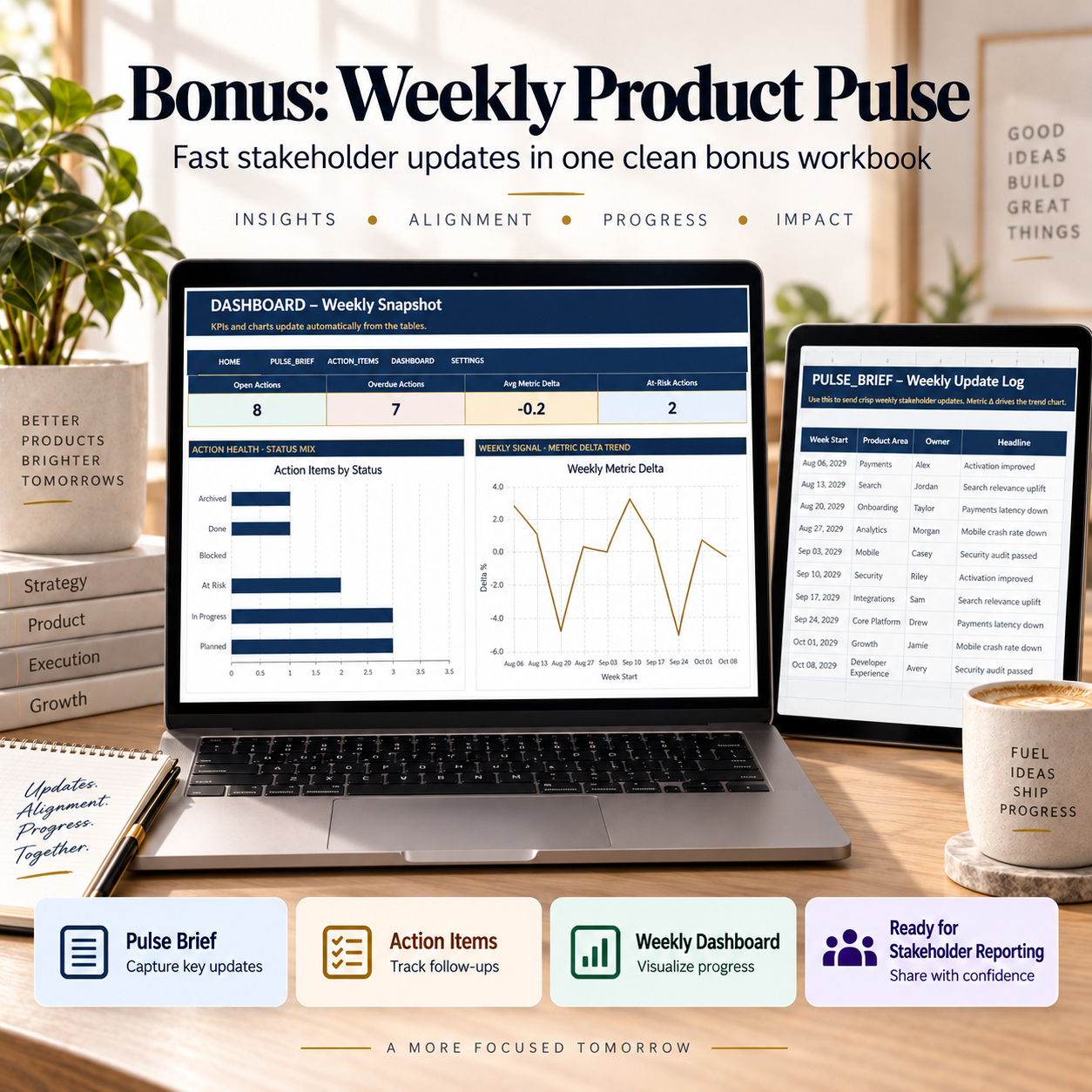
🎁 WEEKLY PRODUCT PULSE BONUS

The separate Weekly Product Pulse workbook is intentionally lighter than the main suite.

It is designed for fast recurring stakeholder updates, weekly product reviews, commitments, and management communication.


The bonus workbook contains 5 worksheets:

βœ… HOME βœ… DASHBOARD βœ… PULSE_BRIEF βœ… ACTION_ITEMS βœ… SETTINGS


πŸ—žοΈ PULSE BRIEF

Create concise weekly updates using:

βœ… Week Start βœ… Product Area βœ… Owner βœ… Headline βœ… Highlights / What Changed βœ… Metric Name βœ… Metric Value βœ… Metric Delta % βœ… Next Focus βœ… Status


The included workbook contains 10 realistic weekly update examples covering product, operational, quality, security, and performance topics.


The objective is to keep stakeholder reporting focused on four questions:

What changed? What signal moved? What needs attention? What happens next?


βœ… ACTION ITEMS

Track weekly commitments and follow-up activity using:

βœ… Action ID βœ… Action Item βœ… Owner βœ… Product Area βœ… Priority βœ… Due Date βœ… Status βœ… Progress % βœ… Days Left


Days Left is calculated automatically against the configurable AS_OF_DATE in SETTINGS.

The bonus includes 10 sample actions demonstrating ownership, deadlines, progress, status, and overdue conditions.


πŸ“Š WEEKLY PRODUCT DASHBOARD

The compact bonus dashboard provides four executive KPIs:

✨ Open Actions 🚨 Overdue Actions πŸ“ˆ Average Metric Delta ⚠️ At-Risk Actions

Two dynamic charts visualize:


πŸ“Š Action Status Mix πŸ“ˆ Weekly Metric Delta Trend


This creates a lightweight weekly reporting layer that complements the deeper product-development workflow in the main workbook.


πŸ“˜ 10-PAGE HOW-TO-USE GUIDE

The included PDF guide explains the system step by step.

It covers:

βœ… Quick Start βœ… Main Suite Workbook Map βœ… Sheet-by-Sheet Workflow βœ… Manual Input vs. Auto Formula Logic βœ… RICE & MoSCoW Prioritization βœ… UX Research & Evidence βœ… Release Planning βœ… QA & Defect Control βœ… Severity SLA Logic βœ… PRD Generator βœ… Executive Dashboard βœ… Weekly Product Pulse βœ… Weekly Stakeholder Routine βœ… Data Standards βœ… Google Sheets Import βœ… Troubleshooting βœ… Final QA Checklist βœ… License & Responsible Use


The recommended workflow is summarized as:

Prioritize β†’ Research β†’ Document β†’ Plan β†’ Test β†’ Fix β†’ Report


πŸ’» TECHNICAL COMPATIBILITY

βœ… Microsoft Excel (.xlsx) βœ… Google Sheets import supported βœ… No macros or VBA βœ… No external Excel data connections βœ… Dropdown-supported workflows βœ… Formula-driven calculations βœ… Dynamic KPI reporting βœ… Excel-native charts βœ… Manual Input / Auto Formula guidance βœ… Realistic sample data


πŸ“Œ Microsoft Excel Desktop remains the reference environment.

The workbooks can be imported into Google Sheets, although chart styling, dropdown appearance, conditional formatting, spacing, and other visual details may differ. Imported files should therefore be reviewed before external distribution.


βš–οΈ IMPORTANT DISCLAIMER

This toolkit is provided for organizational, planning, and reporting purposes only. It does not replace dedicated product-management, engineering, QA, or collaboration platforms and includes no live integrations or automated synchronization.

RICE, MoSCoW, SLA logic, scores, and sample workflows are planning frameworks and should be adapted to your organization’s own processes and decision criteria.

All sample data is illustrative. Users remain responsible for their own product decisions, release criteria, testing standards, and entered data.


πŸ“Š This complete product-management suite brings prioritization, customer evidence, requirements, release planning, QA, defect management, executive reporting, and weekly stakeholder communication into one coordinated workflow.

It is designed to help product teams move more consistently from deciding what matters, to documenting why, planning delivery, validating quality, resolving defects, and communicating progress with clearer ownership and management visibility.

This Best Practice includes
1 Excel Main Workbook (.xlsx), 1 Weekly Product Pulse (.xlsx), 1 How-to-Use Guide (.pdf) β€” 10 pages

Acquire business license for $39.90

Add to cart

Add to bookmarks

Discuss

Further information

The objective of this Product Development & Release Management Suite is to provide Product Managers, Product Owners, product teams, QA teams, consultants, and technology organizations with a structured framework for managing the product lifecycle from prioritization through release and recurring stakeholder reporting.

Users can score and rank features using RICE, apply MoSCoW classifications, document UX research evidence, create structured PRDs, plan releases, manage QA test cases, track bugs and SLA exposure, and monitor portfolio-level KPIs within one coordinated operating system.

The separate Weekly Product Pulse extends the framework into recurring stakeholder communication by combining concise product updates with ownership, commitments, deadlines, metric changes, and action tracking.

The overall objective is to improve prioritization consistency, traceability between evidence and decisions, release visibility, QA discipline, defect follow-up, ownership, and management reporting without requiring a complex enterprise platform.

This suite is particularly suitable for:

Product Managers
Product Owners
SaaS companies
Technology startups
Product operations teams
Engineering teams
QA leads and test managers
UX research teams
Product discovery teams
Agile and Scrum teams
Internal product departments
Digital agencies
Product consultants
Startup consultants
Fractional product leaders

It is especially useful when prioritization, research findings, requirements, release planning, QA, defects, and stakeholder reporting are currently managed across disconnected spreadsheets or documents and the team wants a more consistent operating framework.

This system does not replace enterprise product-management platforms, Jira, Azure DevOps, GitHub Issues, dedicated QA systems, UX research repositories, requirements-management platforms, project-management tools, or engineering workflow systems.

It does not include APIs, automated data synchronization, live issue feeds, engineering integrations, permissions, notifications, workflow automation, or external product-data connections.

The RICE, MoSCoW, scoring, ranking, SLA, and sample prioritization logic are planning frameworks and should not be treated as automatic decision-making rules.

The templates do not constitute legal, financial, HR, compliance, engineering, cybersecurity, or other professional advice. Users remain responsible for their product decisions, release criteria, test standards, risk acceptance, and entered data.


0.0 / 5 (0 votes)

please wait...