
20 Excel Shortcuts That Actually Matter
Originally published: 01/06/2026 16:17
Publication number: ELQ-77686-1
View all versions & Certificate
certified

20 Excel Shortcuts That Actually Matter

A concise visual guide to the 20 Excel keyboard shortcuts that save the most time in daily spreadsheet work, covering navigation, selection, editing, and format

Description
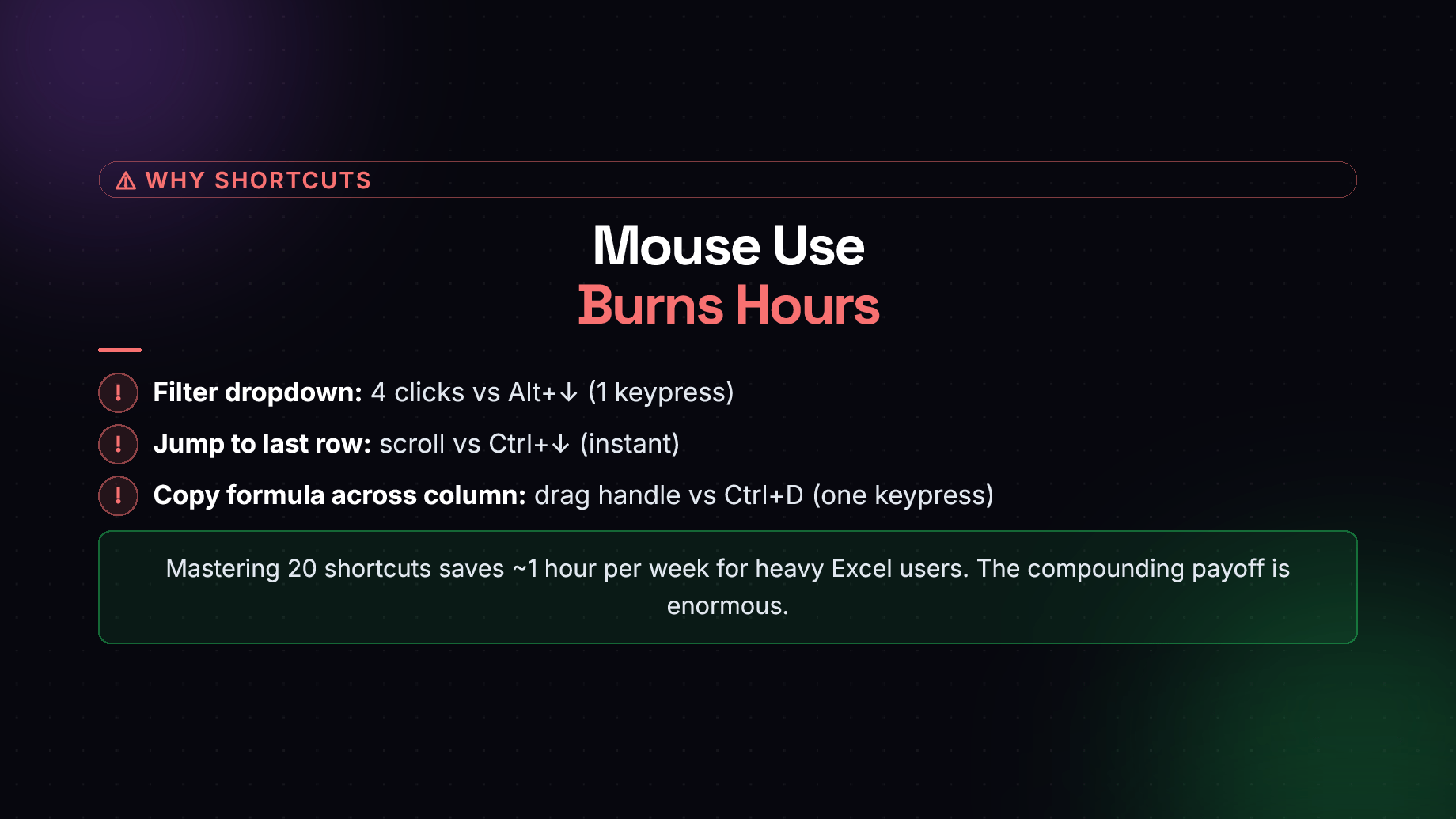
"20 Excel Shortcuts That Matter" is a 10-page free guide designed by XLclick.com team for anyone who works regularly with Microsoft Excel and wants to eliminate wasted time caused by relying on the mouse. The guide opens by making the case for keyboard shortcuts with concrete comparisons — for example, opening a filter dropdown takes 4 clicks with the mouse versus a single keypress with Alt+↓. It then organizes the 20 most impactful shortcuts into clear, practical categories:

  • Navigation — instantly jump to the last filled cell, return to A1, or switch between sheets without scrolling (Ctrl+↓, Ctrl+Home, Ctrl+PgDn).
  • Selection — select entire columns, rows, or data ranges without touching the mouse (Ctrl+Shift+↓, Ctrl+A, Shift+Space).
  • Cell Editing — edit cells, fill data down or across, insert today's date, and add line breaks within a cell (F2, Ctrl+D, Ctrl+R, Ctrl+;).
  • Formatting — apply bold, italic, currency, percent, and date formats in one keystroke (Ctrl+B, Ctrl+Shift+$, Ctrl+1).
  • General Productivity — undo/redo, auto-sum, convert ranges to Tables, and repeat the last action (Ctrl+Z, Alt+=, Ctrl+T, F4).

The guide also includes a before-and-after comparison showing how a common copy-paste task drops from ~12 seconds with the mouse to ~3 seconds with keyboard shortcuts — a 4x speed improvement. A common mistakes section warns against trying to memorize all 200+ Excel shortcuts and highlights two frequent errors: ignoring Alt ribbon sequences and accidentally pressing F1 instead of F2. The guide concludes with a full top-20 cheat sheet for quick reference. According to the guide, mastering these shortcuts saves approximately 1 hour per week for heavy Excel users.

This Best Practice includes
1 PDF slide

XLclick.com offers you this Best Practice for free!

read for free

Add to bookmarks

Discuss


0.0 / 5 (0 votes)

please wait...