Last version published: 26/08/2025 16:34
Publication number: ELQ-24887-21
View all versions & Certificate

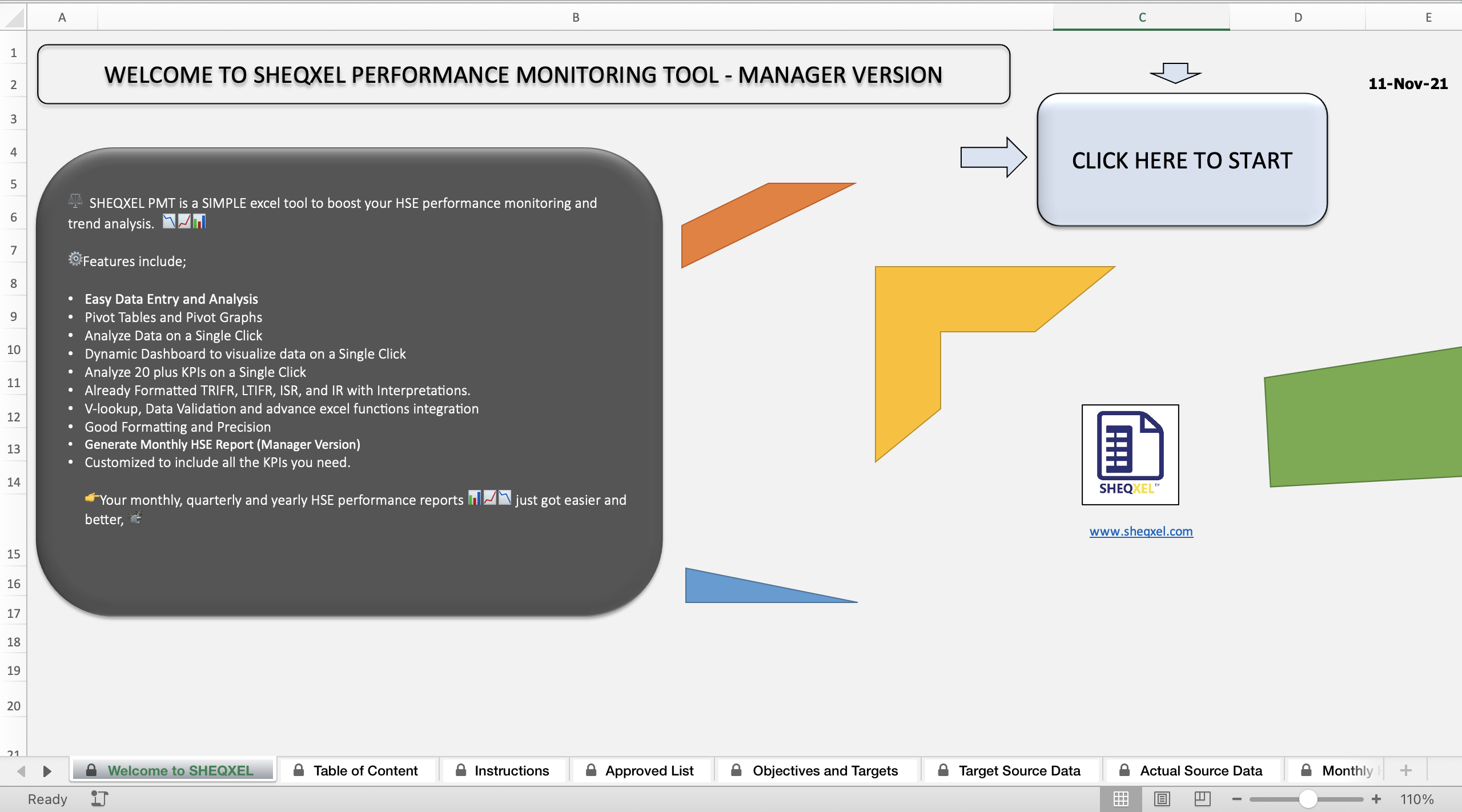
HSE Performance Monitoring Tool – Manager Version
This tool is designed to generate HSE performance reports based on monthly data entries.
Overview
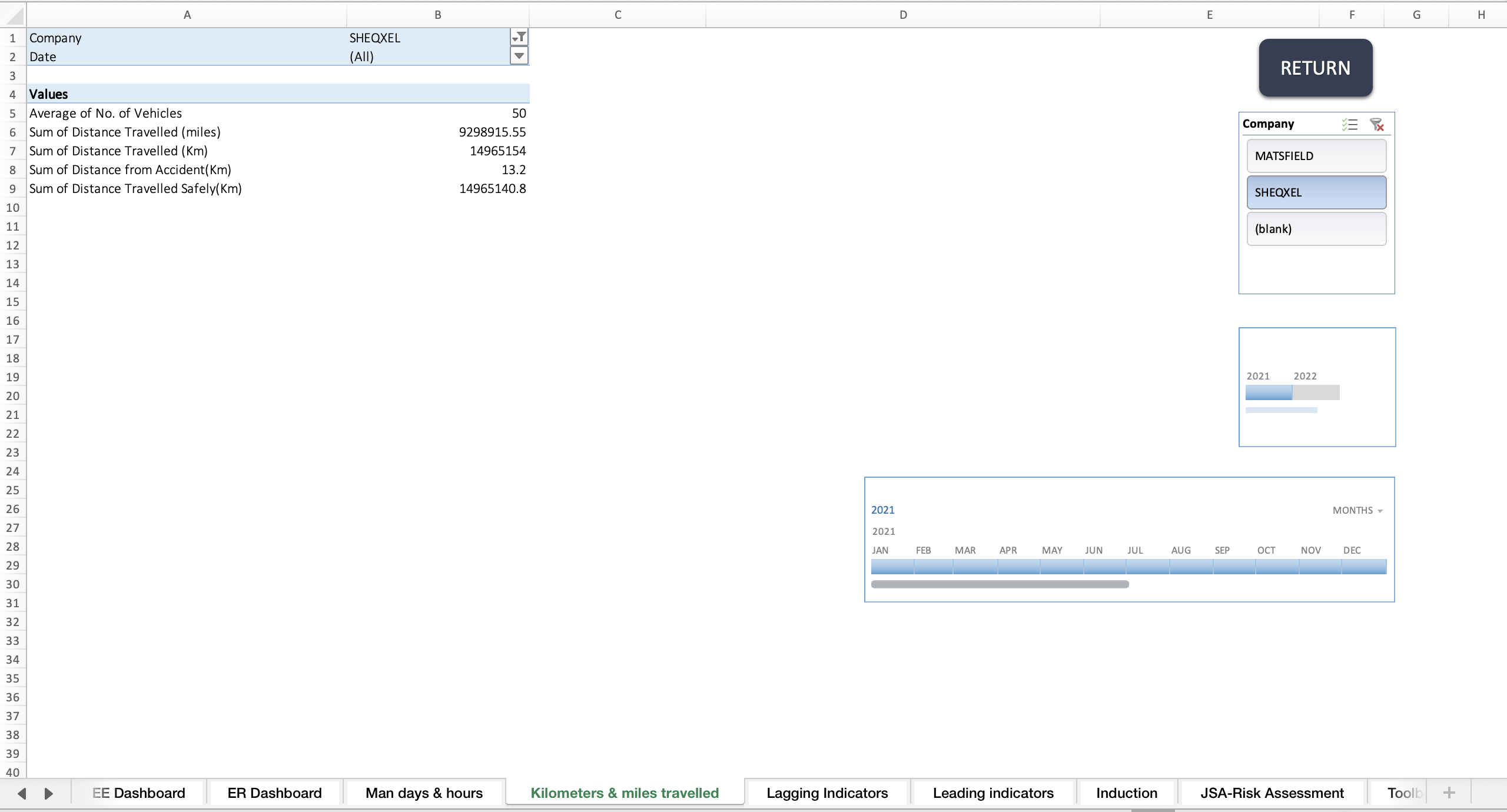
This tool is designed to build an HSE (Health, Safety and Environment) database and analyze over 40 leading indicators and 10 lagging indicators to generate HSE performance reports.
Main Features
The tool has five main features:
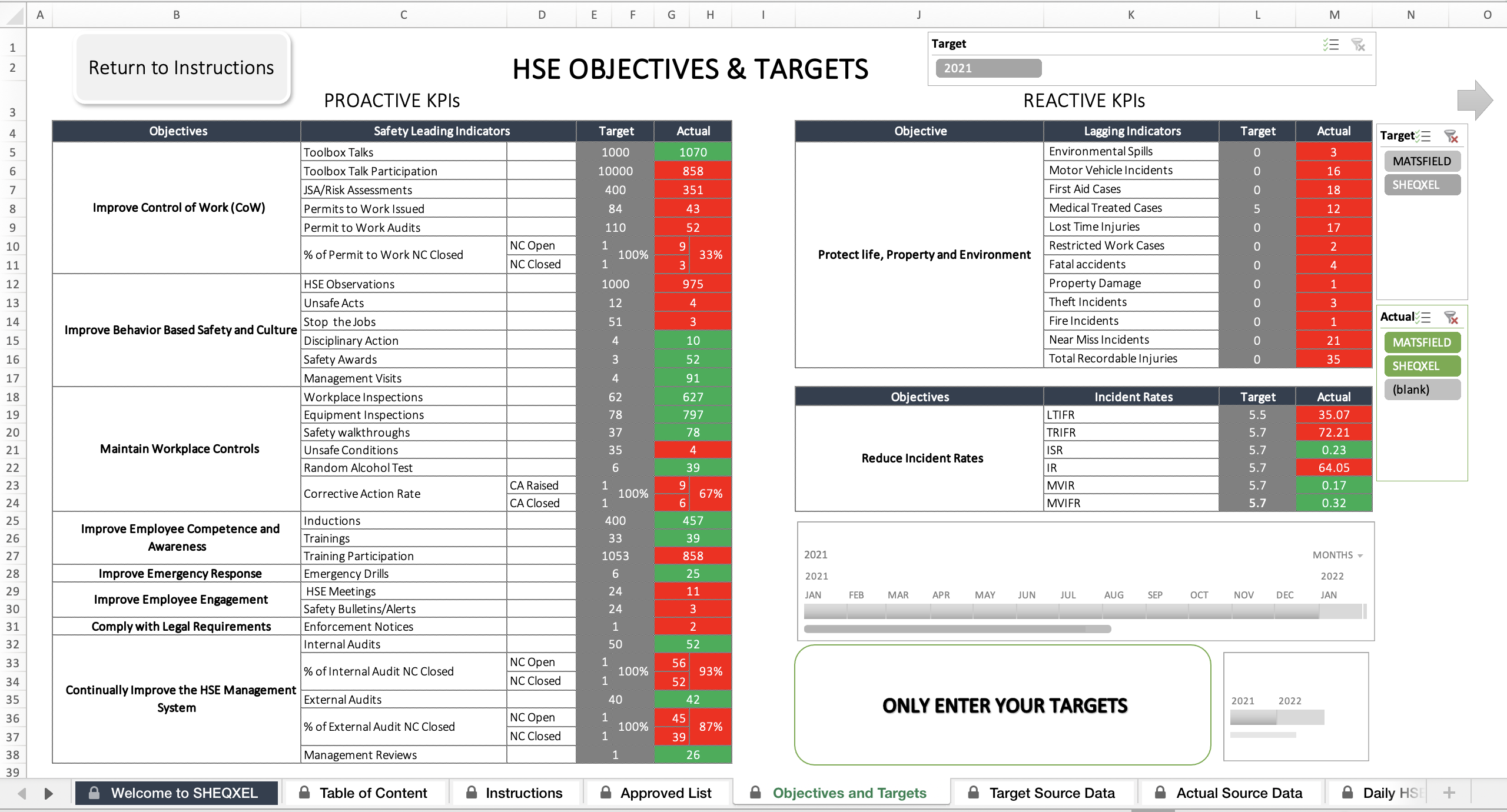
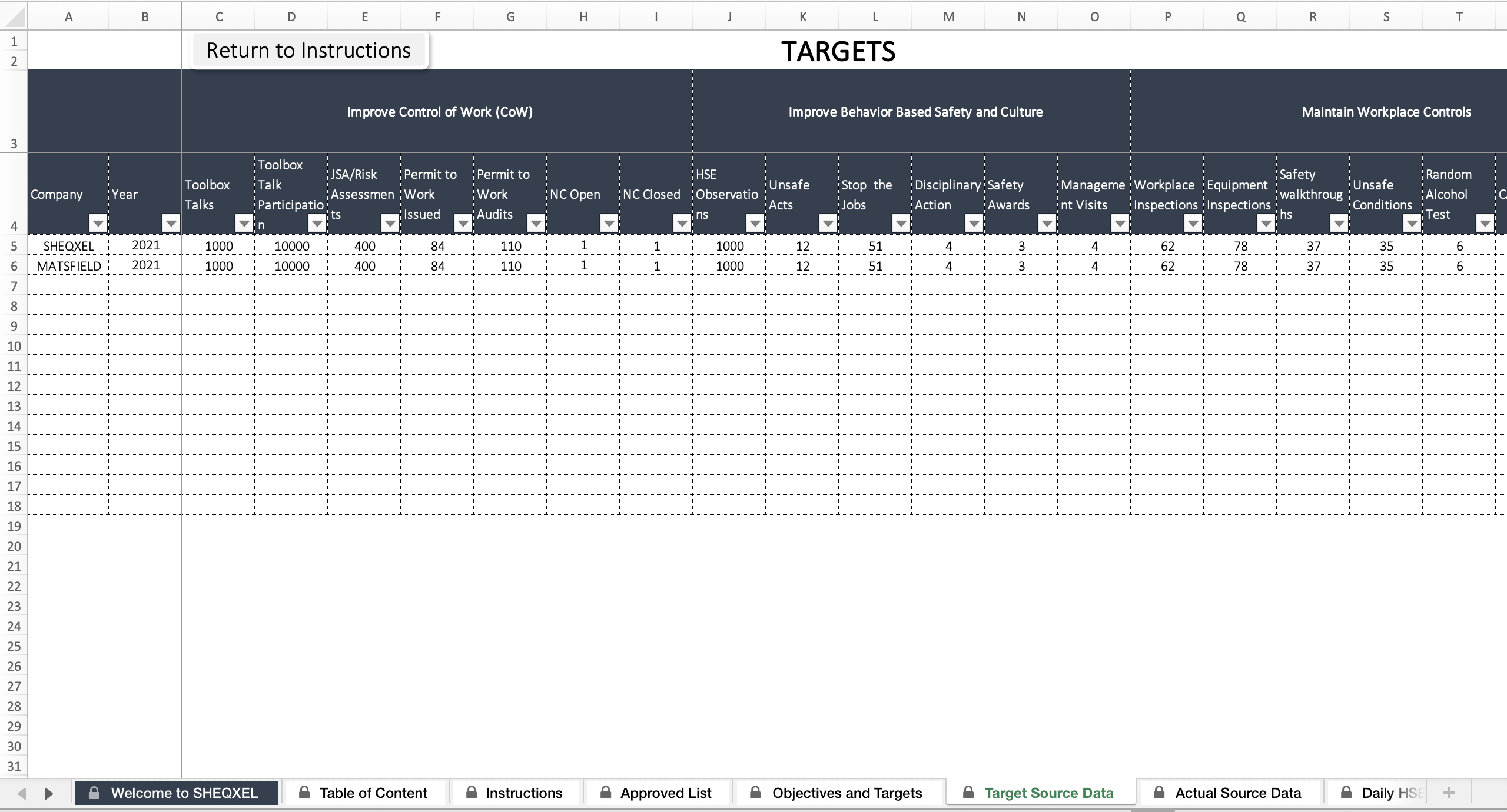
HSE Objectives and Targets Sheet
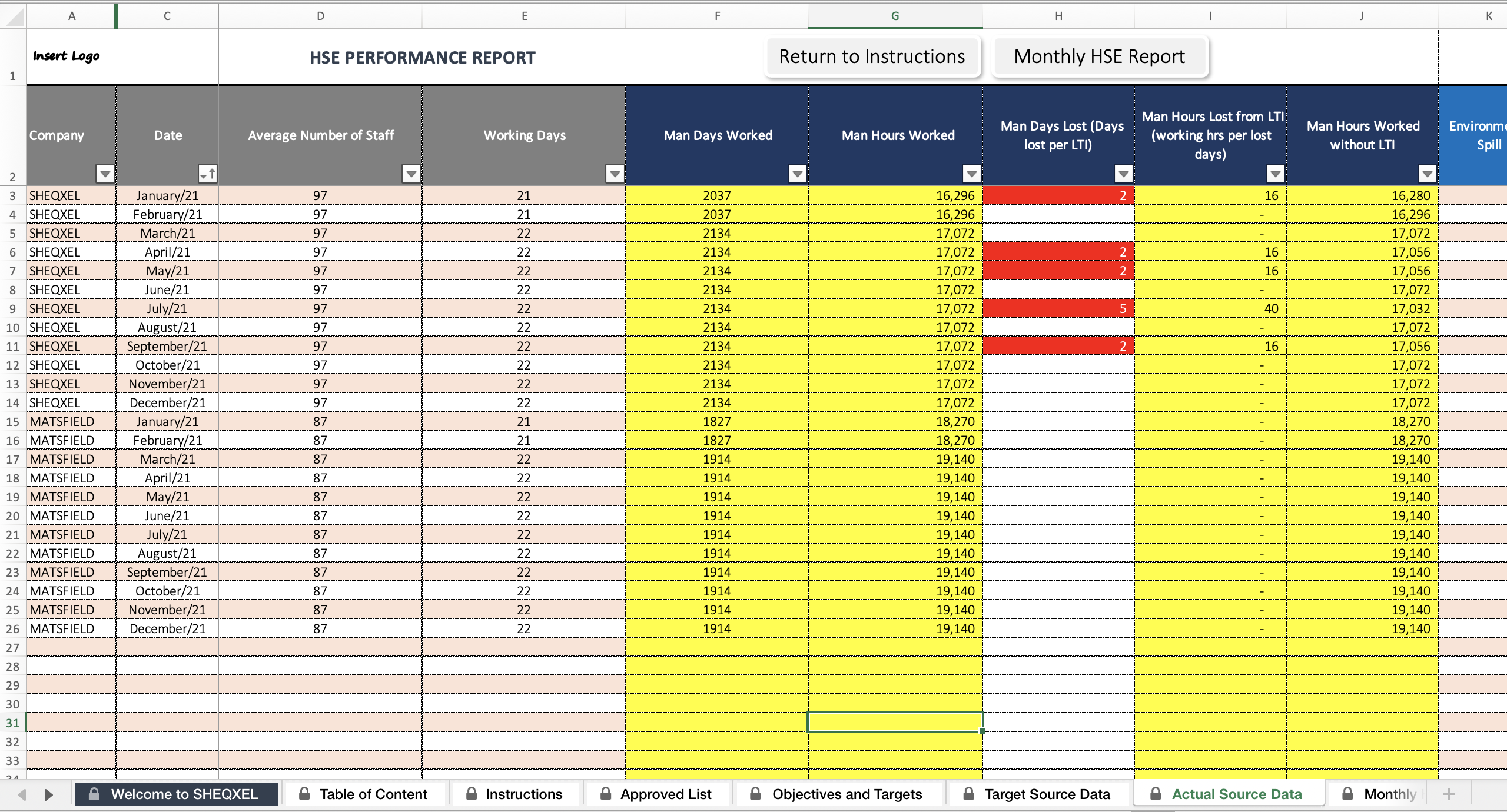
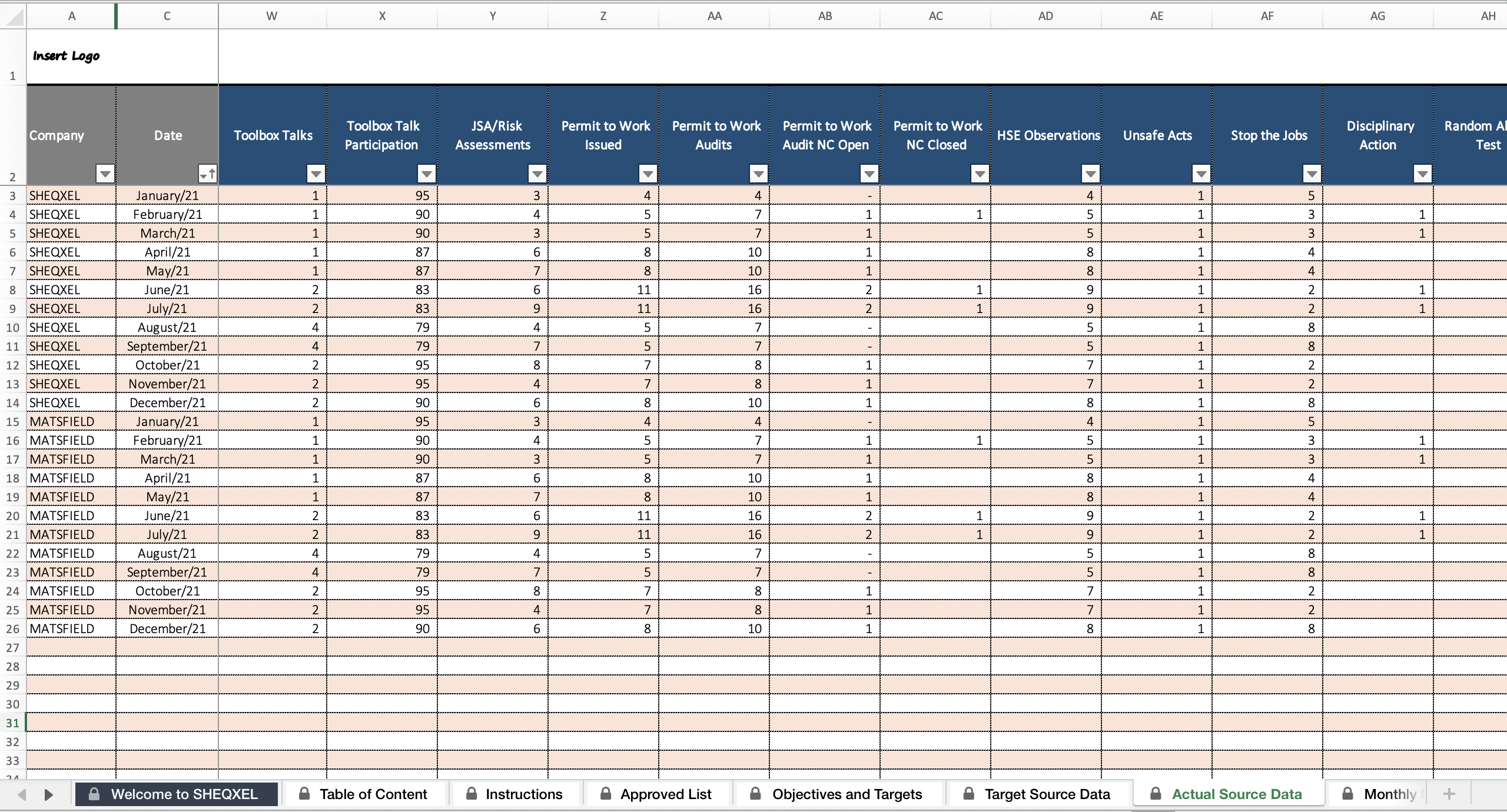
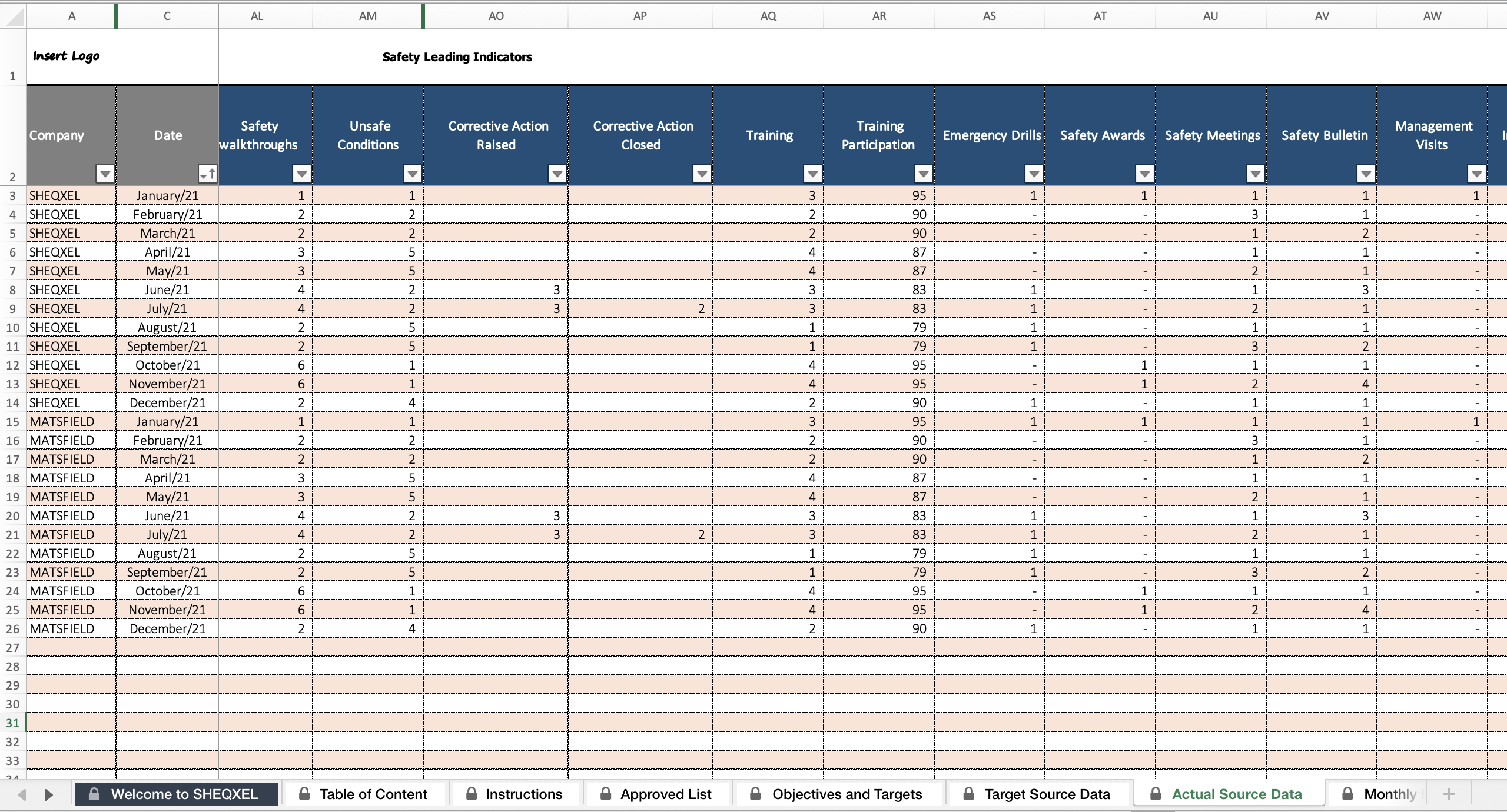
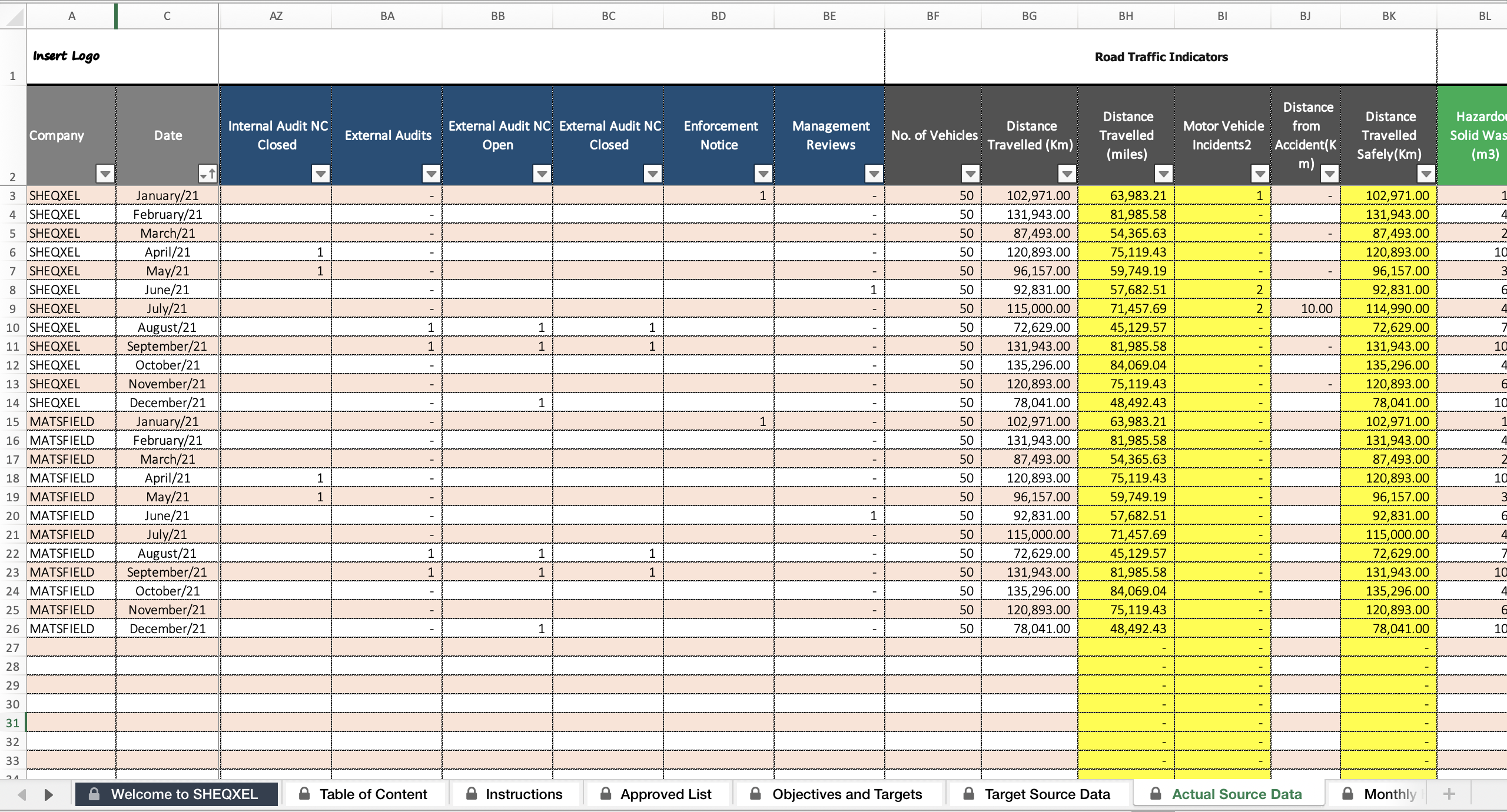
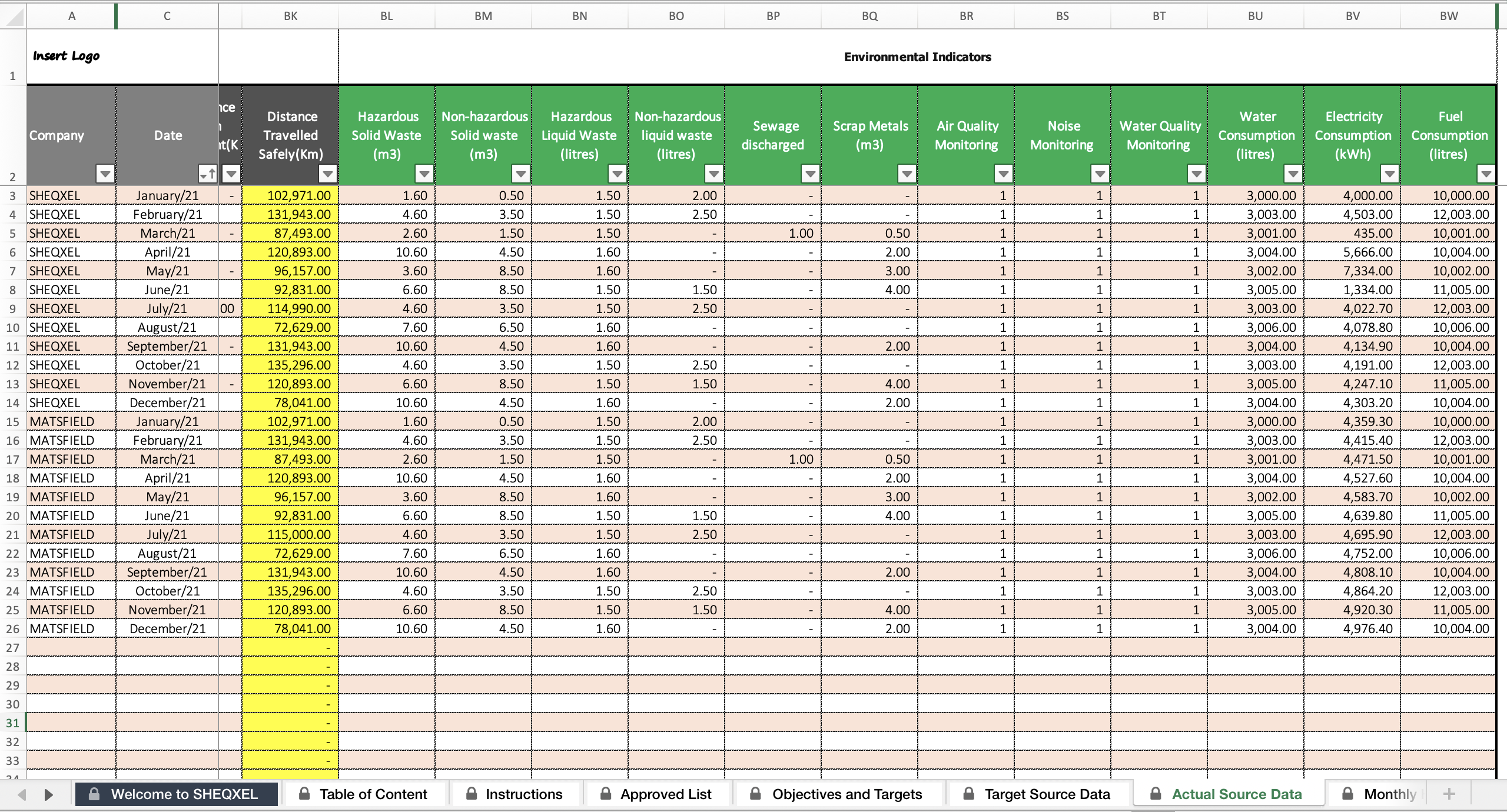
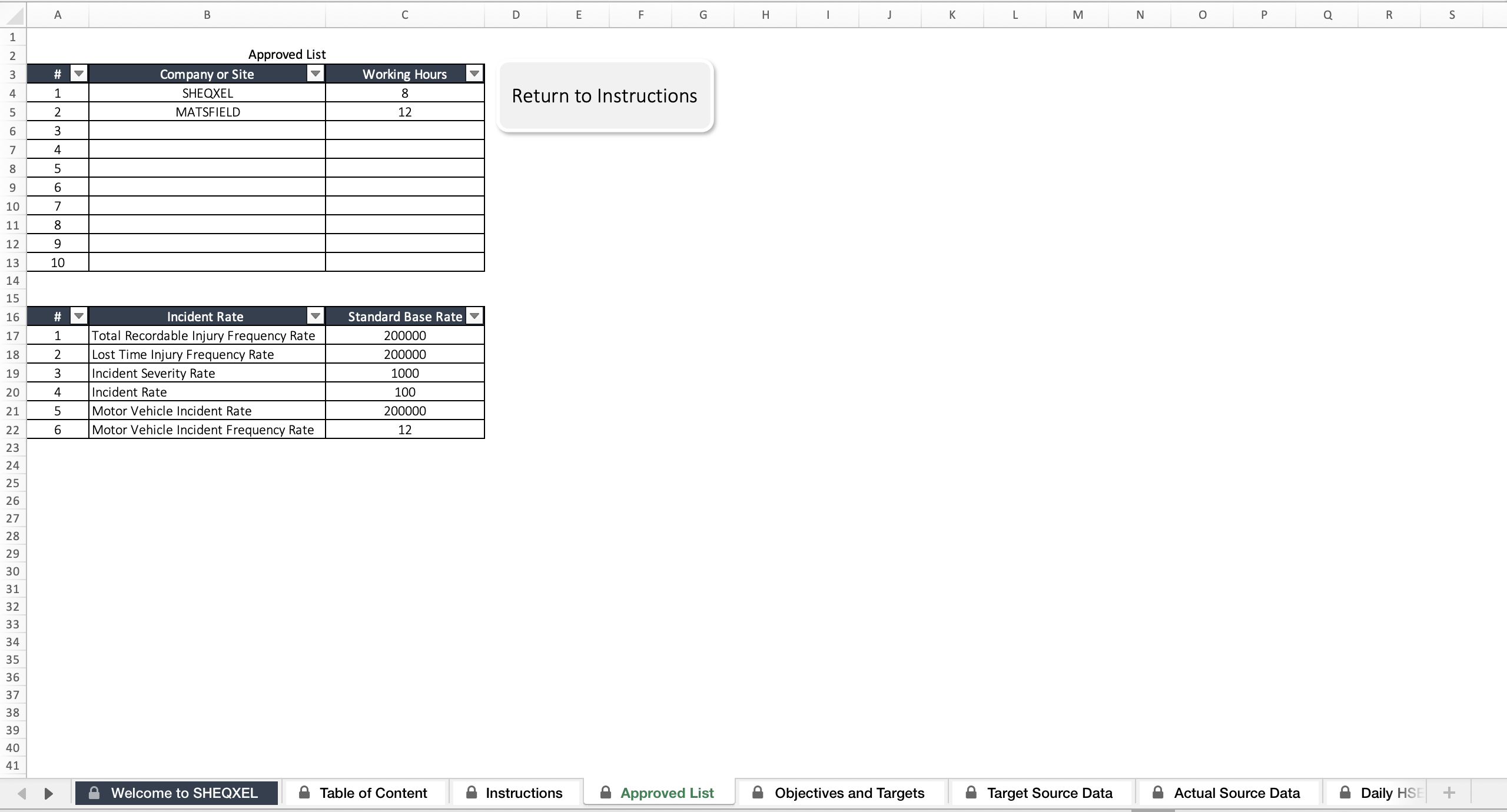
Source Data Sheet
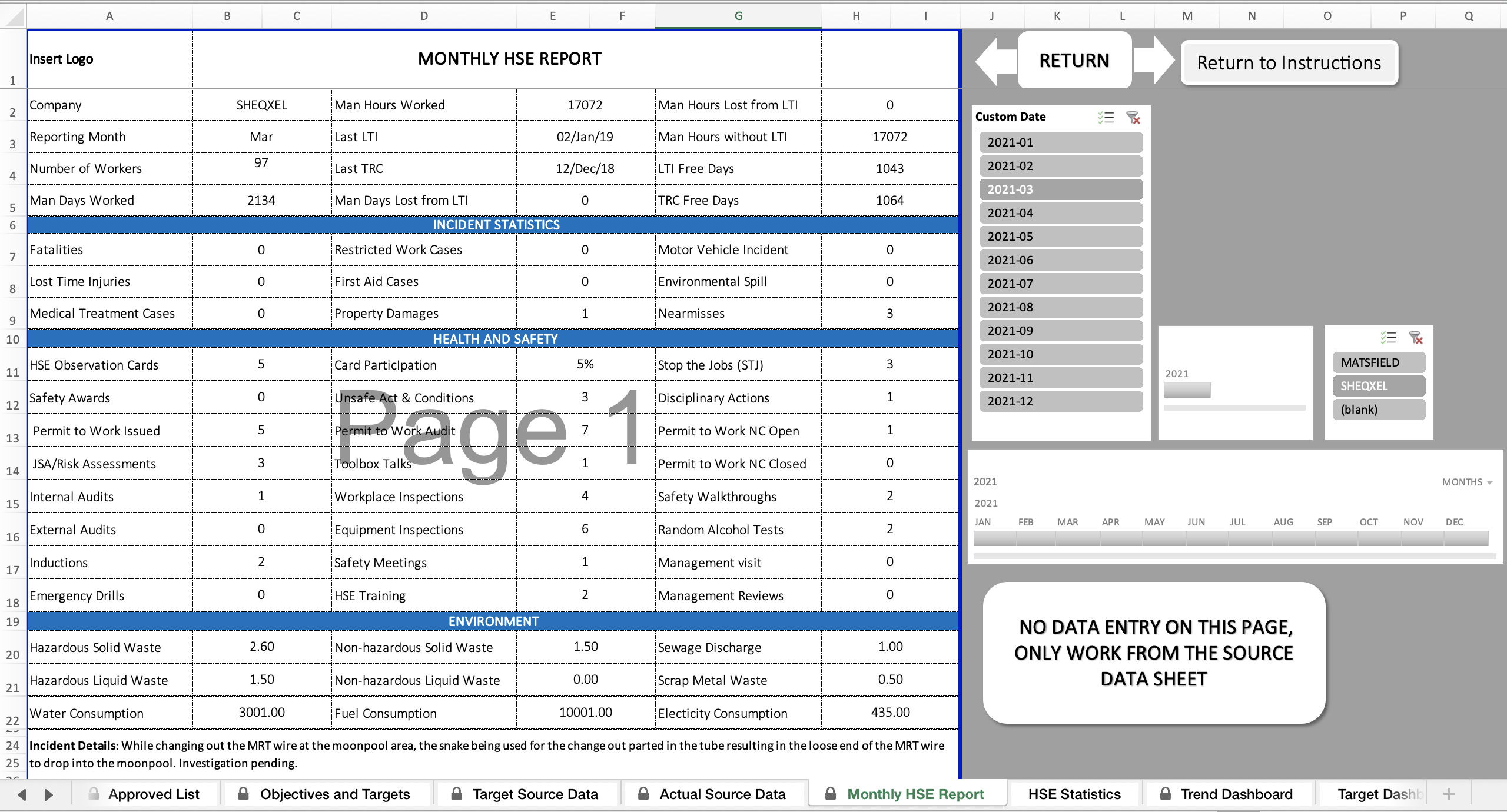
Monthly HSE Report Template
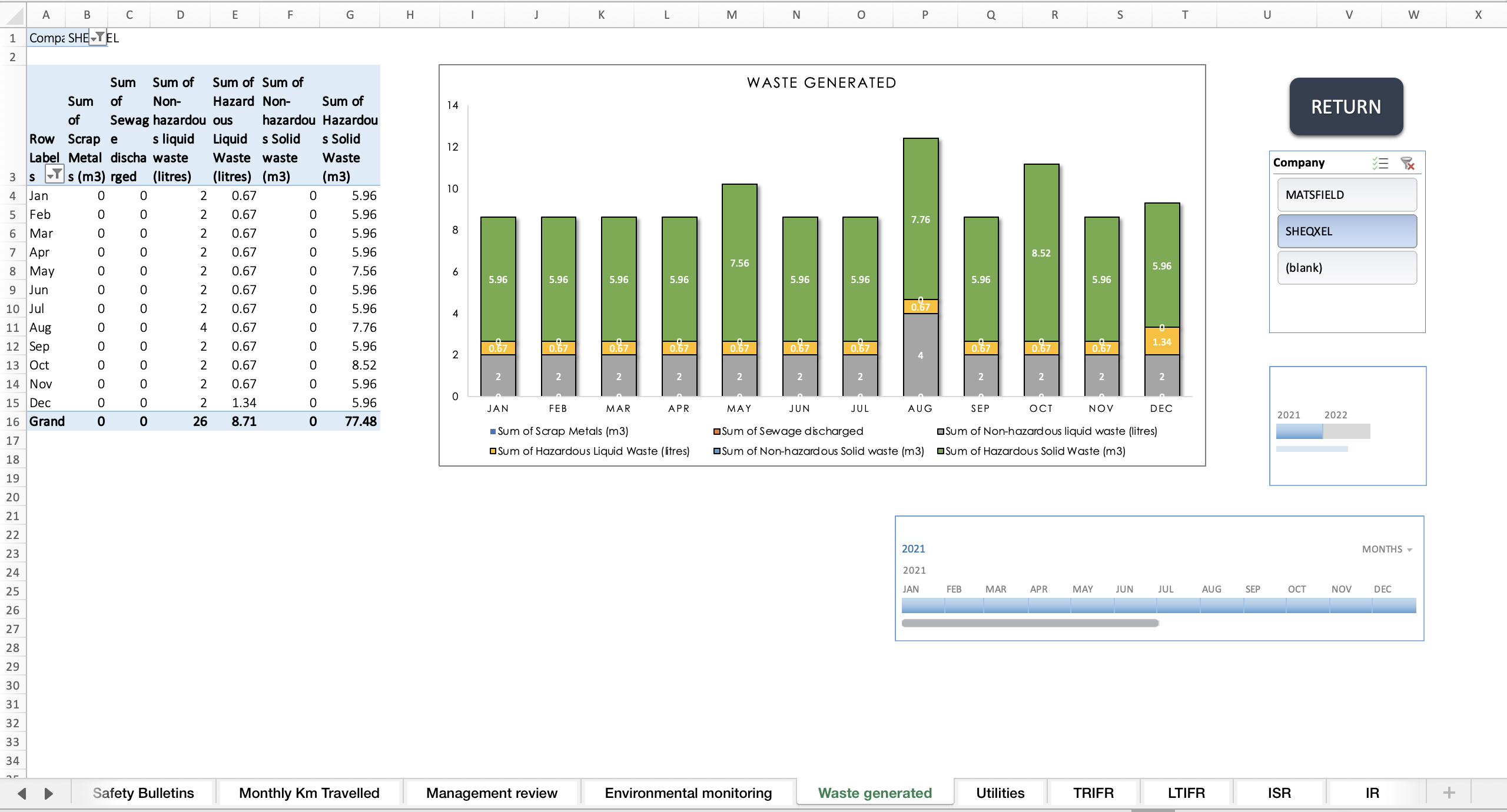
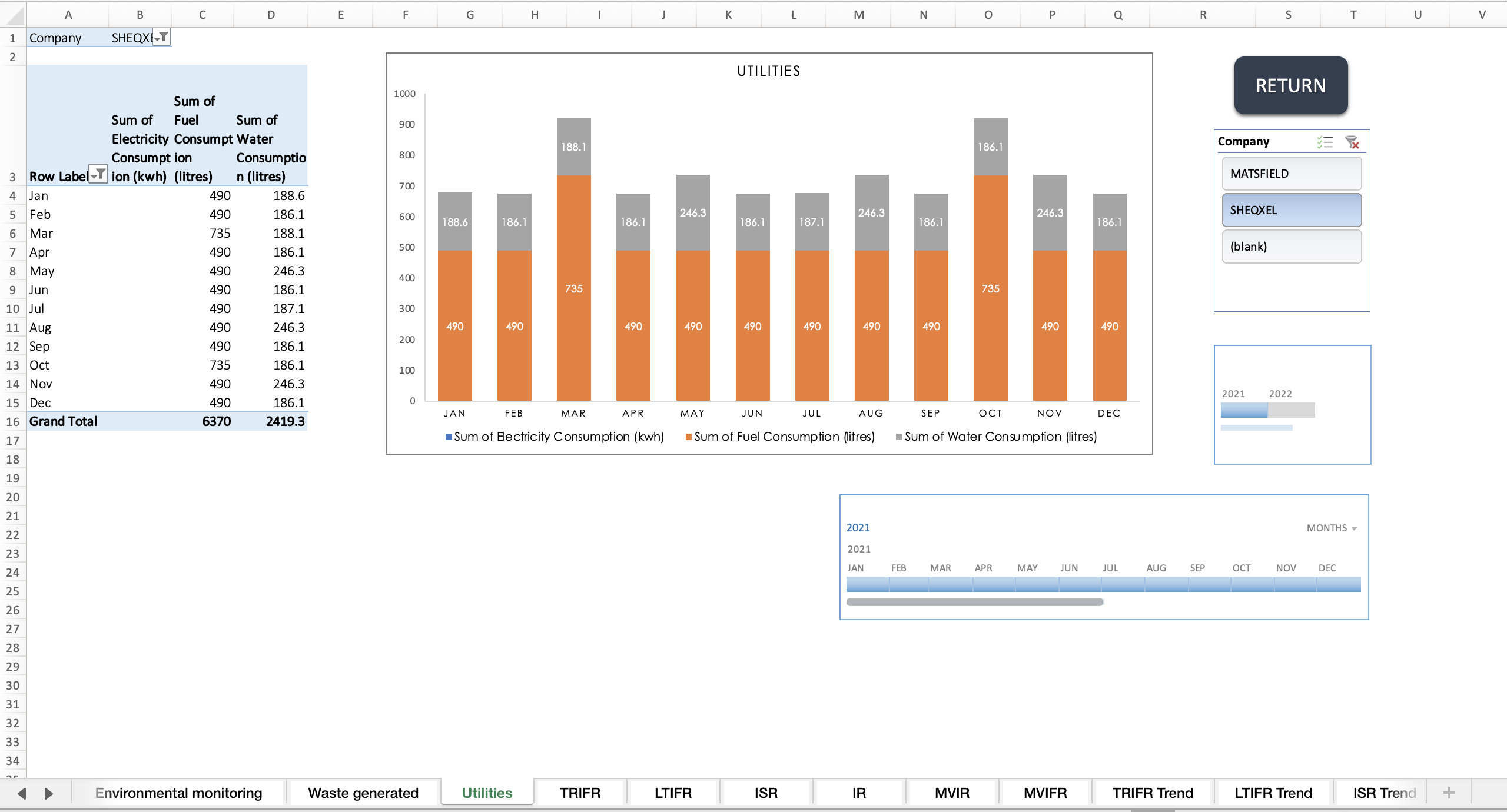
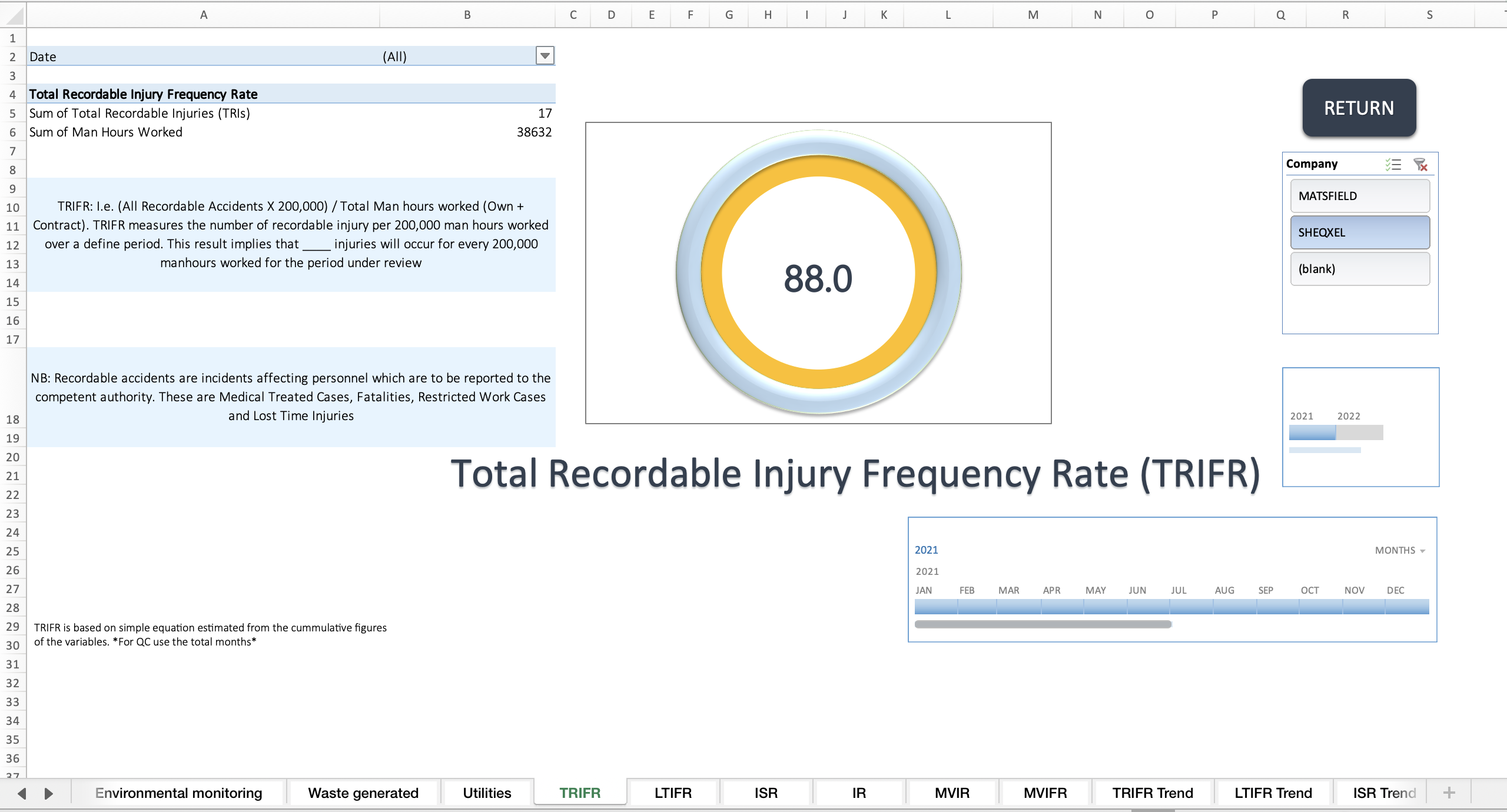
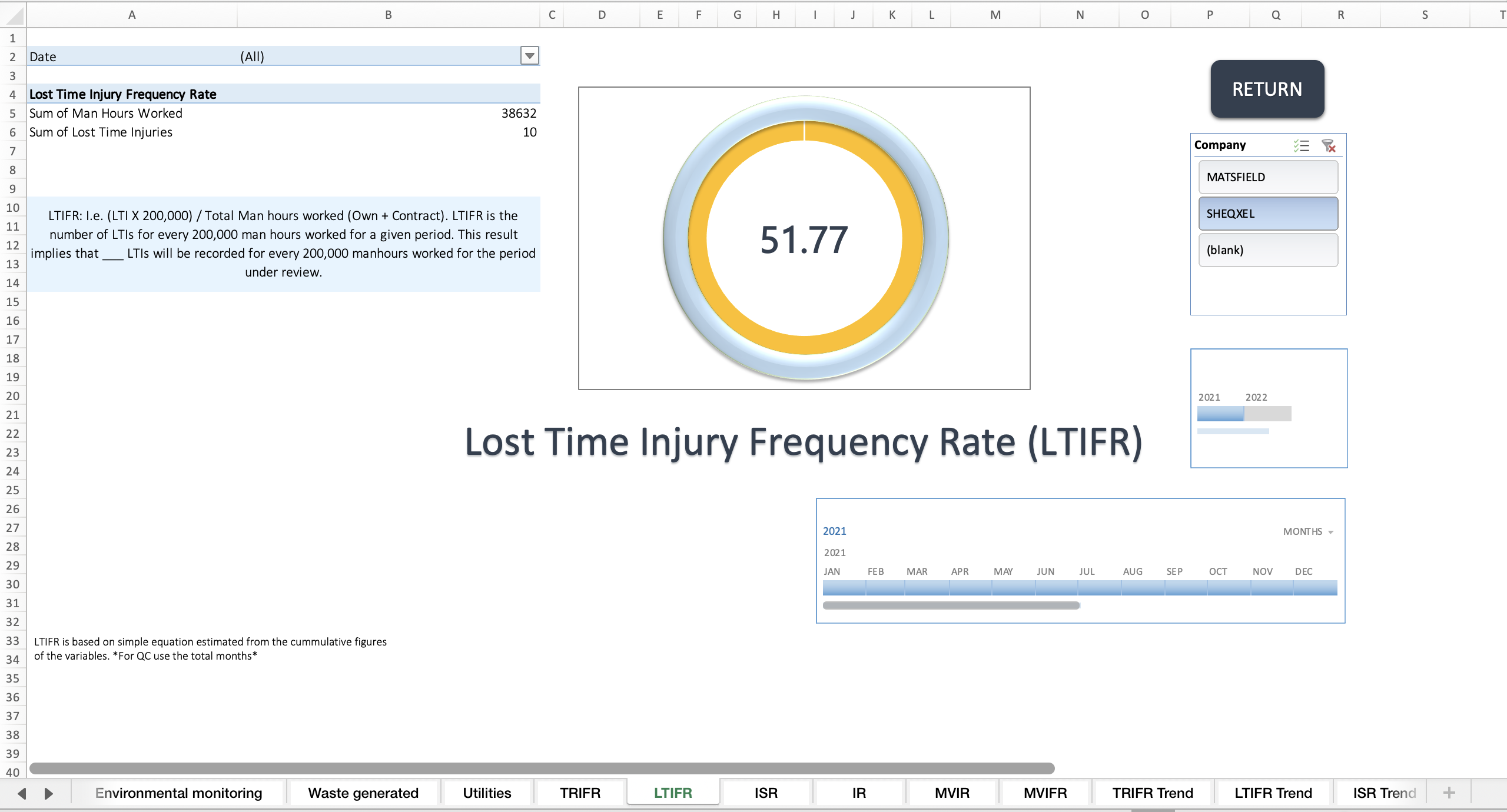
Dashboards
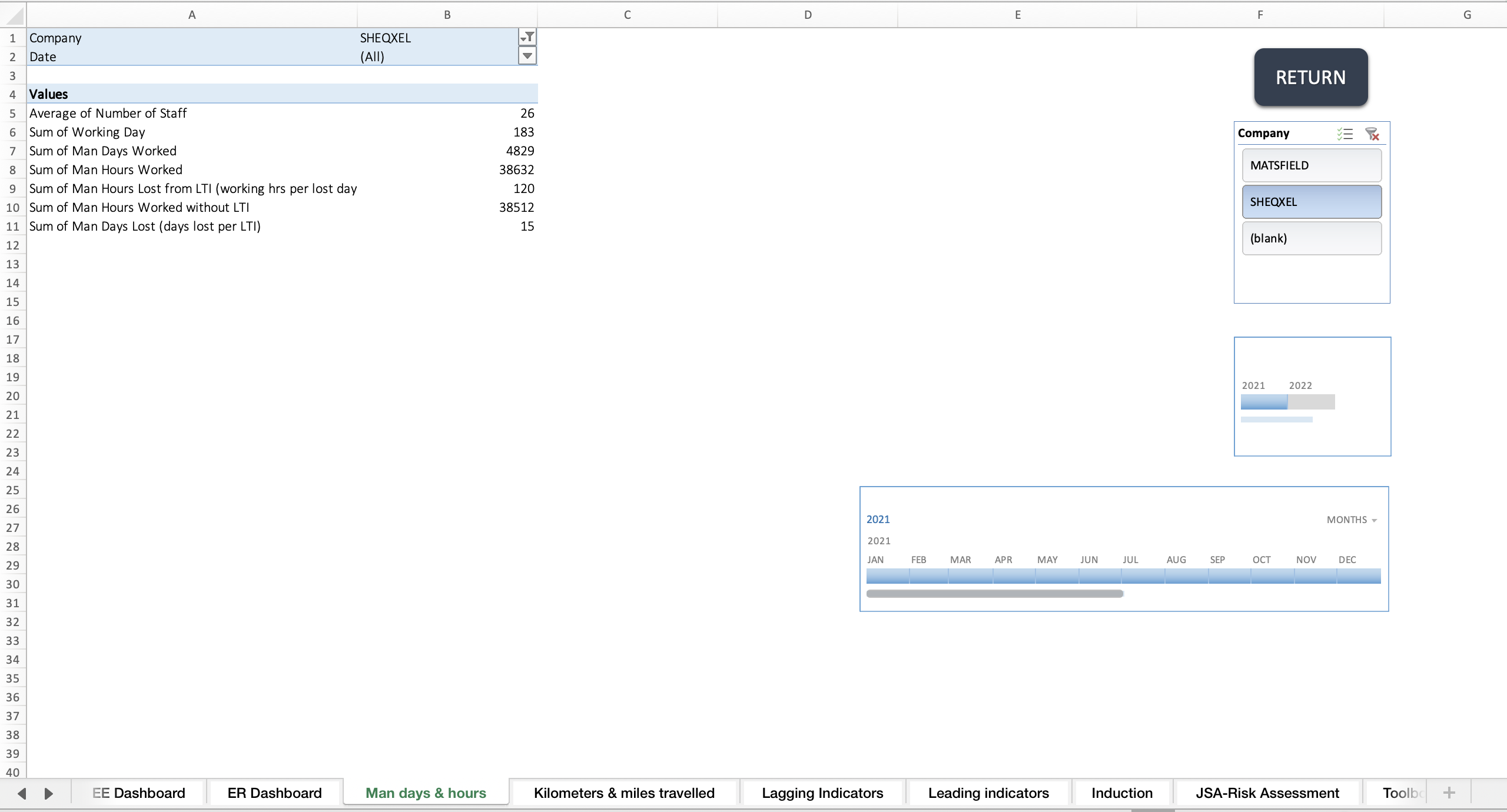
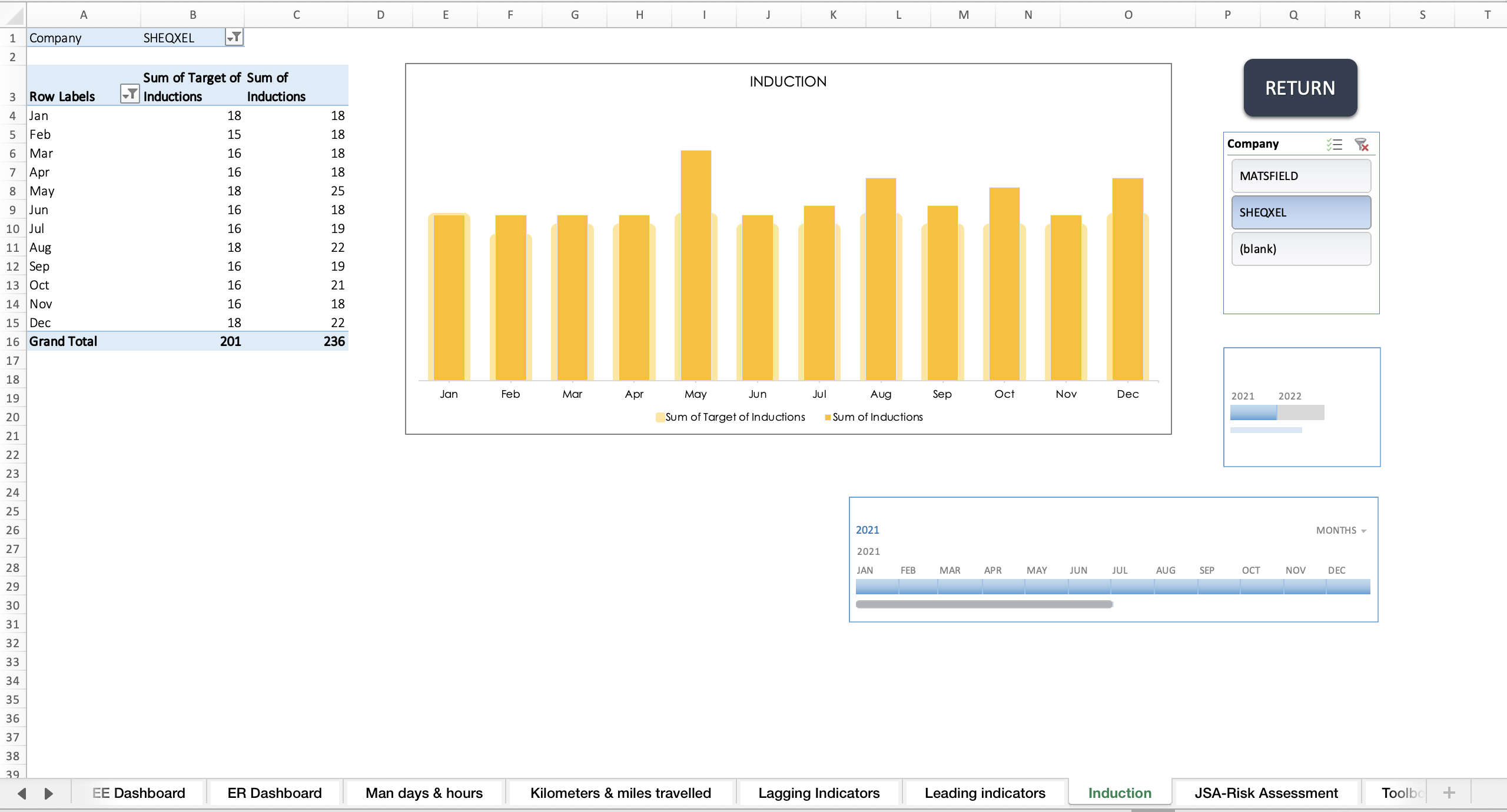
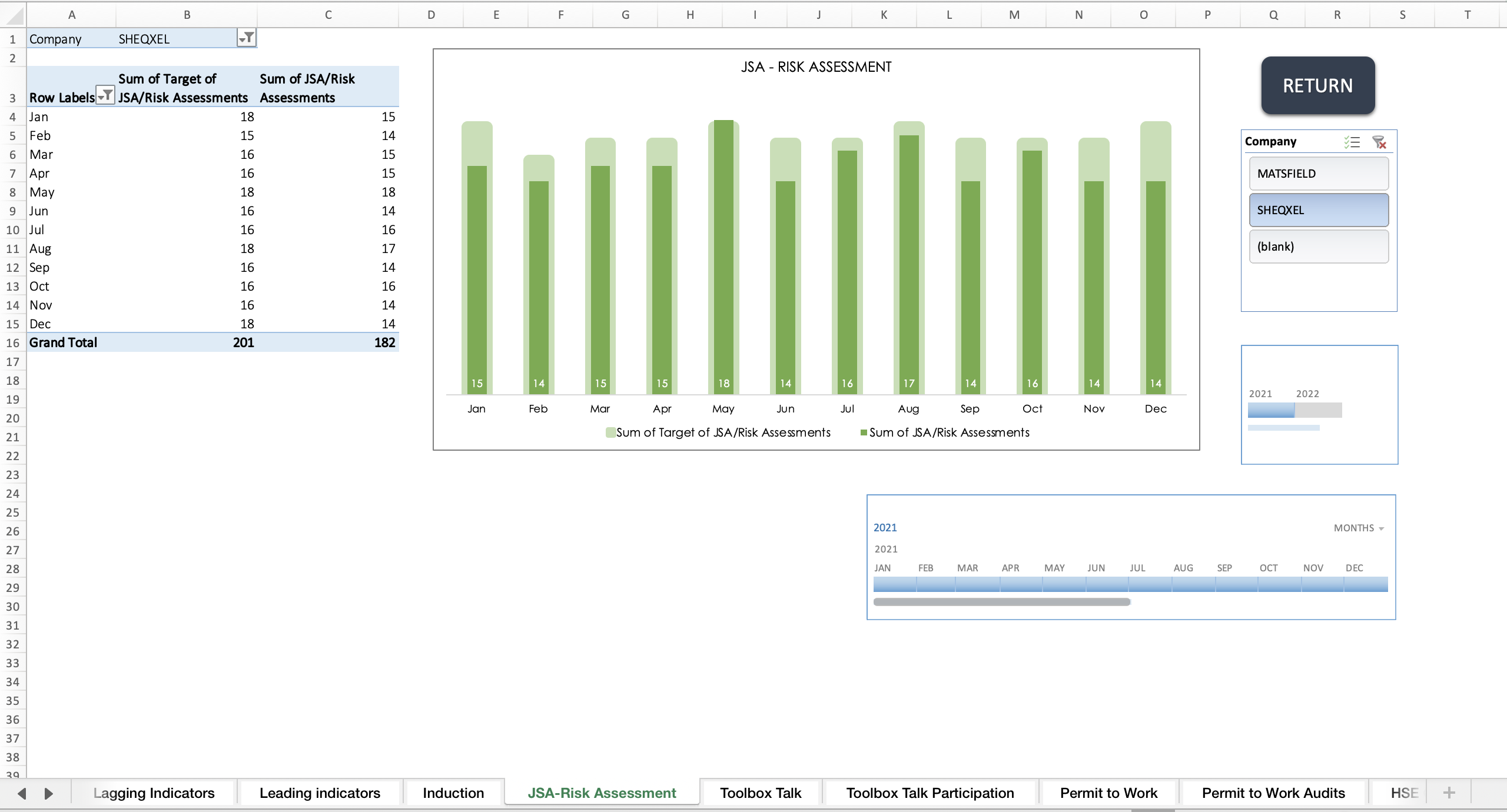
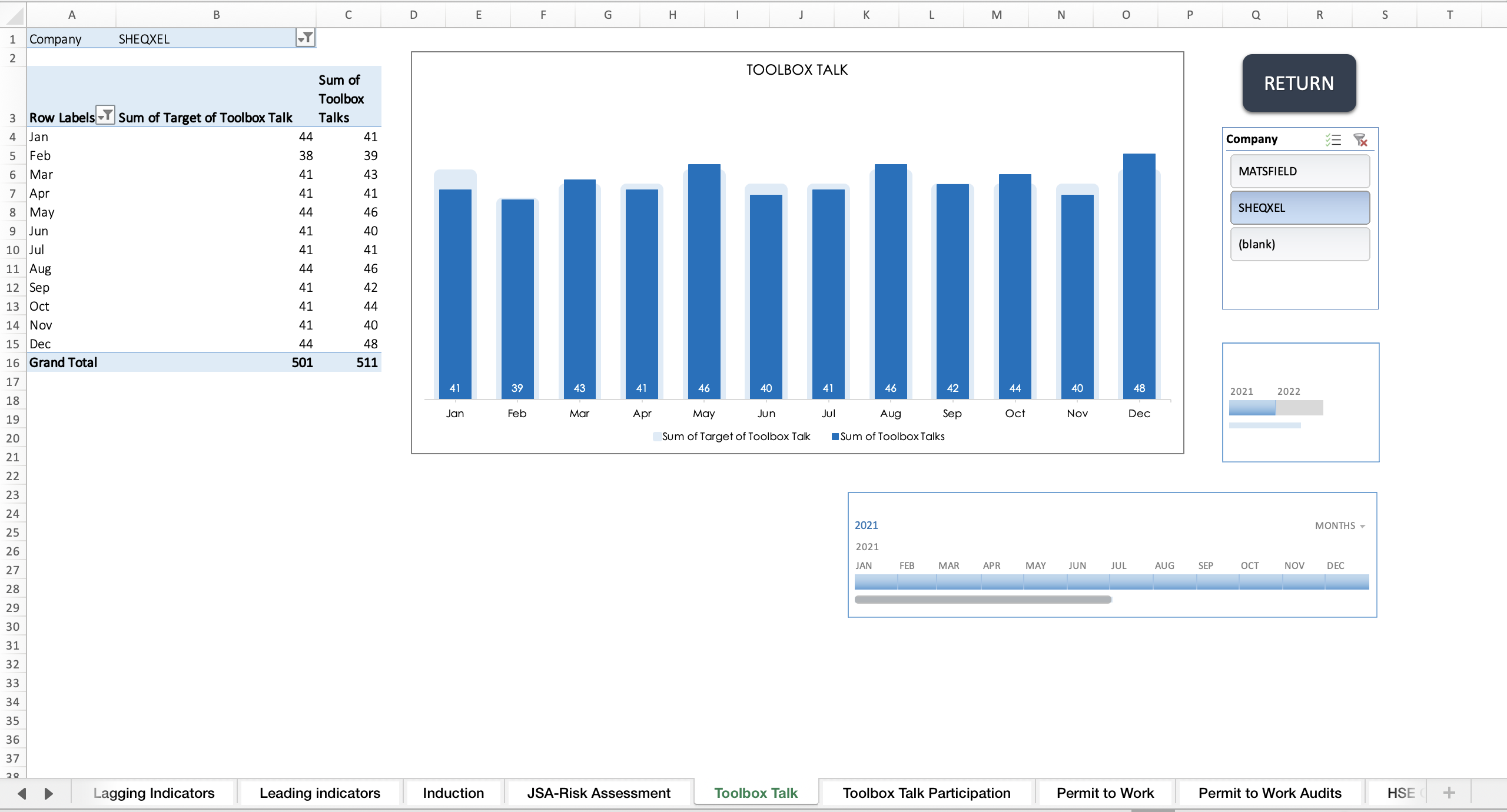
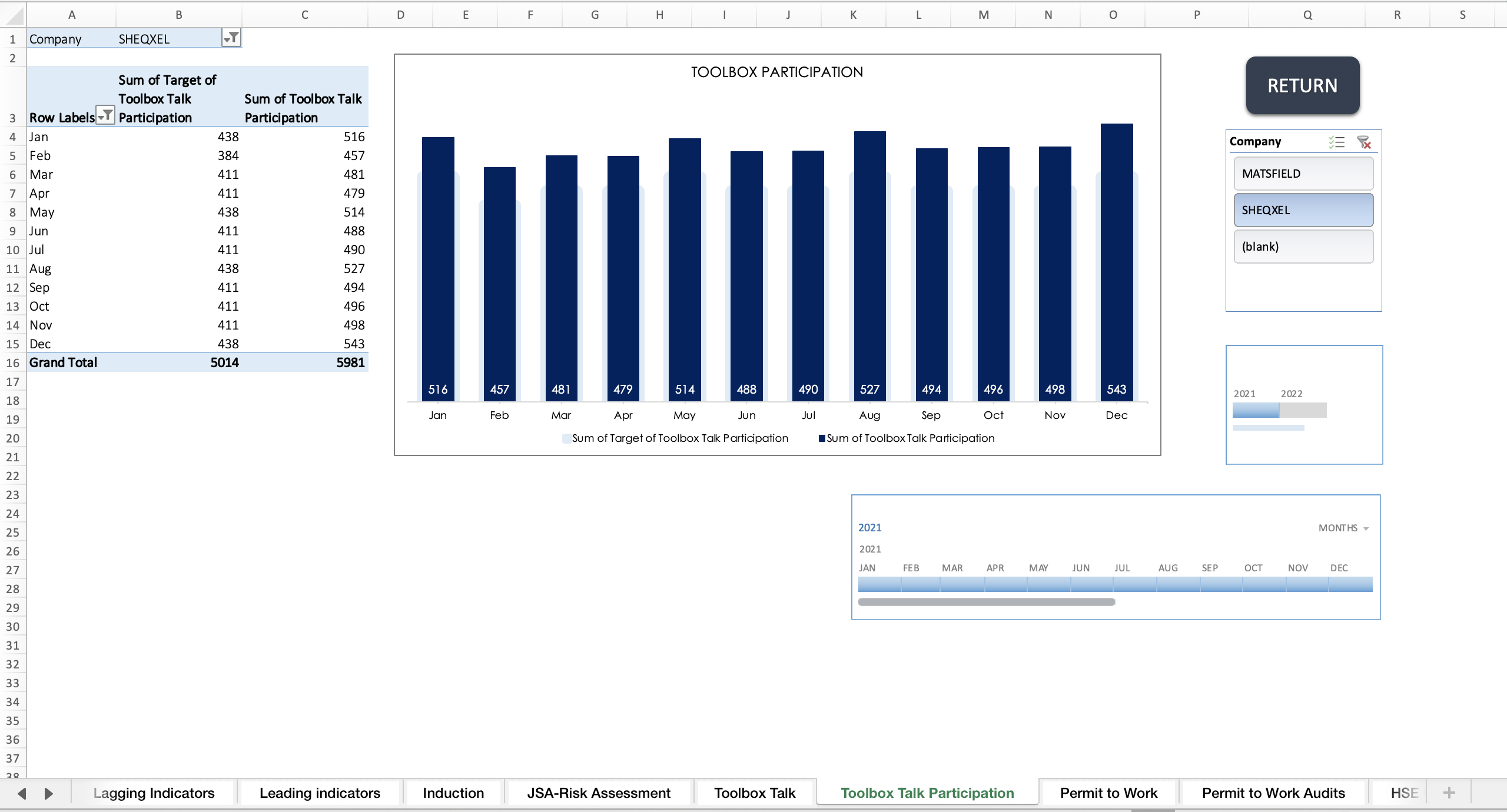
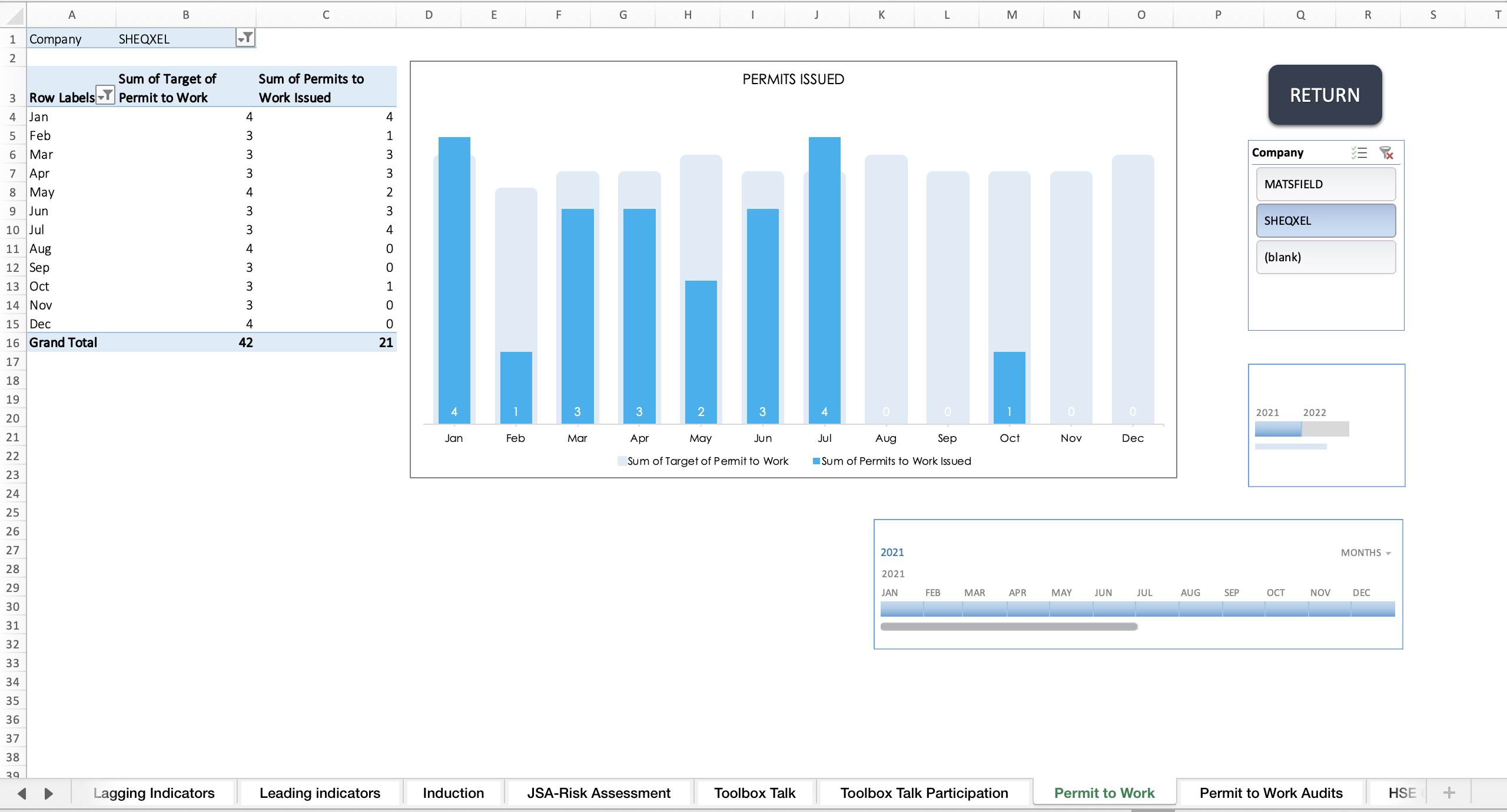
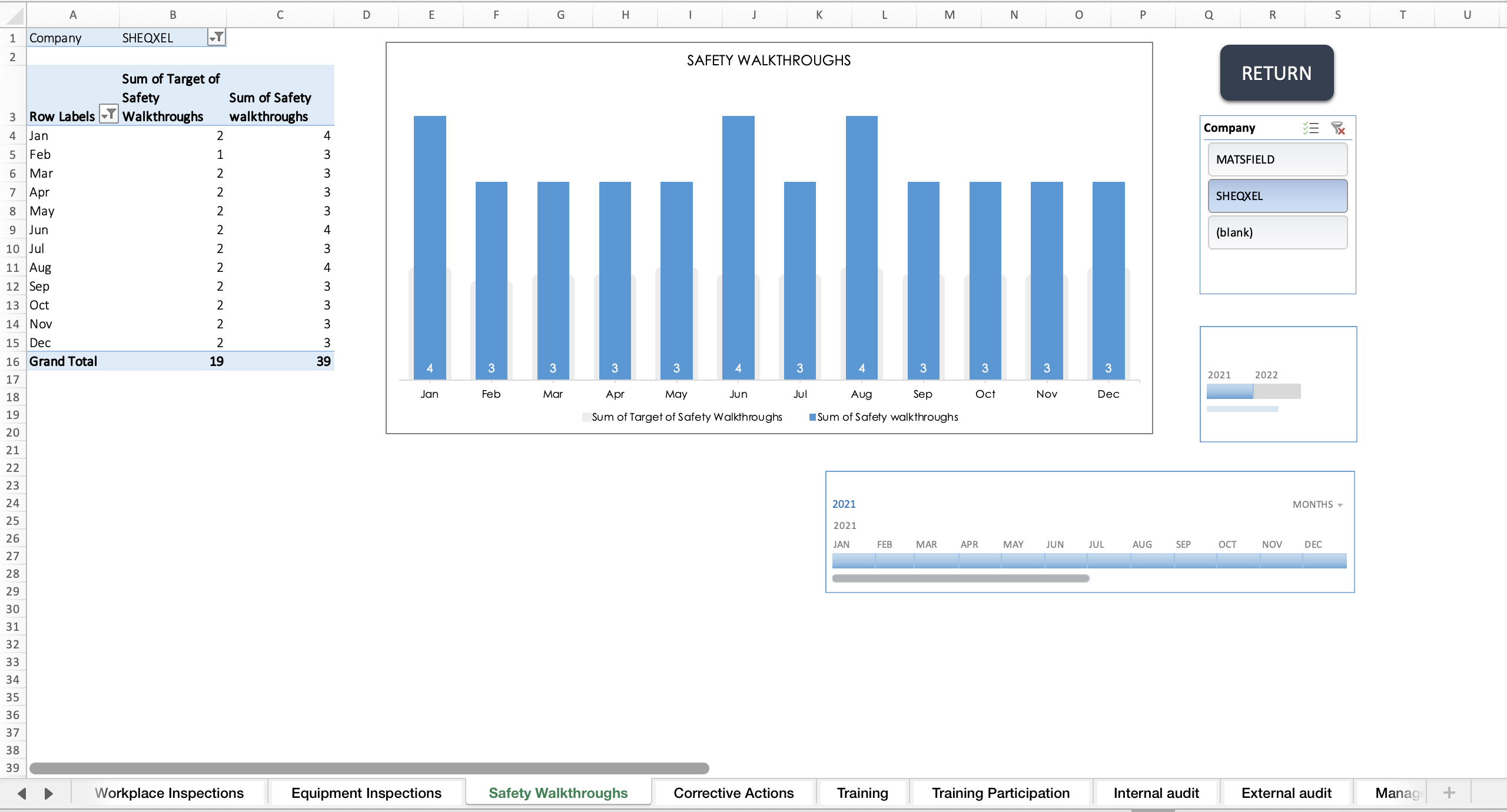
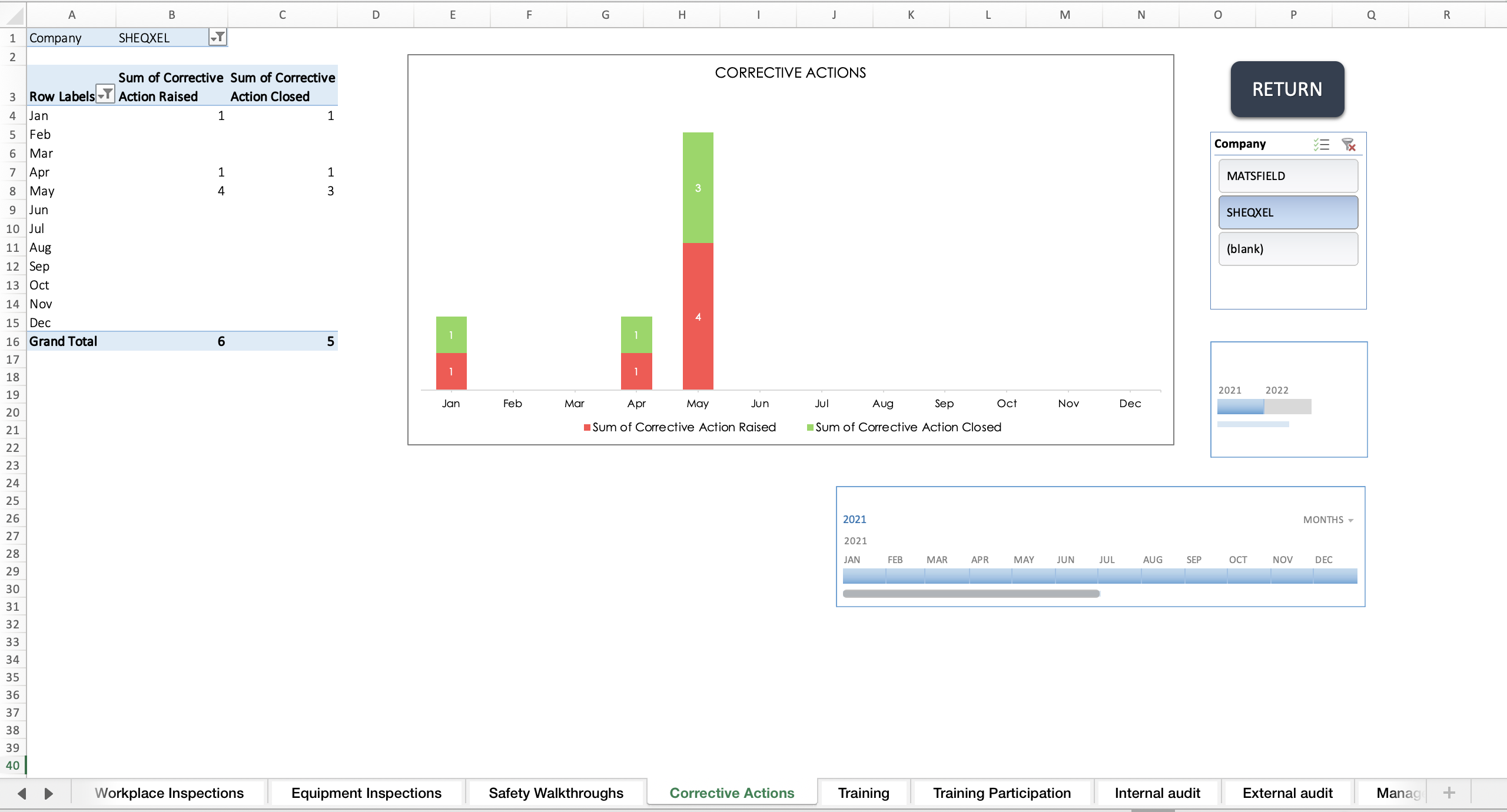
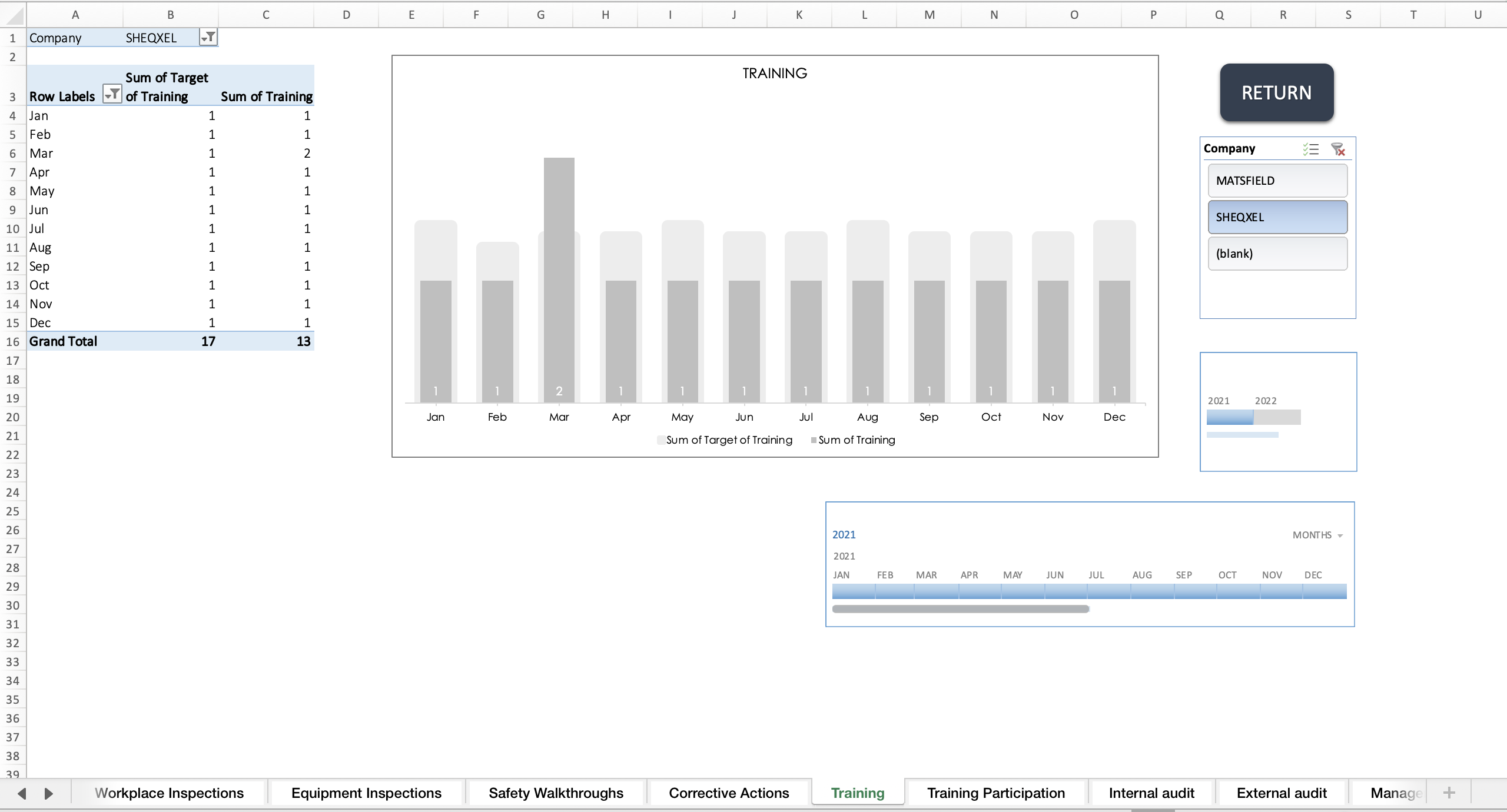
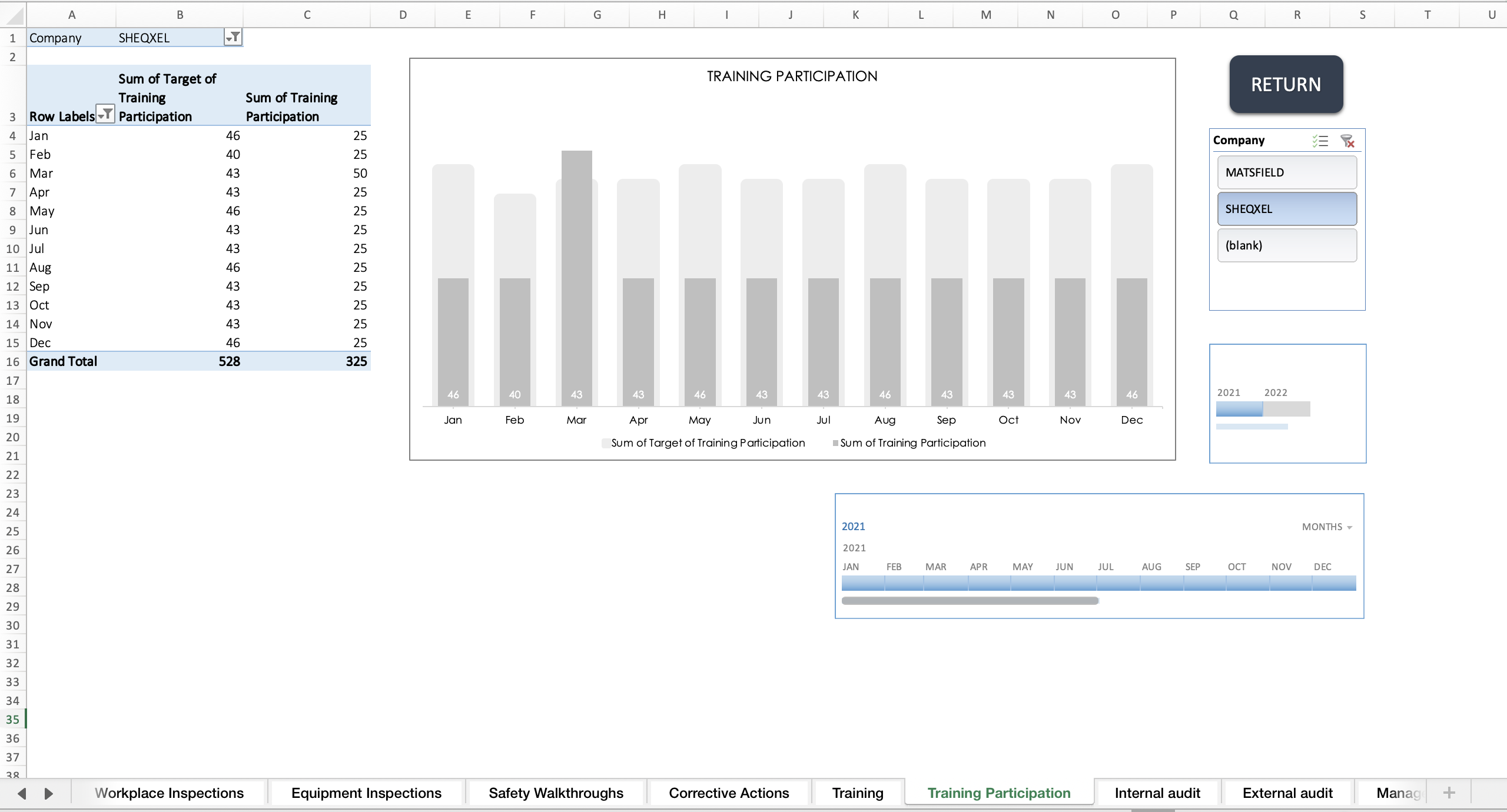
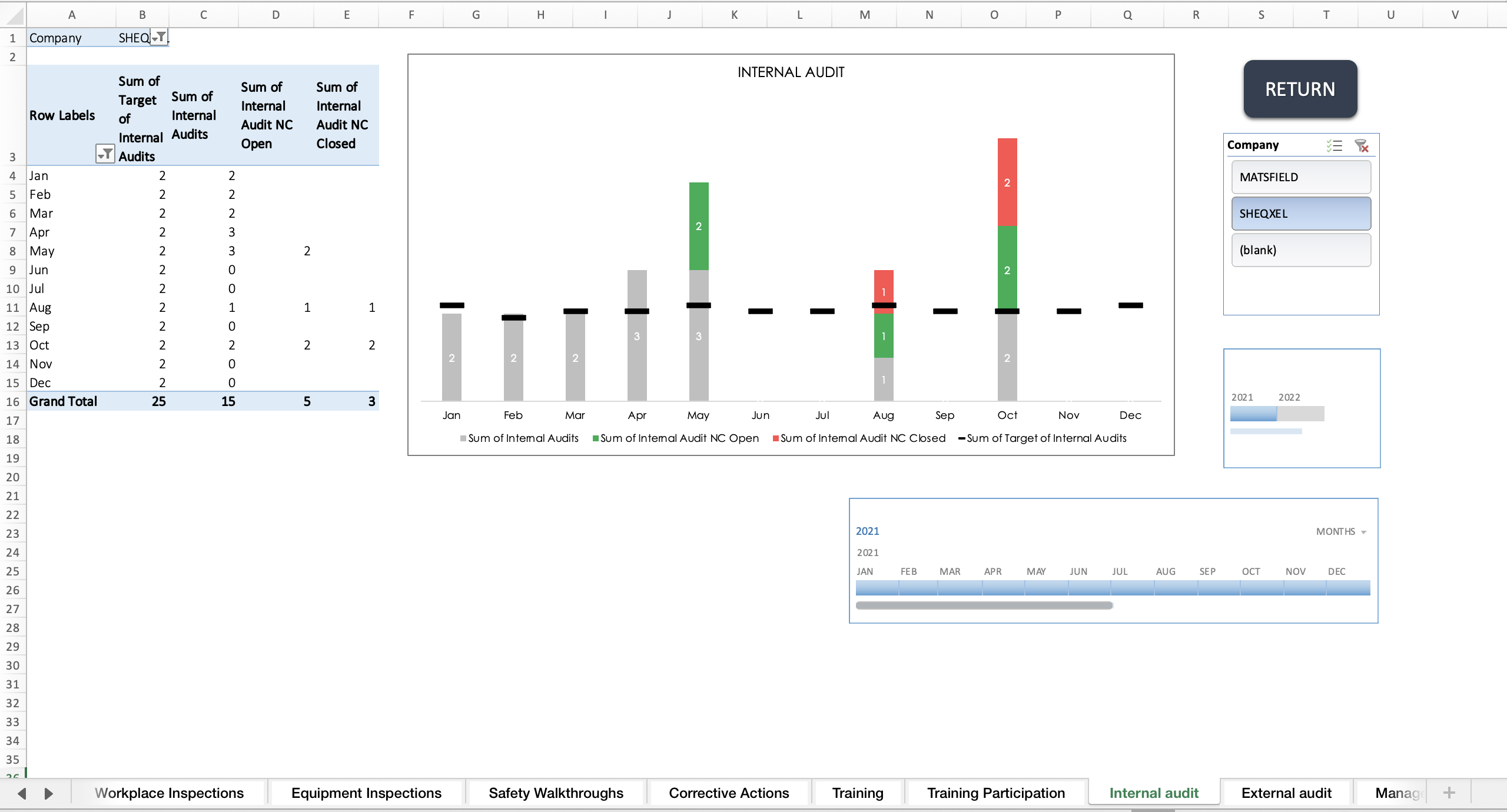
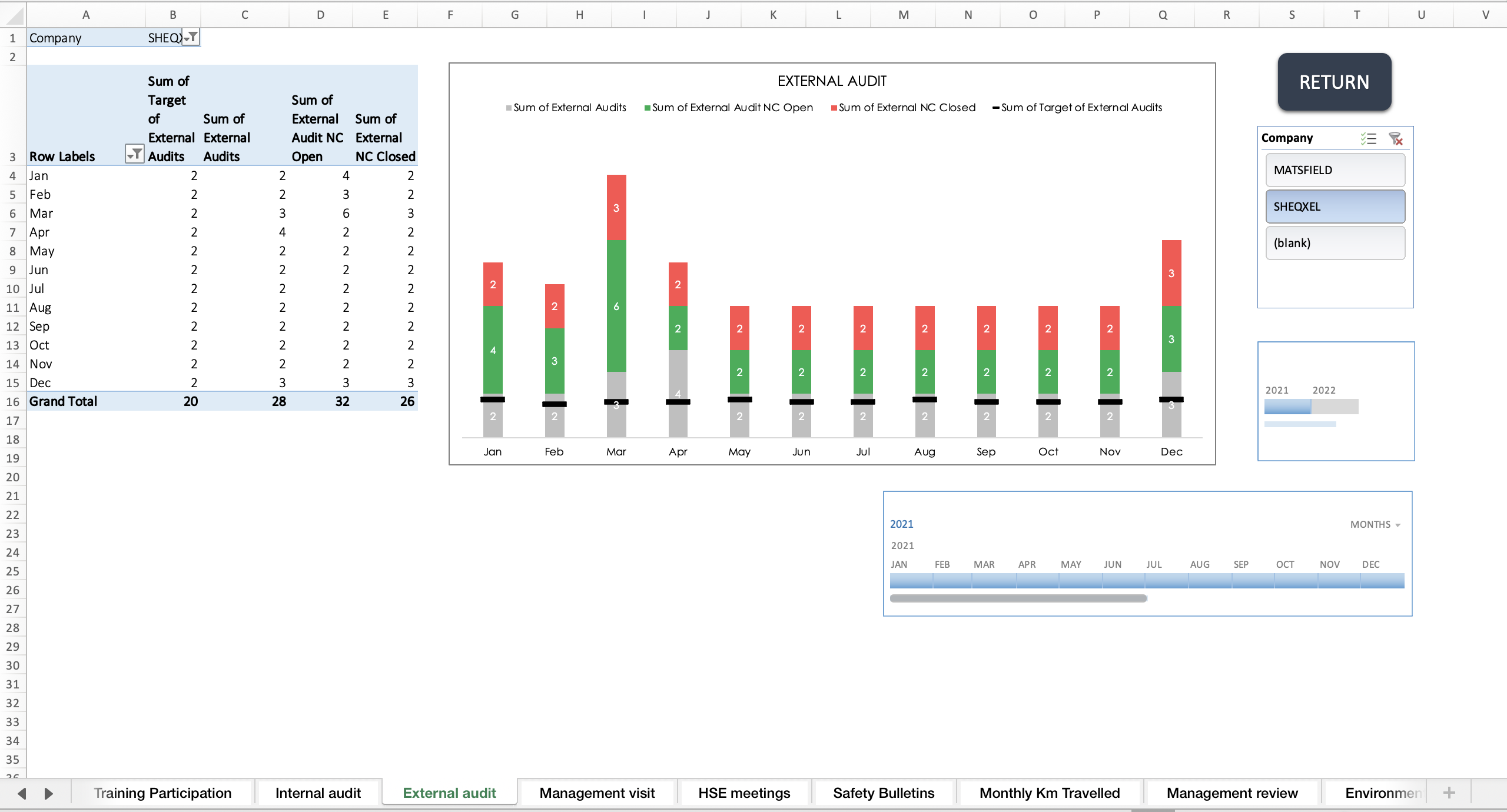
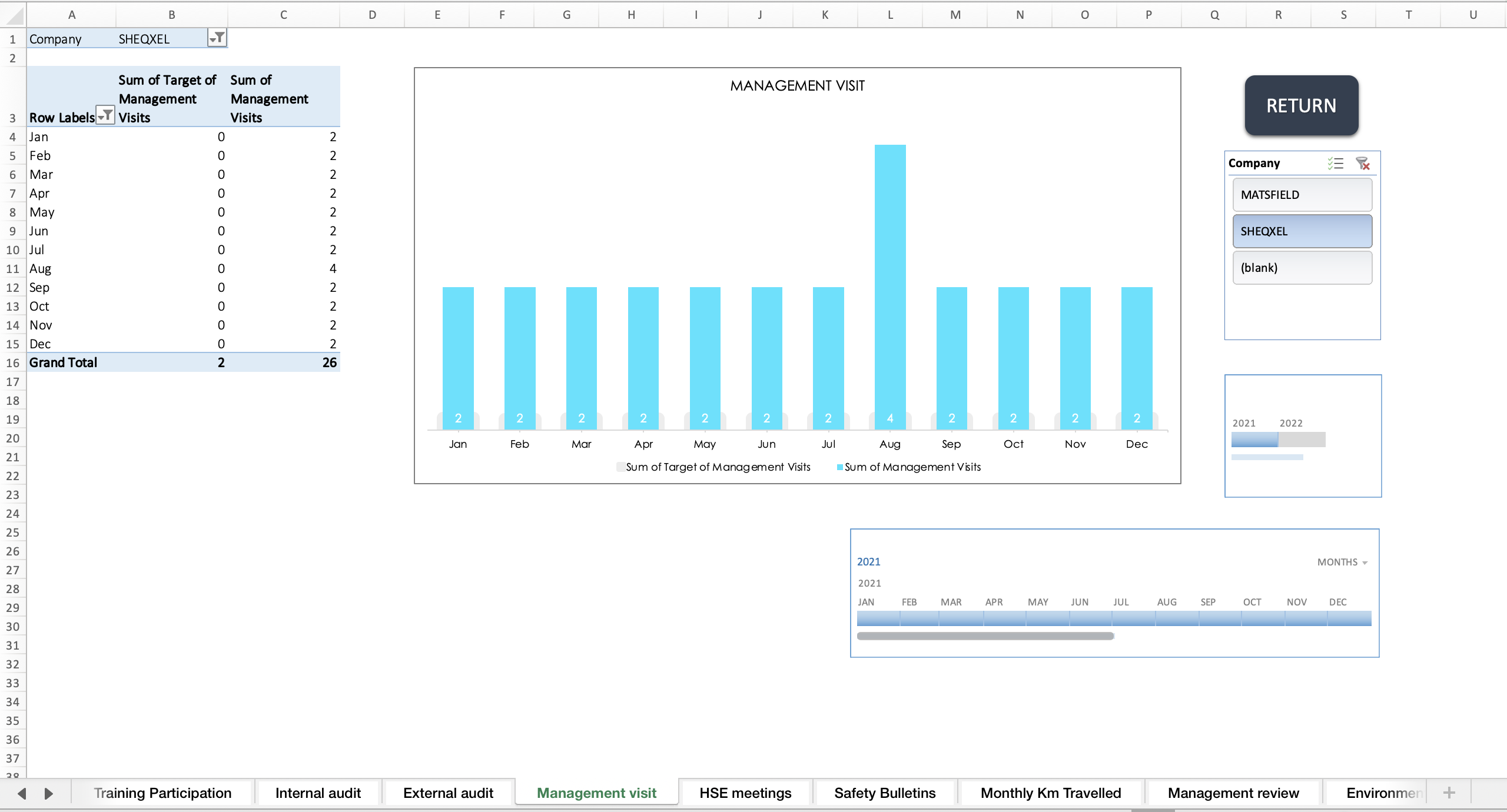
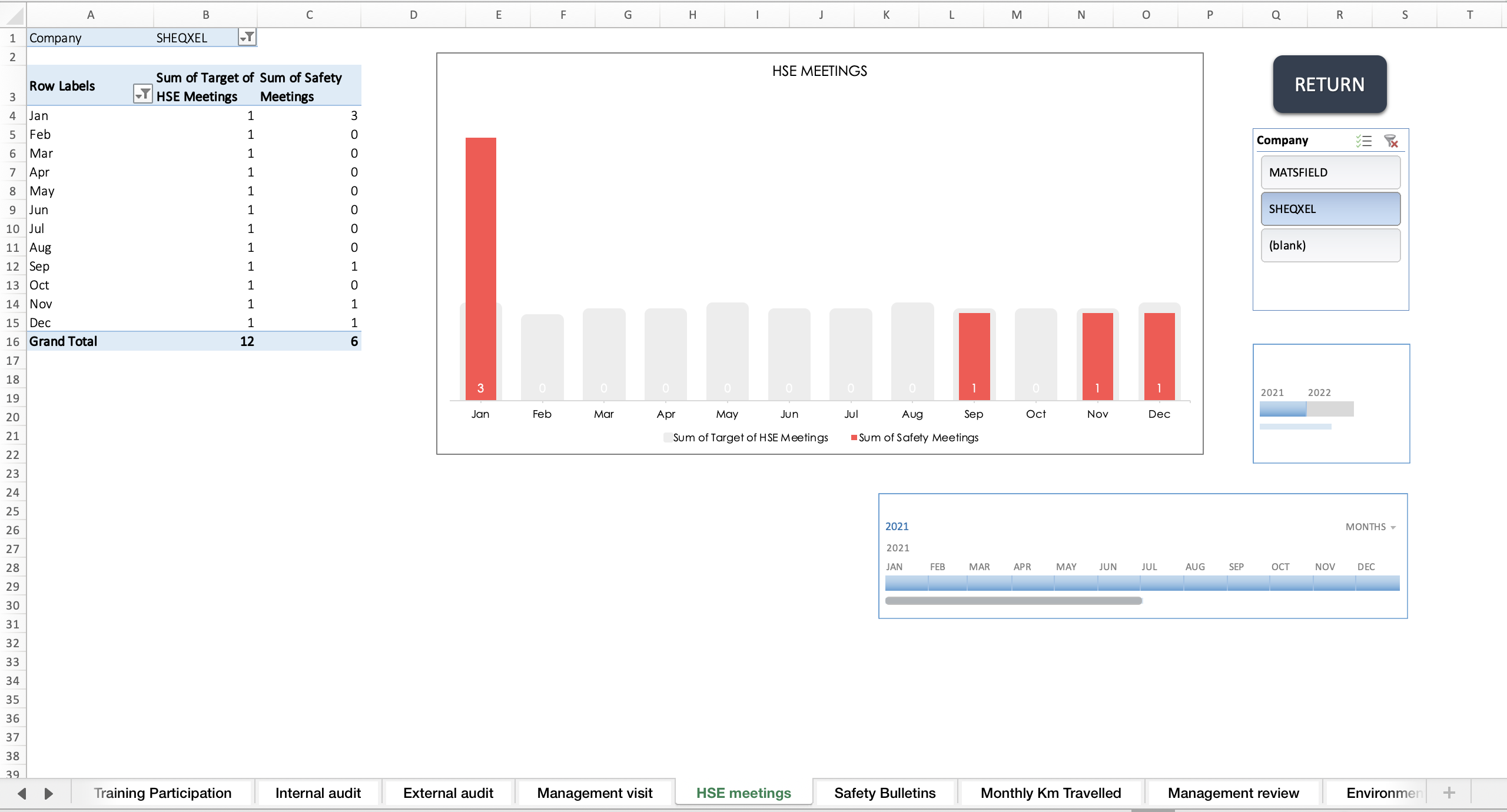
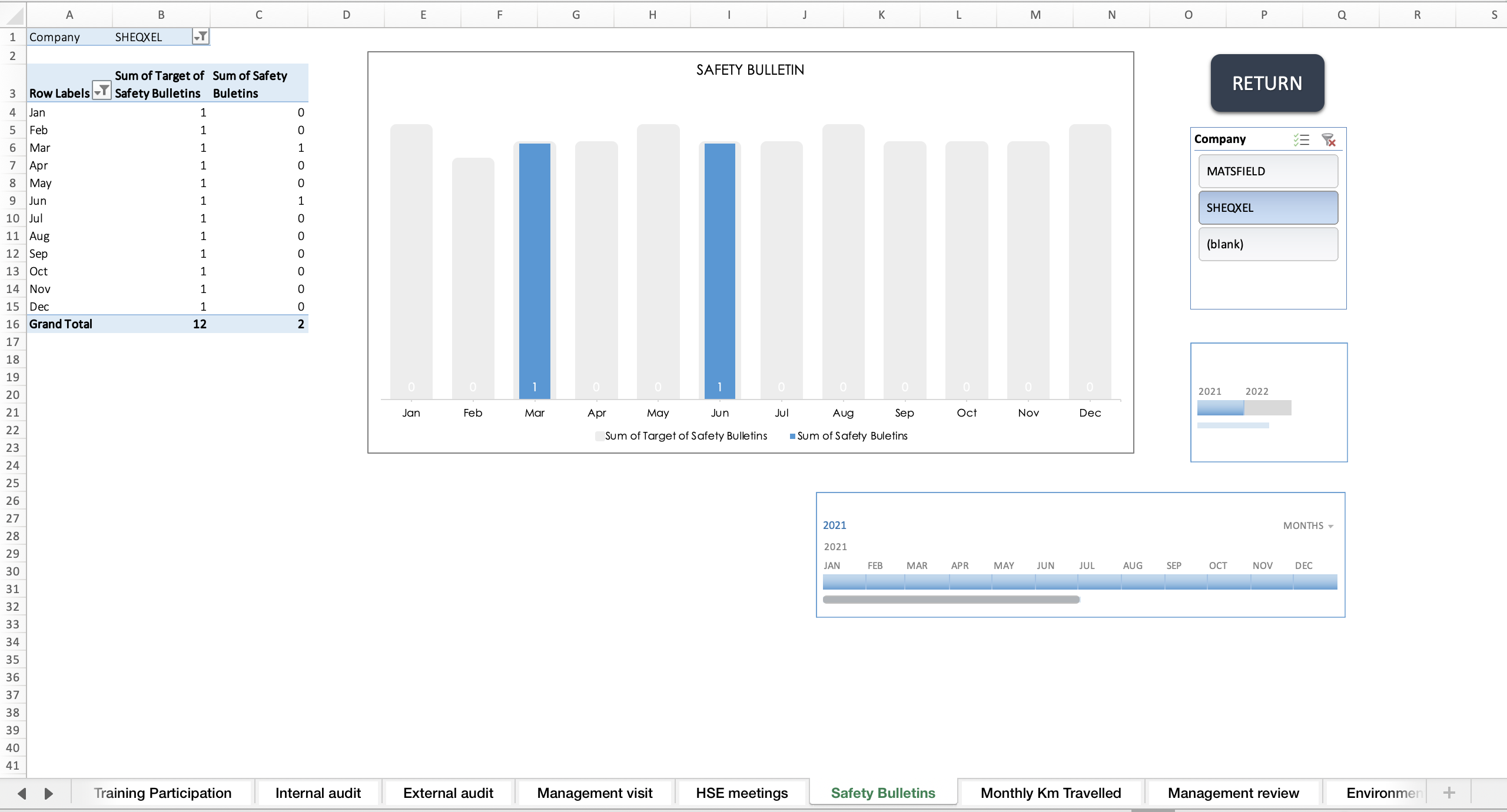
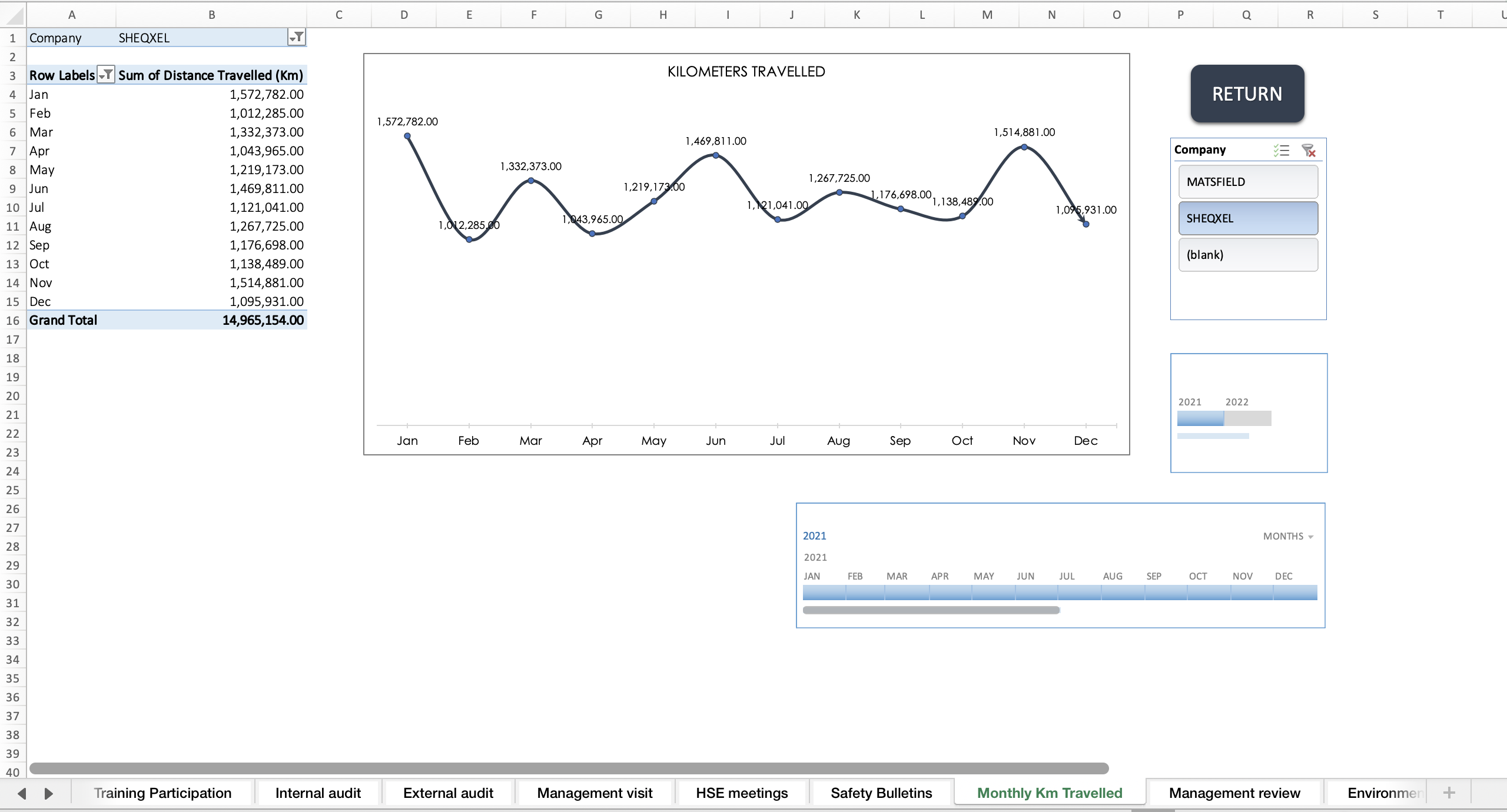
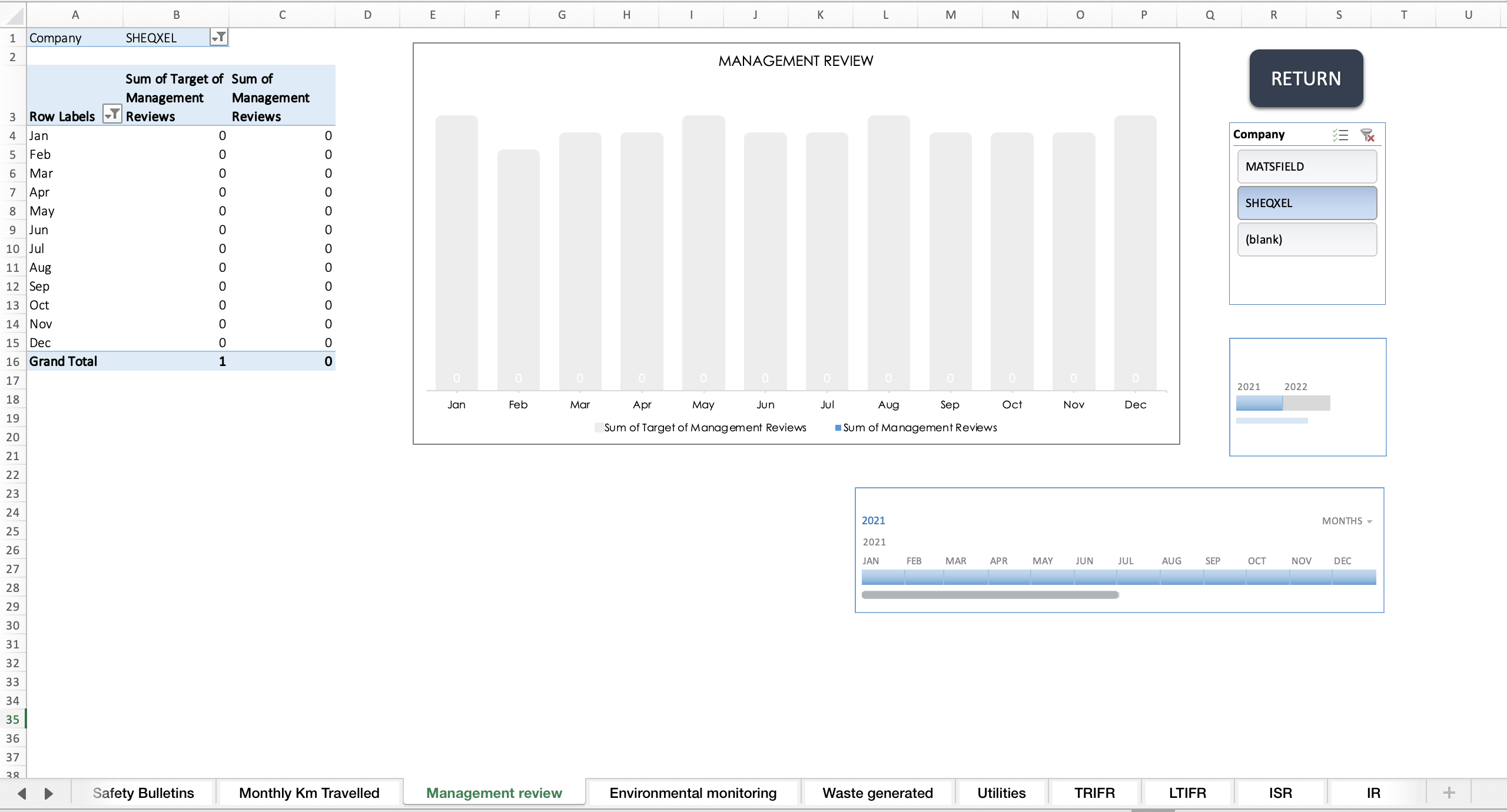
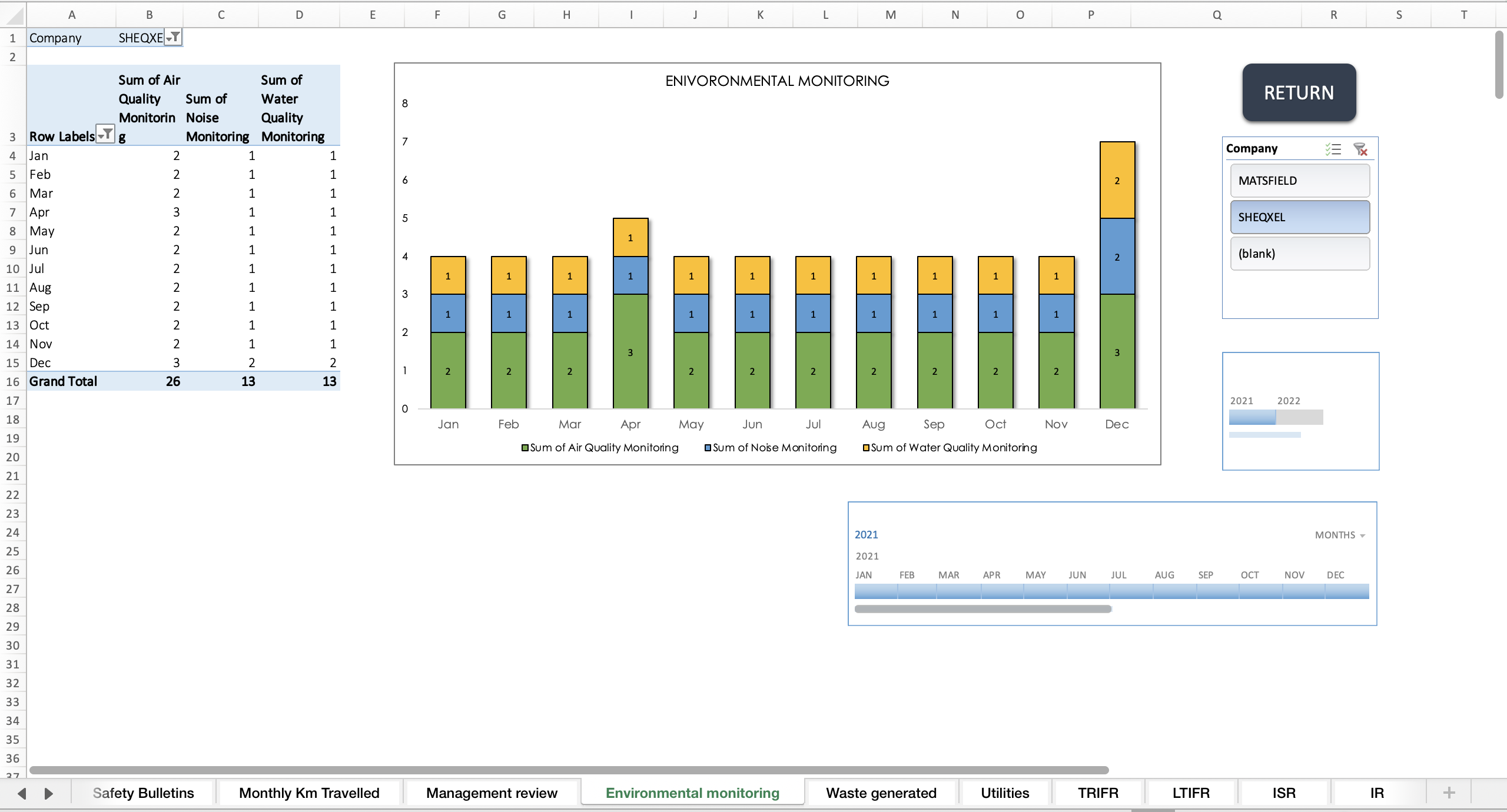
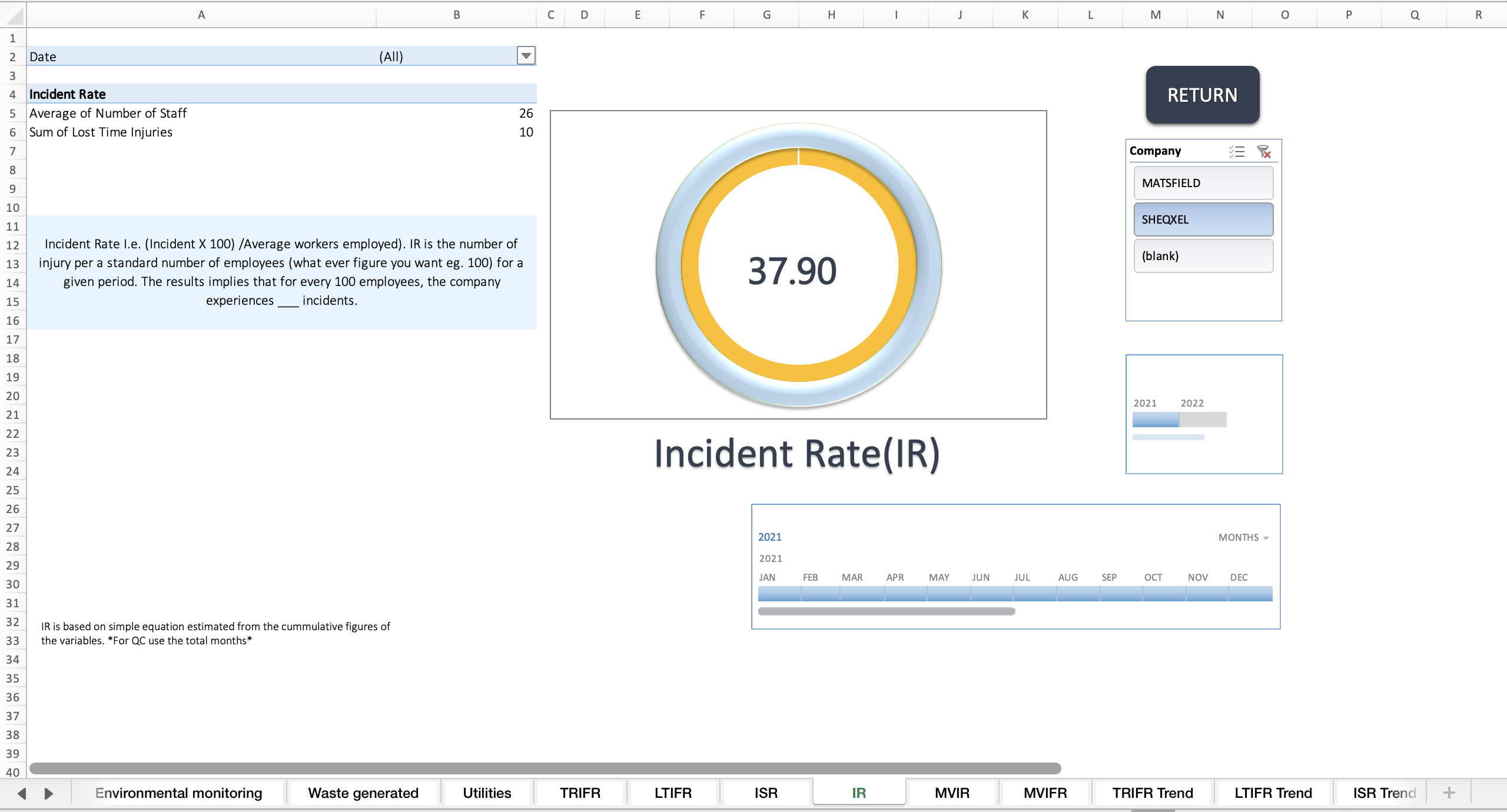
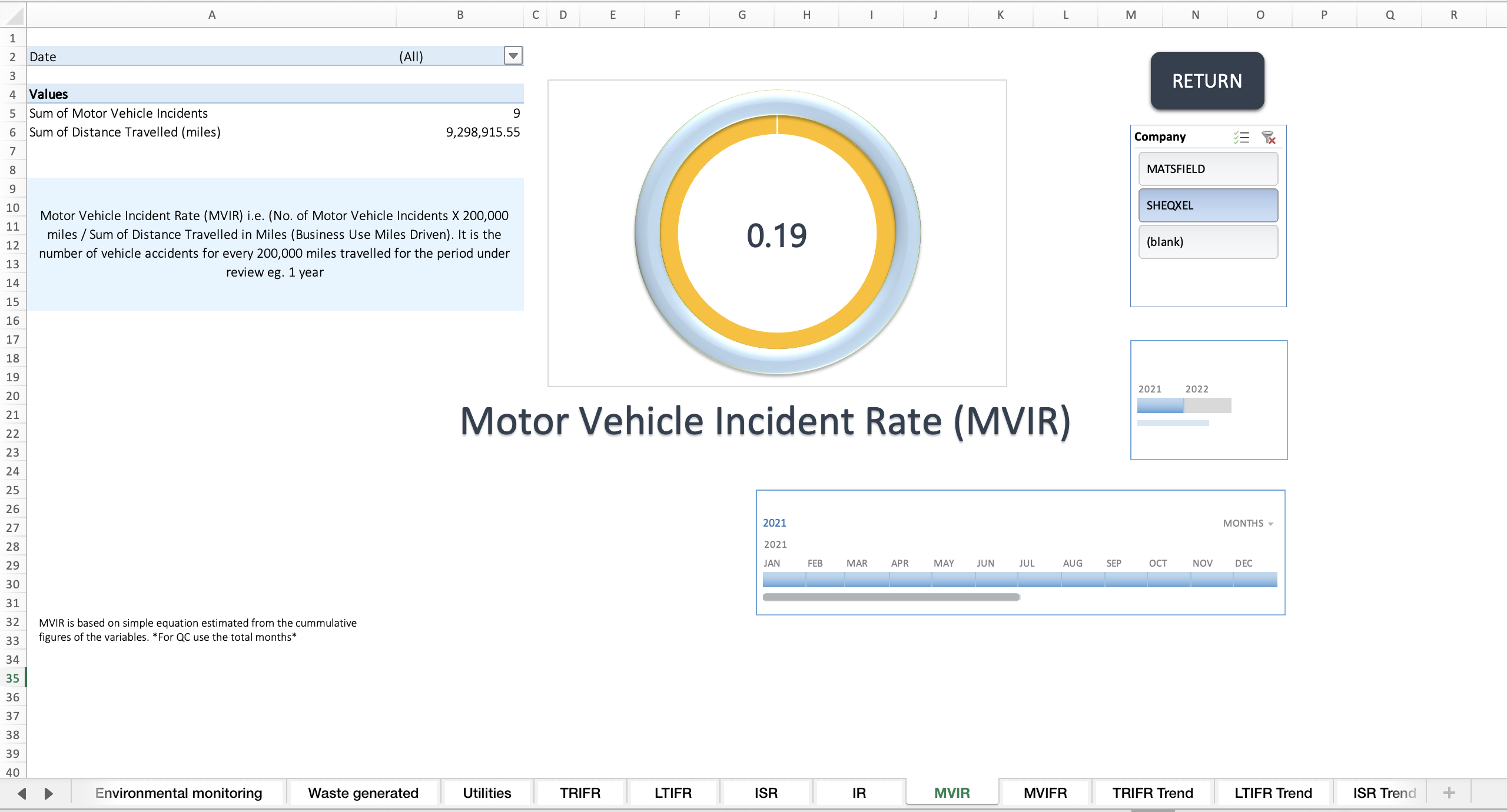
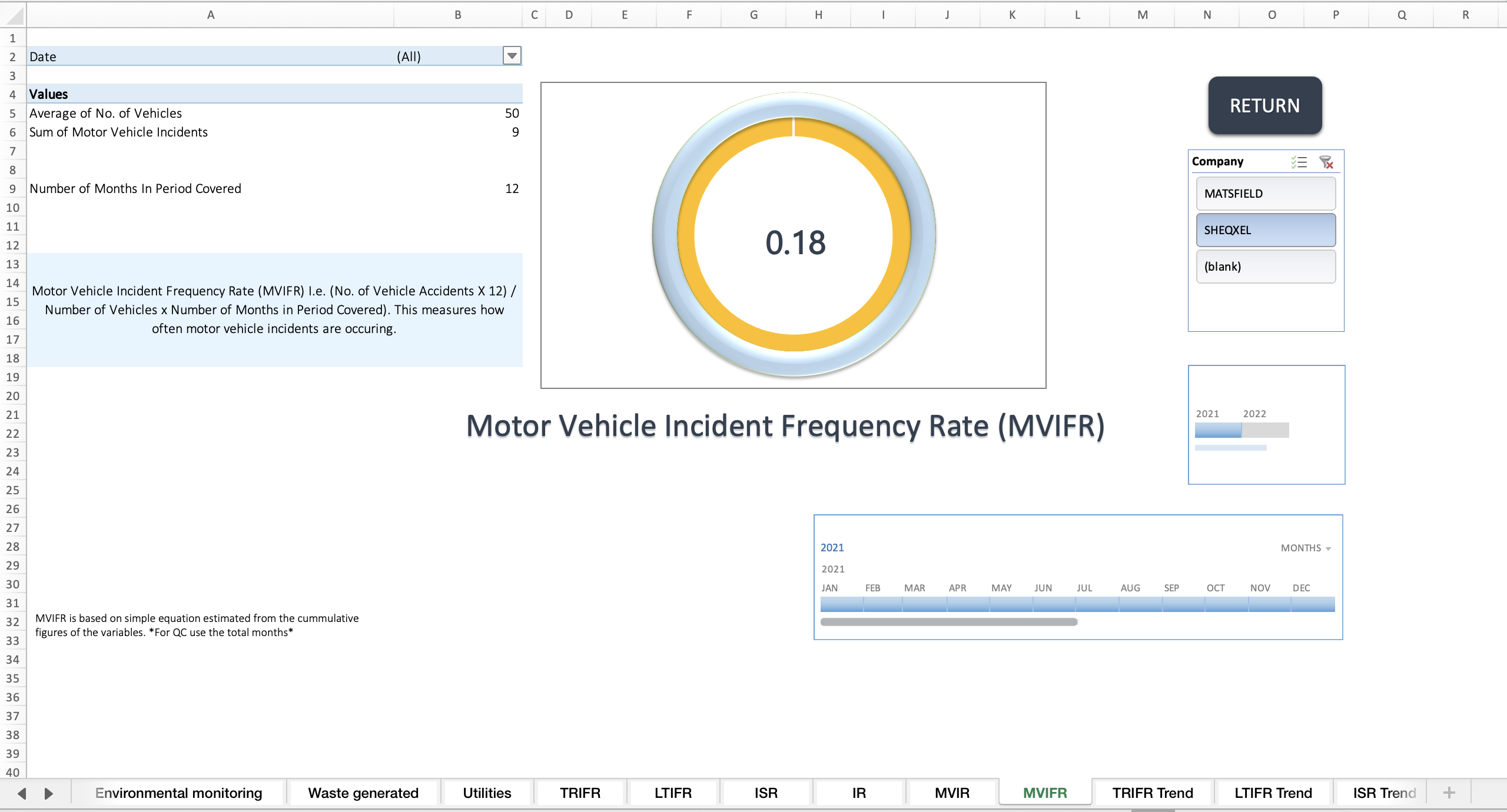
Various Reports (Pivot tables and charts)
This is where you input data such as:
Number of Employees
Man Days
Man Hours Worked
Various other indicators
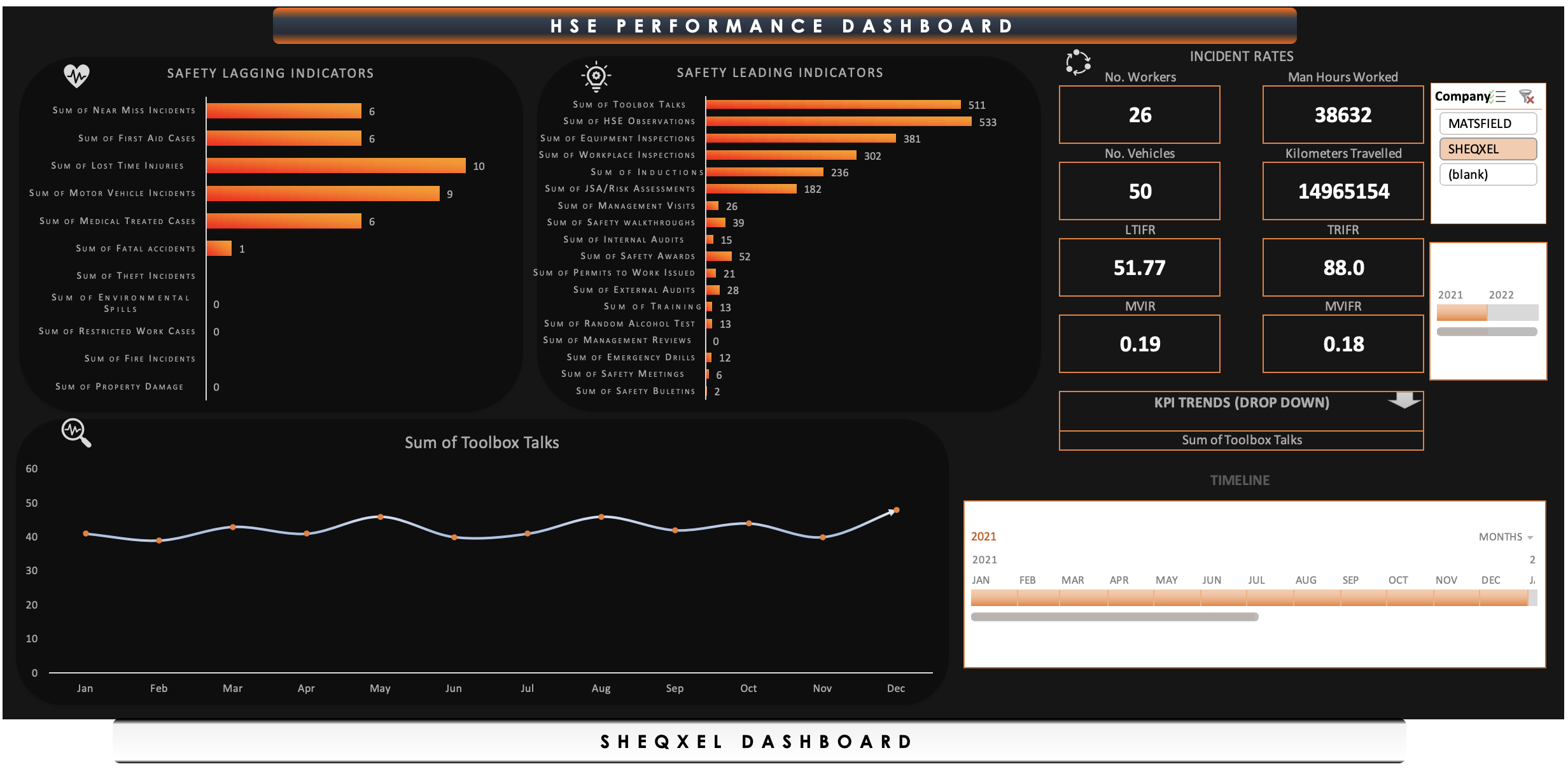
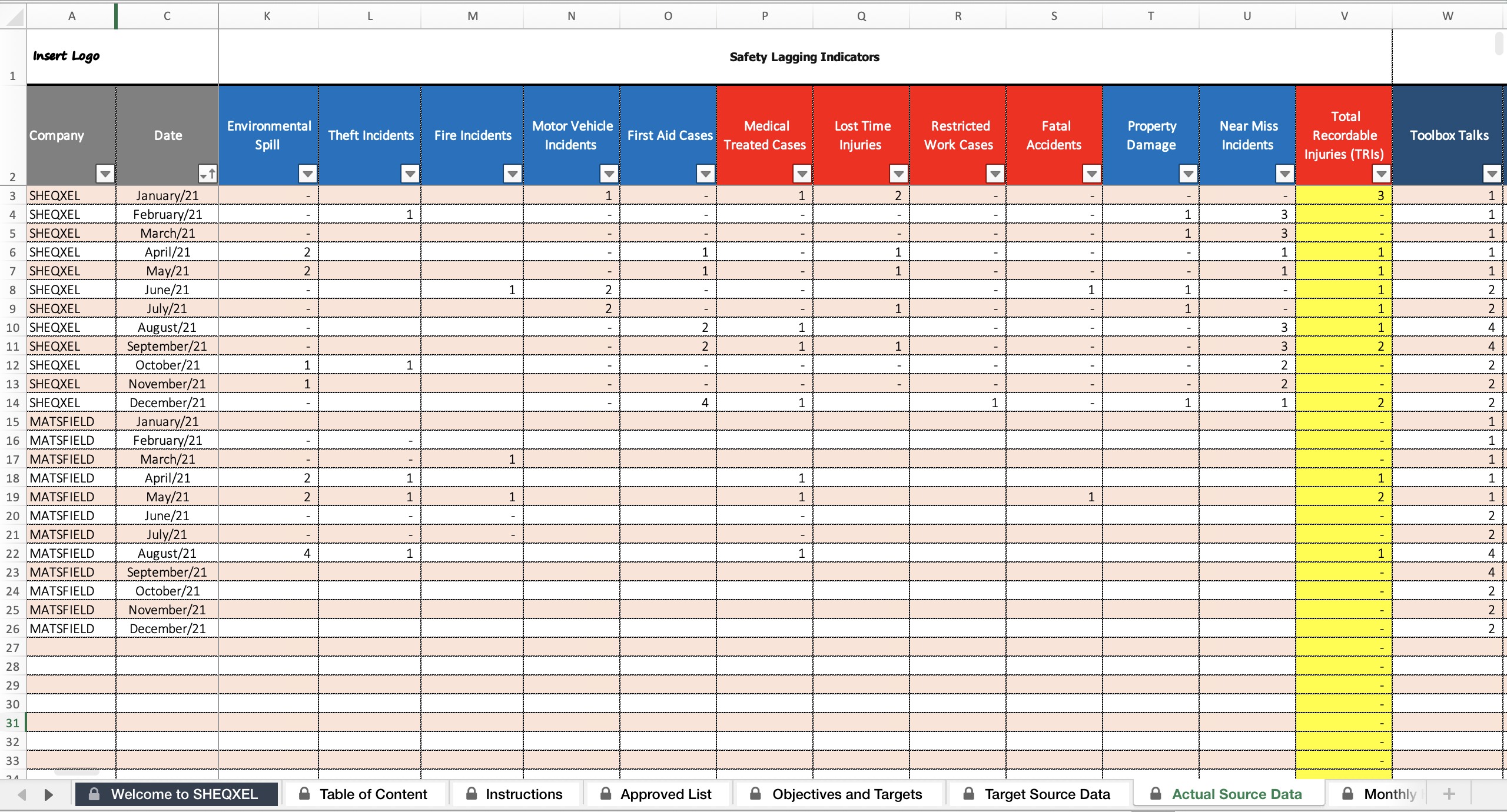
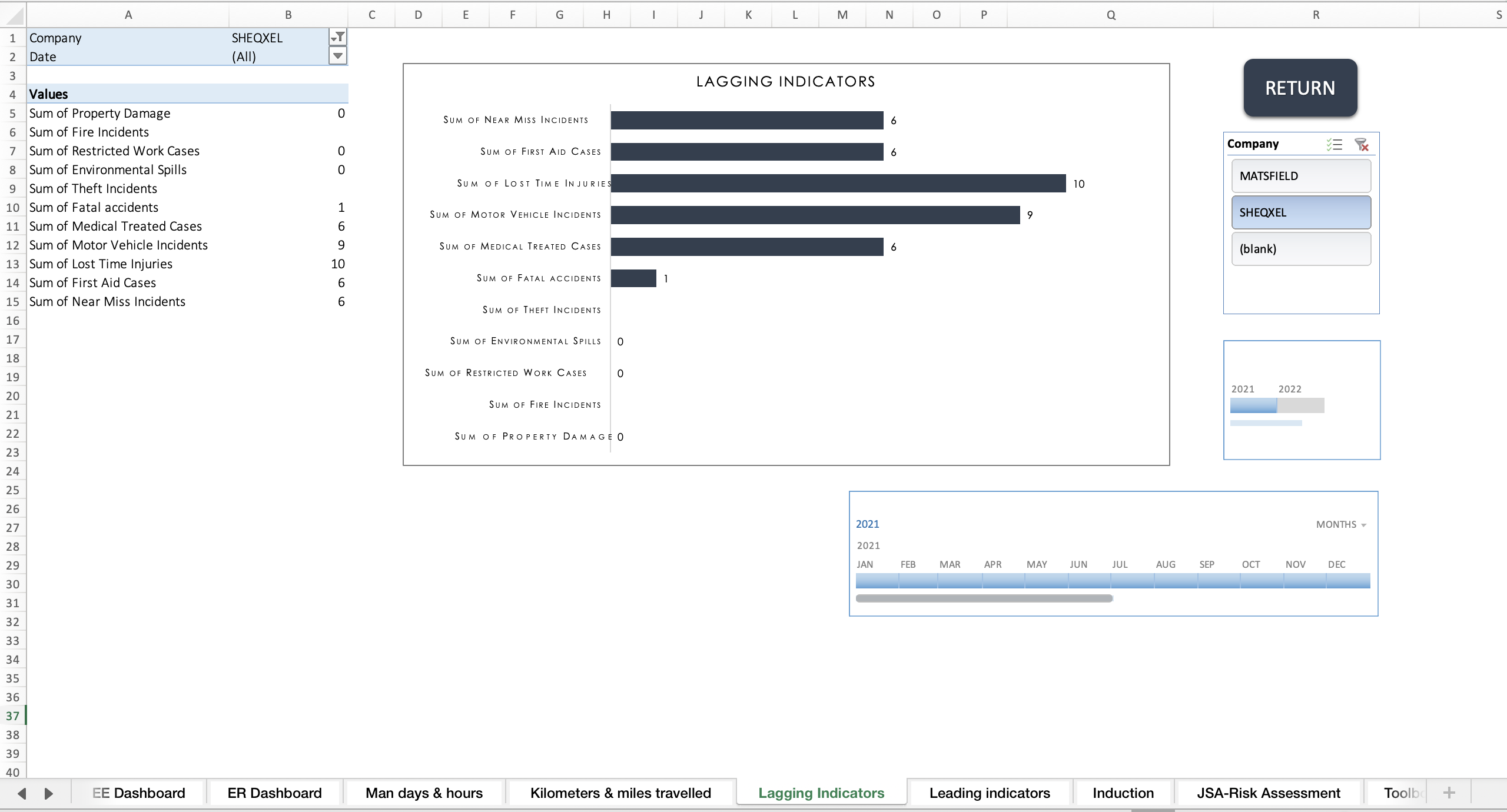
Safety Lagging Indicators:
Reactively measure failures
Capture all types of incidents
Separate Total Recordable Cases (TRC) from other incidents
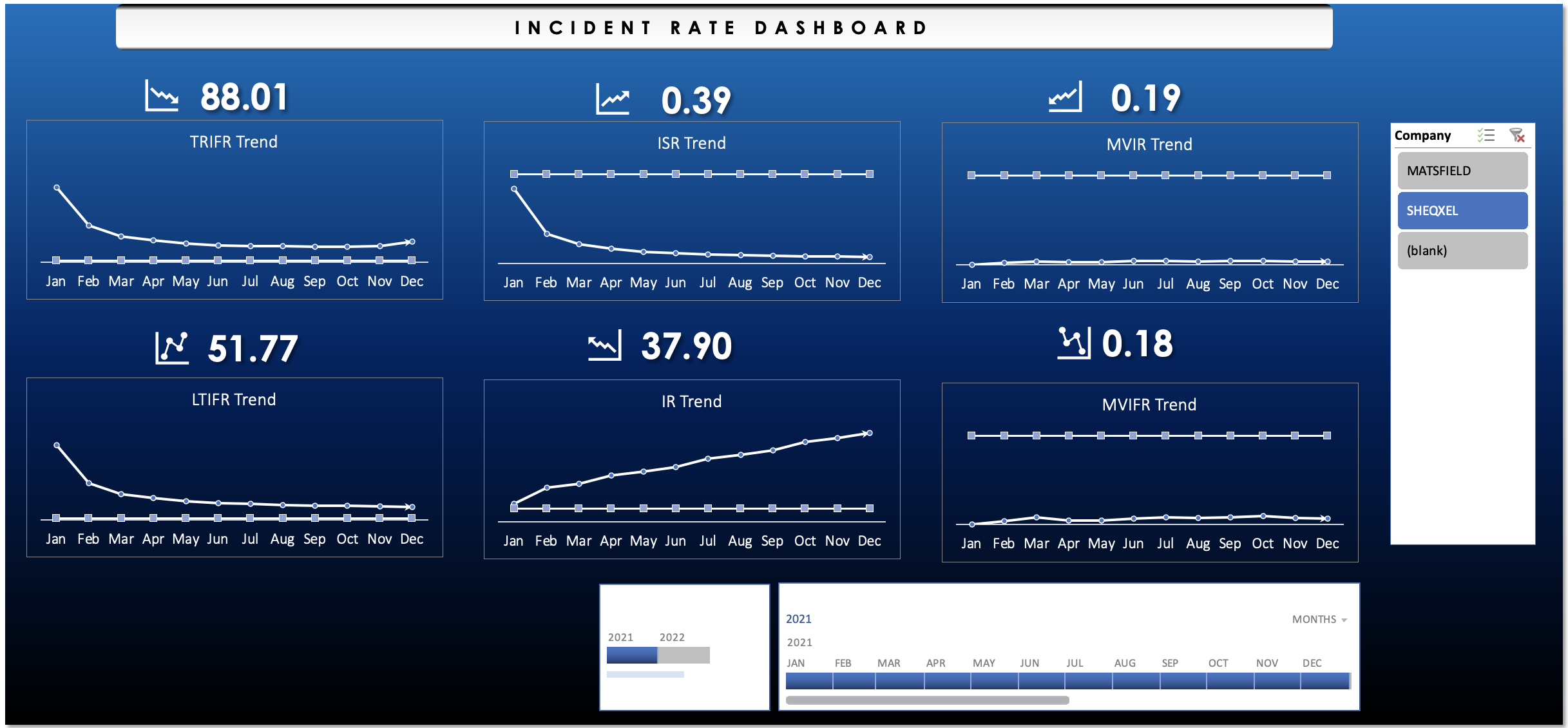
Estimate incident rates such as:
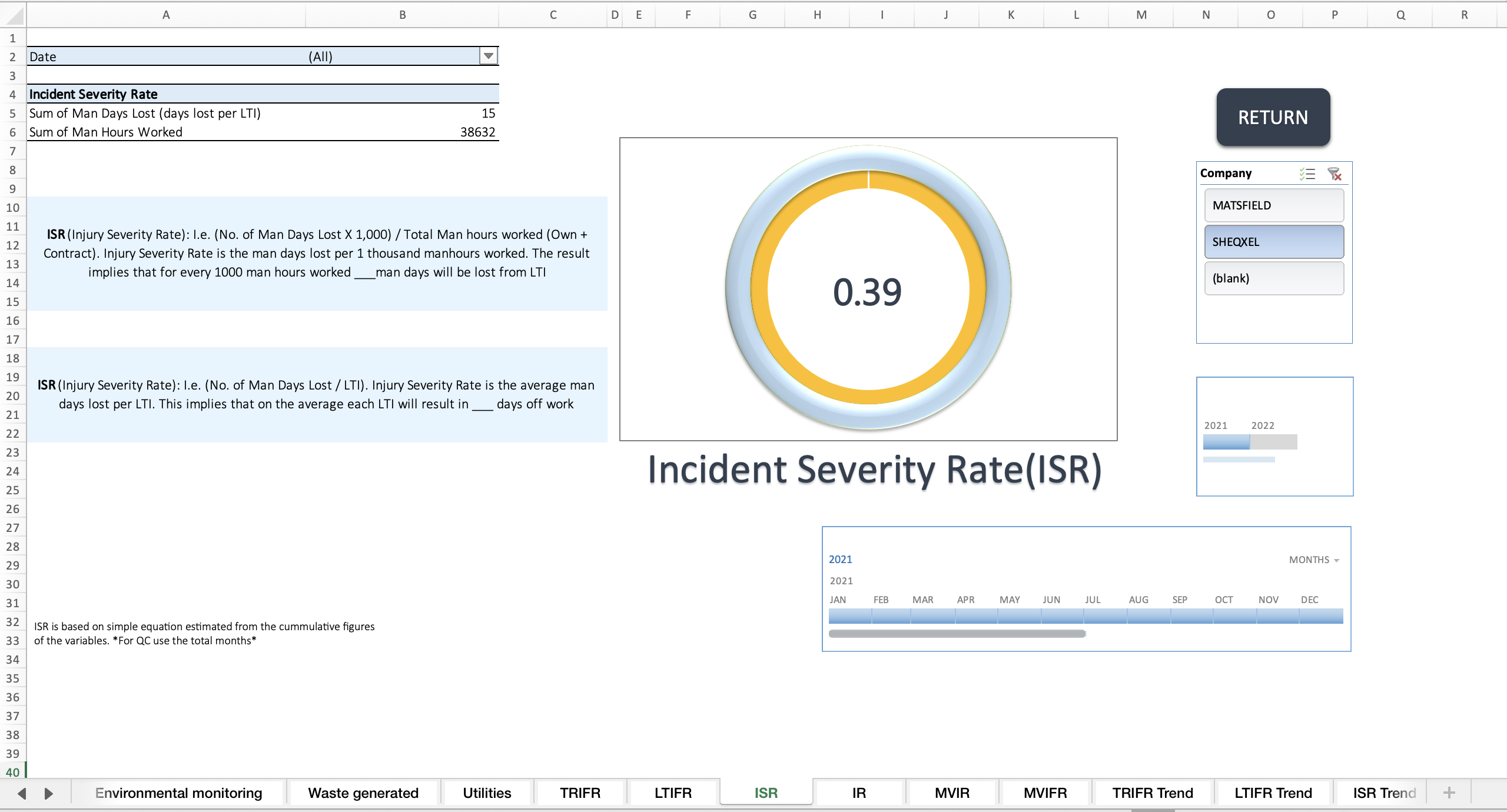
Lost Time Injury Frequency Rate (LTIFR)
Total Recordable Injury Frequency Rate (TRIFR)
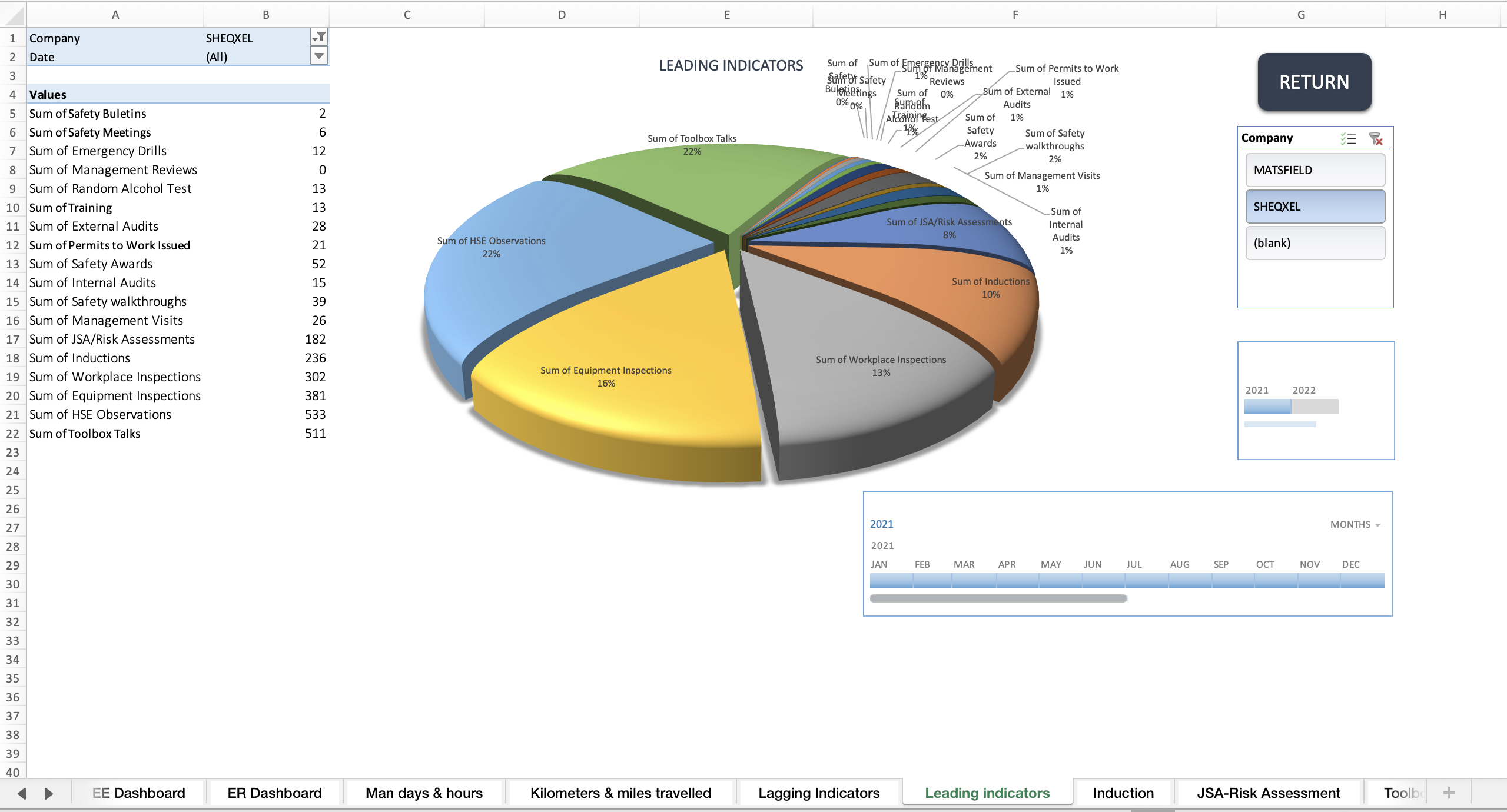
Safety Leading Indicators:
Proactively measure success
Based on generic indicators applicable to all high-risk workplaces
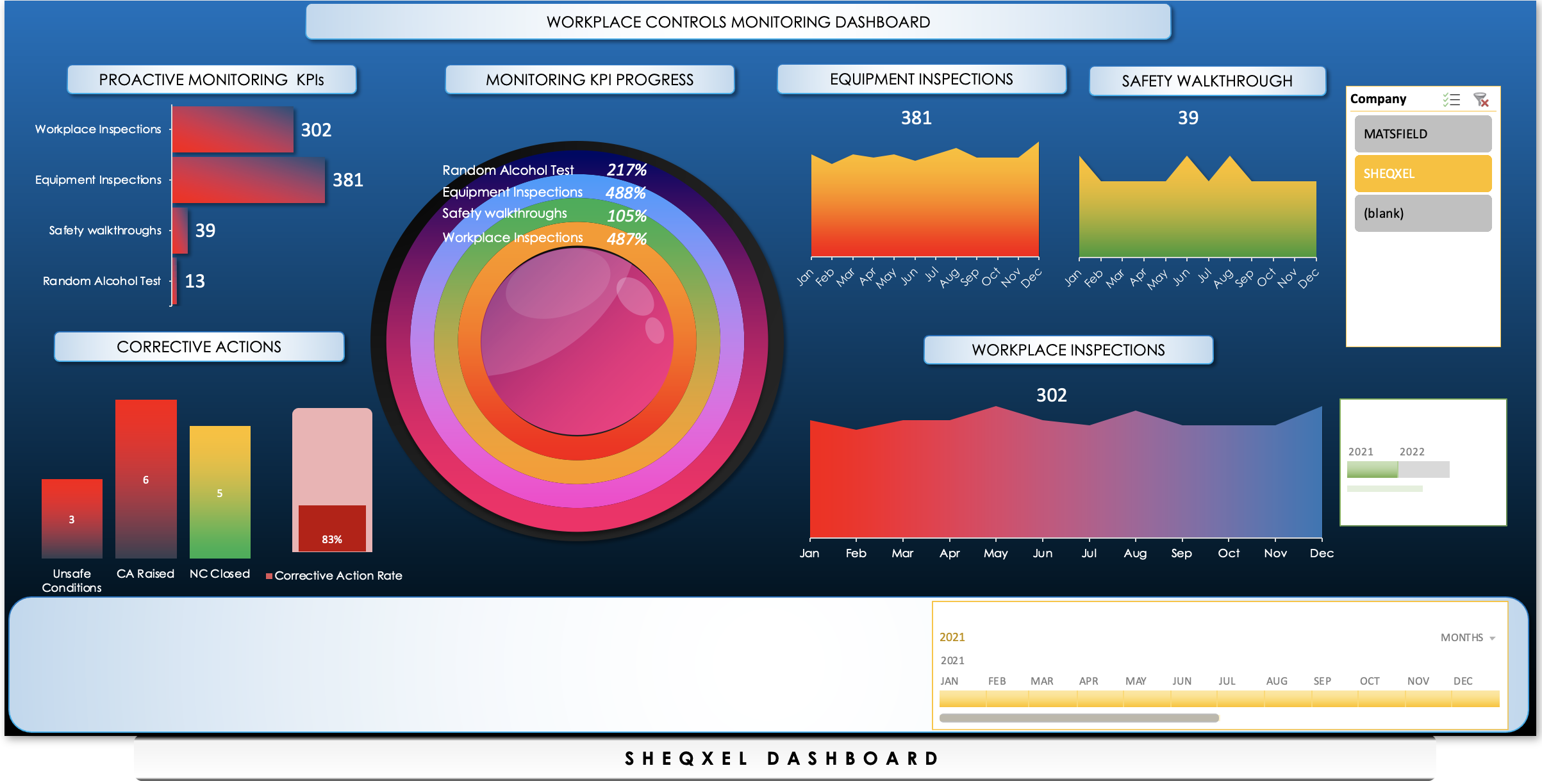
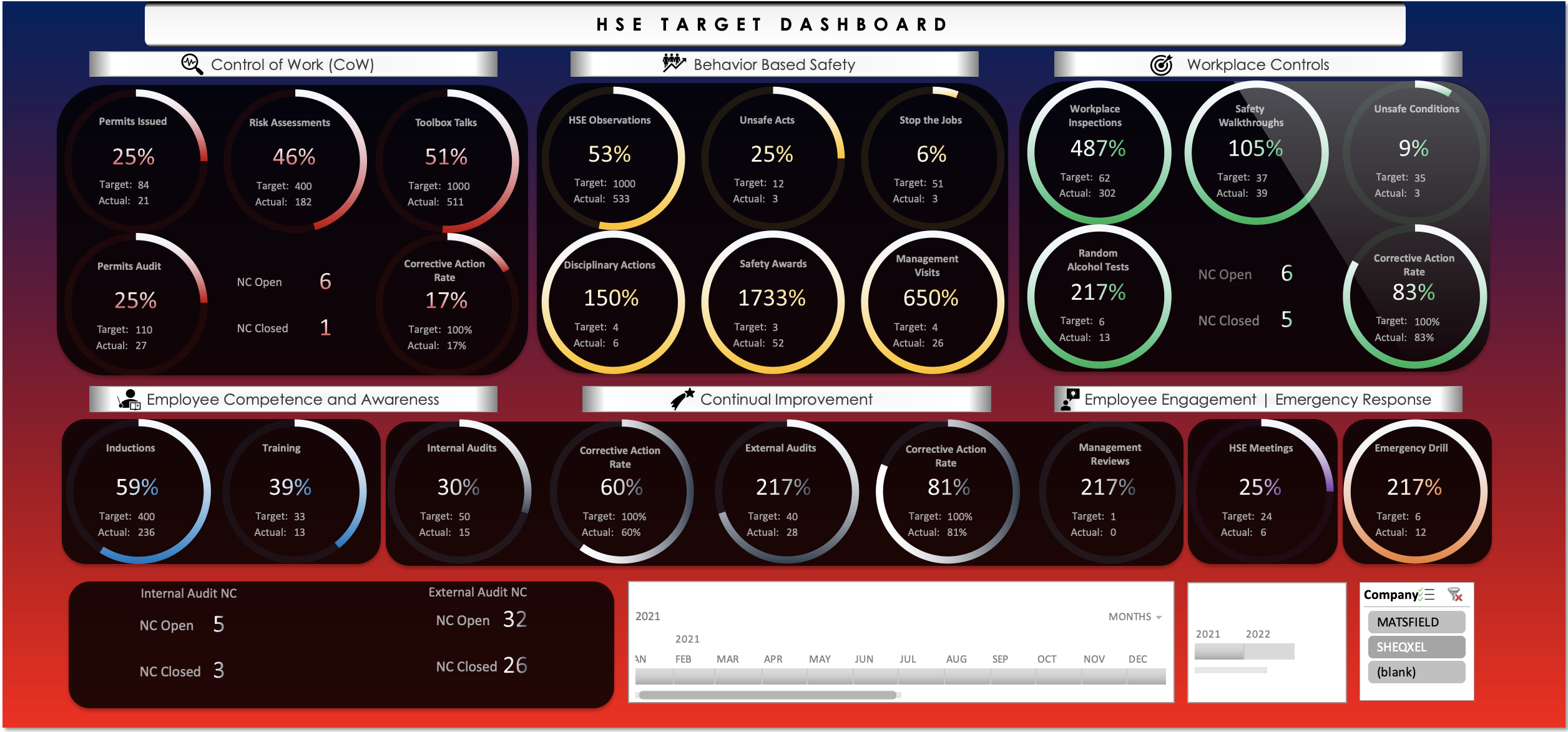
There are 10 dynamic dashboards, each focusing on specific aspects of the safety management system:
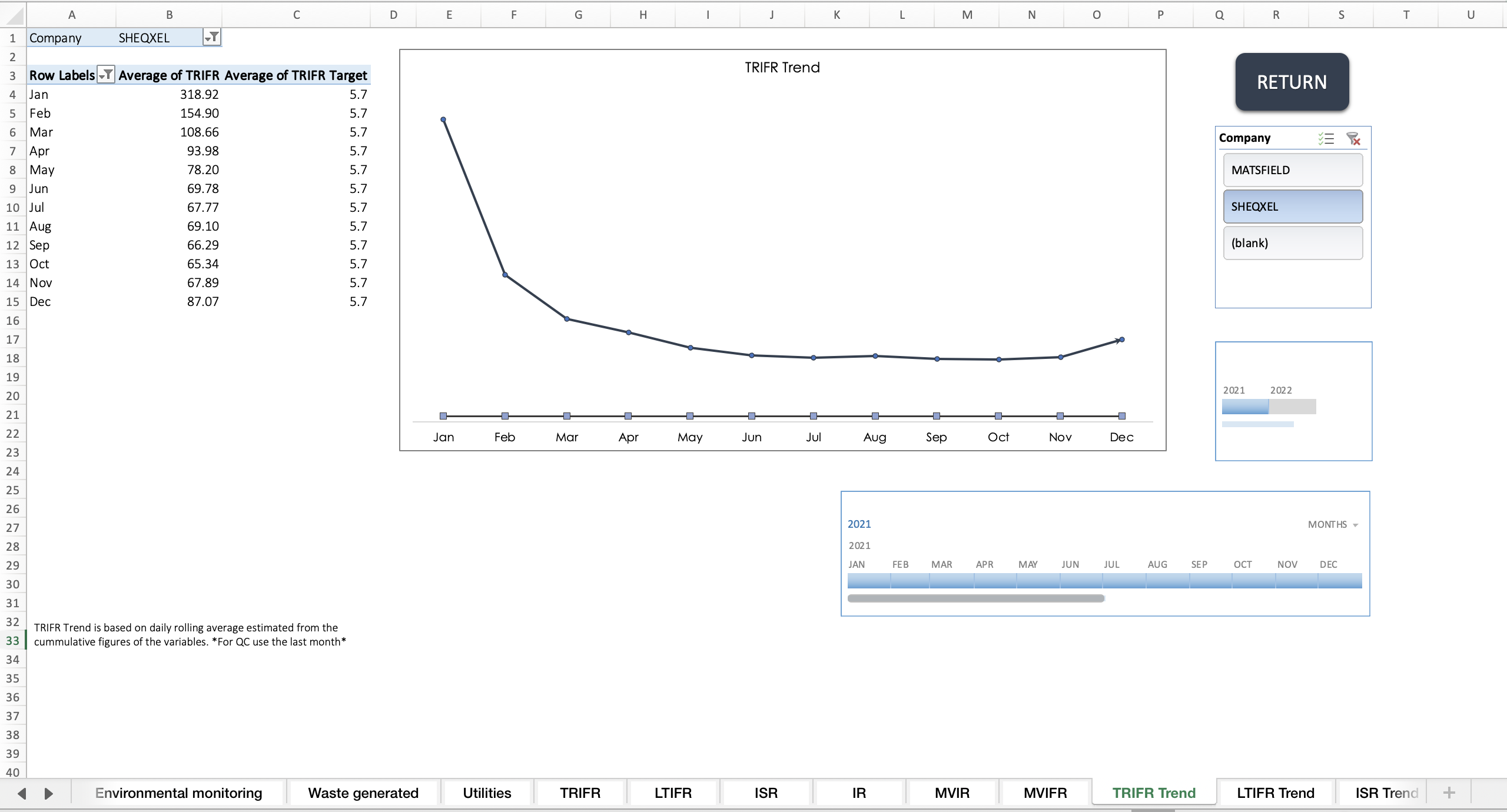
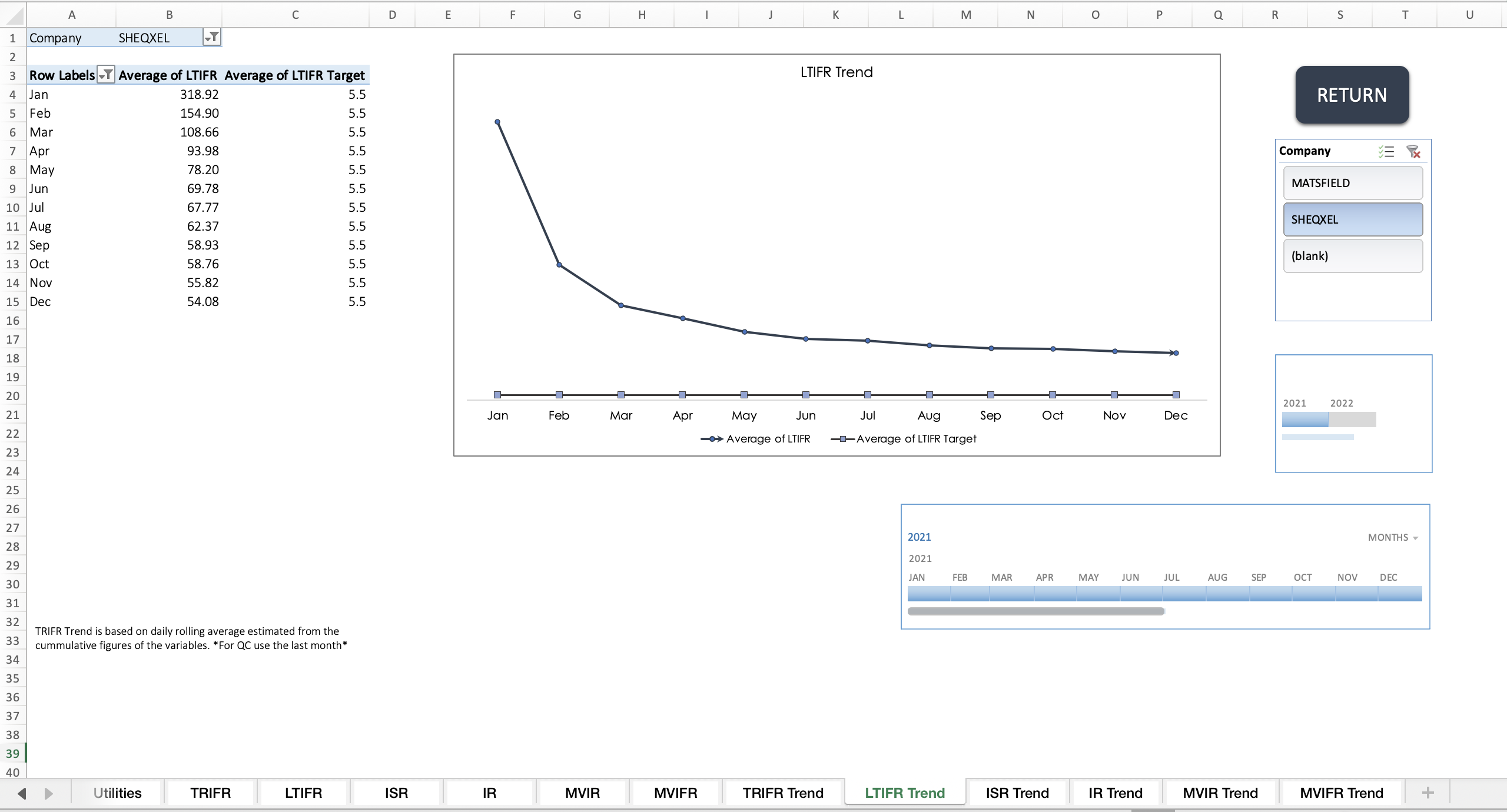
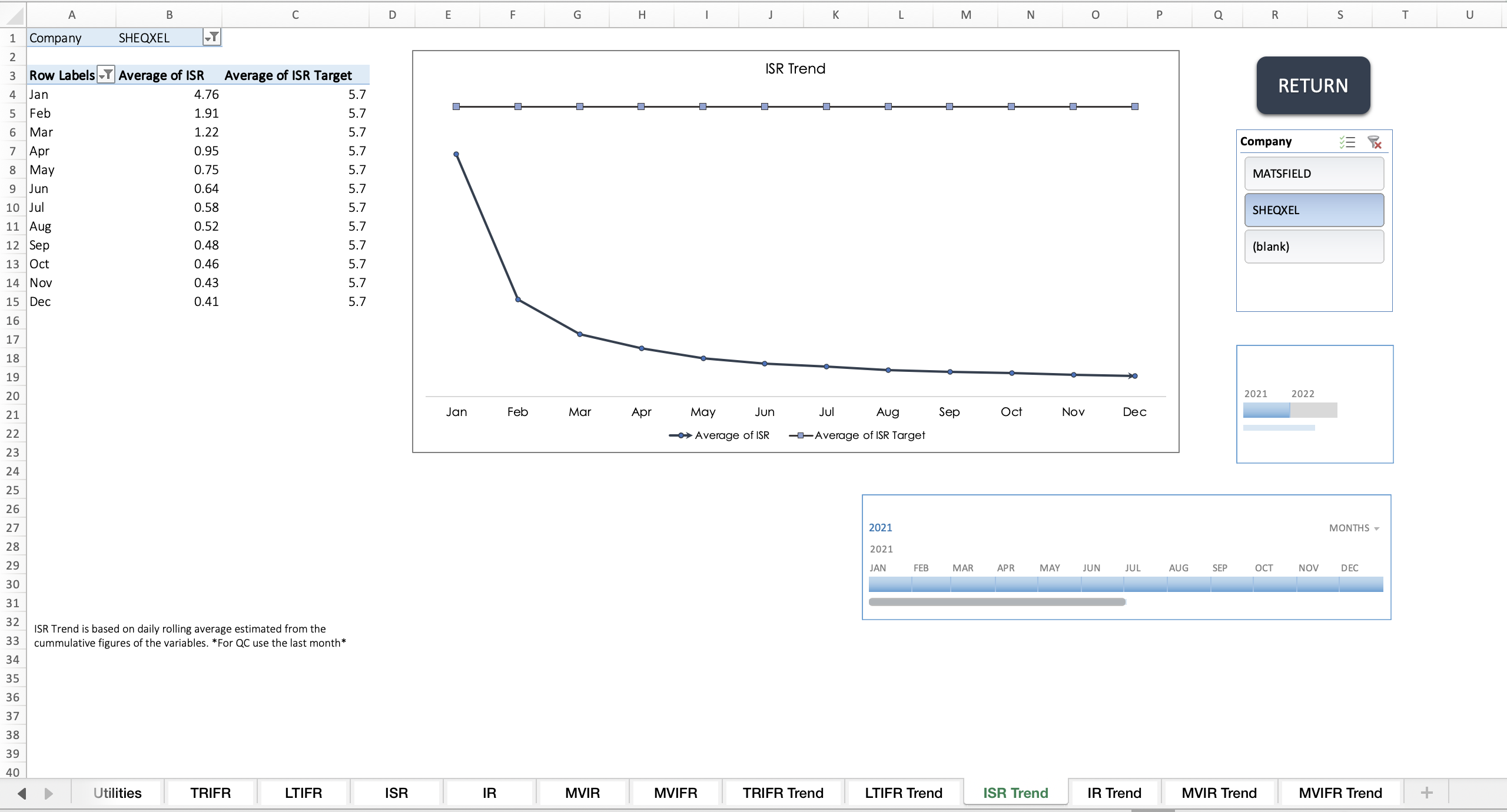
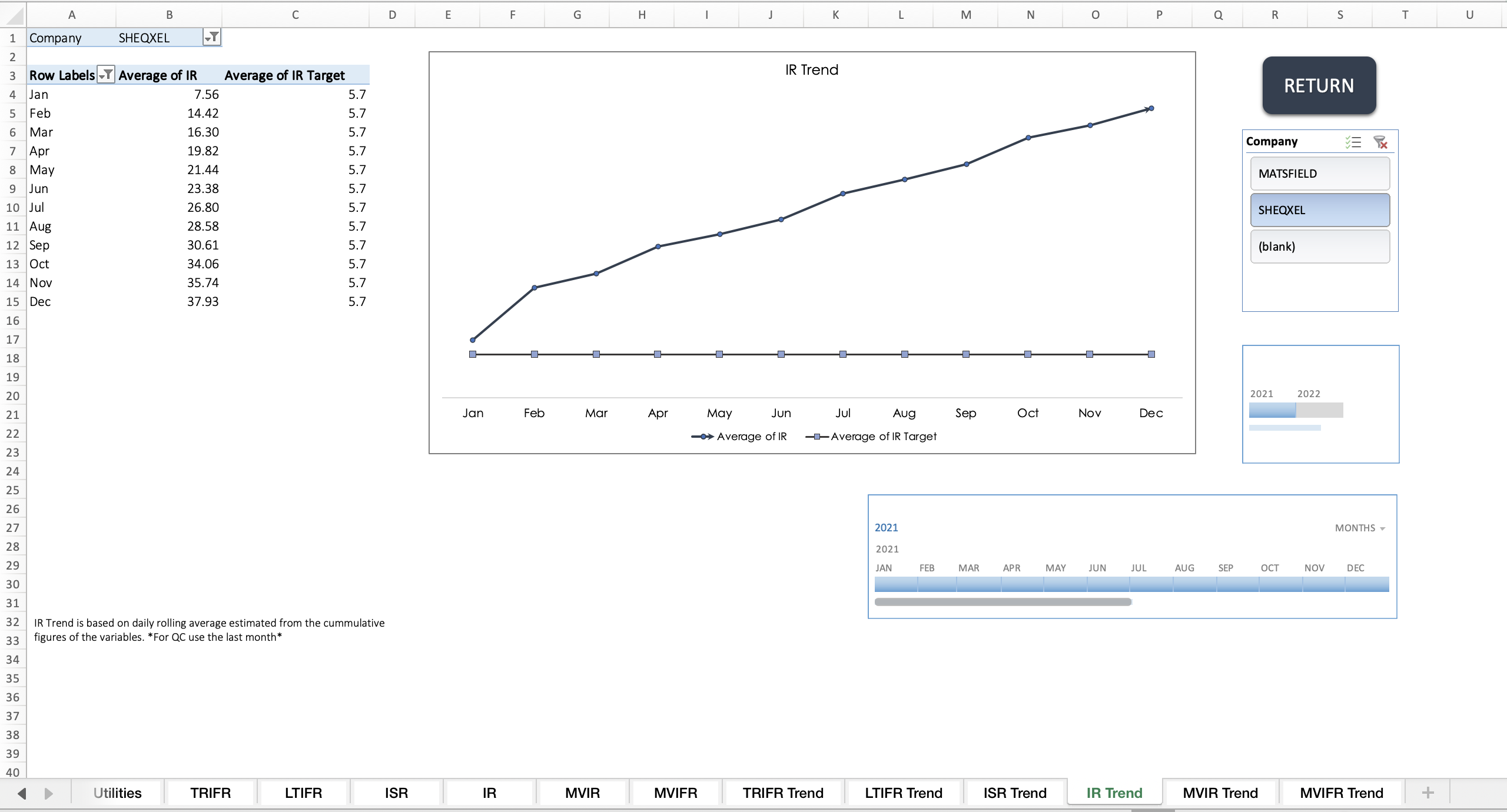
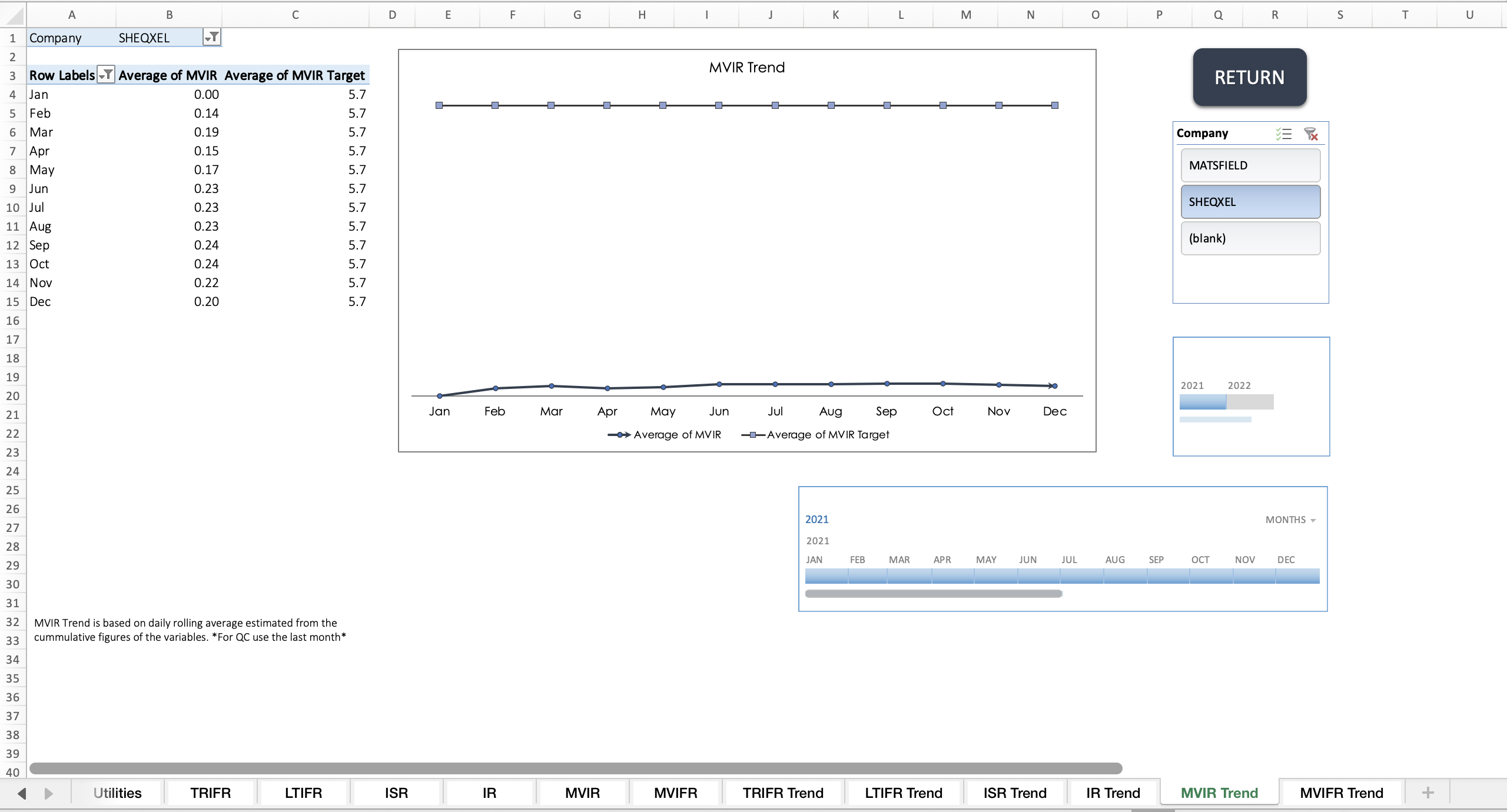
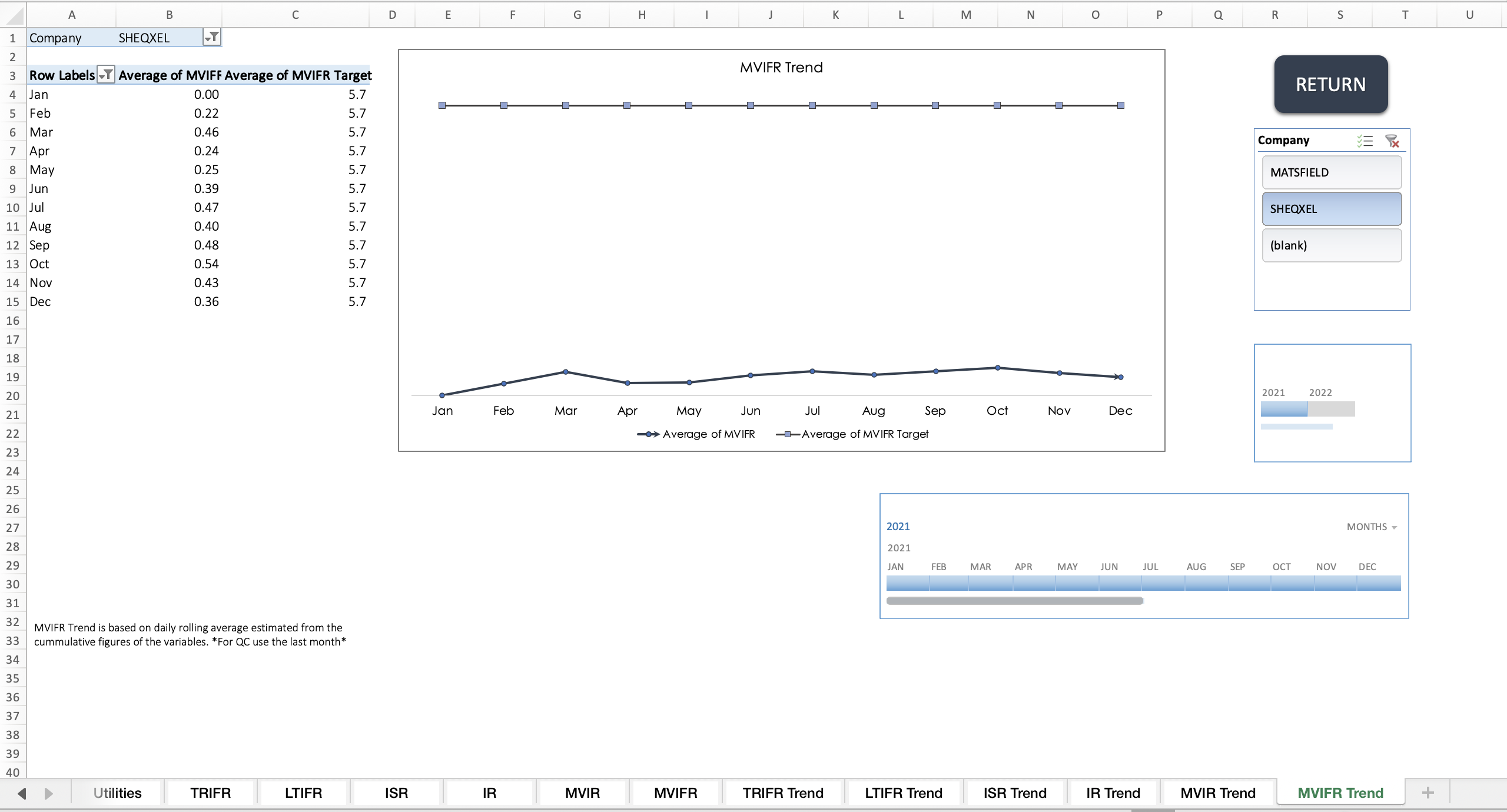
Performance Trend Dashboard
Targets Summary Dashboard
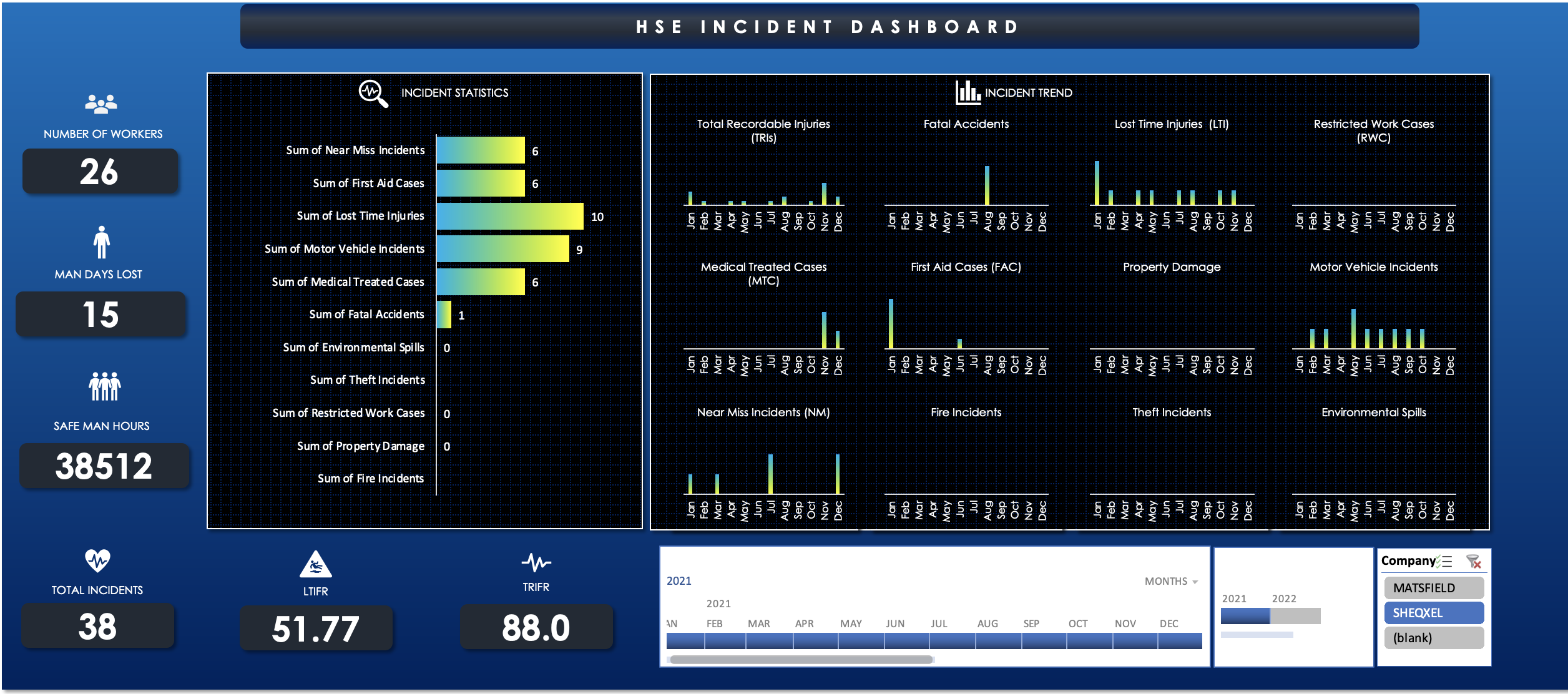
Incident Dashboard
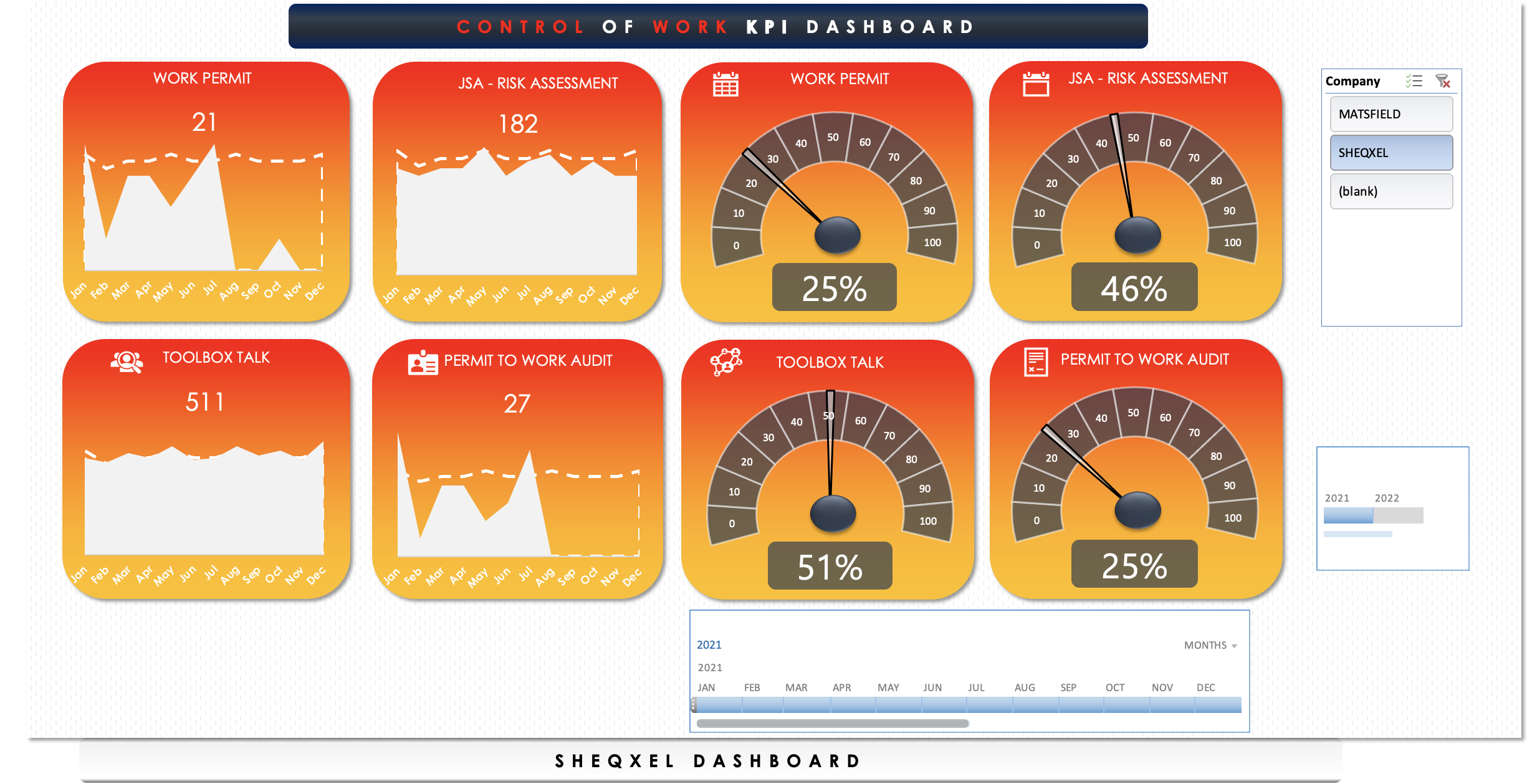
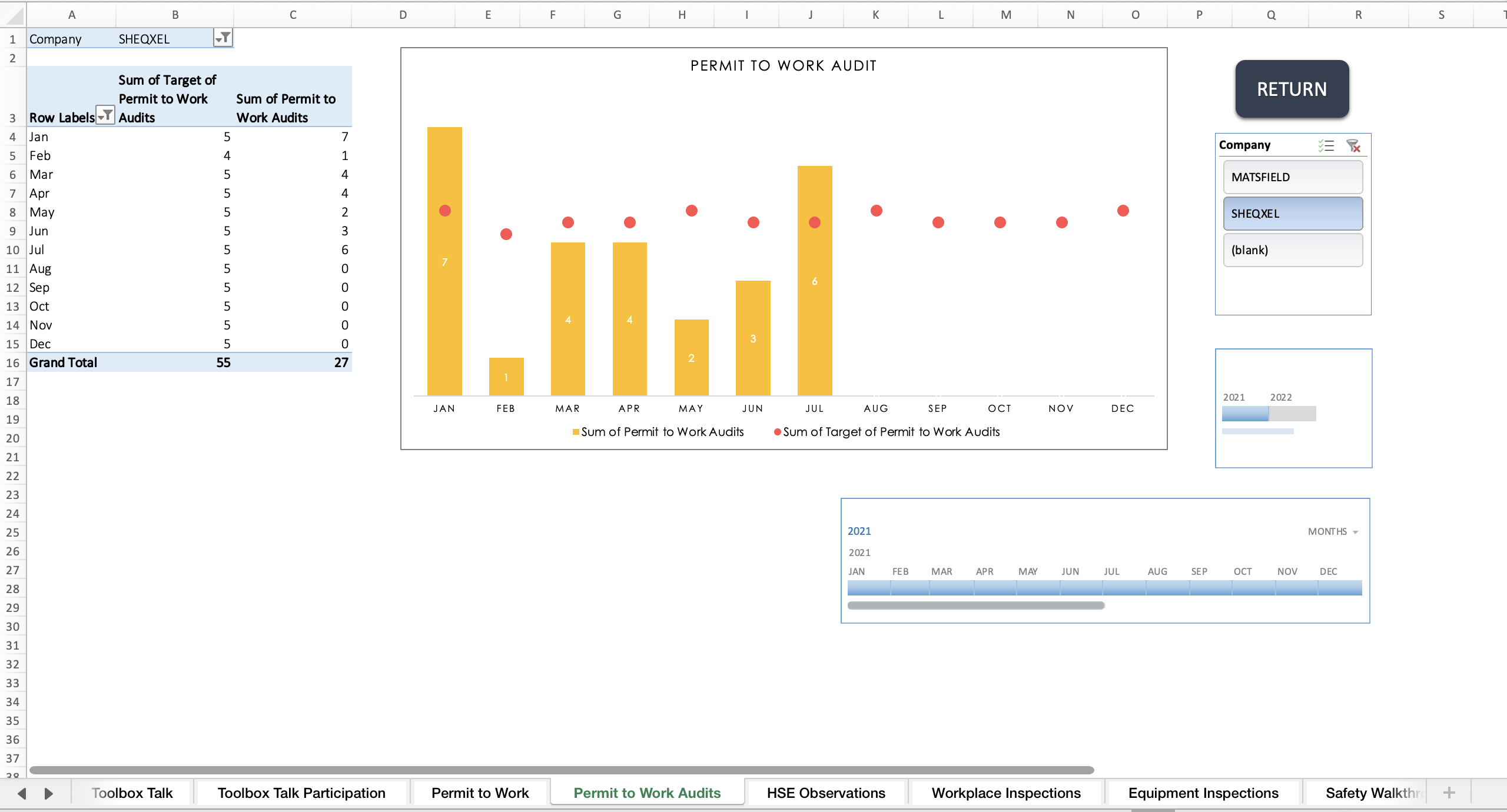
Control of Work (CoW) Dashboard
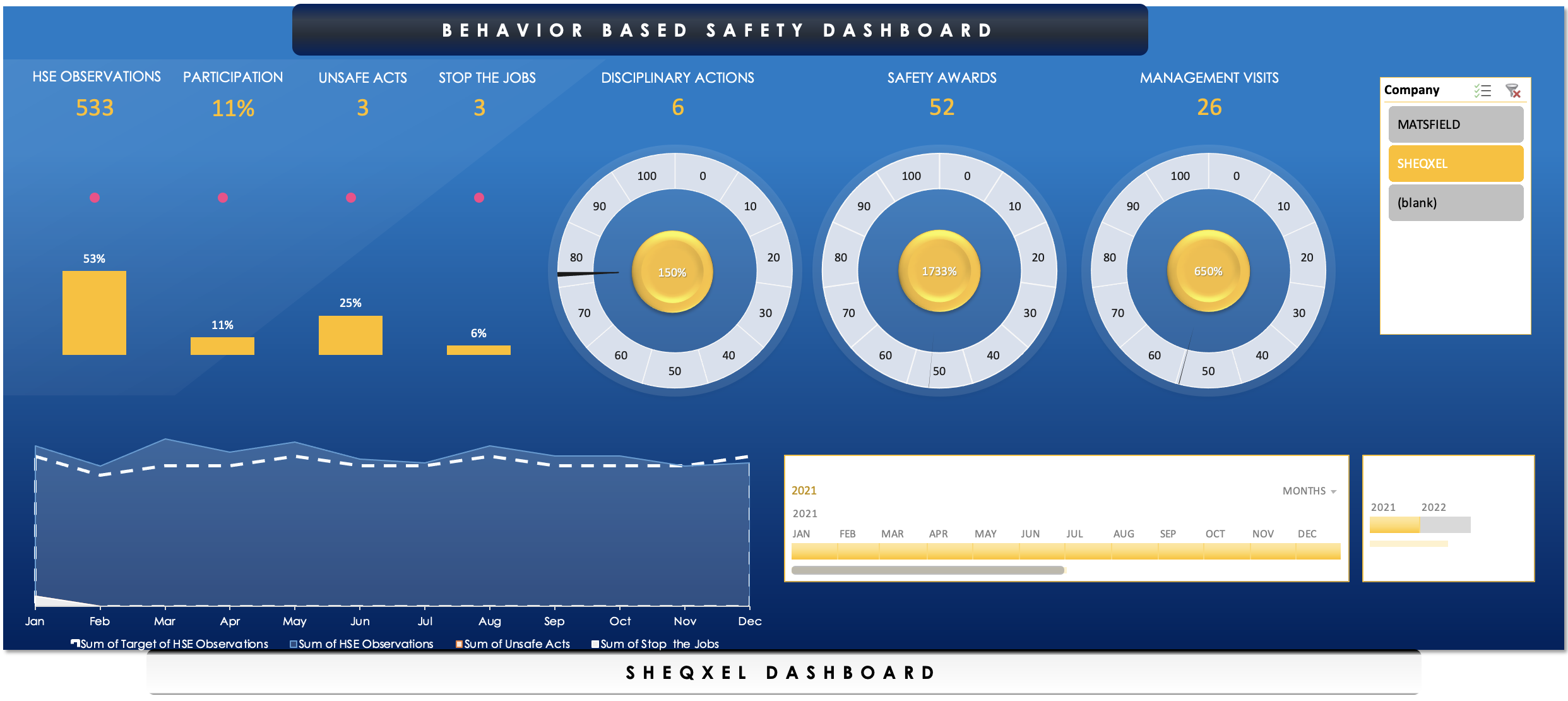
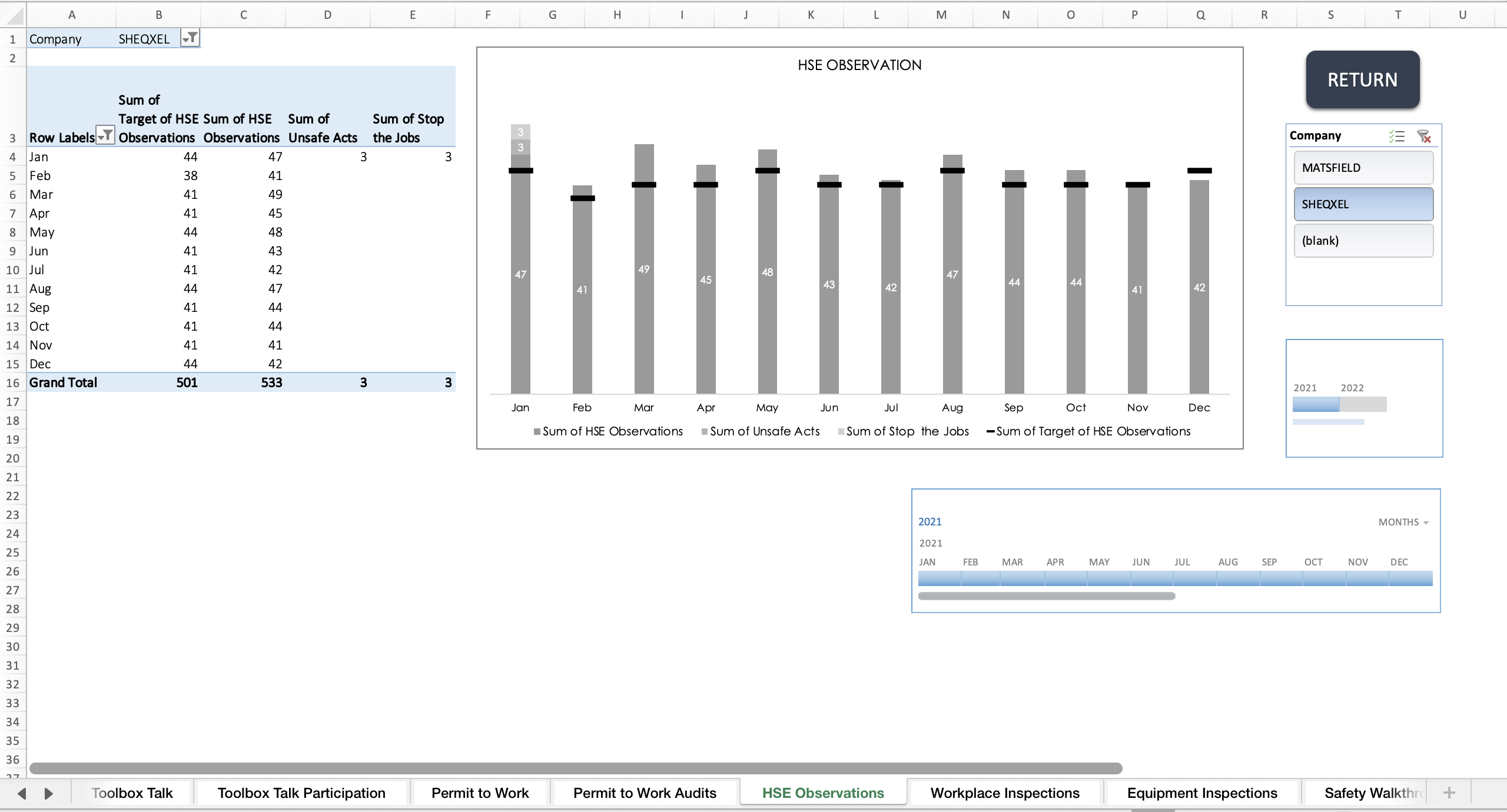
Behavior Based Safety (BBS) Dashboard
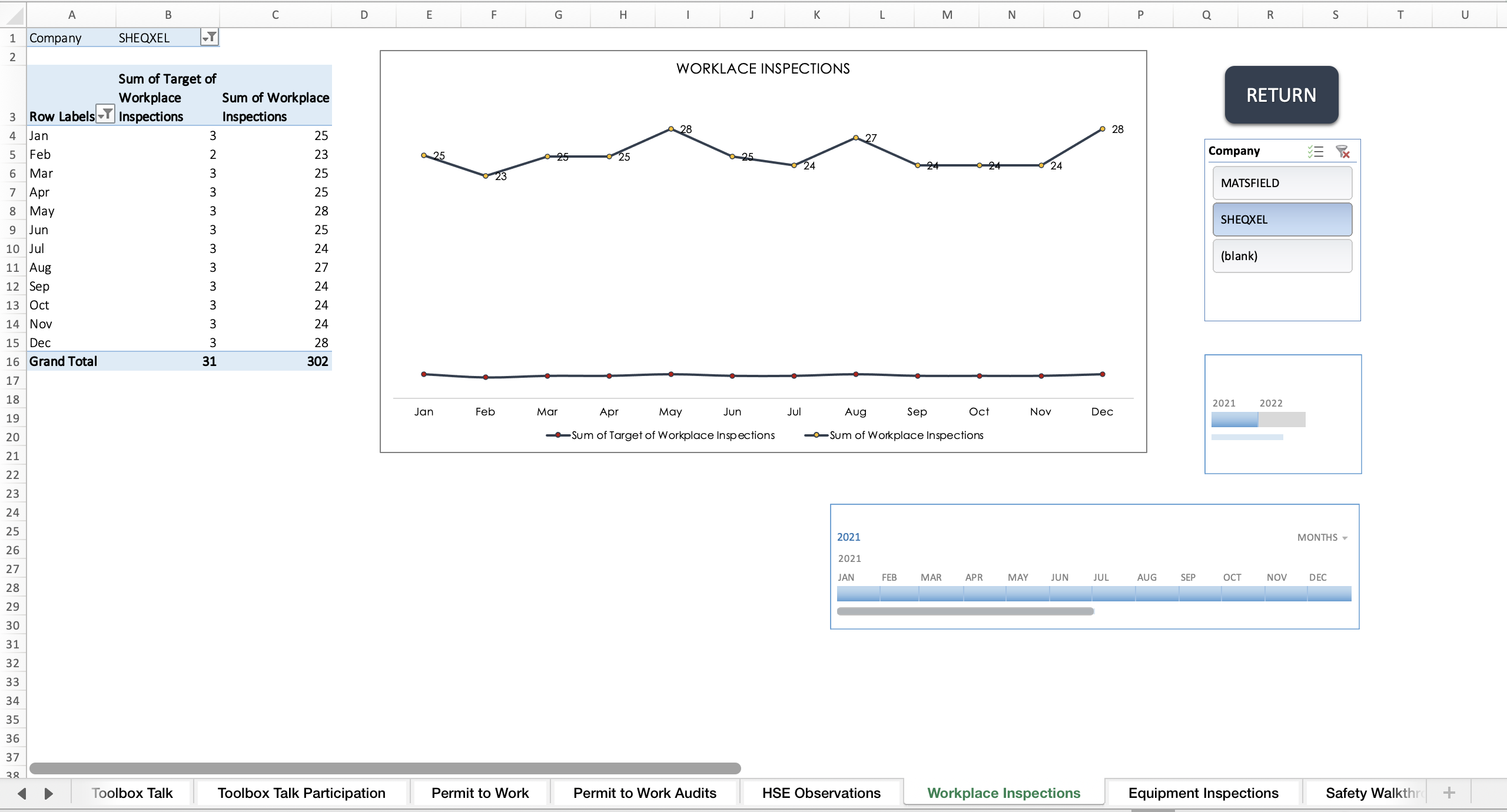
Workplace Control Monitoring (WCM) Dashboard
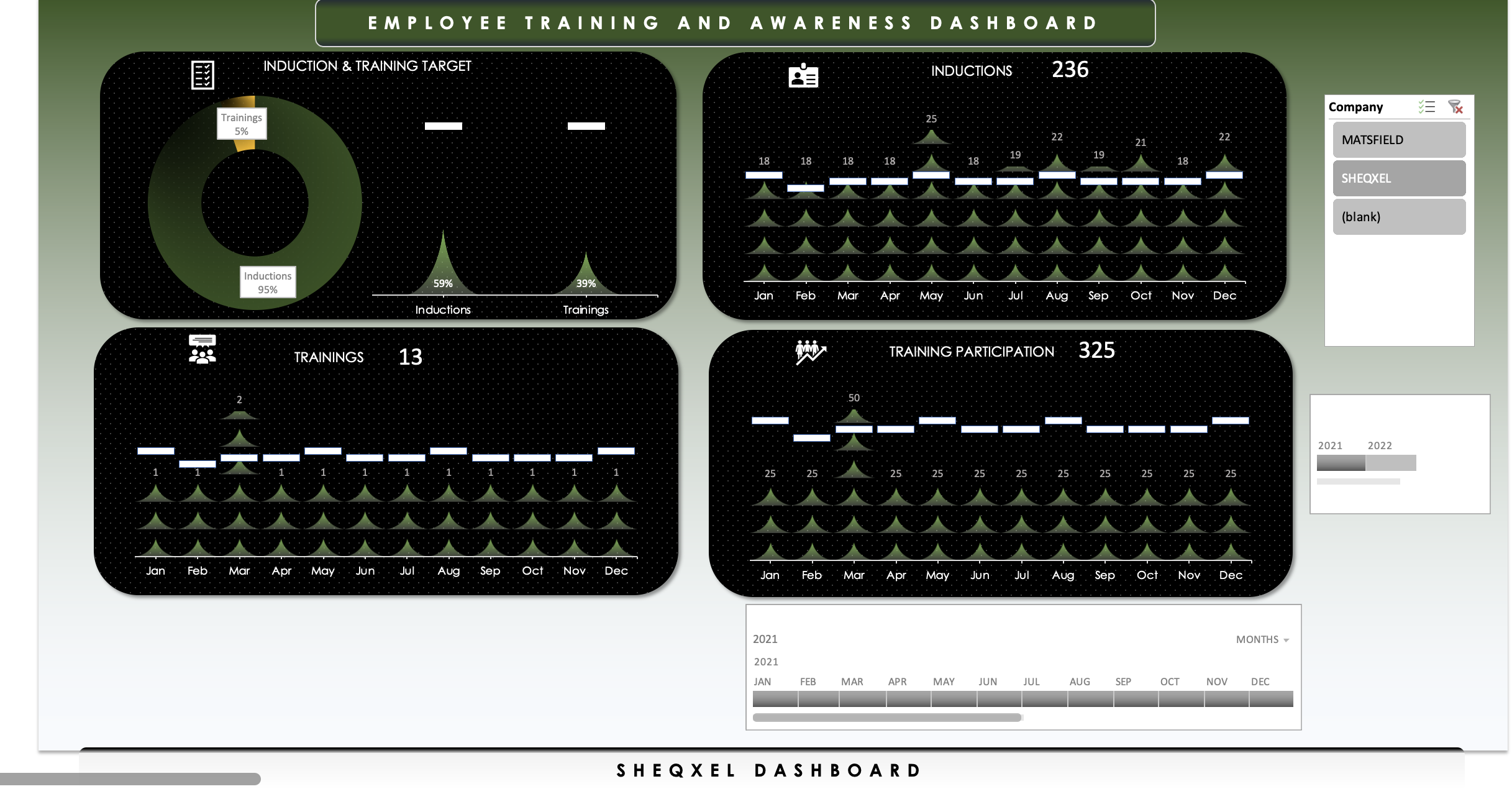
Employee Training and Awareness (ETA) Dashboard
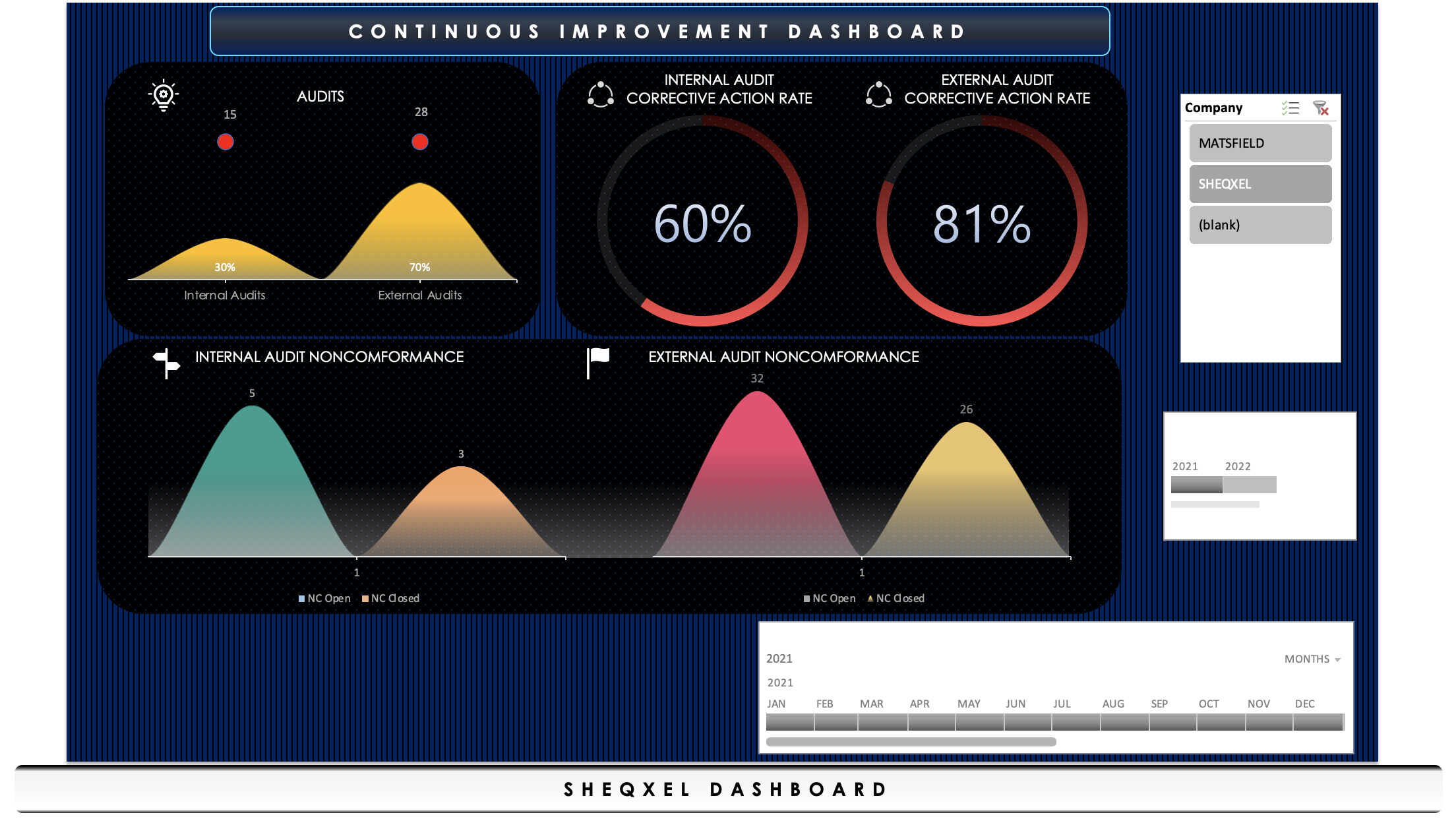
Continual Improvement (CI) Dashboard
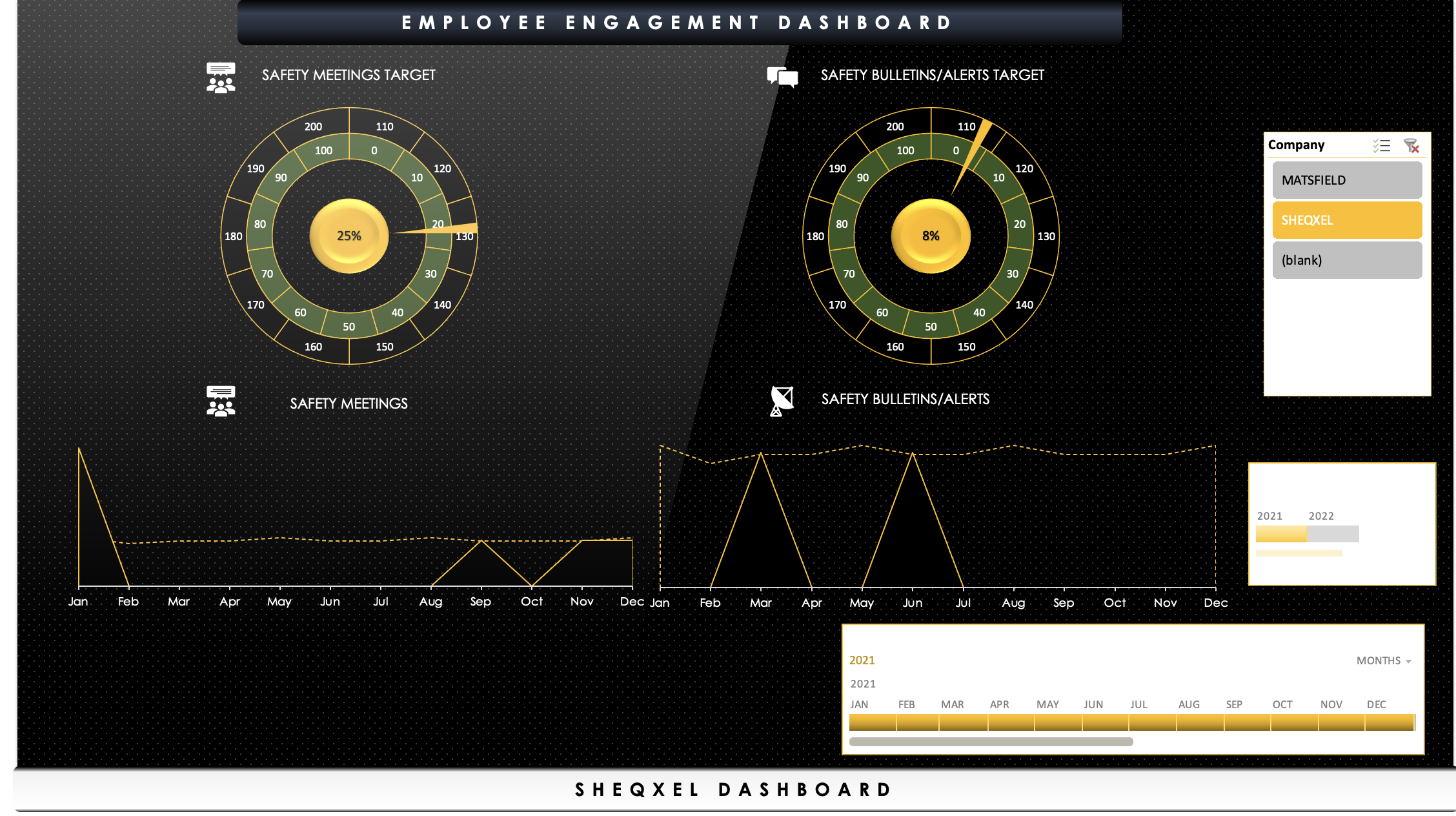
Employee Engagement (EE) Dashboard
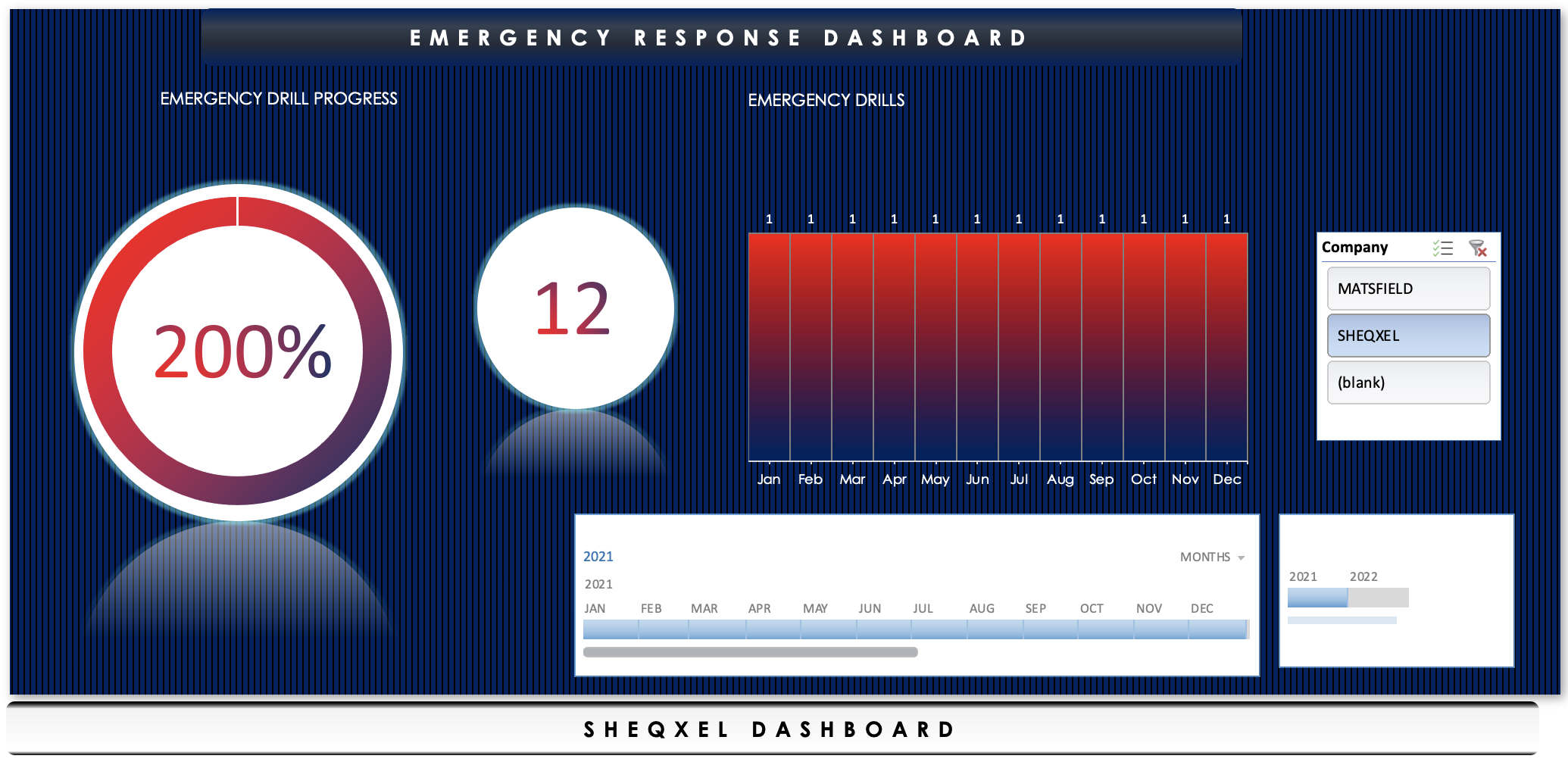
Emergency Response (ER) Dashboard
Key Functions:
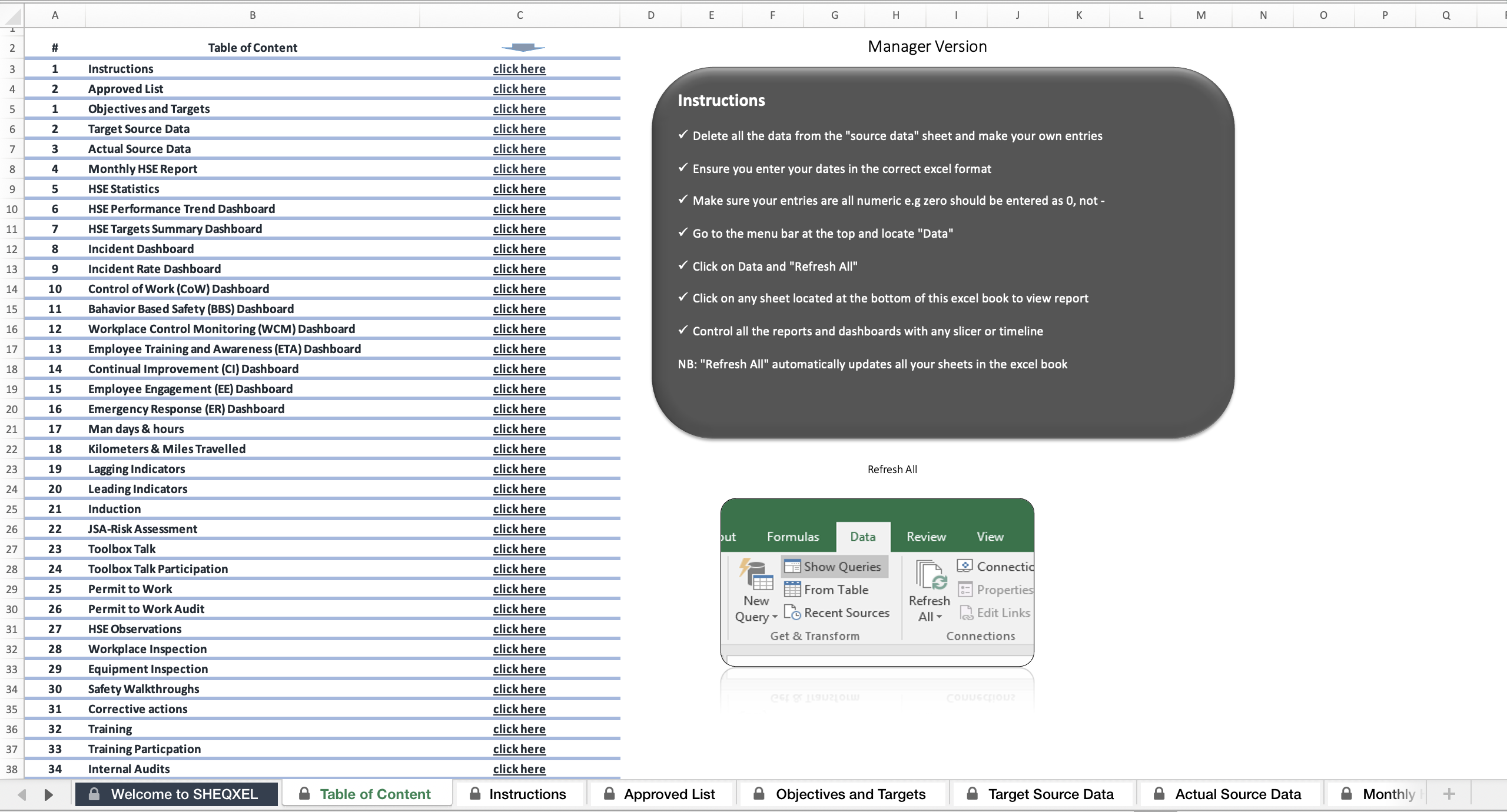
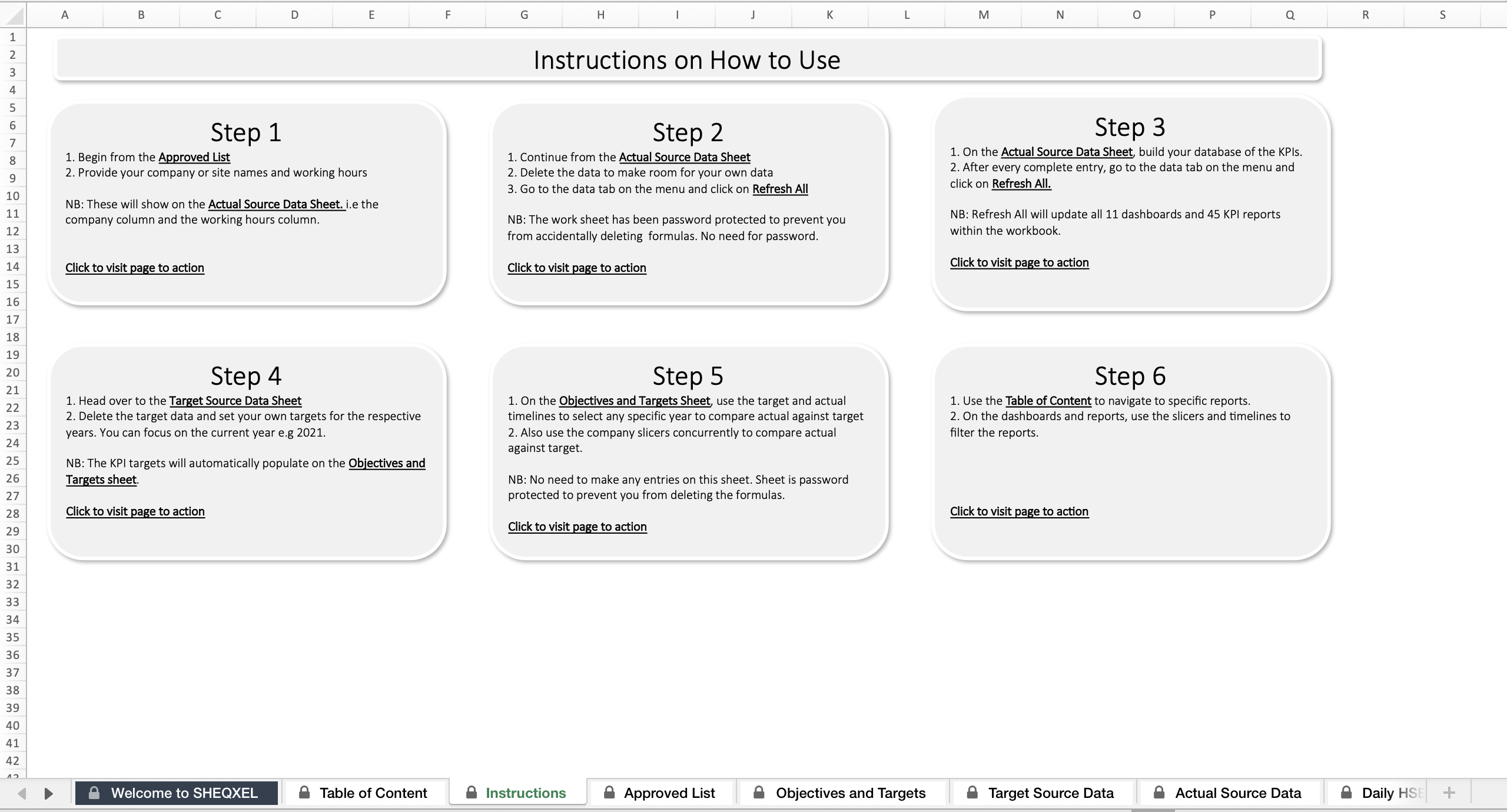
With one click of “Refresh All”, all dashboards and reports update automatically
Control all 10 dashboards and 45 reports using any slicer or timeline in the workbook
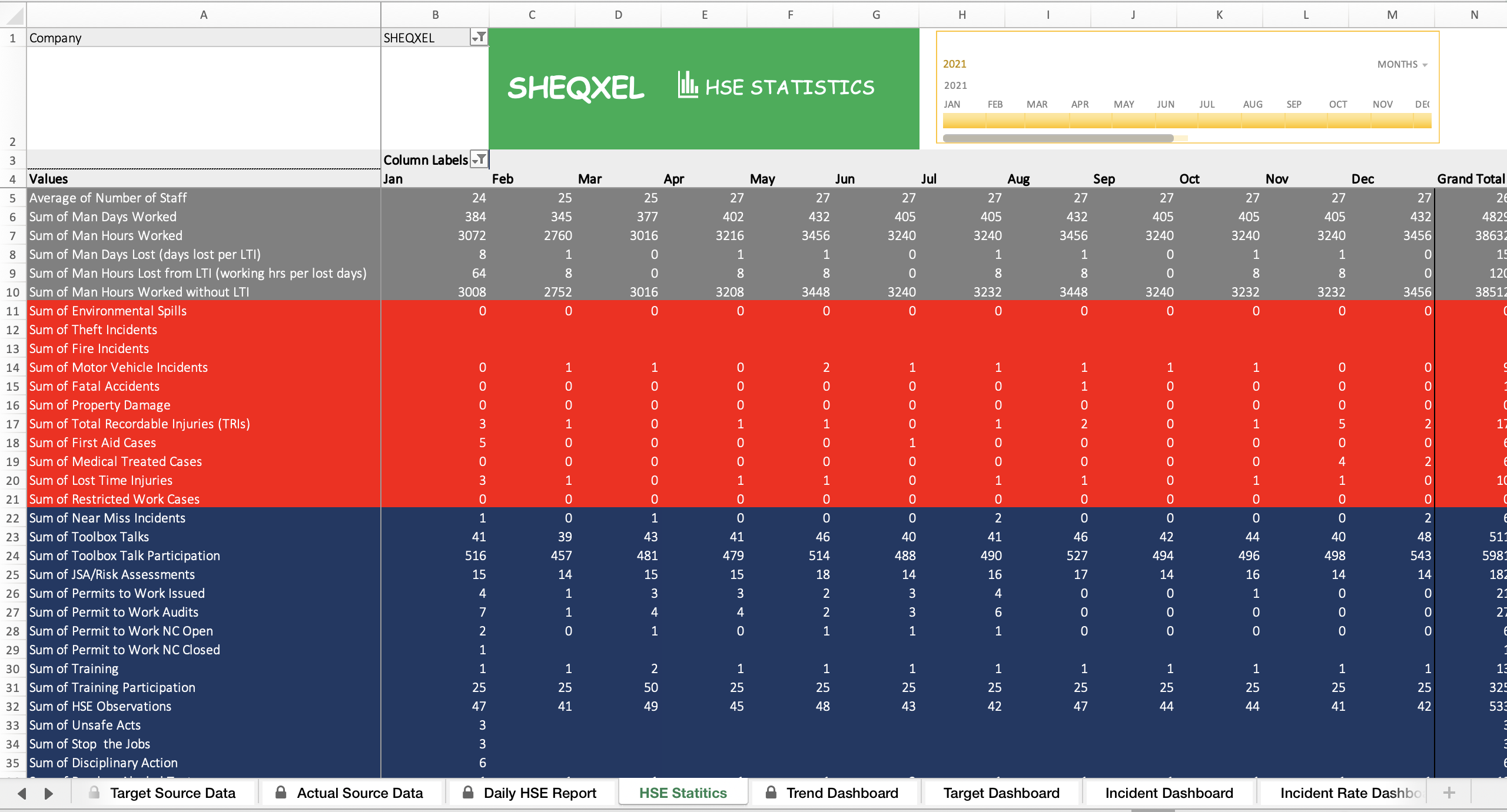
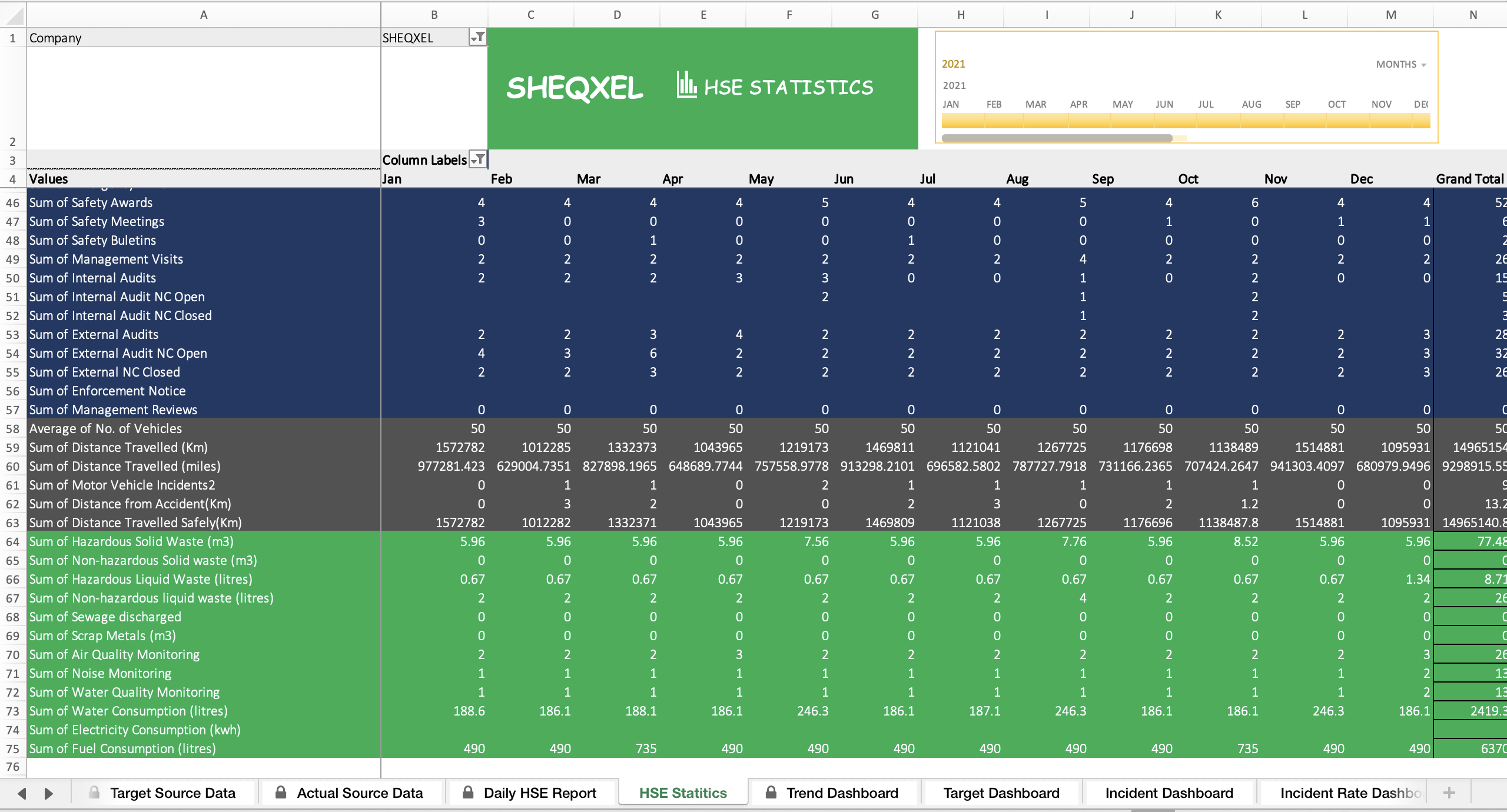
Automatically populates monthly statistics of all KPIs in a table for easy review
Requires no extra effort — users just focus on building their HSE KPI database
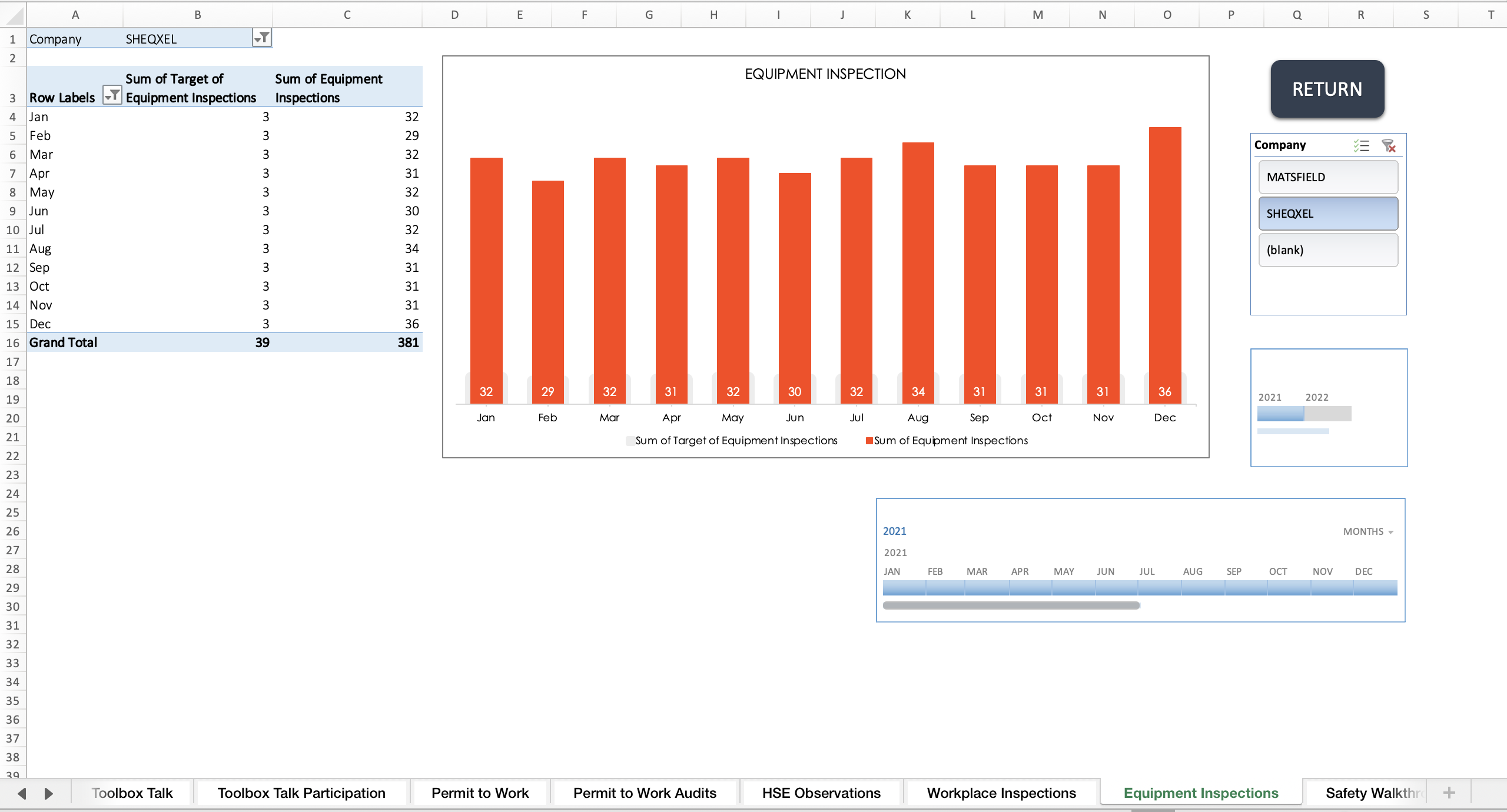
Automatically populates and generates monthly reports based on Source Data Sheet
Eliminates repeated manual entries
Builds the HSE database while producing reports
Users can set their own targets based on Source Data Sheet indicators
Choose performance trends by timeline: monthly, quarterly, semi-annual, or annual
Conditional formatting:
Red = underperformance
Green = good performance
Encourages continual improvement to keep all indicators in the green
45 sheets of tables and graphs for each KPI in the Source Data Sheet
Enables in-depth analysis and supports Annual HSE Performance Reports
Allows only monthly data entries
Ideal for HSE professionals with heavy workloads who need to focus on strategic issues rather than daily admin tasks
Includes pre-defined KPIs and pre-structured templates
Users only need to build their database
With one click, all reports are generated
Perfect for organizations without a proprietary HSE management system
Delivered as a Microsoft Excel file — no installation required
Works on Windows and Mac
Compatible with Microsoft Excel 2013 and later versions
This Best Practice includes
1 excel file, 3 PDFs
Further information
Designed to generate HSE performance reports.