Budget vs Actual Variance Analysis with Price, Volume, Mix & Rolling Forecast (Excel)
Originally published: 14/09/2026 09:11
Publication number: ELQ-66314-1
View all versions & Certificate
certified

Budget vs Actual Variance Analysis with Price, Volume, Mix & Rolling Forecast (Excel)

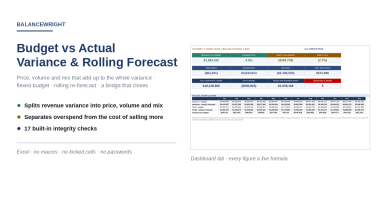
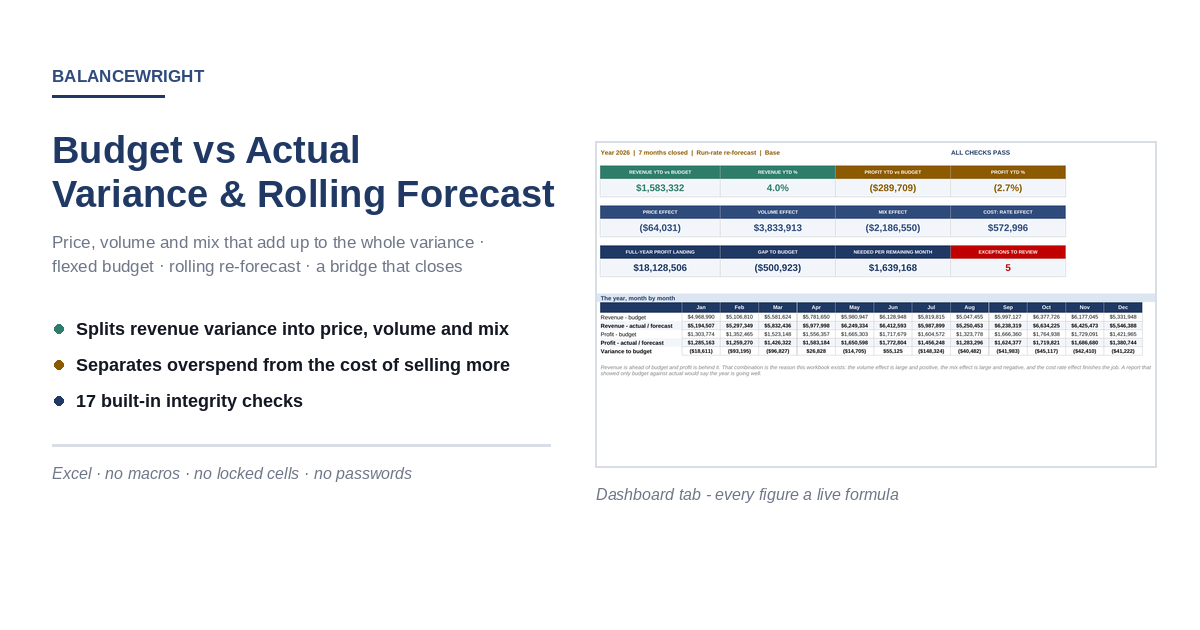
Splits the gap between budget and actual into price, volume and mix, flexes the budget to actual volume, and rolls the rest of the year forward.

Description
Subtracting actual from budget takes one formula and tells you almost nothing.

THE THIRD EFFECT
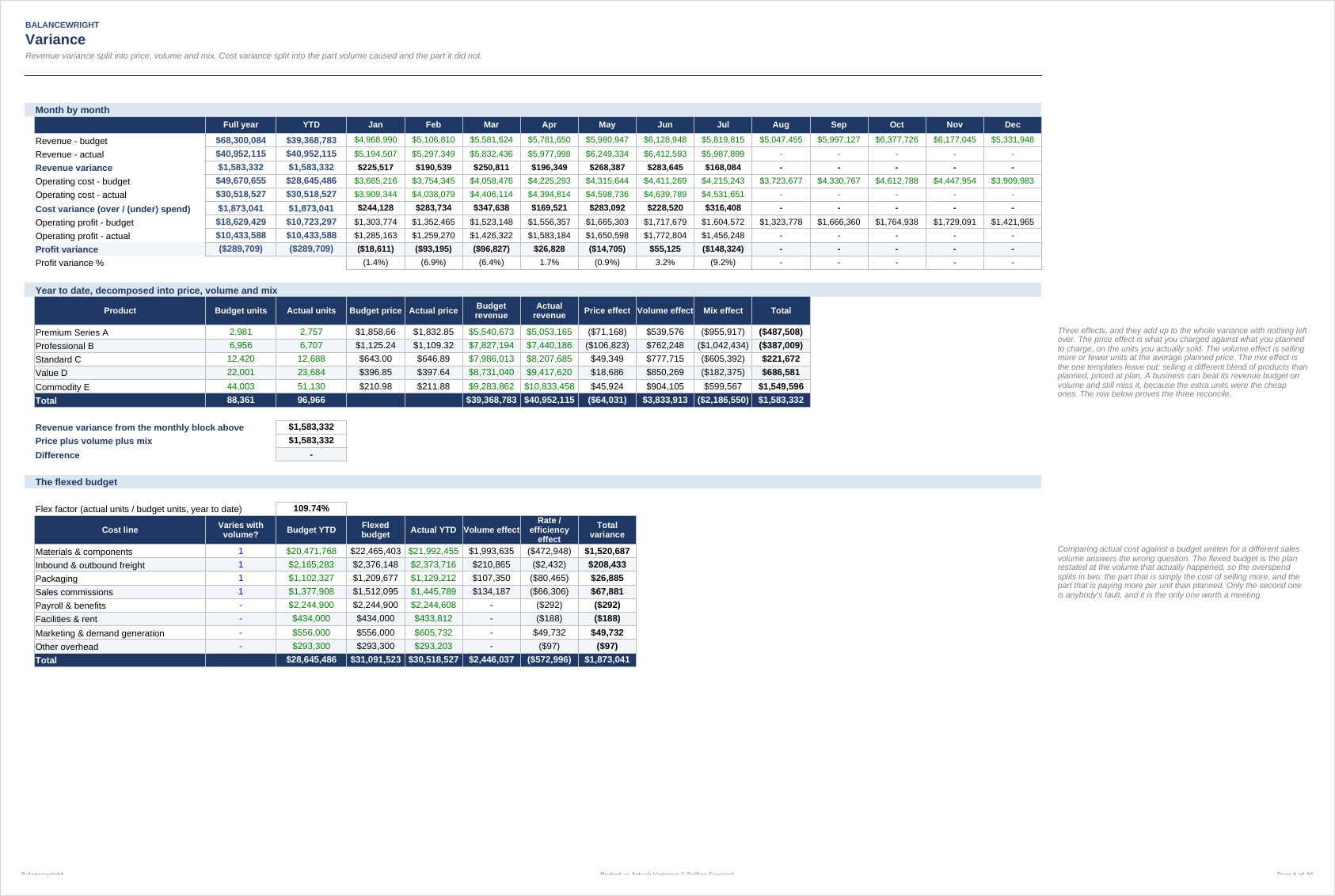
A revenue variance has three causes and most templates report two of them. Price is what you charged against what you planned to charge, applied to the units you actually sold. Volume is selling more or fewer units at the average planned price. Mix is selling a different blend of products than planned, valued at planned prices.
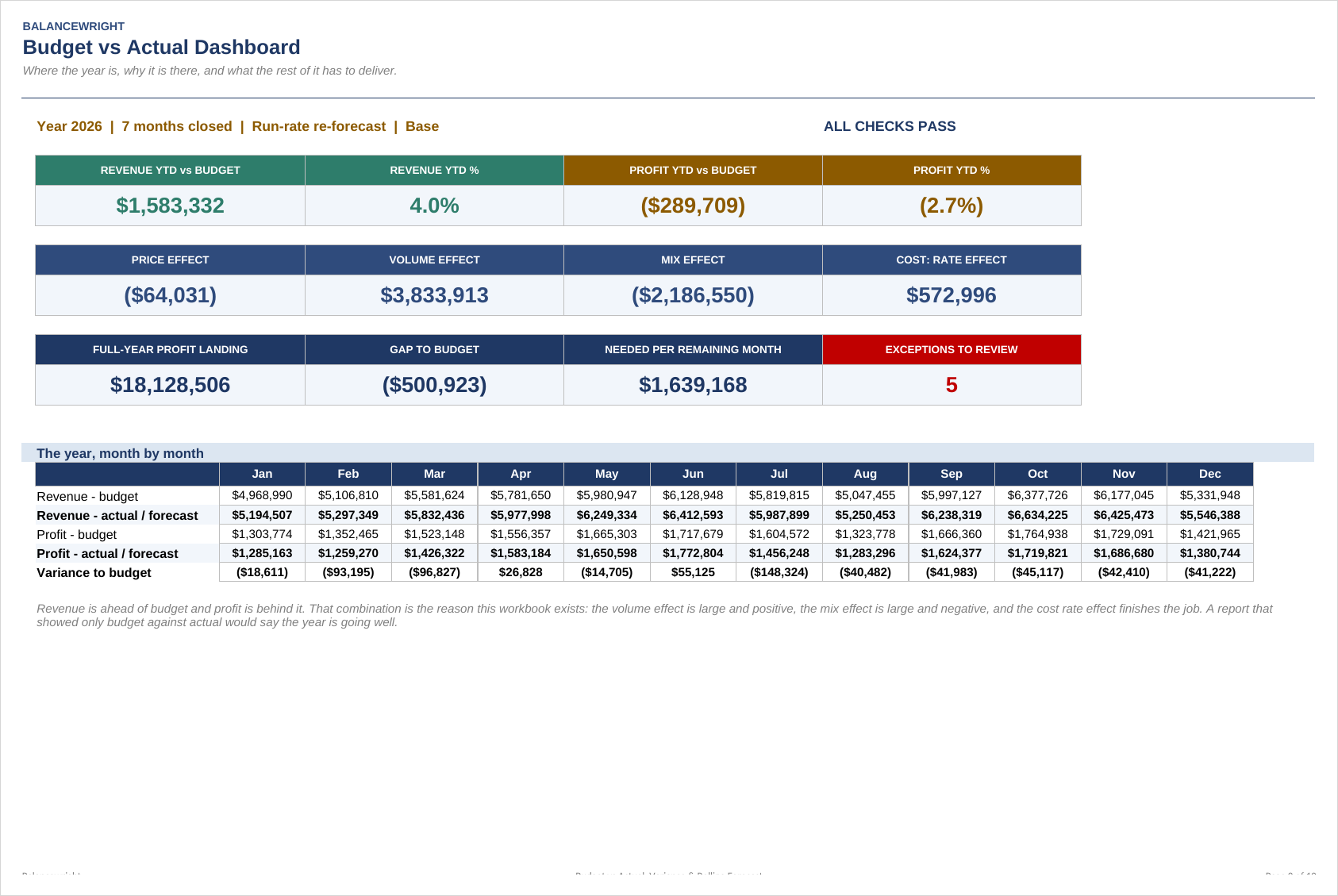
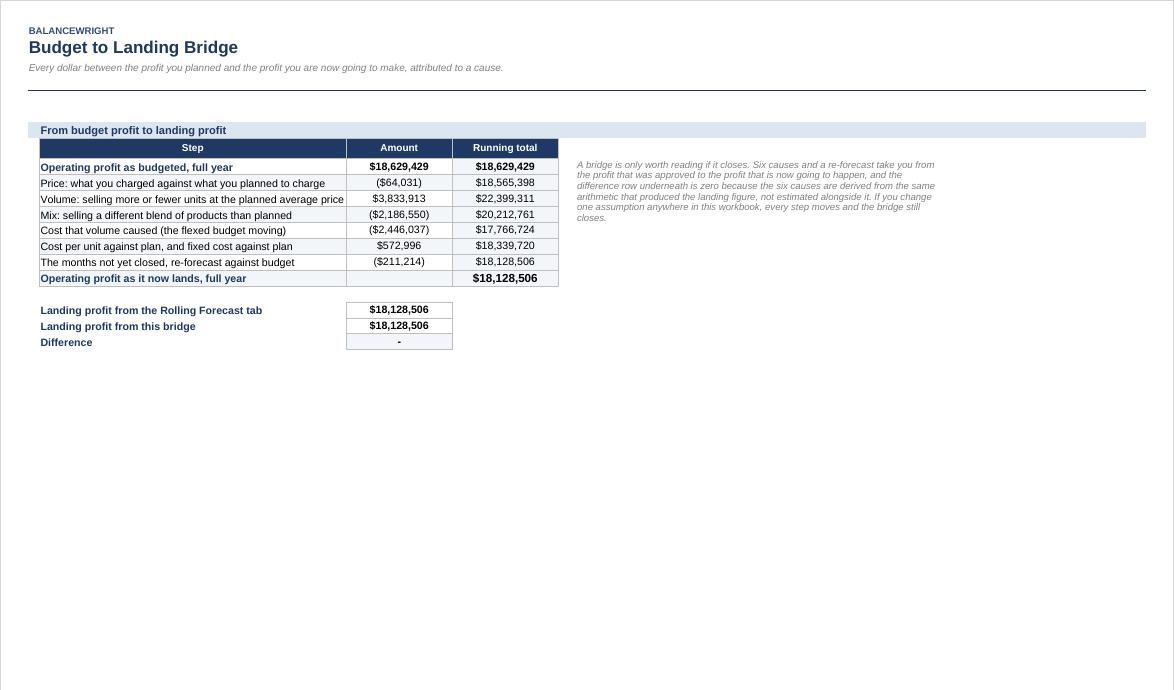
Mix is the one that gets left out, and it is usually the one that matters. In the worked example the business sold 9.7% more units than planned and beat its revenue budget by 4.0% - and finished the period with operating profit behind budget. The volume effect was worth 3.83 million; the mix effect took 2.19 million of it straight back, because the extra units were the cheap ones.

The three effects are exhaustive. They sum to the whole revenue variance in total and for every product individually, and two integrity checks prove it. There is no unexplained residual, because a residual is where an analysis goes to hide.

THE FLEXED BUDGET
Comparing actual cost against a budget written for a different sales volume answers the wrong question. If you sell ten percent more units you will spend more on materials, and none of that is a failure of cost control.

Mark each cost line as varying with volume or not, and the model restates the variable ones at the volume that actually happened. The overspend then splits in two: the part volume caused, and the part it did not. Of 1.87 million over budget in the example, 2.45 million is simply the cost of selling more. Only what is left belongs in a meeting.

THE LANDING POINT, AND A BRIDGE THAT CLOSES
Closed months at actual, the rest re-forecast three ways - hold at budget, year-to-date run-rate, or the last three months' trend - with scenario multipliers on top. The output is the number a board reads: what each remaining month has to deliver for the year to finish on plan, against what it is currently forecast to deliver.

The Bridge tab walks from the profit that was approved to the profit that is now going to happen in seven steps, and closes to the cent, because the six causes are derived from the same arithmetic that produced the landing figure rather than estimated alongside it.

EXCEPTIONS
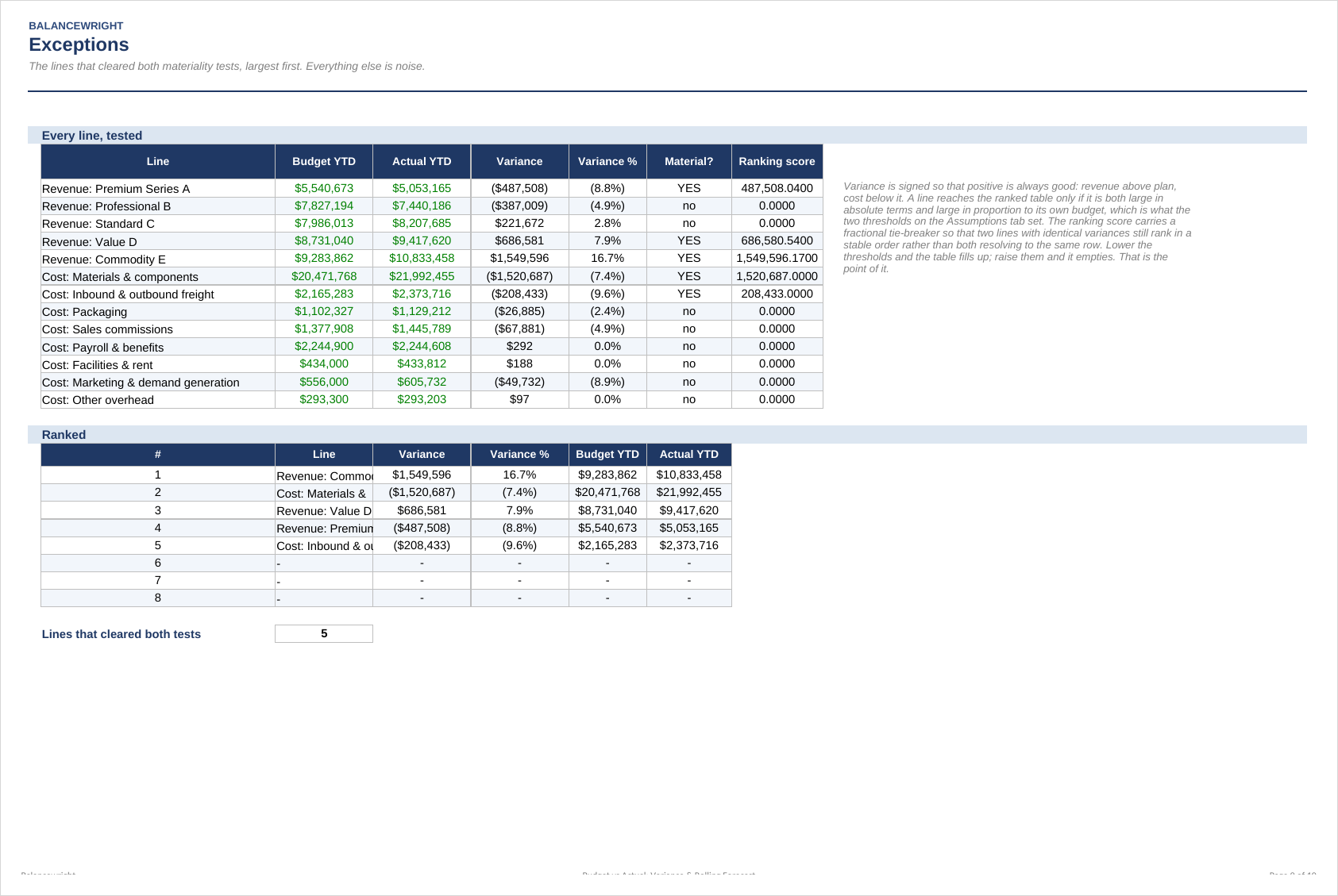
A variance report that lists two hundred lines is a variance report nobody reads. Set an absolute threshold and a percentage threshold, and only lines that clear both reach the ranked table. Set them so the table returns about five lines. That is a meeting.

Ten tabs, twelve months, five products, eight cost lines, three scenarios from one cell. Seventeen integrity checks must all read PASS. No macros, no locked cells, no passwords.

This workbook analyses variance; it does not explain it. Not financial advice, and the worked example is invented.

This Best Practice includes
1 Excel workbook (10 tabs, 892 live formulas) and 1 five-page PDF guide.

Acquire business license for $49.00

Add to cart

Add to bookmarks

Discuss

Further information

Turn a variance report into a decision: know not just that you missed the plan but which of price, volume, mix and cost did it, and what the rest of the year now has to deliver.

You run monthly or quarterly management reporting; you present variances to a board; you sell more than one product and suspect the mix is moving; you want a rolling forecast that updates itself as months close.

You need multi-currency consolidation, intercompany eliminations, allocation of central cost to segments, or variance analysis inside a single cost line. This works at the product and cost-line level, in one currency.


0.0 / 5 (0 votes)

please wait...