Budget Planner 2026 – Advanced Google Sheets Template with Dashboard, Monthly Tracking & Goals
Originally published: 30/01/2026 21:37
Publication number: ELQ-40856-1
View all versions & Certificate
certified

Budget Planner 2026 – Advanced Google Sheets Template with Dashboard, Monthly Tracking & Goals

A complete 2026 Budget Planner in Google Sheets featuring an interactive dashboard, annual summary, monthly budgeting tabs, savings goals, and smart dropdowns.

Description
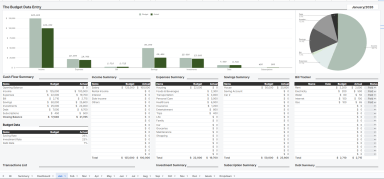
📊 Budget Planner 2026 – Google Sheets Template

This Budget Planner 2026 is a fully automated and professionally structured Google Sheets template designed to help individuals, freelancers, and small businesses plan, track, and analyze finances with clarity and control.

The template includes monthly budget tracking, annual summaries, goal planning, and a clean dashboard that updates automatically as you enter data.

🔹 What’s Included

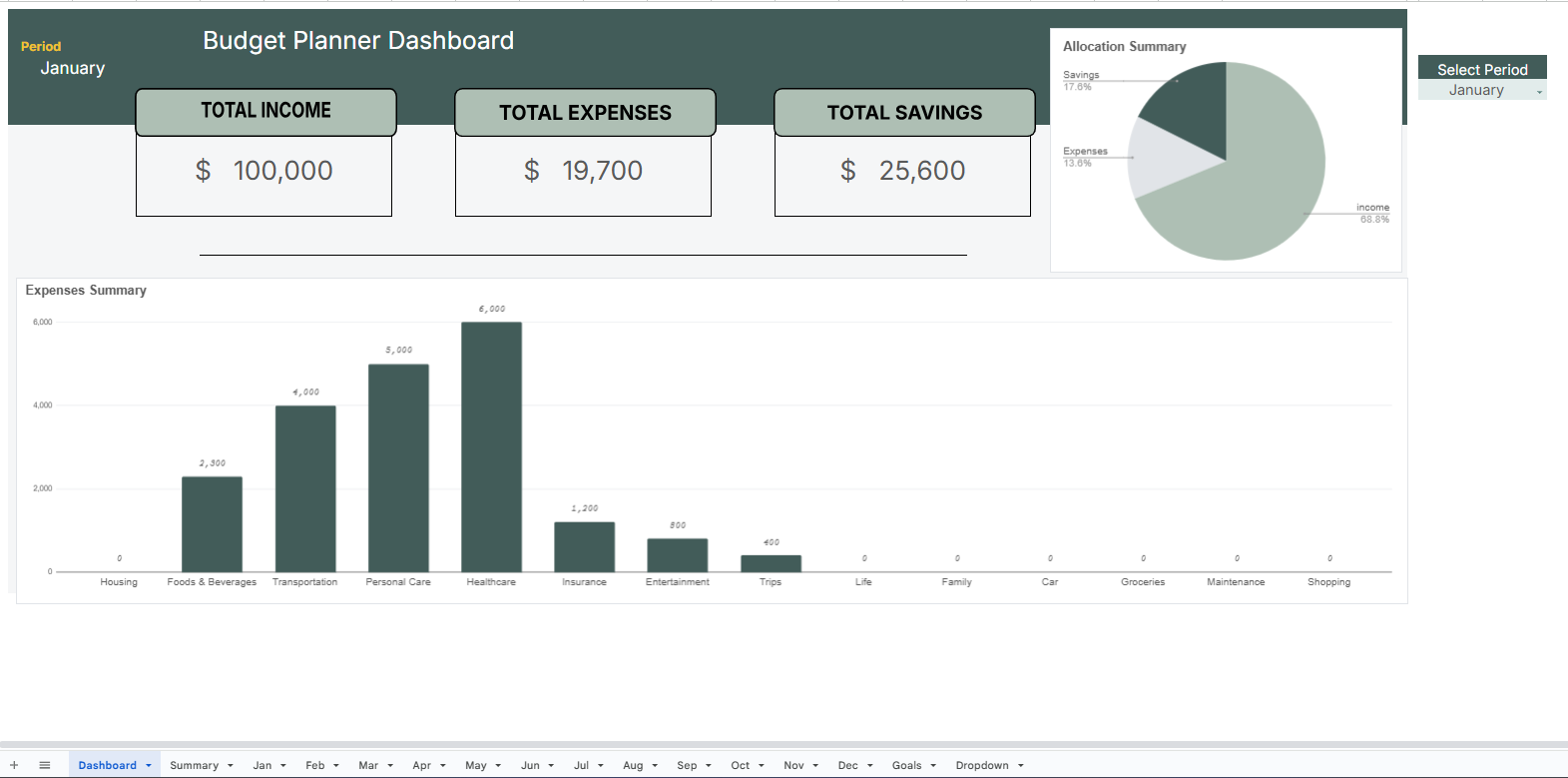
  • 📈 Dashboard

    • Visual overview of income, expenses, and savings

    • Auto-updating charts and summaries

    • Select period with a dropdown.

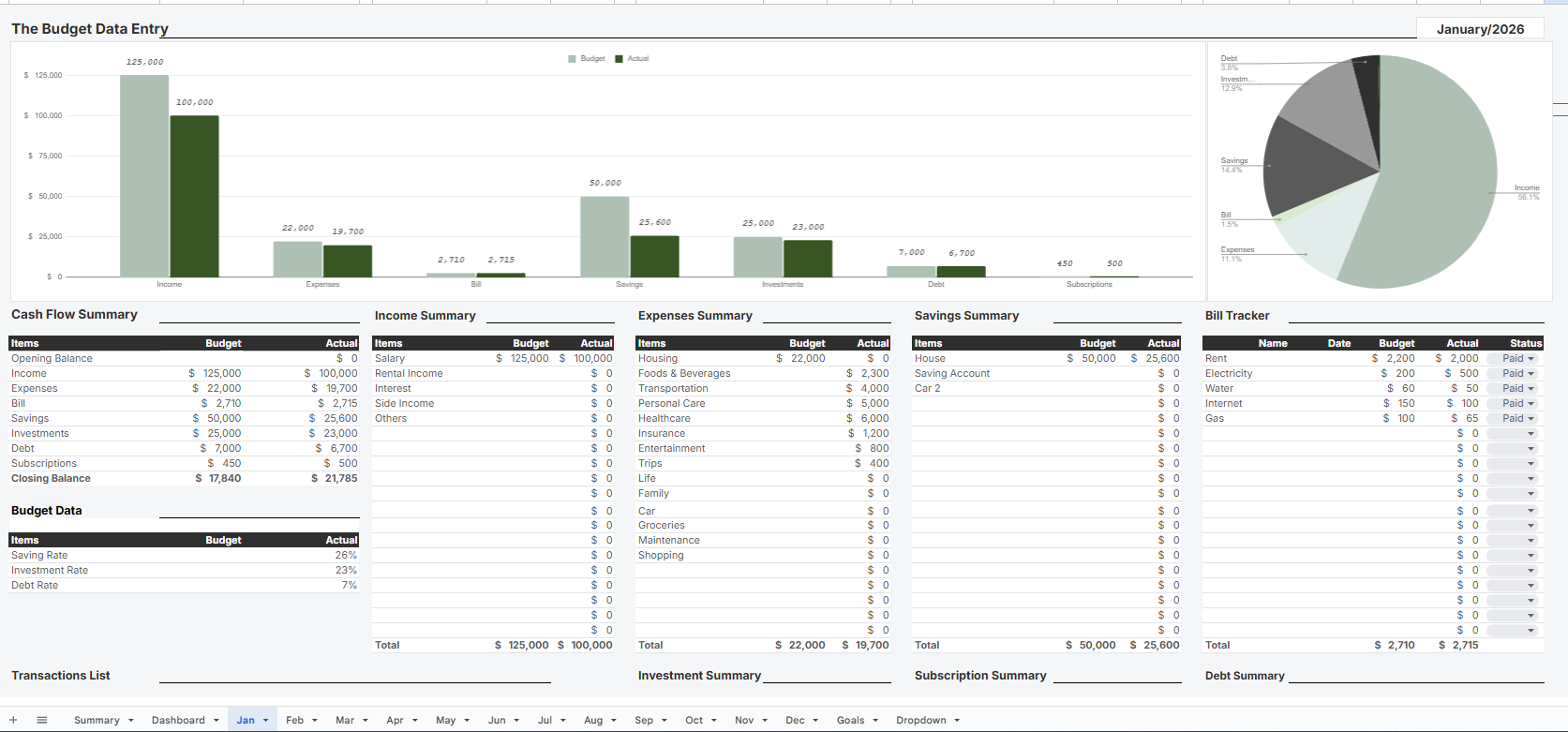
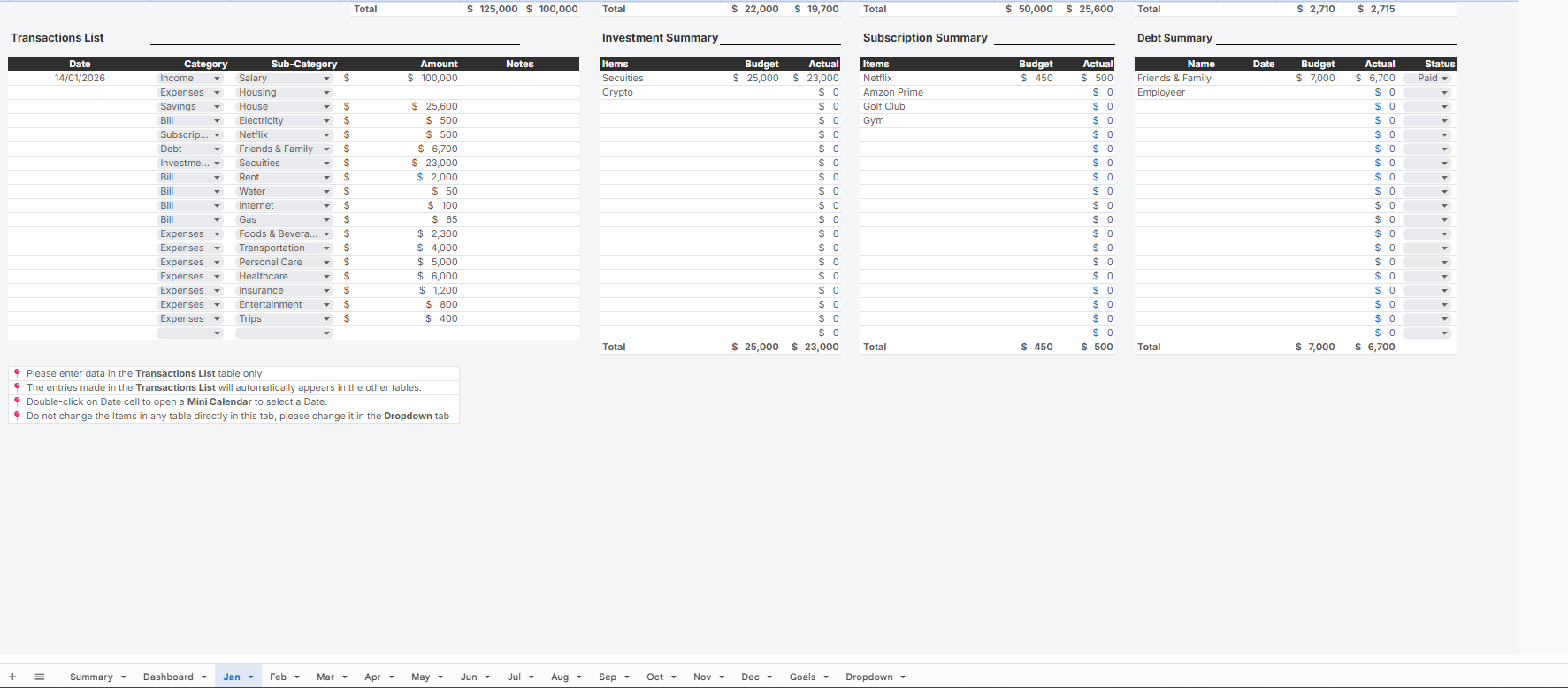
  • 📅 Monthly Budget Tabs (Jan–Dec)

    • Income, expenses, savings, subscriptions, bills and debt tracking

    • Consistent structure across all months

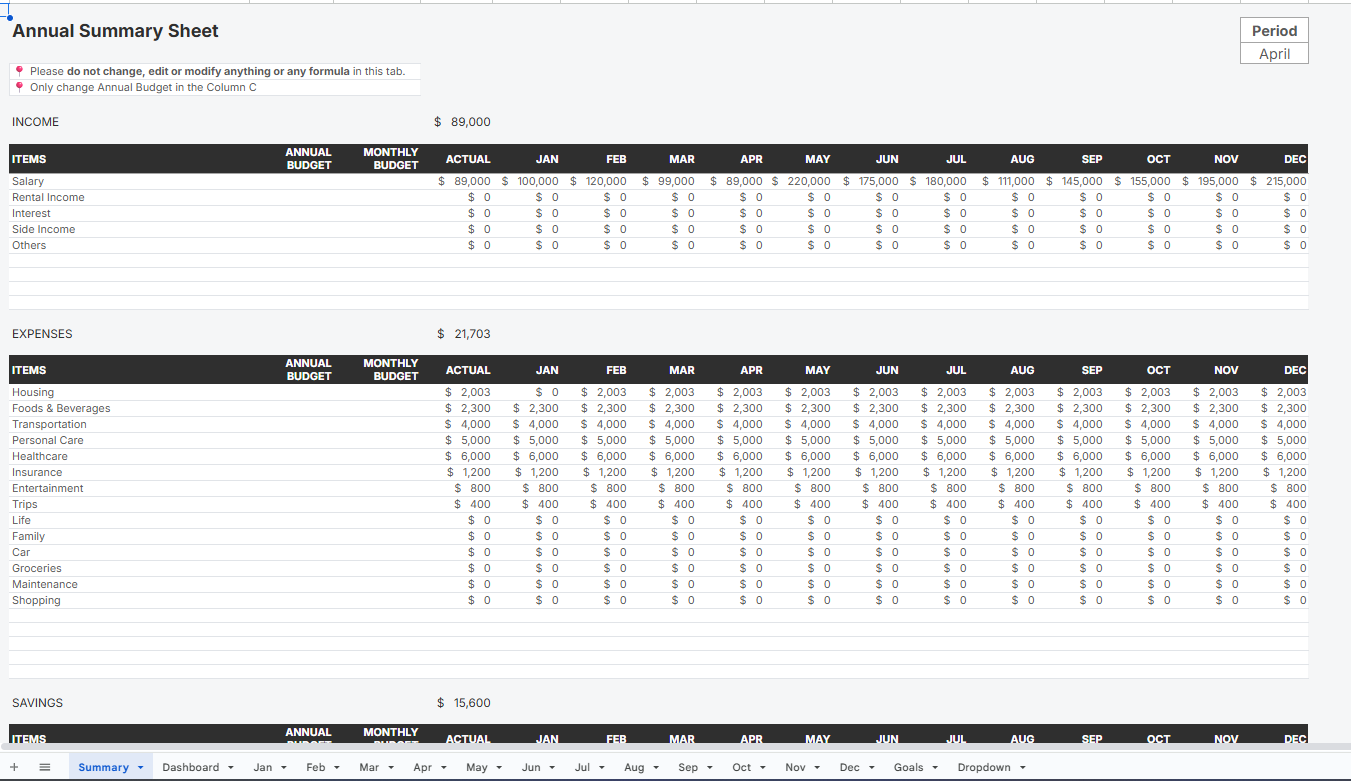
  • 📑 Annual Summary

    • Yearly totals and comparisons

    • Quick insights into spending patterns

    • Set monthly & annual budgets

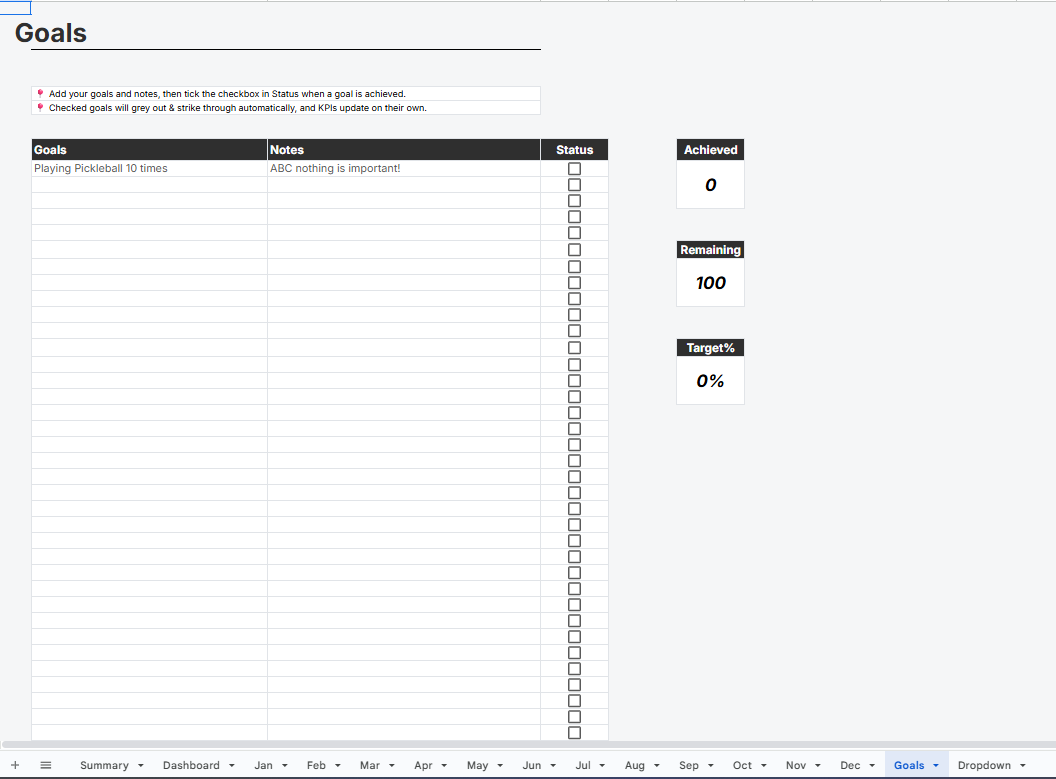
  • 🎯 Goals Tab

    • Track savings and financial goals for 2026

  • 🔽 Dropdown & Data Validation Tab

    • Centralized category management

    • Easy customization without breaking formulas

    • Beginner friendly automation

🔹 Key Features

✔ Fully automated formulas ✔ No macros required ✔ Easy to customize categories ✔ Beginner-friendly, yet powerful ✔ Works 100% in Google Sheets ✔ Ideal for personal finance, freelancers & small businesses

🔹 Who This Template Is For

  • Individuals managing personal budgets

  • Freelancers tracking variable income

  • Small businesses monitoring monthly expenses

  • Anyone who wants a clear financial overview for 2026

🔹 How to Use
  1. Make a copy of the Google Sheet

  2. Update categories in the Dropdown tab

  3. Enter monthly data

  4. View insights instantly on the Dashboard

This Best Practice includes
1 Google Sheet

Acquire business license for $14.99

Add to cart

Add to bookmarks

Discuss


0.0 / 5 (0 votes)

please wait...