
Publication number: ELQ-38571-1
View all versions & Certificate

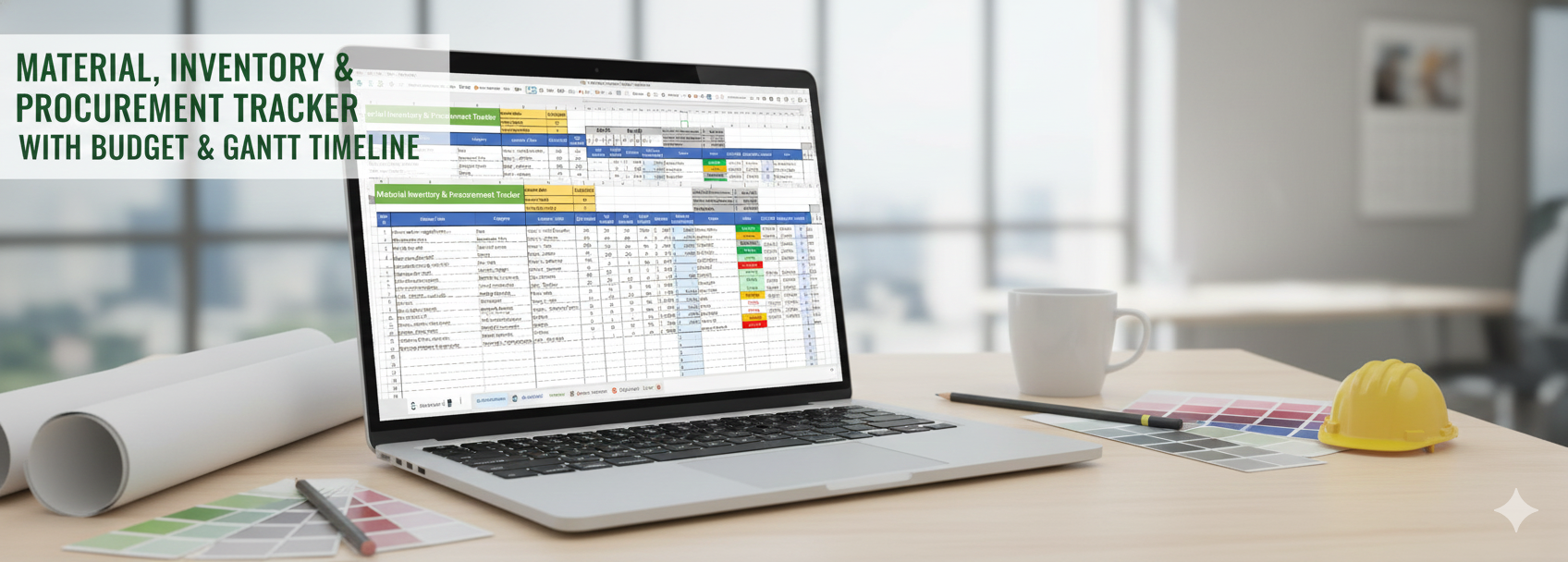
Material, Inventory & Procurement Tracker with Budget & Gantt Timeline
Tracks materials, inventory, procurement orders, budgets, and vendors with a built-in Gantt timeline for cost control and delivery tracking.
 by Mubbasshir AR
Business Planning and Project Management Professional | Top Rated Freelancer at Fiverr | CERT 5 at PeopleperhourFollow 18
This Excel template is designed to provide a complete, structured, and visually clear system for managing materials, inventory, procurement, budgets, and timelines in one professional workspace. It combines simple data entry, automated calculations, dropdown controls, and a built-in Gantt timeline to give you full visibility and control without unnecessary complexity.
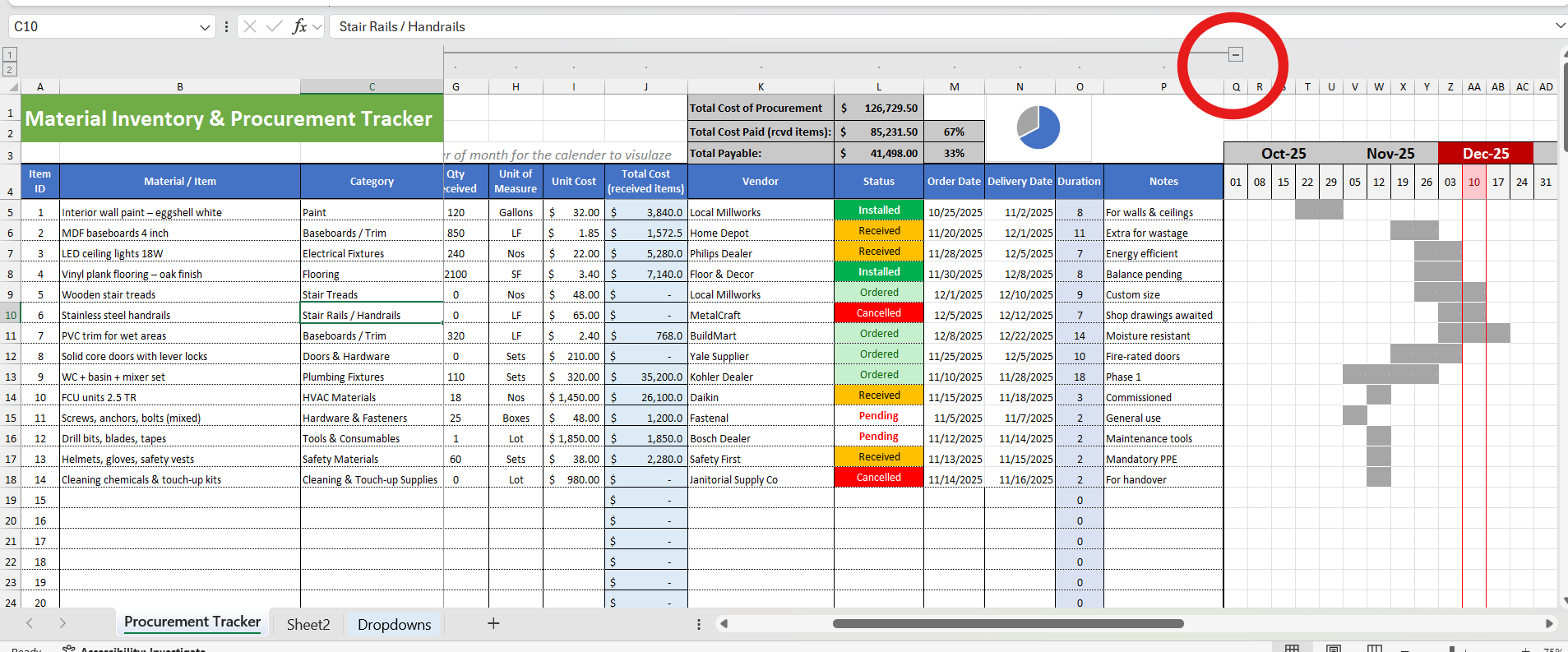
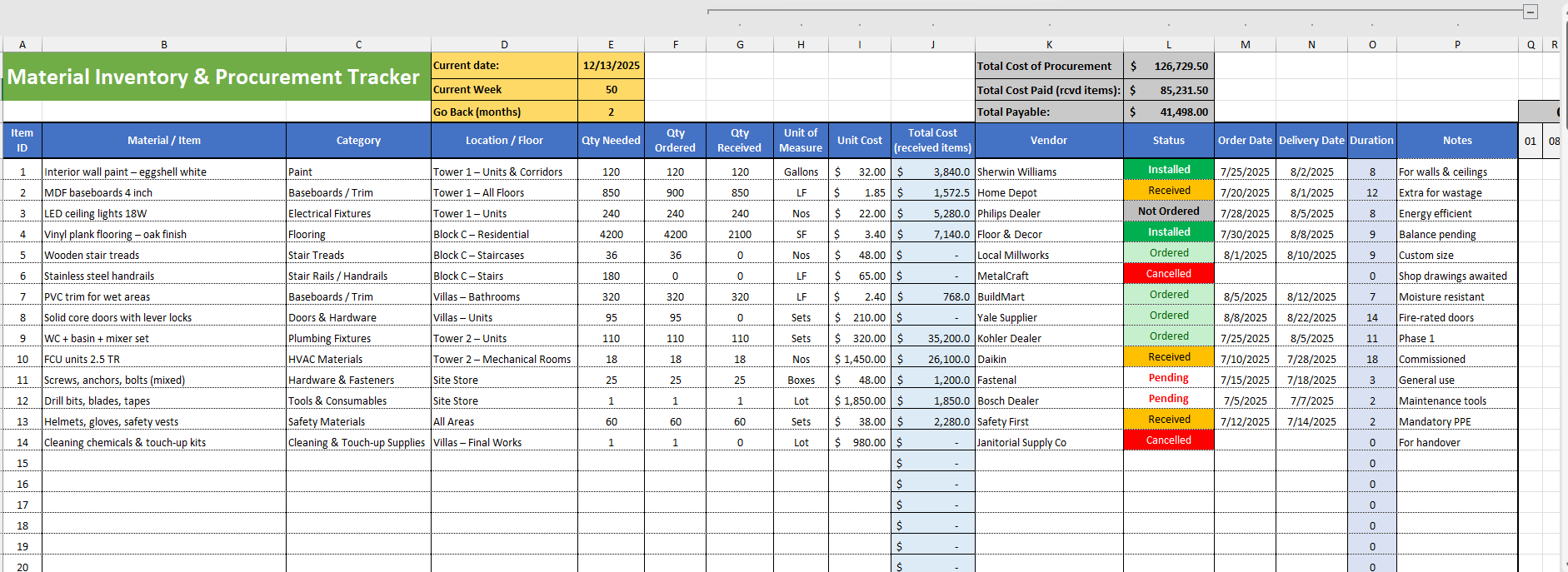
At the core of the template is a clean and easy-to-use master table. Each row represents a single item, while each column captures a specific and meaningful data point, allowing information to stay organized and consistent throughout the lifecycle of procurement.
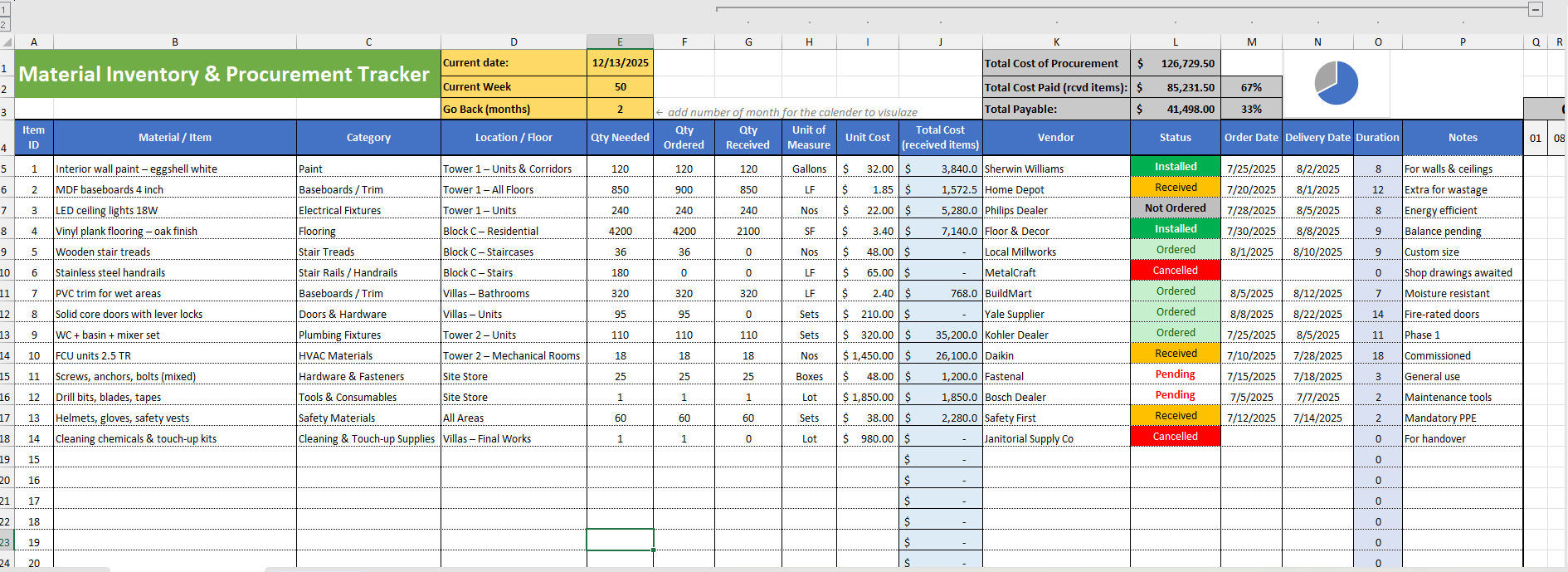
Columns and Their Purpose:
Item ID – A unique reference number for each material or item
Material / Item – Name and clear description of the item
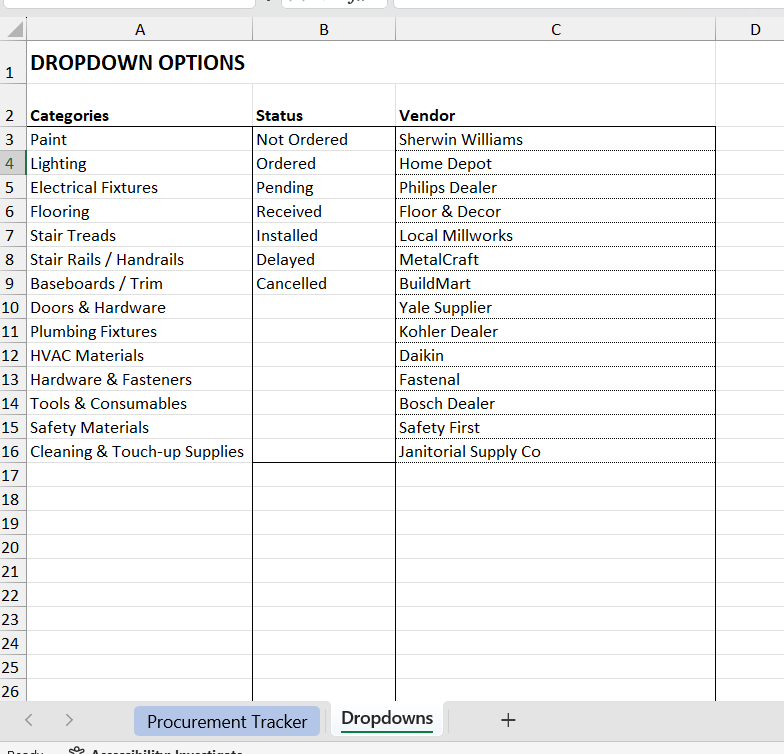
Category (Dropdown) – Select predefined categories to maintain consistency
Location / Floor – Identify where the item is required or installed
Quantity Needed – Planned or required quantity
Quantity Ordered – Quantity placed with the vendor
Quantity Received – Quantity delivered or completed
Pending Quantity (Auto-Calculated) – Automatically shows outstanding balance
Unit of Measure – Units such as Nos, Sets, LF, SF, Boxes, Lots
Unit Cost – Cost per unit of the item
Total Cost – Received Items (Auto-Calculated) – Based on received quantities
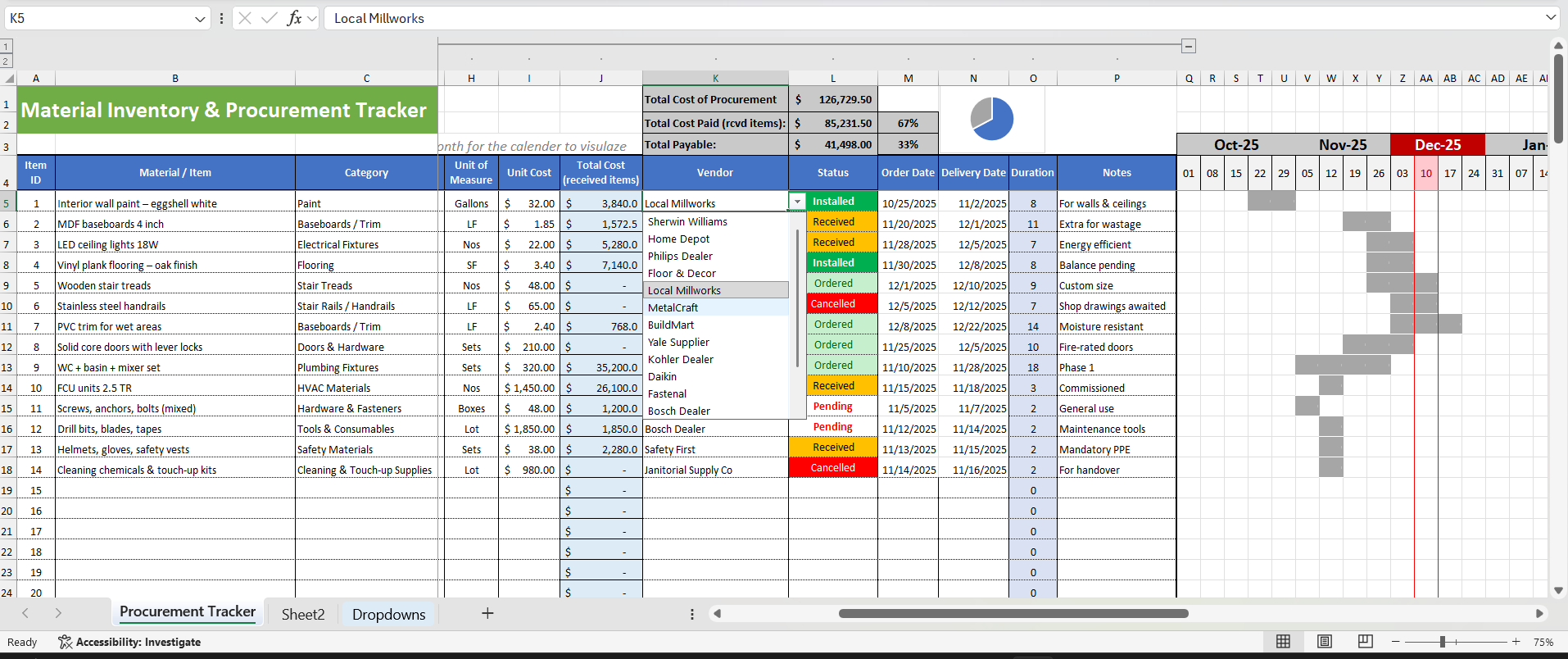
Vendor (Dropdown) – Select vendors from a predefined vendor list
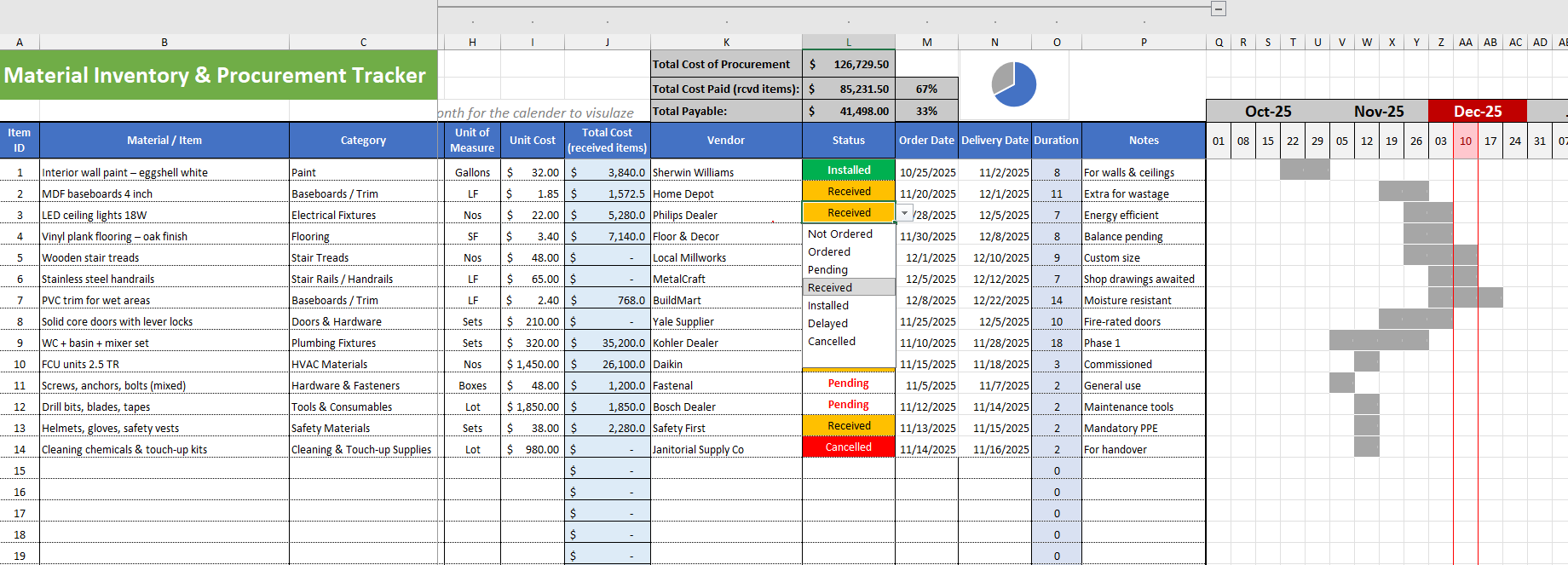
Status (Dropdown) – Track progress (Not Ordered, Ordered, Received, Installed, Cancelled)
Order Date – Date the item was ordered
Delivery Date – Expected or actual delivery date
Duration (Auto-Calculated) – Lead time between order and delivery
Notes – Additional remarks, clarifications, or instructions
These columns are supported by built-in formulas, ensuring calculations for quantities, costs, and durations update automatically. This reduces manual effort, minimizes errors, and ensures reliable data at all times.
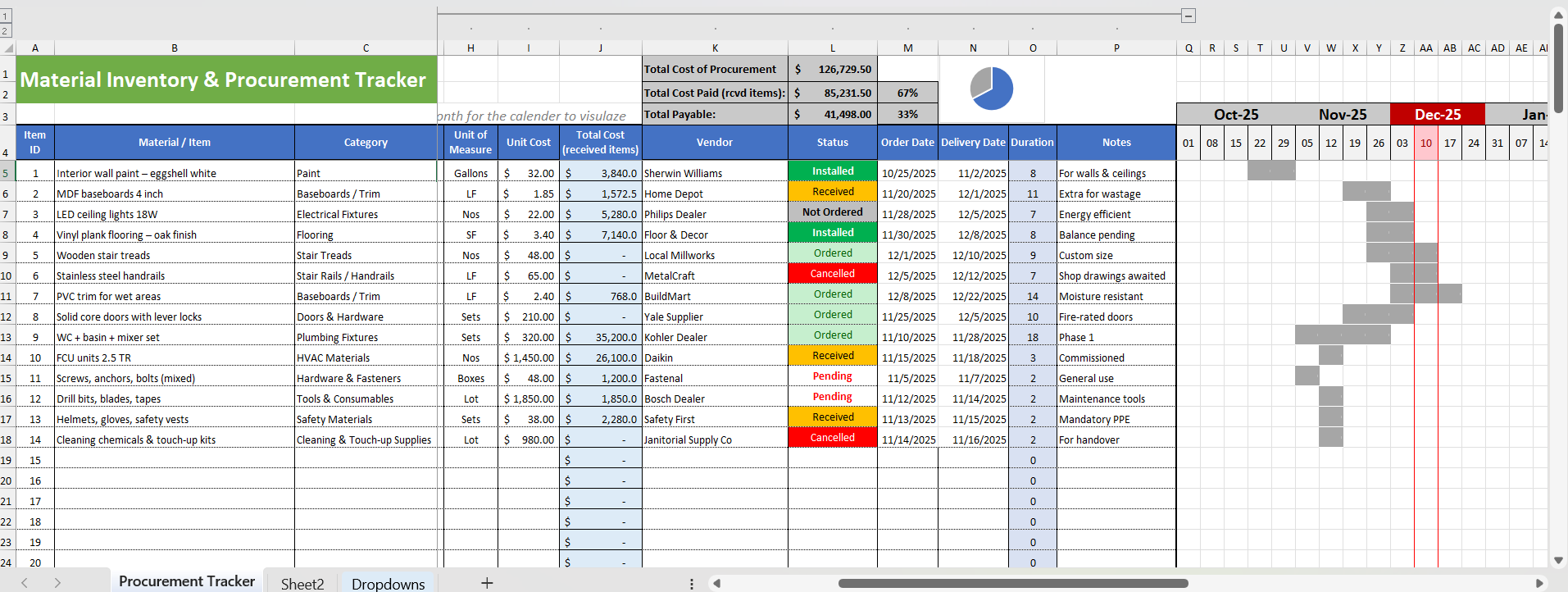
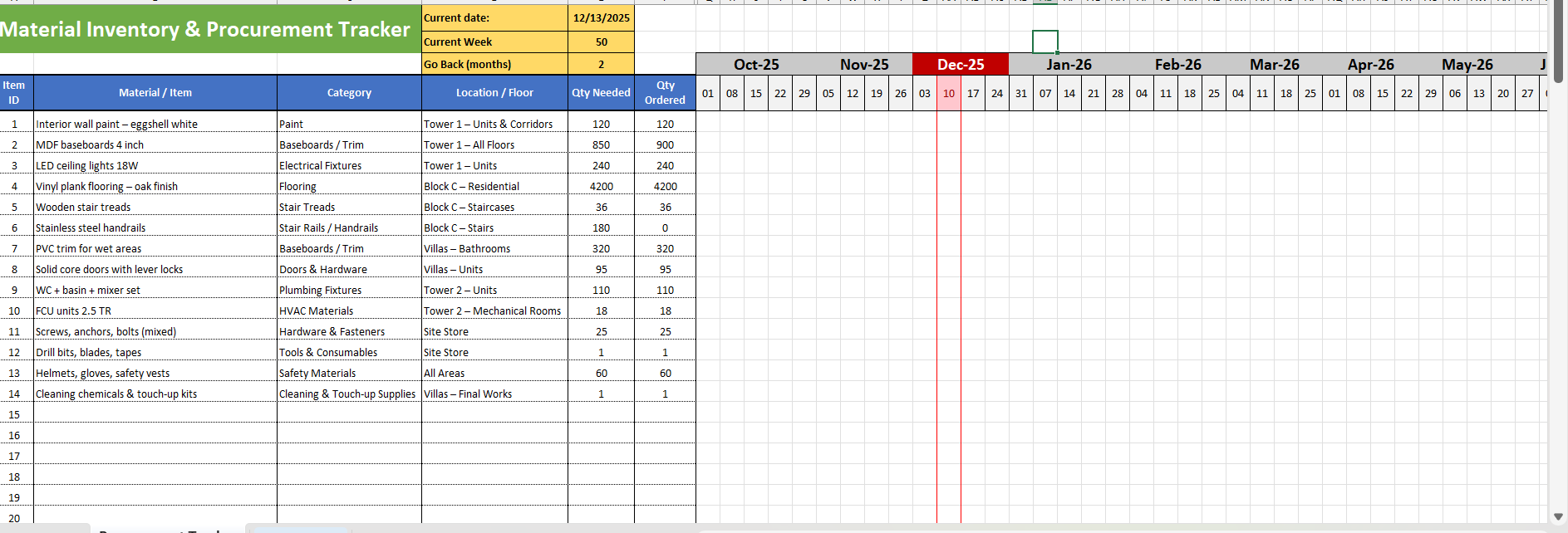
A key advantage of this template is the integrated Gantt timeline. As soon as order and delivery dates are entered, each item is automatically reflected on the timeline. This allows you to visually track procurement schedules across weeks and months, quickly identify overlaps, delays, or upcoming deliveries, and understand progress at a glance without scanning rows of dates.
The template also includes a budget summary section at the top, providing real-time financial visibility. Total procurement cost, cost of received items, and outstanding payable amounts are calculated automatically and updated instantly as data changes. This enables quick financial reviews and better cost control without creating separate reports.
Dropdown controls for Category, Vendor, and Status ensure standardized data entry, improve clarity, and make the template suitable for team use. They also make filtering, reviewing, and reporting much easier and more reliable.
Beyond functionality, the template is designed with a clean, elegant, and professional layout. Balanced spacing, clear headers, and subtle color use ensure it looks polished and is comfortable to work with daily. It is suitable for operational use, management review, and long-term tracking.
Overall, this template provides:
Structured material, inventory, and procurement tracking
Automated calculations for quantities, costs, and durations
Visual timeline tracking through a Gantt view
Real-time budget and cost visibility
A professional, industry-agnostic design
By combining material tracking, inventory control, procurement management, budget monitoring, and Gantt-based timeline visualization into a single Excel file, this template delivers a reliable, elegant, and efficient solution for organized and informed decision-making.
This Best Practice includes
1 x Excel Sheet
