Mortgage Calculator — Amortization, Prepayment & Lender Comparison | Excel
Originally published: 15/04/2026 12:08
Publication number: ELQ-77838-1
View all versions & Certificate
certified

Mortgage Calculator — Amortization, Prepayment & Lender Comparison | Excel

Calculate your true home cost instantly! Monthly payments, total interest, lender comparisons—all from 6 inputs. No finance skills needed. Excel/Sheets ready.

Description

Know the true cost of your home before you sign anything.

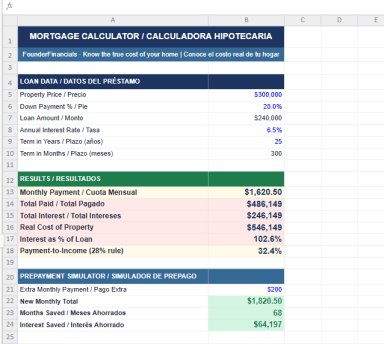
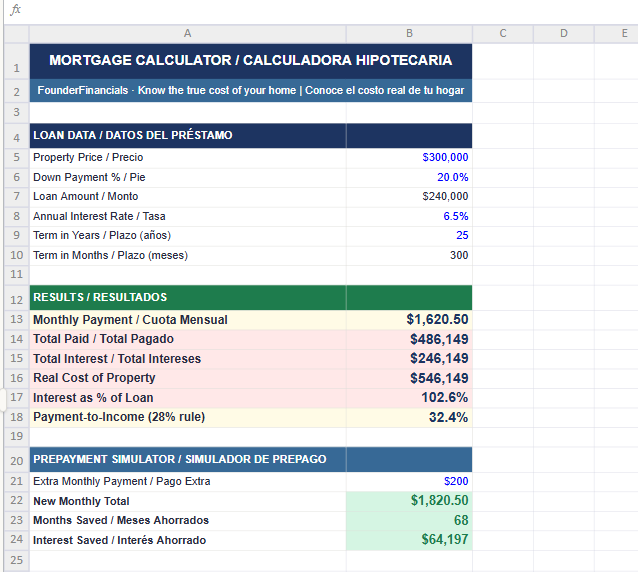
This professional Excel mortgage calculator gives you instant clarity on your monthly payment, total interest paid over the life of the loan, and the real cost of your property — all automatically calculated from just 6 inputs. No financial background required.


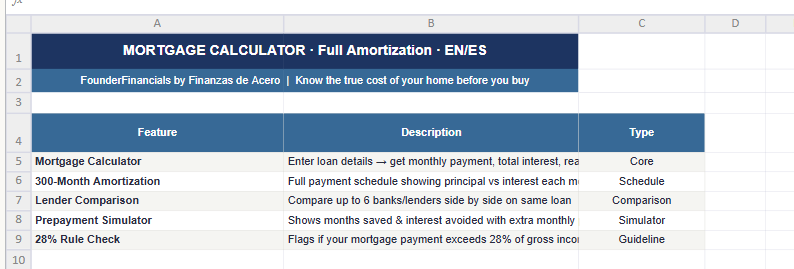
What’s Included (4 Sheets)


  • Mortgage Calculator — monthly payment, total interest, prepayment simulator, and 28% debt-to-income rule check

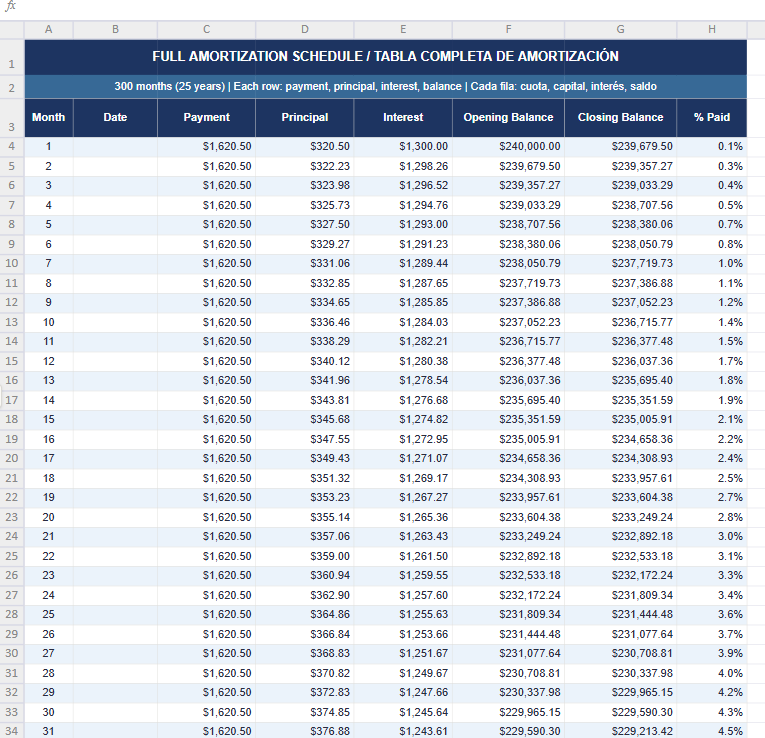
  • Full Amortization Schedule — 300-month table showing principal vs. interest broken down for every single payment period

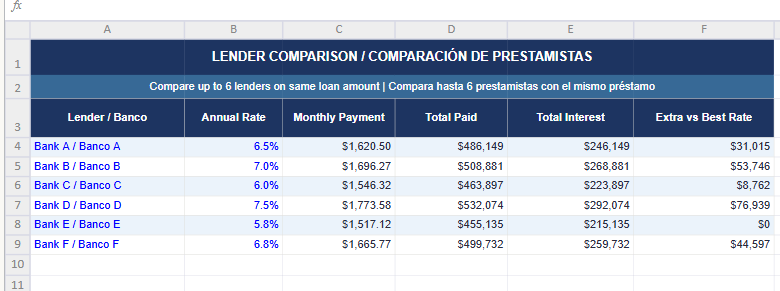
  • Lender Comparison — compare up to 6 banks or lenders side by side on the exact same loan amount and term

  • How to Use — color-coded guide explaining every cell (blue = your inputs, black = auto-calculated formulas)


Key Outputs You Get Instantly

✔ Exact monthly payment based on your rate and term
✔ Total amount paid over the life of the loan
✔ Total interest as a percentage of the original loan
✔ Real cost of the property including all financing
✔ Months and interest saved by making extra monthly payments
✔ Best lender automatically identified in the comparison tab


Built for Professionals and Beginners Alike


  • Industry-standard color coding used by finance professionals

  • Zero formula errors guaranteed

  • Compatible with Excel 2016+ and Google Sheets

  • Fully editable

  • Bilingual: English and Spanish


Perfect For

First-time homebuyers, mortgage brokers, real estate investors, financial planners, and anyone evaluating refinancing decisions or comparing loan offers from multiple banks.

This Best Practice includes
1 Excel file (.xlsx), 4 sheets: Mortgage Calculator, Amortization Schedule (300 months), Lender Comparison, How to Use

Acquire business license for $29.00

Add to cart

Add to bookmarks

Discuss

Further information

Calculate your exact monthly mortgage payment, total interest paid over the life of the loan, and the real cost of your property. Compare up to 6 lenders side by side. Simulate extra monthly payments to see how many months and how much interest you save. Make smarter homebuying and refinancing decisions with full amortization visibility.

Individuals planning to buy a home or refinance an existing mortgage. Real estate investors evaluating financing options. Mortgage brokers and financial planners running loan scenarios for clients. Anyone comparing multiple lenders or loan terms before signing. Works best with Excel 2016+ or Google Sheets.

Not designed for commercial real estate or construction loans. Does not account for variable-rate or adjustable-rate mortgages (ARM). Not a substitute for professional legal or financial advice. Users without basic Excel knowledge may need to review the How to Use sheet first.


0.0 / 5 (0 votes)

please wait...