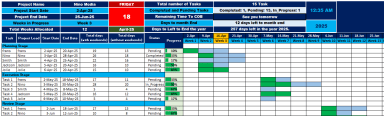
Gantt Chart Tracker template

Gantt Pro Excel template for professionals

Description

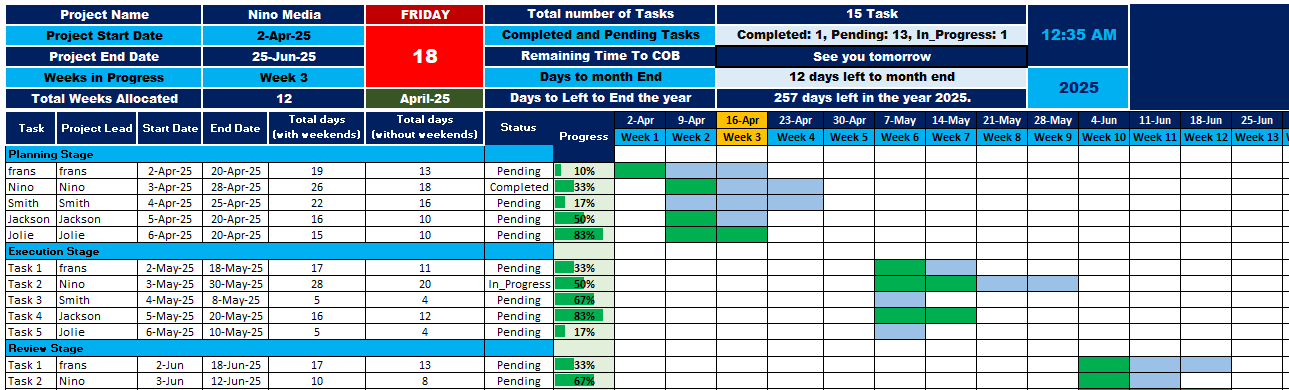
This Gantt Chart Tracker is essential for professionals managing structured, deadline-driven projects. Designed with clarity and precision, the tracker offers a complete view of all critical elements influencing project success. It displays key project milestones, including the Project Start and End Dates, Weeks in Progress, and Total Weeks Allocated, ensuring teams stay aligned with the timeline.


It also includes live updates such as Today's Date, Day of the Week, and Current Time, providing real-time awareness. It also calculates and visually displays Remaining Time to COB (Close of Business), Days Left to Month End, and Days Left to the End of the Year, helping managers plan efficiently across multiple time horizons. Total number of Tasks, weekly dates with the current week highlighted.


Task-level detail includes Start and End Dates, Total Days with and without Weekends, and color-coded Progress Bars to indicate status—Completed, Pending, or In Progress. The tracker is divided into stages: Planning, Execution, and Review, with each task assigned to a Project Lead for accountability.


With its clean layout, dynamic updates, and visual indicators, this tracker simplifies team communication, enhances productivity, and ensures no detail is overlooked. Ideal for use in collaborative environments, this tool supports both high-level overviews and day-to-day task tracking.

This Best Practice includes
excel sheet

Frans Gafane offers you this Best Practice for free!

download for free

Add to bookmarks

Discuss

Further information

Enhance visibility on task progress and deadlines

Improve team accountability and coordination

Enable weekly project performance tracking

Offer dynamic updates and smart color coding for status insights

Teams managing mid to large-scale projects

Projects with clear timelines and assigned roles

Environments needing real-time status and accountability tracking

Projects with unpredictable scope changes

Teams without access to Microsoft excel


5.0 / 5 (1 votes)

please wait...