Publication number: ELQ-75015-1
View all versions & Certificate

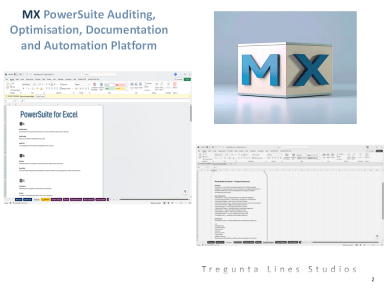
MX PowerSuite. The Complete Excel Engineering Platform for Auditing, Optimisation, Documentation, and Automation.
Save 20 to 100 hours per project and transform Excel into a professional grade development environment with this powerful all in one engineering suite.
MX PowerSuite is a full Excel engineering platform that upgrades Excel into a structured, automated, professional development environment.
It is designed to:
- Audit workbooks for errors, risks, inconsistencies, and structural weaknesses.
- Automatically generate full documentation including formulas, dependencies, sheets, named ranges, and logic flows.
- Optimise workbook performance by identifying slow formulas, heavy sheets, and inefficient structures.
- Provide an AI assistant that explains formulas, rewrites logic, and helps debug issues.
- Run automated tests to validate model logic and ensure outputs remain correct.
- Scan for security risks, hidden sheets, broken links, and external dependencies.
- Package, version, and distribute workbooks cleanly and professionally.
2. Who It’s For
This tool is ideal for professionals who build, maintain, or audit Excel workbooks, including:
- Analysts
- Consultants
- Financial modellers
- Accountants
- Developers
- FP and A teams
- Operations teams
- Internal audit
- Anyone who needs reliable, high quality Excel workbooks
Why It Is Better Than Manual Work
Manual workbook auditing and optimisation is slow, inconsistent, and highly prone to human error. PowerSuite solves that problem.
With MX PowerSuite, you get:
- Zero repetitive admin
- Guaranteed accuracy through automated scanning
- Consistent results across all workbooks
- No manual documentation
- Instant outputs
- A transparent audit trail for every issue and fix
- Professional grade engineering normally found only in software development tools
4. What’s Included
You receive a complete, ready to use Excel engineering platform:
Core Modules
- Workbook Auditor
- Dependency Mapper
- Formula Scanner
- Error and Risk Detection
- Performance Profiler
- Optimisation Engine
- Security Scanner
- Link and Reference Checker
- Automated documentation generator
- Sheet and structure mapping
- Formula and logic summaries
- Change logs and version tracking
- Professional PDF and Excel reports
- AI formula explainer
- AI logic rewriting
- AI debugging assistant
- Automated test harness
- Scenario and regression testing
- Workbook cleaner
- Version packager
- Distribution builder
- Protection and locking tools
- Dashboard and visual summaries
- Control panel
- Diagnostics and exception logs
- Step by step instructions (included in the download and inside the workbook)
5. Time & Cost Savings
PowerSuite delivers real, measurable value for organisations that rely on Excel.
Time Savings
- Reduce auditing and documentation time by 70 to 95 percent
- Save 20 to 100 hours per project
- Eliminate manual formula tracing and dependency checks
- Produce documentation and reports in minutes
- Prevent costly errors in financial models and operational tools
- Save 1,000 to 10,000 pounds per project depending on complexity
- Reduce labour costs by 5,000 to 50,000 pounds per year
- Improve model reliability and reduce rework
- Achieve a 5x to 30x return on investment within the first month
More on Powersuite:
These are the deep technical engines that make PowerSuite a true development and analysis platform.
1.1 Workbook Compare Engine
- Formula diffing
- Constant diffing
- Named range diffing
- VBA module diffing
- Procedure‑level diffing
- Line‑level VBA diffing
- Sheet structure diffing
- Hidden sheet detection
- Protection state diffing
- Named range scope analysis
- Cross‑sheet dependency diffing
This is the foundation of all change intelligence. Without it, nothing else is possible.
1.2 Performance & Optimization Engine
- Formula complexity scoring
- Volatile function detection
- Deep dependency tracing
- Calculation chain analysis
- Slow sheet identification
- Optimization recommendations
Performance issues are a major operational risk. This engine identifies and prevents them.
1.3 Security & Integrity Engine
- VBA security scan
- Suspicious code detection
- External link detection
- Hidden name detection
- Broken link detection
- Workbook protection audit
- Macro signature check
Excel is a major attack surface. This engine protects the organisation.
1.4 Documentation Generator
- Sheet documentation
- Named range documentation
- Formula documentation
- VBA documentation
- Dependency maps
- Data dictionary generation
Documentation is essential for audit, onboarding, and maintainability.
1.5 Build & Distribution Engine
- Version stamping
- Snapshot creation
- Build packaging
- Release notes generation
- Distribution folder creation
- Integrity checks before build
This turns Excel into a controlled software asset.
2. INTELLIGENCE LAYER
This is where PowerSuite becomes an analytical and predictive system.
2.1 Severity Scoring Model
- Critical / High / Medium / Low
- Weighted risk scoring
- Change type weighting
- Owner weighting (optional)
- Total changes
- Severity breakdown
- Risk score
- Change type distribution
- Key metrics
- Risk by sheet/module
- Change volume by location
- Type breakdown
- Conditional formatting heatmap
- Version‑to‑version metrics
- Severity counts
- Risk score
- Drift status
- Baseline status
- Owner impact summary
- Critical drift
- High‑risk drift
- Volume drift
- Risk score drift
- Threshold‑based alerts
- Drift logging
- Risk acceleration
- Change acceleration
- Volatility trend
- Emerging hotspots
- Top accelerating components
- Linear regression forecasting
- Next‑version risk prediction
- Drift probability
- Baseline violation probability
- Stability classification
This is where PowerSuite becomes a compliance and control system.
3.1 Owner Mapping
- Sheet owners
- Module owners
- Control owners
- Data owners
- Email + role metadata
- Changes per owner
- Severity per owner
- Risk score per owner
- Owner heatmap
- Owner accountability dashboard
- Golden version registry
- Baseline snapshot
- Baseline comparison
- Baseline drift detection
- Baseline enforcement
- Automatic review task creation
- Pending / Completed / Escalated states
- Review dashboard
- Owner‑specific task lists
- Timestamped audit trail
- Cover page
- Executive summary
- Change Report
- Heatmap
- Timeline
- Drift status
- Baseline status
- Owner impact
- Hotspot acceleration
- Risk forecast
- Review workflow
- Version catalog entry
This is the “brain” that ties everything together.
4.1 Full Workflow Orchestration
- Compare → Analyse → Score → Detect → Forecast → Govern → Document → Package
- Automatic sequencing
- Automatic sheet creation
- Automatic cleanup
- Automatic dashboard refresh
- Pre‑flight validation
- Missing sheet detection
- Missing mapping detection
- Broken reference detection
- Build safety checks
- Version list
- File paths
- Timestamps
- Notes
- Baseline markers
- Drift markers
- Review status
5.1 All Reports Generated Automatically
- Change Report
- Summary Dashboard
- Heatmap
- Timeline
- Drift Alerts
- Owner Impact
- Hotspot Acceleration
- Risk Forecast
- Evidence Pack
Everything is formatted for:
- PDF export
- Email distribution
- Audit submission
- Internal review
PowerSuite is not:
- A diff tool
- A macro
- A dashboard
- A documentation generator
- Engineering intelligence
- Risk intelligence
- Predictive intelligence
- Governance workflows
- Audit‑ready reporting
- Owner accountability
- Baseline enforcement
- Automated evidence generation
- Workiva
- AuditBoard
- Archer
- IBM OpenPages
…but built inside Excel, with zero external dependencies, and full transparency.
IMPORTANT - ONLY WORKS on WINDOWS (not on Macintosh iOS)
This Best Practice includes
1 Zipped File with Excel file and Word Document
Further information
Time & Cost Savings
PowerSuite delivers real, measurable value for organisations that rely on Excel.
Time Savings
• Reduce auditing and documentation time by 70 to 95 percent
• Save 20 to 100 hours per project
• Eliminate manual formula tracing and dependency checks
• Produce documentation and reports in minutes
Cost Savings
• Prevent costly errors in financial models and operational tools
• Save 1,000 to 10,000 pounds per project depending on complexity
• Reduce labour costs by 5,000 to 50,000 pounds per year
• Improve model reliability and reduce rework
• Achieve a 5x to 30x return on investment within the first month
For consultants, finance teams, and enterprise users, the savings are even higher.