
Software Project Tracker | Agile Sprint, Backlog, QA & Risk Dashboard Excel

Software project management toolkit with sprints, backlog, bugs, QA, risks, releases, deployments, resources, dashboard and Sprint Planner Lite.

Description
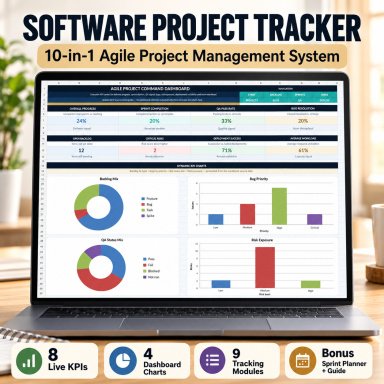
๐Ÿ’ป SOFTWARE PROJECT TRACKER โ€“ 10-IN-1 AGILE PROJECT MANAGEMENT SYSTEM


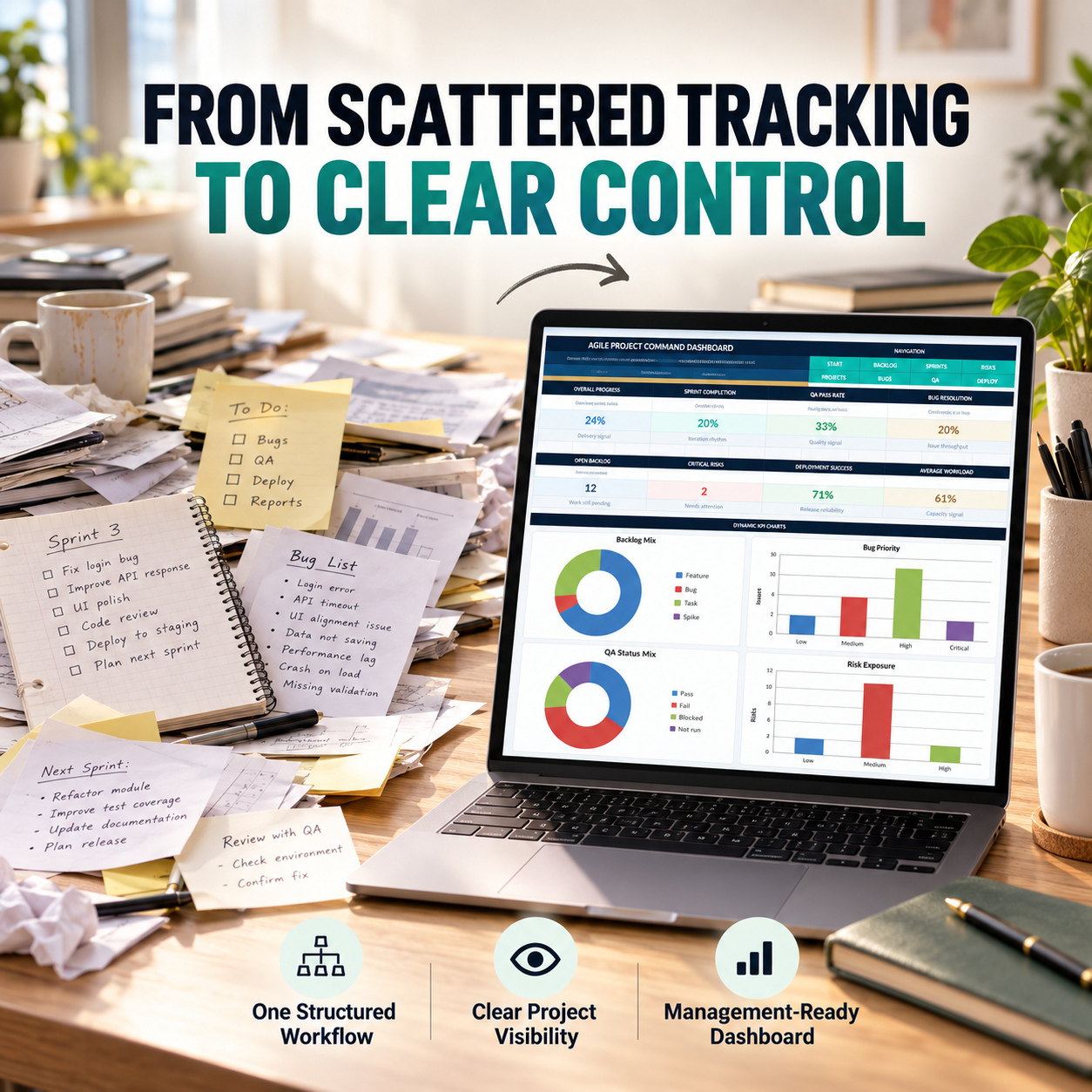
Bring software delivery, sprints, backlog, bugs, QA, risks, releases, deployments and team workload into one structured professional Excel system.


Designed for software, IT, Agile, Scrum, product and delivery teams, the toolkit replaces disconnected project lists with one coordinated workflow and an executive management dashboard.


๐Ÿ“Š 10 CORE PROJECT MANAGEMENT MODULES
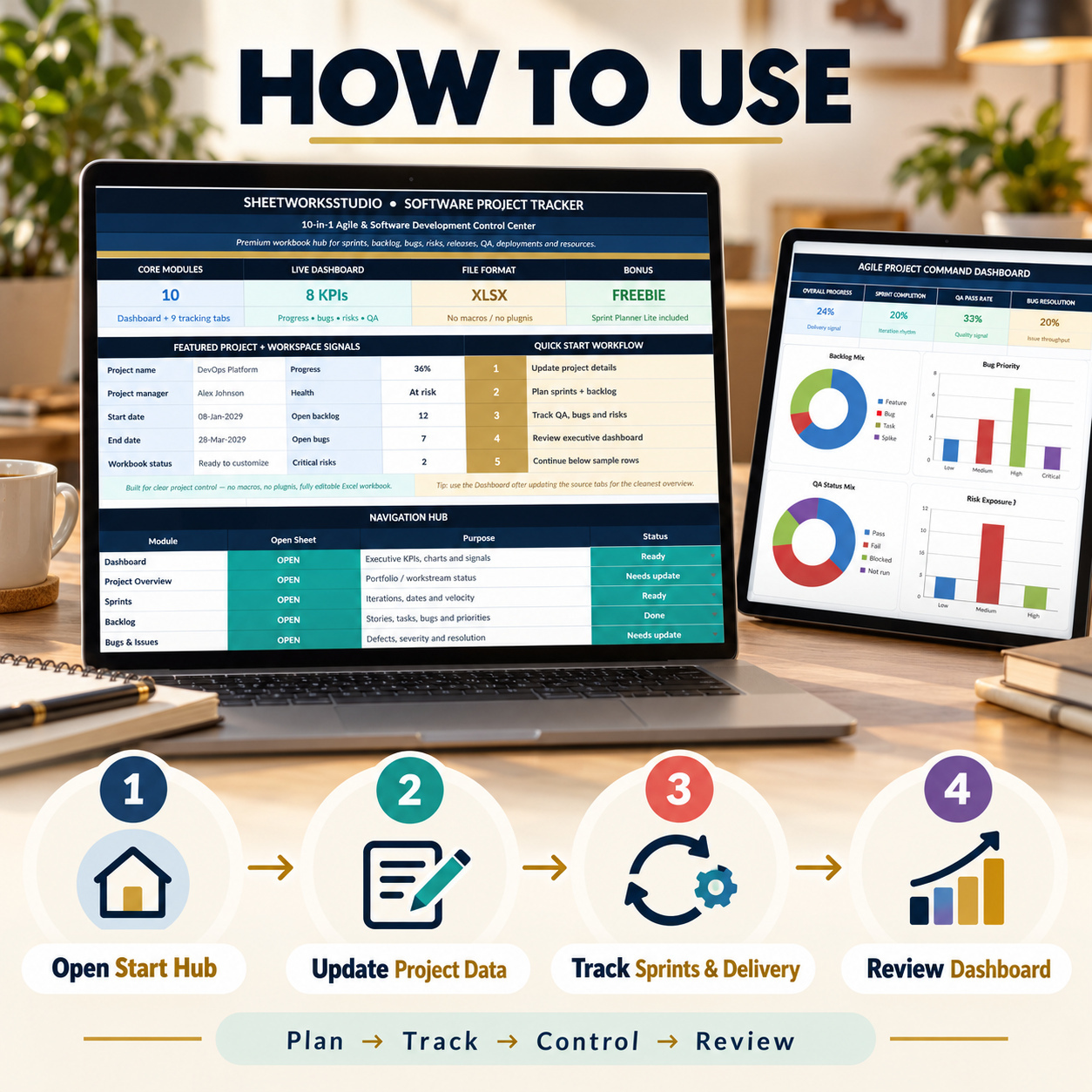
The Main Workbook contains a Start Hub plus 10 core modules:
๐Ÿ“Š Executive Dashboard
๐Ÿ—‚๏ธ Project Overview
๐Ÿƒ Sprints
๐Ÿ“Œ Backlog
๐Ÿž Bugs & Issues
โš ๏ธ Risks
๐Ÿš€ Release Plan
๐Ÿงช QA Test Log
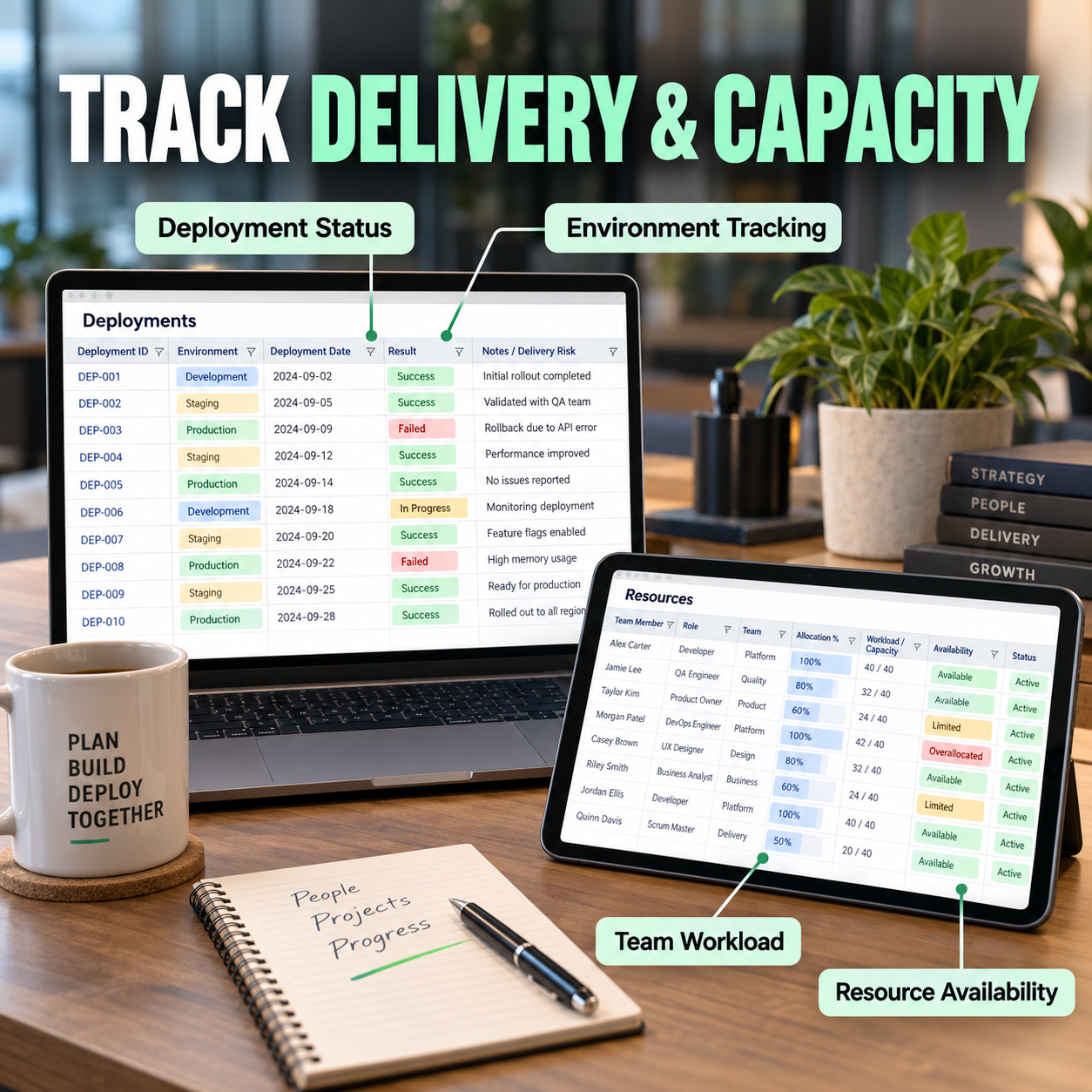
โ˜๏ธ Deployments
๐Ÿ‘ฅ Resources


A supporting Dashboard_Data sheet provides the chart-data layer behind the executive reporting.


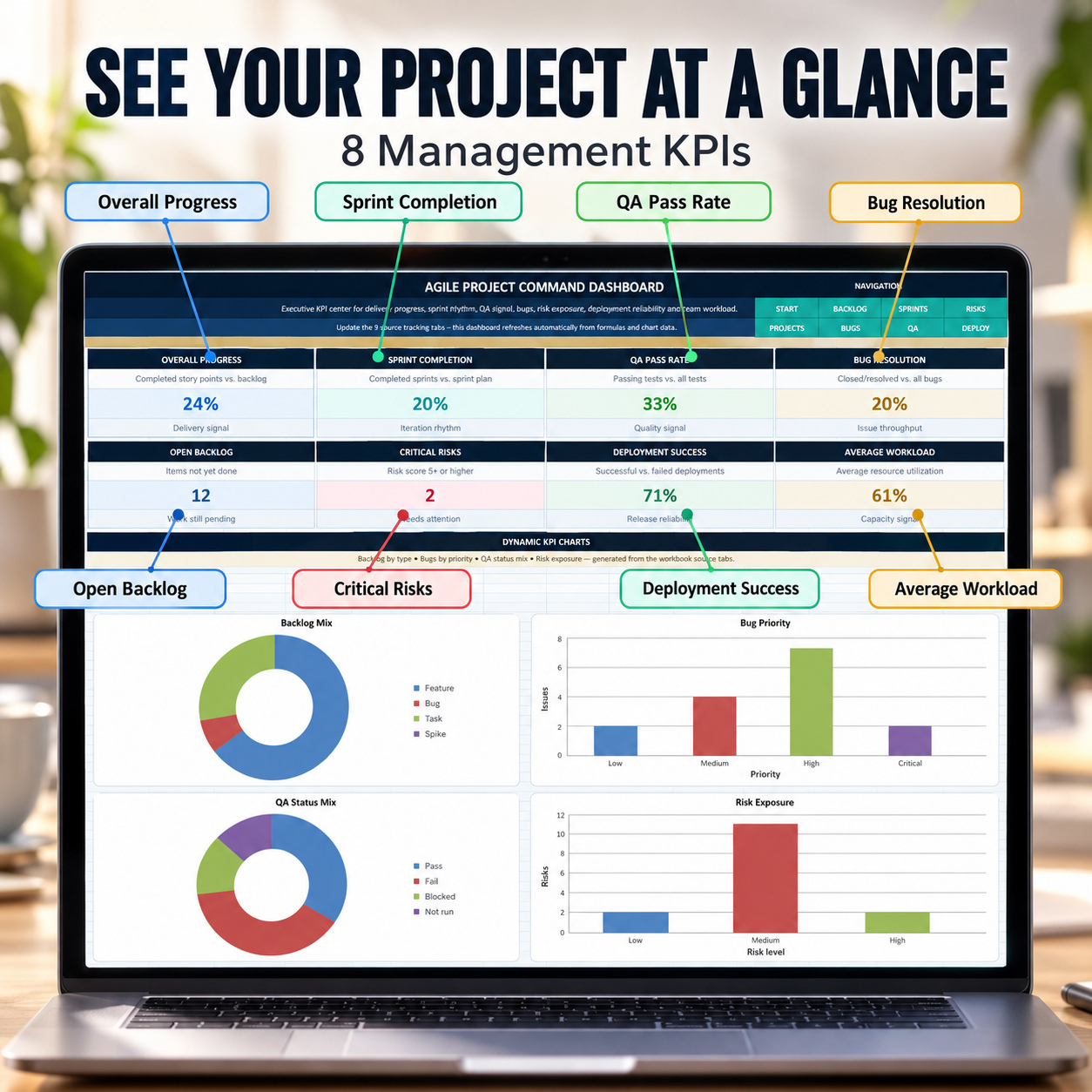
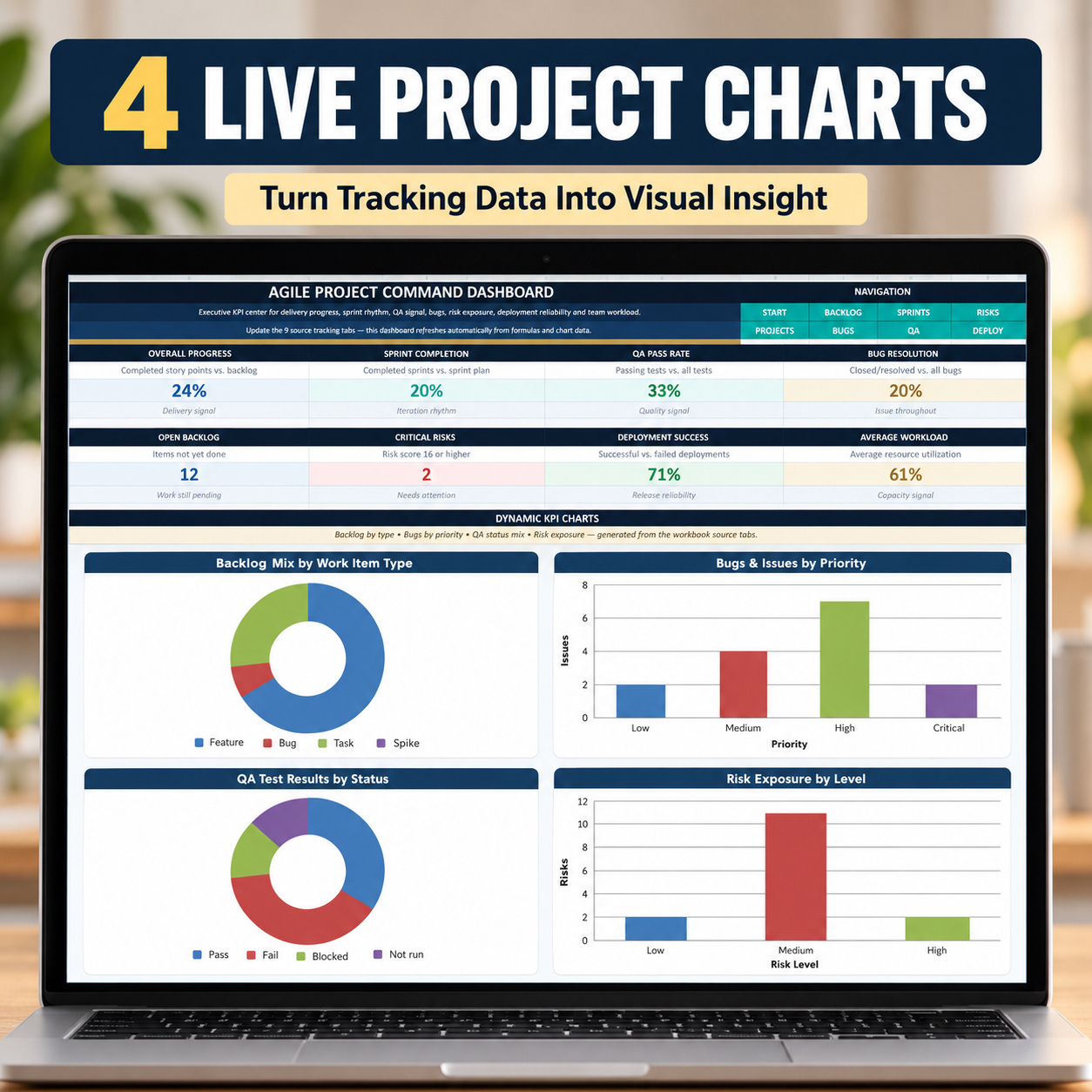
๐Ÿ“ˆ EXECUTIVE PROJECT DASHBOARD
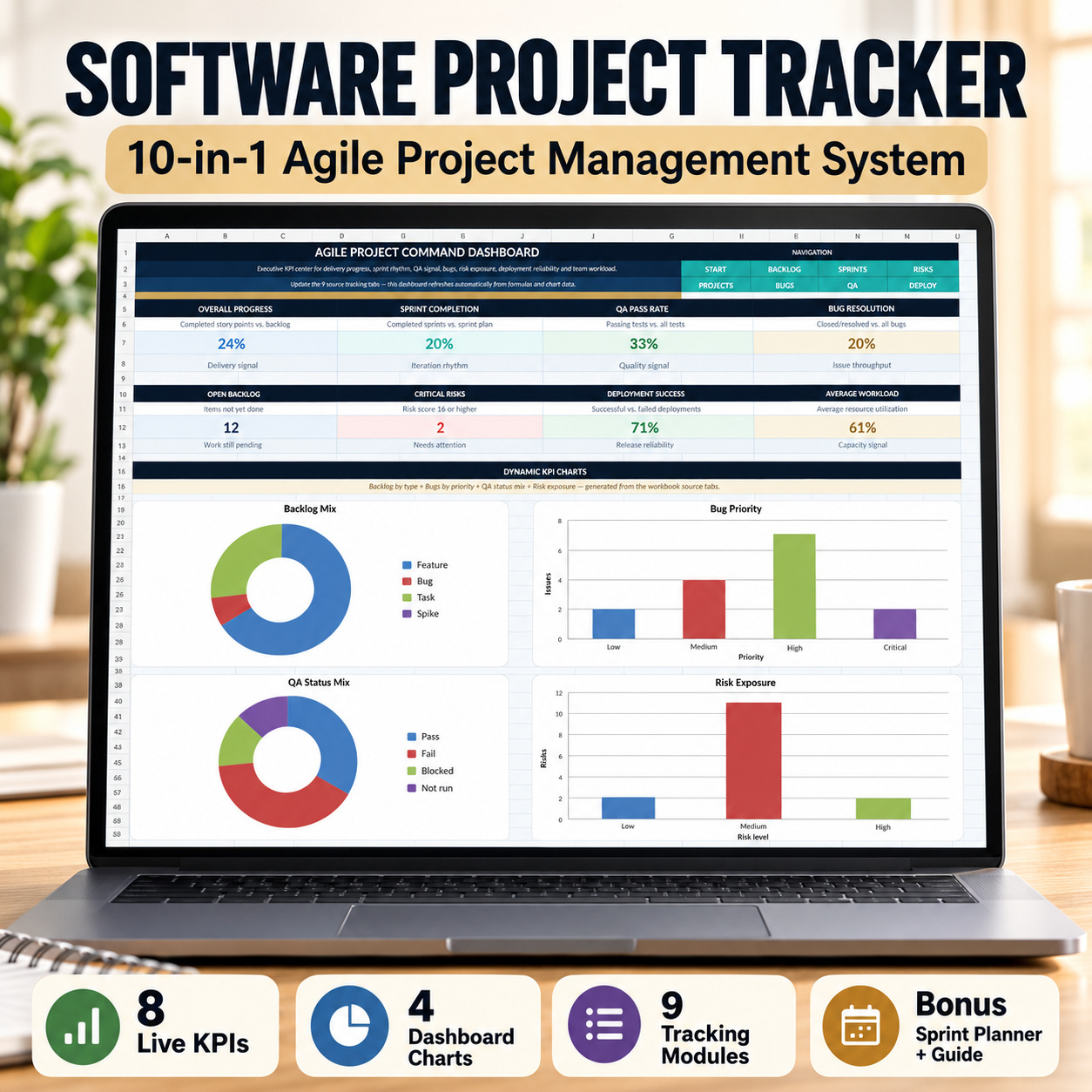
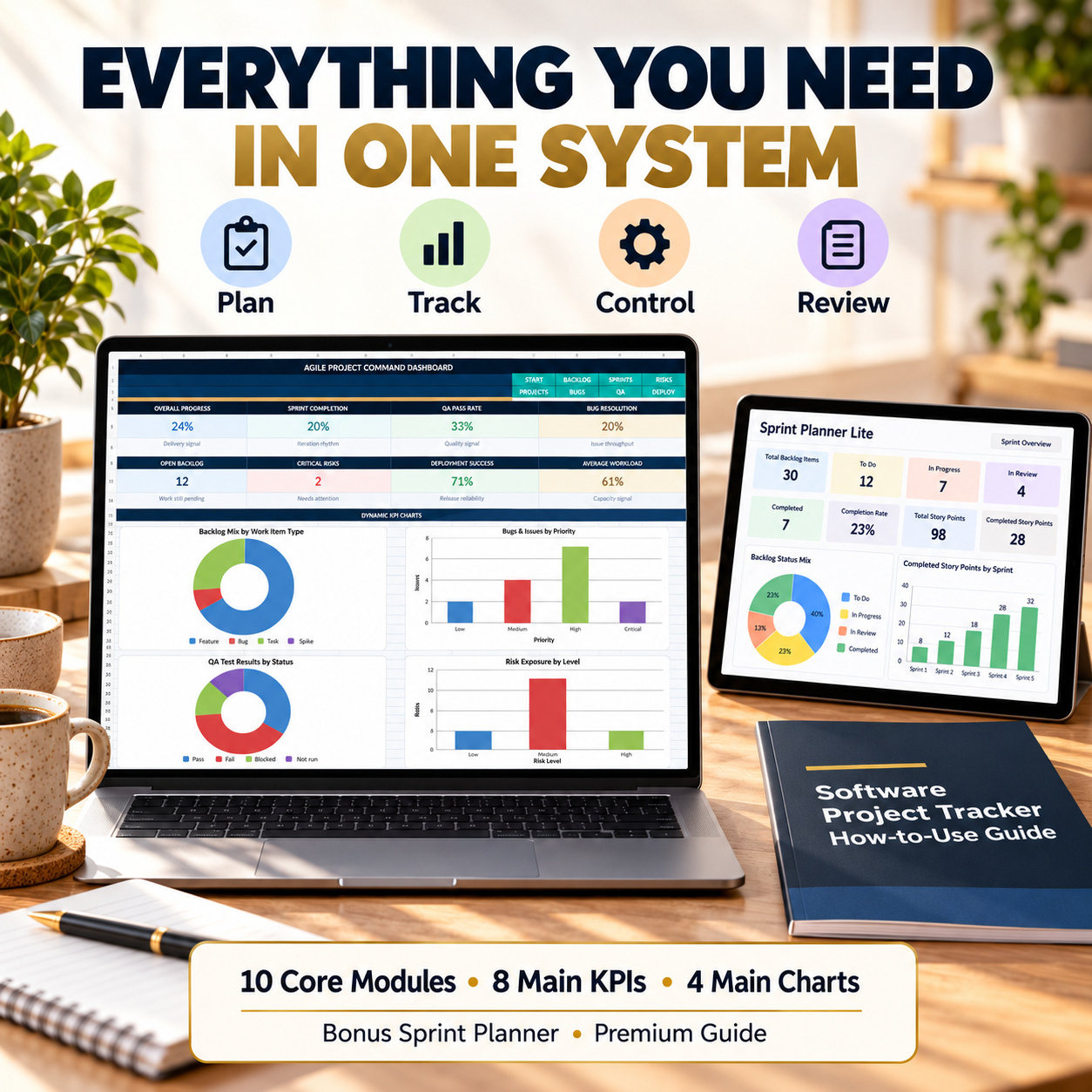
The Dashboard provides 8 live management KPIs:
โœ… Overall Progress
โœ… Sprint Completion
โœ… QA Pass Rate
โœ… Bug Resolution
๐Ÿ“Œ Open Backlog
โš ๏ธ Critical Risks
โ˜๏ธ Deployment Success
๐Ÿ‘ฅ Average Workload


Four dynamic Excel charts visualize:
๐Ÿ“Š Backlog Composition
๐Ÿž Bugs & Issues by Priority
๐Ÿงช QA Test Results by Status
โš ๏ธ Risk Exposure by Level


Dashboard values update automatically from the connected operational sheets.


๐Ÿ—‚๏ธ PROJECT OVERVIEW
Maintain a structured portfolio of projects and workstreams with:
โ€ข Project ID
โ€ข Project Name
โ€ข Project Manager
โ€ข Start & End Dates
โ€ข Planned Story Points
โ€ข Completed Story Points
โ€ข Progress %
โ€ข Status
โ€ข Duration
โ€ข Days Remaining
โ€ข Project Health


Automatic progress and health indicators make it easier to identify projects requiring attention.


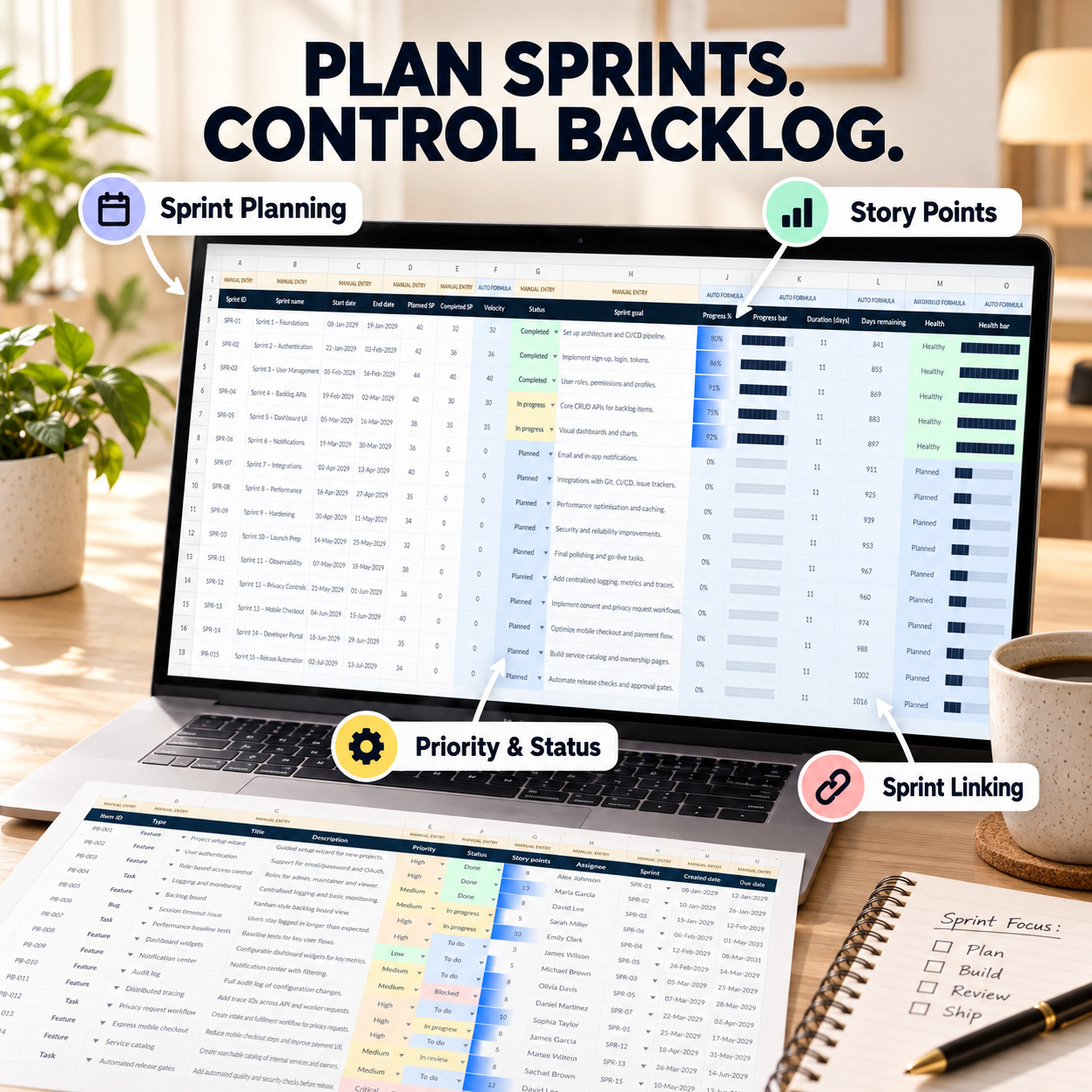
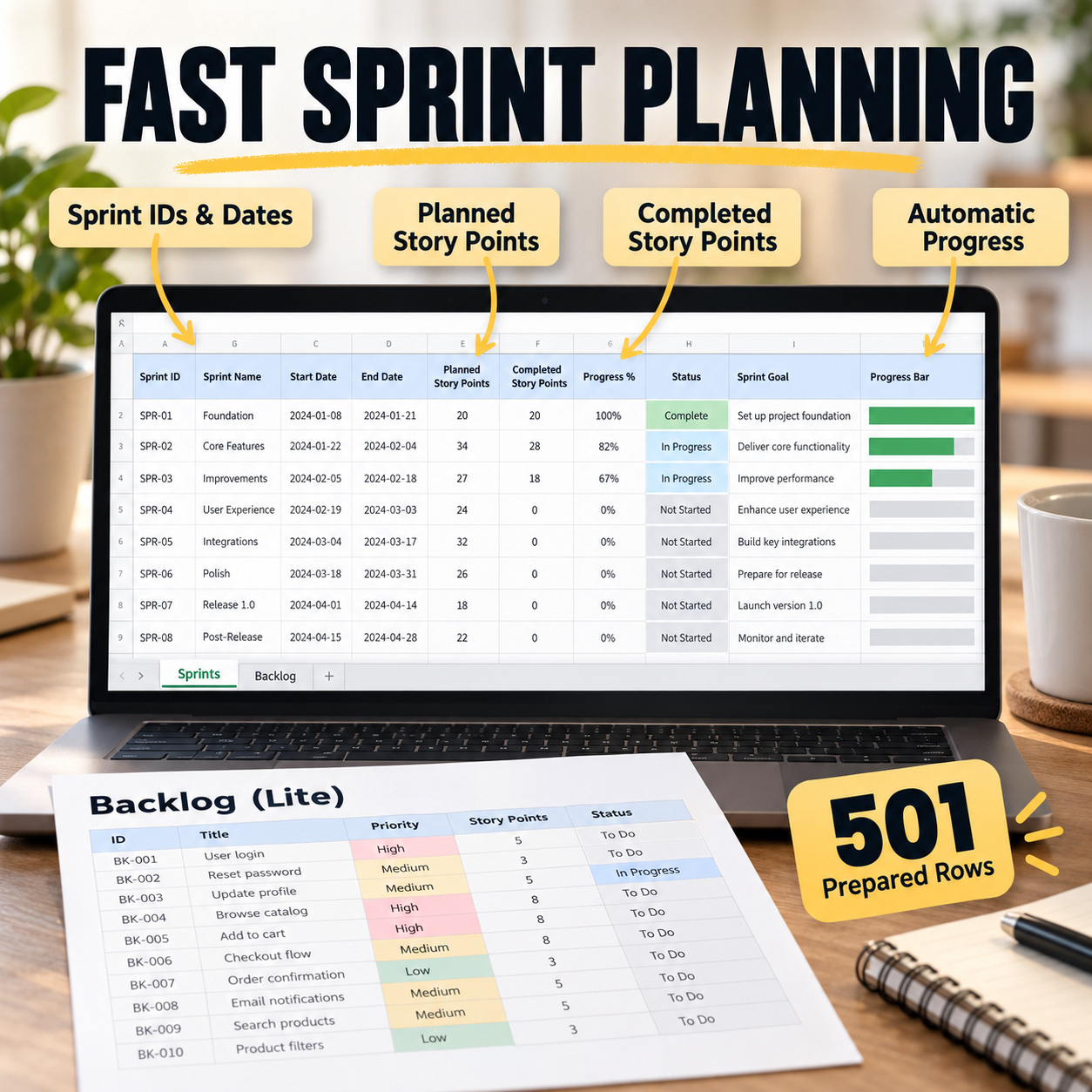
๐Ÿƒ SPRINT MANAGEMENT
Plan and monitor sprint delivery using:
โœ… Sprint IDs
โœ… Sprint Dates
โœ… Planned Story Points
โœ… Completed Story Points
โœ… Velocity
โœ… Sprint Status
โœ… Sprint Goals
โœ… Automatic Progress %
โœ… Days Remaining
โœ… Sprint Health


The included sample workflow demonstrates 15 structured sprints.


๐Ÿ“Œ AGILE BACKLOG
Track features, bugs, tasks and other work items with:
โ€ข Priority
โ€ข Workflow Status
โ€ข Story Points
โ€ข Assignee
โ€ข Sprint Assignment
โ€ข Created & Due Dates
โ€ข Automatic Age
โ€ข Automatic Progress %


Backlog information feeds the executive dashboard automatically.


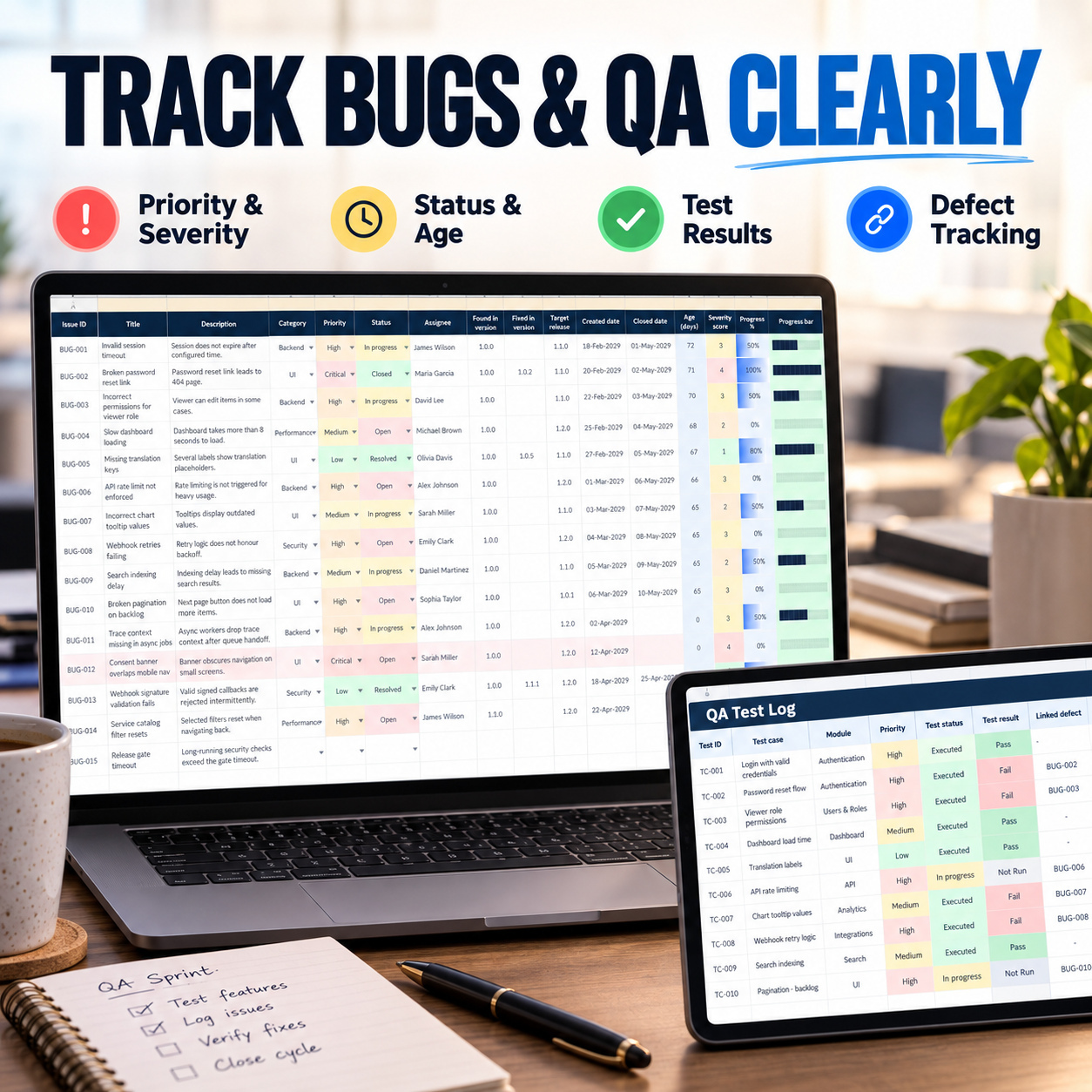
๐Ÿž BUG & ISSUE TRACKING
Maintain defects and technical issues with:
โœ… Category
โœ… Priority
โœ… Status
โœ… Assignee
โœ… Found / Fixed Version
โœ… Target Release
โœ… Created / Closed Dates
โœ… Automatic Age
โœ… Severity Score
โœ… Progress


This provides clearer visibility over unresolved defects and issue throughput.


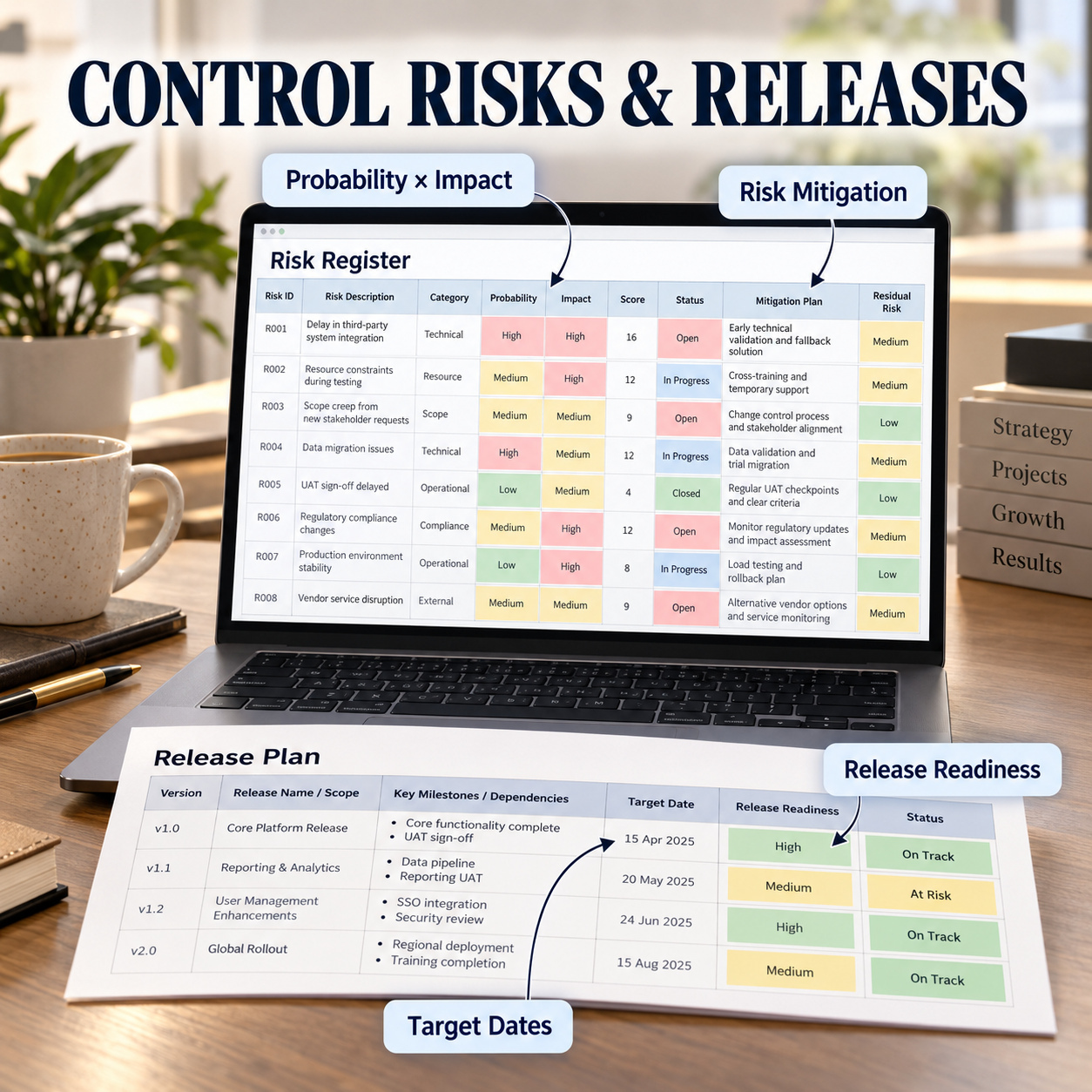
โš ๏ธ RISK REGISTER
Document project and delivery risks using:
โ€ข Risk Category
โ€ข Probability
โ€ข Impact
โ€ข Automatic Risk Score
โ€ข Status
โ€ข Mitigation Plan
โ€ข Owner
โ€ข Automatic Risk Level


Risk information feeds directly into the Dashboard's risk-exposure reporting.


๐Ÿงช QA TEST MANAGEMENT
Track software testing through:
โœ… Test Cases
โœ… Expected Results
โœ… Actual Results
โœ… Pass / Fail / Blocked / Not Run
โœ… Assignee
โœ… Run Date
โœ… Related Backlog or Bug Item
โœ… Defect Logged Status


The Dashboard automatically summarizes QA test status and pass-rate performance.


๐Ÿš€ RELEASE PLANNING
Manage software versions and release readiness with:
โ€ข Release ID
โ€ข Version
โ€ข Target Date
โ€ข Release Status
โ€ข Progress %
โ€ข Scope
โ€ข Dependencies
โ€ข Days to Target
โ€ข Automatic Release Health


This provides a dedicated planning layer between development activity and deployment.


โ˜๏ธ DEPLOYMENT TRACKING
Track deployments across environments such as:
๐Ÿ”ง Development
๐Ÿงช Staging
๐Ÿš€ Production
Maintain:
โœ… Version
โœ… Deployment Date
โœ… Status
โœ… Owner
โœ… Production Flag
โœ… Automatic Risk Level


Deployment outcomes feed the Dashboard's Deployment Success KPI.


๐Ÿ‘ฅ RESOURCE & WORKLOAD MANAGEMENT
Maintain team capacity and workload using:
โ€ข Role
โ€ข Sprint Capacity
โ€ข Assigned Story Points
โ€ข Automatic Workload %
โ€ข Skills / Tools
โ€ข Availability Status


This helps identify busy, balanced and available resources before workload problems affect delivery.


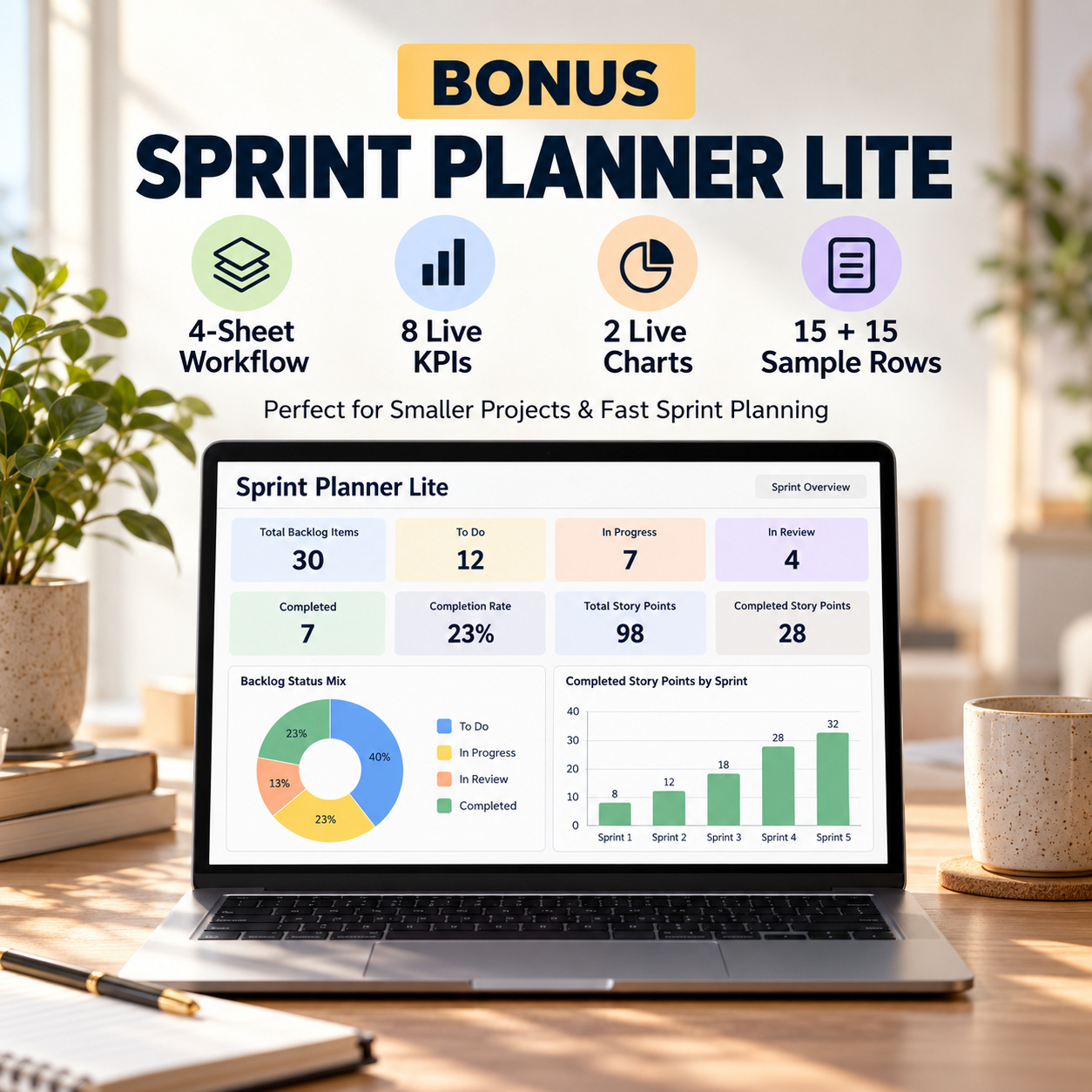
๐ŸŽ BONUS: SPRINT PLANNER LITE
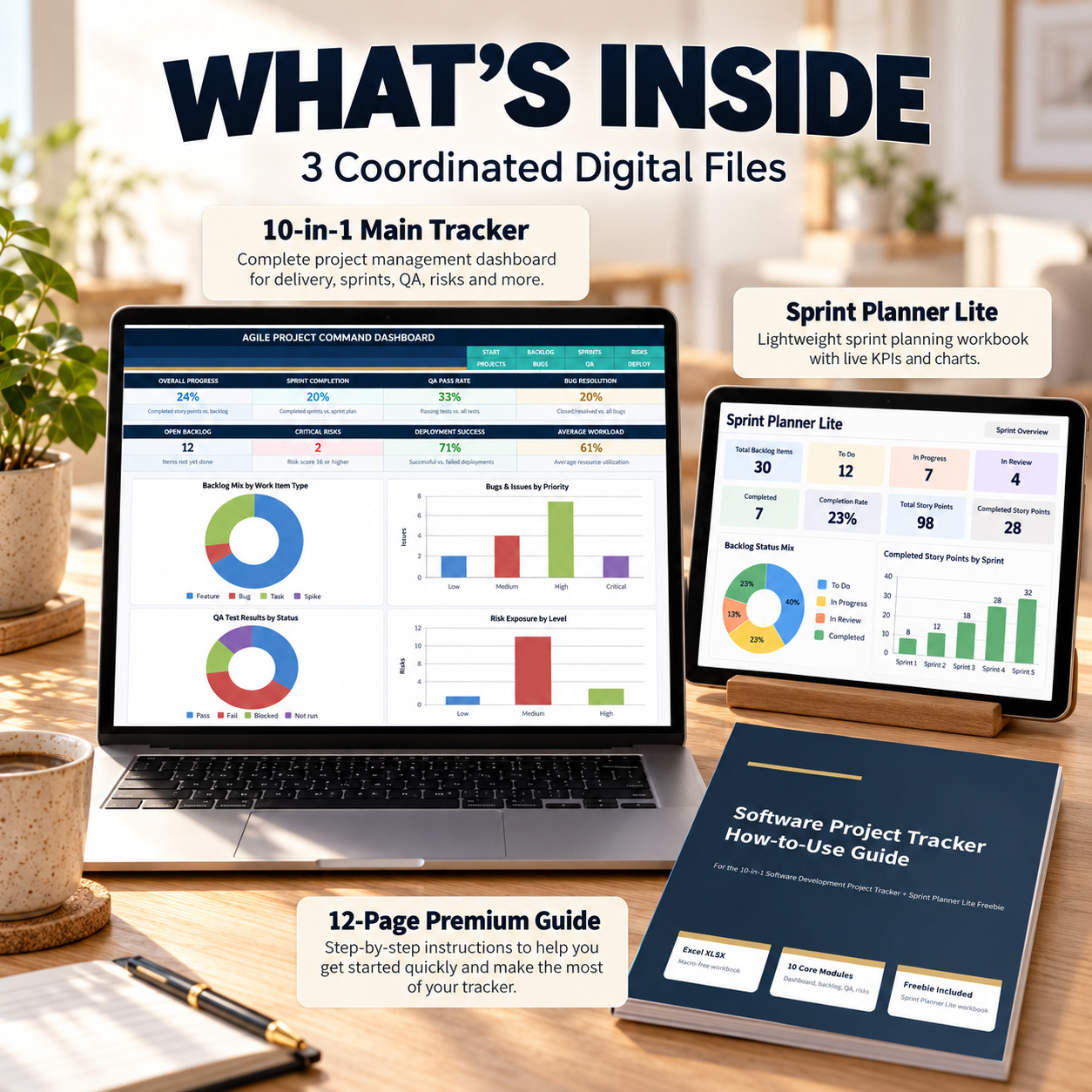
A separate lightweight workbook is included for teams that need a simpler Sprint + Backlog planning workflow.
The bonus contains 4 sheets:
๐Ÿ  Start
๐Ÿƒ Sprints
๐Ÿ“Œ Backlog
๐Ÿ“Š Dashboard
Included:
โœ… 15 Sample Sprints
โœ… 15 Sample Backlog Items
โœ… Prepared entry capacity through row 501
โœ… Automatic Sprint Progress
โœ… Automatic Backlog Progress
โœ… 8 Live KPIs
โœ… 2 Dynamic Excel Charts


The bonus dashboard tracks:
๐Ÿ“Œ Total Backlog Story Points
โœ… Completed Story Points
๐Ÿ“ˆ Backlog Progress
๐Ÿ“‹ Open Items
๐Ÿš€ Active Items
โœ… Completed Items
๐Ÿƒ Average Sprint Progress
๐Ÿ“Š Planned Sprint Story Points


Two charts visualize:
๐Ÿ“Š Backlog Status Mix
๐Ÿ“ˆ Completed Story Points by Sprint


The Lite workbook is ideal for smaller projects, faster sprint planning or teams that do not need the full risk, QA, release and resource-management workflow.
๐Ÿ“˜
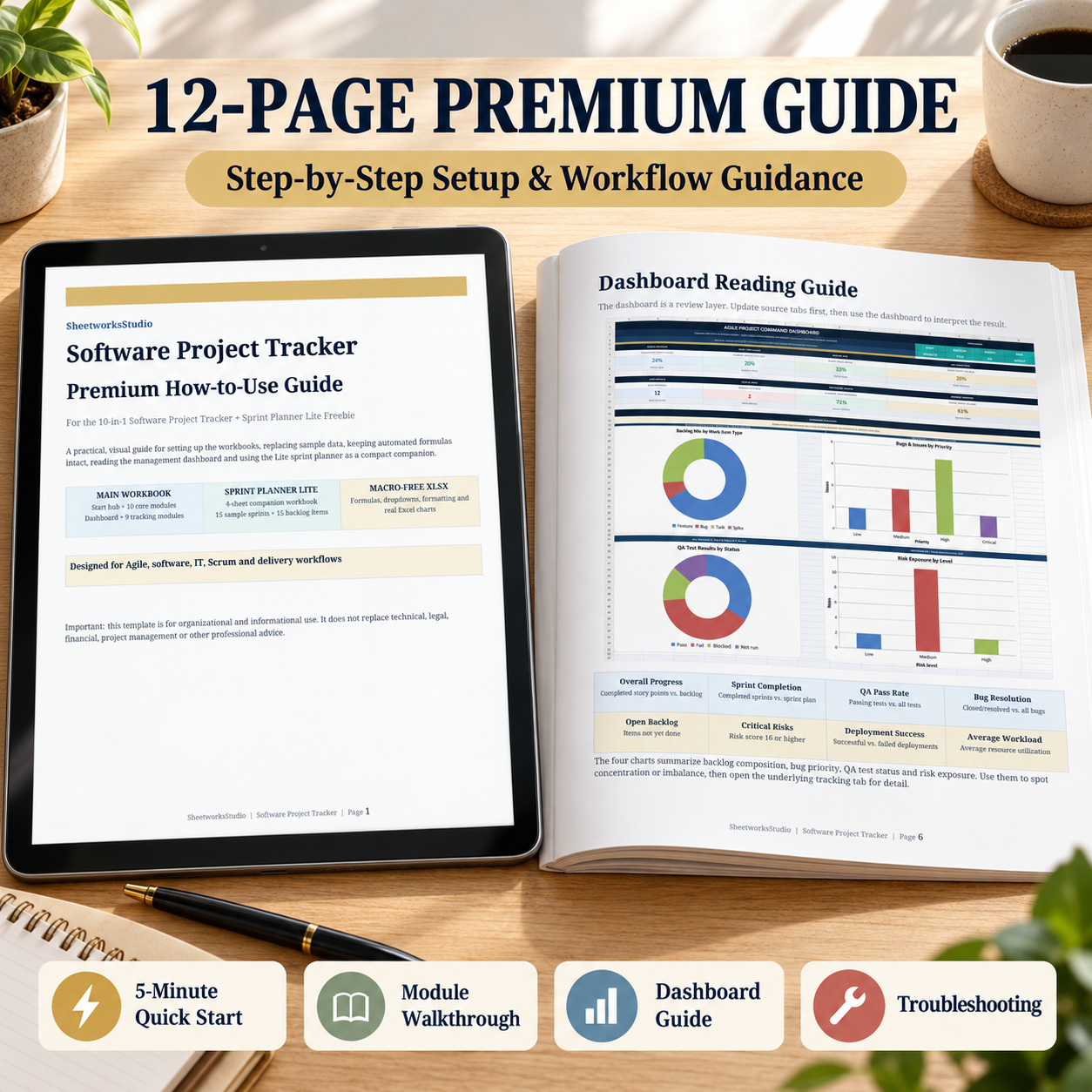
ย 12-PAGE PREMIUM HOW-TO GUIDE
The included guide explains:
๐Ÿš€ 5-Minute Setup
๐Ÿงฉ Main Workbook Structure
๐Ÿ“Š Dashboard Interpretation
๐Ÿƒ Sprint & Backlog Workflow
๐Ÿž Bugs & Issues
โš ๏ธ Risk Management
๐Ÿงช QA Tracking
๐Ÿš€ Releases & Deployments
๐Ÿ‘ฅ Resource Planning
๐ŸŽ Sprint Planner Lite
โœ๏ธ Manual vs Auto Formula Rules
โ˜๏ธ Google Sheets Import
๐Ÿ› ๏ธ Troubleshooting
๐Ÿ“„ License & Handover Guidance


IDEAL FOR
๐Ÿ’ป Software Development Teams
๐Ÿš€ Agile & Scrum Teams
๐Ÿ“ฆ Product Managers
๐Ÿ“Š Project Managers
๐Ÿงช QA & Testing Teams
โš™๏ธ DevOps & Delivery Teams
๐Ÿข IT Departments
๐Ÿ’ผ Technology Consultants
๐ŸŒฑ Startups & Scale-ups
๐Ÿ‘ฅ Cross-Functional Product Teams


๐Ÿ’Ž ONE CONNECTED SOFTWARE DELIVERY WORKFLOW
The overall workflow is:
Project โ†’ Sprint โ†’ Backlog โ†’ Bugs & QA โ†’ Risks โ†’ Release โ†’ Deployment โ†’ Resources โ†’ Dashboard


This provides a practical operating framework for teams that want stronger software-project visibility without implementing another complex project-management platform.


โœจ PROFESSIONAL & EDITABLE
โœ… Automated formulas
โœ… Progress indicators
โœ… Dropdown menus
โœ… Clear MANUAL ENTRY / AUTO FORMULA labels
โœ… Internal workbook navigation
โœ… Realistic sample data
โœ… Dynamic Excel charts
โœ… No macros
โœ… No VBA
โœ… No external data connections


Microsoft Excel is recommended for the complete original experience.
The XLSX files can also be imported into Google Sheets. Core data and formulas are designed to remain usable, but fonts, colors, chart sizing, spacing and other visual elements may vary after conversion.


โš–๏ธ PROJECT MANAGEMENT & TECHNICAL DISCLAIMER
This product is an editable organizational, project-management and reporting template intended for general business use.
It does not constitute legal, financial, technical, cybersecurity, software-engineering, project-management or other professional advice.


Progress percentages, risk levels, QA indicators, deployment metrics, workloads and other calculated outputs depend on the information entered by the user.


Users remain responsible for validating project information, adapting the workbook to their delivery methodology and obtaining qualified professional advice where appropriate.

This Best Practice includes
1 ร— 10-in-1 Software Project Tracker (.xlsx). 1 ร— Sprint Planner Lite (.xlsx), 1 ร— How-to-Use Guide (.pdf)

Acquire business license for $39.90

Add to cart

Add to bookmarks

Discuss

Further information

โ€ข Centralize software project information
โ€ข Improve sprint and backlog visibility
โ€ข Track bugs and QA status consistently
โ€ข Identify and prioritize project risks
โ€ข Coordinate releases and deployments
โ€ข Monitor resource utilization
โ€ข Provide management-ready project reporting

Best suited to teams that:
โ€ข use Agile or sprint-based delivery
โ€ข currently manage software work across several spreadsheets
โ€ข need combined backlog, QA and risk visibility
โ€ข want structured release and deployment tracking
โ€ข manage multiple technical resources
โ€ข require executive KPI reporting
โ€ข prefer an editable Excel workflow

This toolkit is not designed to:
โ€ข replace Jira, Azure DevOps or enterprise ALM platforms
โ€ข connect automatically to Git repositories
โ€ข import live CI/CD data
โ€ข provide source-code management
โ€ข perform automated software testing
โ€ข deploy software automatically
โ€ข provide live infrastructure monitoring
โ€ข replace formal technical or project-management expertise


0.0 / 5 (0 votes)

please wait...