
Skills Matrix, Workforce Capacity & Performance Planning System | Excel

Workforce planning system with skills matrix, performance tracking, demand forecasting, capacity planning, hiring gaps and HR dashboard.

Description
πŸ‘₯ SKILLS, PERFORMANCE & WORKFORCE CAPACITY PLANNING SYSTEM


Bring skills, performance, project demand, workforce capacity and hiring needs into one structured Excel planning environment.


Designed for HR, People Operations, department leaders, PMO teams, consultants and growing businesses, the system helps teams move from isolated employee and project data to a connected workforce-planning workflow.


IDEAL FOR
πŸ‘©β€πŸ’Ό HR & People Operations
πŸ‘₯ Workforce Planning Teams
πŸ§‘β€πŸ’Ό Department Heads
πŸ“Š PMO & Operations Teams
🧩 Resource Managers
πŸŽ“ Learning & Development Teams
πŸ’Ό HR & Management Consultants
πŸ“£ Agencies
πŸš€ Startups & Scale-ups
🏒 Small and Mid-Sized Businesses


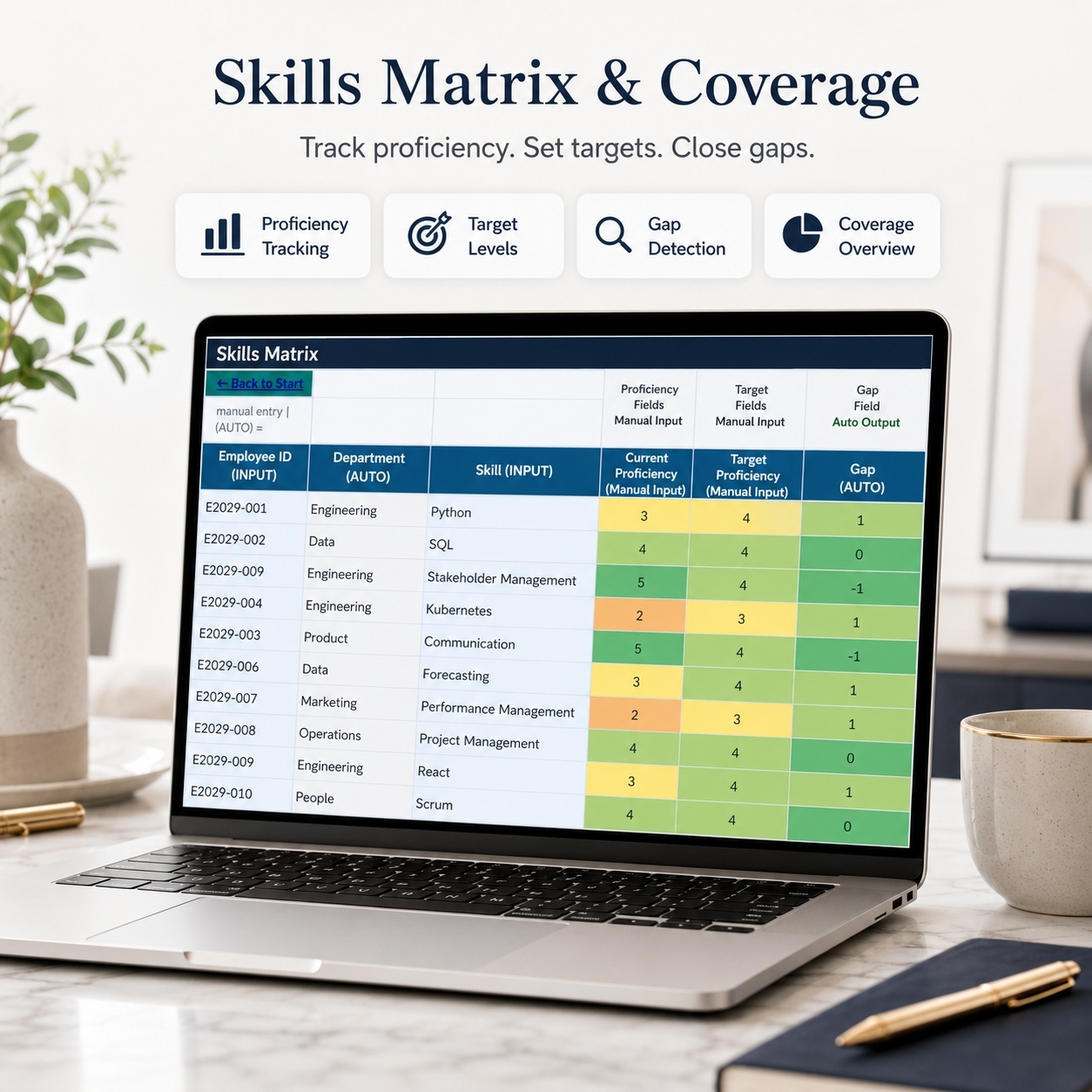
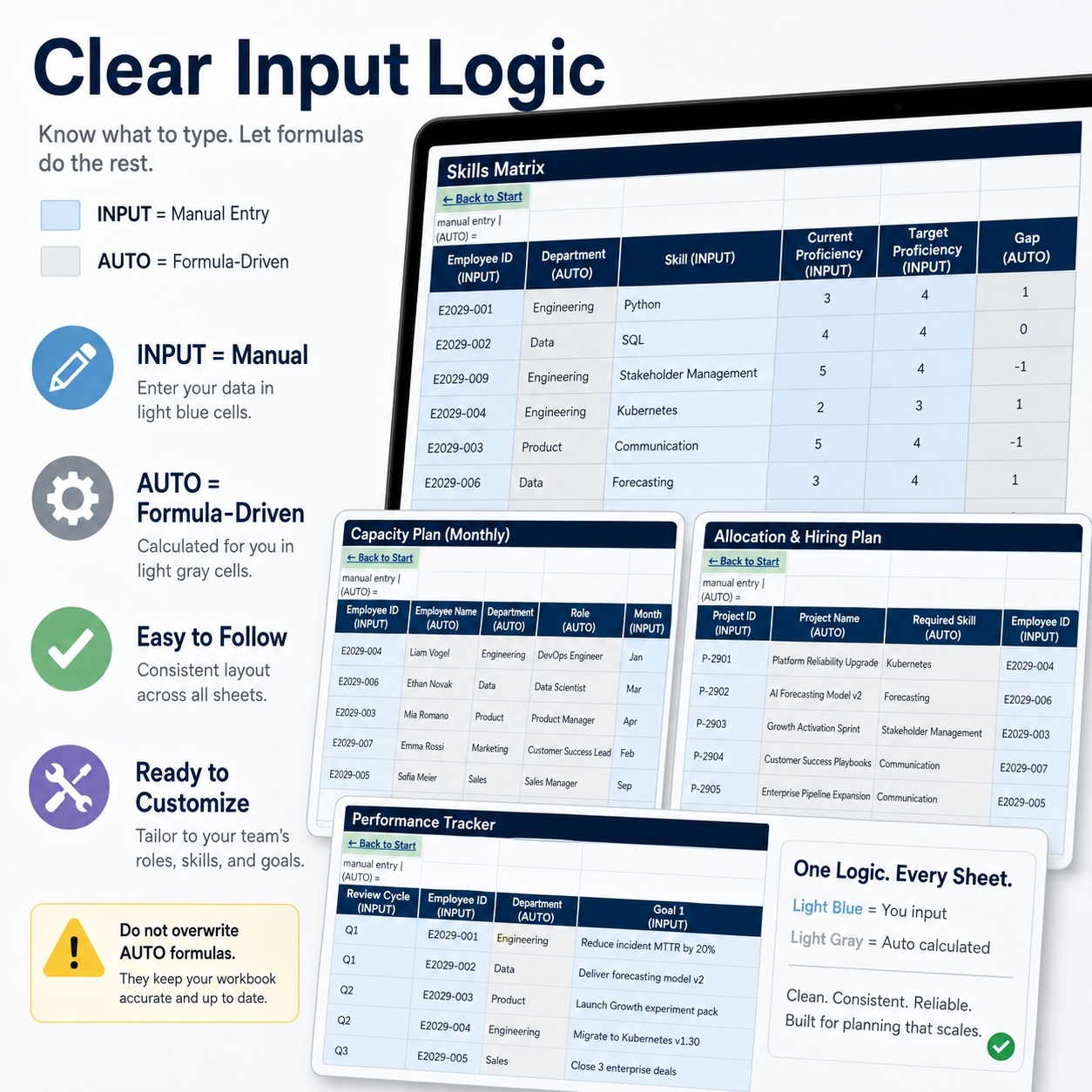
🧠 SKILLS MATRIX & GAP ANALYSIS
Track employee capabilities using:
β€’ Current Proficiency
β€’ Target Proficiency
β€’ Automatic Skill Gap
β€’ Certification Status
β€’ Assessment Dates
β€’ Skill-specific notes


Skill gaps are calculated automatically, helping teams identify development priorities and areas requiring additional capability.


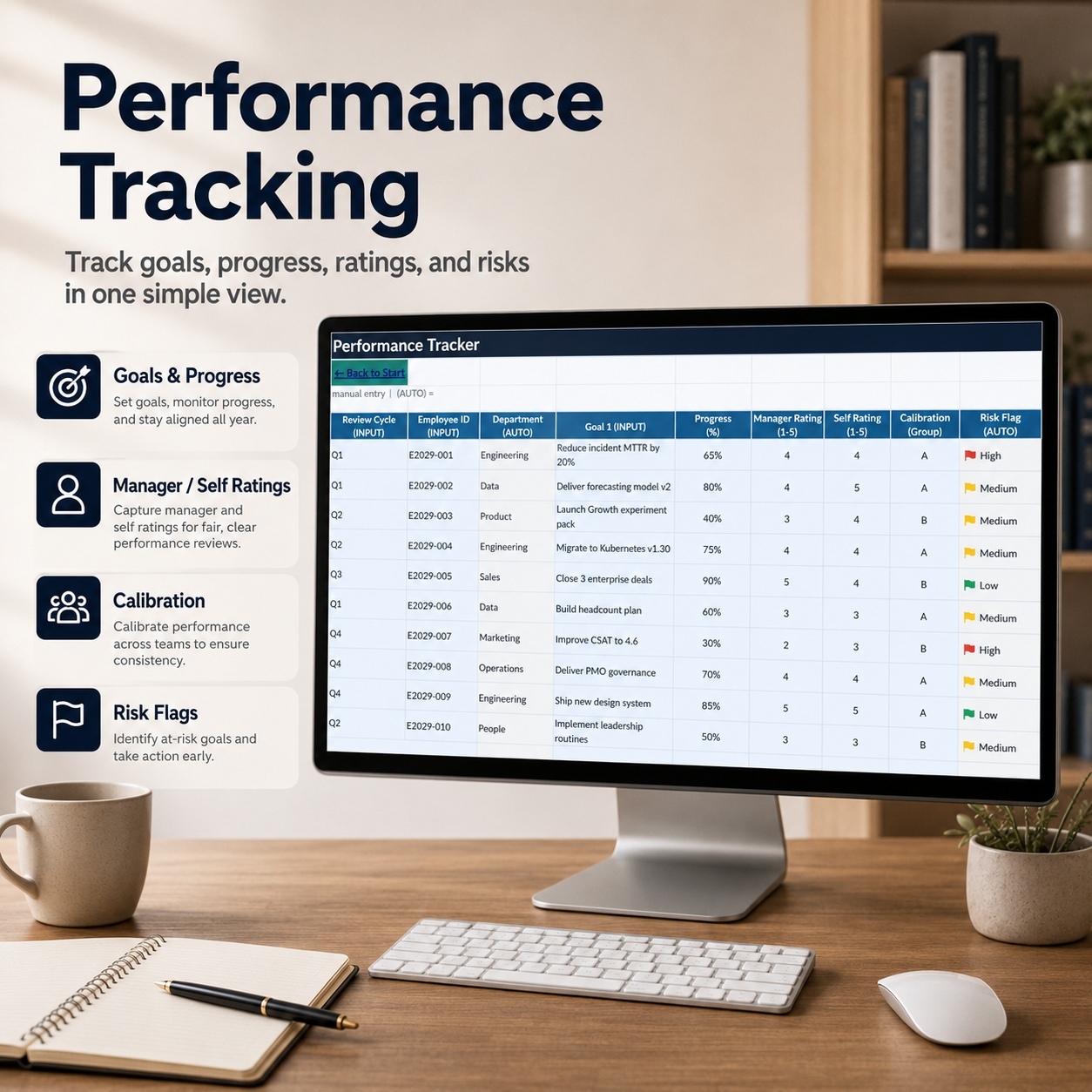
⭐ PERFORMANCE TRACKING
The Performance Tracker supports structured review cycles with:
βœ… Goals
βœ… Goal Progress
βœ… Manager Rating
βœ… Self Rating
βœ… Calibration Rating
βœ… Performance Category
βœ… Automatic Risk Flag


This provides an additional performance layer alongside skills and workforce-capacity planning.


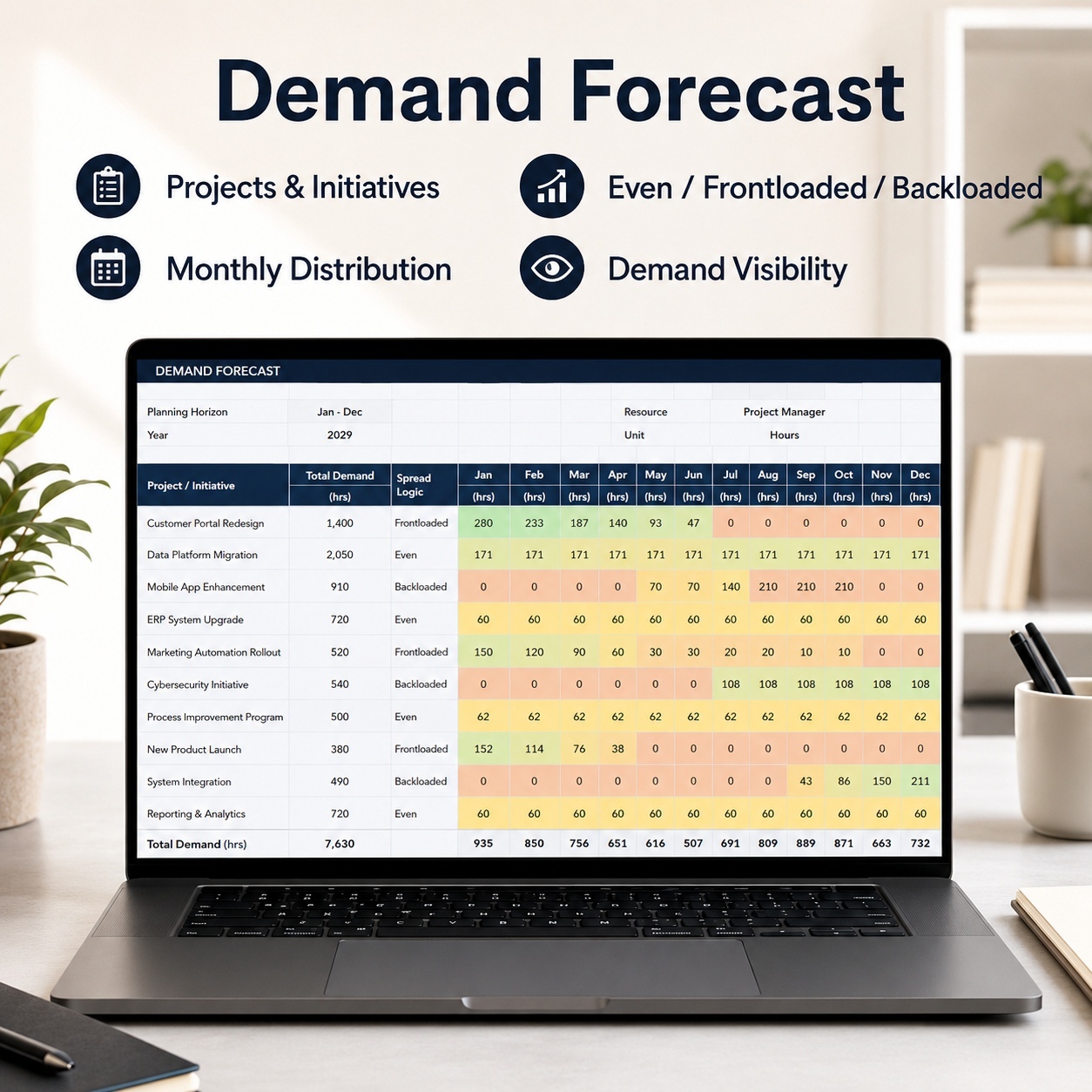
πŸ“Œ PROJECT DEMAND FORECASTING
Plan projects and initiatives by:
β€’ Department
β€’ Priority
β€’ Project Status
β€’ Start and End Month
β€’ Required Role
β€’ Required Skill
β€’ Total Demand Hours


Demand can be distributed using Even, Frontloaded or Backloaded planning logic.
Monthly demand is calculated automatically across the planning year.


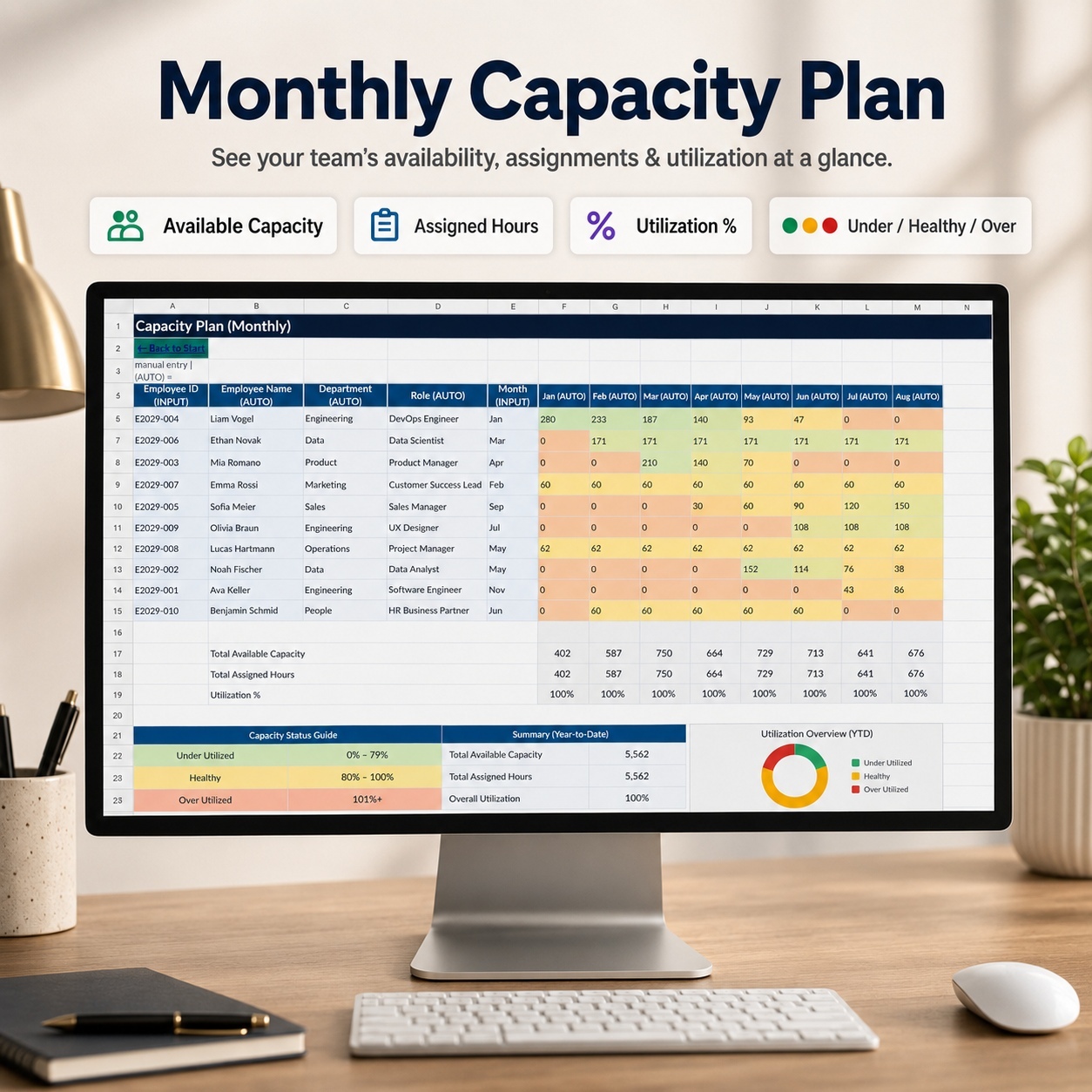
πŸ“† MONTHLY CAPACITY PLANNING
Compare available employee capacity with assigned project hours.
The Capacity Plan calculates:
βœ… Base Monthly Capacity
βœ… Available Project Capacity
βœ… Assigned Hours
βœ… Utilization %
βœ… Utilization Status


This helps teams identify healthy utilization, potential overload and capacity constraints before they become operational problems.


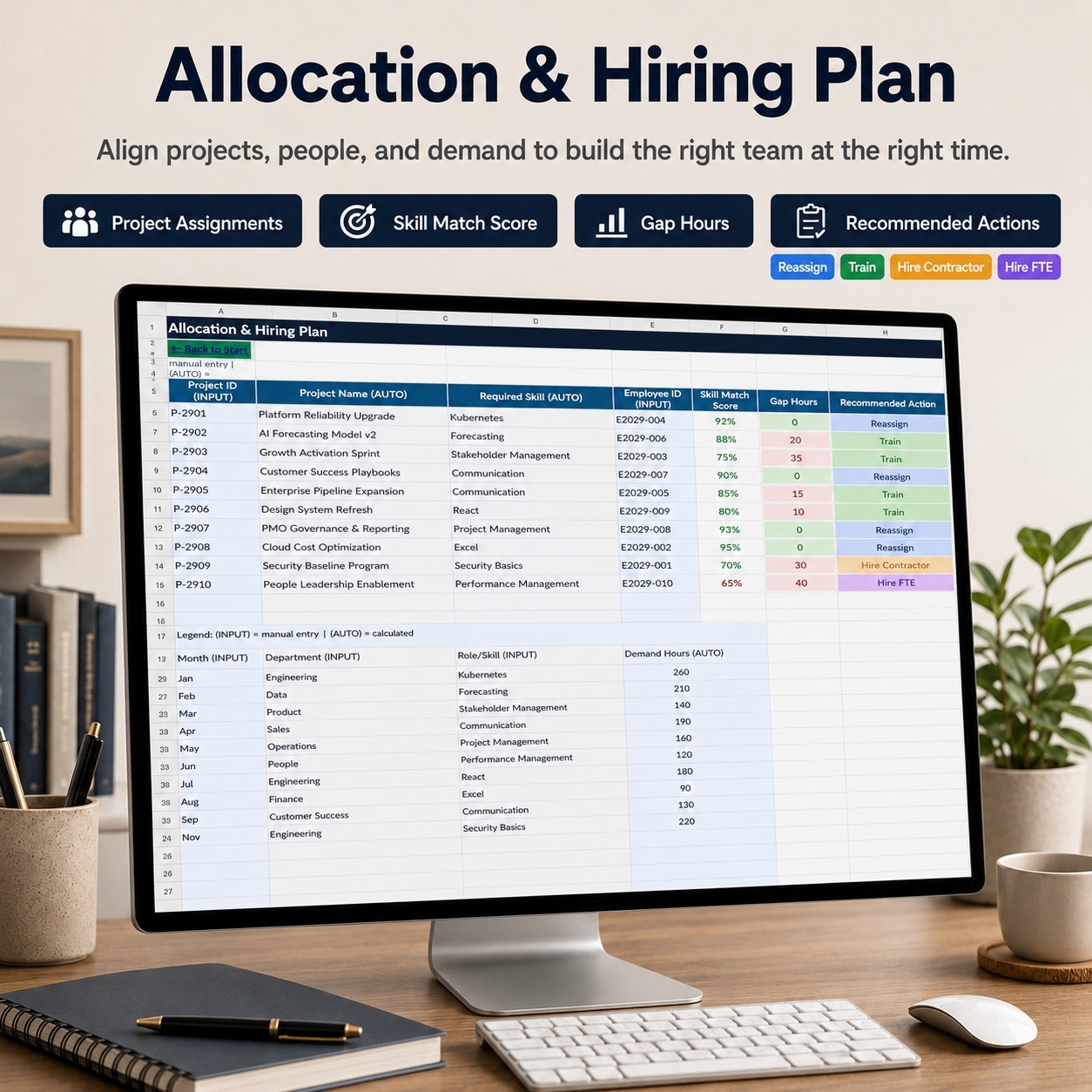
🧩 ALLOCATION & HIRING PLANNING
Connect projects with employees and review:
β€’ required skills
β€’ employee proficiency
β€’ skill match
β€’ available capacity
β€’ planned hours
β€’ allocation status


A dedicated hiring-gap section helps teams document demand gaps and possible responses such as:
πŸŽ“ Train
πŸ” Reassign
πŸ’Ό Hire Contractor
πŸ‘€ Hire FTE
πŸ“‰ Reduce Scope
πŸ“… Adjust Timeline


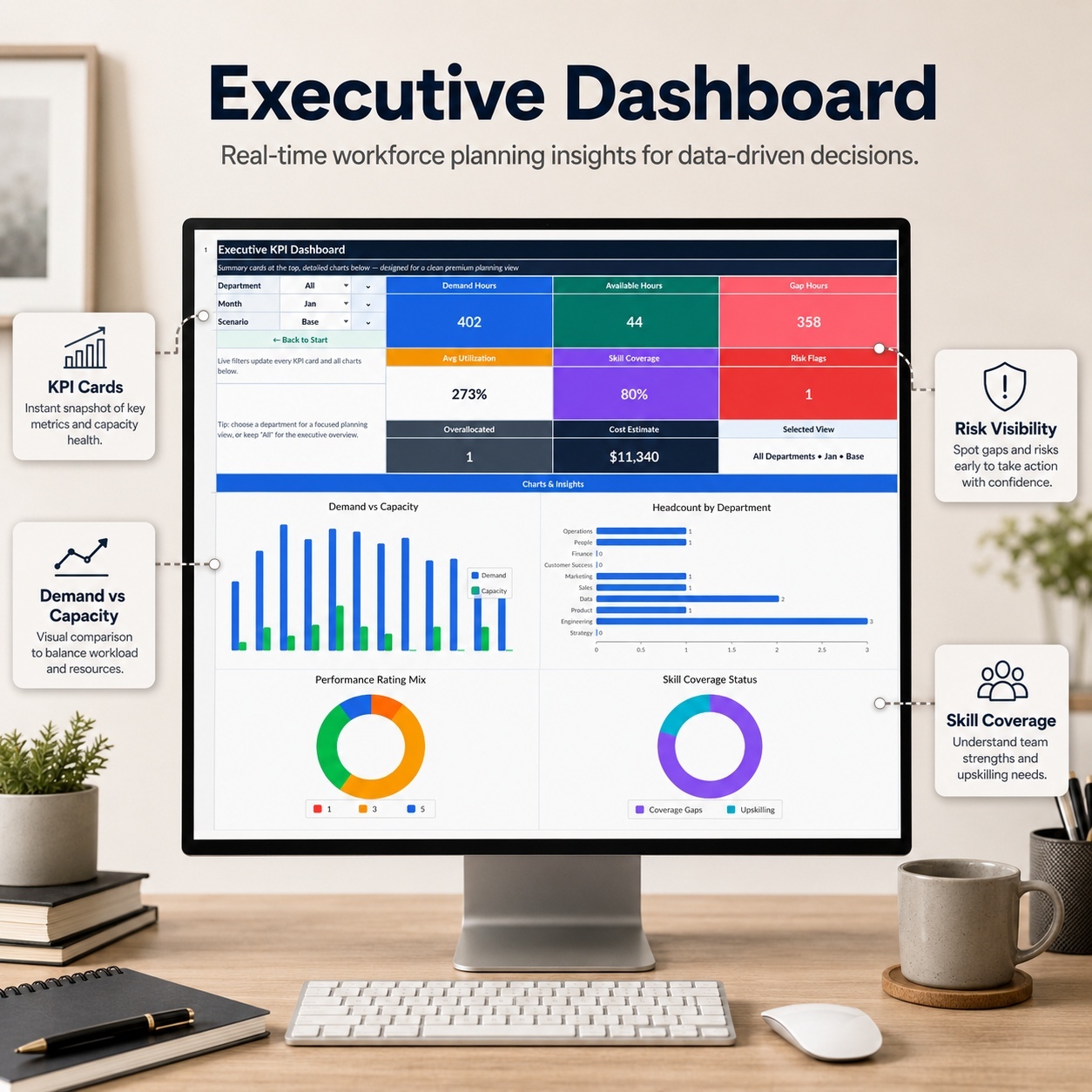
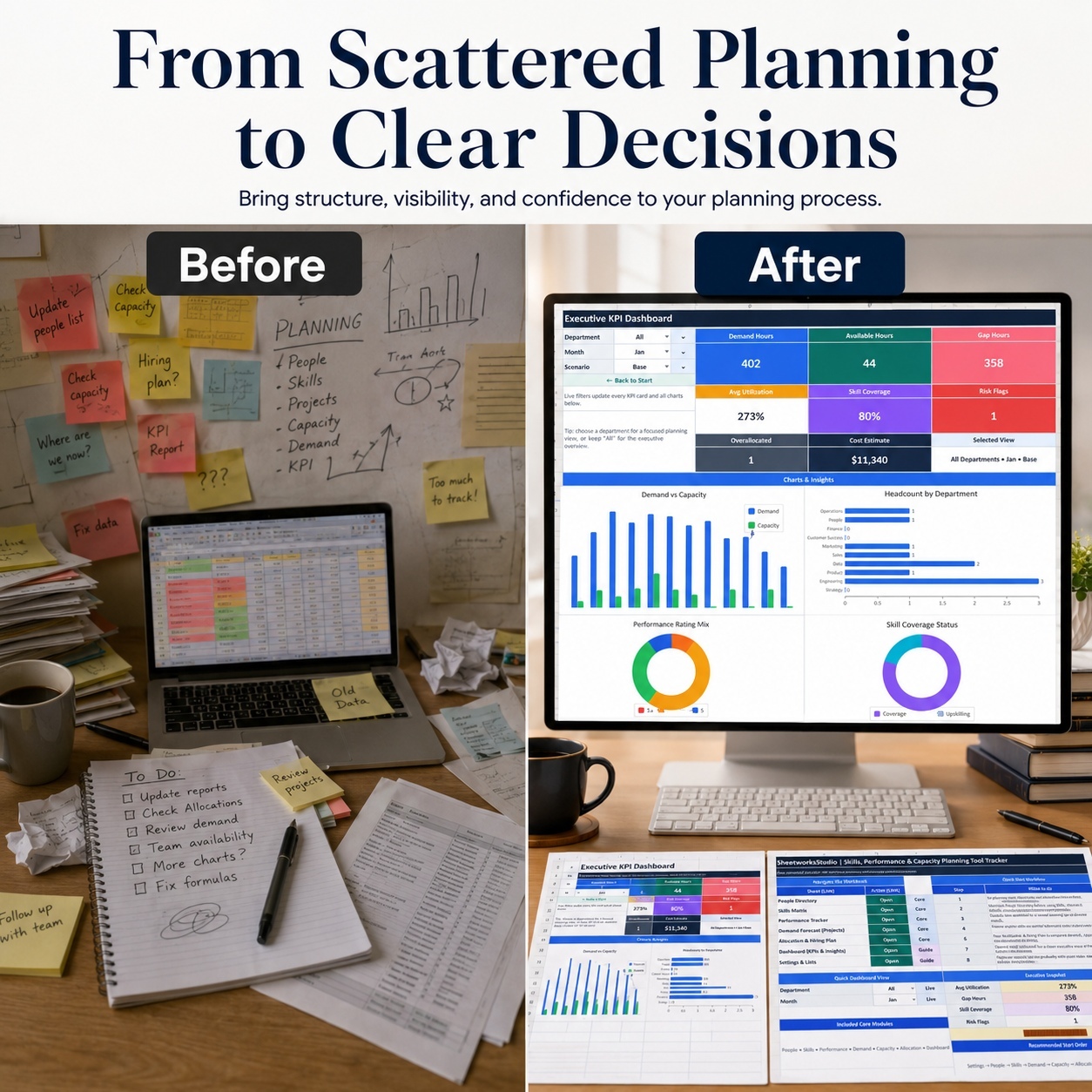
πŸ“Š EXECUTIVE WORKFORCE DASHBOARD
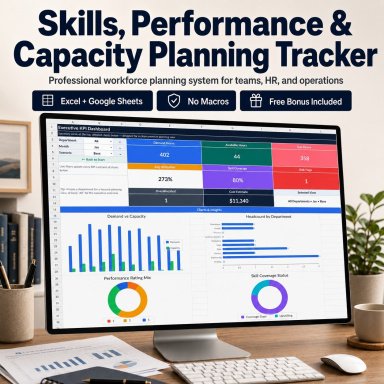
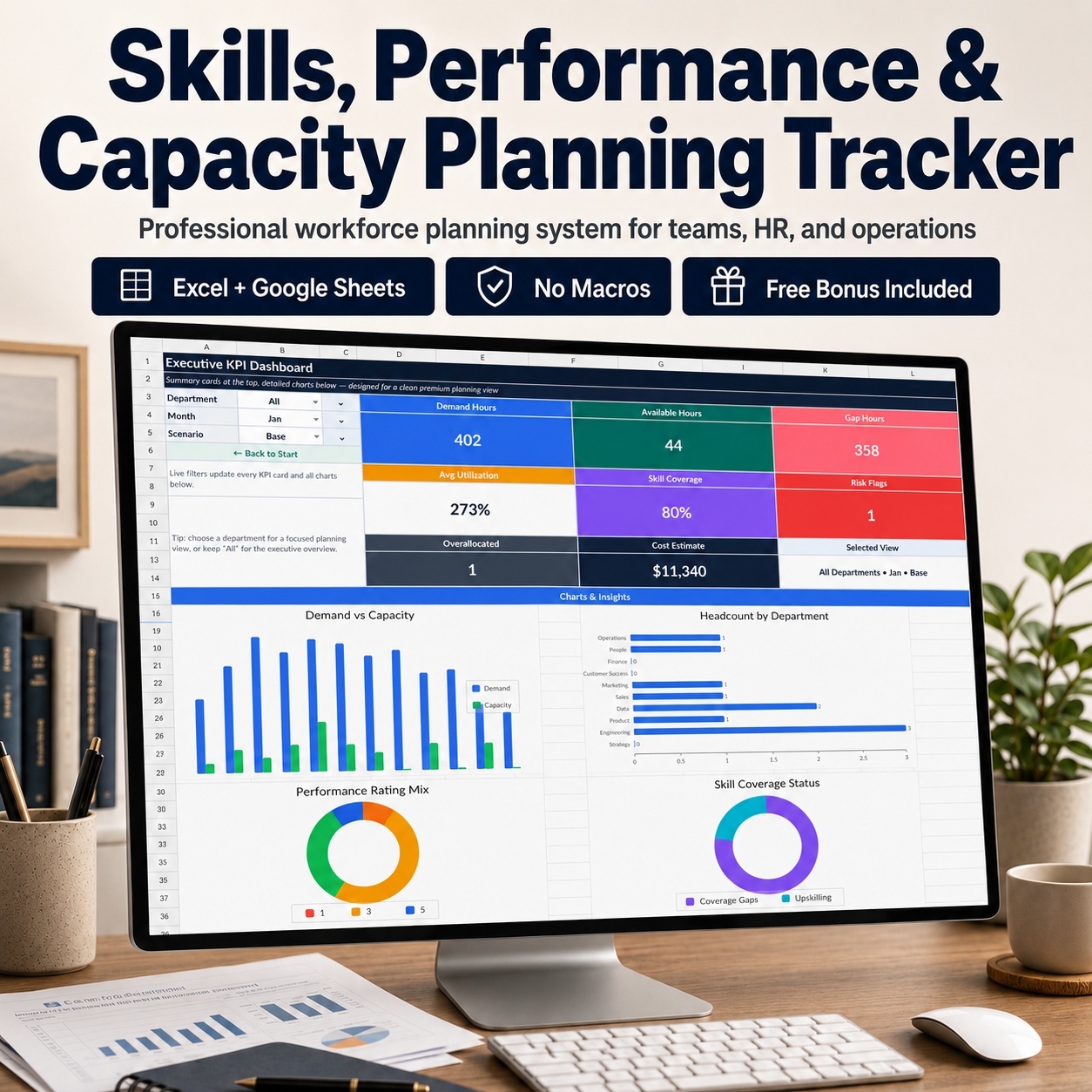
The Dashboard combines management KPIs with 4 dynamic charts.


Key indicators include:
πŸ“Œ Demand Hours
πŸ“Œ Available Hours
πŸ“Œ Gap Hours
πŸ“Œ Average Utilization
πŸ“Œ Skill Coverage
πŸ“Œ Risk Flags
πŸ“Œ Overallocated Resources
πŸ“Œ Cost Estimate


The four charts provide visibility into:
πŸ“Š Demand vs Capacity
πŸ‘₯ Headcount by Department
⭐ Performance Rating Mix
🧠 Skill Coverage Status


Filters allow reviews by Department, Month and Scenario.


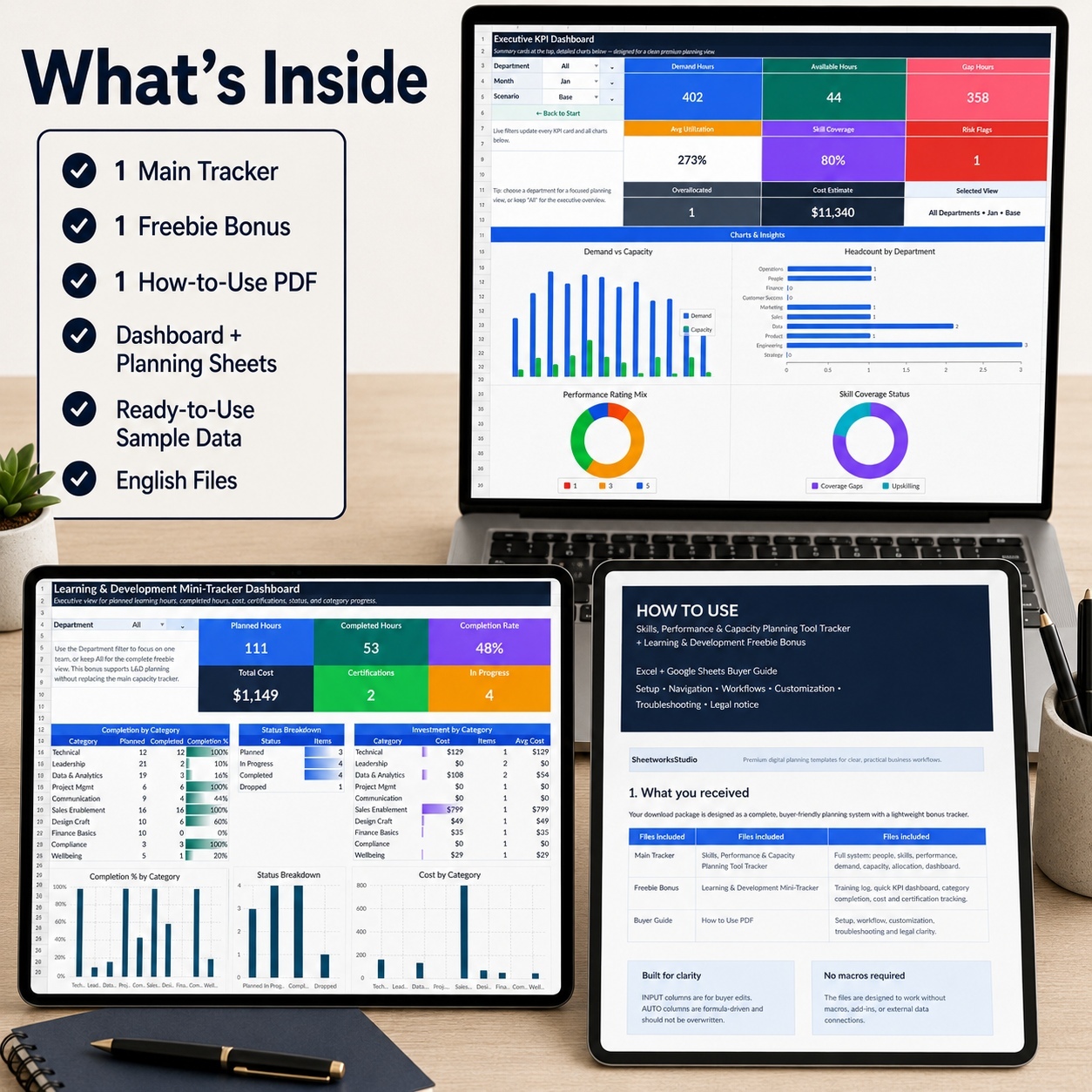
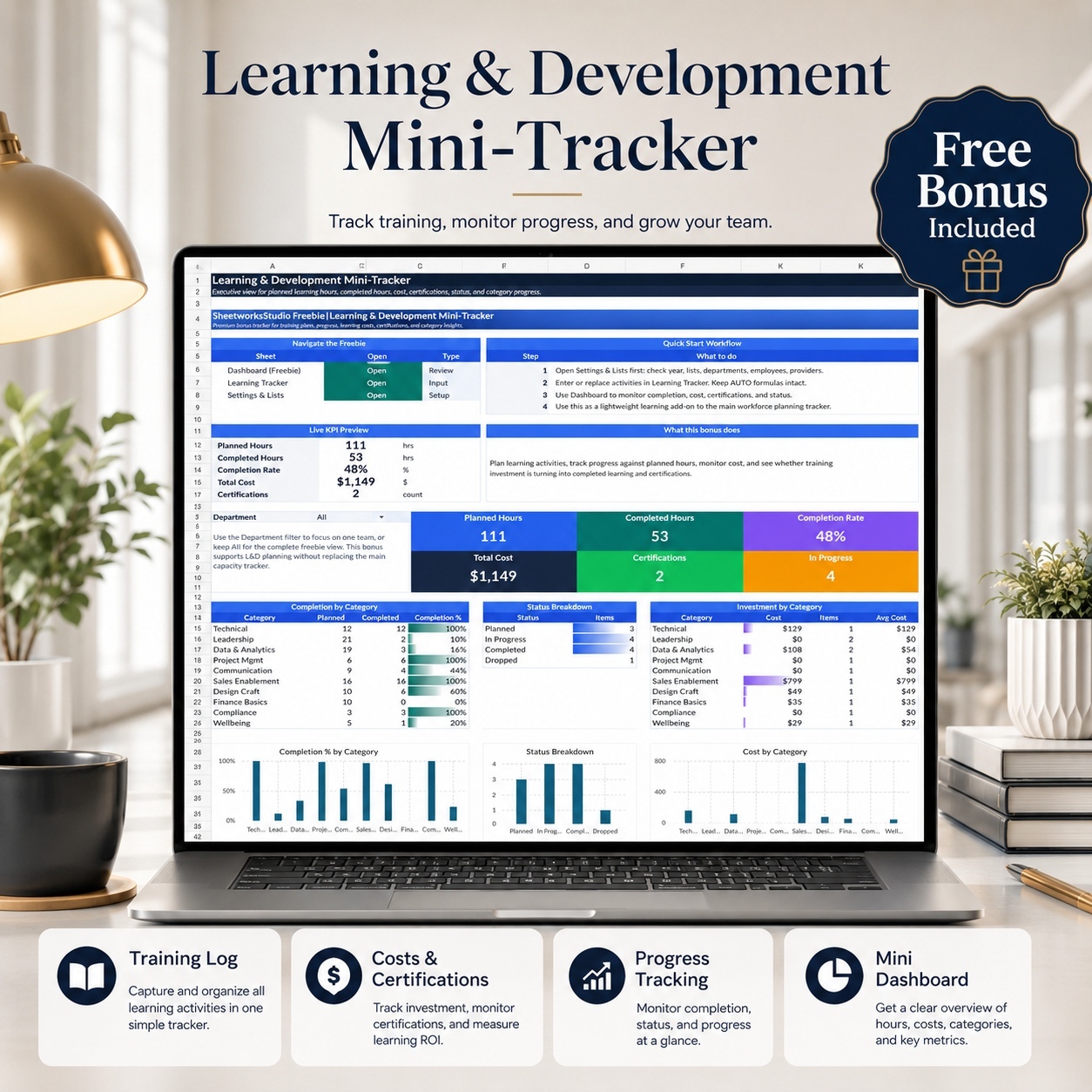
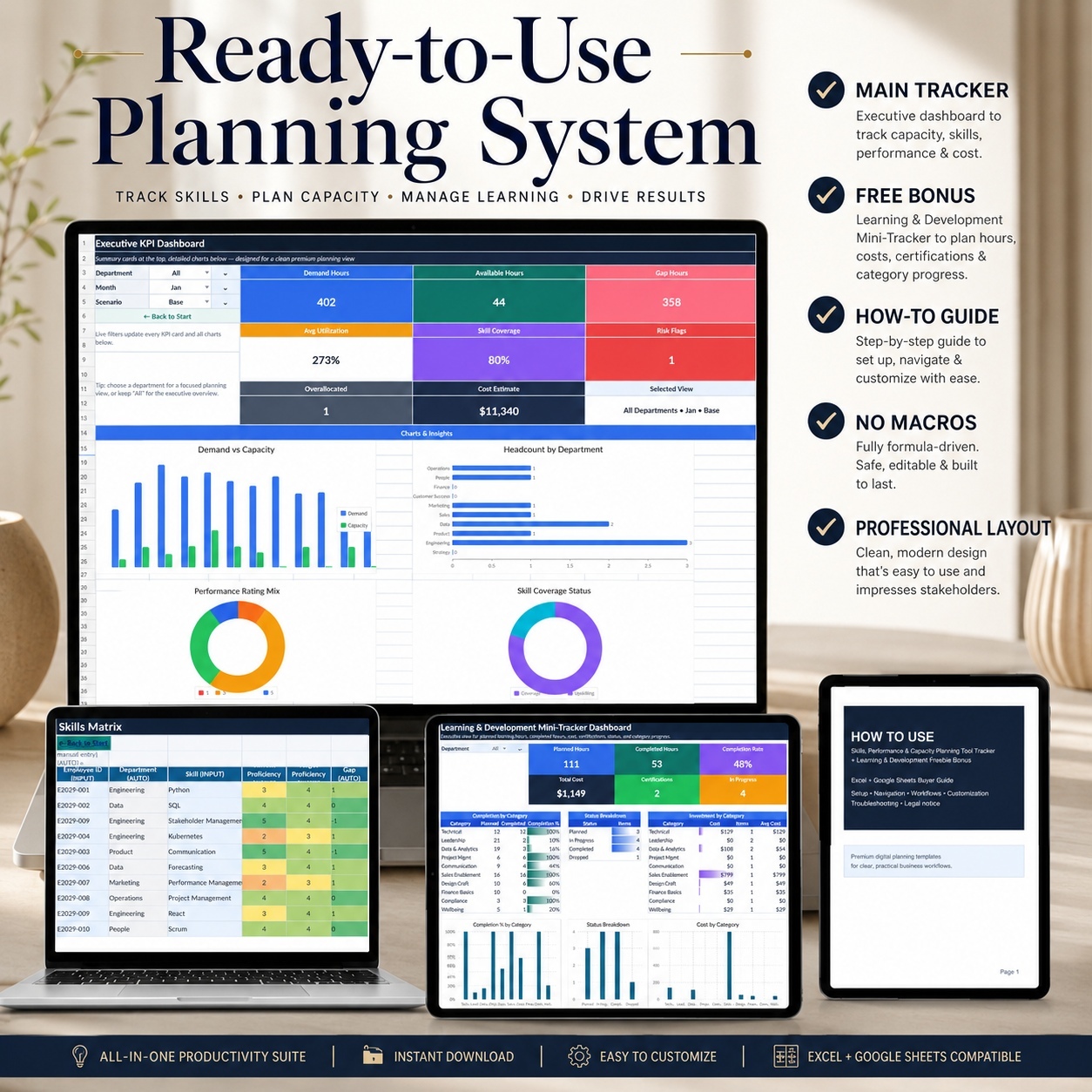
🎁 LEARNING & DEVELOPMENT MINI-TRACKER
The separate bonus workbook converts development needs into structured learning actions.


It includes 4 worksheets:
🌿 Start & Navigation
πŸ“Š Dashboard
πŸ“š Learning Tracker
βš™οΈ Settings & Lists


Track:
β€’ employees and departments
β€’ learning categories
β€’ courses and activities
β€’ providers
β€’ planned and completed hours
β€’ progress
β€’ costs
β€’ certifications
β€’ development actions


The Learning Tracker includes 15 realistic sample activities and 200 prepared input rows.


Its dashboard contains 6 KPI cards and 3 charts covering learning hours, completion, cost, certifications and development activity.


πŸ“˜ 10-PAGE HOW-TO GUIDE
The included guide explains:
πŸš€ Quick Start
🧭 All Main Tracker modules
πŸ“Š Dashboard interpretation
🧠 Skills and performance workflow
πŸ“Œ Demand and capacity planning
🧩 Allocation and hiring workflow
🎁 Bonus tracker usage
🌐 Google Sheets considerations
πŸ› οΈ Troubleshooting & FAQ
πŸ“… Recommended update cadence
βš–οΈ Usage limitations


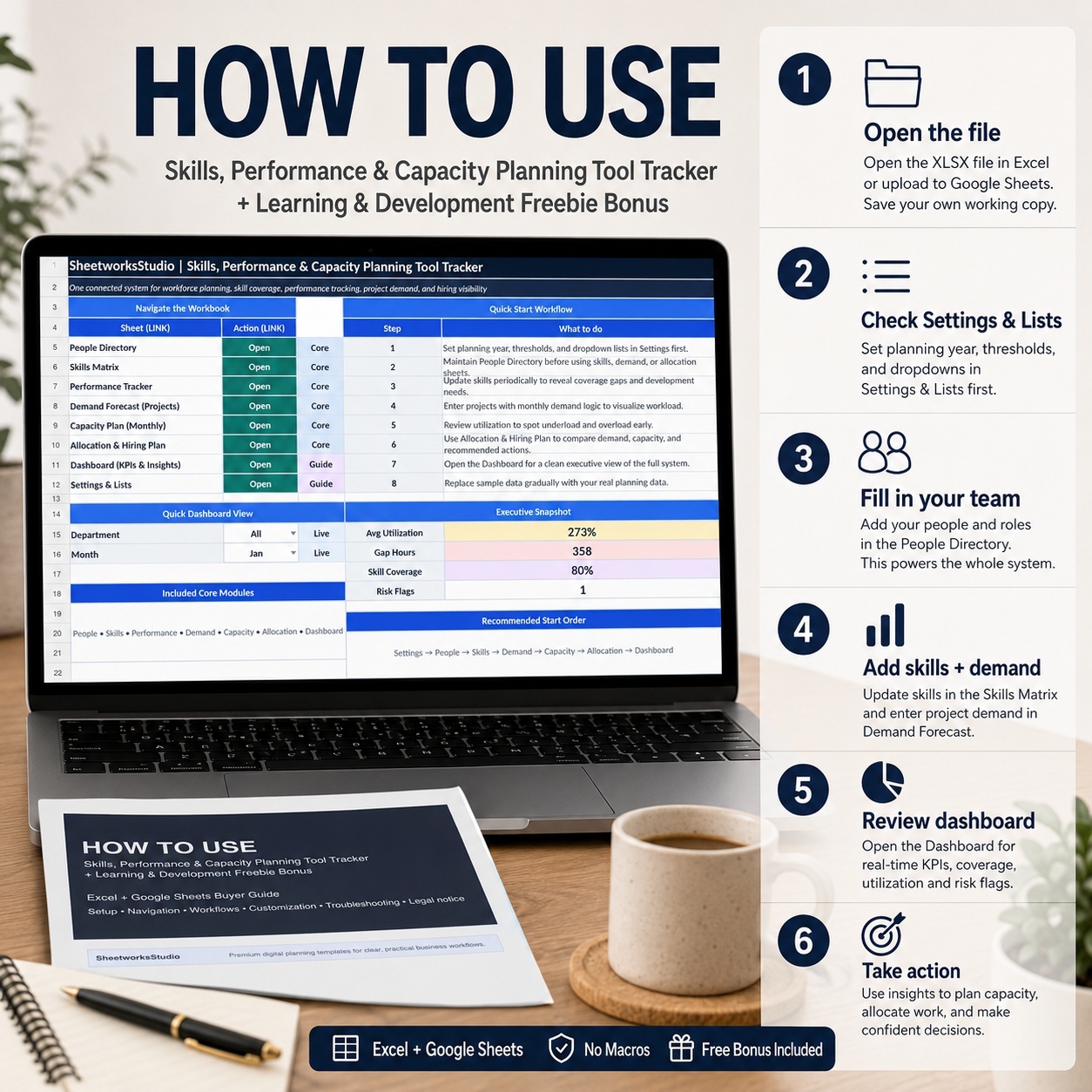
πŸ’Ž ONE CONNECTED WORKFORCE PLANNING WORKFLOW


The system connects:
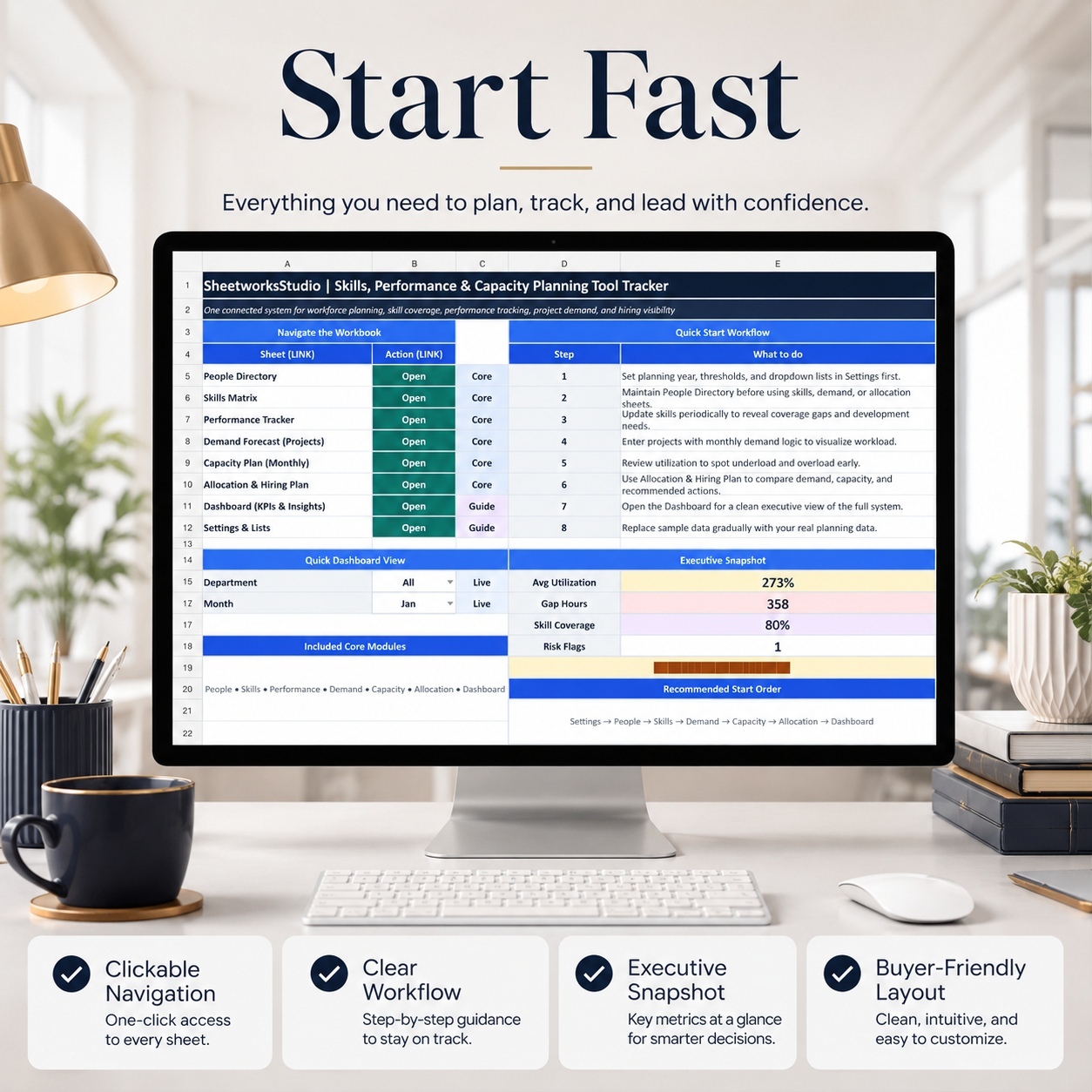
People β†’ Skills β†’ Performance β†’ Demand β†’ Capacity β†’ Allocation β†’ Hiring β†’ Dashboard


This provides a practical framework for teams that want clearer workforce planning without immediately implementing a large HRIS or workforce-management platform.Β 


βš–οΈ HR & WORKFORCE PLANNING DISCLAIMER
This product is an editable organizational, workforce-planning and documentation template intended for general business use.


It does not constitute legal, financial, tax, accounting, employment, HR or other professional advice.
Skill gaps, performance flags, capacity indicators, cost estimates and planning recommendations are management aids only and should not be used as the sole basis for hiring, termination, promotion, compensation or other employment decisions.


Users remain responsible for validating the information entered, adapting the templates to their organization and obtaining qualified professional advice where appropriate.

This Best Practice includes
1Γ—Skills, Performance&Capacity Planning Main Tracker (xlsx), 1Γ—Learning&Development Mini-Tracker (xlsx), 1xHowto Guide

Acquire business license for $34.90

Add to cart

Add to bookmarks

Discuss

Further information

β€’ Maintain a structured workforce directory
β€’ Identify employee skill gaps
β€’ Connect performance and development information
β€’ Forecast project and initiative demand
β€’ Compare demand with available workforce capacity
β€’ Detect overload and resource constraints
β€’ Support training, reassignment, contractor and hiring decisions

This toolkit is particularly useful for organizations that:
β€’ manage workforce planning through separate spreadsheets
β€’ need visibility into skills and capability gaps
β€’ want to compare project demand with employee capacity
β€’ manage several departments, projects or roles
β€’ need structured support for allocation and hiring decisions
β€’ want to connect L&D activities to workforce gaps
β€’ prefer an editable Excel-based system instead of enterprise workforce software

This toolkit is not designed to:
β€’ replace a full HRIS or HCM platform
β€’ provide payroll processing
β€’ automate recruitment workflows
β€’ connect automatically to HR or project-management systems
β€’ perform live resource scheduling
β€’ make autonomous hiring or employment decisions
β€’ replace professional HR, legal or financial advice


0.0 / 5 (0 votes)

please wait...