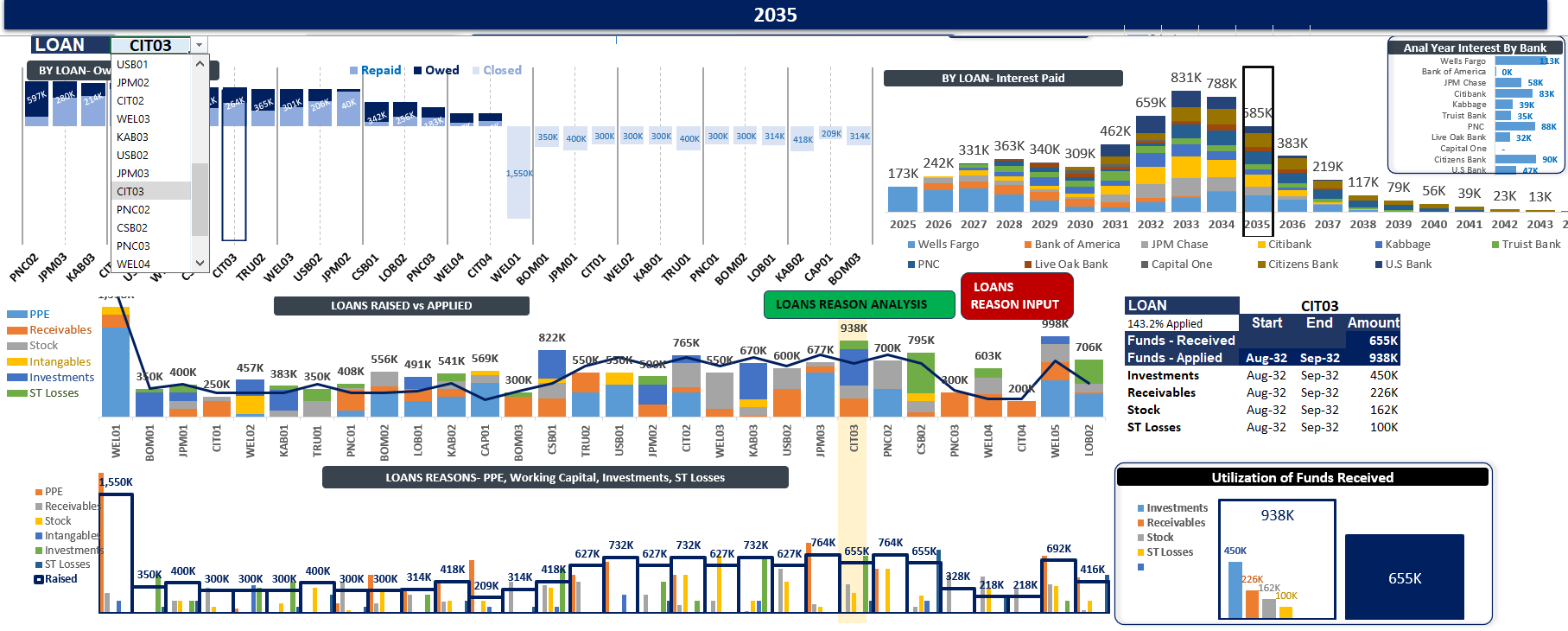
Excel Loan Portfolio Tool – Consolidated Amortization Model with Dashboard
Originally published: 17/09/2025 14:25
Publication number: ELQ-52180-1
View all versions & Certificate
certified

Excel Loan Portfolio Tool – Consolidated Amortization Model with Dashboard

Excel tool to consolidate 1–1,000+ loans with automated amortization schedules & dashboard

Description

Excel Loan Portfolio Tool – Consolidated Amortization Model with Dashboard

Most loan schedule templates only handle one or two loans. As soon as you raise another tranche or add a new bank loan, you end up rebuilding your model or linking multiple sheets together β€” wasting hours and increasing the risk of errors.

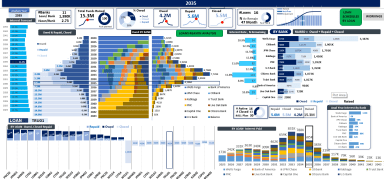
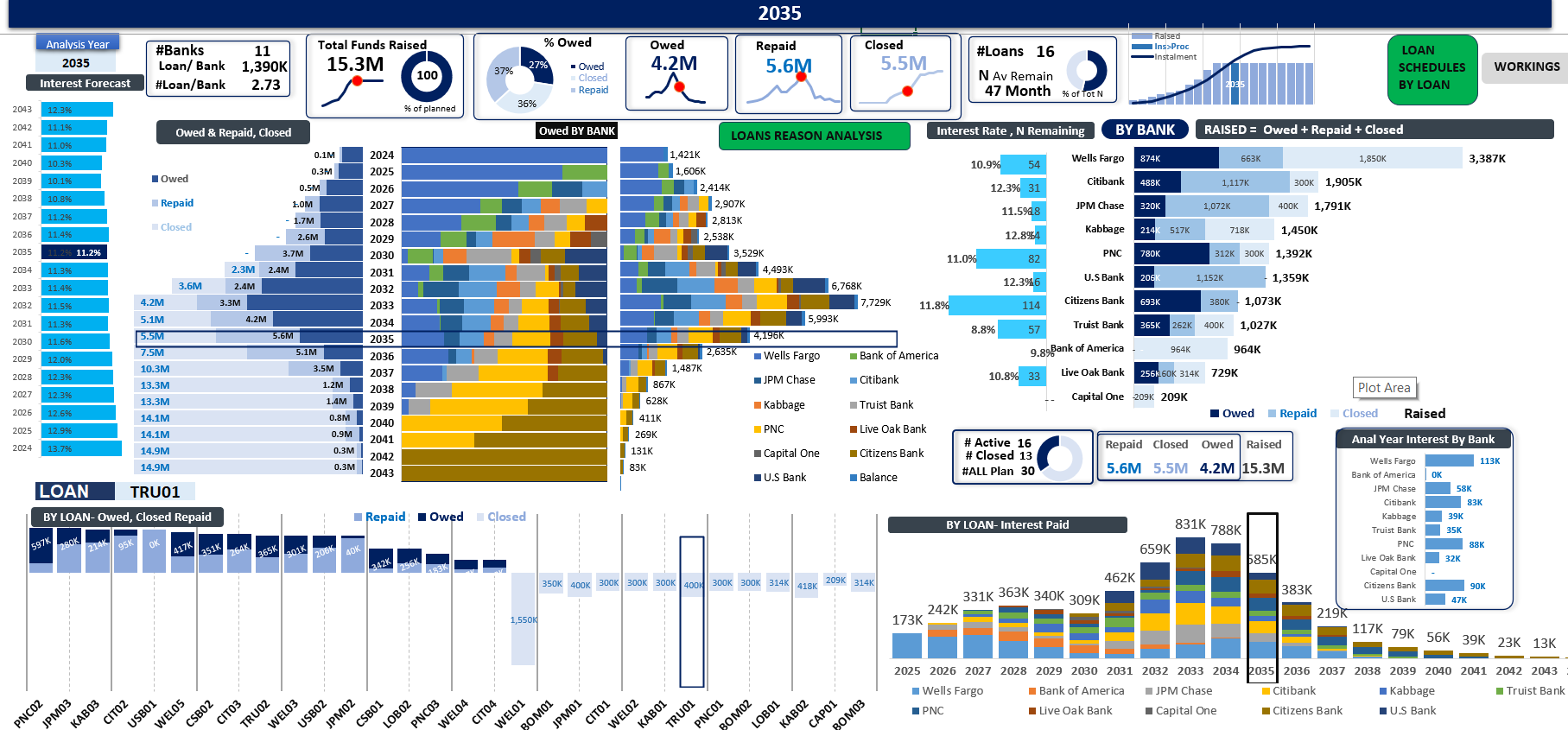
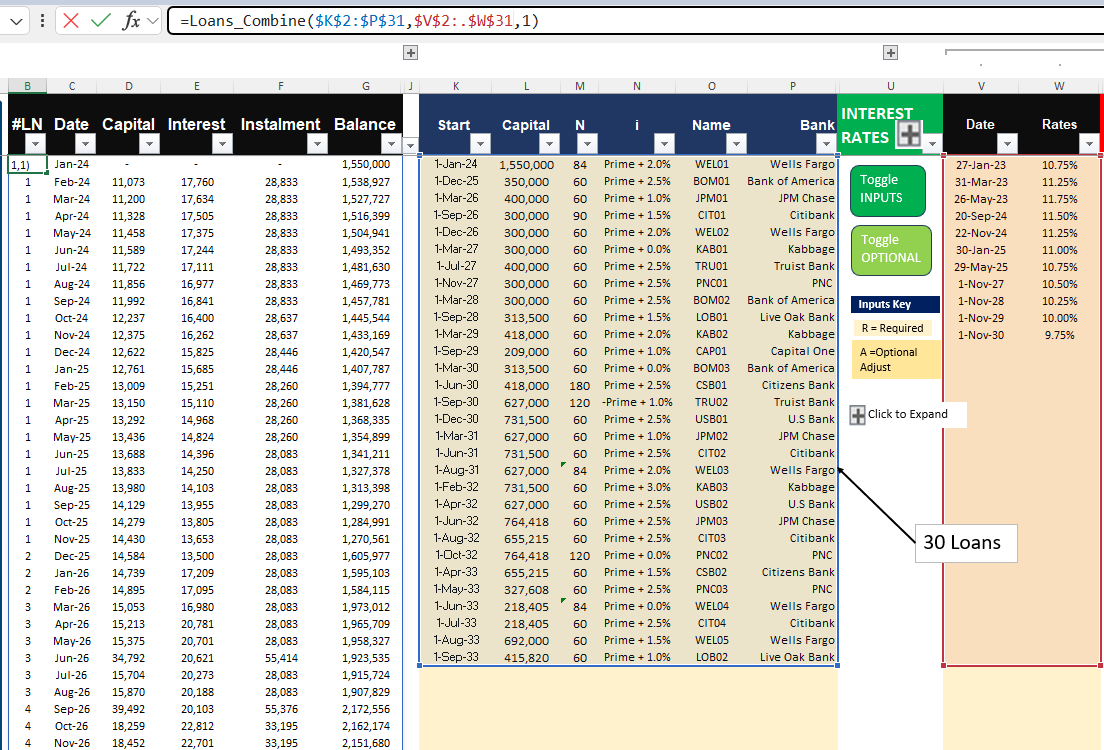
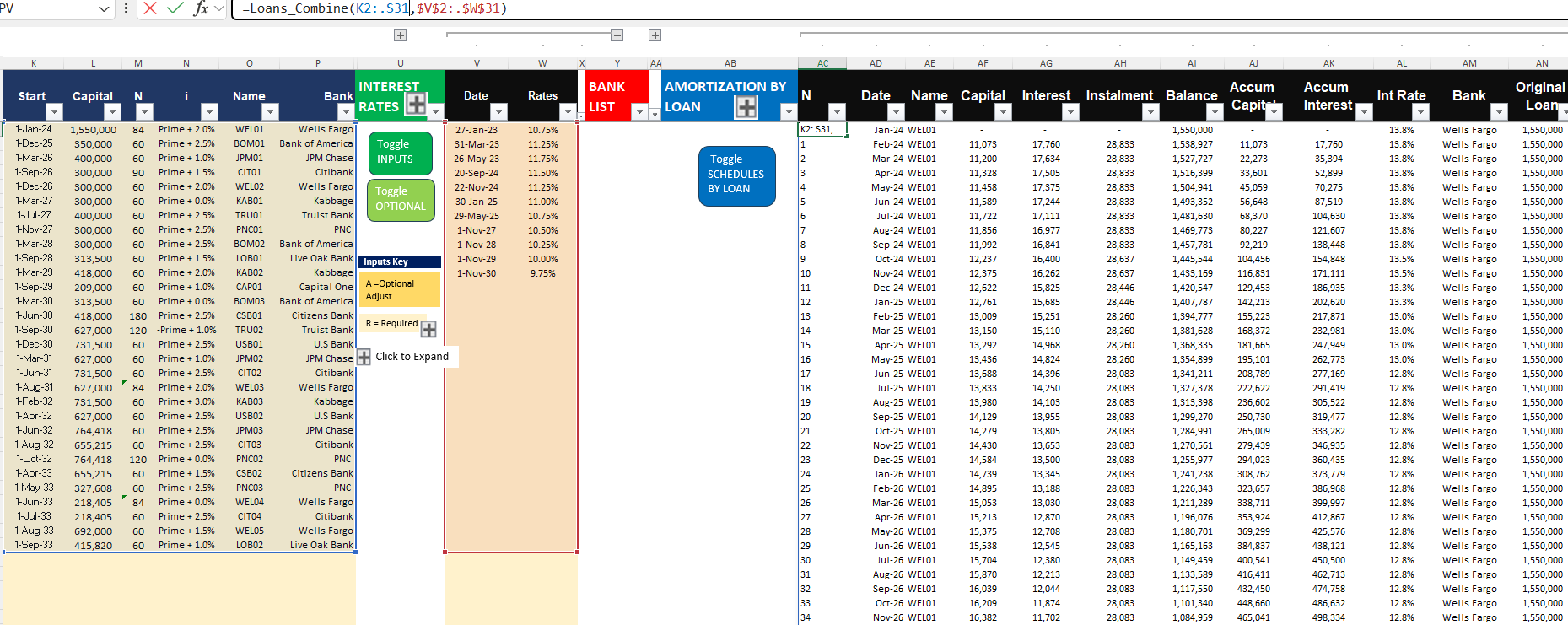
The Excel Loan Portfolio Tool is designed to eliminate that problem. With a single input table, it consolidates 1 to 1,000+ loans into one dynamic repayment schedule, automatically generates vertical amortization tables for each loan, and provides a professional dashboard with 25+ charts and KPIs.

This tool is built using Excel VBA UDFs and Lambda functions, making it both highly flexible and easy to use. Whether you’re a startup founder planning funding rounds, an SME finance manager tracking group-level debt, or a consultant building client models, this tool adapts seamlessly to your needs.
πŸ”‘ Key Benefits

  • Consolidate multiple loans automatically β†’ Different start dates, interest rates, maturities, and repayment frequencies all handled in one model.

  • Unlimited scalability β†’ From 1 to 1,000+ loans without additional setup.

  • Scenario analysis β†’ Compare repayment strategies, refinancing options, or changes in interest rates.

  • Dynamic loan dashboards β†’ Track balances, maturities, repayments, and portfolio composition over time.

  • Save time, reduce errors β†’ No need to adjust formulas or rebuild schedules β€” everything is automated.

πŸ‘€ Who This Is For
  • Startup Founders & Entrepreneurs β†’ Forecast funding rounds and manage runway beyond 3 years.

  • SME Owners & Group Finance Managers β†’ Centralize debt across subsidiaries.

  • Real Estate & Asset-Heavy Businesses β†’ Manage financing across multiple properties or projects.

  • Consultants & Analysts β†’ Deliver professional outputs to clients quickly and reliably.

πŸ“Š Technical Details
  • Format: Excel Spreadsheet with VBA UDFs & Lambda functions.

  • Compatible with Microsoft Excel (Windows recommended).

  • Single input table required β€” no manual linking or formula editing.

  • Includes auto-expanding dashboard with 25+ charts.

This Best Practice includes
Excel Model

Acquire business license for $25.00

Add to cart

Add to bookmarks

Discuss

Further information

Consolidate multiple loans or financing rounds into one model.
Automate amortization schedules for any number of loans.
Provide a professional dashboard for debt portfolio analysis.
Enable scenario planning for interest rates, maturities, and refinancing.
Save time and reduce errors in financial modeling.

Startups raising multiple tranches of funding.
SMEs or group structures managing loans across subsidiaries.
Real estate or asset-heavy businesses with multiple financed projects.
Consultants and analysts preparing debt forecasts for clients.
Finance professionals needing a scalable Excel-based solution.

Users without access to Microsoft Excel (e.g., Google Sheets only).
Businesses needing real-time bank integration or accounting system links.
Non-financial users seeking basic single-loan calculators.
Organizations requiring specialized regulatory or compliance reporting.


0.0 / 5 (0 votes)

please wait...