


EU Battery Passport Excel Preparation Kit | Tracker, Fillable PDF & Readiness Dashboard

Excel-based EU Battery Passport preparation kit with readiness dashboard, materials, performance, document tracking, fillable intake PDF and handover summary.

Description
๐Ÿ”‹ EU BATTERY PASSPORT PREPARATION KIT โ€” LITE EDITION


Organize Battery Passport preparation data in one structured workflow combining a professional Excel tracker, a truly fillable data-intake PDF and a practical QuickStart + How-to Guide.


The kit is designed for manufacturers, suppliers, consultants, quality teams, product teams and compliance professionals that need a clearer way to organize battery identity, materials, performance, document evidence and internal handover information.


Instead of collecting Battery Passport preparation data across disconnected spreadsheets, emails and documents, the system provides one central Excel workflow supported by structured external data collection.


๐Ÿ“ฆ PACKAGE INCLUDES
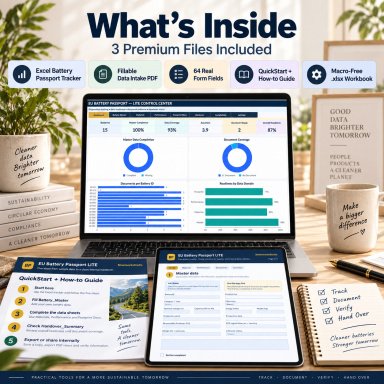
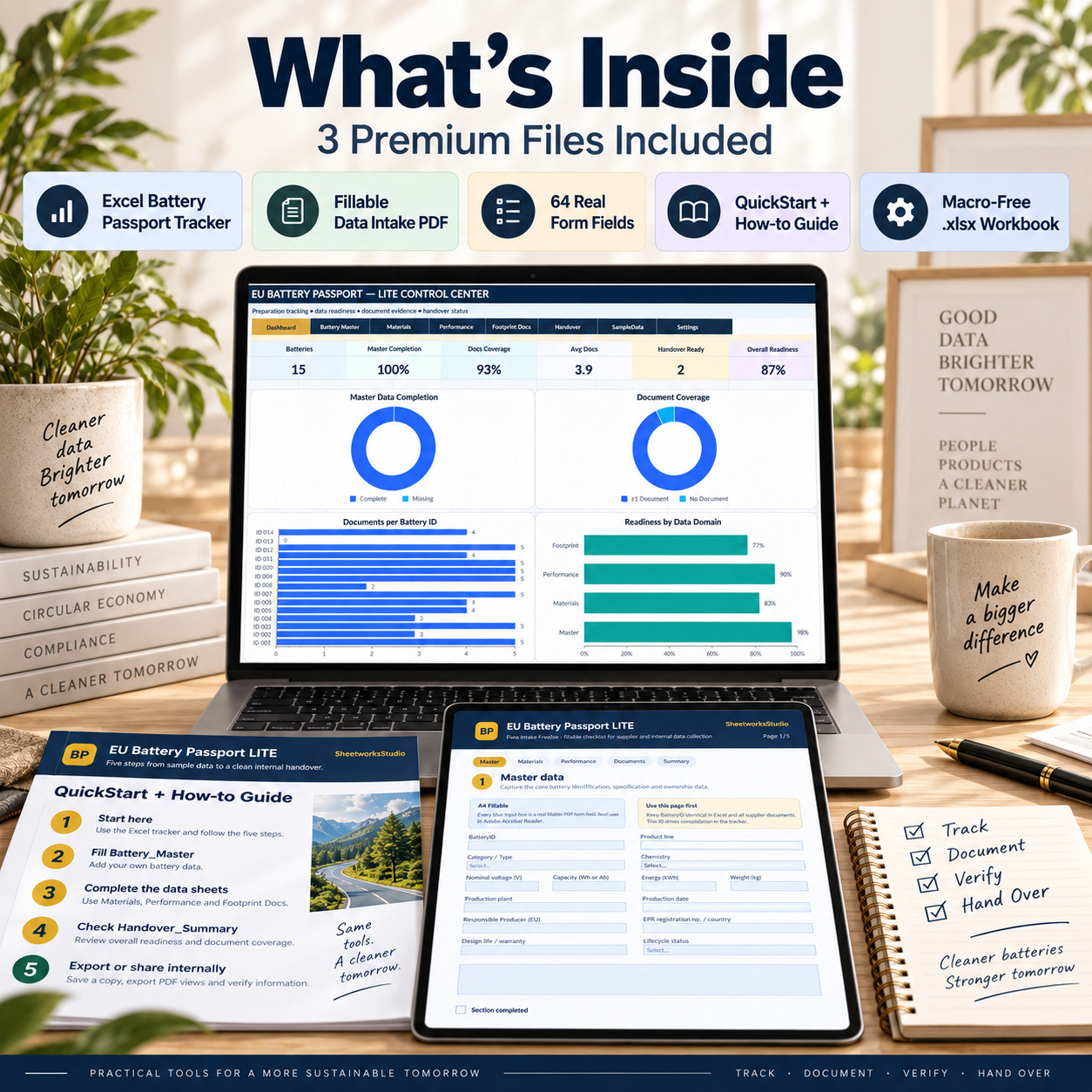
๐Ÿ“Š EU Battery Passport LITE Excel Tracker
  • 9-sheet Excel workbook
  • Start Page and navigation
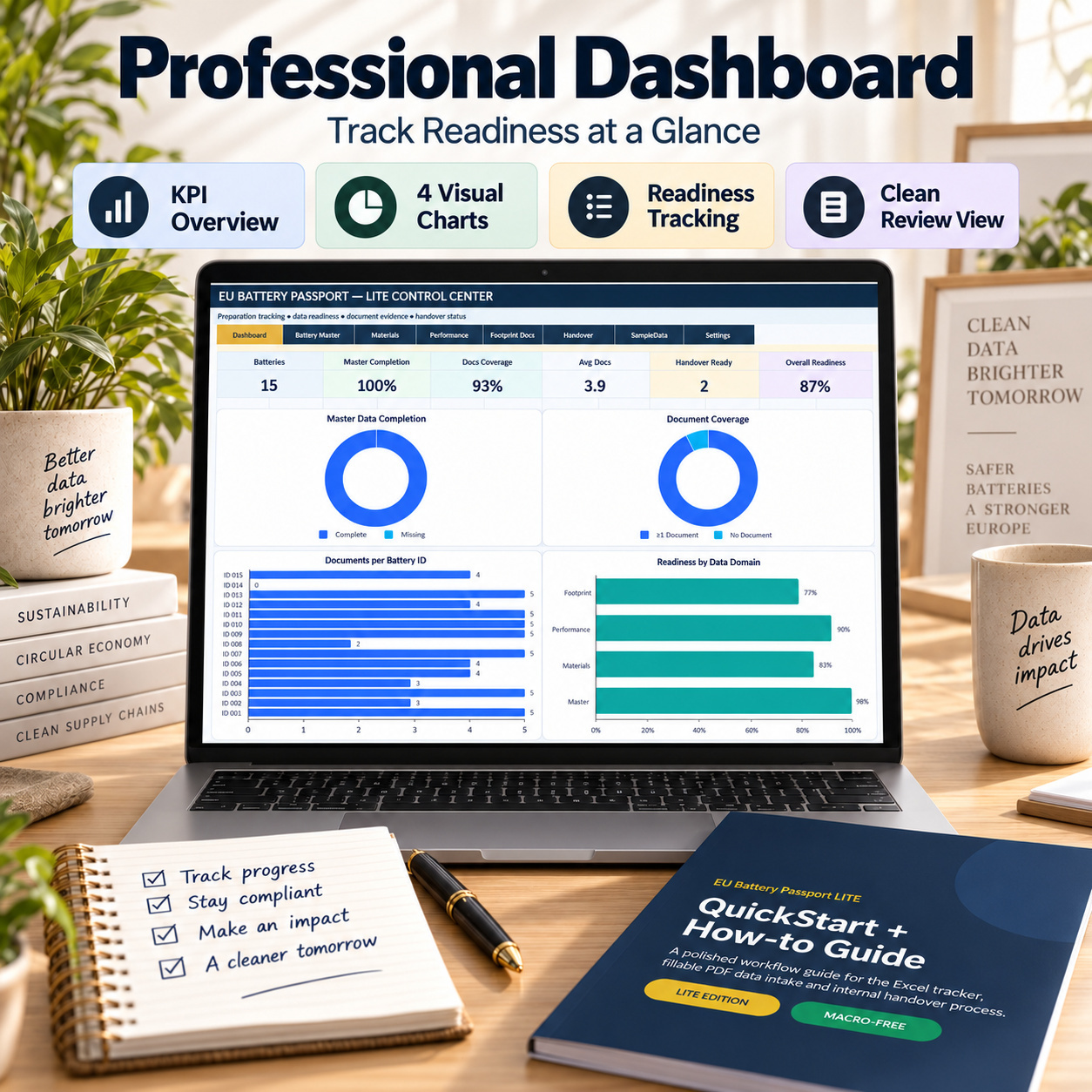
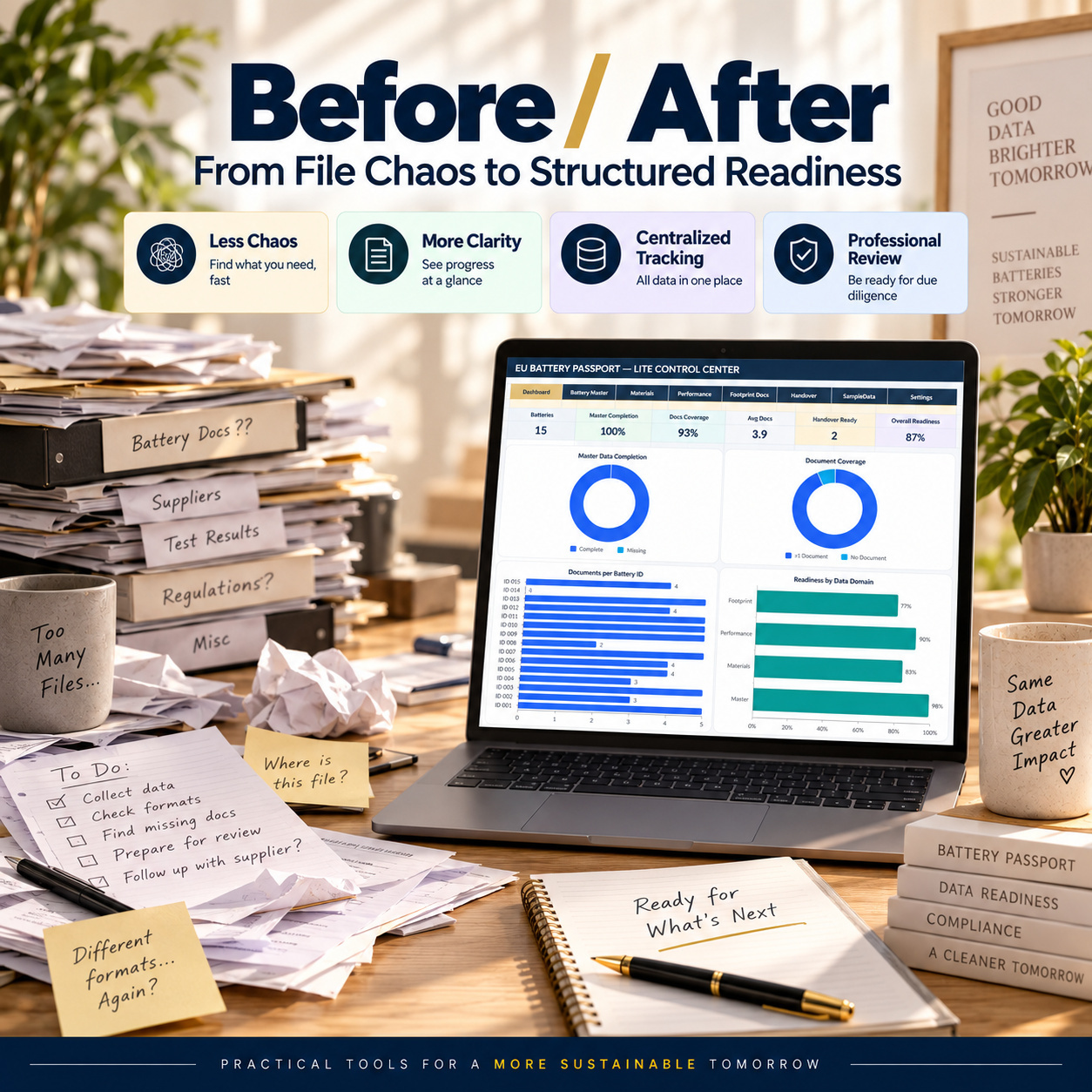
  • Executive readiness Dashboard
  • 6 headline KPIs
  • 4 native Excel charts
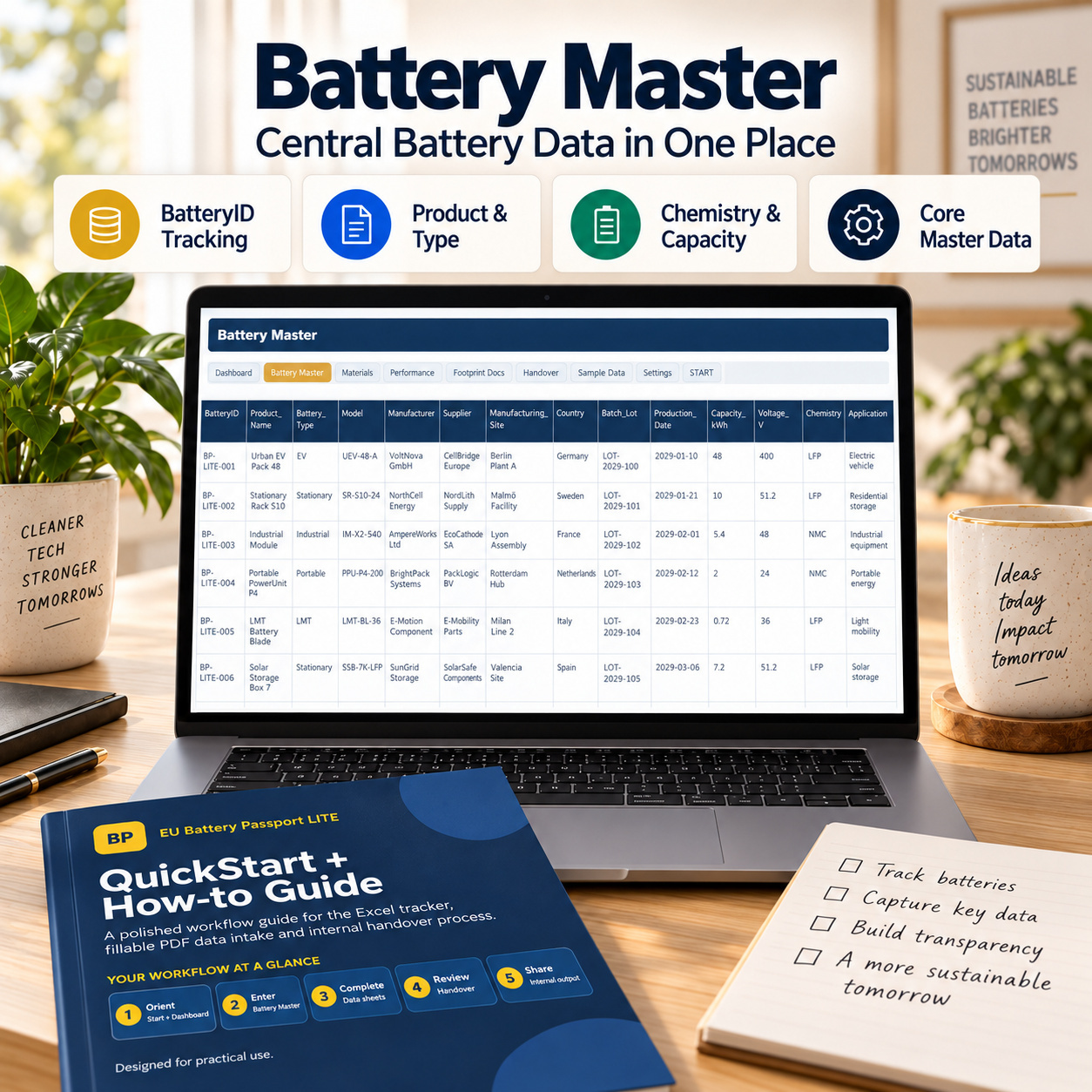
  • Battery Master
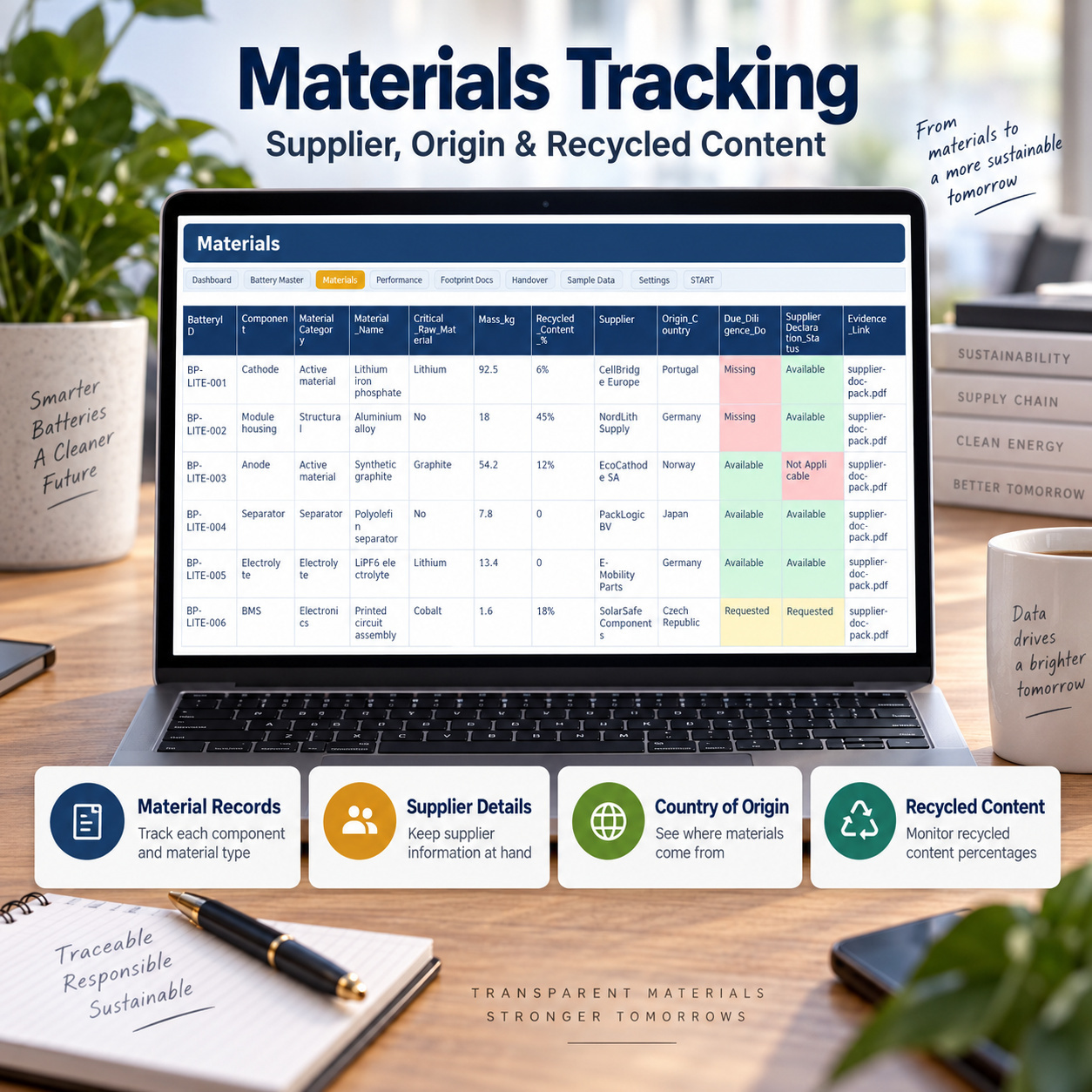
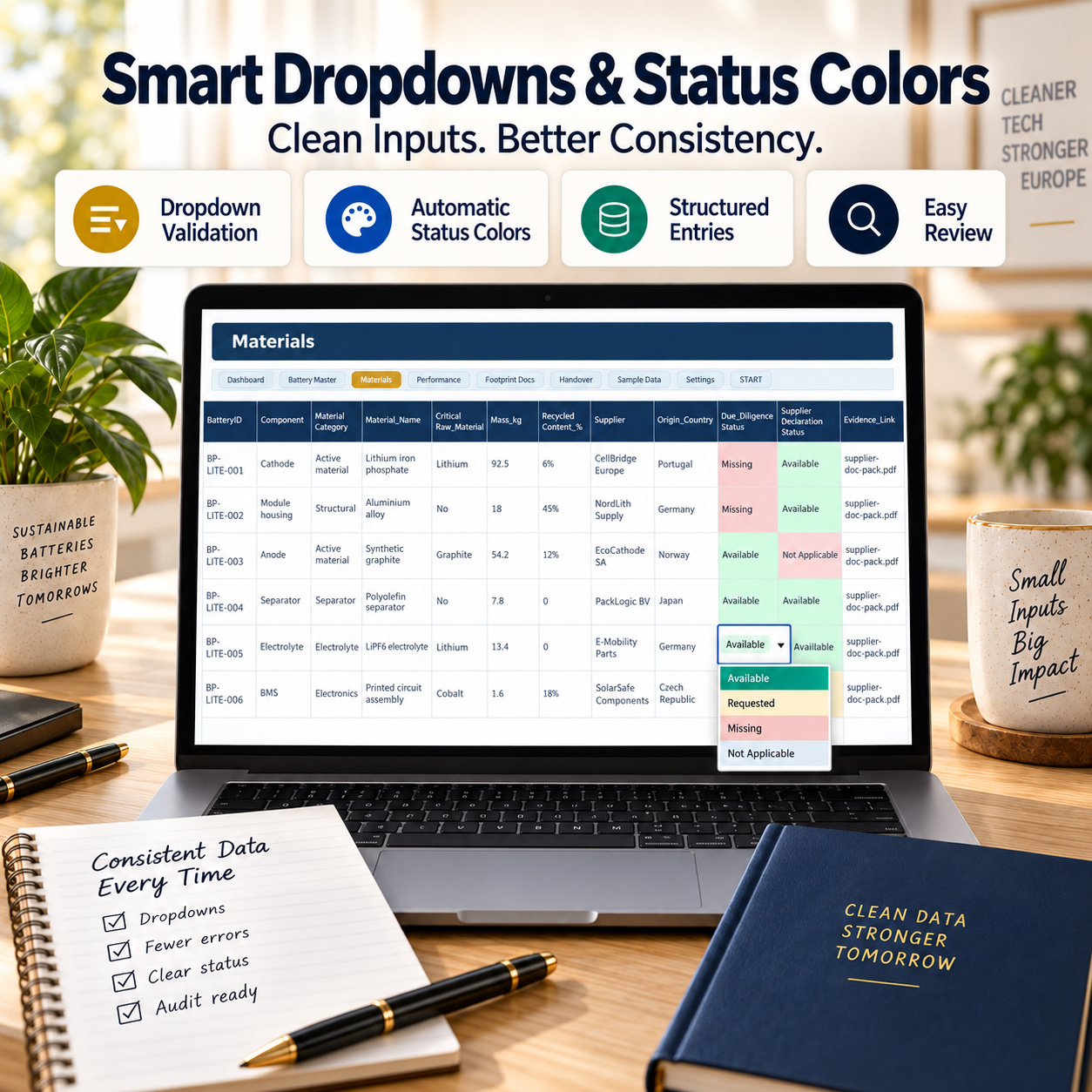
  • Materials tracking
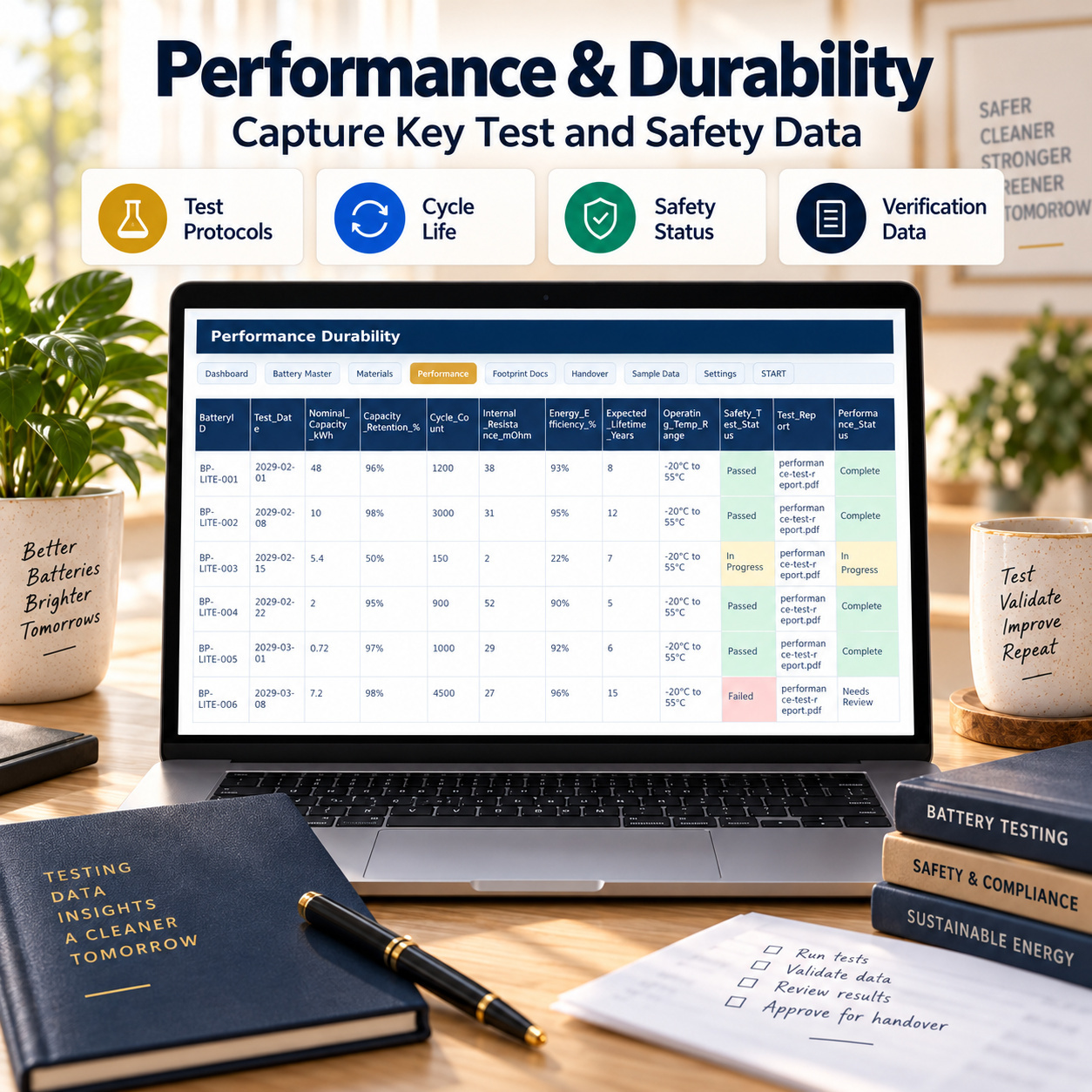
  • Performance & Durability
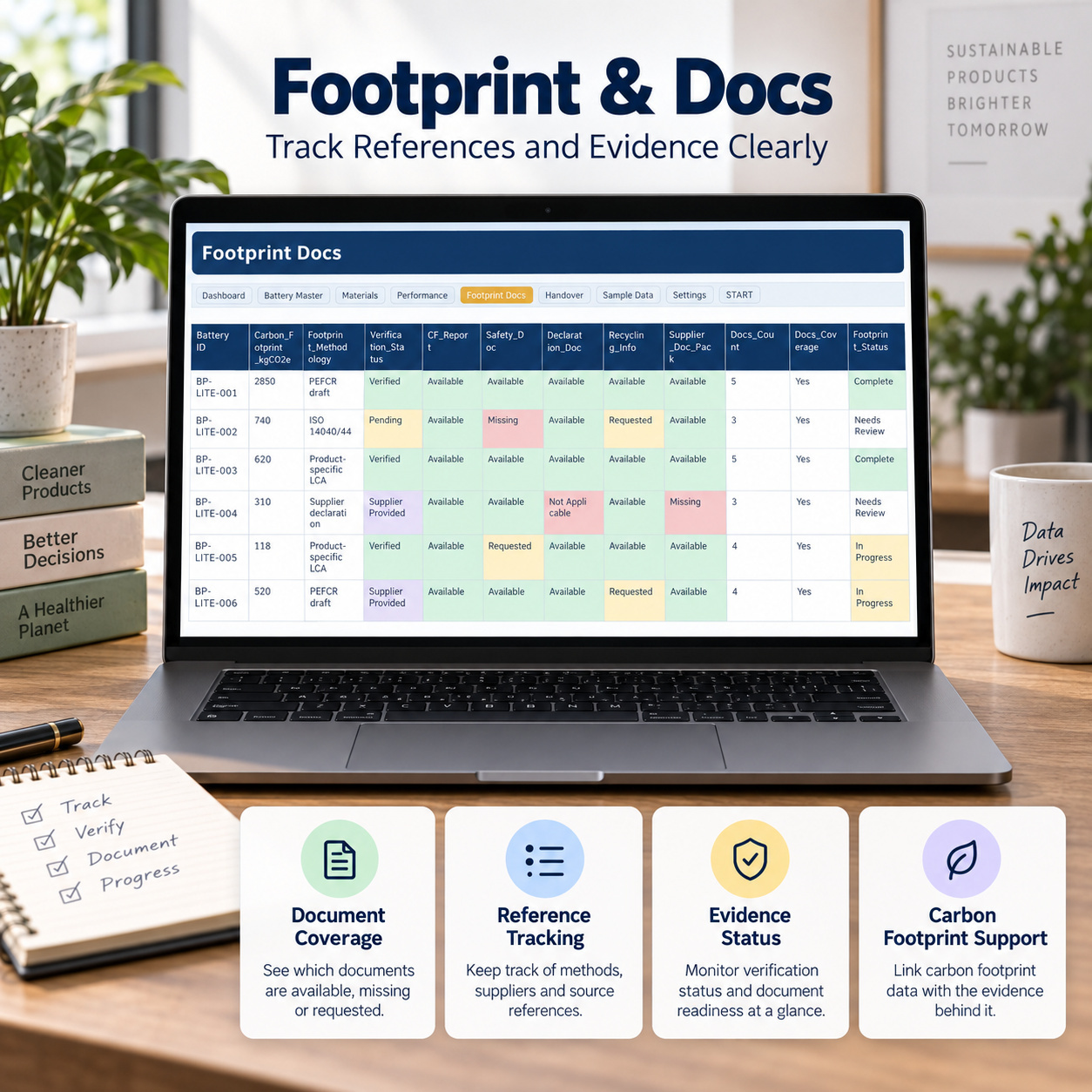
  • Footprint & Document tracking
  • Handover Summary
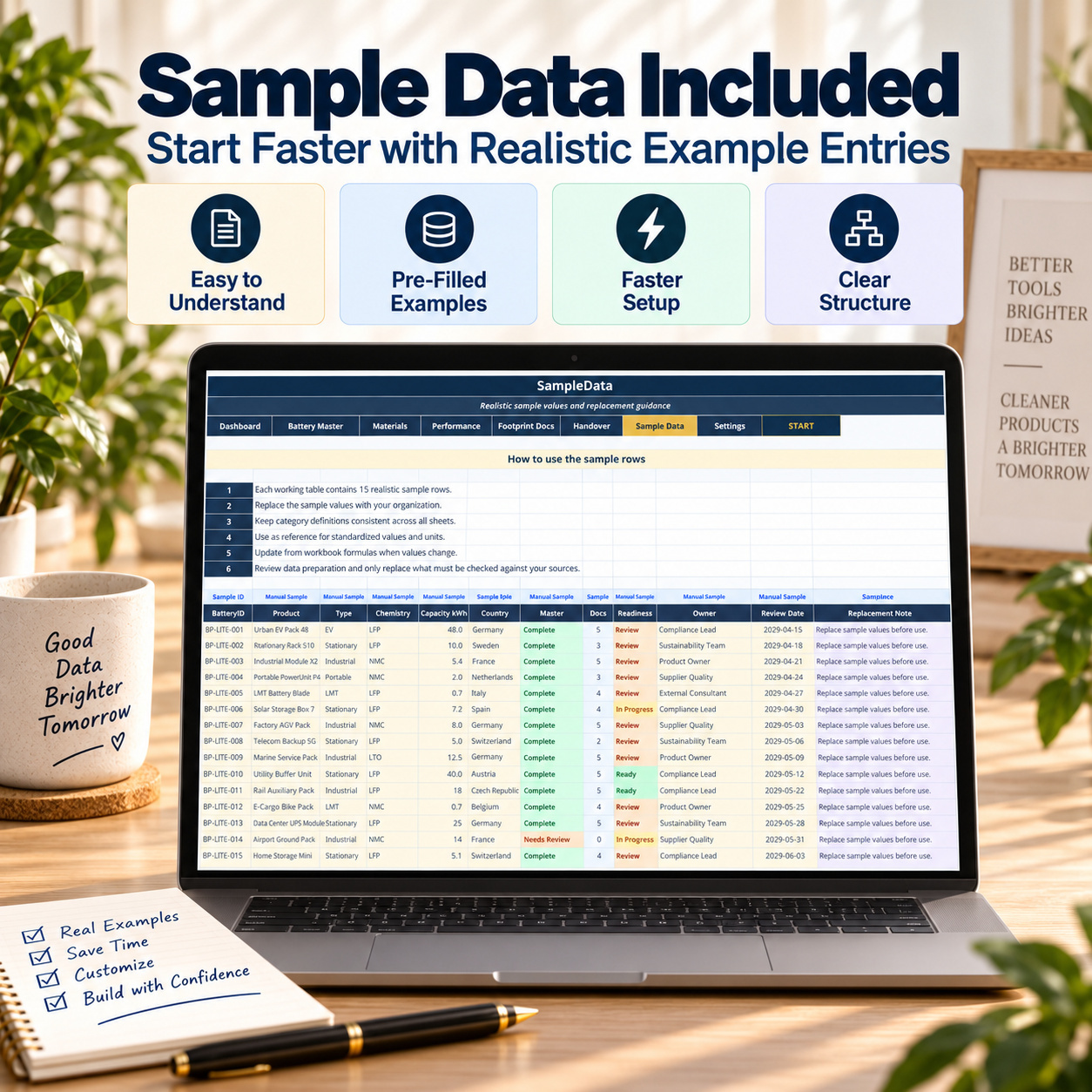
  • Sample Data and Settings
  • Formula-driven readiness logic
  • Dropdowns and status colors
  • 15 realistic sample batteries


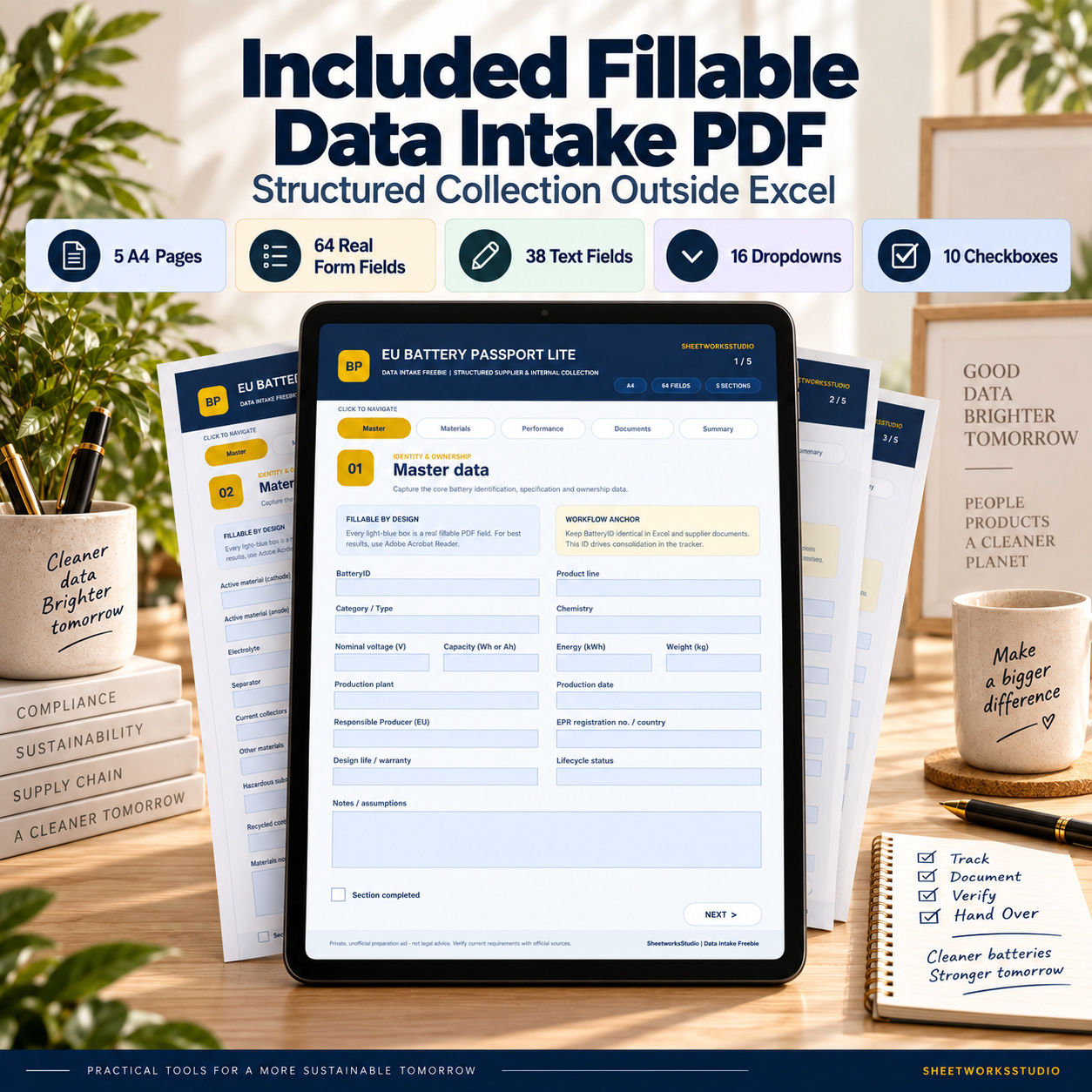
๐Ÿ“ Fillable Data Intake PDF
  • 5 A4 pages
  • 64 real interactive form fields
  • 38 text fields
  • 16 dropdowns
  • 10 checkboxes
  • Clickable navigation
  • Structured supplier and internal data collection


๐Ÿ“˜ QuickStart + How-to Guide
  • 6 A4 pages
  • 5-step implementation workflow
  • Workbook overview
  • PDF intake workflow
  • Dashboard and handover guidance
  • Compatibility and troubleshooting


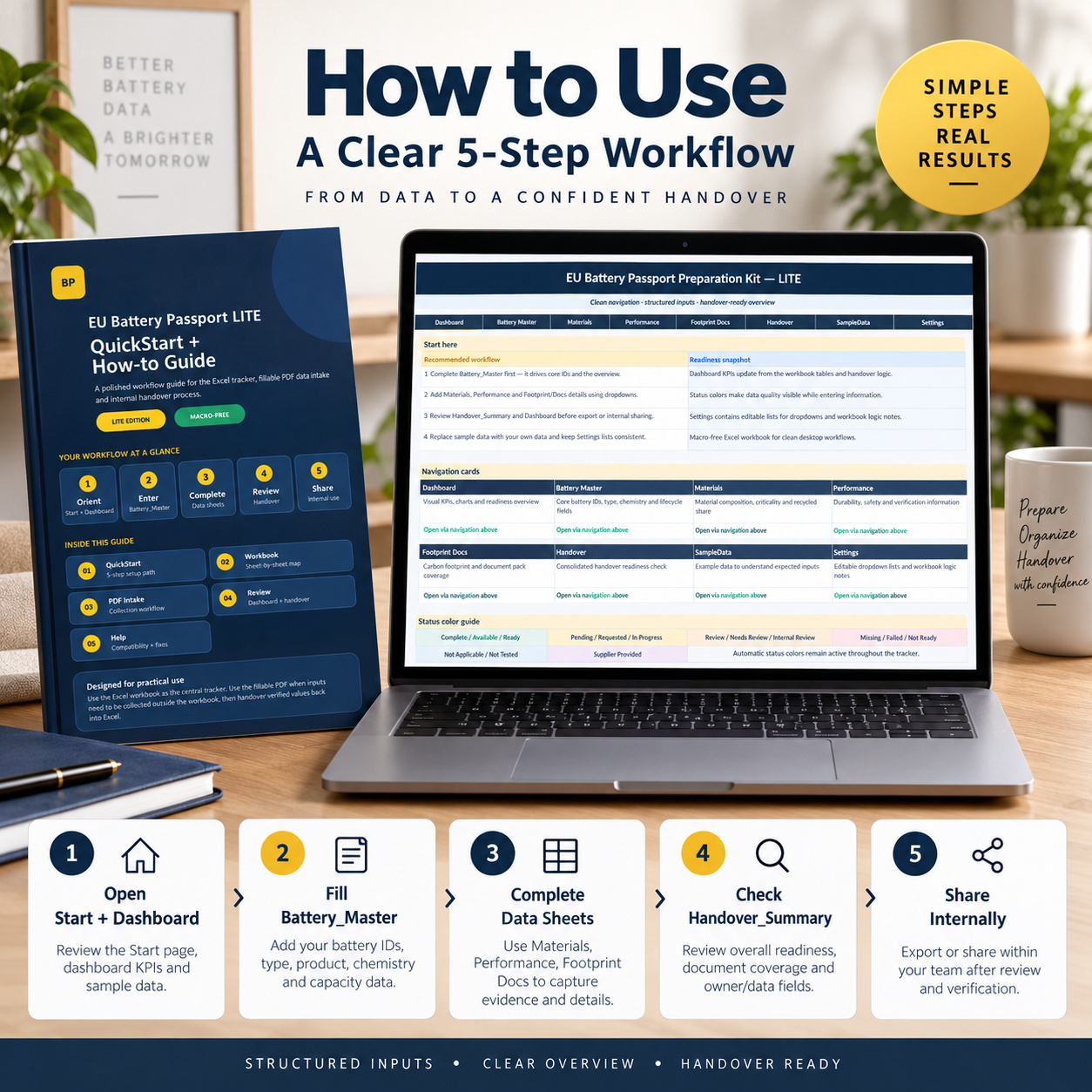
๐Ÿ  START PAGE & WORKFLOW
The Start page provides a clean navigation hub and guides users through the recommended workflow:
Battery Master โ†’ Materials โ†’ Performance โ†’ Footprint & Documents โ†’ Handover


It also provides:
๐Ÿงญ Direct workbook navigation
๐Ÿ“‹ Workflow guidance
๐ŸŽจ Status-color guidance
โš™๏ธ Access to sample data and settings


A consistent BatteryID is used across the workbook to connect related information correctly.


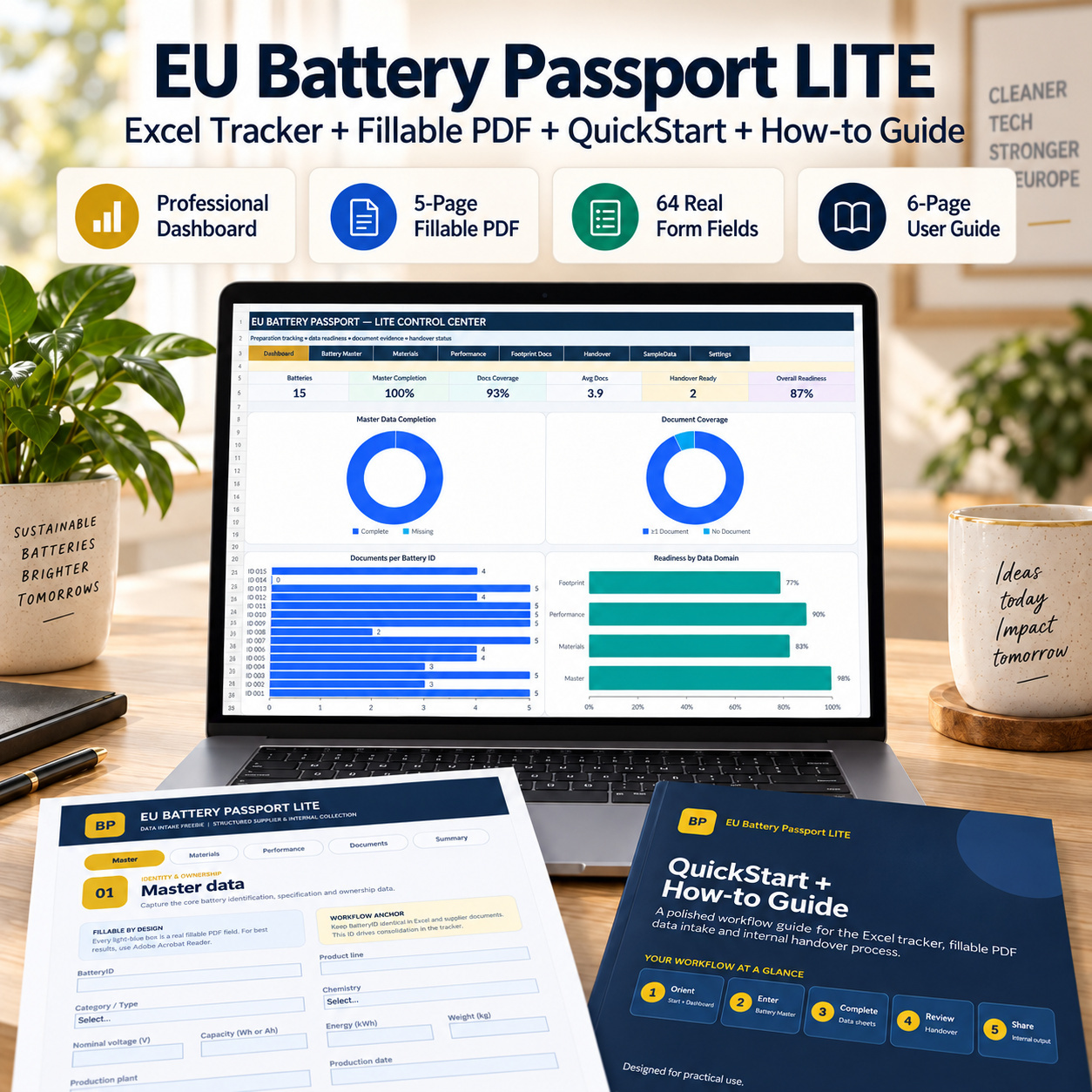
๐Ÿ“Š READINESS DASHBOARD
The Dashboard provides a concise internal overview of the preparation dataset.


6 KPI Cards
๐Ÿ”‹ Batteries
โœ… Master Completion
๐Ÿ“ Docs Coverage
๐Ÿ“‘ Average Documents
๐Ÿ“ฆ Handover Ready
๐Ÿ“Š Overall Readiness


4 Native Excel Charts
๐Ÿ“ˆ Master Data Completion
๐Ÿ“ Document Coverage
๐Ÿ“‘ Documents per BatteryID
๐Ÿ“Š Readiness by Data Domain


The Dashboard is designed for internal review and gap identification, not as an official compliance determination.


๐Ÿ”‹ BATTERY MASTER
Maintain the core identity and product information for each tracked battery.
Typical fields include:
  • BatteryID
  • Product Name
  • Battery Type
  • Model
  • Manufacturer
  • Supplier
  • Manufacturing Site
  • Country
  • Batch / Lot
  • Production Date
  • Capacity
  • Voltage
  • Chemistry
  • Application
  • Lifecycle Stage
  • Workflow Status


Automatic fields calculate:


๐Ÿ“Š Required Fields
โœ… Filled Fields
๐Ÿ“ˆ Master Completion
โžก๏ธ Next Action


The workbook contains 15 realistic sample battery records.


๐Ÿงฑ MATERIALS TRACKING
Capture material, supplier and origin information linked to each BatteryID.
Track:
  • Component
  • Material Category
  • Material Name
  • Critical Raw Material
  • Mass
  • Recycled Content %
  • Supplier
  • Origin Country
  • Due-Diligence Document Status
  • Supplier Declaration Status
  • Evidence Link


Formula-driven outputs provide:


๐Ÿšฆ Record Status
๐Ÿ“Š Required Fields
โœ… Filled Fields
๐Ÿ“ˆ Completion


โš™๏ธ PERFORMANCE & DURABILITY
Maintain performance, durability, safety and verification preparation information.
Track items such as:
  • Test Date
  • Nominal Capacity
  • Capacity Retention
  • Cycle Count
  • Internal Resistance
  • Energy Efficiency
  • Expected Lifetime
  • Operating Temperature Range
  • Safety Test Status
  • Test Report
  • Verification Status


Automatic outputs provide status and completion indicators for internal review.


๐Ÿ“ FOOTPRINT & DOCUMENTS
Maintain carbon-footprint preparation data and document-pack coverage.
Track:
  • Carbon Footprint
  • Footprint Methodology
  • Verification Status
  • Carbon Footprint Report
  • Safety Documentation
  • Declaration Documentation
  • Recycling Information
  • Supplier Document Pack


Automatic outputs include:


๐Ÿ“‘ Documents Count
๐Ÿ“ Documents Coverage
๐Ÿšฆ Footprint Status
๐Ÿ“ˆ Completion


The document section uses standardized statuses such as Available, Requested, Missing and Not Applicable.


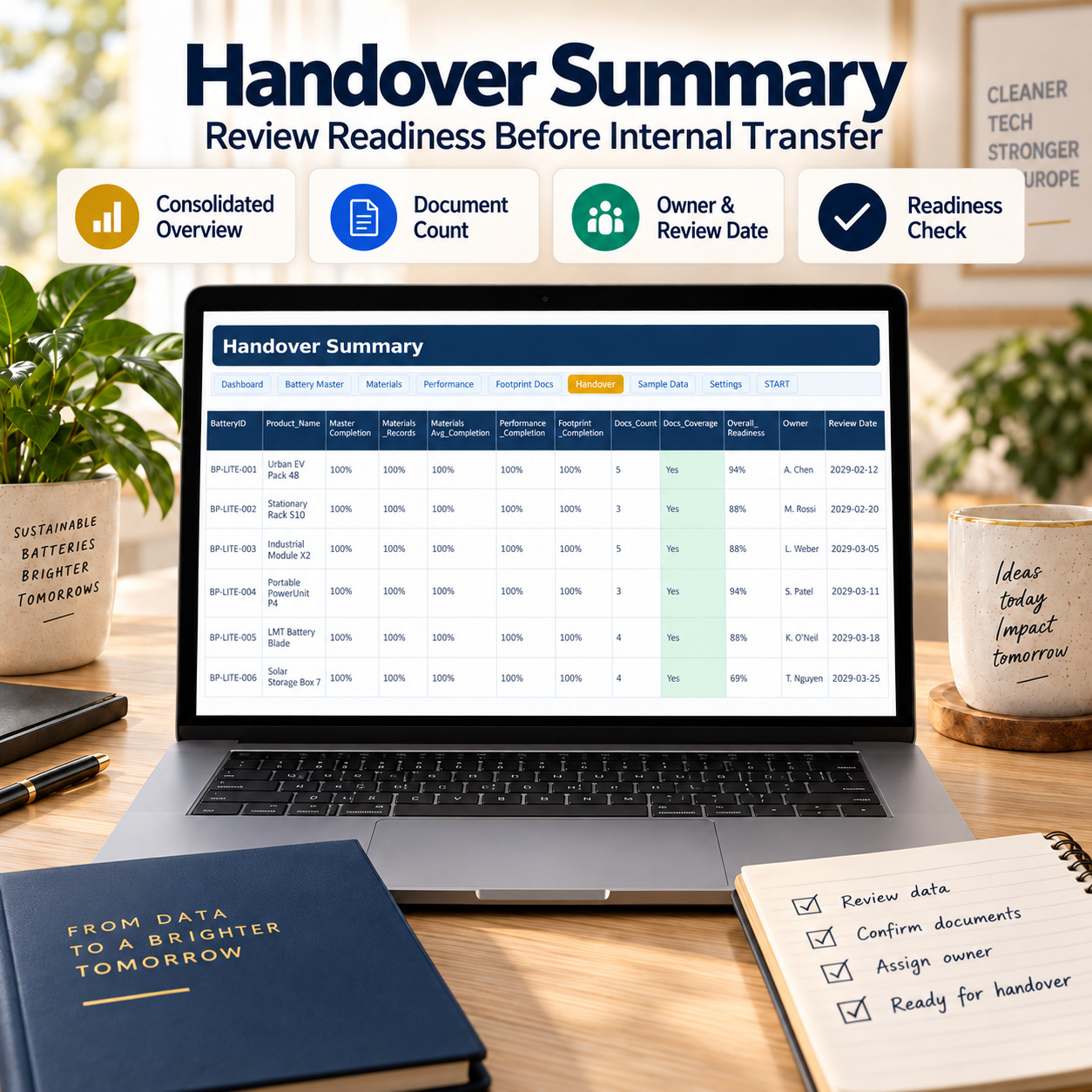
๐Ÿ“ฆ HANDOVER SUMMARY
The Handover Summary consolidates information by BatteryID.
Review:
  • Product
  • Master Completion
  • Materials Records
  • Materials Completion
  • Performance Completion
  • Footprint Completion
  • Document Count
  • Document Coverage
  • Overall Readiness
  • Handover Status
  • Owner
  • Next Action
  • Review Date


The summary helps identify whether the next step is to prepare the handover pack, review existing information or resolve outstanding material, performance or document gaps.


๐Ÿ“ FILLABLE DATA INTAKE PDF
The separate 5-page interactive PDF contains exactly 64 fillable fields and is designed for structured information collection outside the Excel tracker.


Use it to collect data from:
๐Ÿญ Suppliers
๐Ÿ‘ฅ Internal departments
โš™๏ธ Engineering teams
๐Ÿ“‹ Quality teams
๐ŸŒ Sustainability teams
๐Ÿ’ผ External project contributors
The five sections cover:
1๏ธโƒฃ Master Data
2๏ธโƒฃ Materials
3๏ธโƒฃ Performance & Durability
4๏ธโƒฃ Document Pack
5๏ธโƒฃ Summary & Handover


The final section includes review and readiness confirmations before validated data is transferred into Excel.


๐Ÿ”„ PDF โ†’ EXCEL WORKFLOW
1๏ธโƒฃ Collect
Use the fillable PDF when information must be gathered outside the workbook.
2๏ธโƒฃ Validate
Review answers, references and evidence.
3๏ธโƒฃ Transfer
Move validated information into the relevant Excel sheets.
4๏ธโƒฃ Review
Check Dashboard KPIs and the Handover Summary.
5๏ธโƒฃ Handover
Confirm owners, review dates and remaining gaps before internal sharing or further processing.


The Excel workbook remains the central working tracker.


๐Ÿ“˜ 6-PAGE QUICKSTART + HOW-TO GUIDE
The included guide covers:
๐Ÿš€ 5-Step QuickStart
๐Ÿ—‚๏ธ Workbook sheet map
๐Ÿ“ Fillable PDF workflow
๐Ÿ“Š Dashboard review
๐Ÿ“ฆ Handover process
โœ… Final internal review
โš™๏ธ Customization
๐Ÿ› ๏ธ Troubleshooting
โš–๏ธ Legal-use notes


โš™๏ธ TECHNICAL STRUCTURE
The Excel workbook uses:
โœ… Standard Excel formulas
โœ… Dropdown validation
โœ… Conditional formatting
โœ… Automatic completion logic
โœ… Readiness calculations
โœ… Native Excel charts
โœ… Clickable navigation
โœ… Realistic sample data


Technical characteristics:
โœ… Macro-free
โœ… No VBA
โœ… No external workbook connections
โœ… No Power Query
โœ… No pivot-table dependency


๐Ÿ’ป COMPATIBILITY
Recommended:
โœ… Microsoft Excel Desktop for Windows
โœ… Microsoft Excel Desktop for Mac
โœ… Adobe Acrobat Reader for the fillable PDF
Google Sheets and Excel Web may open the workbook, but some dropdowns, formatting, navigation or charts may differ.


For the most consistent experience, Microsoft Excel Desktop is recommended.


๐Ÿ‘ค SUITABLE FOR
๐Ÿญ Battery Manufacturers
๐Ÿ”‹ Battery Producers
๐Ÿšš Suppliers
๐Ÿ“ฆ Distributors
๐Ÿ’ผ Consultants
๐Ÿงพ Documentation Teams
โš™๏ธ Quality Teams
๐ŸŒ Sustainability Teams
๐Ÿ“Š Product Teams
๐Ÿ›ก๏ธ Compliance Teams
๐Ÿ”Ž Internal Review Teams


๐Ÿ’ก KEY BUSINESS VALUE


The kit is designed to help teams:
  • Centralize Battery Passport preparation data
  • Standardize BatteryID usage
  • Improve supplier-data collection
  • Organize material and origin information
  • Track performance evidence
  • Monitor document-pack coverage
  • Highlight missing information
  • Clarify ownership and next actions
  • Create structured internal handovers
  • Reduce scattered spreadsheet and email workflows
The combined Excel tracker and fillable PDF create a practical workflow from:
data collection โ†’ validation โ†’ central tracking โ†’ readiness review โ†’ internal handover


โš–๏ธ IMPORTANT DISCLAIMER
This product is a private, unofficial preparation and organizational aid.
It is not an official EU, government, certification or standards document and does not constitute legal, regulatory, compliance, sustainability, technical or professional advice.


It does not certify or guarantee compliance with Regulation (EU) 2023/1542, Battery Passport requirements or any other applicable obligation.


Users remain responsible for checking current official requirements, determining which information applies to their battery category and validating all data, evidence and outputs before external or regulatory use.
SheetworksStudio is not affiliated with the European Union, the European Commission or any government authority.

This Best Practice includes
Main Workbook โ€” EU Battery Passport LITE Tracker Excel, Fillable Data Intake (PDF), QuickStart + How-to Guide (PDF)

Acquire business license for $39.90

Add to cart

Add to bookmarks

Discuss

Further information

The objectives of this toolkit are to:
- Centralize Battery Passport preparation information
- Maintain consistent BatteryIDs
- Structure battery master data
- Organize materials and supplier information
- Document recycled-content information
- Capture performance and durability evidence
- Track document-pack availability
- Improve supplier and internal data collection
- Monitor data completeness
- Highlight information gaps
- Clarify ownership and next actions
- Prepare structured internal handover information
- Support repeatable review workflows
The toolkit supports preparation and organization only and does not establish regulatory compliance.

This toolkit is particularly suitable for:
- Battery manufacturers
- Battery producers
- Suppliers
- Distributors
- Quality-management teams
- Documentation teams
- Sustainability teams
- Product teams
- Compliance professionals
- Consultants
- Internal project teams
It works particularly well where Battery Passport-related information needs to be gathered from multiple contributors and consolidated into a structured internal working file.

This toolkit is not intended to replace:
- Official regulatory guidance
- Legal counsel
- Qualified compliance professionals
- Digital Product Passport infrastructure
- Regulatory submission systems
- ERP / PLM / QMS platforms
- Product lifecycle databases
- Automated supplier-data integrations
It does not create an official digital Battery Passport, submit information to authorities or independently determine regulatory applicability.
The specific legal requirements applicable to a battery depend on the relevant battery category and current EU rules. The official Regulation and current Commission implementation guidance should be consulted for regulatory decisions.


0.0 / 5 (0 votes)

please wait...