
Business Control Hub | Freelancer Finance & Cashflow Dashboard Excel

Free Excel finance toolkit for freelancers with income, expenses, forecast, clients, fixed costs, marketing ROI, profit dashboard and cashflow tracker.

Description
๐Ÿ“Š BUSINESS CONTROL HUB + BONUS CASHFLOW TRACKER


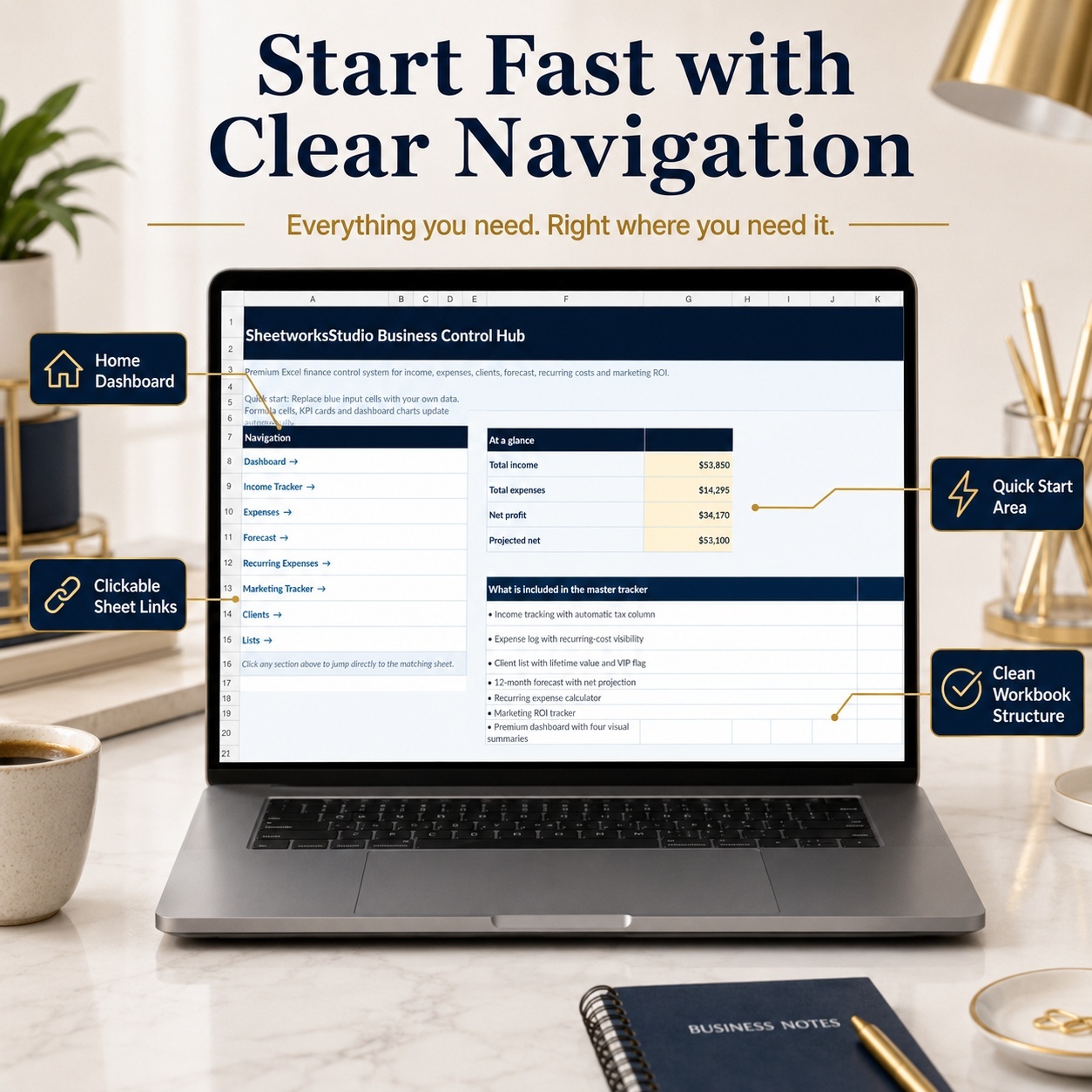
Organize your business finances in one clean and structured Excel system.
This free professional toolkit is designed for freelancers, self-employed professionals, consultants, creators and small businesses that want a clearer overview of income, expenses, profit, forecasts, recurring costs, clients and marketing performance.


IDEAL FOR
๐Ÿ‘ฉโ€๐Ÿ’ป Freelancers
๐Ÿ’ผ Consultants
๐ŸŽจ Creators
๐Ÿ›๏ธ Online Sellers
๐Ÿ“š Coaches
๐Ÿข Small Businesses
๐Ÿš€ Solo Entrepreneurs
๐Ÿ“Š Self-Employed Professionals


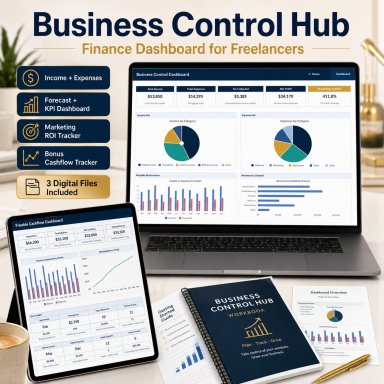
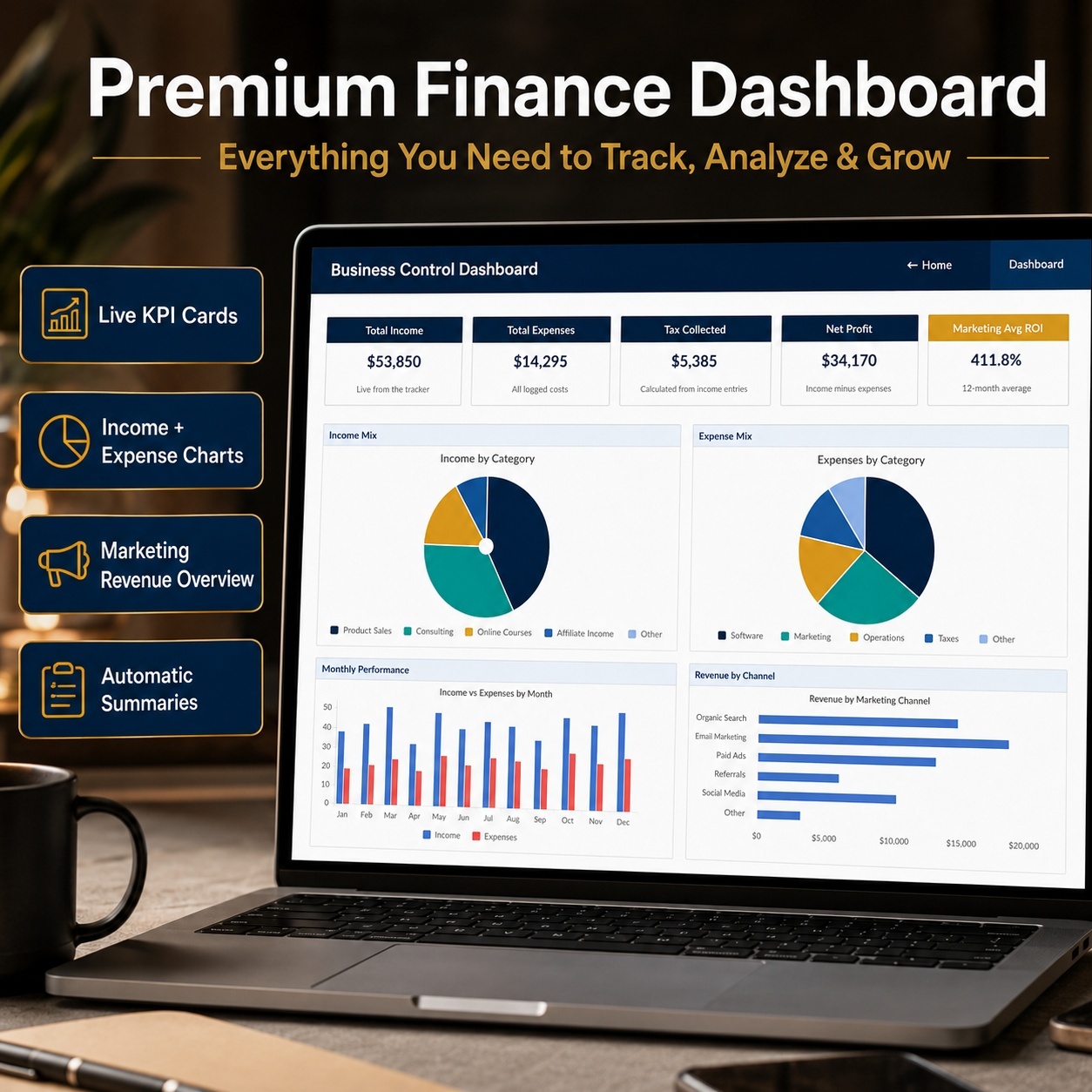
๐Ÿ“ˆ BUSINESS FINANCE DASHBOARD


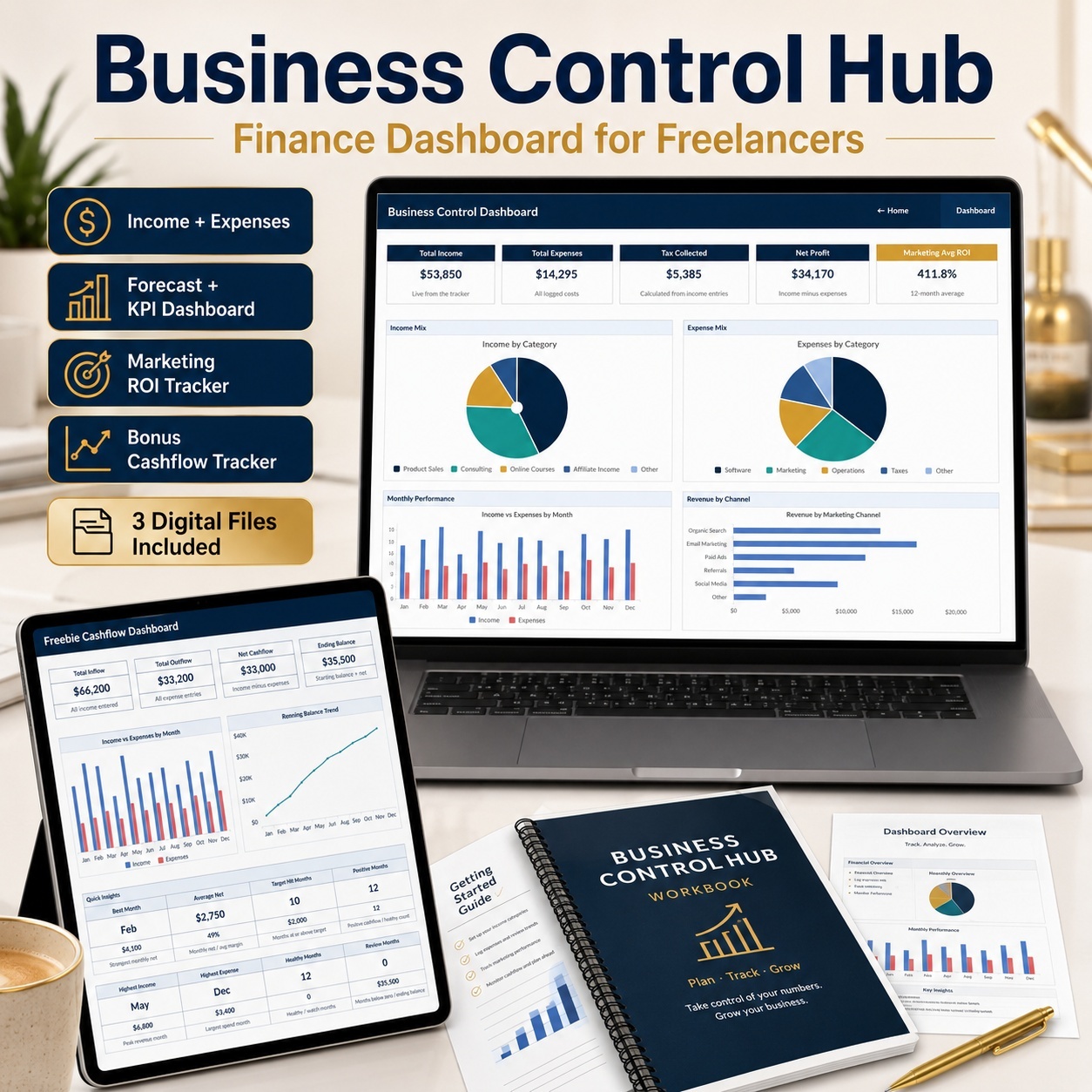
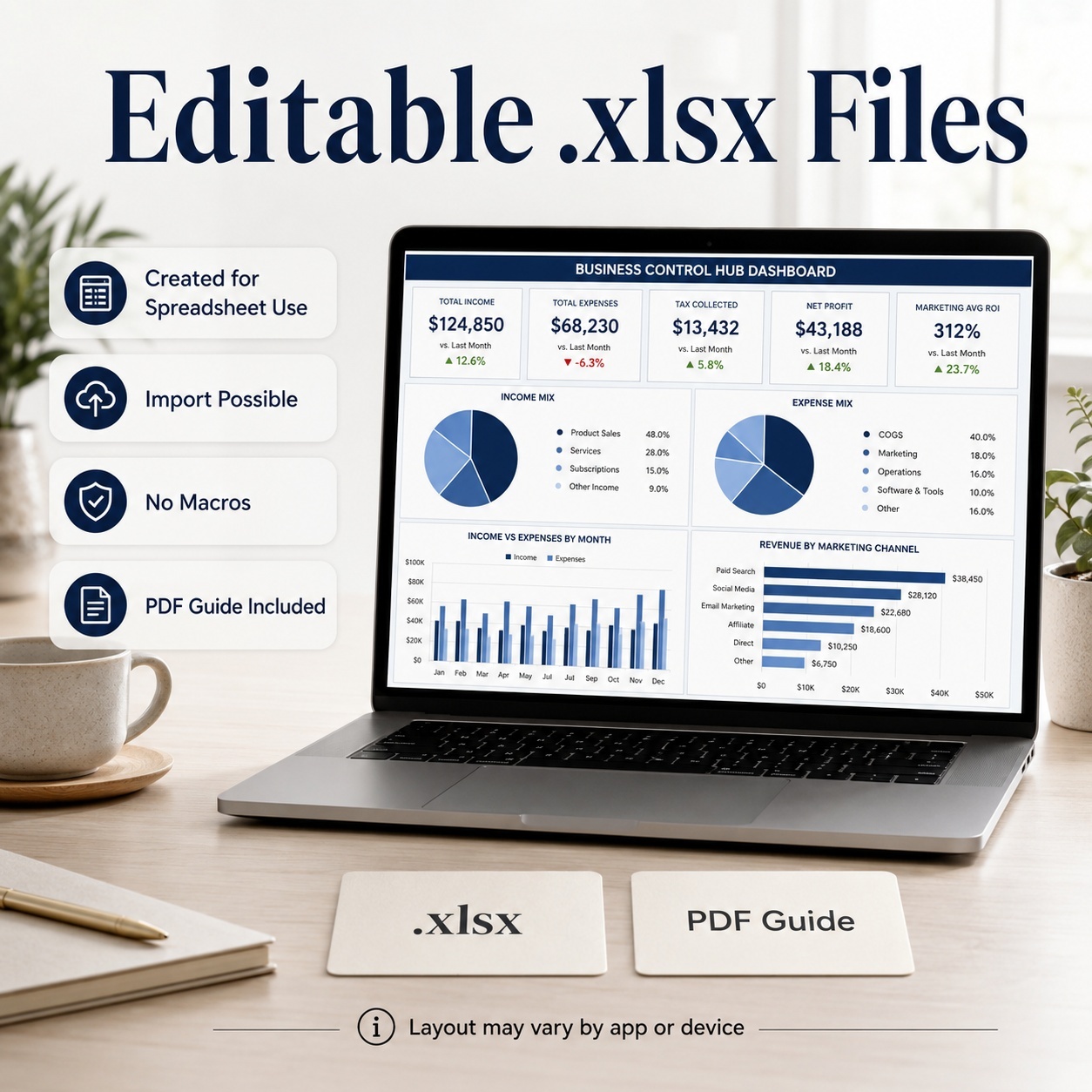
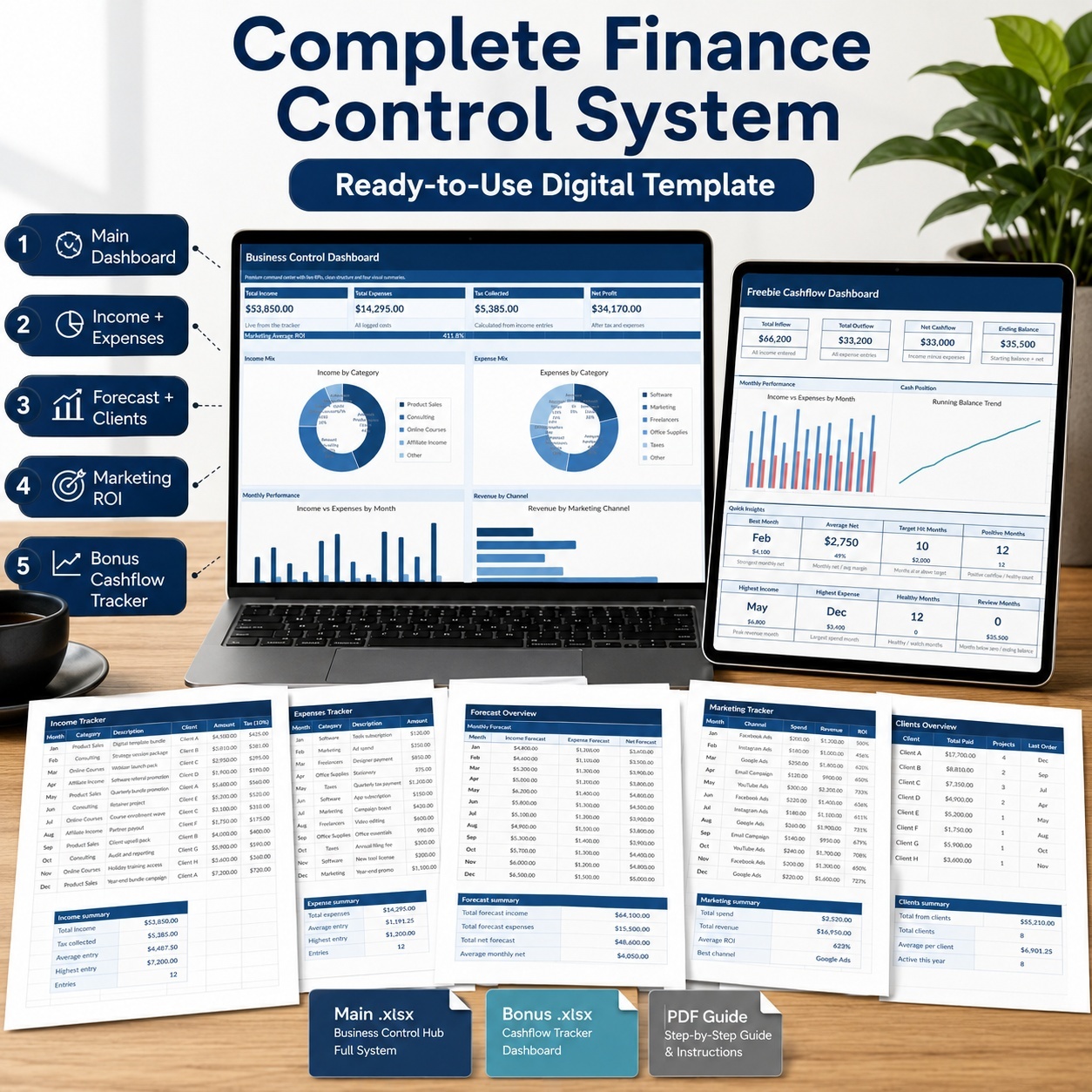
The Main Business Control Hub includes a visual dashboard with key financial indicators such as:
๐Ÿ’ฐ Total Income
๐Ÿ’ธ Total Expenses
๐Ÿงพ Tax Collected
๐Ÿ“ˆ Net Profit
๐Ÿ“ฃ Marketing Average ROI


Four dynamic charts provide additional visibility into:
๐Ÿ“Š Income by Category
๐Ÿ“Š Expenses by Category
๐Ÿ“ˆ Income vs Expenses by Month
๐Ÿ“ฃ Revenue by Marketing Channel


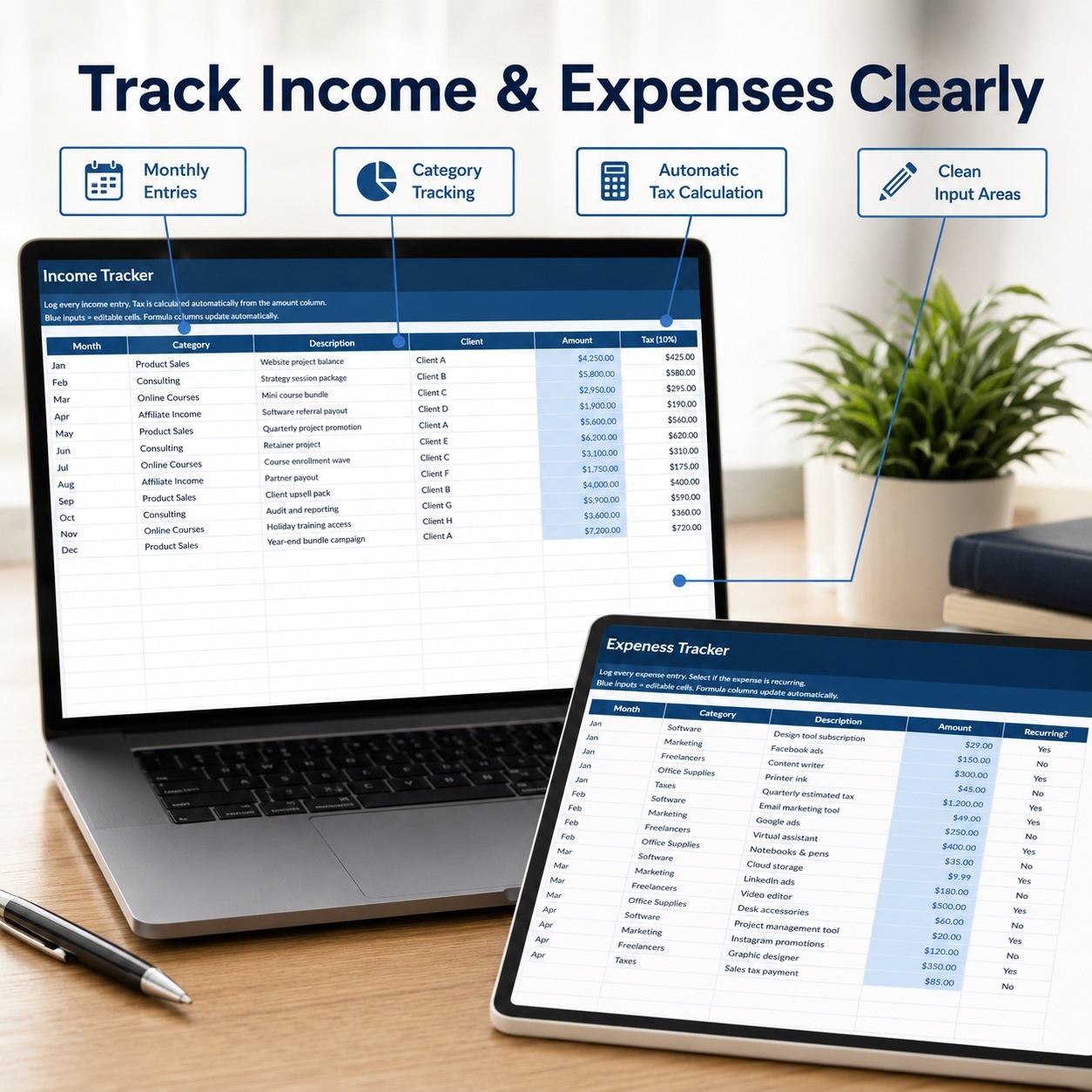
๐Ÿ’ฐ INCOME & EXPENSE TRACKING
Record income by:
โ€ข Month
โ€ข Category
โ€ข Description
โ€ข Client
โ€ข Amount


The workbook automatically calculates the built-in 10% tax column and summary metrics.


The Expenses tracker helps organize:
โ€ข Business costs
โ€ข Expense categories
โ€ข Amounts
โ€ข Recurring vs one-off expenses


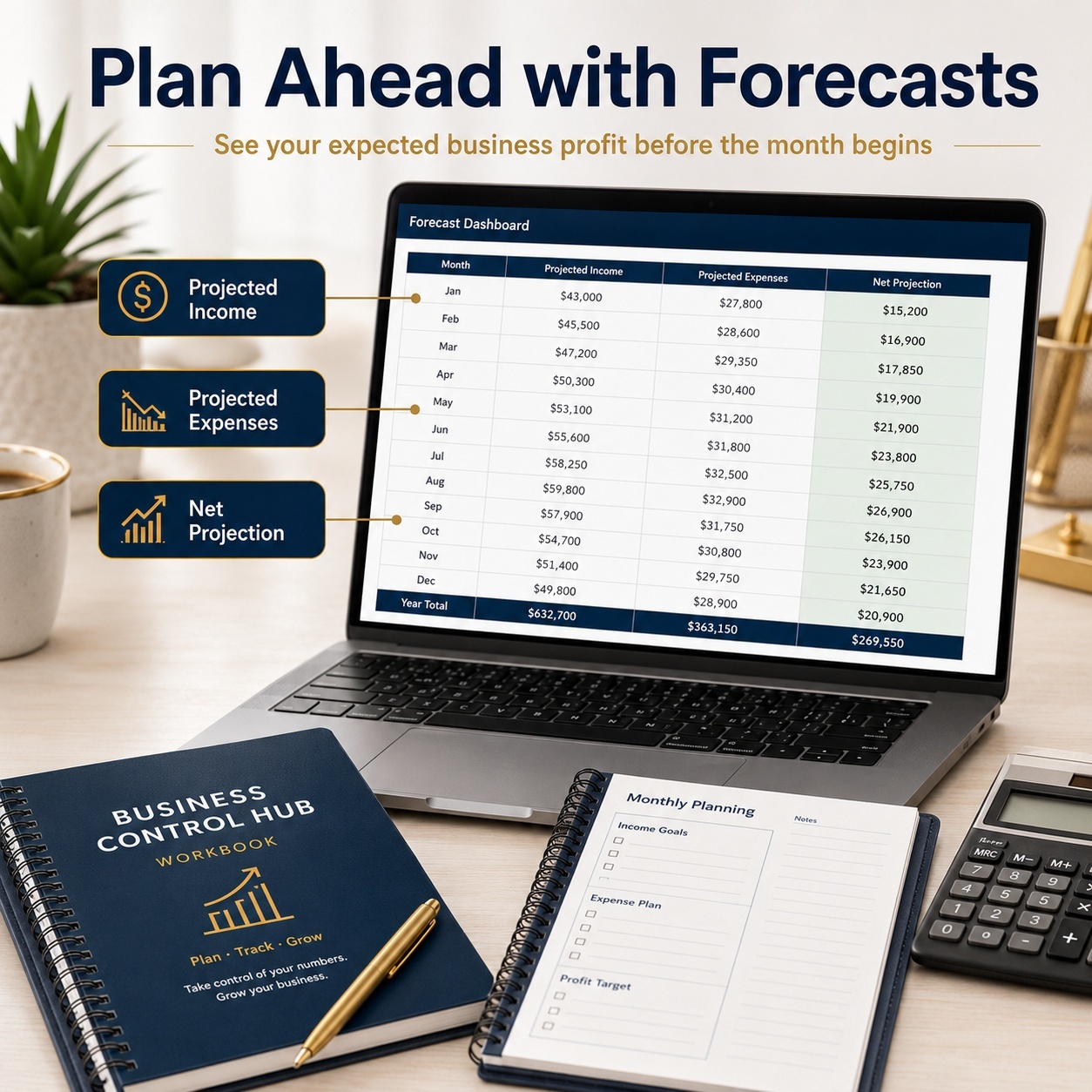
๐Ÿ”ฎ FORECAST PLANNING
Plan projected income and expenses across 12 months.


The workbook automatically calculates monthly Net Projection and summary figures for:
โœ… Projected Income
โœ… Projected Expenses
โœ… Projected Net


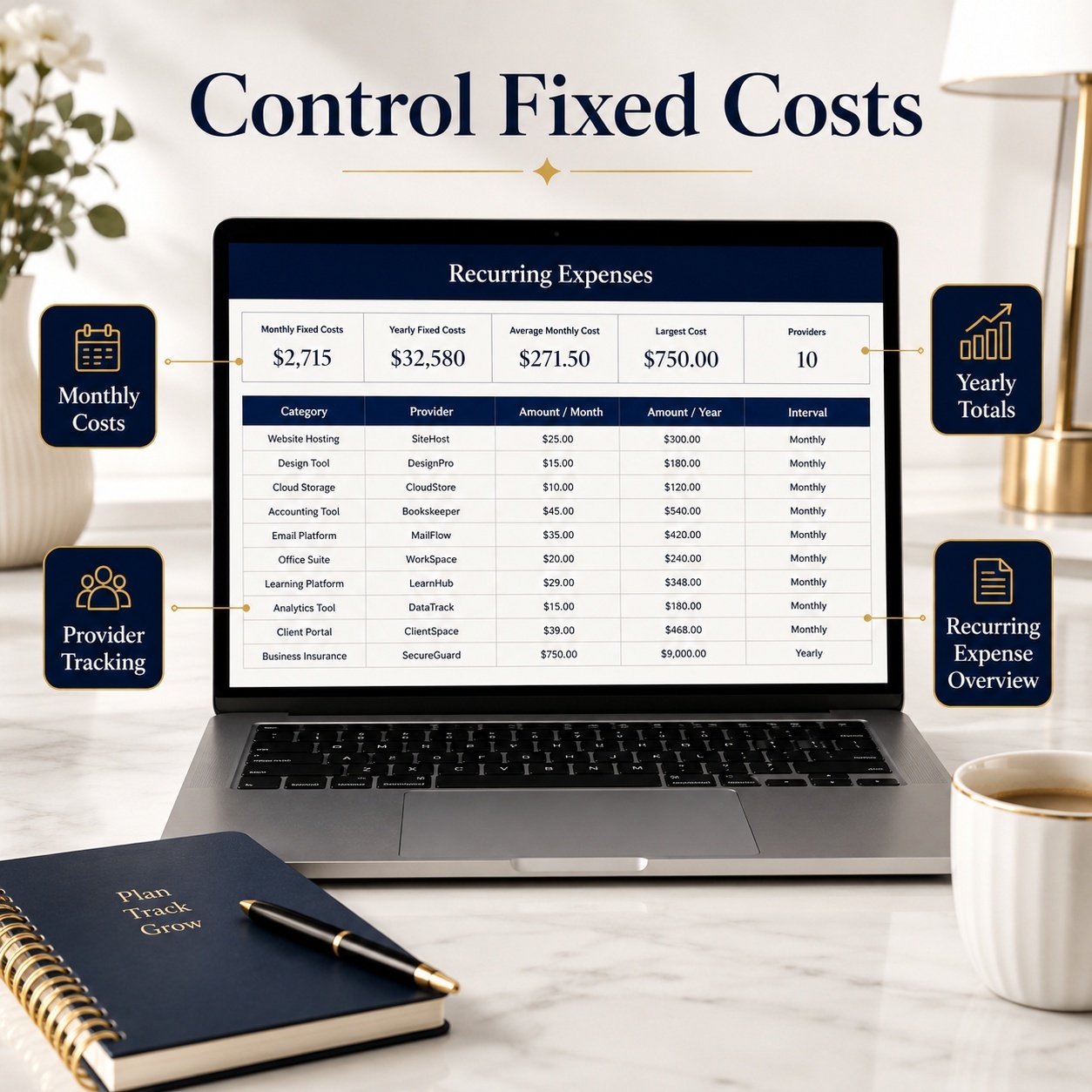
๐Ÿ” RECURRING COSTS
Maintain fixed and recurring business expenses such as:
โ€ข Software
โ€ข Hosting
โ€ข Rent
โ€ข Insurance
โ€ข Phone
โ€ข Email
โ€ข Bookkeeping


Annual cost figures are calculated automatically from monthly amounts.


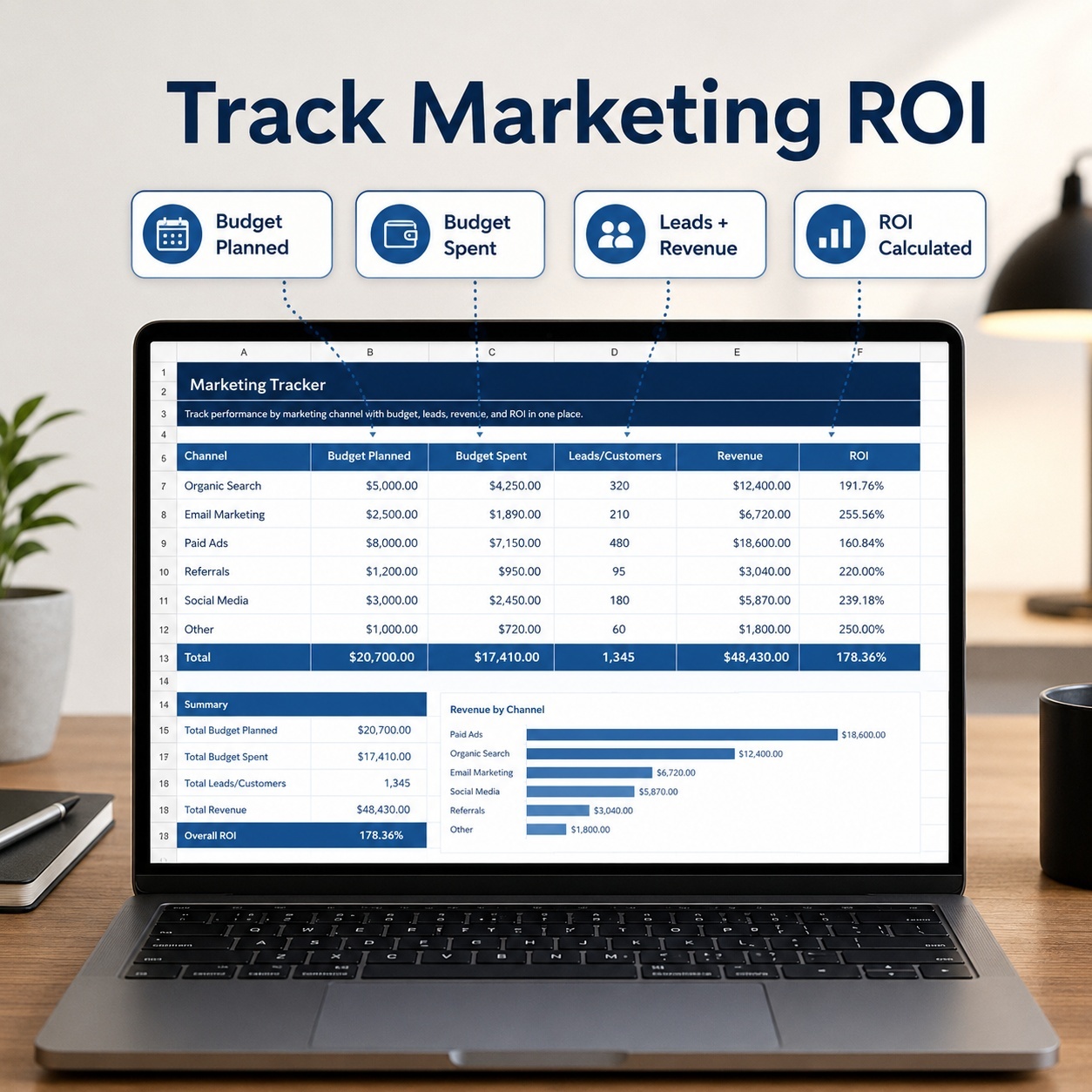
๐Ÿ“ฃ MARKETING ROI TRACKER
Track marketing activity by channel with:
โœ… Planned Budget
โœ… Actual Spend
โœ… Leads / Customers
โœ… Revenue
โœ… Automatic ROI


This provides a simple way to compare marketing investment with generated revenue.


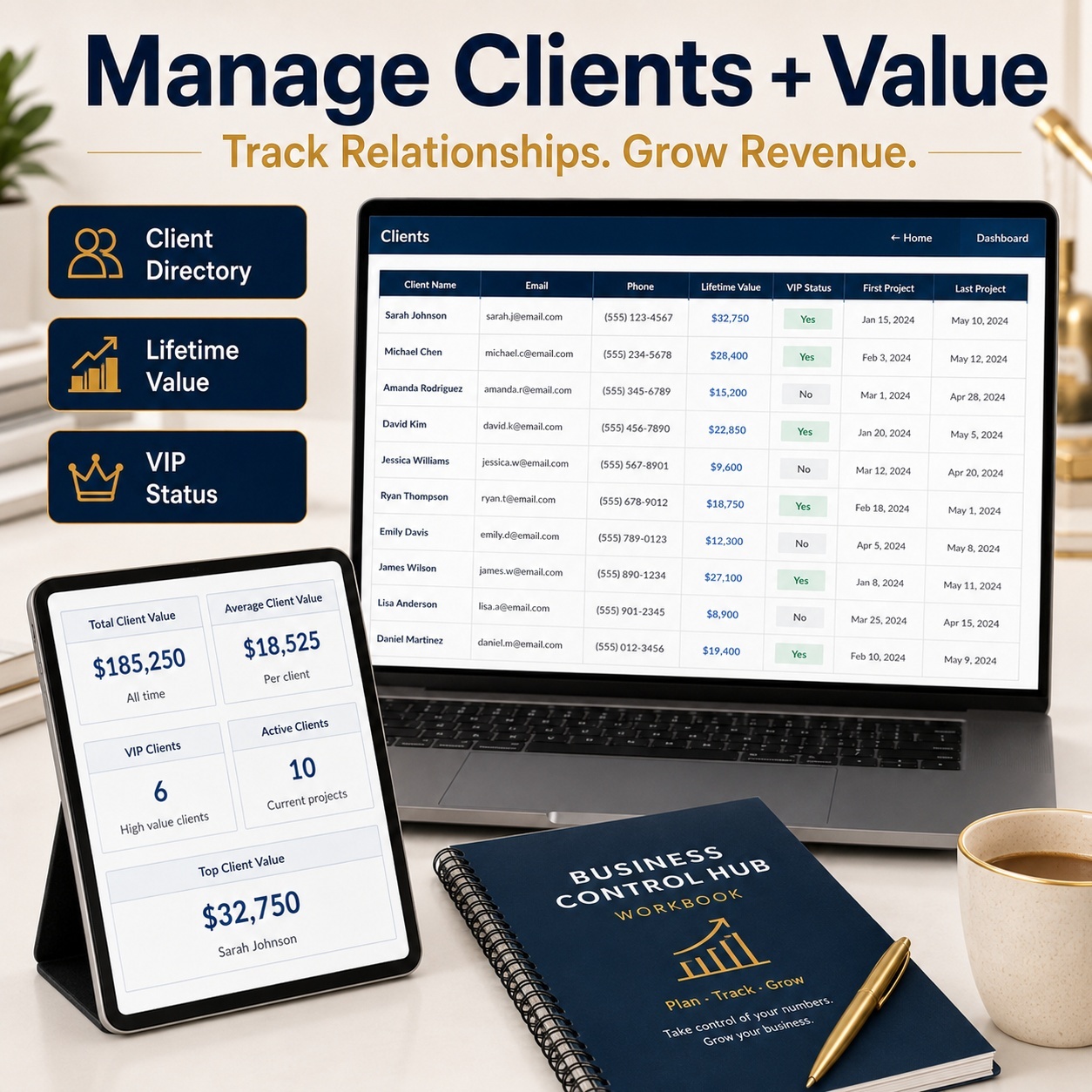
๐Ÿ‘ฅ CLIENT DIRECTORY
Maintain a lightweight client database containing:
โ€ข Client name
โ€ข Contact information
โ€ข Lifetime Value
โ€ข VIP status


Summary metrics help provide a quick overview of overall client value.


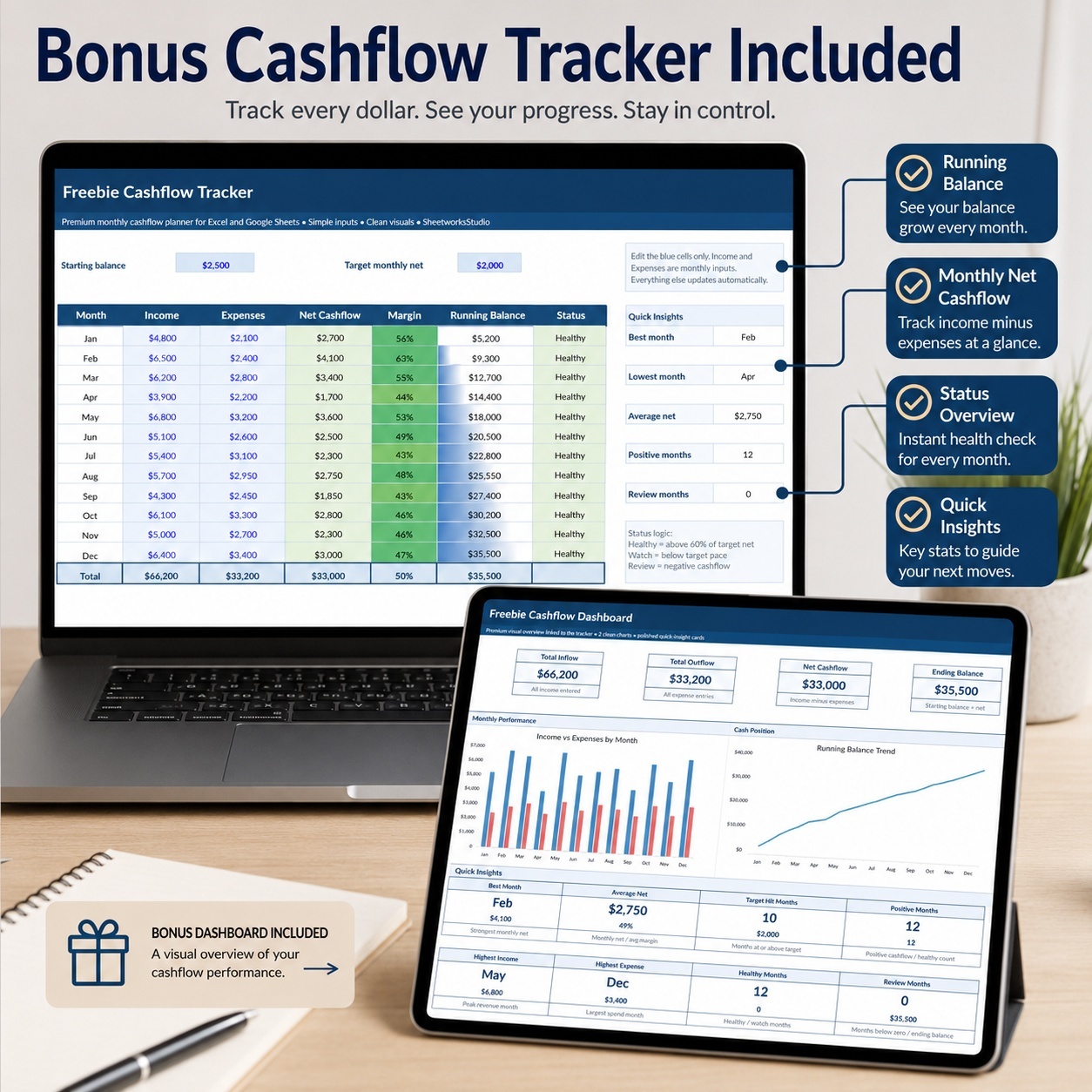
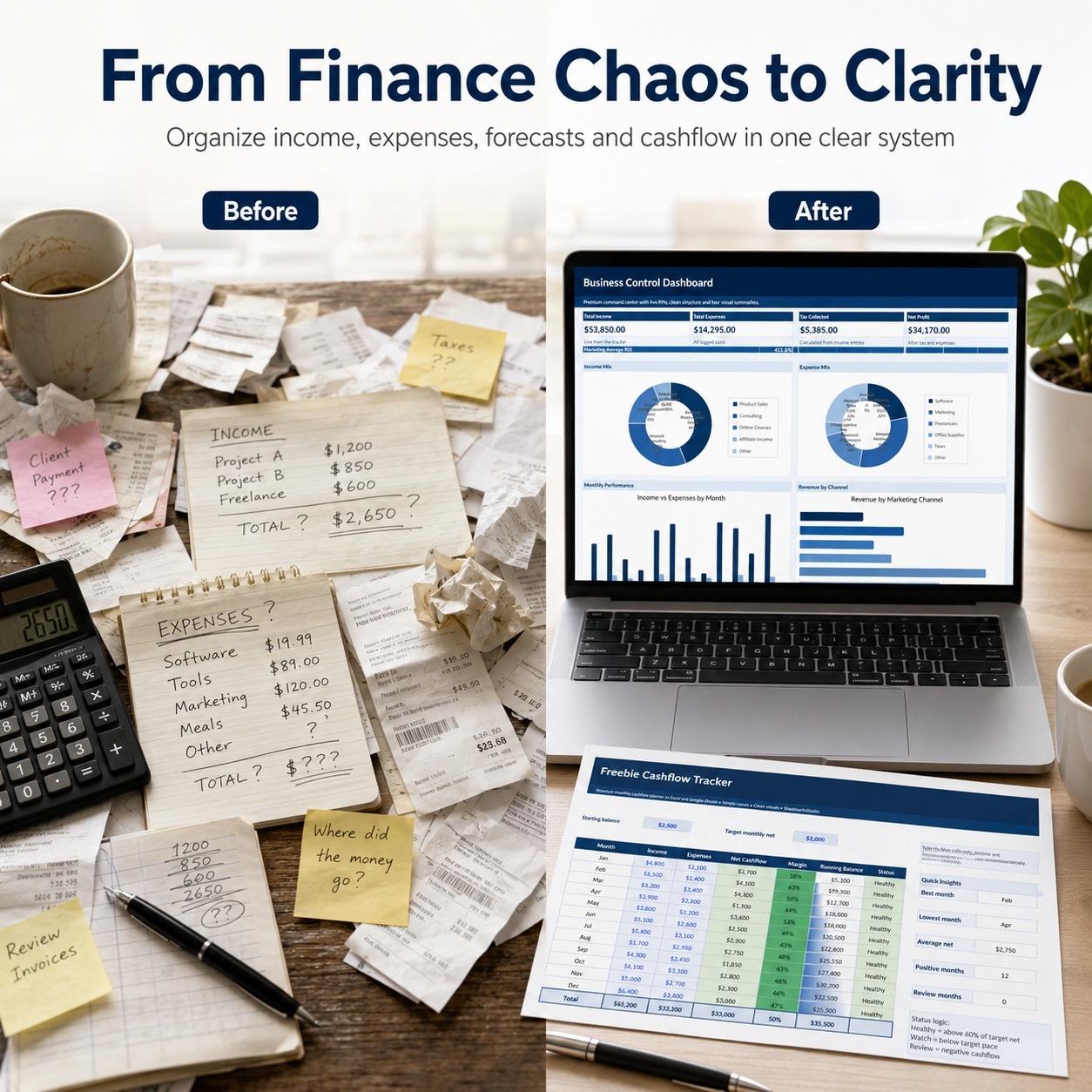
๐ŸŽ BONUS CASHFLOW TRACKER
A separate simplified cashflow workbook is also included.


Enter:
๐Ÿ’ต Starting Balance
๐ŸŽฏ Target Monthly Net
๐Ÿ’ฐ Monthly Income
๐Ÿ’ธ Monthly Expenses


The workbook automatically calculates:
โœ… Net Cashflow
โœ… Margin
โœ… Running Balance
โœ… Monthly Status
โœ… Quick Insights


Its separate dashboard displays:
๐Ÿ’ฐ Total Inflow
๐Ÿ’ธ Total Outflow
๐Ÿ“ˆ Net Cashflow
๐Ÿ’ต Ending Balance


Plus 2 visual charts for monthly performance and running cash position.


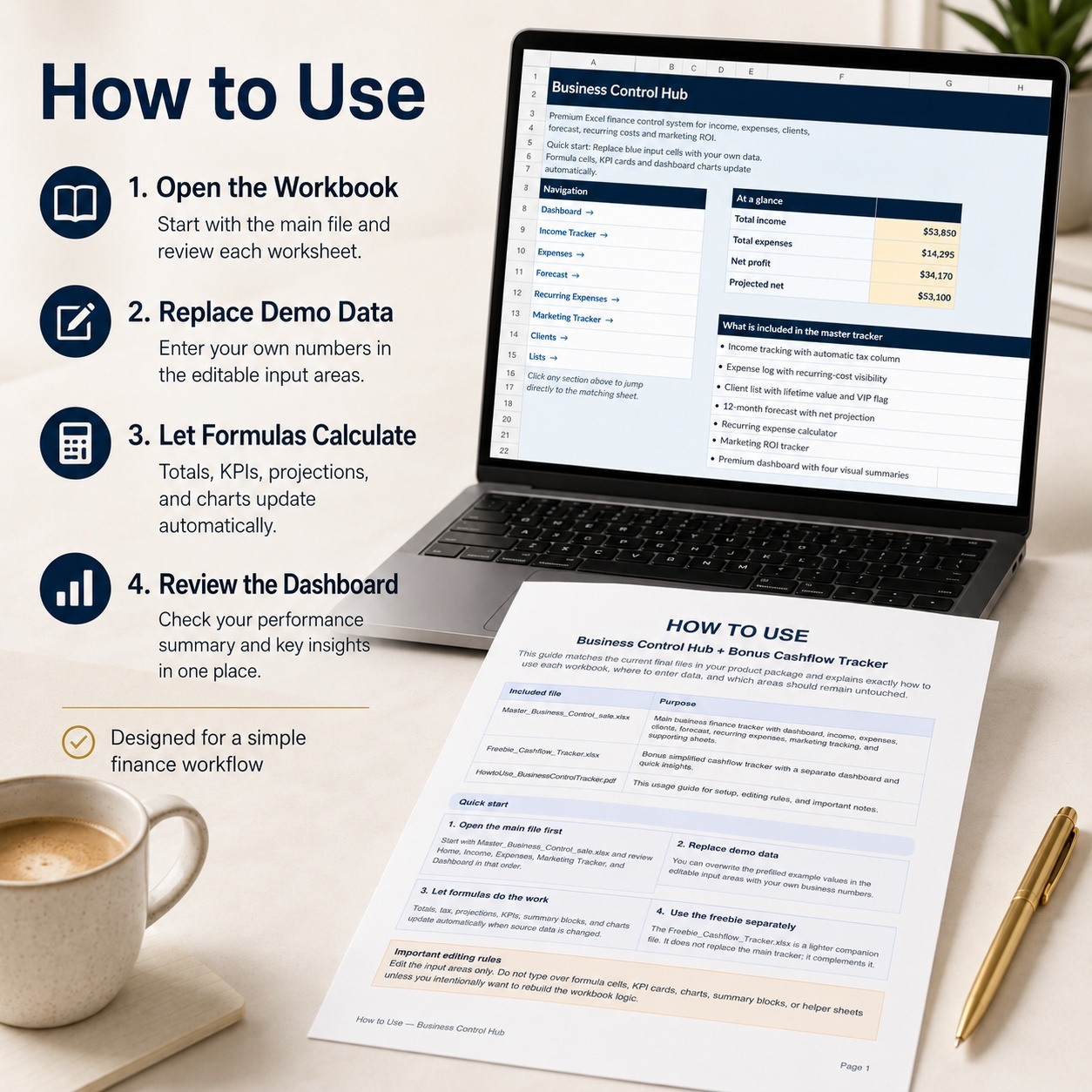
๐Ÿ“˜ PDF HOW-TO GUIDE
The included 5-page English guide explains:
๐Ÿš€ Initial setup
โœ๏ธ Editable vs formula areas
๐Ÿ“Š Main workbook workflow
๐ŸŽ Bonus Cashflow Tracker
๐Ÿ“ˆ Dashboard usage
โ˜๏ธ Google Sheets considerations
๐Ÿ› ๏ธ Troubleshooting
โš–๏ธ License and usage notes


โœจ SIMPLE & EDITABLE
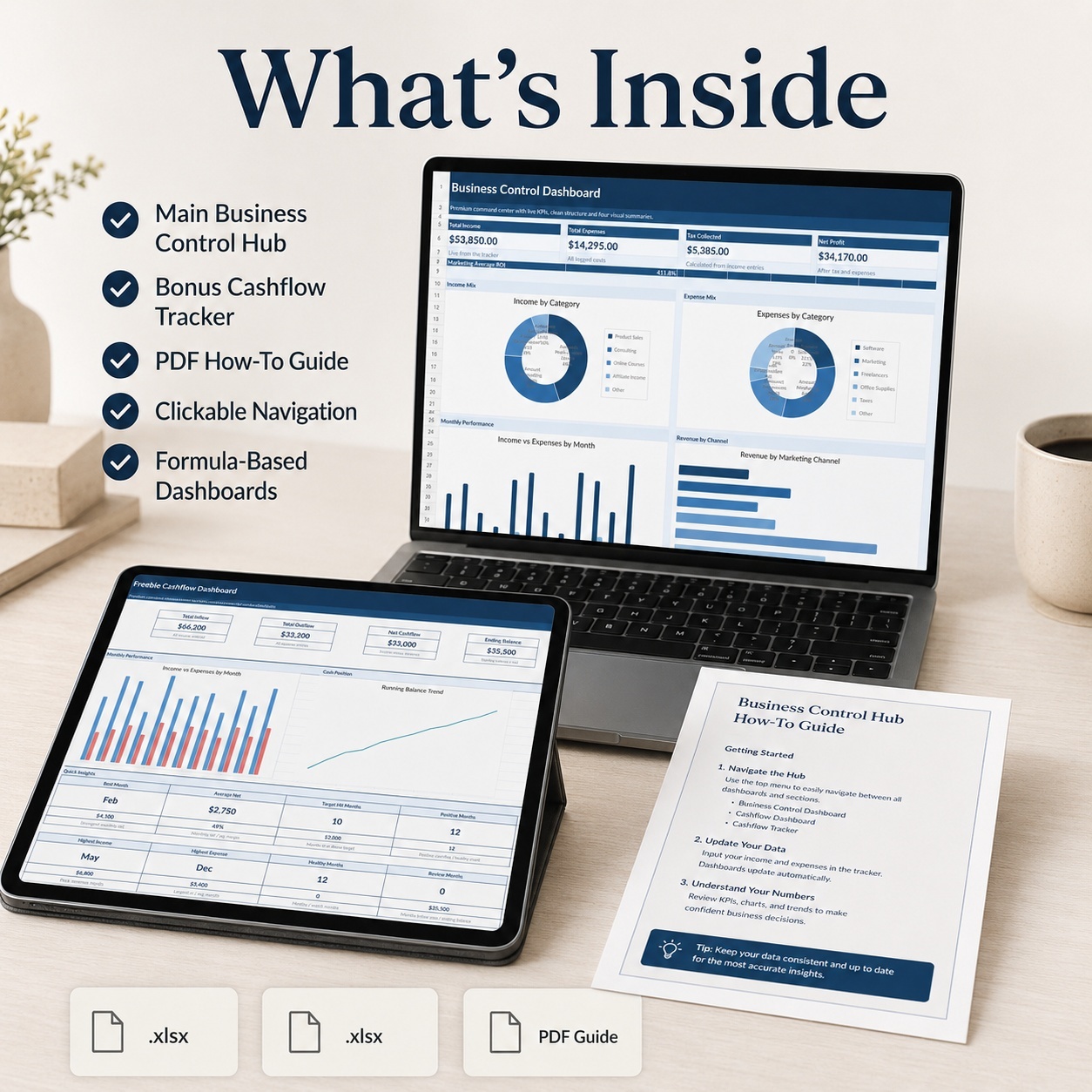
โœ… Formula-based Excel workbooks
โœ… Demo data included
โœ… Dropdown support
โœ… Automatic summaries
โœ… 4 Main Dashboard Charts
โœ… 2 Cashflow Dashboard Charts
โœ… No macros
โœ… No VBA
โœ… No external data connections


Microsoft Excel is recommended for the most consistent experience.
The XLSX files can also be imported into Google Sheets. Some formatting, fonts or chart styling may display differently after conversion.


๐Ÿ’Ž ONE SIMPLE BUSINESS FINANCE WORKFLOW
Income โ†’ Expenses โ†’ Forecast โ†’ Fixed Costs โ†’ Marketing โ†’ Clients โ†’ Dashboard โ†’ Cashflow
Use the included sample data to understand the workflow, then replace it with your own business information.


โš–๏ธ FINANCIAL DISCLAIMER
This product is an editable organizational and financial-tracking template intended for general business use.
It does not constitute tax, accounting, bookkeeping, legal, investment or financial advice.


All entries, formulas, tax assumptions, calculations and outputs should be reviewed and validated by the user before being used for financial or business decisions.


The workbook does not replace professional accounting or bookkeeping systems.

This Best Practice includes
1 ร— Business Control Hub (.xlsx), 1 ร— Bonus Cashflow Tracker (.xlsx), 1 ร— How-to-Use Guide (.pdf)

SheetworksStudio offers you this Best Practice for free!

download for free

Add to bookmarks

Discuss

Further information

โ€ข Organize income and business expenses
โ€ข Monitor overall profitability
โ€ข Plan future income and costs
โ€ข Maintain visibility over fixed expenses
โ€ข Review marketing ROI
โ€ข Maintain a simple client overview
โ€ข Monitor monthly cashflow and running balance

Best suited to users who:
โ€ข want a simple spreadsheet-based financial overview
โ€ข do not need complex accounting software
โ€ข manage a freelance or small business
โ€ข want to combine finance, forecasting and marketing tracking
โ€ข prefer editable Excel tools
โ€ข want a quick visual dashboard

This toolkit does not:
โ€ข replace accounting or bookkeeping software
โ€ข prepare tax returns
โ€ข connect to banks automatically
โ€ข import transactions automatically
โ€ข provide live financial data
โ€ข perform payroll
โ€ข replace professional accounting, tax or financial advice


0.0 / 5 (0 votes)

please wait...