Inventory & COGS Planner — Excel Model with Turnover & Reorder Points
Originally published: 13/07/2026 20:12
Publication number: ELQ-81557-1
View all versions & Certificate
certified

Inventory & COGS Planner — Excel Model with Turnover & Reorder Points

A 12-month, SKU-level inventory model with turnover ratios, reorder points, safety stock, and COGS tracking.

Description

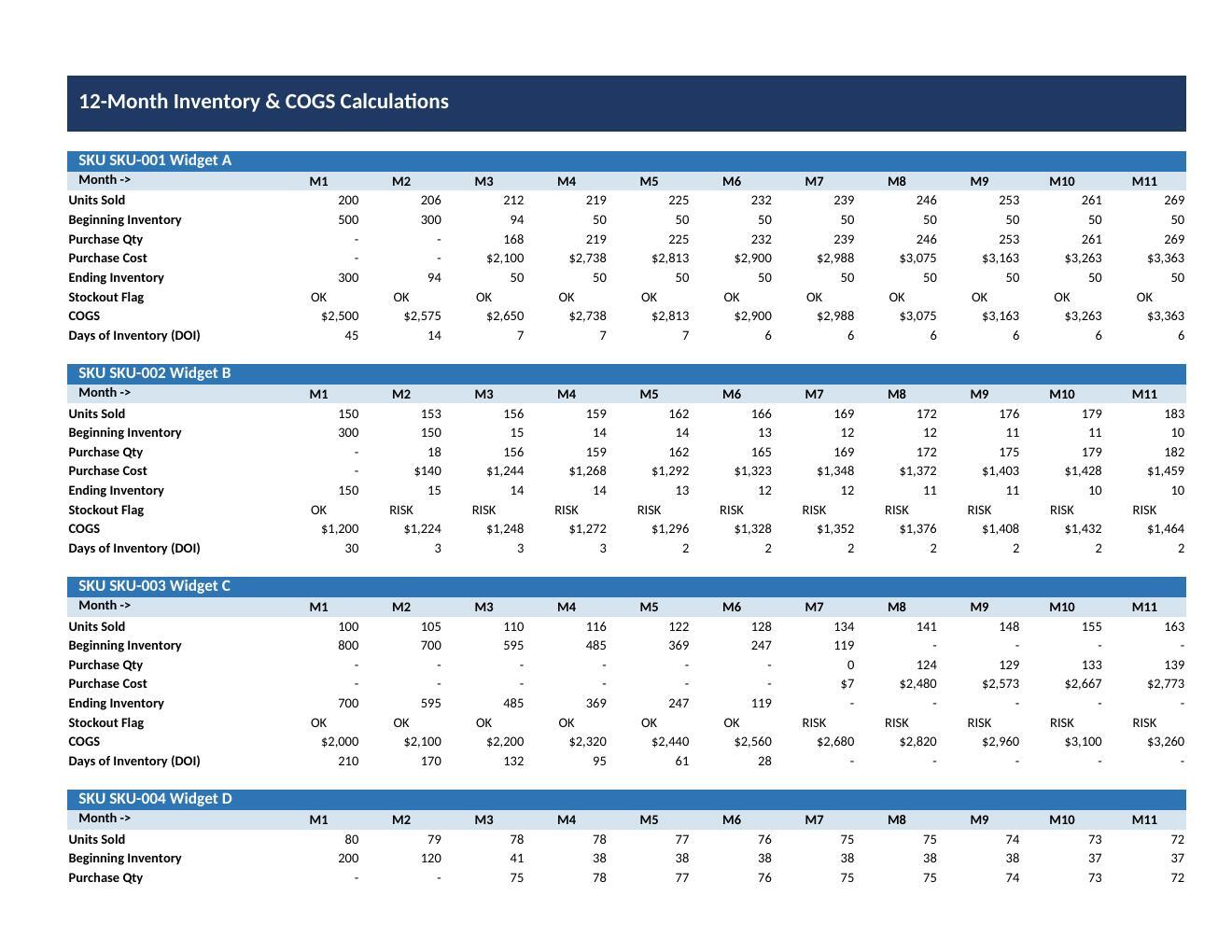
This Excel-based Inventory and COGS Planner gives finance teams a SKU-by-SKU view of stock levels, purchasing needs, and cost of goods sold across a 12-month horizon. From starting inventory, unit cost, sales forecasts, and lead times for up to five SKUs, it calculates monthly units sold, ending inventory, purchase quantities, and cost, rolling up into total COGS by SKU and company-wide.

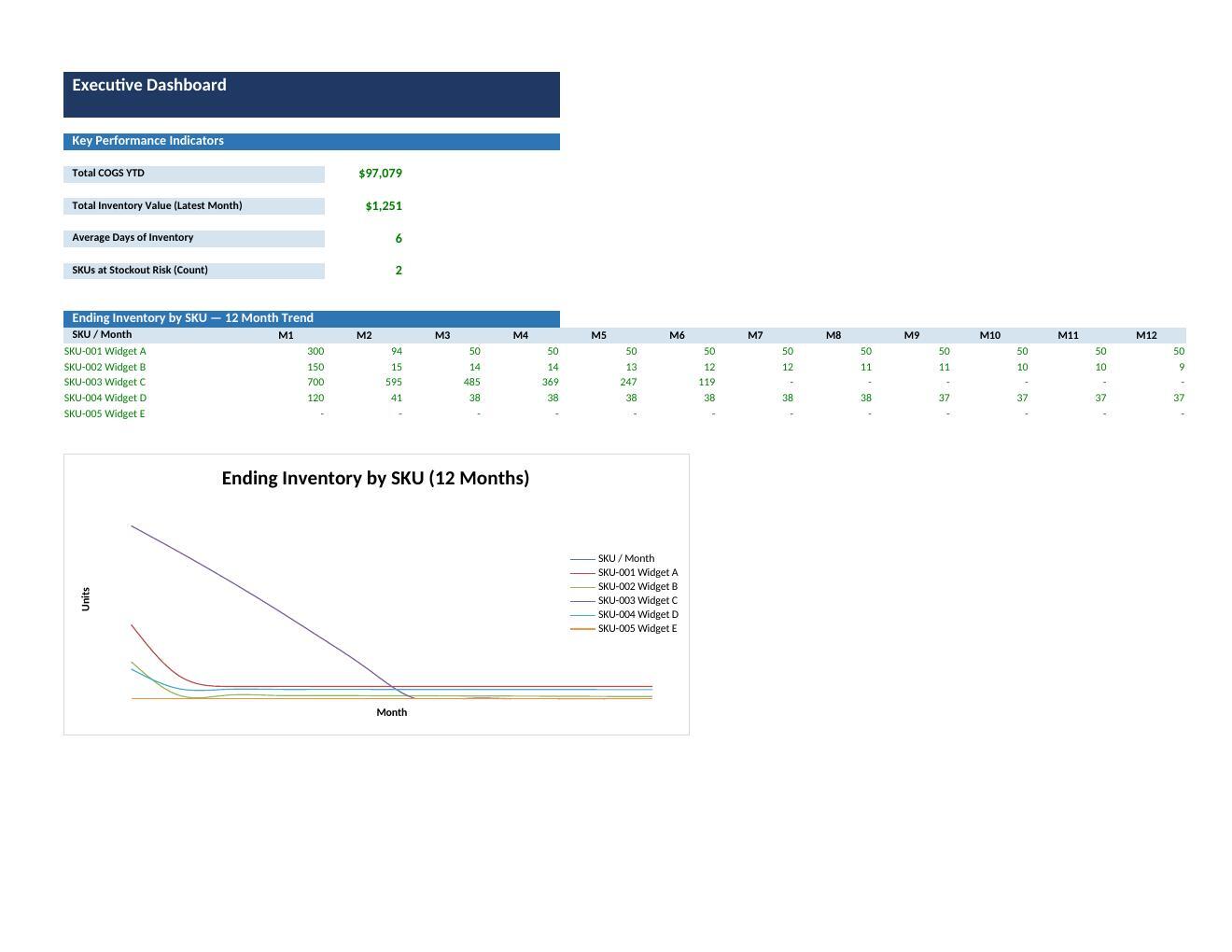
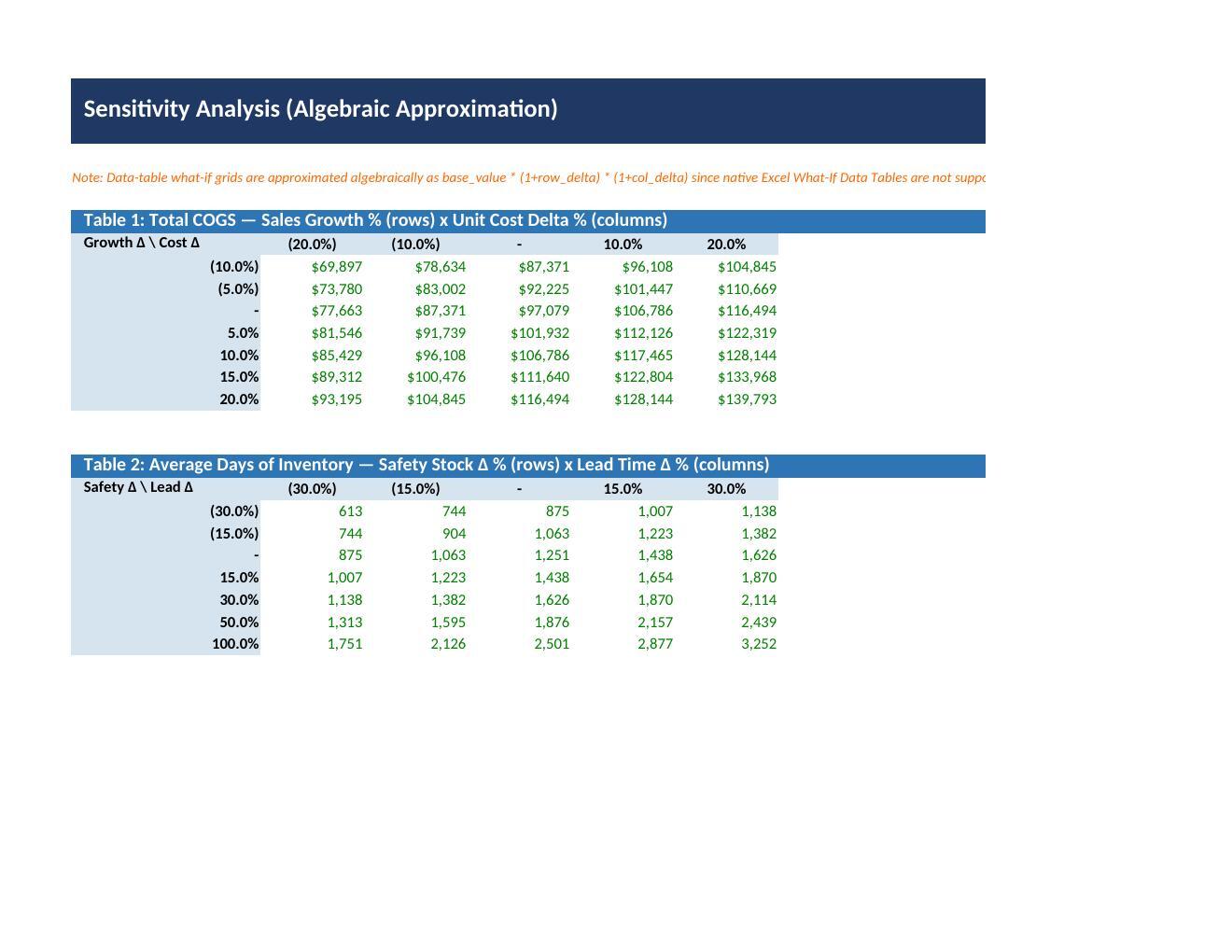
It computes inventory turnover ratios and days of inventory, and derives reorder points and safety stock from lead time and demand variability so you know when to reorder and how much buffer to hold against stockouts. A stockout risk indicator flags SKUs where projected inventory could fall short of demand. A Dashboard summarizes KPIs, COGS trends, and inventory health, while a two-way Sensitivity Analysis stress-tests the plan against alternate sales growth and lead time assumptions.

Who It Is For

Built for:

  • Retail and e-commerce finance teams needing an auditable view of inventory investment and COGS,

  • FP&A analysts for budgeting, forecasting, and board reporting,

  • Supply chain and operations planners for setting reorder points, safety stock, and purchase timing,

  • Small business owners running lean, SKU-level operations to plan cash needs tied to inventory purchases,

  • Consultants supporting clients on inventory or working capital strategy.

What Is Included

The workbook has nine structured sheets:

  • Cover,

  • Instructions with usage guidance,

  • Assumptions for global settings,

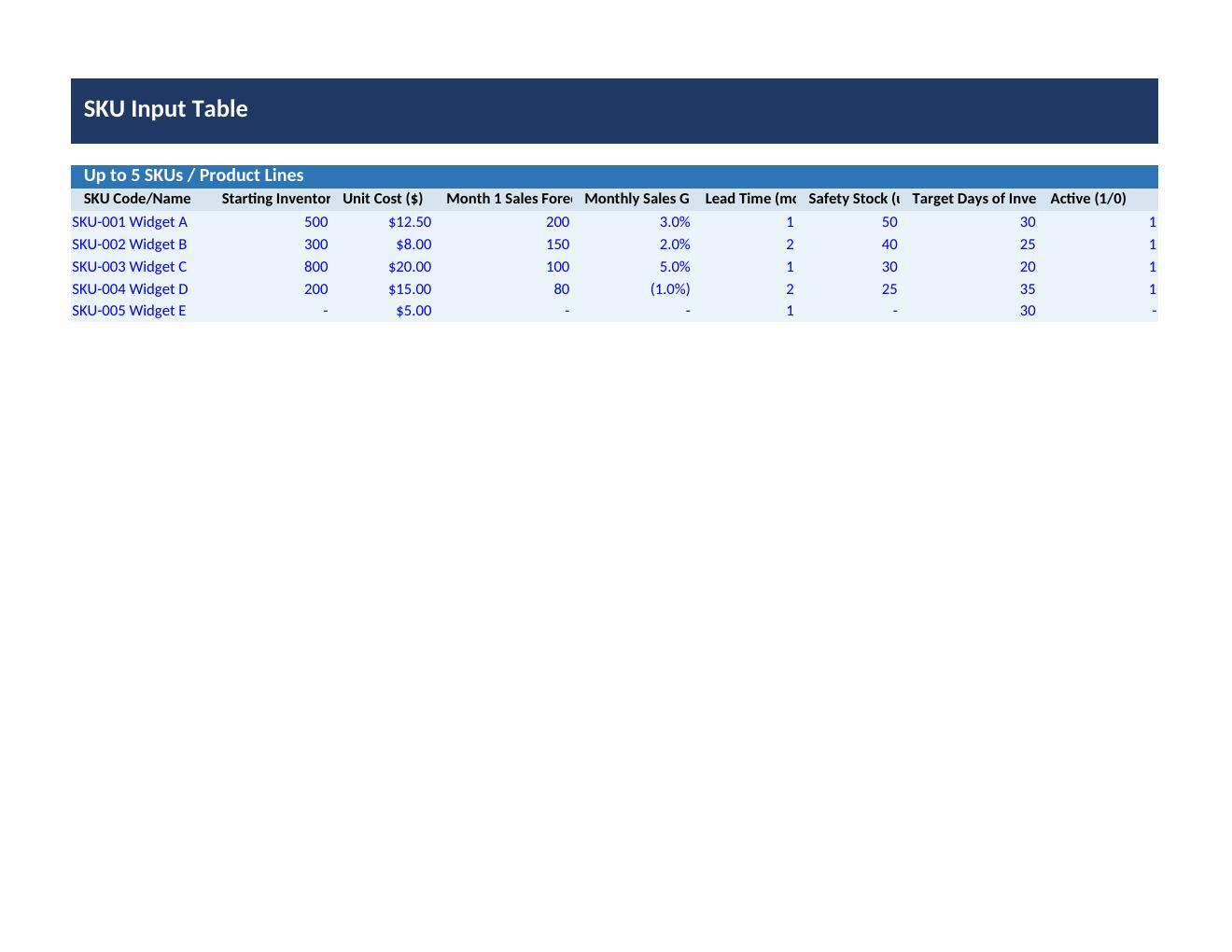
  • Inputs for SKU-level inventory, cost, and sales data,

  • Calculations engine running the month-by-month inventory and COGS math,

  • Dashboard with KPIs and visual summaries,

  • Sensitivity sheet with two-way data tables,

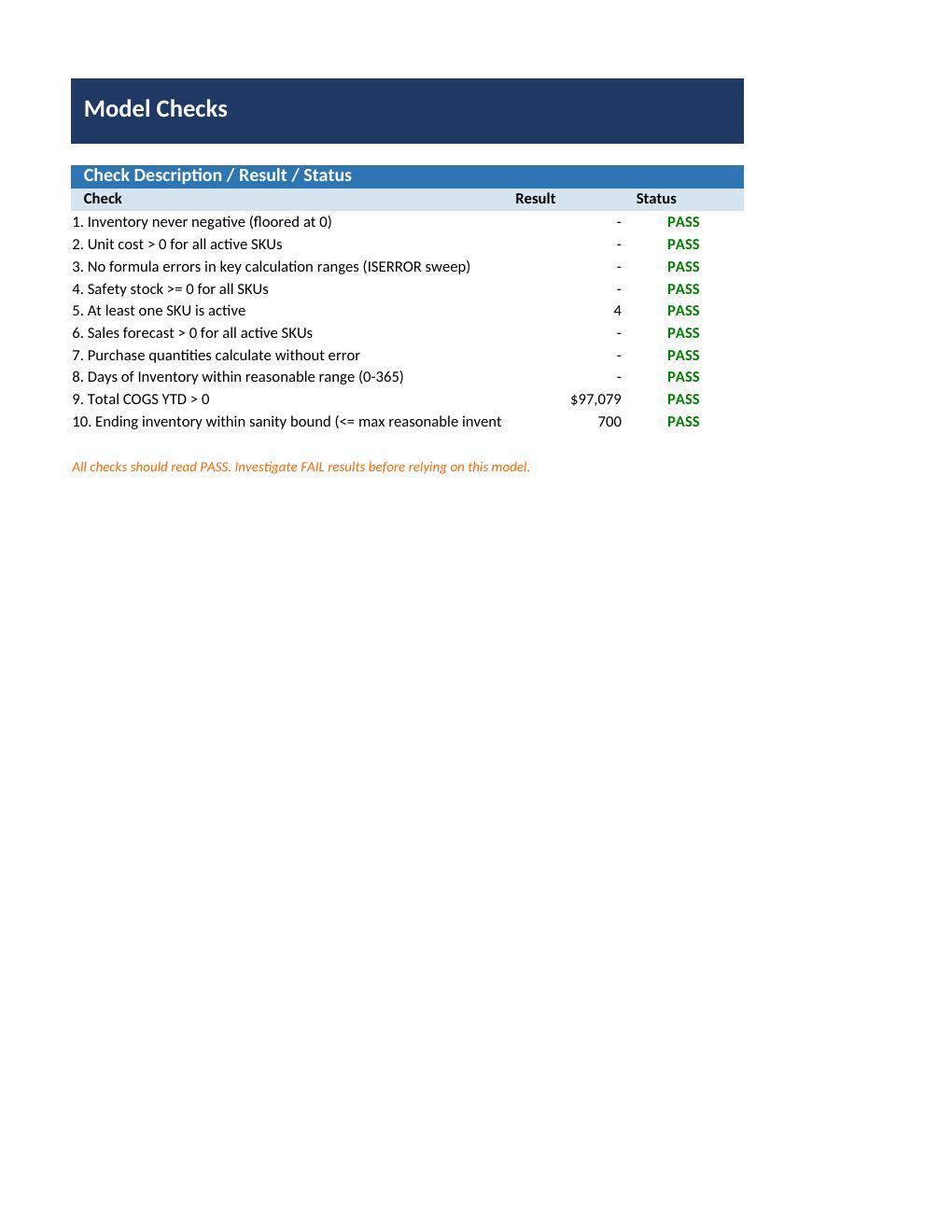
  • Checks sheet with validation rules,

  • Version History sheet.

This Best Practice includes
1 Excel workbook (.xlsx), 9 sheets: Cover, Instructions, Assumptions, Inputs, Calculations, Dashboard, Sensitivity, Checks, Version History

Acquire business license for $24.99

Add to cart

Add to bookmarks

Discuss


0.0 / 5 (0 votes)

please wait...
