Internal Audit & CAPA Excel System | Findings Tracker, Corrective Actions, Dashboard & Audit Starter Kit
Originally published: 19/10/2026 12:05
Publication number: ELQ-99534-1
View all versions & Certificate
certified

Internal Audit & CAPA Excel System | Findings Tracker, Corrective Actions, Dashboard & Audit Starter Kit

Professional Excel audit system for findings, CAPA actions, SLA deadlines, owners, evidence requests, root cause analysis and management reporting.

Description
📊 INTERNAL AUDIT & CAPA MANAGEMENT SYSTEM


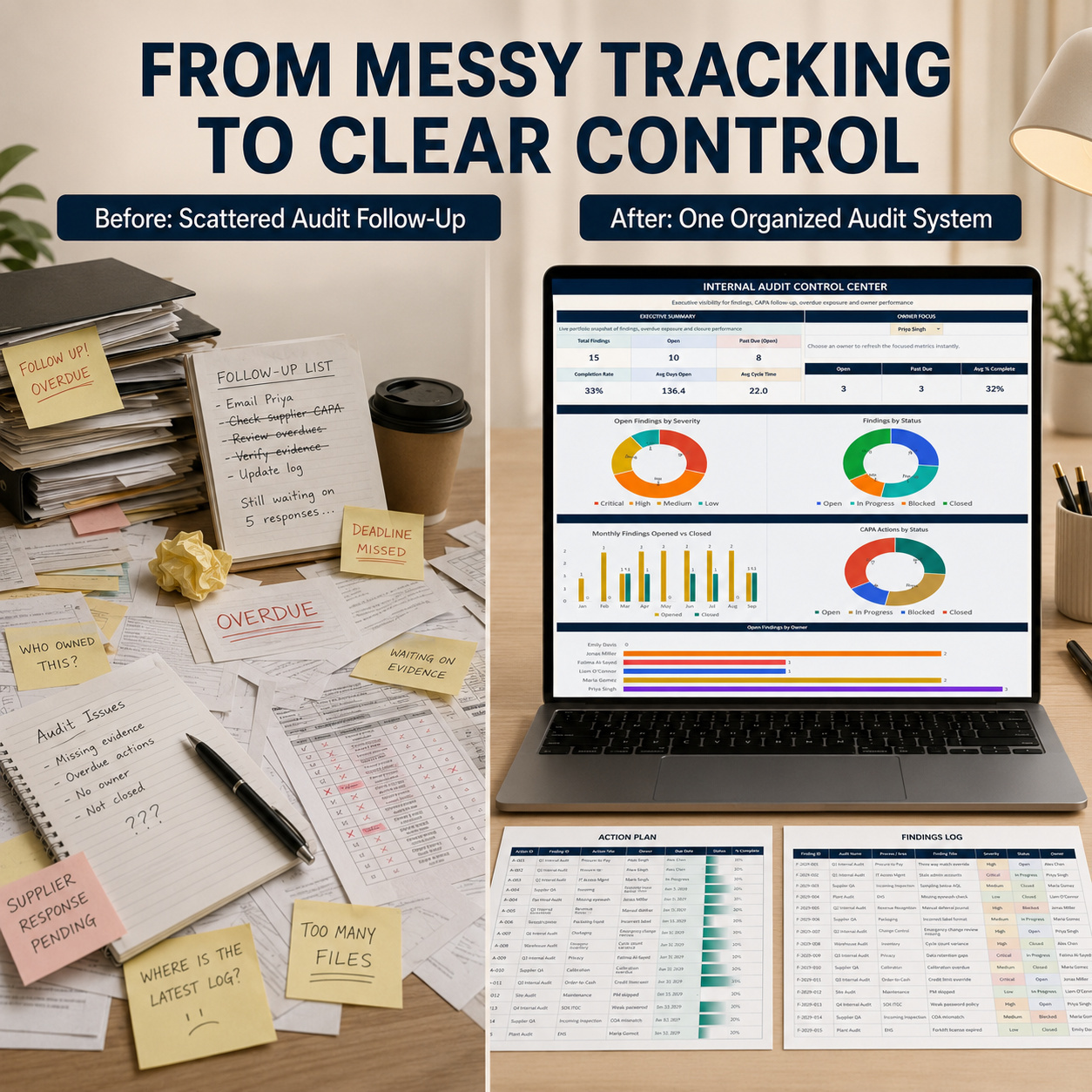
Bring audit findings, corrective actions, preventive actions, deadlines, ownership and management reporting into one structured Excel-based workflow.


The Internal Audit Log is designed for auditors, QA teams, compliance professionals, quality managers, consultants and internal-control teams that need a practical way to manage audit follow-up without relying on disconnected spreadsheets, emails and action lists.


The complete package combines:
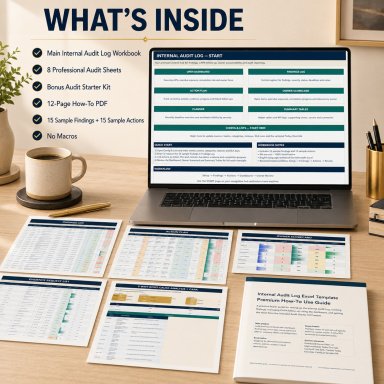
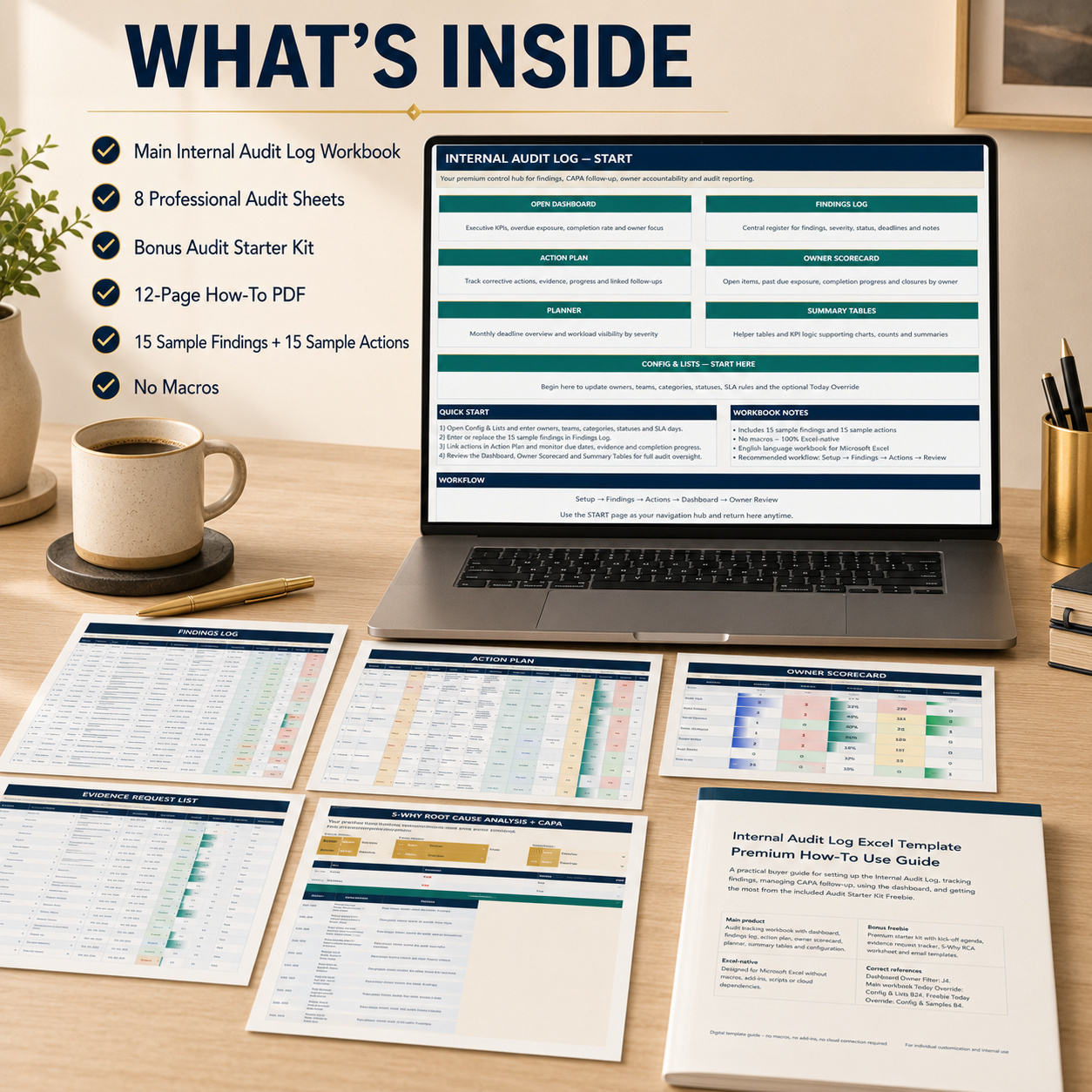
📘 8-sheet Internal Audit Main Workbook
🎁 6-sheet Audit Starter Kit
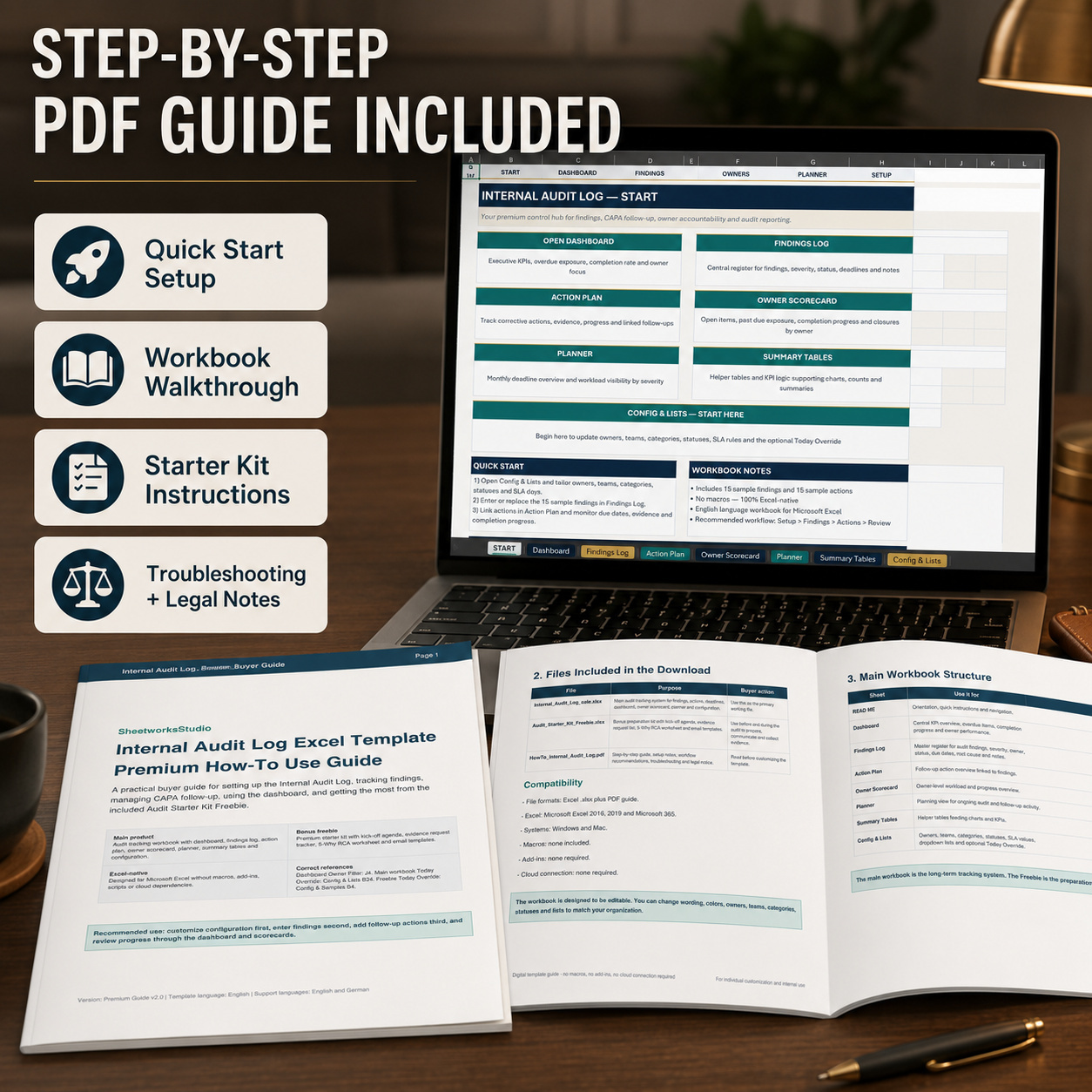
📖 12-page Premium How-to-Use Guide


The system supports the complete workflow from configuration and audit findings through CAPA follow-up, owner accountability, evidence preparation, root-cause analysis and closure.


🏠 START & NAVIGATION
The START page provides a professional entry point into the audit-management workflow.
Use it to:
  • Understand the recommended sequence
  • Navigate directly between major workbook areas
  • Review setup guidance
  • Access findings, actions, reporting and configuration


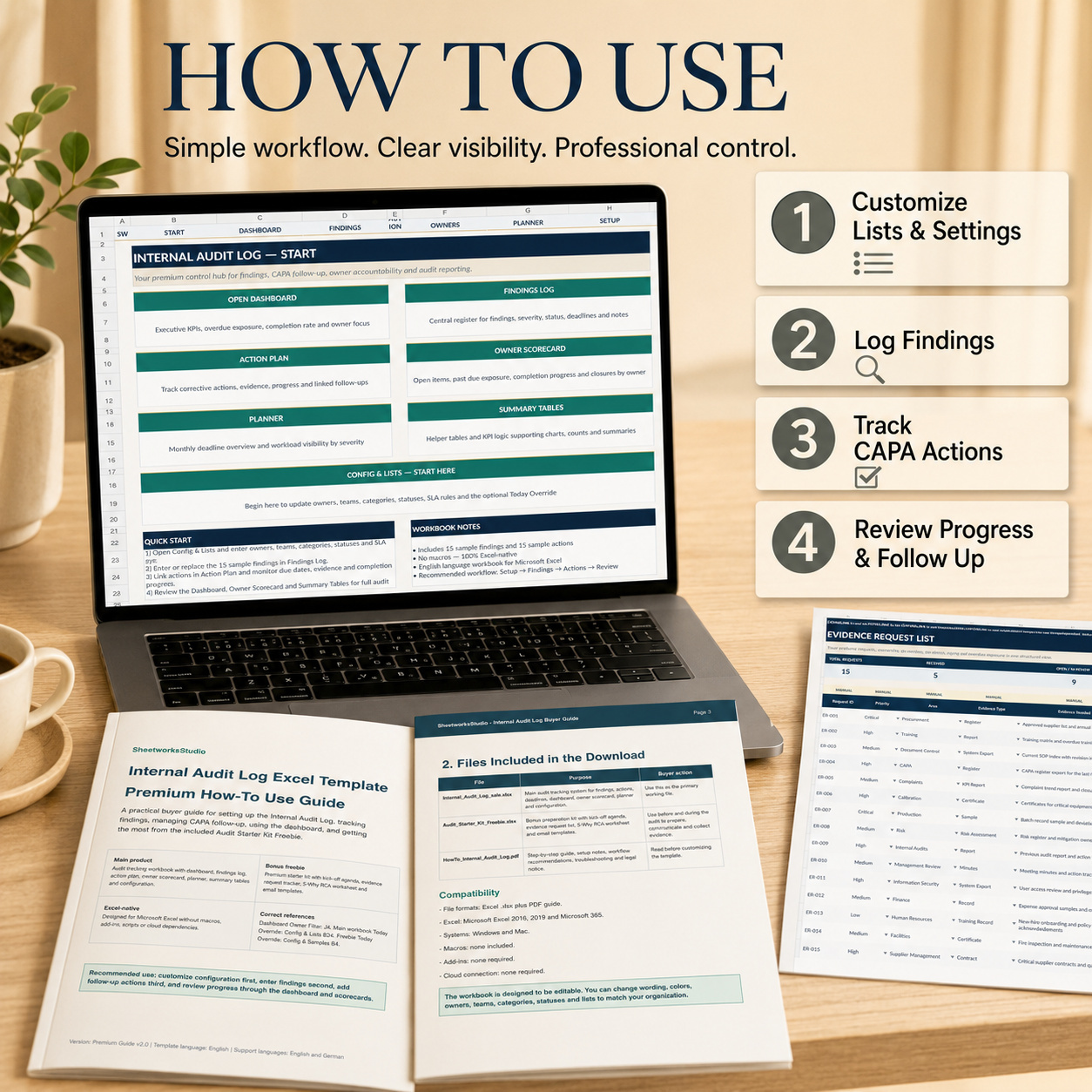
The recommended workflow is simple:
Configure → Findings → CAPA Actions → Review → Follow-Up


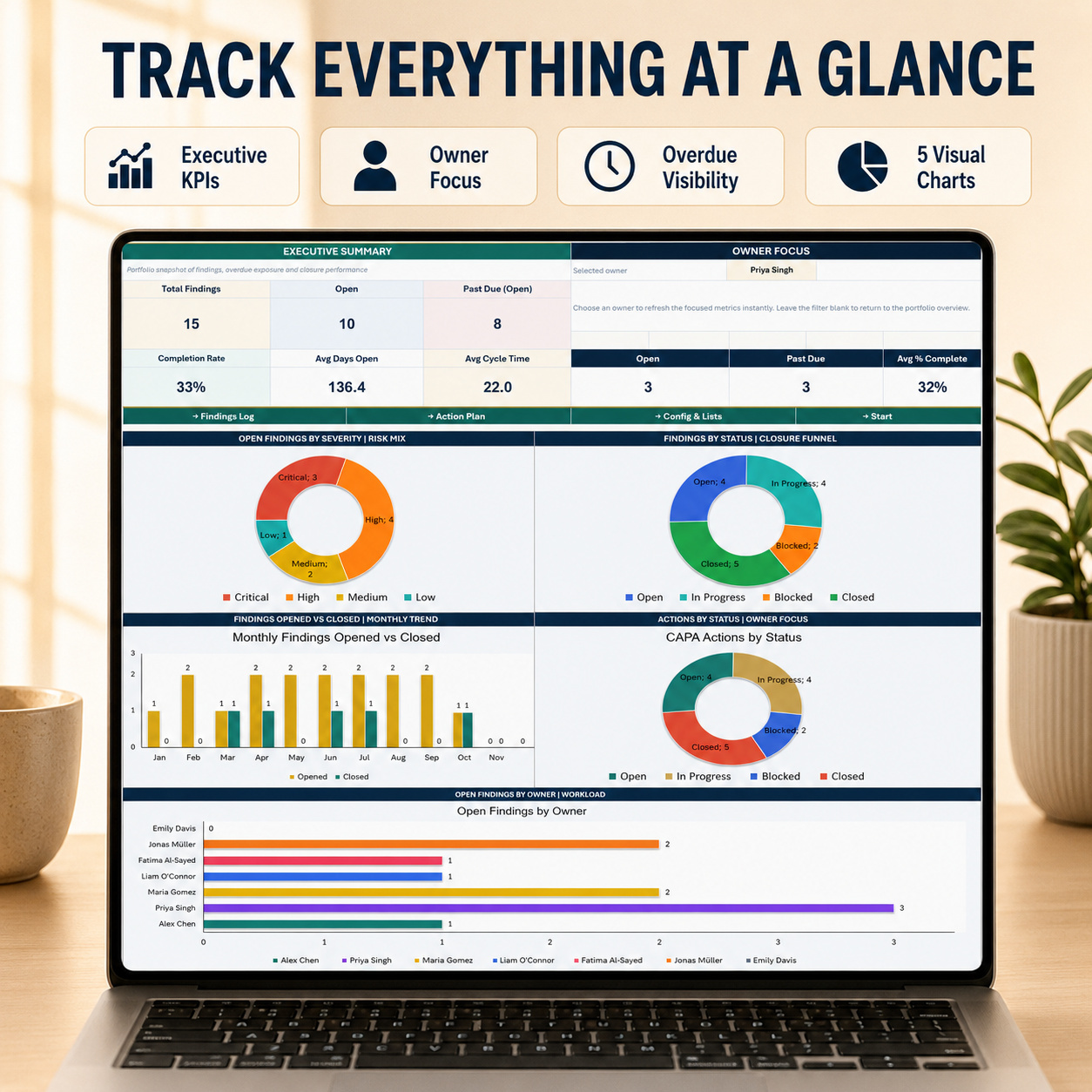
📊 EXECUTIVE AUDIT DASHBOARD
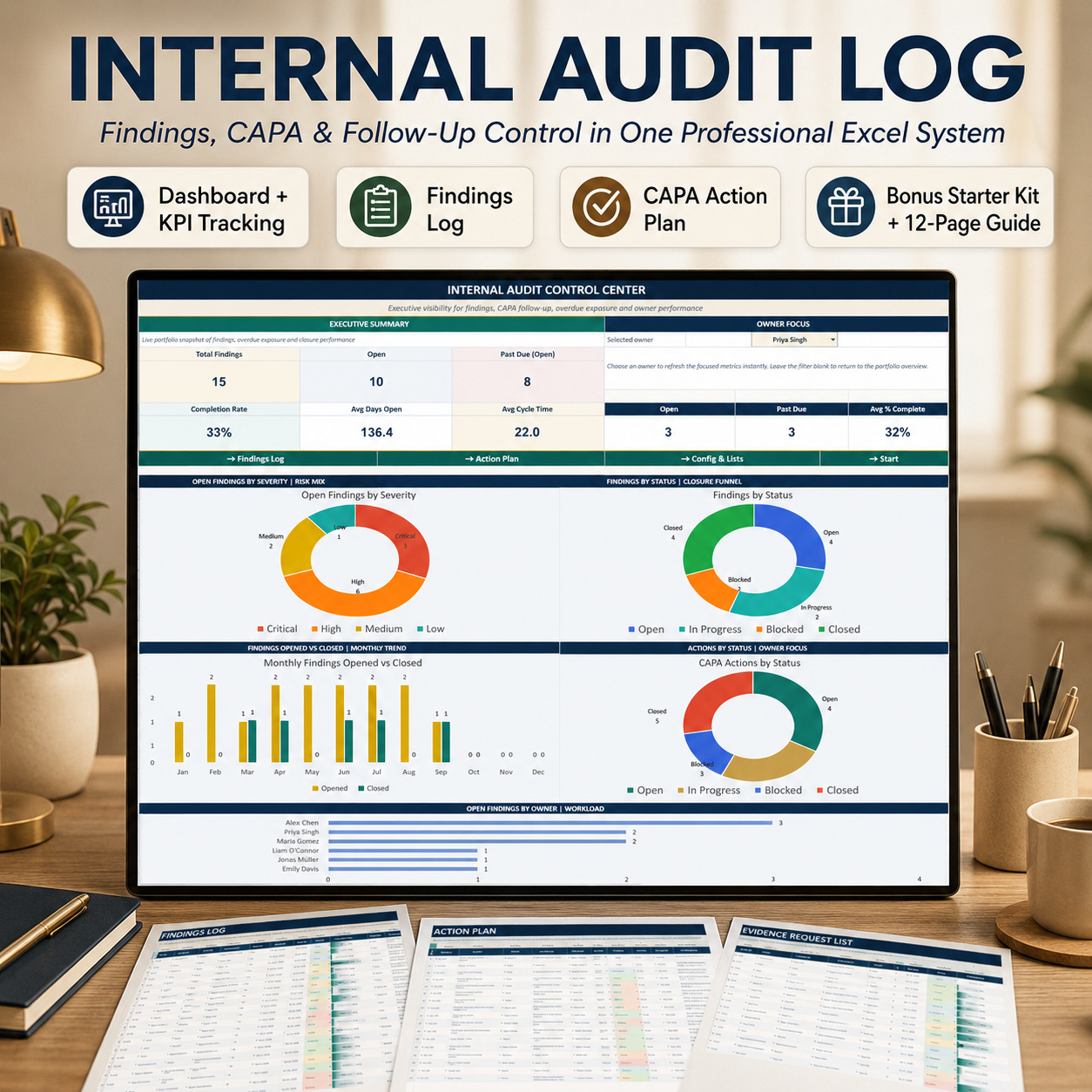
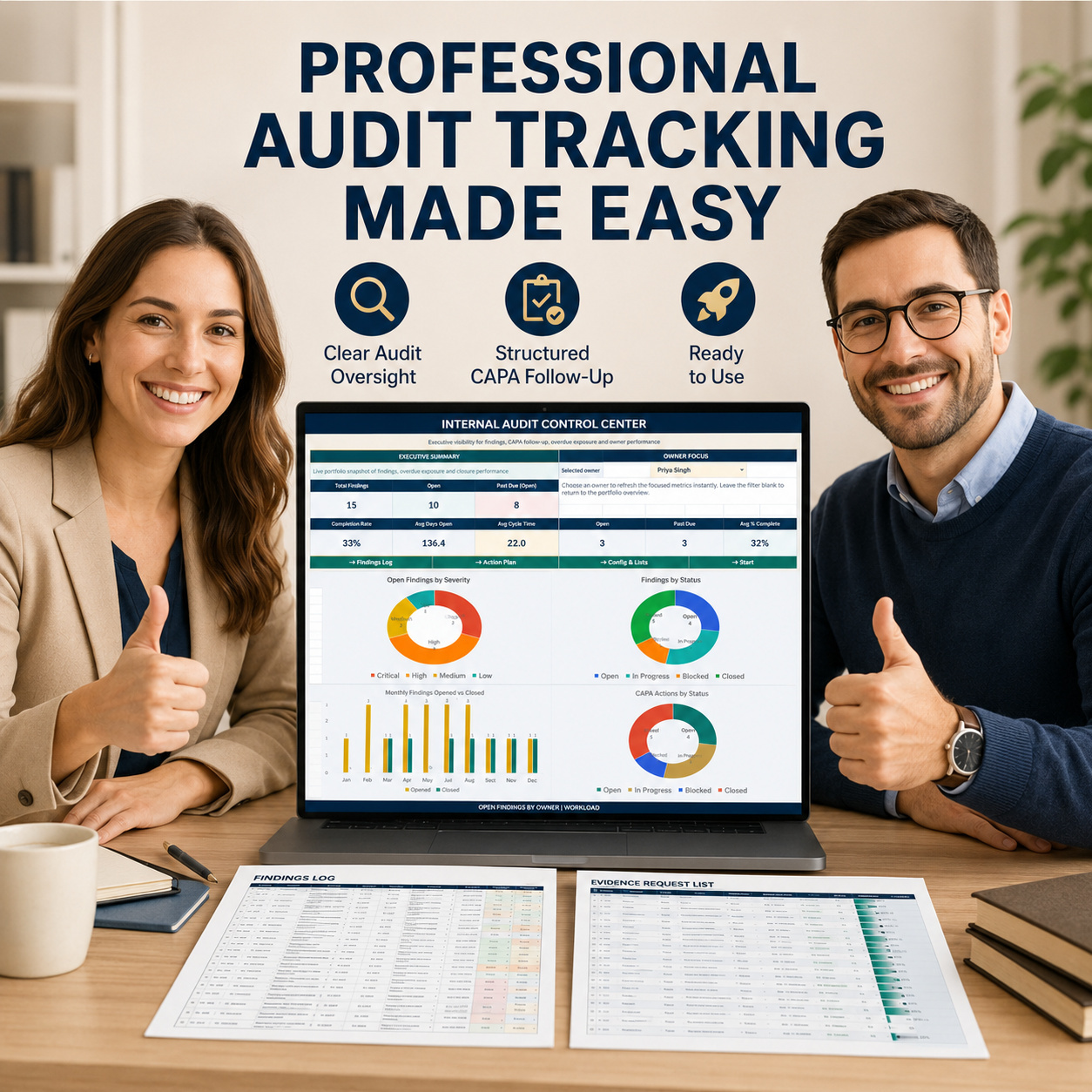
The Dashboard provides a management-level view of findings, overdue exposure, CAPA activity and owner performance.


Executive KPIs
📌 Total Findings
📝 Open Findings
⏰ Past Due Open Findings
✅ Completion Rate
📅 Average Days Open
🔄 Average Cycle Time


A dedicated Owner Focus filter also provides:


👤 Open Items
⚠️ Past Due Items
📈 Average % Complete


Select an owner to focus the management view or leave the filter blank for the overall audit portfolio.


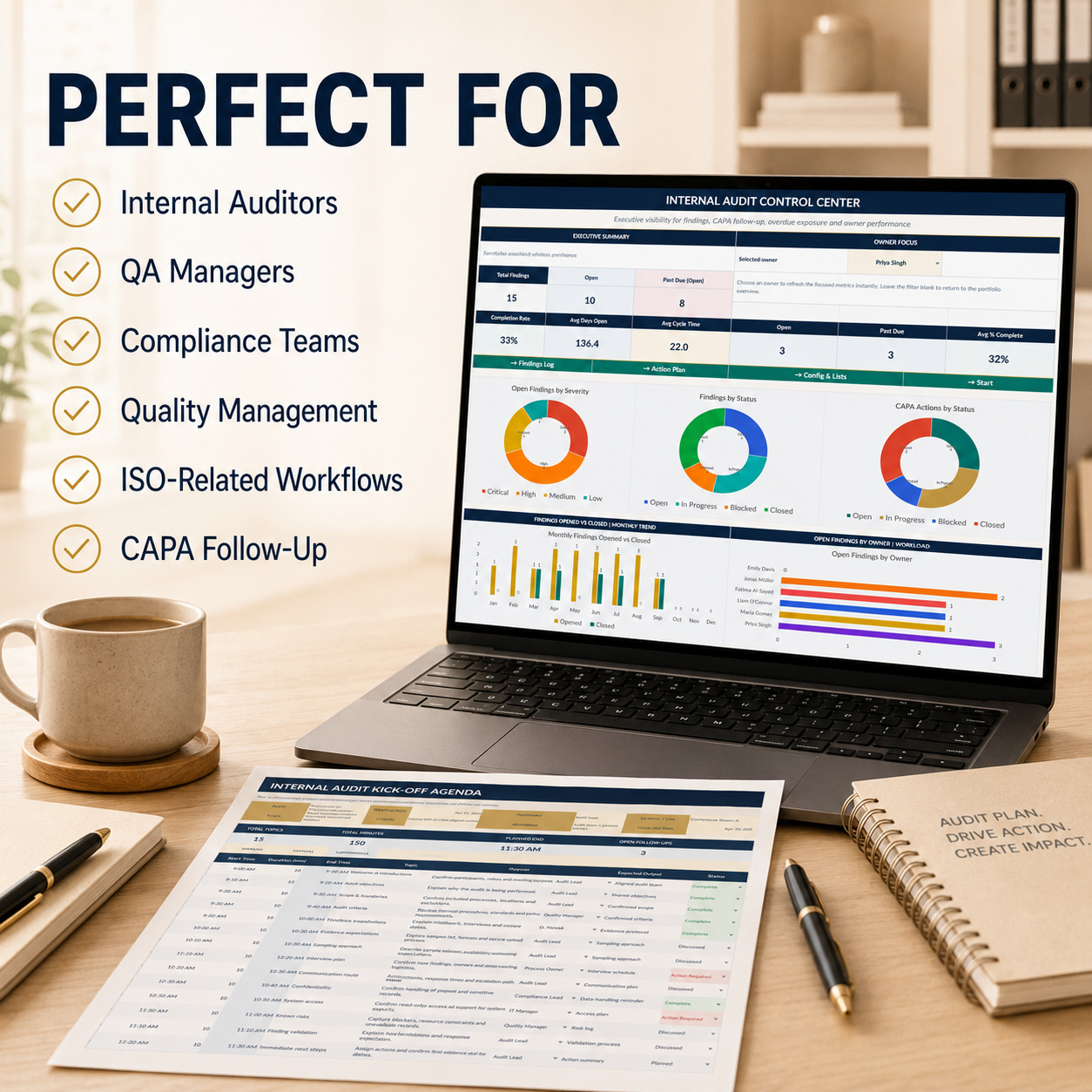
5 Native Excel Dashboard Charts
📊 Open Findings by Severity
📈 Findings by Status
🗓️ Monthly Findings Opened vs Closed
🛠️ CAPA Actions by Status
👥 Open Findings by Owner


The Dashboard is designed for recurring audit reviews, management meetings and follow-up discussions.


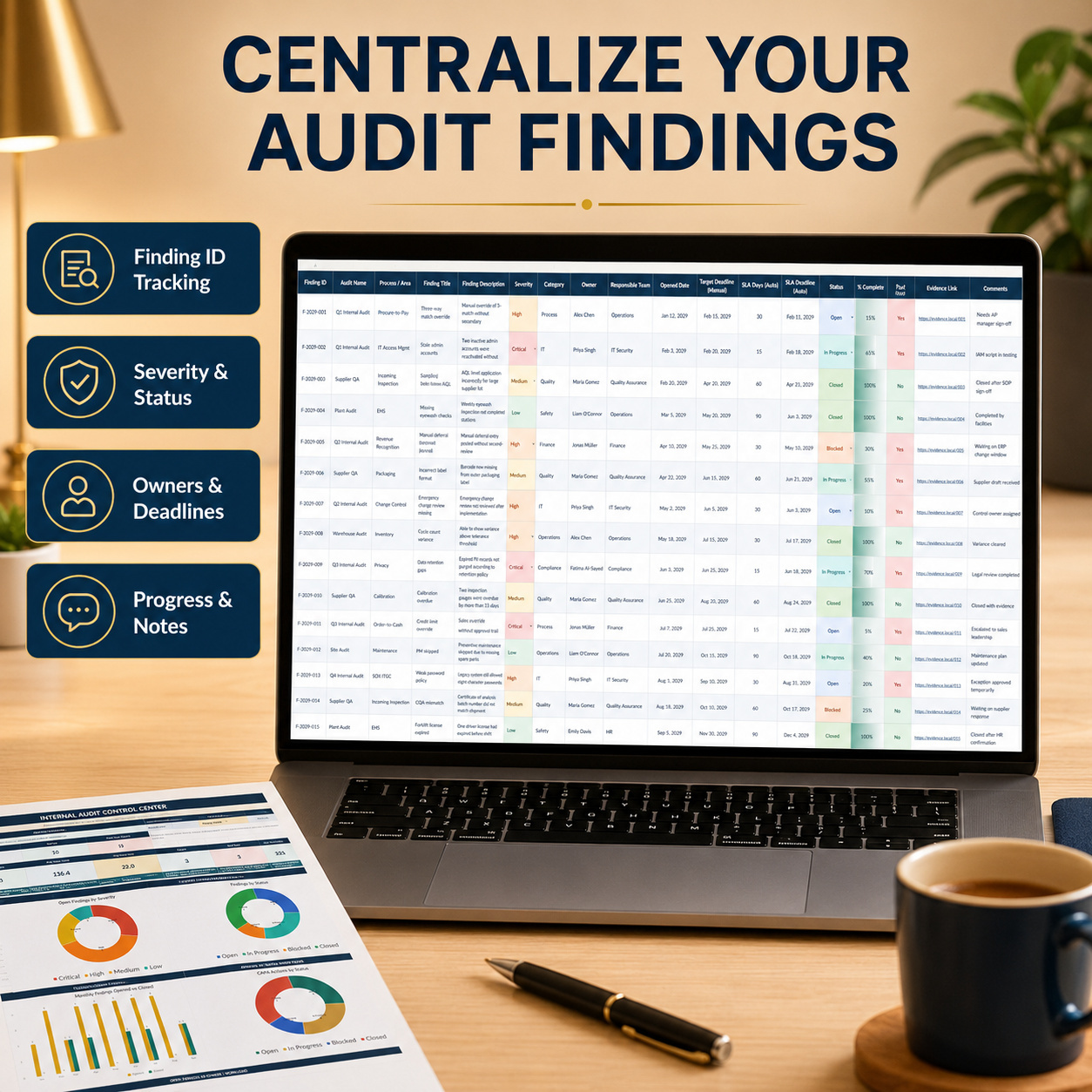
📝 FINDINGS LOG
Use the Findings Log as the central source of truth for audit observations and findings.
Track:
  • Finding ID
  • Audit Name
  • Process / Area
  • Finding Title
  • Finding Description
  • Severity
  • Category
  • Owner
  • Responsible Team
  • Opened Date
  • Manual Target Deadline
  • Status
  • Closure Date
  • Evidence Link
  • Root Cause
  • Corrective Action
  • Preventive Action
  • Comments


Automatic fields calculate:
📅 SLA Days
📅 SLA Deadline
🎯 Effective Deadline
⏱️ Days Open
📊 % Complete
⚠️ Past Due Status


The workbook includes 15 realistic sample findings to demonstrate the complete workflow.


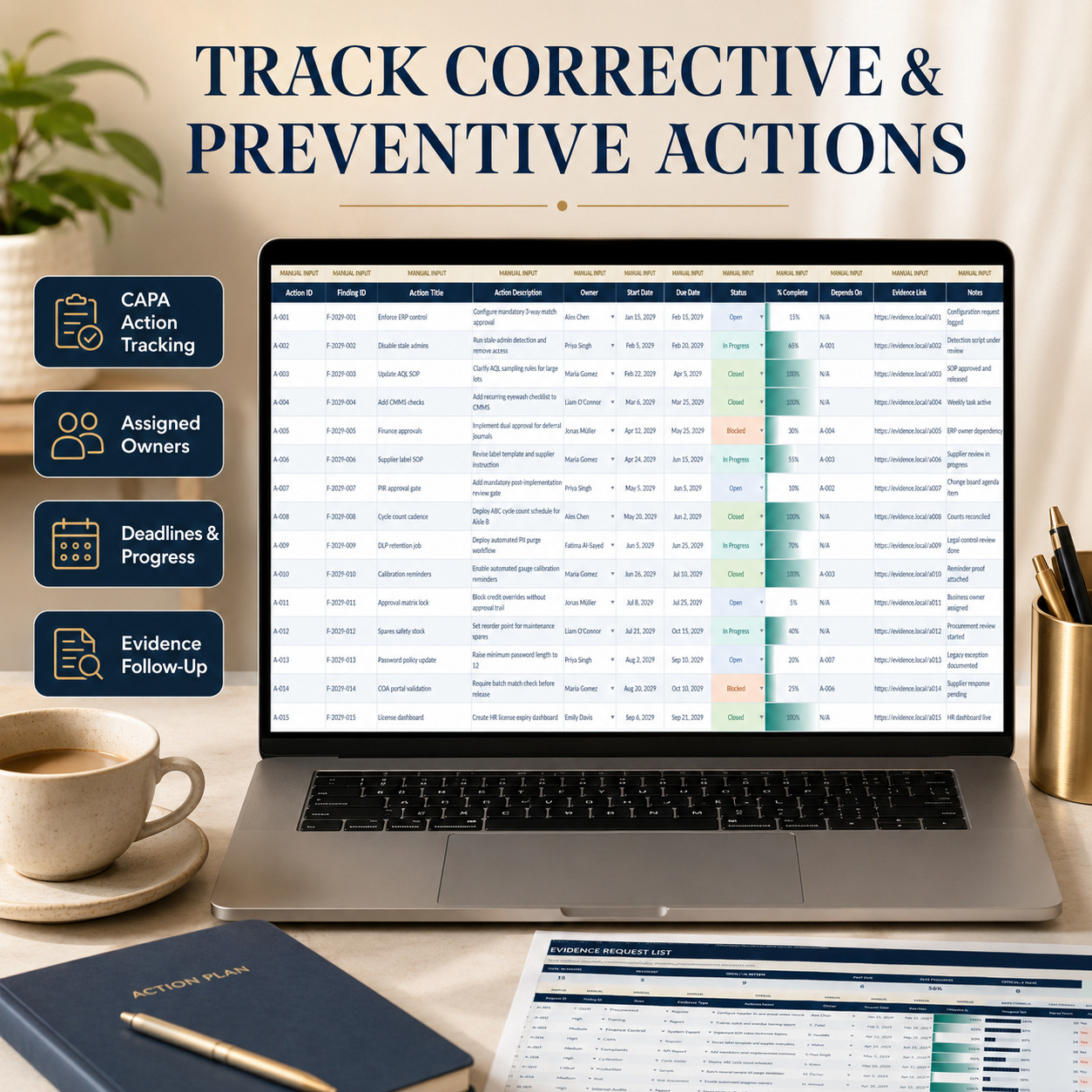
🛠️ CAPA ACTION PLAN
Connect corrective and preventive actions directly to the relevant Finding ID.
Track:
  • Action ID
  • Finding ID
  • Action Title
  • Action Description
  • Owner
  • Start Date
  • Due Date
  • Status
  • % Complete
  • Dependencies
  • Evidence Link
  • Notes


The workbook includes 15 complete sample actions.
This provides a structured follow-up layer for corrective actions, preventive actions and other remediation activities.


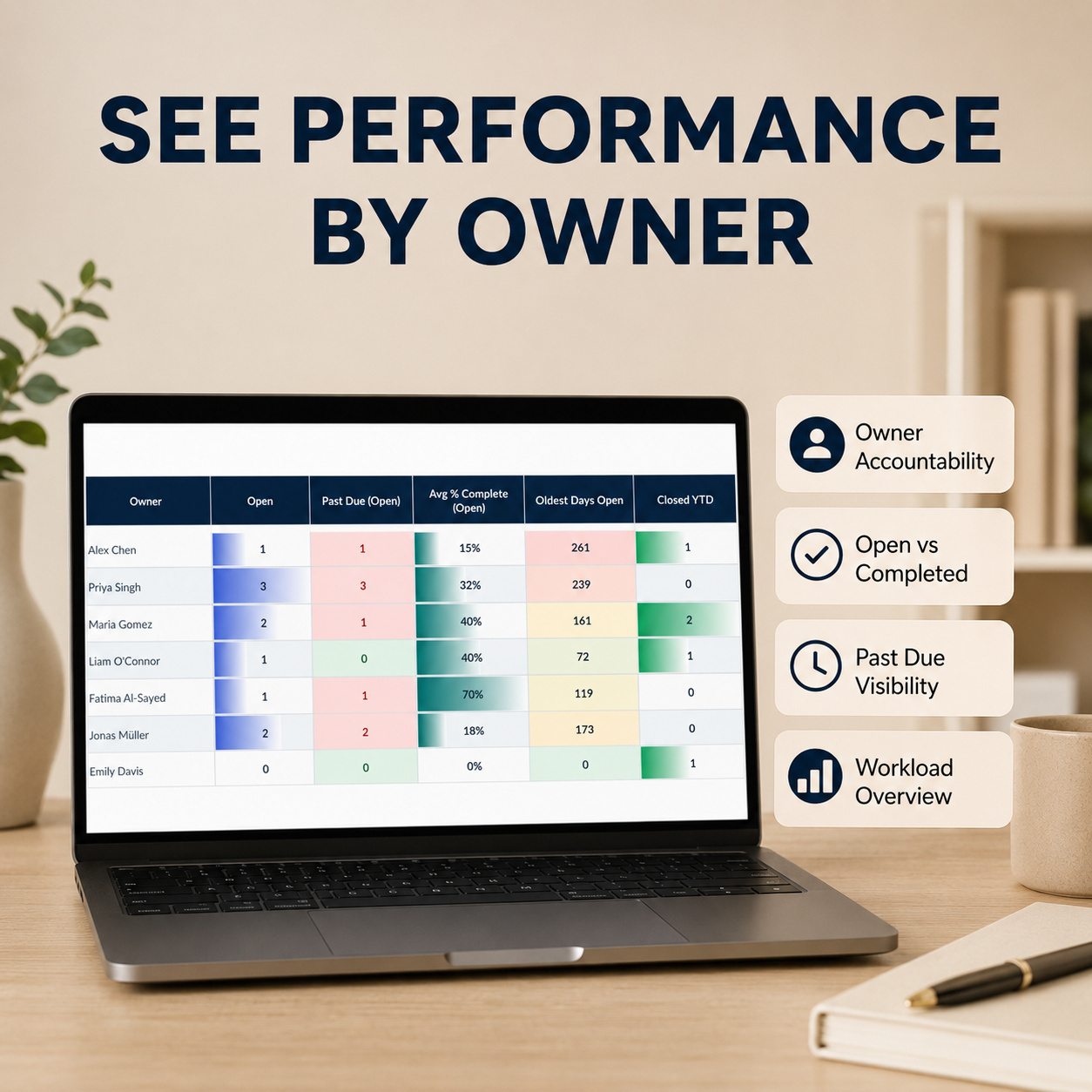
👥 OWNER PERFORMANCE SCORECARD
Review audit workload and accountability at owner level.


The Scorecard summarizes:
📌 Open Items
⚠️ Past Due Open Items
📈 Average Completion of Open Items
⏱️ Oldest Days Open
✅ Closed YTD


A native Excel chart compares Owner Workload vs Past Due exposure, making it easier to identify concentrated workload and overdue follow-up.


This is particularly useful for weekly management reviews and individual owner discussions.


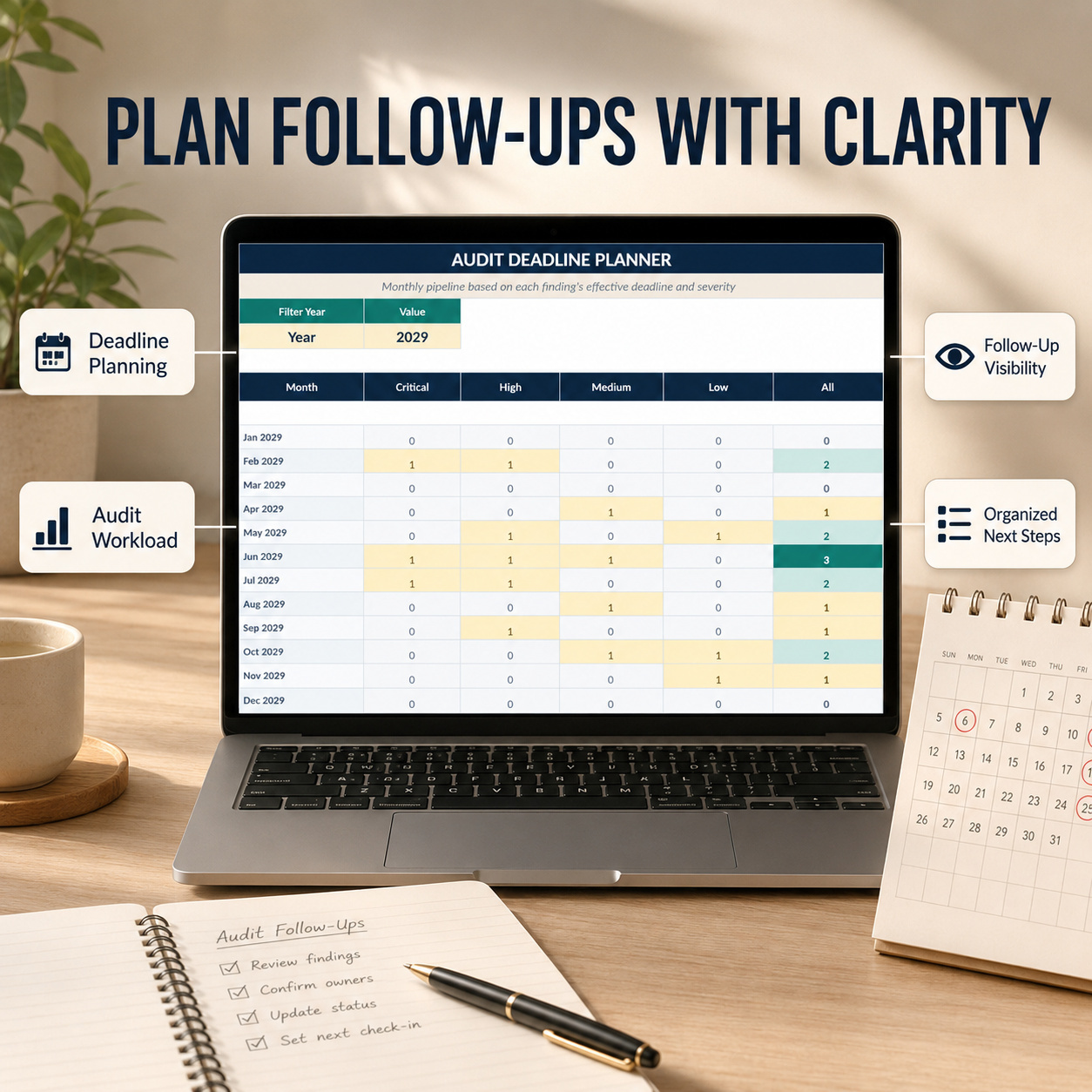
🗓️ AUDIT DEADLINE PLANNER
The Planner converts effective finding deadlines into a monthly pipeline.
Review deadlines by:
🔴 Critical
🟠 High
🟡 Medium
🟢 Low


The included Monthly Deadline Pipeline by Severity chart provides a visual overview of upcoming workload and deadline clusters.


A year selector allows the planning view to focus on the required reporting period.


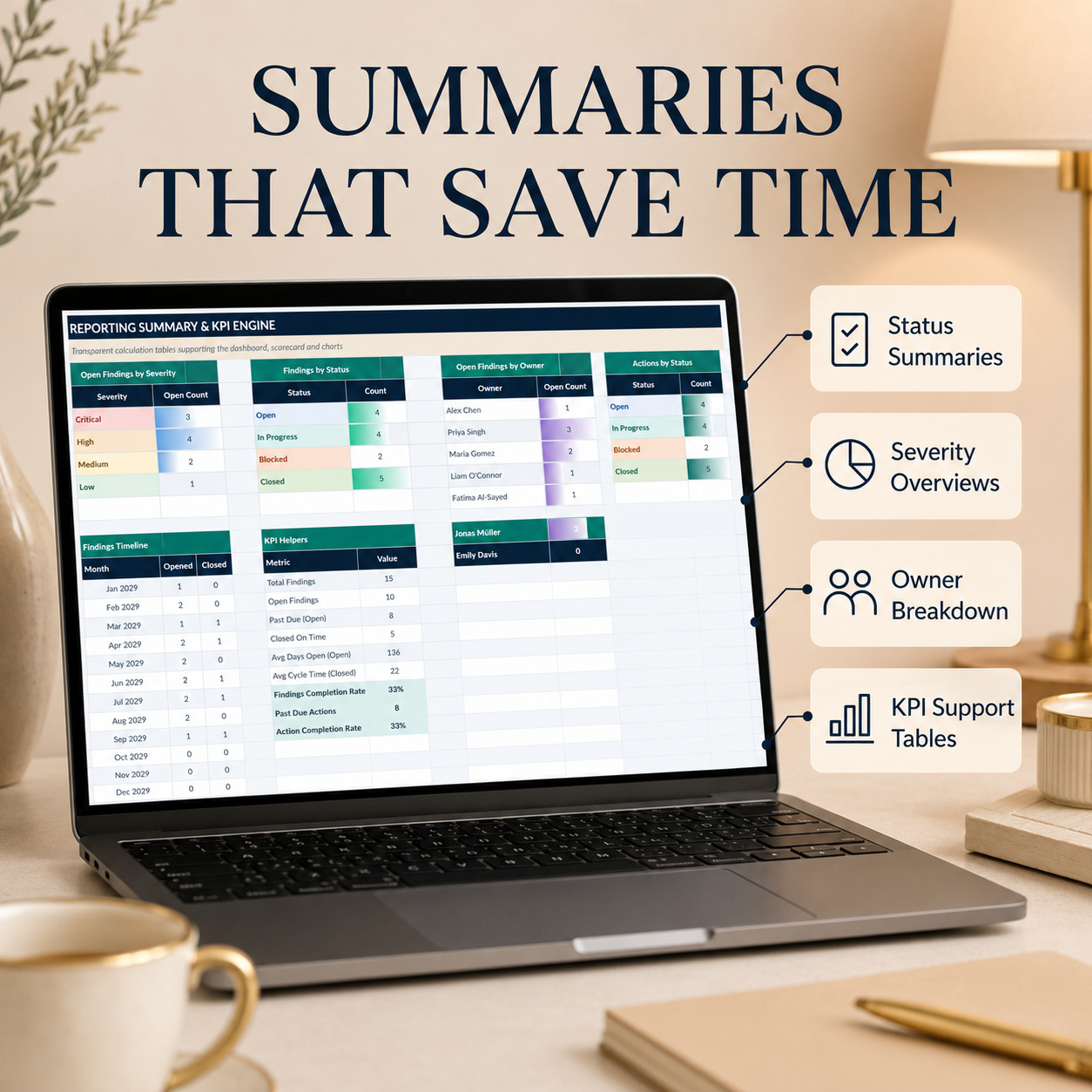
📈 SUMMARY & KPI ENGINE
Transparent Summary Tables support:
  • Open findings by severity
  • Findings by status
  • Findings by owner
  • CAPA actions by status
  • Monthly opened / closed trends
  • Dashboard KPI calculations
These supporting tables keep the management reporting traceable to the operational records.


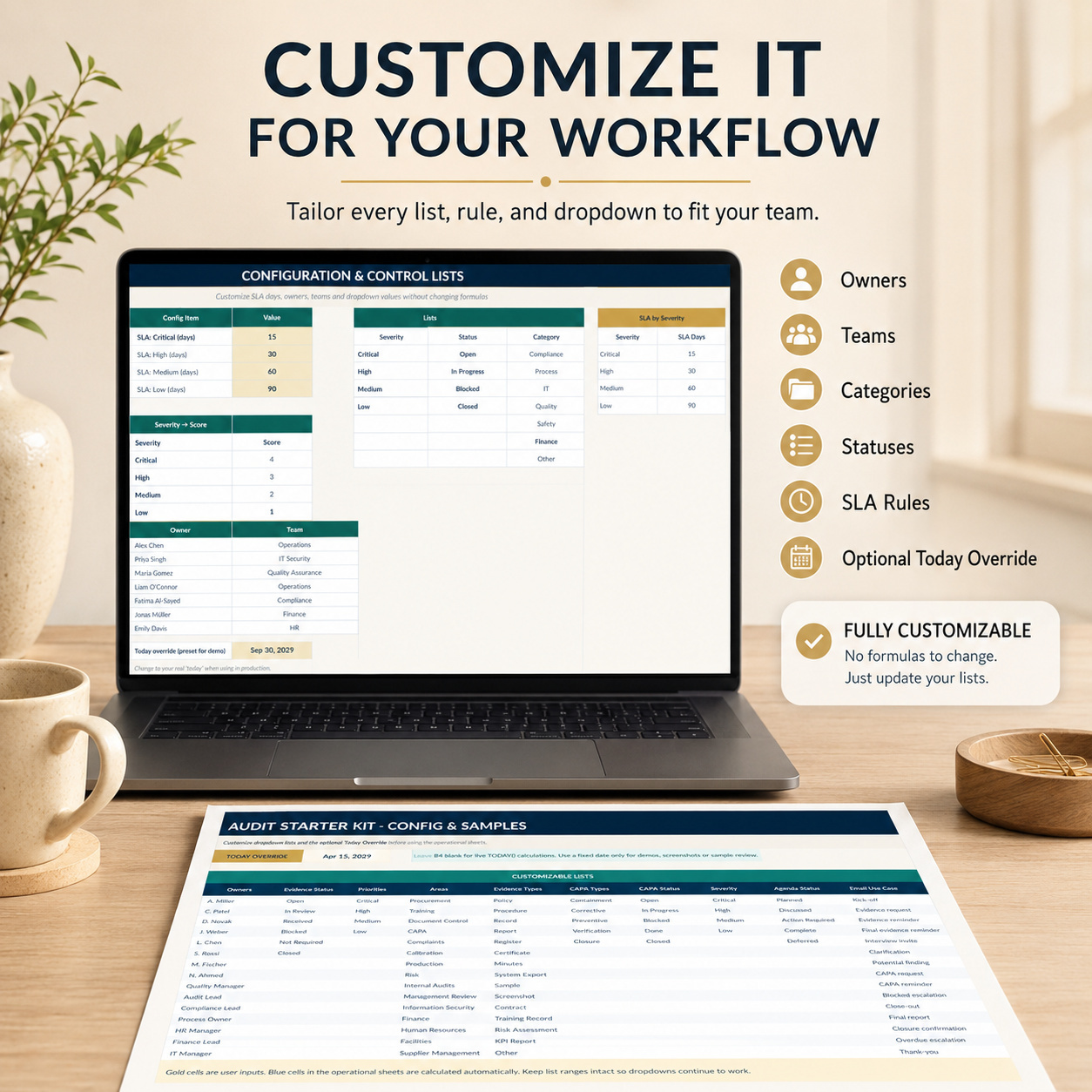
⚙️ CONFIG & LISTS
Customize the workbook to match your audit process.
Configure:
  • Owners
  • Teams
  • Categories
  • Statuses
  • Severity levels
  • SLA days
  • Dropdown values


An optional Today Override is included for demonstrations, testing and screenshots.
For normal live use, the workbook can use the current date automatically.


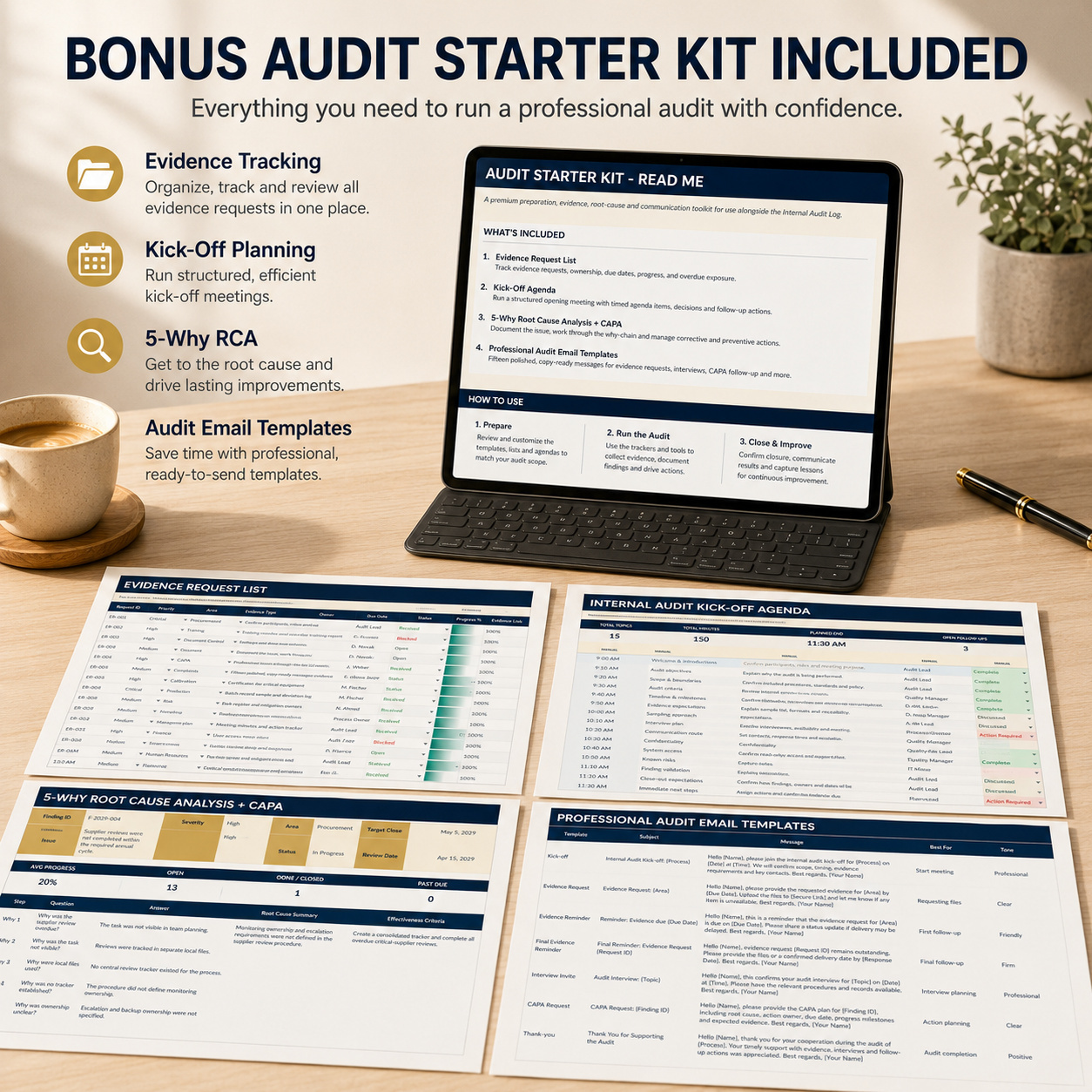
🎁 BONUS — AUDIT STARTER KIT
The separate Audit Starter Kit supports the work that often happens before, during and immediately after an internal audit.


It contains 6 worksheets:
🧭 READ ME
🗂️ Evidence Request List
📅 Kick-off Agenda
🔍 5-Why RCA
✉️ Email Templates
⚙️ Config & Samples


🗂️ EVIDENCE REQUEST LIST
Manage evidence requests, ownership, progress and overdue exposure.
The workbook includes 15 complete sample requests.
Track:
  • Request ID
  • Priority
  • Area
  • Evidence Type
  • Evidence Needed
  • Owner
  • Request Date
  • Due Date
  • Status
  • Progress %
  • Evidence Link
  • Next Step


Automatic fields provide:
📊 Progress Bar
⏱️ Aging Days
⚠️ Past Due Status
Evidence KPIsThe same sheet contains 6 headline KPIs:


📌 Total Requests
✅ Received
📂 Open / In Review
⚠️ Past Due
📈 Average Progress
🚨 Critical / High Exposure


📅 KICK-OFF AGENDA
Prepare a structured opening meeting with 15 complete agenda topics.
The worksheet includes:
  • Start Time
  • Duration
  • Automatic End Time
  • Topic
  • Purpose
  • Owner
  • Expected Output
  • Status
It also contains:


📝 Decision Log
✅ Action Parking Lot
This makes the workbook useful for scope alignment, evidence expectations, responsibilities and immediate follow-up before
fieldwork begins.


🔍 5-WHY ROOT CAUSE ANALYSIS + CAPA
Use the RCA worksheet for significant, recurring or higher-risk findings.
Document:
  • Finding profile
  • Severity
  • Area
  • Owner
  • Target Close Date
  • Issue description
  • 5-step Why Chain
  • Root Cause Summary
  • Containment
  • Effectiveness Criteria
The lower section contains an integrated 15-row CAPA Action Plan.
Track:
  • Action Type
  • Action
  • Owner
  • Due Date
  • Status
  • Progress
  • Evidence / Verification


Automatic fields provide:
📊 Progress Bars
⚠️ Past Due Status
This connects root-cause analysis directly with containment, corrective action, preventive action, verification and closure.


✉️ 15 PROFESSIONAL AUDIT EMAIL TEMPLATES
The bonus workbook also contains 15 copy-ready email templates for common audit situations:
✉️ Kick-off invitation
📂 Evidence request
🔔 Evidence reminder
⚠️ Final evidence reminder
👥 Interview invitation
❓ Clarification request
🔍 Potential finding validation
🛠️ CAPA request
📈 CAPA follow-up
🚨 Blocked-action escalation
📅 Close-out invitation
📑 Final report delivery
✅ Closure confirmation
⏰ Overdue escalation
💬 Audit thank-you


Each template includes:
  • Subject
  • Message
  • Recommended use
  • Tone
Placeholders remain clearly visible so the messages can be adapted before sending.


📘 12-PAGE PREMIUM HOW-TO GUIDE
The included illustrated guide covers:
✅ Quick Start
✅ Files Included
✅ Main Workbook Structure
✅ Configuration
✅ Findings & CAPA Workflow
✅ Dashboard, Scorecard & Planner
✅ Audit Starter Kit
✅ Evidence Requests
✅ Kick-off Agenda
✅ 5-Why RCA & CAPA
✅ Email Templates
✅ Printing & Collaboration
✅ Troubleshooting
✅ Legal and License Guidance


The guide also explains which cells are intended for manual entry and which should remain formula-driven.


🔄 RECOMMENDED AUDIT WORKFLOW


1️⃣ Configure
Customize owners, teams, categories, statuses and SLA rules.
2️⃣ Record FindingsEnter audit findings, severity, ownership and deadlines.
3️⃣ Assign CAPACreate corrective and preventive actions linked to the relevant Finding IDs.
4️⃣ MonitorUse the Dashboard, Owner Scorecard and Planner to review progress, overdue exposure and workload.
5️⃣ Prepare & CommunicateUse the Audit Starter Kit for evidence collection, kick-off meetings, RCA, CAPA and professional communication.
6️⃣ CloseConfirm evidence, effectiveness and closure before marking findings complete.


⚙️ TECHNICAL STRUCTURE
The package uses:
✅ Standard Excel formulas
✅ Dropdown validation
✅ Automated SLA calculations
✅ Conditional formatting
✅ Progress and overdue logic
✅ Clickable navigation
✅ Native Excel charts
✅ Realistic sample data
✅ Manual / Formula field guidance


Technical characteristics:


✅ No macros / VBA
✅ No add-ins required
✅ No external workbook connections
✅ No Power Query
✅ No cloud connection required


Secure evidence links may be added by the user without embedding confidential documents directly into the workbook.


💻 COMPATIBILITY
Designed for:
✅ Microsoft Excel 2016
✅ Microsoft Excel 2019
✅ Microsoft Excel 365
✅ Windows
✅ Mac


The workbook is designed around Microsoft Excel and should be treated as an Excel-native system.


👤 SUITABLE FOR
🔎 Internal Auditors
🛡️ Compliance Teams
✅ Quality Assurance
⚙️ Quality Management
🛠️ CAPA Management
📊 Risk & Internal Control Teams
🏭 Operational Audits
🤝 Supplier Audits
💼 Consultants
🏢 SMEs and larger organizations
📋 ISO-related internal audit workflows


💡 KEY BUSINESS VALUE
The system is designed to help teams:
  • Centralize audit findings
  • Standardize CAPA follow-up
  • Automate SLA deadlines
  • Improve overdue visibility
  • Clarify accountability
  • Monitor owner workload
  • Plan upcoming deadlines
  • Structure evidence requests
  • Run professional kick-off meetings
  • Document root causes
  • Improve audit communication
  • Create more consistent management reporting


The combined Main Workbook and Audit Starter Kit provide a structured workflow from audit preparation → findings → CAPA → monitoring → closure.


⚖️ IMPORTANT DISCLAIMER
This toolkit is provided for organizational, documentation and internal audit-management purposes only.
It is not an official audit certificate and does not constitute legal, regulatory, compliance, certification, quality-management or professional audit advice.


The templates must be reviewed and adapted to the organization's own industry, jurisdiction, policies and audit requirements. Sensitive, confidential or regulated information should only be handled in appropriately protected and legally compliant environments.

This Best Practice includes
Main Workbook — Internal Audit Log (Excel), Audit Starter Kit (Excel), Premium How-to-Use Guide (.pdf)

Acquire business license for $39.90

Add to cart

Add to bookmarks

Discuss

Further information

The objectives of this toolkit are to:
- Centralize internal audit findings
- Structure corrective and preventive actions
- Automate SLA-based deadlines
- Monitor open and overdue findings
- Improve owner accountability
- Track CAPA progress and evidence
- Plan upcoming audit deadlines
- Structure evidence collection
- Support audit kick-off meetings
- Document root-cause analysis
- Maintain decision and action follow-up
- Improve audit communication
- Support recurring management reporting
- Create a clearer path from finding to closure
The toolkit supports internal audit-management processes but does not certify audit or compliance outcomes.

This toolkit is particularly suitable for:
- Internal auditors
- Quality Assurance teams
- Quality Managers
- Compliance teams
- Internal-control functions
- CAPA owners
- Consultants
- Operational audit teams
- Supplier audit teams
- SMEs
- Organizations using structured ISO-related audit processes
It works particularly well where teams need one repeatable Excel workflow for findings, corrective actions, evidence, deadlines and audit follow-up.

This toolkit is not intended to replace:
- Certified audit-management platforms
- Enterprise GRC systems
- Quality Management Systems
- Document-management platforms
- Legal or regulatory advice
- Formal certification documentation
It does not automatically retrieve audit evidence, integrate with external business systems or determine whether an organization complies with a particular standard.
Users remain responsible for validating findings, deadlines, evidence, CAPA effectiveness and closure decisions.


0.0 / 5 (0 votes)

please wait...