Last version published: 02/05/2025 07:15
Publication number: ELQ-17324-4
View all versions & Certificate

Inventory Management - Control & Tracking Template
Inventory Management template designed to help businesses maintain accurate records, avoid stockouts, and streamline purchasing and inventory control
General Overview
Inventory management is the process of tracking and controlling a company’s stock of goods—whether raw materials, work-in-progress, or finished products—to ensure the right items are available at the right time. It involves monitoring inventory levels, ordering and restocking efficiently, and minimizing holding costs while avoiding stockouts. Effective inventory management improves cash flow, reduces waste, and supports smooth operations across production, sales, and fulfillment.
The main purpose of this template is to assist users in managing and tracking Inventory. The structure is user-friendly and practical and is suitable for any type of business. The template includes input reports for inventory purchased and inventory sold, calculates stock value and alert users when items are low or nearing expiration. A set of analysis reports (total and per product level) helps businesses maintain accurate records, avoid stockouts or overstocking, and streamline purchasing and inventory control.
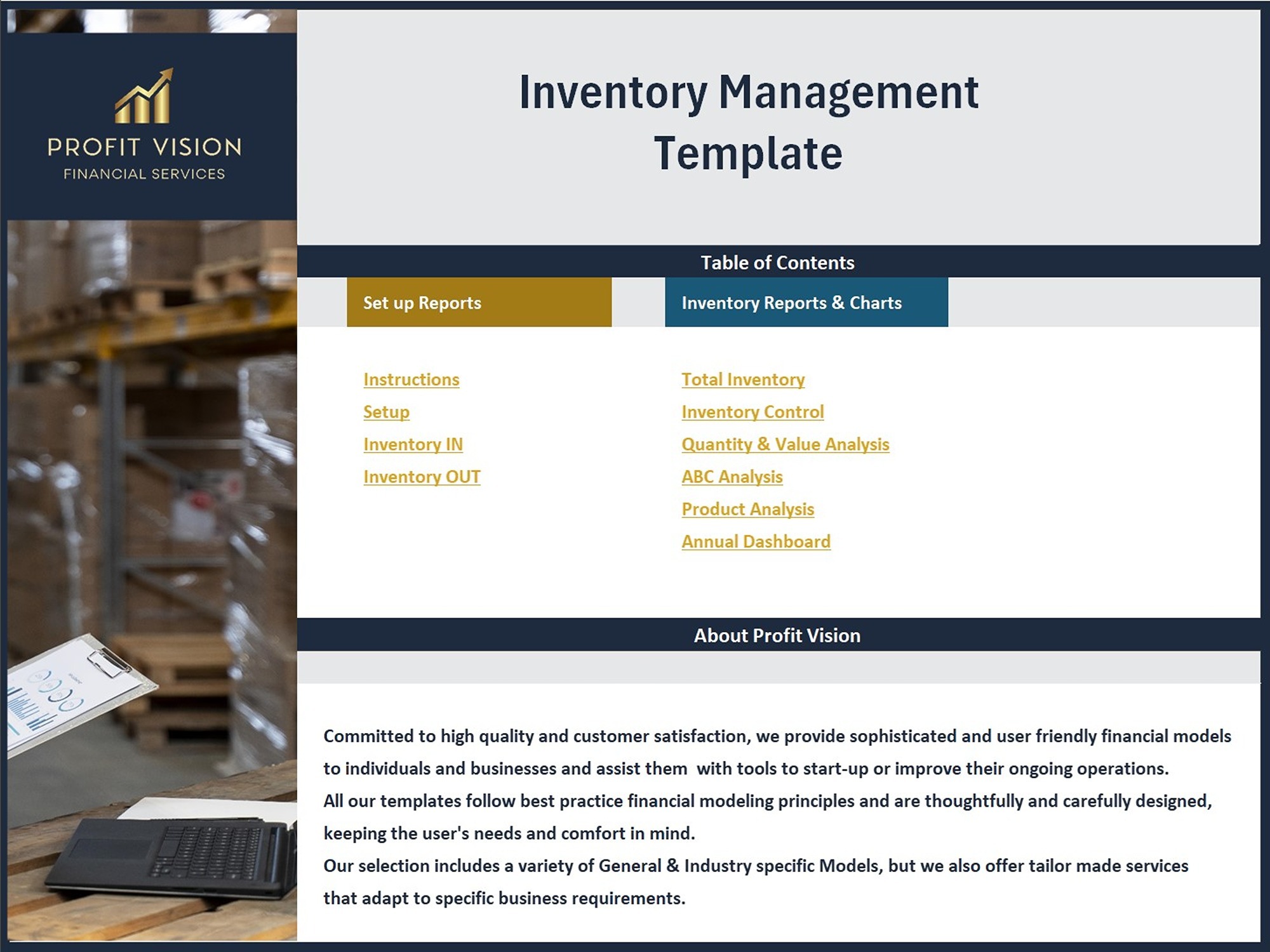
Template Structure
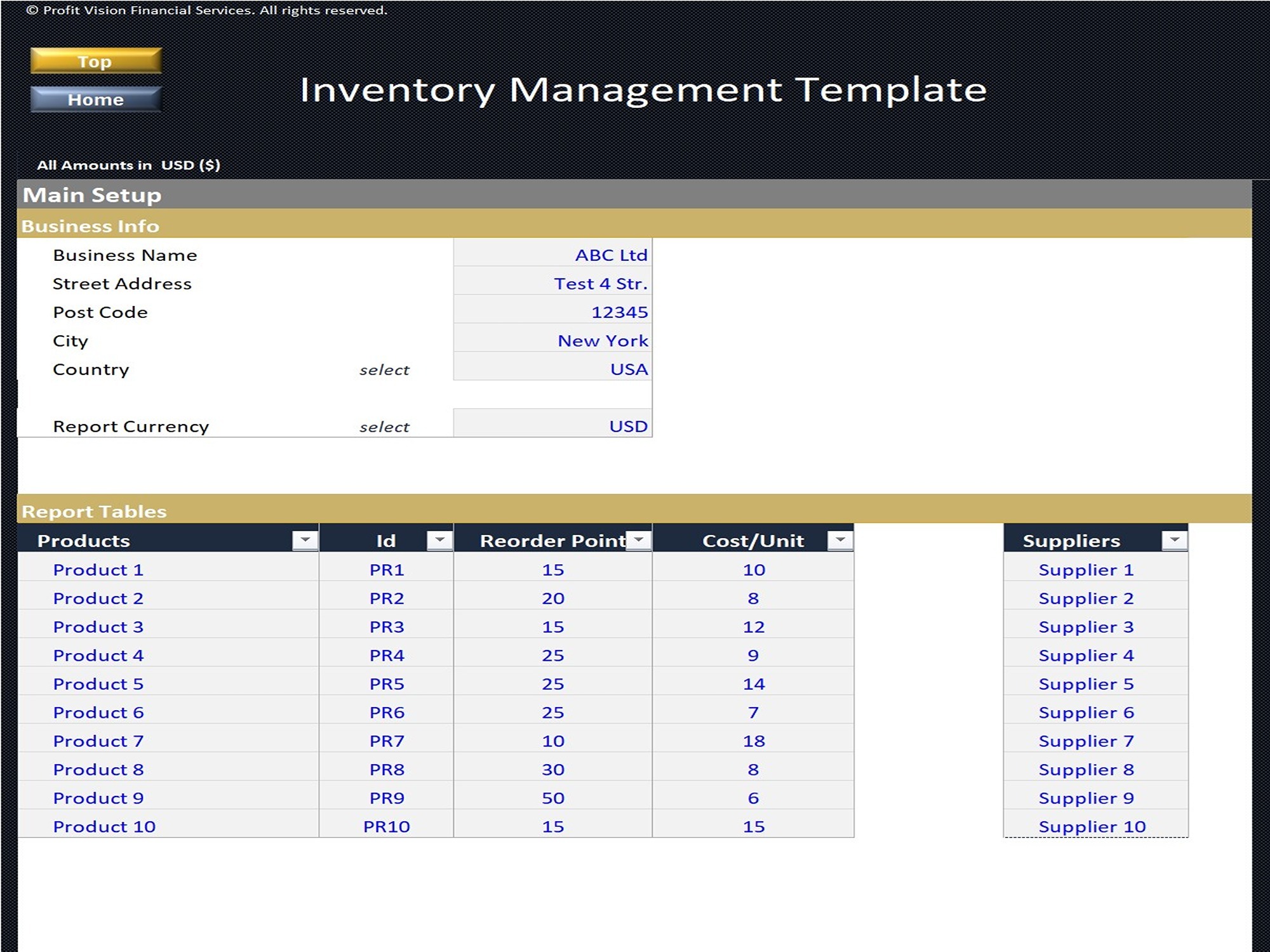
Setup:
• General Company Info
• Products Data and Company's Suppliers Excel Tables
Inventory IN:
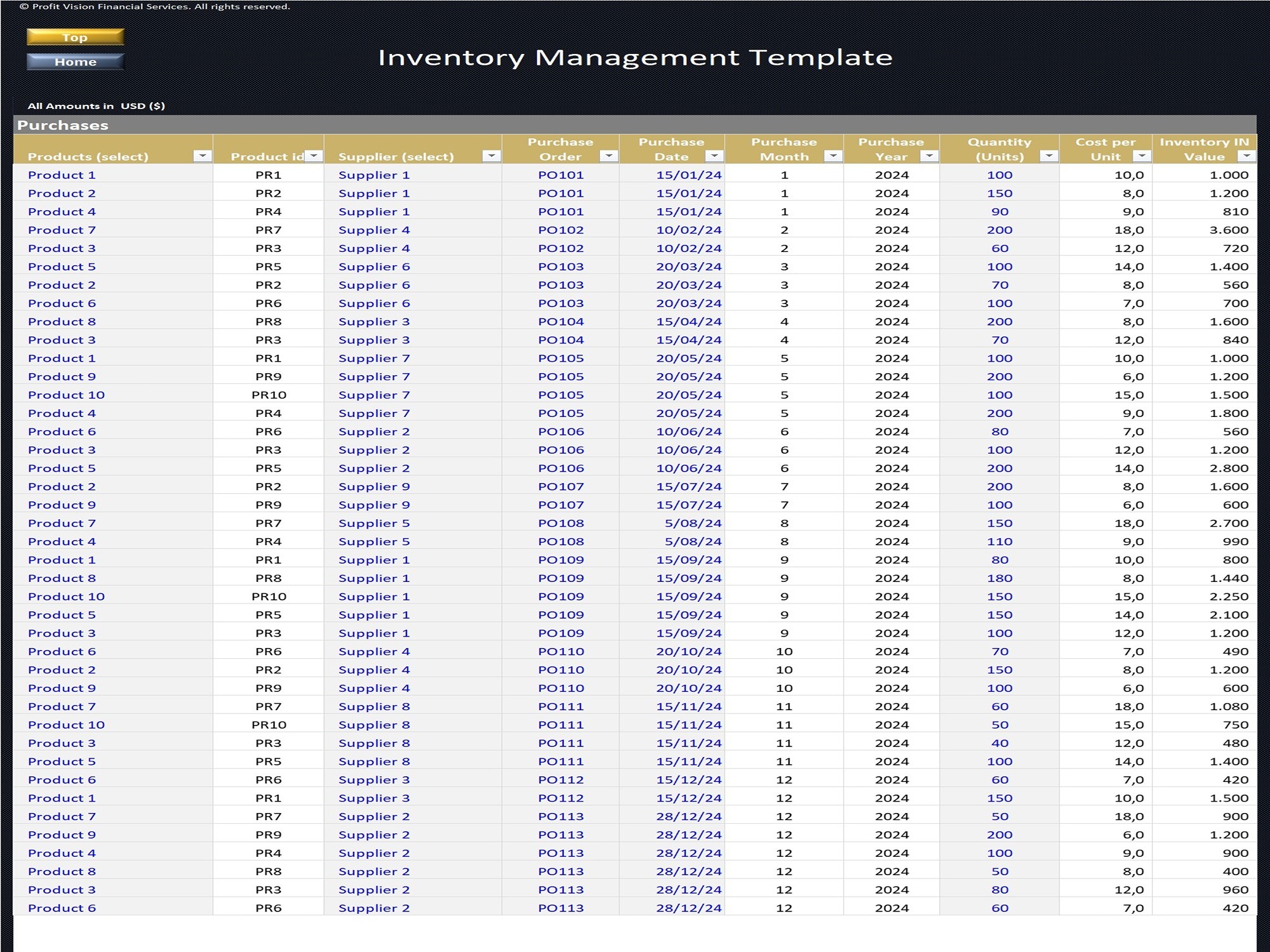
• Report recording Company’s Inventory Purchases
• Includes inputs for Purchase Date, PO Number, Suppliers, Purchased Quantity and calculates purchased value
Inventory OUT:
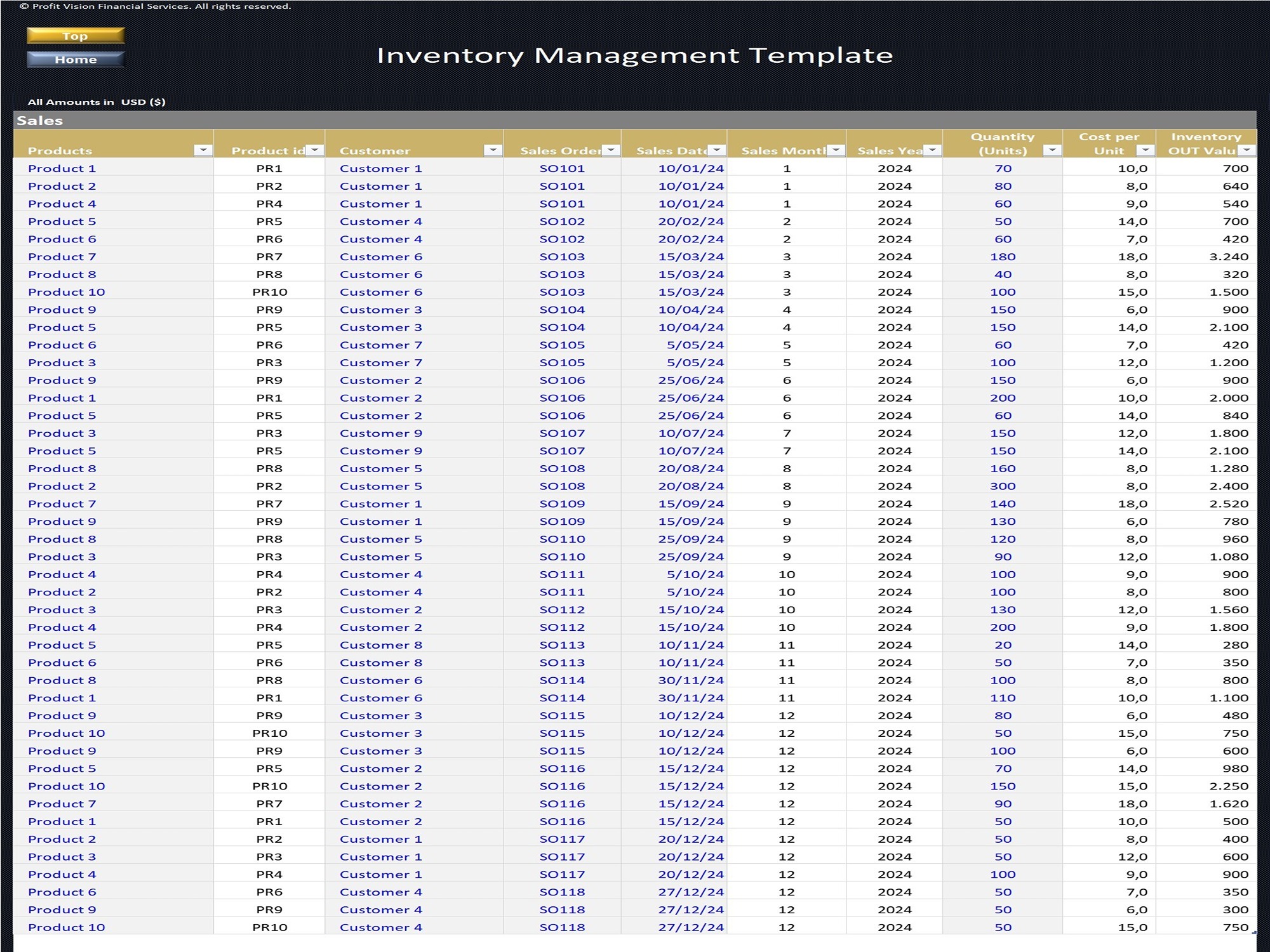
• Report recording Company’s Inventory Sales
• Includes inputs for Sale Date, SO Number, Customers, Quantity and calculates sold value
Total Inventory Report:
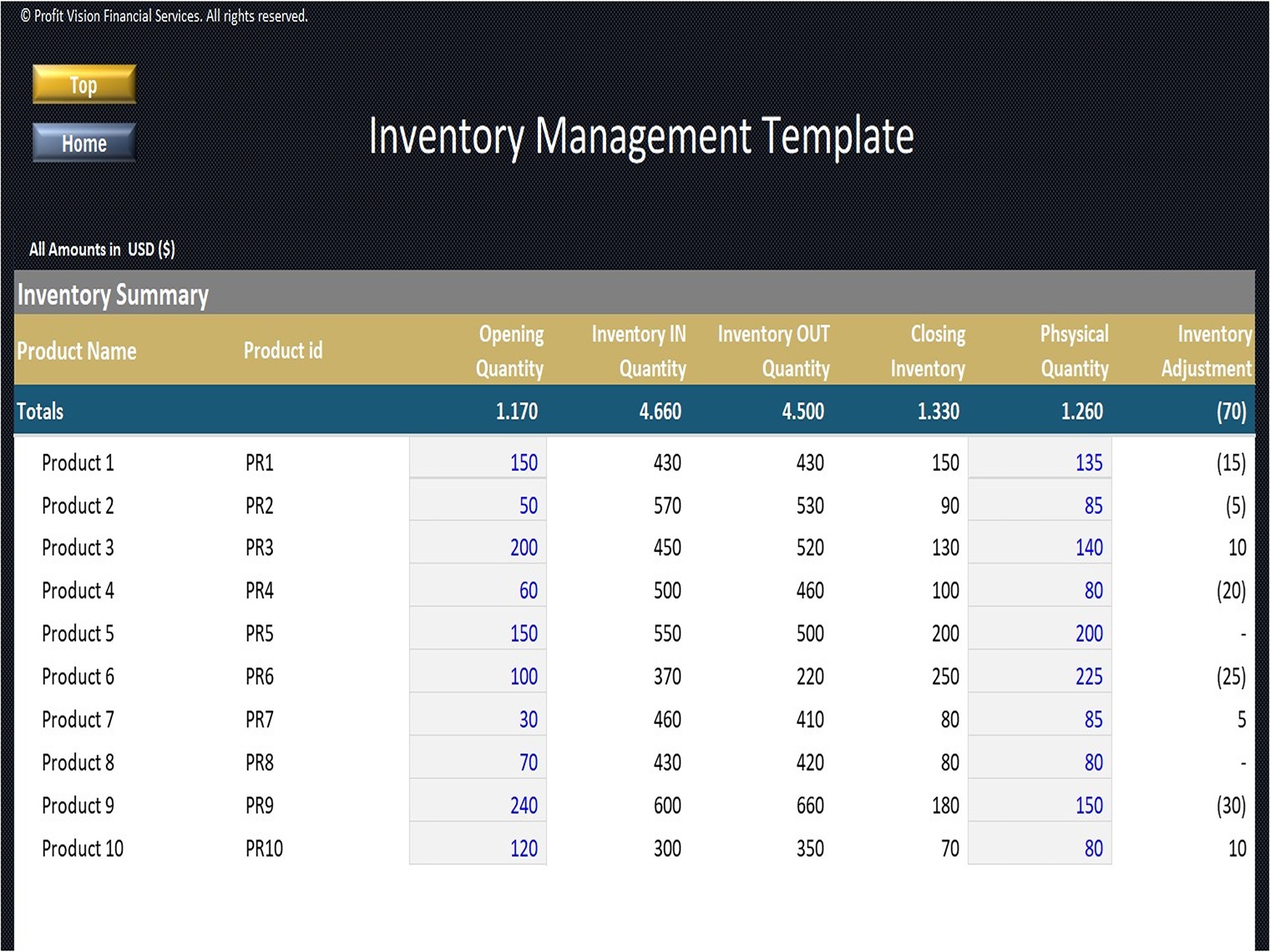
• Report providing a summary of company's inventory per product
• Includes inputs for Opening Quantity, and Year-End Physical Inventory (used to track differences between the report (system) and the actual inventory in stock)
Inventory Control Report:
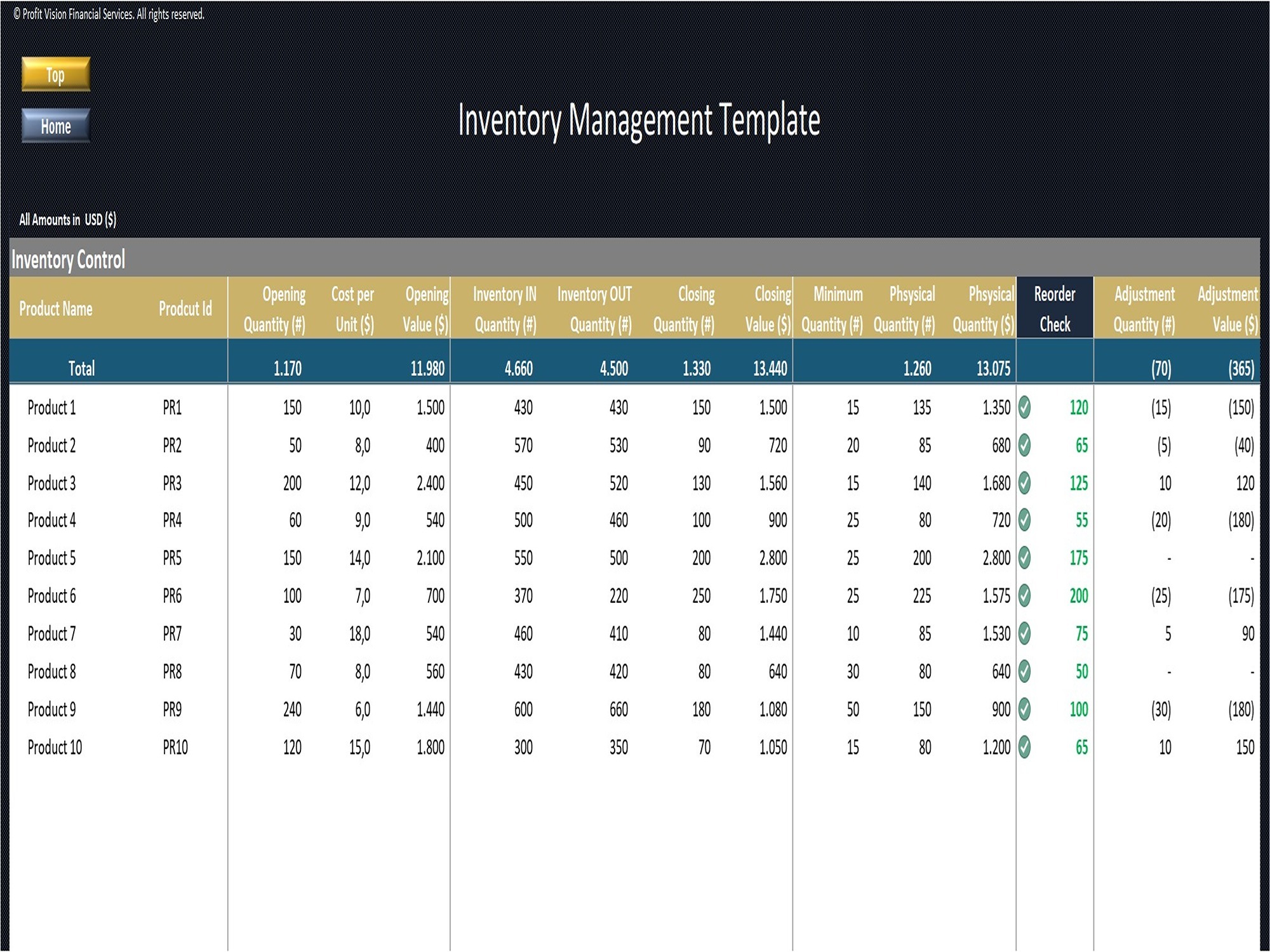
• A real-time report with updated inventory information, plus indicators such as reorder point check, total inventory value, number of incoming and outgoing inventory and adjustments for each product registered
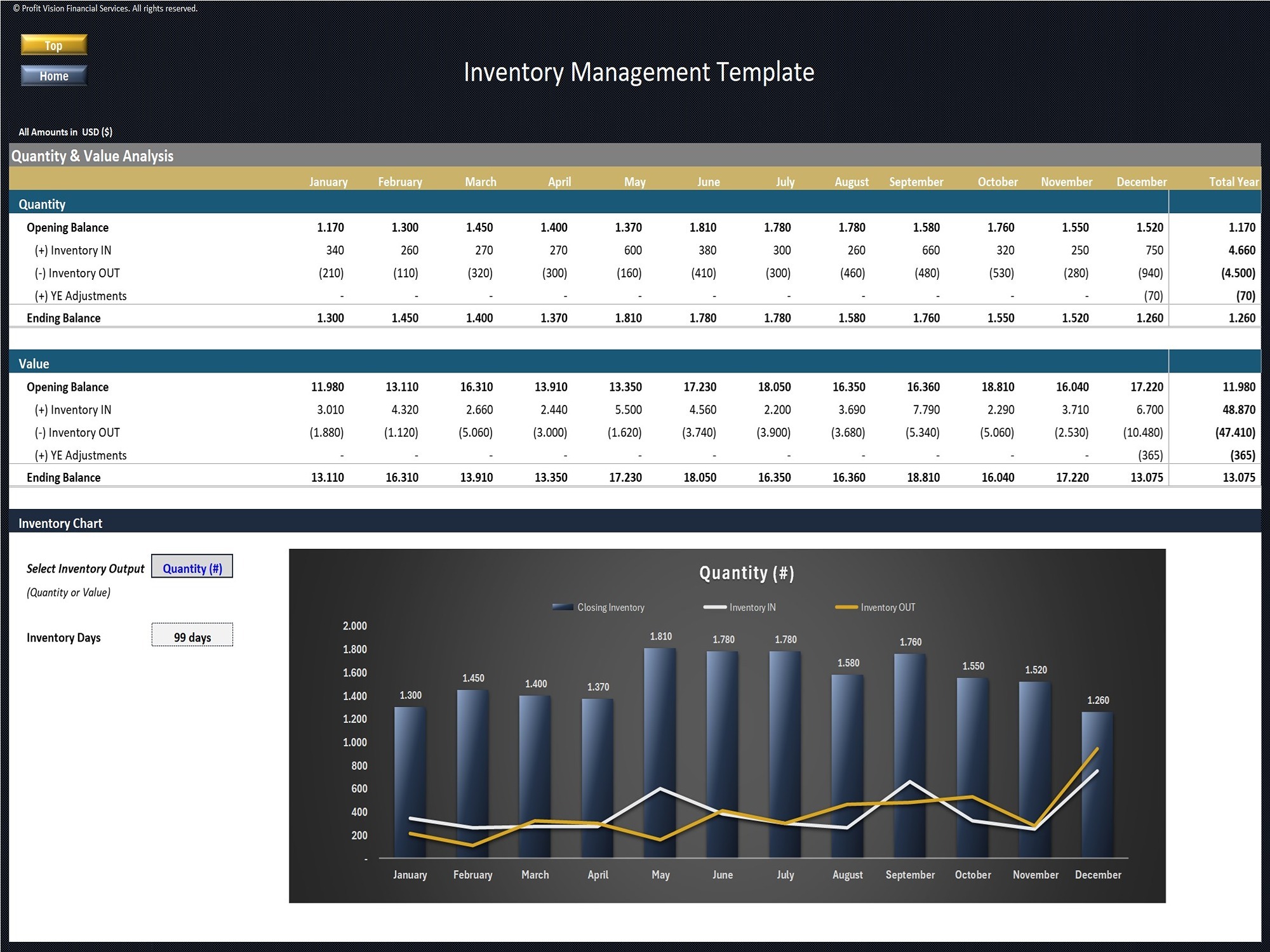
Quantity & Value Analysis Report:
• Report displaying the summary and evolution of the quantity and value of products in inventory from month to month and displays amounts for Opening Inventory, In & Out Movements, and Closing Inventory at the end of periods.
• Includes also a dynamic chart to view the quantity and value results and calculates the inventory days (end of year)
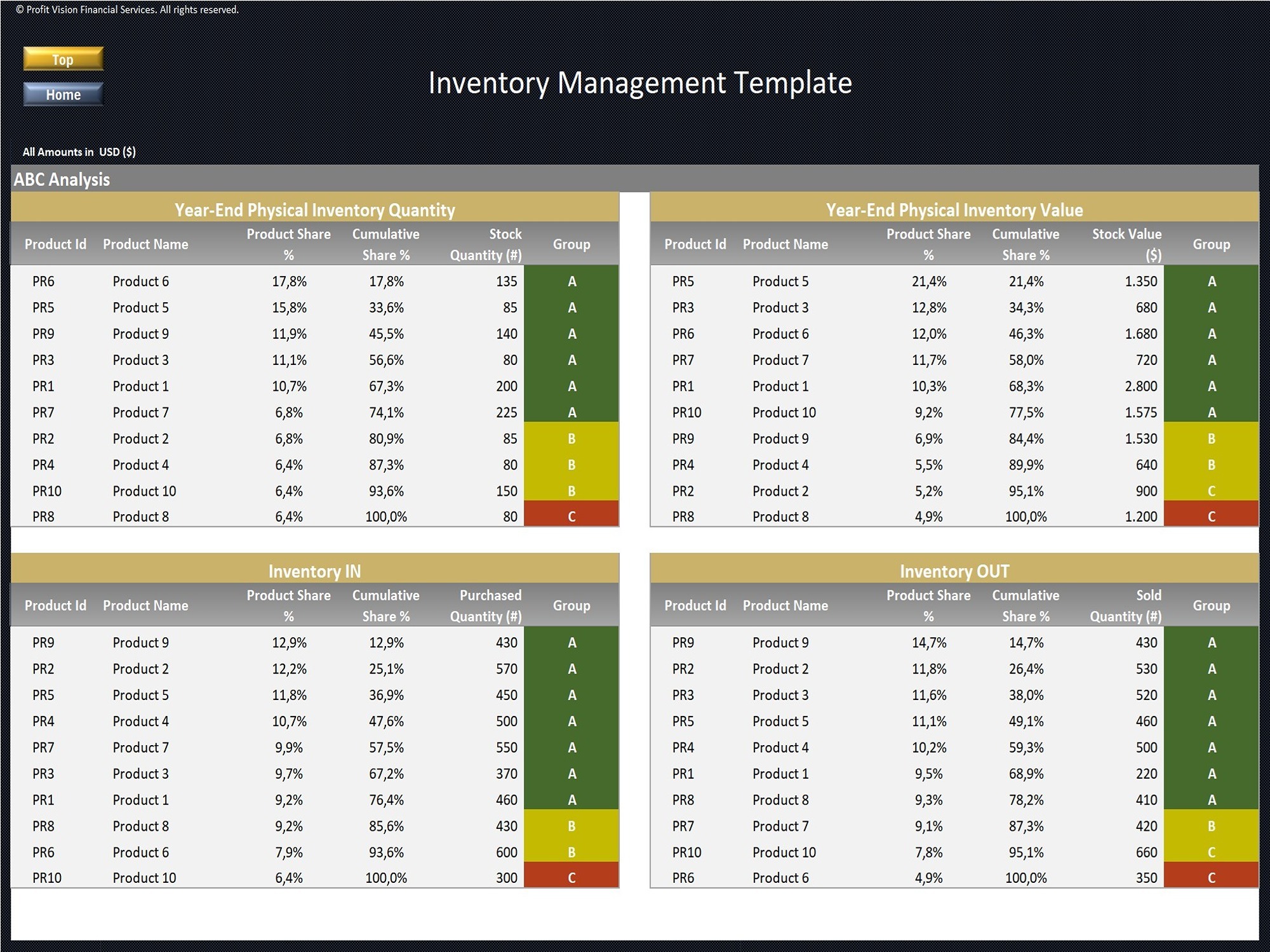
ABC Analysis Report:
• Analysis presenting the products with the largest movements in 4 categories (Year-End Physical Inventory Quantity and Value, Purchases, Sales)
• The ABC Analysis criteria use in the template are defined as follows: Accumulated share up to 80% = "A", 81%-95% = "B", >95% = "C"
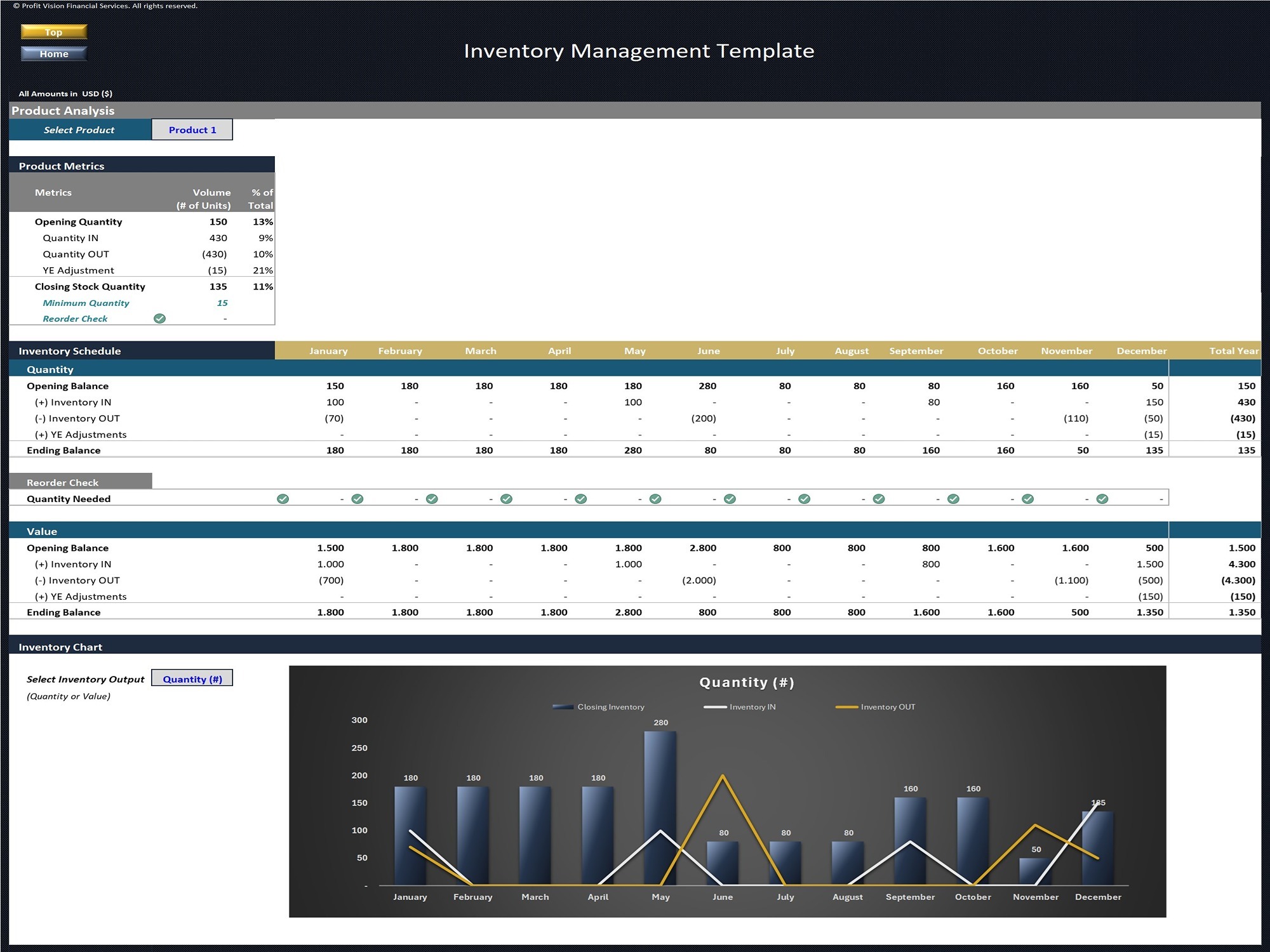
Product Analysis Report:
• Analysis per product report including Product Metrics, Inventory Schedule, Reorder Check per month and dynamic chart
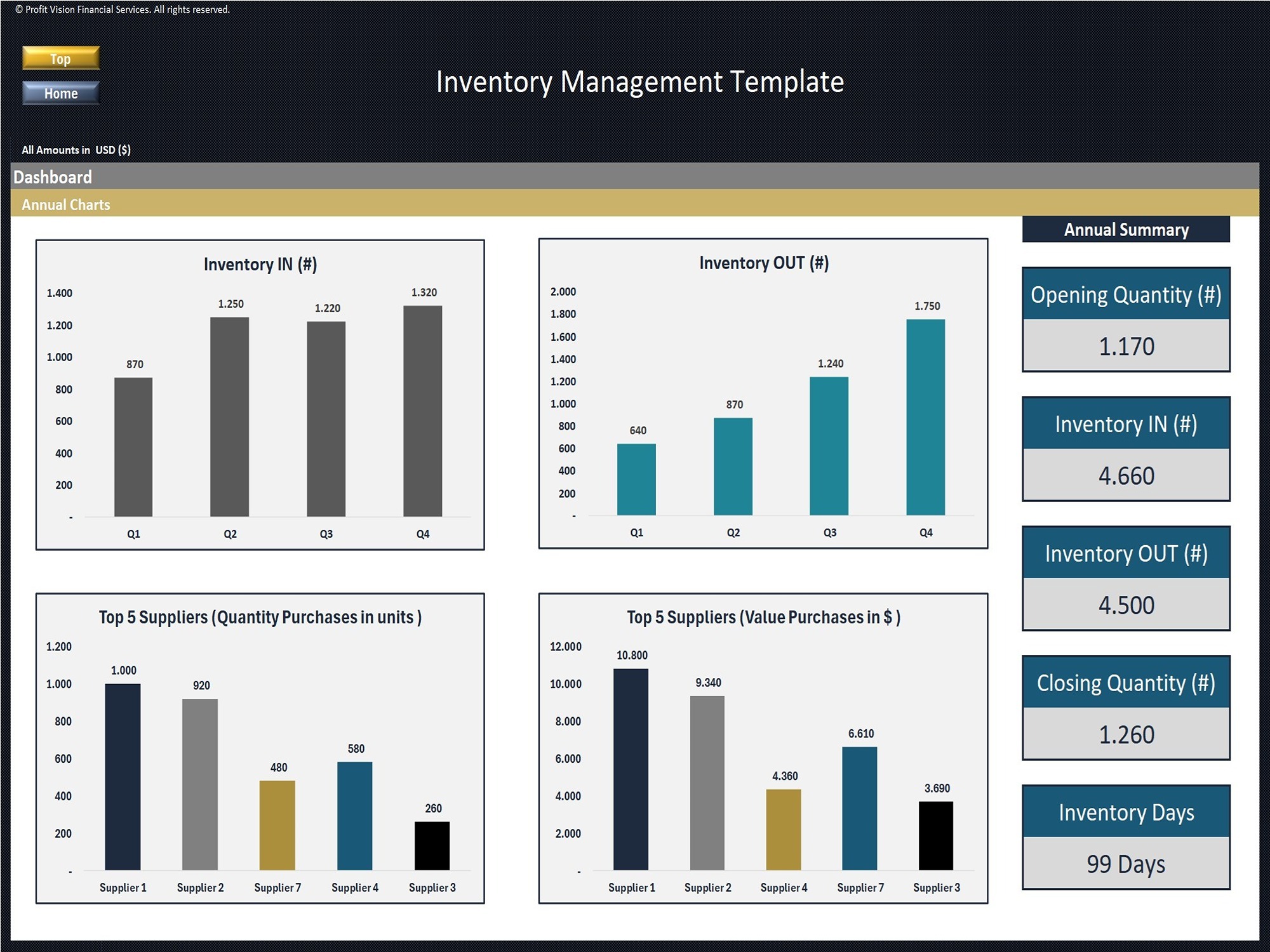
Dashboard:
• Visual representation of inventory annual data
Help & Support
If you experience any difficulty while using this template and you are not able to find the appropriate guidance in these instructions, please feel free to contact us for assistance.
This template has been designed with flexibility so it can be used in most business environments.
If you need a template customized for your business requirements, please e-mail us and provide a brief explanation of your specific needs.
This Best Practice includes
1 Excel Template
Further information
Assist users in controlling & tracking inventory
Template is suitable for any type of business
