

AI Solo Business Management Excel Dashboard | Etsy SEO, Product Planner, Content, Cashflow & AI Workflow Tracker
Solo business Excel system with product planning, Marketplace SEO, AI workflows, content, launches, cashflow, subscriptions, quality control and bonus QA.
π AI SOLO BUSINESS COMMAND CENTER β DIGITAL BUSINESS PLANNING & OPERATIONS SYSTEM
Bring product planning, validation, marketplace SEO, AI-assisted workflows, content, launches, cashflow, software costs, growth planning, and quality control into one structured Excel system.
Designed for digital product sellers, solopreneurs, creators, freelancers, template businesses, coaches, consultants, and small online businesses, this professional toolkit helps replace disconnected spreadsheets, idea lists, keyword notes, AI prompt documents, content calendars, launch checklists, financial trackers, and quality-control files with one coordinated business-management workflow.
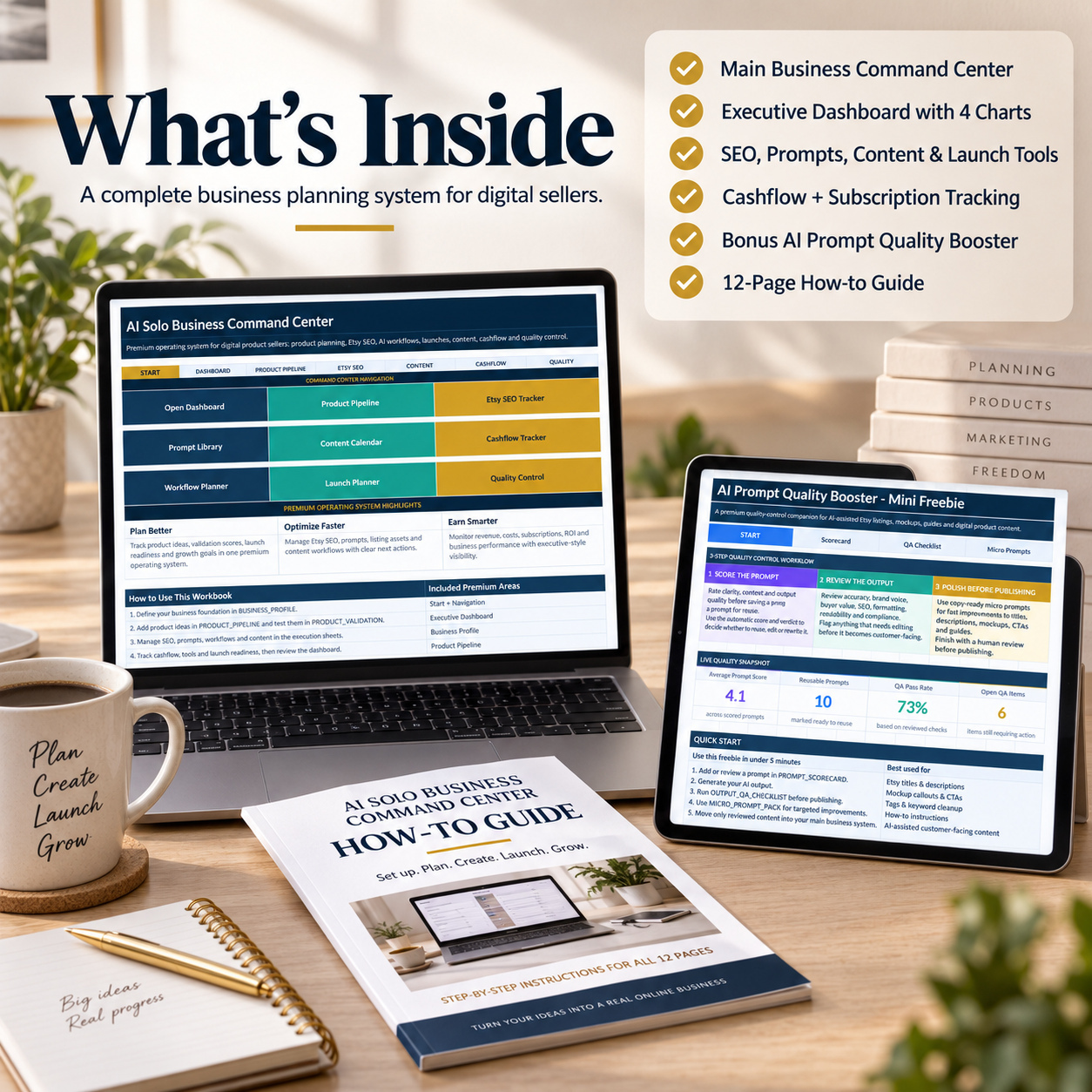
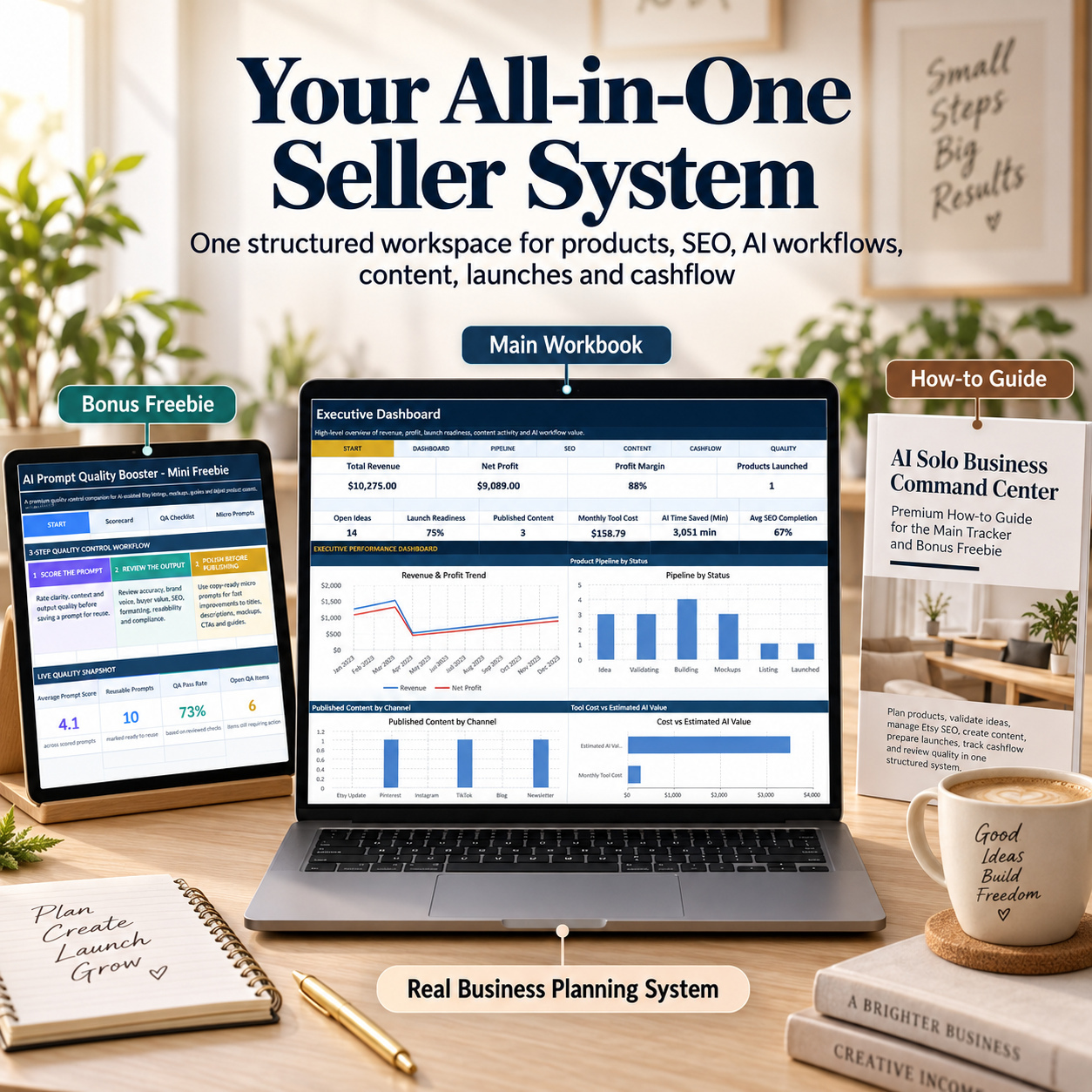
The complete package includes:
π 1 AI Solo Business Command Center Excel Workbook β 14 worksheets
π 1 AI Prompt Quality Booster Bonus Workbook β 4 worksheets
π 1 detailed 12-page How-to-Use PDF Guide
The workbooks include realistic 2029 sample data, formula-driven calculations, dropdown-supported workflows, progress indicators, scoring logic, status fields, and clear Manual Entry / Auto Formula guidance.
The system supports a practical recurring business workflow:
Position β Plan β Validate β Optimize β Create β Launch β Track β Review β Improve
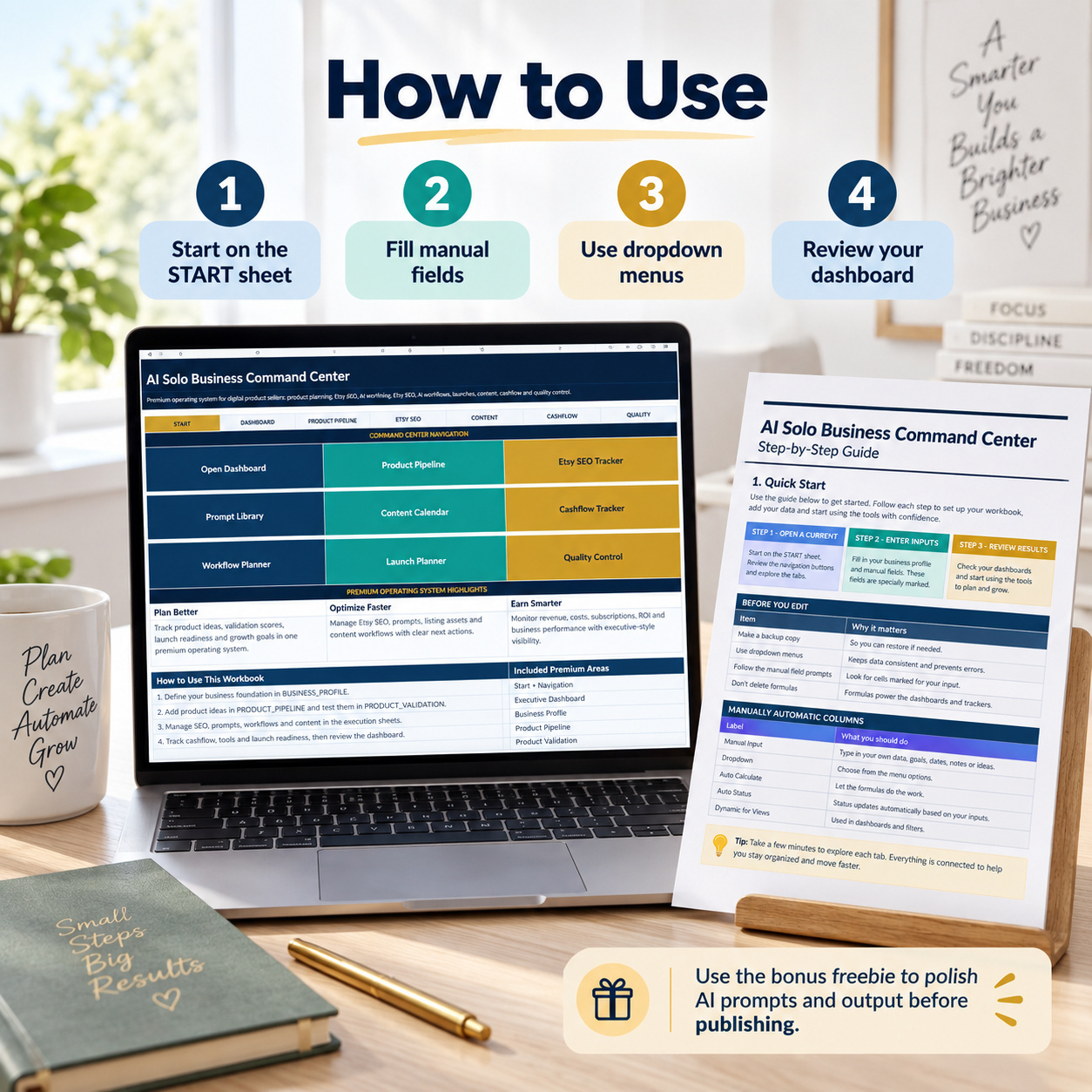
π START β CENTRAL BUSINESS COMMAND CENTER
The START sheet provides the central entry point into the complete business system.
Navigate directly to:
β Executive Dashboard
β Business Profile
β Product Pipeline
β Product Validation
β Marketplace SEO Tracker
β AI Prompt Library
β AI Workflow Planner
β Content Calendar
β Launch Planner
β Cashflow Tracker
β Subscription Tracker
β Growth Plan
β Quality Control
The workbook is structured so users can maintain detailed information in the individual operating modules and then use the Executive Dashboard for recurring high-level business reviews.
π§ BUSINESS PROFILE
Create a clear strategic foundation for the business before planning products, content, or launches.
Document:
β Business Name
β Brand Positioning
β Main Audience
β Product Type
β Marketplace
β Monthly Revenue Goal
β Launch Goal
β Main Differentiator
β Notes
This provides a central reference point for positioning, target customers, commercial priorities, and recurring business decisions.
It is particularly useful for solo businesses where strategy, product development, marketing, and operations are often managed by the same person.
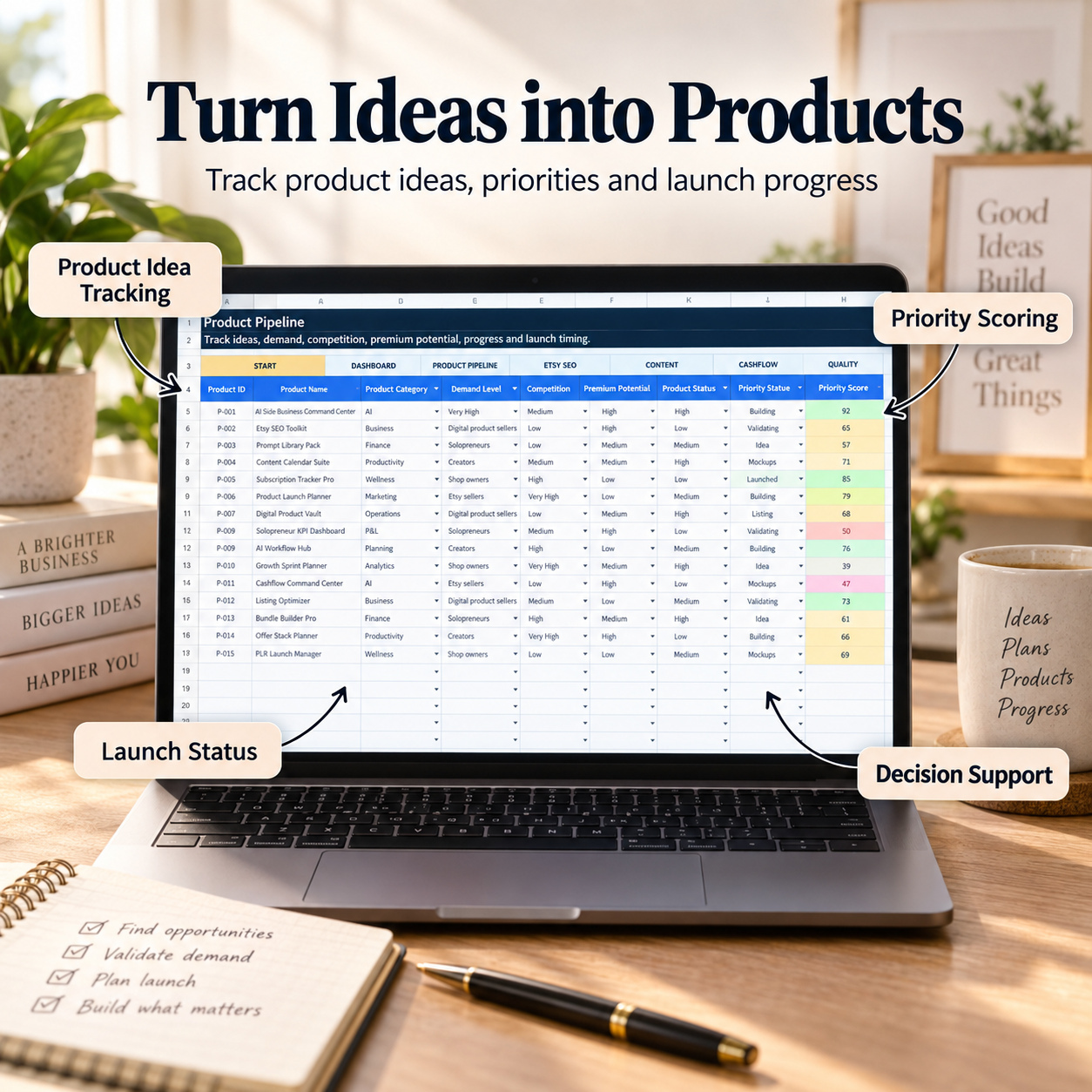
π‘ PRODUCT PIPELINE
Build and manage a structured pipeline of product opportunities.
Track:
β Product ID
β Product Name
β Product Category
β Target Customer
β Product Format
β Demand Level
β Competition
β Premium Potential
β Estimated Price
β Differentiation Angle
β Product Status
β Next Action
β Launch Target
β Notes
Automatic outputs include:
π― Priority Score
π Progress %
β³ Days Until Launch
Products can move through different stages from early idea and validation through development, visual preparation, listing preparation, and launch.
The included sample data demonstrates how multiple product ideas can be compared and managed within one structured pipeline before users replace the examples with their own portfolio.
β PRODUCT VALIDATION
Evaluate product opportunities before committing significant time to development.
Review factors such as:
β Product Name
β Main Keyword
β Supporting Keywords
β Buyer Problem
β Buyer Outcome
β Search Demand
β Competition Quality
β Price Potential
β Bundle Potential
β Visual Appeal
β Evergreen Potential
The workbook automatically generates:
π Validation Score
π Score Bar
π¦ Recommendation
Recommendations help classify ideas into practical planning outcomes such as:
β Build
π‘ Improve
β Skip
The purpose is not to predict commercial success, but to provide a repeatable framework for comparing opportunities using consistent criteria.
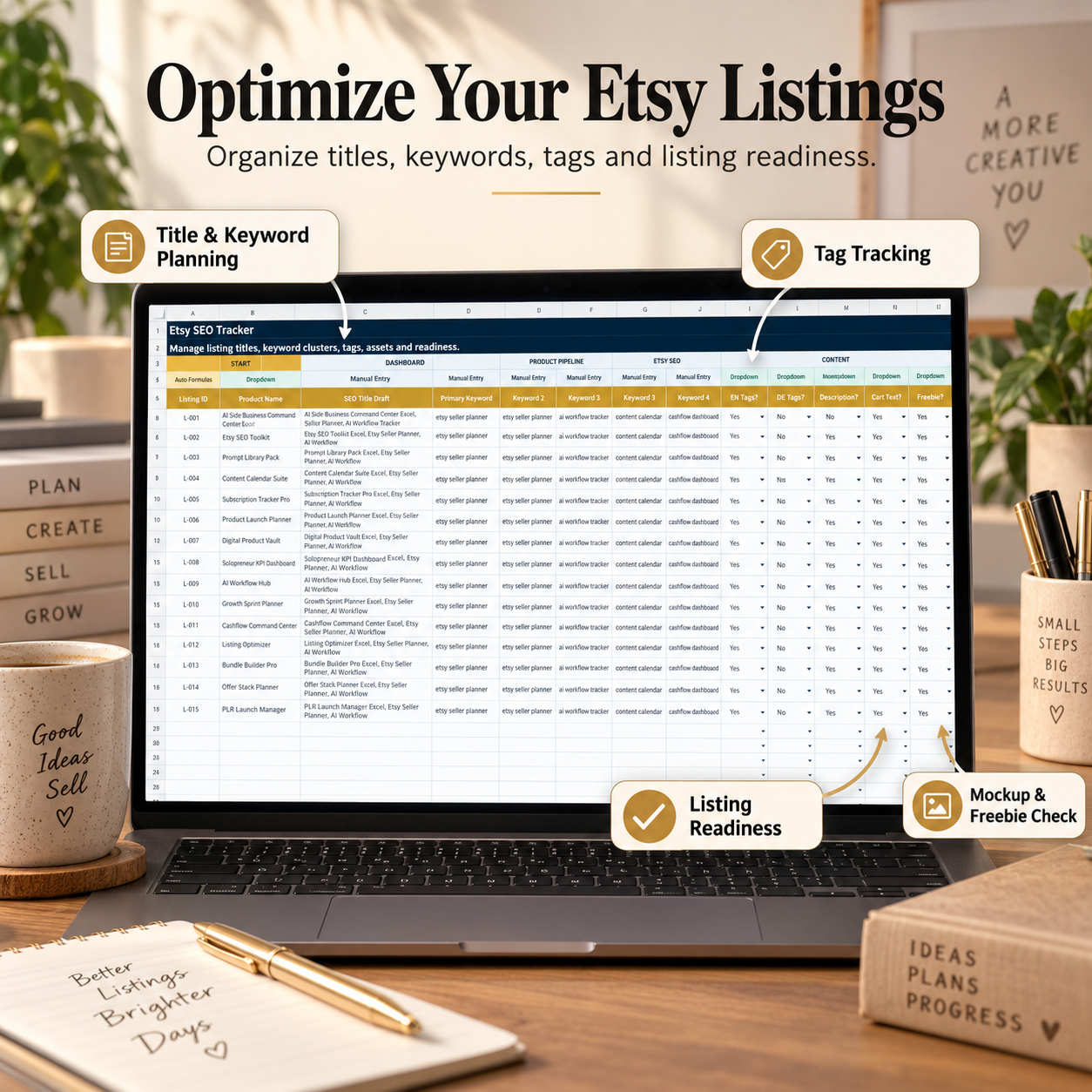
π MARKETPLACE SEO TRACKER
Prepare product listings more systematically across online marketplaces.
Track:
β Product
β SEO Title Draft
β Primary Keyword
β Supporting Keywords
β Tag Completion
β Description Completion
β Cart / Short Text Completion
β Mockup Completion
β Bonus / Freebie Completion
β Notes
Automatic outputs include:
π SEO Completion %
π Progress Bar
π¦ Listing Status
The tracker helps identify which listing assets are ready and which areas still require work before publication.
It can be adapted to different digital marketplaces and selling platforms by customizing keywords, listing requirements, tags, descriptions, and preparation steps.
π The module is an internal planning and organization tool. It does not connect directly to marketplaces and does not provide live keyword volumes, rankings, traffic data, or automated SEO recommendations.
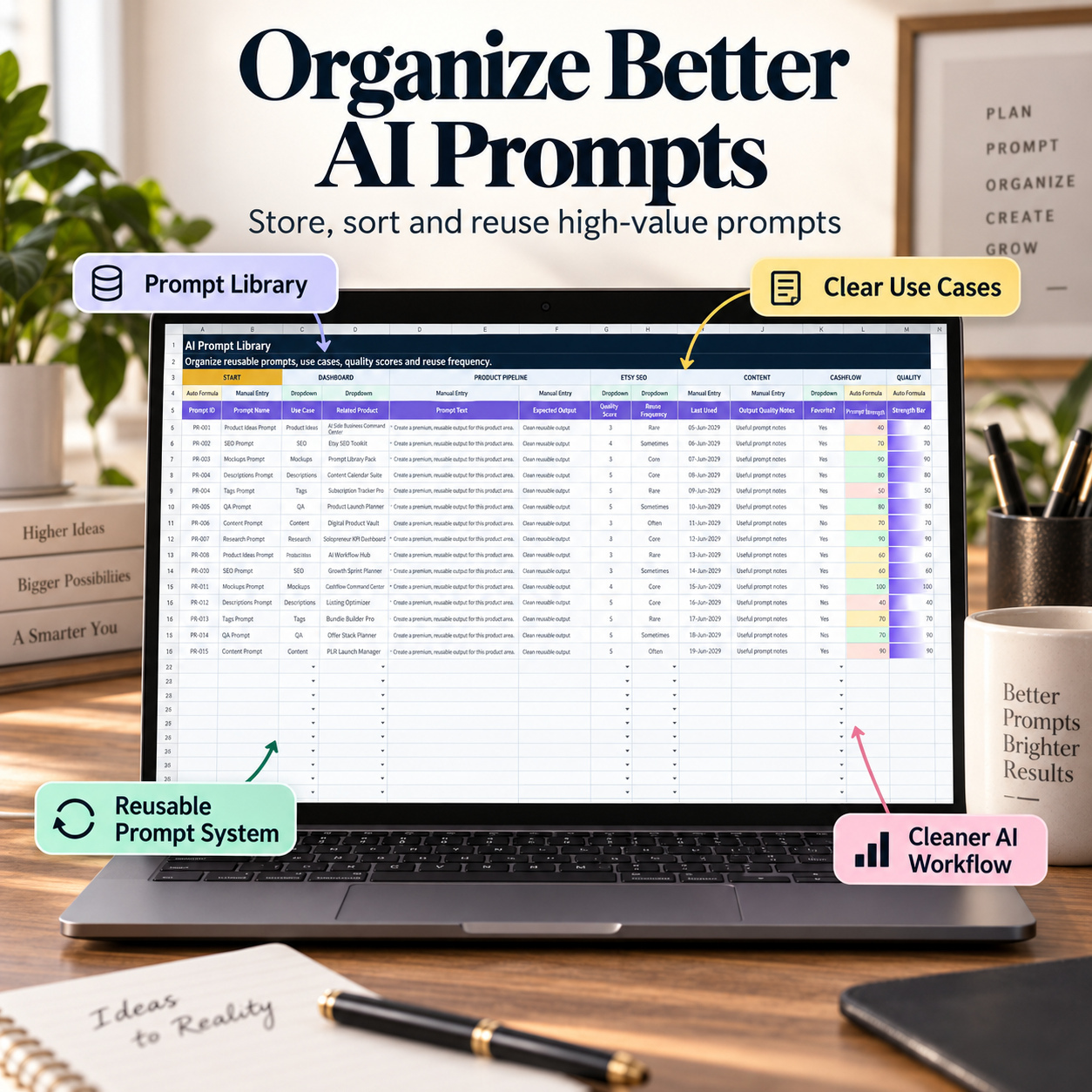
π€ AI PROMPT LIBRARY
Create a structured internal library of reusable AI instructions.
Track:
β Prompt ID
β Prompt Name
β Use Case
β Linked Product
β Prompt Text
β Expected Output
β Quality Score
β Reuse Frequency
β Last Used
β Output Quality Notes
β Favorite Status
Automatic indicators include:
β Prompt Strength
π Strength Bar
Prompts can be organized for use cases such as:
β Product Development
β SEO
β Listing Copy
β Visual Planning
β Content
β Quality Review
β Research
β Business Operations
This allows recurring instructions and successful workflows to be documented instead of being recreated each time.
π The workbook does not connect automatically to an AI provider or API. Prompts are stored and managed inside Excel and can be copied into the userβs preferred AI tool.
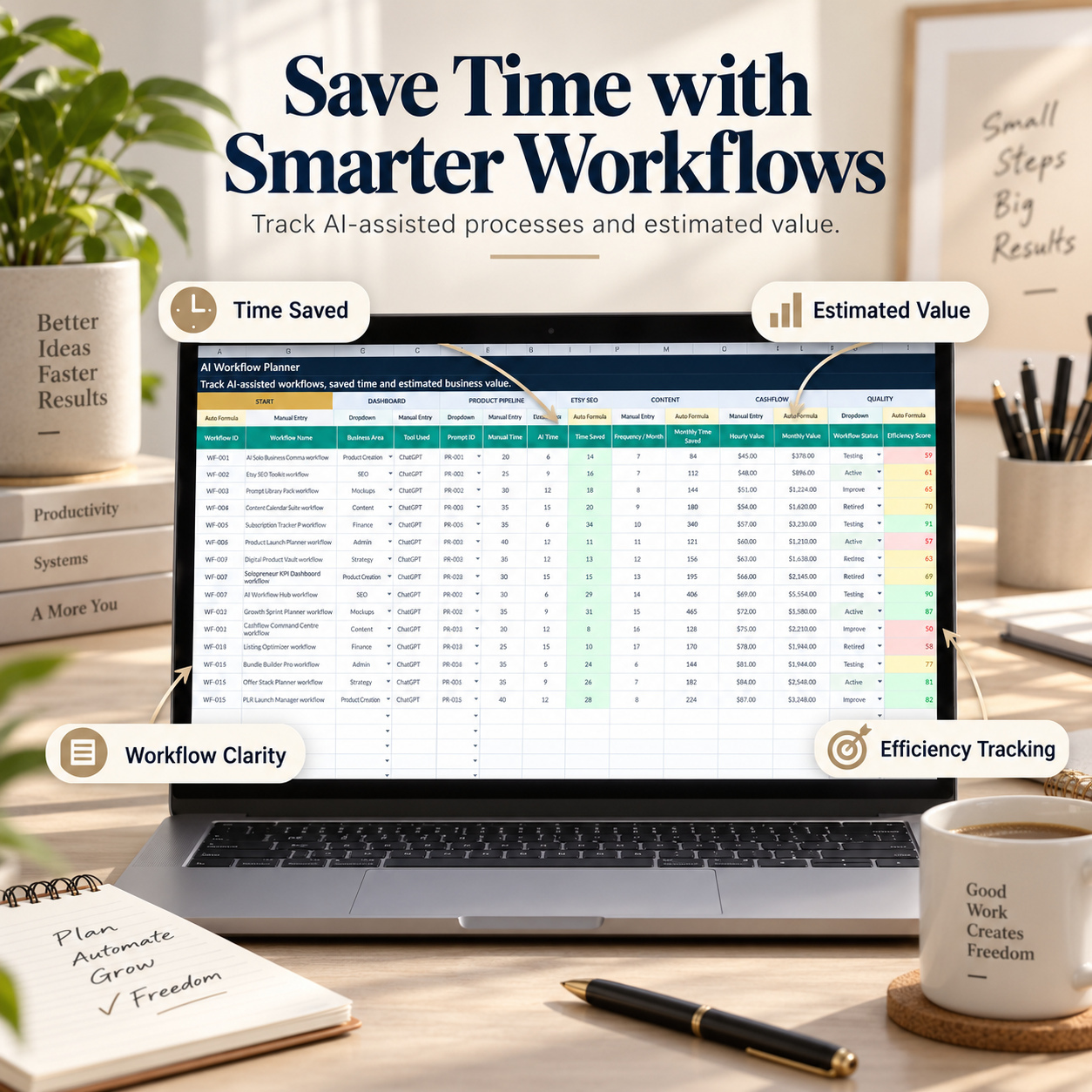
βοΈ AI WORKFLOW PLANNER
Document and compare AI-assisted business workflows.
Track:
β Workflow Name
β Business Area
β Tool Used
β Prompt ID
β Manual Time
β AI-Assisted Time
β Frequency per Month
β Estimated Hourly Value
β Workflow Status
β Notes
Automatic calculations include:
β±οΈ Time Saved
π Monthly Time Saved
π° Estimated Monthly Value
β‘ Efficiency Score
π Score Bar
Use the module to review AI-assisted processes across areas such as:
β Product Development
β Research
β SEO
β Listing Preparation
β Content Creation
β Visual Planning
β Administration
β Finance
β Strategy
This helps users understand where AI-supported workflows may provide the greatest operational leverage.
All time and value calculations are based on user-entered assumptions and should be treated as internal planning estimates.
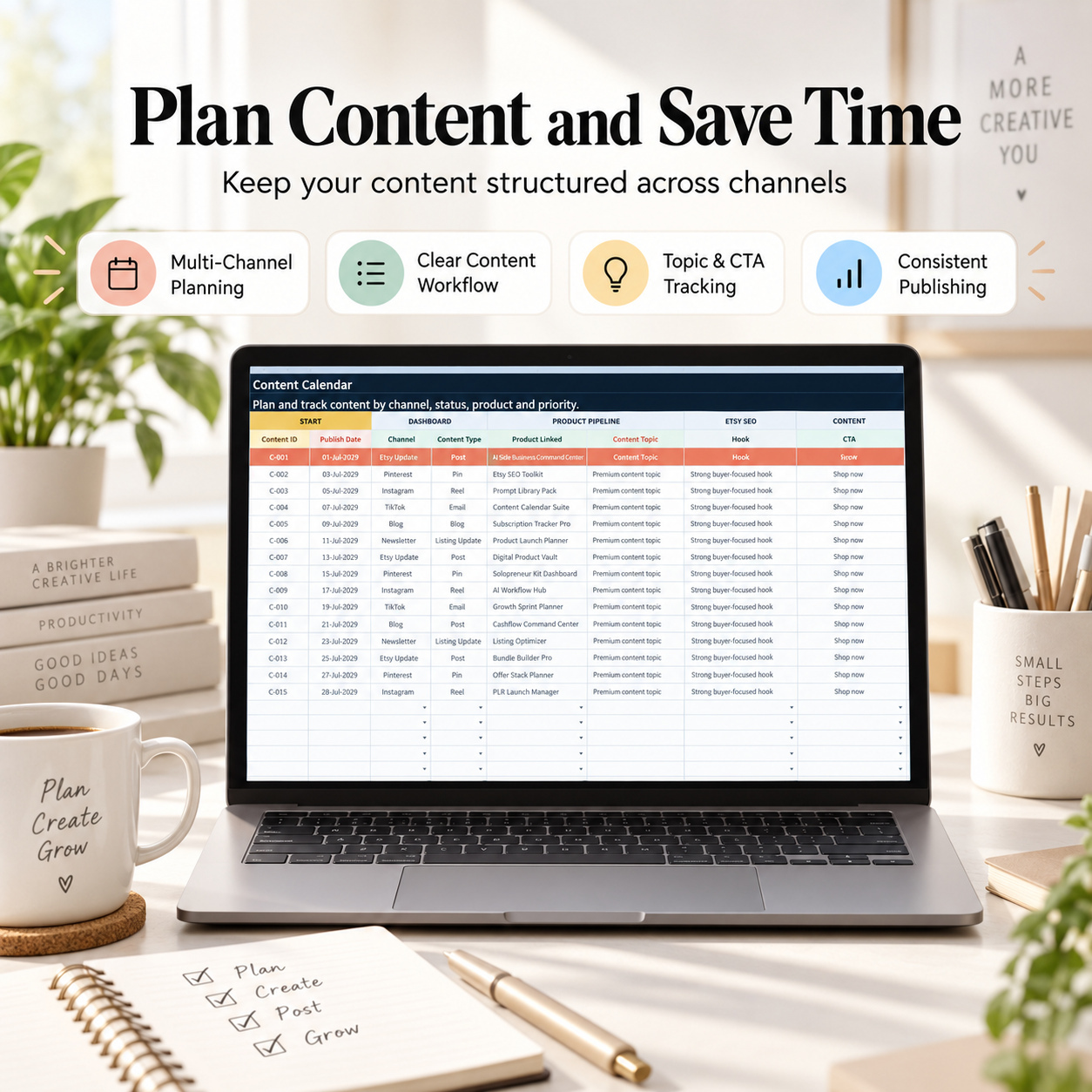
π CONTENT CALENDAR
Plan and coordinate publishing activity across multiple channels.
Track:
β Publish Date
β Channel
β Content Type
β Linked Product
β Topic
β Hook
β CTA
β Prompt ID
β Status
β Priority
β Notes
Formula-driven outputs include:
π Completion %
π Progress Bar
The module can be used for:
π Marketplace updates
π Social content
π Pinterest
π Instagram
π TikTok
π Blog content
π Email campaigns
π Newsletters
π Educational content
π Launch communication
This provides one central view of what needs to be created, published, reviewed, or repurposed.
π LAUNCH PLANNER
Run a structured final review before publishing a new digital product.
The launch checklist covers areas such as:
β Product File Ready
β Dashboard Checked
β Formulas Checked
β Compatibility Reviewed
β Bonus / Freebie Ready
β How-to Guide Ready
β Mockups Ready
β Delivery Package Ready
β SEO Title Ready
β Description Ready
β Tags Ready
β Price Set
Automatic calculations provide:
π Readiness %
π Progress Bar
π¦ Launch Status
This creates a repeatable quality gate before products are released to customers.
It is especially useful for sellers managing multiple products where missing files, incomplete visual assets, unfinished copy, or unchecked formulas could otherwise be overlooked.
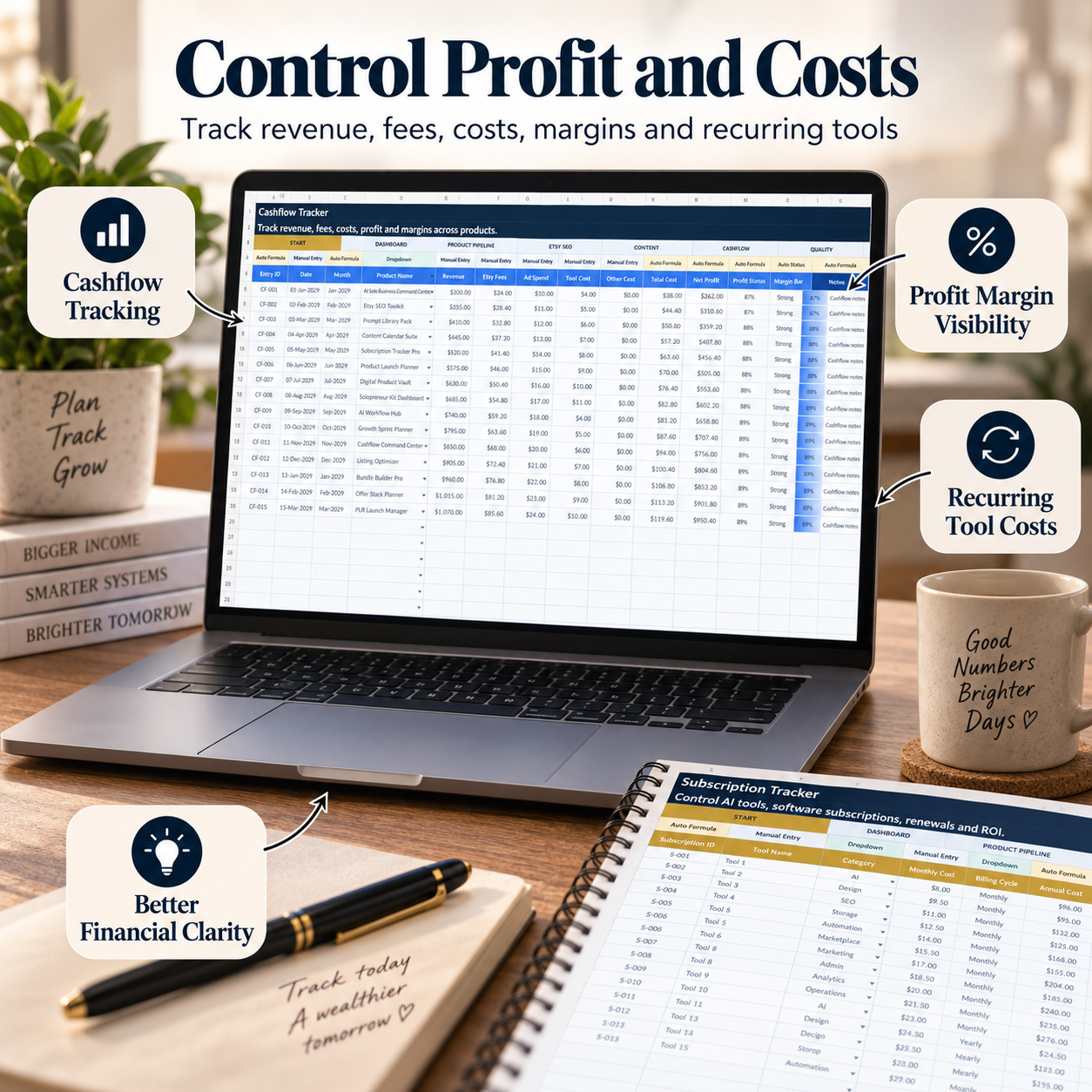
π° CASHFLOW TRACKER
Maintain a simple internal view of product-related revenue and direct business costs.
Track:
β Date
β Product
β Revenue
β Marketplace Fees
β Advertising Spend
β Tool Costs
β Other Costs
β Notes
Automatic calculations provide:
πΈ Total Cost
π΅ Net Profit
π Profit Margin
π¦ Profit Status
π Margin Bar
This allows users to compare commercial performance across products and periods without mixing business planning with product-development workflows.
The Cashflow Tracker is intended for internal management and does not replace bookkeeping, tax, or accounting software.
π³ SUBSCRIPTION TRACKER
Monitor recurring business tools and software expenses.
Track:
β Tool Name
β Category
β Monthly Cost
β Billing Cycle
β Main Use Case
β Usage Frequency
β Business Value
β Keep / Cancel Decision
β Renewal Date
β Notes
Automatic outputs include:
π° Annual Cost
β³ Days Until Renewal
π ROI Score
π Score Bar
Use it to monitor recurring costs for:
β AI tools
β Design software
β SEO tools
β Cloud storage
β Productivity tools
β Automation services
β Marketing platforms
β Marketplace software
This makes recurring software commitments easier to review before renewals.
π― 90-DAY GROWTH PLAN
Translate broader business objectives into a structured weekly execution plan.
Track:
β Week
β Start Date
β Main Goal
β Product Goal
β Content Goal
β Revenue Goal
β Key Actions
β Status
β Progress %
β Weekly Review
β Next Week Focus
The module helps connect long-term business goals with practical weekly execution.
Visual progress indicators provide a quick view of whether planned actions are moving forward.
π‘οΈ QUALITY CONTROL
Run structured final reviews before products, updates, or customer-facing assets are released.
Track:
β Product
β Review Area
β Check Item
β Required Standard
β Status
β Issue Found
β Fix Needed
β Owner
β Due Date
β Final Approval
β Notes
Automatic outputs include:
β³ Days Open
β QC Score
π Score Bar
Quality Control can be used to review:
β Product files
β Formulas
β Dashboards
β Documentation
β Listings
β Visual assets
β Delivery packages
β Customer-facing content
This provides an additional control layer before publication.
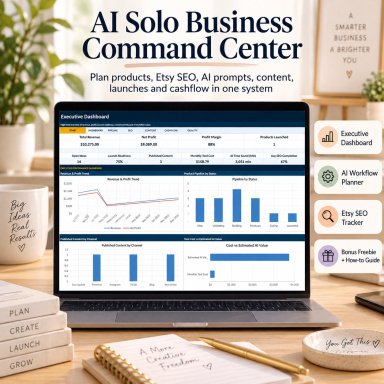
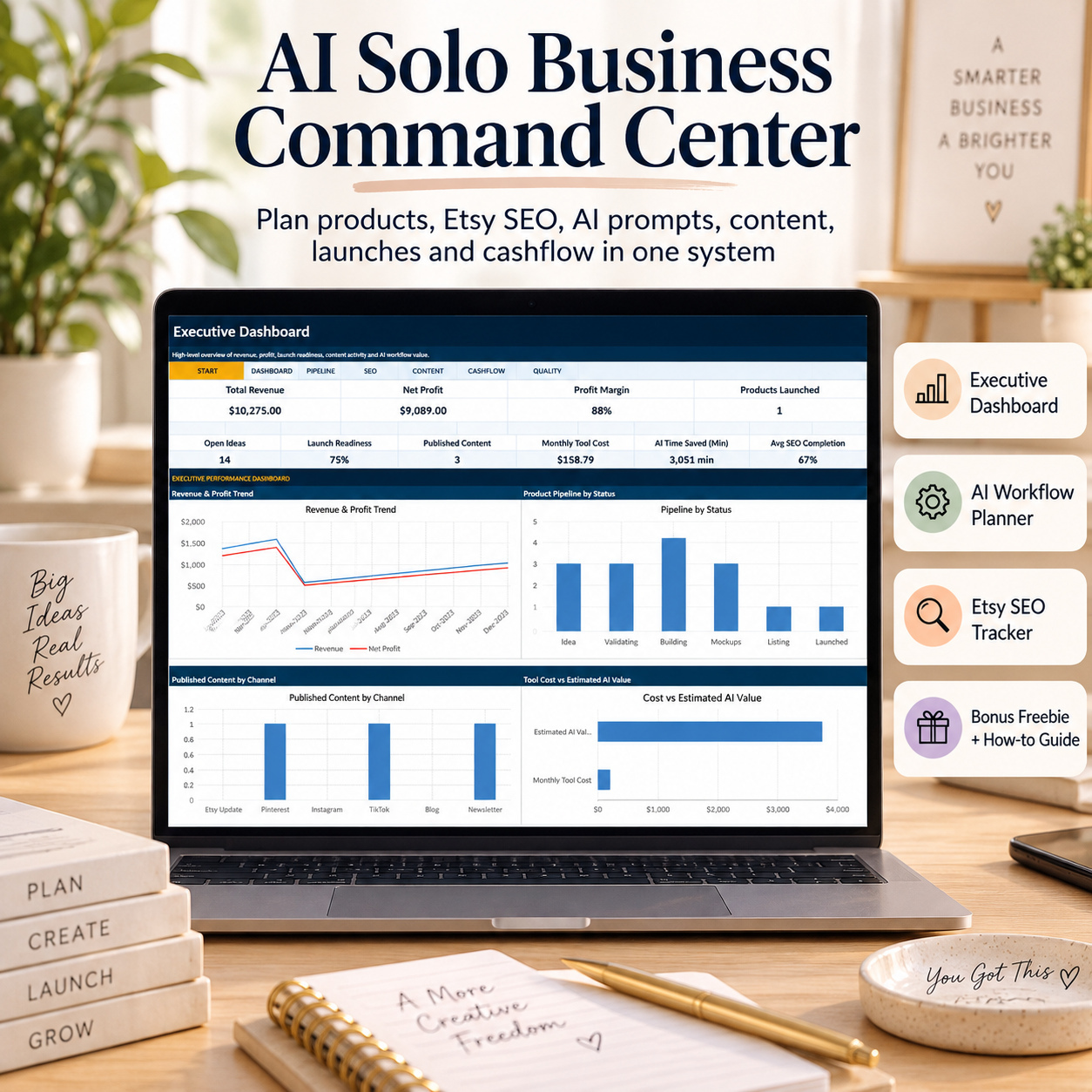
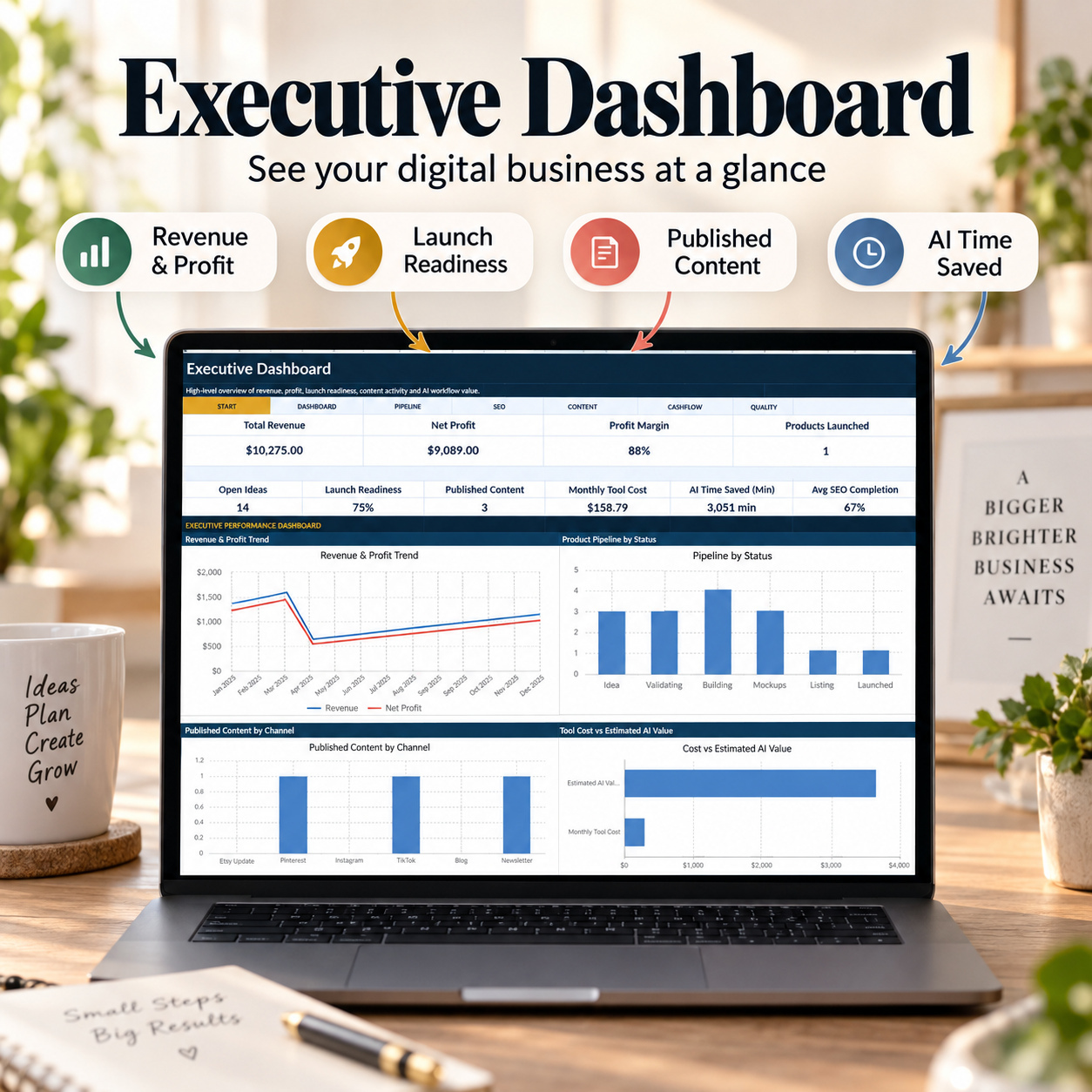
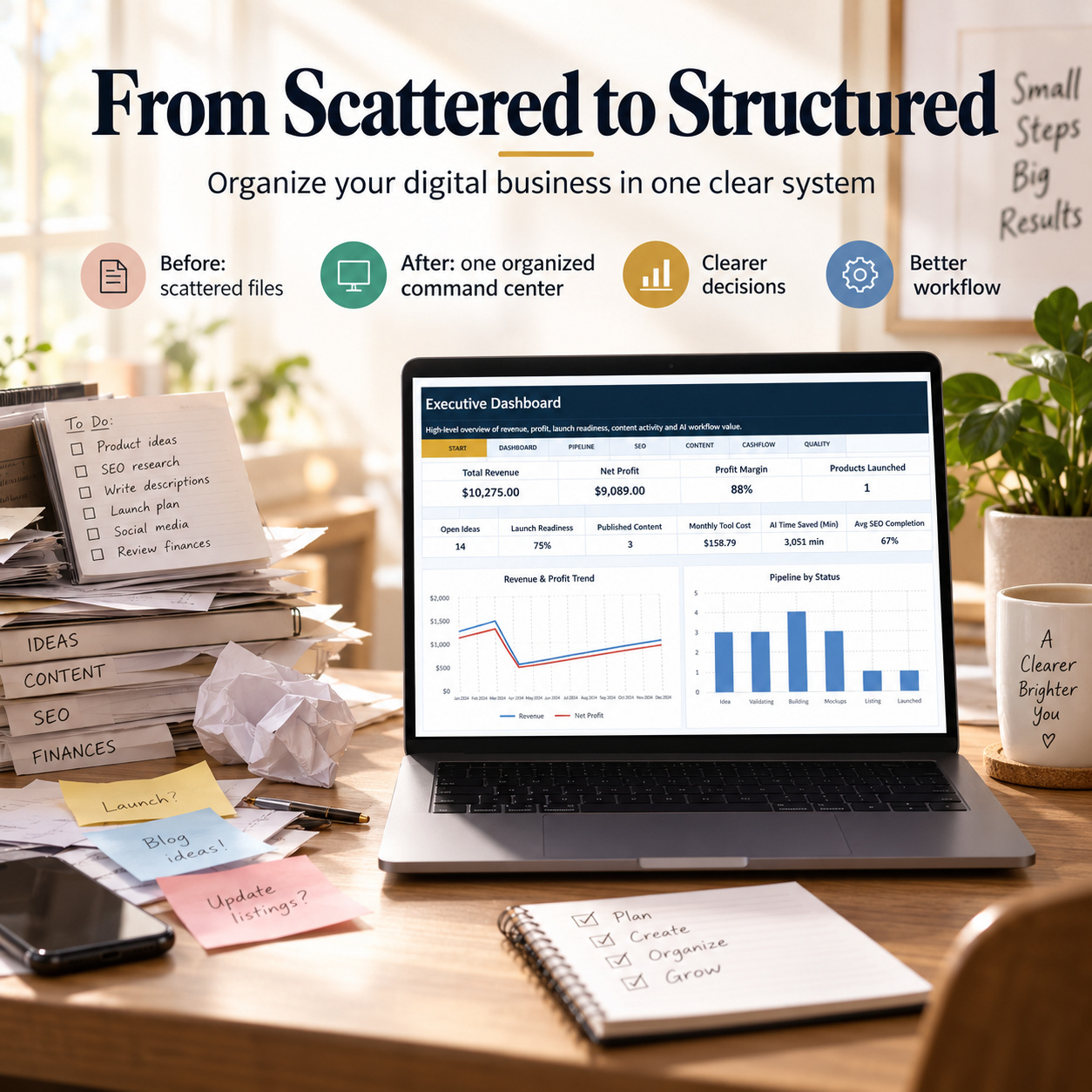
π EXECUTIVE BUSINESS DASHBOARD
The Executive Dashboard consolidates the main business signals into 10 KPI cards.
Monitor:
π΅ Total Revenue
π° Net Profit
π Profit Margin
π Products Launched
π‘ Open Product Ideas
β Launch Readiness
π Published Content
π³ Monthly Tool Cost
β±οΈ AI Time Saved
π Average Marketplace SEO Completion
Four dynamic Excel charts provide additional management visibility:
π Revenue & Profit Trend
π¦ Product Pipeline by Status
π£ Published Content by Channel
π€ Tool Cost vs. Estimated AI Value
The dashboard is designed as a high-level management view while the individual trackers remain the underlying operational source of truth.
It is particularly useful for recurring weekly or monthly business reviews.
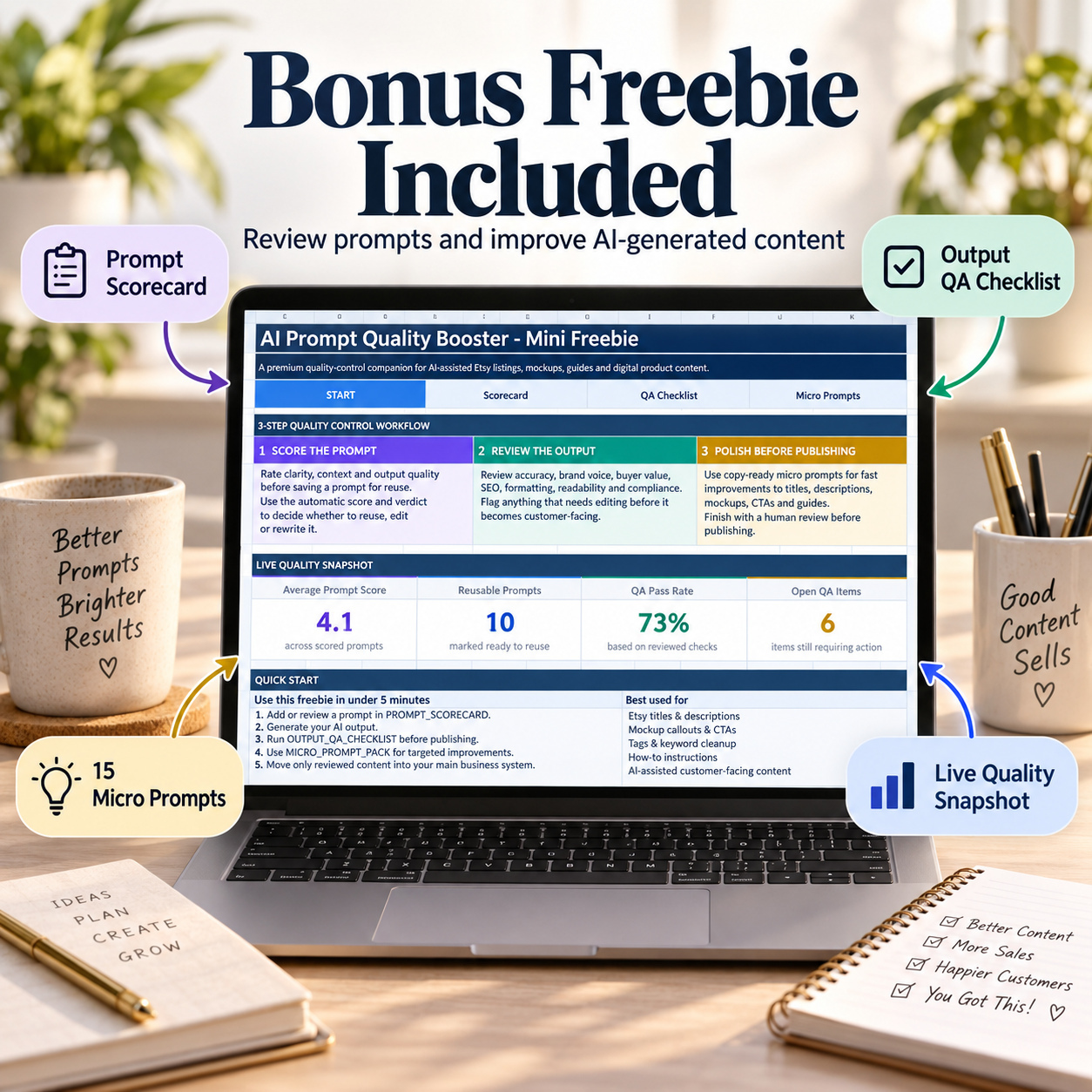
π BONUS: AI PROMPT QUALITY BOOSTER
The separate bonus workbook provides a focused quality-control process for AI-assisted customer-facing content.
It contains 4 worksheets:
π START
π§ PROMPT SCORECARD
β OUTPUT QA CHECKLIST
β‘ MICRO PROMPT PACK
β LIVE QUALITY SNAPSHOT
The START area summarizes four quality indicators:
β Average Prompt Score
β Reusable Prompts
β QA Pass Rate
β Open QA Items
The recommended process is:
Score the Prompt β Review the Output β Improve β Publish
This adds a lightweight human-review layer before AI-assisted content is used externally.
π§ PROMPT SCORECARD
Evaluate prompts using consistent criteria.
Review:
β Use Case
β Prompt Goal
β Clarity
β Context
β Output Quality
β Reusability
Scores use a 1-to-5 rating scale.
Automatic calculations provide:
β Average Score
π¦ Prompt Verdict
Example outcomes include:
β Excellent
π’ Strong
π‘ Needs Work
π΄ Rewrite
The workbook includes illustrative examples so users can understand the scoring logic before adding their own prompts.
β OUTPUT QA CHECKLIST
Review AI-assisted content before publication.
Quality areas include:
β Accuracy
β Brand Voice
β Customer Value
β SEO
β Formatting
β Mobile Readability
β Compliance
β Tone
β Originality
β Instructions
β Tags
β Screenshot Accuracy
β Pricing Language
β Consistency
β Final Review
Automatic review outcomes help classify content into practical next steps such as:
β Approved
π‘ Edit First
β Do Not Use
This supports deliberate human review rather than publishing AI-generated output without checking it.
β‘ 15-PROMPT MICRO PROMPT PACK
The bonus includes 15 reusable starter prompts for common content-review and improvement tasks.
Use cases include:
β Output Quality Review
β Keyword Naturalness Check
β Benefit Upgrade
β Mobile Readability
β No-Overclaim Review
β CTA Polish
β Beginner Clarity
β Tag Limit Check
β Premium Tone
β Final Launch Readiness
β Buyer Problem Clarifier
β Feature-to-Callout Conversion
β Cross-Asset Consistency Check
β Buyer FAQ Builder
β Troubleshooting Rewrite
Users can replace the placeholders with their own content, run the instructions in their preferred AI environment, and review the resulting output before use.
π 12-PAGE HOW-TO-USE GUIDE
The included PDF guide explains the complete system and bonus workflow.
Topics include:
β Quick Start
β Manual Entry vs. Auto Formula Logic
β Workbook Structure
β Business Positioning
β Product Planning
β Product Validation
β Marketplace SEO Workflow
β Prompt Library
β AI Workflow Planning
β Content Planning
β Launch Preparation
β Cashflow Tracking
β Subscription Management
β Growth Planning
β Quality Control
β Executive Dashboard
β AI Prompt Quality Booster
β Prompt Scorecard
β Output QA Checklist
β Micro Prompt Pack
β Excel & Google Sheets Notes
β Troubleshooting
β Responsible AI Review
π» TECHNICAL COMPATIBILITY
β Microsoft Excel (.xlsx)
β Google Sheets import possible
β Macro-free
β No VBA
β No APIs
β No live marketplace connections
β No automated AI integration
β No external Excel data connections
β Formula-driven calculations
β Dropdown-supported workflows
β Realistic sample data
π Microsoft Excel remains the reference environment.
The .xlsx files can also be imported into Google Sheets. Fonts, chart spacing, conditional formatting, dropdown appearance, or other visual details may differ after import and should be reviewed.
βοΈ IMPORTANT DISCLAIMER
This toolkit is provided for organization, planning, productivity, and internal business-management purposes only. It does not provide financial, tax, legal, accounting, or professional business advice.
Sales, traffic, rankings, profit, income, AI accuracy, or other business results are not guaranteed. AI-assisted content should always be reviewed before publication.
π This complete solo-business operating system brings product planning, validation, marketplace SEO, AI workflows, content, launches, financial tracking, software costs, growth planning, and quality control into one coordinated framework.
It is designed to help digital sellers and solopreneurs create clearer priorities, maintain stronger publishing discipline, understand key business signals, and manage recurring operational work without relying on disconnected spreadsheets.
This Best Practice includes
1 Main Excel Workbook (.xlsx), AI Prompt Quality Booster (.xlsx), How-to-Use Guide (.pdf
Further information
The objective of this AI Solo Business Command Center is to provide digital sellers, solopreneurs, creators, freelancers, and small online businesses with a structured framework for managing recurring business-planning and execution activities.
Users can organize their business positioning, build and prioritize a product pipeline, validate ideas, manage Marketplace SEO preparation, maintain reusable AI prompts, evaluate AI-assisted workflows, plan content, review launch readiness, track revenue and direct costs, monitor software subscriptions, plan growth activity, and conduct final quality checks.
The accompanying AI Prompt Quality Booster adds a structured human-review process for prompts and AI-assisted customer-facing content.
The overall objective is to improve organization, prioritization, publishing discipline, cost awareness, quality control, and management visibility within one coordinated system.
This toolkit is particularly suitable for:
- Etsy sellers
- Digital product sellers
- Solopreneurs
- Template creators
- Freelancers
- Content creators
- Coaches
- Small online businesses
- Marketplace sellers
- AI-assisted content creators
- Creator-led businesses
- Early-stage digital businesses
- Independent consultants
- One-person or small operating teams
It is especially useful when product ideas, SEO work, prompts, content, launch preparation, finances, subscriptions, and quality checks are currently maintained across multiple disconnected spreadsheets or notes.
This system does not replace accounting software, bookkeeping systems, full CRM platforms, marketplace analytics tools, dedicated project-management systems, social-media publishing platforms, or specialist financial software.
It does not include live Etsy data, automated SEO research, marketplace synchronization, AI APIs, automatic content generation, accounting feeds, bank connections, or other external integrations.
Scores, estimated time savings, ROI indicators, validation results, and business KPIs depend on user inputs and should be treated as planning and management signals rather than guaranteed outcomes.


