Action Plan Tracking Terminal | Executive KPI Dashboard
Originally published: 19/12/2025 21:25
Last version published: 07/08/2026 12:38
Publication number: ELQ-45389-3
View all versions & Certificate
certified

Action Plan Tracking Terminal | Executive KPI Dashboard

A centralized Google Sheets tracking terminal to log team action items, monitor deadlines, and calculate schedule variance in real-time.

Description

Managing tasks, deadlines, and ownership across a team can quickly become disorganized, leading to delayed projects and missed deliverables. This terminal provides a centralized, standardized ledger to log responsibilities, monitor exact schedule variance, and track completion status in real-time.


The Operational Friction

Tracking action plans through unstructured documents or scattered email chains creates multi-user errors and subjective bias. Without a standardized system, project managers cannot accurately measure schedule variance, team members lose track of target deadlines, and leadership lacks visibility into exactly which tasks are causing operational bottlenecks.


The Mathematical & Structural Solution

This locked-down spreadsheet removes subjectivity by enforcing strict data validation and automated date-based calculations. To ensure you can operate the system with confidence, the purchase includes two supplementary documents:


  • The Operational User Guide: Provides step-by-step instructions so the user can deploy the tool immediately without staring at a confusing blank screen.
  • The Technical Spec Sheet: Fully exposes the background formulas, math, and logical framework so the user has absolute trust in the calculations and knows exactly what is happening under the hood.


Core System Capabilities


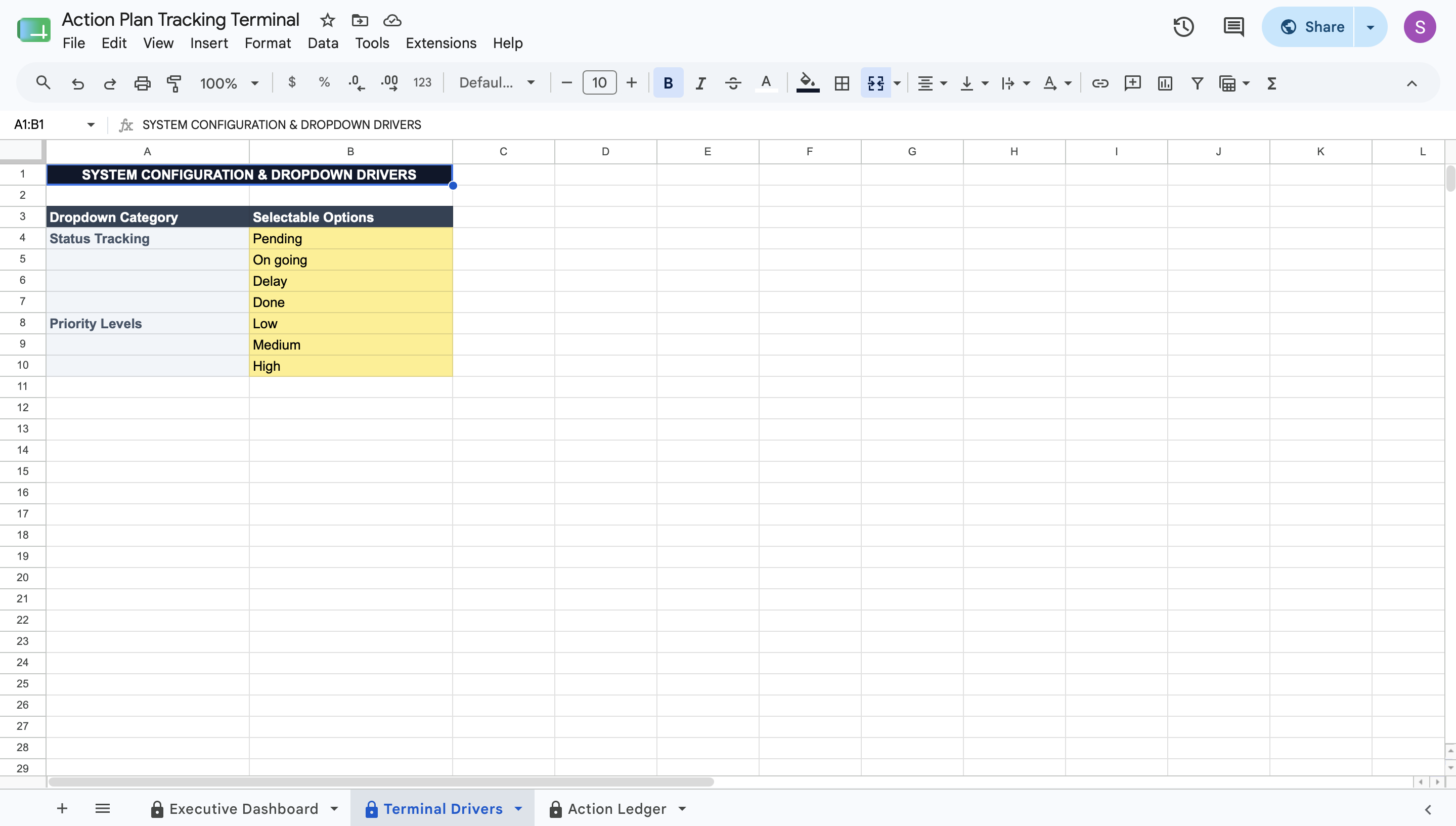
  • Terminal Drivers Setup: Define your specific operational terms for priority levels and status tracking in a centralized configuration tab.
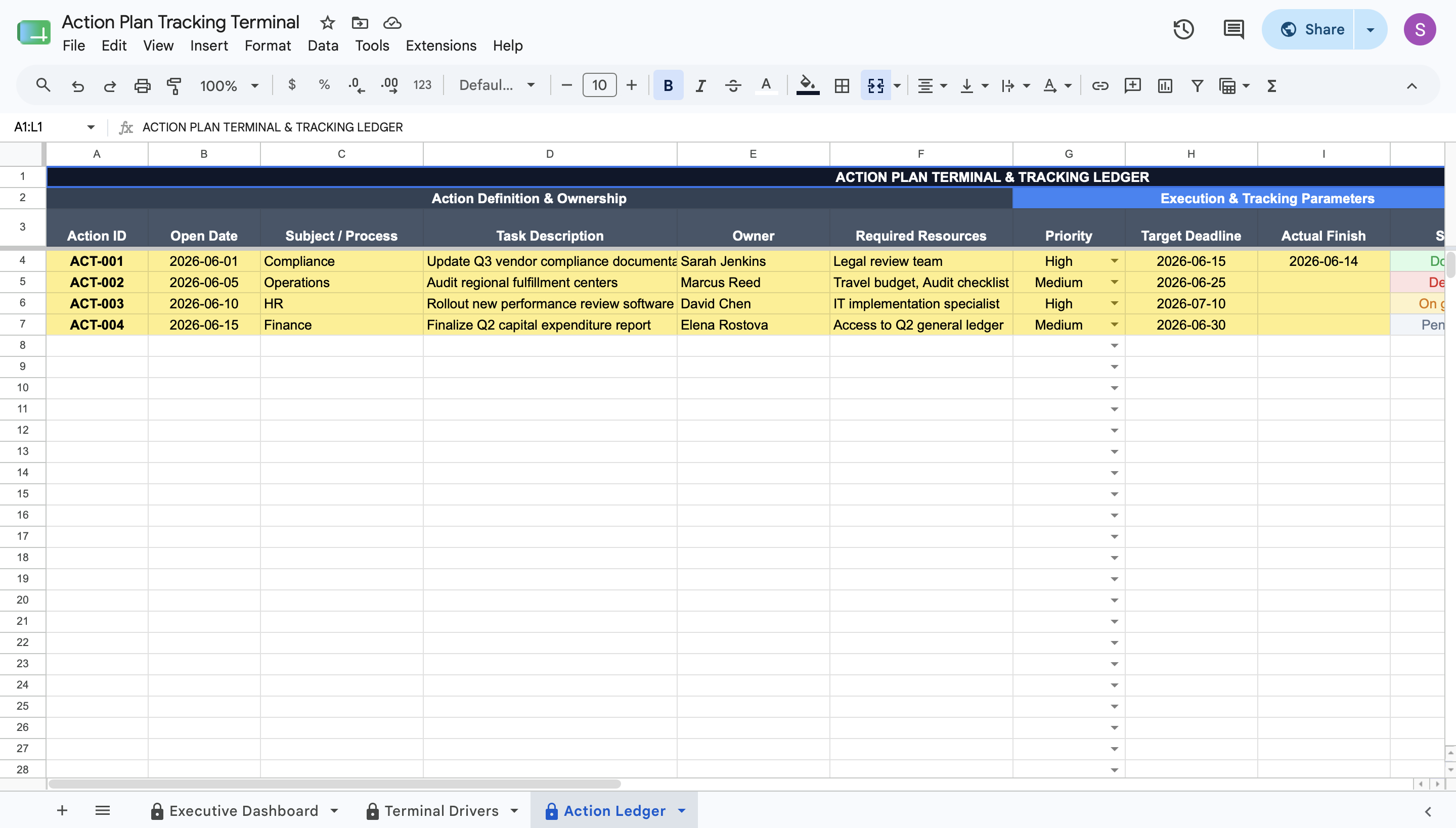
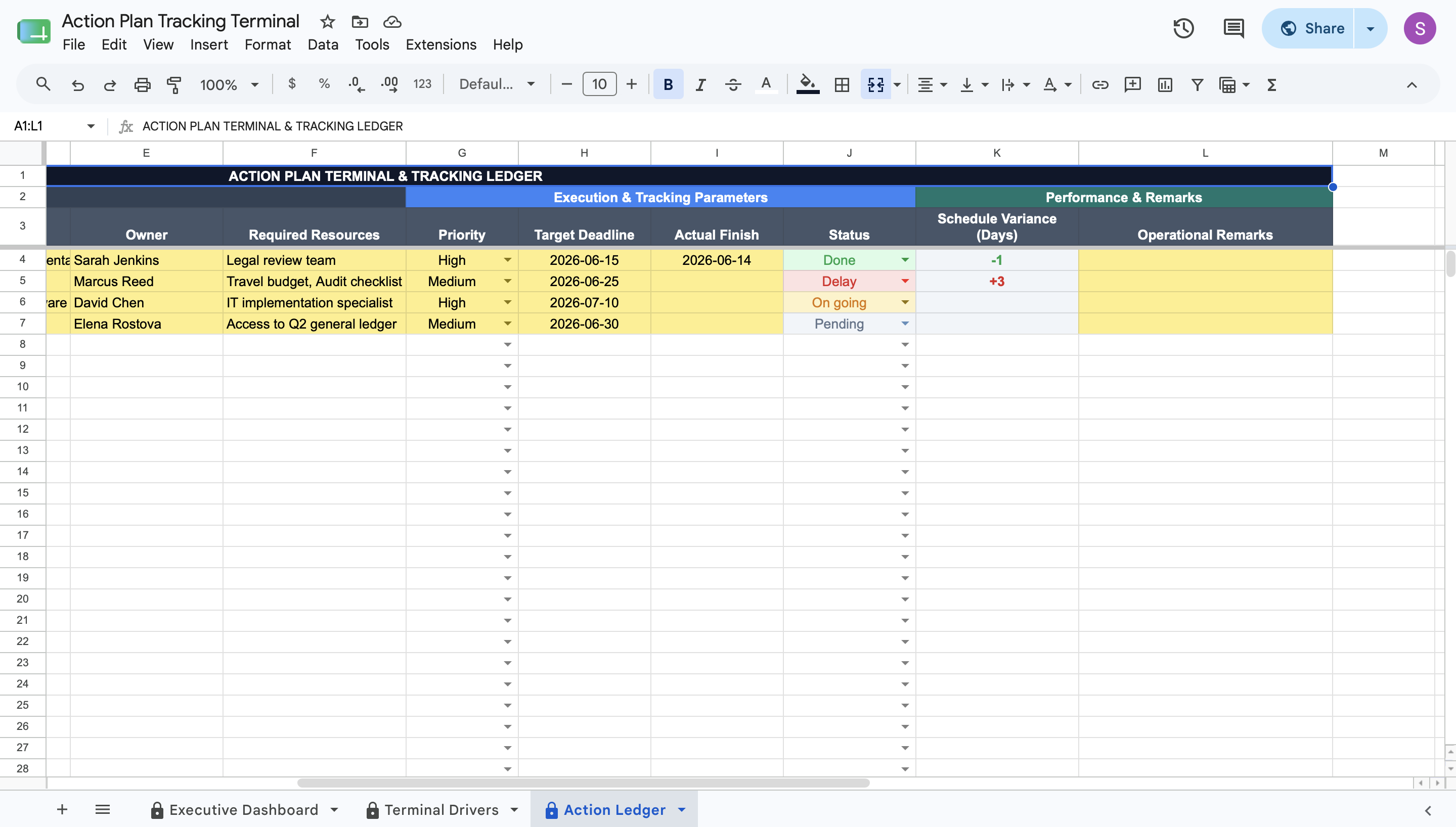
  • Action Scenario Ledger: Log individual tasks, assign clear ownership, and define target deadlines in a structured database.
  • Schedule Variance Tracking: Calculates exactly how many days early or late a task was completed, or how many days it is currently delayed past its deadline.
  • Status Validation Rules: Enforces strict dropdown selections for tracking task states, color-coding them automatically for quick visual scanning.
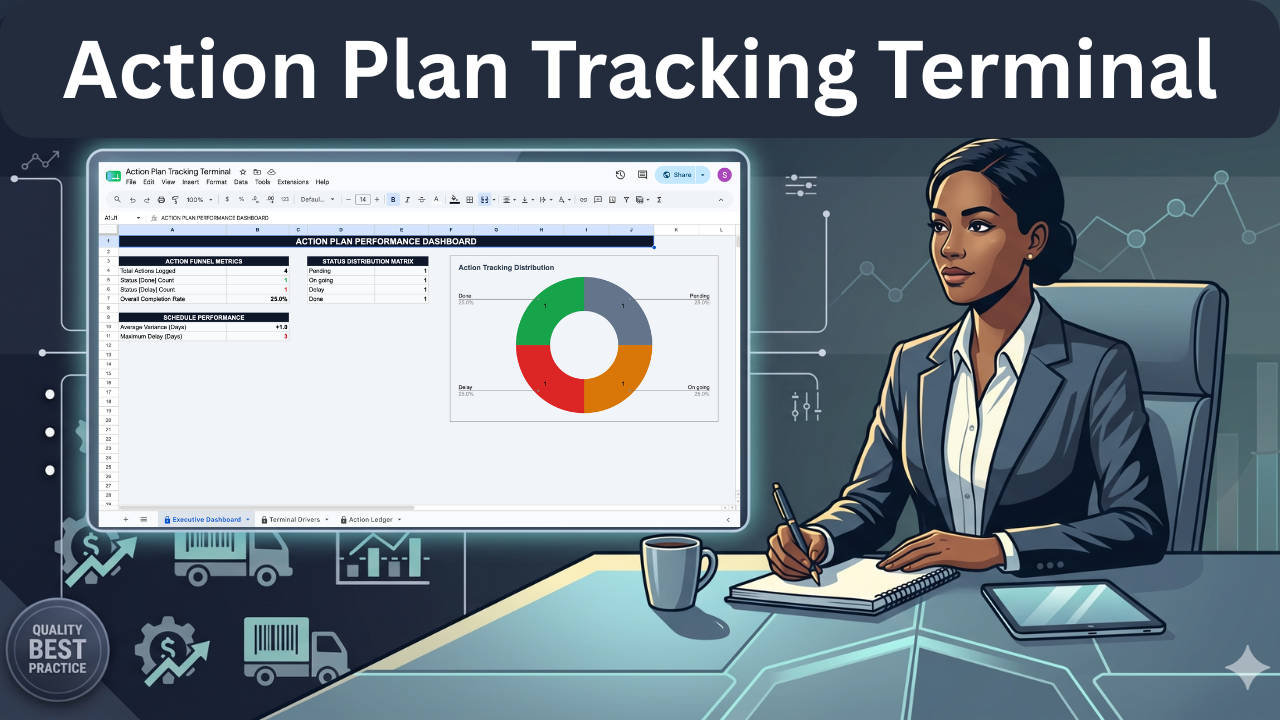
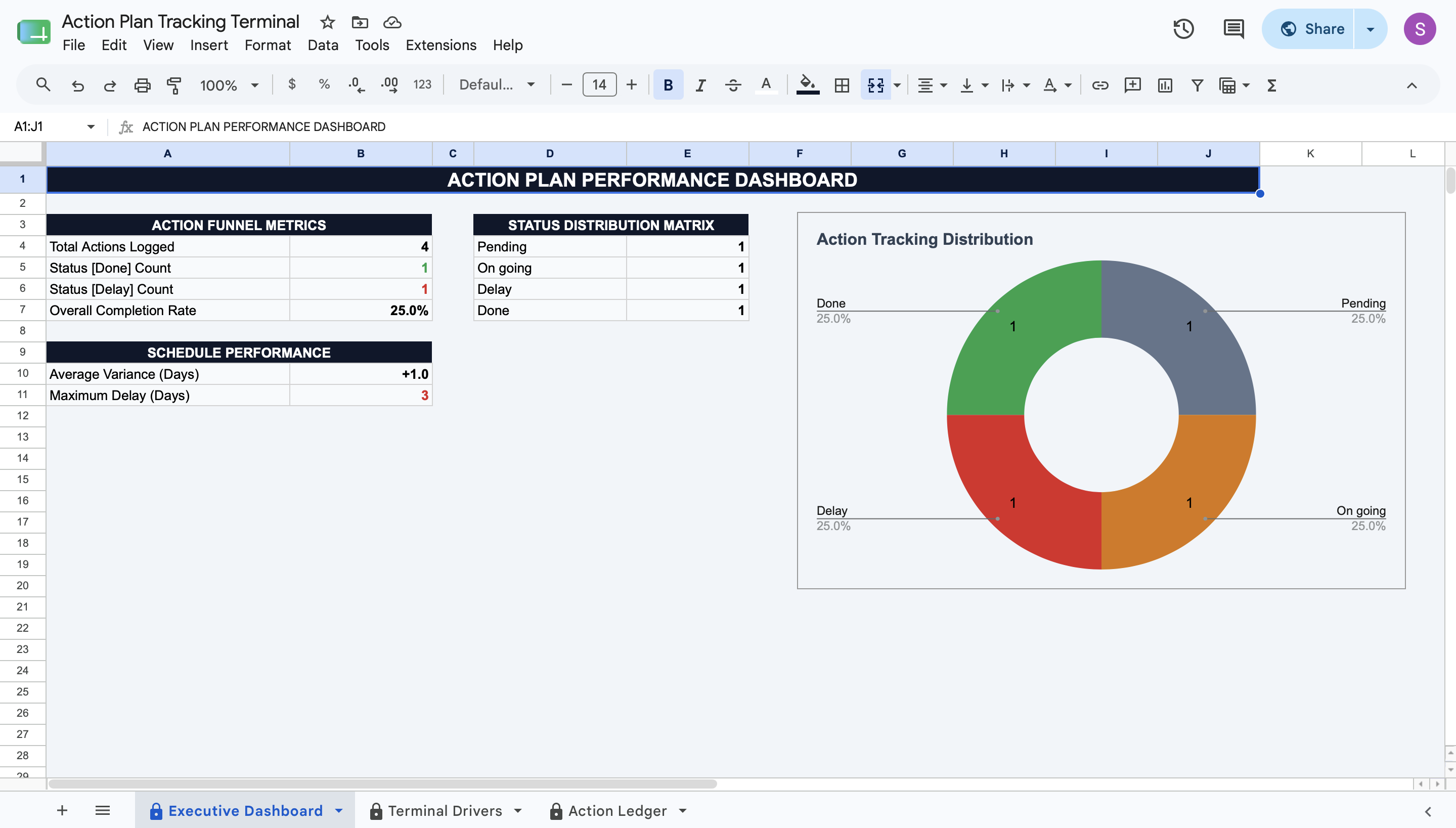
  • Executive Performance Dashboard: Displays read-only metrics including total logged actions, overall completion rate, average variance, and maximum recorded delay.
  • Status Distribution Matrix: Generates an interactive visual pie chart summarizing the current distribution of pending, ongoing, delayed, and finished tasks.


Deployment & Prerequisites

  • Included Assets: 1 Native Google Sheets Template, 1 Step-by-Step User Guide, 1 Technical Spec Sheet.
  • Format: Native Google Sheets Template
  • Prerequisites: A free Google Workspace or Gmail account (Not compatible with Microsoft Excel).
  • Time to Deploy: Under 15 minutes (Input your operational parameters into the yellow cells; calculations update automatically).

This Best Practice includes
1 Google Sheet, 1 User guide, 1 Technical Spec Sheet

Acquire business license for $20.00 $5.00

Add to cart

Add to bookmarks

Discuss

Further information

Consolidates all team action items, ownership assignments, and deadlines into a single standardized ledger.


Calculates exact schedule variance in days to identify if tasks are finished early, late, or are currently delayed.


Provides a read-only executive dashboard showing overall completion rates and maximum delays.

Operations leaders and project managers needing a standardized method to track team deliverables.


Teams struggling with missed deadlines and disorganized task assignments.


Organizations requiring a clear visual overview of ongoing, delayed, and completed action items.

Not compatible with Microsoft Excel (requires Google Sheets).


Does not interface with external project management software like Jira or Asana.


Does not automatically assign tasks or send email notifications to owners.


0.0 / 5 (0 votes)

please wait...