
Last version published: 03/08/2026 12:51
Publication number: ELQ-46193-2
View all versions & Certificate

Student Attendance & Fee Management Dashboard | Excel School Analytics Template | Attendance Tracking & Fee Monitoring
Interactive Excel dashboard to track student attendance, fee payments, and key academic metrics with dynamic charts and KPI indicators.
Further information
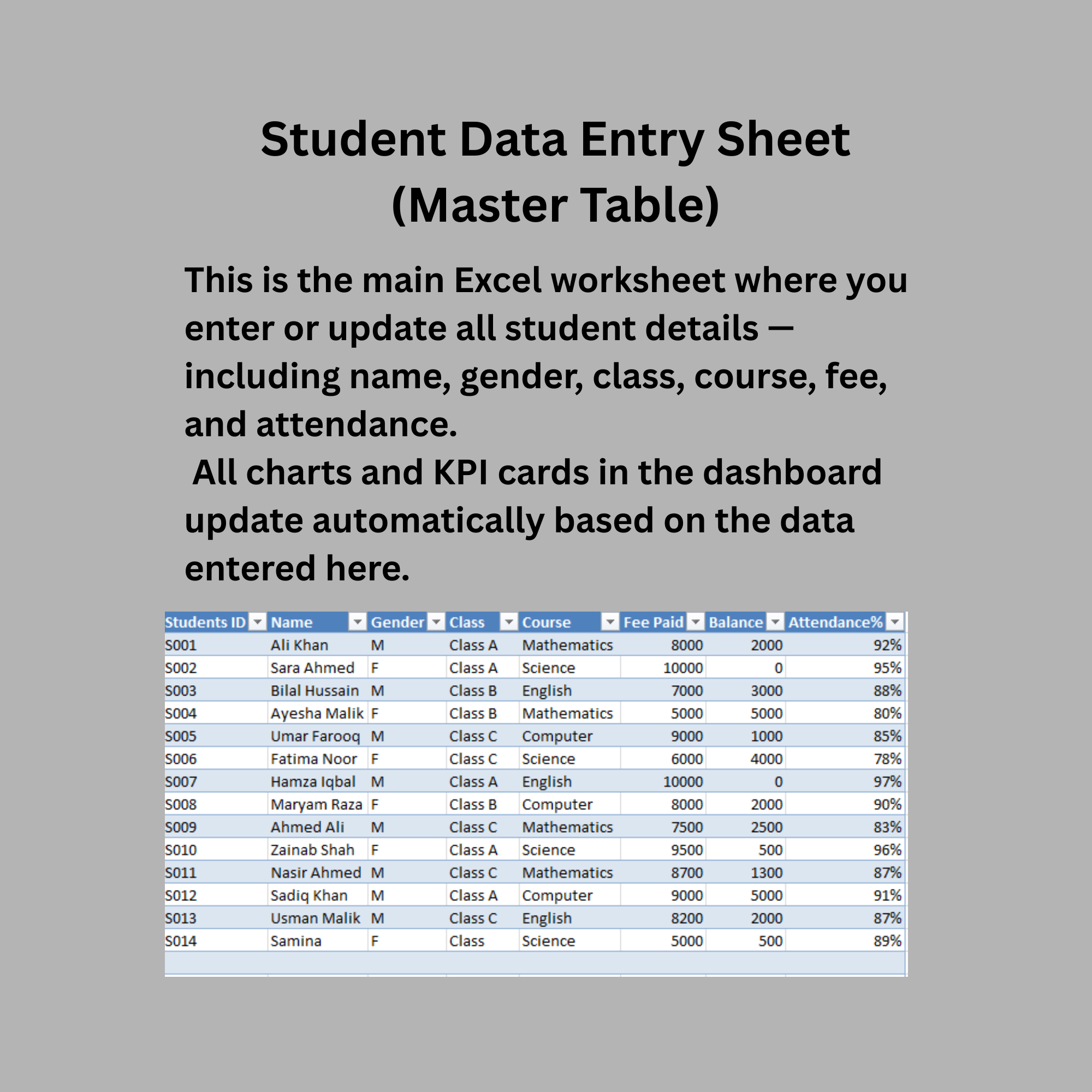
Monitor student attendance and fee records in a structured and visual dashboard.
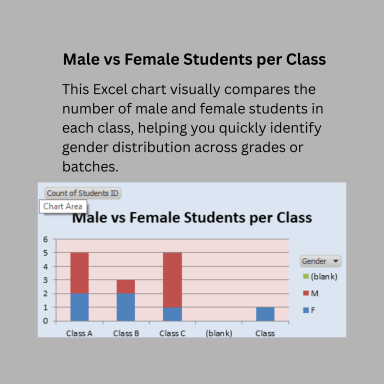
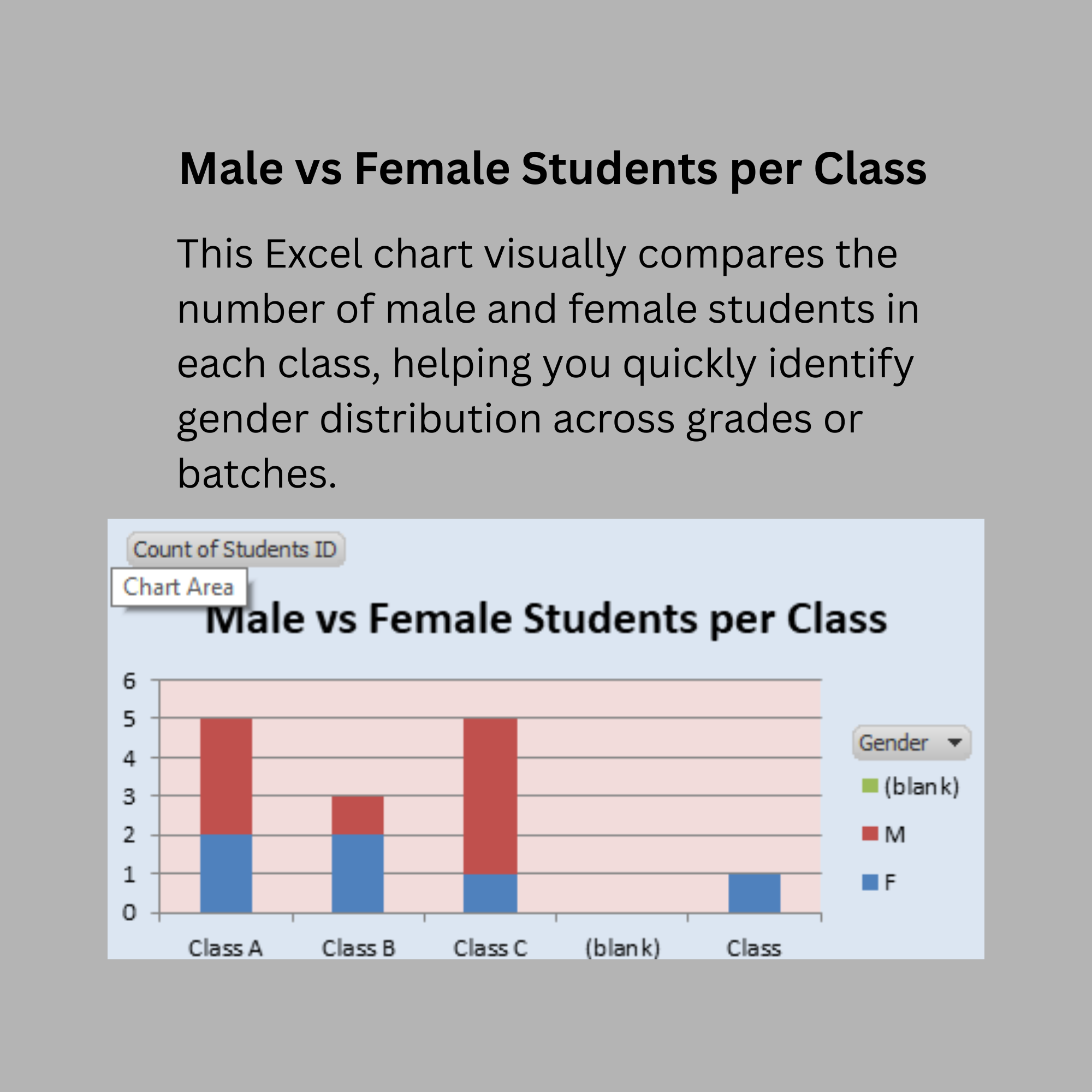
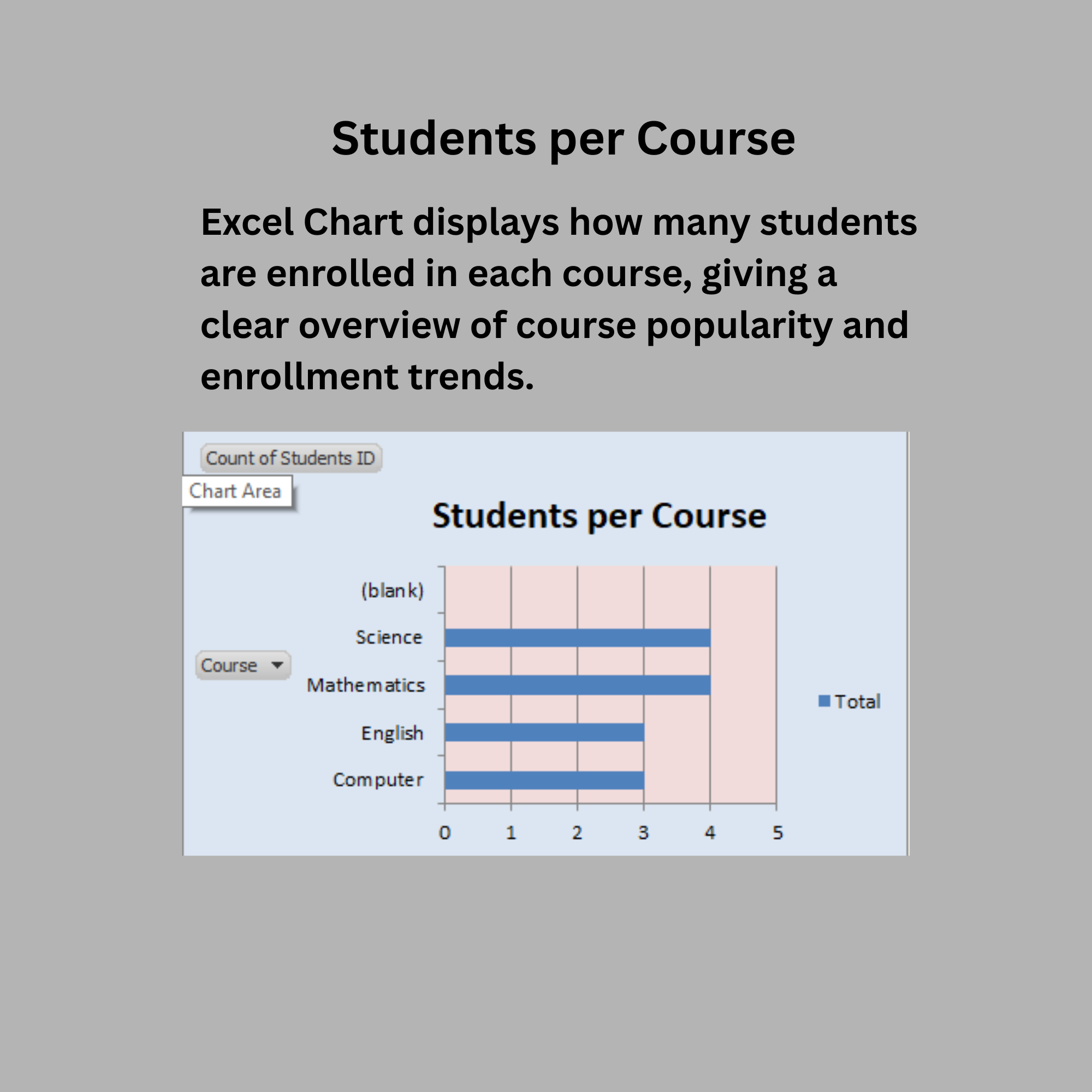
Track total students, gender distribution, and enrollment across different classes and courses.
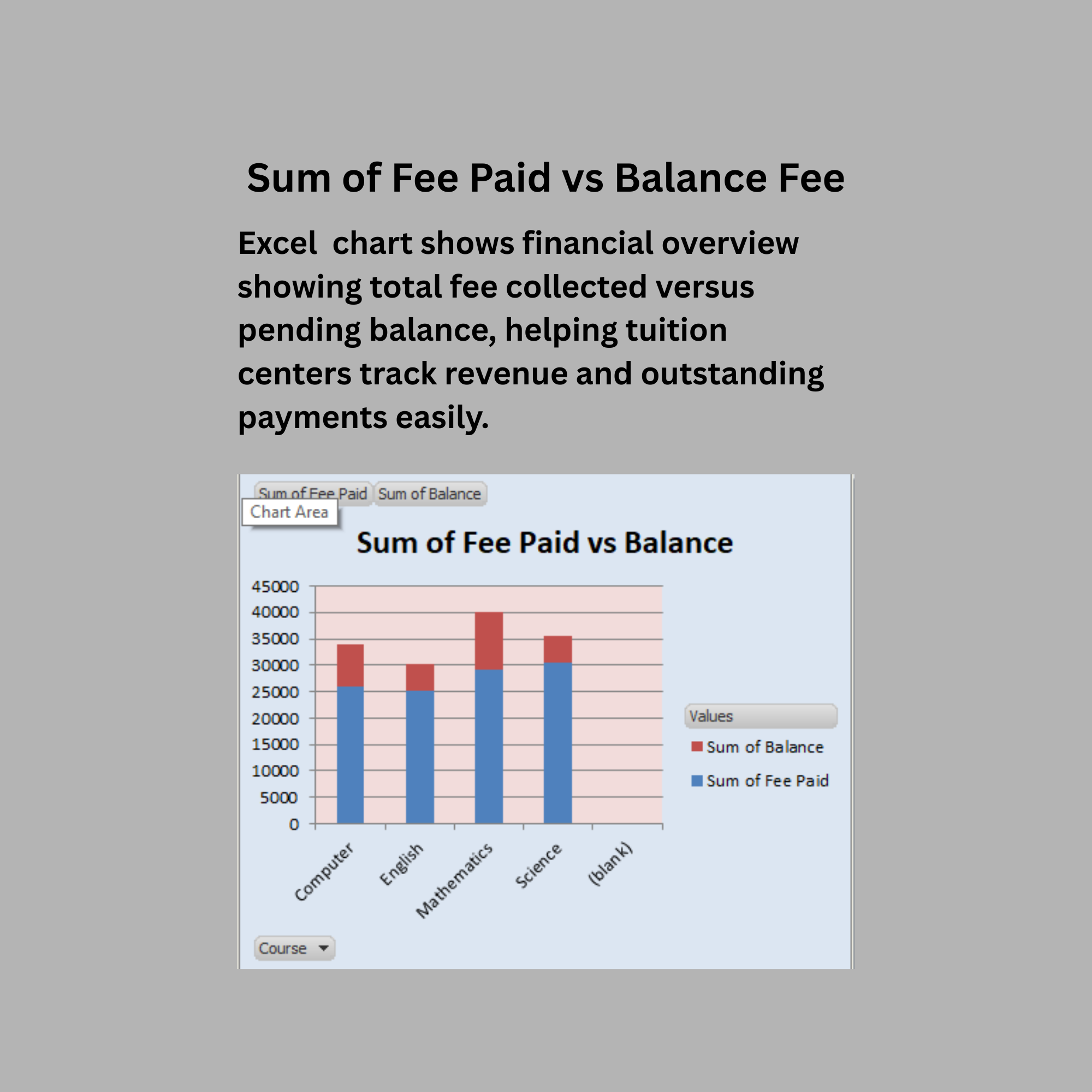
Analyze fee collection performance by comparing total fees paid with outstanding balances.
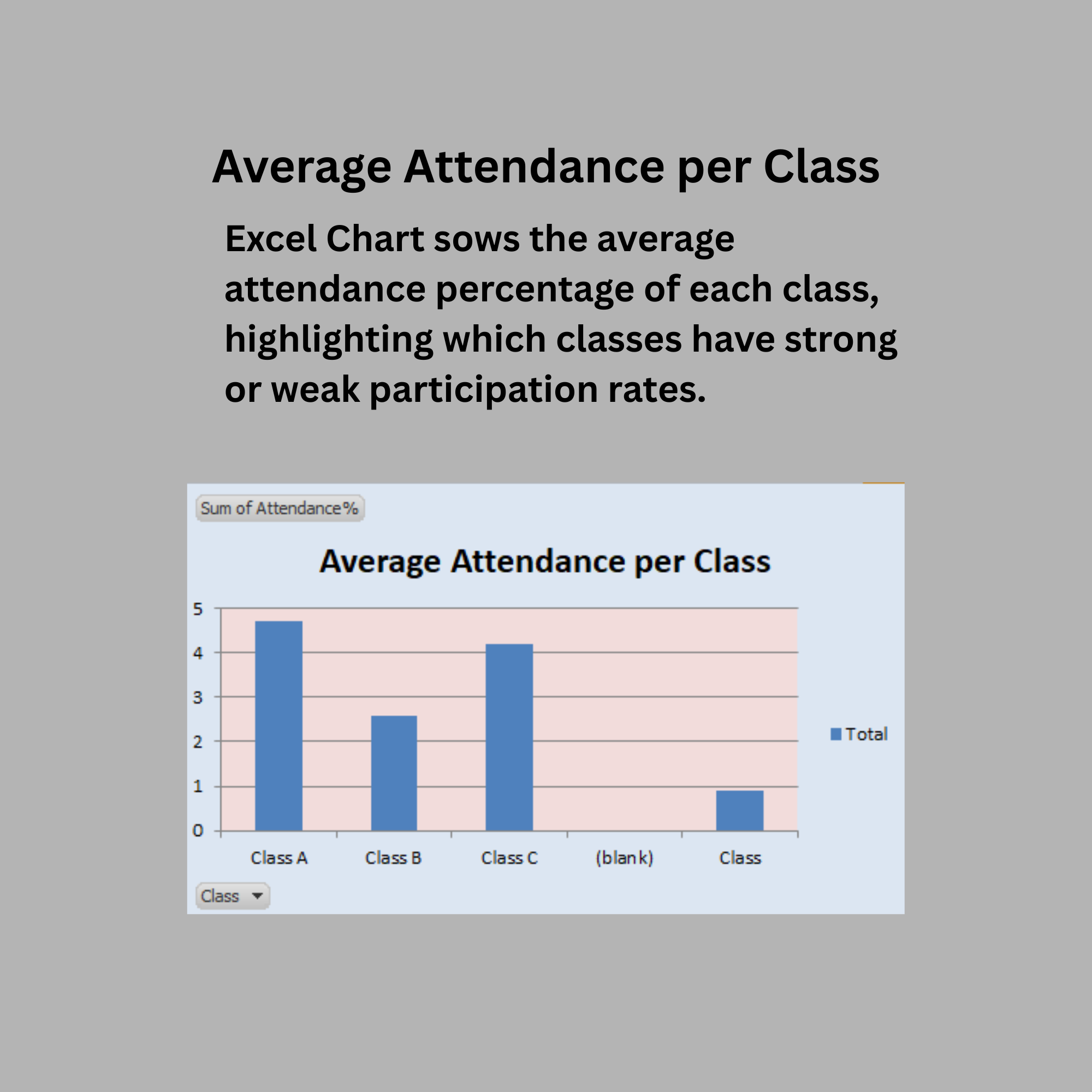
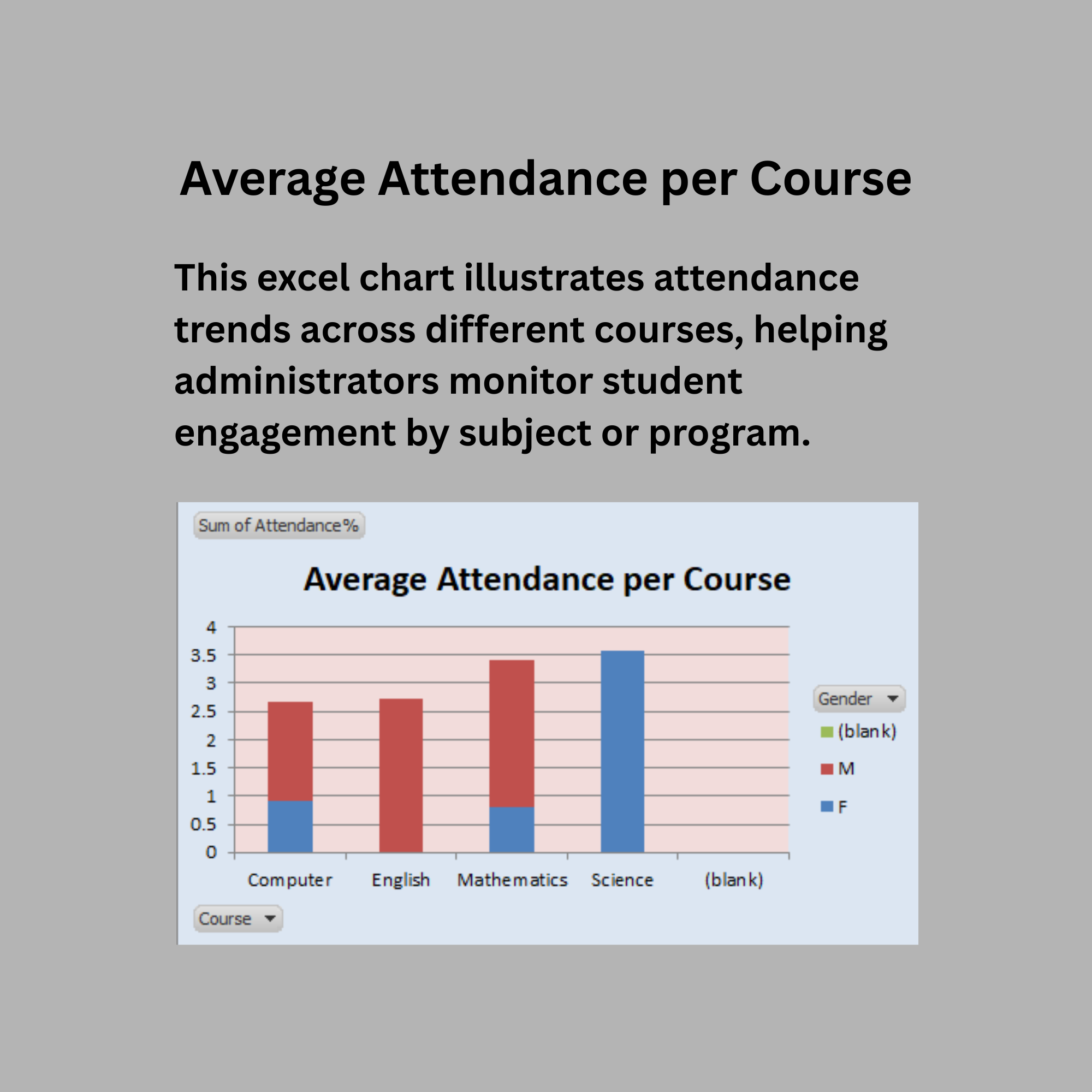
Evaluate student attendance patterns through class-wise and course-wise average attendance charts.
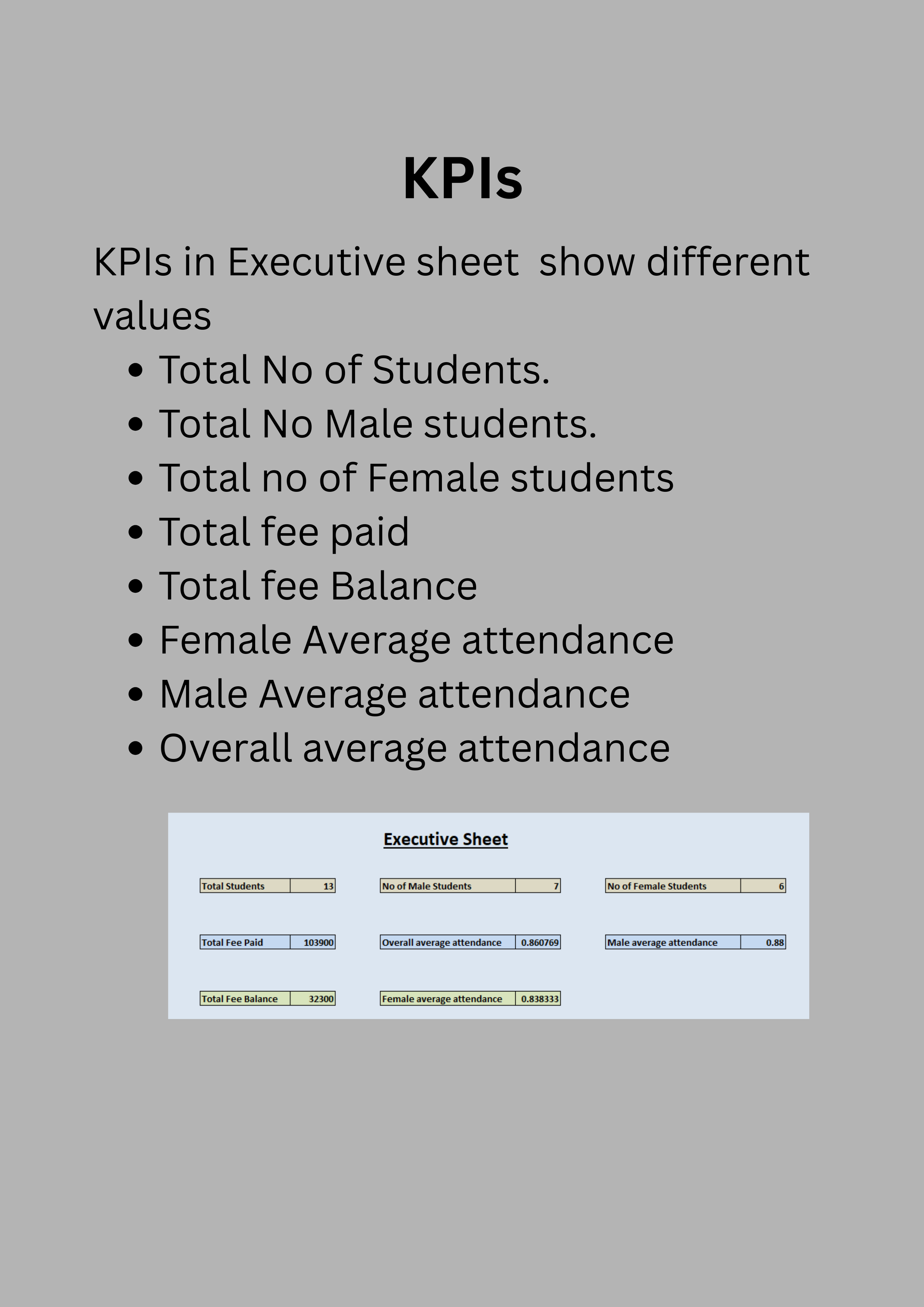
Provide quick insights using KPI indicators such as total students, fee status, and attendance averages.
Support school administrators and teachers in making data-driven decisions.
Reduce manual reporting by using automated calculations and dynamic charts.
Improve transparency and efficiency in managing student records and financial tracking.
Schools, colleges, and training institutes that manage student attendance and fee records using Excel.
Educational administrators who need a visual dashboard to monitor attendance trends and fee payments.
Institutions looking for a simple reporting tool without complex software or database systems.
Teachers or school staff who want to analyze student distribution by class, course, and gender.
Small to medium educational institutions that require easy tracking of fee collections and outstanding balances.
Users who need quick insights through charts and KPI indicators for academic and financial monitoring.
Organizations seeking a cost-effective Excel-based solution for student record management and reporting.
Institutions using advanced Student Information Systems (SIS) or fully integrated ERP platforms with automated reporting.
Organizations requiring real-time database connectivity or cloud-based data synchronization.
Schools managing very large datasets that require advanced analytics tools such as Power BI, SQL, or specialized education software.
Institutions needing automated online attendance systems or biometric attendance integration.
Users who are not familiar with basic Excel operations such as data entry, refreshing Pivot Tables, or managing worksheets.
Organizations requiring mobile applications or web-based dashboards instead of Excel-based tools.
