Construction Project Progress Tracking Dashboard | Excel KPI & Performance Monitoring Tool
Originally published: 24/06/2026 12:55
Publication number: ELQ-20318-1
View all versions & Certificate
certified

Construction Project Progress Tracking Dashboard | Excel KPI & Performance Monitoring Tool

Comprehensive Excel-based Construction Project Tracking Dashboard designed to monitor project progress, budget utilization, material consumption, labor perform

Description
Construction Project Progress Tracking Dashboard | KPI, Budget, Labor & Task Monitoring in Excel

The Construction Project Progress Tracking Dashboard is a comprehensive Excel-based project management and monitoring solution designed specifically for construction companies, contractors, project managers, engineers, and planning teams. This dashboard helps organizations track project performance, monitor budgets, analyze resource utilization, and improve overall project control through interactive visualizations and key performance indicators.

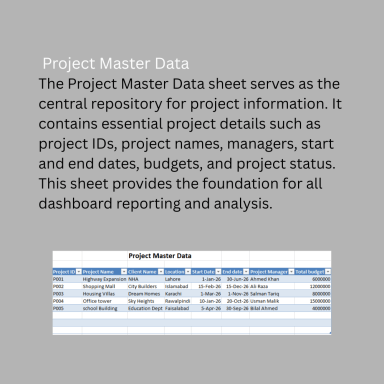
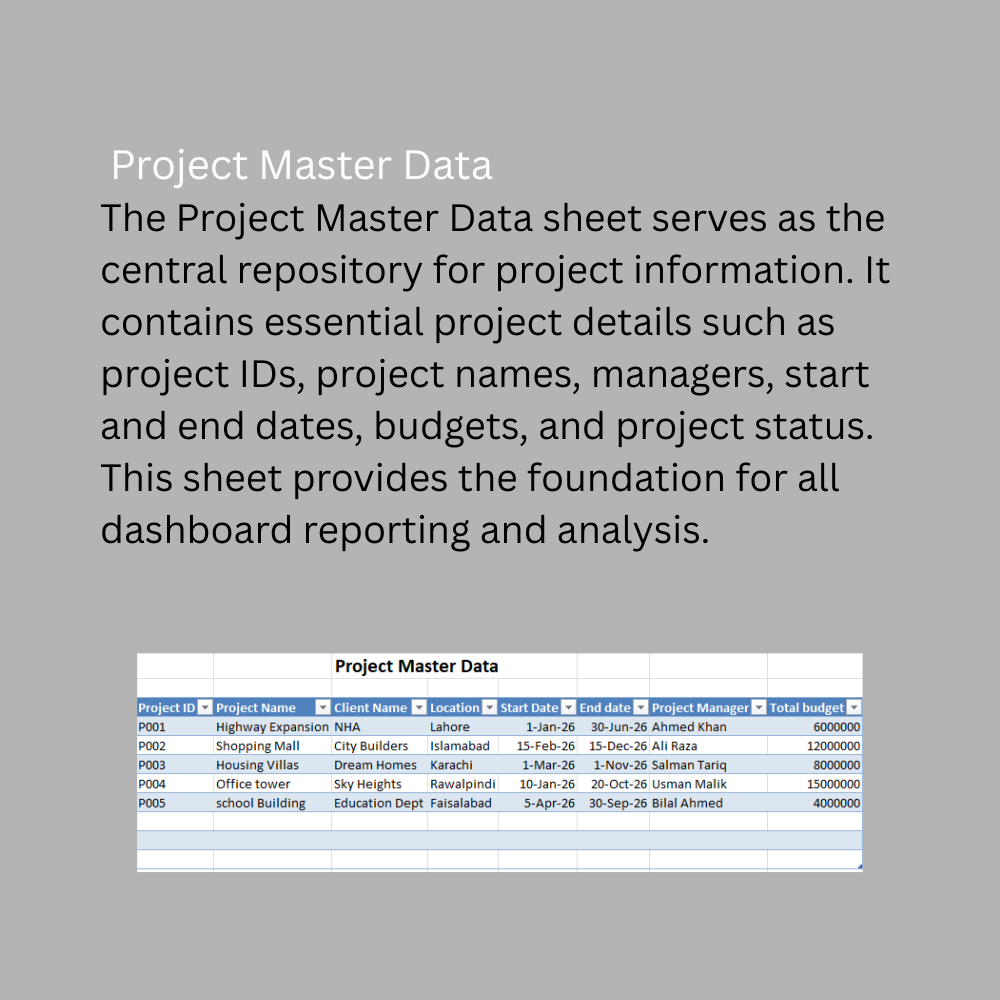
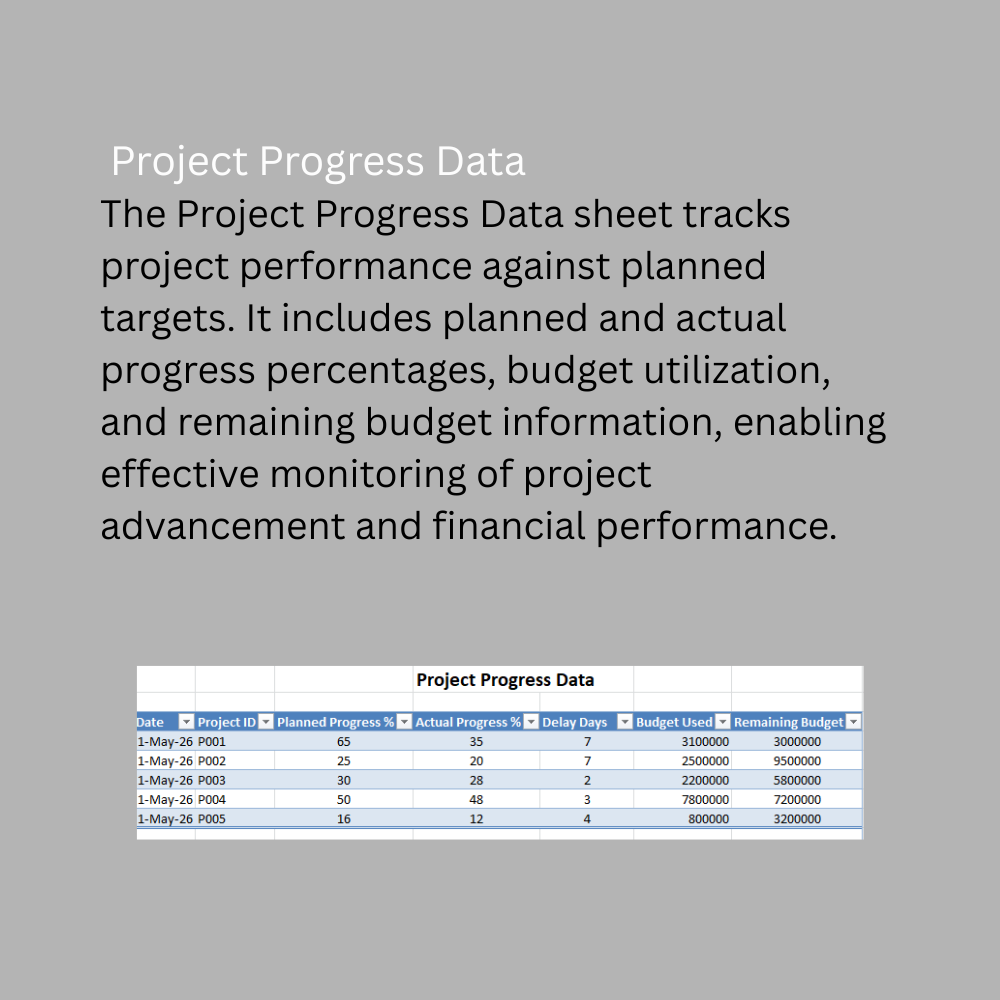
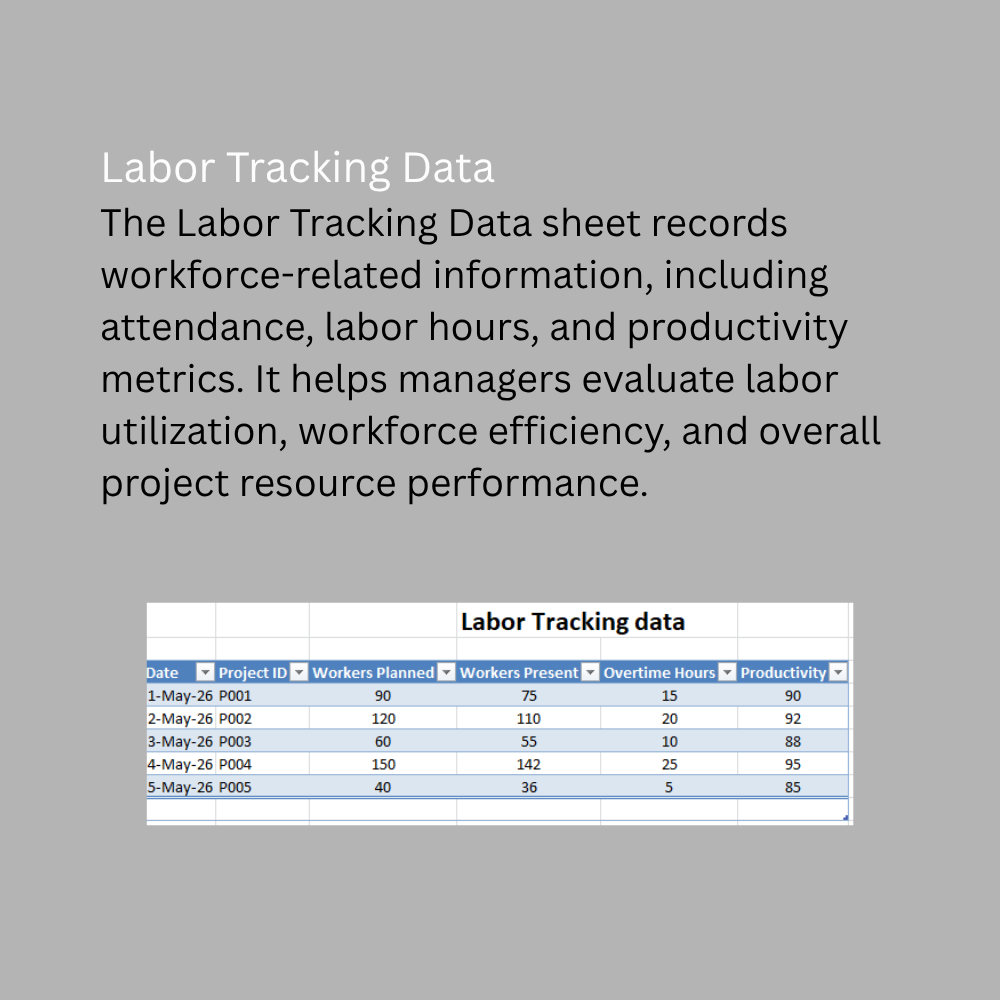
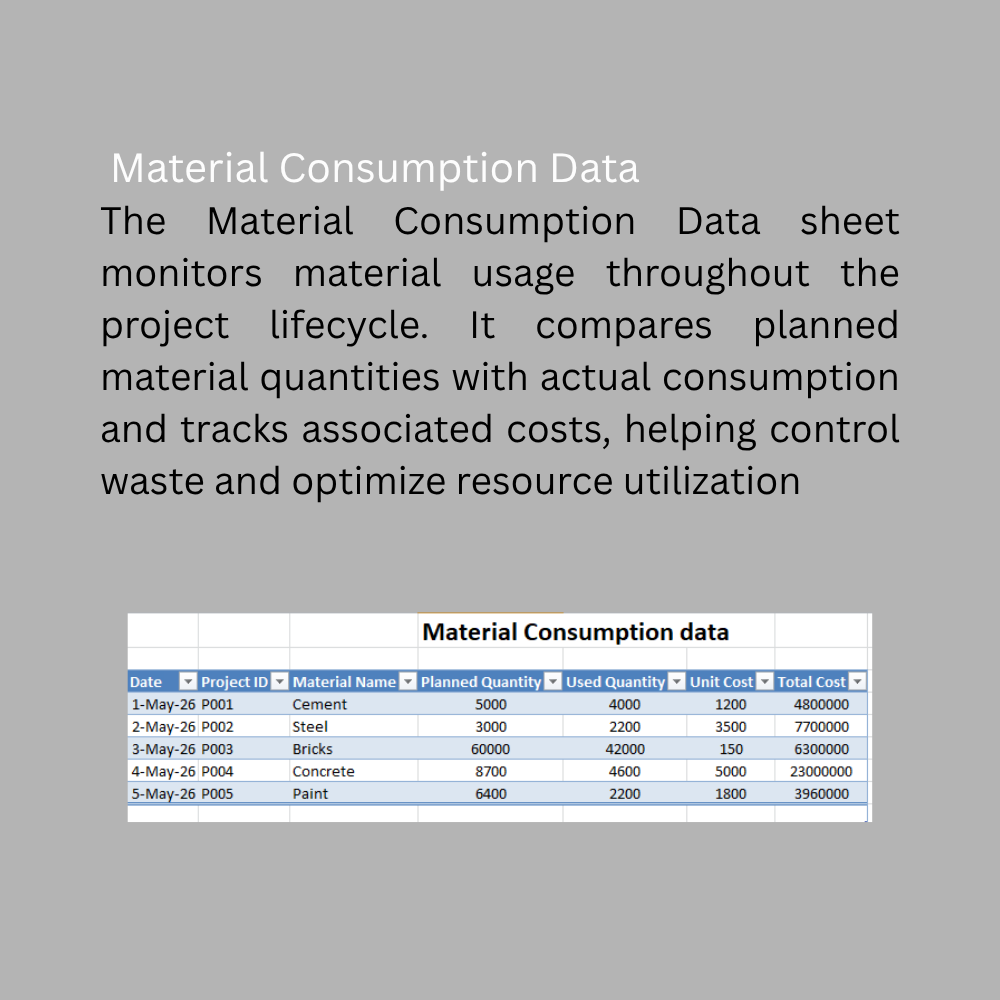
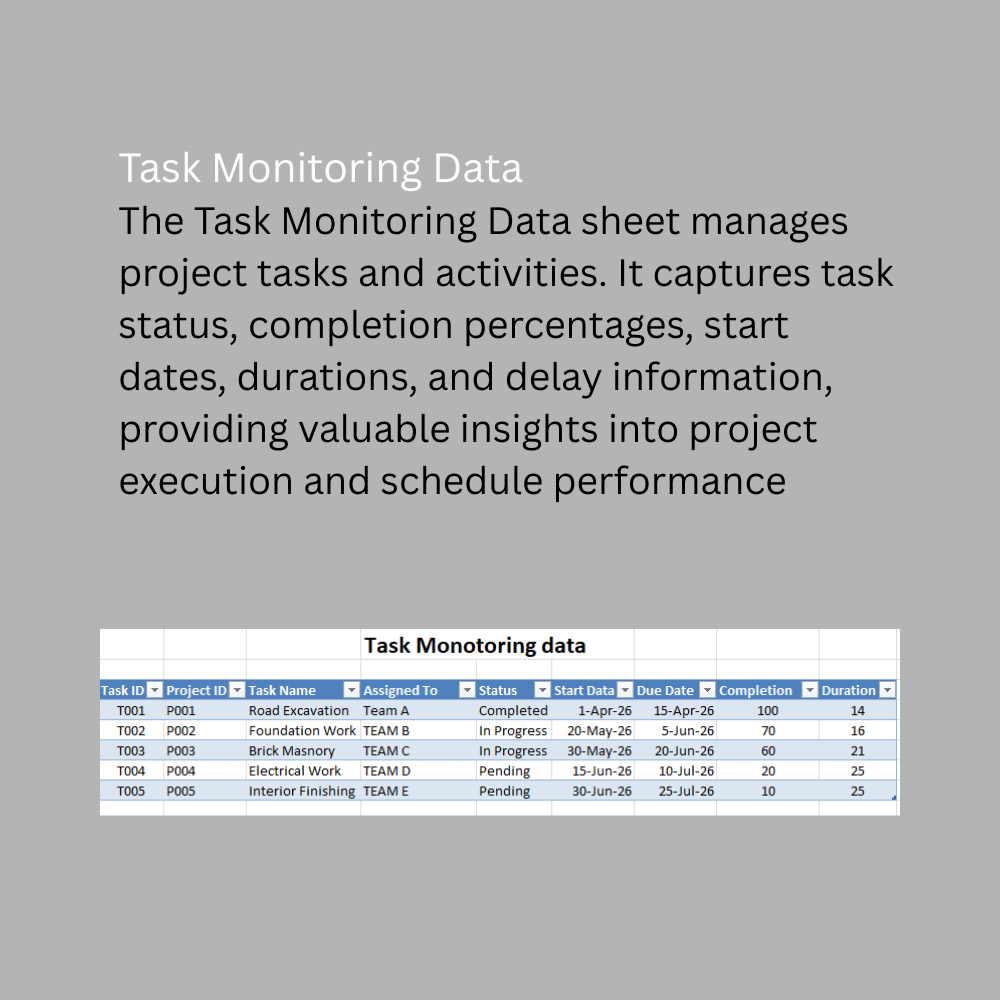
The workbook includes five structured data sheets: Project Master Data, Project Progress Data, Labor Tracking Data, Material Consumption Data, and Task Monitoring Data. These sheets serve as the foundation for capturing and maintaining project information in a centralized and organized manner. Users can easily update project records, labor information, material consumption details, budgets, and task progress, while the dashboards automatically reflect the latest project status.

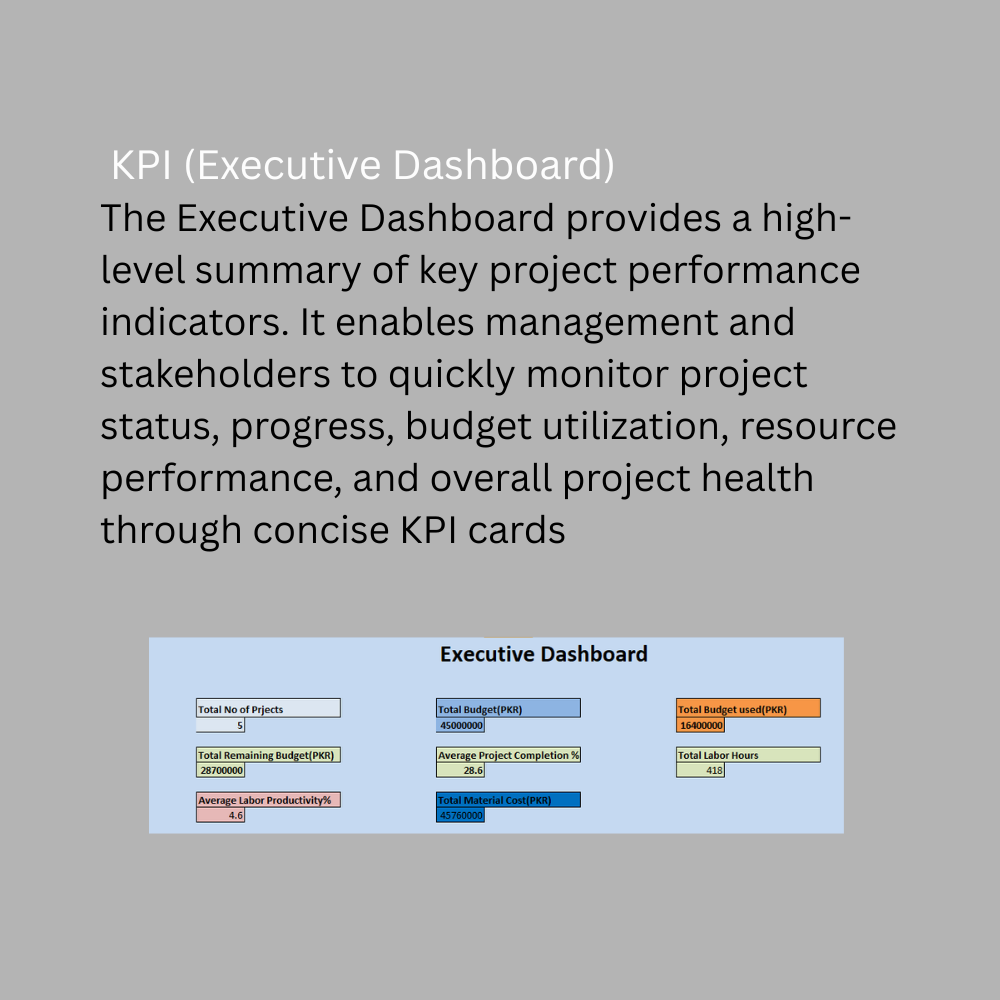
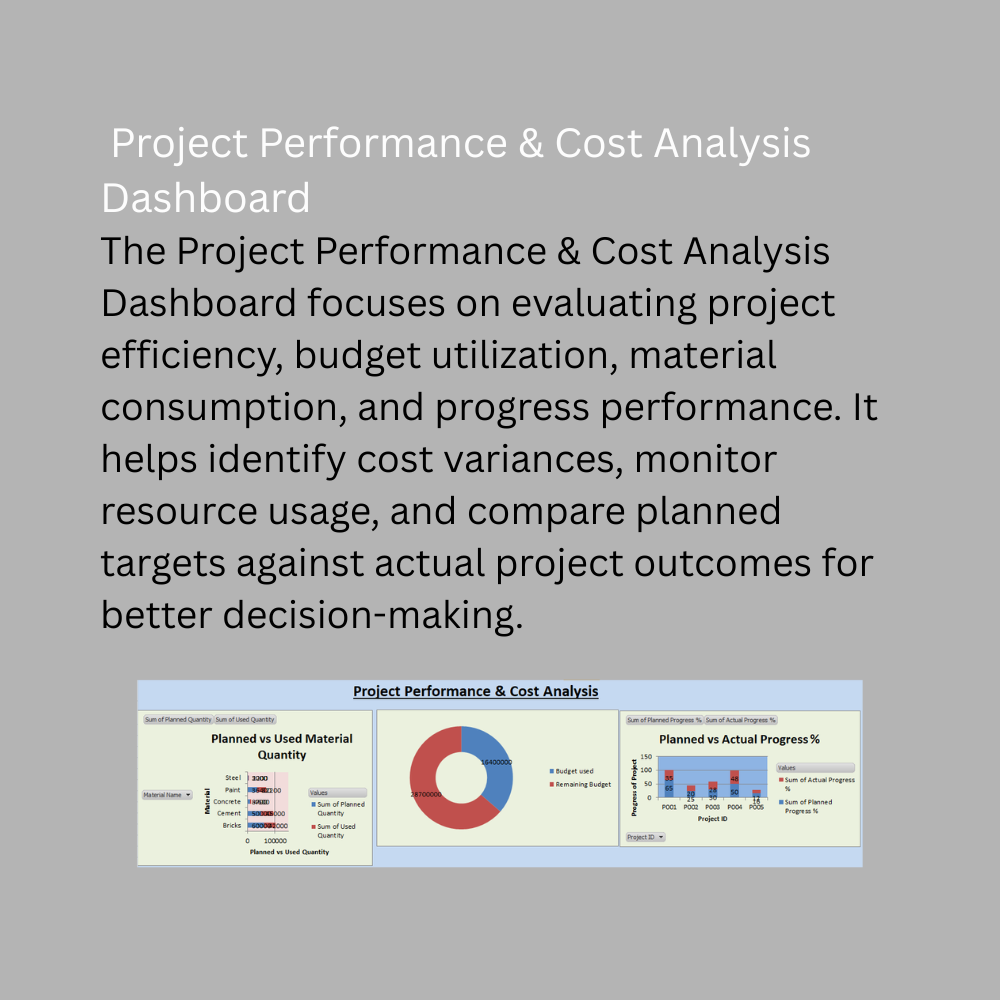
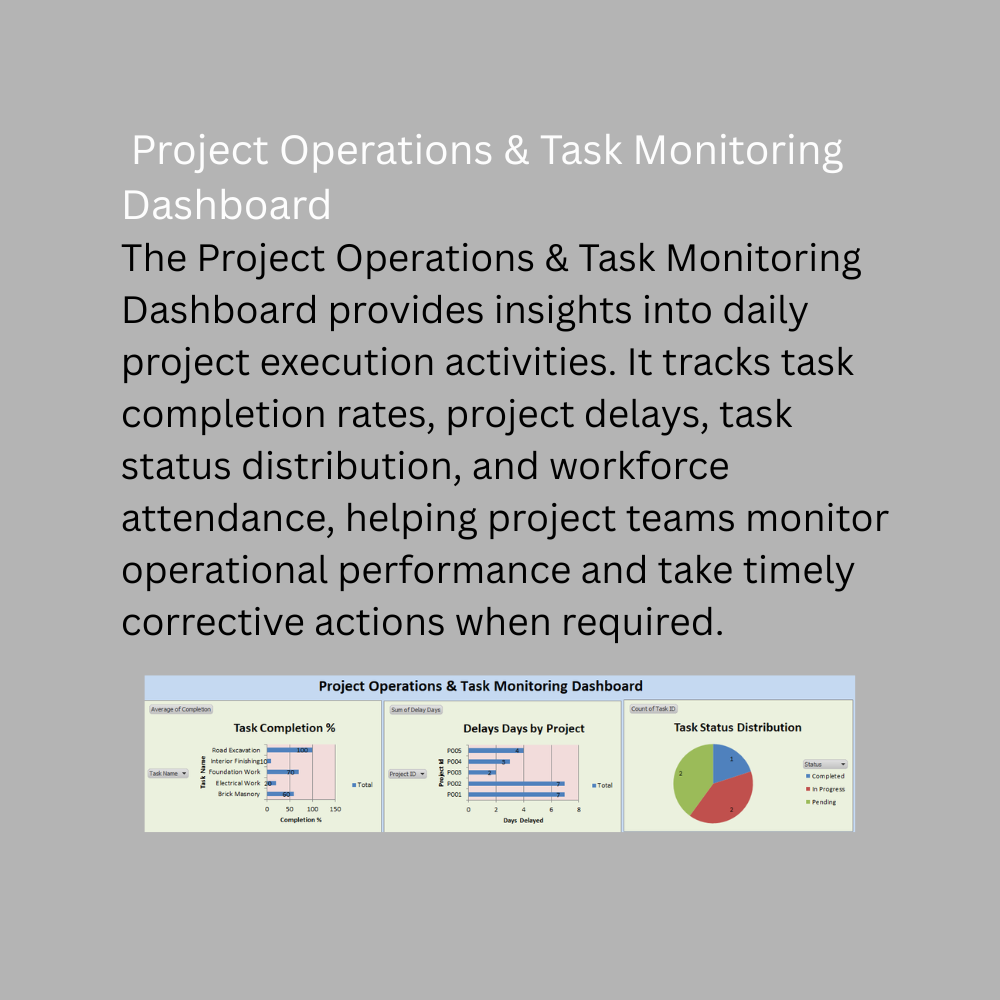
The solution features an Executive KPI Dashboard that provides a quick summary of critical project metrics, enabling management to monitor project health at a glance. In addition, the Project Performance & Cost Analysis Dashboard includes visual reports such as Planned vs Used Material Quantity, Budget Used vs Remaining Budget, Planned vs Actual Progress Percentage, and Material Cost Analysis. The Project Operations & Task Monitoring Dashboard focuses on operational performance through Task Completion Percentage, Delay Days by Project, Task Status Distribution, and Workers Attendance Analysis.

The dashboard utilizes PivotTables, PivotCharts, automated calculations, and a refresh button that updates all dashboard visuals with a single click. This makes reporting faster, more accurate, and easier to maintain. The solution is ideal for organizations seeking a practical, cost-effective, and user-friendly Excel tool for project monitoring, performance analysis, budget control, resource management, and decision-making.

This Best Practice includes
1 excel dashboard file (xlsm) with instruction set

Acquire business license for $49.00

Add to cart

Add to bookmarks

Discuss

Further information

4. Objectives of this Downloadable Best Practice
Monitor project progress against planned targets.
Track budget utilization and remaining project funds.
Analyze material consumption and associated costs.
Evaluate labor attendance and workforce performance.
Monitor task completion and project delays.
Provide executives with real-time project KPIs.
Improve project visibility and reporting efficiency.
Support data-driven project management decisions.
Identify operational bottlenecks and performance gaps.
Enhance resource planning and project control.

5. Conditions for Which This Downloadable Best Practice Applies Best
Construction companies managing multiple projects.
Contractors and engineering firms requiring project performance monitoring.
Organizations seeking budget and cost control tools.
Teams tracking labor productivity and attendance.
Projects requiring regular progress and task monitoring.
Small to medium-sized construction businesses using Microsoft Excel.
Organizations looking for a low-cost project management reporting solution.
Project managers requiring visual dashboards and KPI reporting

6. Conditions for Which This Downloadable Best Practice Does Not Apply
Projects requiring real-time cloud-based collaboration.
Organizations needing enterprise-level ERP integration.
Businesses requiring advanced project scheduling software such as Primavera or Microsoft Project.
Projects with highly complex resource optimization requirements.
Organizations requiring automated data collection from IoT devices or external systems.
Businesses that do not use Microsoft Excel.
Projects requiring multi-user concurrent editing and workflow automation.
Organizations needing advanced predictive analytics or AI-driven project forecasting


0.0 / 5 (0 votes)

please wait...