Salary Slip Calculator – Automated Payslip Generator in Excel
Originally published: 03/08/2026 13:00
Publication number: ELQ-82801-1
View all versions & Certificate
certified

Salary Slip Calculator – Automated Payslip Generator in Excel

ready-to-use Excel template that automatically calculates gross pay, deductions, and net salary from simple inputs

Description
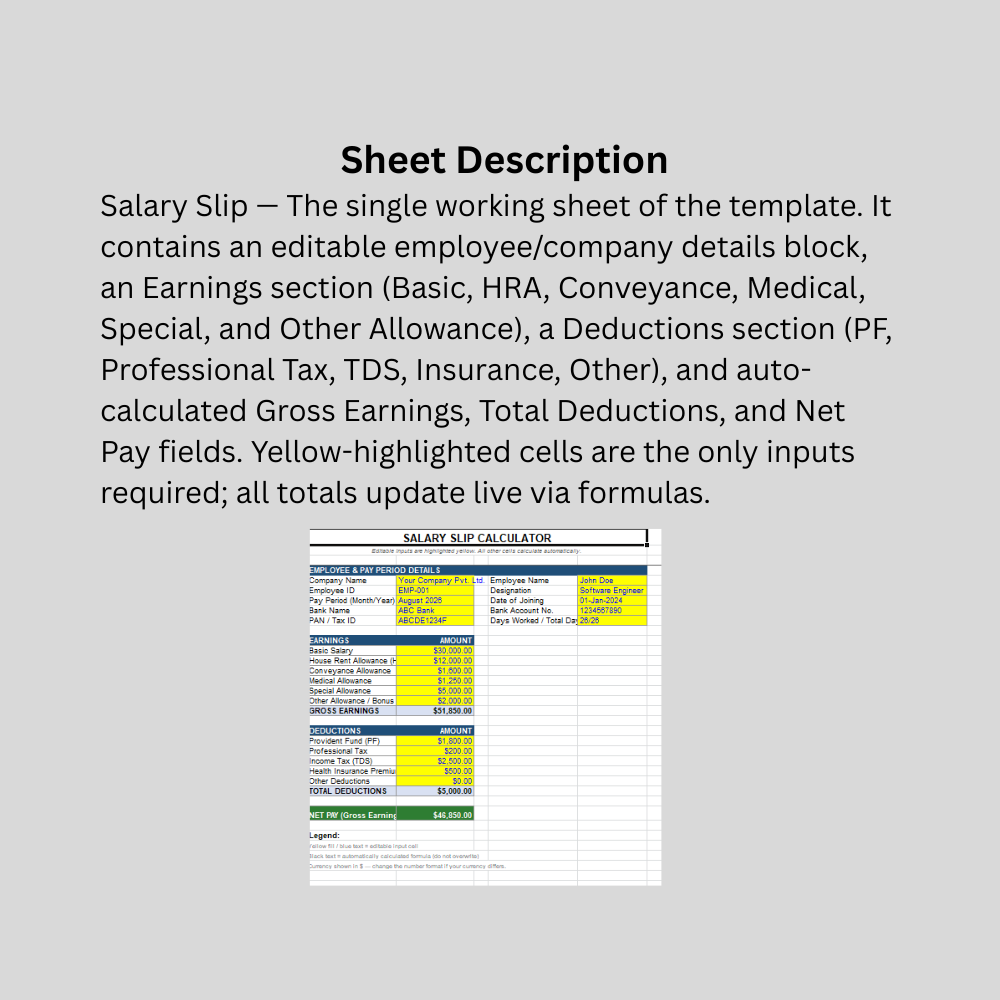
This Salary Slip Calculator is a lightweight, formula-driven Excel template designed to simplify payroll calculations for small and mid-sized businesses, HR administrators, accountants, and freelancers managing their own payslips. Rather than manually adding up earnings and deductions each pay cycle, users simply enter employee details and salary components into clearly marked yellow input cells, and the template instantly computes Gross Earnings, Total Deductions, and Net Pay using built-in Excel formulas.

The template is organized into three logical blocks: Employee & Pay Period Details (name, ID, designation, bank details, pay period), Earnings (Basic Salary, HRA, Conveyance, Medical, Special, and Other Allowances), and Deductions (Provident Fund, Professional Tax, Income Tax/TDS, Health Insurance, and Other Deductions). Each section uses a clean, color-coded layout — blue text on yellow fill for editable inputs, black text for protected formulas — so users always know exactly what to change and what to leave alone.

Because every calculation is formula-based rather than hardcoded, the entire payslip recalculates automatically whenever an input changes, eliminating manual errors and saving time during every payroll cycle. The template uses standard, universally compatible Excel functions, so it opens correctly in any recent version of Excel, Google Sheets, or LibreOffice Calc. Currency formatting can be adjusted in seconds to match any country's convention. It's built to be immediately usable out of the box, with one example row of realistic values included as a formatting guide, and is easy to customize, extend with new allowance or deduction categories, or brand with a company logo.

This Best Practice includes
1 excel dashboard file (xlsx) with instruction set

Acquire business license for $10.00

Add to cart

Add to bookmarks

Discuss

Further information

Automate calculation of gross earnings, total deductions, and net pay from raw salary inputs
Reduce manual calculation errors in payroll processing
Provide a clear, standardized, professional payslip format for employees
Save HR/admin time during recurring pay cycles
Offer a customizable base template that can be adapted to different company pay structures

Small to mid-sized businesses or startups without a dedicated payroll system
Freelancers, consultants, or small teams generating their own payslips
Organizations with relatively simple, fixed salary structures (fixed Basic/HRA/allowances plus standard deductions)
HR or finance staff who want a fast, editable, offline tool that doesn't require software licensing
Monthly or periodic salary computation where components don't vary drastically month to month
Users comfortable making light Excel customizations (adding rows, adjusting currency format, renaming components)

Large enterprises needing multi-employee batch processing, payroll runs, or integration with accounting/ERP systems
Organizations requiring statutory compliance automation (e.g., country-specific tax slabs, automatic TDS/PF calculation per government rules) — this template uses manual entry for those figures, not auto-computed tax logic
Variable/commission-heavy pay structures with complex conditional bonus rules
Companies needing multi-currency, multi-language, or multi-country payroll handling in a single file
Situations requiring audit trails, digital signatures, or secure/encrypted payslip distribution
Hourly/shift-based wage calculations with overtime rules (the template assumes fixed monthly salary components)


0.0 / 5 (0 votes)

please wait...