Construction Schedule of Values (SOV) Excel Template with Detailed Cost Breakdown & Multi-Revision Tracking
Originally published: 03/04/2026 08:28
Publication number: ELQ-58575-1
View all versions & Certificate
certified

Construction Schedule of Values (SOV) Excel Template with Detailed Cost Breakdown & Multi-Revision Tracking

Professional SOV Excel template with detailed cost breakdown, automatic totals, cost per SF analysis, and multi-revision bid tracking for projects.

Description

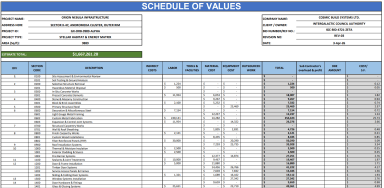
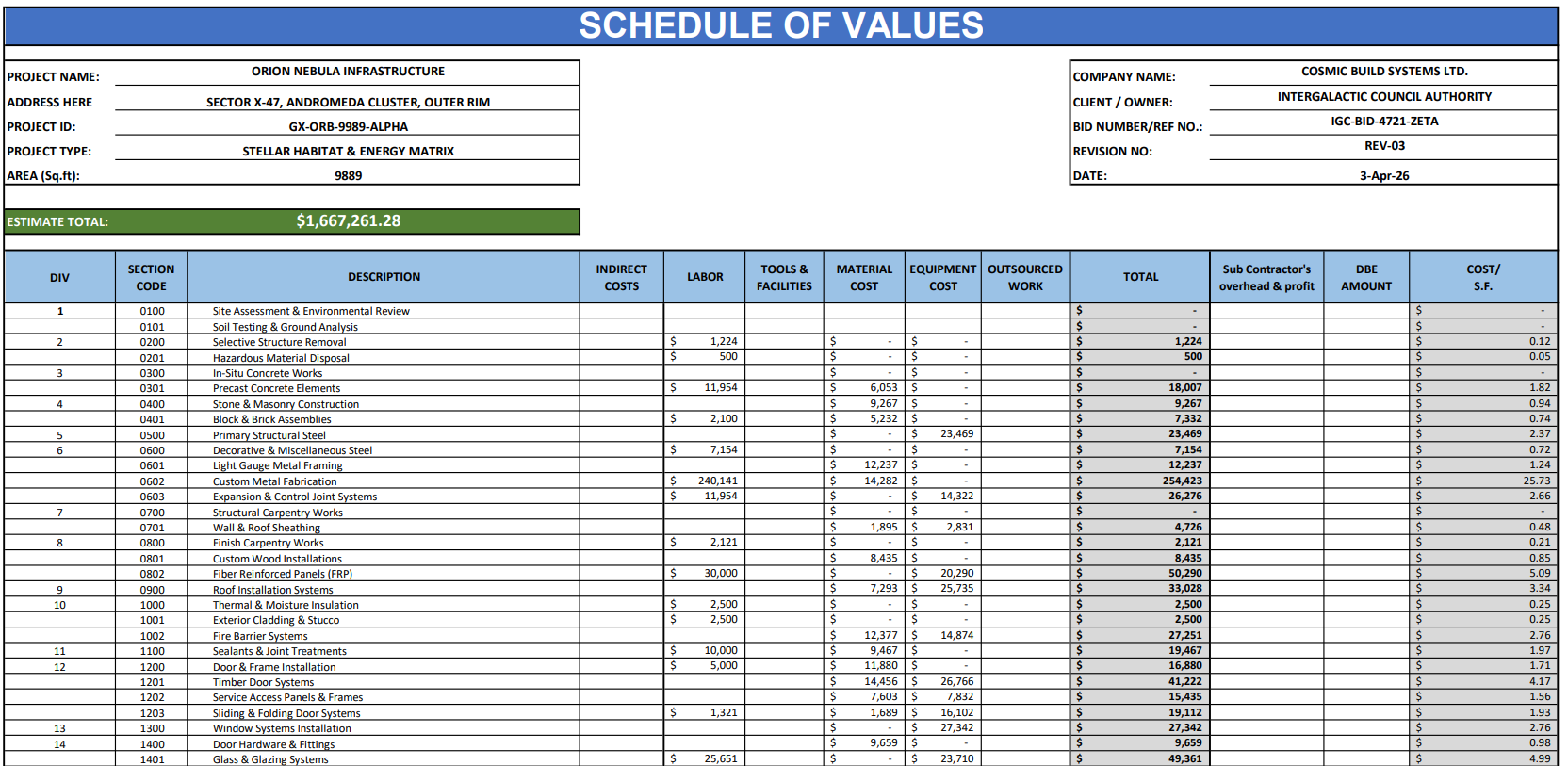
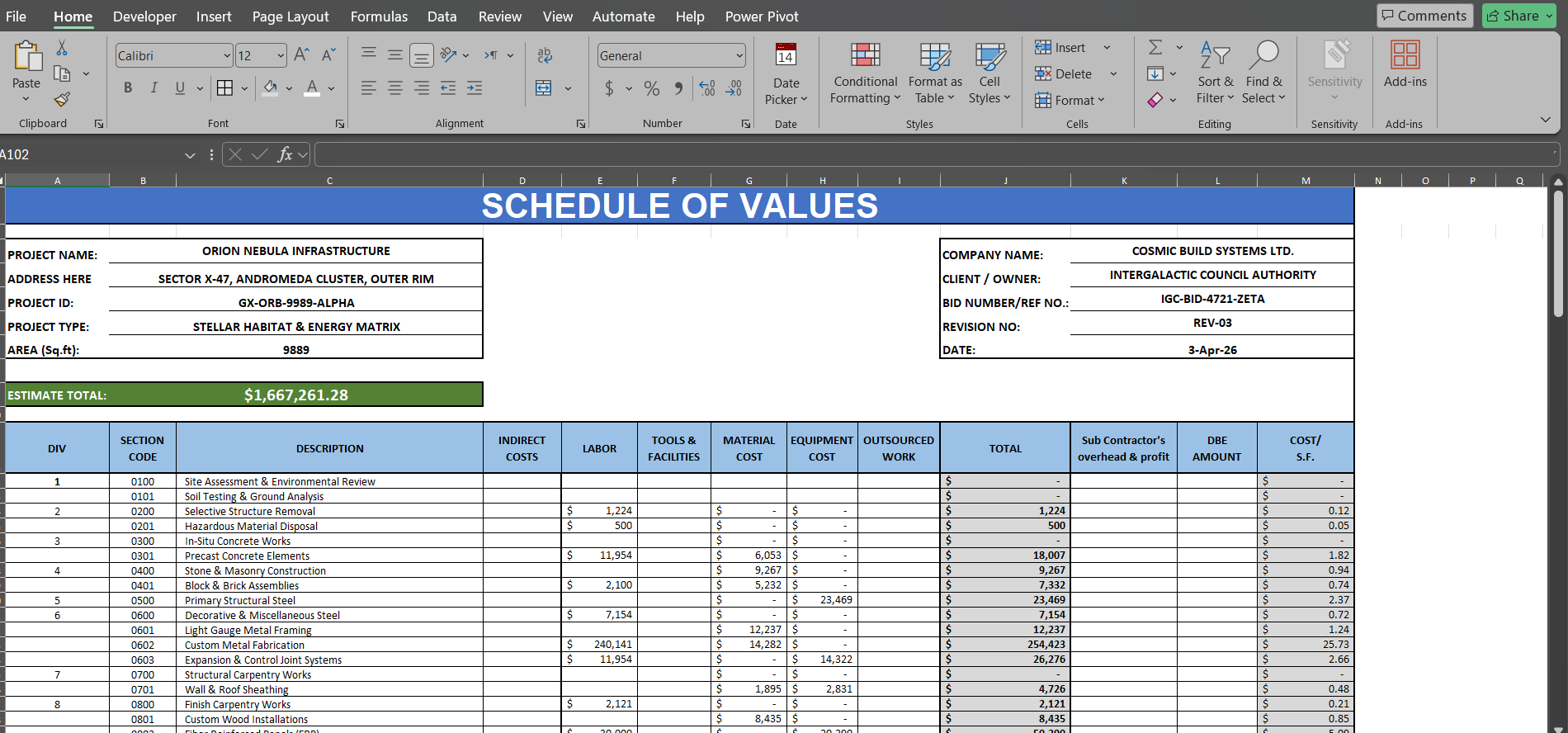
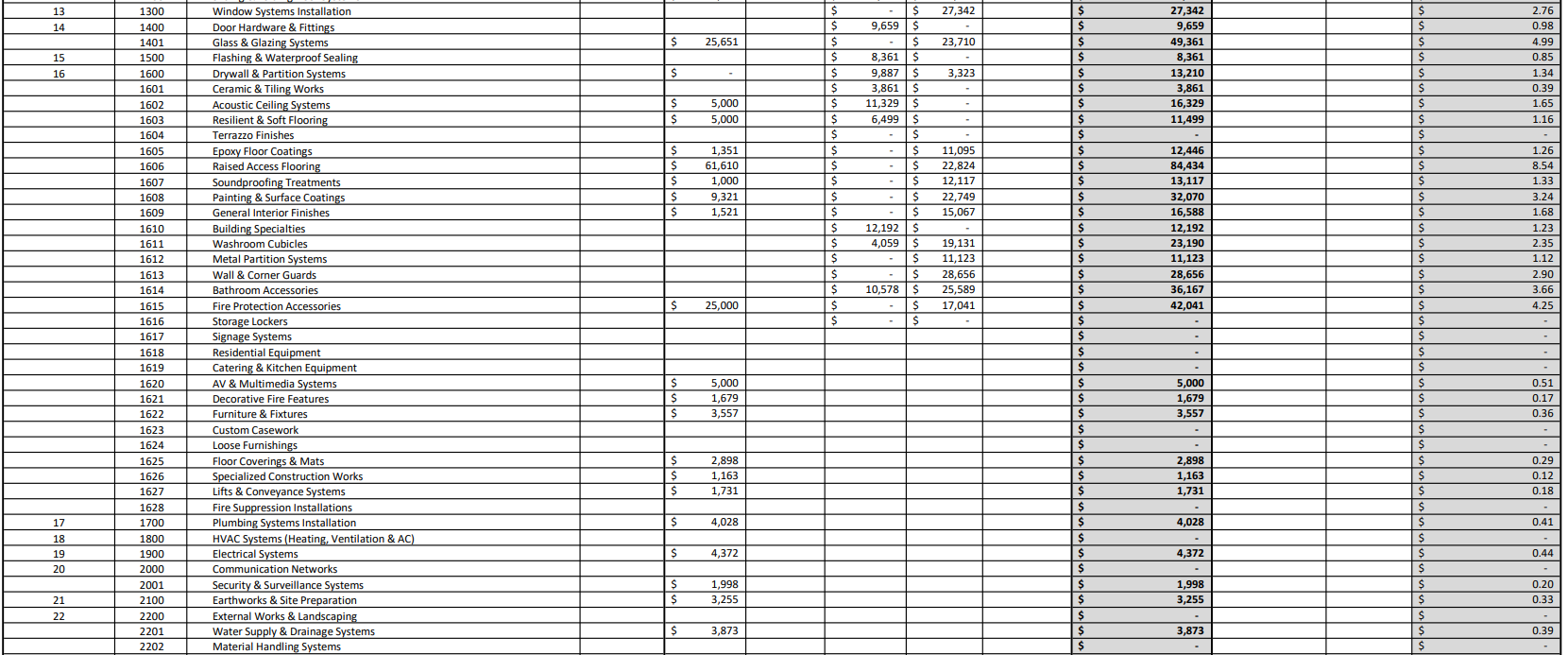
This professional Schedule of Values (SOV) Excel template is designed to help contractors, estimators, and project managers prepare accurate, structured, and client-ready cost breakdowns. It follows a practical division-based (CSI-style) structure, allowing you to organize your estimate clearly across all major construction trades such as concrete, masonry, finishes, MEP, and external works.


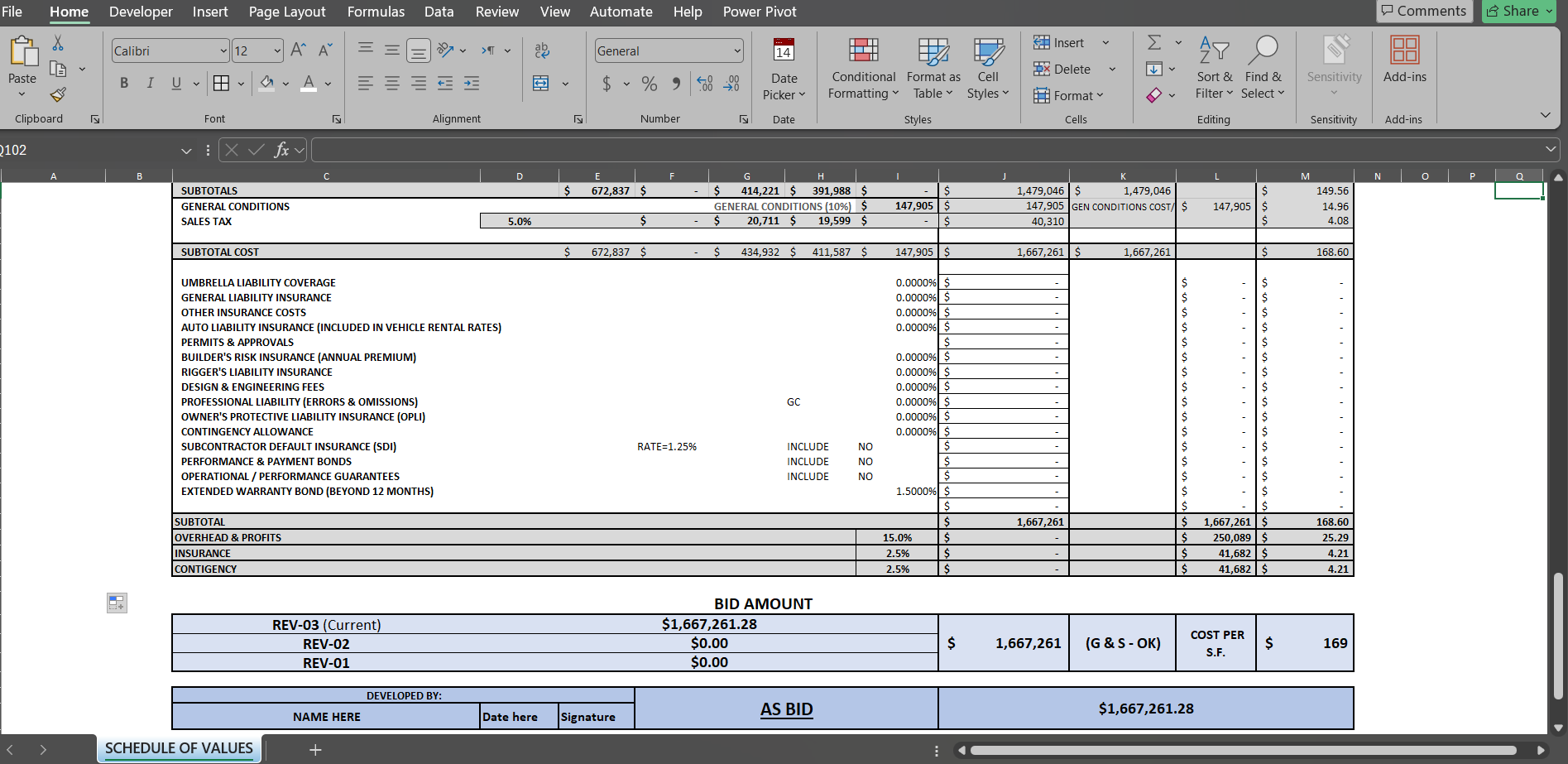
Each division is supported with a detailed cost breakdown, giving full visibility of project costs including labor, materials, equipment, tools & facilities, subcontracted work, and indirect costs. This makes the template suitable for both internal estimation and professional client submission.


🔑 Key Features

  • Division-wise (CSI-style) cost structure for organized estimation
  • Complete cost breakdown: labor, material, equipment, subcontractors, indirect costs
  • Built-in Cost per Square Foot (SF) calculation for quick benchmarking
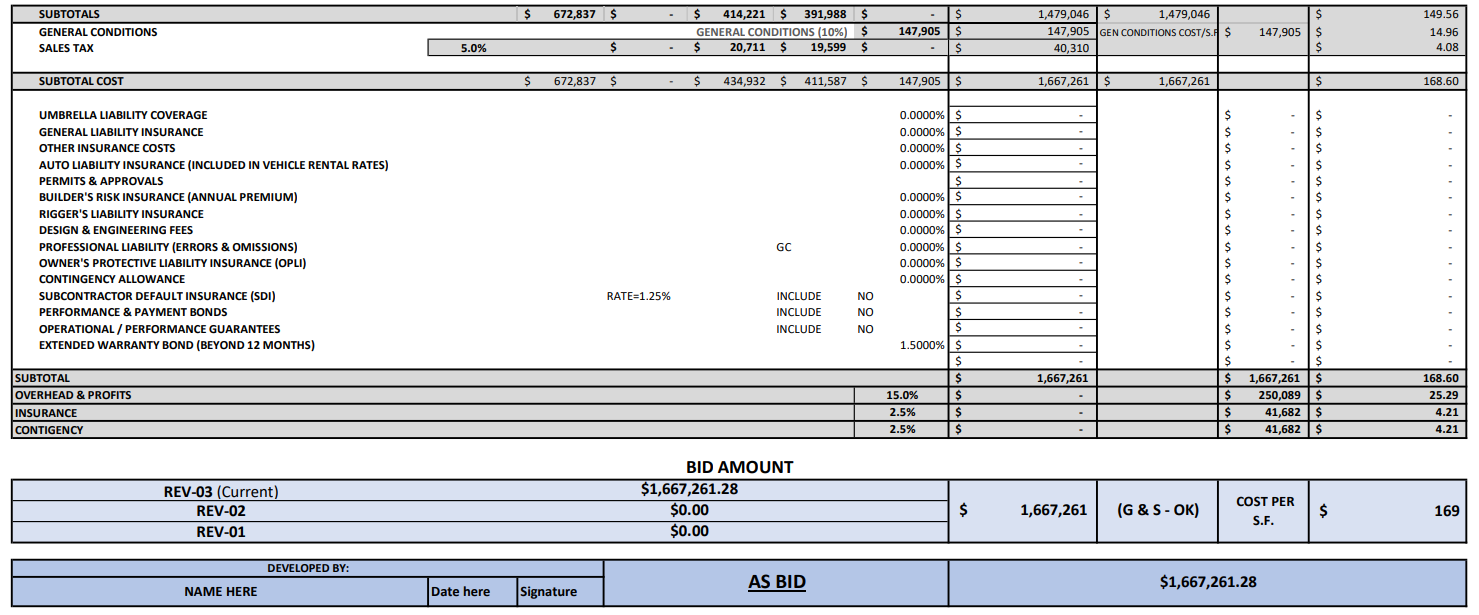
  • Integrated Sales Tax, Overhead & Profit, Insurance, and Contingency
  • Multi-revision tracking (REV-01, REV-02, REV-03) for bid comparison
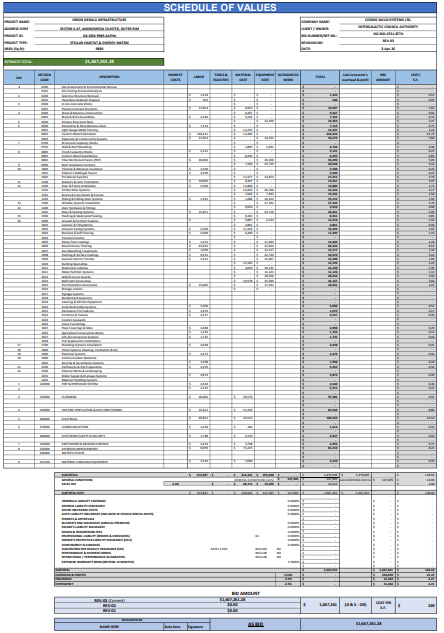
  • Clean, client-ready presentation format

One of the strongest aspects of this template is its automation and ease of use. All grey shaded columns are fully automated, meaning totals, subtotals, and cost per SF are calculated instantly. You only need to enter values in the input cells, making it fast, efficient, and error-free.

The financial section allows you to easily apply percentages for sales tax, overhead & profit, insurance, and contingency, with all values automatically reflected in the final estimate and bid amount. This helps you quickly test different pricing scenarios and margins.


📊 How It Works

  • Enter project details (project name, client, area, etc.)
  • Fill cost values in input cells only
  • Adjust percentages for tax, profit, and contingency
  • Review automatic totals and cost per SF
  • Track revisions using REV-01, REV-02, and REV-03

The template also includes multi-revision bid tracking, allowing you to manage and compare different versions of your estimate. This is especially useful when updating pricing, negotiating with clients, or maintaining proper version control.

Overall, this template combines estimation, financial analysis, and bid management in one clean and professional format. It is fully customizable, easy to use, and suitable for projects of any size.

This Best Practice includes
1 x Excel Sheet

Acquire business license for $10.00 $5.00

Add to cart

Add to bookmarks

Discuss

Further information

Provide a clear division-wise (CSI) cost breakdown
Simplify and speed up cost estimation
Automate totals and reduce manual errors
Support cost per SF analysis
Include tax, overhead, profit, and contingency
Enable multi-revision bid tracking
Improve client-ready presentation

Construction projects requiring detailed cost breakdown (SOV)
Contractors and estimators preparing bids and proposals
Projects needing cost per SF analysis and benchmarking
Situations with multiple bid revisions or updates
Use in Excel-based estimation workflows
Residential, commercial, and small to mid-scale projects

Projects needing real-time database integration or BIM-based costing
Organizations using fully automated ERP/enterprise systems


0.0 / 5 (0 votes)

please wait...