

Automated Gantt Architect - Zero-Friction Project Timeline & Dependency Tracker
Originally published: 30/01/2026 21:24
Last version published: 29/06/2026 08:02
Publication number: ELQ-63852-2
View all versions & Certificate
certified

Automated Gantt Architect - Zero-Friction Project Timeline & Dependency Tracker

A bulletproof, automated Gantt chart engine. Enter your tasks and dependencies, and instantly generate a pristine, presentation-ready project timeline.

Description

Most spreadsheet-based Gantt charts are incredibly fragile. They force you to manually drag colored blocks around or write complex date formulas that break the second you insert a new row or change a deadline.


The Automated Gantt Architect completely eliminates that friction. This is a deterministic, factory-grade project engine designed for project managers, founders, and operators who need boardroom-ready visuals without the spreadsheet headache.


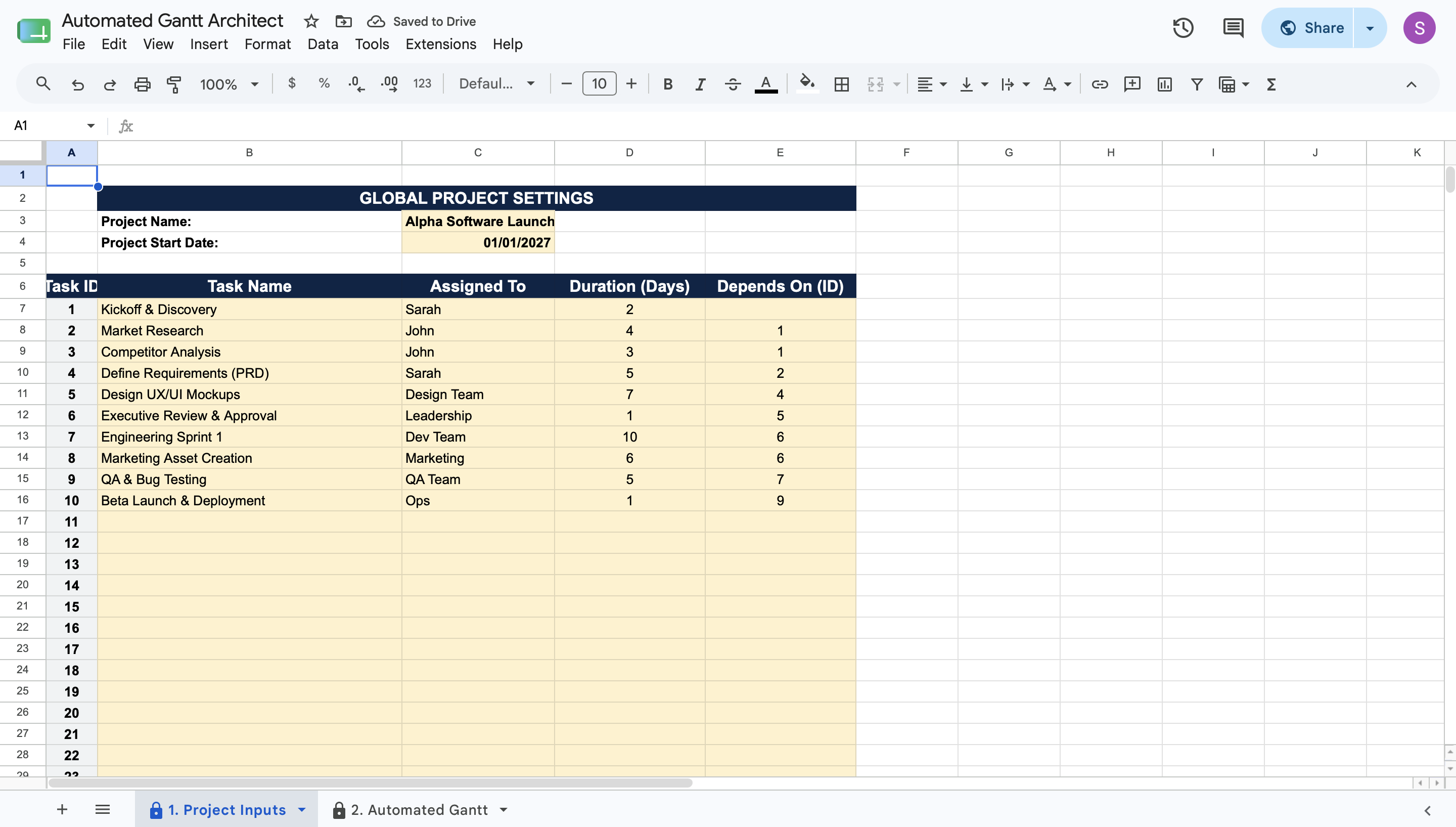
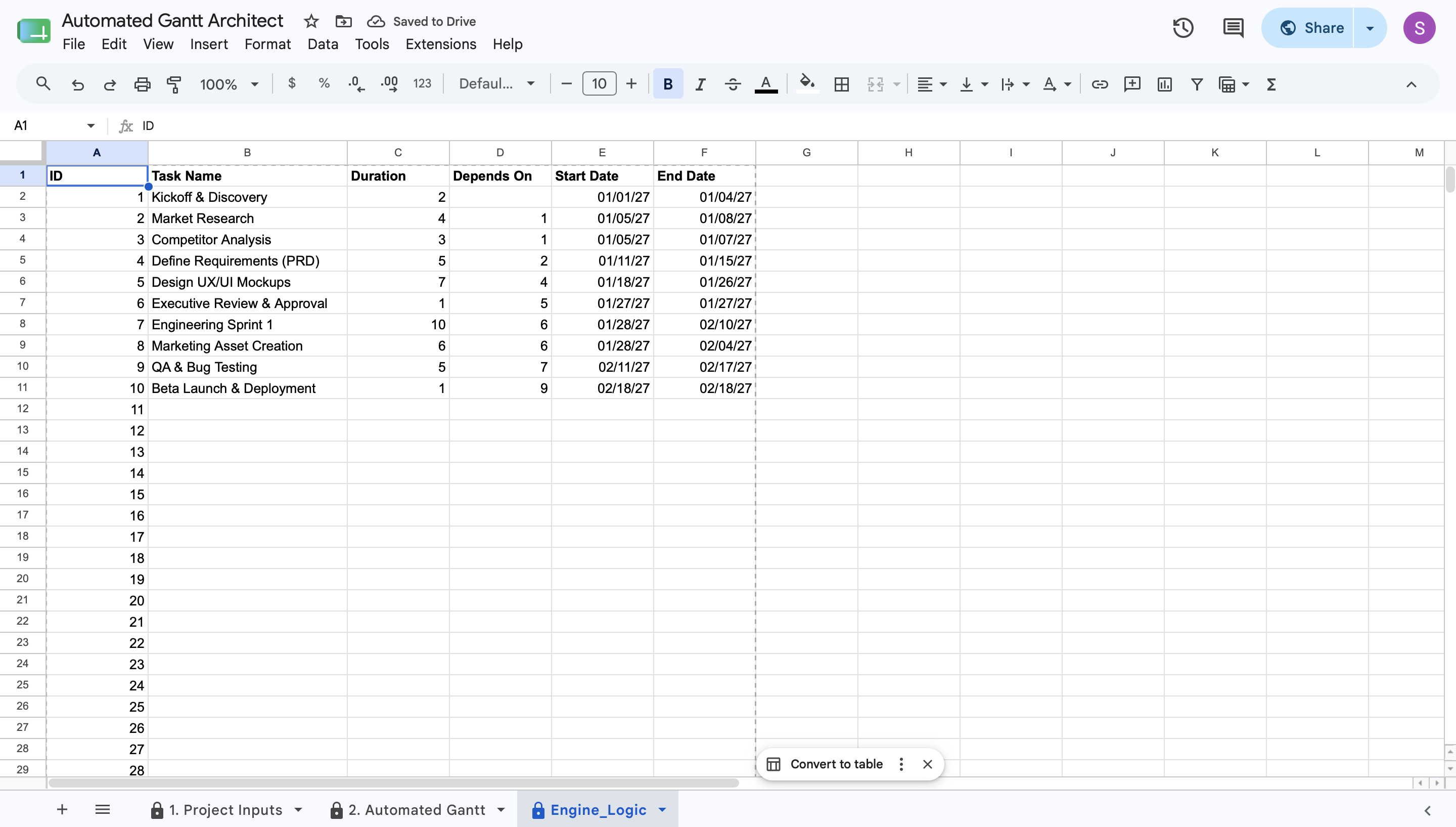
Built on a strict "Zero-Friction" architecture, the tool clearly separates your inputs from the calculation engine. You simply outline your project on the Inputs tab: enter task names, working day durations, and single-digit dependency IDs. The digitally locked Engine handles the rest.


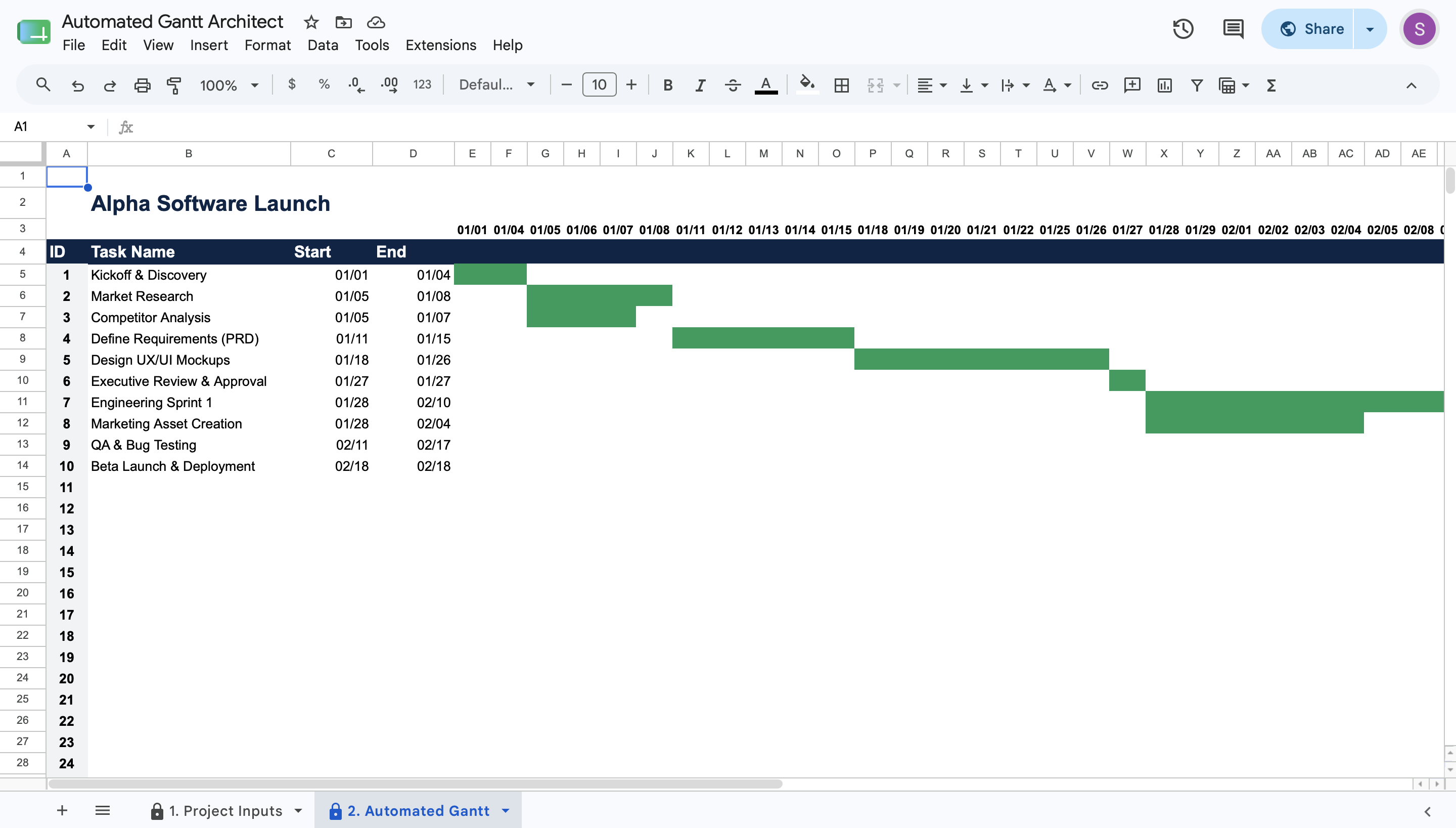
Instantly, your Executive Dashboard generates a flawless, cascading waterfall Gantt chart. The engine automatically calculates exact start and end dates, seamlessly skips non-working weekends, and paints your timeline across a dynamic 60-day grid. Because all formulas and conditional formatting are locked safely away, you literally cannot break the model.


Stop fighting with fragile templates. Enter your data, export a clean, grid-free PDF, and get back to actually managing your project.

This Best Practice includes
1 User Guide (PDF), 1 Google Sheet

Scott Ortiz offers you this Best Practice for free!

download for free

Add to bookmarks

Discuss

Further information

Provide a bulletproof, automated visual timeline for project management

Eliminate manual date calculations and broken spreadsheet formulas

Automatically calculate task dependencies and skip non-working weekends

Output a pristine, boardroom-ready project roadmap for stakeholders

Project managers and operators tired of manually updating timeline graphics

Projects that rely on cascading, dependency-driven task sequencing

Teams that value locked structure, automation, and accuracy over infinite customization

Users who want expert-level timeline visuals with beginner-level data entry

Highly complex, multi-year enterprise projects requiring specialized software (e.g., MS Project, Primavera)

Agile projects requiring minute-by-minute or hourly task tracking (timeline is strictly daily)

Mobile-first or phone-based project data entry


0.0 / 5 (0 votes)

please wait...