
Supply Chain ABC/XYZ Excel System | Inventory, Reorder Planning, Supplier Performance & Risk Dashboard

Professional Excel supply chain system for ABC/XYZ analysis, inventory, demand, reorder points, replenishment, supplier performance and risk control.

Description

📦 SUPPLY CHAIN ABC/XYZ INVENTORY & REPLENISHMENT MANAGEMENT SYSTEM


Bring inventory, demand, ABC/XYZ segmentation, reorder planning, supplier performance and supply-chain risk into one structured Excel workflow.


This professional Supply Chain ABC/XYZ Tracker is designed for supply-chain managers, inventory planners, procurement teams, operations professionals, analysts and growing businesses that need a clearer way to turn SKU and demand data into practical planning information.


Instead of managing inventory positions, demand history, supplier reviews, replenishment actions and supply risks across separate spreadsheets, the system connects them through a structured workflow with automated calculations, executive KPIs and five native Excel dashboard charts.


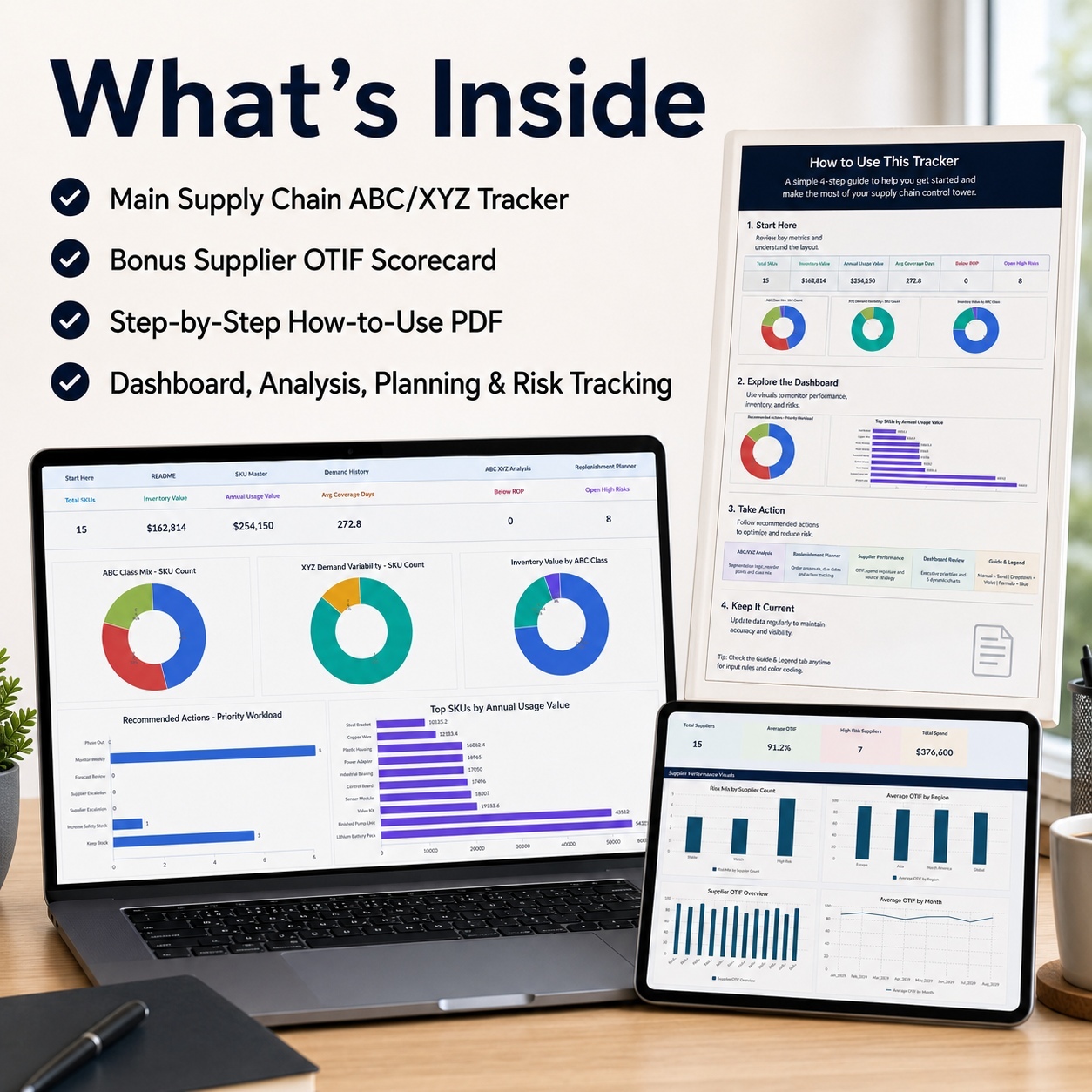
The complete package includes:
📊 Premium Supply Chain ABC/XYZ Main Tracker
🎁 Supplier OTIF Scorecard Bonus Workbook
📘 10-page How-to-Use Guide


The system is designed to move from source data → segmentation → replenishment planning → supplier and risk review → executive reporting.


📦 MAIN SUPPLY CHAIN TRACKER
The main workbook provides a coordinated supply-chain planning environment covering:
🏠 Start_Here
📈 Dashboard
📘 README
📦 SKU_Master
📅 Demand_History
🧠 ABC_XYZ_Analysis
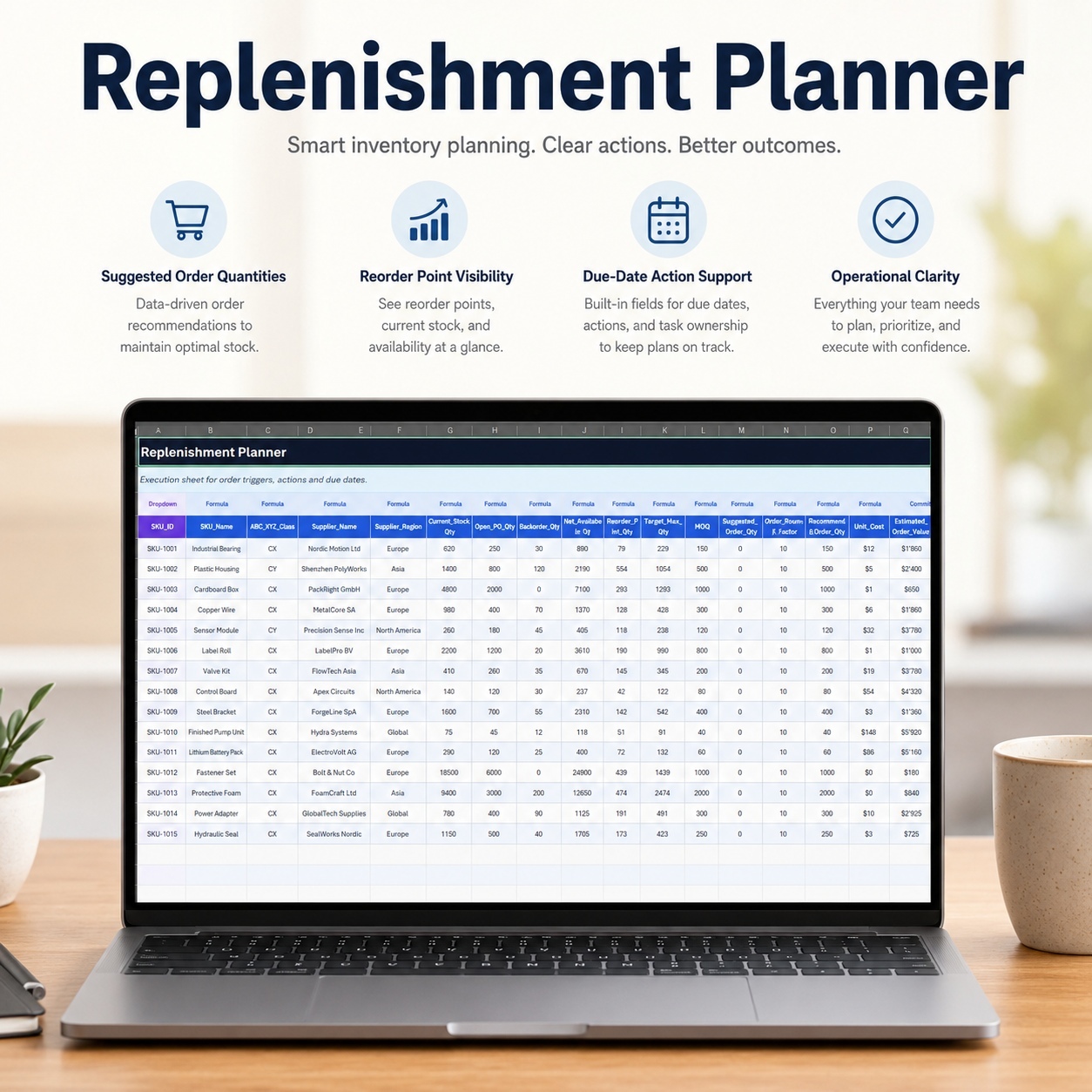
🔄 Replenishment_Planner
🤝 Supplier_Performance
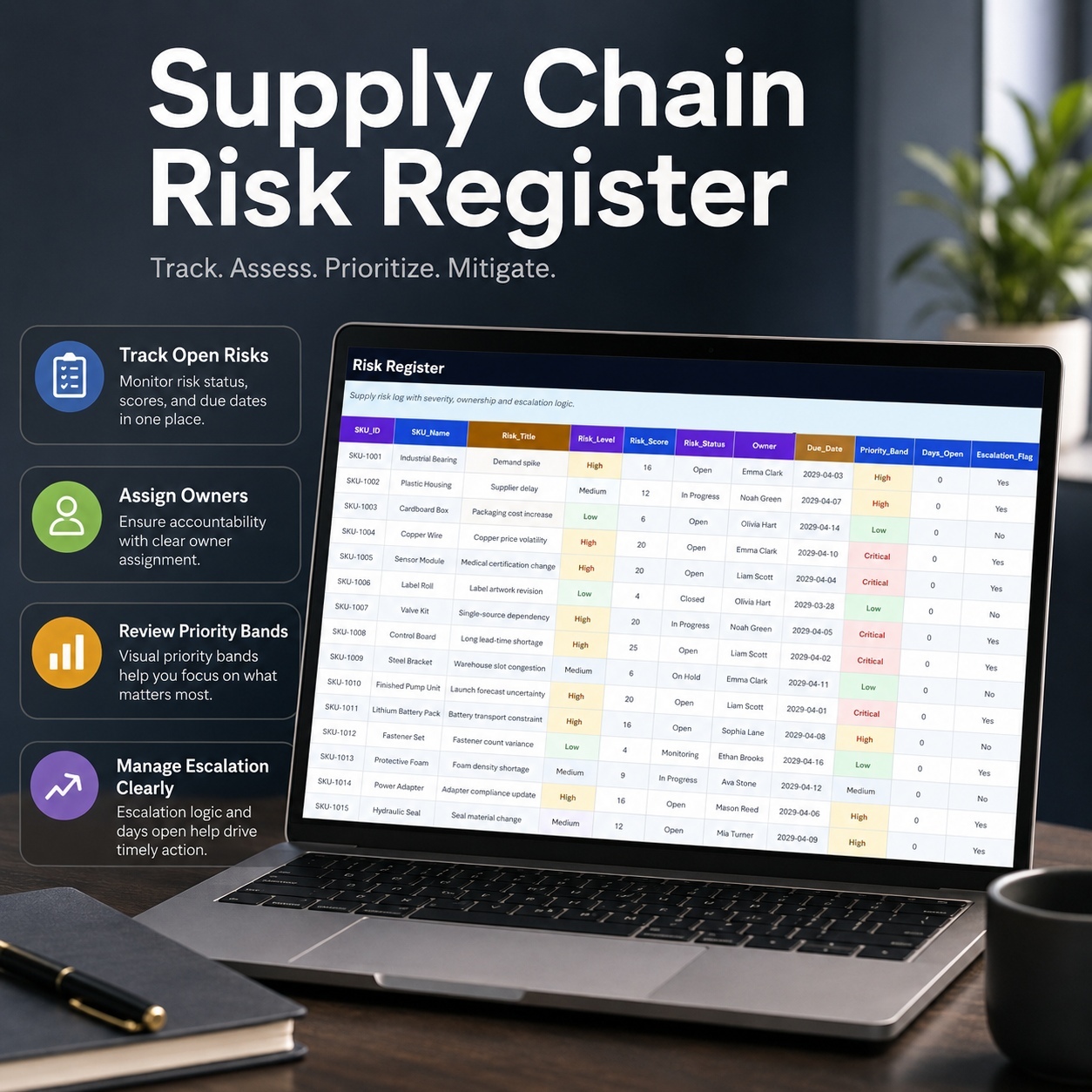
⚠️ Risk_Register
⚙️ Settings_Lists
📊 Dashboard_Data


The operational sections contain 15 realistic sample SKUs to demonstrate the intended workflow.
Manual, Dropdown, Formula and Linked fields are clearly distinguished so users can see which data should be entered and which outputs are calculated automatically.


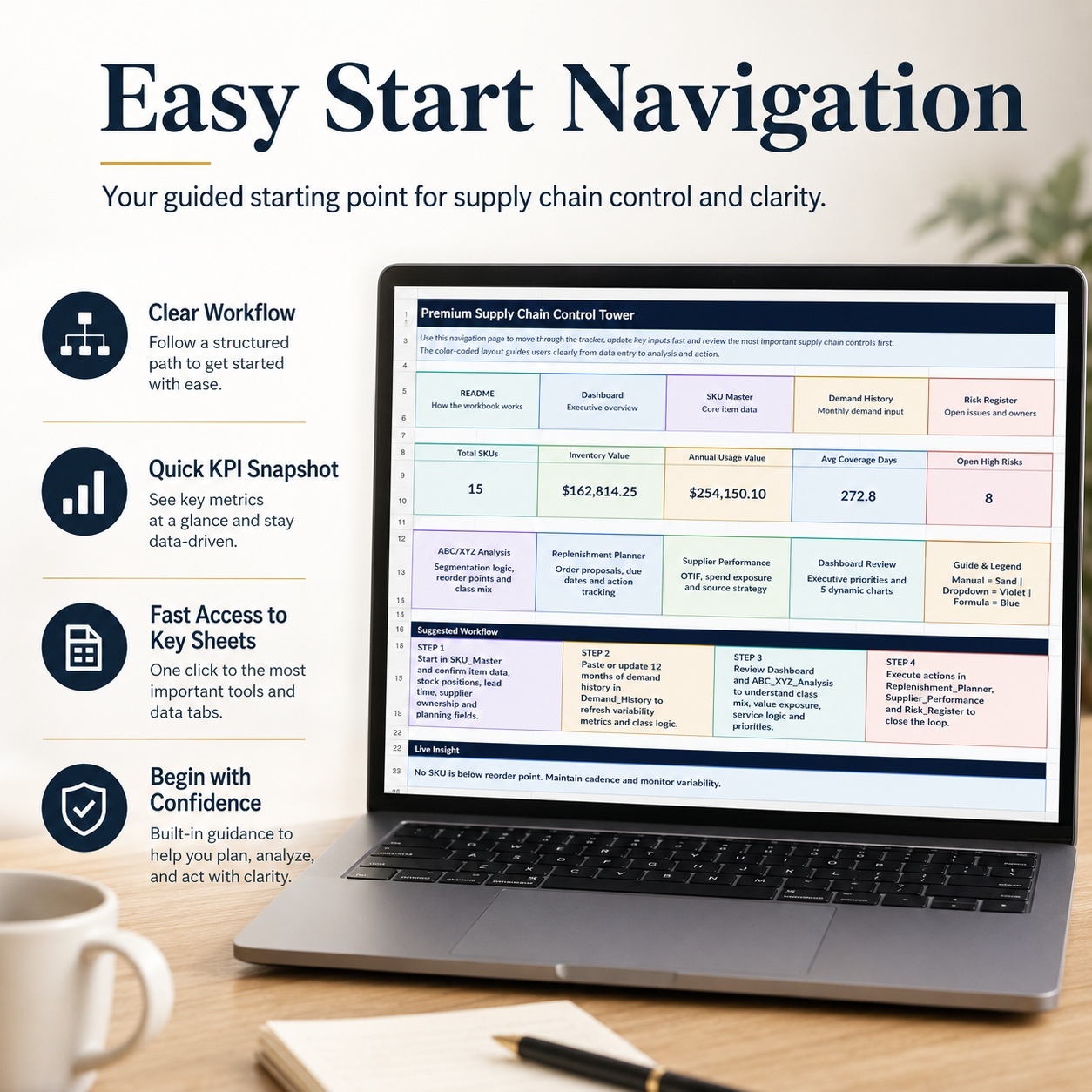
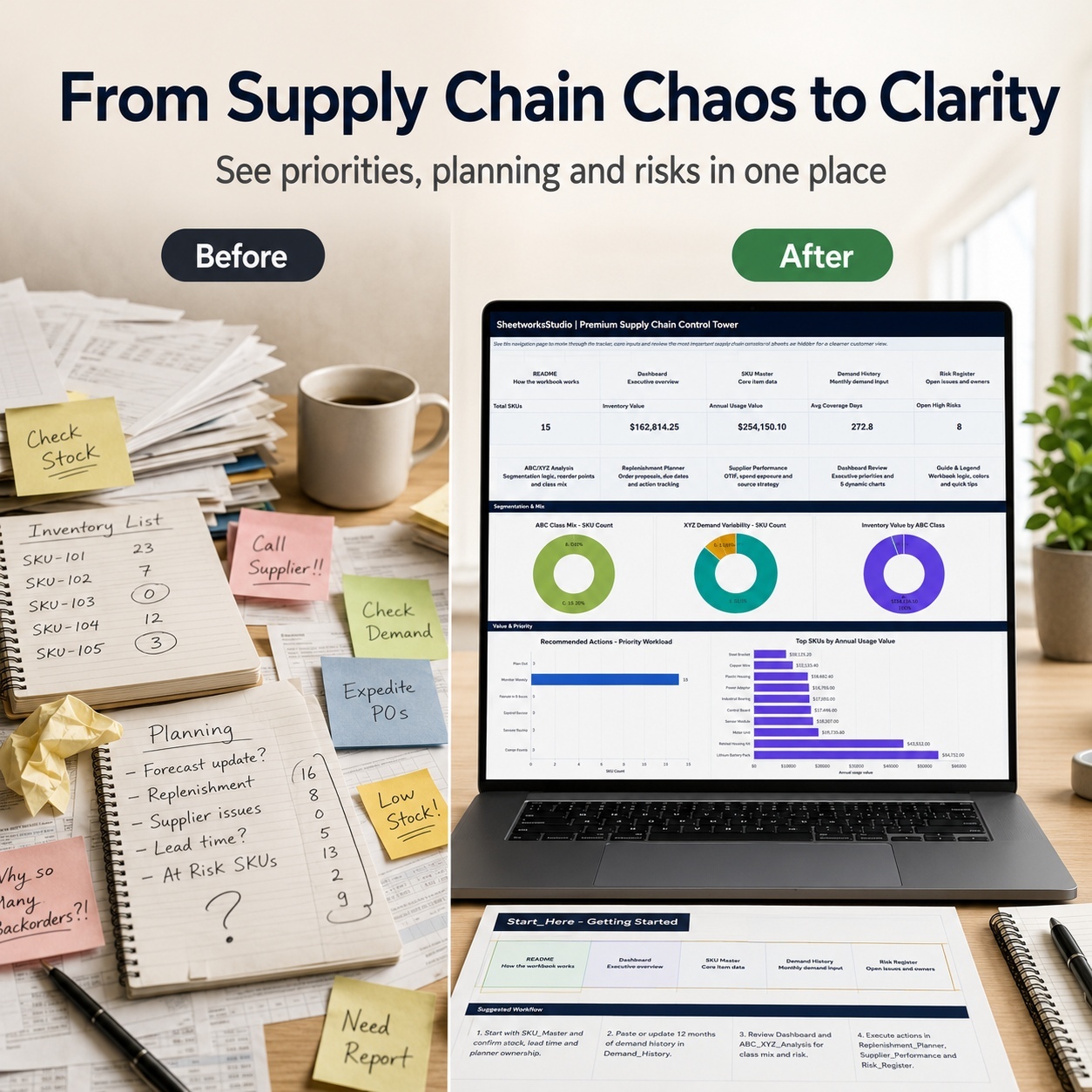
🏠 START HERE & NAVIGATION
The Start_Here page acts as the central control point for the workbook.
It provides:

  • Quick navigation
  • Portfolio KPI snapshot
  • Supply-chain workflow guidance
  • Input-type guidance
  • Executive insight
  • Direct links to the main working areas


The included workflow guides users from SKU and demand inputs through analysis and operational follow-up.


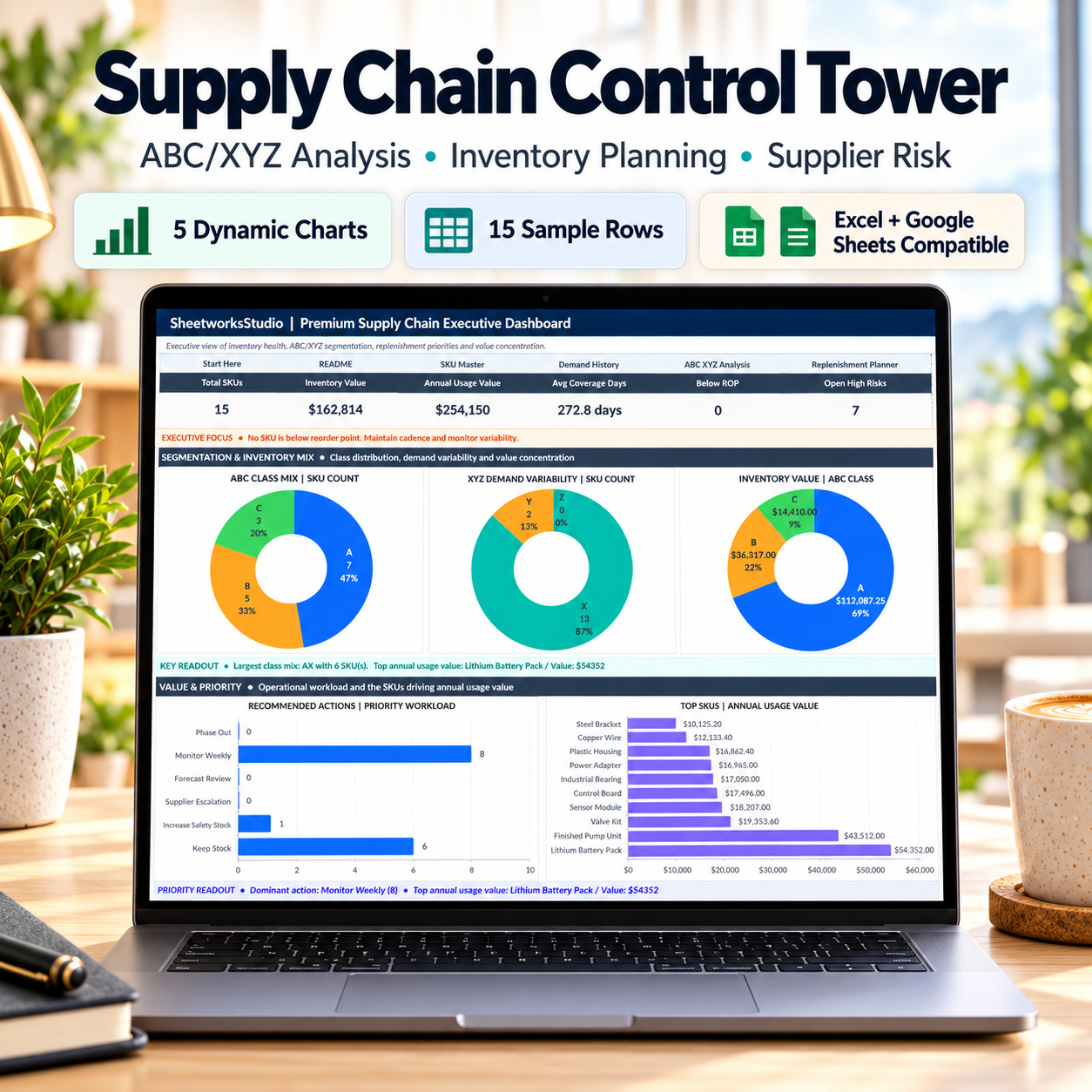
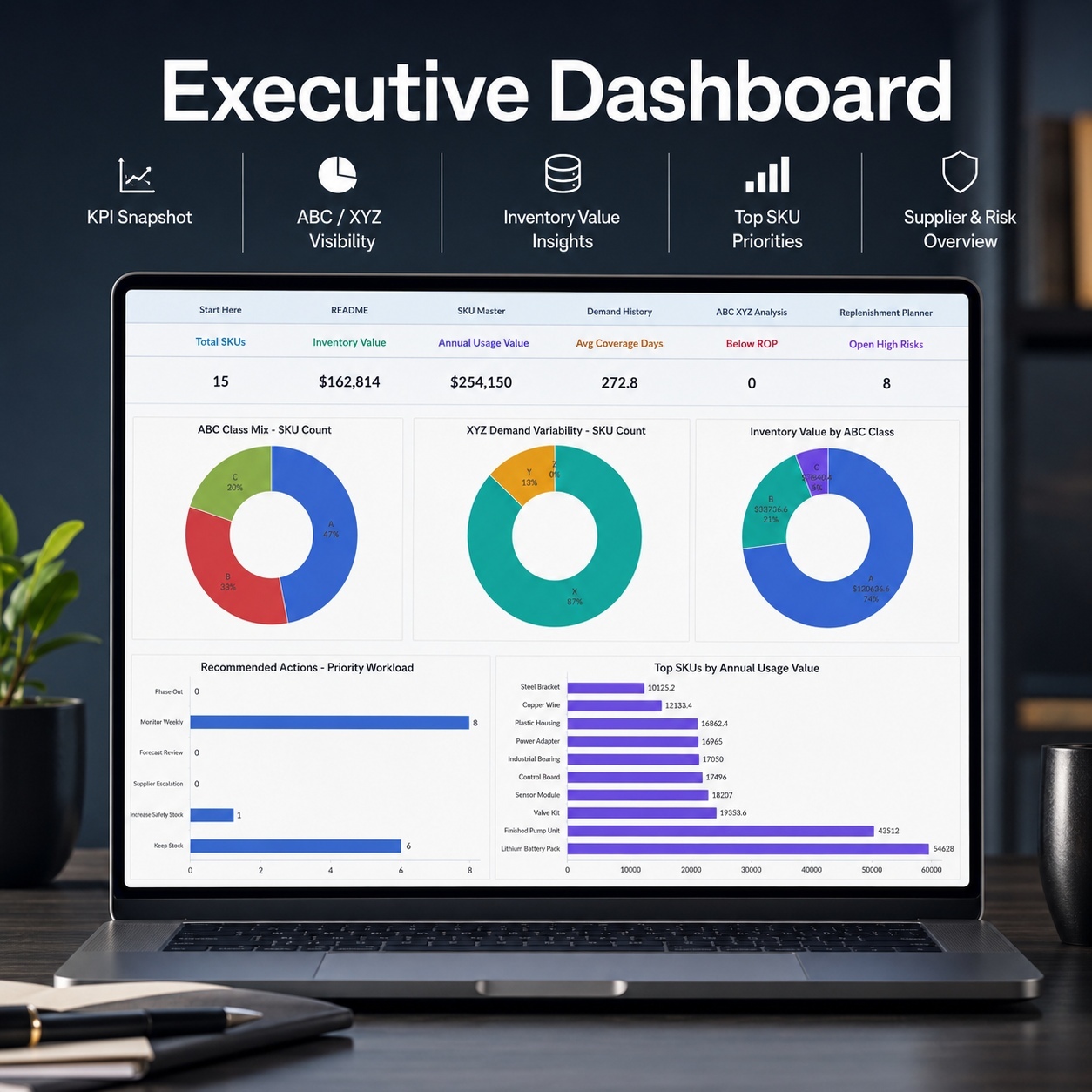
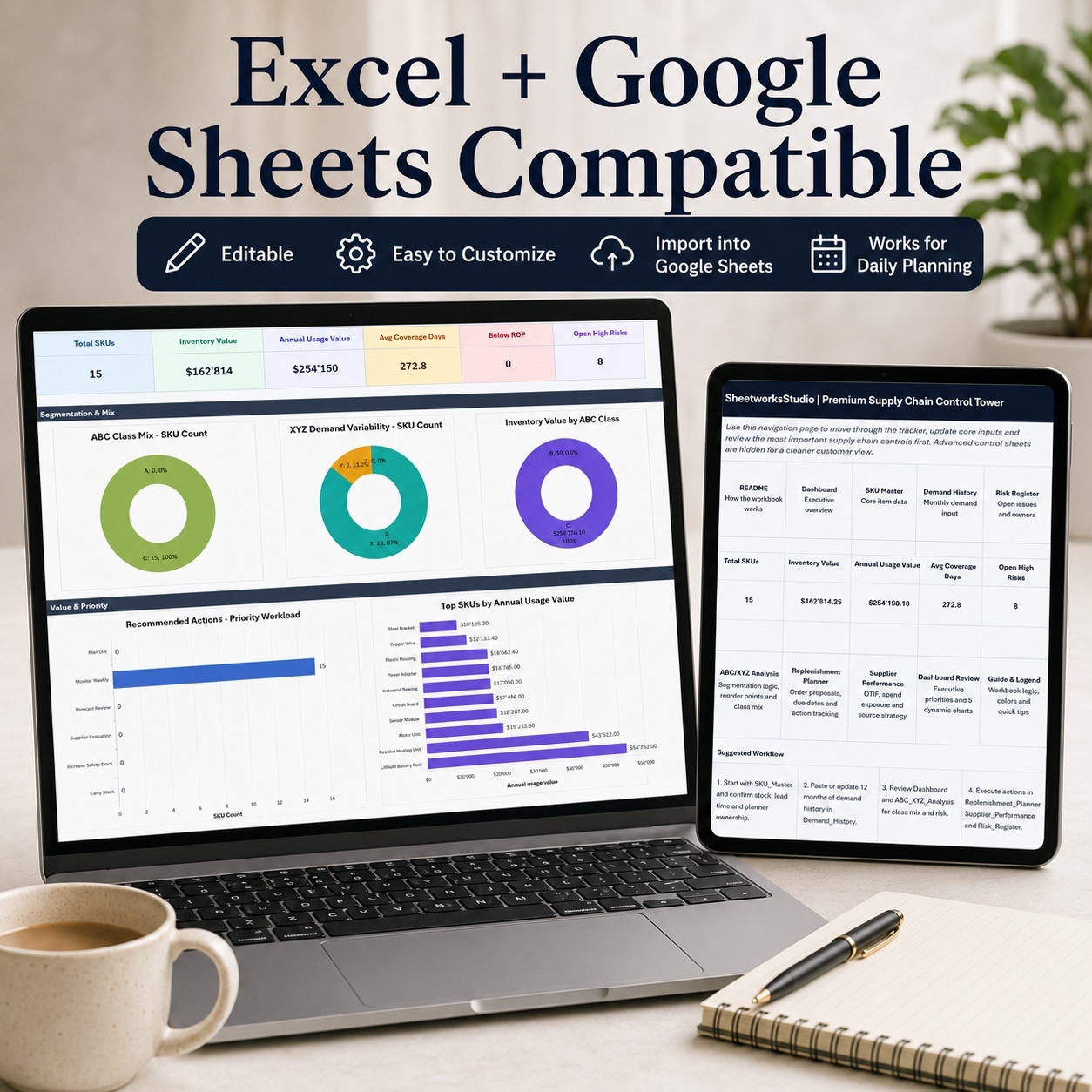
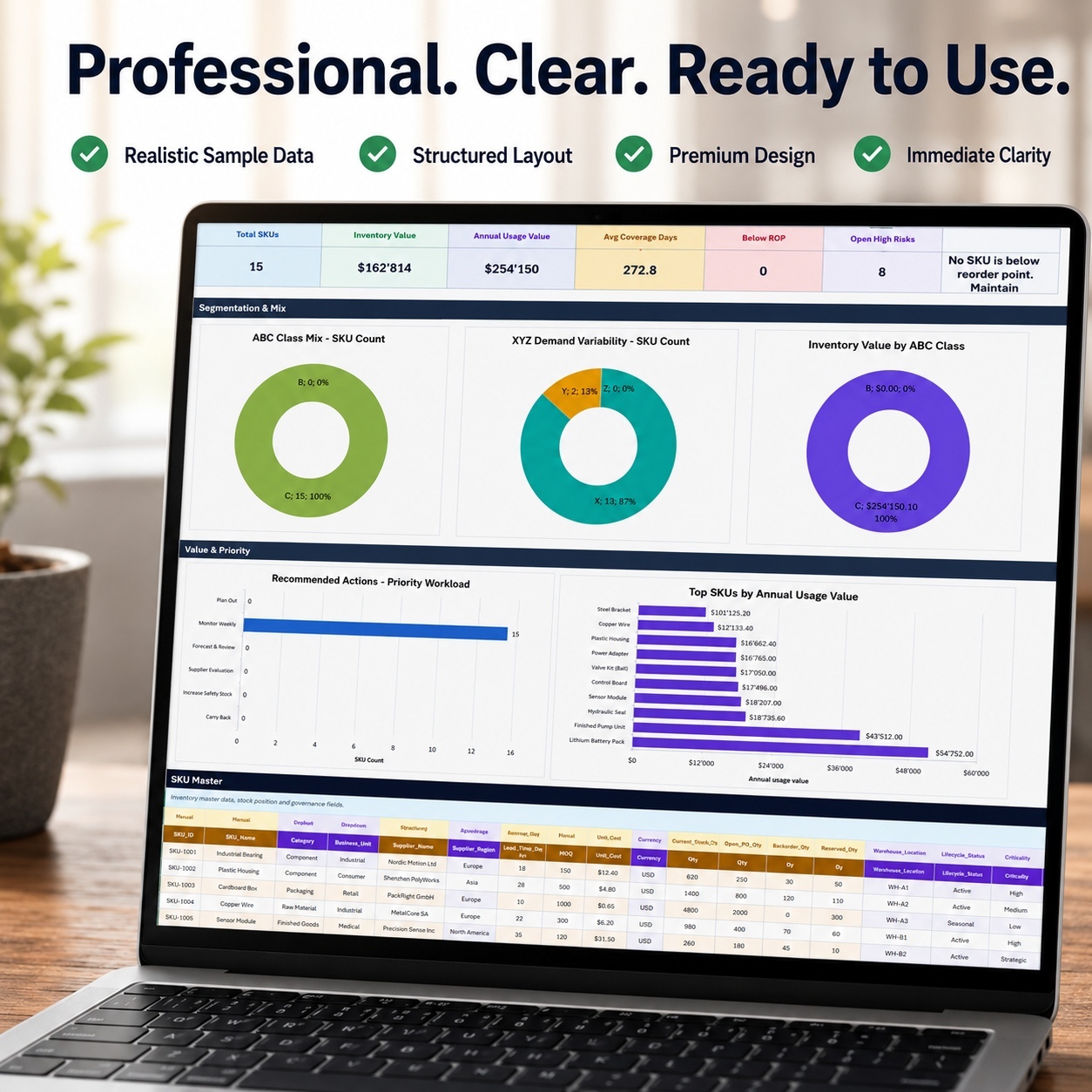
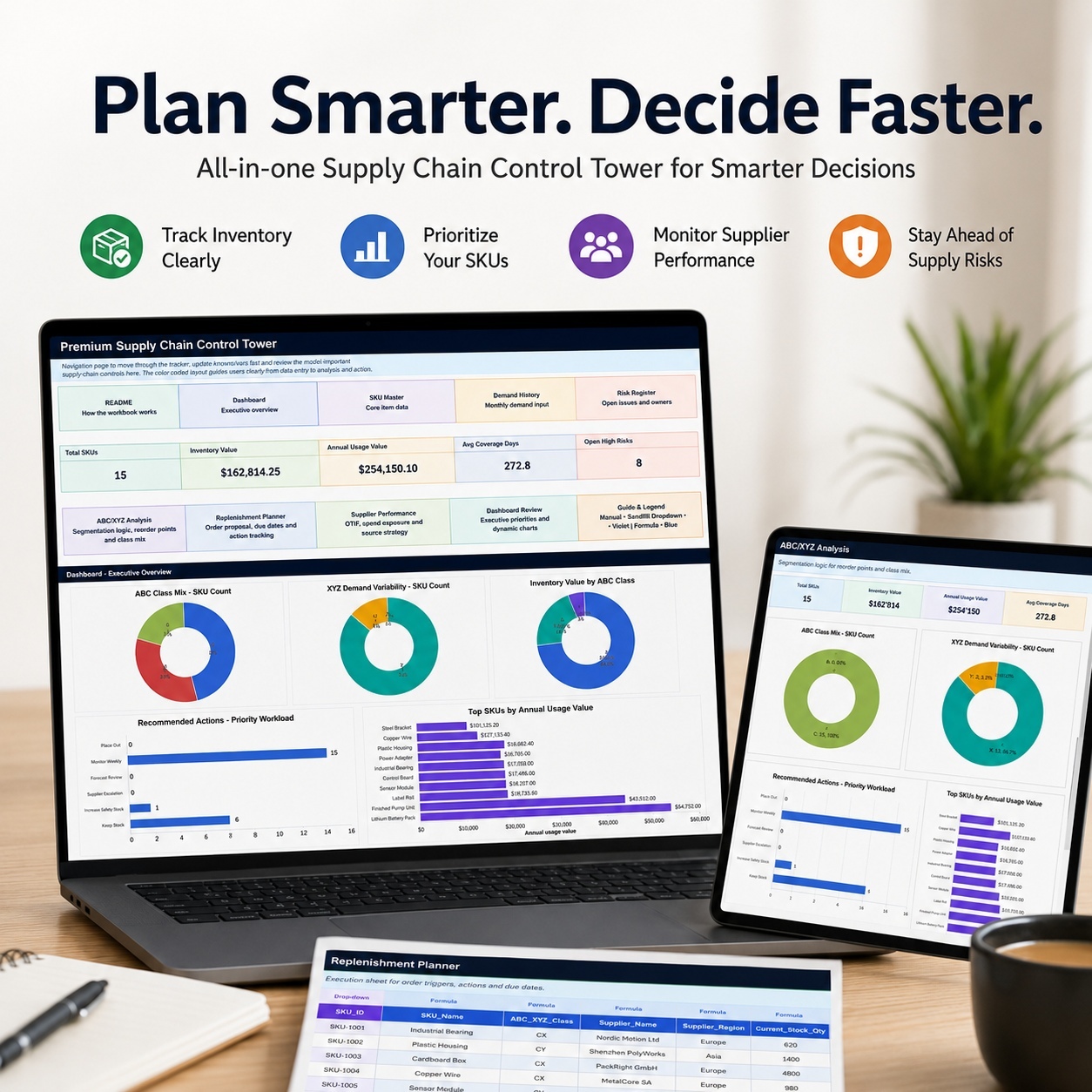
📊 EXECUTIVE SUPPLY CHAIN DASHBOARD
The Dashboard provides a management-level view of the current portfolio.


Headline indicators include:
📦 Total SKUs
💰 Inventory Value
📈 Annual Usage Value
📅 Average Coverage Days
⚠️ SKUs Below Reorder Point
🚨 Open High Risks
🎯 Executive Focus


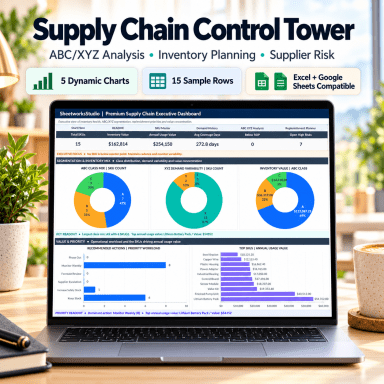
The dashboard contains 5 native Excel charts:


📊 ABC Class Mix – SKU Count
Shows how items are distributed across A, B and C value classes.


📈 XYZ Demand Variability – SKU Count
Shows the mix of stable, moderately variable and more volatile demand profiles.


💰 Inventory Value by ABC Class
Highlights where inventory value is concentrated.


🎯 Recommended Actions – Priority Workload
Summarizes the operational workload generated by the ABC/XYZ analysis.


🏆 Top SKUs – Annual Usage Value
Highlights the SKUs contributing the greatest annual usage value.
Additional executive readouts identify important class patterns, value concentration and current operational priorities.


📦 SKU MASTER
Maintain the core item and inventory data that drives downstream analysis.
Track information including:
  • SKU ID
  • SKU Name
  • Category
  • Business Unit
  • Supplier
  • Supplier Region
  • Lead Time
  • MOQ
  • Unit Cost
  • Currency
  • Current Stock
  • Open Purchase Orders
  • Backorders
  • In-Transit Quantity
  • Reserved Quantity
  • Warehouse
  • Lifecycle Status
  • Criticality
  • Planner
  • Last Count Date
  • Inventory Age


Calculated or linked fields add:
📊 Net Available Quantity
💰 Inventory Value
📅 Coverage Days
📈 Coverage Bar
🚦 Stock Flag
🔄 Cycle Count Class
🧠 ABC/XYZ Class
📋 Recommended Review Frequency
💵 On-Order Value


This creates the item-level foundation for inventory and replenishment planning.


📅 12-MONTH DEMAND HISTORY
Enter monthly demand for each SKU across a full 12-month period.
The workbook uses the demand series to calculate:
  • Annual Demand
  • Average Monthly Demand
  • Standard Deviation
  • Coefficient of Variation
  • Maximum and Minimum Monthly Demand
  • Last-3-Month Average
  • Next-Month Forecast
  • Demand Trend
  • Seasonality Index
  • Variability Indicator


The demand history feeds directly into the XYZ classification and subsequent planning logic.


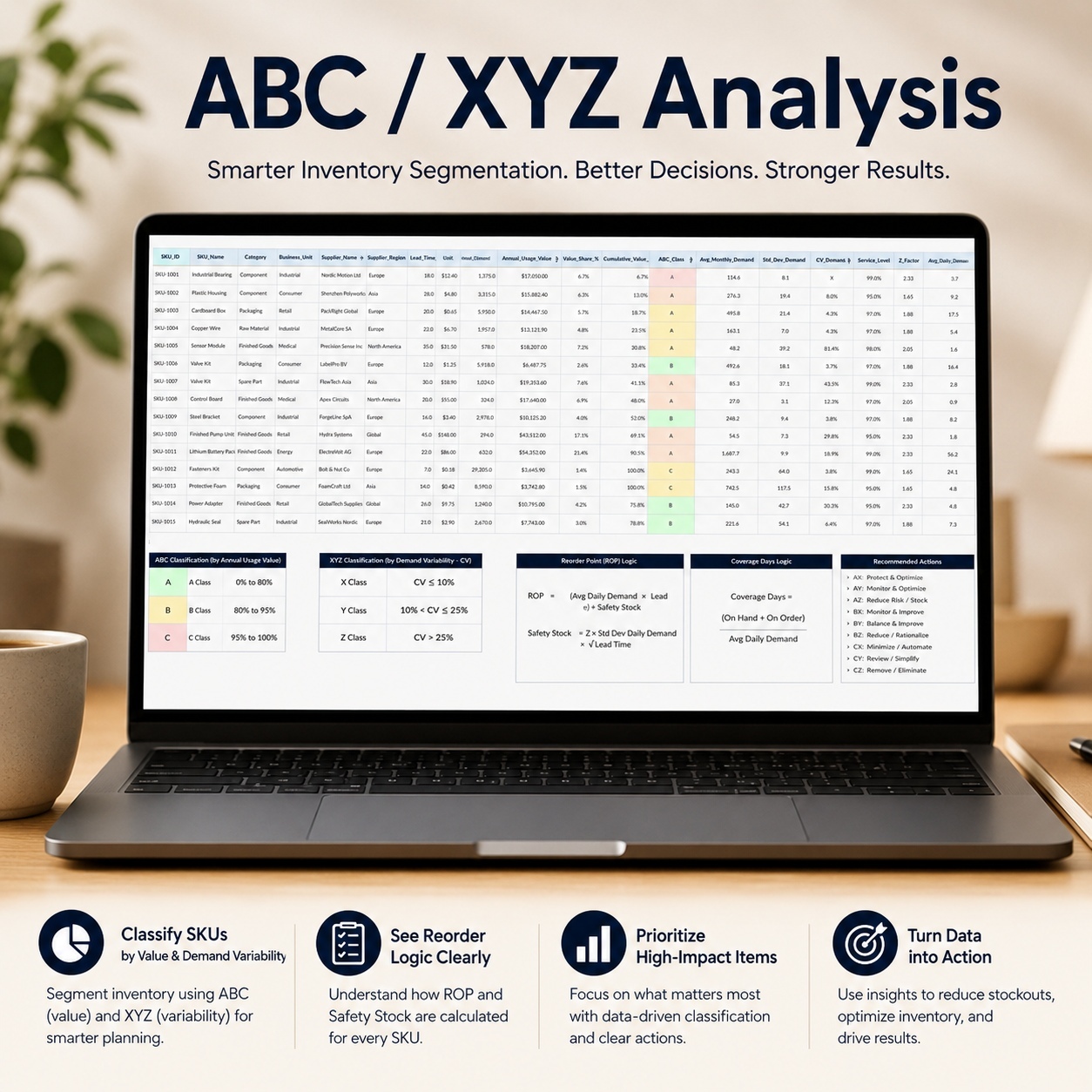
🧠 ABC/XYZ ANALYSIS
The ABC/XYZ Analysis is the core segmentation engine of the system.
ABC ClassificationABC evaluates items based on annual usage value, helping distinguish high-value items from the lower-value long tail.
XYZ ClassificationXYZ evaluates demand variability through the coefficient of variation, distinguishing more stable demand from increasingly variable demand.


The combined classification creates groups such as:
  • AX
  • AY
  • AZ
  • BX
  • BY
  • BZ
  • CX
  • CY
  • CZ


The analysis calculates or displays:
📊 Annual Usage Value
📈 Value Share
📈 Cumulative Value Share
🅰️ ABC Class
📉 Demand Variability
❎ XYZ Class
🧠 Combined ABC/XYZ Class
🎯 Service Level
📊 Z-Factor
📅 Average Daily Demand
⏱️ Demand During Lead Time
🛡️ Safety Stock Quantity
🔄 Reorder Point Quantity
📦 Net Available Quantity
📅 Coverage Days
🎯 Target Maximum Quantity
📦 Excess Quantity
💚 Inventory Health Score
⚠️ Priority Rank
📋 Recommended Review Action


The output translates segmentation into more practical inventory-review and replenishment guidance.


🔄 REPLENISHMENT PLANNER
Turn the analysis into an action-oriented replenishment workflow.
Review:
  • Current stock
  • Open purchase orders
  • Backorders
  • Net available stock
  • Reorder point
  • Target maximum quantity
  • MOQ
  • Suggested order quantity
  • Recommended order quantity
  • Unit cost
  • Estimated order value
  • Coverage days
  • Order recommendation
  • Review action
  • Action status
  • Planner
  • Due date
  • Comment
  • Urgency score
  • Execution week
  • Buyer owner


The planner combines calculated inventory signals with operational ownership so planning recommendations can be reviewed before purchase decisions are made.


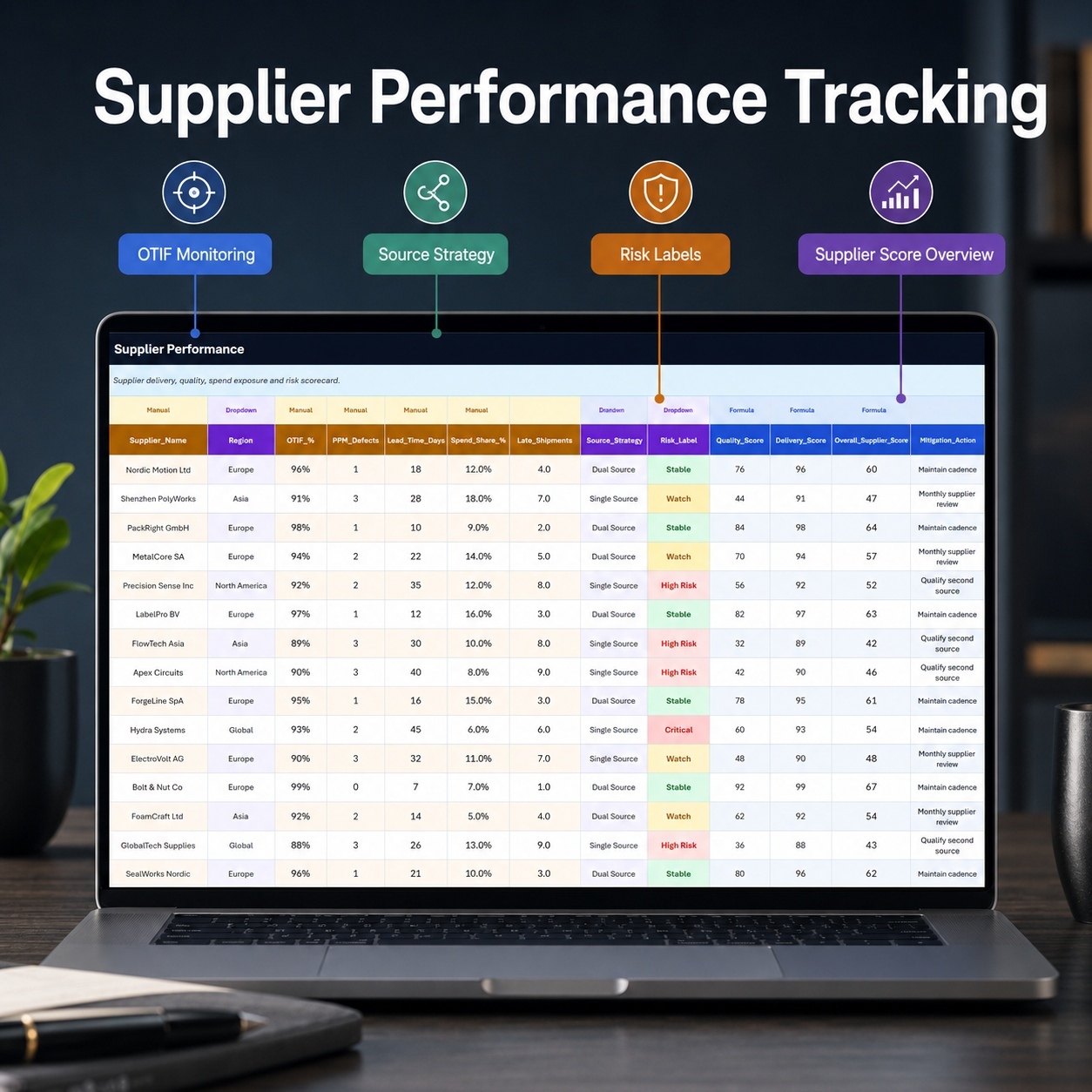
🤝 SUPPLIER PERFORMANCE
Review supplier delivery reliability, quality, exposure and sourcing risk in one structured view.
Track:
  • Supplier
  • Region
  • OTIF %
  • PPM Defects
  • Lead Time
  • Spend Share
  • Late Shipments
  • Source Strategy
  • Risk Label
  • Review Owner
  • Review Status
  • Next Review Date


Formula-driven outputs include:
📊 Quality Score
🚚 Delivery Score
💰 Cost Exposure Score
🎯 Overall Supplier Score
⭐ Preferred Status
🛡️ Mitigation Action
⚠️ Risk Indicator
🏷️ Supplier Tier


This helps combine supplier performance information with sourcing-risk and review ownership.


⚠️ SUPPLY CHAIN RISK REGISTER
Maintain a structured register of operational supply-chain risks.
Track:
  • SKU
  • Risk Title
  • Risk Level
  • Impact
  • Probability
  • Risk Status
  • Mitigation Action
  • Owner
  • Due Date
  • Notes


Formula-driven outputs support:
📊 Risk Score
🚦 Priority Band
📈 Priority Indicator
⏱️ Days Open
🚨 Escalation Requirement
🧠 ABC/XYZ Class
🎯 Criticality


This helps teams focus attention on supply risks with higher operational impact or urgency.


⚙️ SETTINGS & SUPPORT DATA
The workbook includes dedicated support areas for:
  • Dropdown sources
  • Classification thresholds
  • Planning assumptions
  • Policy values
  • Dashboard aggregations


Settings_Lists and Dashboard_Data support formulas, dropdowns and dashboard reporting.
They should normally be left intact. Advanced Excel users may hide these support sheets if they prefer a shorter workbook tab bar.


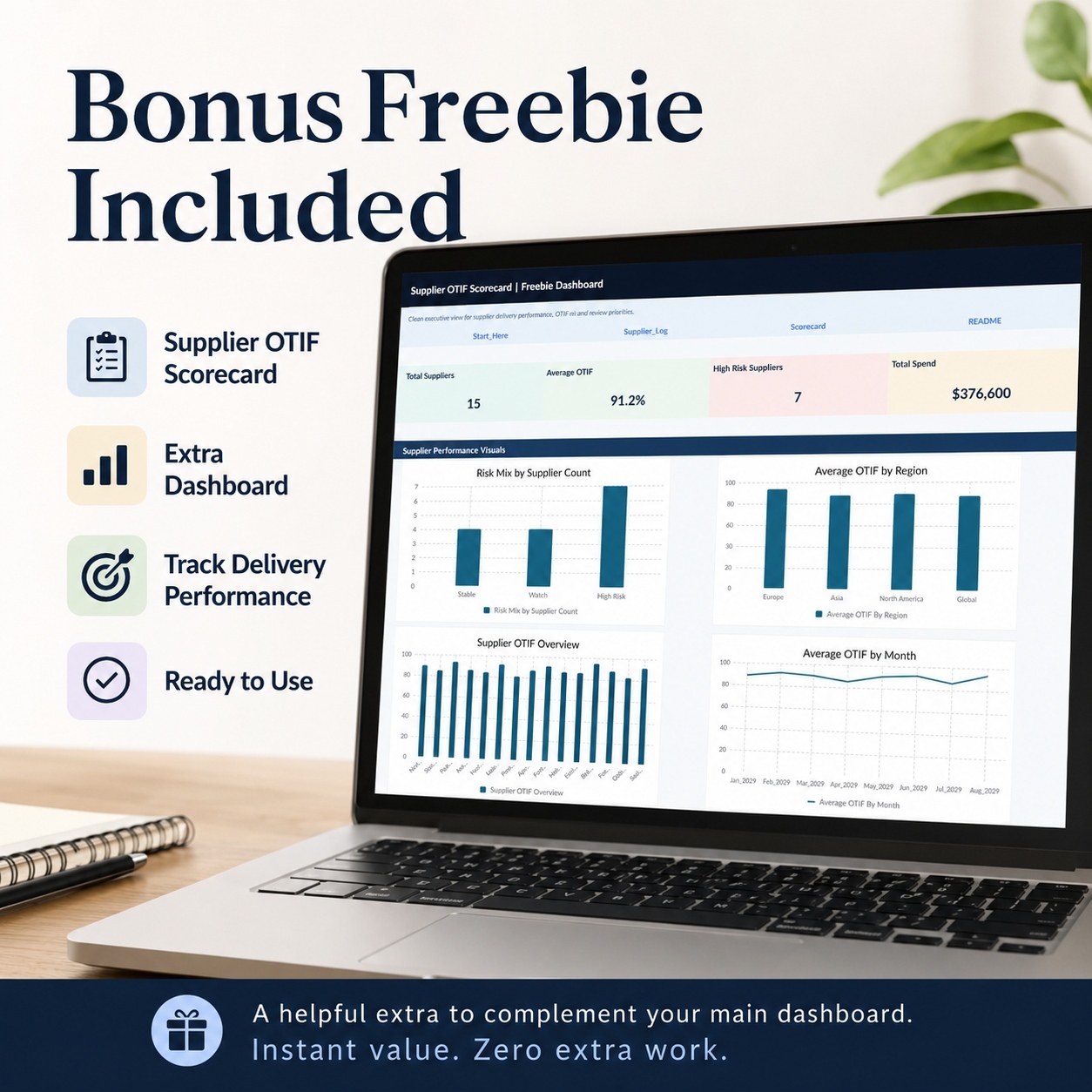
🎁 BONUS – SUPPLIER OTIF SCORECARD
The included Supplier OTIF Scorecard provides a focused companion workbook for supplier-delivery reviews.


It contains:
🏠 Start_Here
📊 Dashboard
📘 README
🚚 Supplier_Log
📈 Scorecard
⚙️ Settings_Lists
📊 Dashboard_Data


The workbook includes 15 realistic supplier sample rows plus prepared additional entry space.


🚚 SUPPLIER LOG
Enter supplier delivery-performance information including:
  • Supplier
  • Region
  • Month
  • PO Count
  • On-Time Deliveries
  • Complete Deliveries
  • Total Deliveries
  • PPM Defects
  • Lead Time
  • Spend
  • Risk Label
  • Review Owner
  • Notes


The workbook automatically calculates OTIF % from the delivery information.


📈 SUPPLIER SCORECARD
The Scorecard converts the Supplier Log into a structured supplier-review view.
Review:
  • Average OTIF
  • Total Deliveries
  • Average PPM
  • Average Lead Time
  • Total Spend
  • Risk Label
  • Preferred Status
  • Mitigation Action
  • Review Owner
  • Next Review


The formula-driven structure helps prepare recurring supplier reviews without recreating calculations manually.


📊 BONUS EXECUTIVE DASHBOARD
The Supplier OTIF Scorecard includes 4 native Excel charts:
⚠️ Risk Mix – Supplier Count
🌍 Average OTIF by Region
🚚 Supplier OTIF – Portfolio Overview
📈 Average OTIF – Monthly Trend


Headline KPI cards include:
  • Total Suppliers
  • Average OTIF
  • High-Risk Suppliers
  • Total Spend
The bonus workbook complements the main supply-chain tracker by providing a more focused supplier-performance view.


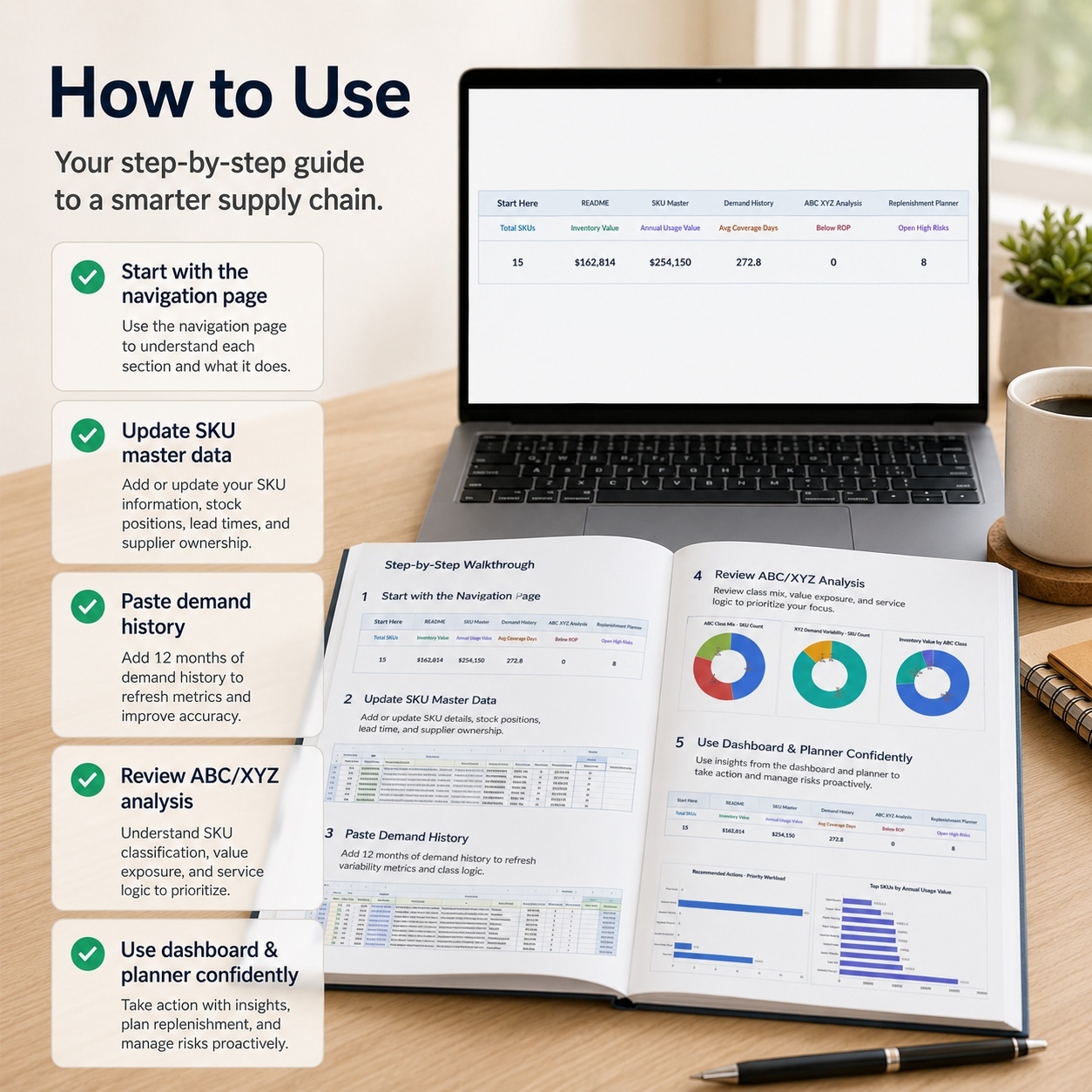
📘 10-PAGE HOW-TO-USE GUIDE
The included A4 PDF guide explains:
  • Initial setup
  • Recommended workbook workflow
  • Workbook structure
  • Safe data entry
  • SKU and demand inputs
  • ABC/XYZ logic
  • Replenishment planning
  • Supplier and risk review
  • Dashboard interpretation
  • Excel and Google Sheets usage
  • Troubleshooting
  • Final checks
  • Legal and operational-use considerations


The guide is aligned with the final workbook structure.


⚙️ AUTOMATED & CONTROLLED WORKFLOW
The workbooks use:
✅ Standard Excel formulas
✅ Dropdown validations
✅ Formula-driven classifications
✅ Automatic planning outputs
✅ Status logic
✅ KPI cards
✅ Native Excel charts
✅ Internal navigation
✅ Prepared sample data
✅ Manual / Dropdown / Formula / Linked field guidance


The package is:
✅ Macro-free
✅ No VBA
✅ No Power Query
✅ No external workbook connections
✅ No external database connections required


🌐 EXCEL & GOOGLE SHEETS
The system is designed primarily for Microsoft Excel, which provides the intended visual and chart experience.
The XLSX files can also be imported into Google Sheets.


After import, users should review:
  • Formulas
  • Dropdowns
  • Charts
  • Conditional formatting
  • Cell dimensions and layout


Excel and Google Sheets do not render every spreadsheet feature identically, so visual adjustments may be required.
For management reporting, screenshots and the most faithful presentation, Microsoft Excel is recommended.


👤 SUITABLE FOR
This toolkit is particularly relevant for:
  • Supply Chain Managers
  • Inventory Managers
  • Demand Planners
  • Procurement teams
  • Buyers
  • Operations Managers
  • Production Planners
  • Logistics teams
  • Supply Chain Analysts
  • Controllers
  • Consultants
  • SMEs and growing businesses


It is especially useful where teams want a structured Excel-based workflow for connecting item data, demand variability, inventory policy, replenishment, suppliers and operational risk.


💡 KEY BUSINESS VALUE
The system is designed to help teams:
  • Centralize SKU and inventory information
  • Analyze 12-month demand patterns
  • Segment items using ABC/XYZ logic
  • Differentiate inventory-review policies
  • Calculate safety stock and reorder points
  • Structure replenishment reviews
  • Prioritize operational actions
  • Monitor supplier reliability
  • Identify sourcing-risk signals
  • Track supply-chain risks
  • Improve executive visibility
  • Support recurring planning and review cycles


The combined Main Tracker and Supplier OTIF Scorecard create a structured workflow from inventory and demand data through analysis, operational action and management reporting.


⚖️ IMPORTANT DISCLAIMER
This toolkit is provided for organizational, analytical and planning purposes only.
It does not constitute business, procurement, inventory, forecasting, financial, legal, tax, engineering, logistics or company-specific professional advice and does not guarantee any purchasing, service-level, inventory or operational outcome.
All formulas, thresholds, classifications, assumptions, order recommendations and planning outputs should be reviewed against the organization's own data, policies, constraints and business requirements before operational use.

This Best Practice includes
Premium Supply Chain ABC/XYZ Tracker (.xlsx), Supplier OTIF Scorecard (.xlsx), 📘 How-to-Use Guide (.pdf)

Acquire business license for $39.90

Add to cart

Add to bookmarks

Discuss

Further information

The objectives of this toolkit are to:

Centralize SKU and inventory information

Structure 12-month demand history

Analyze demand variability

Segment inventory using ABC and XYZ classifications

Calculate safety-stock requirements

Calculate reorder points

Improve visibility over inventory coverage

Structure replenishment recommendations

Prioritize operational supply-chain actions

Monitor supplier OTIF and quality

Identify supplier and sourcing-risk signals

Maintain a supply-chain risk register

Improve management visibility through dashboard reporting

Support recurring inventory and supply reviews

The toolkit provides planning and analytical support. It does not make purchasing or inventory decisions on behalf of the user.


7. CONDITIONS — APPLIES BEST

This toolkit is particularly suitable for:

Supply Chain Managers

Inventory Planners

Demand Planners

Procurement teams

Buyers

Operations Managers

Production Planners

Logistics professionals

Supply Chain Analysts

Consultants

SMEs

Businesses managing physical inventory

It works particularly well where organizations need a structured Excel framework connecting item master data, demand history, ABC/XYZ segmentation, reorder logic, suppliers and operational risks.

The toolkit is suitable for recurring inventory reviews, procurement preparation, S&OP-style discussions, supplier reviews and management reporting.

This toolkit is not intended to replace an ERP, MRP, WMS, procurement platform, advanced forecasting system or specialist supply-chain optimization software.

It does not provide live inventory synchronization, automated purchase-order submission, ERP integrations, real-time supplier feeds or automatic external data collection.

Order recommendations, service levels, safety stock, reorder points and classification results depend on the data, thresholds and assumptions maintained by the user and must be reviewed before operational use.

Microsoft Excel is the reference environment. Google Sheets import is possible, but formula behavior, charts, conditional formatting and layout should be checked after import.


0.0 / 5 (0 votes)

please wait...