Originally published: 21/05/2024 07:46
Last version published: 19/12/2024 10:37
Publication number: ELQ-78177-2
View all versions & Certificate
Last version published: 19/12/2024 10:37
Publication number: ELQ-78177-2
View all versions & Certificate

Architect Company Finance Model 5 Year 3 Statement
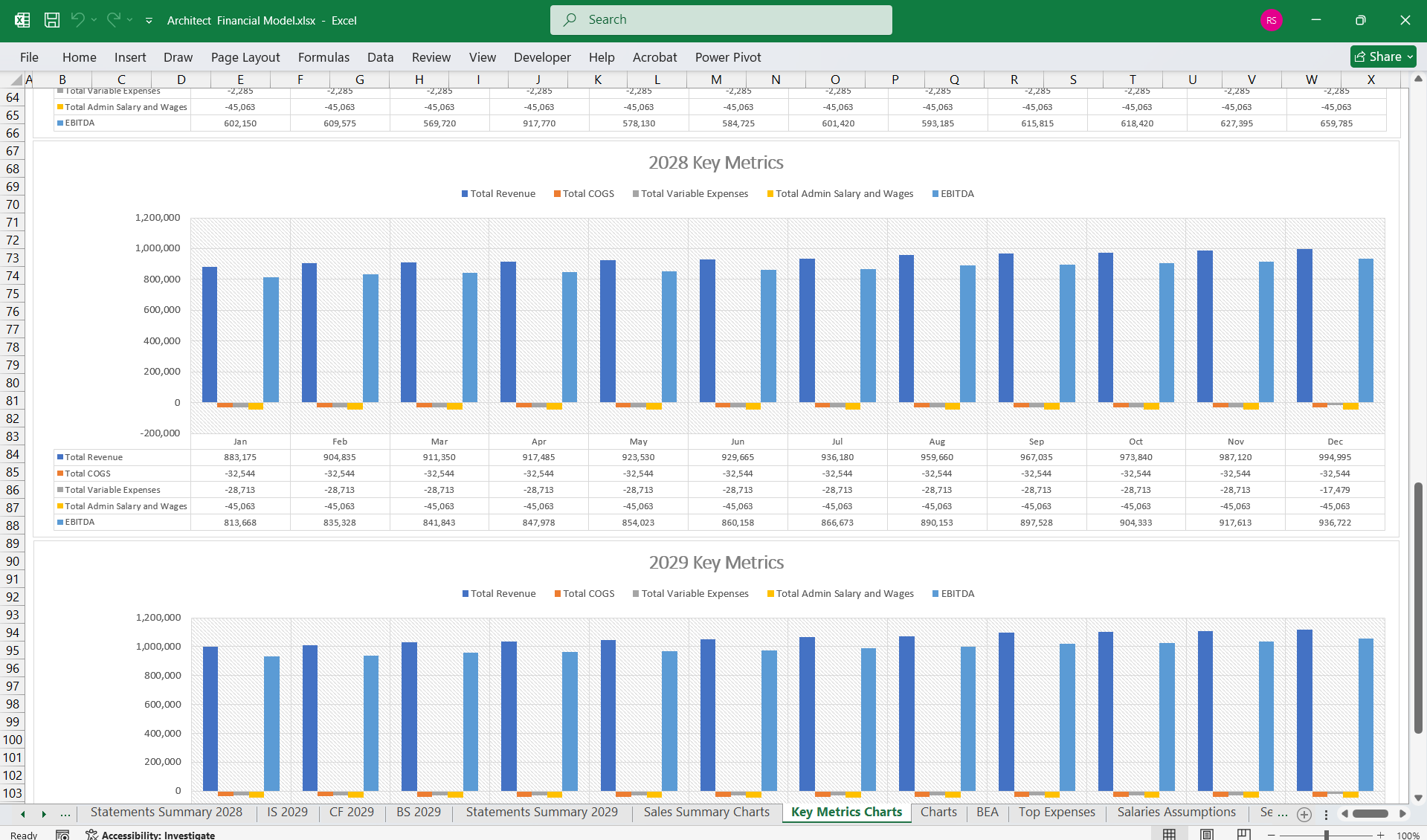
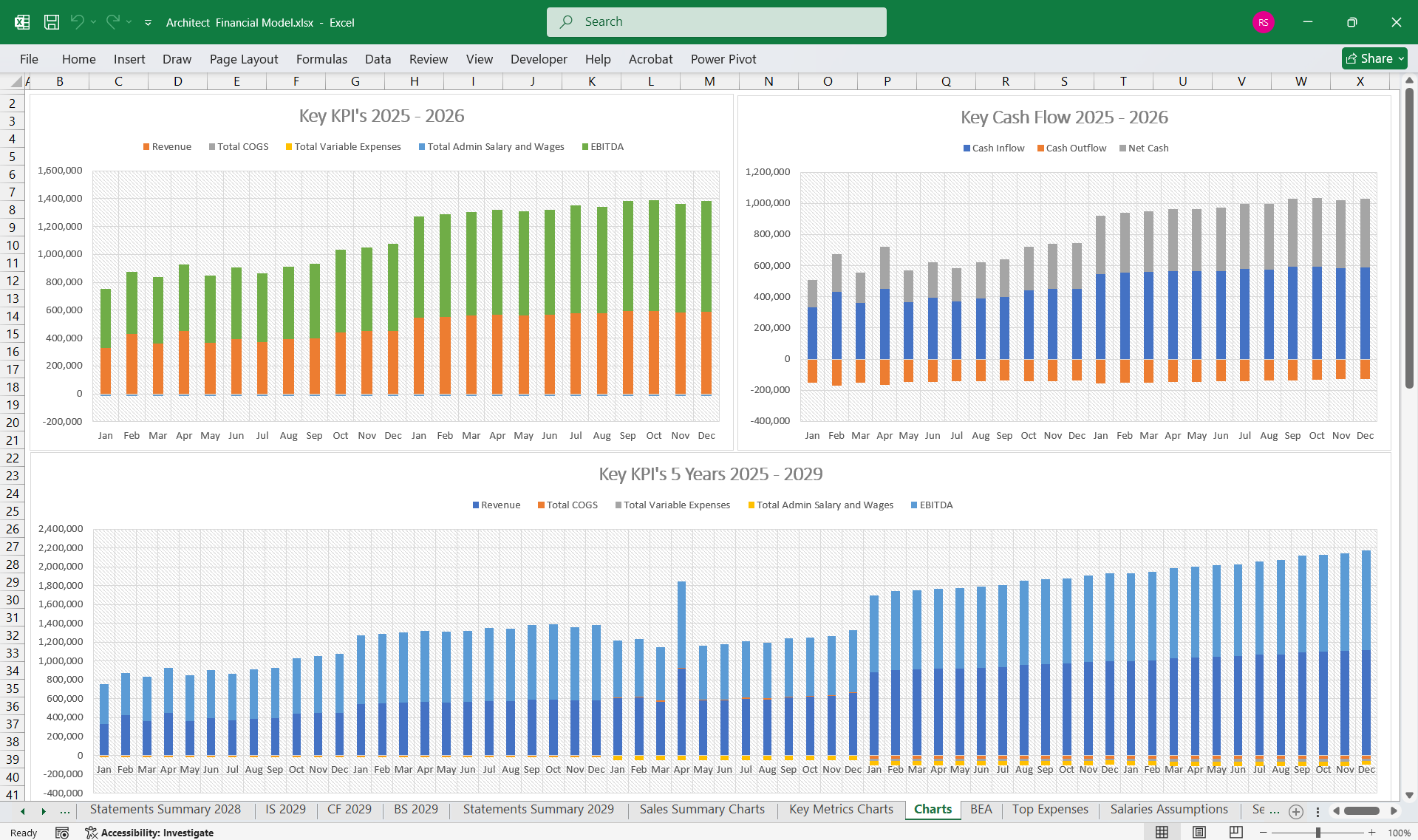
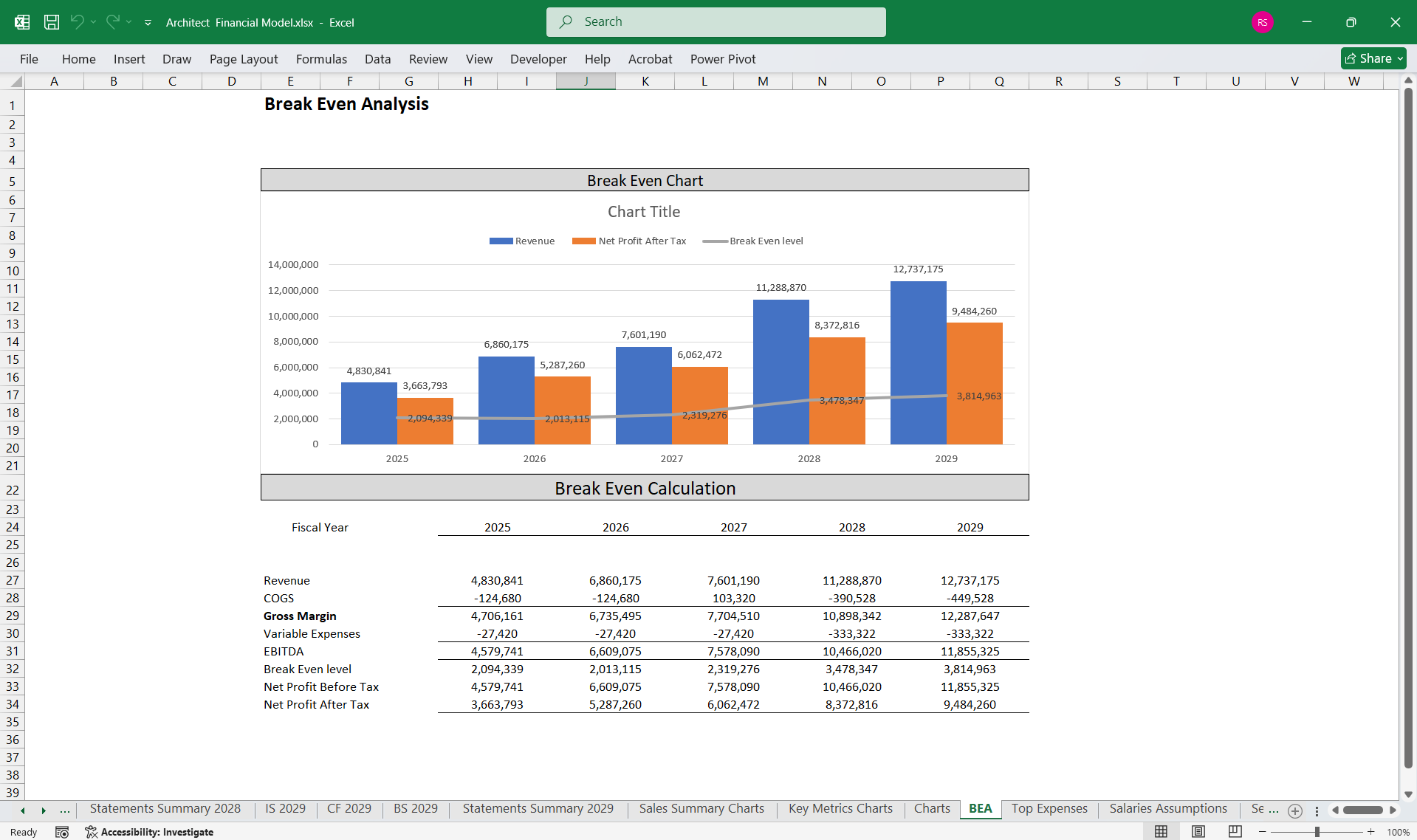
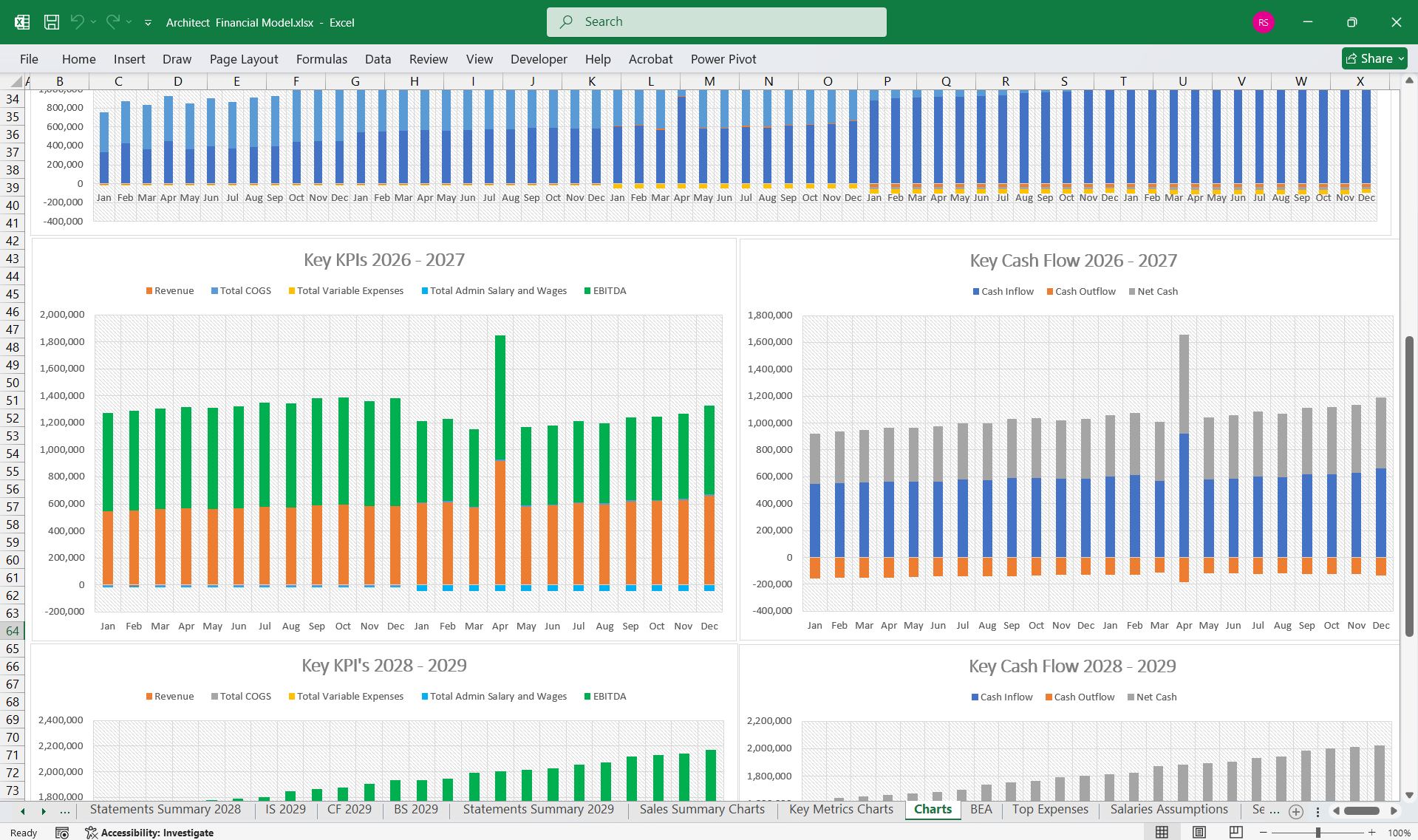
A comprehensive editable, MS Excel model for tracking Architect Company finances, Income Statements, Balance Sheets, & CF Statements & development revenue.
AllFinancialModels offer a curated selection of high-quality yet financial model templates designed to support a wide range of business needs.Follow
Description
This financial model for an architect provides a structured framework for evaluating your architectural practice's financial performance and viability. It includes an interconnected Income Statement, Cash Flow Statement, and Balance Sheet.
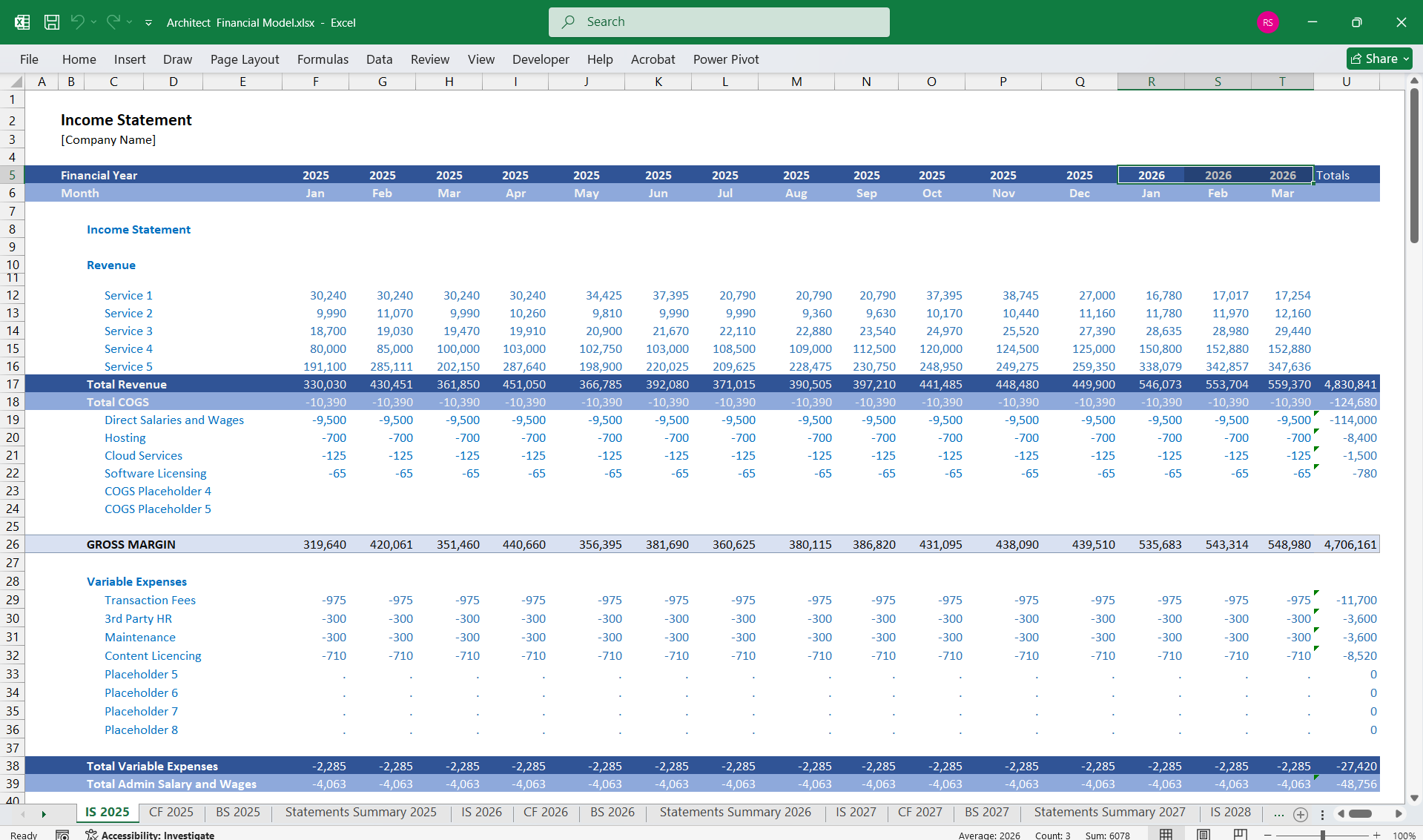
1. Income Statement
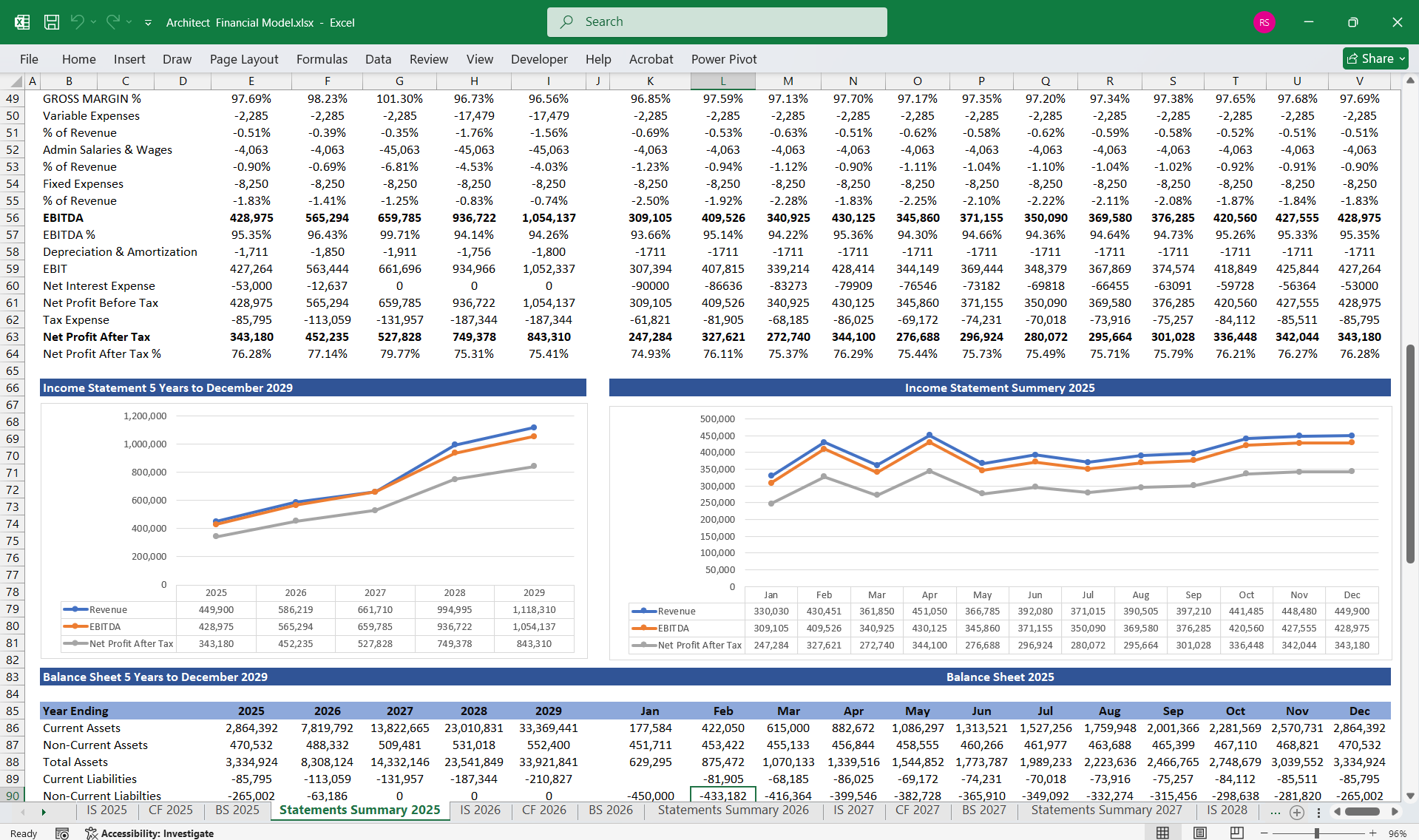
The Income Statement provides a snapshot of profitability over a specific period, typically monthly, quarterly, or annually.
Key Components:
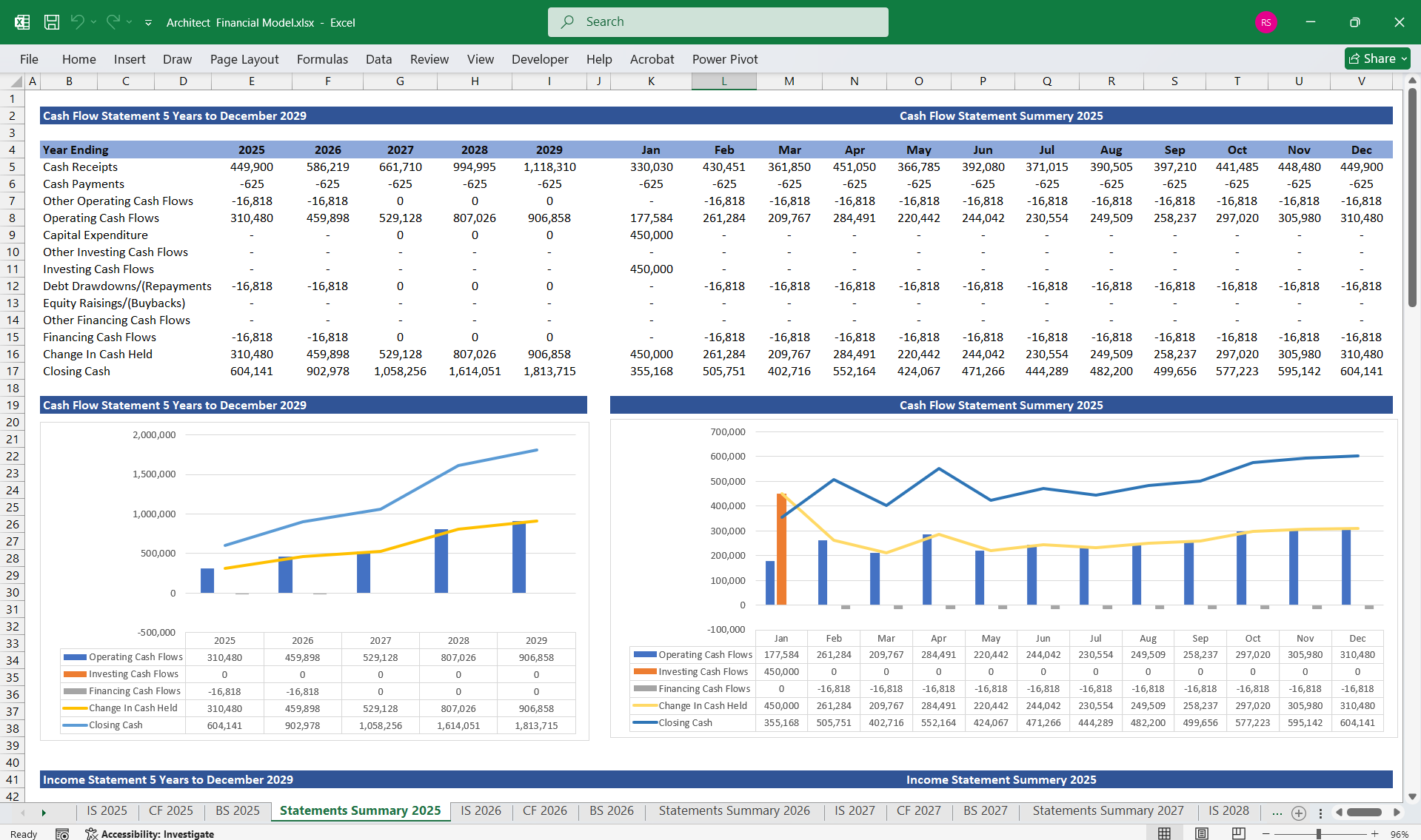
The Cash Flow Statement focuses on the cash inflows and outflows, segmented into three activities: operating, investing, and financing.
Key Components:
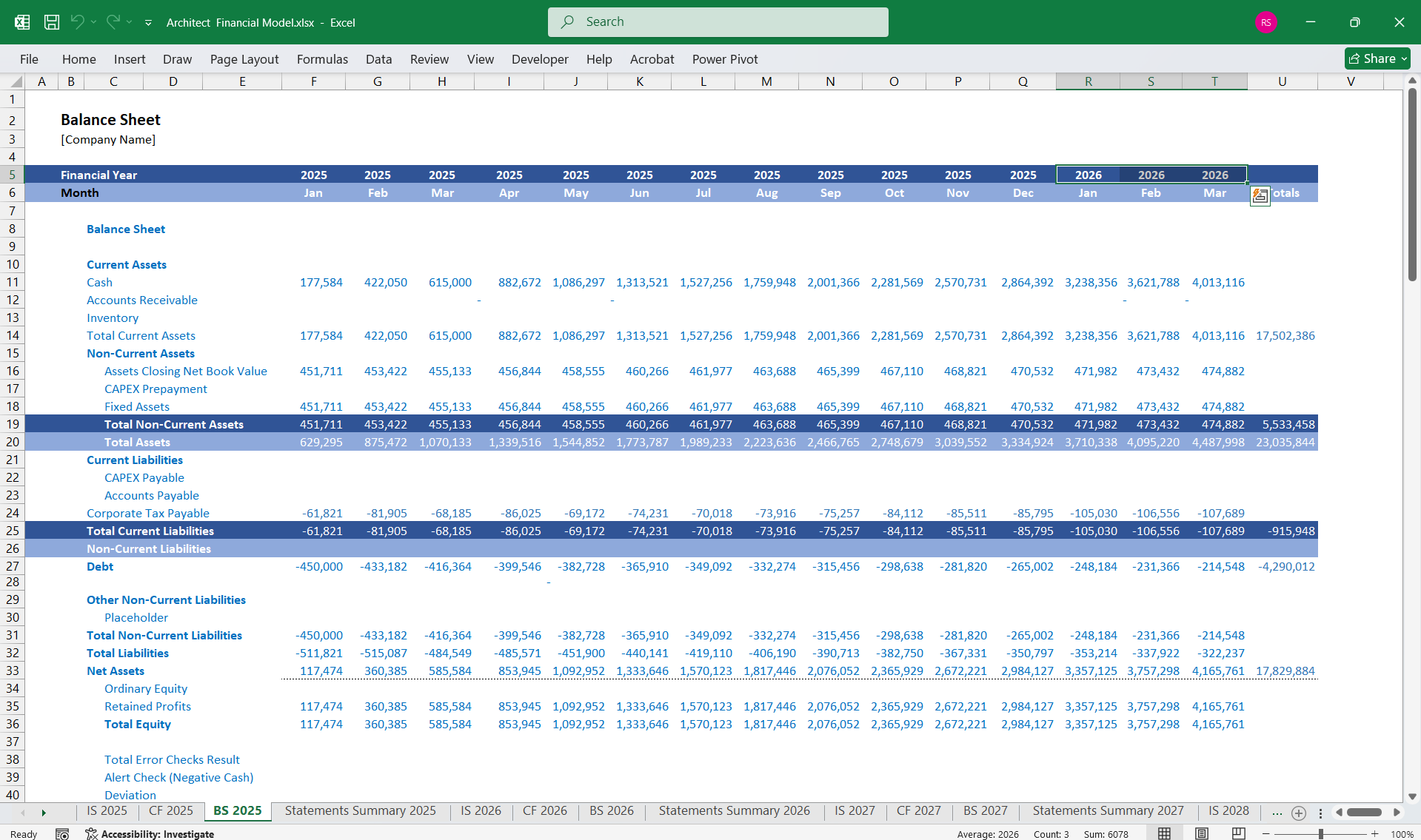
The Balance Sheet provides a snapshot of the architect’s financial position at a specific date, detailing assets, liabilities, and equity.
Key Components:
This financial model for an architect provides a structured framework for evaluating your architectural practice's financial performance and viability. It includes an interconnected Income Statement, Cash Flow Statement, and Balance Sheet.
1. Income Statement
The Income Statement provides a snapshot of profitability over a specific period, typically monthly, quarterly, or annually.
Key Components:
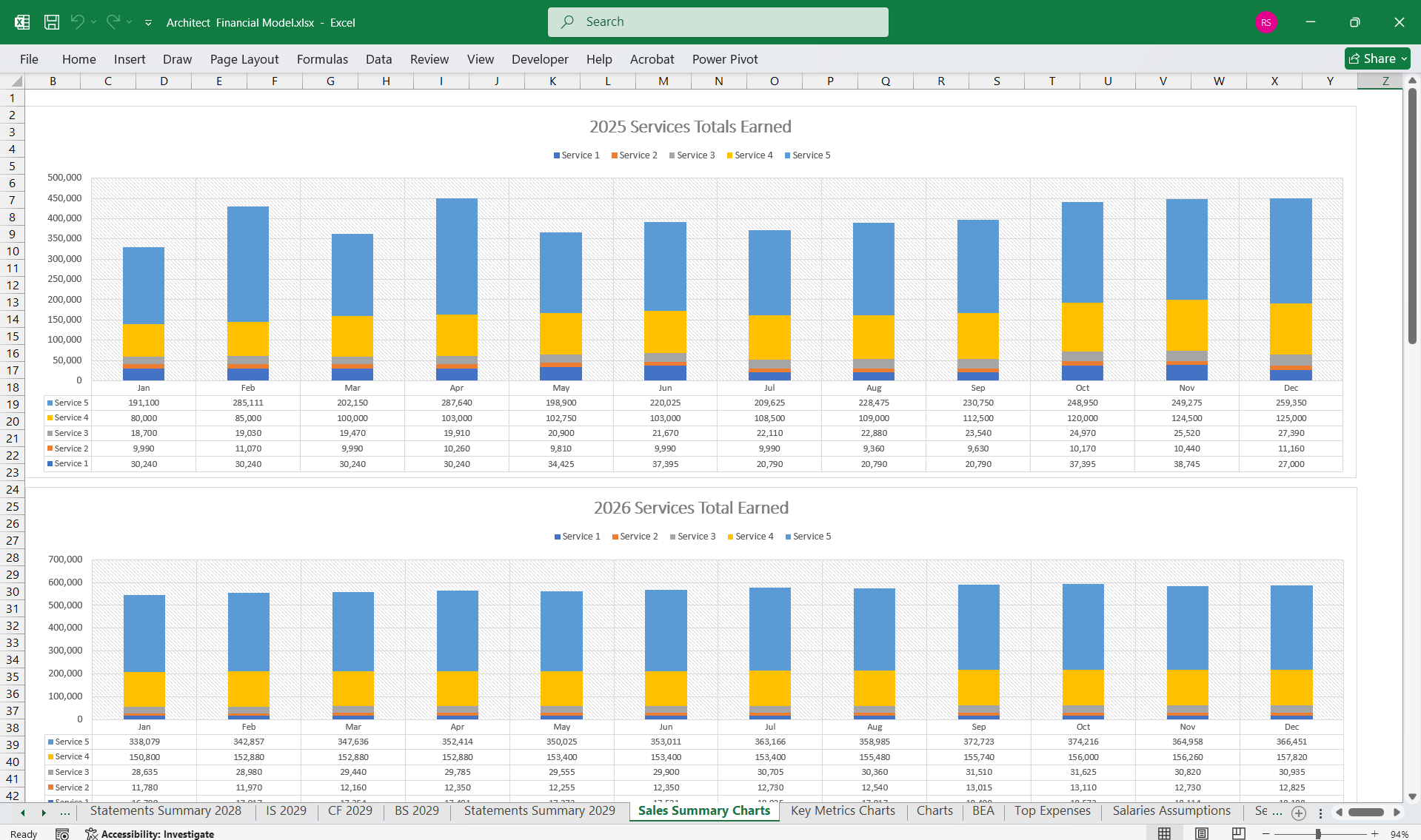
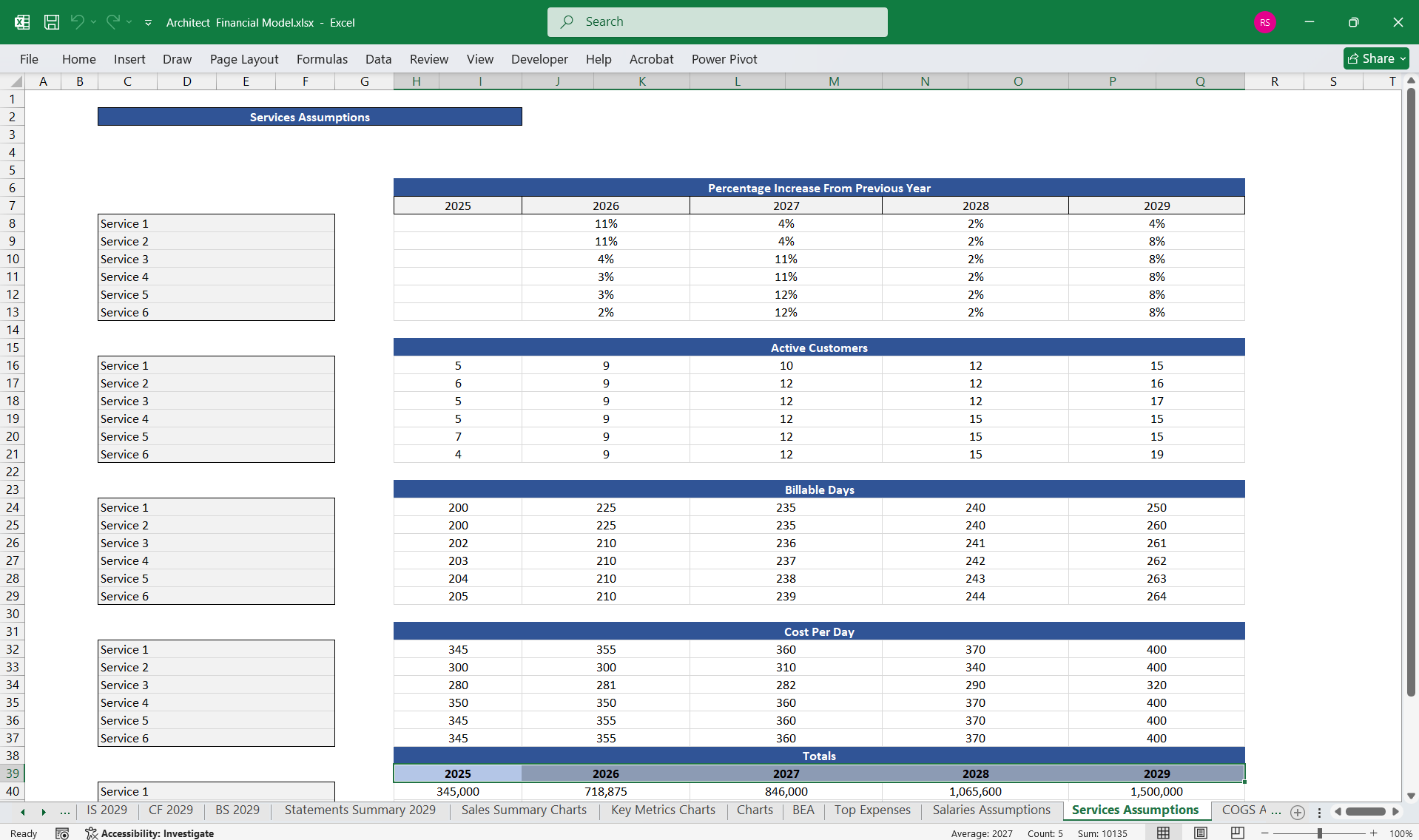
- Revenue:
- Project Fees: Income from design and architectural projects.
- Consultation Fees: Revenue from advisory or consultancy services.
- Other Revenue Streams: Income from workshops, publications, or teaching.
- Cost of Goods Sold (COGS):
- Direct Project Costs: Costs directly tied to projects (e.g., subcontractors, software for project-specific needs, travel for client visits).
- Gross Profit:
- Revenue−COGS\text{Revenue} – \text{COGS}
- Operating Expenses:
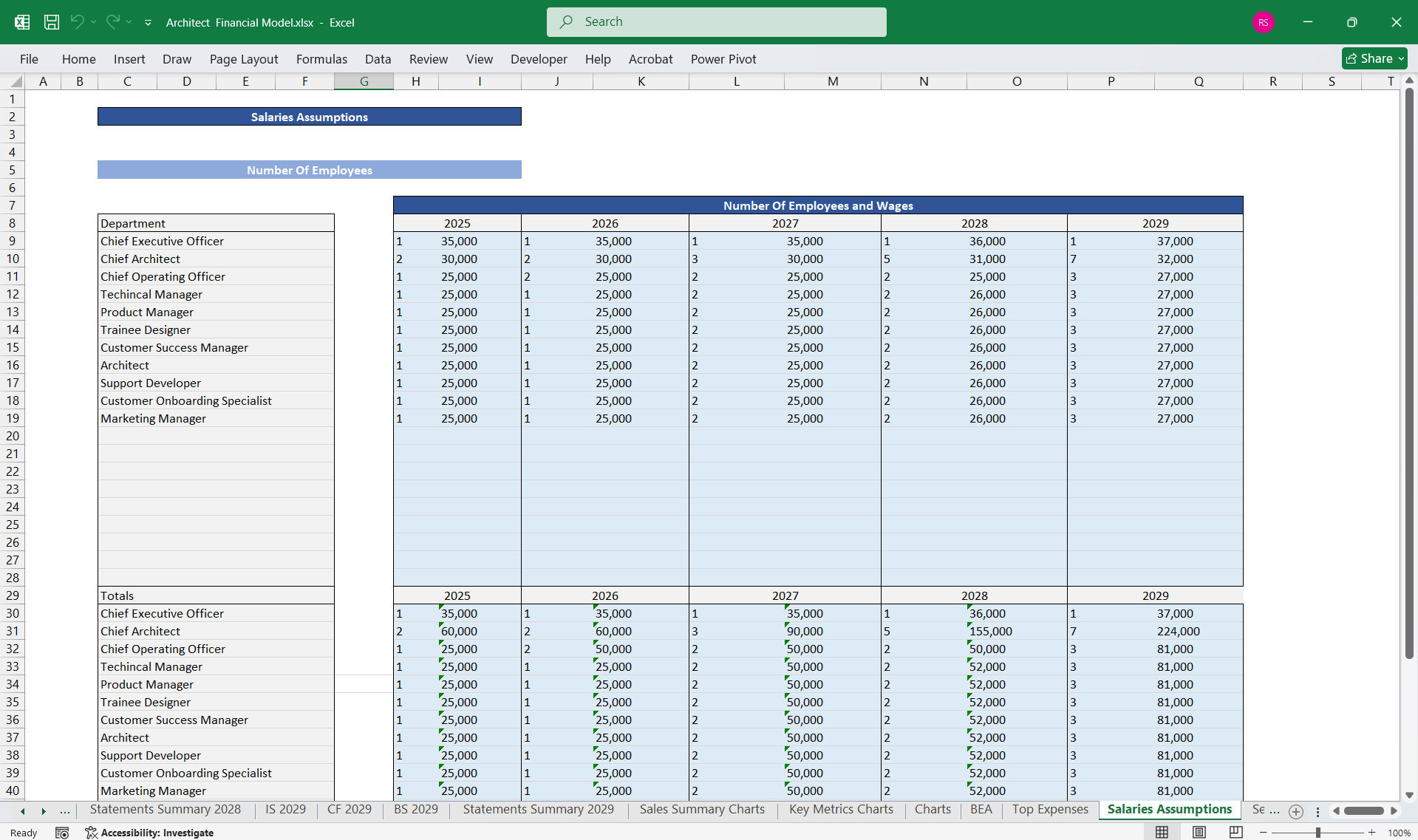
- Salaries and Wages: For architects, draftsmen, and administrative staff.
- Office Rent and Utilities: Costs of maintaining office space.
- Software Subscriptions: For CAD, BIM, or other architectural tools.
- Marketing and Advertising: For portfolio showcases and client acquisition.
- Professional Development: Training, workshops, and certifications.
- Depreciation and Amortization: For office equipment and software.
- Operating Profit (EBIT):
- Gross Profit−Operating Expenses\text{Gross Profit} – \text{Operating Expenses}
- Other Income and Expenses:
- Interest Income or Expense: On loans or investments.
- Taxes: Corporate taxes or self-employment taxes.
- Net Profit:
- Operating Profit+Other Income and Expenses\text{Operating Profit} + \text{Other Income and Expenses}
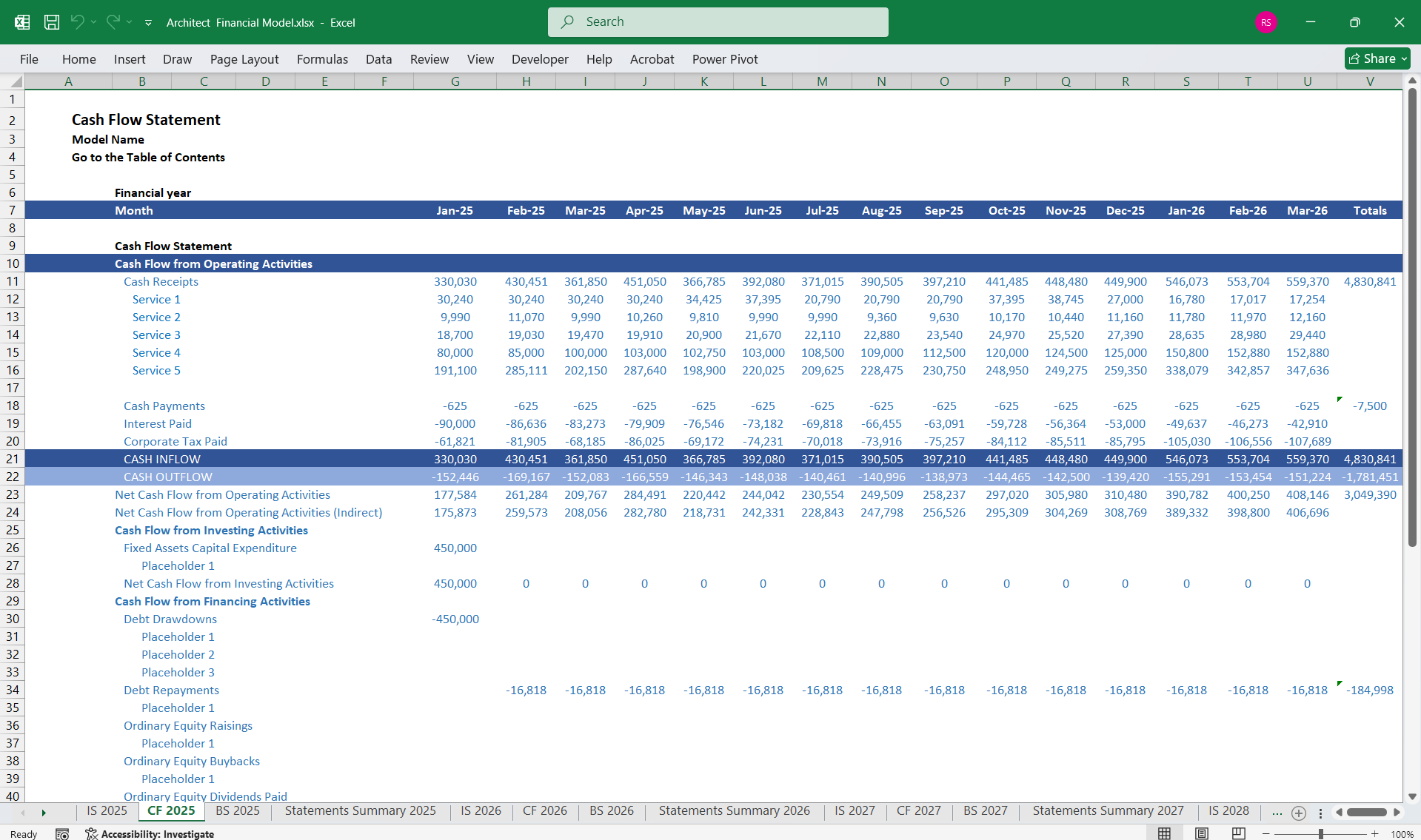
The Cash Flow Statement focuses on the cash inflows and outflows, segmented into three activities: operating, investing, and financing.
Key Components:
- Cash Flow from Operating Activities:
- Cash Inflows: Payments received from clients.
- Cash Outflows: Payments for project expenses, salaries, rent, utilities, and taxes.
- Cash Flow from Investing Activities:
- Outflows: Purchase of office equipment, software licenses, or office renovations.
- Inflows: Sale of unused equipment or real estate.
- Cash Flow from Financing Activities:
- Inflows: Loans or external investments.
- Outflows: Loan repayments, interest payments, or dividend distributions (if any).
- Net Cash Flow:
- Operating Cash Flow+Investing Cash Flow+Financing Cash Flow\text{Operating Cash Flow} + \text{Investing Cash Flow} + \text{Financing Cash Flow}
- Opening and Closing Cash Balance:
- Links the beginning cash position to the end cash position after factoring in net cash flows.
The Balance Sheet provides a snapshot of the architect’s financial position at a specific date, detailing assets, liabilities, and equity.
Key Components:
- Assets:
- Current Assets:
- Cash and Cash Equivalents: Bank account balances, petty cash.
- Accounts Receivable: Unpaid invoices from clients.
- Prepaid Expenses: Software licenses or rent paid in advance.
- Non-Current Assets:
- Equipment: Computers, printers, and office furniture.
- Software: Architectural software like Revit or AutoCAD.
- Real Estate: Owned office space.
- Current Assets:
- Liabilities:
- Current Liabilities:
- Accounts Payable: Outstanding payments for subcontractors or suppliers.
- Short-Term Debt: Loan instalments due within a year.
- Accrued Expenses: Salaries or taxes owed but not yet paid.
- Long-Term Liabilities:
- Loans: Long-term business loans or mortgages.
- Current Liabilities:
Equity:- Owner’s Capital: Initial investment or retained earnings.
- Retained Earnings: Cumulative profits reinvested into the business.
Balance Sheet Equation:
Assets=Liabilities+Equity\text{Assets} = \text{Liabilities} + \text{Equity}
- Net Profit from the Income Statement flows into the Cash Flow Statement (Operating Activities) and increases Retained Earnings in the Balance Sheet.
- Changes in Assets and Liabilities affect the Cash Flow Statement under Operating or Investing Activities.
- Financing activities in the Cash Flow Statement update Liabilities and Equity on the Balance Sheet.
- Scenario Planning: The model can incorporate different assumptions, such as variations in project volume, payment delays, or cost overruns.
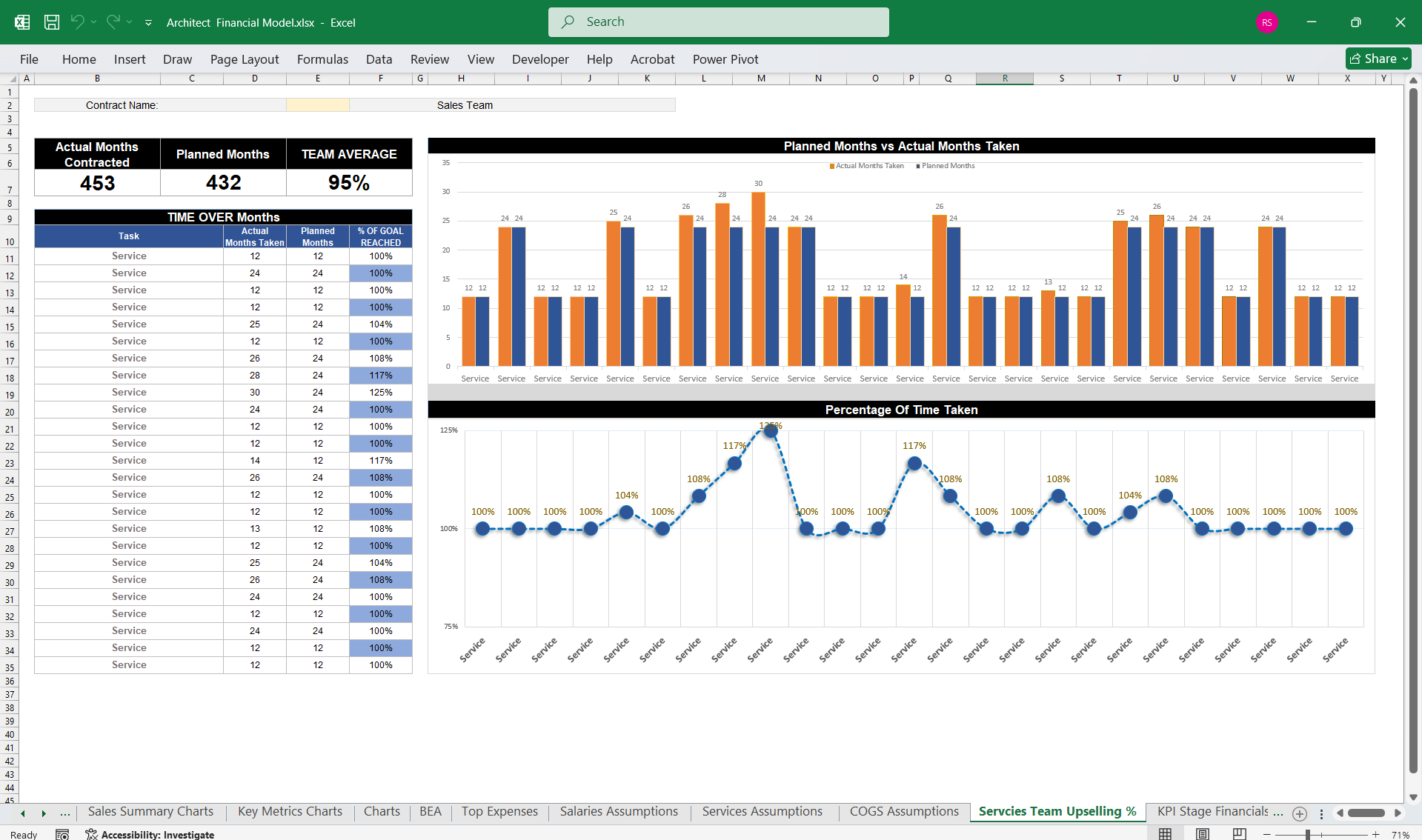
- KPIs: Key Performance Indicators (e.g., profit margins, receivables turnover, utilization rates) can be integrated for better insights.
- Automation: Use tools like Excel software to streamline calculations and forecasts.
This Best Practice includes
1 Architect Company Finance Model in Excel
Further information
Provides thorough oversight, tracking, and reporting of architect company finances, including updates on budget utilisation and projections.
