Fee Collection & Revenue Dashboard – Excel Template for Schools & Tuition Centers with Live KPIs & PivotCharts
Originally published: 25/09/2026 16:15
Publication number: ELQ-62066-1
View all versions & Certificate
certified

Fee Collection & Revenue Dashboard – Excel Template for Schools & Tuition Centers with Live KPIs & PivotCharts

An Excel dashboard for schools and tuition centers that tracks every student fee invoice and payment in one unlimited-growth table.

Description
This Fee Collection & Revenue Dashboard is a formula-driven Excel workbook built for school administrators, tuition center owners, and finance staff who need clear, real-time visibility into fee collection — one of the most persistent operational challenges in running an educational institution. Chasing overdue payments and manually reconciling who has and hasn't paid is time-consuming and error-prone; this dashboard automates the tracking so nothing falls through the cracks.

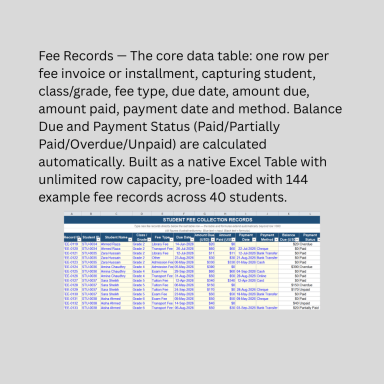
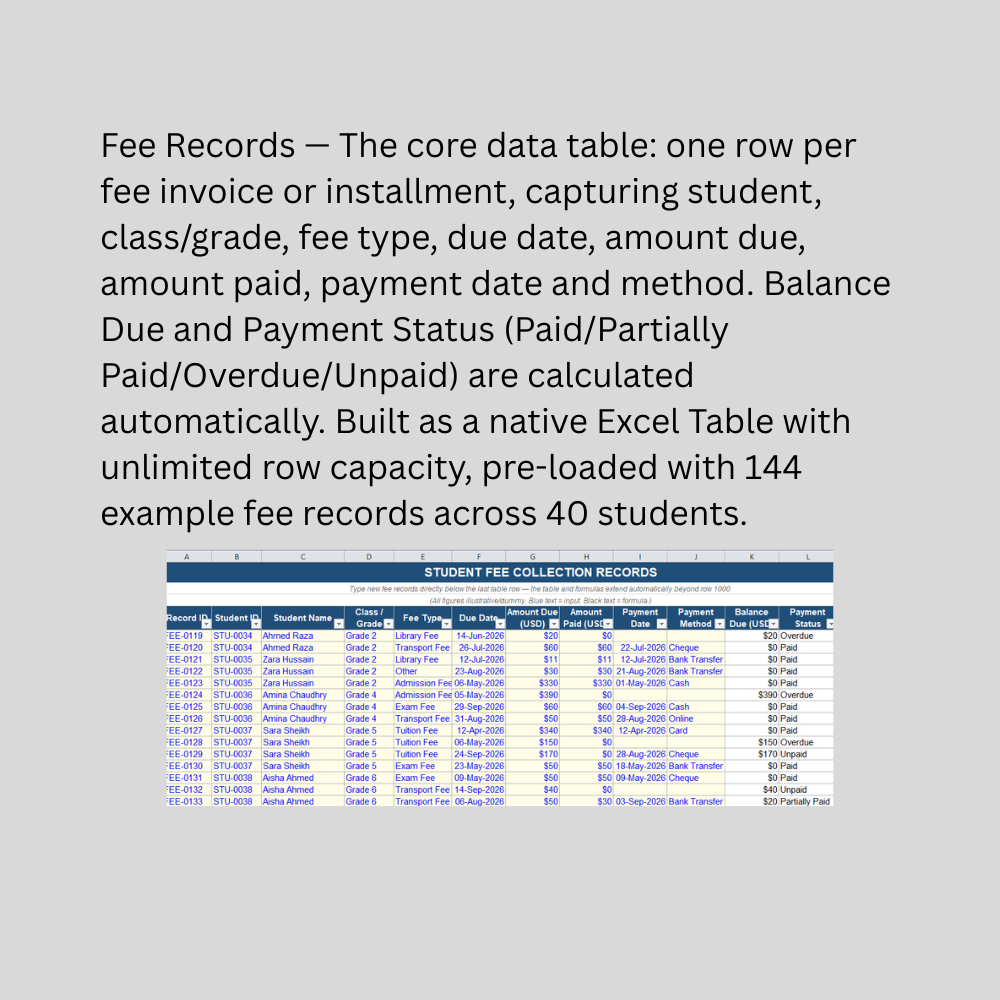
At its core is a single, expandable Fee Records table — one row per fee invoice or installment — capturing student details, class/grade, fee type (tuition, admission, exam, transport, library, or other), due date, amount due, amount paid, and payment method. Built as a native Excel Table, it grows without limit: log new invoices simply by typing into the row below the last one, with dropdown validation and automatic formulas extending instantly. Balance Due and Payment Status are calculated automatically — with genuinely useful logic that distinguishes "Unpaid" (not yet due) from "Overdue" (past due date with no payment).

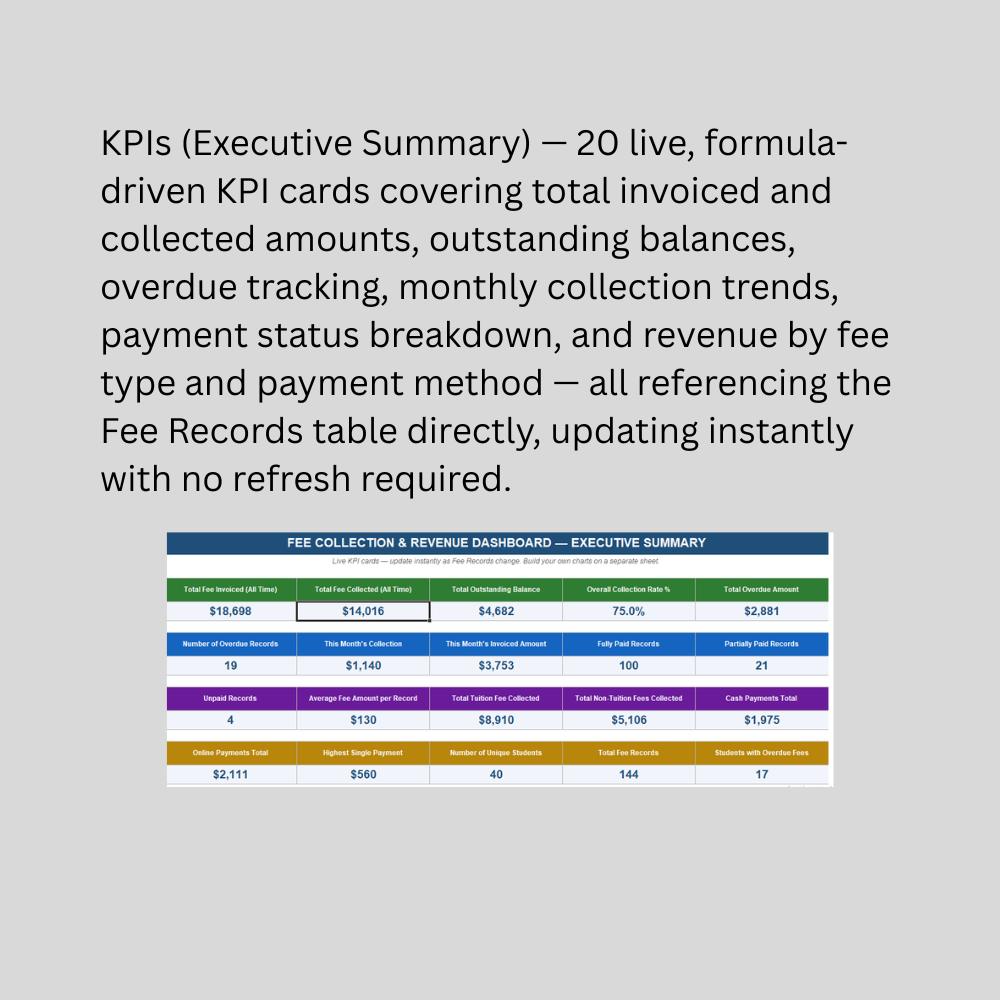
The KPIs (Executive Summary) sheet turns that data into 20 live metrics: total fees invoiced and collected, outstanding balance, overall collection rate, overdue amount and record count, monthly collection activity, payment status breakdown, tuition versus non-tuition revenue, and payment method splits. Every KPI updates instantly with zero manual recalculation.

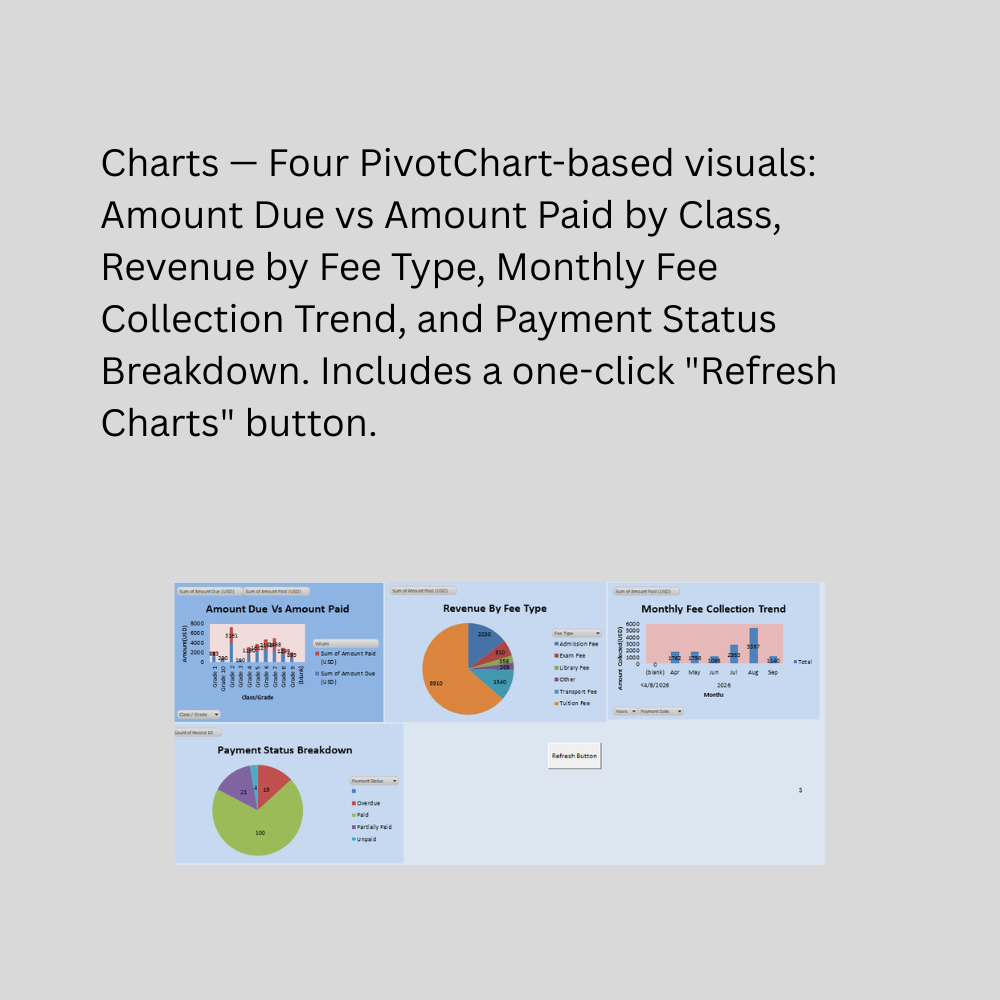
The Charts sheet adds four PivotTable-driven visuals: Amount Due vs Amount Paid by Class, Revenue by Fee Type, Monthly Fee Collection Trend, and Payment Status Breakdown. Because PivotCharts require a refresh to reflect new data, a one-click "Refresh Charts" button (built with a simple macro) updates all four at once and confirms completion with an on-screen message. The workbook is macro-enabled (.xlsm) to support this button, with a security prompt on first open being normal and expected.

This Best Practice includes
1 excel dashboard file (xlsm) with instruction set

Acquire business license for $15.00

Add to cart

Add to bookmarks

Discuss

Further information

Provide a centralized, unlimited-growth record of every student fee invoice and payment
Automatically calculate balance due and payment status, distinguishing overdue from not-yet-due
Track overall and monthly collection rates without manual reconciliation
Visualize revenue by class, fee type, payment method, and month through PivotCharts
Identify students with overdue fees quickly for proactive follow-up
Enable one-click refresh of all charts, avoiding the risk of viewing stale data
Give school administrators and tuition center owners a fast, reliable financial snapshot

Schools, tuition centers, and coaching institutes managing student fee collection
Administrators wanting visibility into collection rate, overdue accounts, and revenue trends
Institutions charging multiple fee types (tuition, admission, exam, transport, etc.) per student
Businesses wanting a lightweight, offline alternative to dedicated school management software
Users comfortable with Excel PivotTables/PivotCharts and enabling macros (.xlsm files)
Institutions with a moderate number of students where manual fee record entry is practical

Large institutions needing automated payment gateway integration or online parent payment portals
Multi-campus or multi-branch institutions requiring consolidated reporting across locations
Institutions needing automated payment reminders, SMS/email notifications, or receipt generation
Businesses needing direct integration with accounting software for financial statement preparation
Complex fee structures involving scholarships, discounts, or installment plans requiring automated calculation
Businesses unable or unwilling to enable macros, since the Refresh Charts button requires this
Situations requiring certified financial records for audit or regulatory purposes — this is an operational tracking tool, not a substitute for accounting software or professional financial record-keeping


0.0 / 5 (0 votes)

please wait...