Pakistan's Federal Government & Khyber Pakhtunkhwa Province Pension Calculator
Originally published: 16/05/2026 18:26
Publication number: ELQ-35376-1
View all versions & Certificate
certified

Pakistan's Federal Government & Khyber Pakhtunkhwa Province Pension Calculator

A fully automated Microsoft Excel pension calculator for Pakistani government employees, built on official AGPR and KPK pension rules

Description
This Excel workbook automates the complete Pakistan government pension calculation process end-to-end, eliminating manual errors and saving hours of work for HR departments, accounts offices, finance officers, and retirees.


What it calculates — automatically:
  • Date of Retirement (auto-computed as DOB + 60 years for Superannuation; manual entry for other pension types)
  • Qualifying Service with correct rounding rule (≥7 remaining months = +1 year, capped at 30)
  • Total Emoluments (Basic Pay + Special Pay + Personal Pay + Qualification Pay + Overseas Pay + Senior Post Allowance + Orderly Allowance + Other)
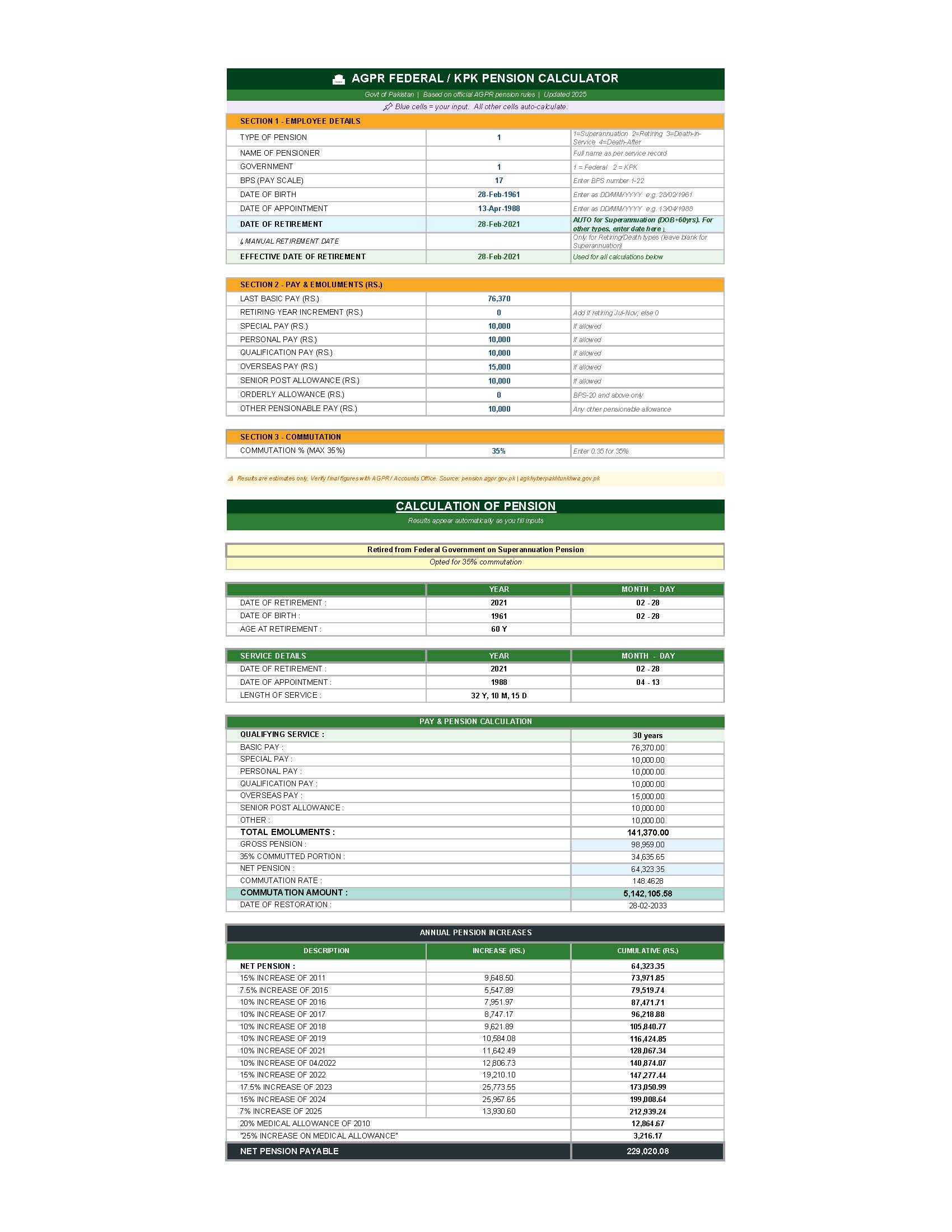
  • Gross Pension using the official formula: (Emoluments × Qualifying Service × 7) ÷ 300, minimum Rs. 10,000
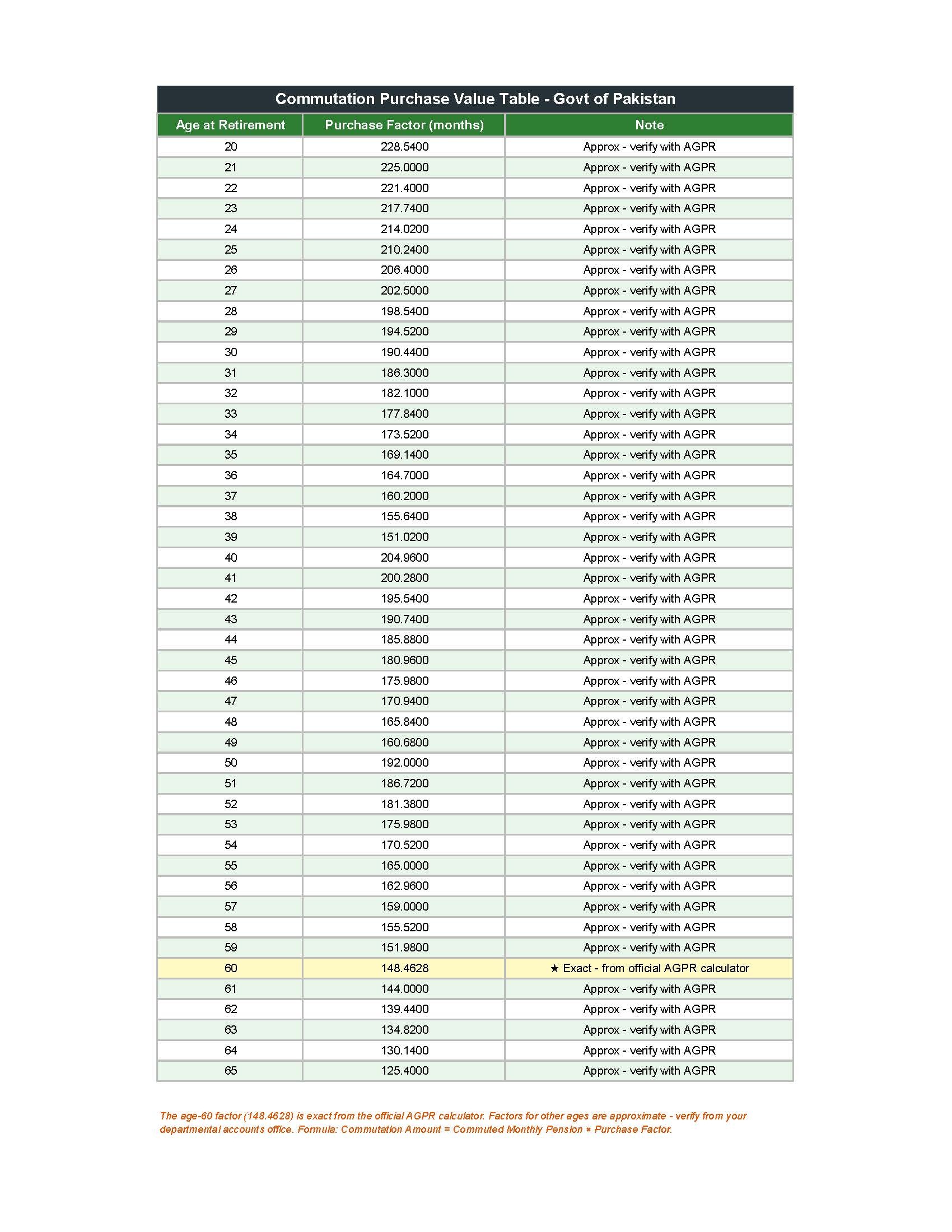
  • Commutation Amount using the correct formula: Commuted Portion × Commutation Rate (e.g. 148.4628 for age 60) — not the commonly mistaken ×12 method
  • Lump-Sum Commutation Payment and Date of Restoration
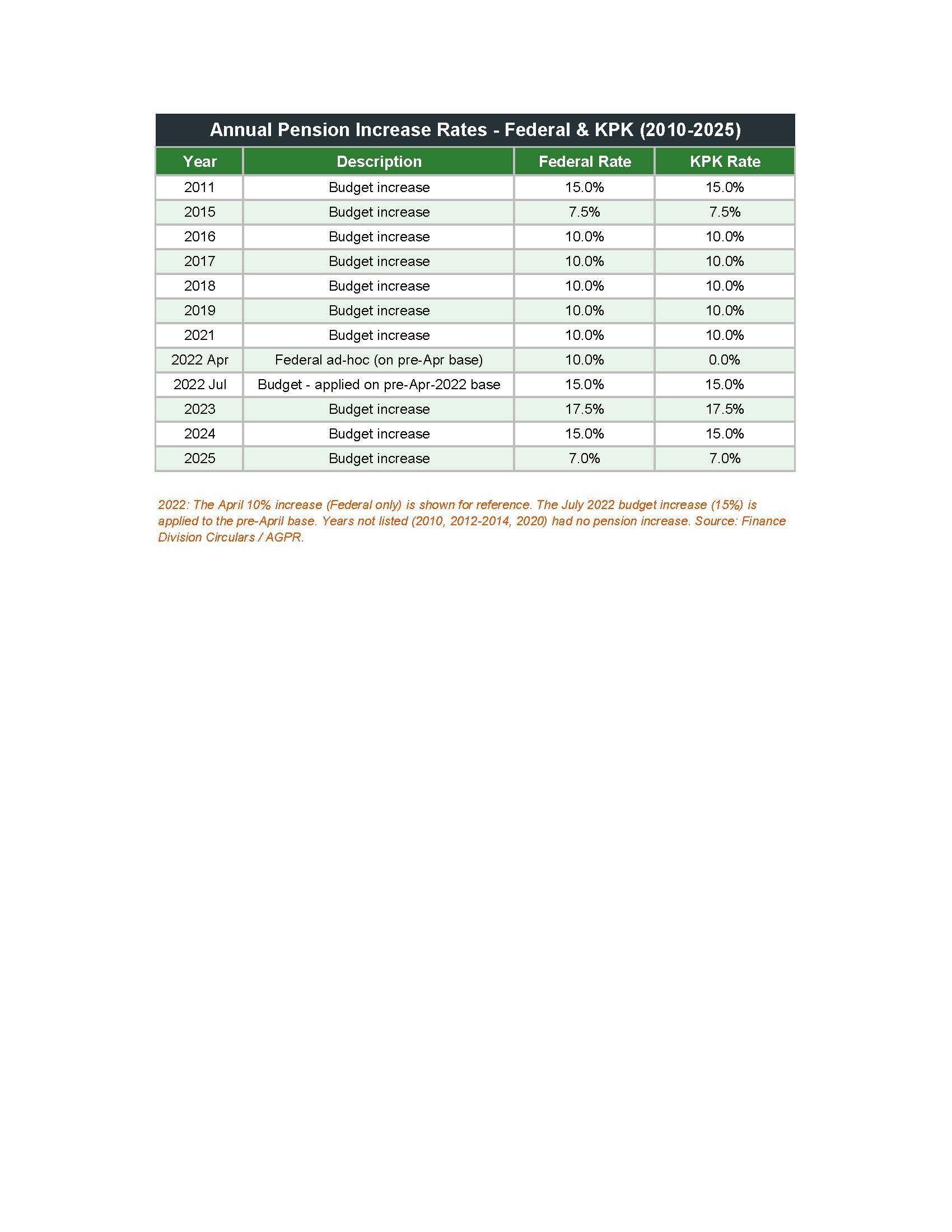
  • Full year-by-year annual increase breakdown (2011–2025) with incremental and cumulative columns
  • 2022 dual-increase logic: April 10% (Federal only) and July 15% correctly applied to the pre-April base
  • Medical Allowance (25% for BPS 1–15; 20% for BPS 16–22) + 25% Additional Medical Allowance
  • Net Pension Payable (final take-home figure)


Validation & error-proofing:
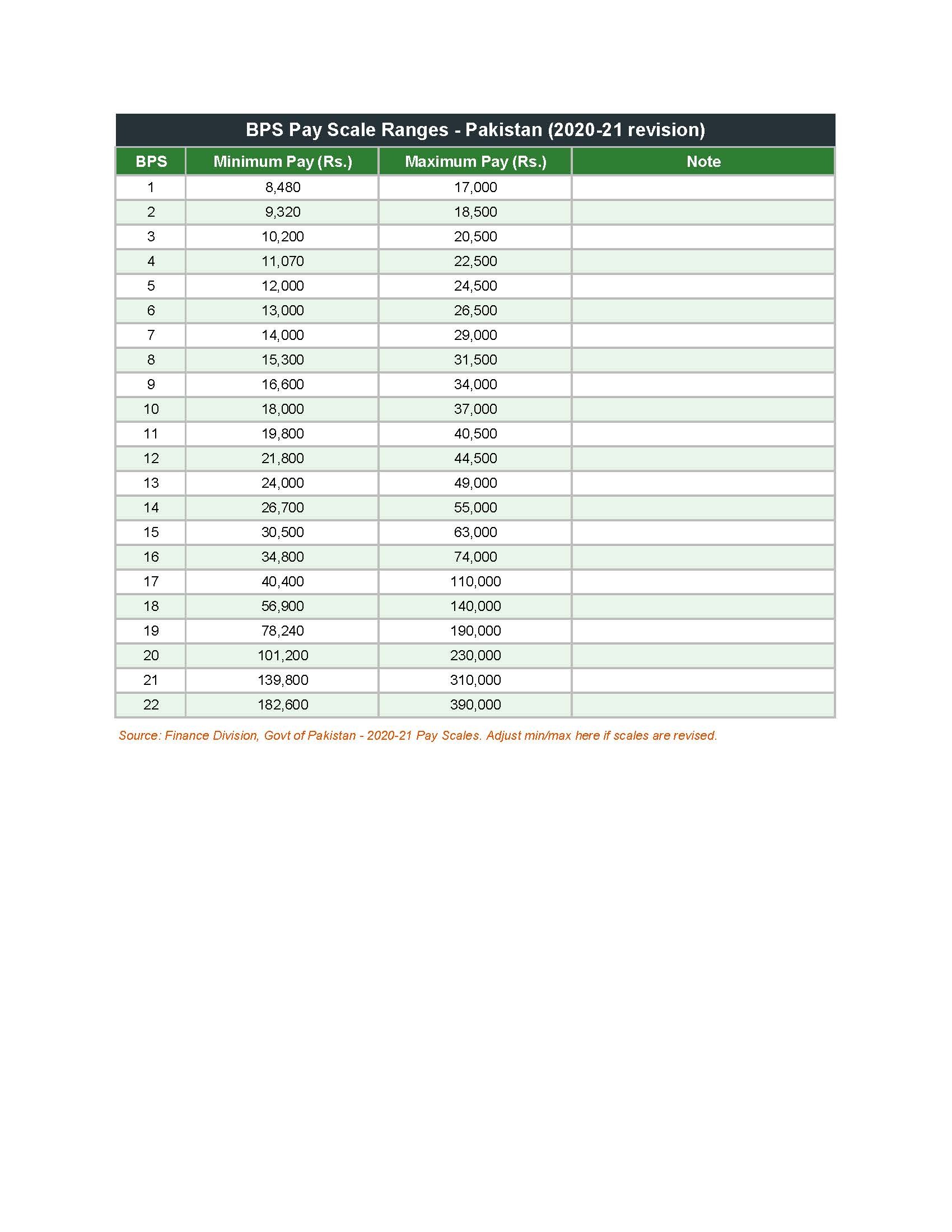
  • BPS pay validation: red warning appears in the adjacent cell if the entered Basic Pay falls outside the official min–max range for that pay scale
  • IFERROR wrappers on all date-dependent formulas prevent #VALUE! errors while dates are being entered
  • Commutation factor lookup from an embedded official table (60 age-brackets)


Workbook structure (5 sheets):
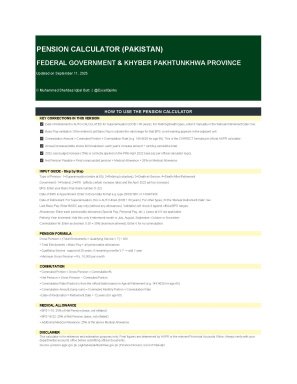
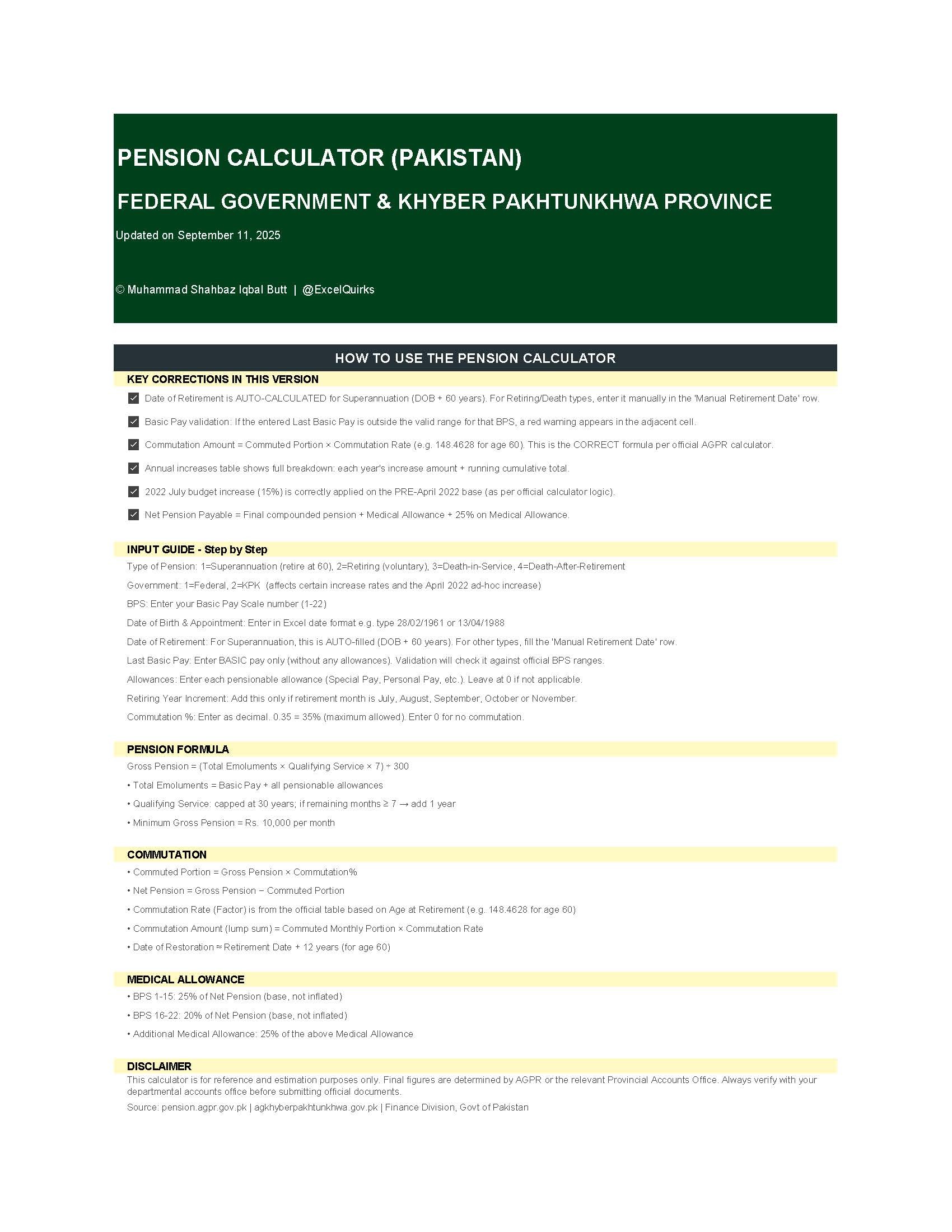
  1. How to Use — Step-by-step guide with formula explanations
  2. Pension Calculator — dual-panel layout: inputs on left, full results on right
  3. Pay Scales — BPS 1–22 pay ranges used for Basic Pay validation
  4. Commutation Table — Official commutation purchase value factors by age
  5. Pension Increase Rates — Annual increase rates for Federal and KPK (2011–2025)
Supports Federal and KPK government employees. Supports all four pension types: Superannuation, Retiring, Death-in-Service, Death-After-Retirement.

This Best Practice includes
Excel Workbook

Acquire business license for $5.00

Add to cart

Add to bookmarks

Discuss


0.0 / 5 (0 votes)

please wait...