IT Service Operations & Risk Management System | SLA, Risk, Change, Incident & Compliance

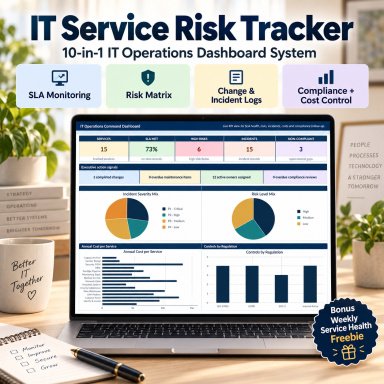
A professional Excel-based IT service management system for monitoring SLAs, service risks, maintenance, changes, incidents, costs, compliance and ownership.

Description
🛡️ IT SERVICE OPERATIONS & RISK MANAGEMENT SYSTEM

Bring structure, visibility and consistent management reporting to your IT operations with one integrated Excel-based system.


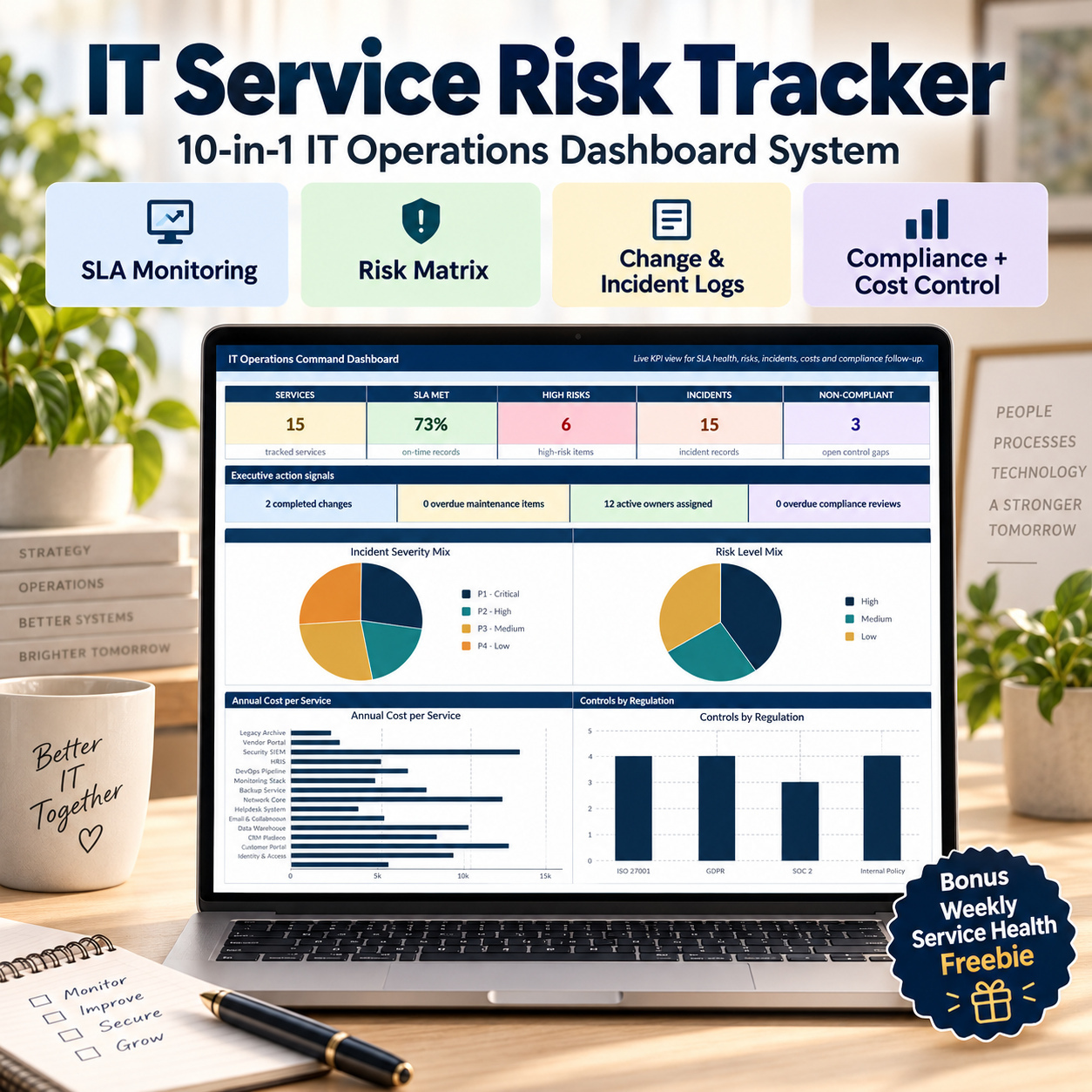
This professional toolkit combines IT service oversight, SLA monitoring, risk management, maintenance, change control, incident tracking, cost management, compliance and ownership in one connected environment.


It is designed for IT teams that want more control than scattered spreadsheets without implementing a complex enterprise ITSM platform.


📊 COMPLETE IT OPERATIONS MANAGEMENT SYSTEM
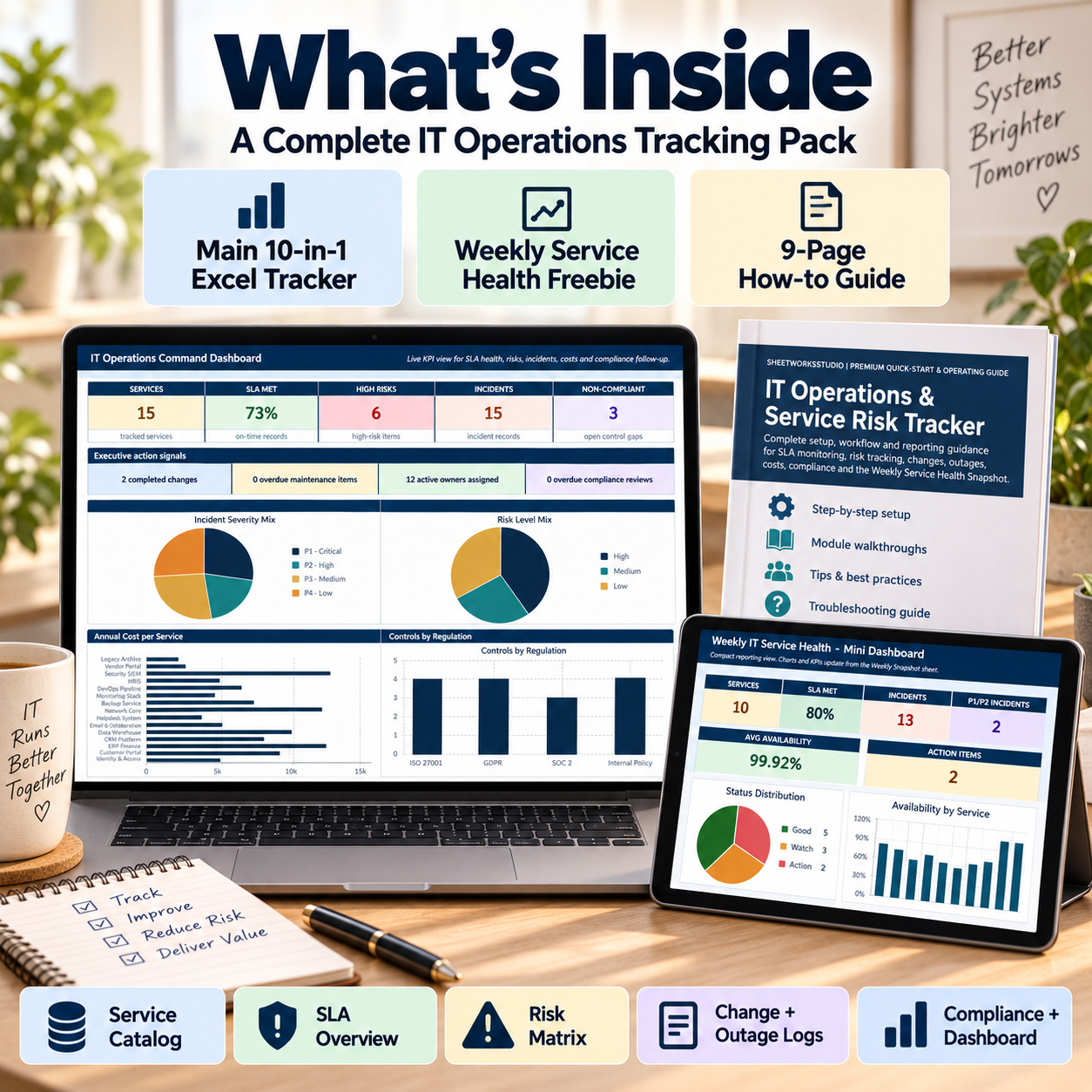
The main workbook combines 10 core management modules:
✅ Service Catalog
✅ SLA Overview
✅ Risk Matrix
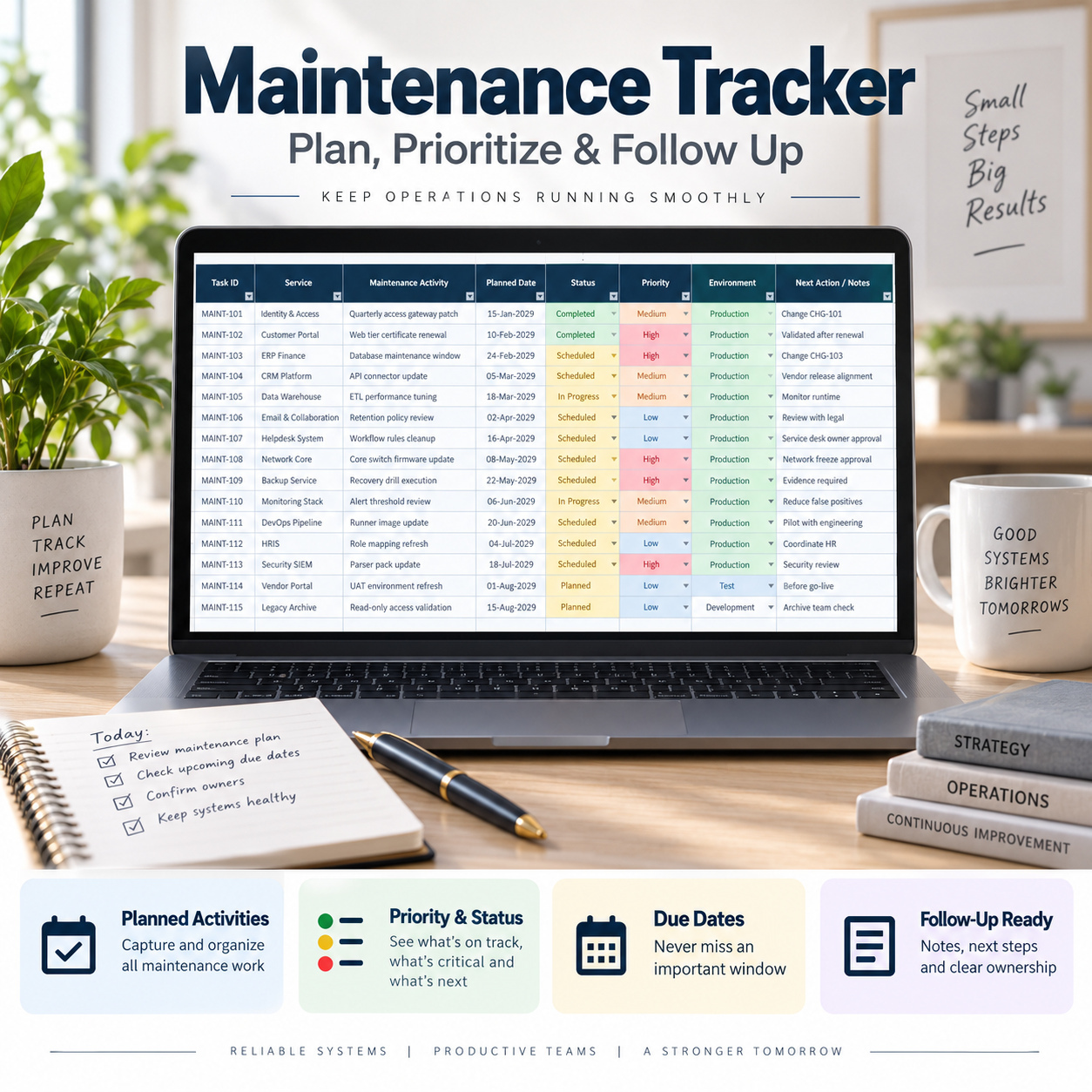
✅ Maintenance Tracker
✅ Change Log
✅ Outage & Incident Statistics
✅ Cost Overview
✅ Compliance Register
✅ Owners & Escalation
✅ Executive Dashboard


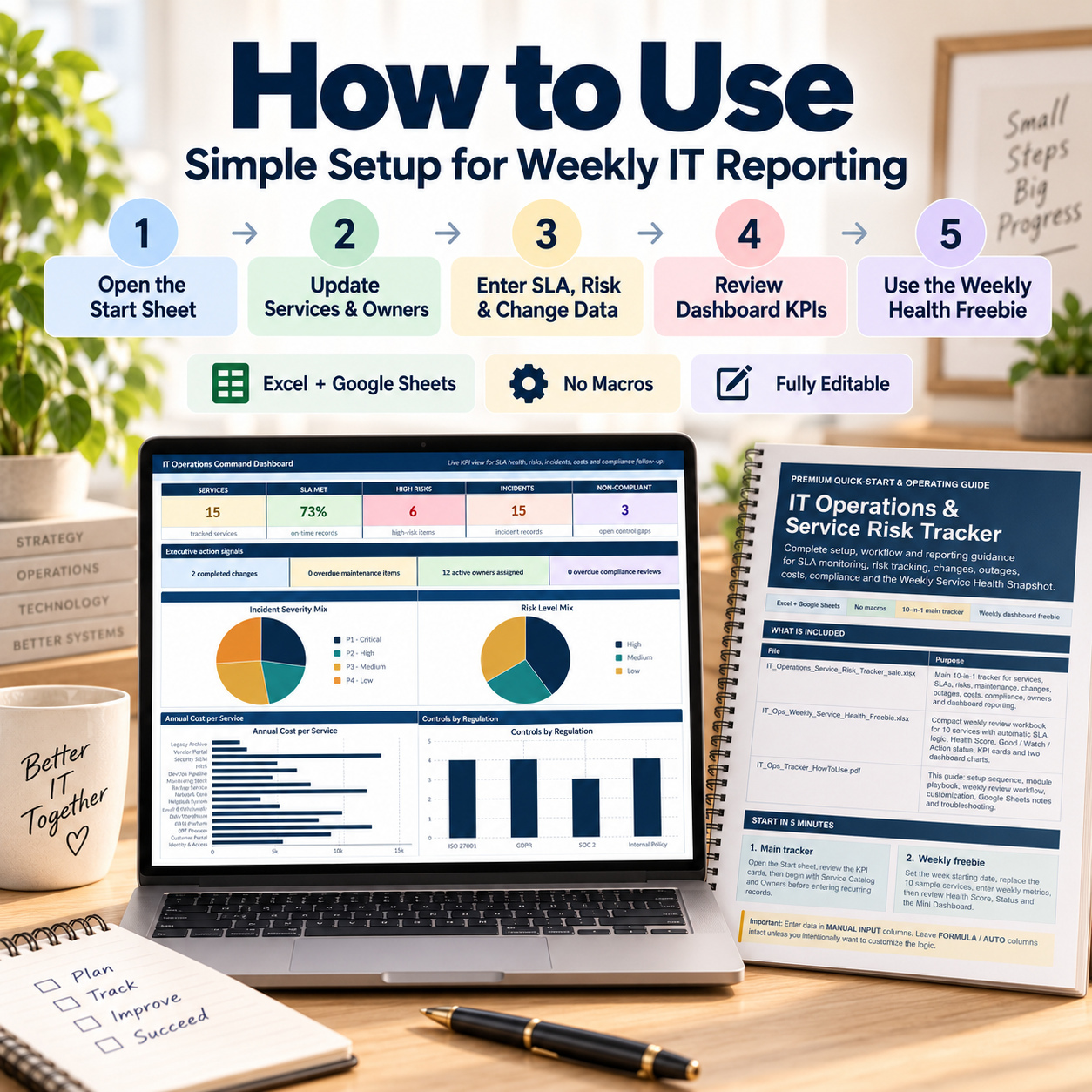
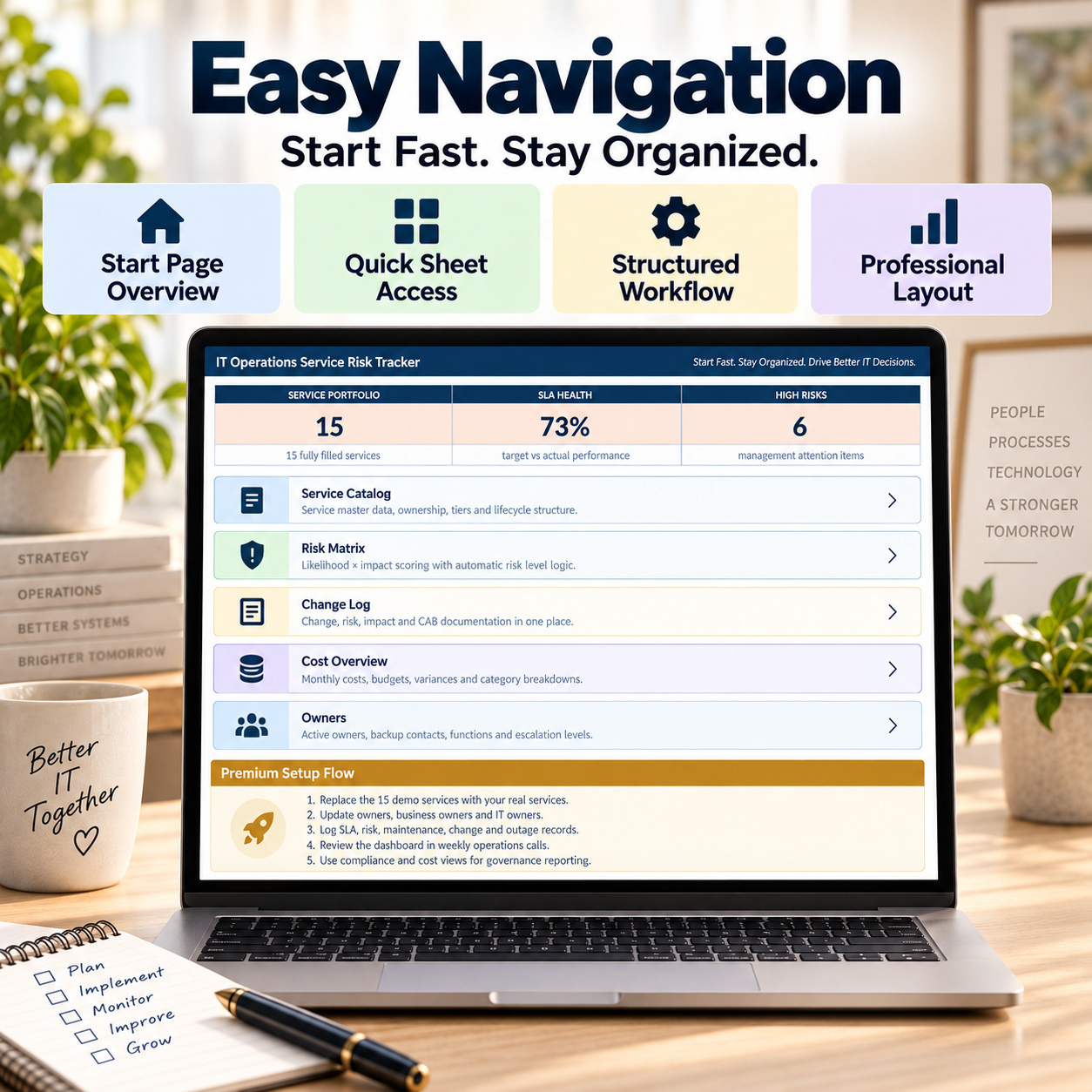
A dedicated Start page provides navigation and operating guidance across the workbook.


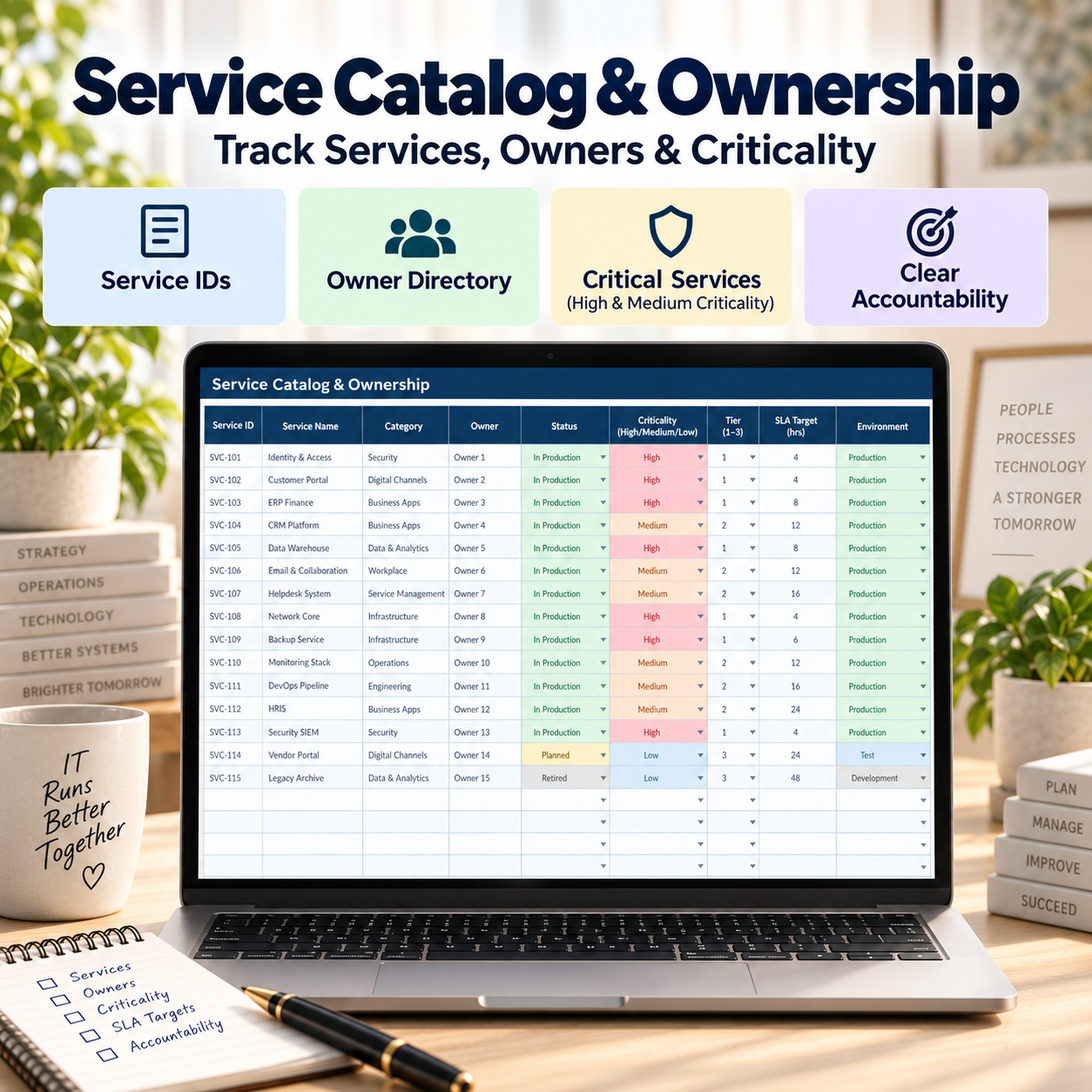
🏢 SERVICE CATALOG & OWNERSHIP
Build a structured register of the IT services your organisation manages.


Track information such as:
✅ Service ownership
✅ Business ownership
✅ Environment
✅ Criticality
✅ Service tier
✅ SLA targets
✅ Availability targets
✅ Cost information


The separate Owners module provides additional visibility into responsibilities, backup contacts and escalation structures.


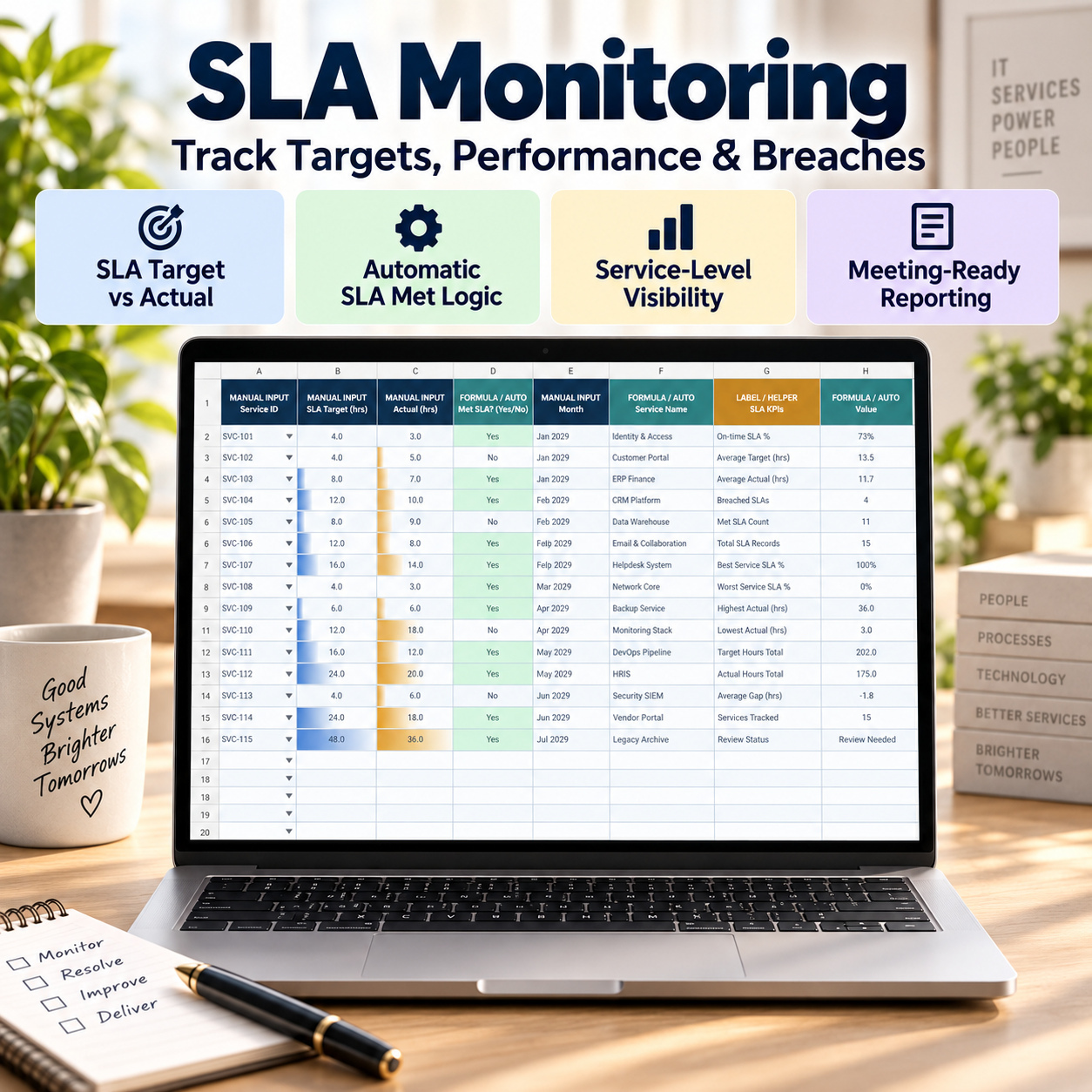
📈 SLA MONITORING
The SLA Overview compares actual service performance with defined targets and automatically evaluates whether the SLA has been met.


Use it to monitor:
✅ Target availability
✅ Actual availability
✅ SLA performance
✅ Service status
✅ Service ownership
✅ Recurring management review


This creates a simple and transparent view of service performance without manual SLA calculations.


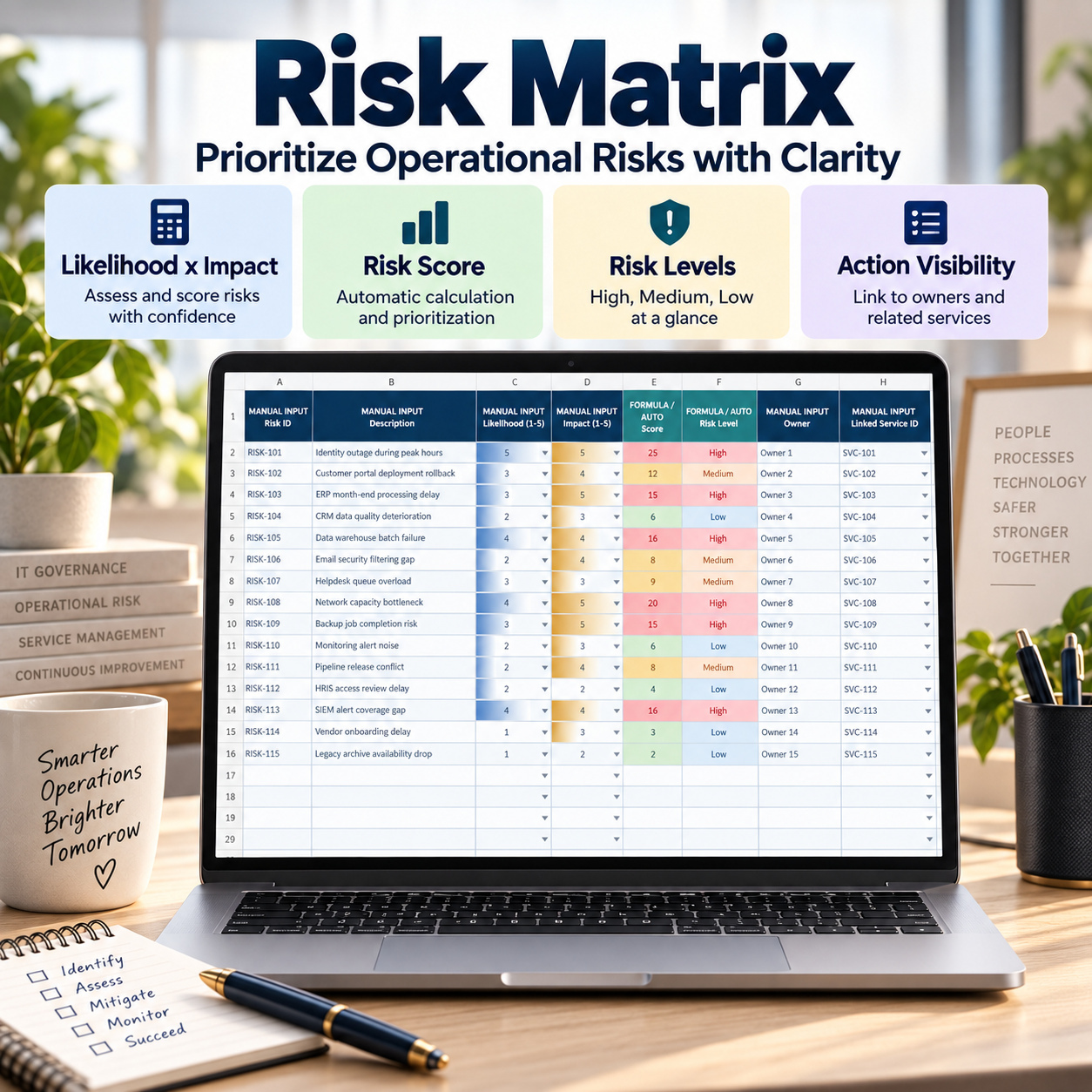
⚠️ IT RISK MATRIX
Document service-related risks and assess them consistently using:
✅ Likelihood
✅ Impact
✅ Automatic Risk Score
✅ Automatic Risk Level
✅ Risk Owner
✅ Linked Service


The structured scoring logic helps teams identify which risks require the greatest management attention.


🛠️ MAINTENANCE TRACKING
Use the Maintenance Tracker to organise recurring and planned IT maintenance activities.


Track:
✅ Maintenance item
✅ Service
✅ Planned date
✅ Priority
✅ Status
✅ Completion progress
✅ Follow-up information


This supports clearer operational planning and recurring service reviews.


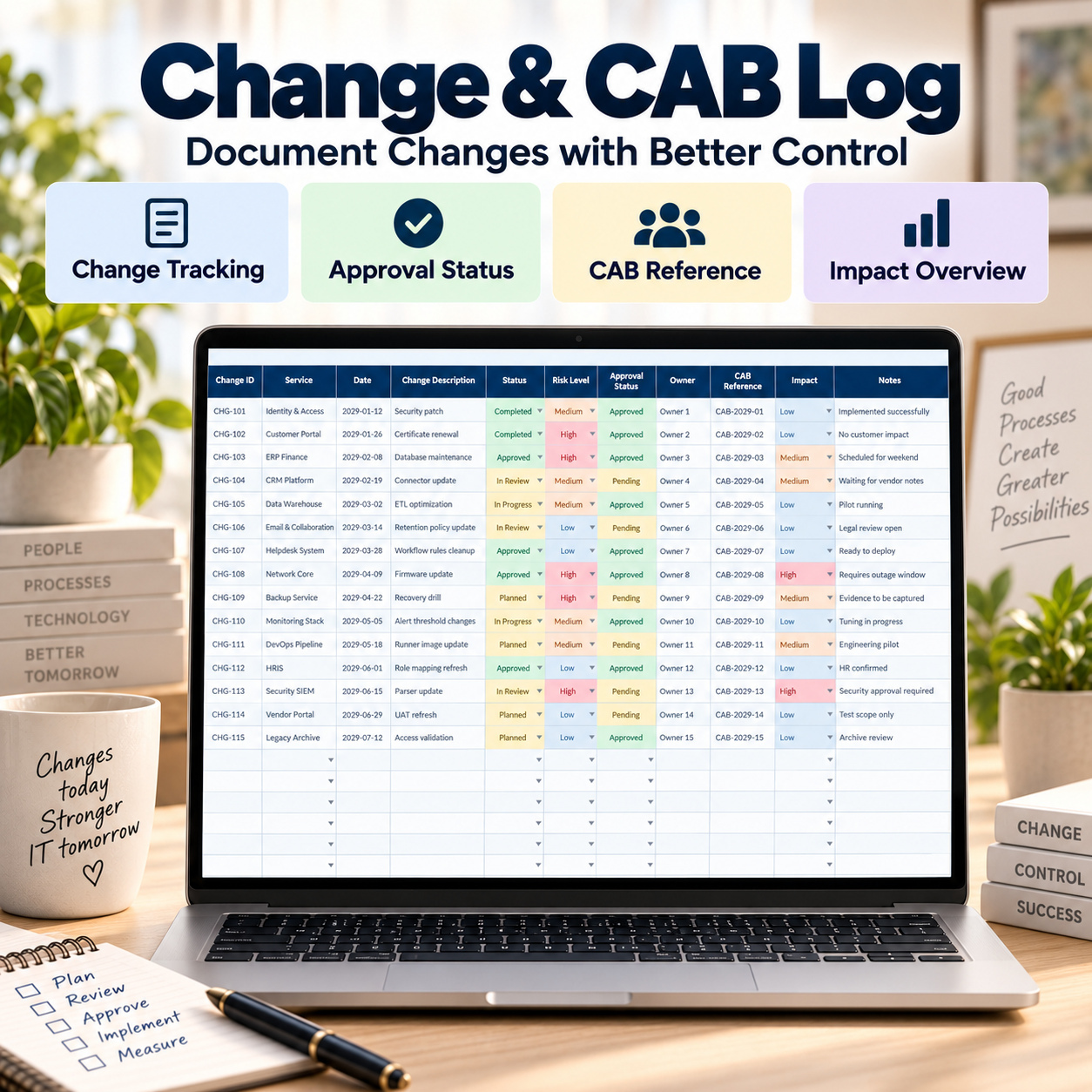
🔄 CHANGE & CAB MANAGEMENT
The Change Log provides a structured record for planned and implemented IT changes.


Document:
✅ Change description
✅ Service affected
✅ Change type
✅ Risk level
✅ Planned dates
✅ Approval
✅ CAB information
✅ Business impact
✅ Status


This supports more consistent change review and better management visibility over operational change activity.


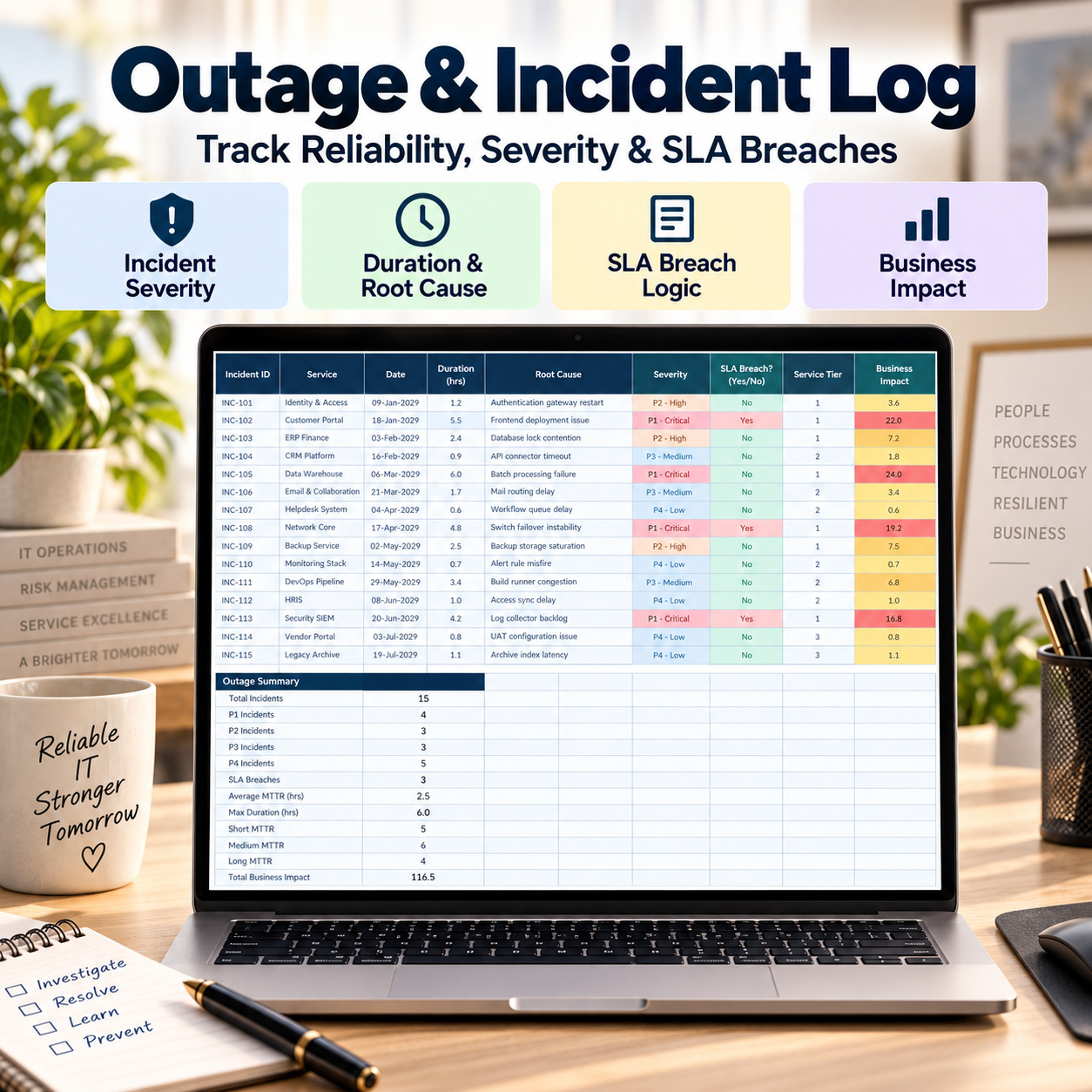
⛔ INCIDENT & OUTAGE TRACKING
Document service incidents and outages using structured operational fields including:
✅ Incident ID
✅ Service
✅ Incident date
✅ Duration
✅ Root cause
✅ Severity
✅ SLA breach
✅ Service tier
✅ Business impact
✅ MTTR category


This gives teams a reusable incident history for service reviews and operational analysis.


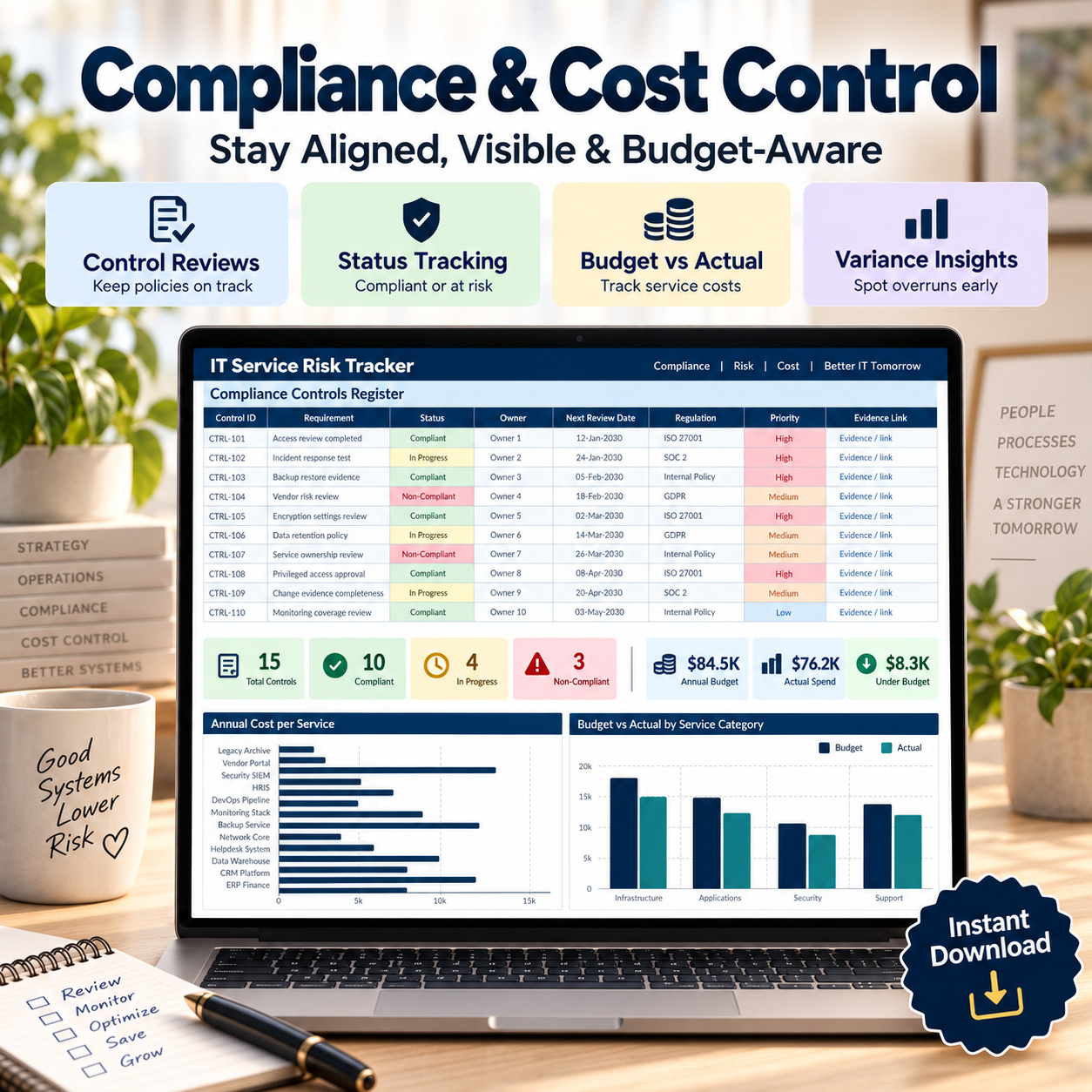
💰 COST & BUDGET CONTROL
The Cost Overview provides a structured way to compare service spending with available budgets.


Track:
✅ IT service costs
✅ Budgets
✅ Cost categories
✅ Variance
✅ Annual service costs


Automatic variance calculations help highlight areas requiring financial review.


🛡️ COMPLIANCE & REVIEW MANAGEMENT
Maintain a structured register of IT controls, regulatory requirements and review activities.
Track:
✅ Controls
✅ Regulations or frameworks
✅ Evidence
✅ Control owners
✅ Status
✅ Review dates
✅ Review progress
✅ Overdue review indicators


This supports recurring IT governance and compliance reviews without positioning the workbook as a formal compliance-certification platform.


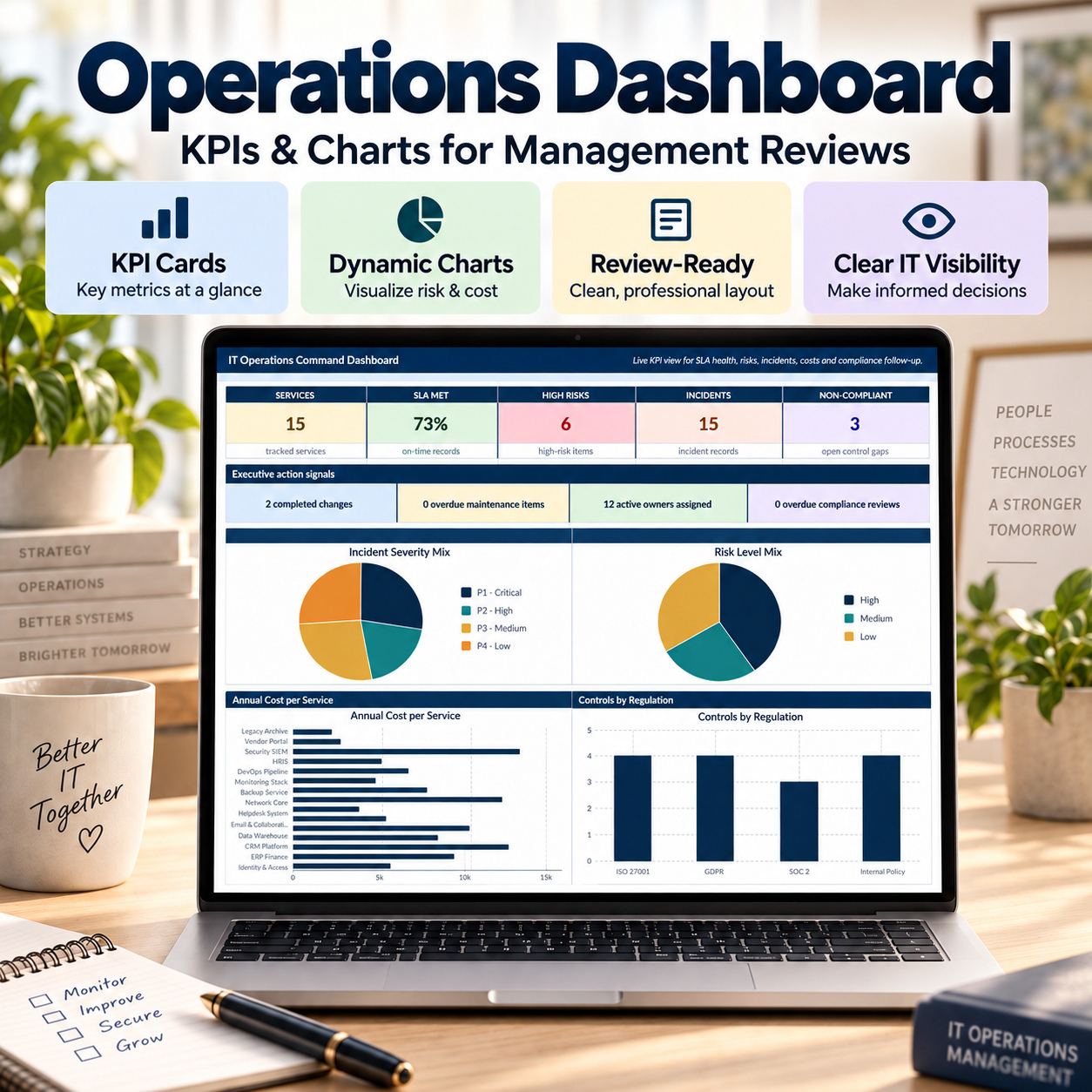
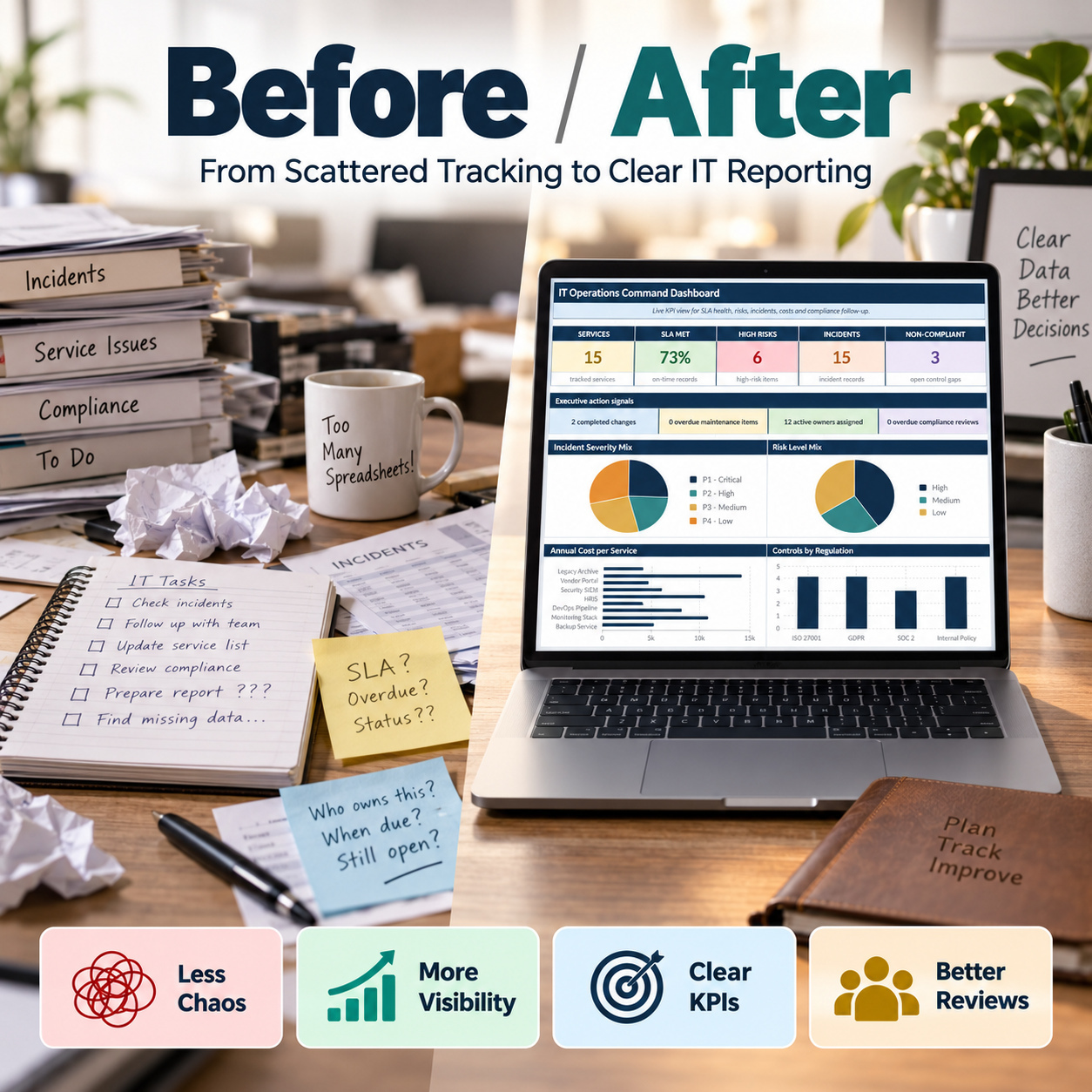
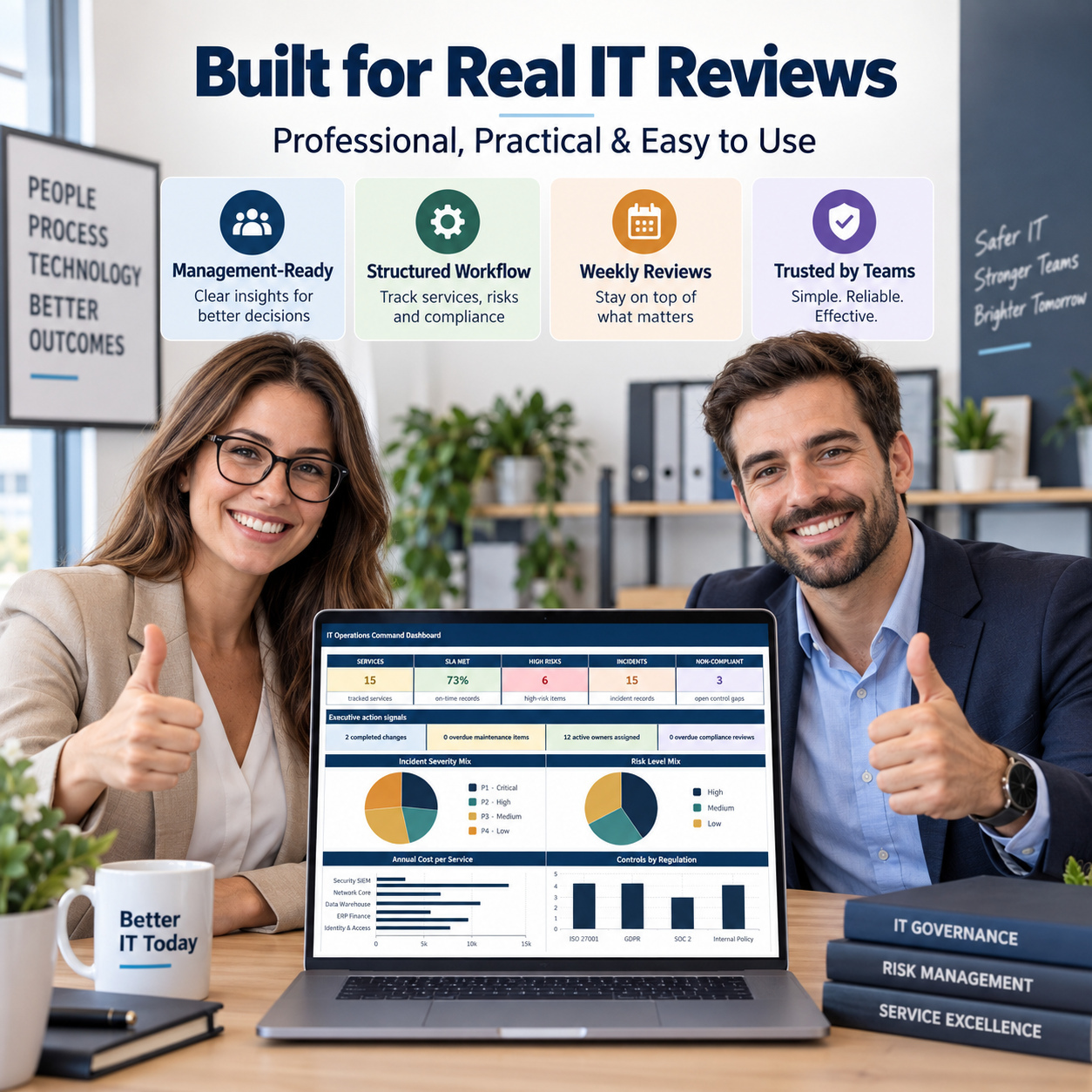
📊 EXECUTIVE IT OPERATIONS DASHBOARD
The main Dashboard consolidates management information from across the workbook.
It includes KPI cards and 4 dynamic management charts covering:


📊 Incident Severity Mix
⚠️ Risk Level Mix
💰 Annual Cost per Service
🛡️ Controls by Regulation


The dashboard gives management a faster overview of operational performance, risks, incidents, costs and governance activity.


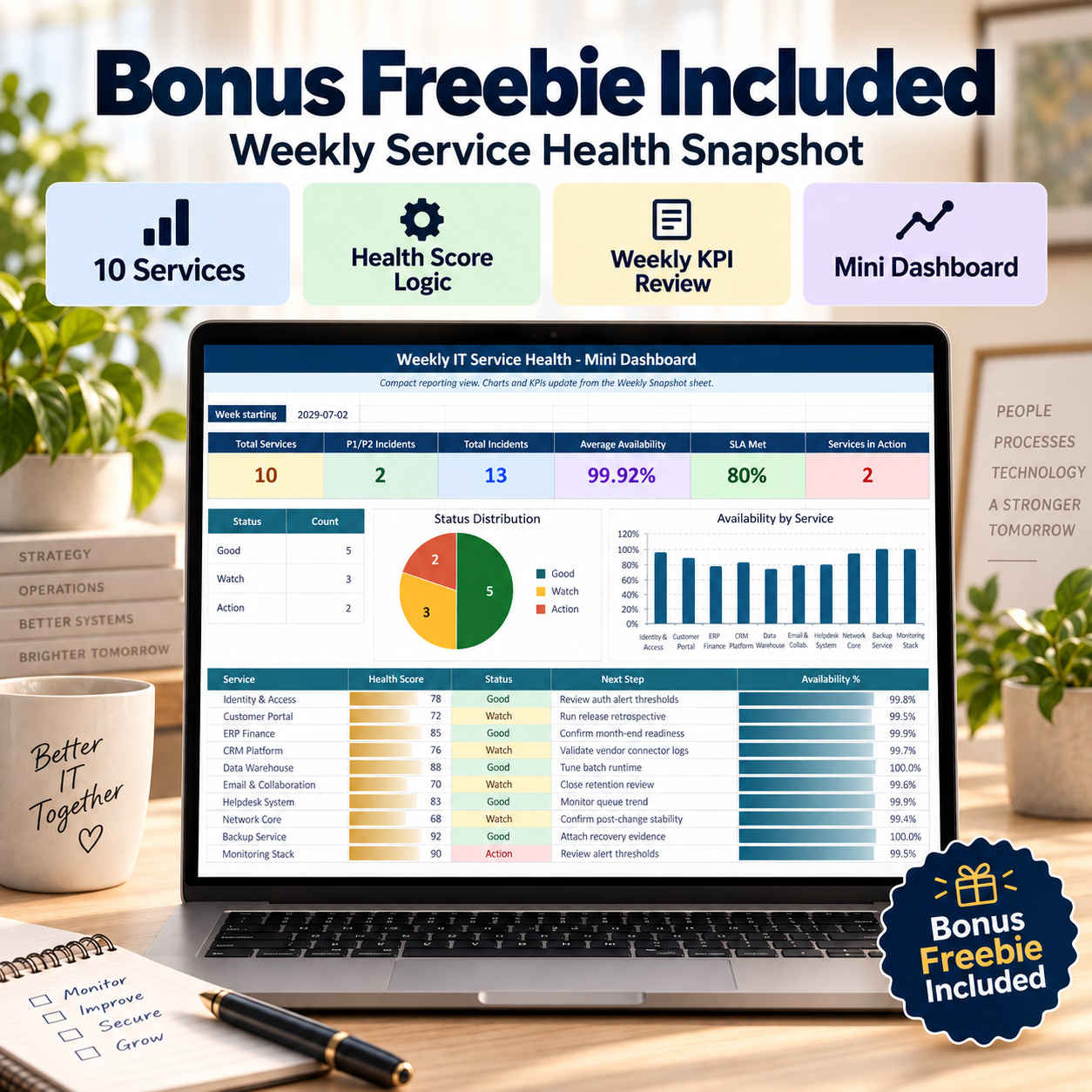
🎁 WEEKLY SERVICE HEALTH DASHBOARD INCLUDED
A separate Weekly Service Health workbook supports recurring service meetings and operational standups.


It is designed for up to 10 services and includes:
✅ Availability %
✅ SLA Target
✅ Automatic SLA Met calculation
✅ Automatic Health Score
✅ Good / Watch / Action status logic
✅ Incident counts
✅ P1 / P2 tracking
✅ Changes
✅ Risk level
✅ Comments
✅ Action owner
✅ Next step


The Mini Dashboard provides:
📌 6 KPI cards
📊 2 dynamic charts
Charts include:
  • Weekly Status Mix
  • Availability by Service
This makes the bonus workbook especially useful for weekly IT service reviews.


📘 9-PAGE OPERATING GUIDE
The included PDF guide explains how to configure and operate the complete system.


It covers:
✅ Initial setup
✅ Main module guidance
✅ Service and owner configuration
✅ SLA monitoring
✅ Risk management
✅ Maintenance and changes
✅ Incident tracking
✅ Compliance and cost management
✅ Weekly review workflow
✅ Weekly Service Health workbook
✅ Google Sheets import considerations
✅ Customisation
✅ Troubleshooting


✨ BUILT FOR PRACTICAL IT OPERATIONS


The system uses standard Excel functionality and requires:
✅ No VBA
✅ No macros
✅ No external workbook connections


It includes realistic sample data, dropdown menus, automatic formulas, conditional formatting and structured status logic to help teams understand the intended workflow quickly.


👤 IDEAL FOR
IT Managers, Service Delivery Managers, Service Owners, IT Operations Teams, Change Managers, IT Governance Teams, Compliance Functions, Internal IT Departments, Technology SMEs and IT Consultants.


💎 ONE STRUCTURED VIEW OF IT SERVICE HEALTH
Instead of maintaining separate files for services, SLAs, risks, changes, incidents, costs and governance, this toolkit connects them into one reusable operating system.


Use it to support recurring service reviews, management reporting and structured IT governance while keeping the underlying process transparent and fully editable.


⚖️ IMPORTANT NOTICE / ⚖️ LEGAL DISCLAIMERThis toolkit is intended for IT operations, governance, documentation and management purposes only.
It does not constitute legal, regulatory, cybersecurity, audit, compliance or professional IT advice and does not guarantee compliance, security, service availability or operational performance.

This Best Practice includes
1 × IT Operations Service & Risk Tracker, 1 × Weekly Service Health Tracker, 1 × IT Operations How-to Guide (.pdf)

Acquire business license for $34.90

Add to cart

Add to bookmarks

Discuss

Further information

• Centralize recurring IT service management activities
• Monitor service performance against SLA targets
• Identify and prioritize operational IT risks
• Improve visibility over changes, incidents and maintenance
• Track service costs and budget variances
• Maintain structured compliance and review information
• Support weekly service reviews and management reporting

This system works particularly well when:
- IT services are currently tracked across multiple spreadsheets
- teams need recurring SLA and service-health reviews
- risks, changes and incidents require structured documentation
- management wants consolidated IT operations reporting
- service ownership and escalation responsibilities need clearer visibility
- compliance review dates and evidence need recurring follow-up
- an editable Excel-based solution is preferred over complex ITSM software

This toolkit is not intended to replace:
- enterprise ITSM platforms
- automated ticketing systems
- CMDB platforms
- real-time infrastructure monitoring
- automated SLA monitoring systems
- security monitoring or SIEM platforms
- automated incident response
- workflow or approval engines
- formal audit or compliance-certification systems
It does not connect to live service-management platforms or automatically collect operational data.


0.0 / 5 (0 votes)

please wait...