Publication number: ELQ-64080-1
View all versions & Certificate

Garments Factory Management Tracker | Excel KPI Dashboard | Sales Orders, Stock, Production, Accounts & Payroll
A comprehensive, fully editable Excel-based management tracker designed exclusively for garments factories and textile businesses. Covers sales orders, raw mate
Further information
6. Objectives of This Downloadable Best Practice
Centralise all business data — orders, stock, production, accounts, suppliers and staff in one single Excel file
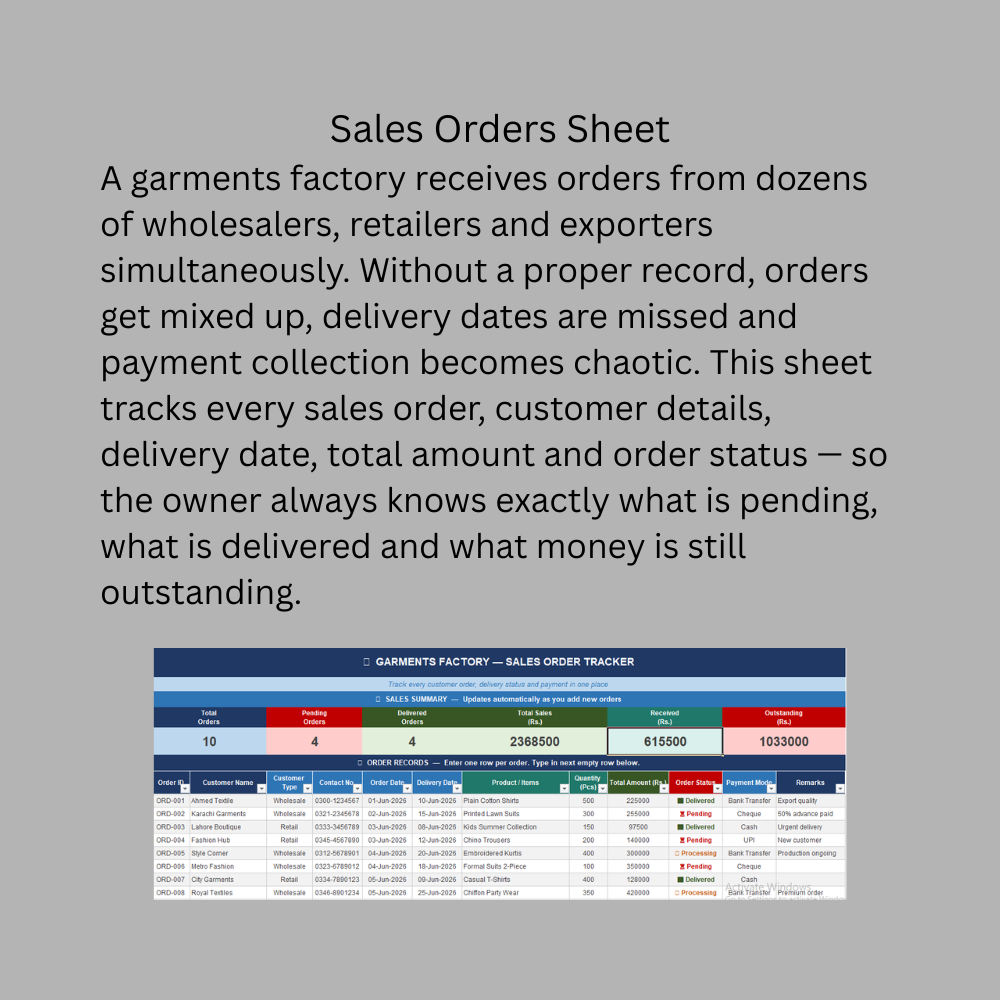
Eliminate missed orders — track every sales order from placement to delivery with status alerts
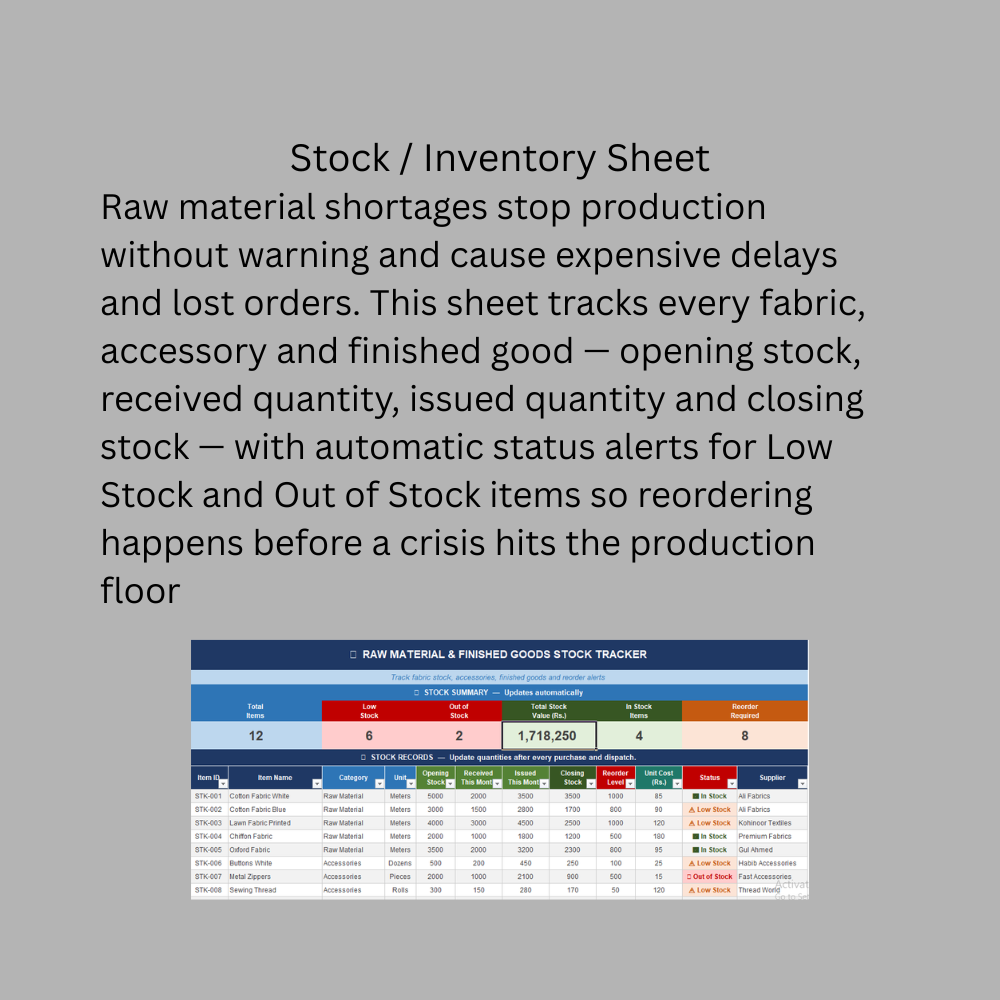
Prevent stock shortages — automatic Low Stock and Out of Stock alerts before production is affected
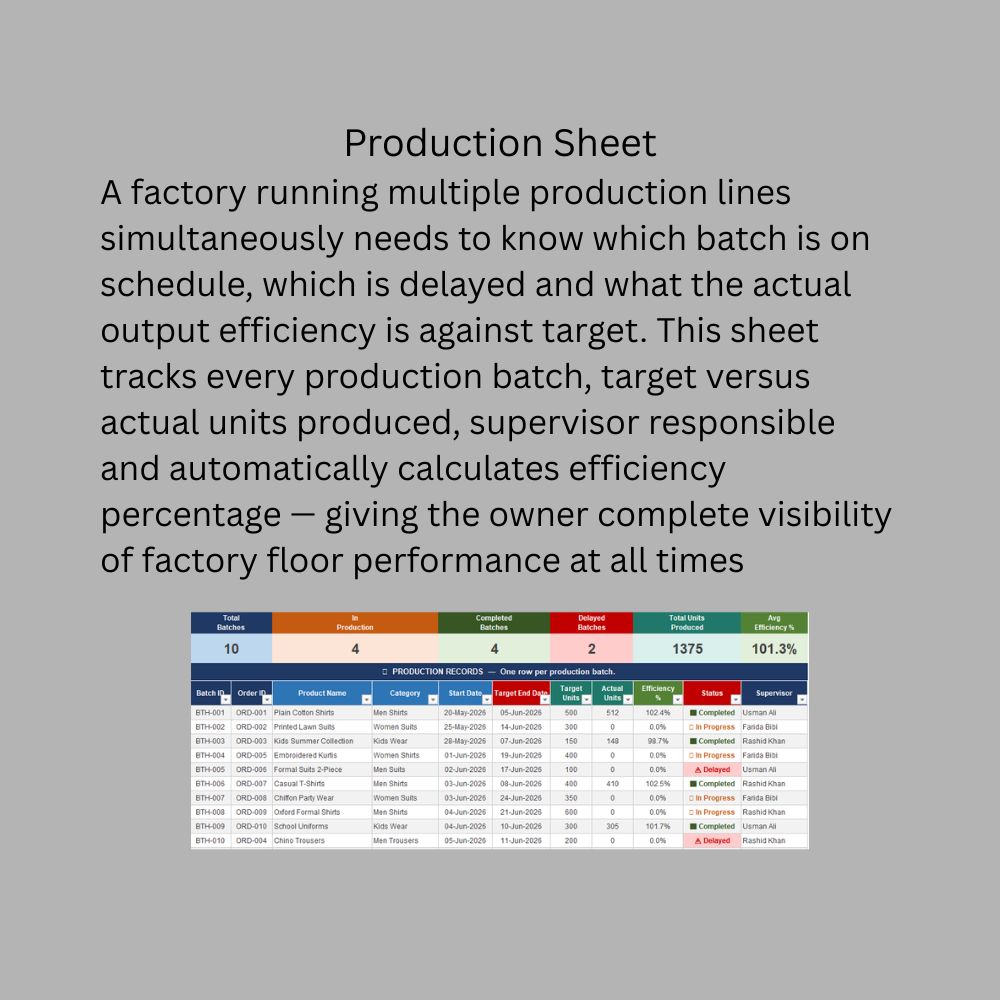
Monitor production efficiency — track target versus actual output for every batch and production line
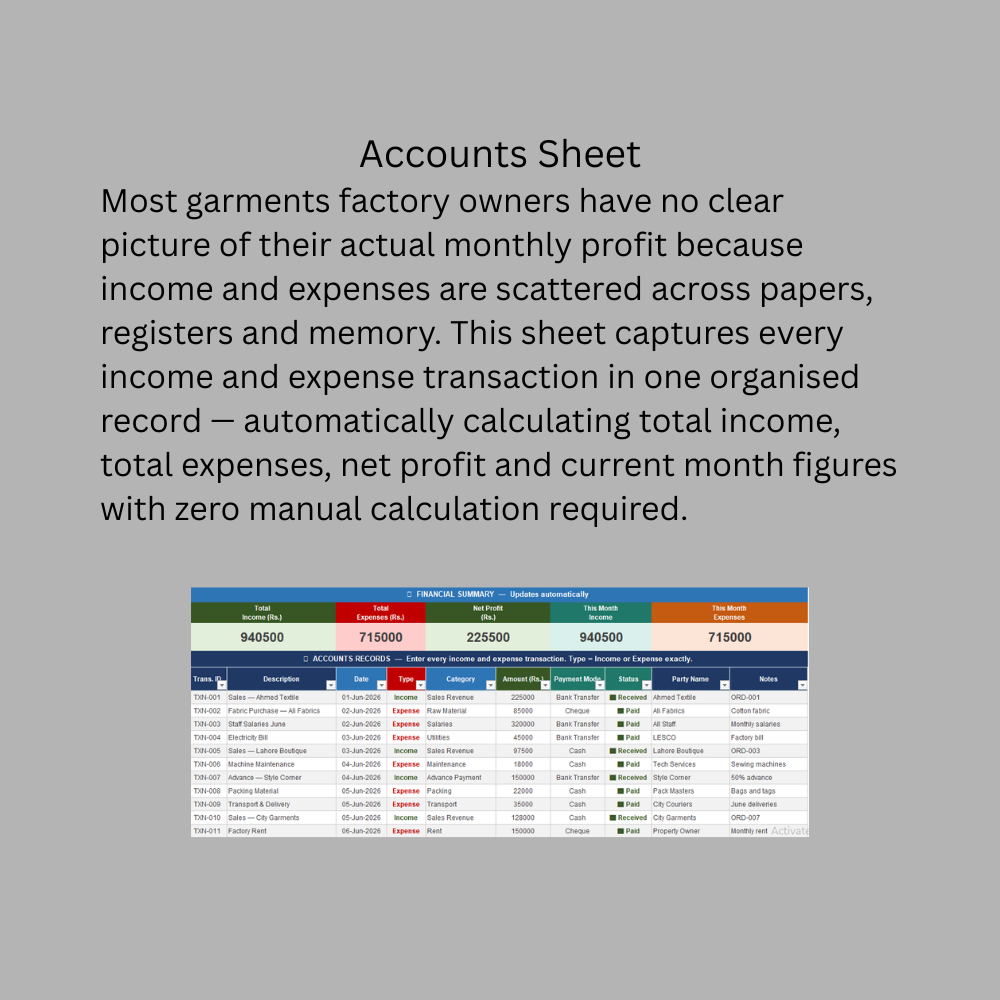
Achieve financial clarity — know exact income, expenses and net profit at any point in time
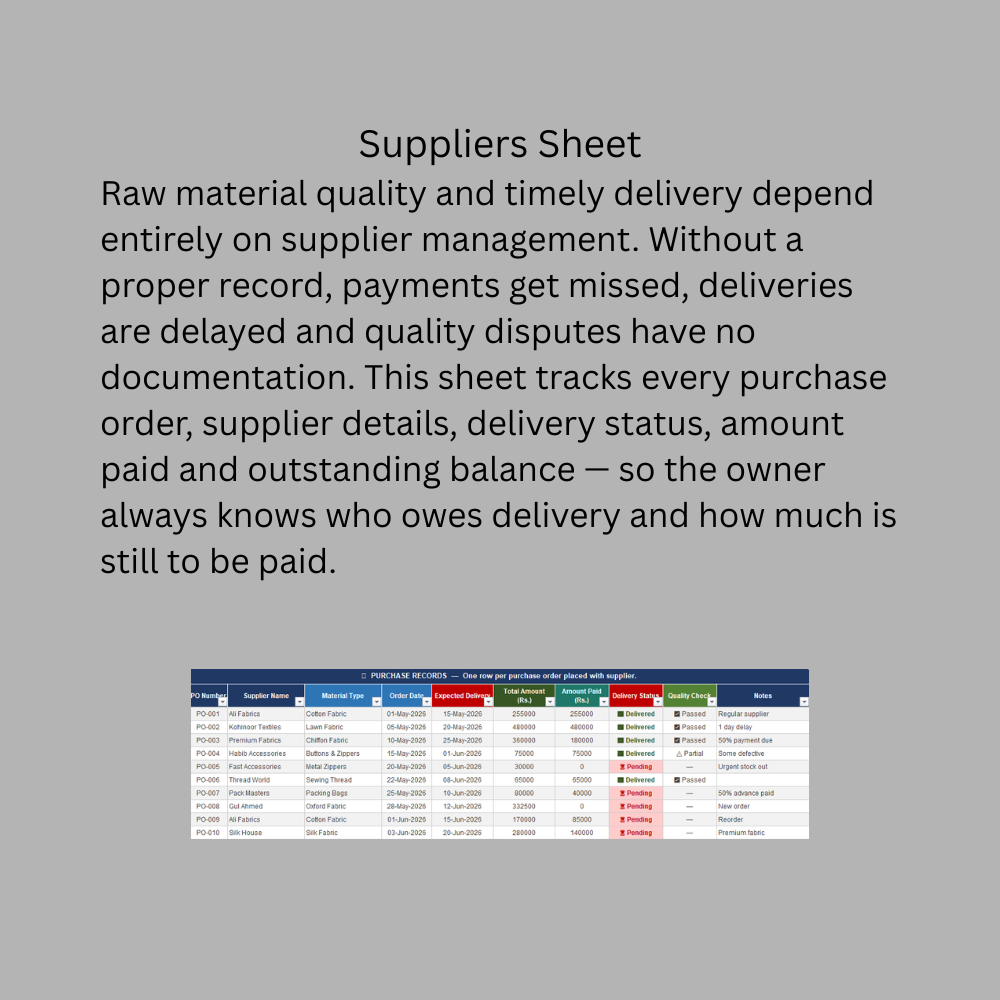
Control supplier relationships — track every purchase order, delivery status and outstanding payment
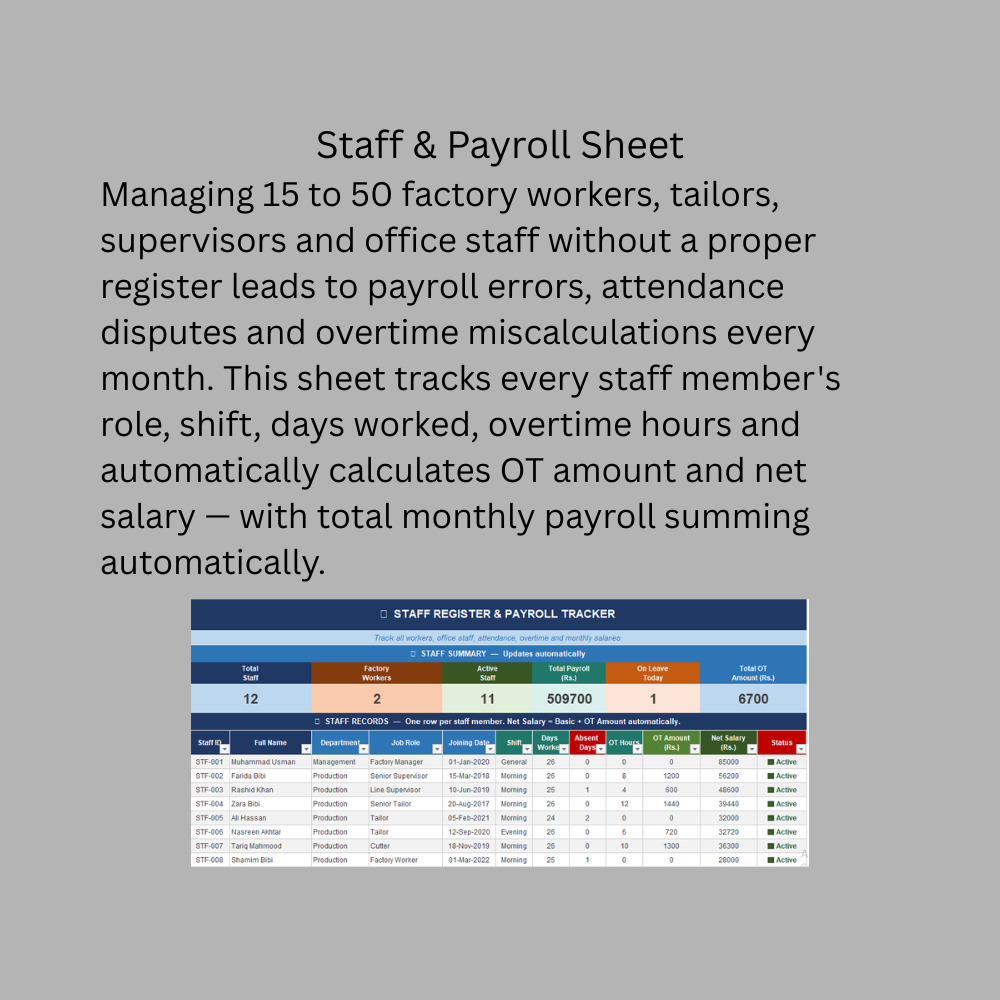
Simplify payroll — auto-calculate overtime amount and net salary for every staff member monthly
Save time — replace manual registers, scattered papers and memory with one organised system
Support business decisions — KPI cards give instant answers to critical business questions daily
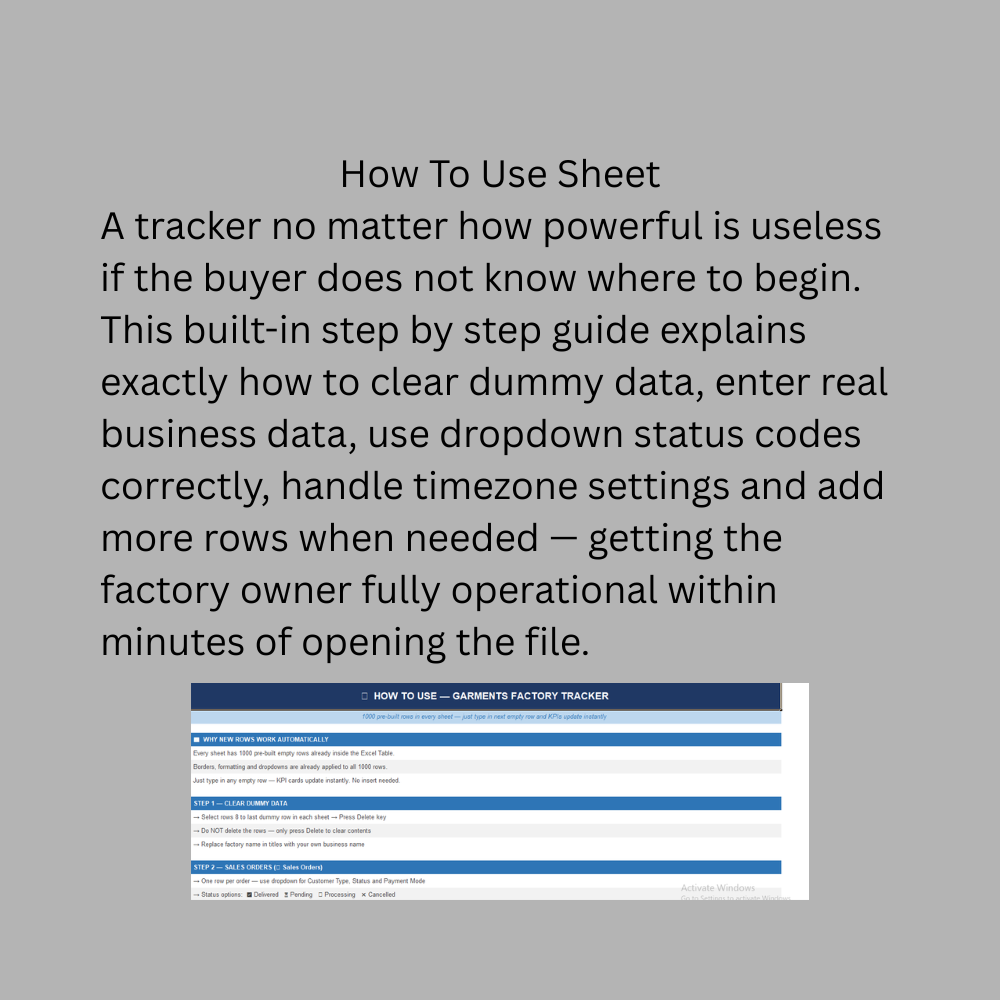
Enable business growth — 1000 pre-built rows mean the tracker scales as the business grows
7. Conditions Under Which This Tracker Applies Best
Small to medium garments factories with 1 to 5 production lines
Garments export houses managing multiple buyer orders simultaneously
Stitching units that want to track production efficiency and fabric consumption
Factory owners currently using paper registers or basic Excel sheets
Businesses with up to 50 staff members on monthly payroll
Owners who need a zero subscription, low cost management system
Factories operating from a single location
Businesses dealing with multiple raw material suppliers and purchase orders
Factory managers who want to track production batch efficiency against targets
Owners who want to understand actual monthly profit without hiring a full time accountant
8. Conditions Under Which This Tracker Does NOT Apply
Large factories with more than 10 production lines requiring real-time floor monitoring
Businesses needing multi-user simultaneous access from different locations or departments
Companies requiring automated invoicing and tax filing integration such as GST or FBR
Factories with ERP systems already in place such as SAP, Oracle or Microsoft Dynamics
Businesses needing barcode scanning for real-time inventory management
Export factories requiring customs documentation, LC tracking and freight management
Companies needing real-time machine performance and downtime monitoring
Businesses with 100 plus workers requiring biometric attendance and automated payroll
Factories needing automatic WhatsApp or email order confirmations and delivery alerts
Businesses requiring multi-currency transactions for international buyers in different currencies
Companies needing role based access control for multiple department heads simultaneously