

Free Business Project Planner | ROI, Budget, Tasks & Profit Dashboard Excel

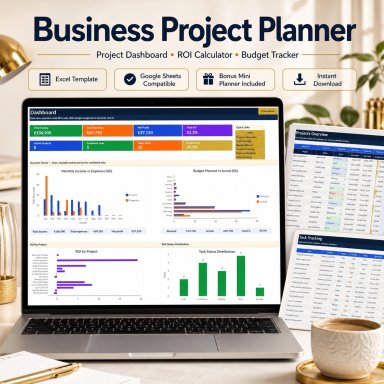
Free Excel project planner with ROI dashboard, budget tracker, tasks, income, expenses and optional time tracking, plus bonus mini planner and guide.

Description
🚀 FREE BUSINESS PROJECT PLANNER

Plan projects, control budgets and keep profitability visible with one professional Excel toolkit.


The Business Project Planner is a free business-management template designed for freelancers, consultants, coaches, creators, service providers and small business owners who want a clearer way to manage projects, tasks and financial performance.


Instead of keeping project details, budgets, income and expenses in separate spreadsheets, this toolkit connects them in one practical workflow:


PLAN → TRACK → CONTROL → REVIEW


🎁 DOWNLOAD THE COMPLETE TOOLKIT FREE
This professional toolkit includes:
✅ 1 Full Business Project Planner
✅ 1 Bonus Mini Project Planner
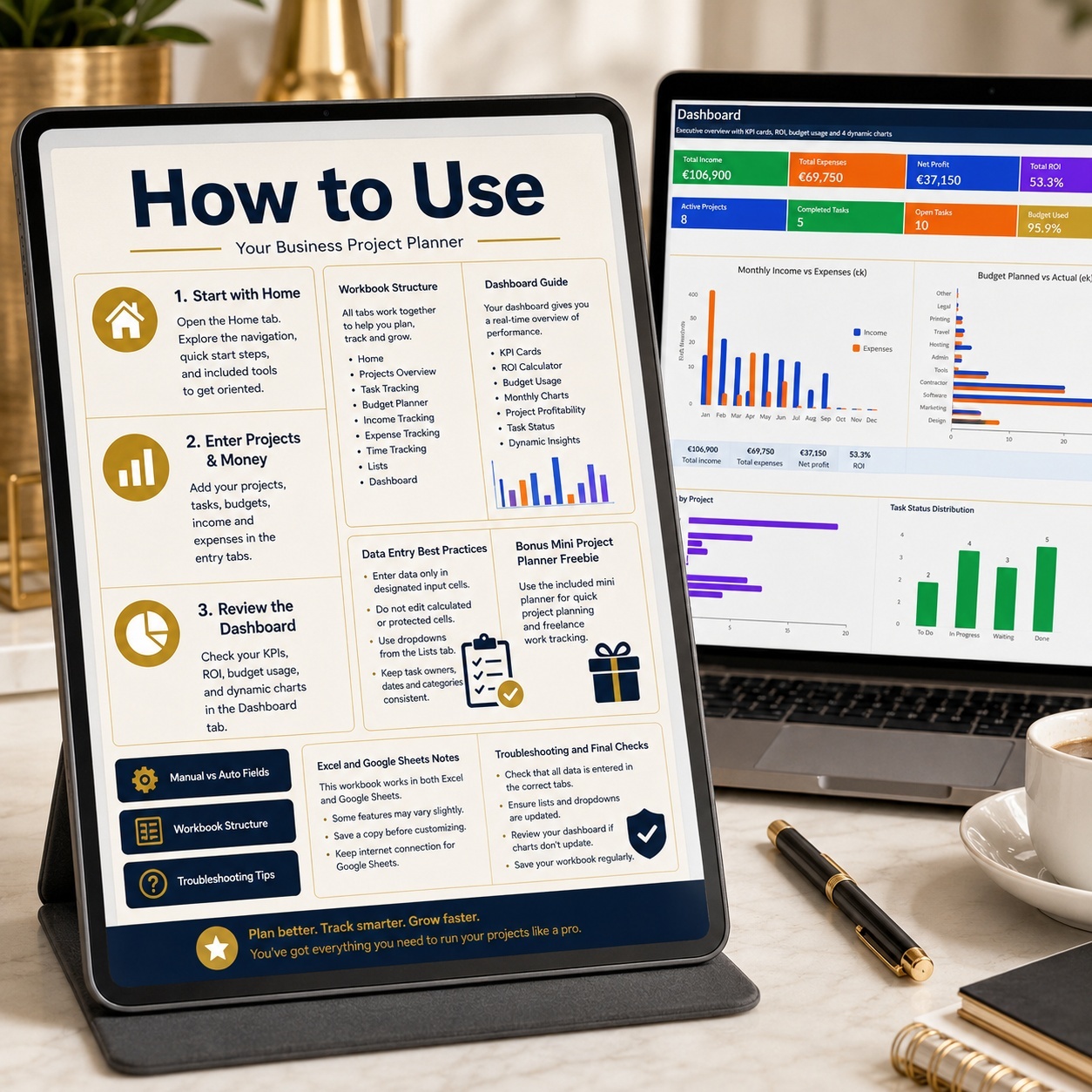
✅ 1 Professional 8-Page How-to Guide
✅ 14 Excel Worksheets Across Both Workbooks
✅ Realistic Sample Data
✅ Automated Formulas
✅ Dropdowns & Validations
✅ Fully Editable
✅ No Macros / VBA


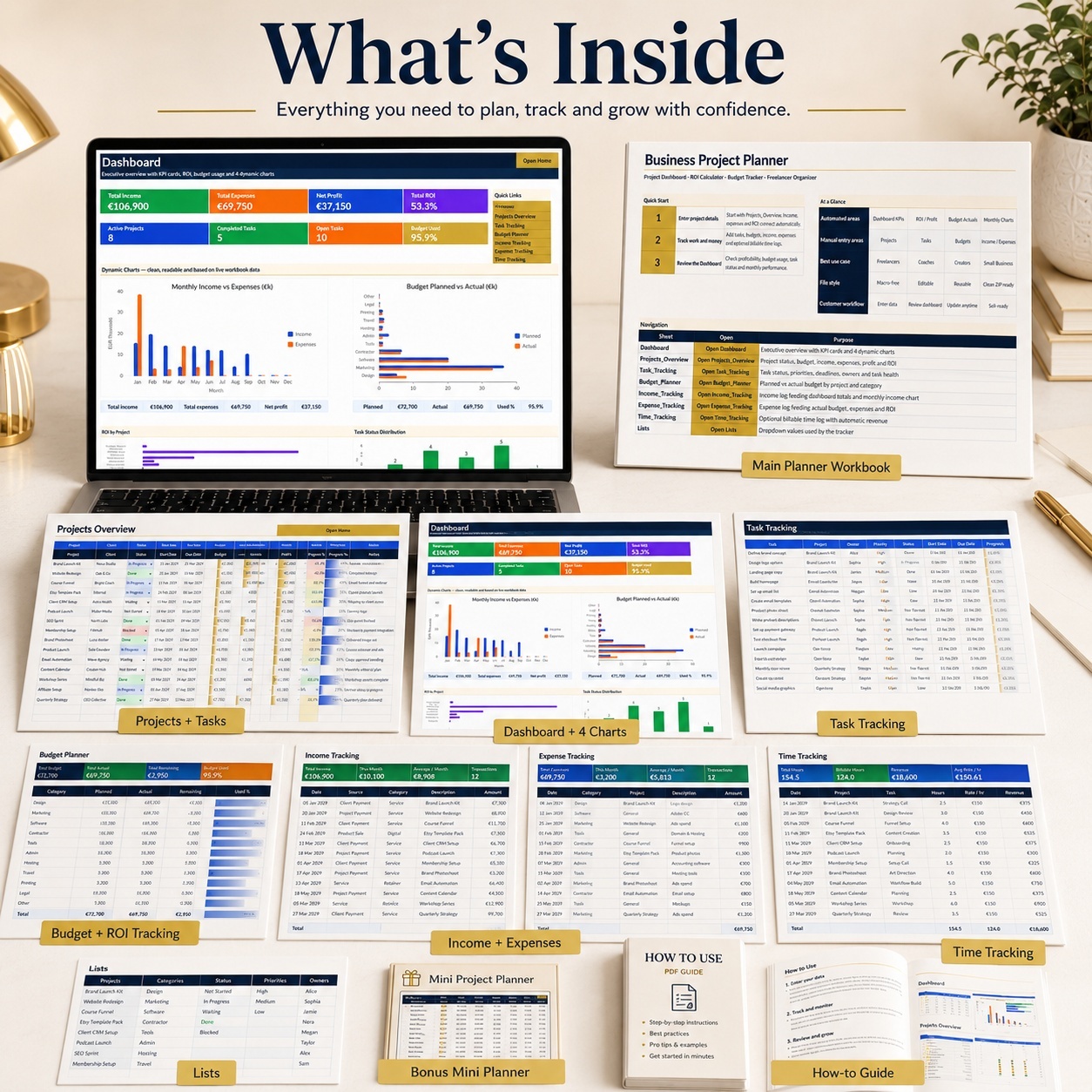
📊 BUSINESS PROJECT PLANNER
The main workbook provides a structured system for projects, finances and daily execution.


Included:
– Home & Navigation
– Executive Dashboard
– Projects Overview
– Task Tracking
– Budget Planner
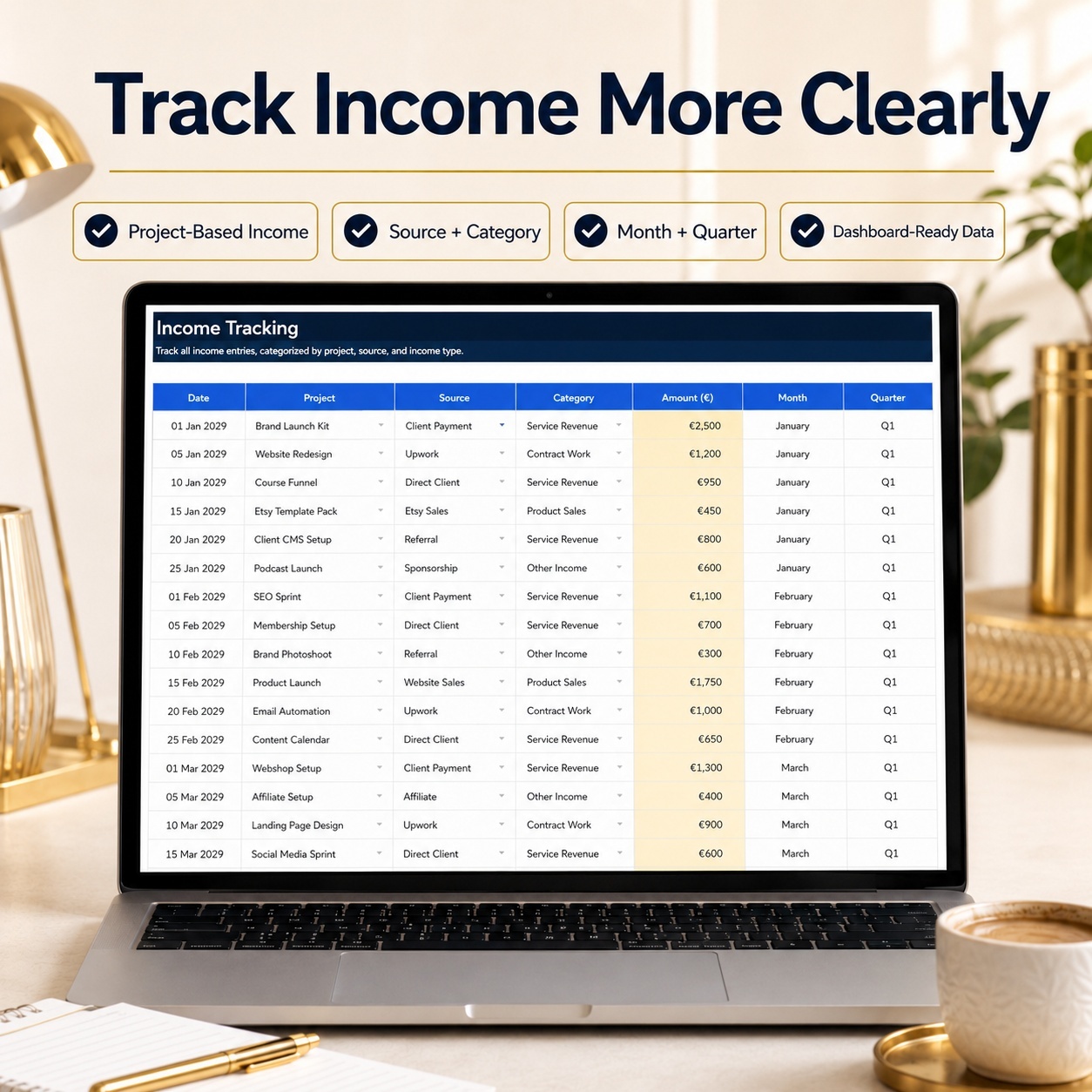
– Income Tracking
– Expense Tracking
– Optional Time Tracking
– Dropdown Lists
– Supporting Chart Logic


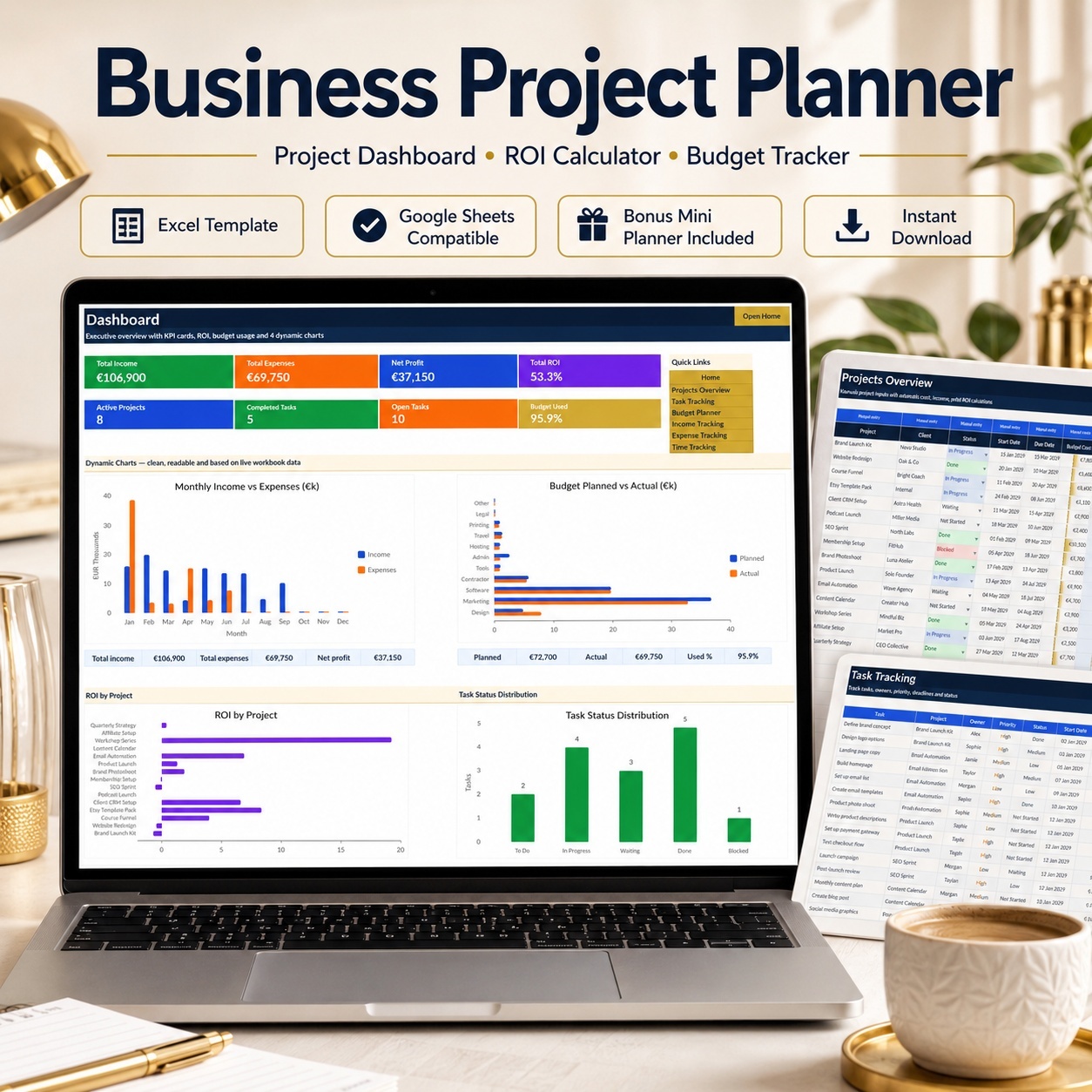
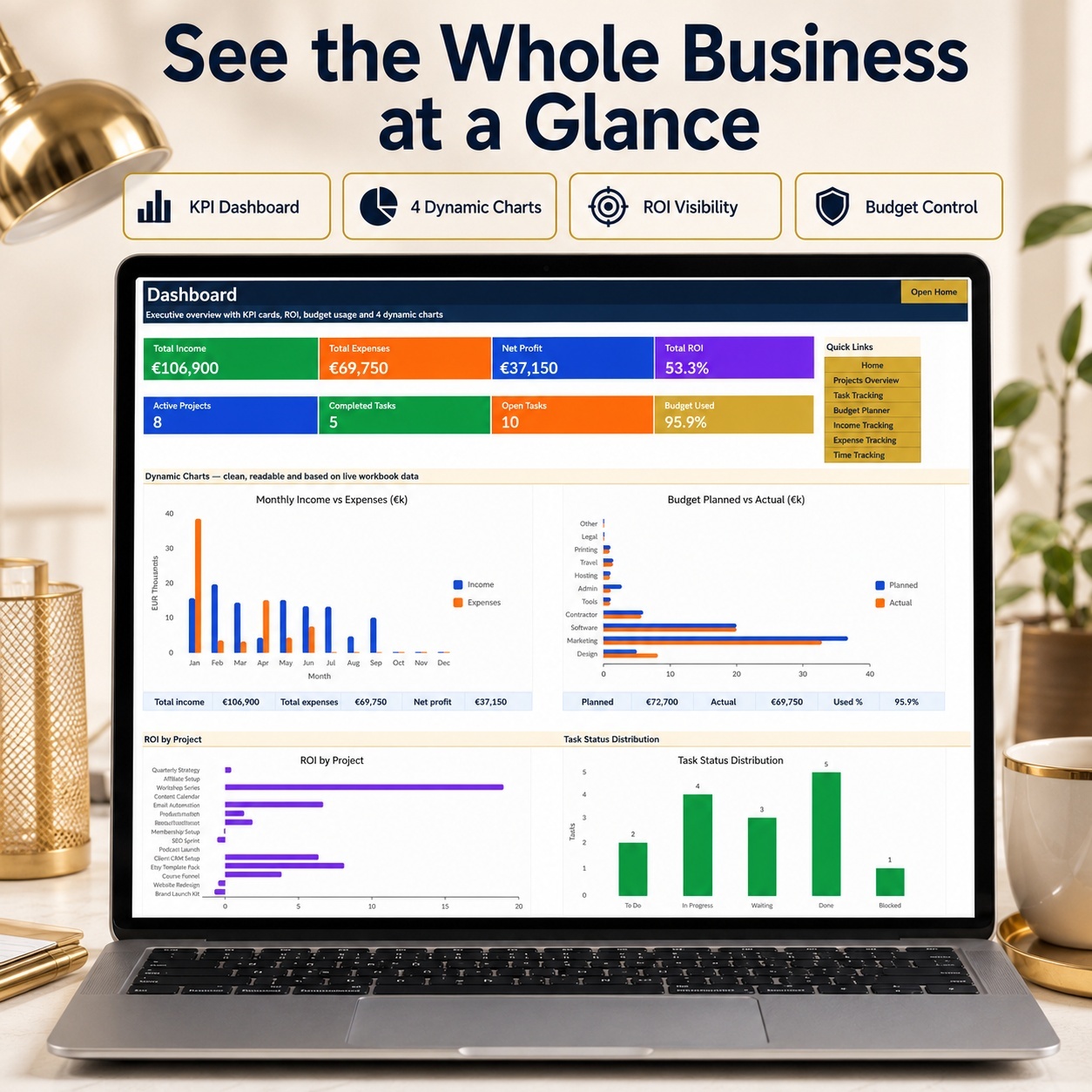
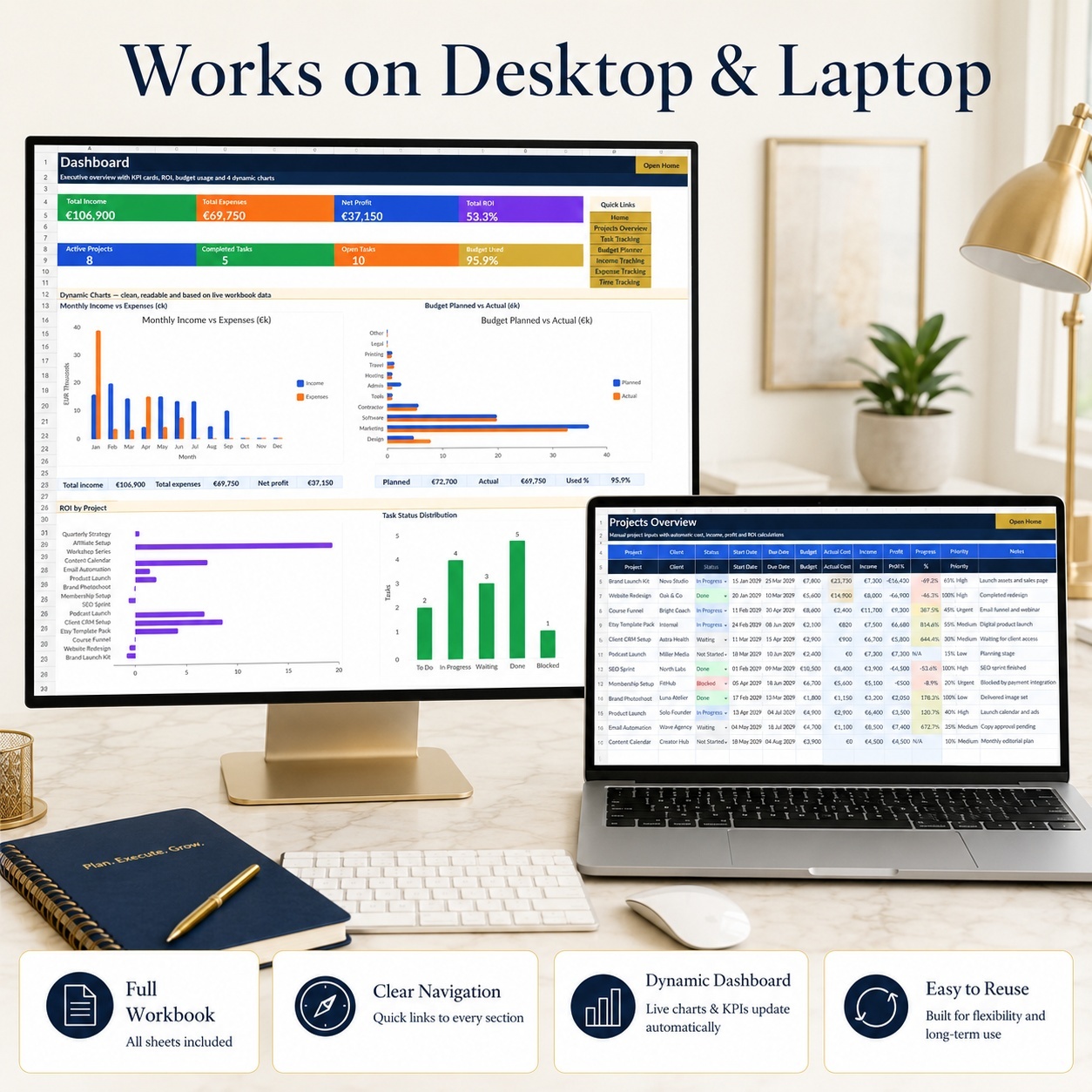
📈 EXECUTIVE DASHBOARD
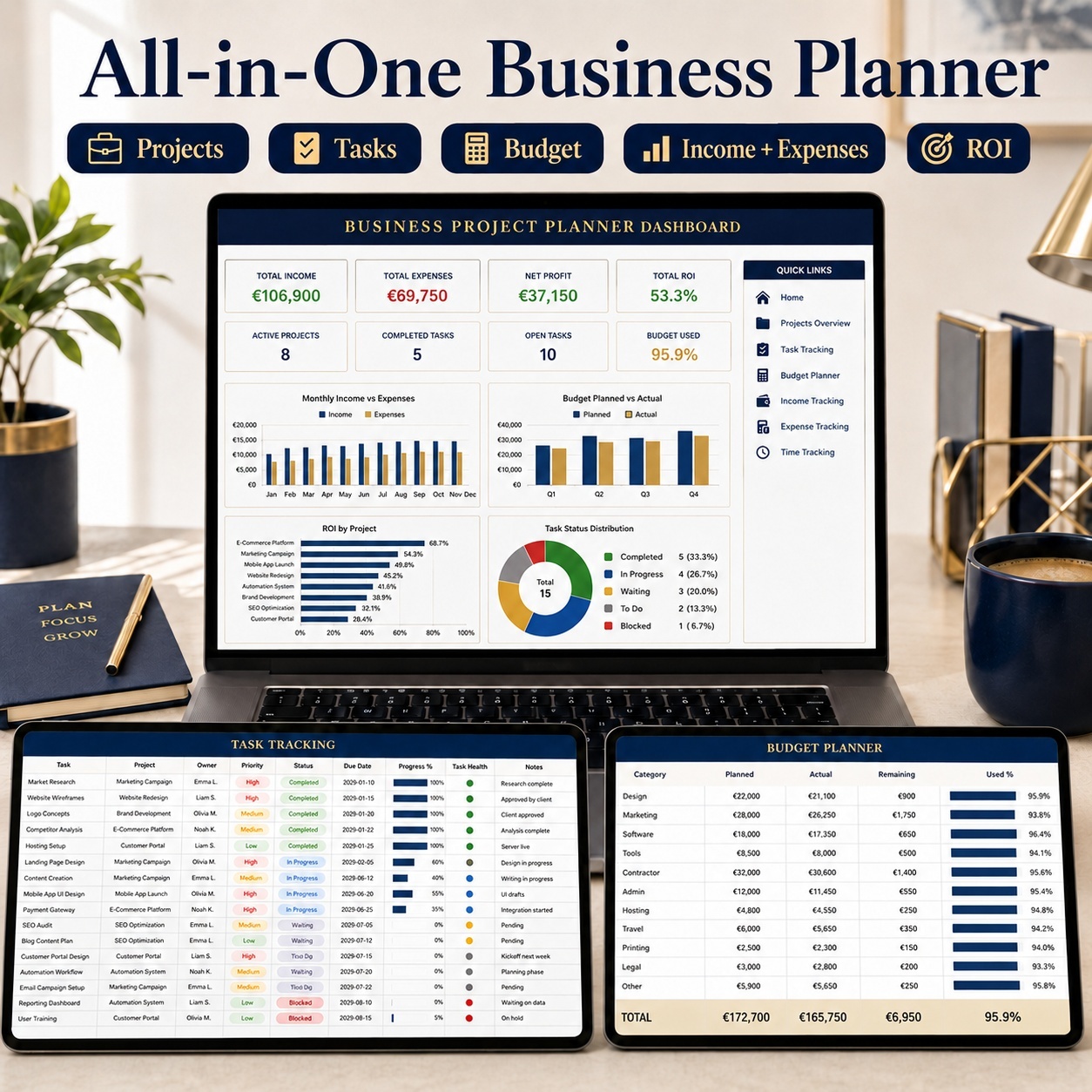
The Dashboard provides 8 management KPI cards:
– Total Income
– Total Expenses
– Net Profit
– Total ROI
– Active Projects
– Completed Tasks
– Open Tasks
– Budget Used


Four dynamic charts visualize:
– Monthly Income vs Expenses
– Planned vs Actual Budget
– ROI by Project
– Task Status Distribution


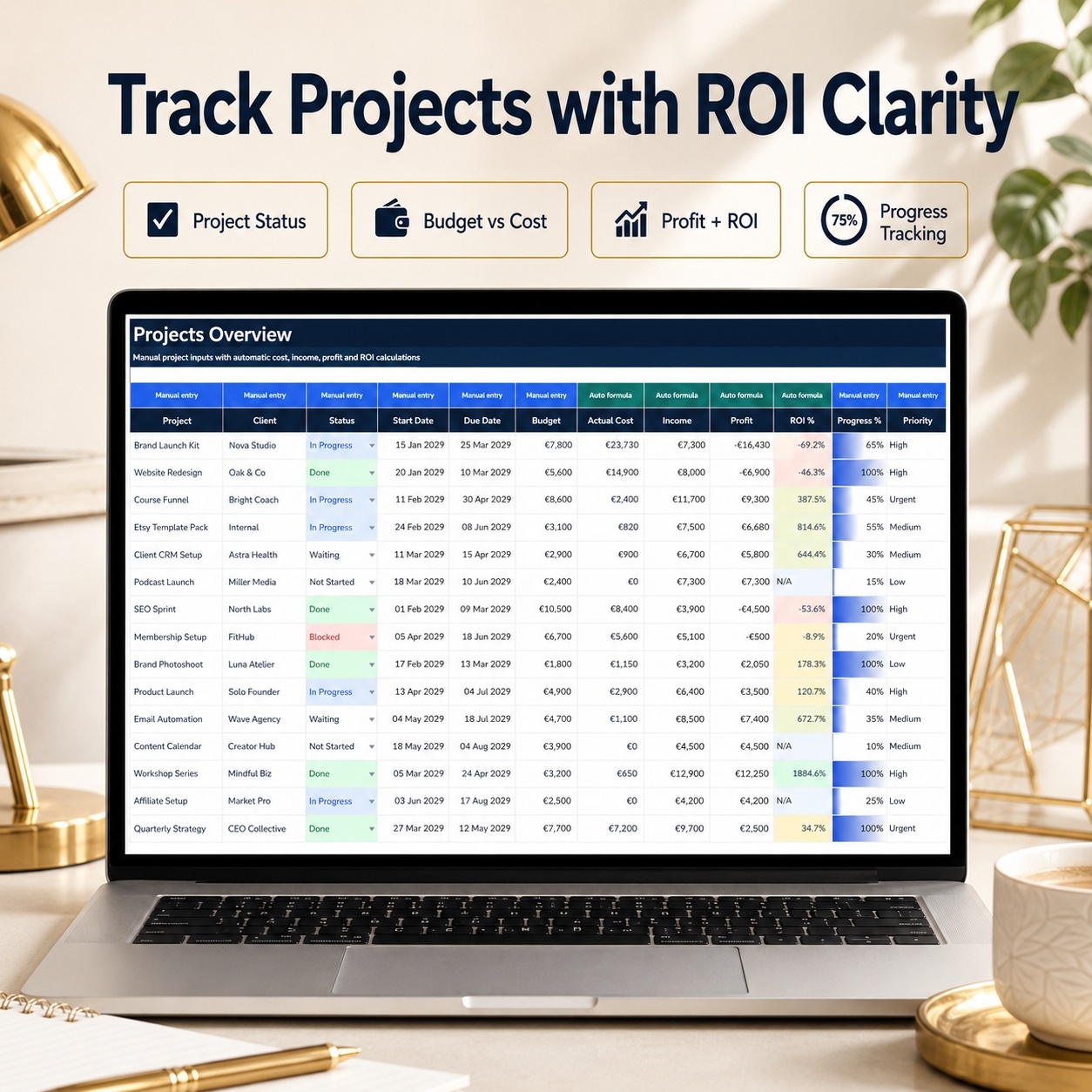
🗂️ PROJECT & ROI MANAGEMENT
The Projects Overview connects:
– Project Status
– Client
– Start & Due Dates
– Budget
– Actual Costs
– Income
– Profit
– ROI
– Progress
– Priority


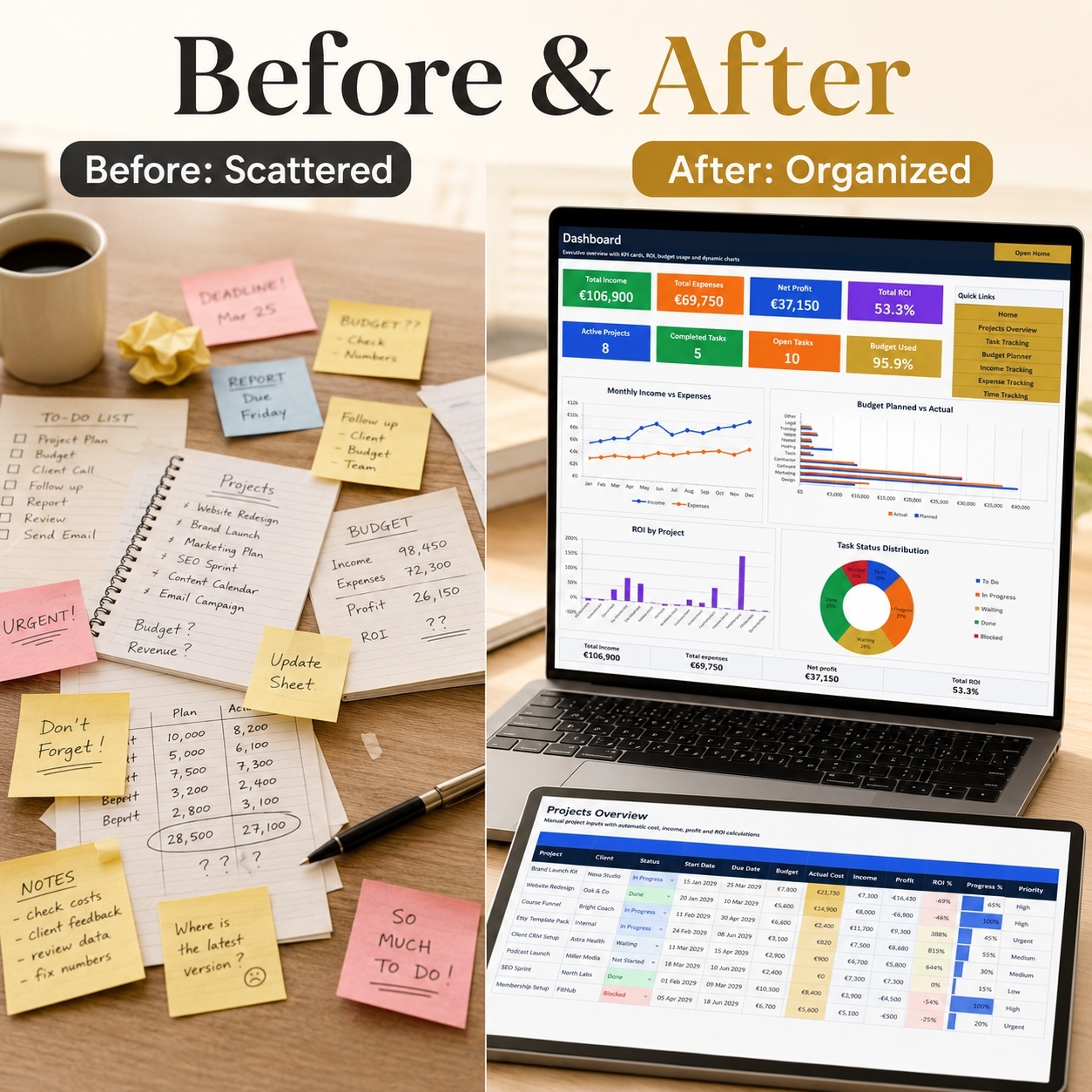
Automatic calculations make it easier to see which projects are profitable and where budget or delivery attention may be required.


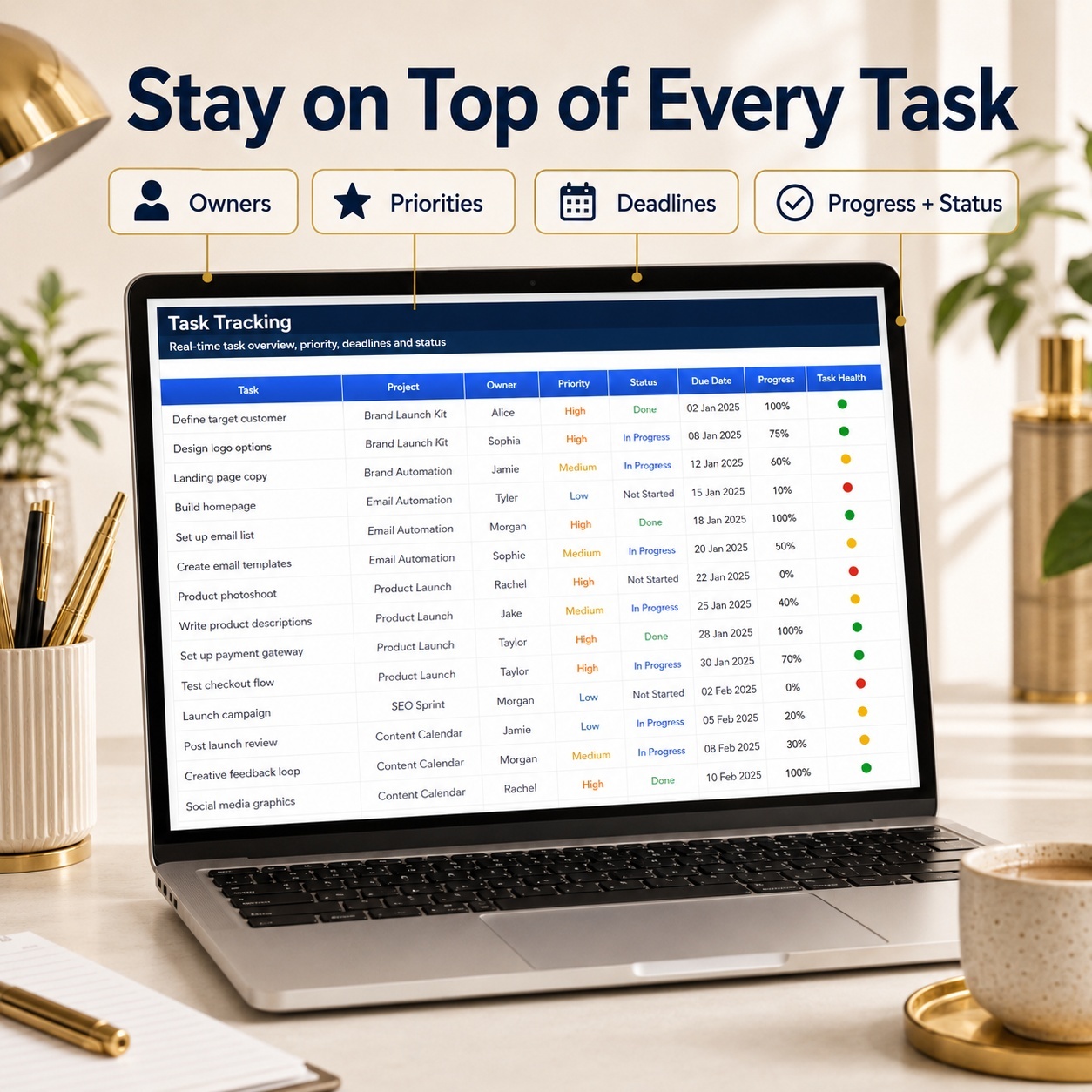
✅ TASK TRACKING
Organize work using:
– Tasks
– Owners
– Status
– Priority
– Deadlines
– Estimated Hours
– Logged Hours
– Progress
– Automatic Task Health


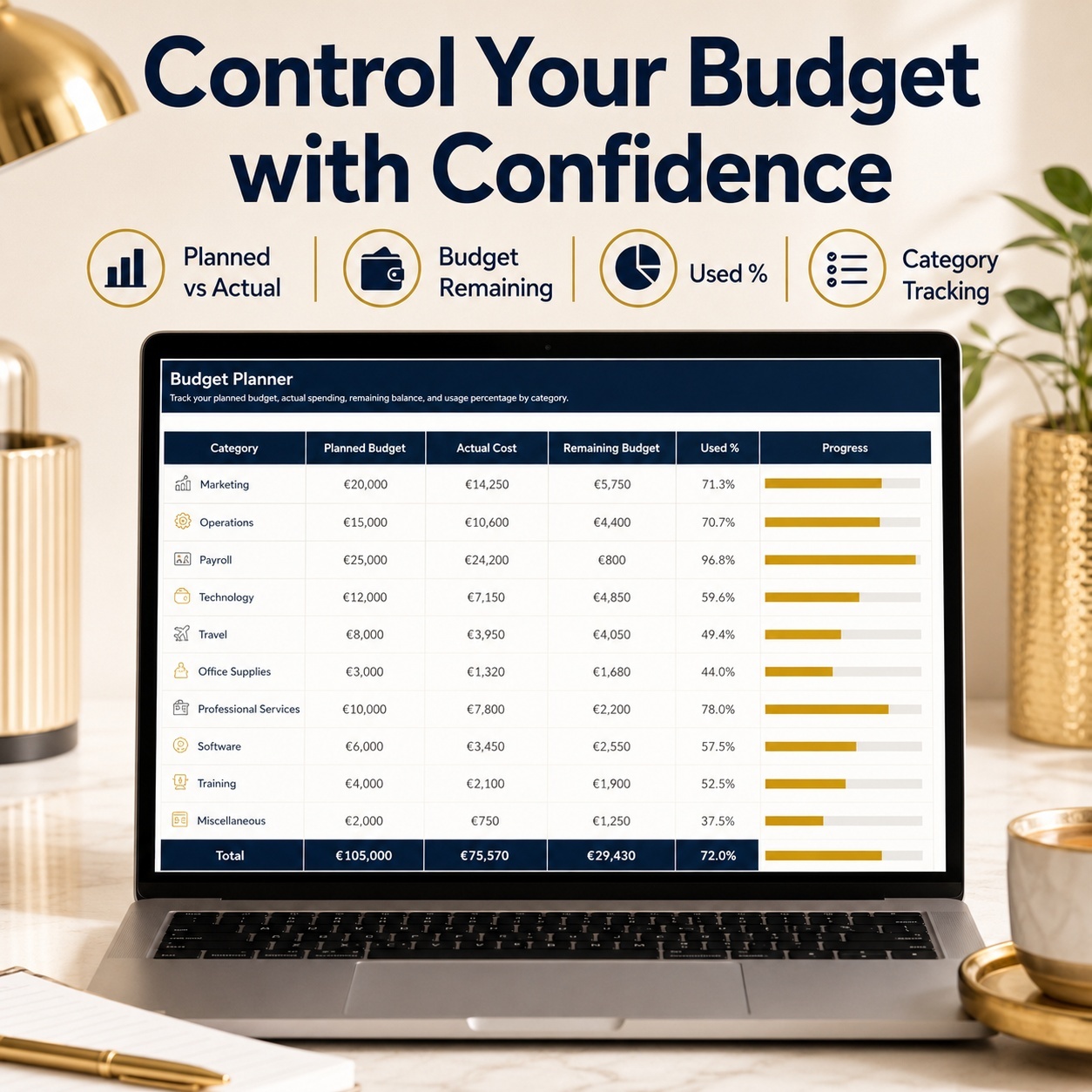
💸 BUDGET, INCOME & EXPENSE CONTROL
The Budget Planner compares:
– Planned Budget
– Actual Costs
– Remaining Budget
– Budget Used
Separate Income and Expense trackers support structured financial recording by project, category, month and quarter.


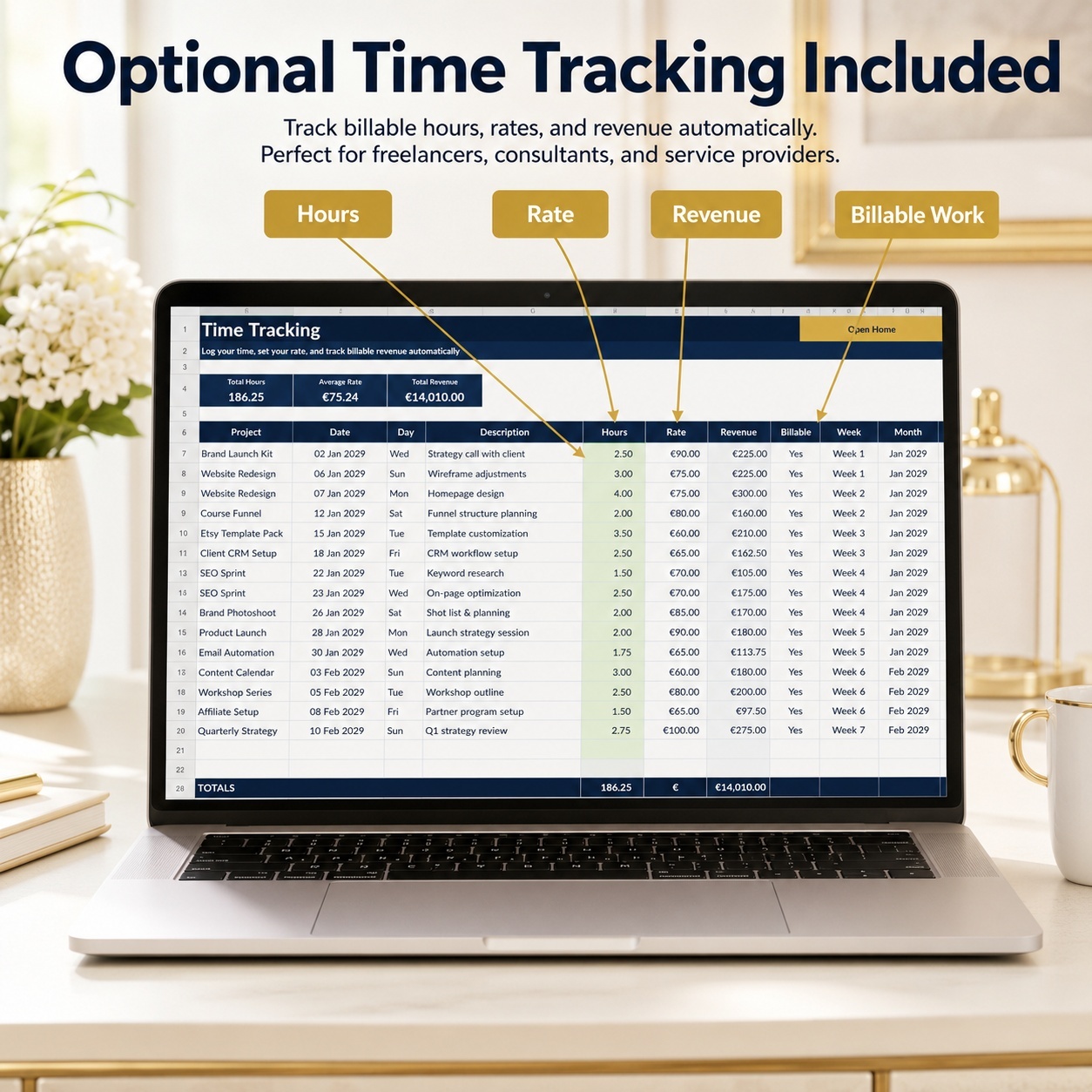
⏱️ OPTIONAL TIME TRACKING
For service-based work, the Time Tracking module supports:
– Project
– Task
– Owner
– Hours
– Hourly Rate
– Billable Status
– Automatic Revenue
– Weekly Tracking


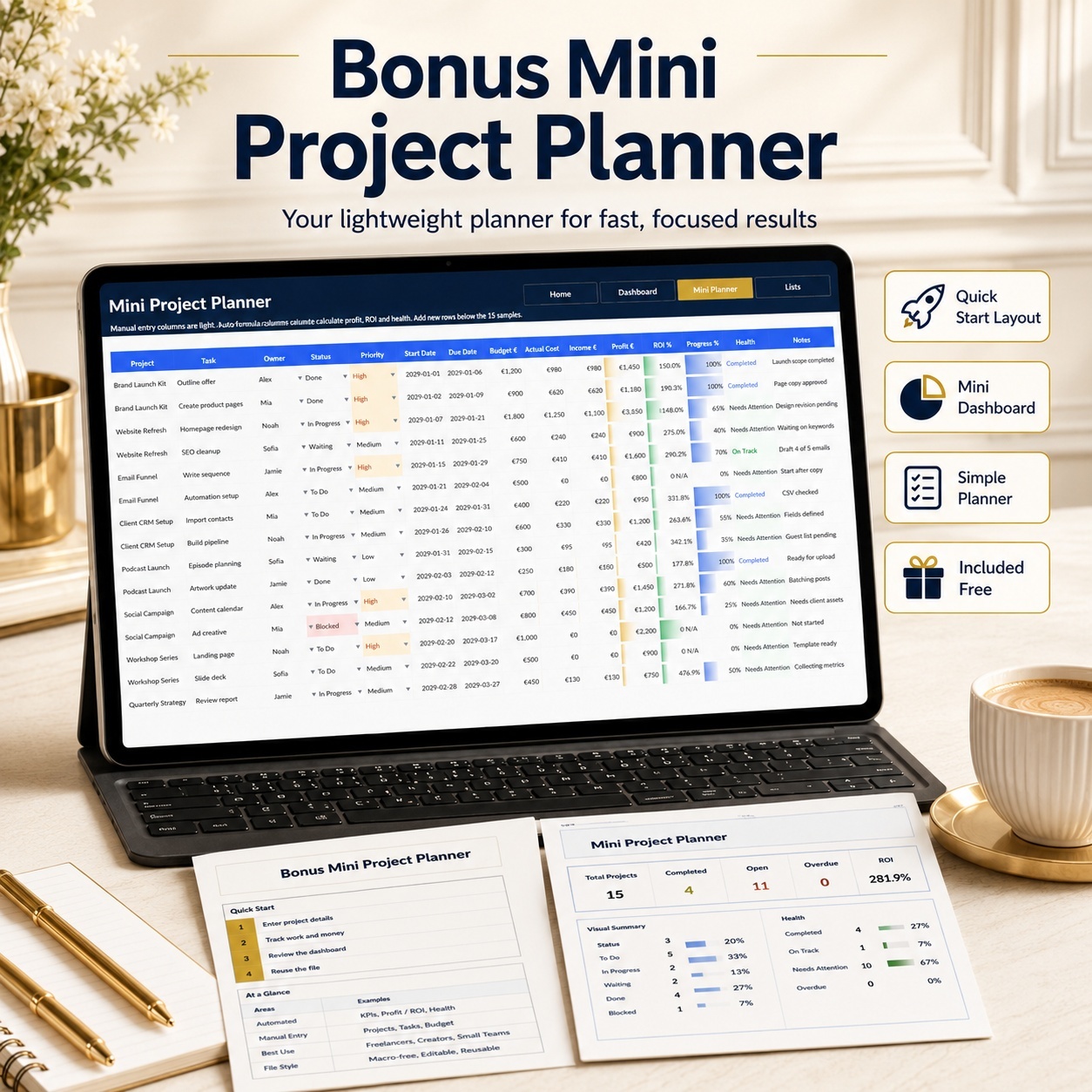
🎁 BONUS: MINI PROJECT PLANNER
The separate bonus workbook provides a lighter system for smaller projects or quick planning.
Included:
– Home
– Dashboard
– Mini Planner
– Lists


The Dashboard includes 8 KPI cards covering income, cost, profit, ROI, active projects, completed items, open items and budget usage.


The Mini Planner contains 15 realistic sample projects plus prepared space for additional entries.


👥 IDEAL FOR
💼 Freelancers
🚀 Solopreneurs
🎨 Creators
🧑‍💼 Coaches & Consultants
🏢 Small Businesses
📣 Agencies & Service Providers
🛒 Digital Product Sellers
📊 Business Owners Managing Multiple Projects


💡 WHY USE THIS TOOLKIT?
– Keep project and financial information together
– Improve visibility into profitability and ROI
– Monitor planned vs actual budgets
– Organize tasks and deadlines
– Track project-related income and expenses
– Add optional billable-time information
– Reduce scattered spreadsheets and notes
– Create a repeatable project-review workflow


💻 EXCEL & GOOGLE SHEETS
✅ Microsoft Excel Recommended
✅ XLSX Format
✅ Google Sheets Import Possible
✅ Fully Editable
✅ Macro-Free


The files can be uploaded and converted to Google Sheets. Formatting, charts, validation behavior or spacing may vary after conversion.


⚖️ IMPORTANT DISCLAIMER
This toolkit is provided for general organization, project planning and business overview purposes.
It does not constitute financial, tax, legal, accounting or professional business advice.


ROI, profit, budget and other calculated outputs depend on the information entered by the user and should be independently reviewed before being used for business decisions.


No specific income, profit or business outcome is guaranteed.

This Best Practice includes
1 × Business Project Planner (.xlsx), 1 × Mini Project Planner Bonus (.xlsx), 1 × How-to-Use Guide – 8 pages (.pdf)

SheetworksStudio offers you this Best Practice for free!

download for free

Add to bookmarks

Discuss

Further information

– Centralize project information
– Improve project-budget visibility
– Track income and expenses by project
– Monitor profit and ROI
– Organize tasks, owners and deadlines
– Compare planned and actual costs
– Track optional billable time
– Support recurring project and business reviews

Best suited where:
– Multiple small or medium projects need structured tracking
– Project budgets and profitability matter
– Tasks are currently managed across scattered notes or files
– Income and expenses should be linked to projects
– A simple Excel-based system is preferred over complex software

Not designed to replace:
– Full accounting software
– Enterprise project-management platforms
– Payroll systems
– Professional bookkeeping
– Tax filing software
– Formal financial planning or investment tools
– Professional financial, tax or legal advice


0.0 / 5 (0 votes)

please wait...