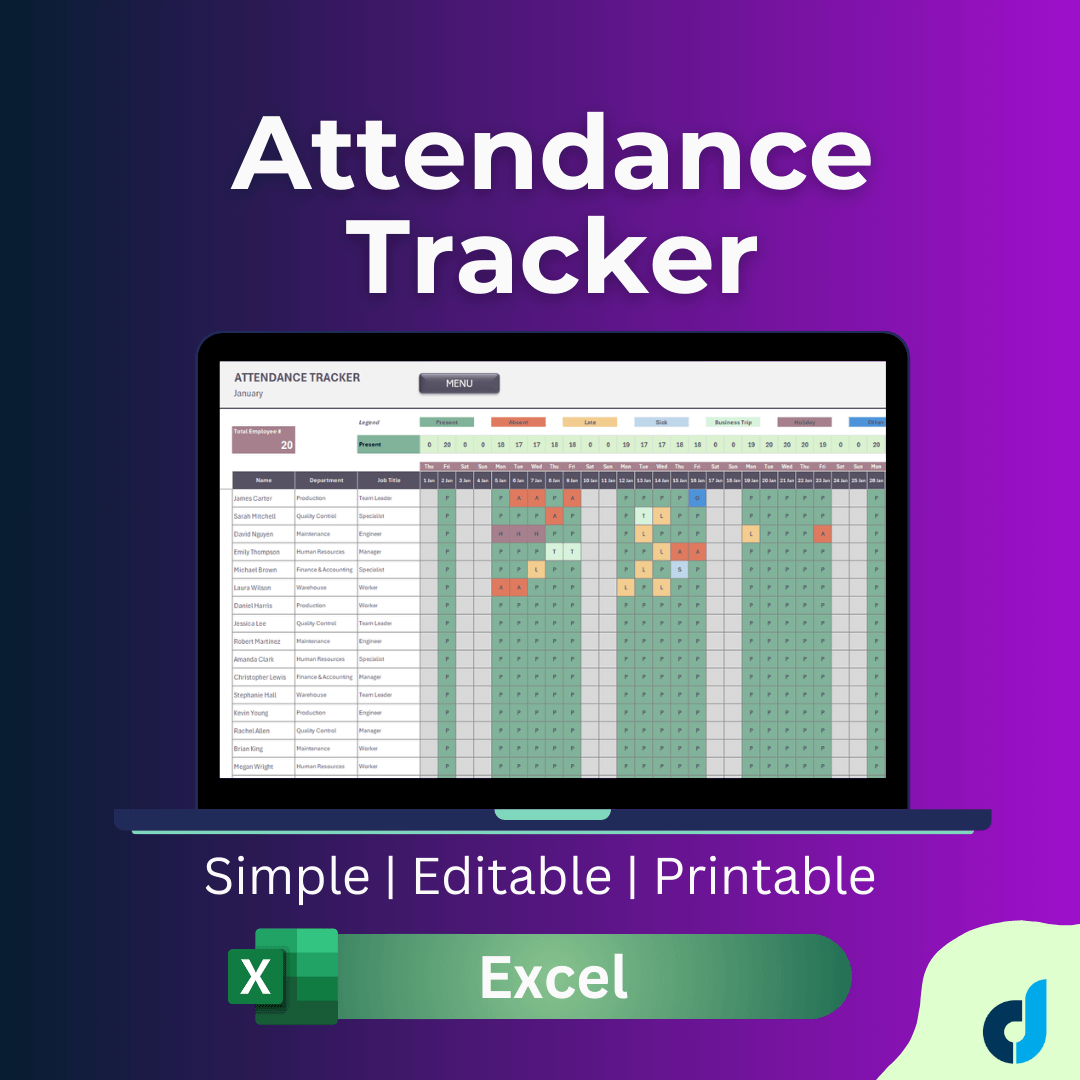
Attendance Tracker Excel Template | HR Attendance | School Attendance | Employee Attendance Timesheet
Originally published: 24/02/2026 17:06
Publication number: ELQ-75312-1
View all versions & Certificate
certified

Attendance Tracker Excel Template | HR Attendance | School Attendance | Employee Attendance Timesheet

A ready-to-use Excel template for HR managers and team leaders to track employee attendance across the full 2026 calendar year. No software required, no complex

Description
The Problem
Most teams still track attendance in fragmented ways — shared spreadsheets with no structure, paper logs, or expensive HRIS platforms that require IT involvement just to pull a monthly report. For small-to-mid size teams, none of these work efficiently.

The Solution
The 2026 Employee Attendance Tracker is a structured, plug-and-play Excel best practice that gives HR managers and operations teams a single, organized system to record, monitor, and analyze workforce attendance — covering the entire calendar year in one file.

How It Works
The template is built around four interconnected layers:
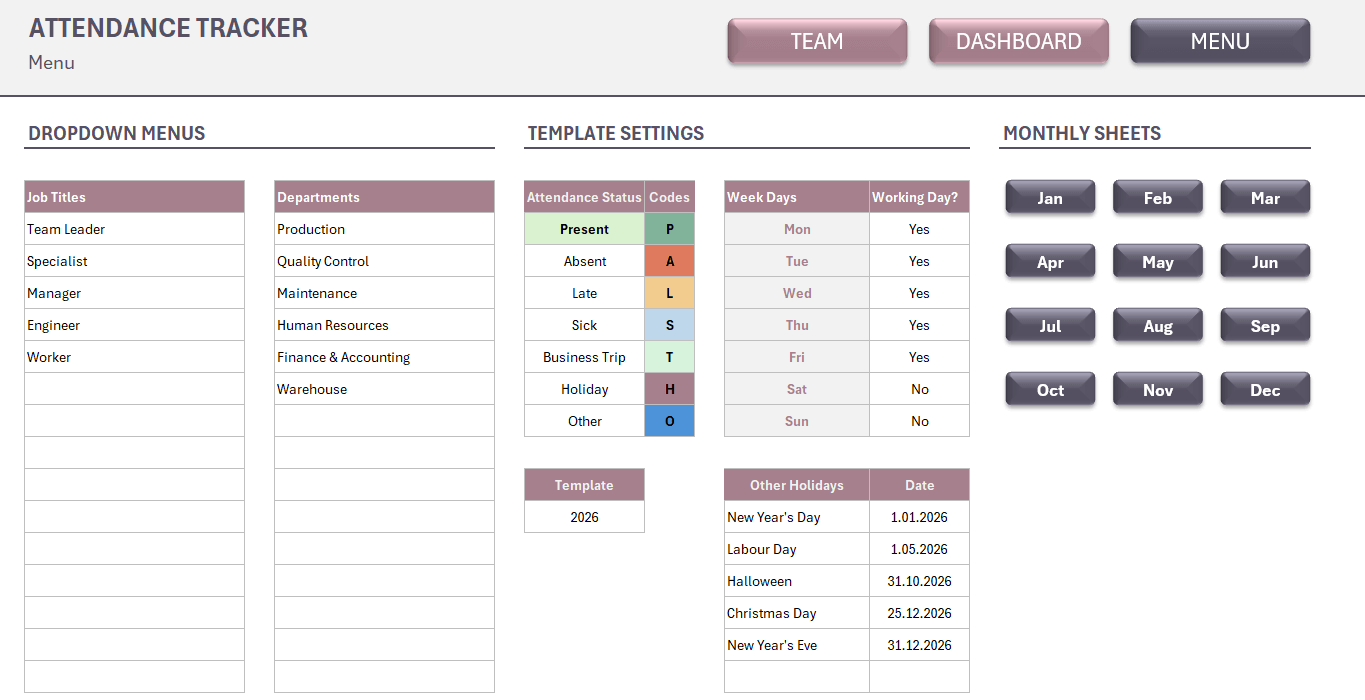
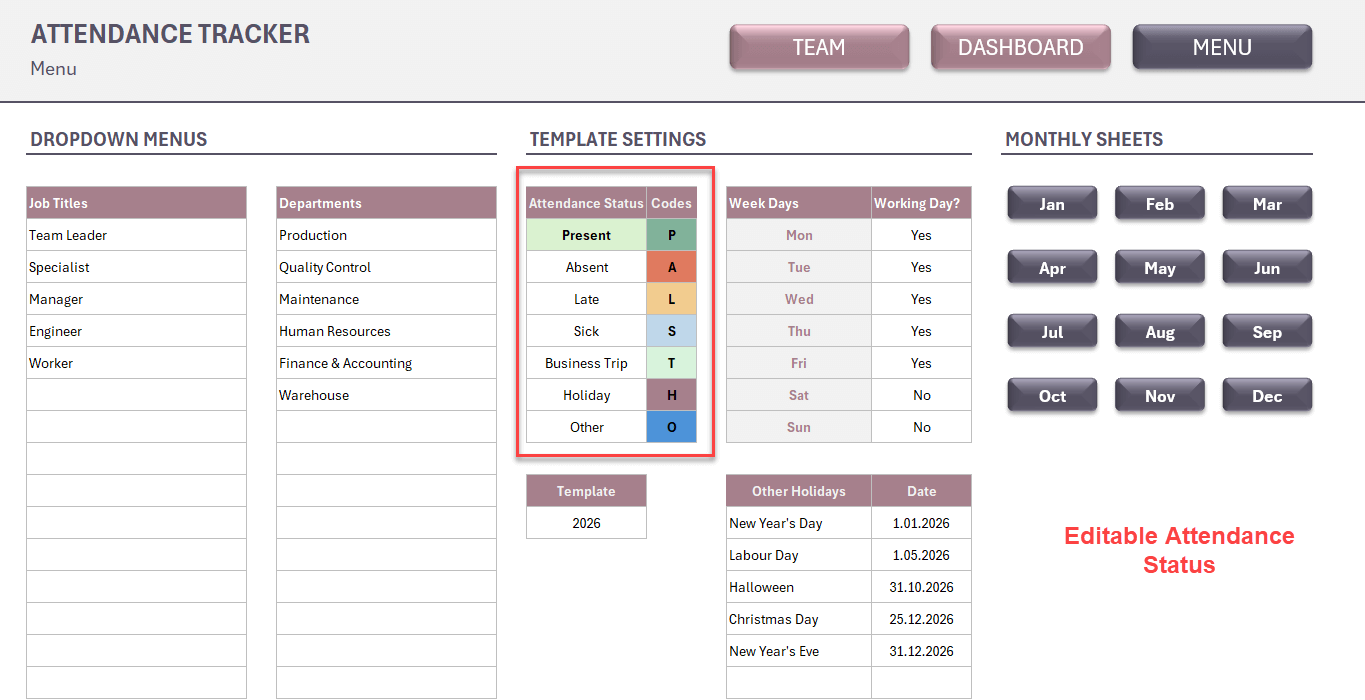
- The Menu & Settings sheet is your control panel. Define your departments, job titles, attendance status codes, working days, and public holidays once — everything else updates automatically.
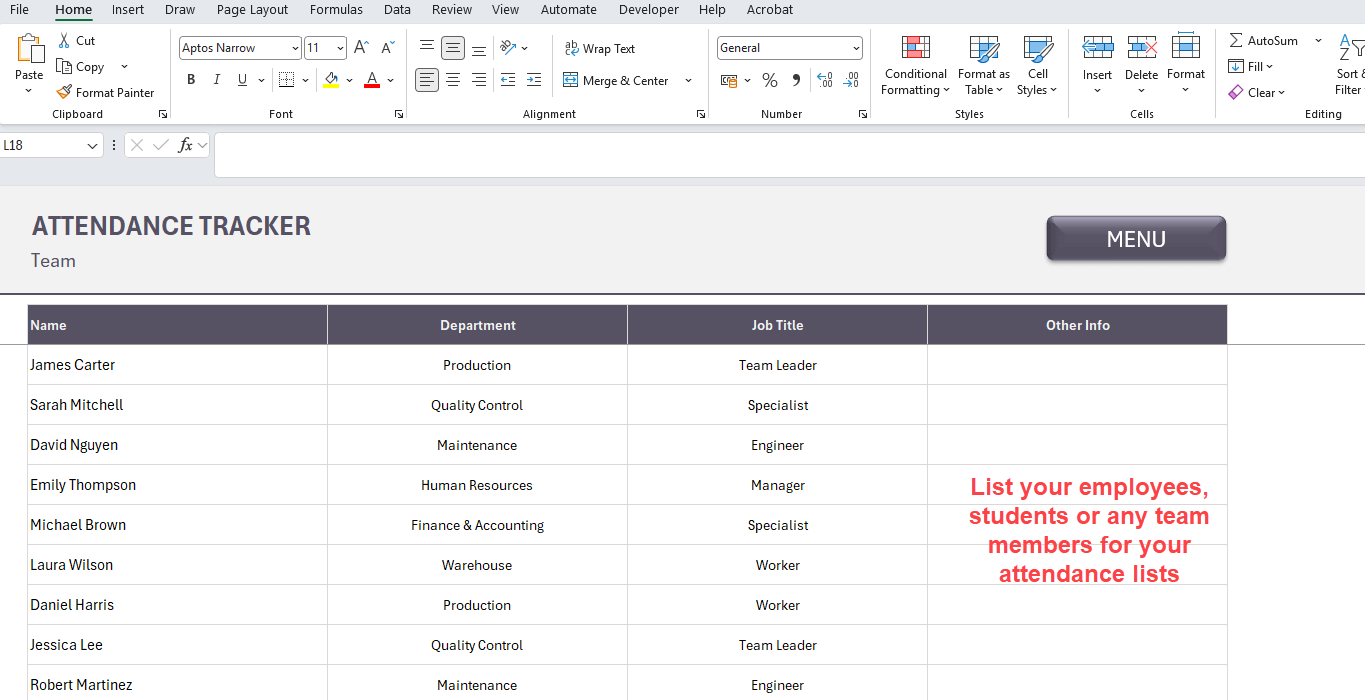
- The Team Roster sheet holds your employee list. Add each team member's name, department, and job title once. The roster auto-populates across all 12 monthly sheets, eliminating manual data entry and copy-paste errors.
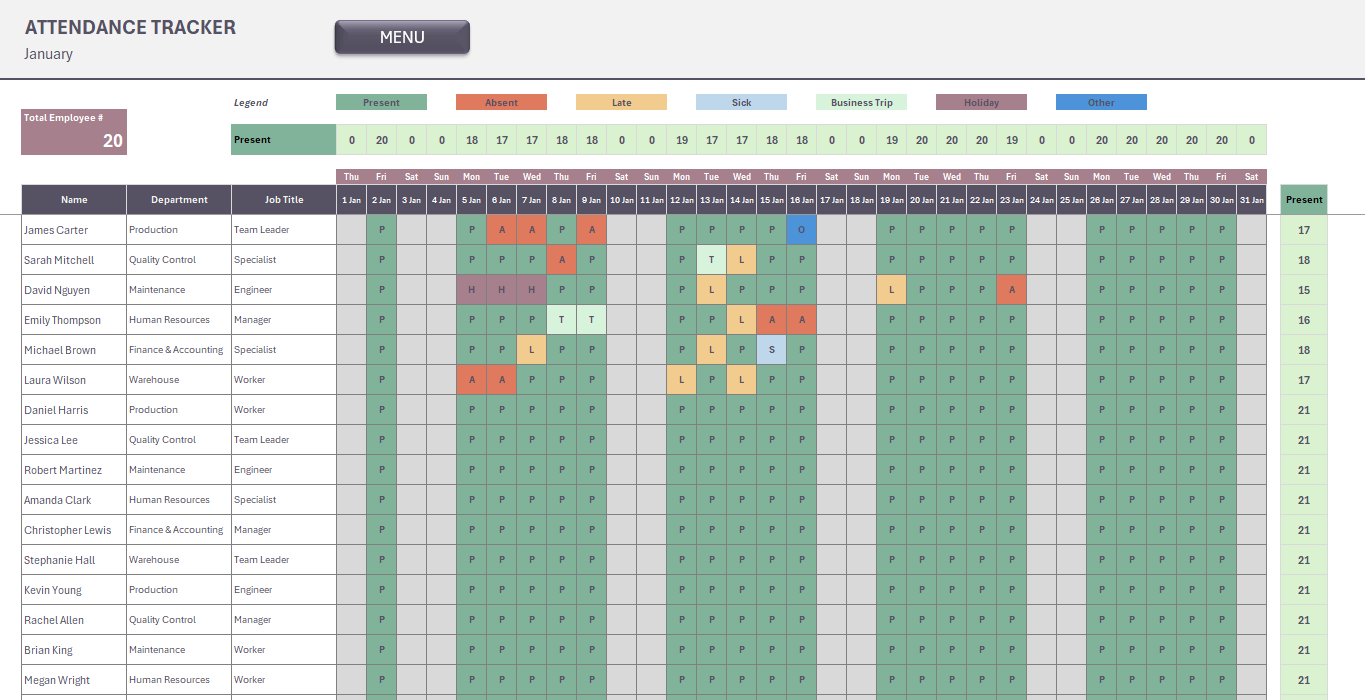
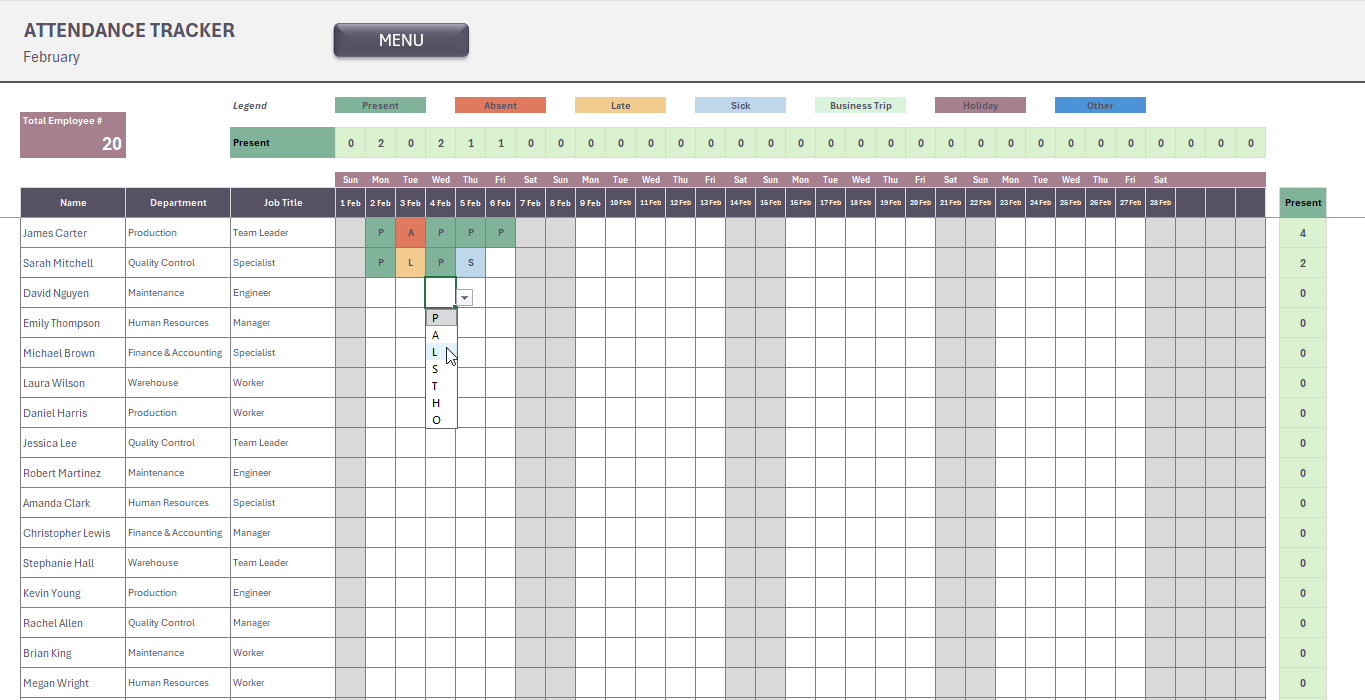
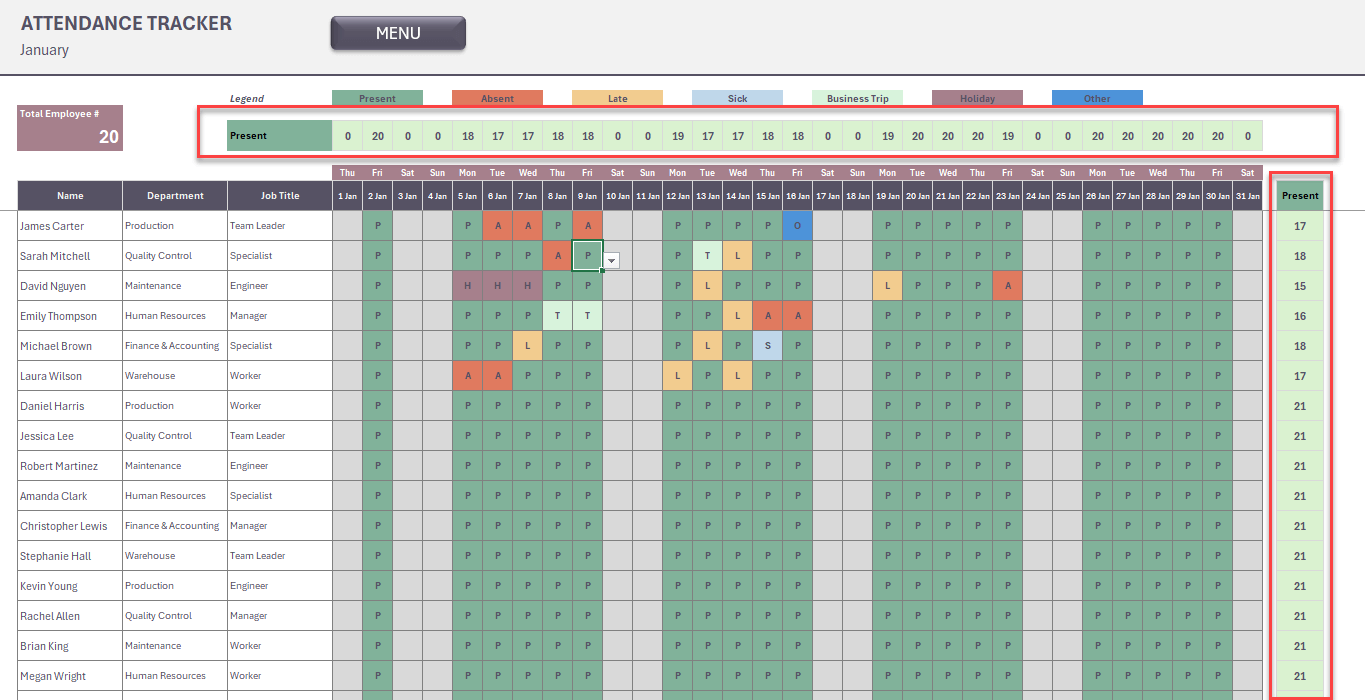
- The Monthly Attendance Sheets provide a structured daily log for every month of 2026. For each working day, simply select the relevant attendance status from a dropdown for each employee. Supported statuses include Present, Absent, Late, Half Day, Work From Home, On Leave (Sick, Annual, Unpaid, Emergency, Maternity/Paternity), On Duty / Business Trip, and Holiday.
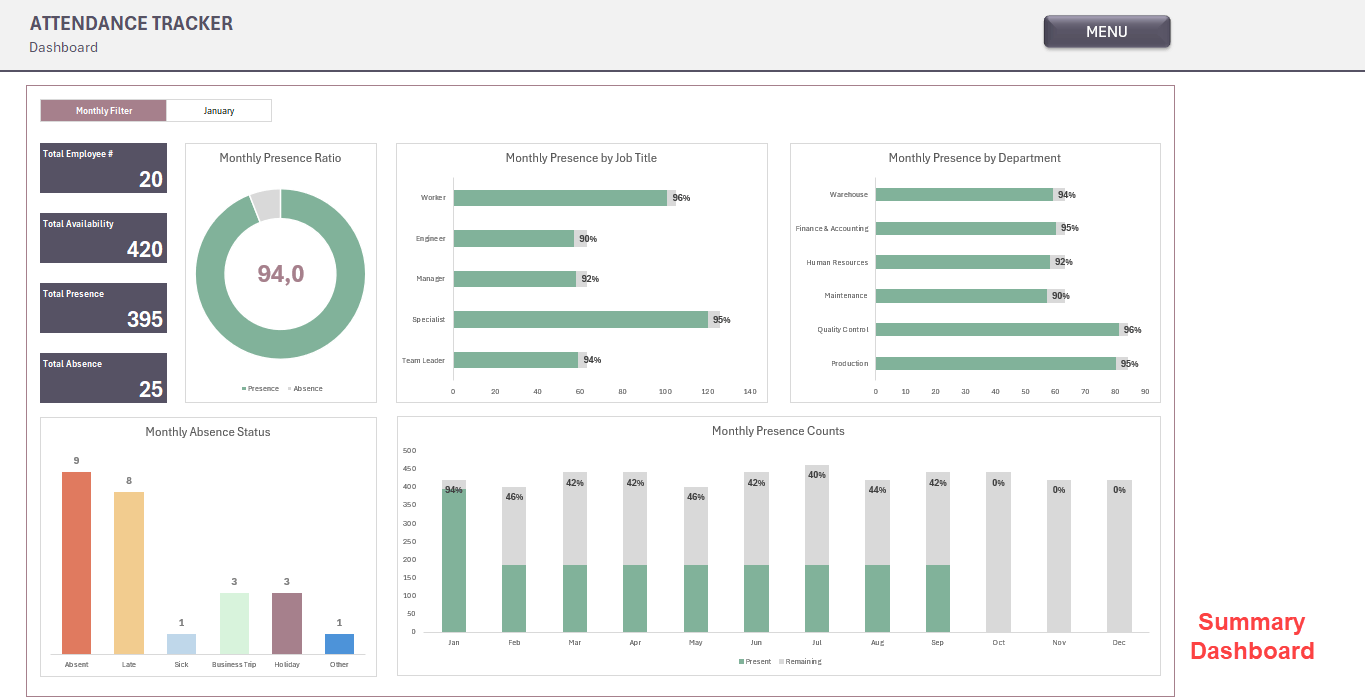
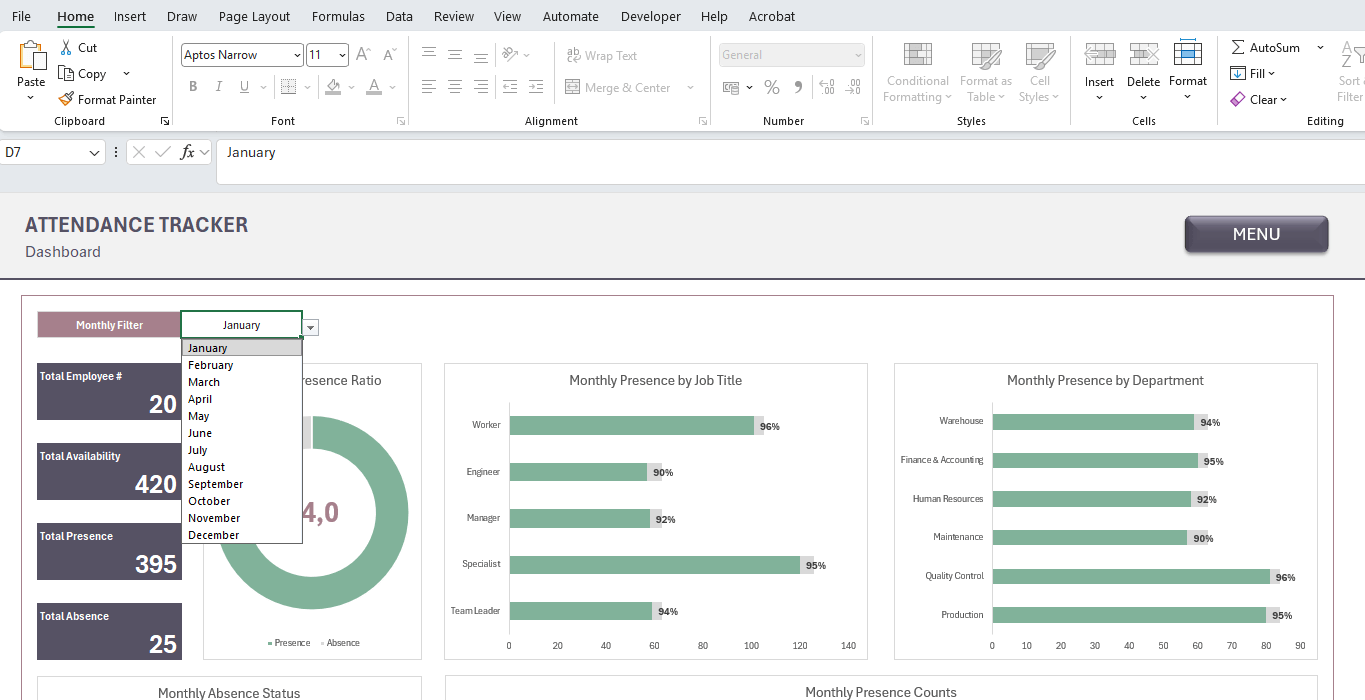
- The Summary Dashboard consolidates attendance data across all months, giving you a clear breakdown of total attendance days, absence frequency, leave type distribution, and status summaries by employee.

Who Should Use This?
This best practice is designed for HR Managers responsible for workforce records and compliance reporting, Operations and Production Managers overseeing shift-based or departmental teams, Team Leaders who need a lightweight daily log without administrative overhead, and Small Business Owners seeking a structured alternative to expensive HR software.

Key Specifications
Format: Microsoft Excel (.xlsx). Compatibility: Excel 2016 and later. No macros, no add-ins, no external dependencies. Language: English. Coverage: Full year, January through December. Delivery: Instant digital download.

What Makes This a Best Practice
The template is designed around one principle: minimal input, maximum visibility. Dropdown-driven data entry prevents errors, auto-population removes repetitive work, and the dashboard surfaces insights without any manual calculation. It is audit-ready, easy to hand off, and requires no training to use.

This Best Practice includes
1 Excel file

Acquire business license for $15.00

Add to cart

Add to bookmarks

Discuss

Further information

This template is purpose-built for professionals who manage people and need structured, audit-ready attendance records.

HR Managers tracking daily workforce presence and leave balances. Operations & Production Managers monitoring shift attendance in manufacturing or field environments. Team Leaders & Supervisors who need a quick daily log without administrative overhead. Small Business Owners looking for a cost-effective alternative to HR software. Office Administrators responsible for maintaining employee records across multiple departments.
If you manage a team of any size and need a single source of truth for attendance data, this template was built for you.


0.0 / 5 (0 votes)

please wait...