




API Analytics Dashboard & Incident Triage System | Excel

Free API analytics toolkit with performance dashboard, P95 latency, error analysis, incident triage and SLA calculator for Excel.

Description

πŸ“‘ API ANALYTICS DASHBOARD & INCIDENT TRIAGE SYSTEM


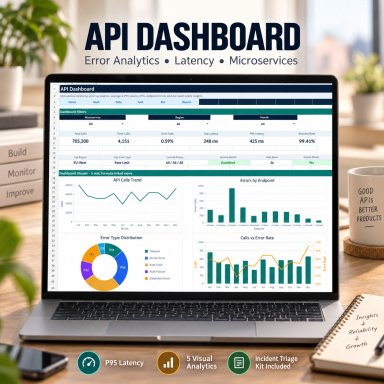
Turn structured API log data into clear performance insights with a professional Excel-based dashboard for API calls, errors, latency, endpoints, regions and microservices.


This free professional toolkit combines API analytics, technical reporting, incident triage and SLA review in one practical package for DevOps, backend, SaaS and technical operations teams.


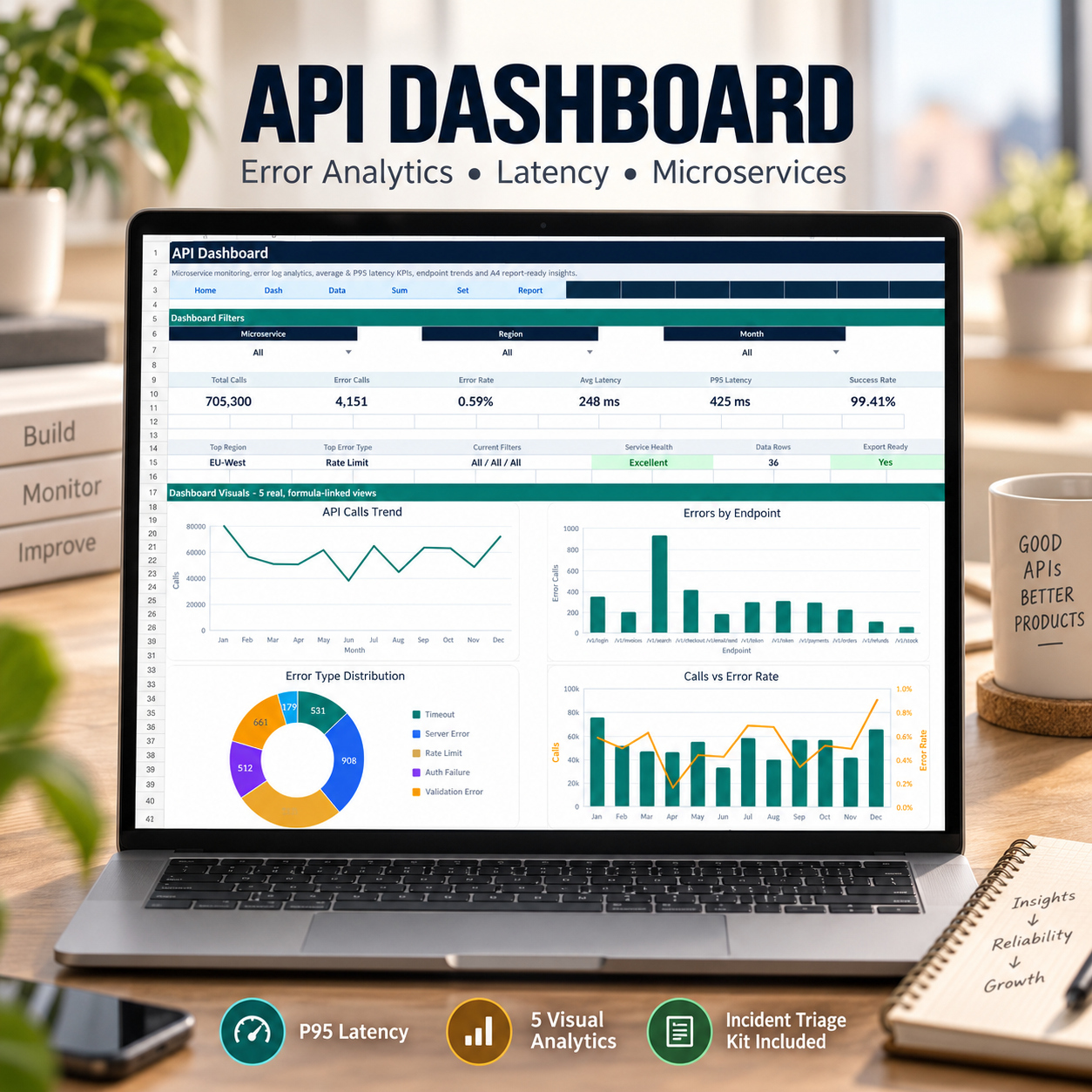
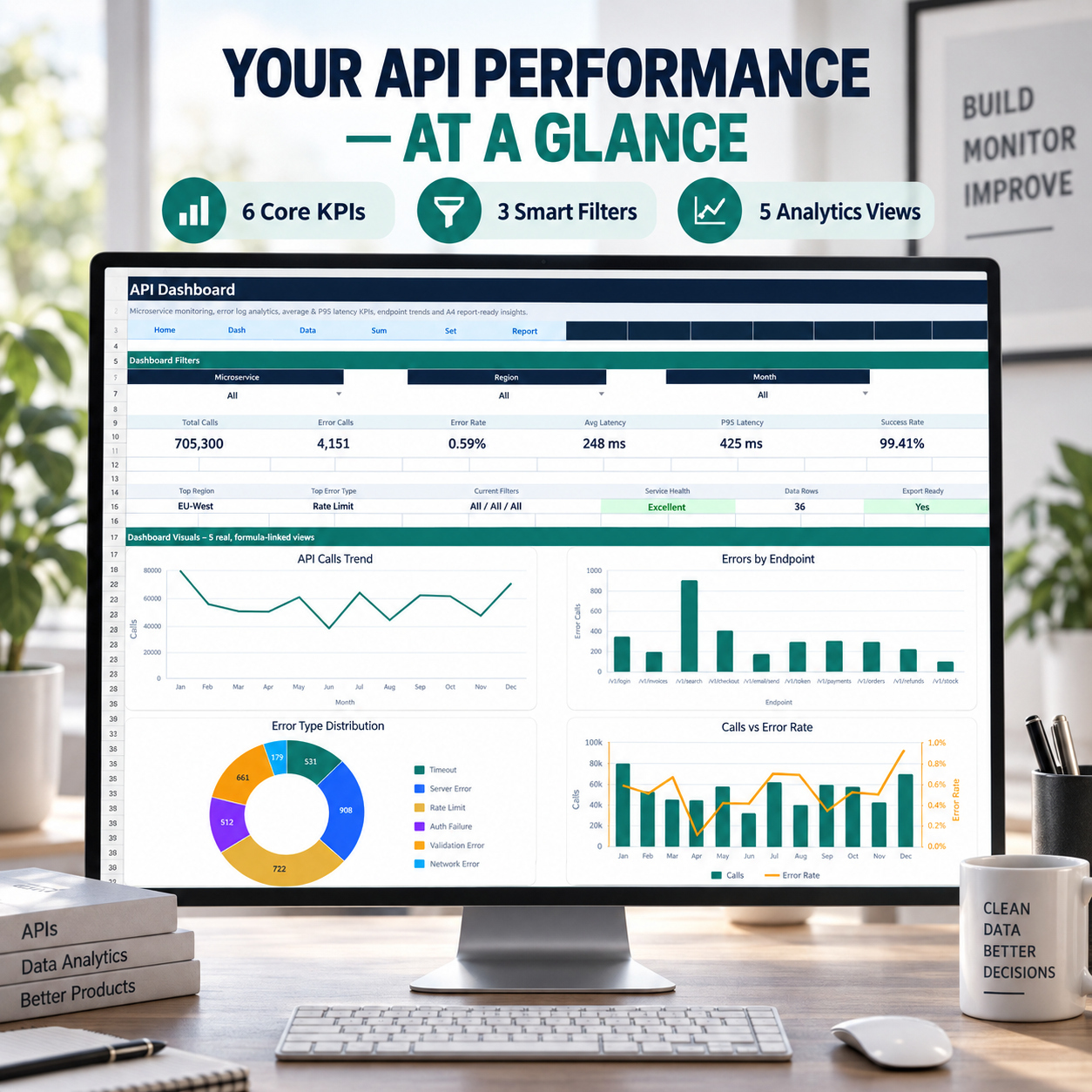
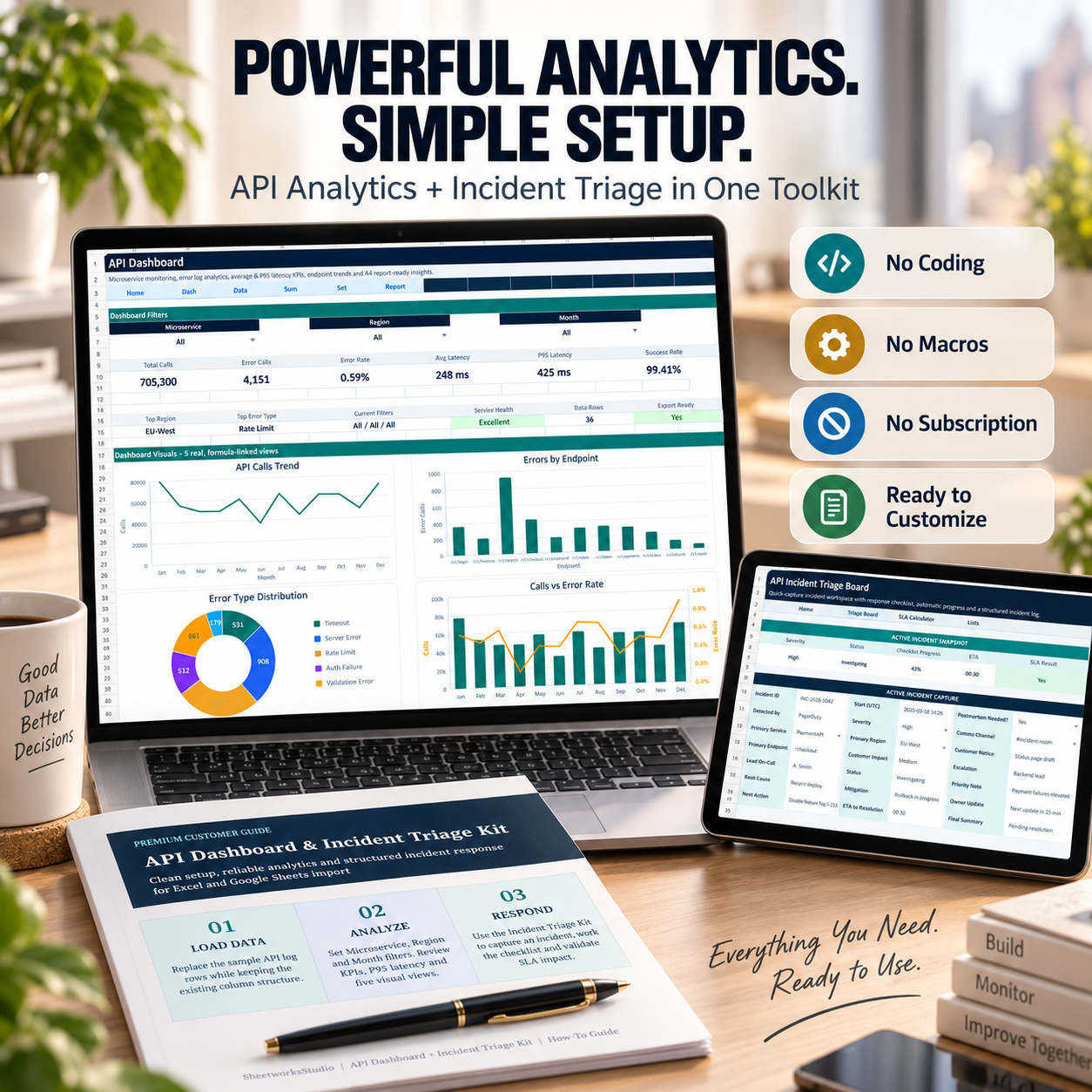
πŸ“Š API PERFORMANCE DASHBOARD
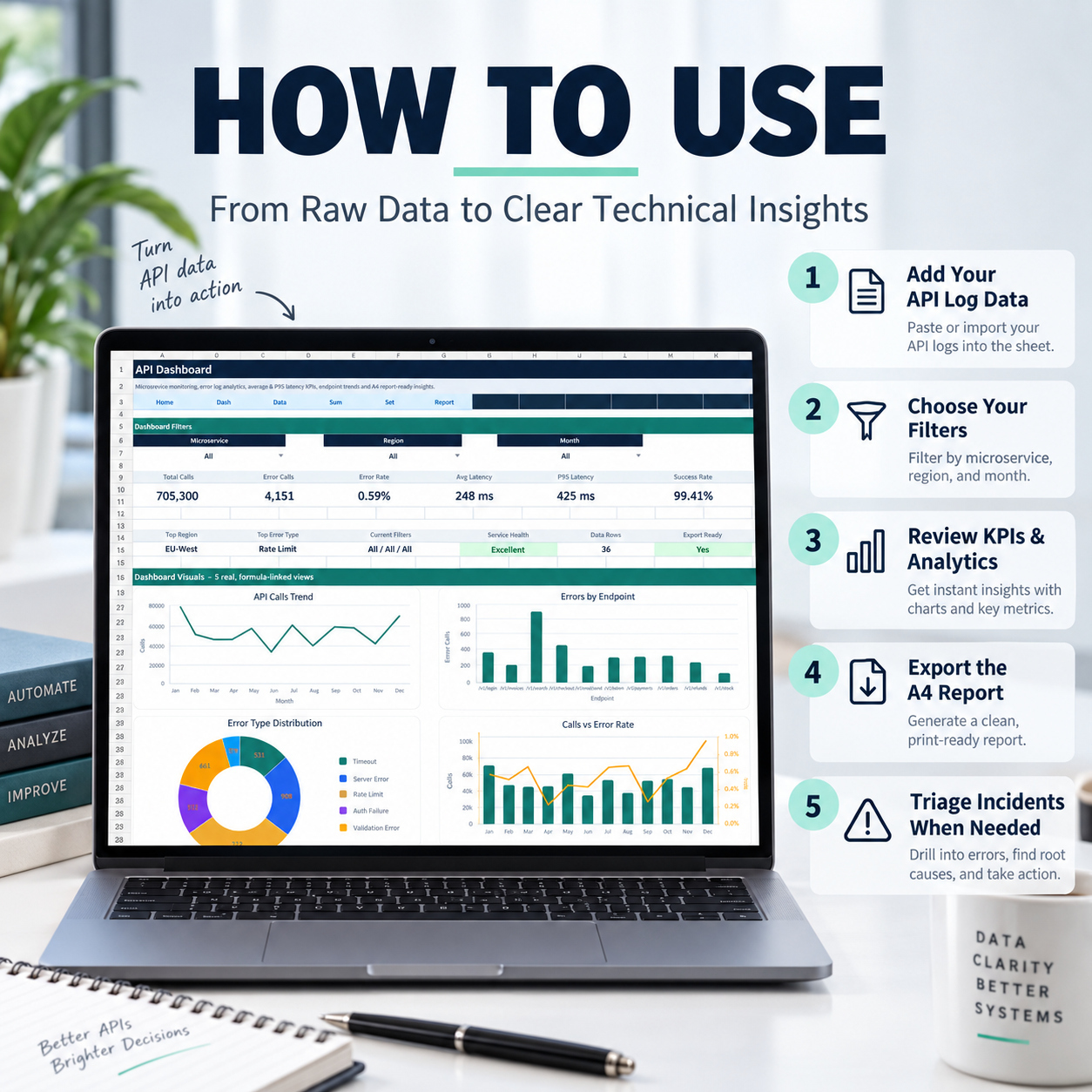
Filter your data by:
🧩 Microservice
🌍 Region
πŸ“… Month


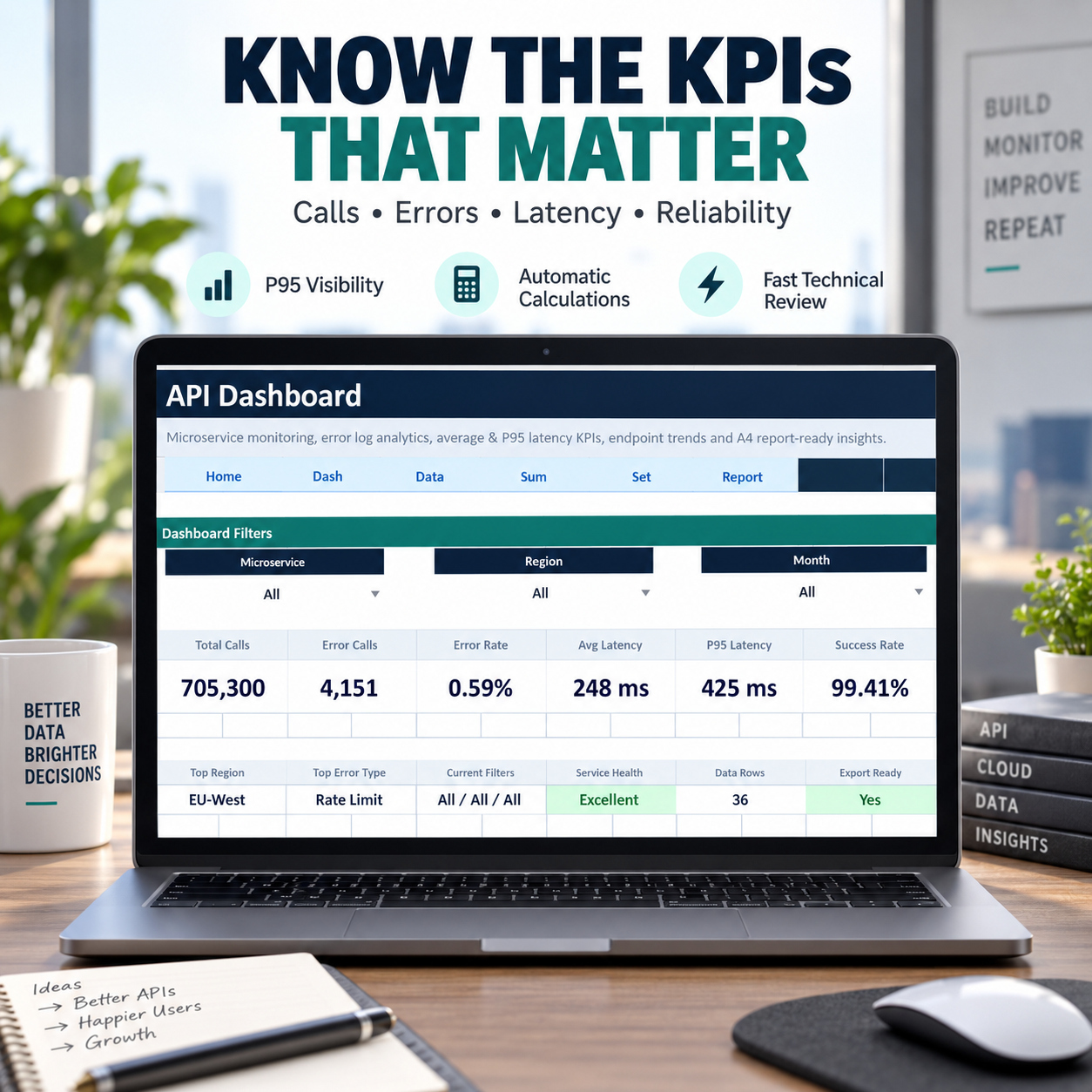
The dashboard automatically calculates:
πŸ“ž Total Calls
⚠️ Error Calls
πŸ“‰ Error Rate
⏱️ Average Latency
πŸš€ P95 Latency
βœ… Success Rate


Additional indicators show Top Region, Top Error Type, current filters, Service Health and Data Rows.


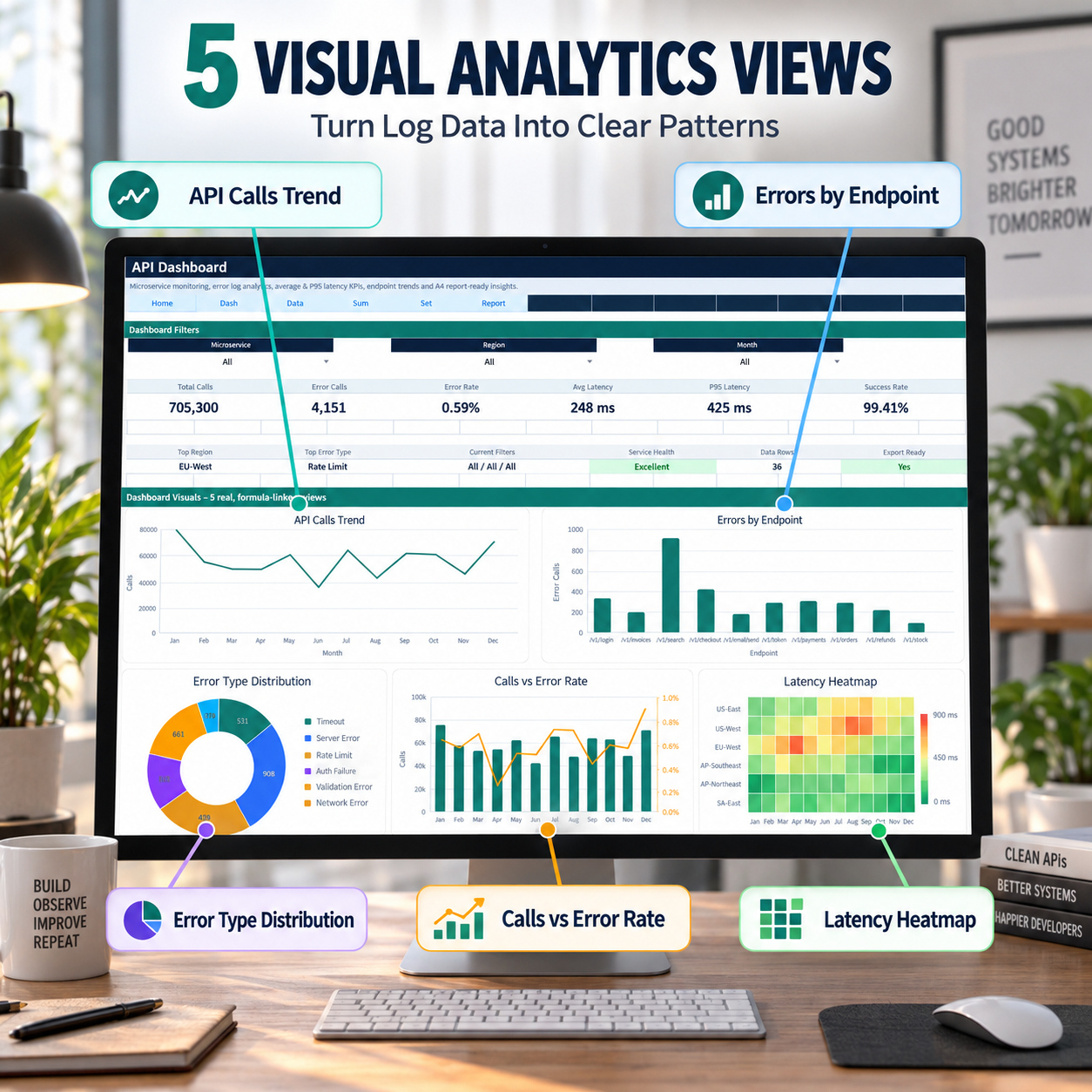
πŸ“ˆ 5 VISUAL ANALYTICS VIEWS


The dashboard combines 4 dynamic charts with a latency heatmap:
πŸ“ˆ API Calls Trend
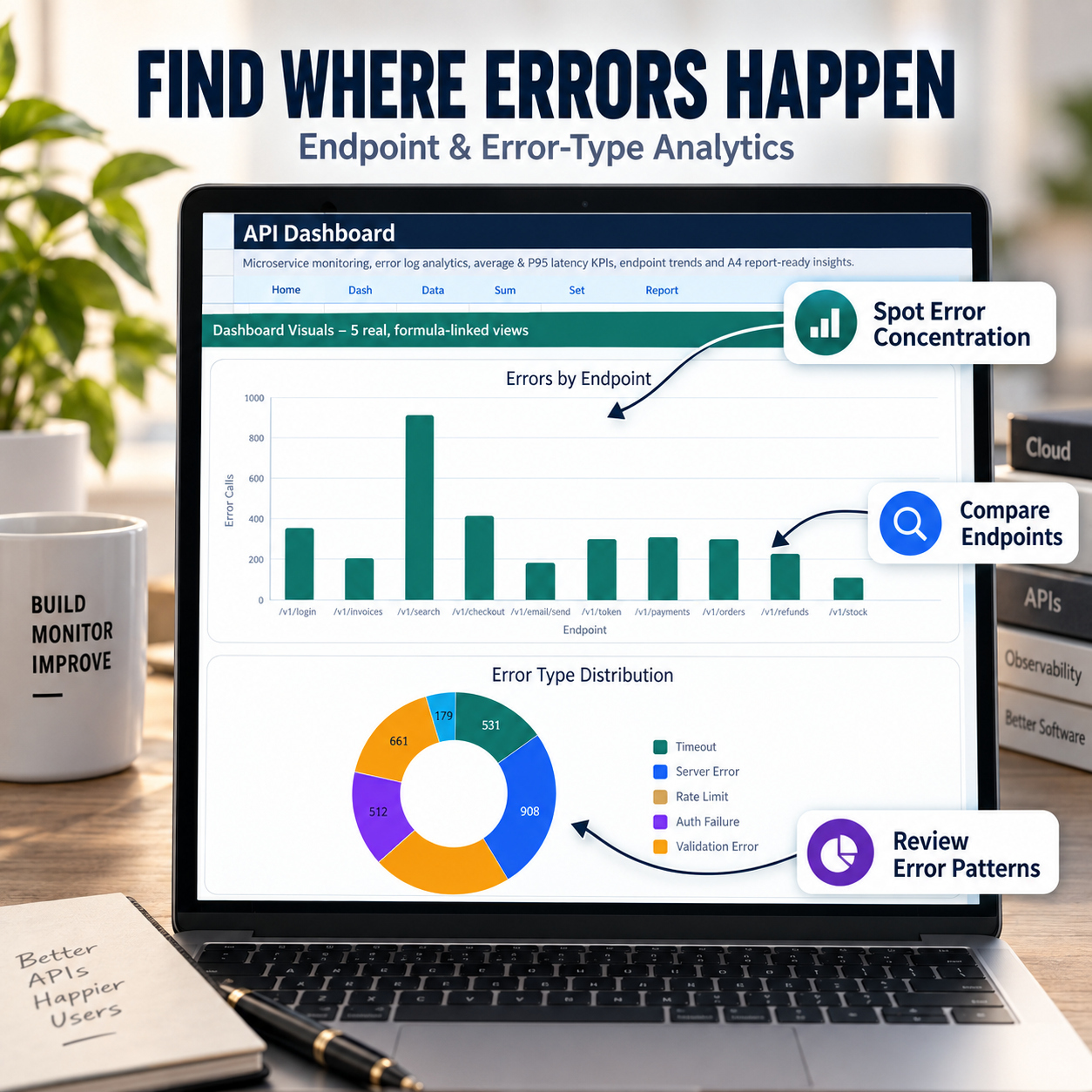
🎯 Errors by Endpoint
🧩 Error Type Distribution
πŸ“Š Calls vs Error Rate
πŸ”₯ Region Γ— Month Latency Heatmap


The dedicated P95 Latency KPI adds visibility into slower response behavior that may not be obvious from average latency alone.


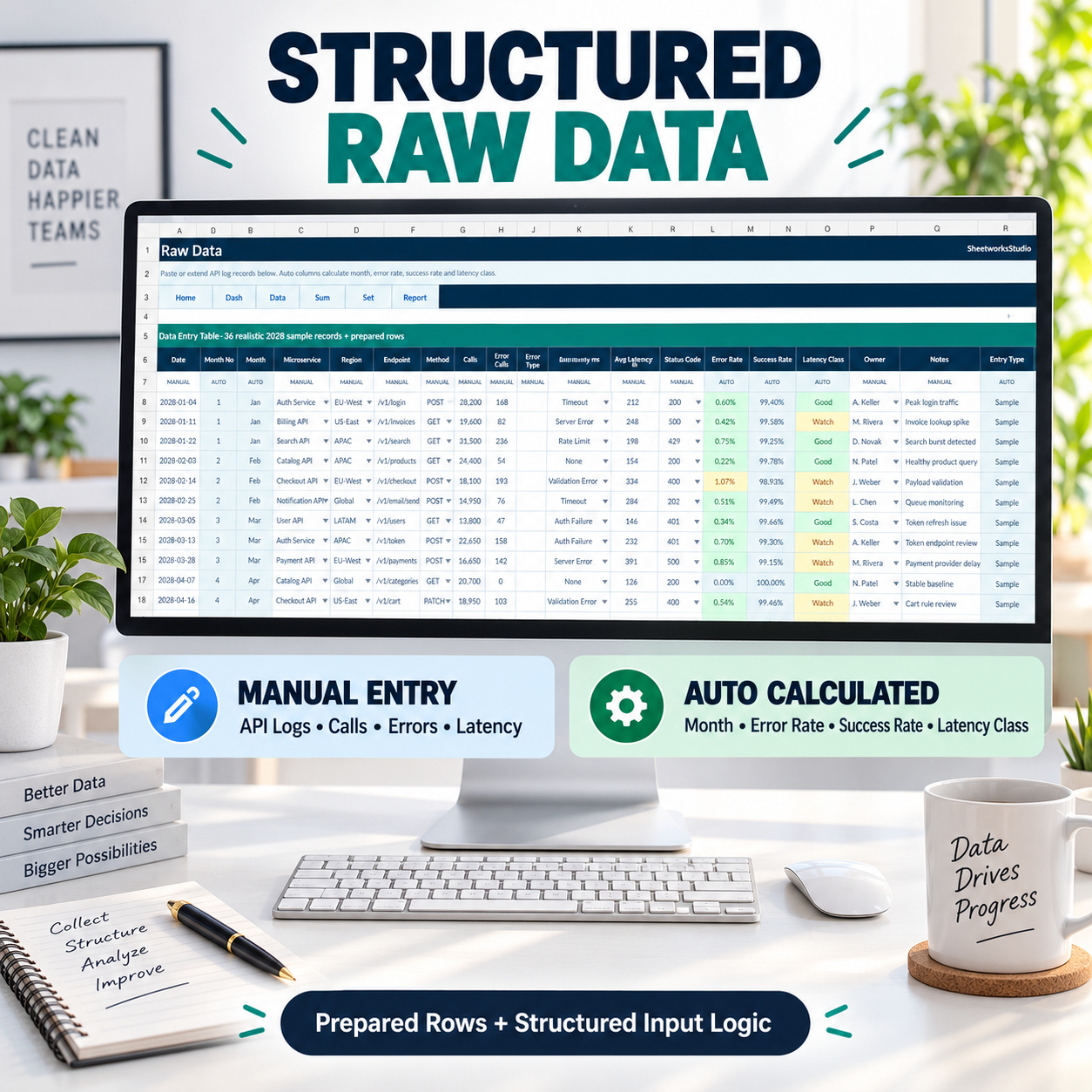
πŸ—‚οΈ STRUCTURED RAW DATA
The Raw Data sheet separates manual inputs from calculated fields.
Enter information such as date, microservice, region, endpoint, HTTP method, calls, errors, error type, latency, status code, owner and notes.


The workbook automatically calculates month information, error rate, success rate, latency classification and entry type.
Realistic sample data is included to demonstrate the workflow before replacing it with your own records.


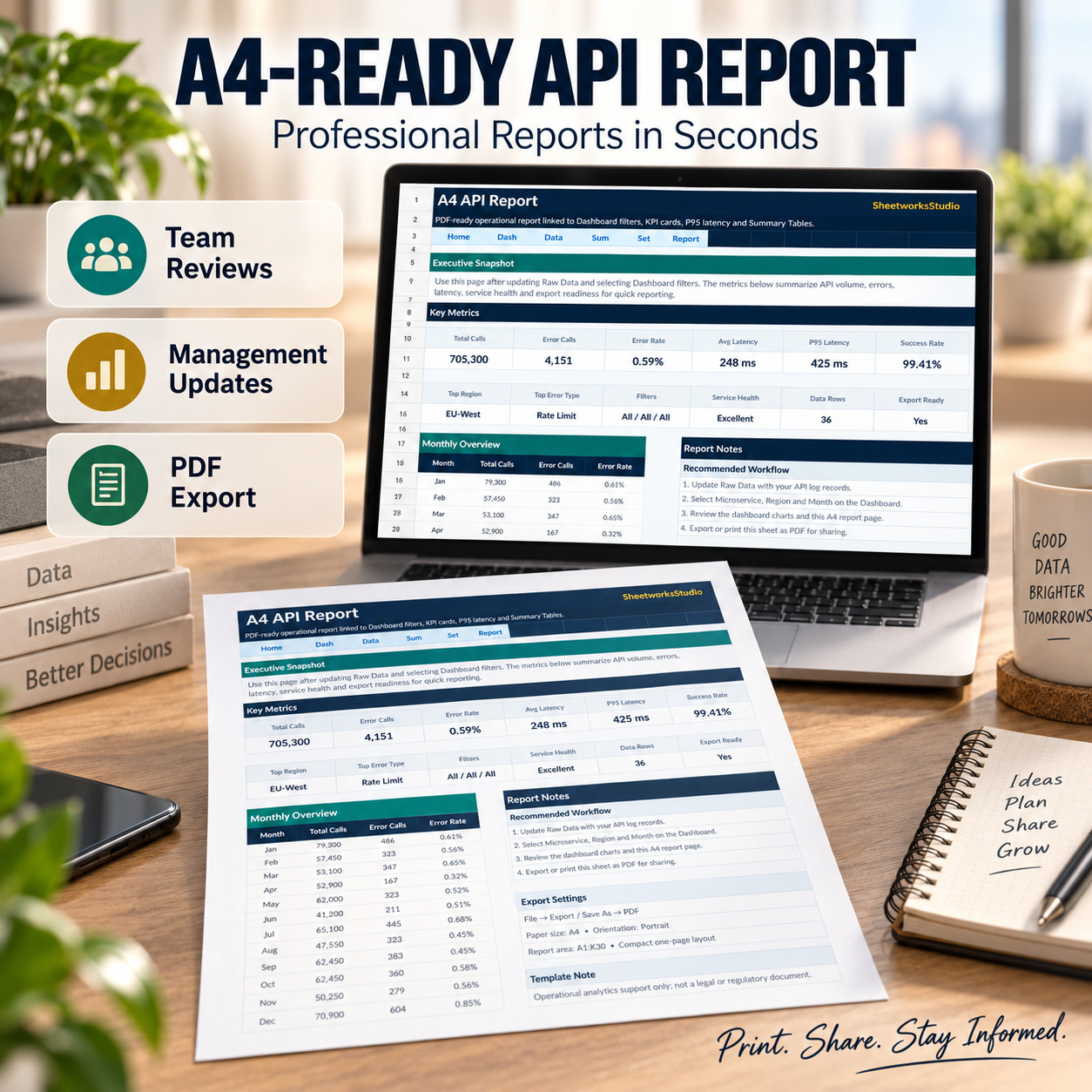
πŸ“„ A4-READY REPORTING


A dedicated reporting sheet provides a compact overview of key API performance information for:
β€’ technical reviews
β€’ management updates
β€’ team meetings
β€’ internal documentation
It can be exported through the standard Excel or Google Sheets print/PDF workflow.


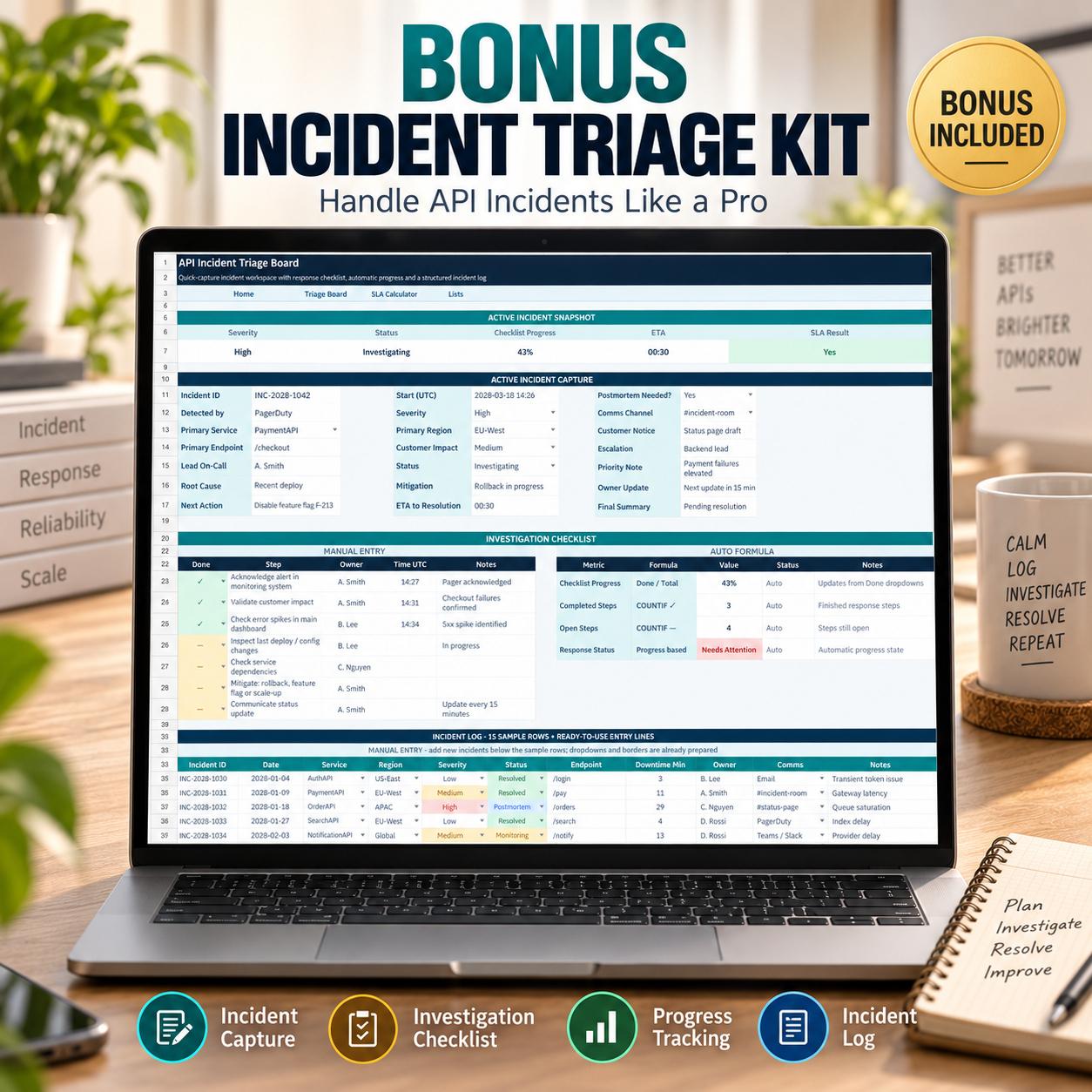
🚨 BONUS: API INCIDENT TRIAGE KIT
A separate Excel workbook supports structured incident-response documentation.


It includes:
🚨 Active Incident Capture
βœ… 7-Step Investigation Checklist
πŸ“‹ Incident Log with 15 sample incidents
⏱️ SLA / Uptime Calculator


Automatic formulas calculate checklist progress, availability, allowed downtime, remaining downtime buffer, SLA status and downtime usage.


A Jan–Dec SLA Snapshot supports recurring monthly review.


πŸ“˜ 8-PAGE HOW-TO GUIDE


The included guide explains:
πŸš€ Initial setup
πŸ“Š Dashboard workflow
πŸ—‚οΈ Raw Data structure
πŸ“ˆ Analytics views
⏱️ P95 interpretation
πŸ“„ Reporting
🚨 Incident triage
⏱️ SLA calculations
☁️ Google Sheets import
πŸ› οΈ Troubleshooting


✨ PRACTICAL, EDITABLE & MACRO-FREE


The toolkit requires:
βœ… No macros
βœ… No VBA
βœ… No APIs
βœ… No external data connections
βœ… No subscription


Microsoft Excel is recommended for the best visual experience, while Google Sheets import is also supported.


πŸ’Ž WORKFLOW
Load Data β†’ Filter β†’ Analyze β†’ Report β†’ Triage β†’ Review SLA
This toolkit provides a simple and structured reporting layer for teams that want clearer API performance visibility without implementing another monitoring platform.


⚠️ IMPORTANT
This is a spreadsheet-based analysis and documentation toolkit, not a live observability, alerting or monitoring platform.
Dashboard outputs and SLA calculations depend on the source data entered and should be validated against your organization’s authoritative monitoring systems before operational or contractual decisions are made.

This Best Practice includes
1 Γ— API Dashboard (.xlsx), 1 Γ— API Incident Triage Kit (.xlsx), 1 Γ— Premium How-to-Use Guide (.pdf)

SheetworksStudio offers you this Best Practice for free!

download for free

Add to bookmarks

Discuss

Further information

β€’ Convert structured API log data into clear operational reporting
β€’ Monitor calls, errors, error rates and latency consistently
β€’ Identify problematic endpoints and error categories
β€’ Add P95 visibility alongside average latency
β€’ Compare API performance across regions and months
β€’ Standardize incident triage and investigation documentation
β€’ Quantify SLA impact and support recurring technical reviews

This toolkit works particularly well for:
β€’ teams exporting or manually consolidating API performance data
β€’ organizations without a dedicated reporting dashboard for technical reviews
β€’ SaaS teams managing multiple APIs or microservices
β€’ teams requiring repeatable incident documentation
β€’ internal reporting where management-friendly summaries are useful
β€’ consultants preparing technical operational reviews
β€’ smaller teams that want structured analytics without implementing another monitoring platform

This toolkit is not intended to:
β€’ replace live observability or APM platforms
β€’ collect API telemetry automatically
β€’ ingest live logs through APIs
β€’ perform real-time alerting
β€’ automatically detect production incidents
β€’ replace tools such as enterprise monitoring or SIEM platforms
β€’ provide an SLA guarantee
β€’ constitute a compliance or audit certification
β€’ replace professional technical, security or legal review


0.0 / 5 (0 votes)

please wait...