IFRS 17 Calculation Engine — GMM Excel Model (CSM, Risk Adjustment, LRC/LIC, IFRS 4 Bridge)
Originally published: 17/07/2026 12:48
Publication number: ELQ-78417-1
View all versions & Certificate
certified

IFRS 17 Calculation Engine — GMM Excel Model (CSM, Risk Adjustment, LRC/LIC, IFRS 4 Bridge)

A transparent, fully auditable IFRS 17 GMM engine in Excel — CSM roll-forward, RA, LRC/LIC, journal entries, scenarios and the IFRS 4 bridge. No macros.

Description
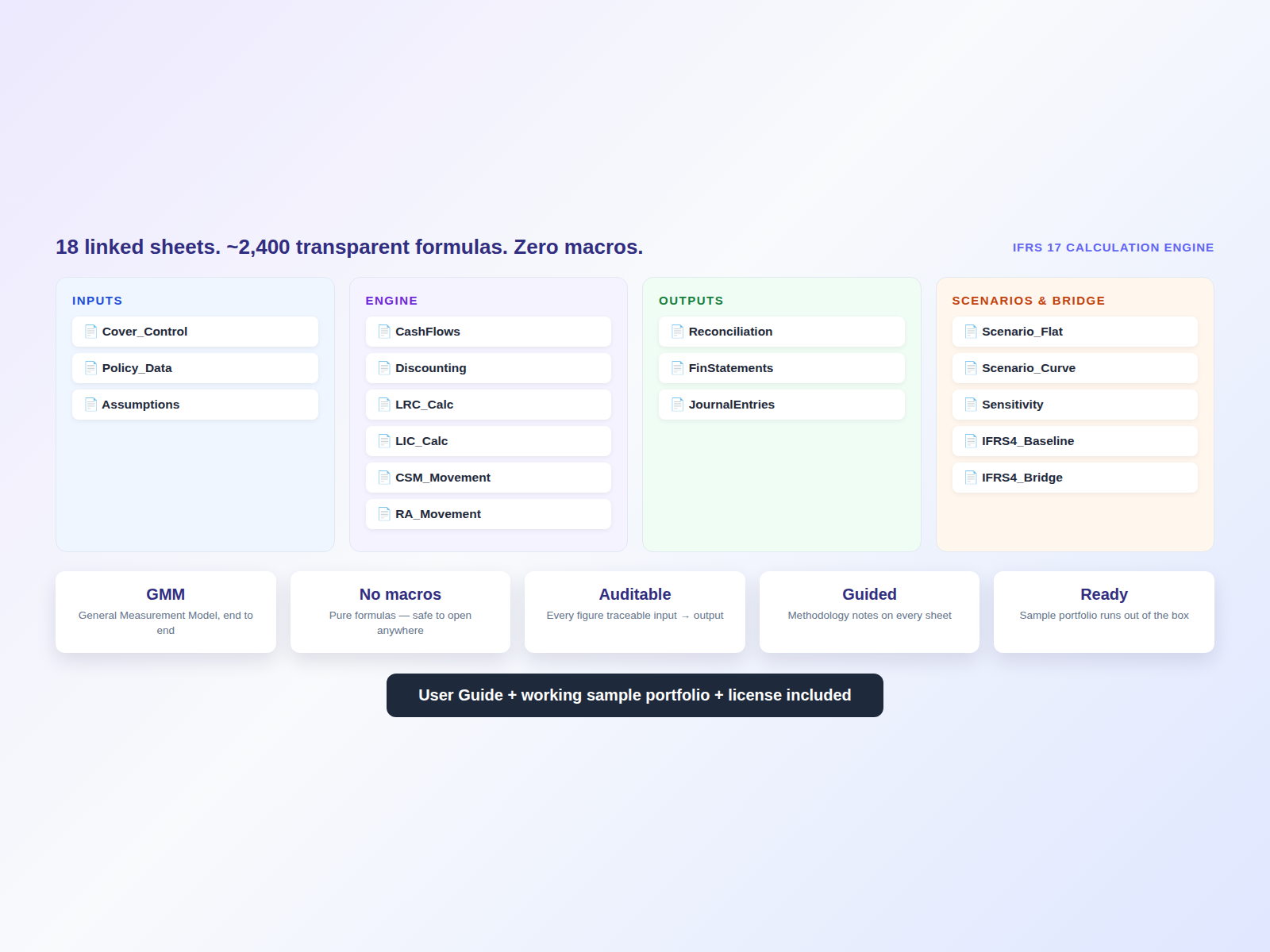
IFRS 17 is hard enough without a black-box tool you can't audit. This is a complete, working IFRS 17 calculation engine built in Excel — 18 linked sheets and roughly 2,400 transparent formulas — taking you from a contract portfolio all the way to insurance revenue, CSM roll-forward and financial statements. No macros. No add-ins. No mystery.


WHAT'S INSIDE
• General Measurement Model (GMM) measurement end to end
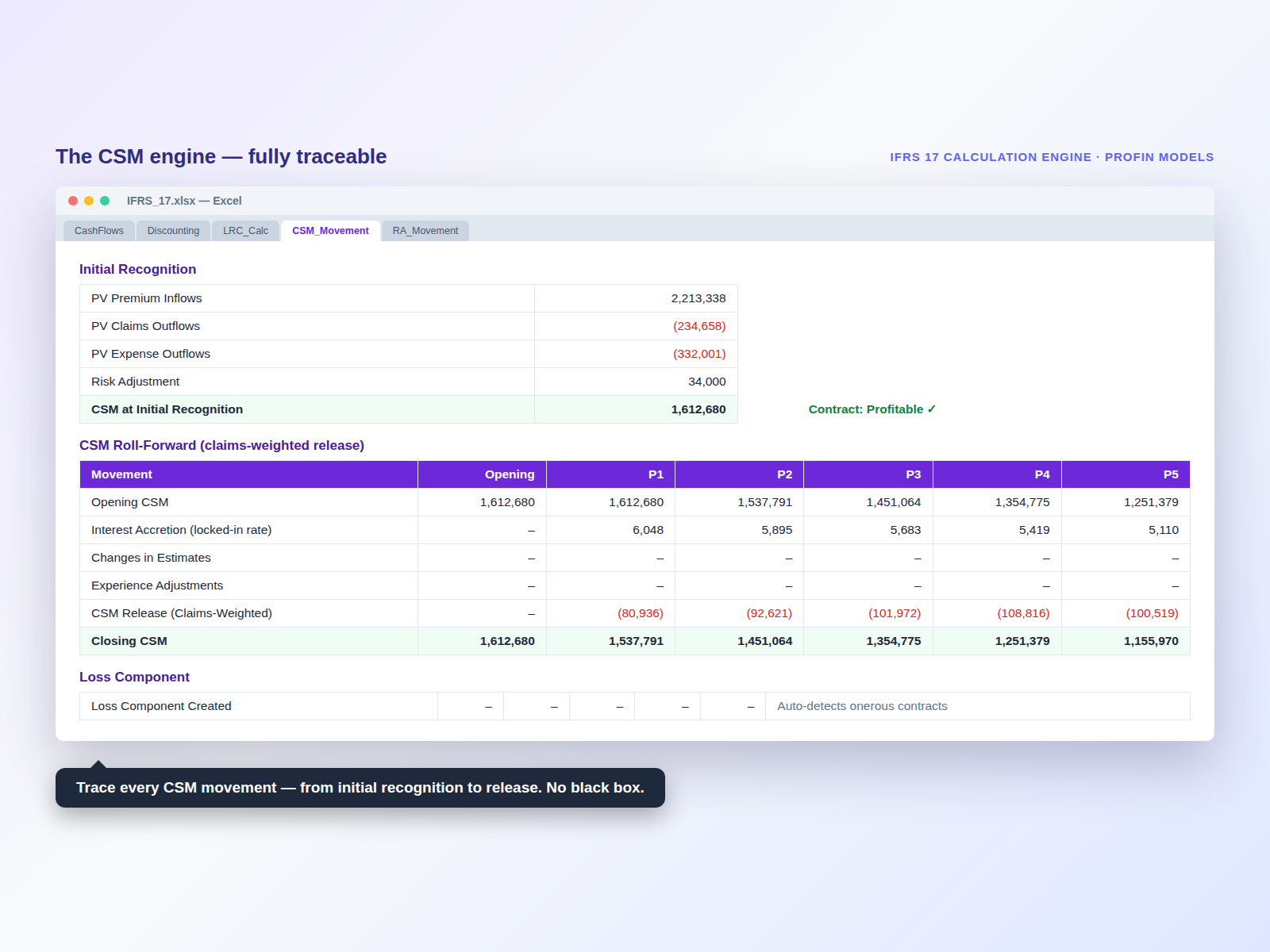
• CSM roll-forward with claims-weighted amortization and loss-component handling
• Risk Adjustment movement schedule
• LRC and LIC calculations, including IBNR
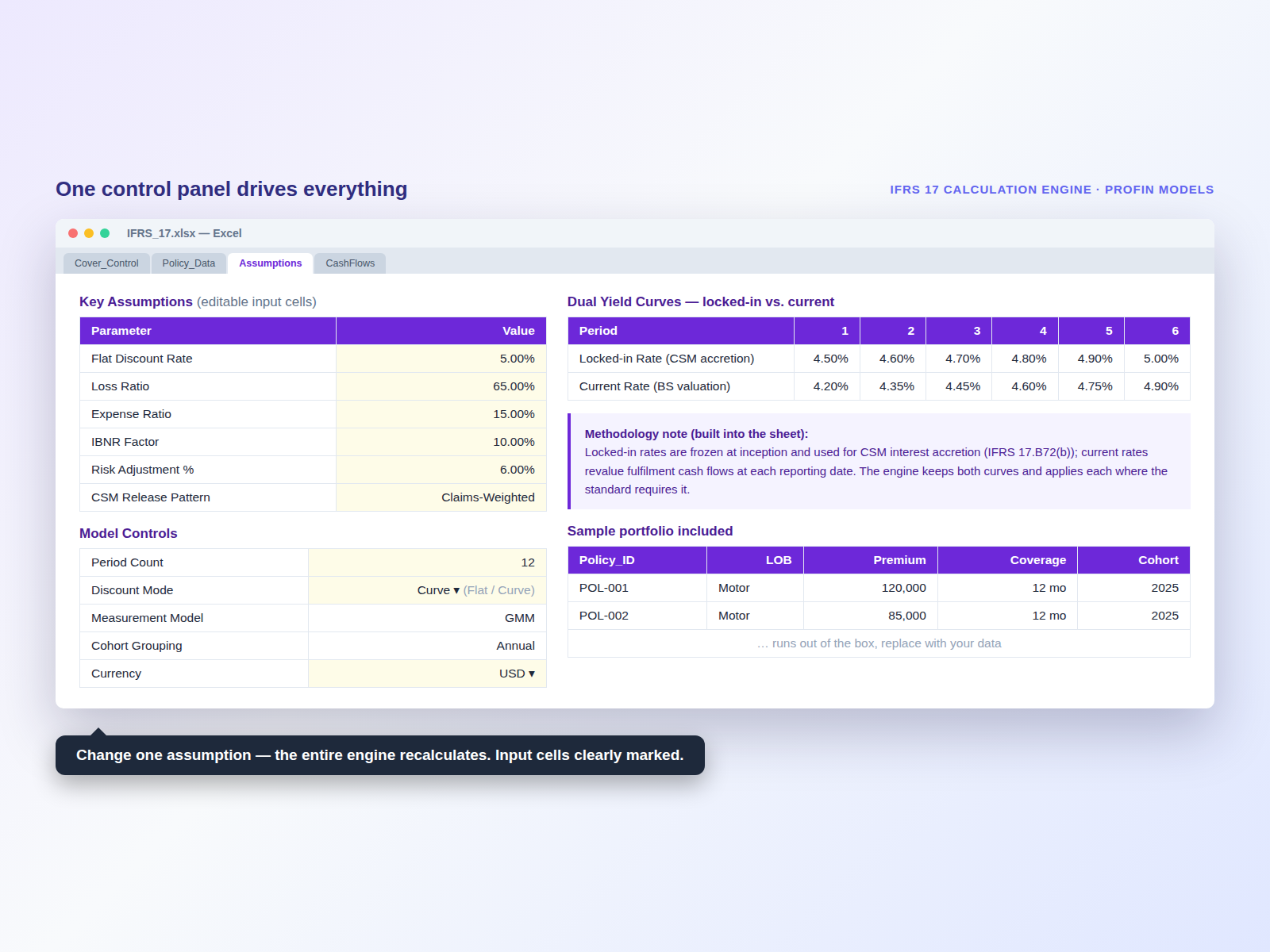
• Dual discount-curve support — flat rate vs. full yield curve, with locked-in vs. current rate logic done correctly (IFRS 17.B72)
• Variance & experience-adjustment analysis
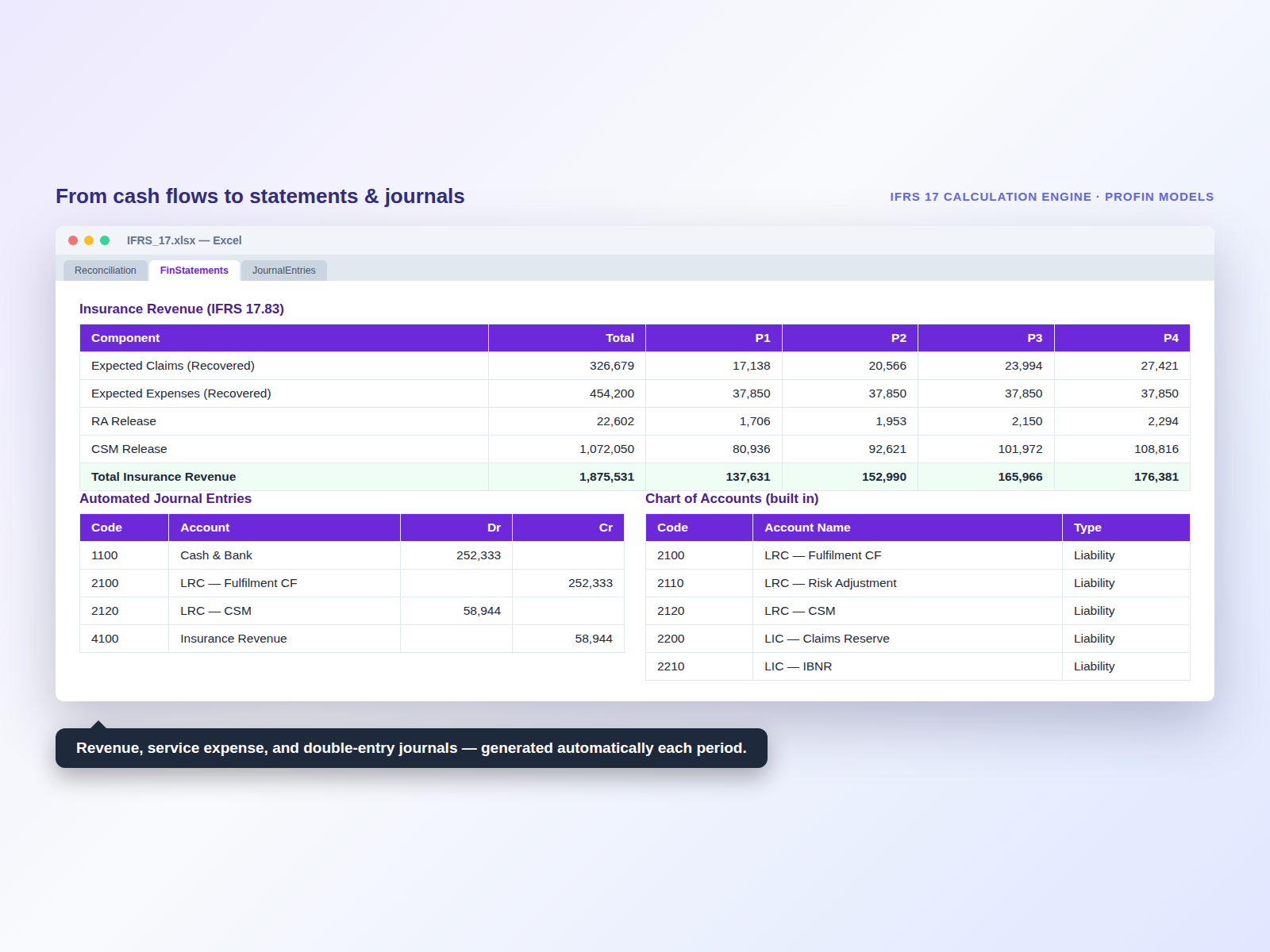
• Insurance revenue & service expense financial statements
• Automated journal entries with account codes
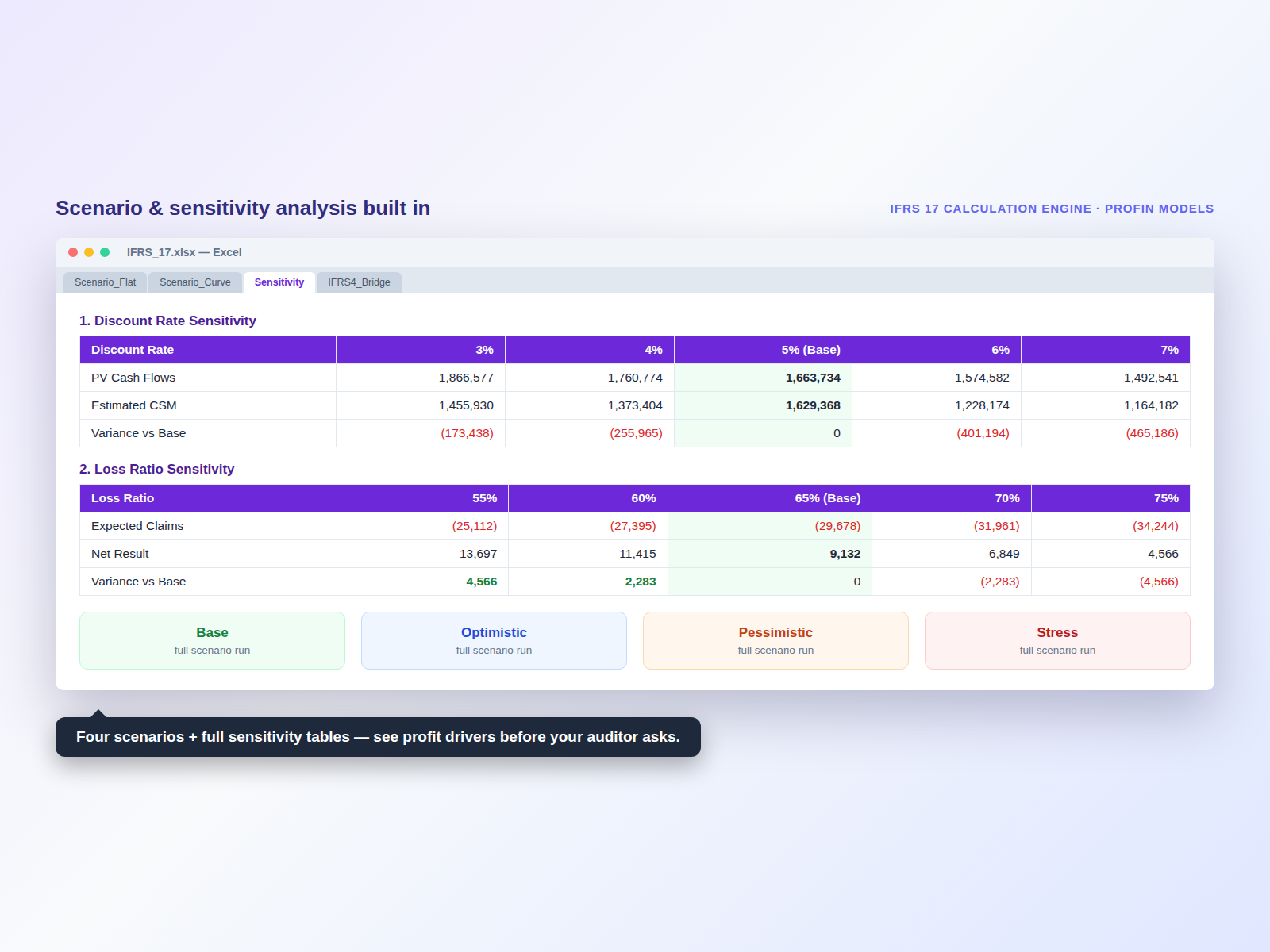
• Scenario analysis (Base / Optimistic / Pessimistic / Stress) + sensitivity tables
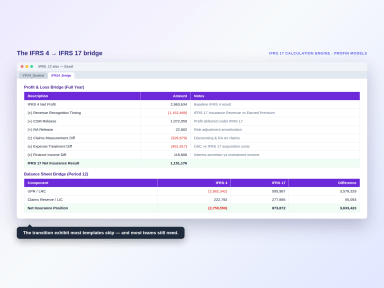
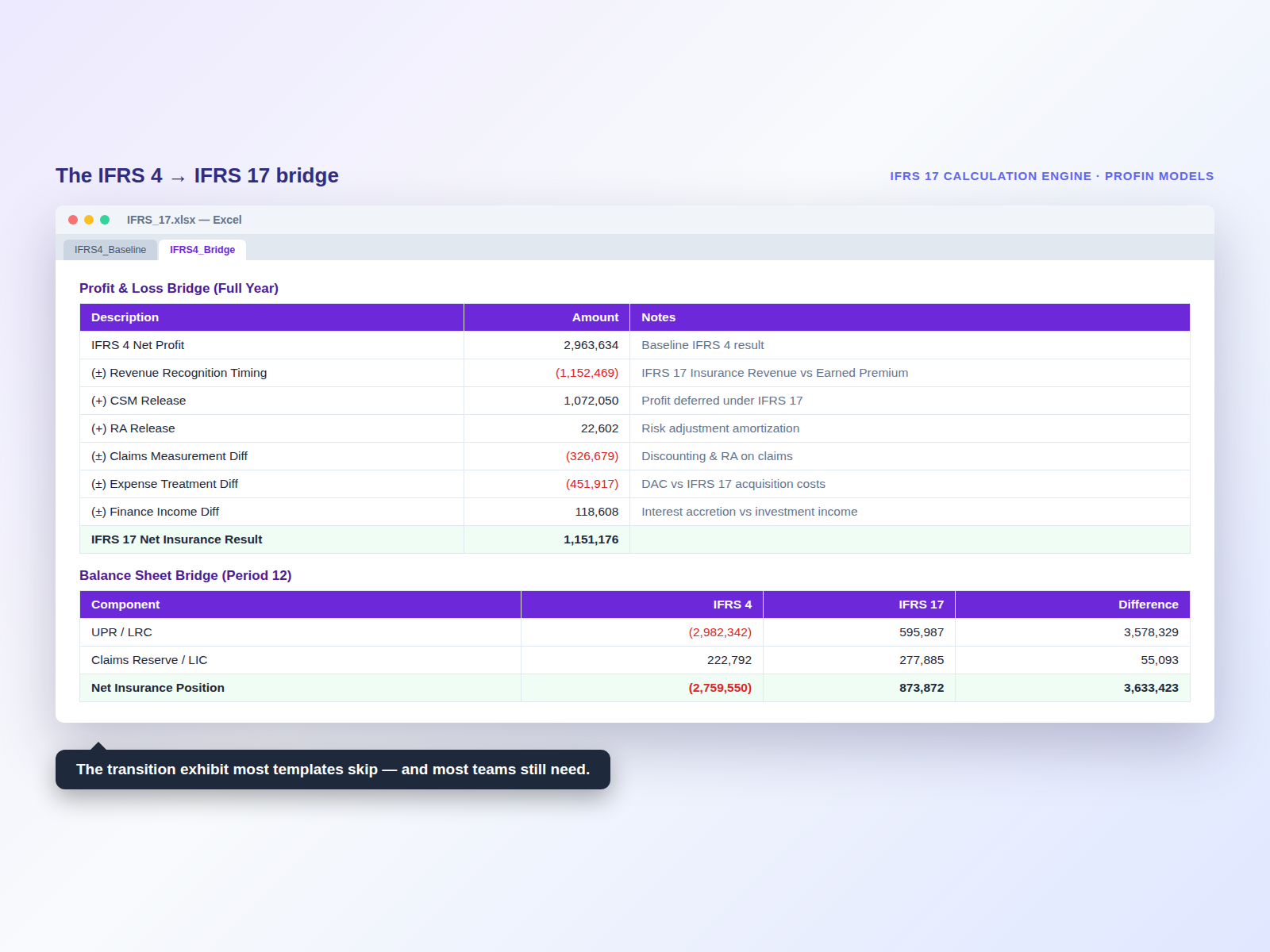
• IFRS 4 → IFRS 17 bridge and IFRS 4 baseline comparison
• Built-in methodology notes on every calculation sheet
• Step-by-step User Guide + license terms


WHO IT'S FOR
Insurance finance & reporting teams needing a transparent reference model, audit associates reviewing or benchmarking IFRS 17 calculations, accounting & actuarial consultants, and finance professionals learning IFRS 17 mechanics on a real model.


WHY IT'S DIFFERENT
Most IFRS 17 tools are either enterprise platforms costing tens of thousands, or static templates that hide their logic. This is the opposite: a fully open engine where every calculation is visible and auditable, with the methodology explained inline. It's the model you can actually learn from — and trust, because you can see exactly how every figure is derived.


WHAT YOU GET
1 × Excel file (.xlsx), protected to preserve formulas with editable input cells clearly marked. A working sample portfolio is included so the model runs out of the box — replace it with your own data. User Guide and license terms included. Free updates for 12 months.


FAQ
Does it use macros? No — pure formulas, safe to open anywhere.
Can I enter my own data? Yes — input cells are unlocked and marked; calculation sheets are protected.
Does it handle PAA or multiple cohorts? This edition is GMM, single portfolio, annual cohort.


IMPORTANT
This model is provided for educational and illustrative purposes. It is not a substitute for qualified actuarial or audit judgement and must be validated by a qualified professional before use in audited reporting or regulatory filing.

This Best Practice includes
1 Excel file (.xlsx) with 18 linked sheets: User Guide, control panel, sample portfolio, full GMM calculation engine, financial statements, journal entries, scenarios & IFRS 4 bridge

Acquire business license for $79.00

Add to cart

Add to bookmarks

Discuss


0.0 / 5 (0 votes)

please wait...
