
Data Governance & Compliance Excel System | Privacy Risk, Audit, Policy, Incident & Reporting Tracker

Professional 10-in-1 Excel governance system for data inventory, privacy risk, access, audit, policies, training, incidents and compliance reporting.

Description

🛡️ DATA GOVERNANCE, PRIVACY & COMPLIANCE MANAGEMENT SYSTEM


Bring data inventory, privacy risk, access governance, audit findings, policy compliance, accountability, training, incidents and management reporting into one structured Excel framework.


The Data Governance & Compliance Tracker is designed for privacy teams, compliance professionals, risk managers, internal audit, IT and data teams, consultants and organizations that need a practical way to manage recurring governance activities without maintaining numerous disconnected spreadsheets.


The complete package combines a 10-module Main Tracker, a dedicated Data Governance Mini Kit and a detailed 14-page How-to-Use Guide.


The system provides structured operational registers together with formula-driven status logic, executive KPIs, dashboard charts, controlled dropdowns and clearly separated input and calculated fields.


📦 PACKAGE INCLUDES
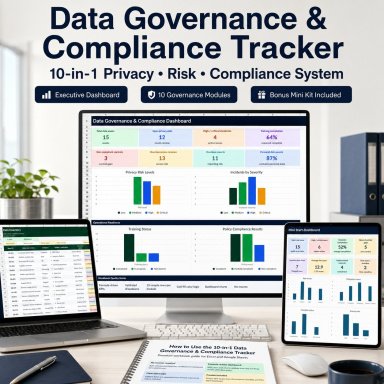
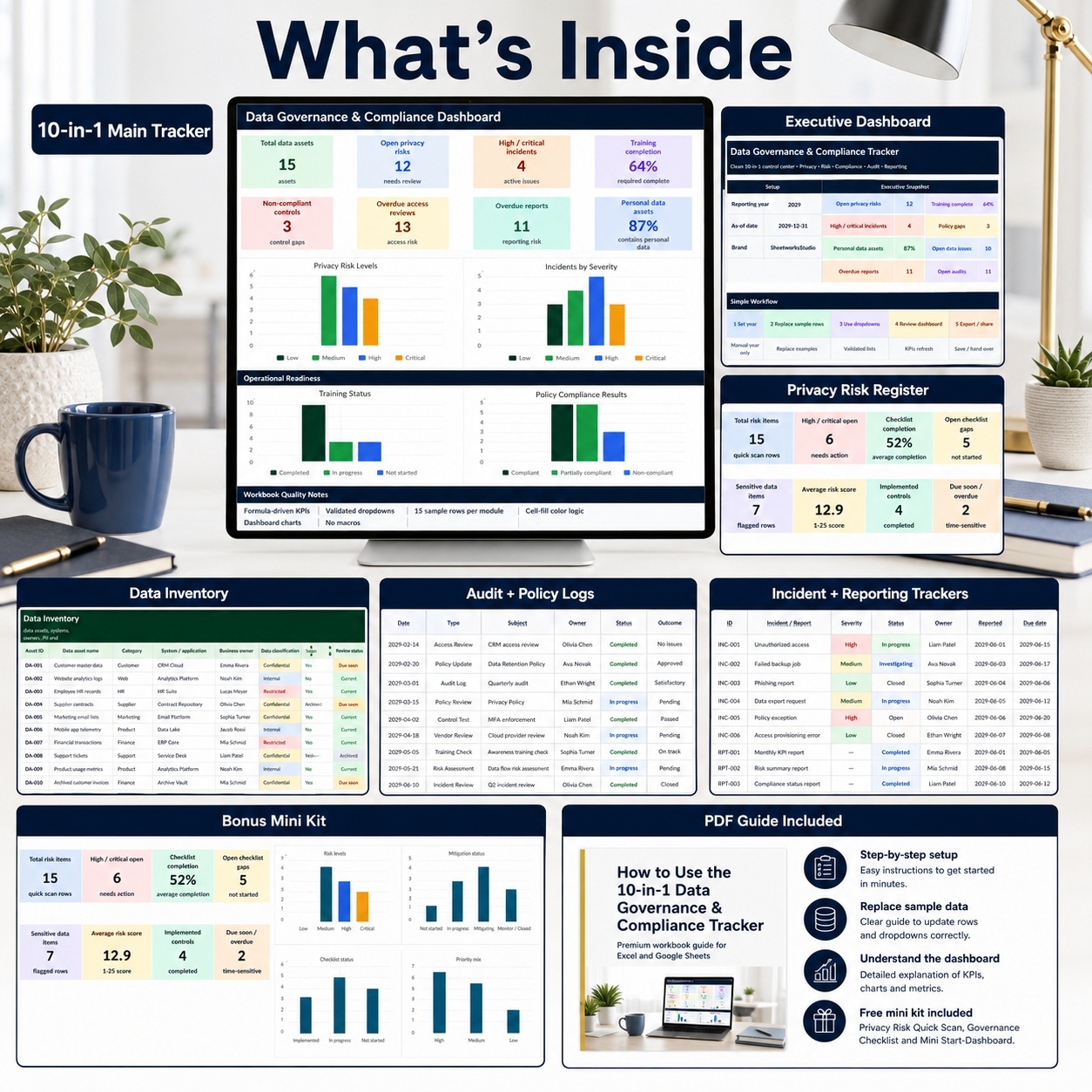
📊 10-in-1 Data Governance & Compliance Tracker

  • Professional Excel workbook
  • Start Page and internal navigation
  • 10 operational governance modules
  • Executive Dashboard
  • 8 KPI cards
  • 4 native Excel charts
  • Formula-driven calculations
  • Controlled dropdowns
  • Visual risk and progress indicators
  • Conditional status formatting
  • Manual Input / Formula guidance
  • 15 complete sample rows in every operational module
  • Prepared structure for replacement with organizational data


🎁 Data Governance Mini Kit
  • Separate Excel workbook
  • Start Page
  • Mini Dashboard
  • 8 KPI cards
  • 4 native Excel charts
  • Privacy Risk Quick Scan
  • Governance Checklist
  • Setup Lists
  • 15 sample privacy risks
  • 15 sample governance controls
  • Formula-ready additional entry rows


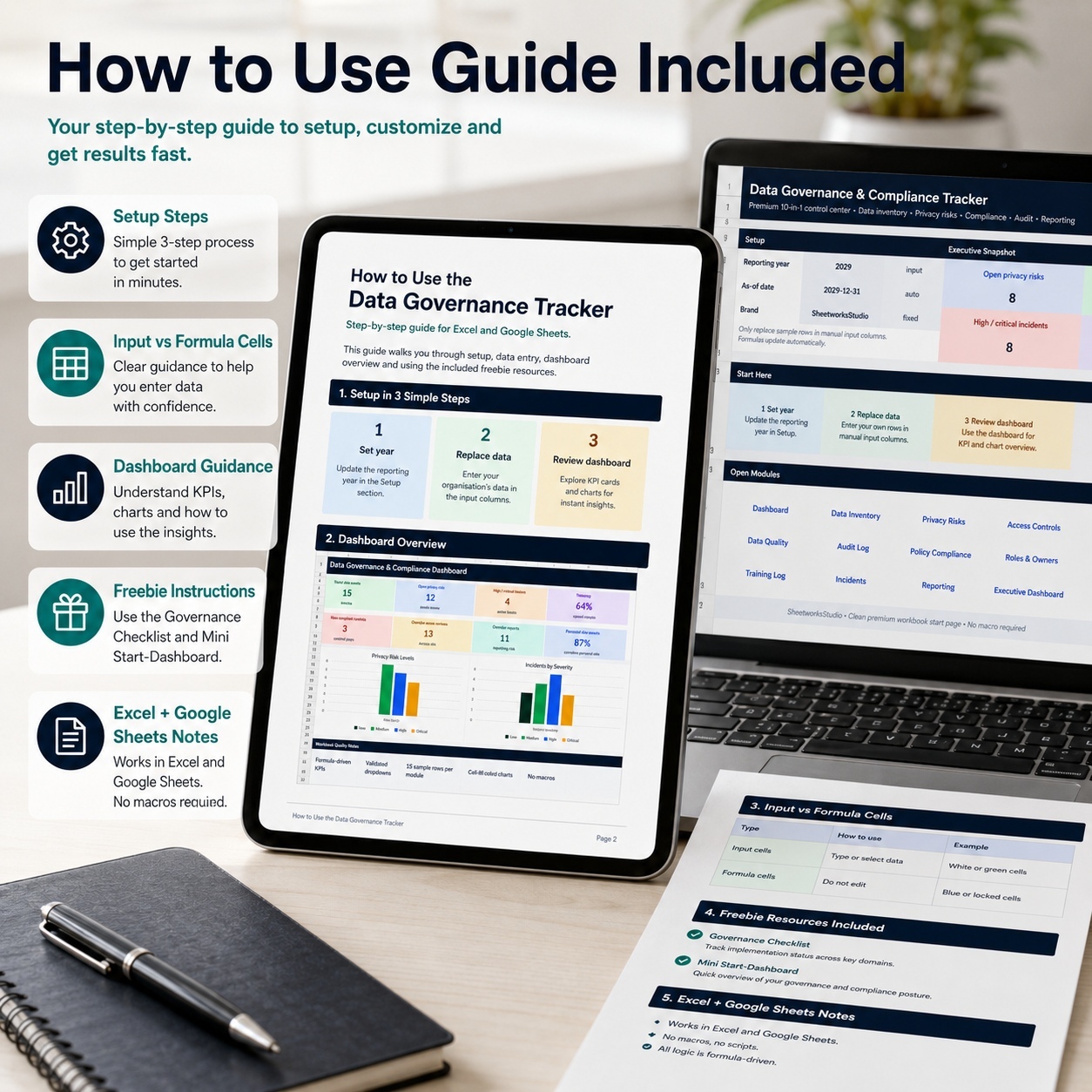
📘 Premium How-to-Use Guide
  • 14-page A4 PDF
  • Setup guidance
  • Dashboard explanations
  • Main workbook workflow
  • All 10 module explanations
  • Formula and dropdown guidance
  • Mini Kit instructions
  • Google Sheets guidance
  • Governance review routines
  • Troubleshooting
  • Final handover checklist


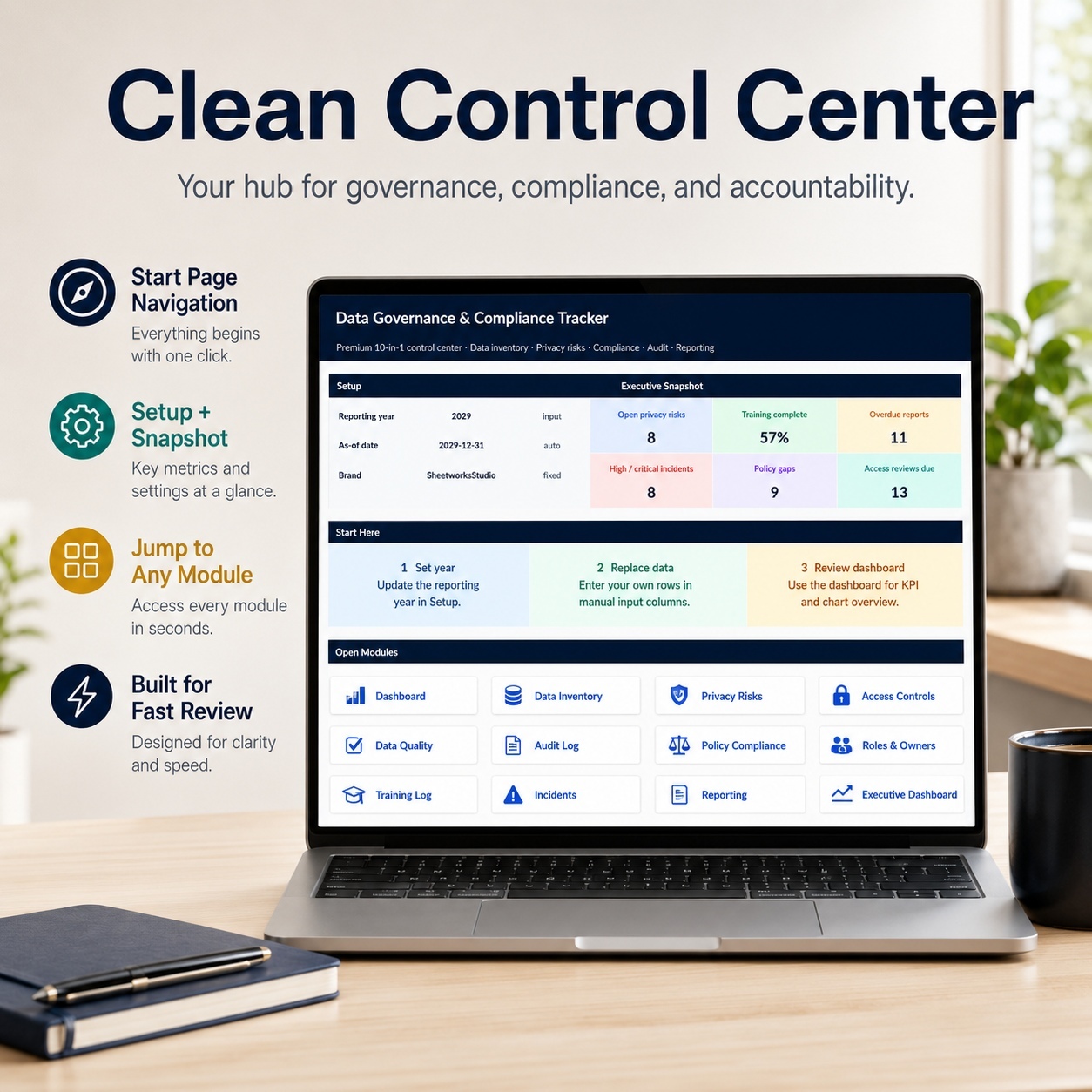
🏠 START PAGE & NAVIGATION
The Start Page acts as the central entry point into the main workbook.
It provides:
  • Reporting-year setup
  • Automatic reporting reference date
  • Executive snapshot indicators
  • Direct navigation to the operational modules
  • Workflow guidance
  • Clear instructions for replacing sample information safely


Users can move directly between the Dashboard and each operational module without manually navigating through workbook tabs.


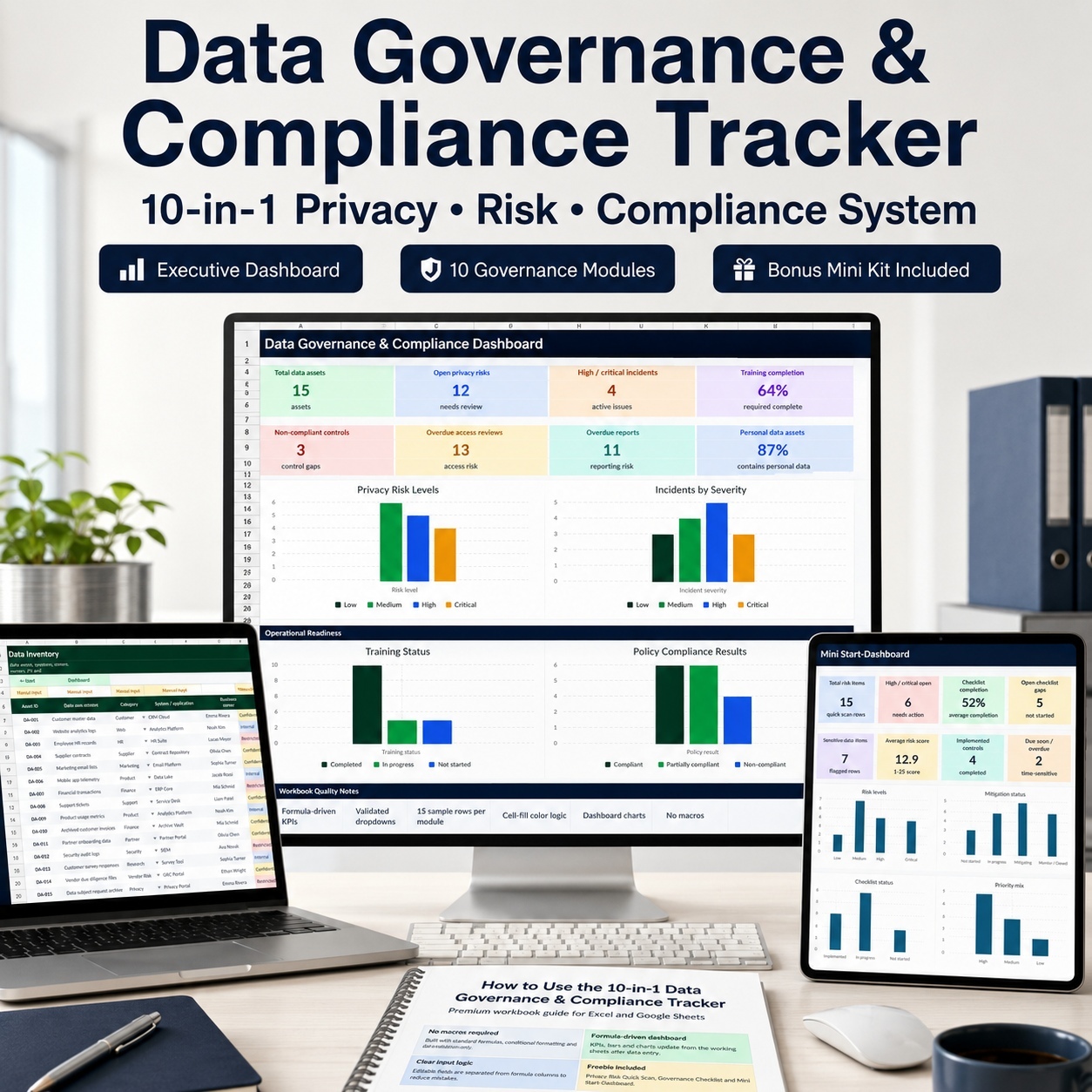
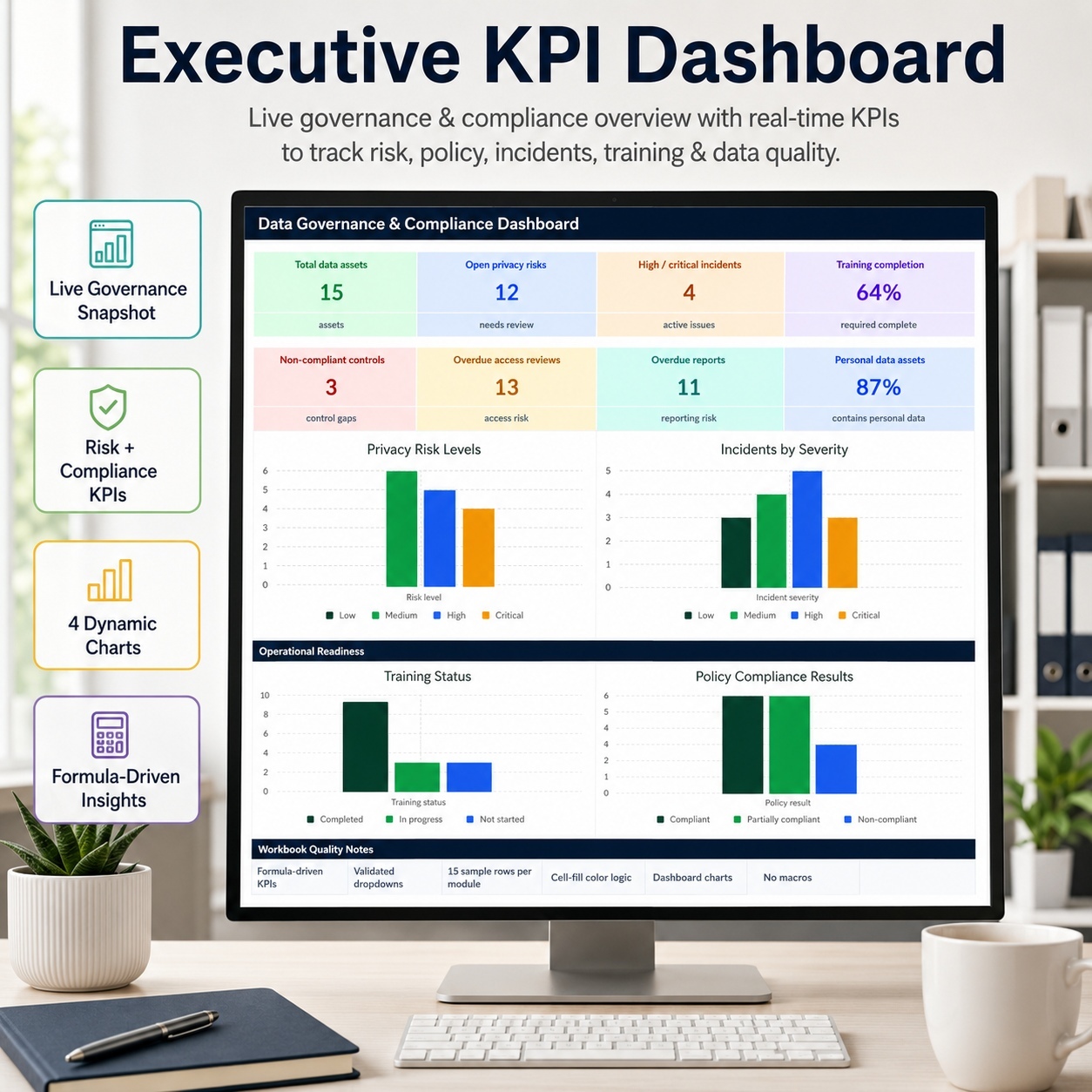
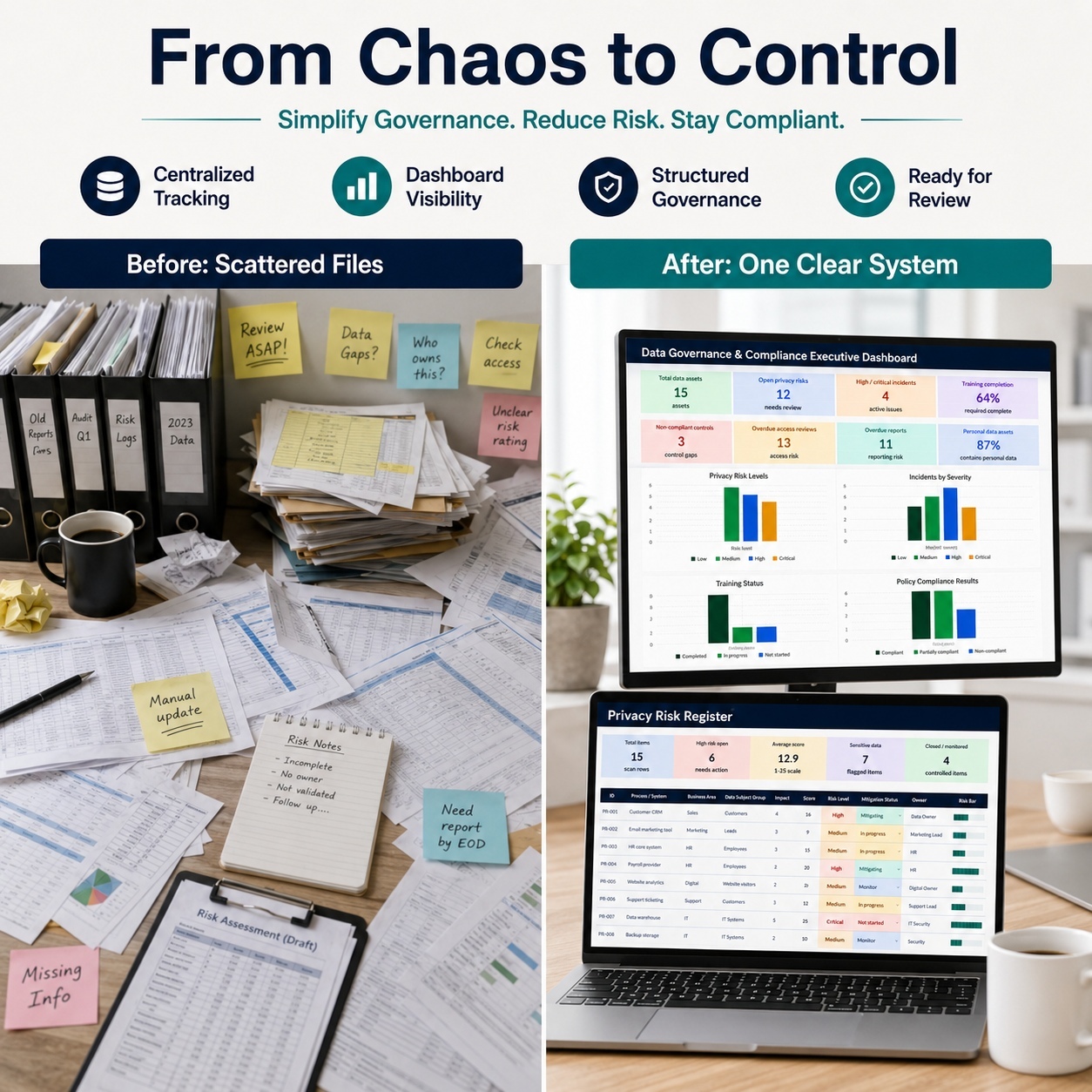
📊 EXECUTIVE GOVERNANCE DASHBOARD
The Executive Dashboard converts the working registers into a concise management-level overview.


It includes 8 headline KPIs:
📦 Total Data Assets
🛡️ Open Privacy Risks
🚨 High / Critical Incidents
🎓 Training Completion
📋 Non-Compliant Controls
🔐 Overdue Access Reviews
📅 Overdue Reports
👤 Personal Data Assets
The dashboard also contains 4 native Excel charts:
📈 Privacy Risk Levels
🚨 Incidents by Severity
🎓 Training Status
📋 Policy Compliance Results


KPIs and charts are formula-driven from the operational source sheets, allowing the Dashboard to act as a management review layer rather than a separate manual reporting file.


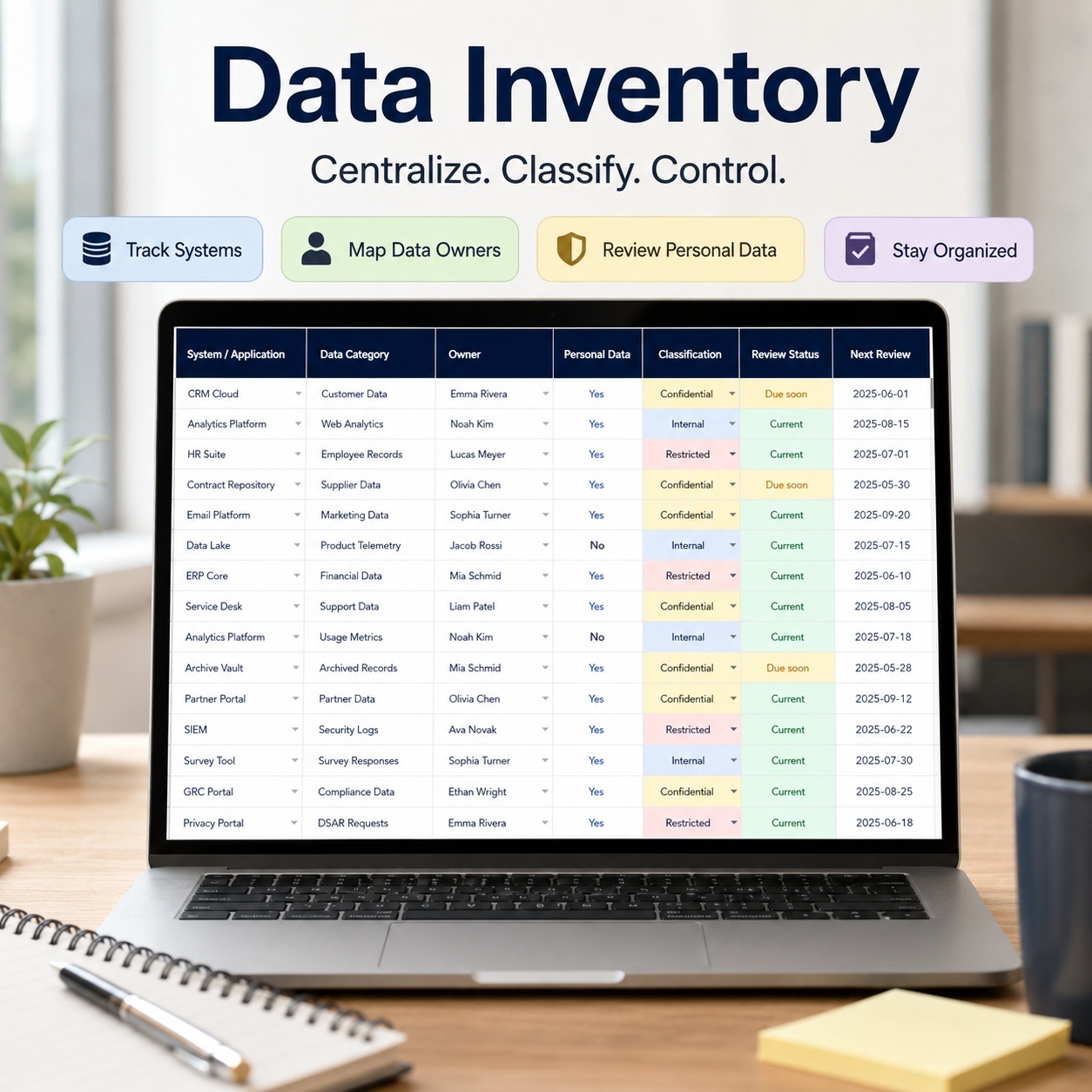
📦 DATA INVENTORY
Maintain a centralized register of important data assets and systems.
Track information including:
  • Asset ID
  • Data Asset Name
  • Category
  • System / Application
  • Business Owner
  • Data Classification
  • Estimated Records
  • Personal Data Indicator
  • Sensitive Data Indicator
  • Country / Region
  • Last Review Date
  • Status
  • Notes
Automated fields provide additional visibility through:
  • Records Bar
  • PII Flag
  • PII Indicator
  • Review Age
  • Review Status


This creates a structured foundation for understanding where important or personal information is located and who is accountable for it.


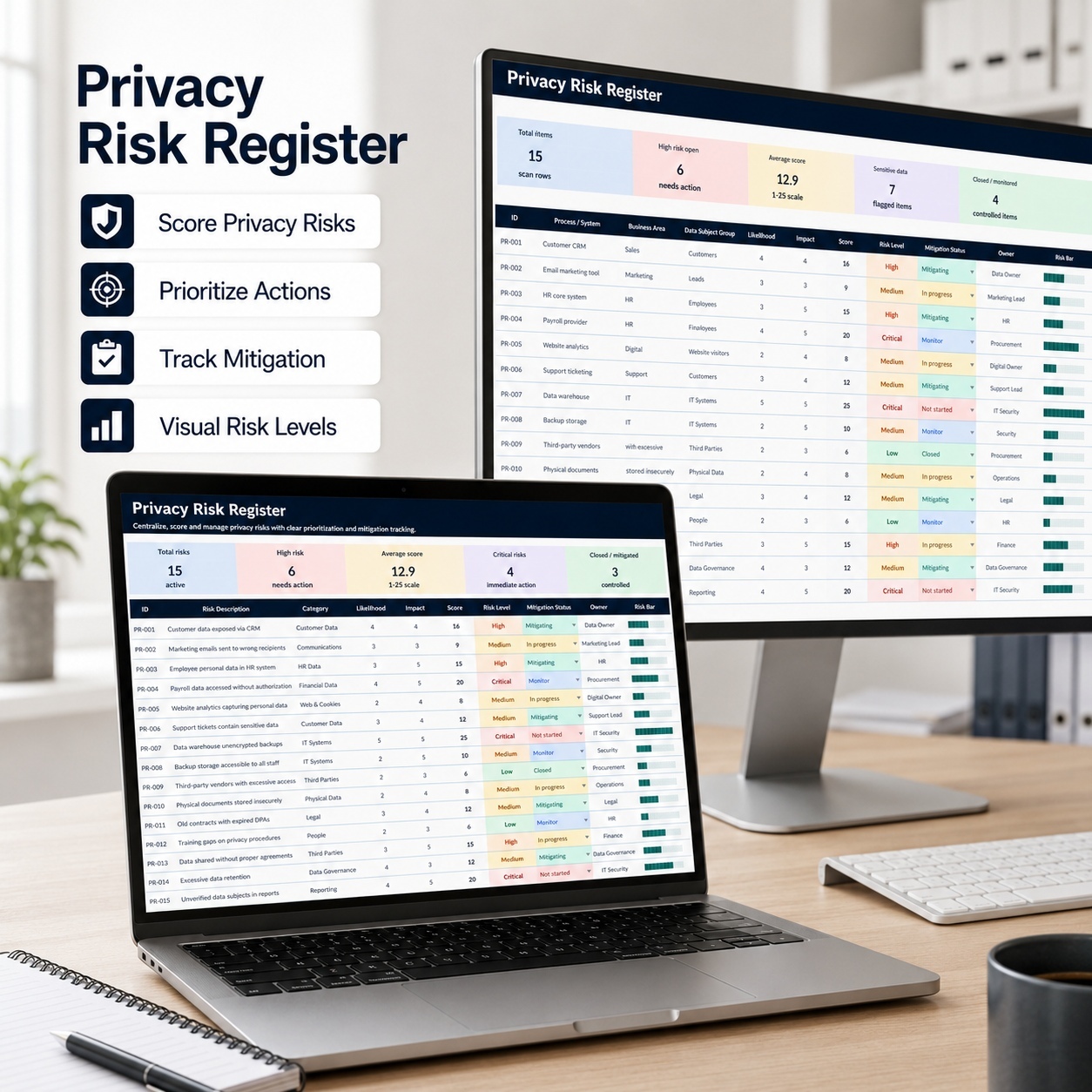
🛡️ PRIVACY RISK REGISTER
Document and assess privacy and data-protection risks through a consistent scoring workflow.
Track:
  • Risk
  • Related Data Asset
  • Risk Category
  • Likelihood
  • Impact
  • Risk Owner
  • Target Resolution Date
  • Status
  • Mitigation
  • Last Updated
  • Notes


Formula-driven outputs include:
📊 Risk Score
📈 Risk Bar
🚦 Risk Level
📅 Days to Target
⏰ Target Status
📉 Residual Score
⚠️ Action Priority


The structure helps teams identify high-priority privacy risks and monitor treatment activity more consistently.


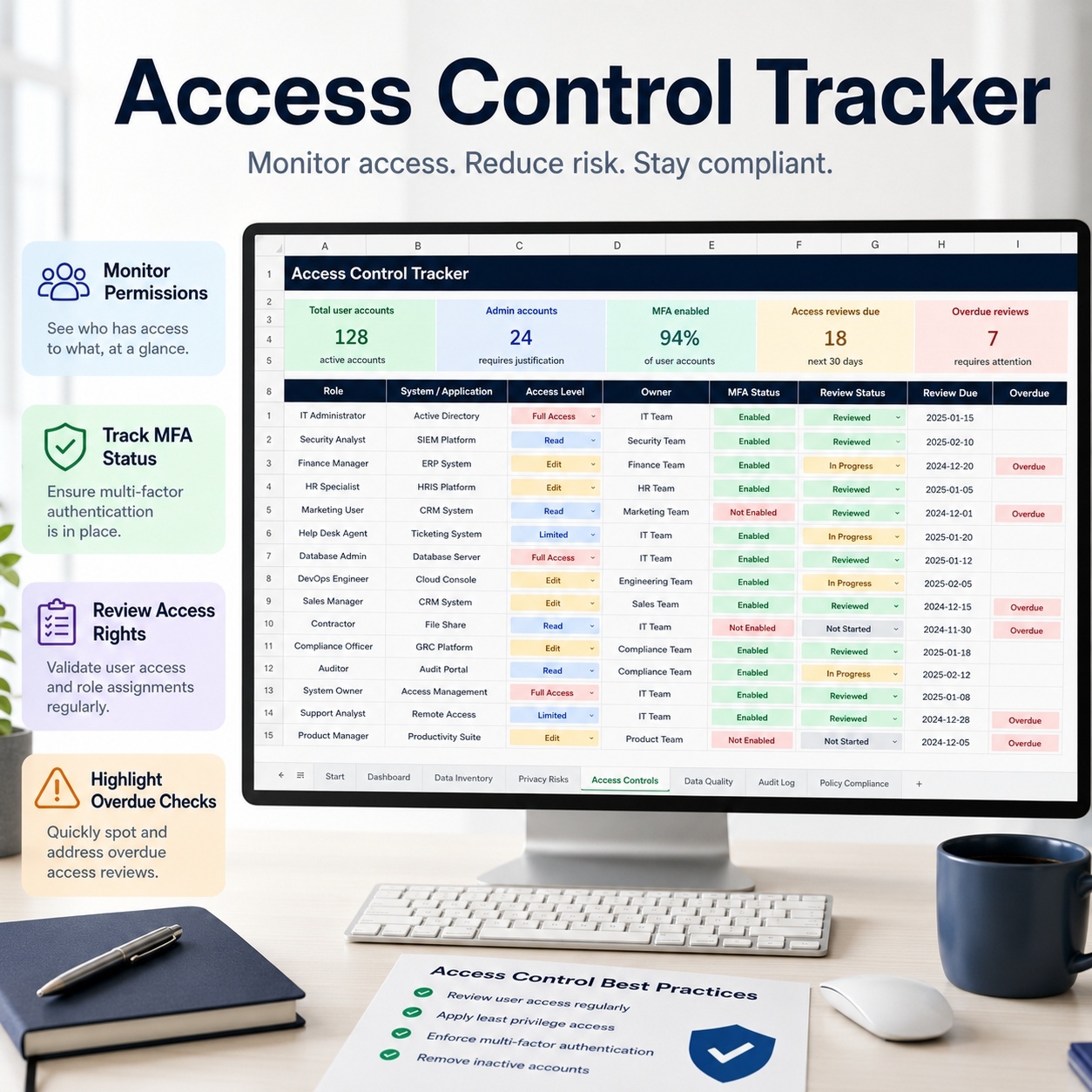
🔐 ACCESS CONTROL TRACKER
Maintain a structured record of system access and access-review requirements.
Track:
  • System / Application
  • Related Asset
  • User or Role
  • Access Level
  • Business Justification
  • Approval
  • Approval Date
  • Review Date
  • Status
  • MFA Enabled
  • Review Owner
  • Notes


Calculated fields provide:
  • Review Status
  • Days Until Review
  • Review Urgency
  • Access Risk Level
  • Access Risk Indicator


This provides visibility into access-review obligations and potentially higher-risk privileges.


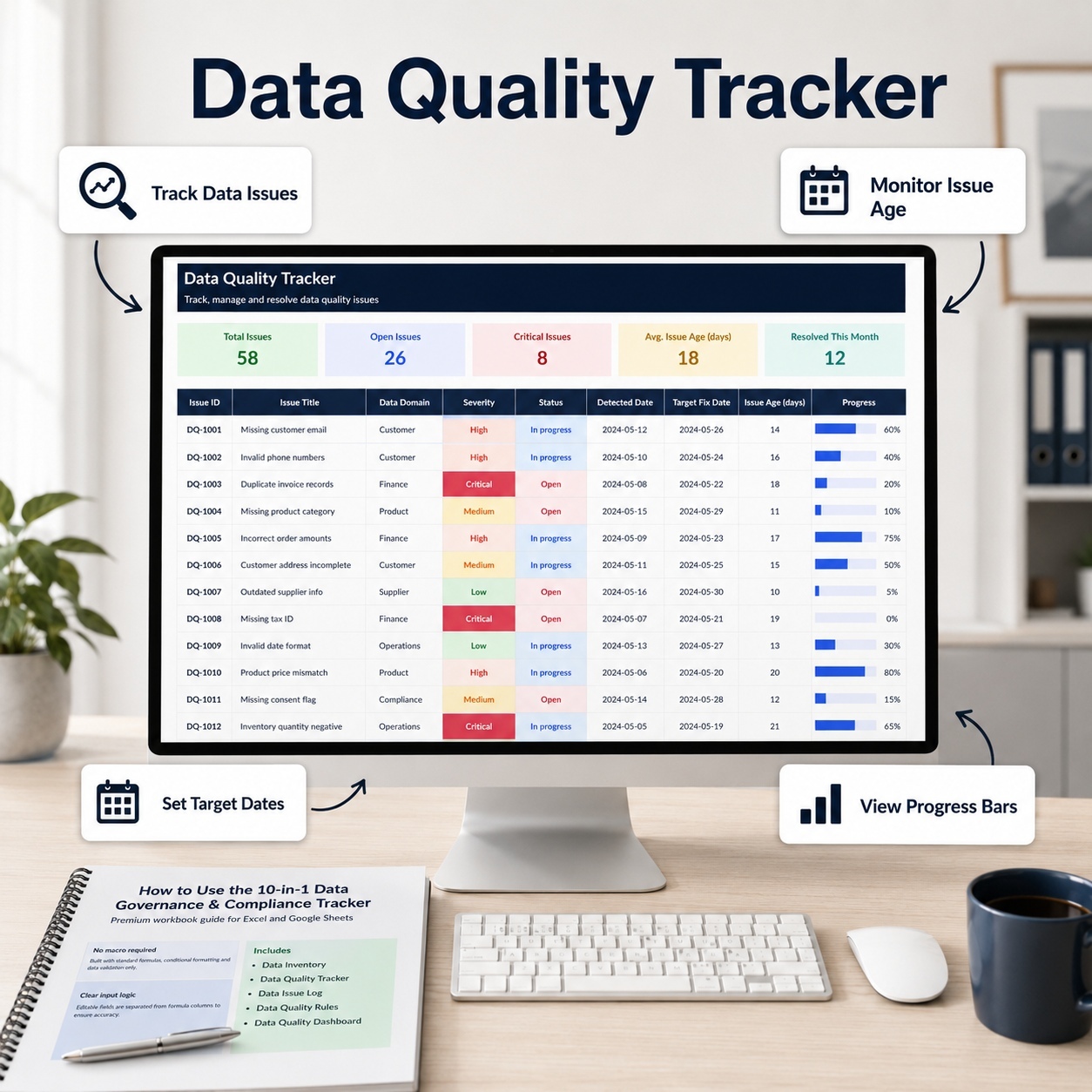
📊 DATA QUALITY TRACKER
Document recurring data-quality issues and remediation activity.
Track:
  • Data Asset
  • Quality Dimension
  • Issue Description
  • Detection Date
  • Severity
  • Owner
  • Status
  • Target Fix Date
  • Resolution Summary
  • Notes


Automatic calculations provide:
📅 Issue Age
📊 Issue Age Indicator
⏰ Days to Target
🚦 Target Status
⚠️ Priority
📈 Quality Score


This supports structured monitoring of data-quality problems and remediation progress.


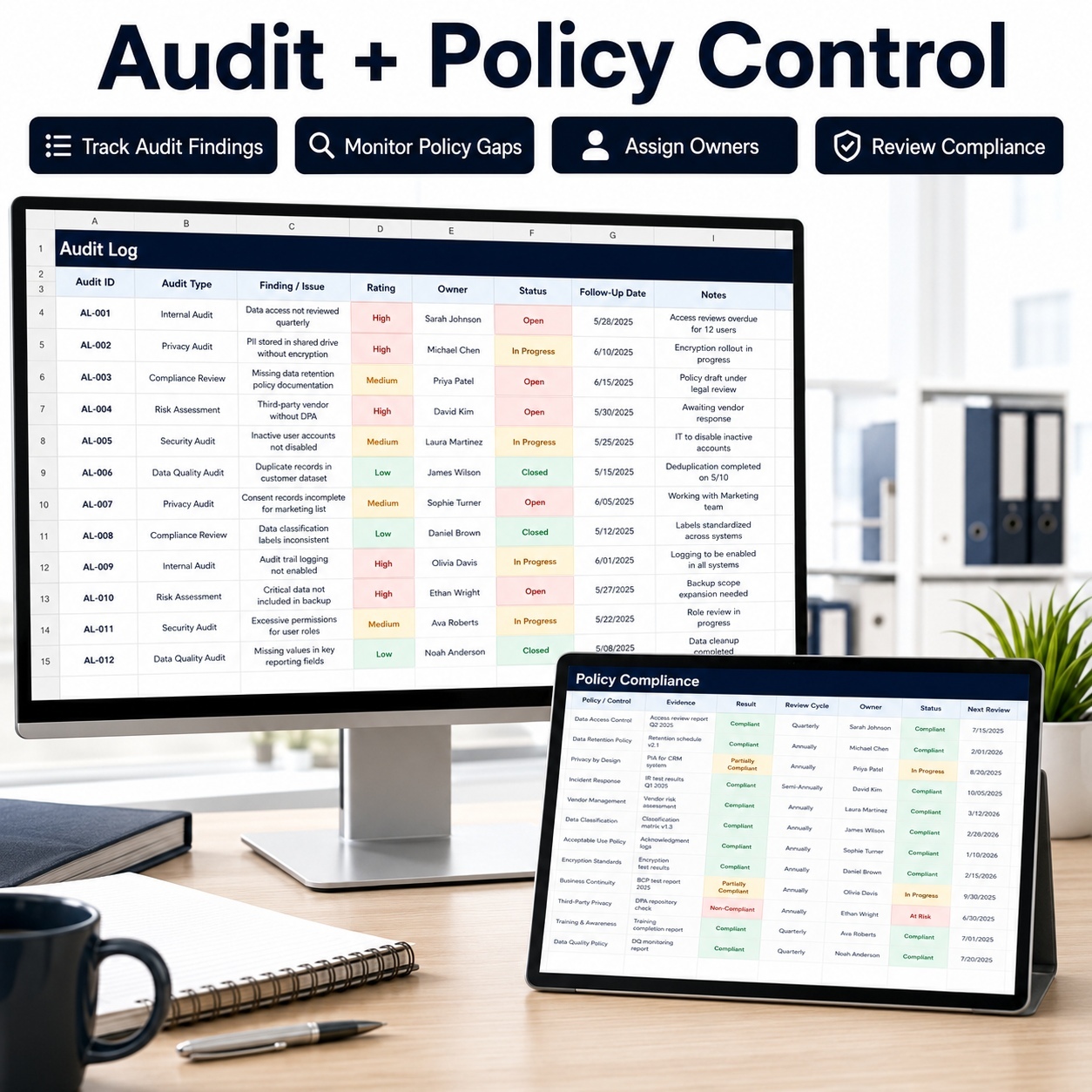
🔎 AUDIT LOG
Maintain audit findings and follow-up activities in one structured register.
Track areas such as:
  • Audit Type
  • Audit Subject
  • Audit Dates
  • Auditor
  • Finding
  • Finding Rating
  • Result
  • Remediation Date
  • Status
  • Owner
  • Evidence Location
  • Review Frequency
  • Notes
Formula-driven logic supports:
  • Finding indicators
  • Days to remediation
  • Remediation status


The Audit Log provides a centralized reference for internal reviews, external audit activities and recurring follow-up.


📋 POLICY COMPLIANCE
Monitor policies, regulatory requirements, controls and evidence.
Track:
  • Control ID
  • Policy / Regulation
  • Requirement
  • Related Data Asset
  • Control Owner
  • Control Type
  • Evidence Location
  • Last Tested Date
  • Result
  • Next Review Date
  • Status
  • Review Owner
  • Notes


Automatic outputs provide:
📊 Compliance Score
📈 Compliance Bar
📅 Days Until Review
🚦 Review Status


This creates a structured view of policy and control gaps requiring management attention.


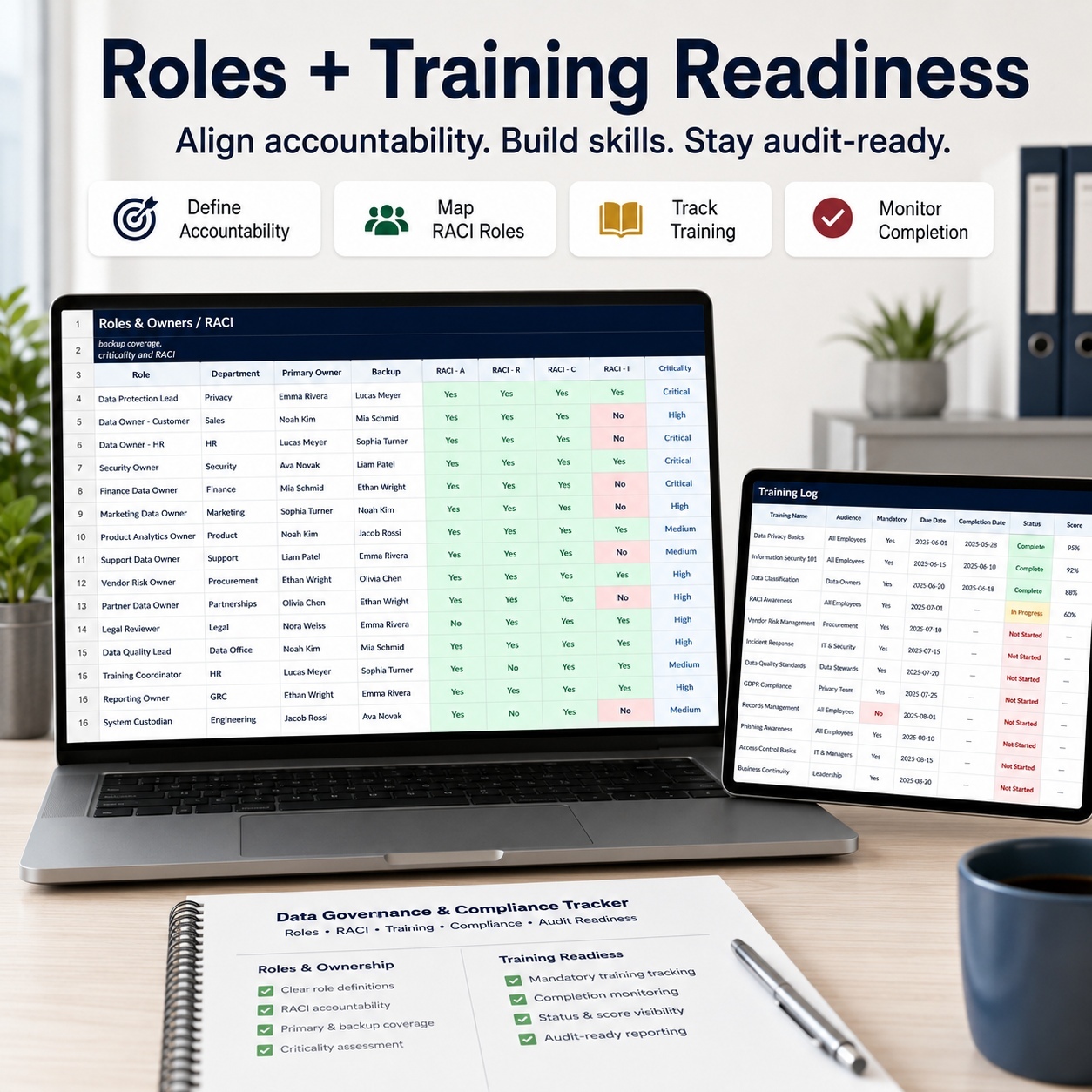
👥 ROLES & OWNERS / RACI
Document accountability and backup responsibility for key governance roles.
Track:
  • Role
  • Person
  • Department
  • Contact information
  • Responsibility Area
  • Backup Person
  • Responsible
  • Accountable
  • Consulted
  • Informed
  • Criticality
  • Last Review
  • Notes
Automatic indicators provide:
  • Criticality Bar
  • Coverage Status


The sheet supports clearer governance ownership and helps identify important roles without sufficient backup coverage.


🎓 TRAINING LOG
Monitor mandatory privacy, security and compliance training.
Track:
  • Employee
  • Department
  • Training
  • Training Type
  • Required Status
  • Due Date
  • Completion Date
  • Status
  • Score
  • Manager
  • Notes


Formula-driven fields include:
📊 Completion Bar
⏰ Overdue Indicator
📈 Overdue Bar
📅 Completion Age
🚦 Freshness Status
✅ Required Completion Status


This supports recurring training oversight and feeds the executive Training Completion KPI.


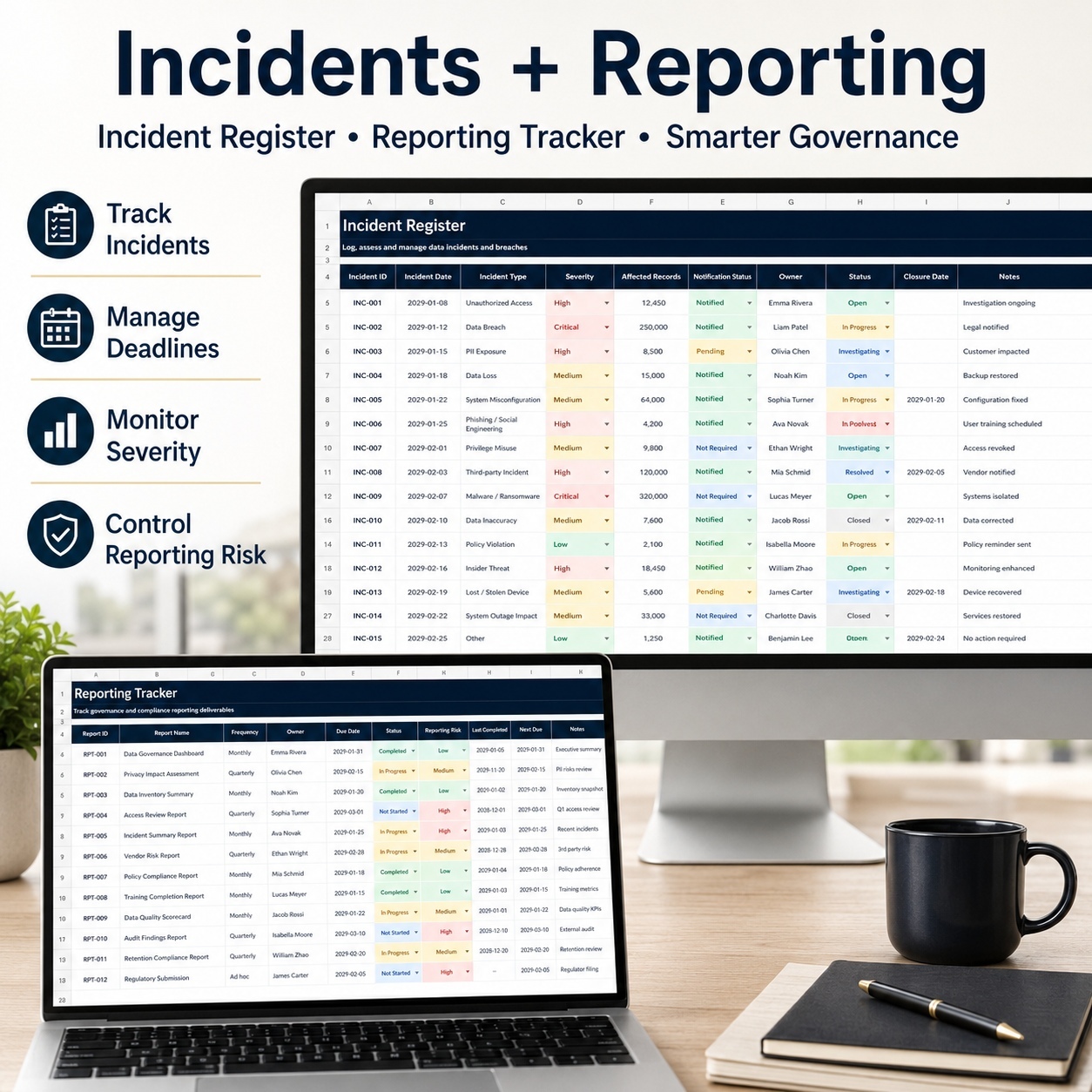
🚨 INCIDENT REGISTER
Document governance, privacy and information-related incidents in a centralized register.
Track:
  • Incident Date
  • Detection Date
  • Reporter
  • Related Data Asset
  • Incident Type
  • Severity
  • Records Affected
  • Regulator Notification
  • Status
  • Closure Date
  • Root Cause
  • Lessons Learned
  • Notes
Automatic fields provide:
  • Days to Close
  • Impact Score
  • Impact Bar
  • Incident Age
  • Age Status
  • Priority Action
This supports structured follow-up while leaving incident-response and legal decisions to the organization's established processes and qualified professionals.


📅 REPORTING TRACKER
Manage recurring governance and compliance reporting obligations.
Track:
  • Report
  • Audience
  • Frequency
  • Next Due Date
  • Owner
  • Status
  • Notes
  • Evidence Folder
  • Submission Channel
  • Compliance Owner


Formula-driven outputs include:
📅 Days Until Due
🚦 Due Status
⚠️ Reporting Risk
📊 Risk Indicator


This helps organizations maintain clearer visibility over recurring management and governance deadlines.


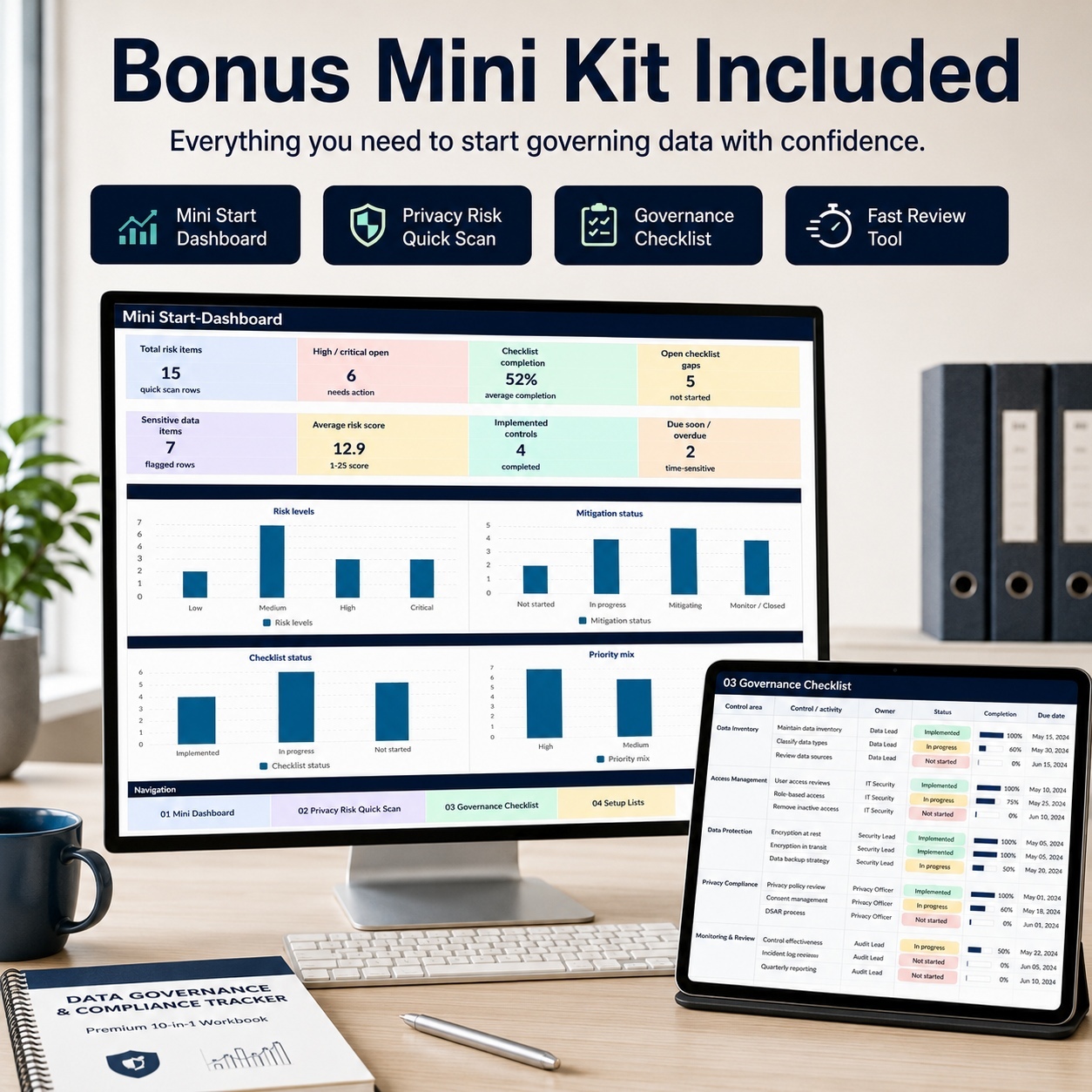
🎁 BONUS – DATA GOVERNANCE MINI KIT


The separate Mini Kit provides a focused governance-readiness workflow for smaller reviews, workshops or initial assessments.


It contains 5 sheets:
🏠 Start
📊 Mini Dashboard
🛡️ Privacy Risk Quick Scan
✅ Governance Checklist
⚙️ Setup Lists


📊 MINI DASHBOARD
The Mini Dashboard provides 8 KPI indicators covering areas such as:
  • Total Risk Items
  • High / Critical Open Risks
  • Checklist Completion
  • Open Checklist Gaps
  • Sensitive Data Items
  • Average Risk Score
  • Implemented Controls
  • Due-Soon / Overdue Items


It also contains 4 charts:
📈 Privacy Risk Levels
🛡️ Mitigation Status
✅ Checklist Status
🎯 Priority Mix


The Mini Dashboard updates from the Privacy Risk Quick Scan and Governance Checklist.


🛡️ PRIVACY RISK QUICK SCAN
Use the Quick Scan for a focused privacy-risk assessment.
Track:
  • Process / System
  • Business Area
  • Data Subject Group
  • Personal Data
  • Sensitive Data
  • Likelihood
  • Impact
  • Mitigation Status
  • Owner
  • Target Date


Automatic fields provide:
📊 Risk Score
🚦 Risk Level
📅 Days to Target
⚠️ Action Flag
📈 Risk Bar


The sheet includes 15 complete sample risks plus additional formula-ready rows.


✅ GOVERNANCE CHECKLIST
Use the Governance Checklist for practical implementation and readiness reviews.
Track:
  • Governance Domain
  • Control / Activity
  • Status
  • Owner
  • Due Date
  • Priority
  • Evidence / Link
  • Notes


Automatic outputs include:
📊 Completion %
📈 Status Bar
📅 Due Status


The sheet includes 15 complete sample controls plus additional prepared rows.
⚙️ CONTROLLED INPUT & FORMULA LOGIC


The main workbook clearly distinguishes between:
🟨 Manual Input
Fields intended for user-entered information and approved dropdown selections.


⬜ Formula / Calculated Fields
Fields containing automated calculations, status indicators, scores, timing logic and dashboard inputs.
The intended workflow is to replace sample information only in Manual Input fields while leaving calculation cells intact.
This reduces the risk of damaging formulas during normal customization.


🔄 PRACTICAL GOVERNANCE RHYTHM
The system is designed for recurring governance rather than one-time documentation.


A practical review cycle can include:
Weekly
  • High privacy risks
  • Active incidents
  • Overdue access reviews
  • Urgent audit findings
Monthly
  • Training status
  • Data-quality issues
  • Policy gaps
  • Reporting deadlines
Quarterly
  • Data inventory completeness
  • Privacy risk trends
  • Control effectiveness
  • Ownership coverage
Annually
  • Policy refresh
  • Full risk review
  • Training cycle
  • Evidence archive


The review cadence should always be adapted to the organization's own governance requirements.


💻 TECHNICAL ENVIRONMENT
The workbooks are designed primarily for Microsoft Excel.


The package uses:
✅ Standard Excel formulas
✅ Dropdown validation
✅ Conditional formatting
✅ Native Excel charts
✅ Internal navigation
✅ No macros
✅ No VBA
✅ No external workbook connections


The workbooks can also be imported into Google Sheets.
Because Excel and Google Sheets interpret chart styling, colors, spacing and some formatting differently, Microsoft Excel is recommended when visual fidelity is important.


👤 SUITABLE FOR
This toolkit is particularly relevant for:
  • Data Governance teams
  • Privacy and Data Protection teams
  • Compliance Managers
  • Risk Managers
  • Internal Audit
  • IT teams
  • Data teams
  • Governance professionals
  • Consultants
  • Startups and SMEs
  • Organizations maintaining GDPR-related processes
  • Teams requiring structured governance documentation


💡 KEY BUSINESS VALUE
The system is designed to help organizations:
  • Centralize governance information
  • Improve visibility over data assets
  • Structure privacy-risk reviews
  • Monitor access-review deadlines
  • Track data-quality issues
  • Organize audit findings
  • Review policy compliance
  • Clarify governance ownership
  • Track mandatory training
  • Document incidents
  • Monitor recurring reporting deadlines
  • Create more consistent management reviews


The combined Main Tracker and Mini Kit provide a structured operating framework for bringing governance, privacy, risk and compliance information together without relying on multiple disconnected spreadsheets.


⚖️ IMPORTANT DISCLAIMER
This toolkit is provided for organizational, documentation and informational purposes only.
It does not constitute legal advice, privacy advice, regulatory guidance, audit advice, security advice or compliance consulting and does not guarantee conformity with GDPR, the EU AI Act, PCI DSS, ISO, SOC 2 or any other legal, regulatory or professional framework.


Organizations remain responsible for configuring the workbooks to fit their own systems, policies, risks and applicable requirements and should consult appropriately qualified legal, privacy, security or compliance professionals where necessary.

This Best Practice includes
Data Governance & Compliance Tracker (.xlsx), Data Governance Mini Kit (.xlsx), Premium How-to-Use Guide (.pdf)

Acquire business license for $34.90

Add to cart

Add to bookmarks

Discuss

Further information

The objectives of this toolkit are to:

Centralize core data-governance information

Maintain a structured data inventory

Identify and monitor privacy risks

Improve visibility over access-review obligations

Track recurring data-quality issues

Organize audit findings and follow-up

Monitor policy and control compliance

Clarify governance accountability

Track mandatory training and overdue requirements

Document privacy and governance incidents

Monitor recurring management-reporting deadlines

Provide executive-level governance visibility

Support recurring governance review cycles

Create more consistent governance documentation

The toolkit supports organizational and management workflows. It does not establish or certify legal or regulatory compliance.

This toolkit is particularly suitable for:

Data Governance teams

Privacy teams

Data Protection professionals

Compliance Managers

Risk Managers

Internal Audit teams

IT and Security teams

Data teams

Consultants

SMEs and startups

Governance professionals

Organizations managing GDPR-related processes

It works particularly well where multiple governance activities need to be managed through one repeatable Excel-based structure rather than through disconnected spreadsheets.

The system is suited to recurring operational reviews, management reporting, governance workshops, internal assessments and structured documentation processes.

This toolkit is not intended to replace legal counsel, privacy professionals, regulators, auditors, specialist GRC platforms, incident-management systems, IAM platforms or enterprise data-governance software.

It does not independently determine GDPR compliance or compliance with any other legal, regulatory or professional framework.

It does not provide automated data discovery, live system integrations, continuous monitoring or external system synchronization.

All classifications, risk assessments, compliance decisions and governance conclusions remain the responsibility of the organization and its qualified professionals.

Microsoft Excel is the reference environment. Google Sheets import is supported, but chart styling, colors, spacing and formatting may differ after import.


0.0 / 5 (0 votes)

please wait...