
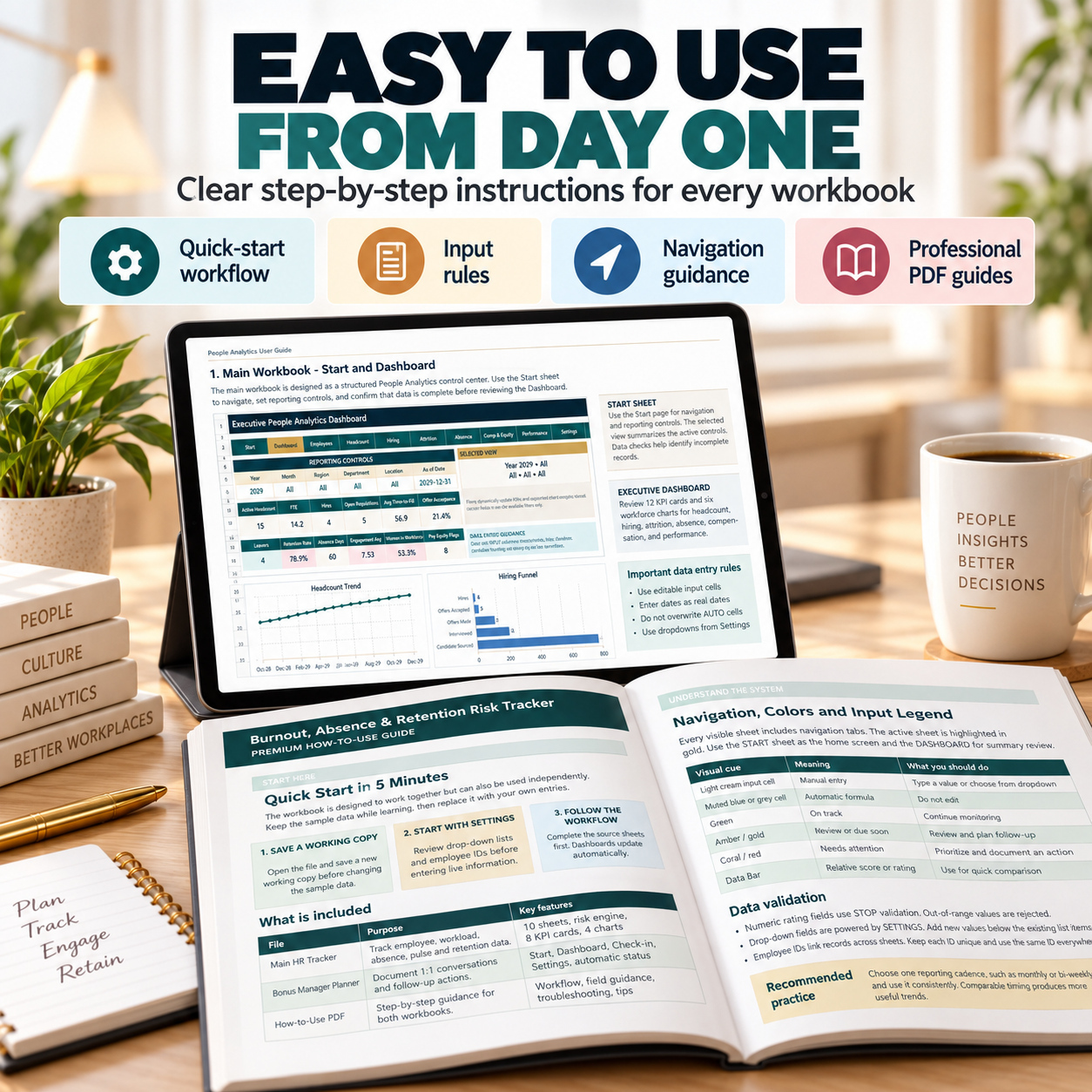
HR Analytics Suite | People Analytics & Burnout Retention Risk Excel Bundle
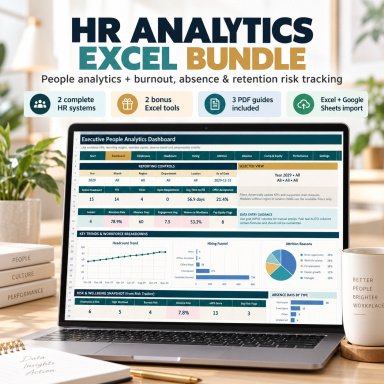
2-in-1 HR analytics bundle with workforce KPIs, eNPS, burnout, absence and retention risk tracking, actions and management dashboards.
🌟 HR ANALYTICS SUITE – PEOPLE ANALYTICS + WORKFORCE RISK MANAGEMENT
Bring workforce reporting, employee signals and structured HR follow-up into one professional 2-in-1 Excel bundle.
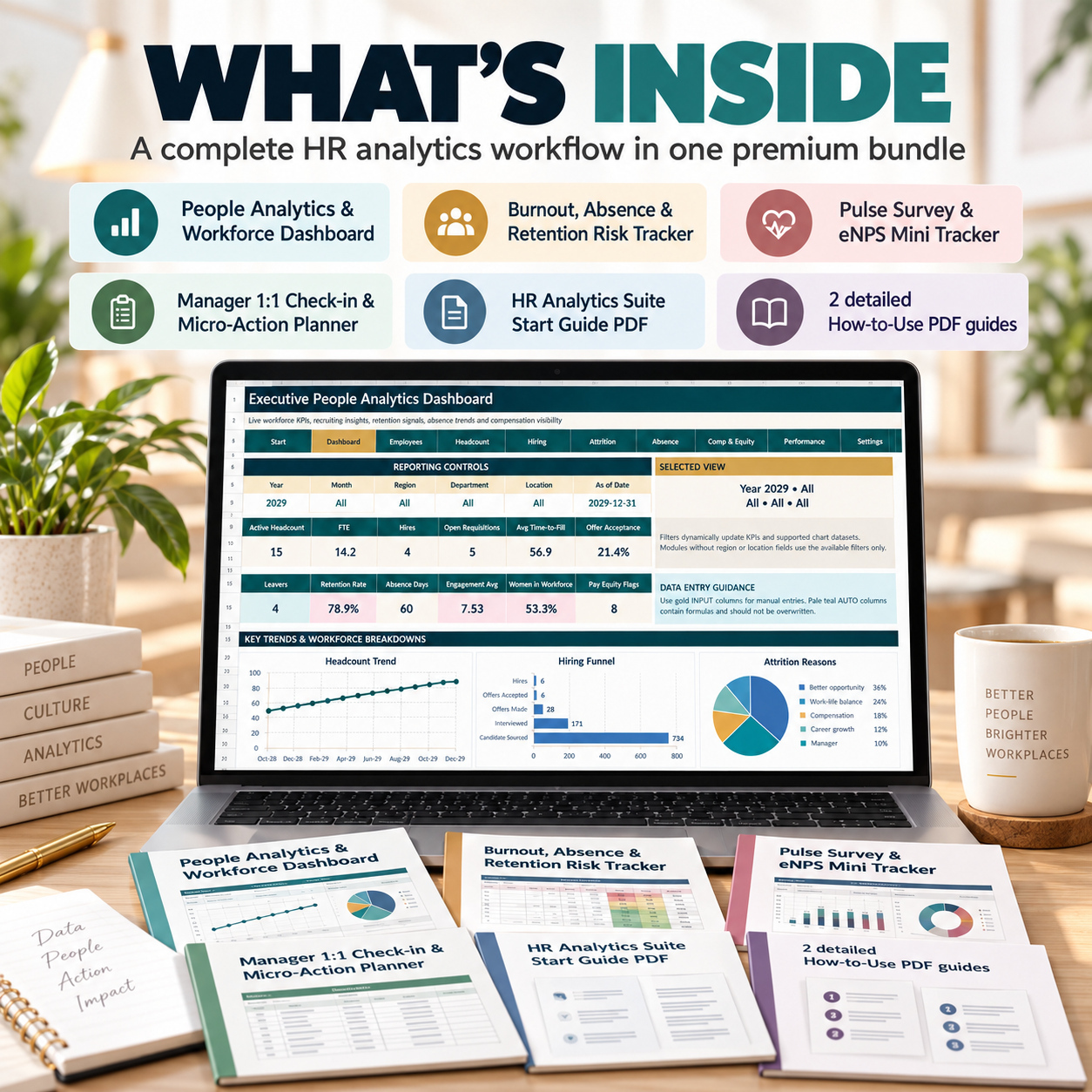
The HR Analytics Suite combines two complete SheetworksStudio systems:
📊 People Analytics & Workforce Dashboard
🌿 Burnout, Absence & Retention Risk Tracker
Together, they create a practical workflow from strategic HR reporting to employee-level risk signals and accountable follow-up actions.
HR Data → KPI Analysis → Risk Signals → Actions → Follow-Up
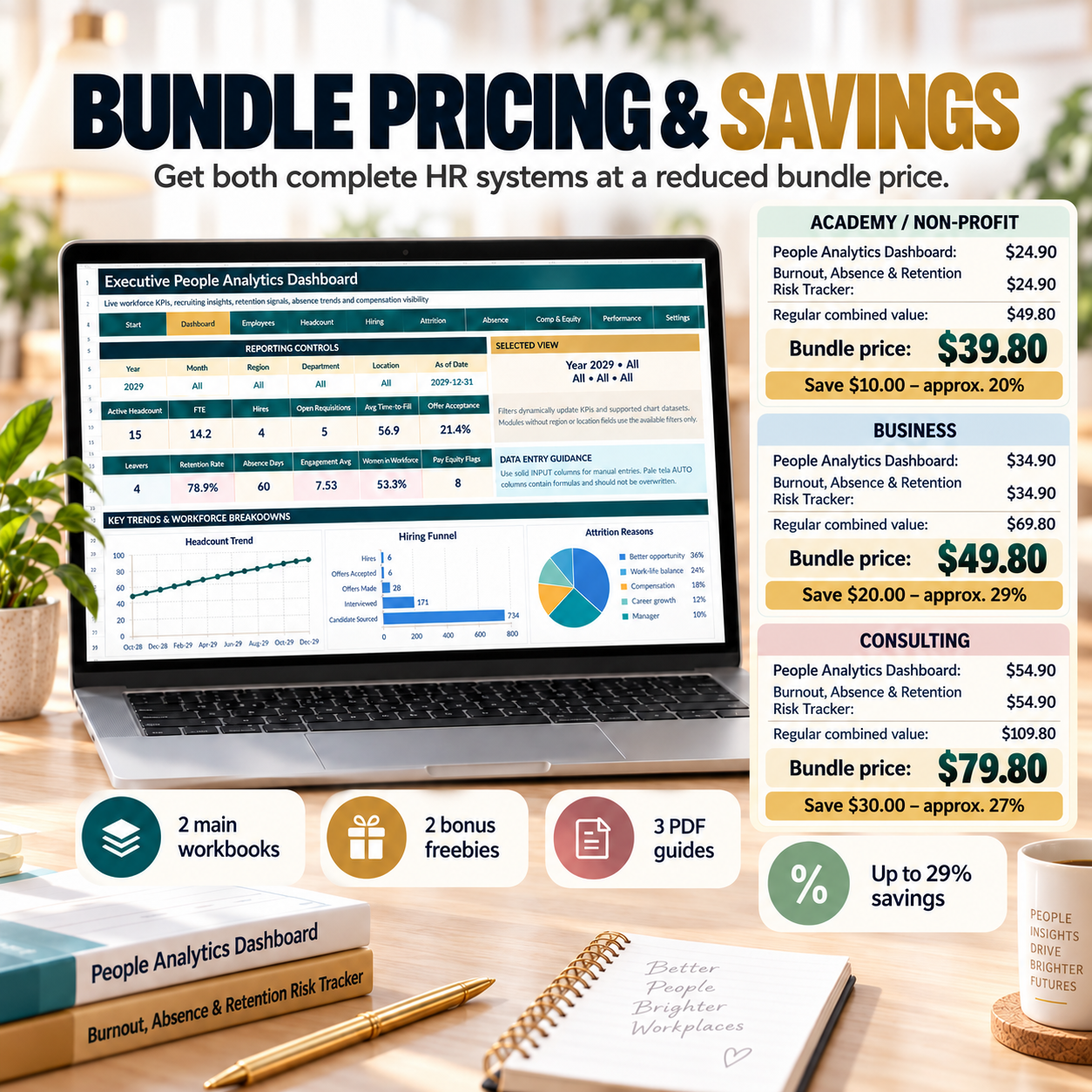
💰 BUNDLE PRICING & SAVINGS
Get both complete HR systems at a reduced bundle price.
🏫 ACADEMY / NON-PROFIT
People Analytics Dashboard: $24.90
Burnout, Absence & Retention Risk Tracker: $24.90
Regular combined value: $49.80
Bundle price: $39.80
💰 Save $10.00 – approx. 20%
🏢 BUSINESS
People Analytics Dashboard: $34.90
Burnout, Absence & Retention Risk Tracker: $34.90
Regular combined value: $69.80
Bundle price: $49.80
💰 Save $20.00 – approx. 29%
💼 CONSULTING
People Analytics Dashboard: $54.90
Burnout, Absence & Retention Risk Tracker: $54.90
Regular combined value: $109.80
Bundle price: $79.80
💰 Save $30.00 – approx. 27%
Each license includes both main HR systems, both bonus Excel tools and all three PDF guides.
📦 COMPLETE HR ANALYTICS PACKAGE
You receive:
📊 2 Professional Main Excel Workbooks
🎁 2 Bonus Excel Workbooks
📘 2 Detailed Product Guides
📖 1 HR Analytics Suite Start Guide
In total:
✅ 7 working files
✅ 4 editable Excel workbooks
✅ 3 PDF guides
✅ 24 pages of documentation
✅ Professional HR dashboards
✅ Realistic sample data
✅ Automated calculations
✅ Dropdown validation
✅ No macros
✅ No VBA
✅ No PowerQuery
✅ No external data connections
📊 01 | PEOPLE ANALYTICS & WORKFORCE DASHBOARD
A professional workforce-reporting system for recurring HR analysis and leadership reviews.
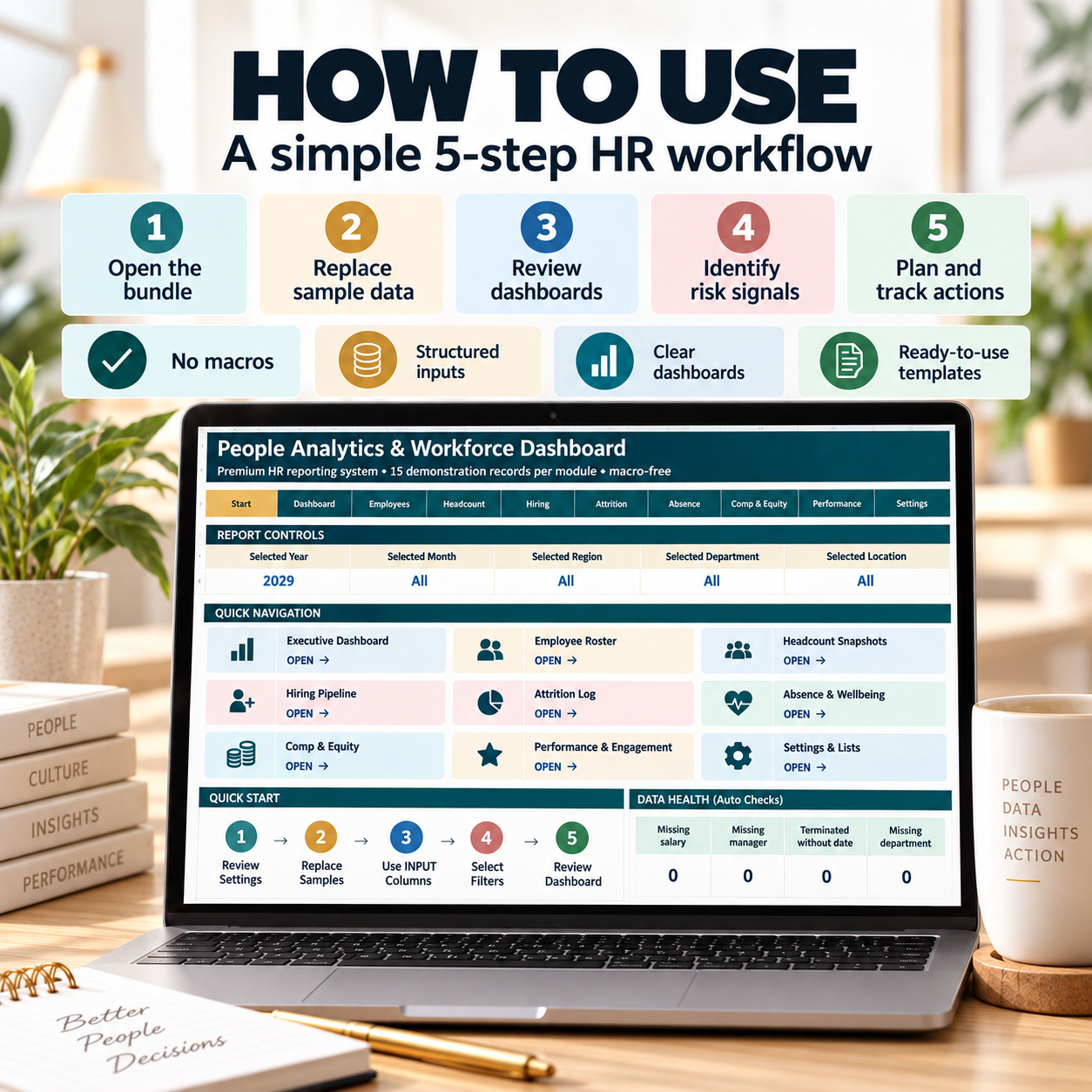
The workbook contains 10 structured sheets:
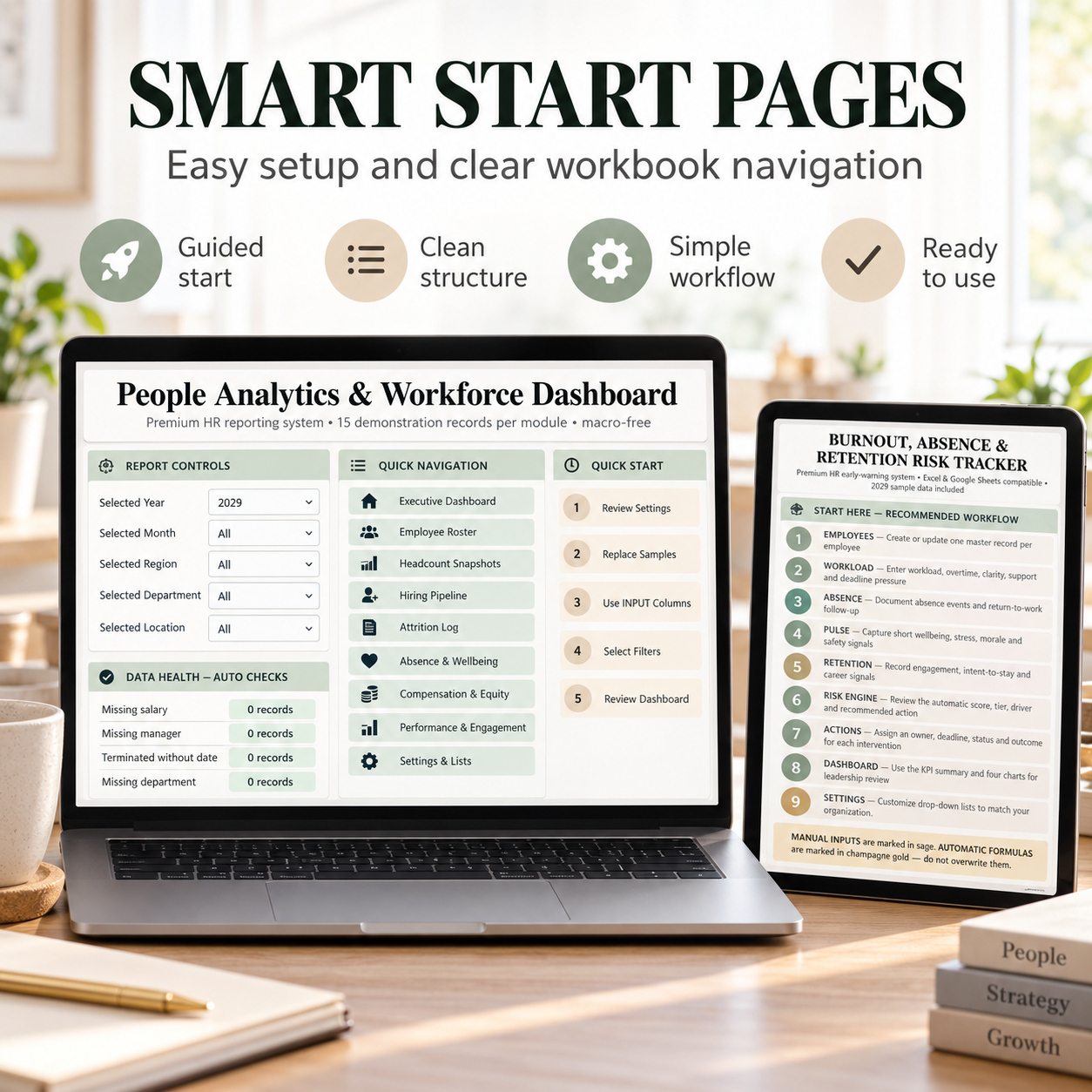
🏠 Start
📊 Executive Dashboard
👥 Employee Roster
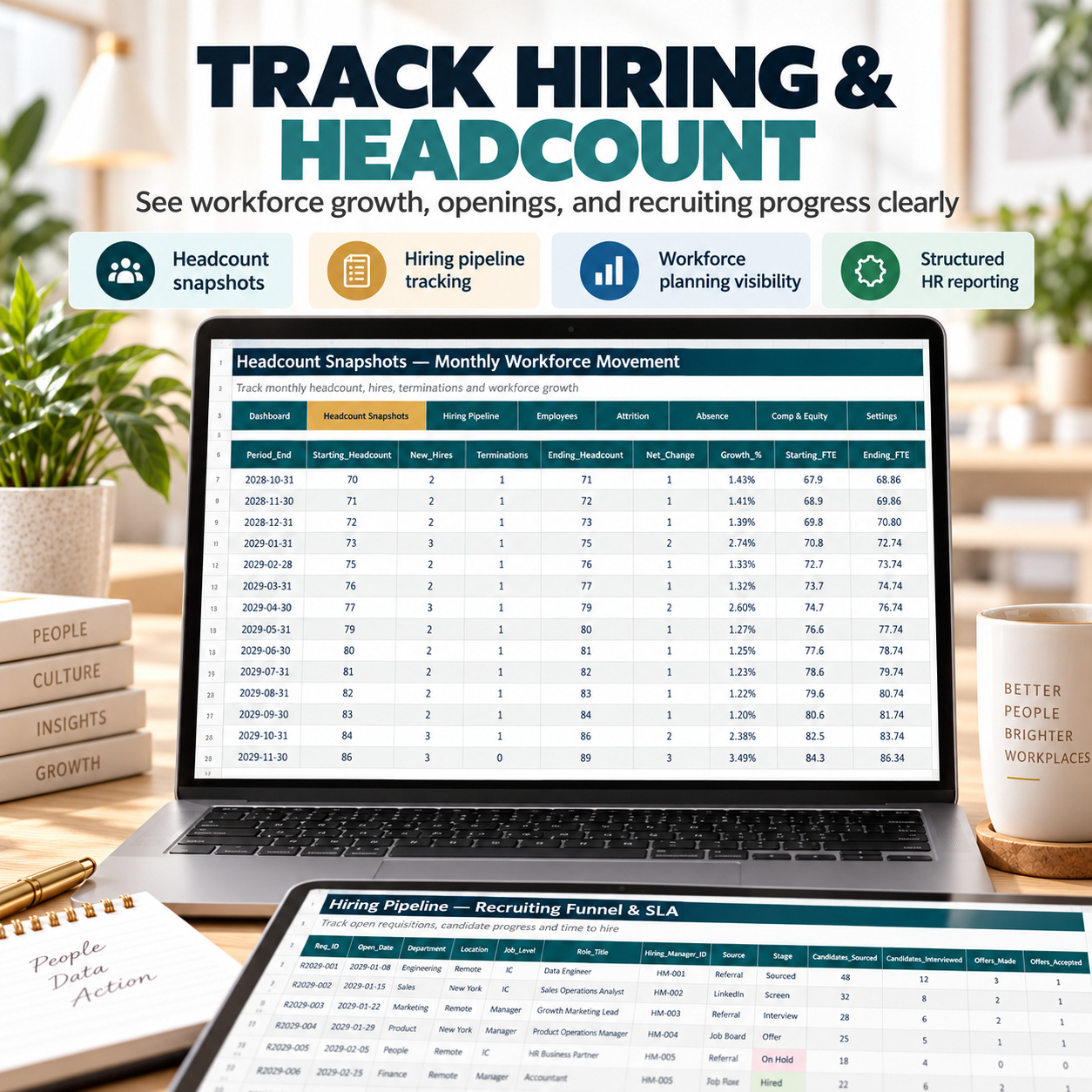
📈 Headcount Snapshots
🧲 Hiring Pipeline
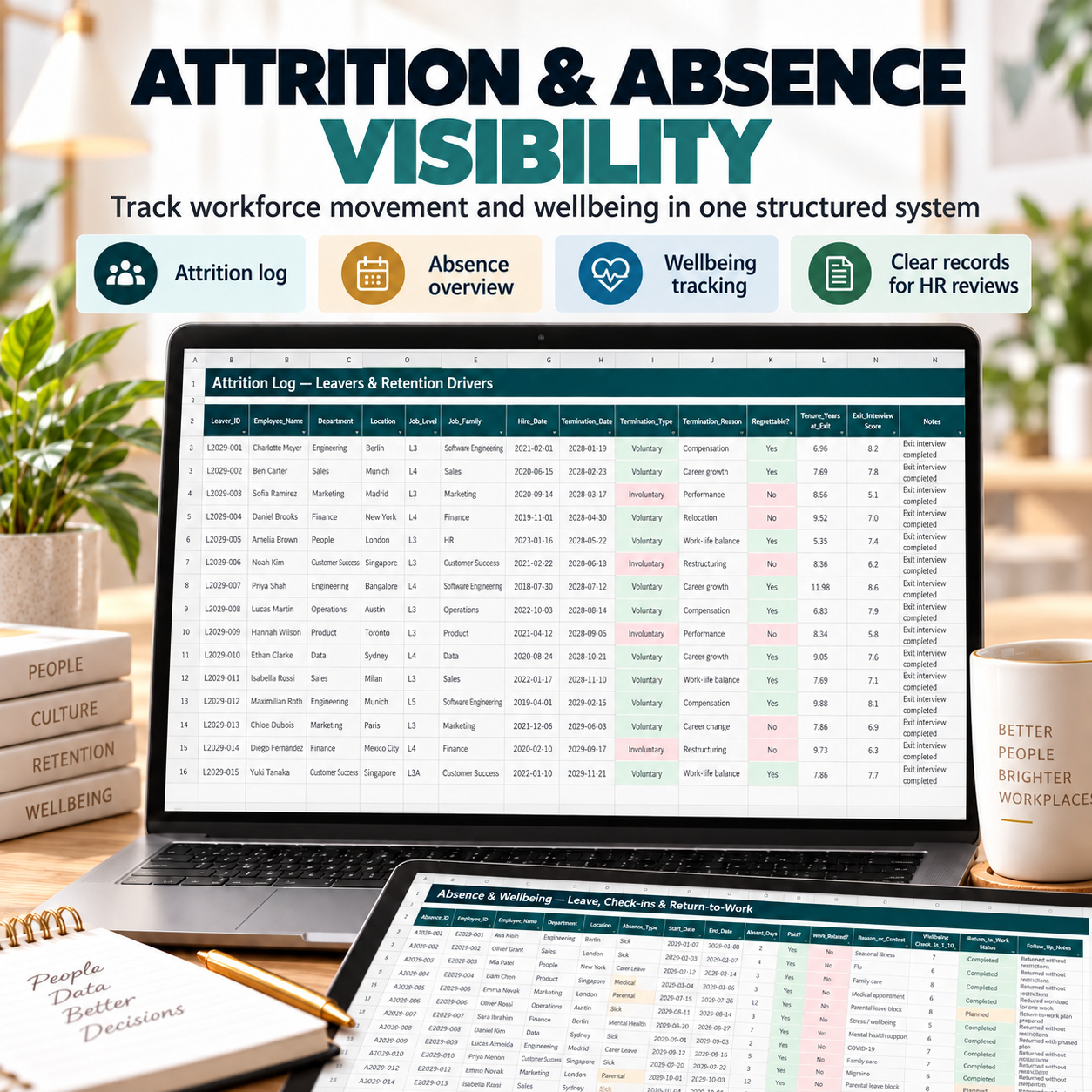
🔁 Attrition Log
🏥 Absence & Wellbeing
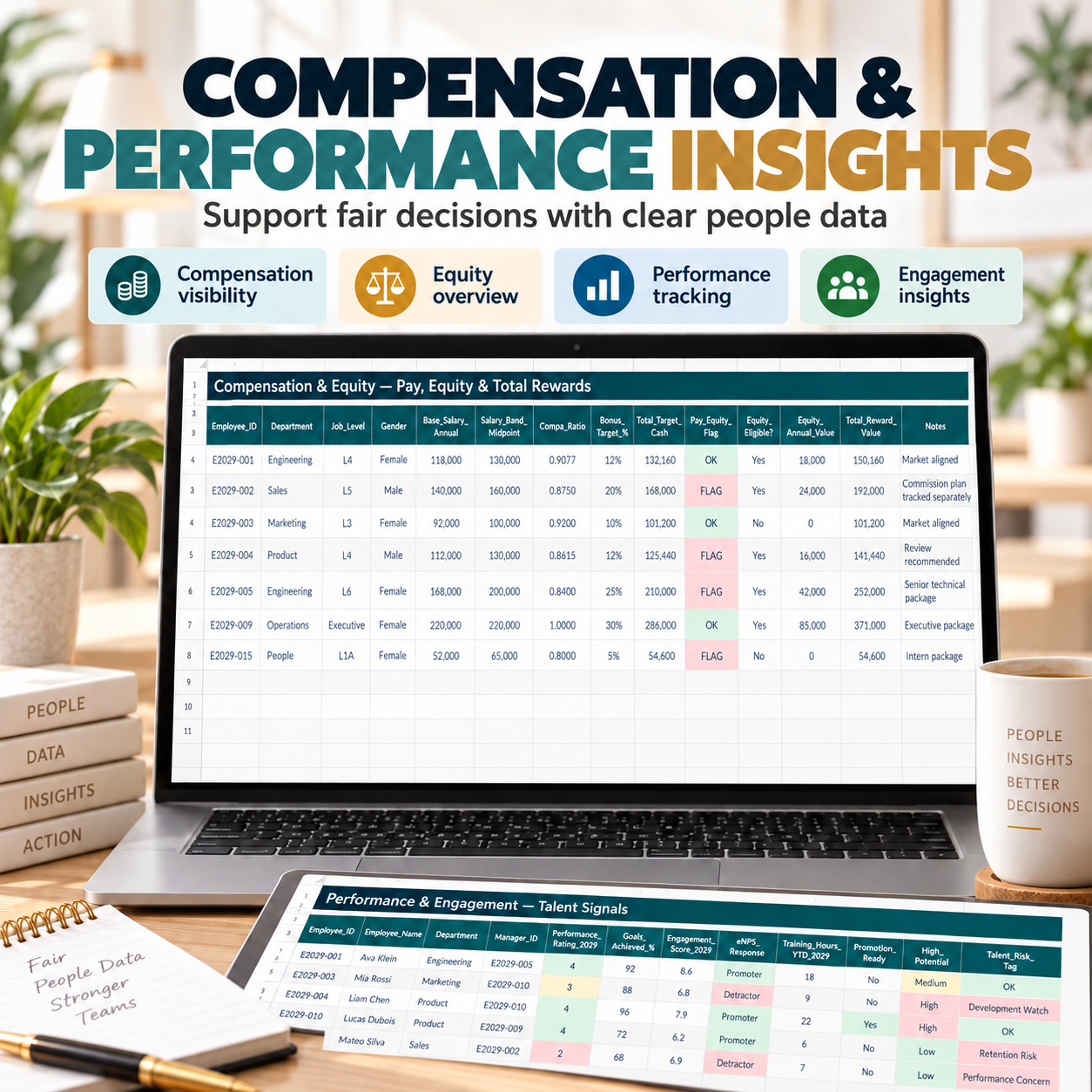
💶 Compensation & Equity
⭐ Performance & Engagement
⚙️ Settings & Lists
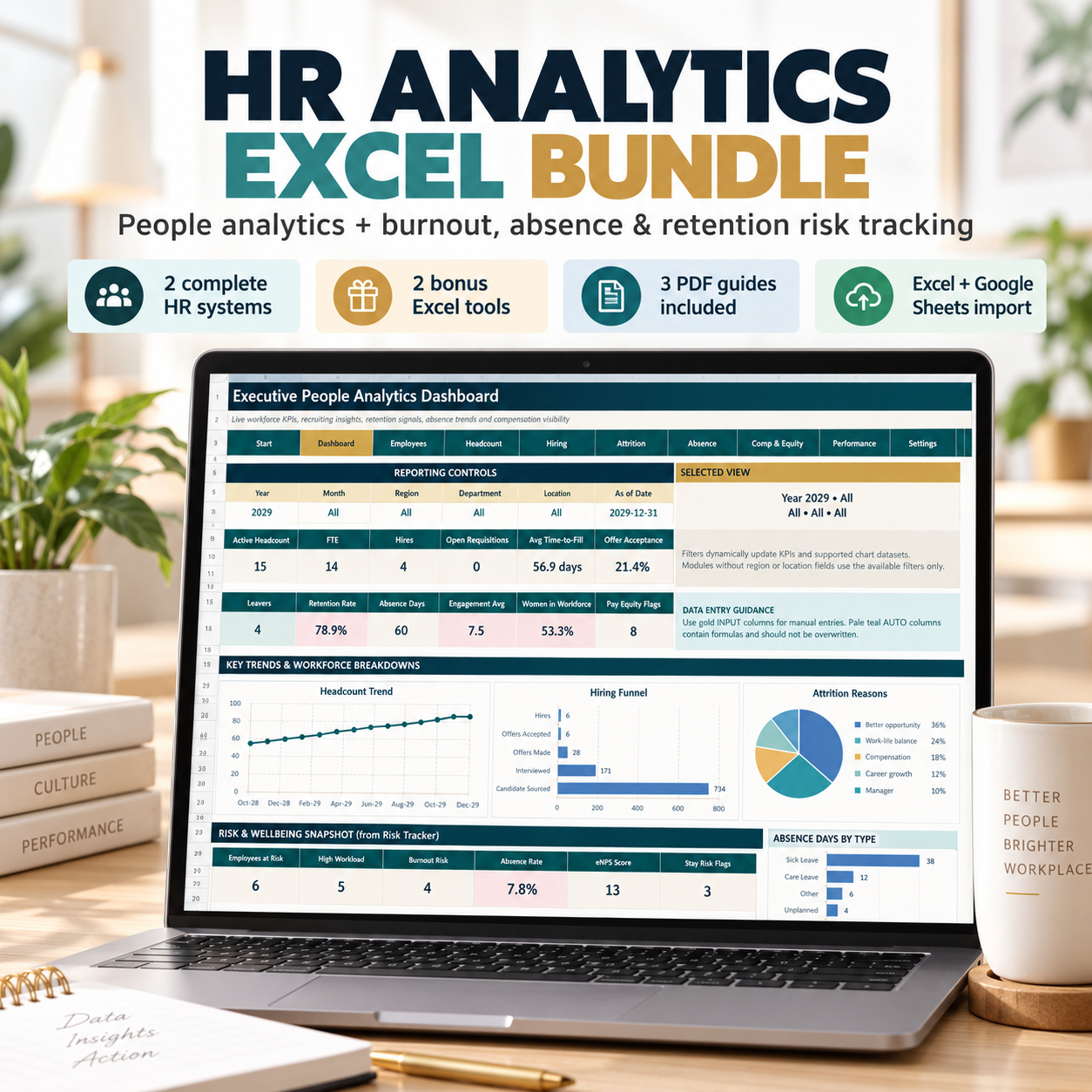
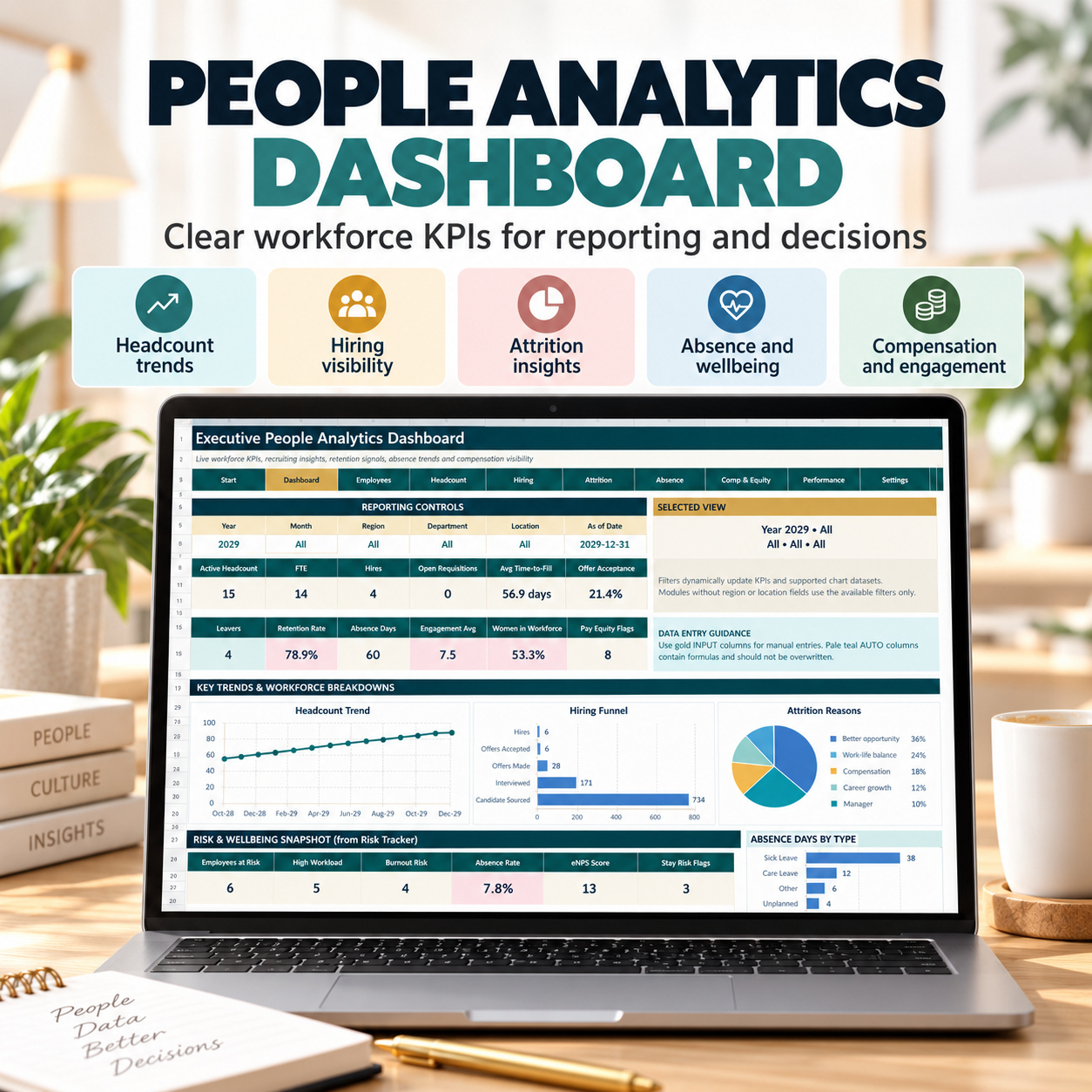
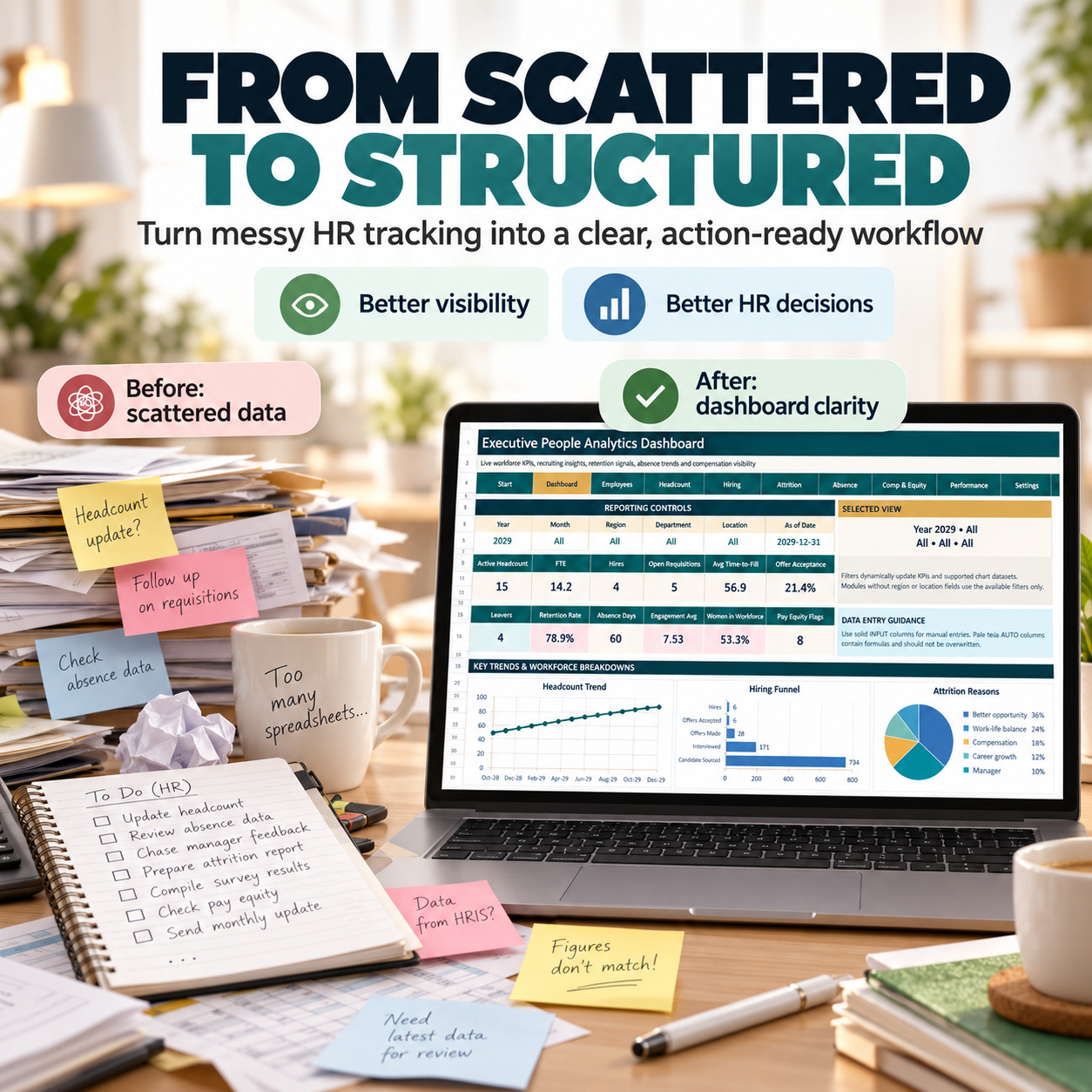
📈 EXECUTIVE PEOPLE ANALYTICS DASHBOARD
The Dashboard provides 12 live HR KPI cards covering areas such as:
👥 Active Headcount
📊 FTE
🧲 Hires
📌 Open Requisitions
⏱️ Average Time-to-Fill
✅ Offer Acceptance
🔁 Leavers
🛡️ Retention Rate
🏥 Absence Days
⭐ Engagement
👩 Women in Workforce
💶 Pay Equity Flags
Six visual charts provide additional workforce analysis across headcount, hiring, attrition, absence, compensation and performance.
Reporting controls allow the user to review data by:
📅 Year
📅 Month
🌍 Region
🏢 Department
📍 Location
👥 EMPLOYEE & WORKFORCE DATA
The Employee Roster acts as the central workforce dataset.
Use the connected modules to maintain:
✅ Employee information
✅ Headcount history
✅ Hiring activity
✅ Attrition
✅ Absence and wellbeing
✅ Compensation and equity
✅ Performance and engagement
Each operational module includes 15 demonstration records and prepared working capacity for larger datasets.
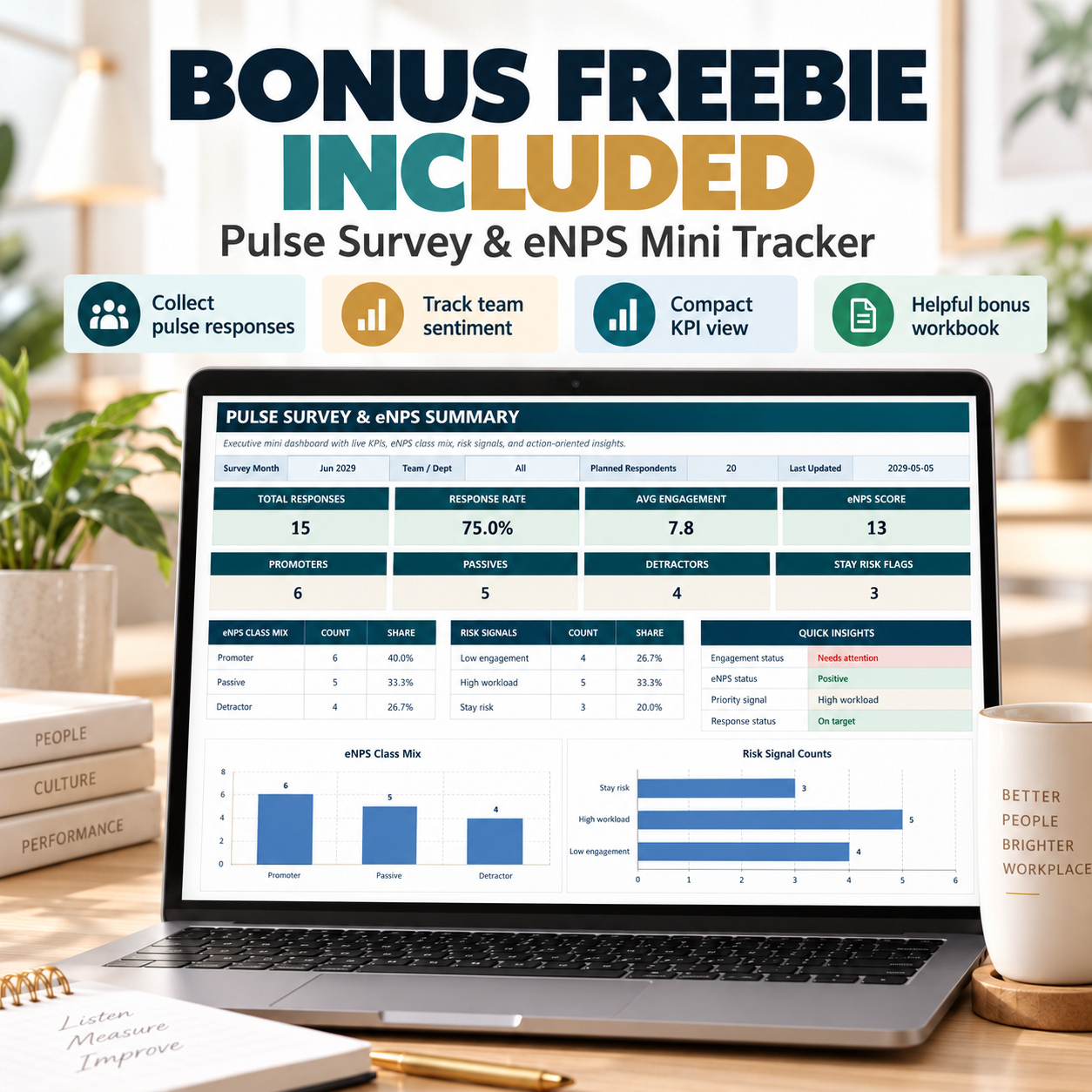
🎁 BONUS: PULSE SURVEY & eNPS MINI TRACKER
The separate Pulse/eNPS workbook provides a lightweight employee-feedback system.
It contains:
🏠 Start
📝 Pulse Responses
📊 Executive Summary
The bonus includes 15 demonstration responses and automatically calculates:
✅ Total Responses
✅ Response Rate
✅ Average Engagement
✅ eNPS Score
✅ Promoters
✅ Passives
✅ Detractors
✅ Stay Risk Flags
✅ High Workload Signals
The Summary also provides visual eNPS and workforce-risk analysis.
Use it for recurring pulse surveys, engagement reviews and compact management updates.
🌿 02 | BURNOUT, ABSENCE & RETENTION RISK TRACKER
A structured early-warning and action-management system for employee and team-level workforce signals.
The Main Tracker contains 10 sheets:
🏠 START
📊 DASHBOARD
🧠 RISK ENGINE
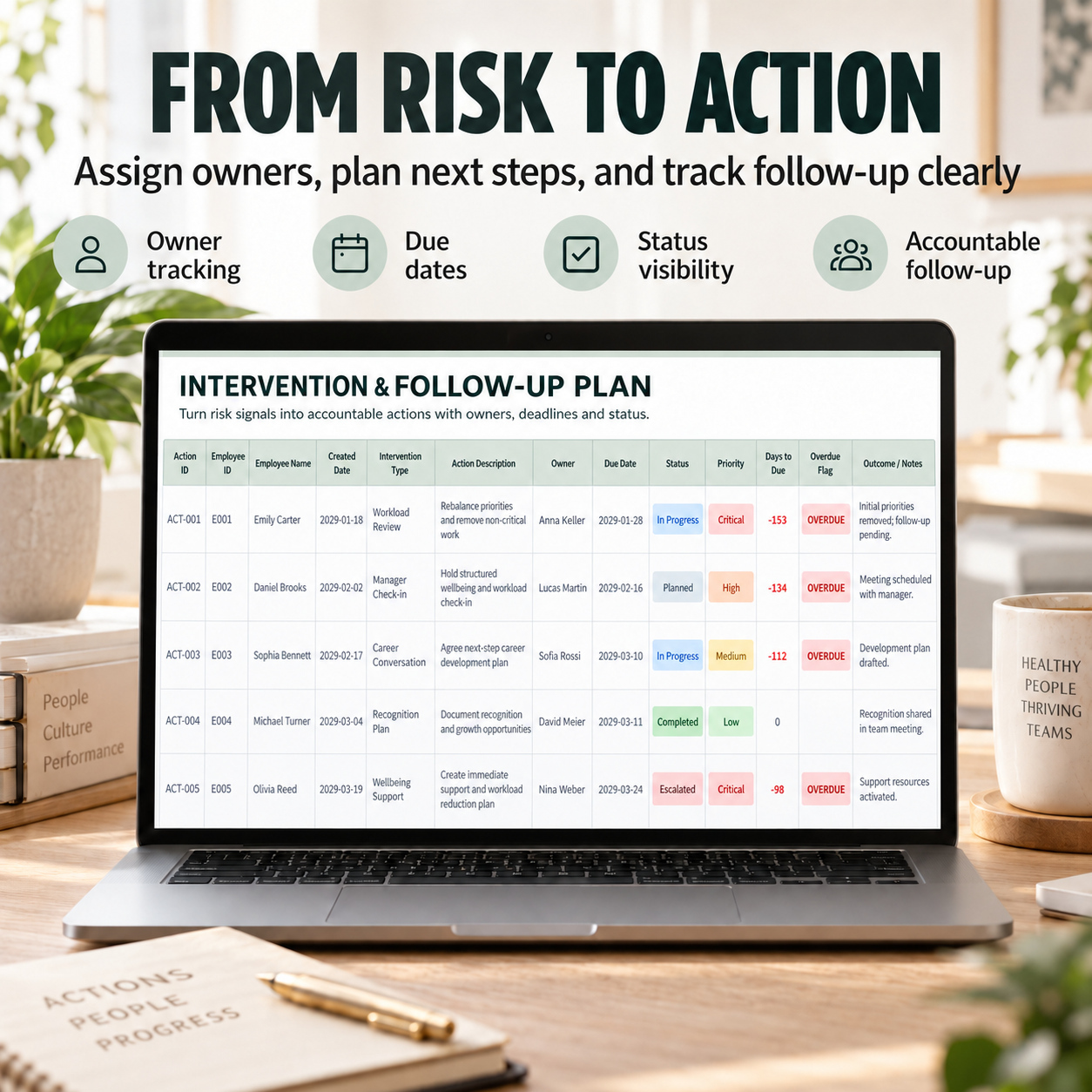
✅ ACTIONS
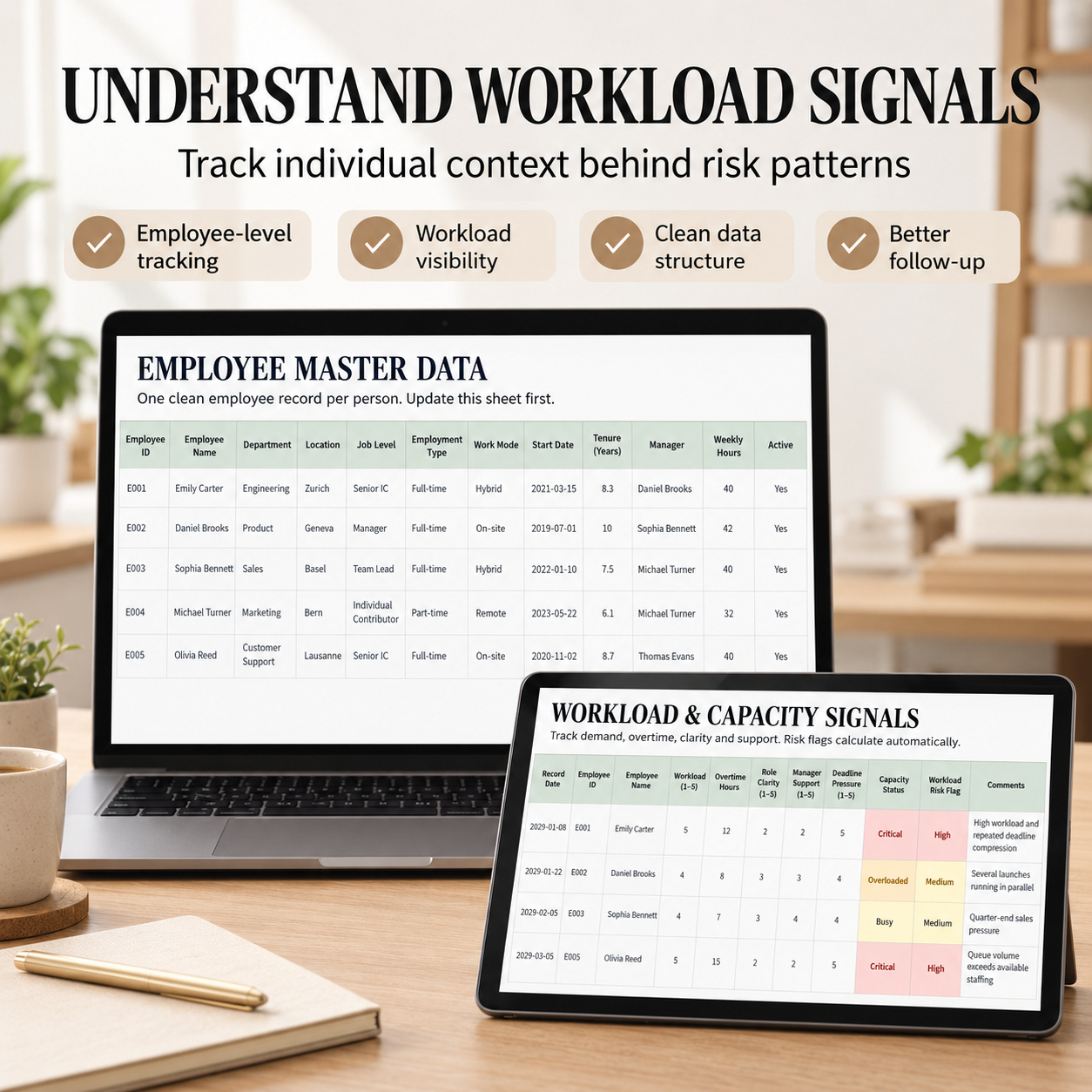
👥 EMPLOYEES
⚡ WORKLOAD
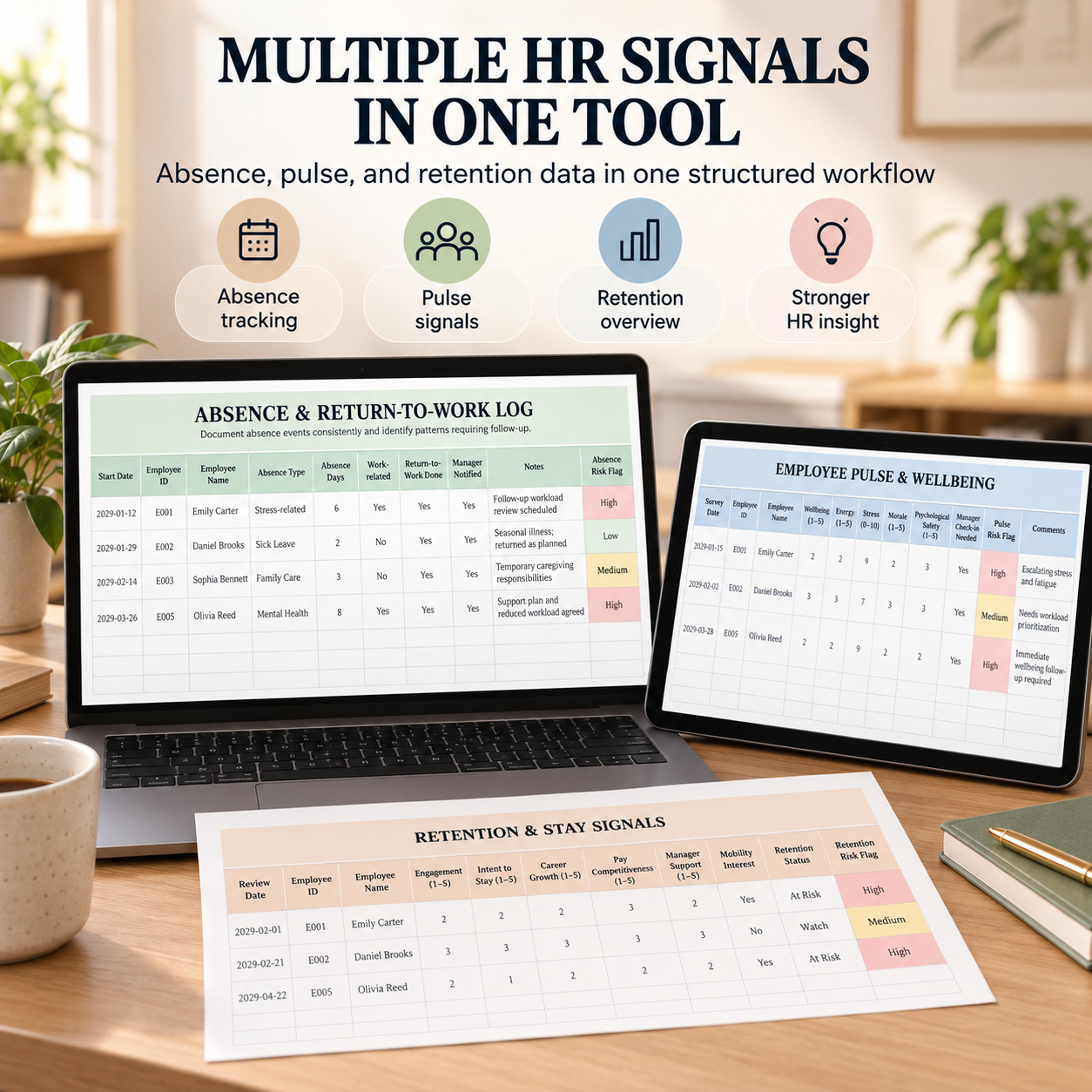
🏥 ABSENCE
💬 PULSE
🔁 RETENTION
⚙️ SETTINGS
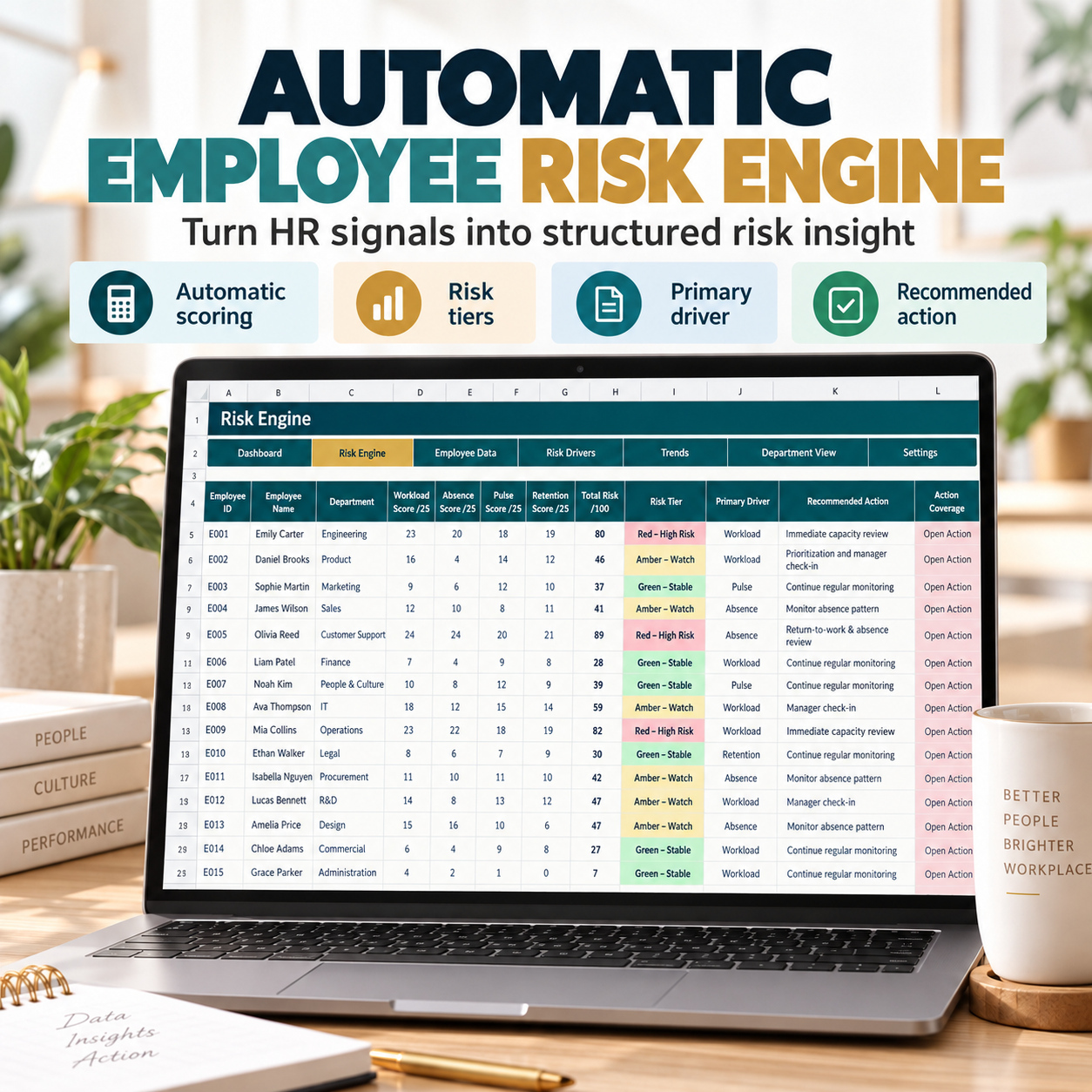
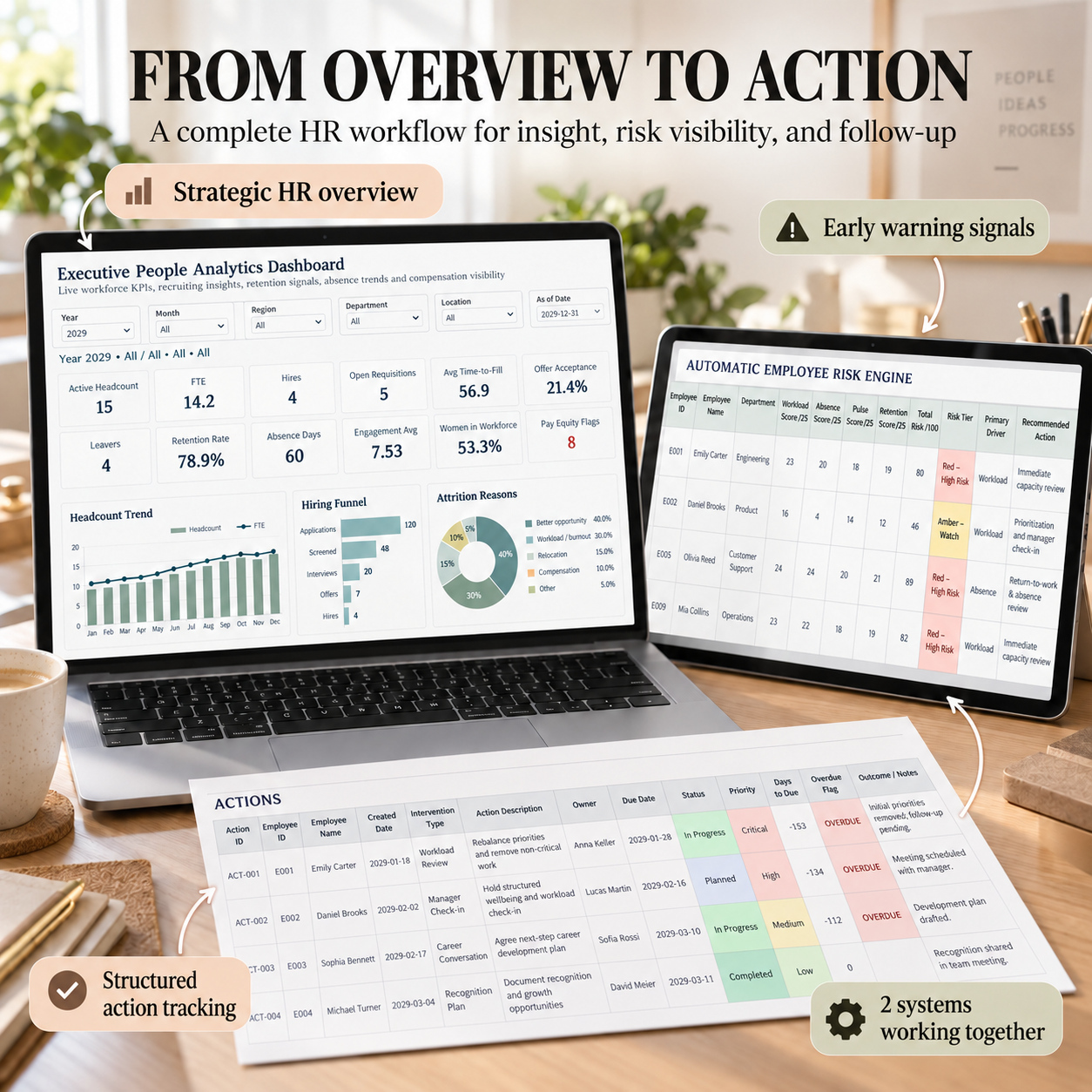
🧠 AUTOMATIC RISK ENGINE
The Risk Engine combines four key signal areas:
⚡ Workload
🏥 Absence
💬 Pulse
🔁 Retention
Formula-driven calculations produce:
✅ Individual driver scores
✅ Overall Risk Score
✅ Risk Tier
✅ Primary Driver
✅ Recommended Action
✅ Open-Action Indicator
This provides a structured way to identify employees or situations that may require additional management review.
The system is an organizational prioritization tool and is not a medical or psychological diagnostic instrument.
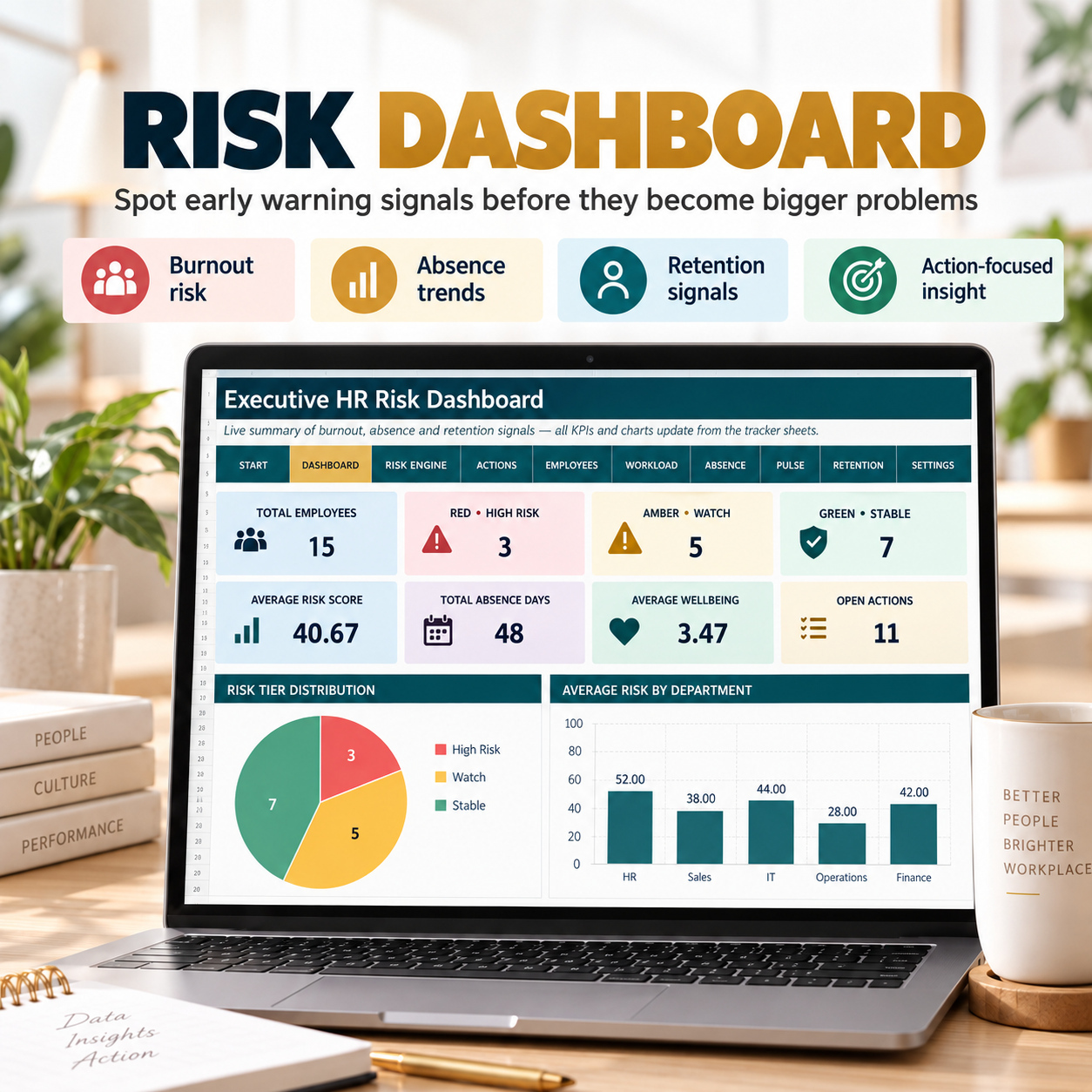
📊 WORKFORCE RISK DASHBOARD
The Dashboard provides 8 KPI cards and 4 dynamic charts for recurring review of:
⚠️ Risk distribution
🏥 Absence signals
💬 Pulse indicators
🔁 Retention risk
✅ Action progress
Operational input areas are prepared through approximately 500 rows, providing room for growing teams.
✅ ACTION MANAGEMENT
Move from risk signals into accountable follow-up.
Track:
👤 Employee
📌 Action
👥 Owner
⚡ Priority
📅 Due Date
📊 Status
📈 Progress
This creates a clearer connection between workforce signals and actual management actions.
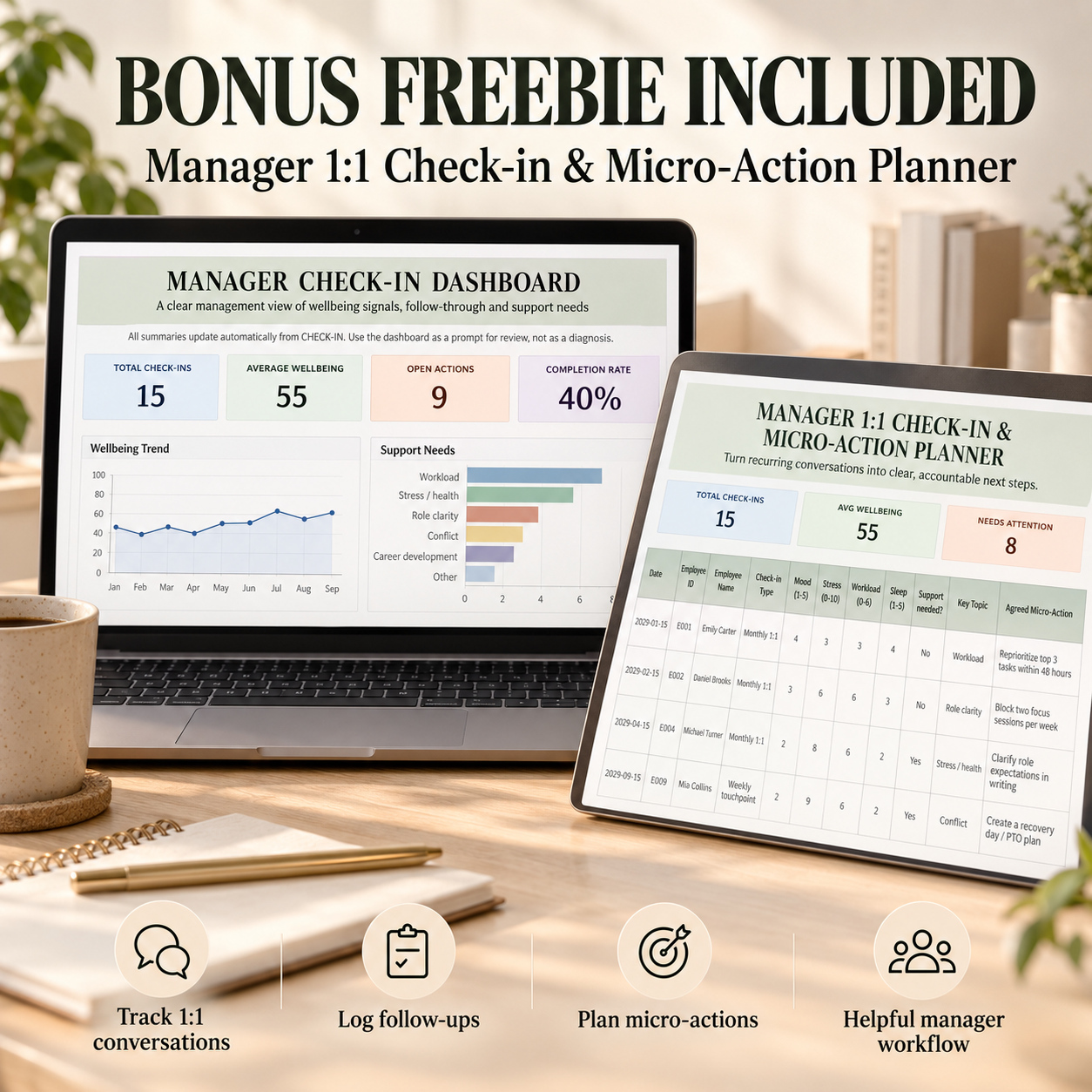
🎁 BONUS: MANAGER 1:1 CHECK-IN & MICRO-ACTION PLANNER
The separate Manager Planner supports practical follow-up conversations.
It includes:
🏠 Start
📊 Dashboard
💬 Check-In Planner
⚙️ Settings
The workbook contains 15 complete sample check-ins.
Track:
✅ Mood
✅ Stress
✅ Workload
✅ Sleep
✅ Discussion Topic
✅ Support Needed
✅ Micro-Action
✅ Owner
✅ Due Date
✅ Action Status
Automatic calculations provide:
📊 Wellbeing Score
⚠️ Attention Flag
📅 Due-Status Flag
The bonus dashboard contains 6 live KPIs and 4 charts covering wellbeing and action follow-through.
📘 3 PROFESSIONAL PDF GUIDES
The bundle includes:
📘 People Analytics Guide – 5 pages
📘 Burnout, Absence & Retention Risk Guide – 11 pages
📘 HR Analytics Suite Start Guide – 8 pages
The guides cover:
🚀 Initial Setup
✏️ INPUT vs AUTO Fields
📊 Dashboard Interpretation
👥 HR Data Management
📈 People Analytics Workflow
🧠 Risk Scoring Workflow
✅ Action Management
🎁 Both Bonus Tools
☁️ Google Sheets Import
🔐 Privacy Guidance
🛠️ Troubleshooting
💎 ONE CONNECTED HR WORKFLOW
Use the two systems together:
1️⃣ Maintain core workforce information in People Analytics
2️⃣ Review KPIs and workforce trends
3️⃣ Identify signals requiring deeper attention
4️⃣ Use the Risk Tracker for structured employee-level review
5️⃣ Assign actions and responsible owners
6️⃣ Use Pulse/eNPS and Manager Check-ins for focused follow-up
7️⃣ Review progress regularly
The systems intentionally remain separate workbooks and do not automatically synchronize.
This allows HR teams to control which employee information is transferred between strategic reporting and more sensitive risk-management processes.
👥 IDEAL FOR
🏢 HR Managers
👥 People Operations Teams
🚀 Startups & Scale-Ups
📊 HR Analysts
👔 Team Leads & Managers
💼 HR Consultants
🏭 Small & Mid-Sized Businesses
🌿 Organizations reviewing burnout, absence and retention signals
📈 Teams building recurring workforce reporting
🔐 PRIVACY & RESPONSIBLE USE
HR information can be sensitive.
Where appropriate:
🔒 Use Employee IDs instead of unnecessary full-name data
🔒 Restrict workbook access
🔒 Collect only information required for the intended HR process
🔒 Follow applicable privacy, employment and internal-data policies
🔒 Review automated risk outputs before acting on them
Risk scores and flags should support human review, not replace professional judgment.
🌐 EXCEL & GOOGLE SHEETS
Microsoft Excel is recommended for the intended experience.
The XLSX workbooks can also be imported into Google Sheets.
Core workbook logic is designed to remain usable, but chart positioning, formatting, dropdown behavior and spacing may vary after conversion.
⚖️ IMPORTANT DISCLAIMER
This bundle is an editable organizational, HR analytics and workforce-planning toolkit.
It does not constitute medical, psychological, legal, financial, employment, HR or other professional advice and is not a diagnostic instrument.
Burnout, wellbeing, retention and other risk indicators are internal management signals based on the data and assumptions entered by the user. They should not be treated as medical diagnoses, definitive predictions or automatic grounds for employment decisions.
Users remain responsible for validating data, interpreting results appropriately, protecting personal information and consulting qualified HR, legal, medical or other professionals where necessary.
This Best Practice includes
2xPeople Analytics System (.xlsx), 2xBurnout / Absence / Retention System (.xlsx), 2x How to Use Guide, 1 x Start-Guide
Further information
Build a structured People Analytics reporting process
Monitor workforce KPIs and trends
Improve visibility into hiring, attrition and absence
Review compensation and performance indicators
Capture employee pulse and eNPS signals
Identify burnout, absence and retention risk signals
Convert HR insights into owned follow-up actions
Best suited to organizations that:
- want recurring HR KPI reporting
- manage workforce data in spreadsheets
- need earlier visibility into workforce-risk signals
- want to combine strategic reporting with practical follow-up
- need lightweight pulse/eNPS analysis
- prefer editable Excel tools over larger HRIS platforms
- require management-ready dashboards
This toolkit is not designed to:
- replace a complete HRIS/HCM platform
- provide medical or psychological diagnosis
- automatically make employment decisions
- perform payroll
- replace formal employee-case management
- provide predictive AI workforce decisions
- guarantee employee retention
- replace professional HR, medical, legal or employment advice

