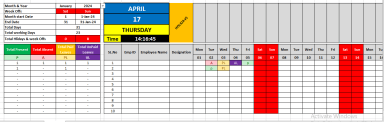
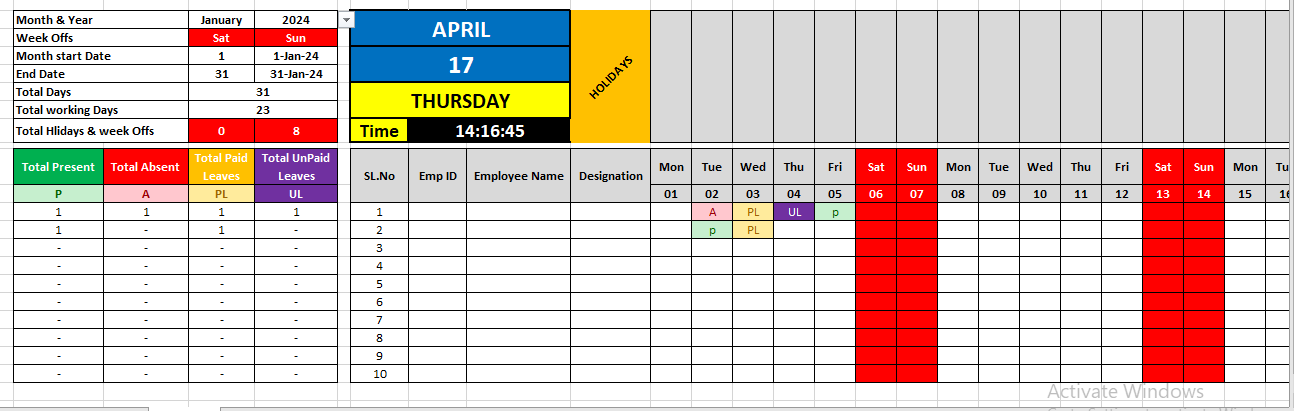
Excel attendance sheet

Excel Attendance Log template

Description

This downloadable Excel Attendance Log is a powerful, easy-to-use solution for tracking attendance on a daily, weekly, or monthly basis—ideal for teams, classrooms, departments, or events. It comes preloaded with built-in formulas such as COUNTIF and IF, making it simple to auto-calculate attendance types including Present (P), Absent (A), Paid Leave (PL), and Unpaid Leave (UL). It also includes smart conditional formatting to highlight weekends, holidays, and low-attendance flags, giving users instant visual cues.


Designed for flexibility, this log features drop-down selectors to streamline data entry and reduce errors. You can quickly customize it by adding your own dates, department codes, shift types, or holiday lists—making it adaptable for any organizational need.


The sheet automatically displays the current date, day of the week, and real-time clock, helping users maintain an up-to-date schedule. It also tracks the total number of calendar days, total working days, and total week-offs and holidays for the month, offering a comprehensive overview at a glance.


Whether you're managing a team, training program, or academic group, this Excel tool provides a simple yet highly effective way to maintain attendance records, generate reports, and support accountability across your organization. it has a setting sheet to add your holidays and more information.

This Best Practice includes
1 Excel file

Frans Gafane offers you this Best Practice for free!

download for free

Add to bookmarks

Discuss

Further information

Objectives of Your Downloadable Best Practice
To simplify and standardize daily attendance tracking.

To improve accuracy and transparency in presence and leave records.

To automate calculations and reporting for quick decision-making.

To support HR, school admin, and team leads in managing time and attendance efficiently.

To offer a customizable tool that fits different teams, organizations, or educational settings

Teams with regular schedules (e.g., 5-day workweeks).

Schools or training programs tracking student attendance.

Small to medium-sized organizations (5–200 people).

Users comfortable with Excel basics (data entry, formulas).

When digital or biometric systems are unavailable or too costly.

Teams without access to Excel or spreadsheet software.


0.0 / 5 (0 votes)

please wait...