Project, Risk & Vendor Management Excel Suite | 30-in-3 Portfolio, ERM & Supplier Risk
Three-system Excel suite for project portfolios, enterprise risk and vendor management with dashboards, heatmaps, actions, bonuses and professional guides.
๐ PROJECT, RISK & VENDOR MANAGEMENT SUITE โ 30-IN-3
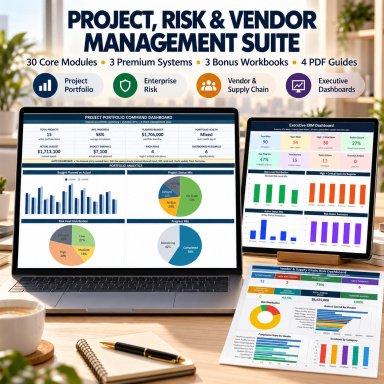
Bring project portfolios, enterprise risks and vendor management into one coordinated professional Excel toolkit.
The SheetworksStudio 30-in-3 Management Suite combines three complete, independent business systems covering:
๐ Project Portfolio Management
๐ก๏ธ Enterprise Risk Management
๐ญ Vendor & Supply Chain Risk Management
Designed for PMOs, Project Managers, consultants, leadership teams, GRC professionals, procurement teams, auditors and risk managers that need structured management tools without building complex workbooks from scratch.
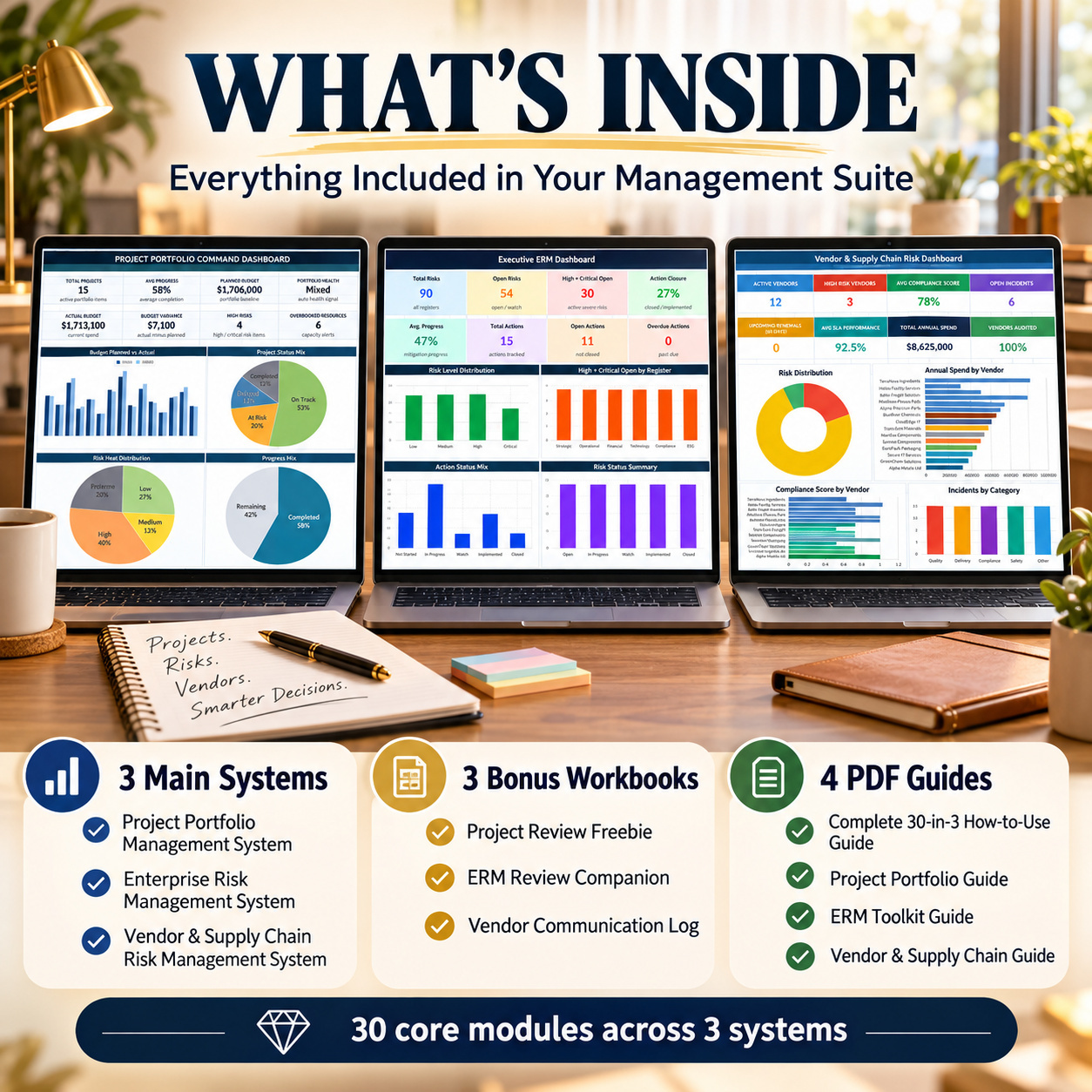
30-in-3 means 30 core functional modules across three complete systems โ not 30 separate Excel files.
๐ฆ COMPLETE PACKAGE
โ 3 professional Main Excel Systems
๐ 3 dedicated Bonus Workbooks
๐ 3 individual product guides
๐ 1 combined 30-in-3 How-to Guide
๐ 10 usable files after extraction
๐๏ธ 45 workbook tabs
๐ 18 native Excel charts
๐ 31 pages of documentation
๐งฎ Formula-driven calculations
๐ฝ Dropdowns and status logic
๐จ Conditional formatting
๐งช Realistic sample data
๐ Macro-free / no VBA
Each system operates independently, so you can use only the areas relevant to your organization while maintaining a consistent professional approach across projects, enterprise risks and vendors.
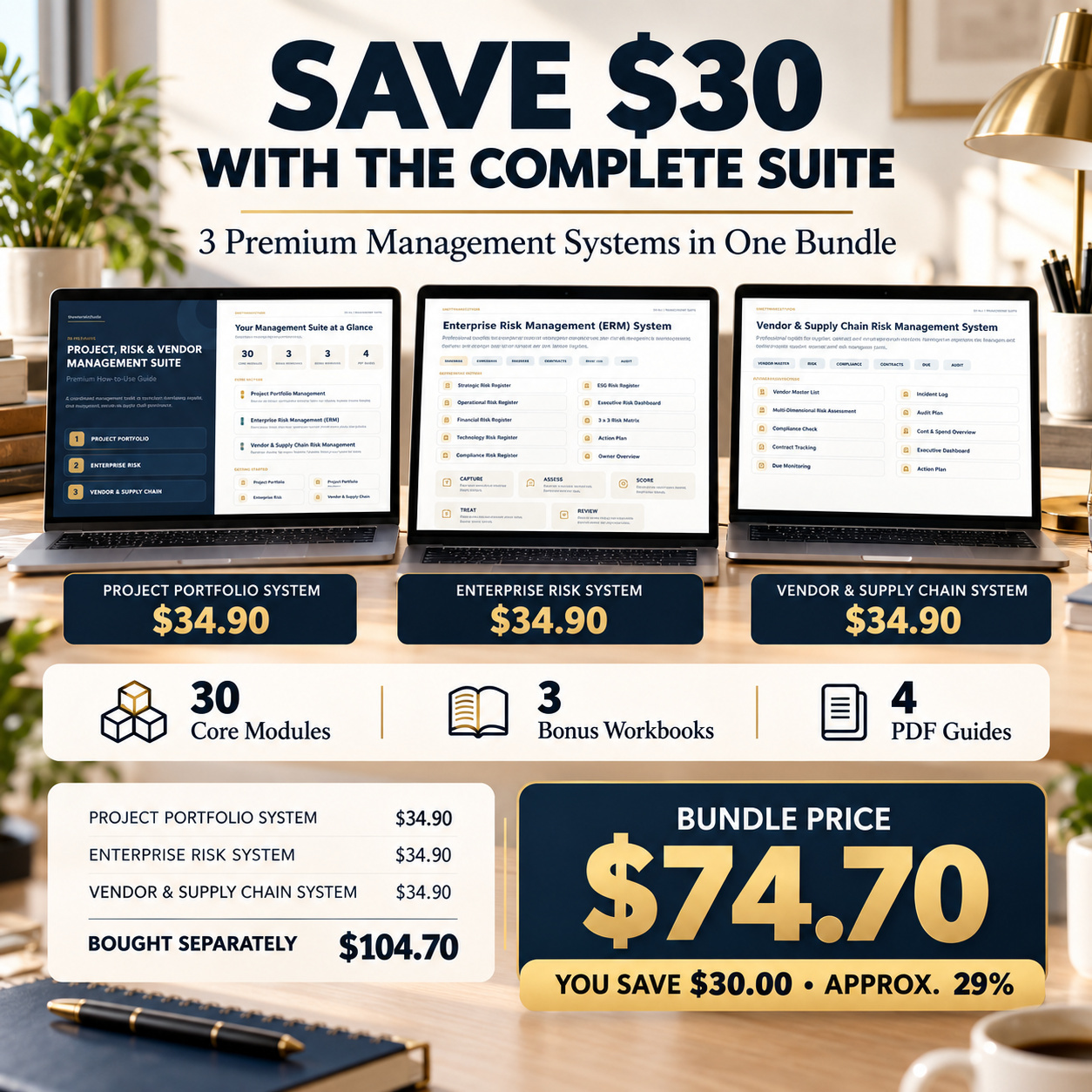
๐ฐ BUNDLE VALUE & SAVINGS BY LICENSE
All three main systems are also available individually under the corresponding Eloquens license.
๐ซ Academy / Non-profitIndividual price per system: $24.70
3 ร $24.70 = $74.10
๐ฅ Bundle Price: $54.70
๐ฐ Save $19.40 โ approximately 26%
๐ข Business
Individual price per system: $34.70
3 ร $34.70 = $104.10
๐ฅ Bundle Price: $74.70
๐ฐ Save $29.40 โ approximately 28%
๐ผ Consulting
Individual price per system: $54.70
3 ร $54.70 = $164.10
๐ฅ Bundle Price: $94.70
๐ฐ Save $69.40 โ approximately 42%
The bundle includes the complete scope of all three systems, their three bonus workbooks and all four PDF guides.
1๏ธโฃ PROJECT PORTFOLIO MANAGEMENT SYSTEM
Manage multiple projects through one structured portfolio-management framework.
The system contains 10 core management areas:
๐ Executive Dashboard
๐ Portfolio Overview
๐ฆ Project Status
โ ๏ธ Risk Aggregate
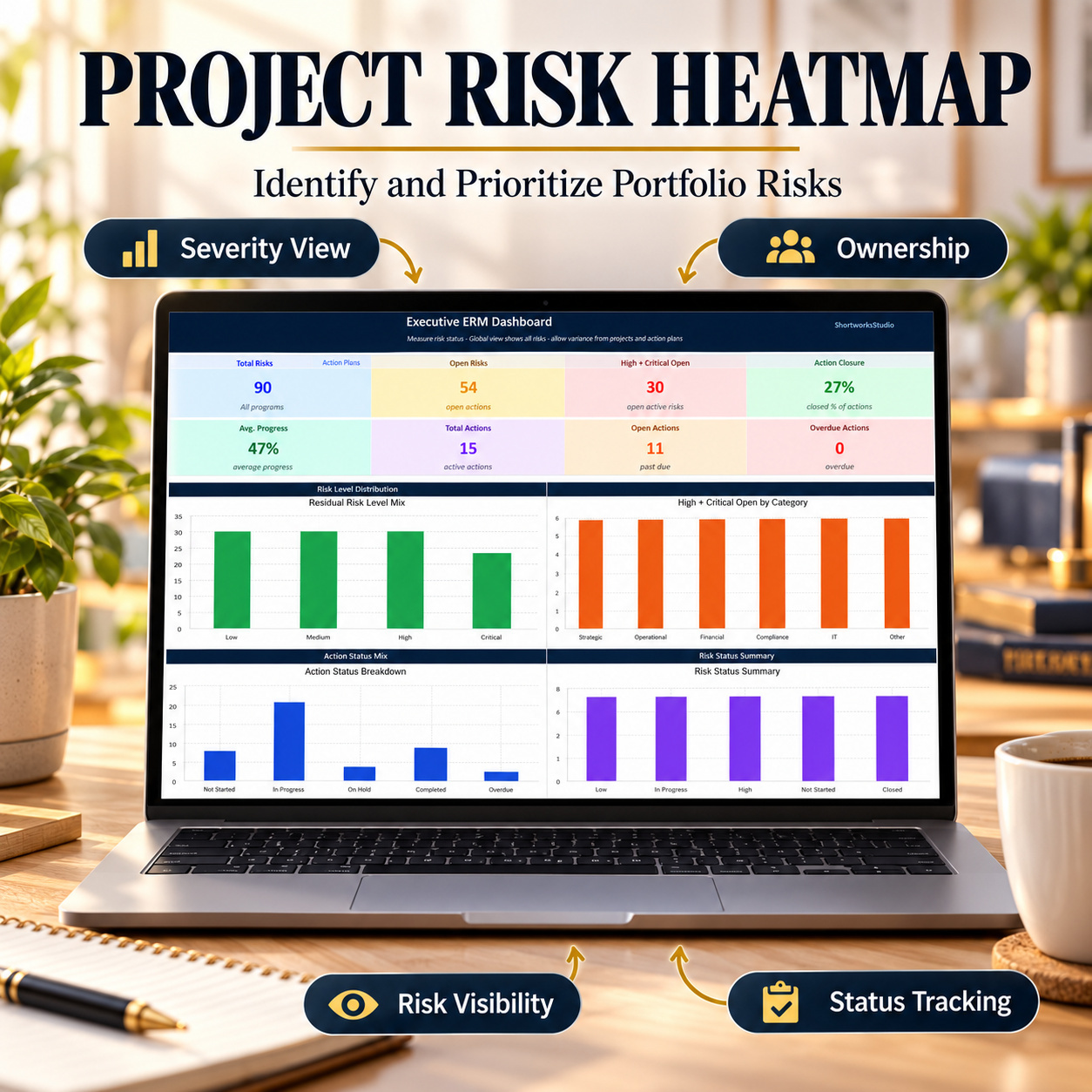
๐ฅ Risk Heatmap
๐ Milestones
๐ Dependencies
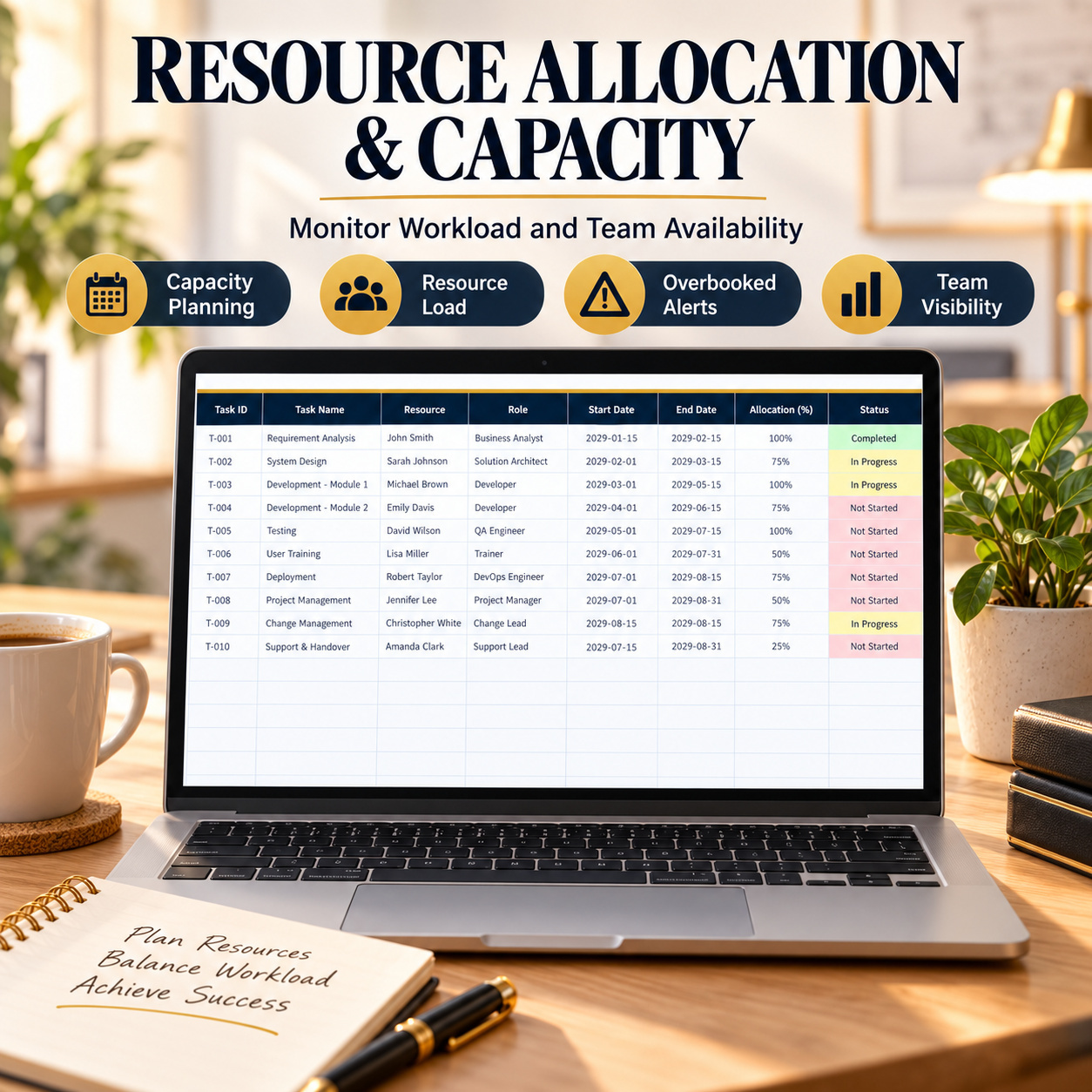
๐ฅ Resource Allocation
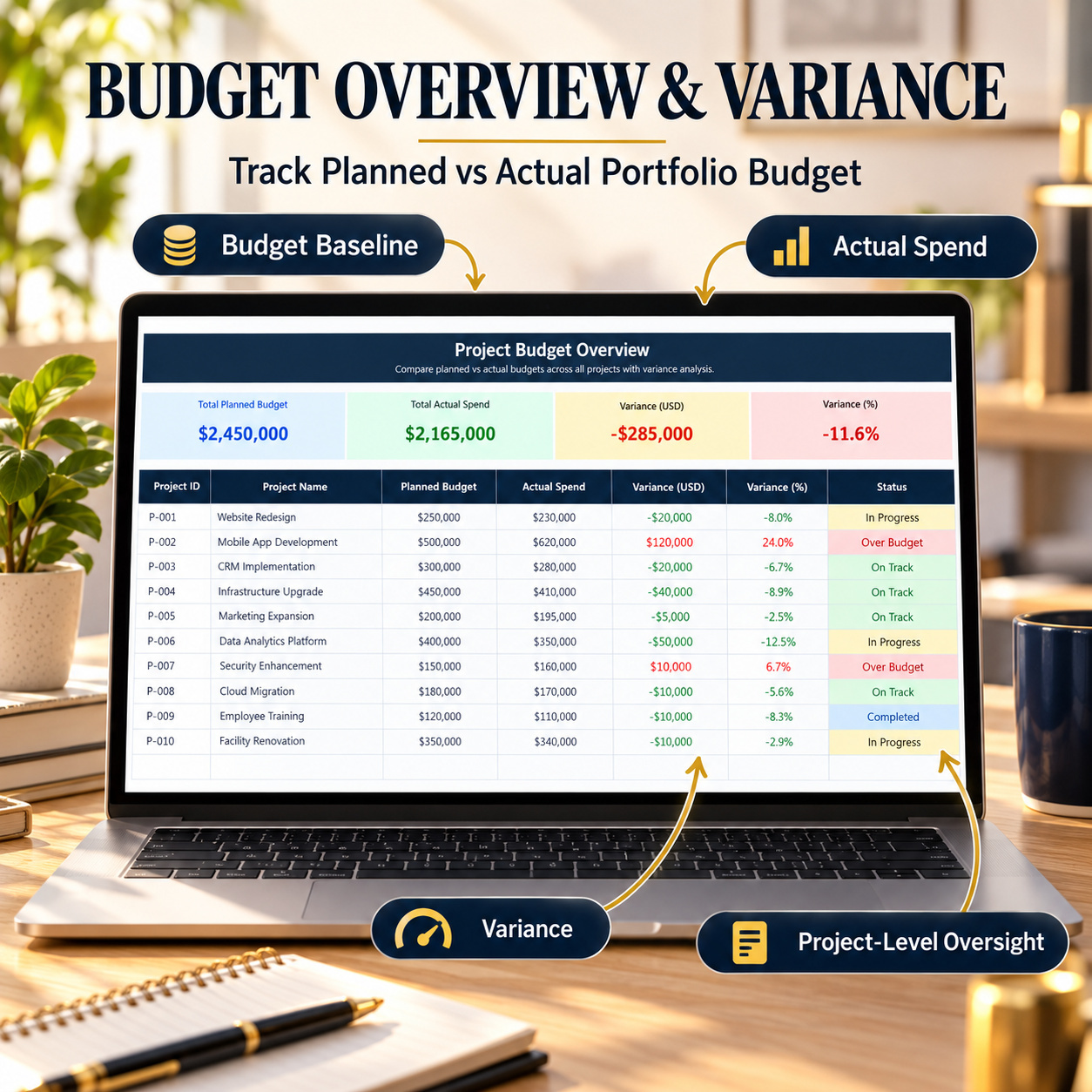
๐ฐ Budget Overview
๐ Portfolio Reporting
Supporting workbook areas also provide navigation, prioritization and Dashboard calculations.
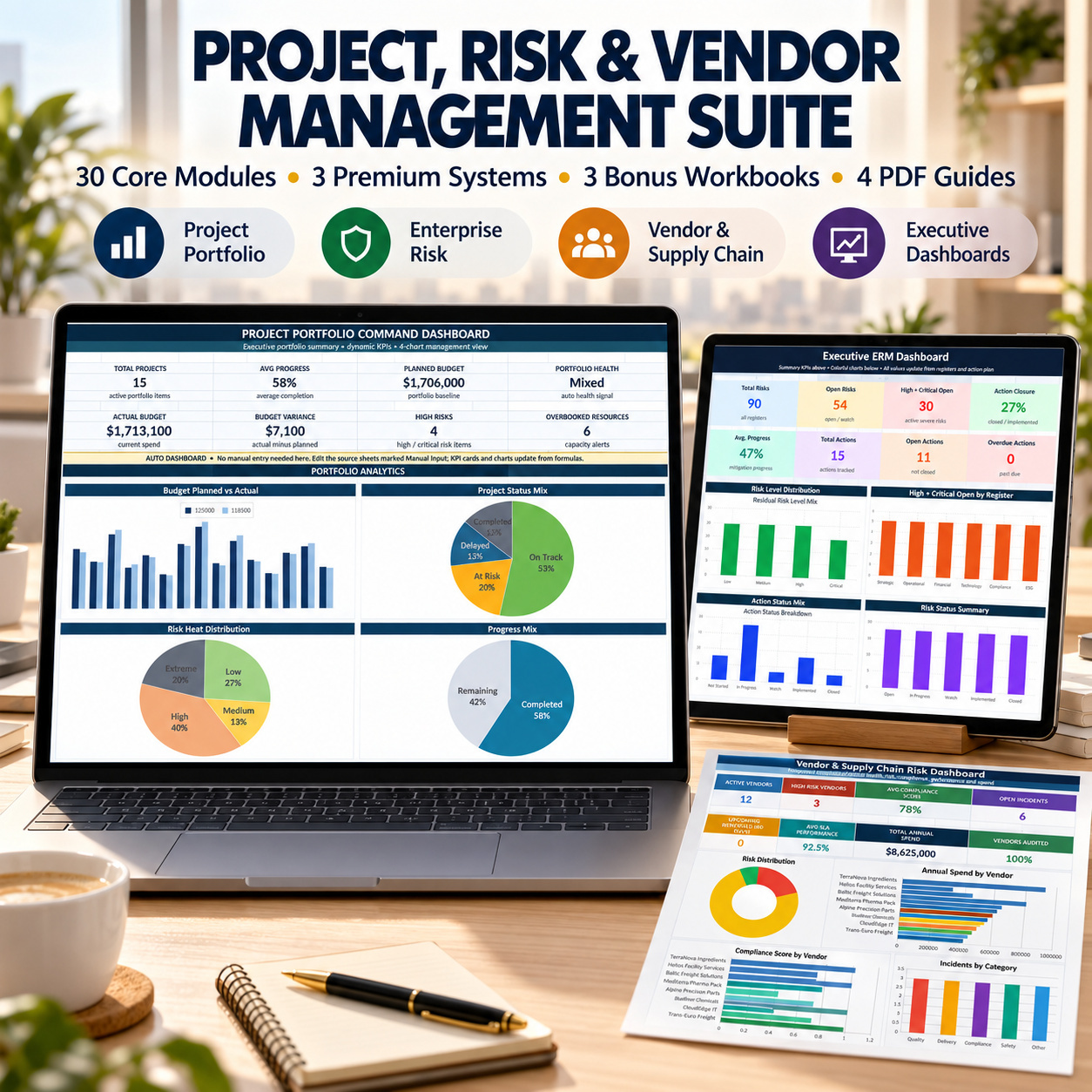
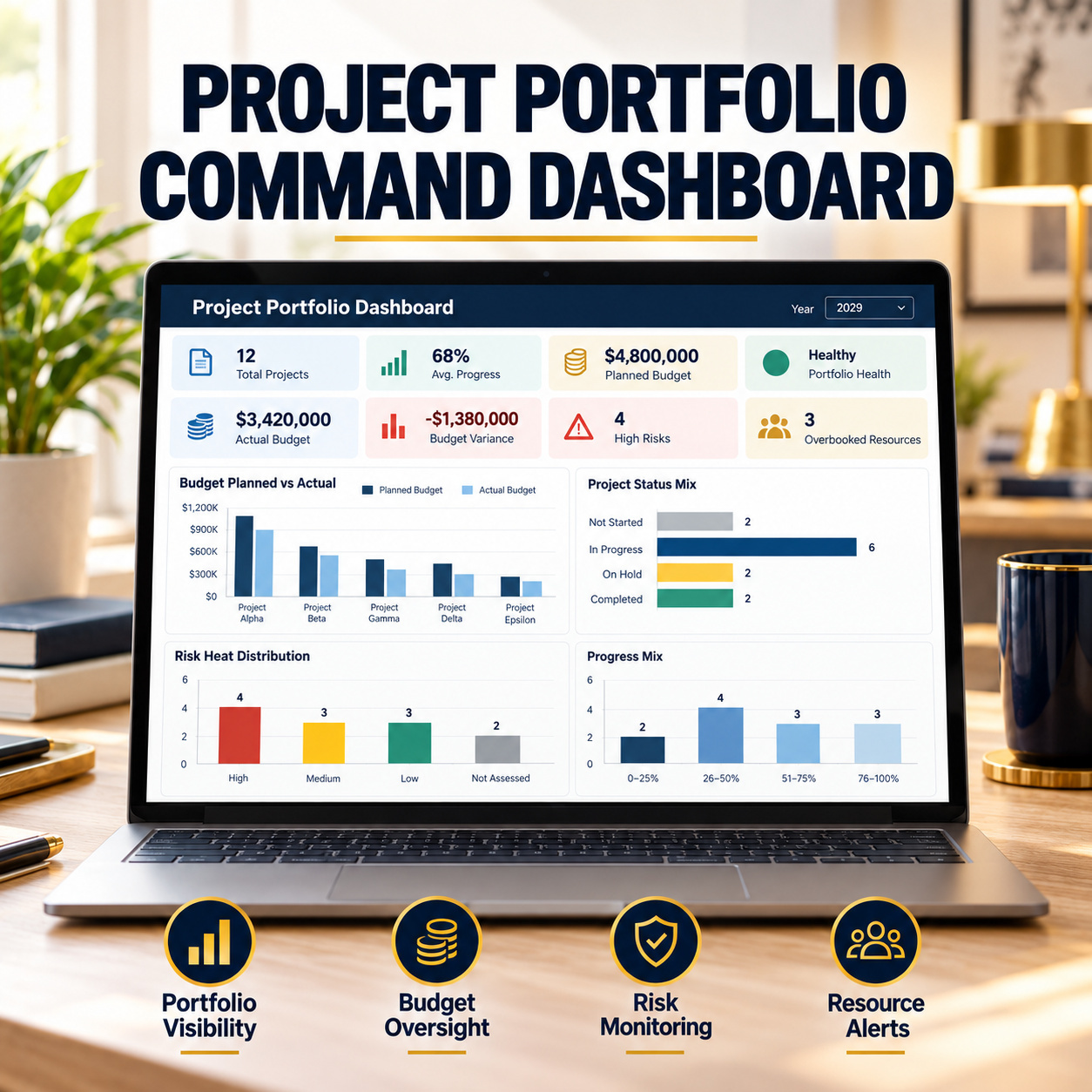
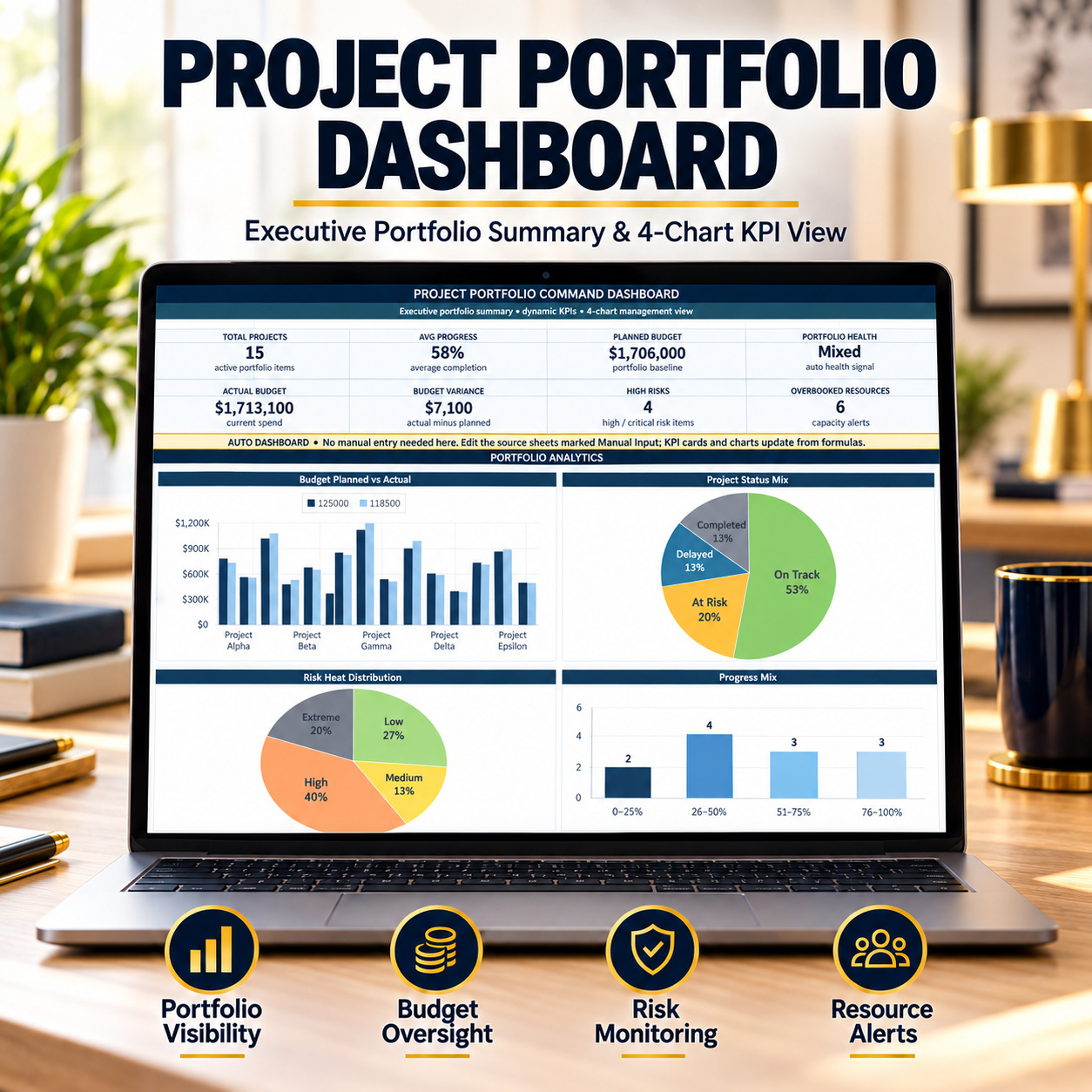
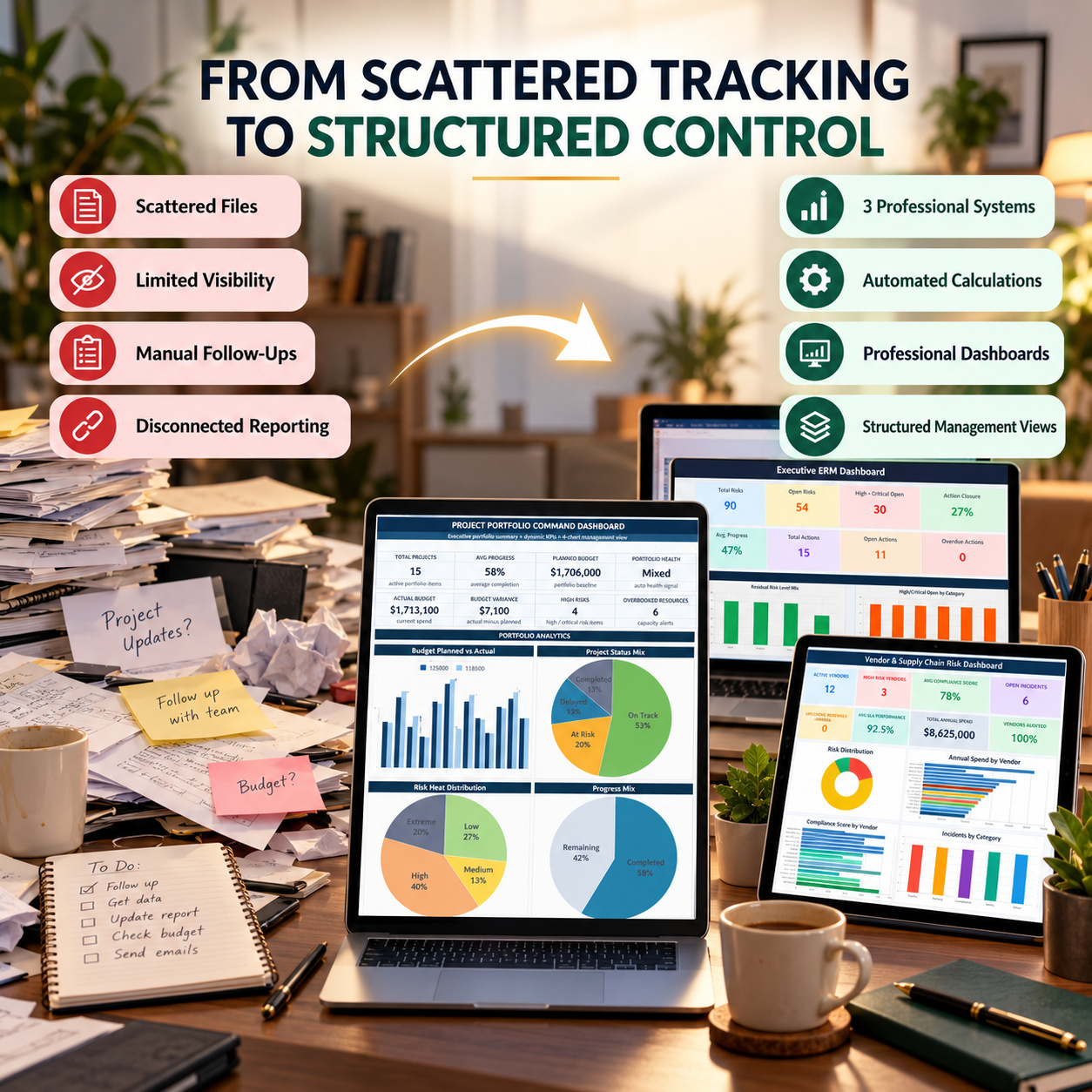
๐ PROJECT PORTFOLIO DASHBOARD
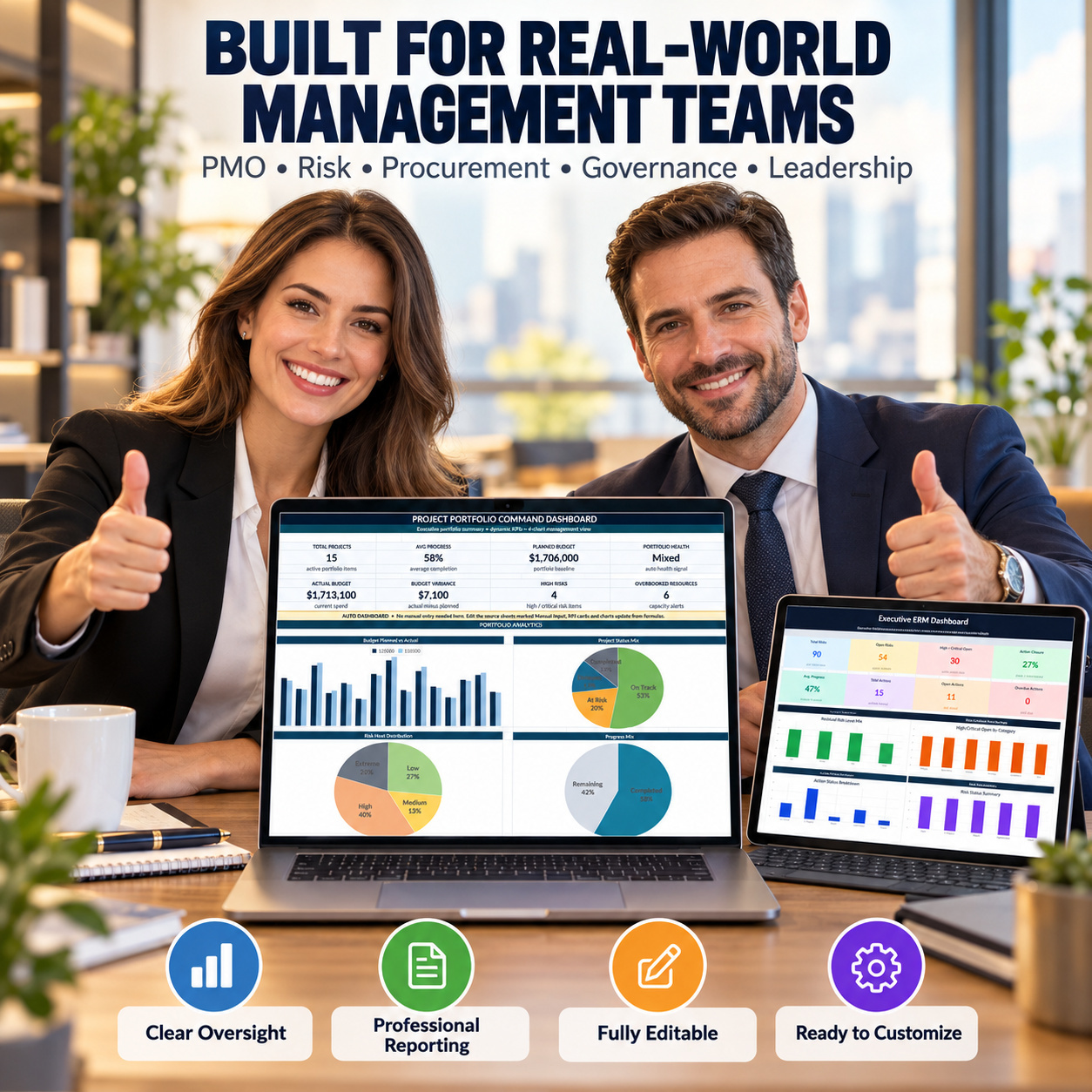
The management Dashboard provides executive-level portfolio visibility through KPIs and 4 native Excel charts.
Review areas such as:
๐ Portfolio status
๐ฐ Budget performance
โ ๏ธ Risk exposure
๐ฏ Project progress
The Dashboard is intended for PMO reviews, leadership reporting and recurring portfolio discussions.
๐ PORTFOLIO & PROJECT STATUS
Maintain a central view of projects, owners, dates, progress, priorities, budgets, risk levels and health indicators.
Formula-driven fields help identify:
๐ฆ Schedule status
๐ฐ Budget status
๐ฏ Completion category
โ ๏ธ Focus items
๐ Overall health
This creates a consistent portfolio baseline across multiple projects.
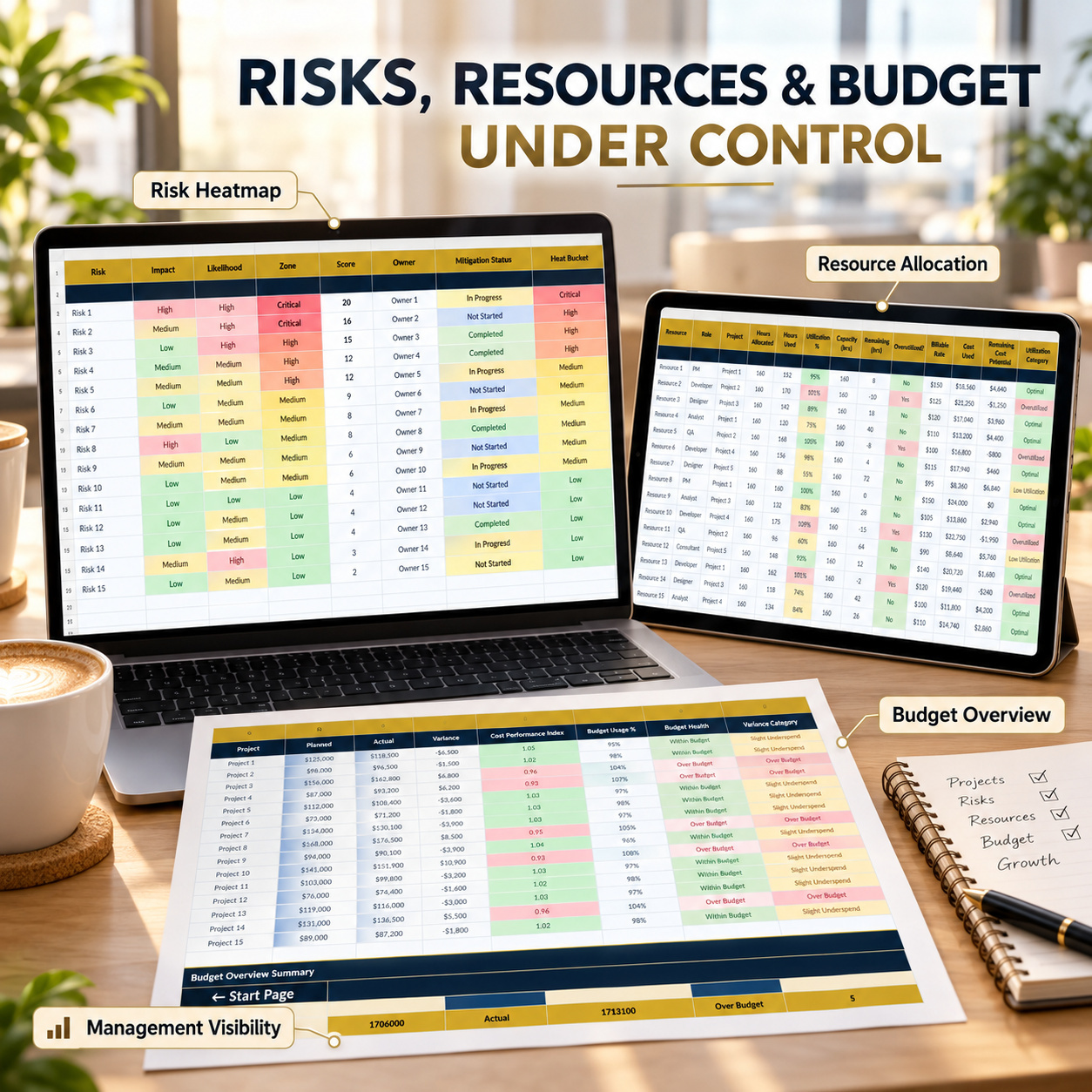
โ ๏ธ RISK & HEATMAP ANALYSIS
Use the Risk Aggregate and Risk Heatmap areas to review portfolio-level risks using consistent probability, impact and prioritization logic.
This supports recurring project-risk reviews without maintaining separate risk files for every management discussion.
๐ MILESTONES & DEPENDENCIES
Track:
- Key milestones
- Target dates
- Owners
- Delivery health
- Cross-project dependencies
- Criticality
- Dependency risk
These modules help make schedule pressure and interconnected project risks more visible.
๐ฅ RESOURCES & BUDGETS
Use Resource Allocation to review workload, utilization and capacity.
Use Budget Overview to monitor:
๐ฐ Planned Budget
๐งพ Actual Spend
๐ Variance
๐ Budget Usage
๐ฆ Budget Health
Together, these areas support broader portfolio control beyond basic task tracking.
๐ PROJECT REVIEW COMPANION
The separate Project Review Bonus Workbook contains:
๐ Project Snapshot One-Pager
๐ Action & Risk Log
Use it for individual project reviews, leadership updates and focused follow-up without opening the complete portfolio workbook.
2๏ธโฃ ENTERPRISE RISK MANAGEMENT SYSTEM
The ERM system provides 10 functional risk-management modules plus a dedicated Home / Navigation page.
Included areas:
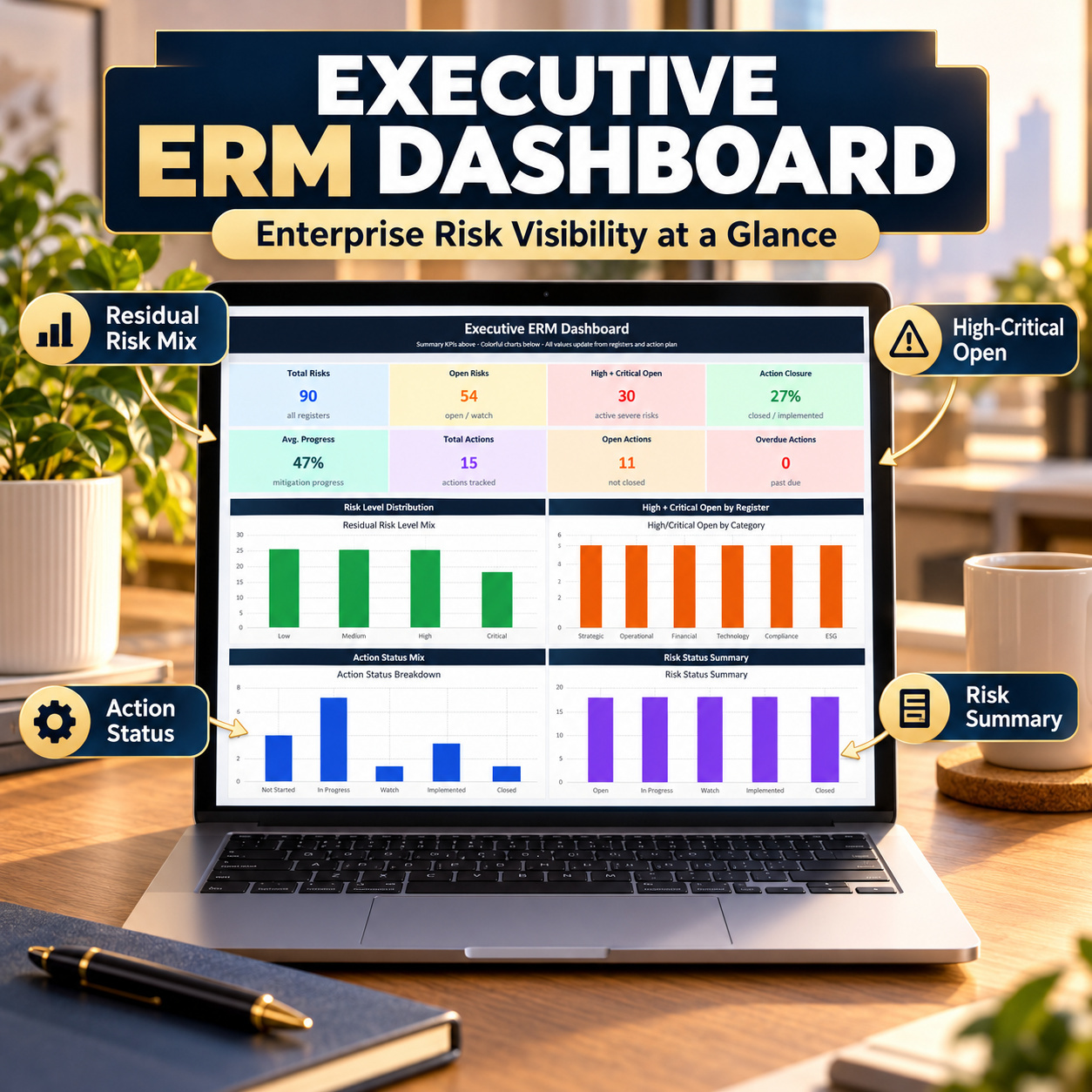
๐ Executive Risk Dashboard
๐ฏ Strategic Risks
โ๏ธ Operational Risks
๐ฐ Financial Risks
๐ป Technology Risks
๐ Compliance Risks
๐ฑ ESG Risks
โ Action Plan
๐ค Owner Overview
๐ฅ Risk Matrix
The six dedicated risk registers allow different risk domains to be managed through one consistent scoring and reporting structure.
๐ก๏ธ ENTERPRISE RISK REGISTERS
Document risks with structured information around:
- Risk description
- Ownership
- Likelihood
- Impact
- Inherent risk
- Residual risk
- Treatment
- Status
- Due dates
- Follow-up
Using the same structure across strategic, operational, financial, technology, compliance and ESG risk categories improves comparability.
๐ EXECUTIVE RISK DASHBOARD
The ERM Dashboard includes 4 native Excel charts and provides management visibility over the current enterprise risk profile.
Use it to support:
๐ Risk reviews
โ ๏ธ High-risk focus
๐ค Ownership discussions
โ Mitigation follow-up
๐ Leadership reporting
๐ฅ RISK MATRIX
The dedicated Risk Matrix provides a visual 5ร5 risk-assessment structure based on likelihood and impact.
This helps translate individual risk records into a broader management view of risk exposure.
โ ACTION PLAN & OWNER OVERVIEW
Use the Action Plan to convert risk treatment decisions into owned follow-up activities.
The Owner view supports accountability by showing risk and action responsibilities at individual-owner level.
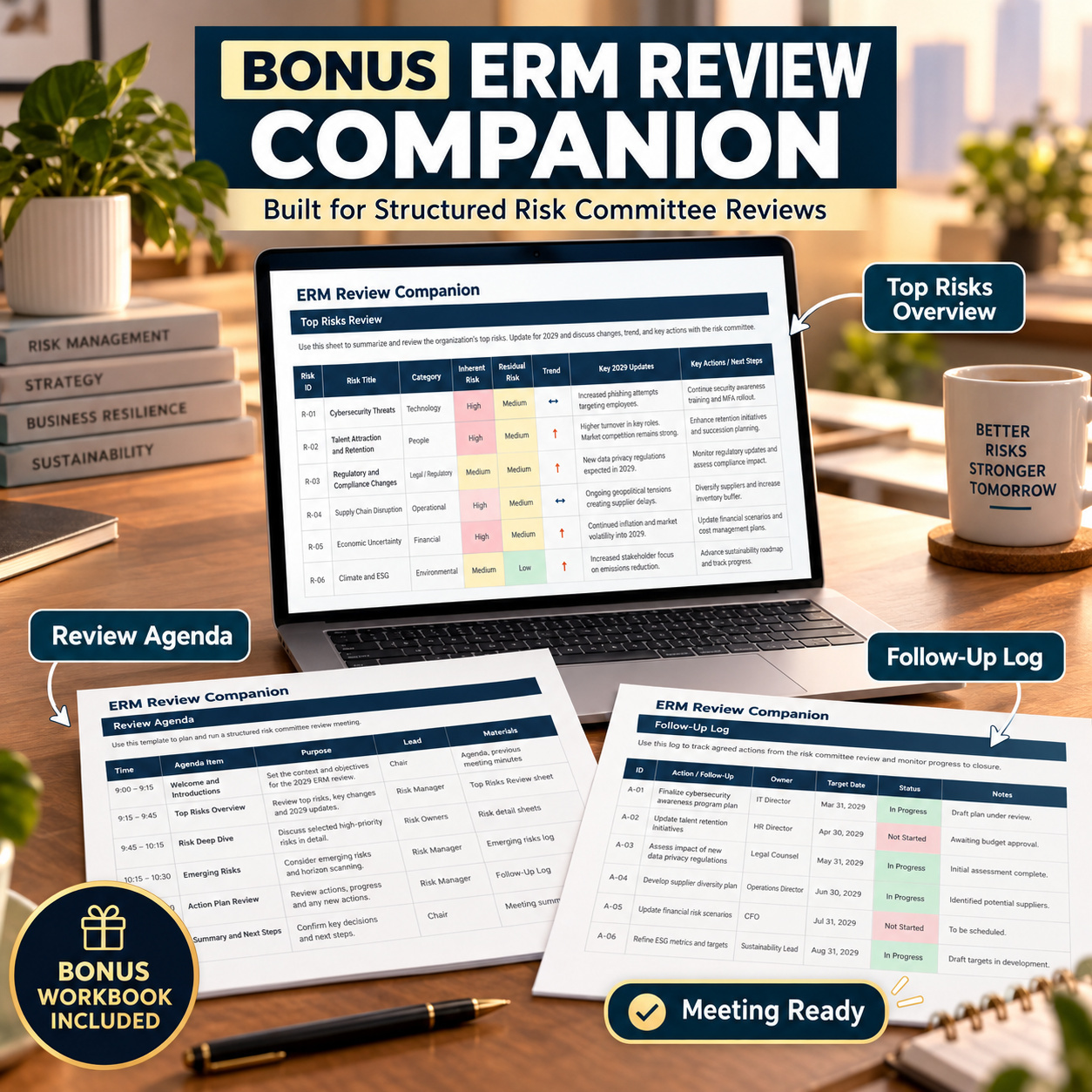
๐ ERM REVIEW COMPANION
The separate ERM Review Workbook includes:
โ ๏ธ Top Risks
๐ Review Agenda
โ Follow-Up Log
๐ Cover / Navigation
It provides a lighter meeting and review workflow alongside the full ERM system.
The bonus workbook also contains 4 native Excel charts.
3๏ธโฃ VENDOR & SUPPLY CHAIN RISK MANAGEMENT SYSTEM
Manage vendor information, risk, compliance, contracts, SLAs, incidents, audits, spend and corrective actions in one professional supplier-management framework.
The system contains 10 core functional areas:
๐ Executive Dashboard
๐ข Vendor List
โ ๏ธ Risk Assessment
โ Compliance Check
๐ Contract Tracker
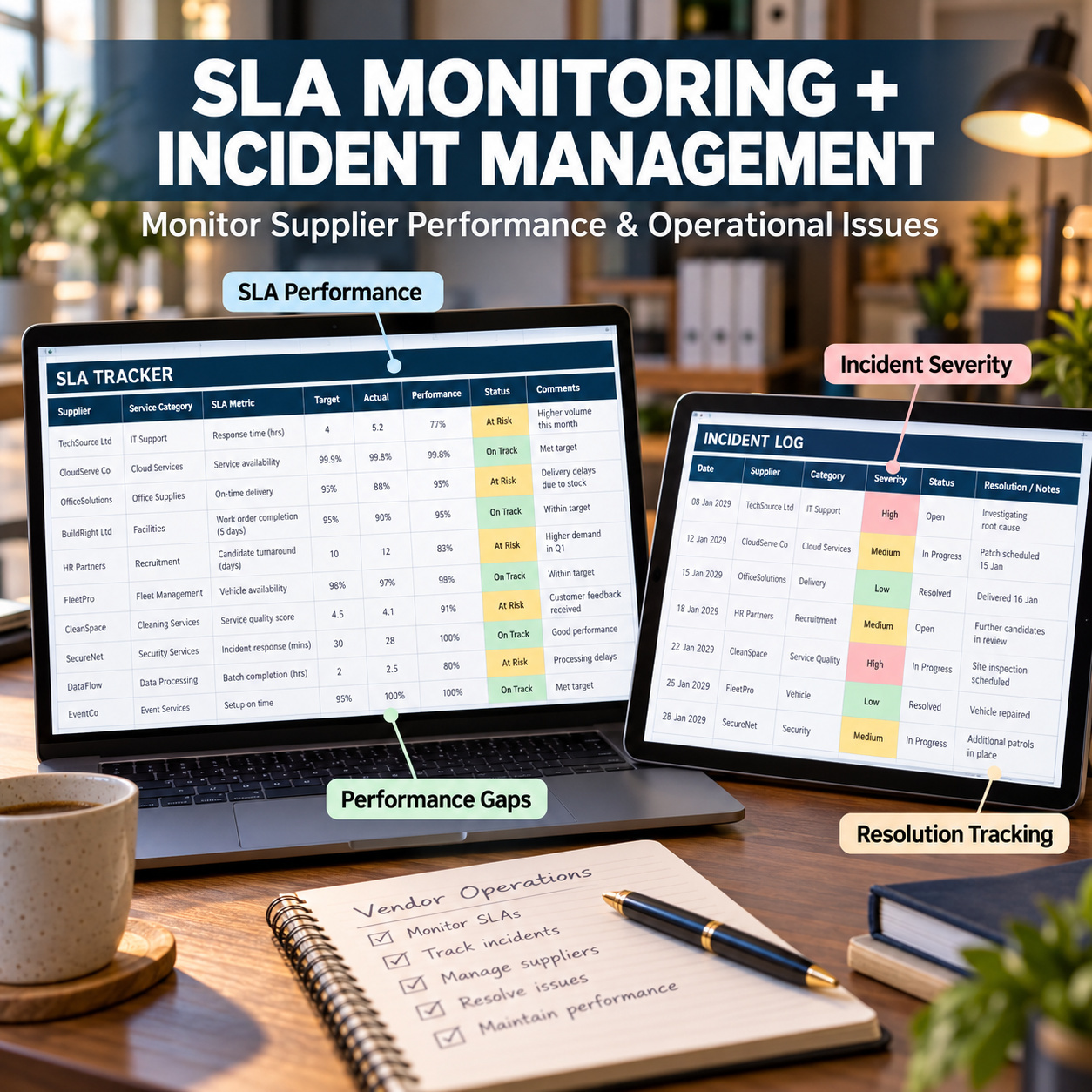
๐ SLA Tracker
๐จ Incident Log
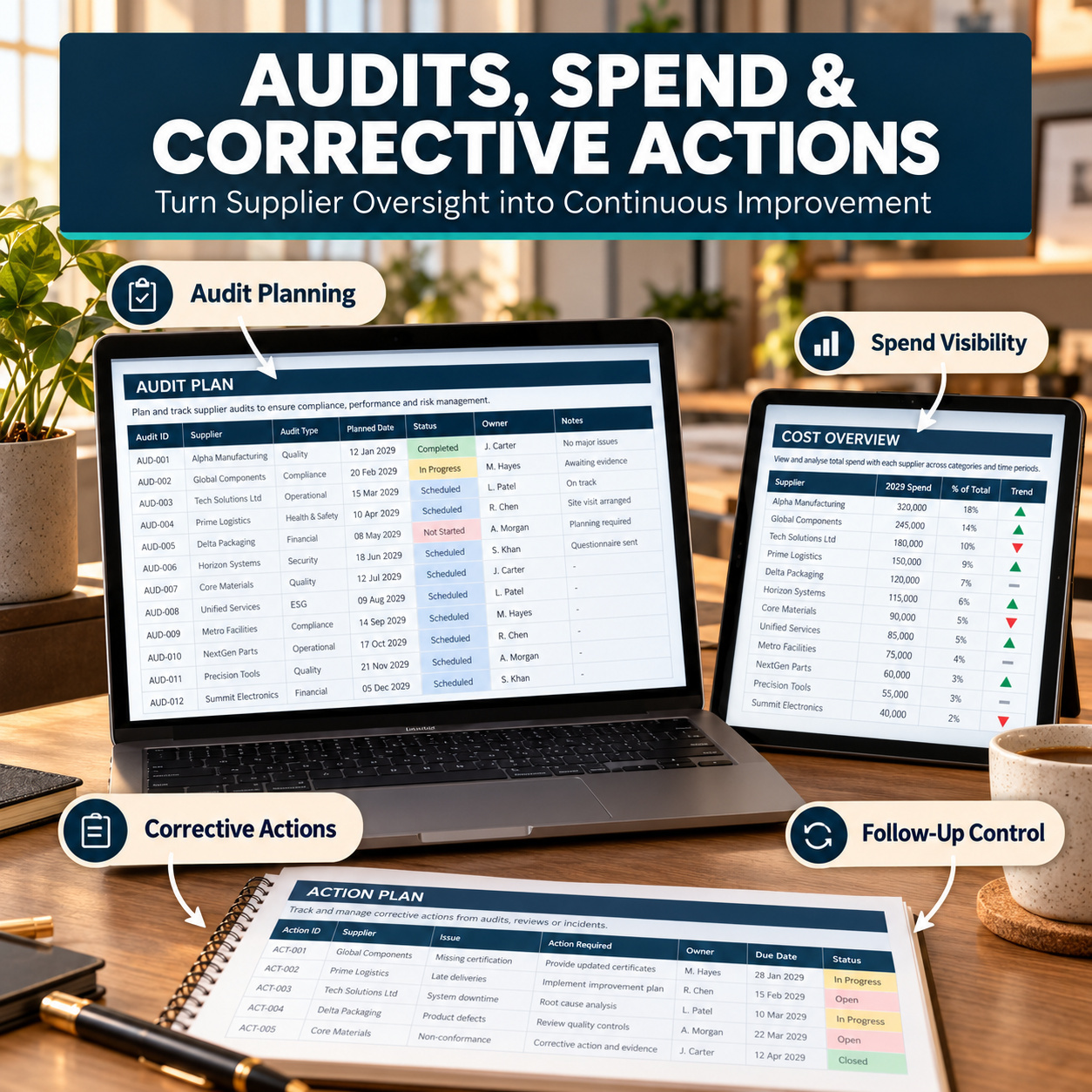
๐ Audit Plan
๐ฐ Cost Overview
โ Action Plan
A dedicated Start page and Lists sheet support navigation and standardized data entry.
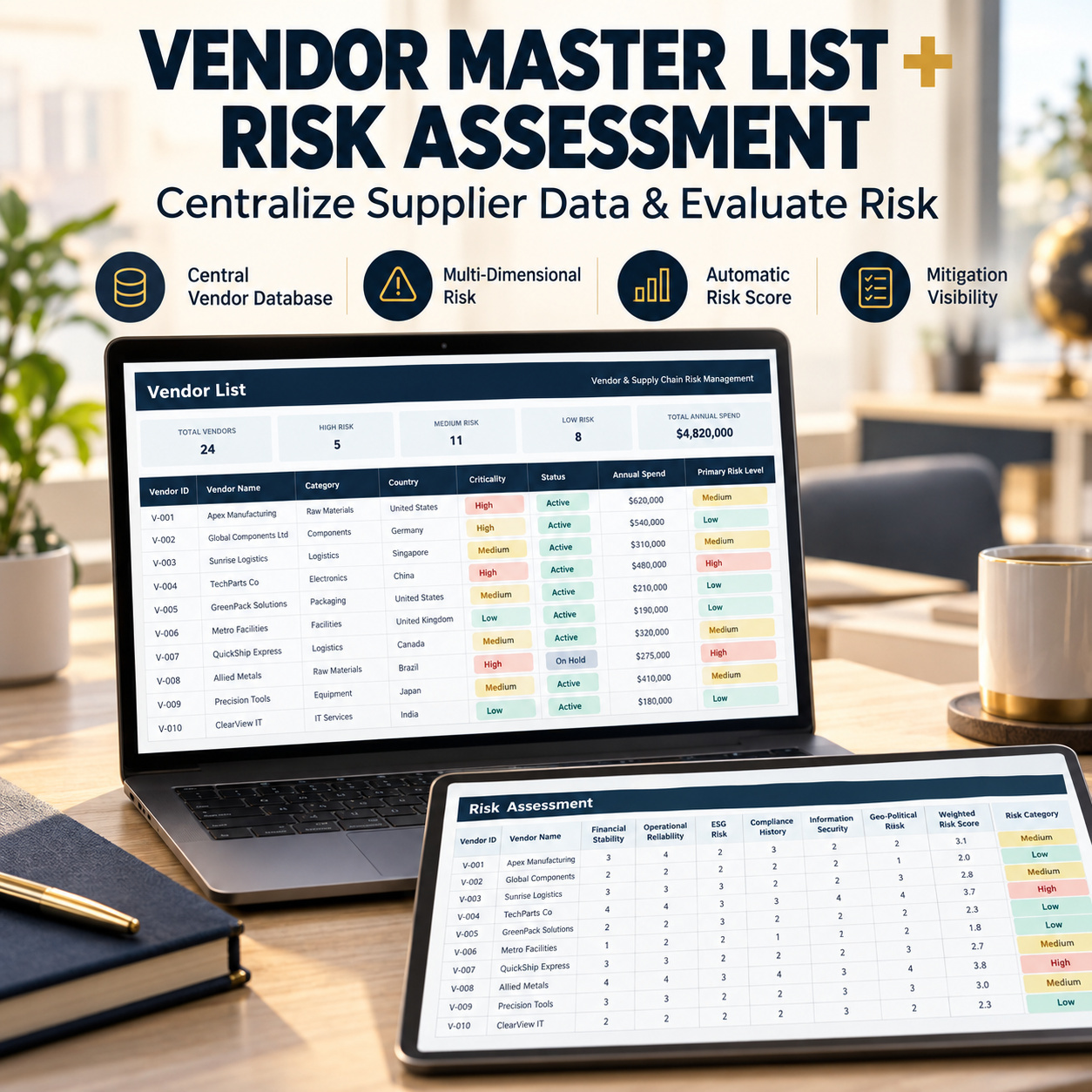
๐ข VENDOR MASTER MANAGEMENT
Maintain a centralized vendor register containing key supplier information, ownership and management data.
This provides the foundation for the remaining vendor-risk workflow.
โ ๏ธ MULTI-DIMENSIONAL RISK ASSESSMENT
Evaluate vendors through structured risk criteria rather than relying on a single subjective status.
Use the Risk Assessment to document and compare supplier exposure consistently across the vendor portfolio.
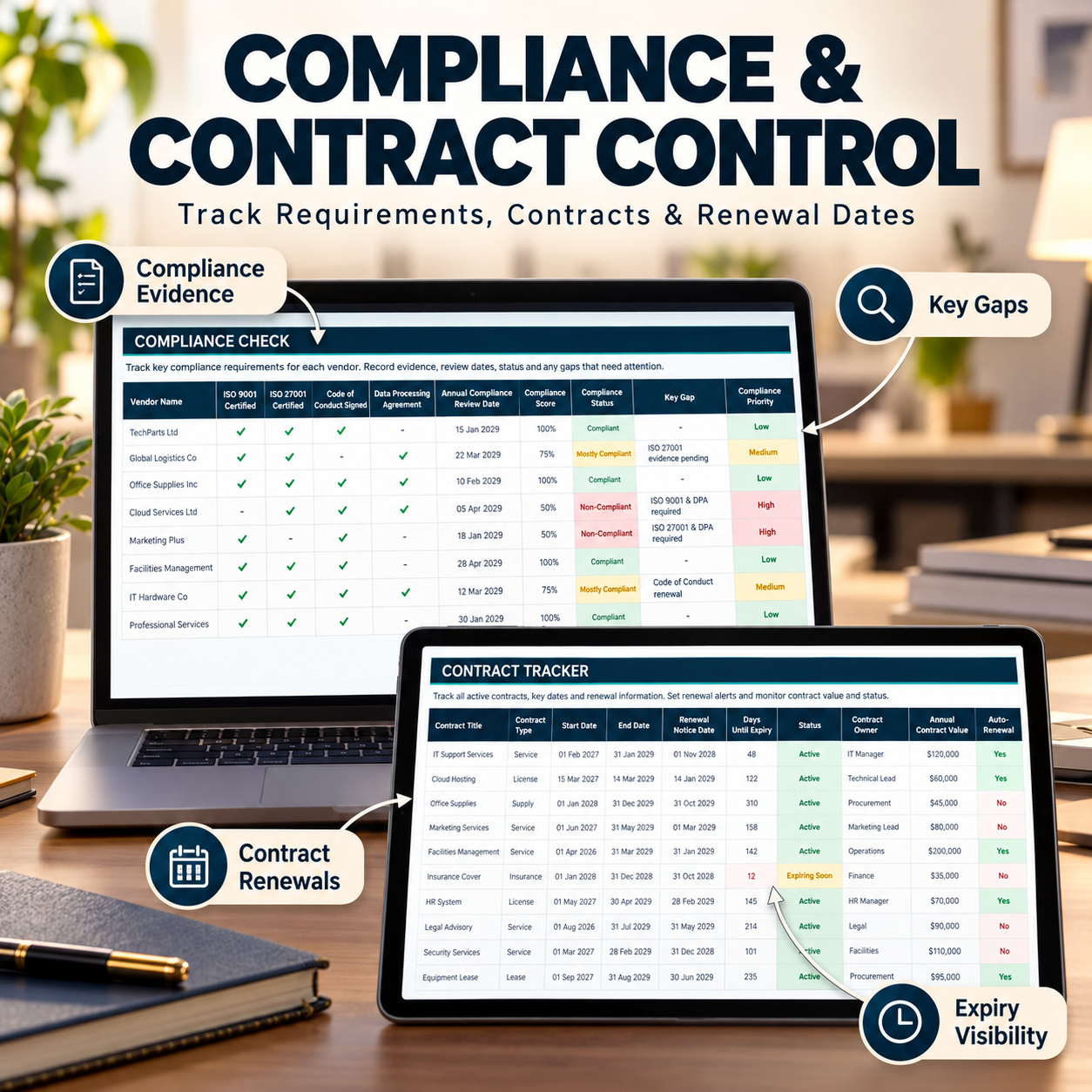
โ COMPLIANCE & CONTRACT CONTROL
Use the Compliance Check and Contract Tracker to monitor:
๐ Requirements
๐ Evidence
๐ค Ownership
๐ Reviews
๐ Contract information
โฐ Important dates
๐ฆ Status
This helps keep vendor documentation and contractual follow-up visible.
๐ SLA & INCIDENT MANAGEMENT
Use the SLA Tracker for recurring service-performance monitoring.
The Incident Log provides a dedicated record for vendor or supply-chain issues, including ownership, severity, status and follow-up.
Together they create clearer visibility over ongoing vendor performance problems.
๐ AUDIT & CORRECTIVE ACTIONS
Use the Audit Plan to structure supplier-review activities and the Action Plan to monitor remediation and follow-up.
This connects vendor assessment results with practical management actions.
๐ฐ COST & SPEND OVERVIEW
Maintain vendor cost and spend information alongside risk and performance information.
This allows management to review commercial exposure together with supplier risk rather than treating the two areas entirely separately.
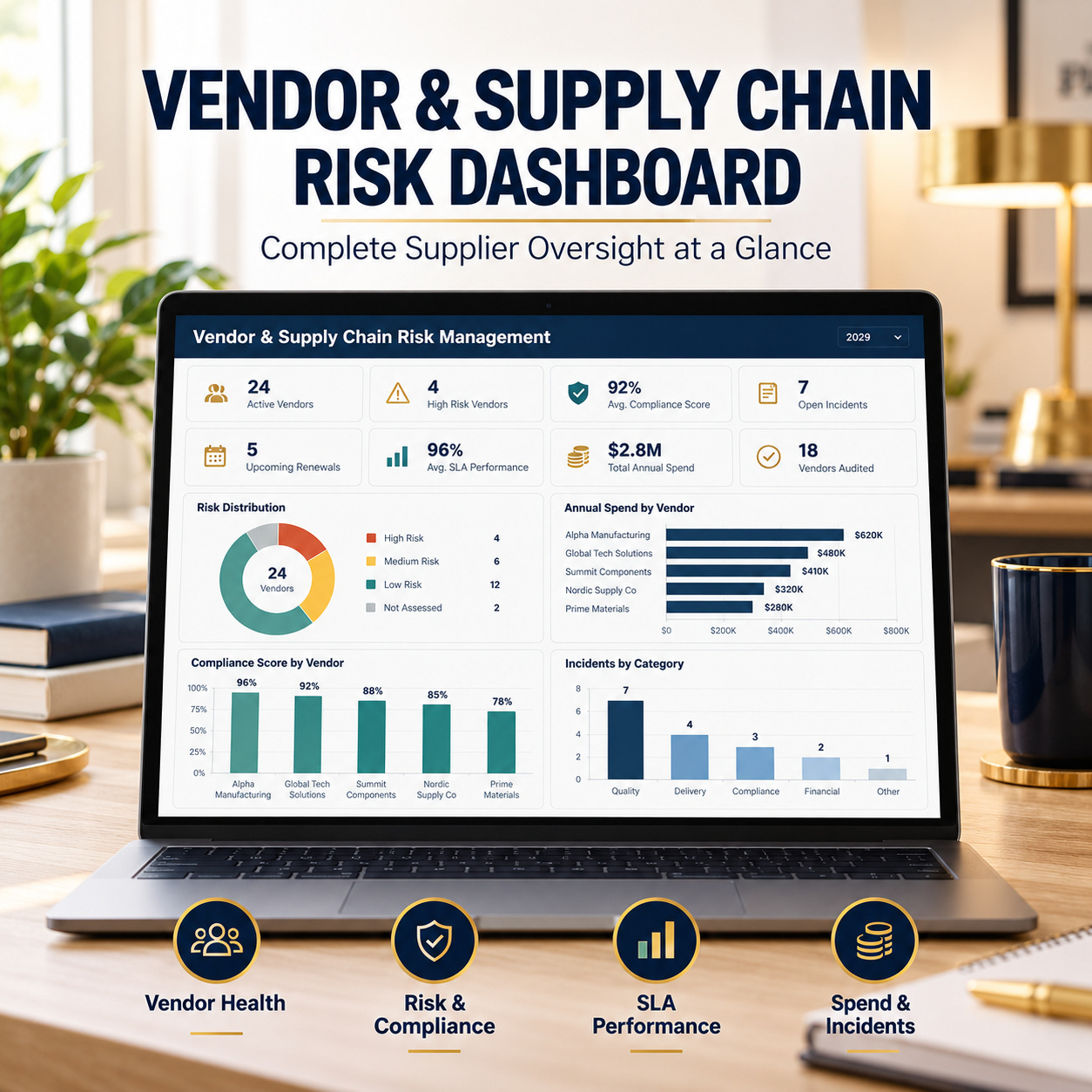
๐ VENDOR EXECUTIVE DASHBOARD
The vendor-management Dashboard contains 4 native Excel charts and provides management-level visibility across supplier risk and performance information.
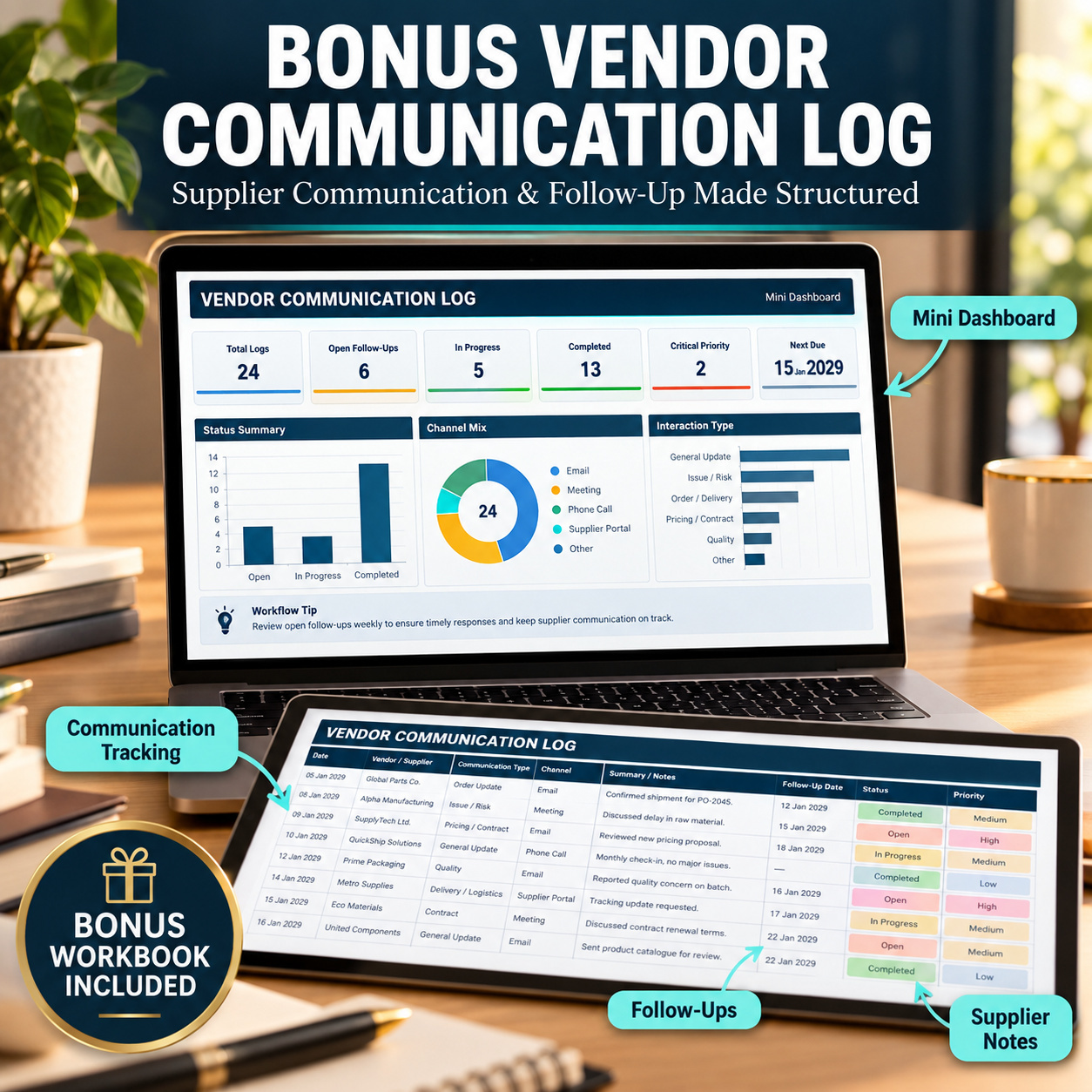
๐ VENDOR COMMUNICATION LOG BONUS
The separate Vendor Communication Workbook includes:
๐ Mini Dashboard
๐ฌ Vendor Communication Log
โ๏ธ Lists
It supports structured supplier communication, follow-up ownership and management visibility.
The Mini Dashboard contains 2 native Excel charts.
๐ 4 PROFESSIONAL PDF GUIDES
The package includes:
๐ 30-in-3 Combined Suite Guide โ 10 pages
๐ Project Portfolio Guide โ 8 pages
๐ Enterprise Risk Management Guide โ 8 pages
๐ Vendor Risk Guide โ 5 pages
Total documentation: 31 pages
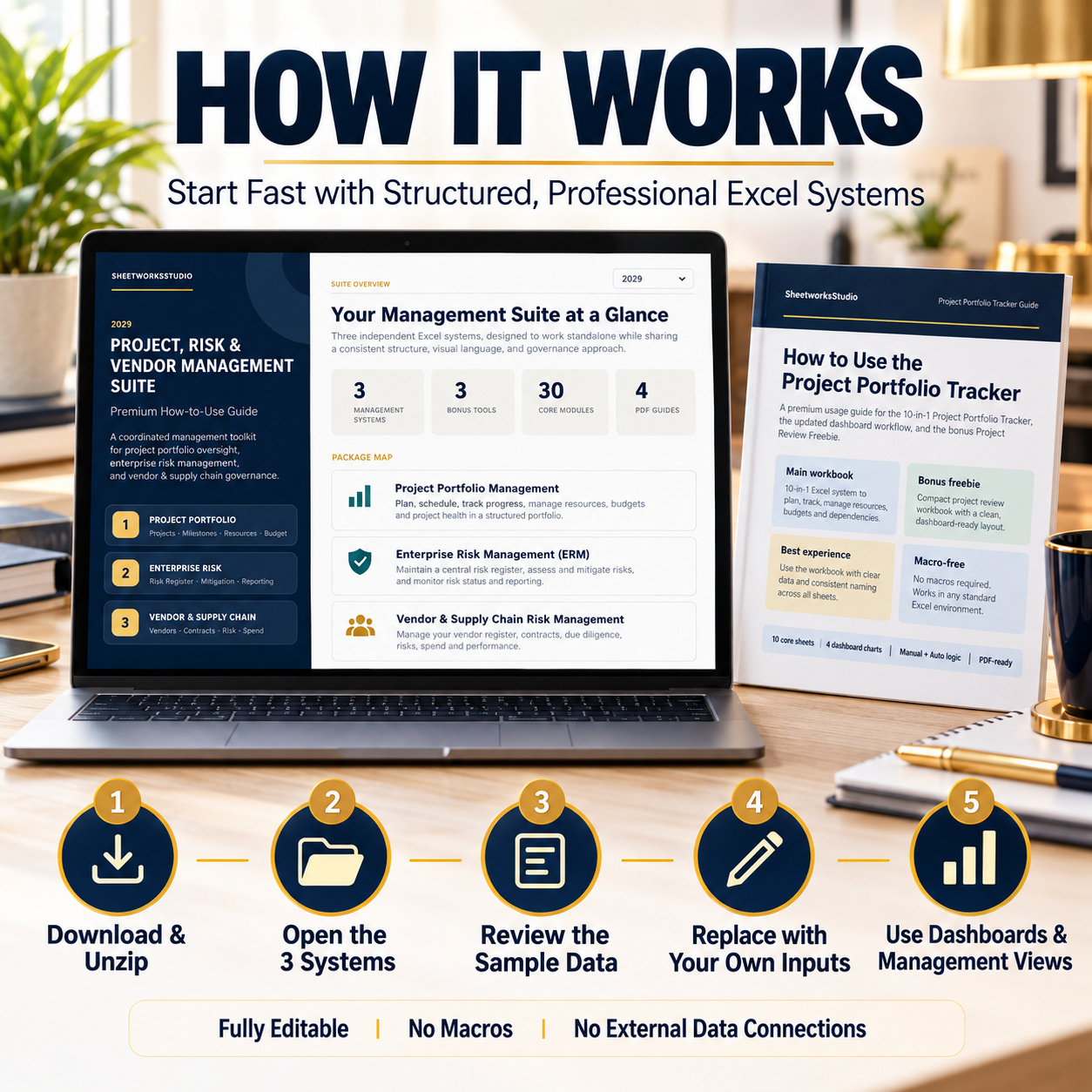
The combined guide explains how the three independent systems fit together, while the individual guides provide more detailed product-specific instructions.
๐ RECOMMENDED MANAGEMENT WORKFLOW
1๏ธโฃ Select the Relevant System
Begin with the area that requires immediate management attention:
๐ Projects
๐ก๏ธ Enterprise Risks
๐ญ Vendors
2๏ธโฃ Review Sample DataUnderstand the structure and formulas before replacing the examples.
3๏ธโฃ Customize InputsAdjust owners, categories, statuses and organizational information.
4๏ธโฃ Maintain Operational RecordsKeep project, risk and vendor source registers current.
5๏ธโฃ Review DashboardsUse the management Dashboards after operational data has been updated.
6๏ธโฃ Use Bonus WorkbooksUse the lighter companion tools for project reviews, ERM meetings and supplier communication.
The three systems remain independent and do not require technical links between one another.
โ๏ธ TECHNICAL STRUCTURE
Across all six Excel workbooks, the package uses:
โ Standard Excel formulas
โ Dropdown validation
โ Conditional formatting
โ Automatic calculations
โ KPI indicators
โ Risk and status logic
โ Native Excel charts
โ Internal navigation
โ Realistic sample data
Technical characteristics:
โ Macro-free
โ No VBA
โ No external workbook connections
โ No Power Query dependency
โ No pivot-table dependency
โ No APIs required
โ No add-ins required
๐ EXCEL & GOOGLE SHEETS
The systems are optimized for Microsoft Excel.
The combined guide also supports use or import into Google Sheets.
After import, users should review:
- Charts
- Dropdowns
- Conditional formatting
- Formula behavior
- Fonts
- Layout
For the most consistent workbook presentation and functionality, Microsoft Excel Desktop is recommended.
๐ค SUITABLE FOR
๐ Project Managers
๐ข PMOs
๐ผ Consultants
๐ก๏ธ Risk Managers
๐ GRC Teams
๐ญ Procurement Teams
๐ค Vendor Managers
๐ Internal Audit
โ Compliance Teams
๐ฅ Leadership Teams
โ๏ธ Operations Managers
๐ Portfolio Managers
๐ก KEY BUSINESS VALUE
The 30-in-3 Suite is designed to help organizations:
- Centralize project portfolio information
- Improve project-health visibility
- Monitor milestones and dependencies
- Review resource and budget exposure
- Structure enterprise risk management
- Compare risk domains consistently
- Improve mitigation follow-up
- Organize vendor information
- Structure supplier-risk assessments
- Track compliance and contracts
- Monitor SLAs and incidents
- Review vendor spend
- Improve management reporting
- Reduce scattered management files
The result is a broader professional framework connecting:
project oversight โ enterprise risk โ vendor risk & performance
while keeping all three systems independently usable.
โ๏ธ IMPORTANT DISCLAIMER
These templates are provided for organization, planning, documentation, internal management and reporting purposes only.
They do not constitute legal, financial, audit, compliance, procurement, risk-management, project-management or professional business advice and do not replace specialist software or qualified professional review.
All calculations, risk scores, indicators, assessments and outputs depend on information entered by the user and should be validated before operational or business decisions are made.
This Best Practice includes
3 Main Excel Systems, 3 Bonus Workbooks, 3 How to use Guides (PDF), 1 Main How to Use Guide (PDF)
Further information
The objectives of this suite are to:
- Centralize project portfolio information
- Improve portfolio-level management visibility
- Track project risks, resources, milestones and budgets
- Structure enterprise risk management
- Compare risks across multiple organizational domains
- Prioritize risk mitigation
- Improve risk-owner accountability
- Maintain structured vendor records
- Assess vendor and supply-chain risks
- Monitor supplier compliance
- Track contracts and SLA performance
- Document vendor incidents and audits
- Monitor spend and corrective actions
- Support recurring management and leadership reviews
The systems support management processes but do not guarantee operational, financial, compliance or risk outcomes.
This suite is particularly suitable for:
- Project Managers
- PMO teams
- Portfolio Managers
- Enterprise Risk teams
- GRC professionals
- Procurement teams
- Vendor Managers
- Internal Audit
- Compliance teams
- Consultants
- Operations teams
- Management and leadership teams
It works particularly well where an organization needs professional Excel-based management tools across projects, enterprise risks and vendors but does not require the three areas to operate inside one integrated software database.
This suite is not intended to replace:
- Enterprise PPM platforms
- Enterprise GRC systems
- Vendor-management platforms
- Procurement systems
- ERP platforms
- Accounting systems
- Legal or regulatory advice
- Formal audit-management platforms
- Real-time collaboration systems
The three main systems are independent Excel workbooks and do not automatically synchronize information with one another.
They do not provide live third-party integrations or external data feeds.


