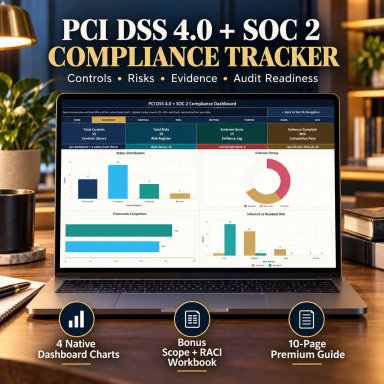
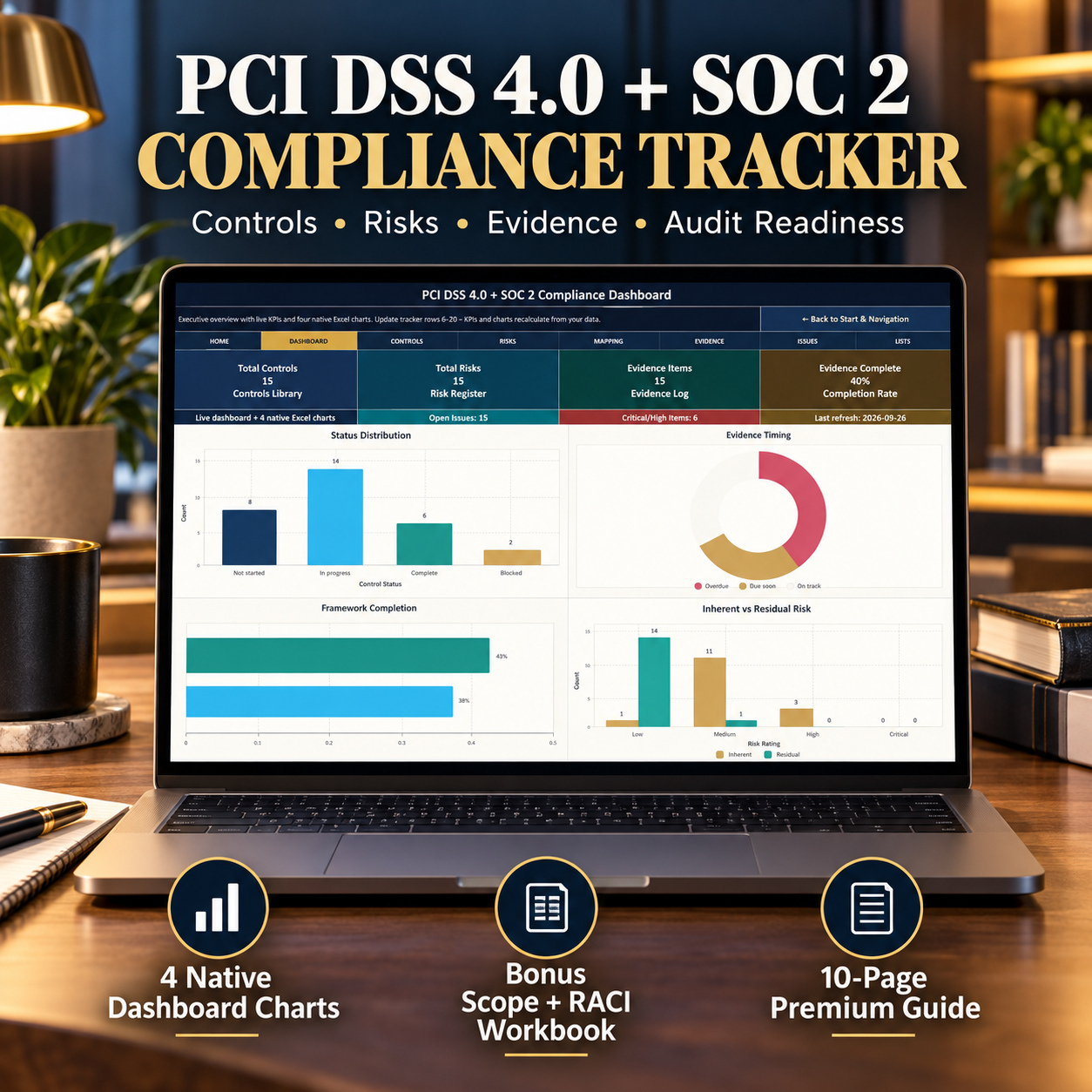


PCI DSS 4.0 + SOC 2 Compliance Excel Toolkit | Controls, Risk, Evidence, Scope & RACI

Excel toolkit for PCI DSS 4.0 and SOC 2 readiness with controls, risk, evidence, remediation, scope inventory, RACI and a 4-chart dashboard.

Description

๐Ÿ›ก๏ธ PCI DSS 4.0 + SOC 2 COMPLIANCE MANAGEMENT TOOLKIT


Bring controls, risks, evidence, remediation, scope and accountability into one structured Excel-based compliance management framework.


This professional toolkit is designed for GRC teams, security teams, compliance managers, audit-preparation teams, consultants and organizations that need a practical way to structure PCI DSS 4.0 and SOC 2 readiness activities without managing controls, risks, evidence and ownership across disconnected spreadsheets.


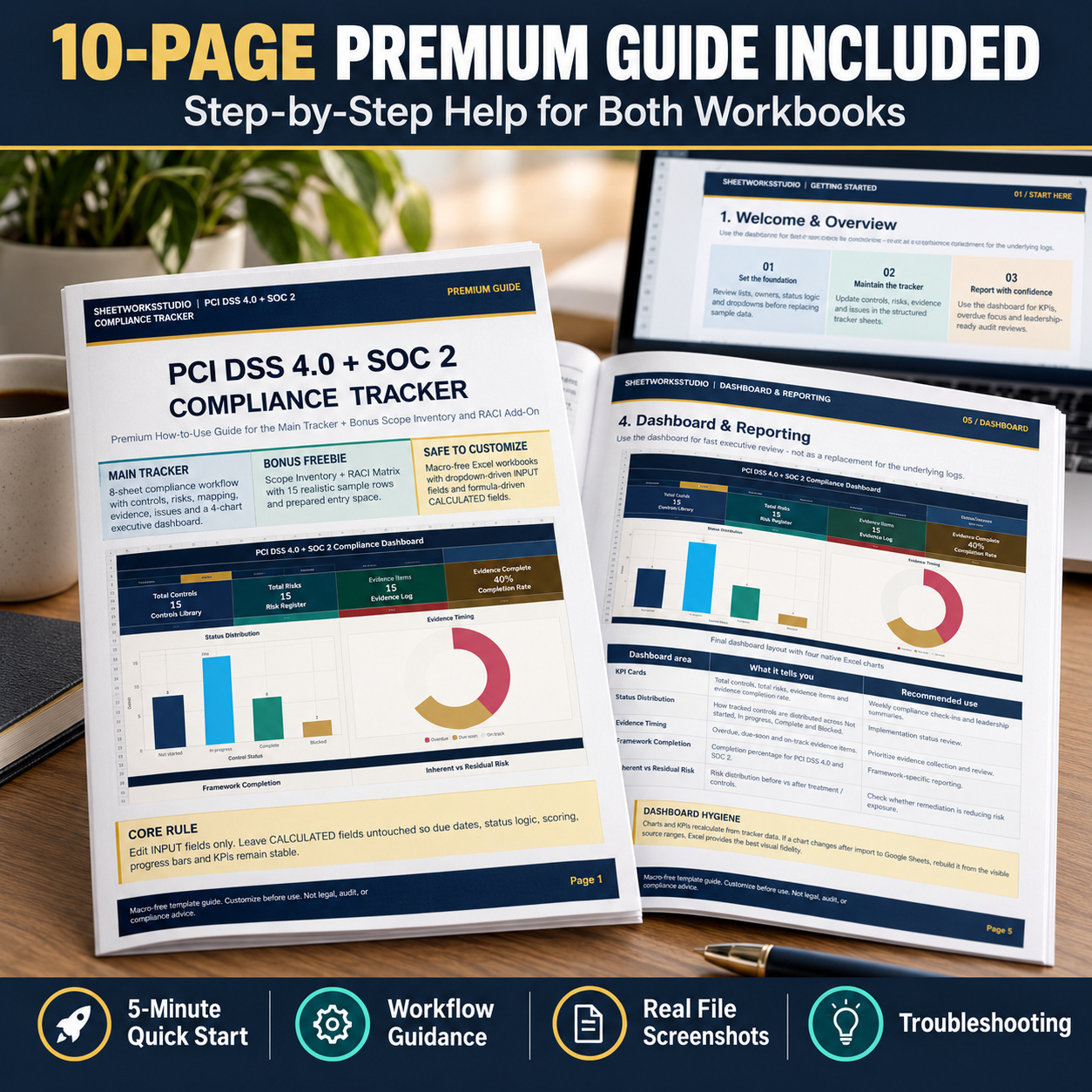
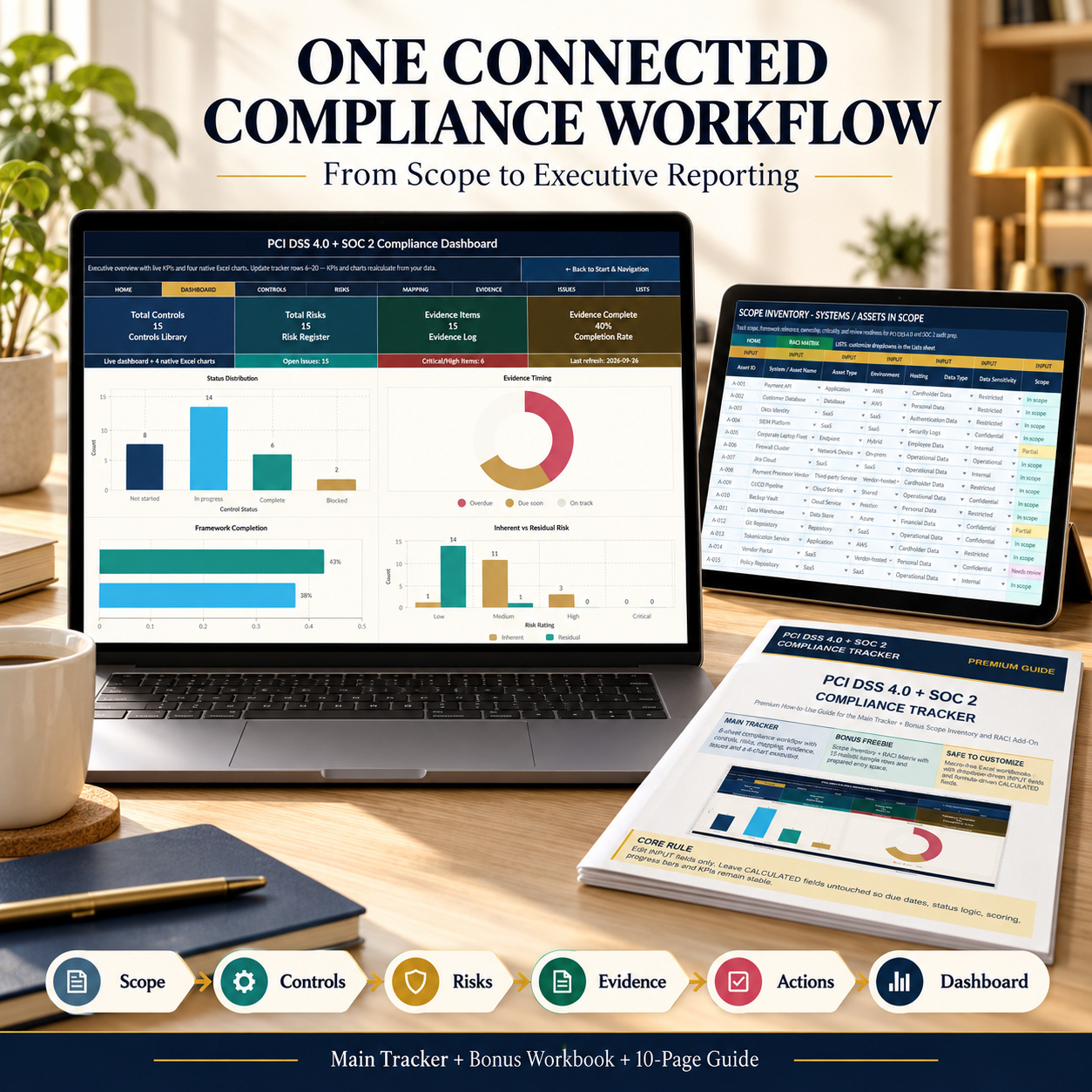
The package combines an 8-sheet Main Compliance Tracker, a separate 4-sheet Scope Inventory + RACI Workbook and a 10-page How-to-Use Guide.


The system supports a connected workflow from control management and risk assessment through risk-to-control mapping, evidence tracking, remediation and executive review.


๐Ÿ“ฆ PACKAGE INCLUDES
๐Ÿ“Š Main Compliance Tracker

  • 1 Excel workbook
  • 8 worksheets
  • Executive compliance dashboard
  • 4 KPI cards
  • 4 native Excel charts
  • Control catalog
  • Risk register
  • Risk-to-control mapping
  • Evidence management
  • Issues and remediation tracking
  • Central dropdown lists
  • Formula-driven calculated fields
  • INPUT / CALCULATED guidance
  • Sample data and prepared entry space


๐ŸŽ Scope Inventory + RACI Bonus Workbook
  • 1 Excel workbook
  • 4 worksheets
  • Scope Inventory
  • RACI Matrix
  • Central Lists sheet
  • 15 sample assets
  • 15 sample compliance routines
  • Prepared blank entry rows
  • Automatic review-date logic
  • Automatic RACI completeness logic


๐Ÿ“˜ How-to-Use Guide
  • 1 PDF
  • 10 pages
  • Package overview
  • Quick-start workflow
  • Main Tracker guidance
  • Dashboard guidance
  • Risk and evidence instructions
  • Scope Inventory guidance
  • RACI instructions
  • Maintenance routine
  • Troubleshooting
  • Google Sheets notes


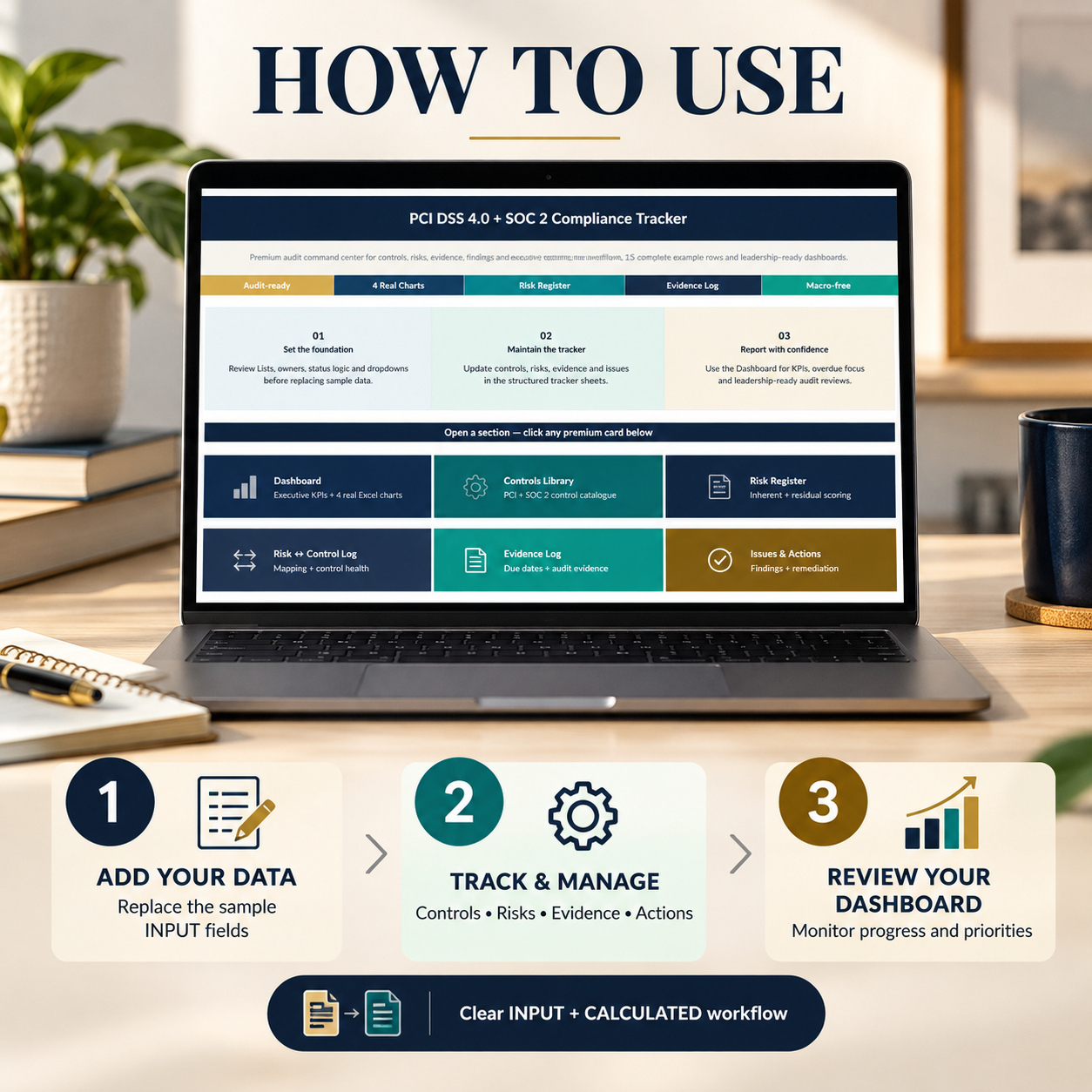
๐Ÿ  START HERE & WORKFLOW NAVIGATION
The Main Tracker begins with a structured Start_Here page that provides workflow guidance and navigation across the compliance-management process.


The recommended operating sequence connects:
Controls โ†’ Risks โ†’ Risk-to-Control Mapping โ†’ Evidence โ†’ Issues & Remediation โ†’ Dashboard
This structure helps keep executive reporting connected to the underlying operational logs rather than treating the dashboard as a standalone reporting layer.


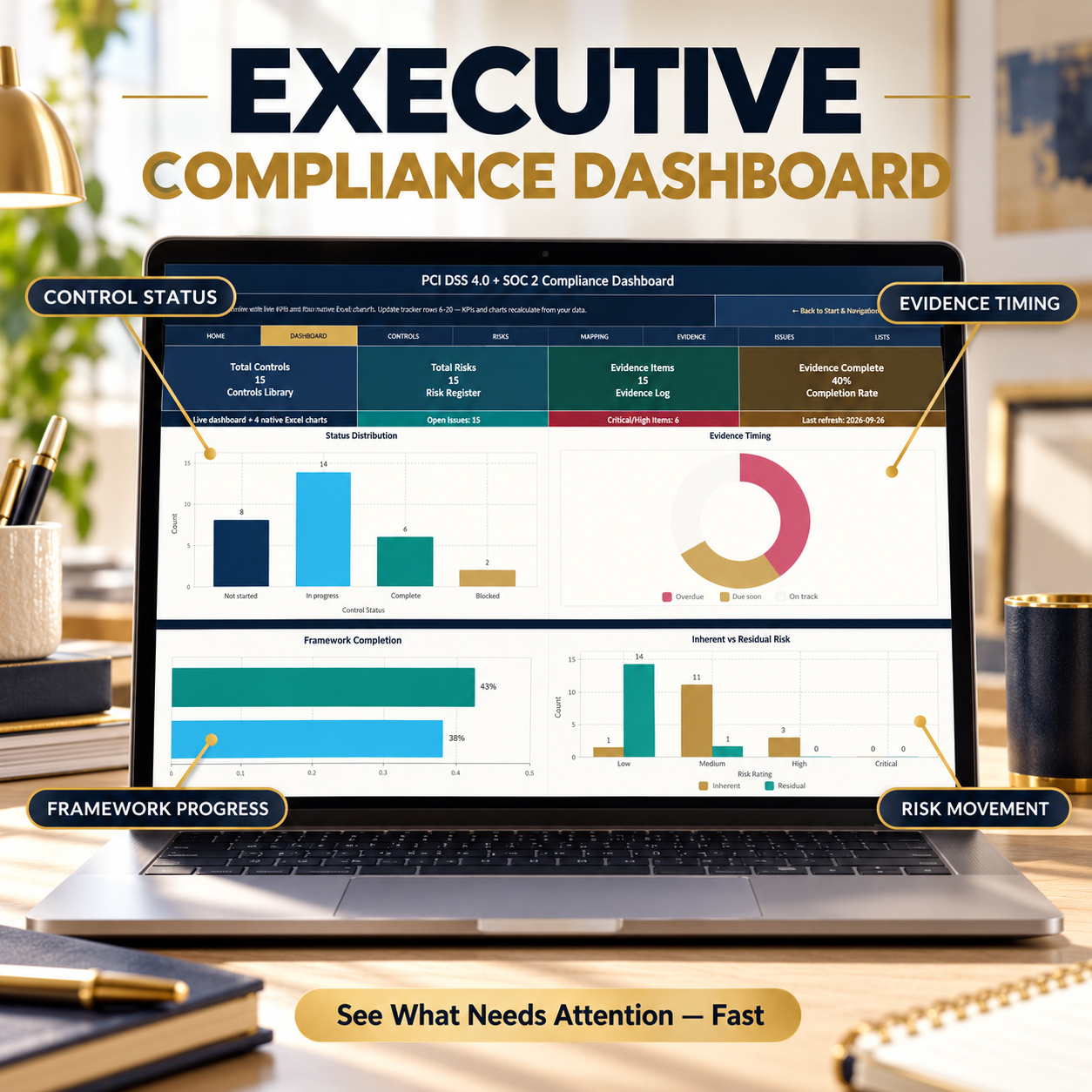
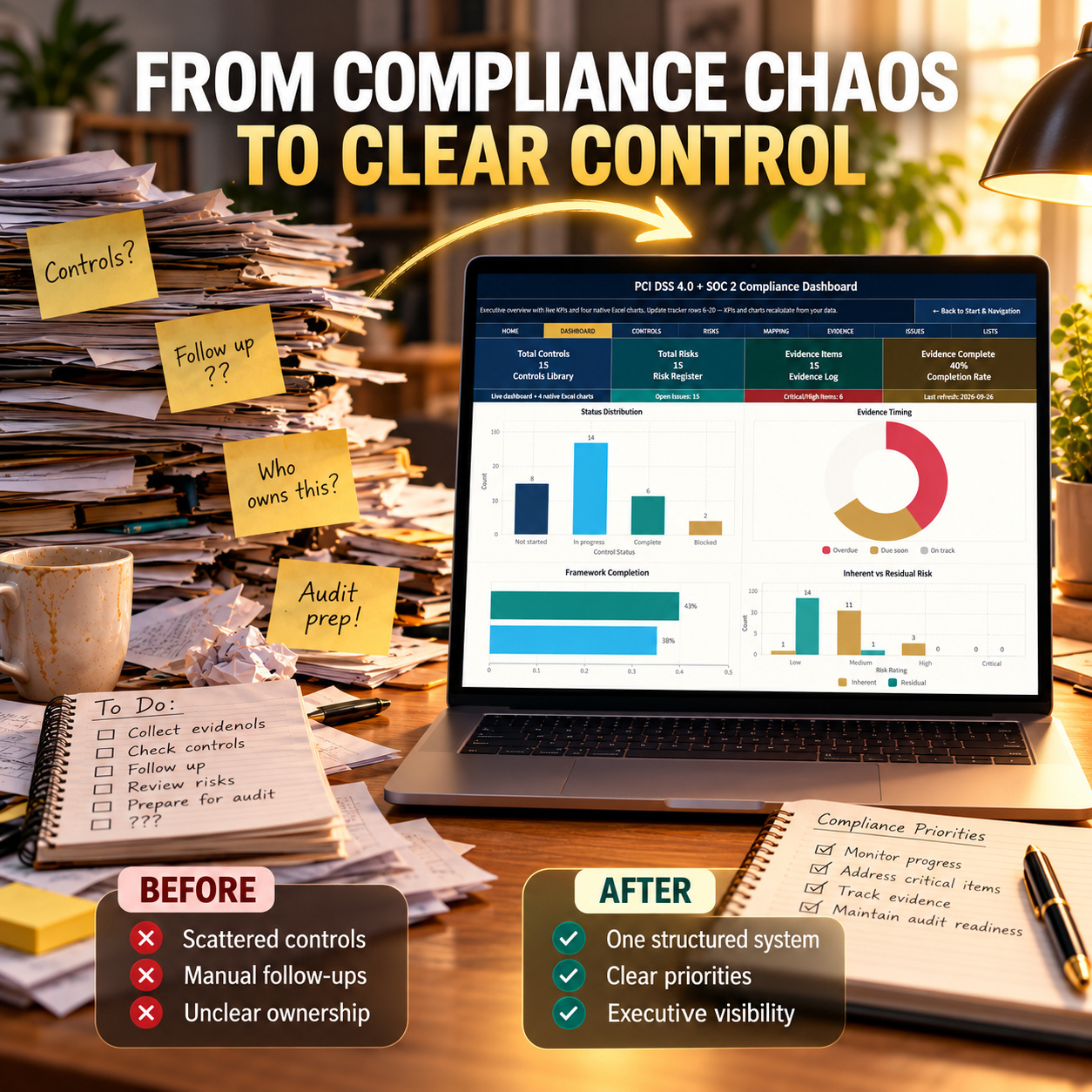
๐Ÿ“Š EXECUTIVE COMPLIANCE DASHBOARD
The Dashboard provides a concise management view of the information maintained in the operational sheets.
It includes 4 KPI cards covering:
  • Total Controls
  • Total Risks
  • Evidence Items
  • Evidence Completion Rate


It also includes 4 native Excel charts:


๐Ÿ“Š Status Distribution
Shows how tracked controls are distributed across implementation states.


๐Ÿ—‚๏ธ Evidence Timing
Highlights overdue, due-soon and on-track evidence items.


๐ŸŽฏ Framework Completion
Provides separate completion visibility for PCI DSS 4.0 and SOC 2.


โš ๏ธ Inherent vs Residual Risk
Compares risk exposure before and after treatment or control consideration.
The Dashboard is designed for management reviews, recurring compliance check-ins and structured internal reporting.


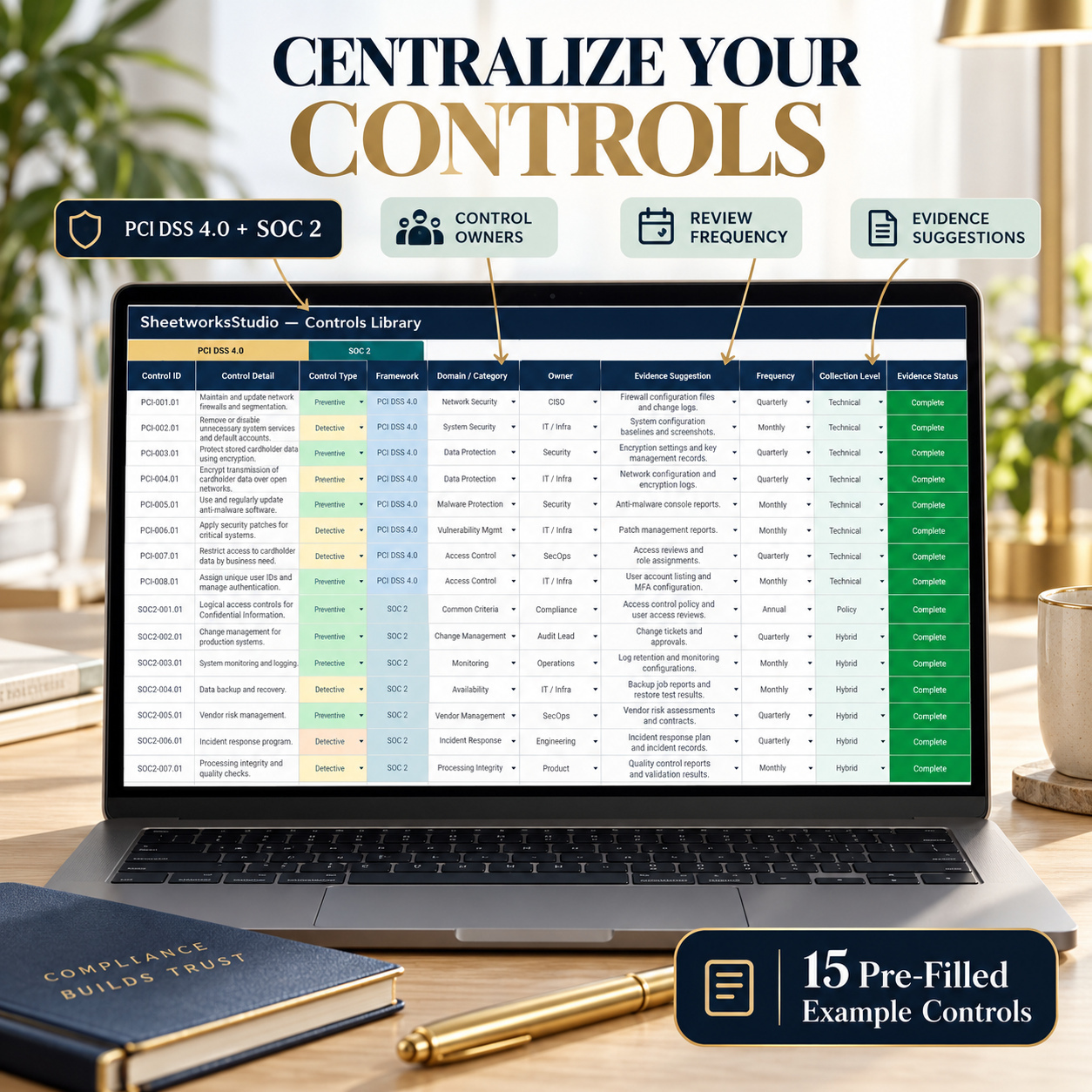
๐Ÿ“š CONTROLS LIBRARY
Use the Controls Library as the central catalog for the compliance-control workflow.
The sheet supports a combined PCI DSS 4.0 and SOC 2 control-management structure and provides stable control references for use across downstream mapping and reporting.


Keeping control references consistent is particularly important once risks, evidence and review activities have been linked to them.


This creates a more traceable compliance-management structure than maintaining isolated control lists across separate files.


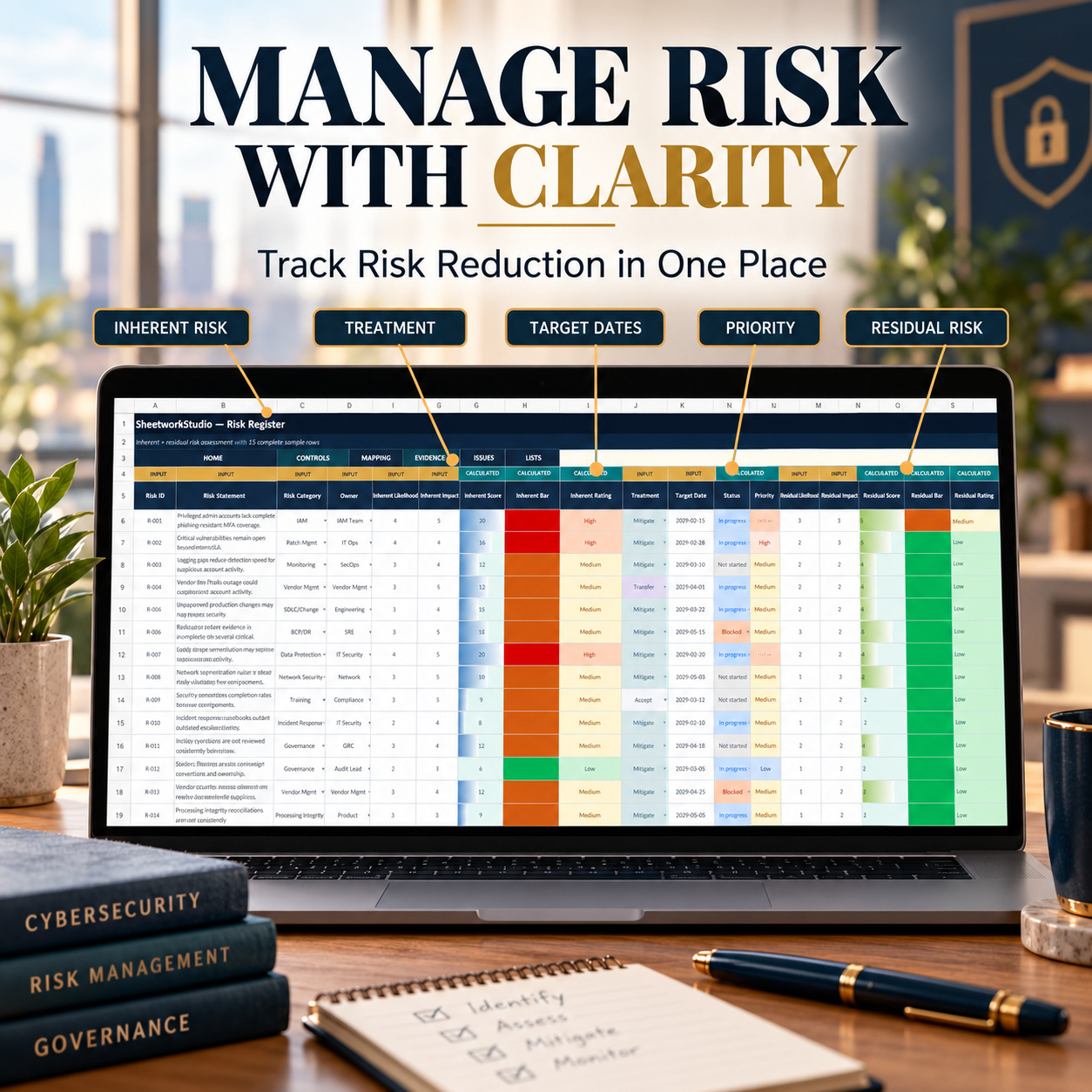
โš ๏ธ RISK REGISTER
Document compliance and security risks using a structured assessment workflow.
The Risk Register supports:
  • Inherent likelihood
  • Inherent impact
  • Inherent risk assessment
  • Residual likelihood
  • Residual impact
  • Residual risk assessment
  • Treatment
  • Priority
  • Target dates
  • Ownership


The workbook uses consistent scoring logic to make comparisons between inherent and residual risk more meaningful.
This provides a practical management layer for identifying where treatment activity or additional control attention may be required.


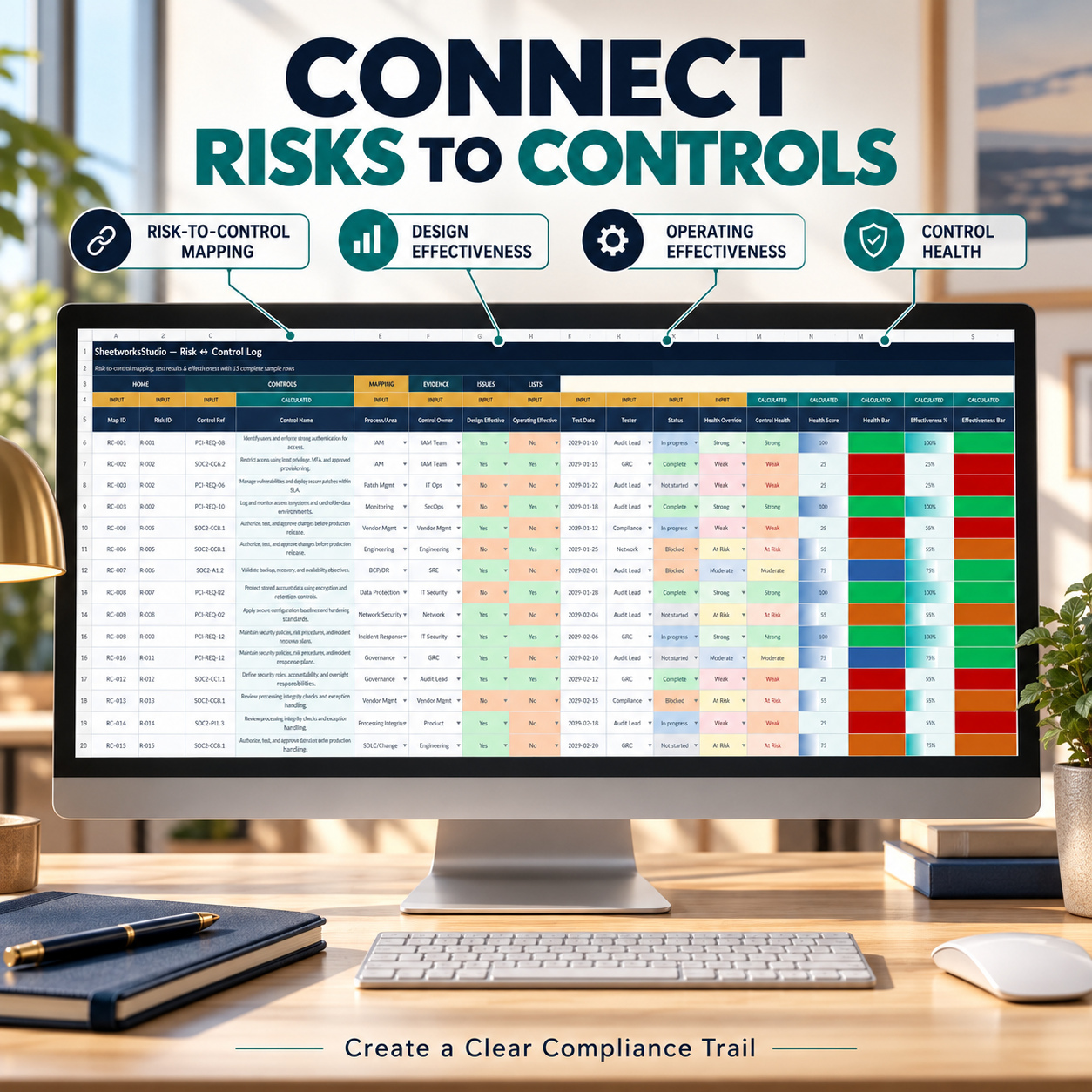
๐Ÿ”— RISK-TO-CONTROL MAPPING
Connect identified risks directly to relevant controls.
The Risk Control Log supports documentation of:
  • Risk references
  • Control references
  • Design effectiveness
  • Operating effectiveness
  • Testing information
  • Ownership
  • Control status
  • Control health


This mapping layer helps create traceability between risk assessment and the controls intended to address those risks.
It can also support more structured discussions during internal reviews and audit-preparation activities.


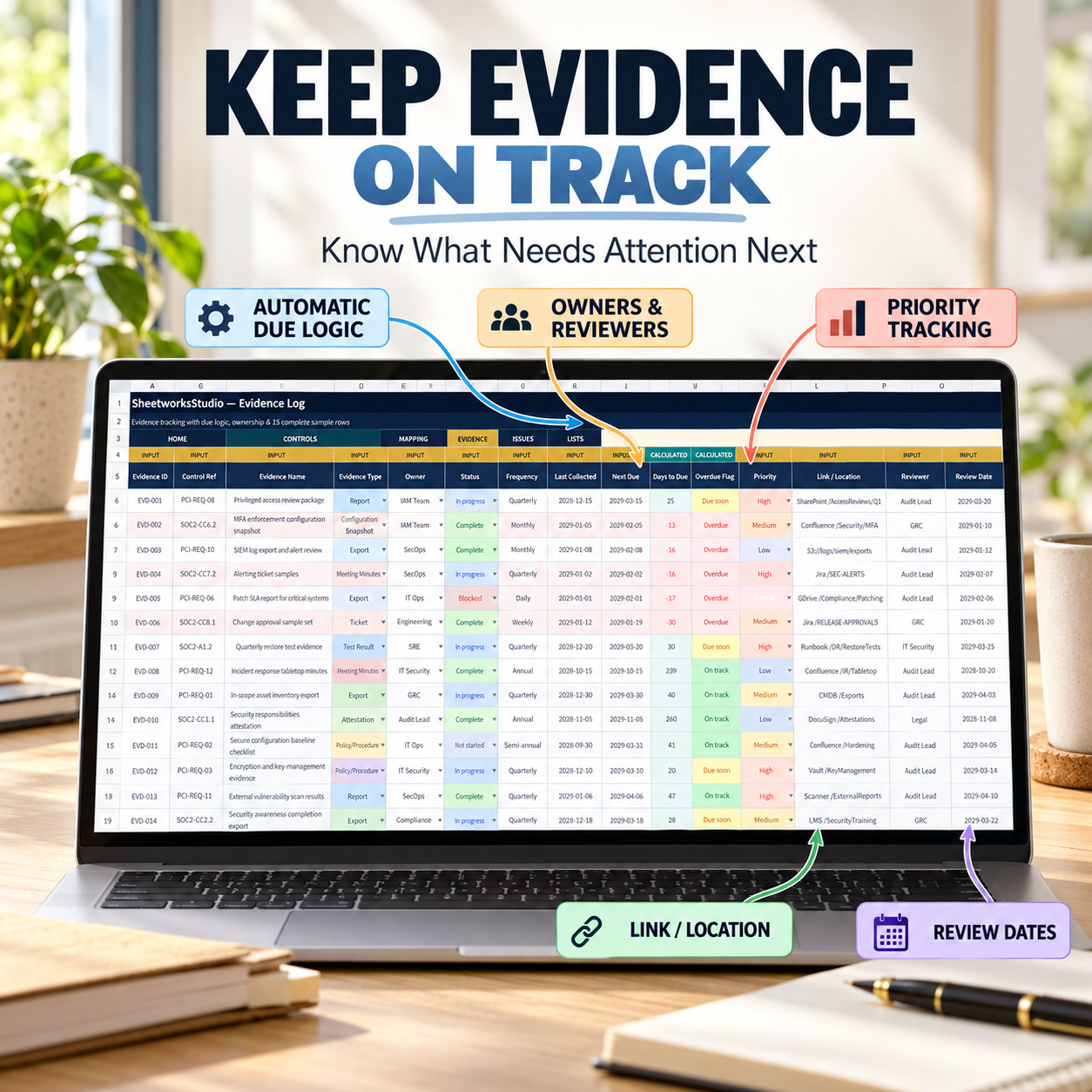
๐Ÿ—‚๏ธ EVIDENCE LOG
Maintain a central index of compliance evidence and its review status.
The Evidence Log supports fields including:
  • Evidence type
  • Evidence owner
  • Collection cadence
  • Last collected date
  • Next due date
  • Days to due
  • Overdue status
  • Priority
  • Reviewer
  • Review date
  • Link / Location
  • Review progress


Formula-driven timing fields help identify evidence that is overdue or approaching its next review date.
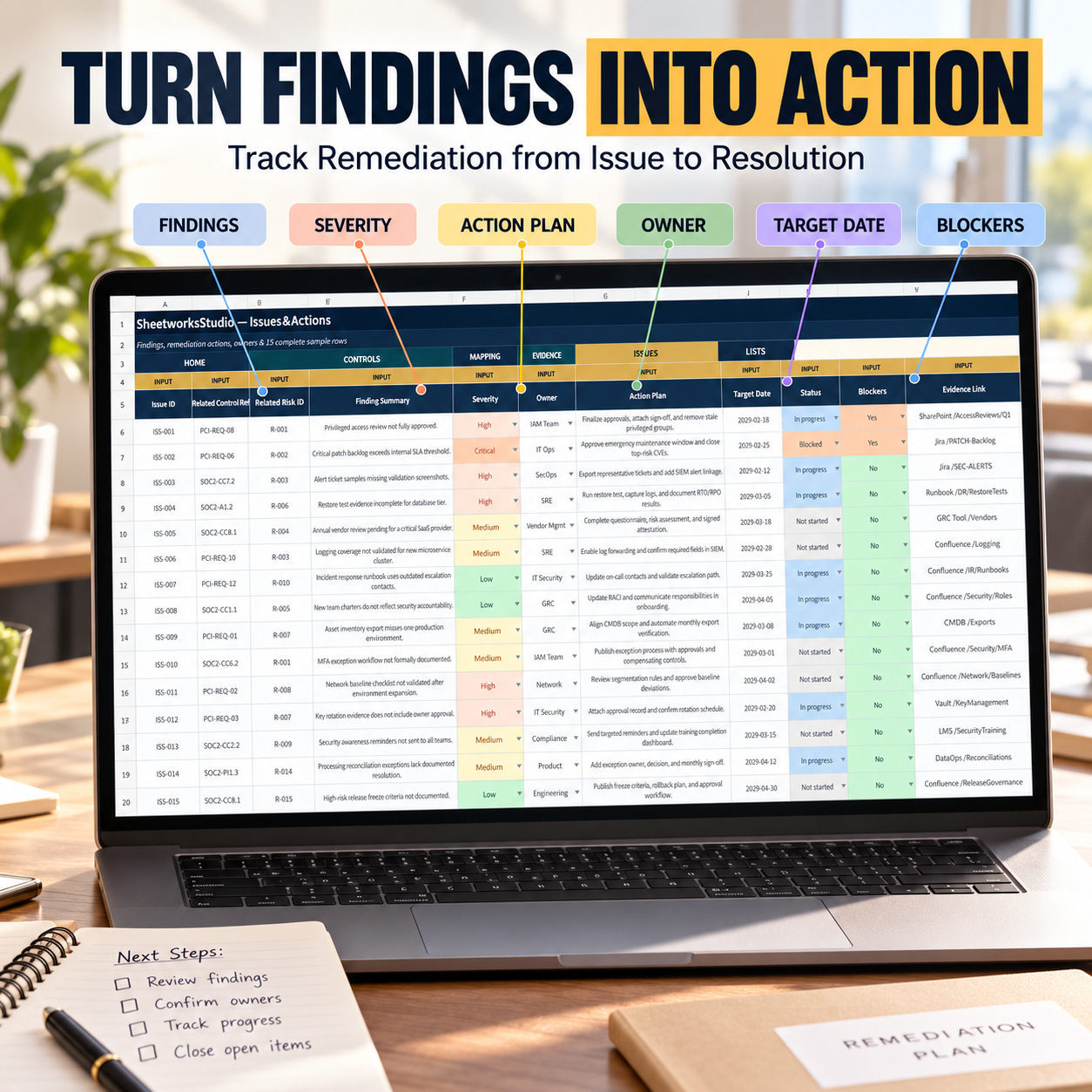
The Link / Location field can be used to point users toward the actual source of record, such as a ticket, document repository, system export, audit platform or internal storage location.


๐Ÿงฏ ISSUES & REMEDIATION
Manage findings and corrective actions in a structured remediation workflow.
The Issues & Actions area supports tracking of:
  • Findings
  • Severity
  • Remediation actions
  • Owners
  • Target dates
  • Status
  • Blockers
  • Evidence links


This creates a dedicated follow-up layer for issues identified through control reviews, evidence reviews or other internal compliance activities.


๐Ÿงพ LISTS & DROPDOWN MANAGEMENT
The Lists sheet serves as the central dropdown hub.
Users can maintain allowed values for recurring fields before entering them into the operational trackers.
This supports more consistent data entry and helps keep formula logic, status reporting and filtering structured across the workbook.


๐ŸŽ BONUS โ€“ SCOPE INVENTORY + RACI WORKBOOK
The separate bonus workbook extends the compliance workflow into two areas that are fundamental to effective readiness work:
๐Ÿงฉ Defining what systems and assets are in scope
๐Ÿ‘ฅ Establishing who owns recurring compliance activities


It contains exactly 4 worksheets:
๐Ÿ  Start_Here
๐Ÿงฉ Scope_Inventory
๐Ÿ‘ฅ RACI_Matrix
๐Ÿงพ Lists


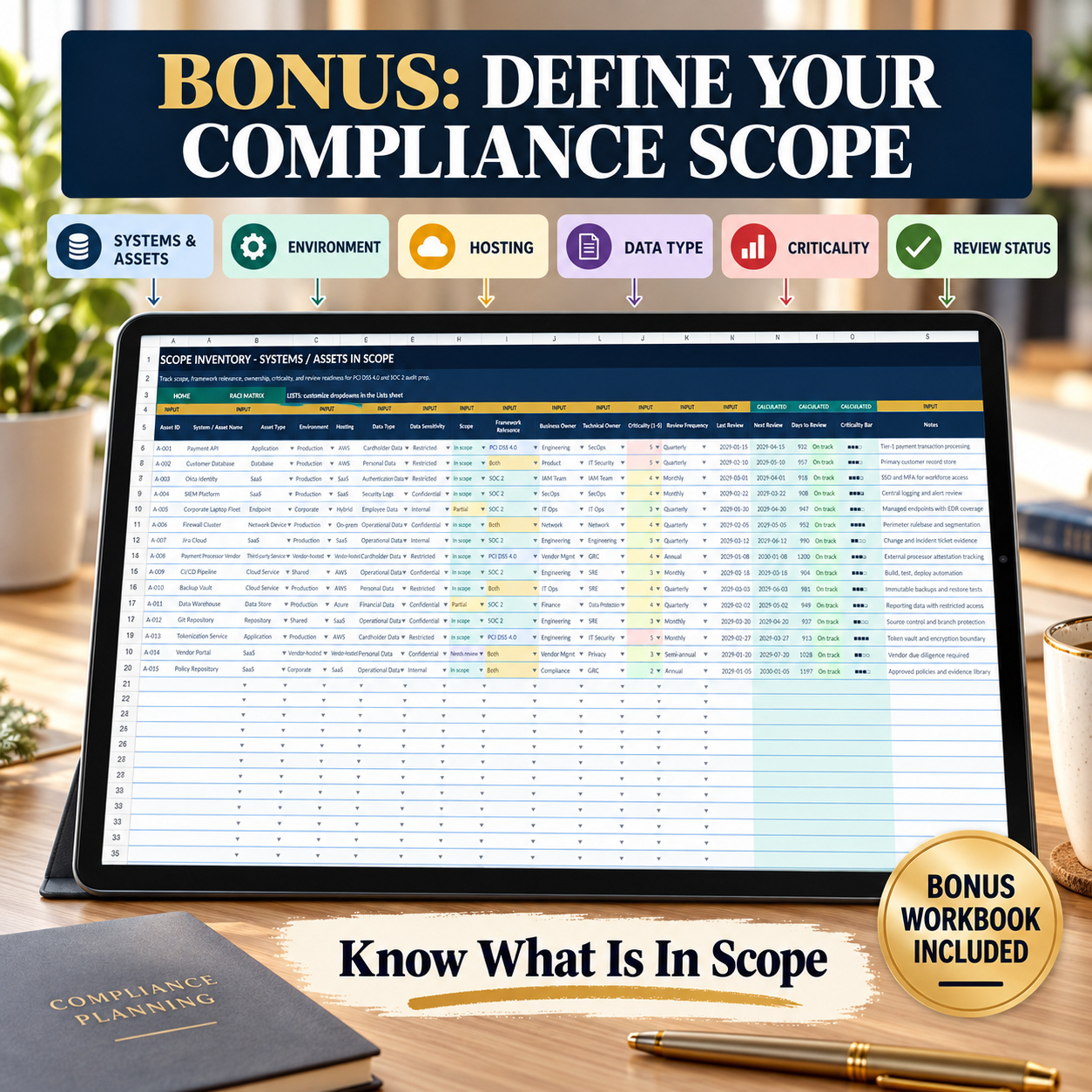
๐Ÿงฉ SCOPE INVENTORY
Document important systems, services, repositories and third-party assets together with their scope and ownership information.


The Scope Inventory includes:
  • Asset ID
  • System / Asset Name
  • Asset Type
  • Environment
  • Hosting
  • Data Type
  • Data Sensitivity
  • Scope
  • Framework Relevance
  • Business Owner
  • Technical Owner
  • Criticality
  • Review Frequency
  • Last Review
  • Notes


Formula-driven outputs include:


๐Ÿ“… Next Review
โฑ๏ธ Days to Review
๐Ÿšฆ Review Status
๐Ÿ“Š Criticality Bar


The workbook contains 15 realistic sample assets plus prepared blank entry rows.
Review timing is automatically derived from the Last Review and Review Frequency fields, helping users identify items that are on track, due soon or overdue.


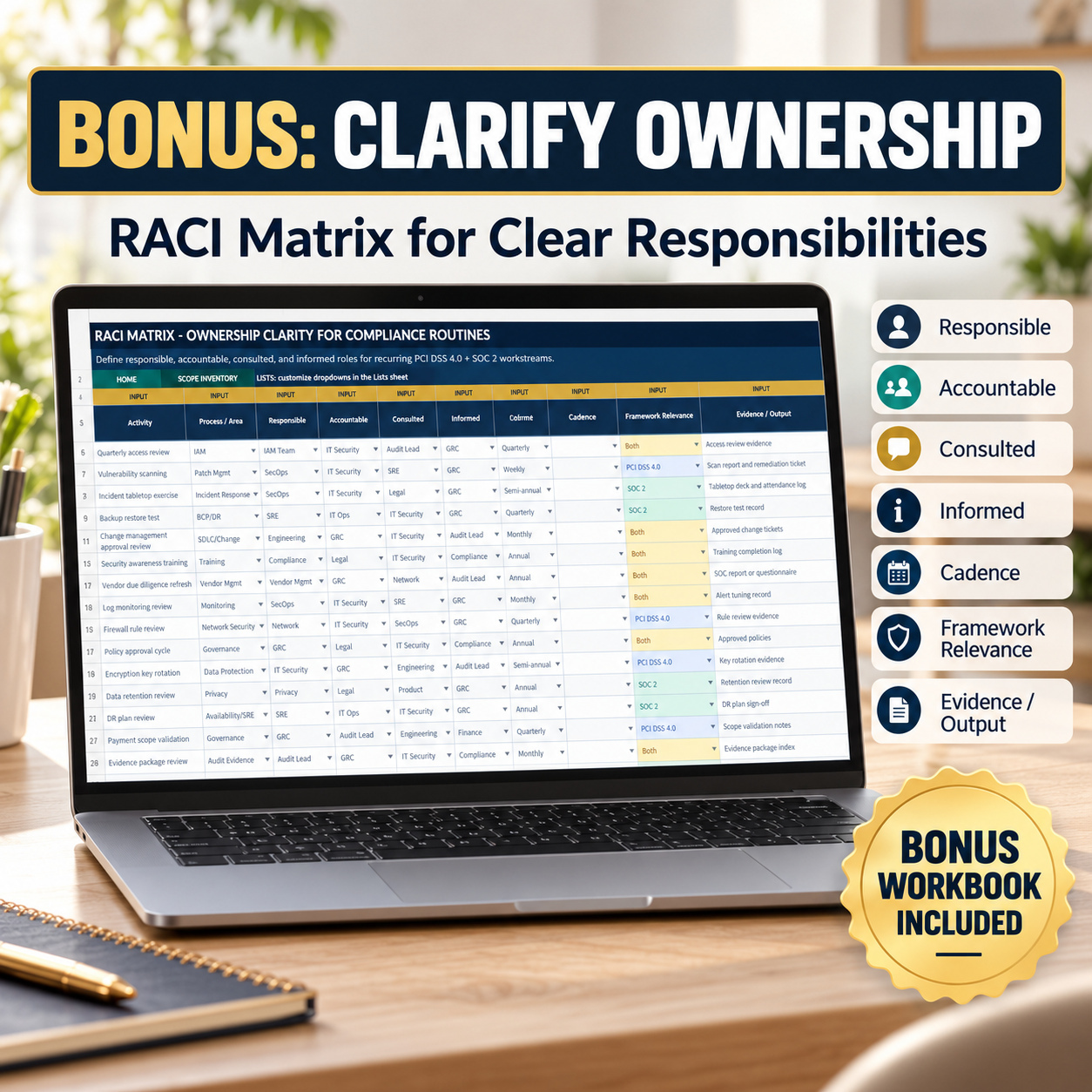
๐Ÿ‘ฅ RACI MATRIX
Define ownership for recurring compliance activities using a structured RACI framework.
Track:
  • Activity
  • Process / Area
  • Responsible
  • Accountable
  • Consulted
  • Informed
  • Cadence
  • Framework Relevance
  • Evidence / Output
  • Notes
  • Status
Formula-driven outputs include:
๐Ÿ“Š Completeness
๐Ÿ“ˆ Completeness Bar
The RACI Matrix contains 15 complete sample routines plus prepared blank rows.
The completeness calculation checks whether the core RACI role fields have been populated, while the separate Status field allows an activity to remain under review or blocked even when role assignment is technically complete.


โš™๏ธ INPUT & CALCULATED LOGIC
The workbooks distinguish clearly between:


๐ŸŸจ INPUT
Fields intended for user-entered values, dates, numbers and dropdown selections.


๐ŸŸฆ CALCULATED
Formula-driven fields used for scores, timing, percentages, status logic, progress indicators and dashboard outputs.
This separation makes it easier to customize the system without accidentally overwriting key calculations.


๐Ÿ“… ONGOING MAINTENANCE WORKFLOW
The toolkit is designed for recurring use rather than one-time audit preparation.


A practical maintenance rhythm can include:
Weekly
  • Review evidence due dates
  • Address overdue evidence
  • Review open issues and remediation actions
  • Capture scope or ownership changes
Monthly
  • Review Dashboard KPIs
  • Check remediation progress
  • Review evidence completeness
  • Review recurring RACI activities
Quarterly
  • Reassess risk ratings
  • Review residual risk
  • Validate control mappings and control health
  • Review critical assets and framework relevance
Annually
  • Refresh framework scope and ownership
  • Review long-cycle controls
  • Revalidate important systems and assets
  • Review annual RACI routines


This encourages the workbook to operate as an ongoing compliance-management system rather than a file updated only immediately before an assessment.


๐Ÿ’ป TECHNICAL ENVIRONMENT
The workbooks are macro-free and use standard spreadsheet formulas, dropdown-driven inputs and calculated fields.
Microsoft Excel provides the reference environment and the best visual fidelity.


The workbooks can also be imported into Google Sheets. However, Excel and Google Sheets handle charts, table styling and conditional formatting differently, so some visual elements may require adjustment after import.


For presentation-ready reports, screenshots and the most consistent workbook behavior, Microsoft Excel is recommended.


๐Ÿ‘ค SUITABLE FOR
This toolkit is particularly relevant for:
  • GRC teams
  • Security teams
  • Compliance Managers
  • Internal compliance functions
  • Audit-preparation teams
  • Consultants
  • Startups and scaleups
  • Technology organizations
  • PCI DSS readiness programs
  • SOC 2 readiness programs
  • Risk-management teams
  • Evidence-management workflows


It is particularly useful where teams need a repeatable structure for bringing controls, risks, evidence, remediation, scope and ownership into one coordinated management process.


๐Ÿ’ก KEY BUSINESS VALUE
The toolkit is designed to help organizations:
  • Centralize control tracking
  • Structure PCI DSS 4.0 and SOC 2 readiness work
  • Improve risk-to-control traceability
  • Organize compliance evidence
  • Monitor evidence timing and review status
  • Structure remediation follow-up
  • Define compliance scope
  • Clarify ownership through RACI
  • Improve management visibility
  • Support recurring internal compliance reviews
  • Create more structured audit-preparation workflows


The system brings control management, risk assessment, evidence, remediation, scope and accountability into one coordinated Excel framework.


It is designed to support clearer ownership, stronger traceability, more consistent review routines and better management visibility throughout ongoing PCI DSS 4.0 and SOC 2 readiness work.


โš–๏ธ IMPORTANT DISCLAIMER
This toolkit is an organizational tracking, planning and readiness-management template. It does not constitute legal, audit, security or compliance advice and does not guarantee PCI DSS 4.0, SOC 2 or any other compliance outcome.
Organizations remain responsible for validating applicable requirements with appropriately qualified professionals and adapting the templates to their own scope, systems, risks and operating environment.

This Best Practice includes
PCI DSS 4.0 + SOC 2 Compliance Tracker (.xlsx), Scope Inventory + RACI Add-On (.xlsx),๐Ÿ“˜ How-to-Use Guide (.pdf)

Acquire business license for $34.90

Add to cart

Add to bookmarks

Discuss

Further information

The objectives of this toolkit are to:

Structure PCI DSS 4.0 and SOC 2 readiness activities

Centralize control-management information

Document and assess compliance-related risks

Improve risk-to-control traceability

Organize compliance evidence and review timing

Monitor findings and remediation actions

Define systems and assets within compliance scope

Clarify recurring responsibilities through RACI

Improve management visibility through dashboard reporting

Support structured recurring compliance reviews

Strengthen evidence and ownership traceability

Support more consistent audit-preparation workflows

The toolkit supports organizational readiness, documentation and internal management processes. It does not certify compliance or guarantee assessment outcomes.

This toolkit is particularly suitable for:

GRC teams

Information Security teams

Compliance Managers

Risk Managers

Internal control teams

Audit-preparation teams

Consultants

Startups

Scaleups

Technology companies

Organizations preparing for PCI DSS 4.0 activities

Organizations preparing for SOC 2 activities

It works particularly well where an organization needs a structured Excel-based framework for coordinating controls, risks, evidence, remediation, scope and accountability.

The toolkit is most useful when it is maintained continuously as part of recurring compliance-management and readiness routines rather than completed only immediately before an assessment.

This toolkit does not replace qualified compliance professionals, assessors, auditors, legal counsel, security specialists or the official source materials applicable to PCI DSS 4.0 or SOC 2.

It is not an automated GRC platform, evidence repository, vulnerability scanner, audit portal or certification system.

The workbook does not independently determine whether an organization is compliant. All framework interpretations, scoping decisions, control applicability, evidence sufficiency and assessment conclusions remain the responsibility of the organization and its qualified advisers or assessors.

Google Sheets can be used after importing the Excel workbooks, but Microsoft Excel remains the reference environment and some charts, table styling or conditional formatting may require adjustment.


0.0 / 5 (0 votes)

please wait...