Accounts Receivable Tracker | Google Sheets | Customer Payment Tracker | Client Ledger
Originally published: 25/09/2025 19:09
Publication number: ELQ-93250-1
View all versions & Certificate
certified

Accounts Receivable Tracker | Google Sheets | Customer Payment Tracker | Client Ledger

Accounts Receivable Google Sheets Template. Record your invoices and payments, then track cash flow and open balances. Accounts Receivable Tracker. Ready file.

Description
This is a complete system for managing money that a business owes to others. 


It helps businesses keep track of invoices and payments from customers. Use one spreadsheet to keep track of all the money that is still owed, the payment history, and the cash flow.


HOW TO USE TEMPLATE?


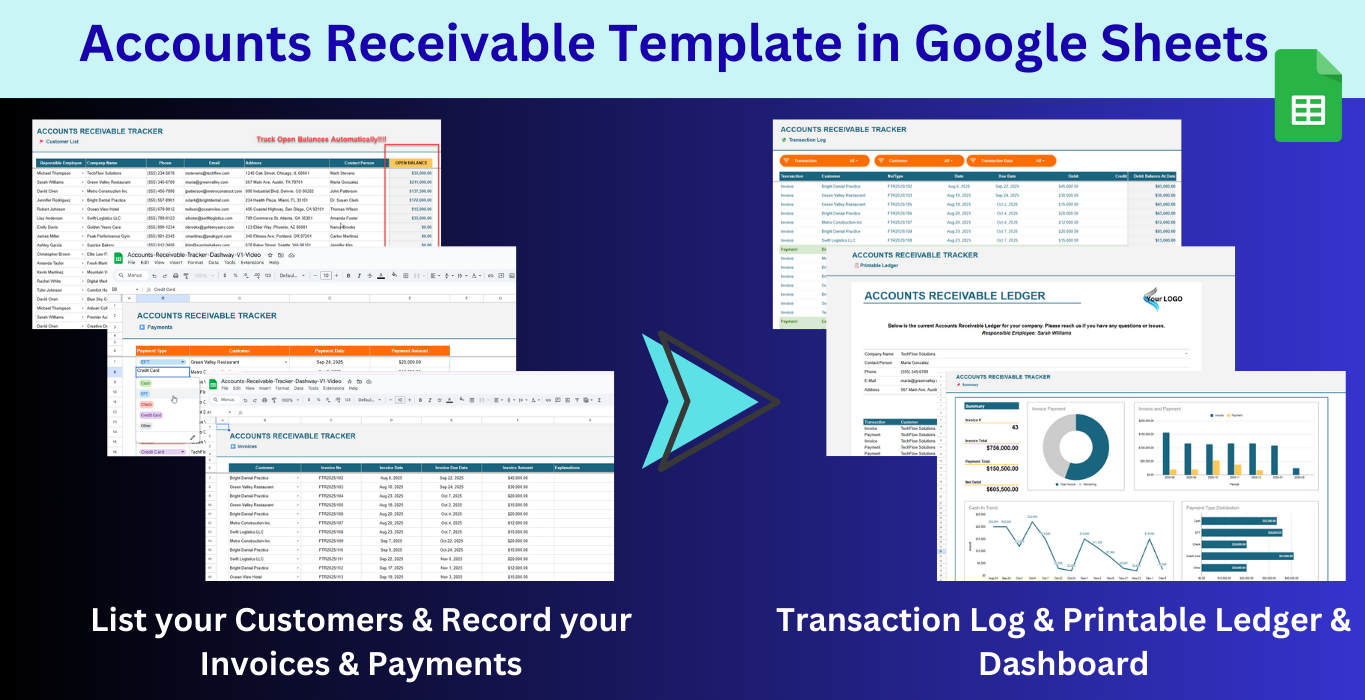
This template for accounts receivable is made up of seven different sheets.


1. Menu:
First, set up the list of employees and the ways they can be paid (check, wire transfer, credit card, etc.).


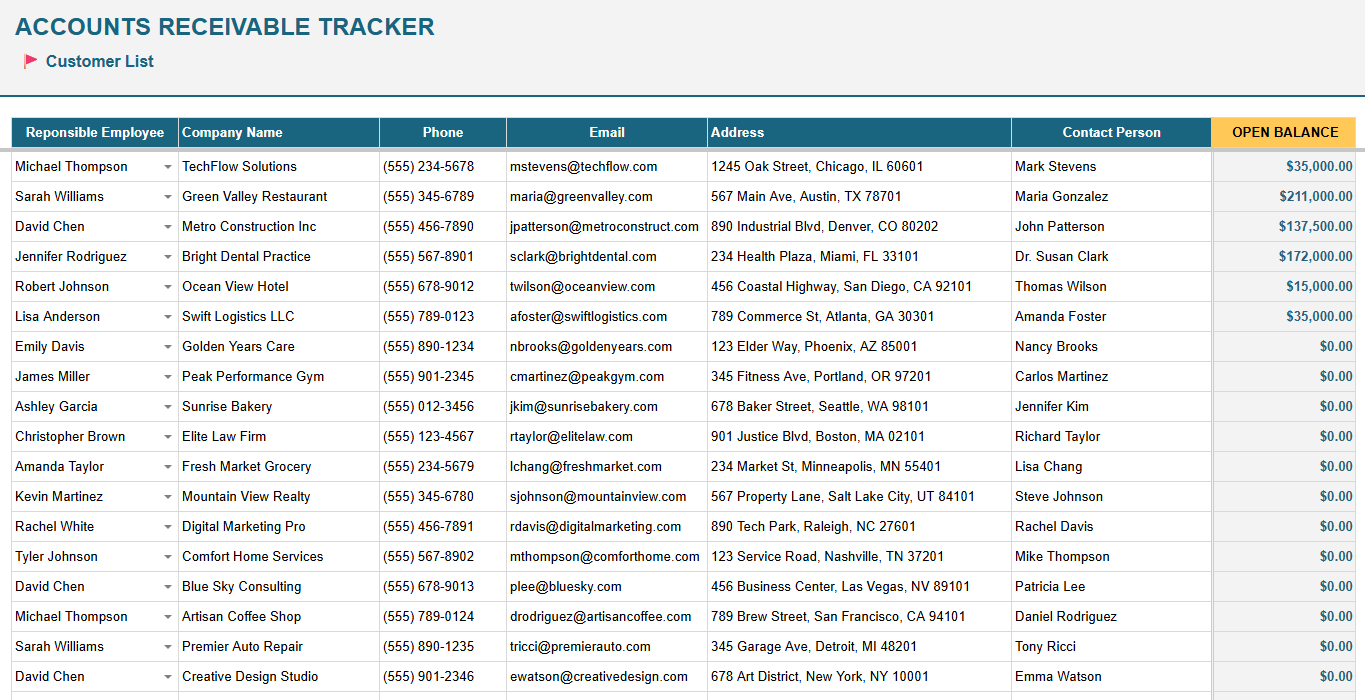
2. Customer List:
Keep track of your customers in a database. Assign each customer a responsible employee, and calculate their open balance automatically.You only have to add your customers. Their open balances will be calculated automatically.


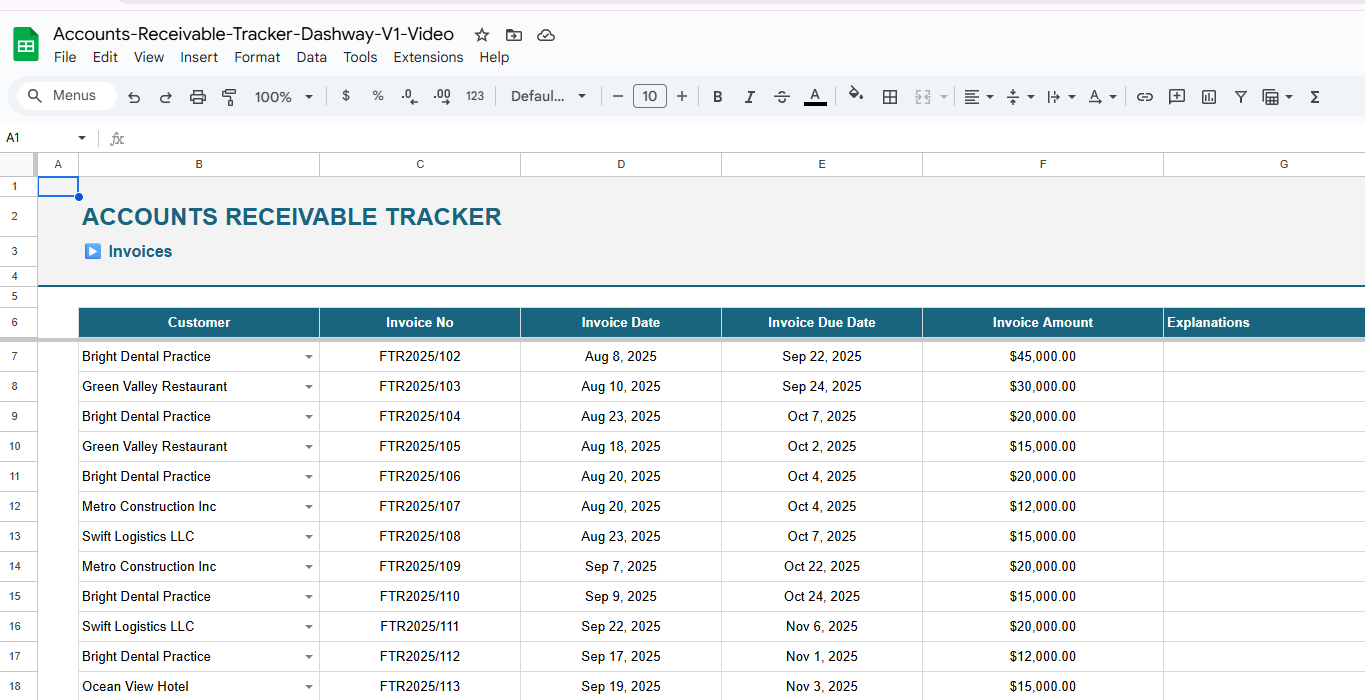
3. Invoices:
Record the details of the invoice, including the amount, the due date, and the customer's information. This is a very basic data input section for your invoices.
- Choose the customer from the dropdown menu.
- Please write the invoice number and date.
- Record the amount on the invoice.You can also add explanations or notes.


4. Payments:
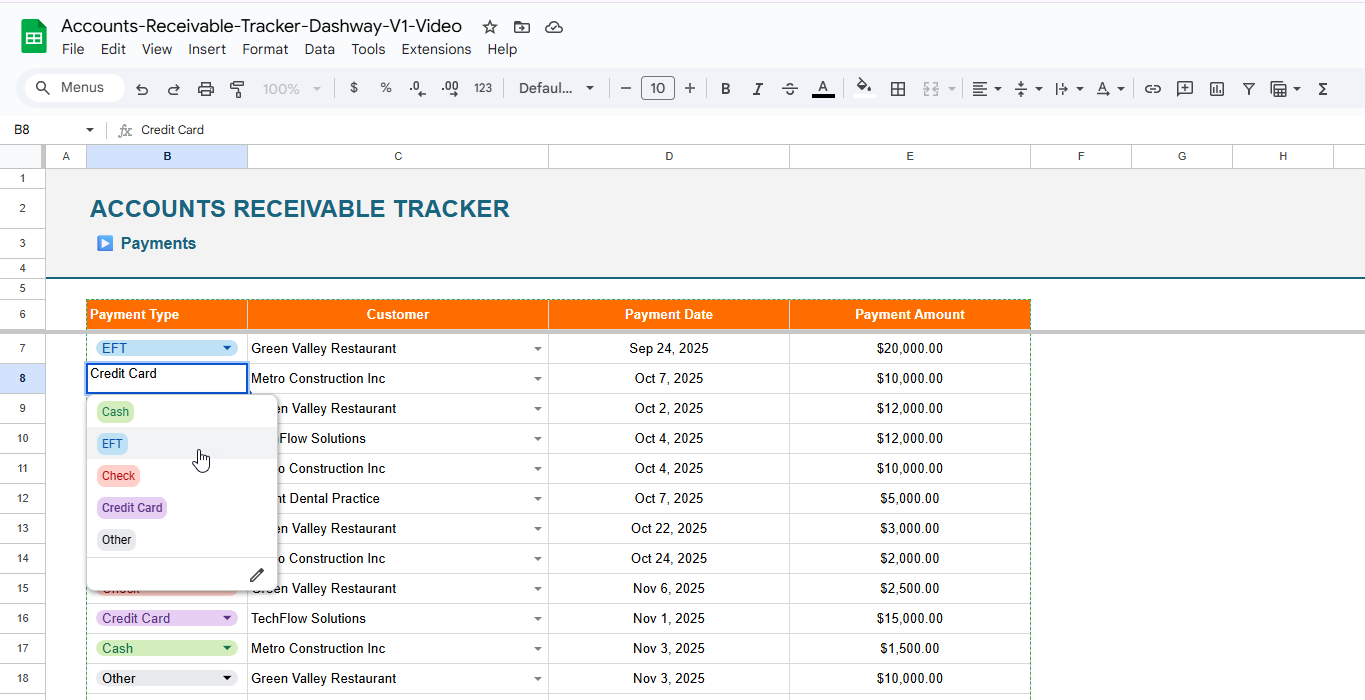
Record all incoming payments, including the payment type and date. You'll record all your payments in this list:
- Choose how you want to pay.
- Choose the customer.
- Record the payment date and amount.


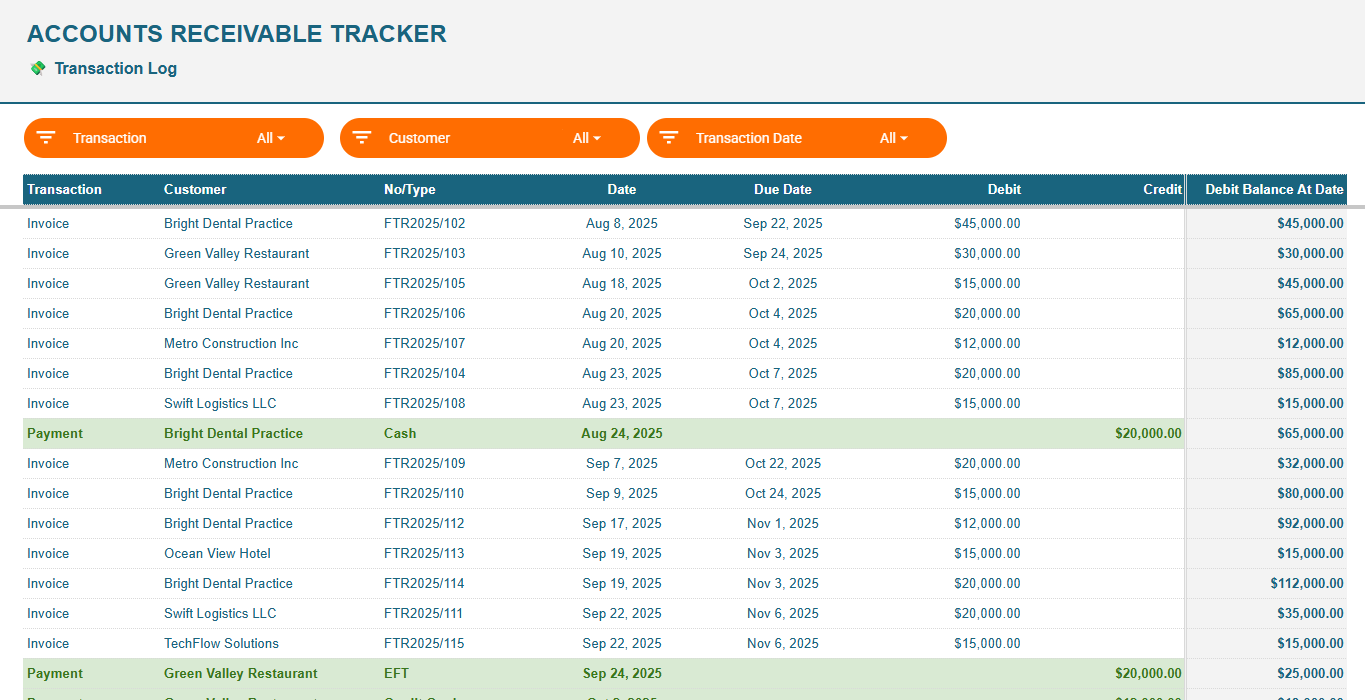
5. Transaction Log:
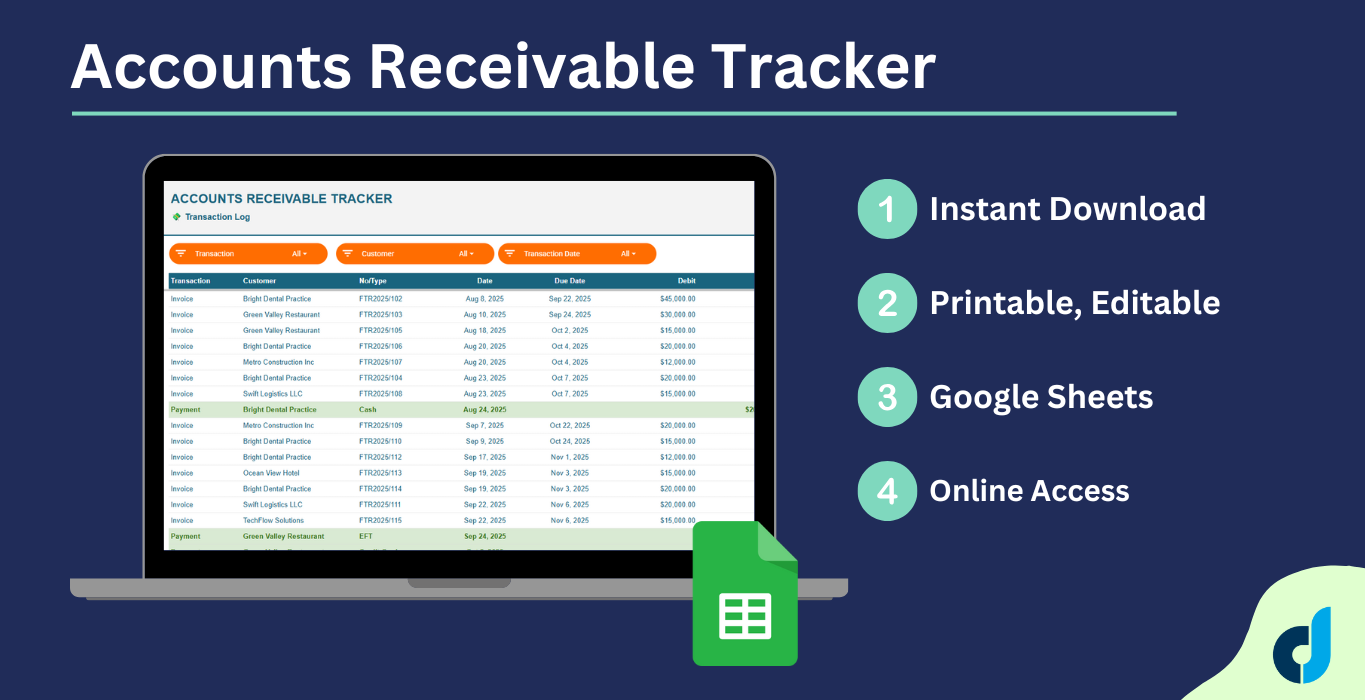
This log combines invoice and payment history, arranged in date order. It also shows the customer's current debit balance and color-codes their payment entries. You can use the filters above to narrow down your analysis.


This section shows all your transactions in the order they happened. The payments will be marked in green so you can easily understand your cash flow.


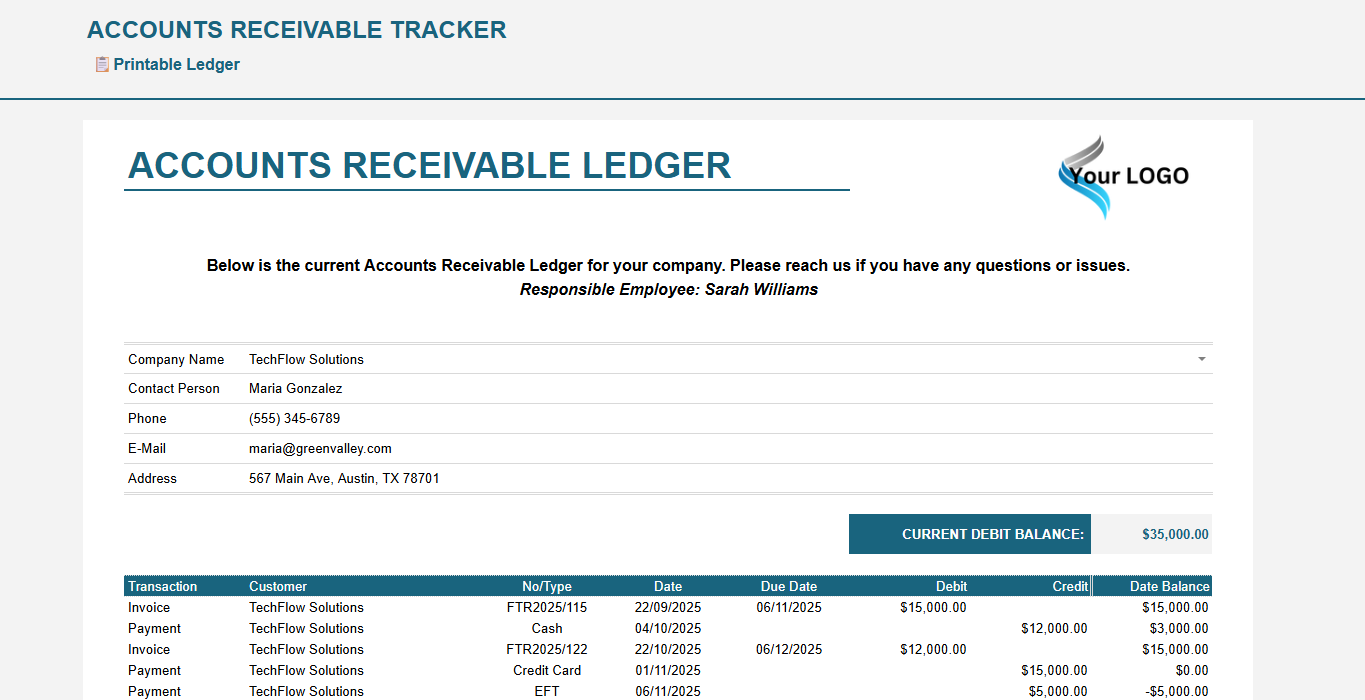
6. Ledger:
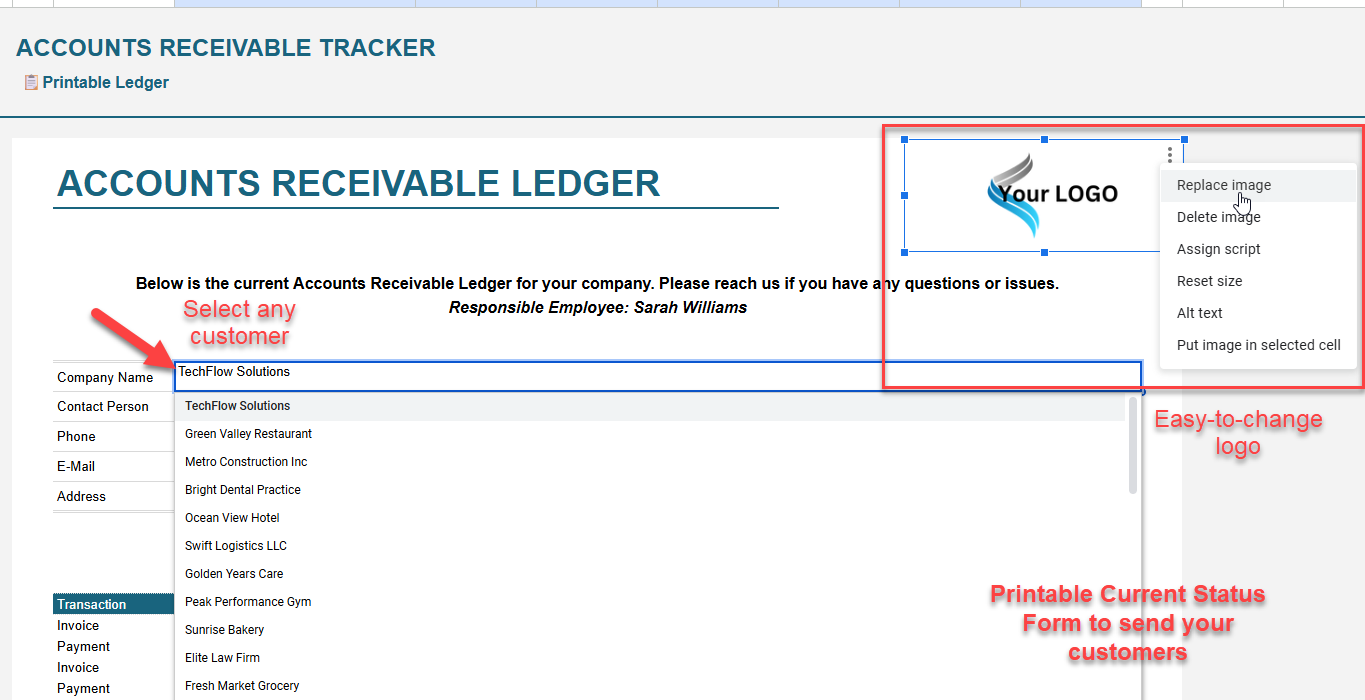
This is a printable customer statement format.Select any customer to automatically fill in their complete transaction history for professional invoicing. 


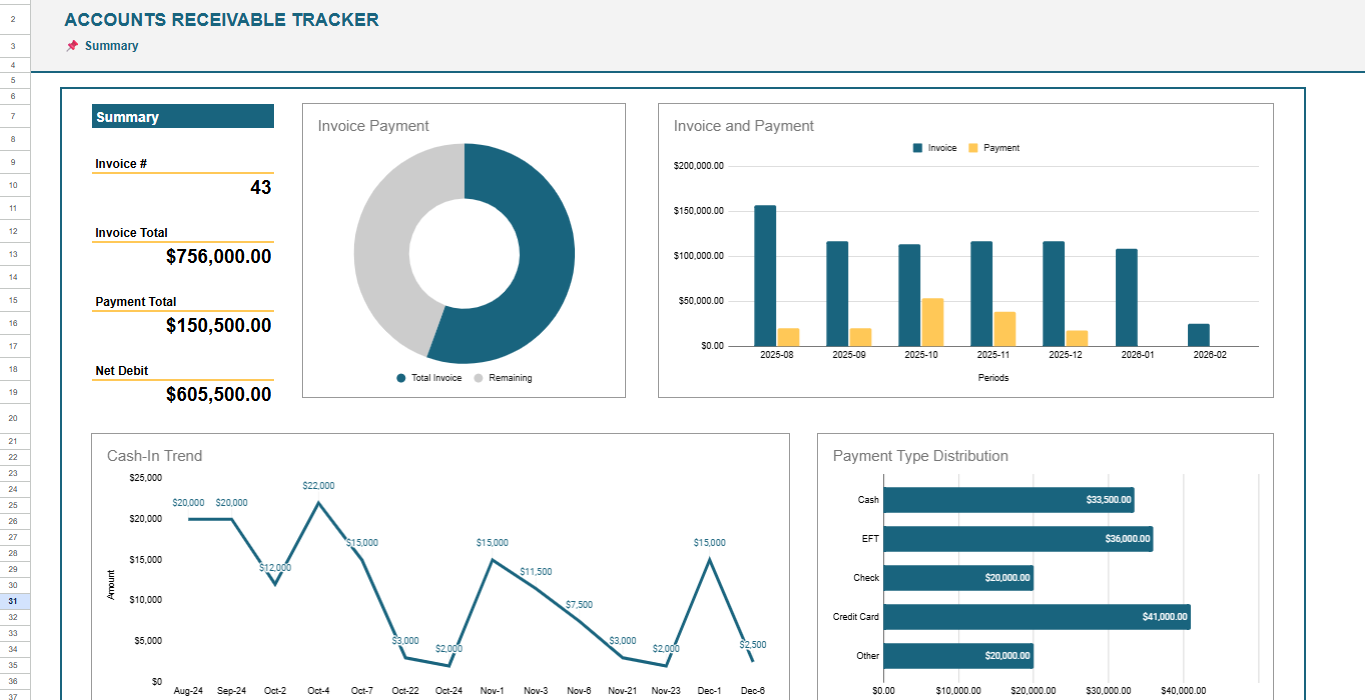
7. Dashboard
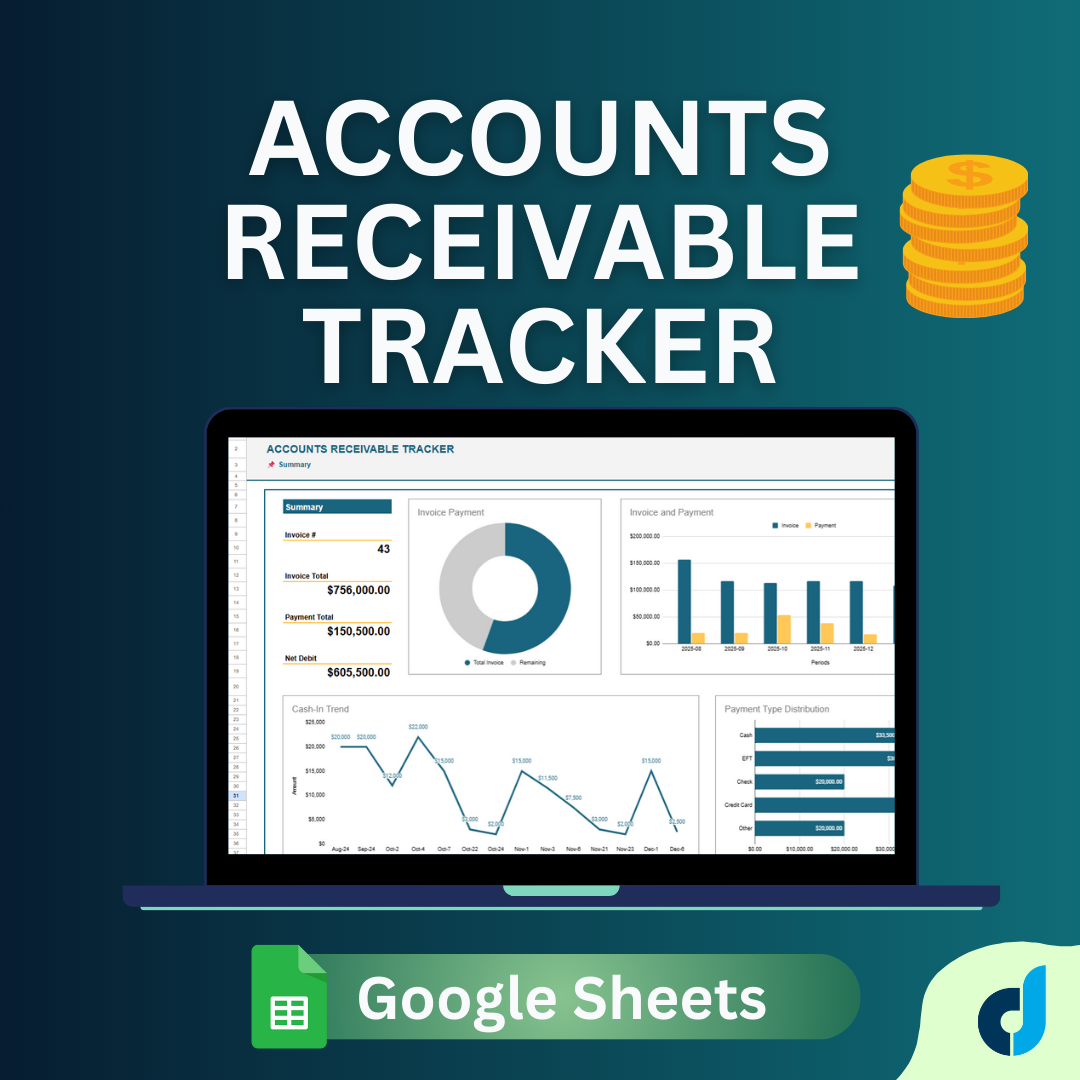
In this Accounts Receivable Dashboard, you can see:
- A general summary of your Invoice Totals, Payments Totals and Net Debit.
- Invoice Payment Ratio
- Monthly Invoice and Payment Totals
- Cash-In Trends
- Payment Type Distribution


Ready Google Sheets file to track your Accounts Receivable.

This Best Practice includes
1 PDF file with a direct link to the Google Sheets file

Acquire business license for $20.00

Add to cart

Add to bookmarks

Discuss

Further information

To track accounts receivables

- Small businesses
- Freelancers
- Business owners
- Accounting departments
- Client Managers
- Account Managers
- Finance teams


0.0 / 5 (0 votes)

please wait...