
SaaS Autopilot Engine - Google Sheet
Originally published: 29/06/2026 08:04
Last version published: 07/08/2026 12:36
Publication number: ELQ-41502-2
View all versions & Certificate
certified

SaaS Autopilot Engine - Google Sheet

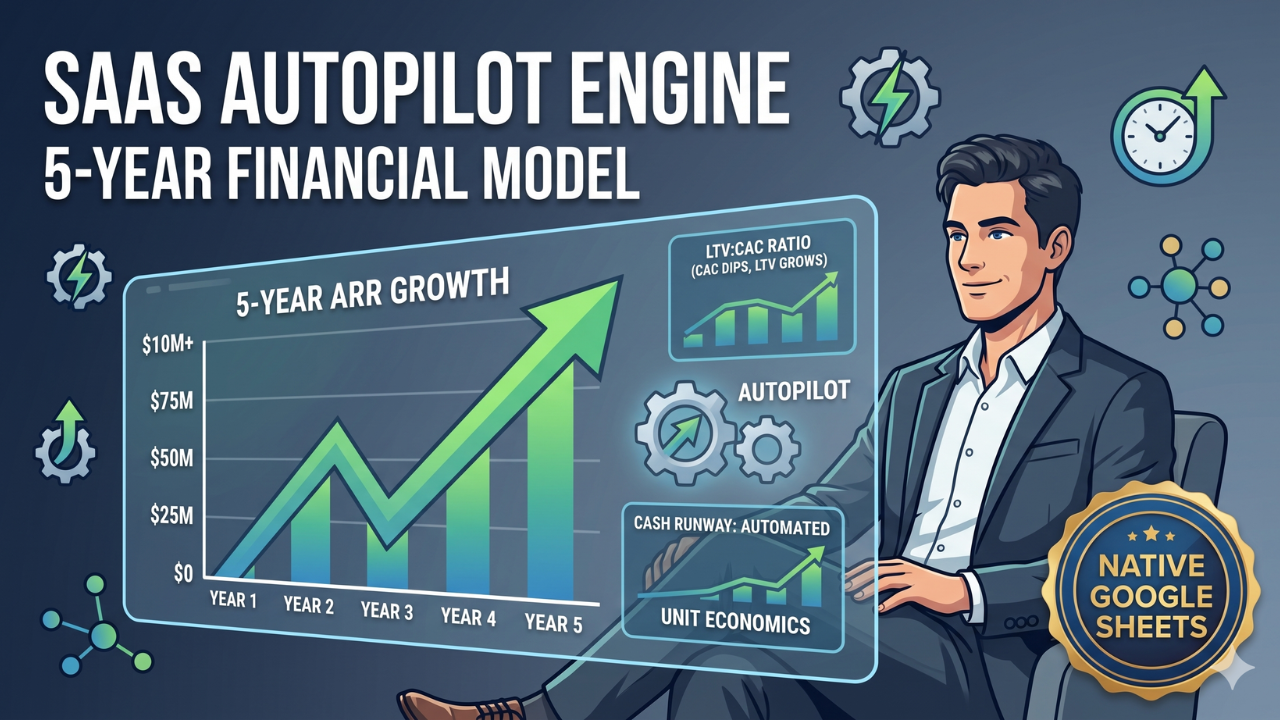
Project your SaaS startup's 5-year Annual Recurring Revenue (ARR), cash burn, and LTV:CAC ratios to identify your lowest runway.

Description

Startups die when they lose sight of unit economics and run out of cash. This system provides a centralized 5-year forecast model that tracks Annual Recurring Revenue (ARR), cash burn, and LTV:CAC ratios to help operators determine their absolute lowest cash runway. This spreadsheet is designed to be used in Google Sheets.

The Operational Friction

Relying on scattered, manual spreadsheets to forecast SaaS growth often leads to miscalculated runways and ignored unit economics. When founders build models from scratch, they frequently fail to account for compounding churn or accurately link their acquisition costs to their operational burn. Without a centralized, locked forecast, executives cannot accurately determine when they need to raise capital, leading to panicked fundraising or sudden insolvency.


The Mathematical & Structural Solution

This terminal delivers a uniform, protected interface that calculates your 5-year growth trajectory and cash runway safely. The underlying calculation framework is completely locked, preventing accidental formula deletion while instantly updating your executive dashboard based on simple yearly inputs. To ensure immediate deployment, your purchase includes two supplementary documents:


  • The Operational User Guide: Provides step-by-step instructions so the user can deploy the tool immediately without staring at a confusing blank screen.
  • The Technical Spec Sheet: Fully exposes the background formulas, math, and logical architecture so the user has absolute trust in the calculations and knows exactly what is happening under the hood.


Core System Capabilities

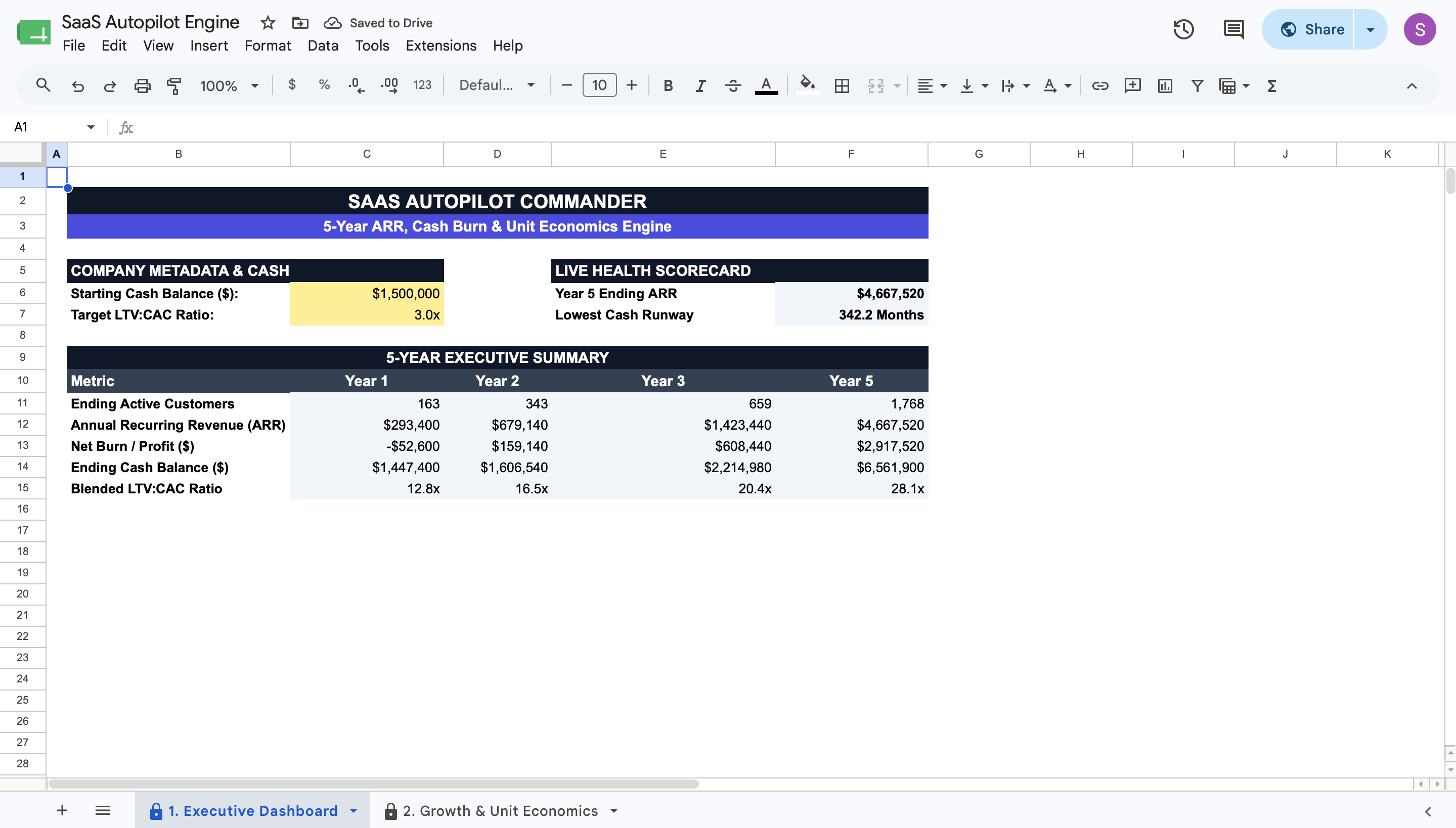
  • 5-Year Executive Summary: Review a locked, high-level dashboard displaying your projected ARR, Net Burn, Ending Cash, and LTV:CAC ratios.
  • Live Health Scorecard: Instantly identify your Year 5 Ending ARR and the absolute Lowest Cash Runway (in months) across your forecast.
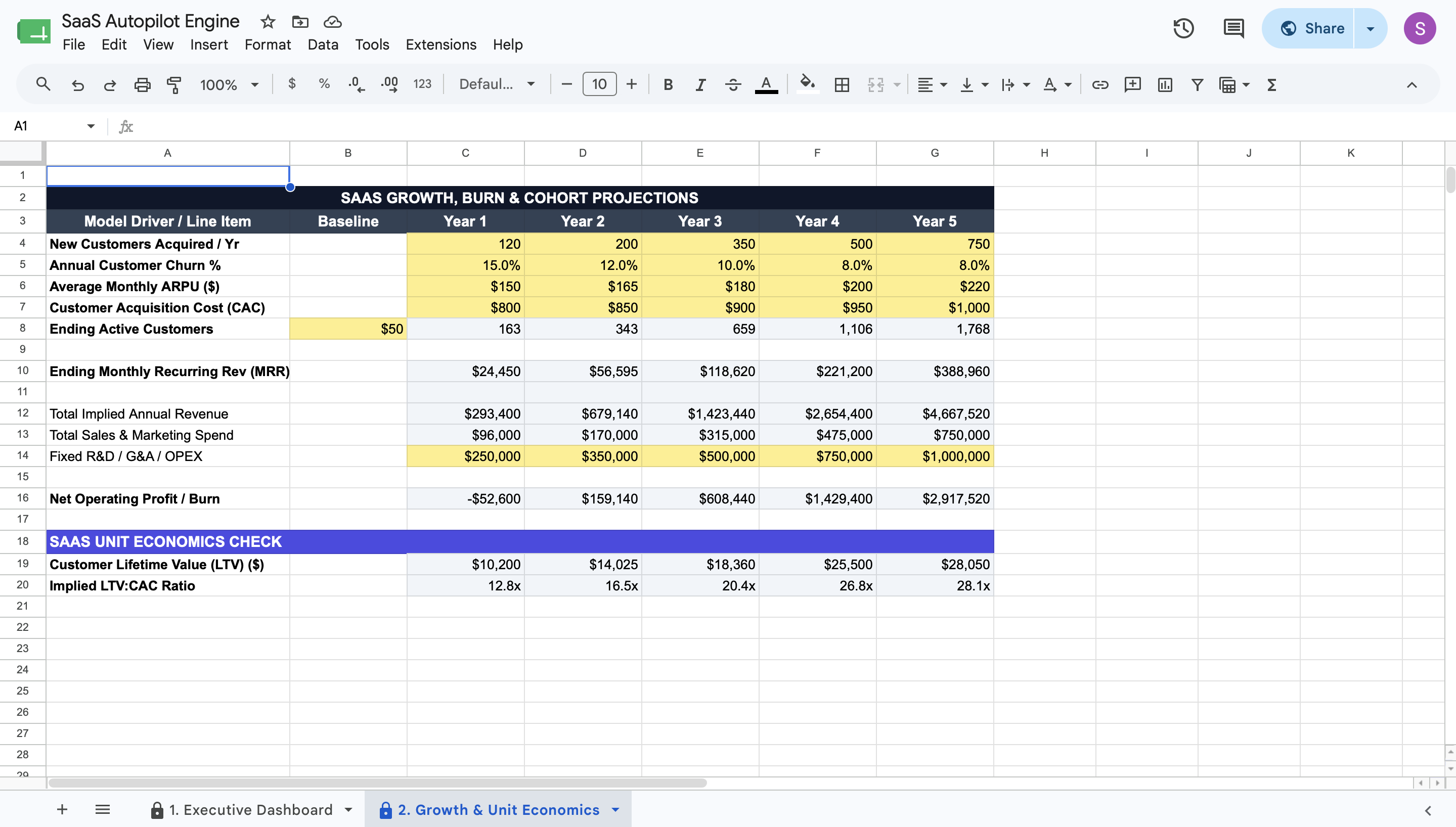
  • Cohort Projections: Enter expected new acquisitions and churn to automatically calculate your active customer base year over year.
  • Profit & Burn Calculator: Input your average revenue per user (ARPU), acquisition cost (CAC), and fixed operational expenses to determine your net operating profit or burn.
  • Unit Economics Check: Automatically evaluate your Implied LTV:CAC ratio based on your specific inputs to ensure sustainable growth.


Deployment & Prerequisites

  • Included Assets: 1 Native Google Sheets Template, 1 Step-by-Step User Guide, 1 Technical Spec Sheet.
  • Format: Native Google Sheets Template
  • Prerequisites: A free Google Workspace or Gmail account (Not compatible with Microsoft Excel)
  • Time to Deploy: Under 15 minutes (Input your macro parameters into the yellow cells; calculations run automatically)

This Best Practice includes
1 Google Sheet, 1 User Guide, 1 Technical Spec Sheet

Acquire business license for $20.00 $5.00

Add to cart

Add to bookmarks

Discuss

Further information

Project Annual Recurring Revenue (ARR) across a 5-year timeline.


Calculate expected customer growth factoring in your specific annual churn rate.


Analyze unit economics by calculating Implied LTV:CAC Ratios.


Identify your lowest cash runway to determine when to raise venture capital or reduce burn.

SaaS founders needing a straightforward, 5-year financial model to track growth.


Operations leaders auditing their customer acquisition costs against lifetime value.


Executive teams preparing unit economics data for board meetings or investor pitches.

Not compatible with Microsoft Excel (requires Google Sheets).


Not a full general ledger or accounting software replacement.


Not designed for e-commerce, retail, or non-recurring revenue business models.


0.0 / 5 (0 votes)

please wait...