
Last version published: 03/08/2026 13:00
Publication number: ELQ-92014-2
View all versions & Certificate

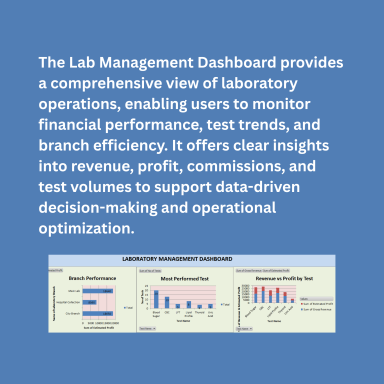
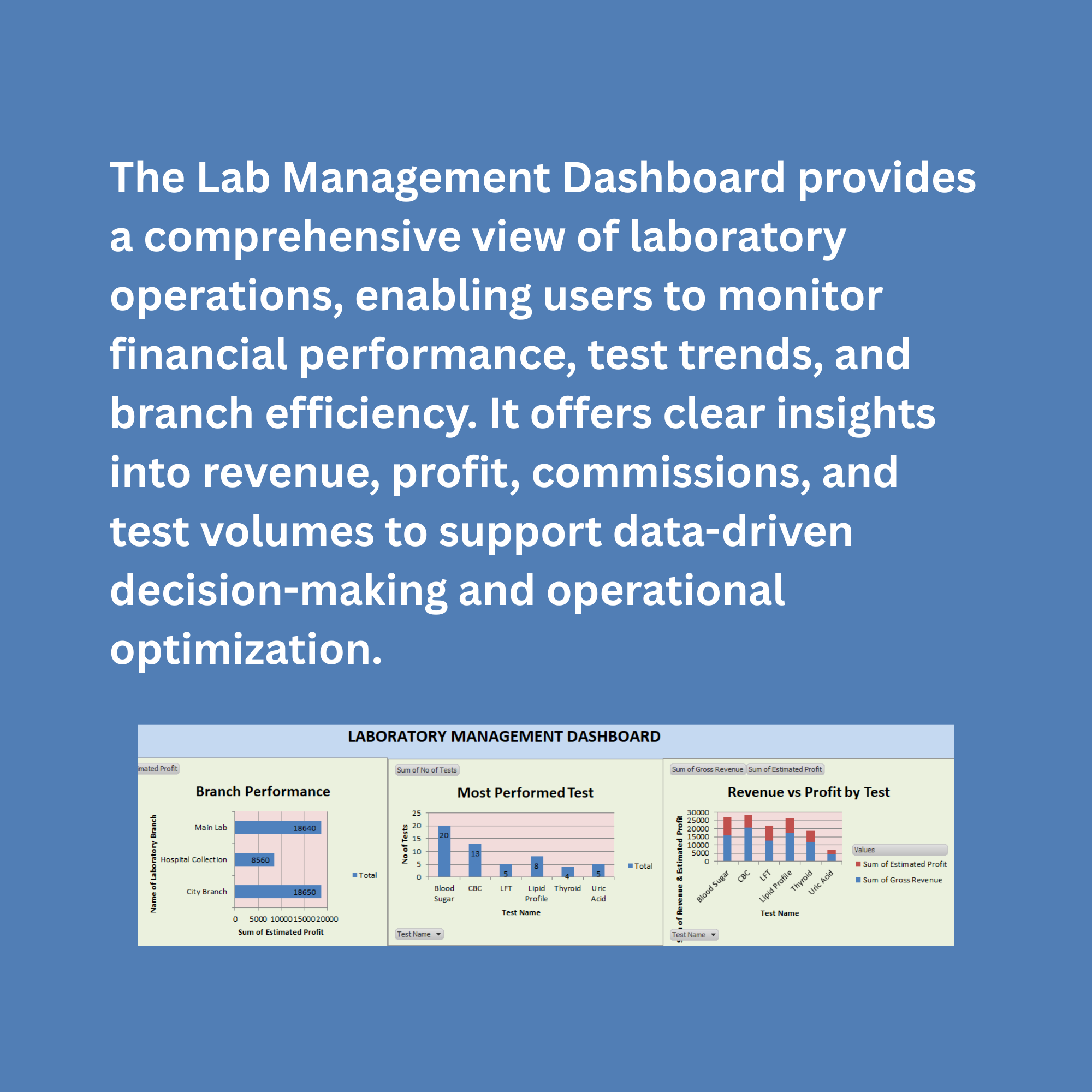
Laboratory Management Dashboard in Excel | Revenue, Profit & Test Analysis
A dynamic Excel-based Laboratory Management Dashboard designed to track revenue, profit, doctor commissions, and test performance with automated KPIs, pivot cha
Further information
The primary objective of this Laboratory Management Dashboard is to provide a simple, automated, and data-driven solution for managing laboratory operations using Microsoft Excel. It aims to:
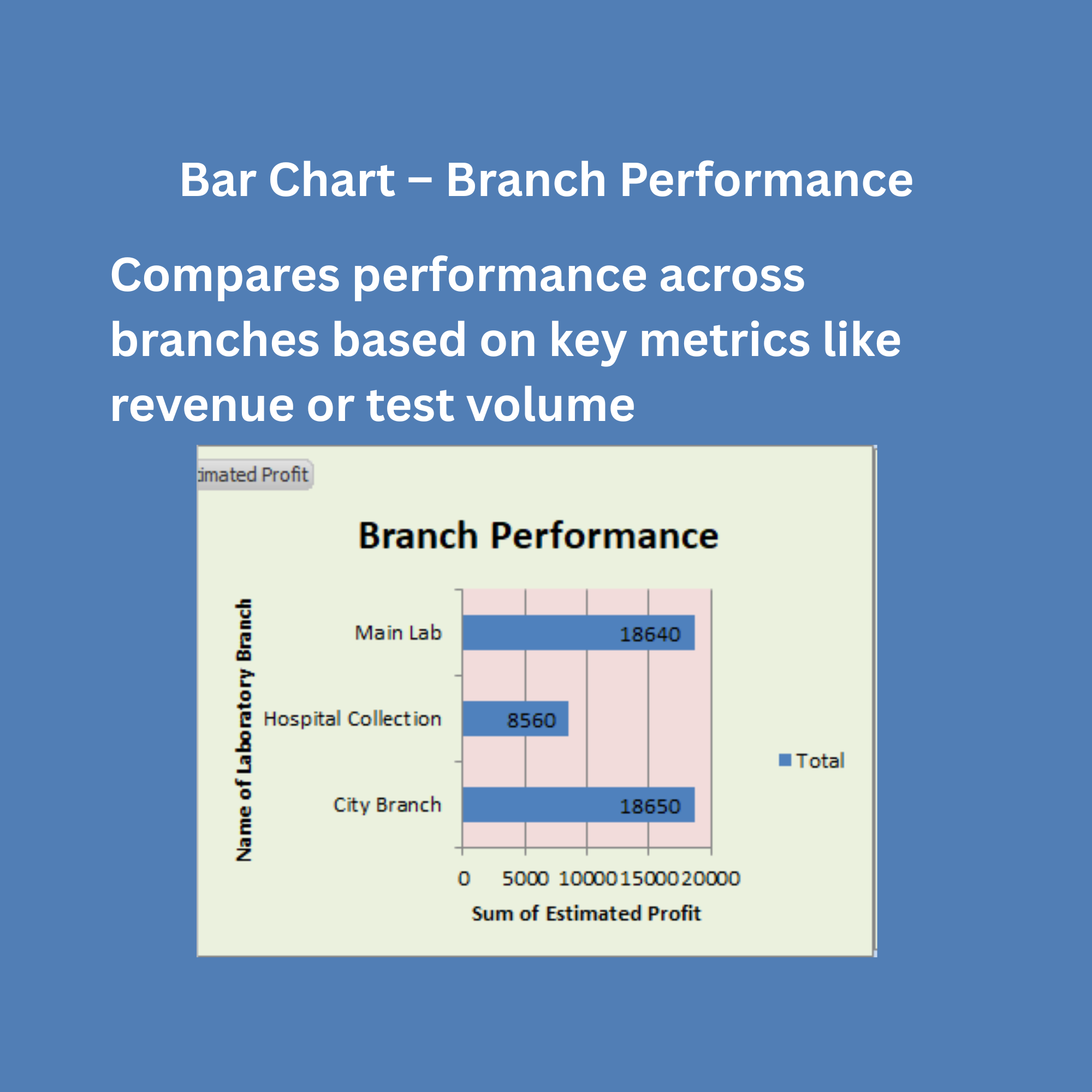
Enable users to track revenue, profit, and operational costs efficiently
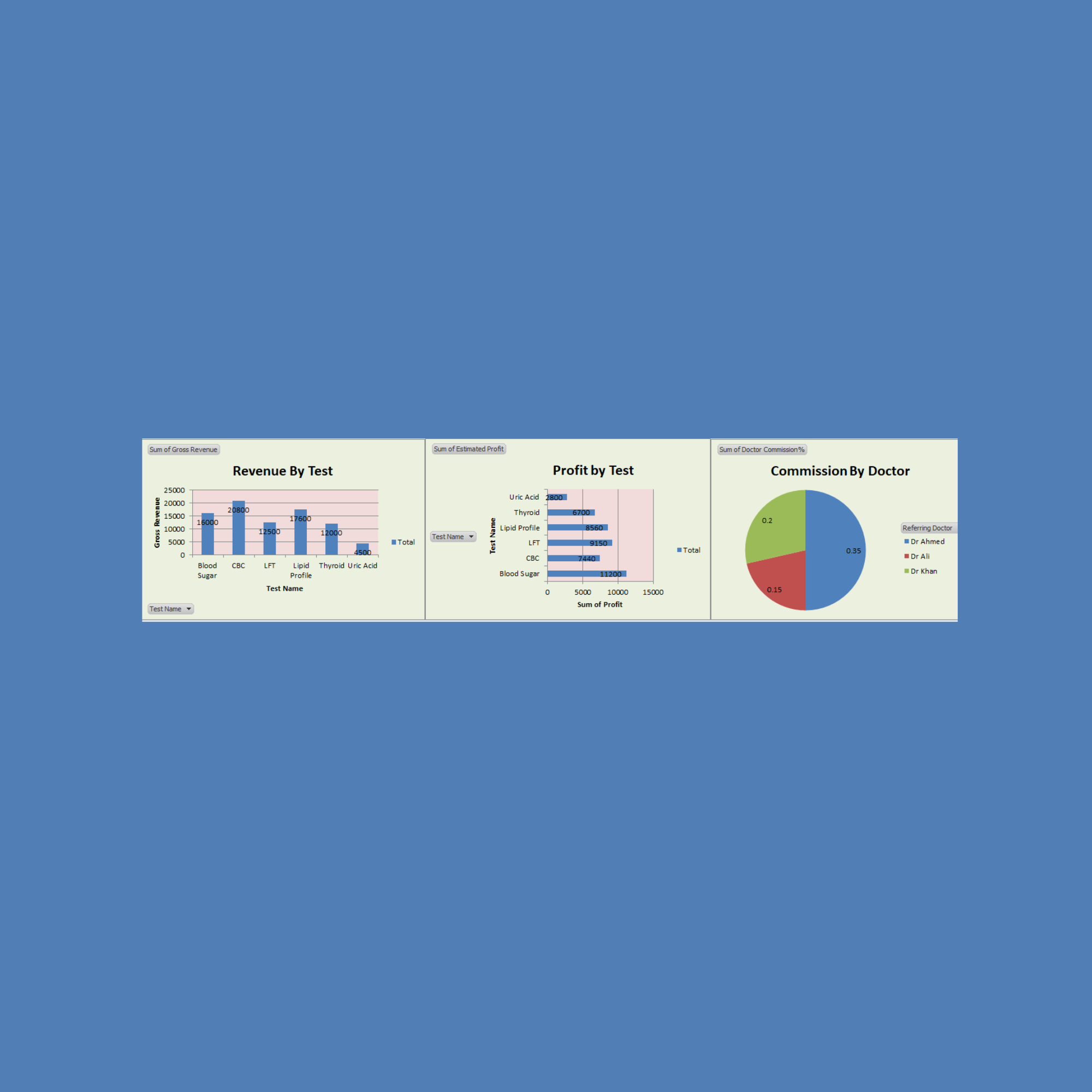
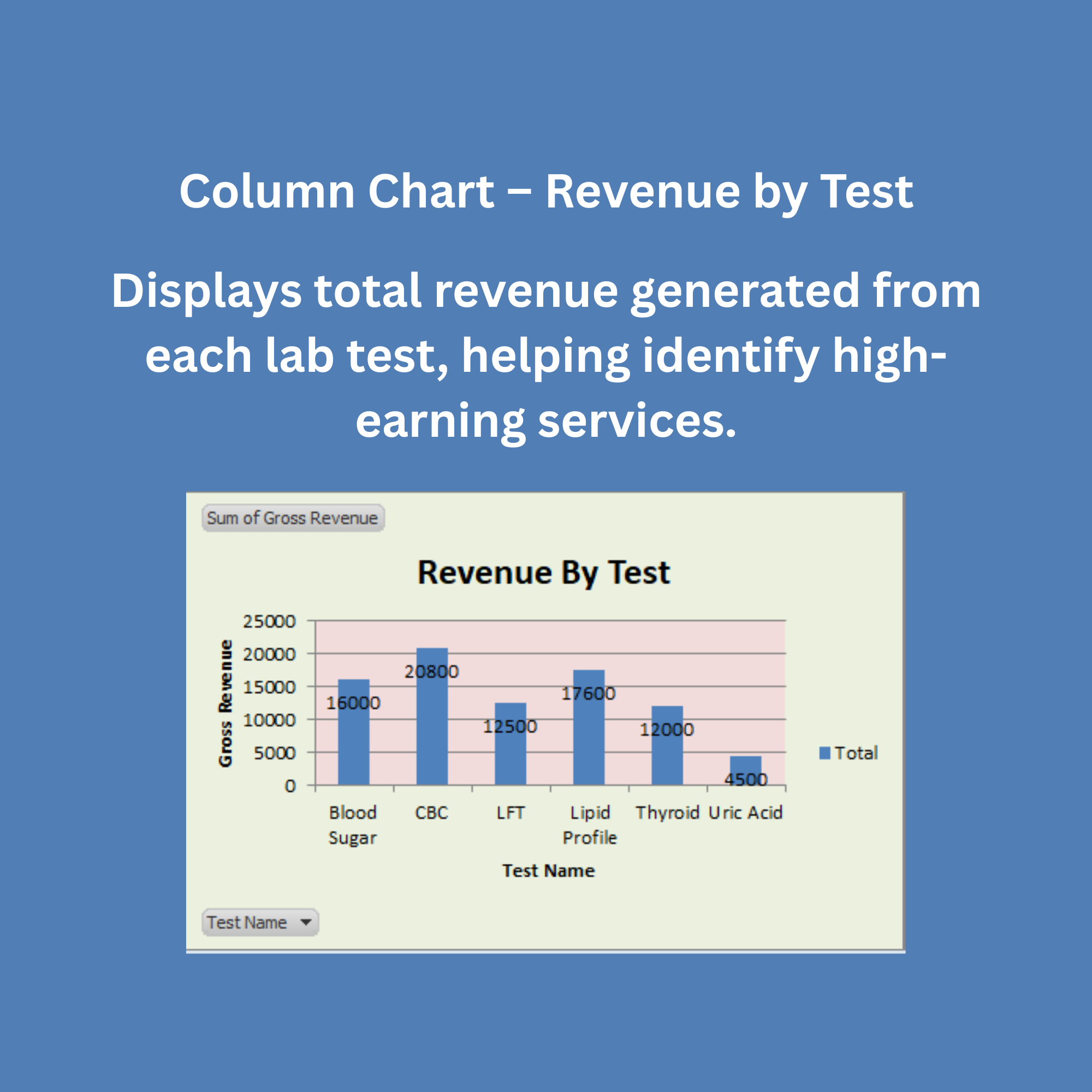
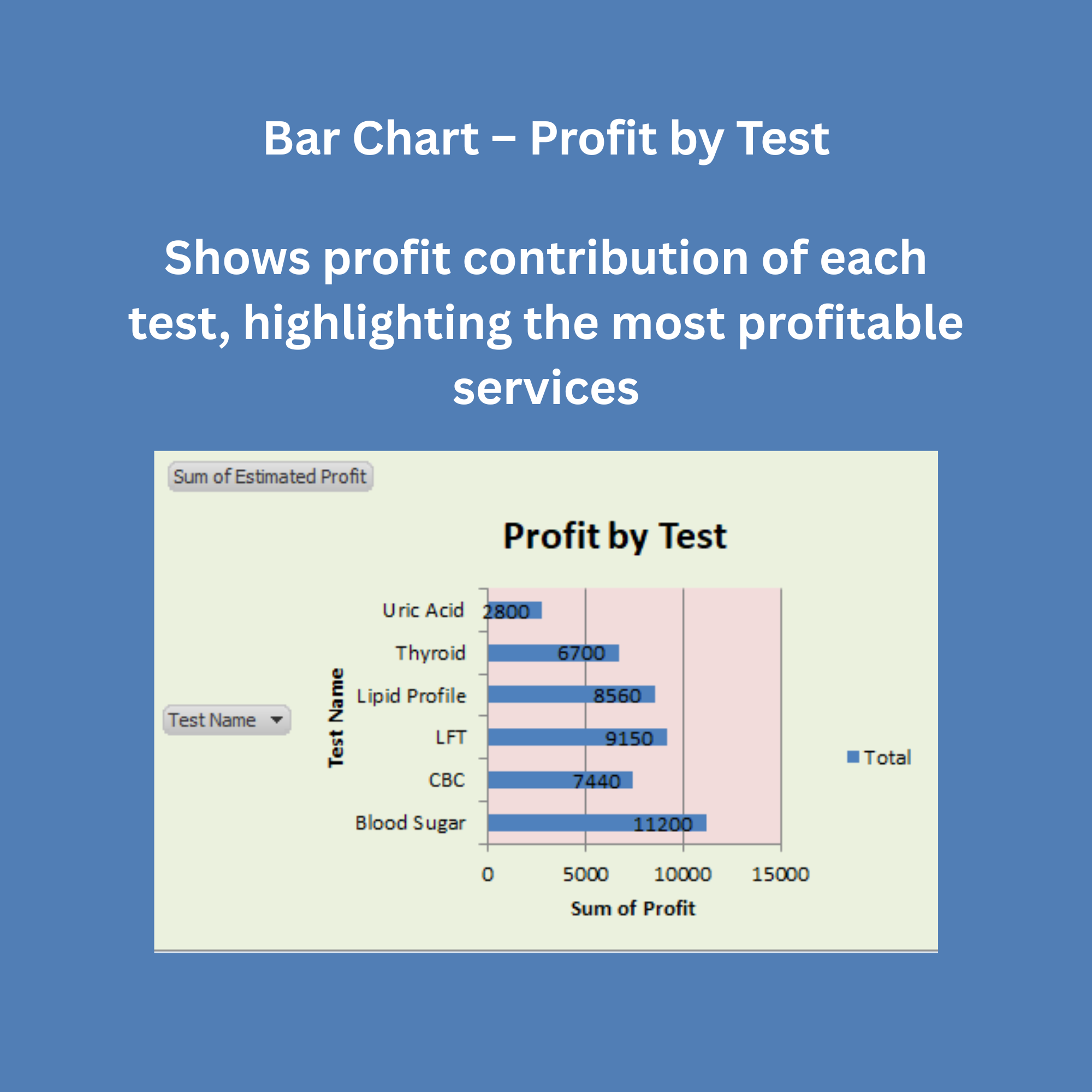
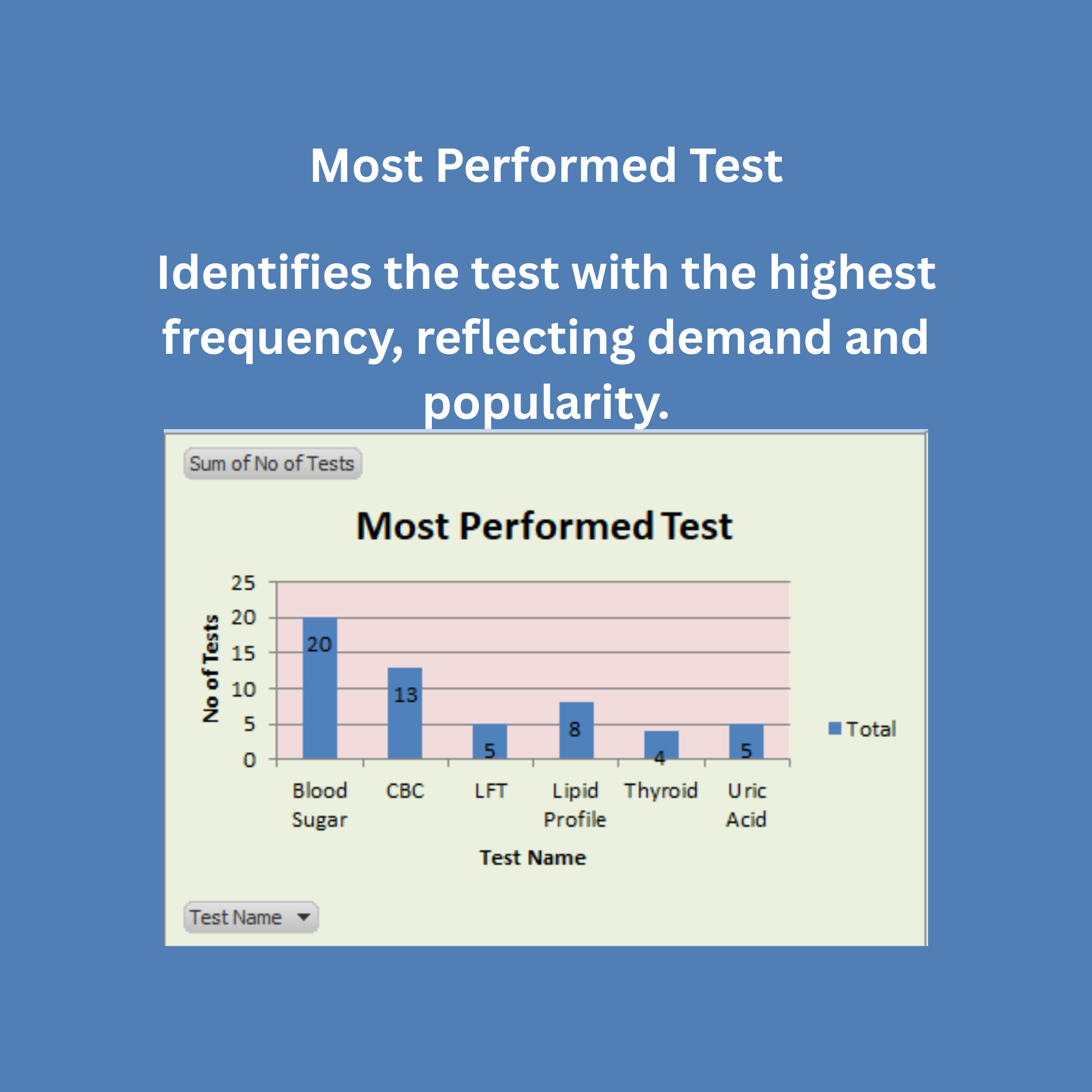
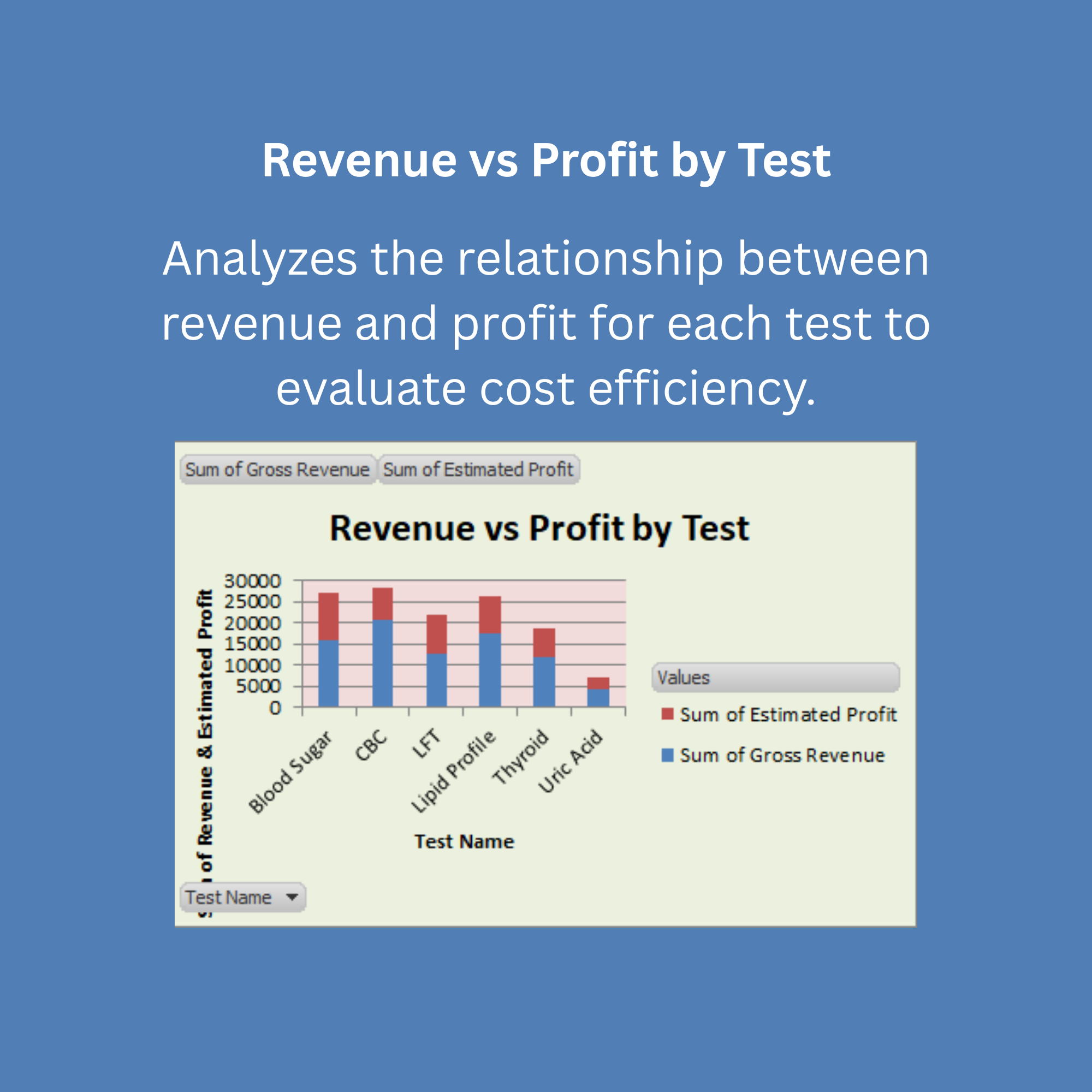
Provide clear visibility into test-wise performance and profitability
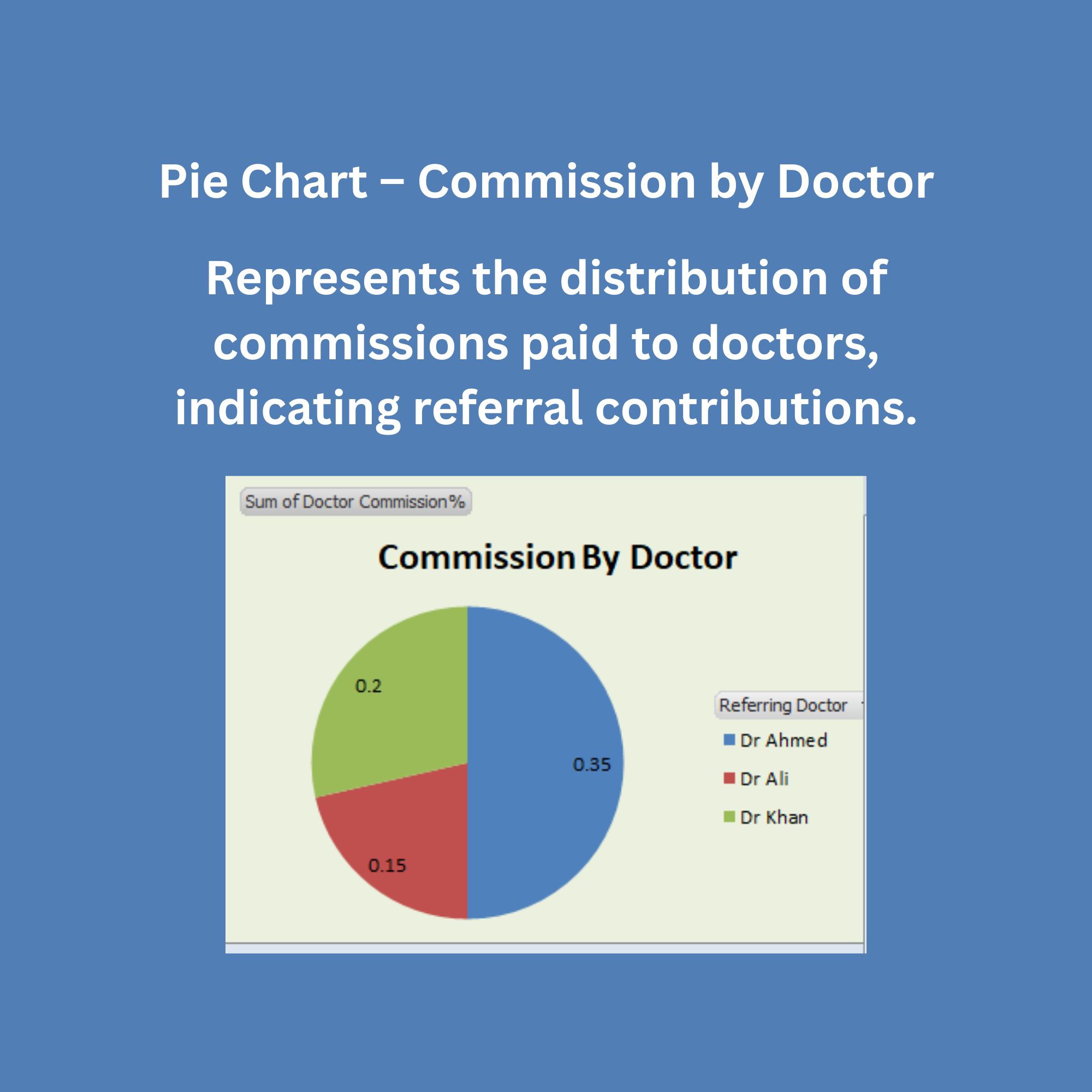
Monitor and analyze doctor commissions and referrals
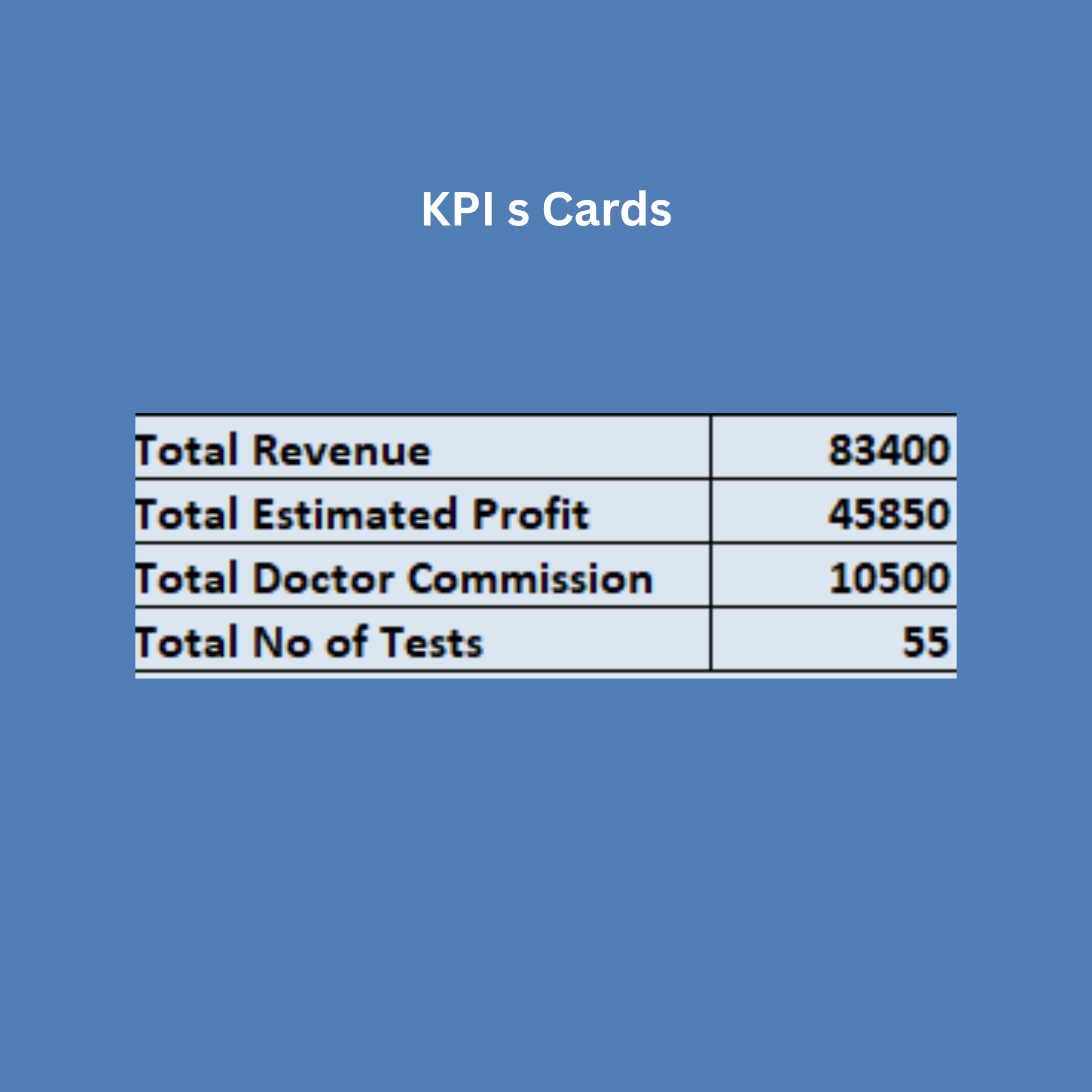
Support decision-making through interactive charts and KPIs
Reduce manual effort by automating calculations and reporting
Offer a cost-effective alternative to expensive laboratory management systems
Improve overall efficiency by consolidating data entry, analysis, and reporting in one place
This dashboard is most suitable in the following situations:
Small to medium-sized laboratories with moderate daily data volume
Laboratories currently using manual registers or basic accounting tools
Clinics and diagnostic centers looking for a low-cost digital solution
Users with basic knowledge of Excel
Environments where quick setup and easy customization are required
Organizations that need basic to intermediate level analytics and reporting
Scenarios where real-time automation is not critical, but periodic updates are sufficient
This solution may not be ideal in the following cases:
Large laboratories or hospital chains with very high data volume and complexity
Organizations requiring real-time data synchronization across multiple systems
Environments needing advanced security, user roles, and access control
Laboratories requiring integration with medical devices, billing software, or hospital systems
Users with no familiarity with Excel or digital tools
Situations where fully automated, cloud-based, or multi-user systems are necessary
Cases where strict compliance with healthcare IT standards and regulations is required
✅ These sections make your project look very professional and high-value, especially for platforms like Eloquens or when presenting to clients.
