Startup Runway & Cash Command Center (36-Month SaaS Forecast)
Originally published: 25/09/2026 16:26
Publication number: ELQ-15260-1
View all versions & Certificate
certified

Startup Runway & Cash Command Center (36-Month SaaS Forecast)

Know burn, runway, and funding gap—with hiring, financing on/off, Base/Upside/Downside scenarios, and a Checks audit.

Description
WHAT THIS IS


A macro-free Excel cash command center for early-stage SaaS (optional services hybrid). Edit one Assumptions sheet; Cash_Forecast, P&L, Dashboard, and Checks update from the same drivers. The horizon is 36 months. A sample Base case is ready to explore with fictional numbers.


This is not a static “cash ÷ burn” calculator. Drivers include customers, ARPU, growth, churn, OpEx ramps, a hiring plan, financing events, and scenario multipliers that move Dashboard KPIs.


WHAT YOU GET ON THE DASHBOARD


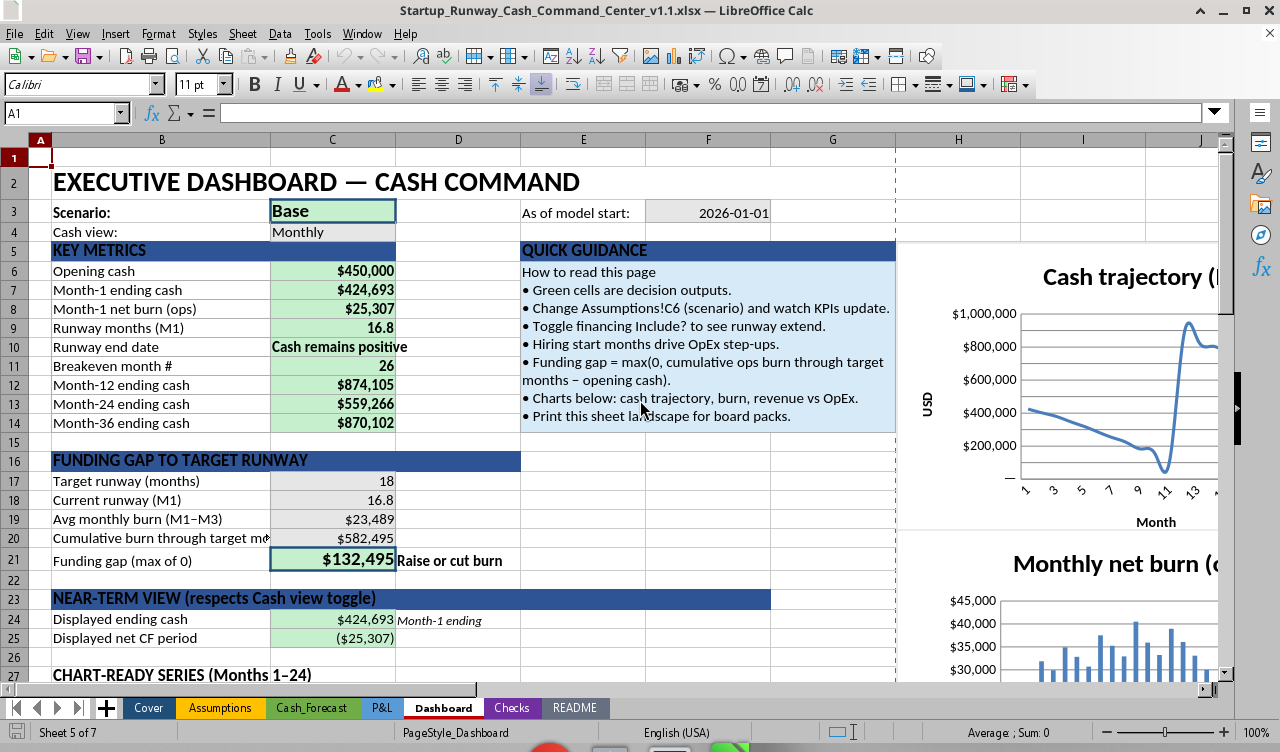
• Opening and near-term ending cash, Month-1 ops burn, runway months, runway end date (or “cash remains positive”), and breakeven month.
• Month-12, Month-24, and Month-36 ending cash.
• Funding gap to target runway: forecast-based cumulative ops burn through the target runway month minus opening cash, not a naive burn × months shortcut.
• Monthly versus Weekly near-term summary (toggle on Assumptions).
• Charts for cash trajectory, monthly net burn, revenue versus OpEx, and a 12-week cash bridge.
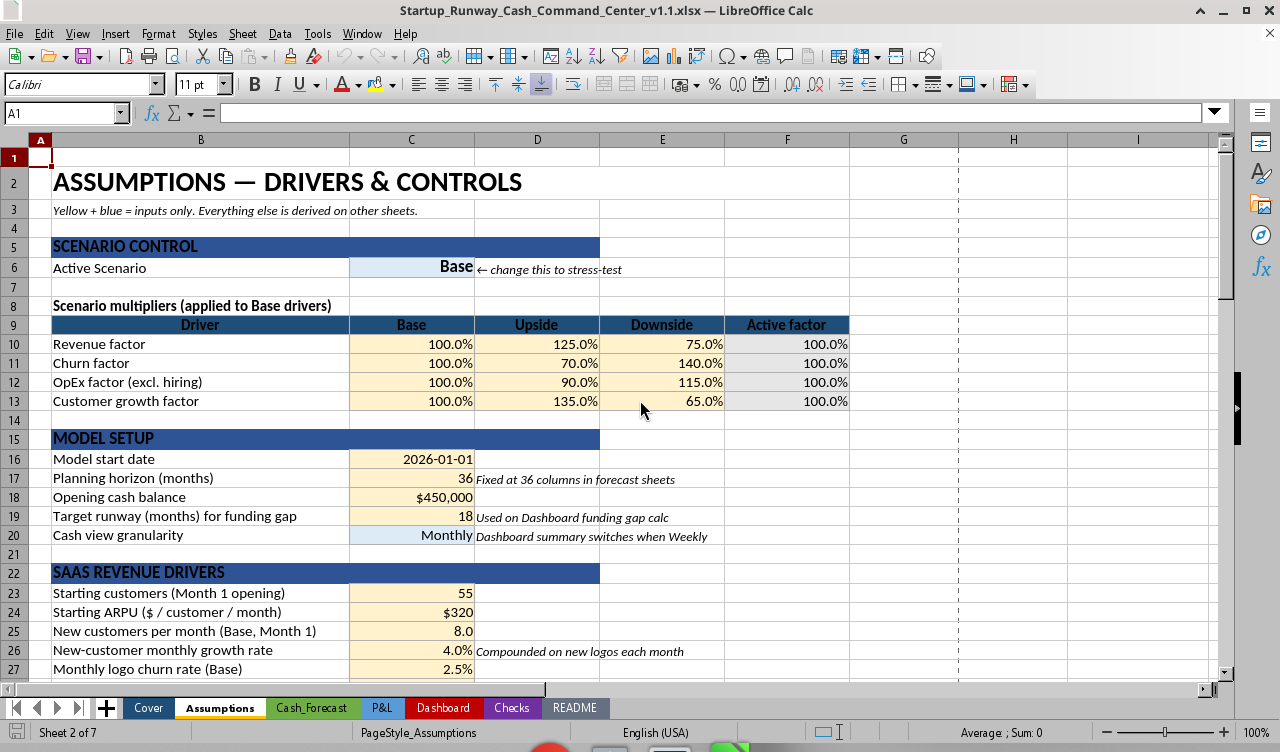
4. Base / Upside / Downside: one Scenario cell recalculates revenue, churn, OpEx, growth factors, forecast, and Dashboard.
5. Weekly cash bridge (12 weeks): a near-term view from Month-1 net cash flow; Dashboard respects the Monthly/Weekly toggle.
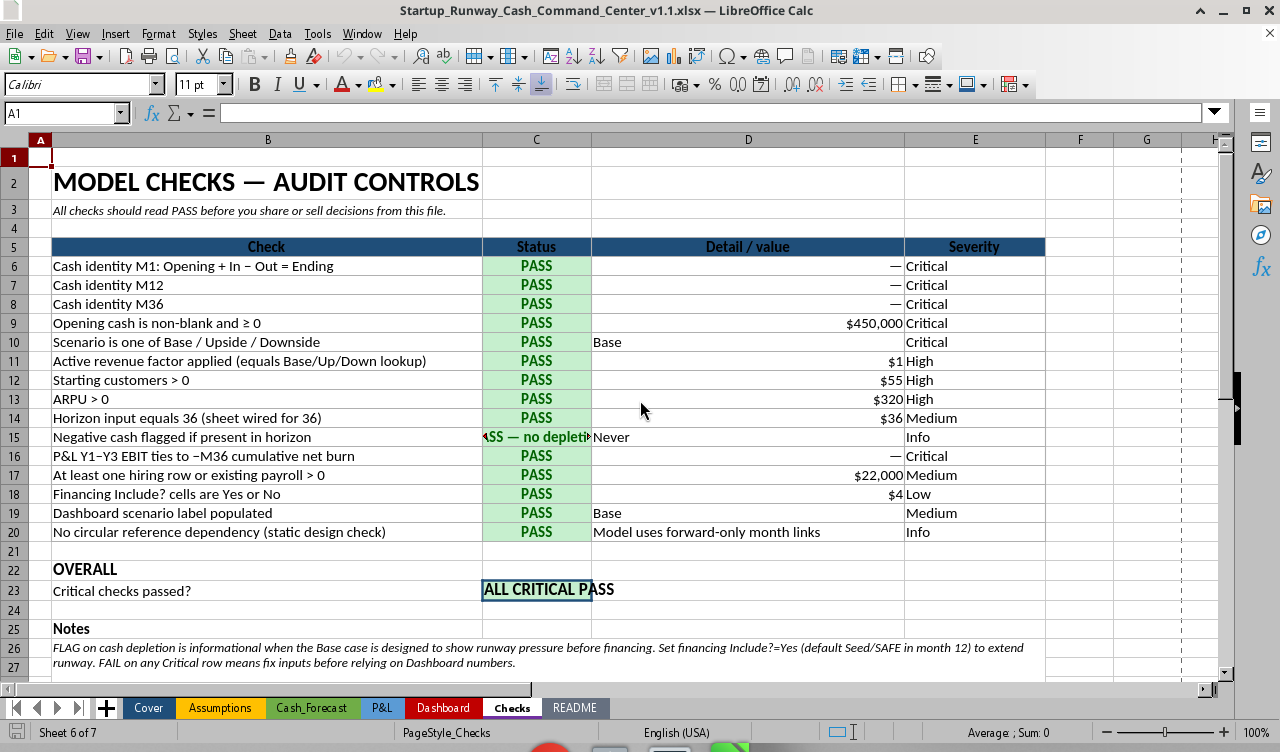
6. Checks audit sheet: PASS/FAIL controls for cash identity (M1/M12/M36), scenario applied, inputs, P&L-to-cumulative-burn tie-out, and depletion flag. Sample Base: ALL CRITICAL PASS.
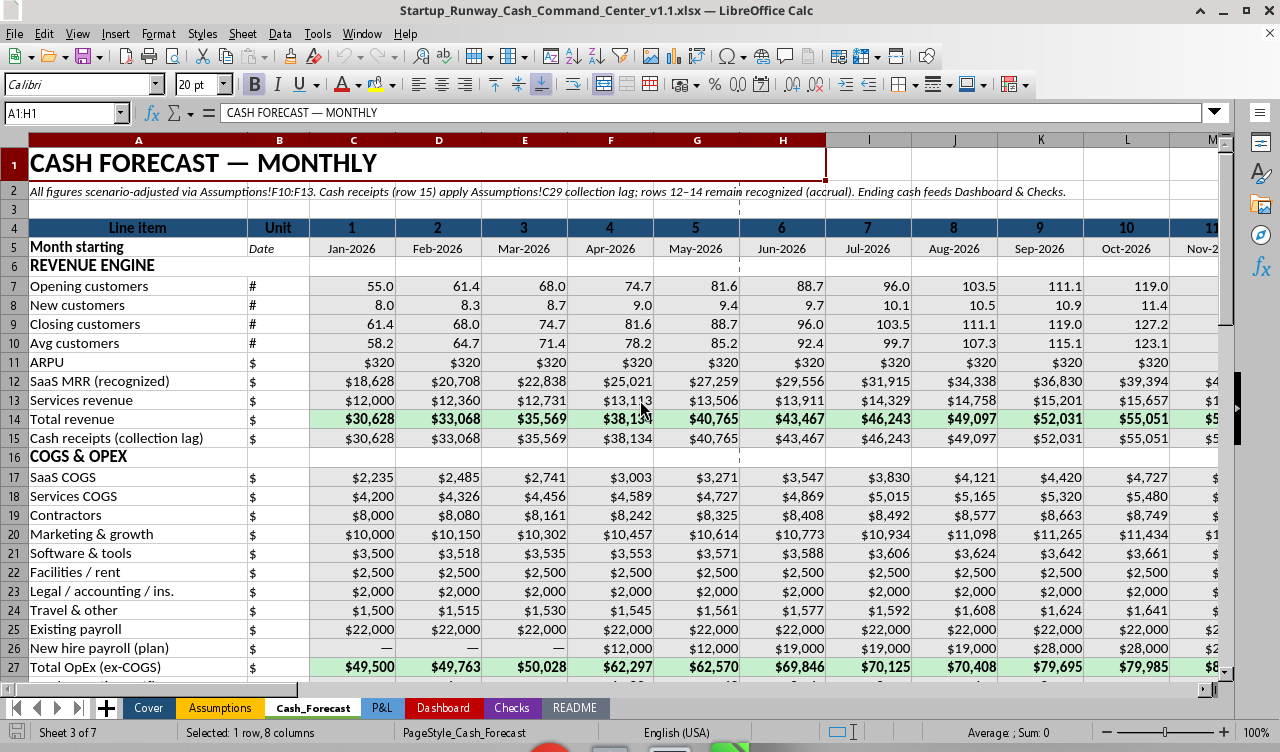
7. Collection lag: optional months shift of cash receipts versus recognized revenue (default 0 = cash approximately recognized). Accrual rows stay separate; P&L remains recognition-based.


INTENTIONAL LIMITS


Single-product SaaS with optional services. No FX, full balance sheet, tax, deferred-revenue waterfall, or debt amortization schedule. The Weekly view is a near-term bridge, not a full weekly ledger. Collection lag is a simple total-revenue shift, with no AR aging by stream.


SAMPLE BASE CASE


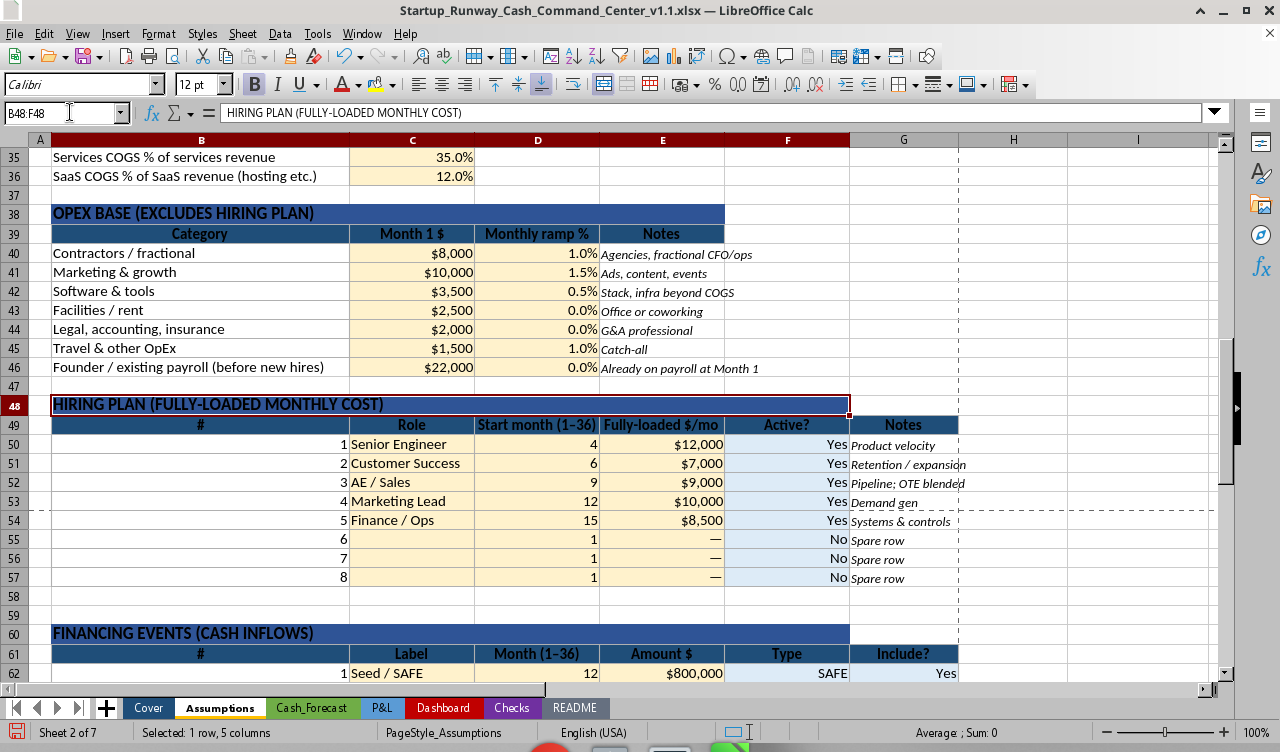
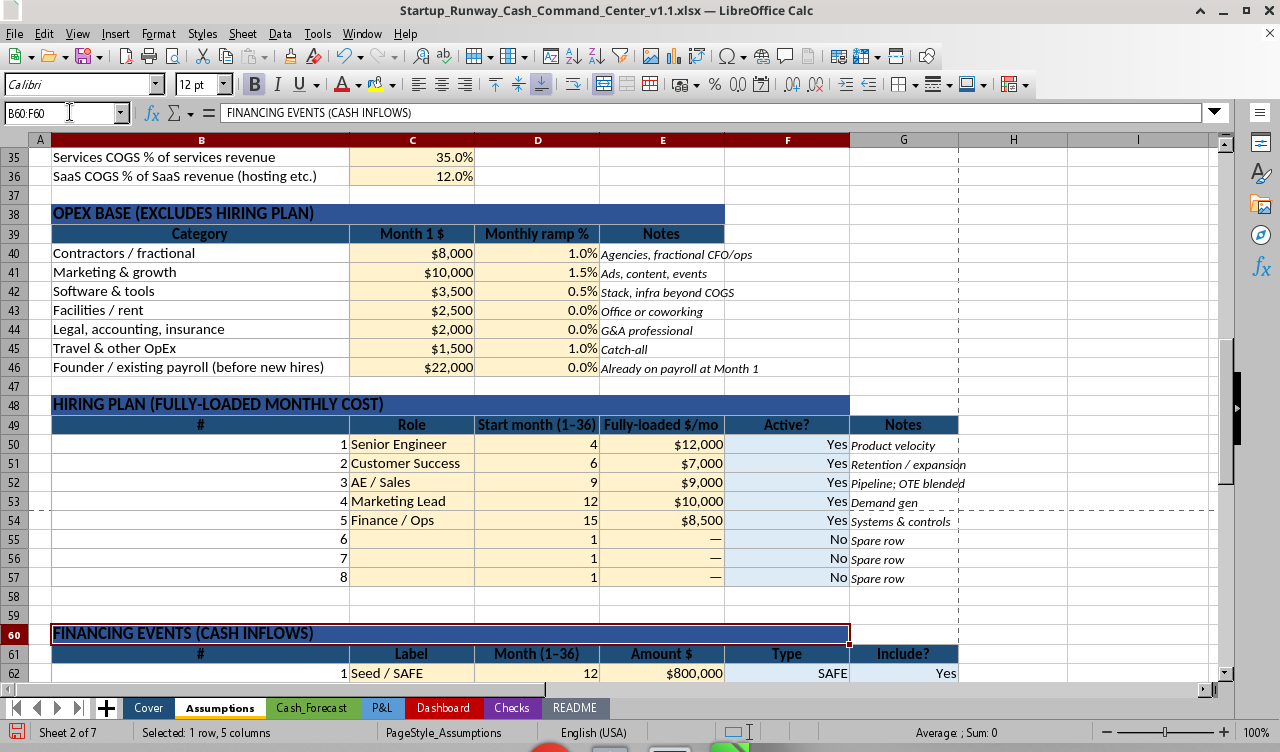
Start Jan 2026; opening cash $450k; 36 months; target runway 18 months. SaaS starts with 55 customers, $320 ARPU, 8 new logos/month at 4% growth, and 2.5% monthly churn. Services are on. Hiring is staggered in months 4, 6, 9, 12, and 15. Seed/SAFE of $800k occurs in month 12 with Include? = Yes. With financing on, cash stays positive through the horizon; the funding gap still shows operating need versus an 18-month target (about $132k in the sample). Set Financing Include? = No to demo cash pressure around month 15.


WHAT’S INCLUDED


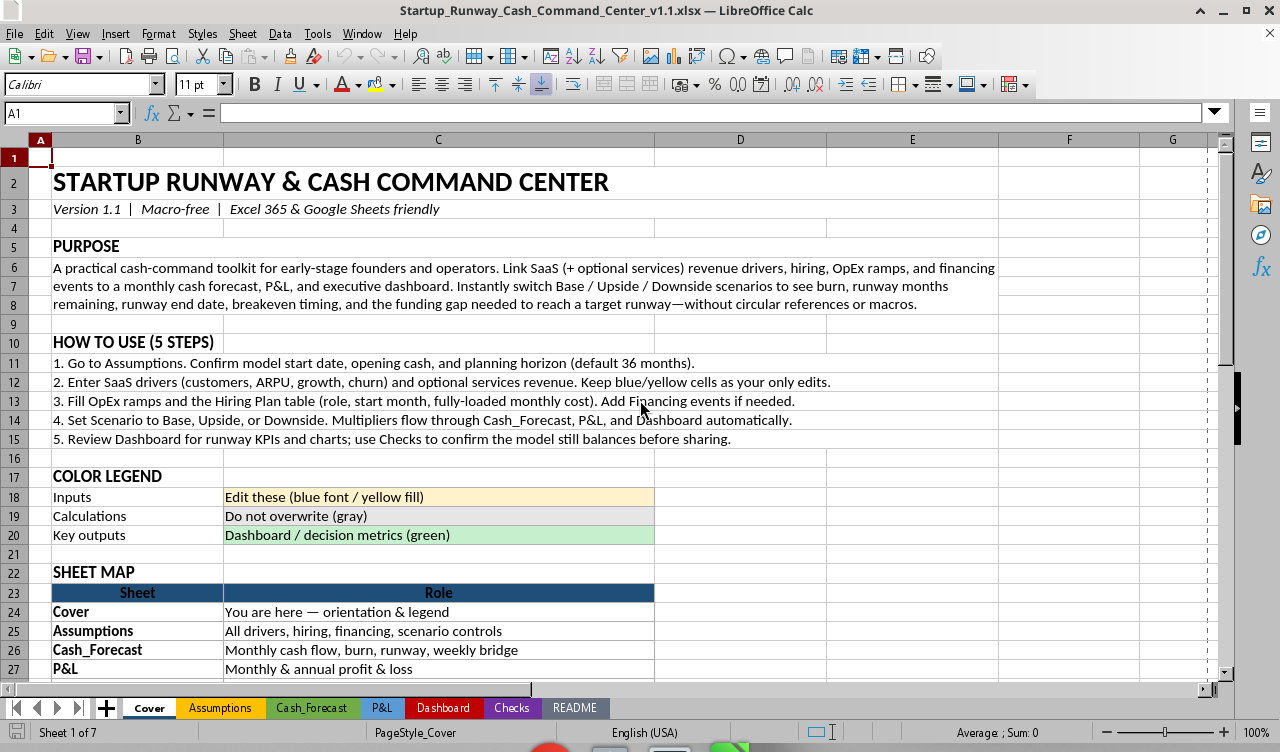
Color convention: yellow/blue = inputs; gray = calculations; green = key outputs. Macro-free, no VBA, and no circular references by design. Product ID: SRC-CC-v1.1.


WHO IT’S FOR


Founders and operators running SaaS or SaaS+services who need runway and raise sizing, not a full three-statement bank model; fractional CFOs and ops leads building a board-ready cash view in a day; and pre-seed/seed teams stress-testing hire timing and raise timing before the deck freezes.


WHO IT’S NOT FOR


Multi-entity, multi-currency, or tax-heavy models; full cohort LTV, deferred revenue, or SaaS metrics suites such as NRR waterfalls; or buyers who only want “enter burn and cash → months left” with no drivers.


HOW TO USE


1. Open Assumptions. Set start date, opening cash, target runway months, and Monthly/Weekly view.
2. Enter SaaS drivers (customers, ARPU, new logos, growth, churn) and optional services/COGS %. Only edit yellow and blue cells.
3. Fill OpEx ramps and the Hiring Plan (role, start month, fully-loaded $/mo, Active?). Add Financing rows and set Include? Yes/No.
4. Set Scenario to Base, Upside, or Downside. Multipliers flow through Cash_Forecast → P&L → Dashboard.
5. Review Dashboard KPIs and charts; open Checks and confirm PASS before sharing numbers.


COMPATIBILITY


Excel 365 / Excel 2021+ is recommended. The core path uses standard formulas; no LAMBDA is required. Google Sheets: open via Upload; formulas generally work, but charts may need light re-insertion and dynamic lookups require modern Sheets. LibreOffice Calc opens and recalculates; UI and charts are secondary to Excel for buyer demos. The file is macro-free and sample figures are fictional.


INTEGRITY NOTE


Original structure, labels, and sample data. Inspired by category demand for runway/cash tools—not cloned from any Eloquens seller file. v1.1 review fixes (forecast-based funding gap, collection lag wiring, Checks P&L tie-out, date format, and cached values) are documented in fix-diff.md.
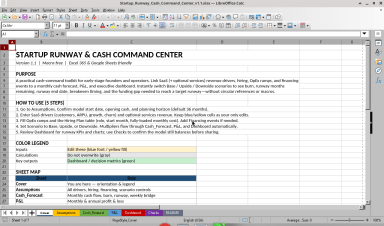
• Cover: purpose, five-step how-to, color legend, sheet map, and disclaimer.
• Assumptions: sole input sheet for scenario, setup, SaaS/services, OpEx, hiring, and financing.
• Cash_Forecast: 36-month engine, weekly bridge, and runway markers.
• P&L: monthly P&L plus Year 1/2/3 rollups.
• Dashboard: KPI cards, funding gap, charts, and print-ready view.
• Checks: PASS/FAIL audit controls.
• README: methodology, simple versus advanced guidance, version history, and compatibility.


GENUINE UPGRADES


1. Forecast-based funding gap tied to cumulative ops burn through the target runway month: a useful “raise or cut burn” view, not just months left.
2. Hiring plan as a first-class driver: role, start month, fully-loaded $/mo, and Active?; step-ups hit OpEx when people start.
3. Financing events with Include?: Equity, SAFE, and Debt rows; toggle raise versus don’t raise without rebuilding the sheet.

This Best Practice includes
Excel workbook with Cover, Assumptions, Cash_Forecast, P&L, Dashboard, Checks, and README sheets; 36-month SaaS forecast

Acquire business license for $49.00

Add to cart

Add to bookmarks

Discuss

Further information

Give early-stage SaaS founders, operators, and fractional CFOs a board-ready view of cash, burn, runway, breakeven, and funding needs; stress-test hiring and financing timing before the deck freezes.

Best for early-stage SaaS or SaaS-plus-services teams using Excel 365/2021+, planning runway and raise sizing, and wanting driver-based scenarios with a Checks audit.

Not for multi-entity, multi-currency, tax-heavy, full balance-sheet, cohort LTV, deferred-revenue, NRR waterfall, or debt-amortization modeling. Weekly view is a near-term bridge, not a full weekly ledger.


0.0 / 5 (0 votes)

please wait...