Project Portfolio Management Excel System | PMO Dashboard, Risk, Resources, Budget & KPI Reporting

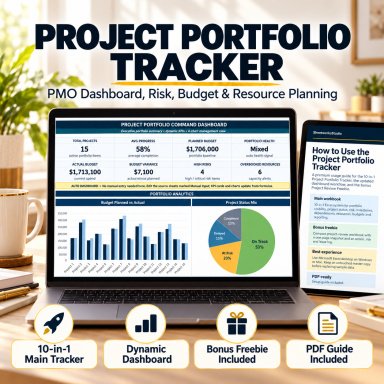
10-in-1 Excel portfolio management system with executive KPIs, 4 dashboard charts, risk, milestones, resources, budgets, reporting and a bonus review tool.

Description

🚀 PROJECT PORTFOLIO MANAGEMENT EXCEL SYSTEM


Create a structured management view across multiple projects with one coordinated Excel portfolio-control framework.
The Project Portfolio Management Excel System is designed for project managers, PMO teams, consultants, operations leaders and business teams that need clearer portfolio visibility across project status, risk, milestones, dependencies, resources, budgets and management reporting.


Instead of maintaining separate spreadsheets for project updates, risk reviews, capacity planning and financial oversight, this package brings the core management layers together in one structured workbook with a professional Start Page, executive dashboard, automated calculations, standardized input logic and recurring reporting views.


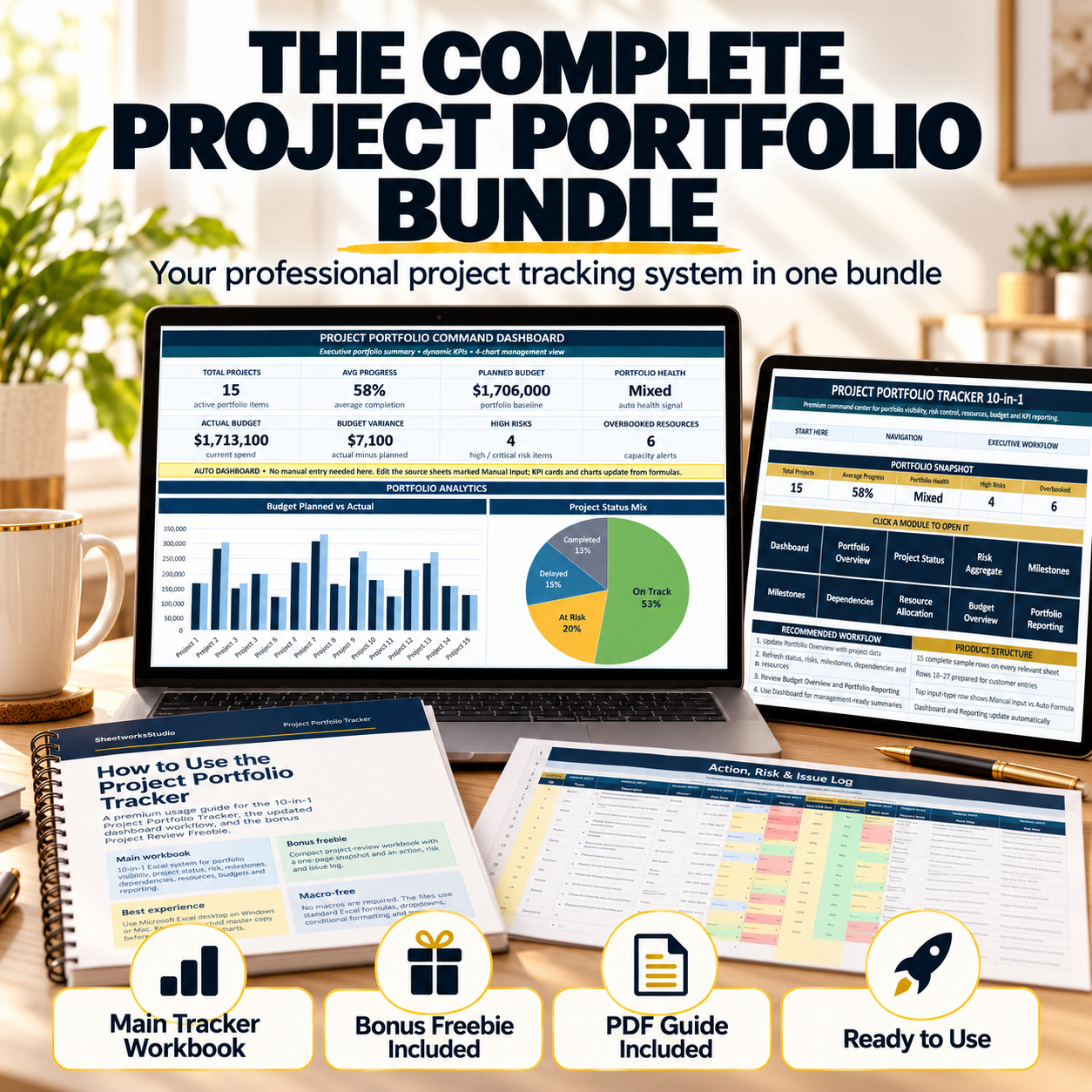
The package includes:
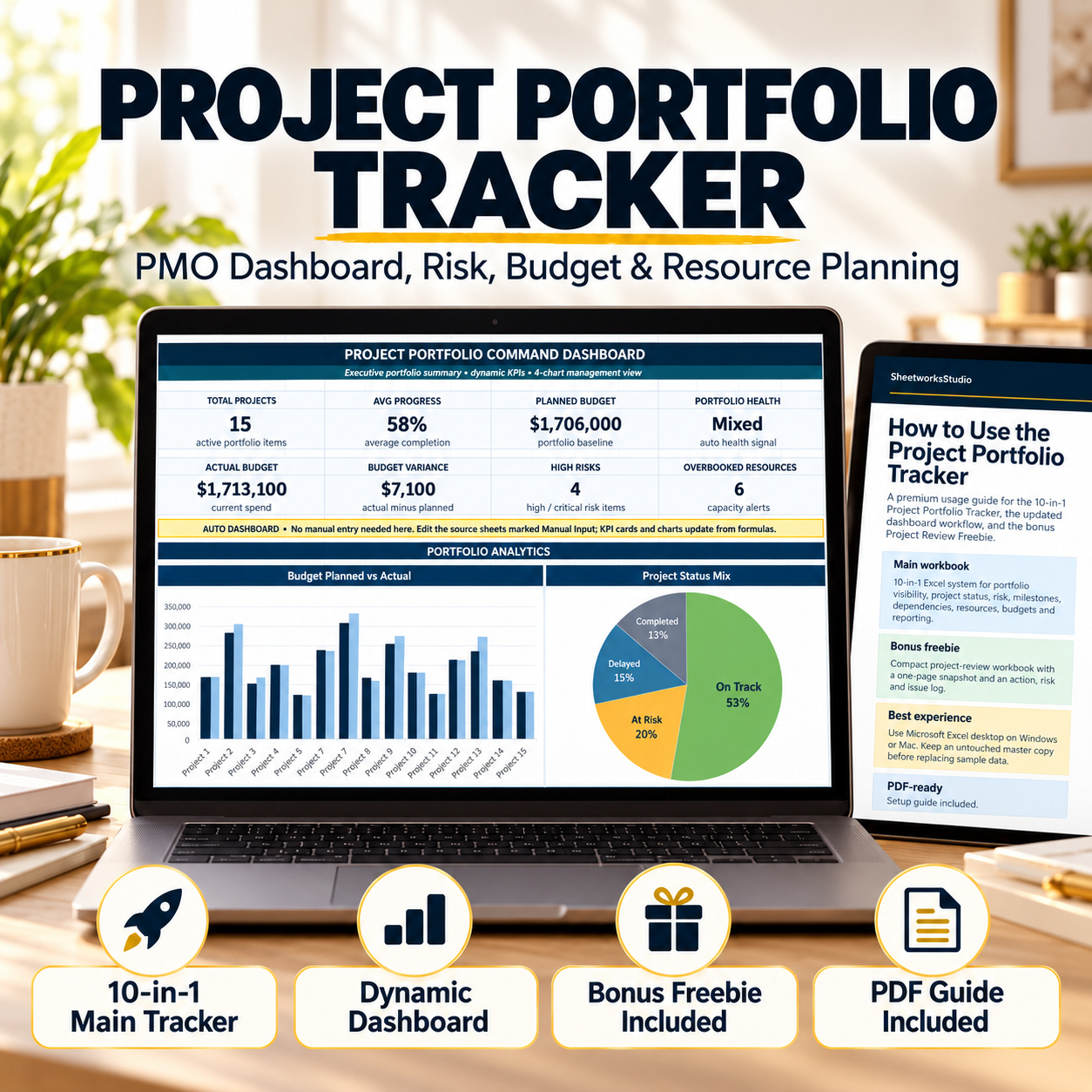
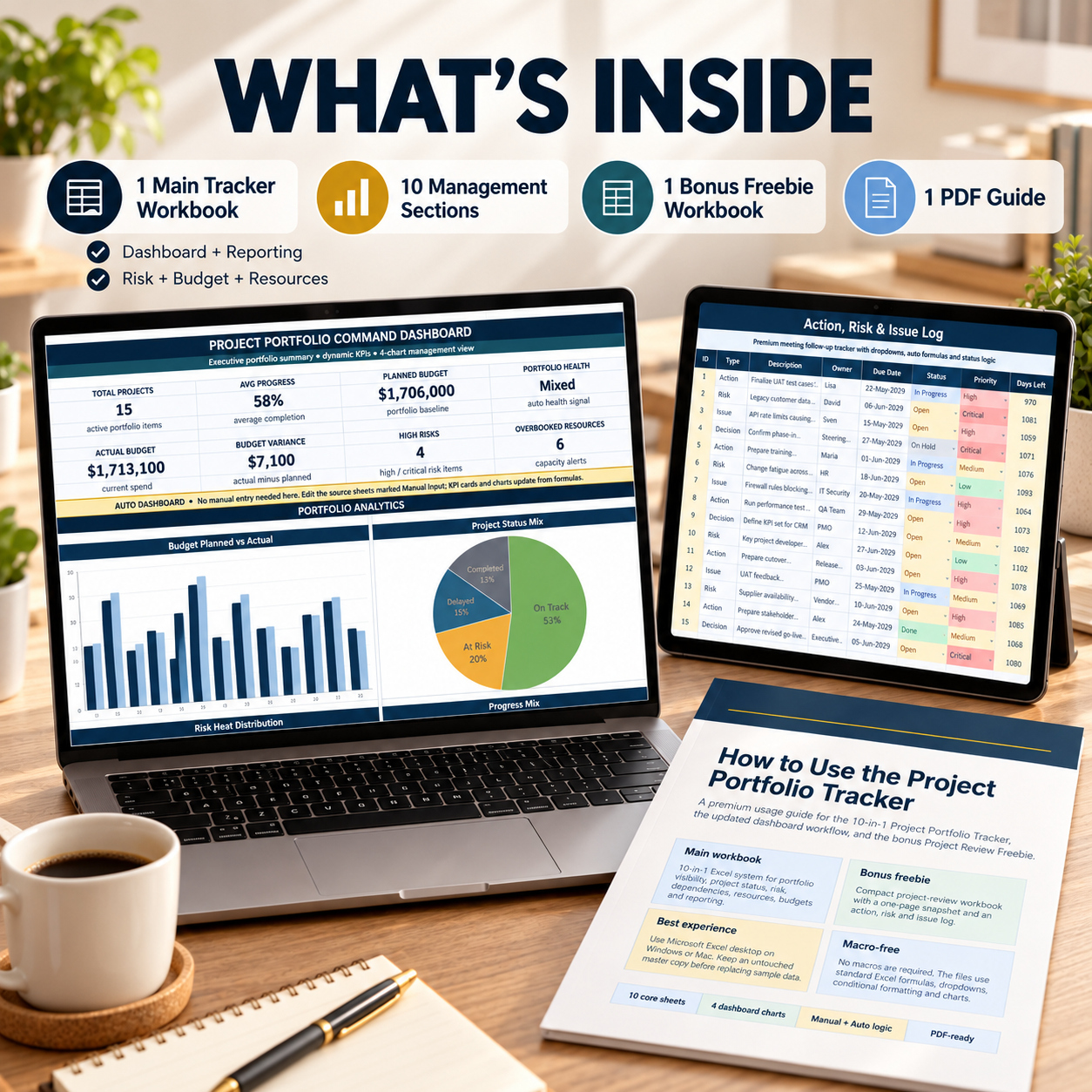
📊 10-in-1 Project Portfolio Main Workbook
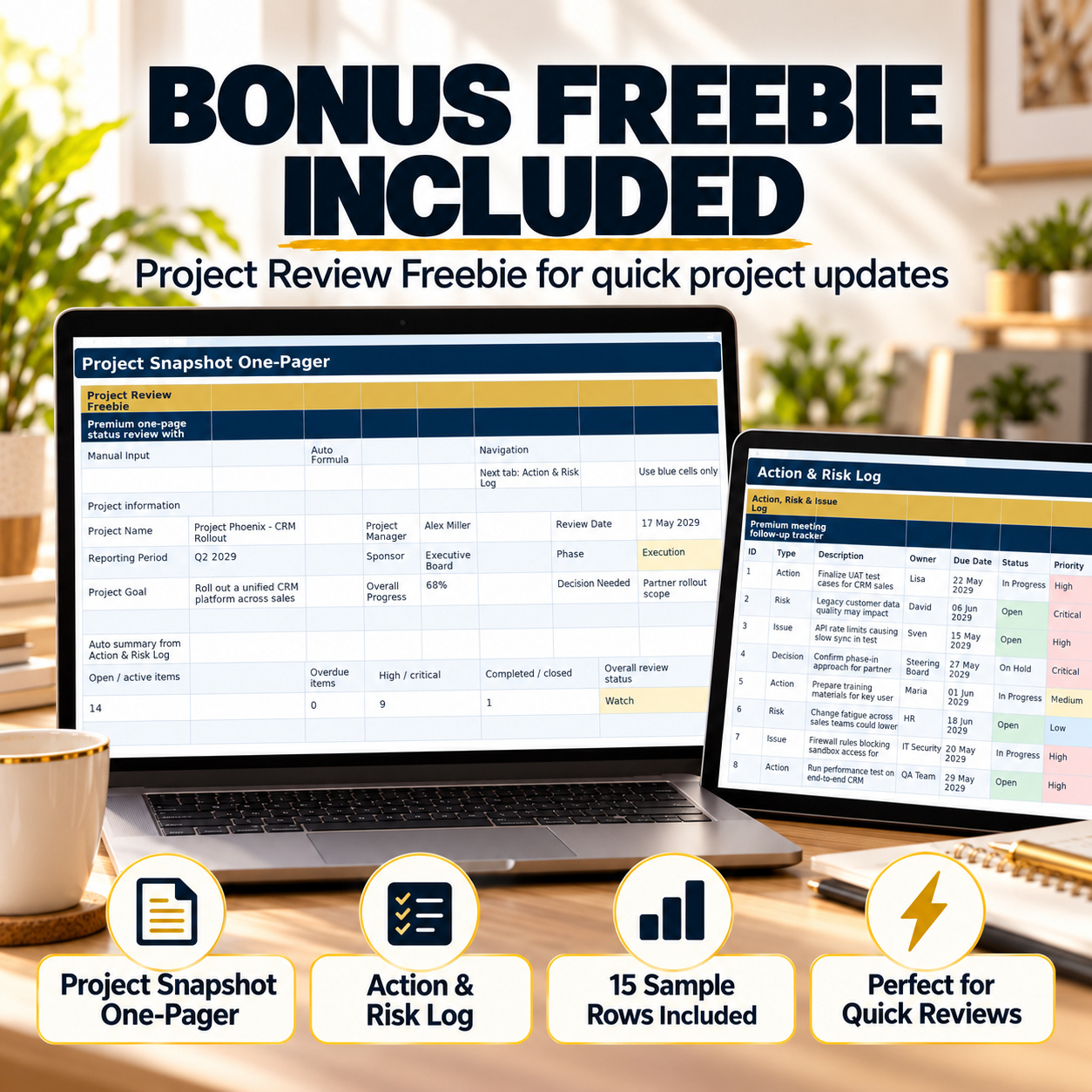
🎁 2-sheet Project Review Bonus Workbook
📘 8-page How-to-Use Guide


The system is particularly useful for recurring PMO reviews, management meetings, project portfolio updates, consulting engagements and organizations that want a professional Excel-based portfolio framework without implementing a large enterprise PPM platform.


📦 MAIN WORKBOOK – 10 CORE MANAGEMENT AREAS
The main workbook combines a Start Page with 10 coordinated portfolio-management sections:
✅ Dashboard
✅ Portfolio Overview
✅ Project Status
✅ Risk Aggregate
✅ Risk Heatmap
✅ Milestones
✅ Dependencies
✅ Resource Allocation
✅ Budget Overview
✅ Portfolio Reporting


Relevant operational areas contain 15 complete sample rows, together with prepared continuation rows for the user's own portfolio data.
Clear Manual Input and Auto Formula indicators help distinguish editable fields from calculated fields.


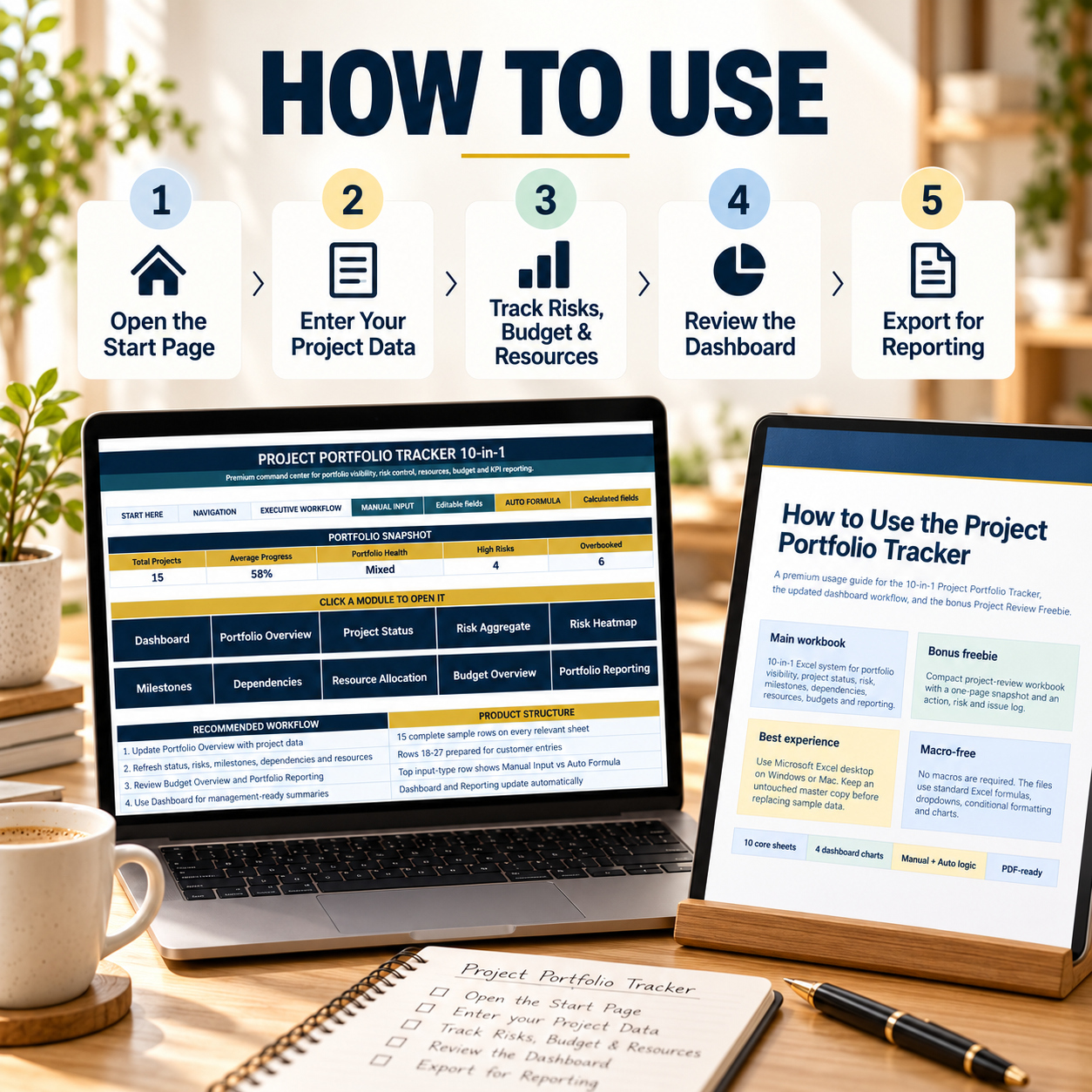
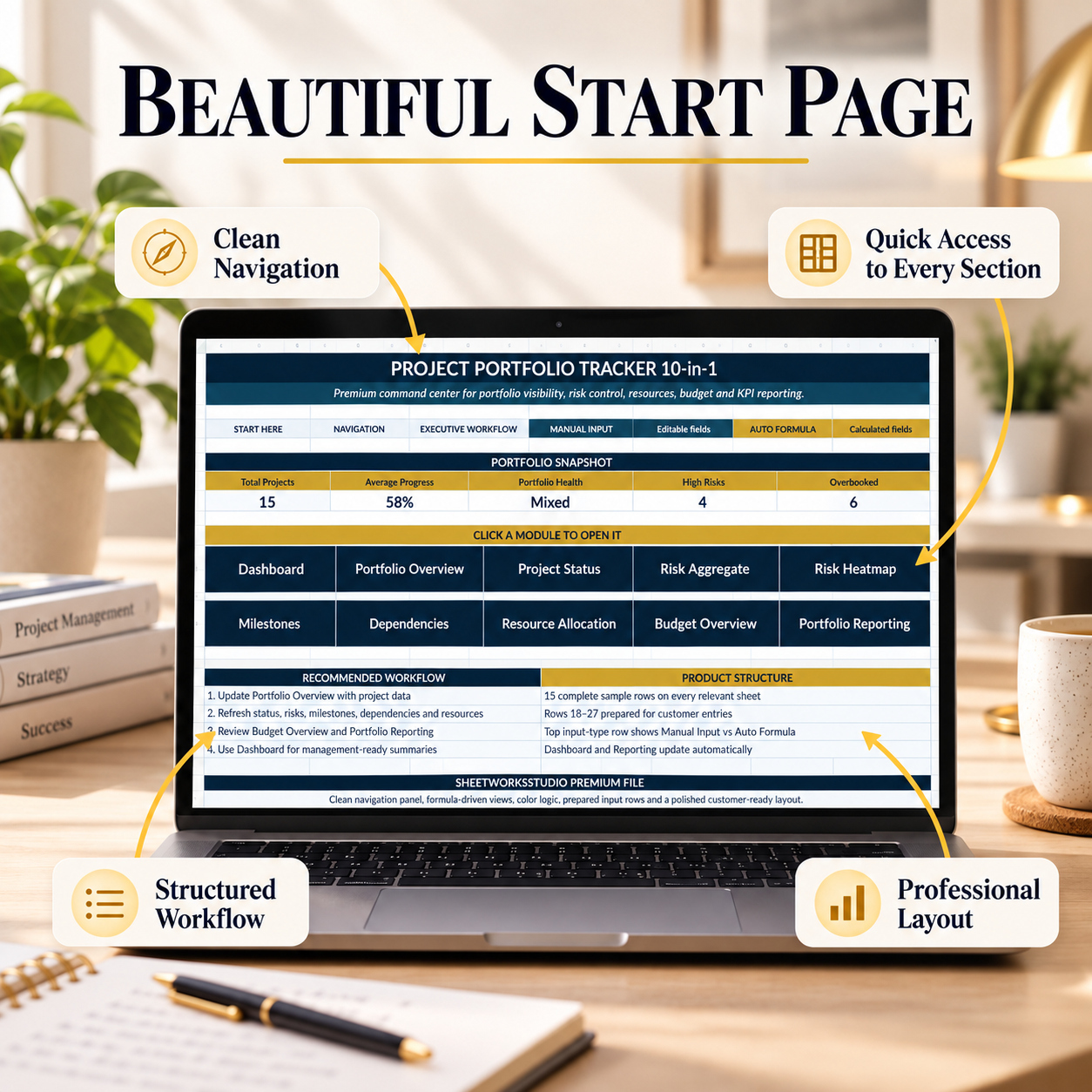
🏠 START PAGE & NAVIGATION
The Start Page acts as the central entry point for the workbook.
It provides:

  • Portfolio snapshot information
  • Direct navigation to the main modules
  • Recommended workflow guidance
  • Manual Input / Auto Formula guidance
  • Portfolio-level headline indicators


The structured navigation makes it easier to move between project, risk, resource, budget and reporting areas during recurring portfolio reviews.


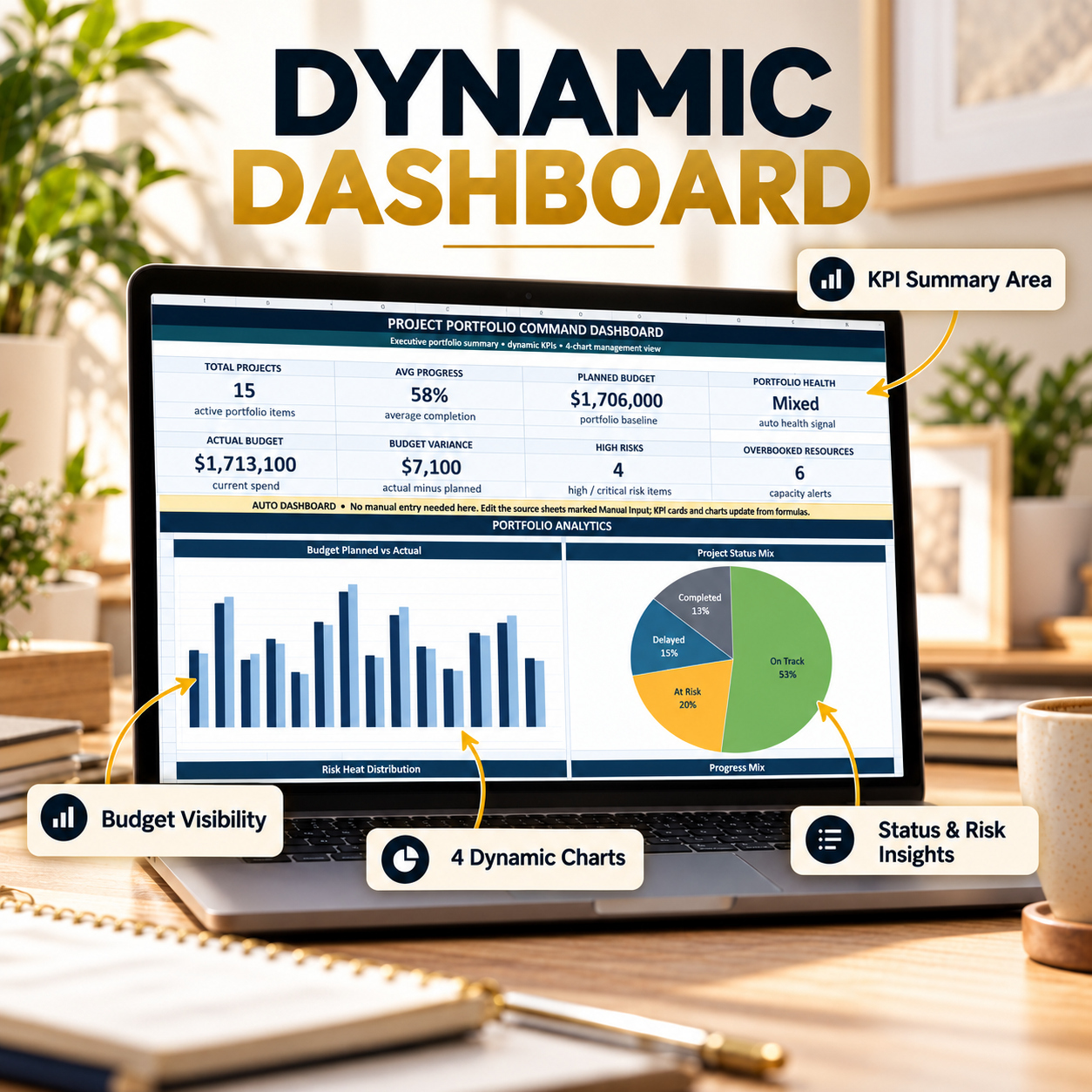
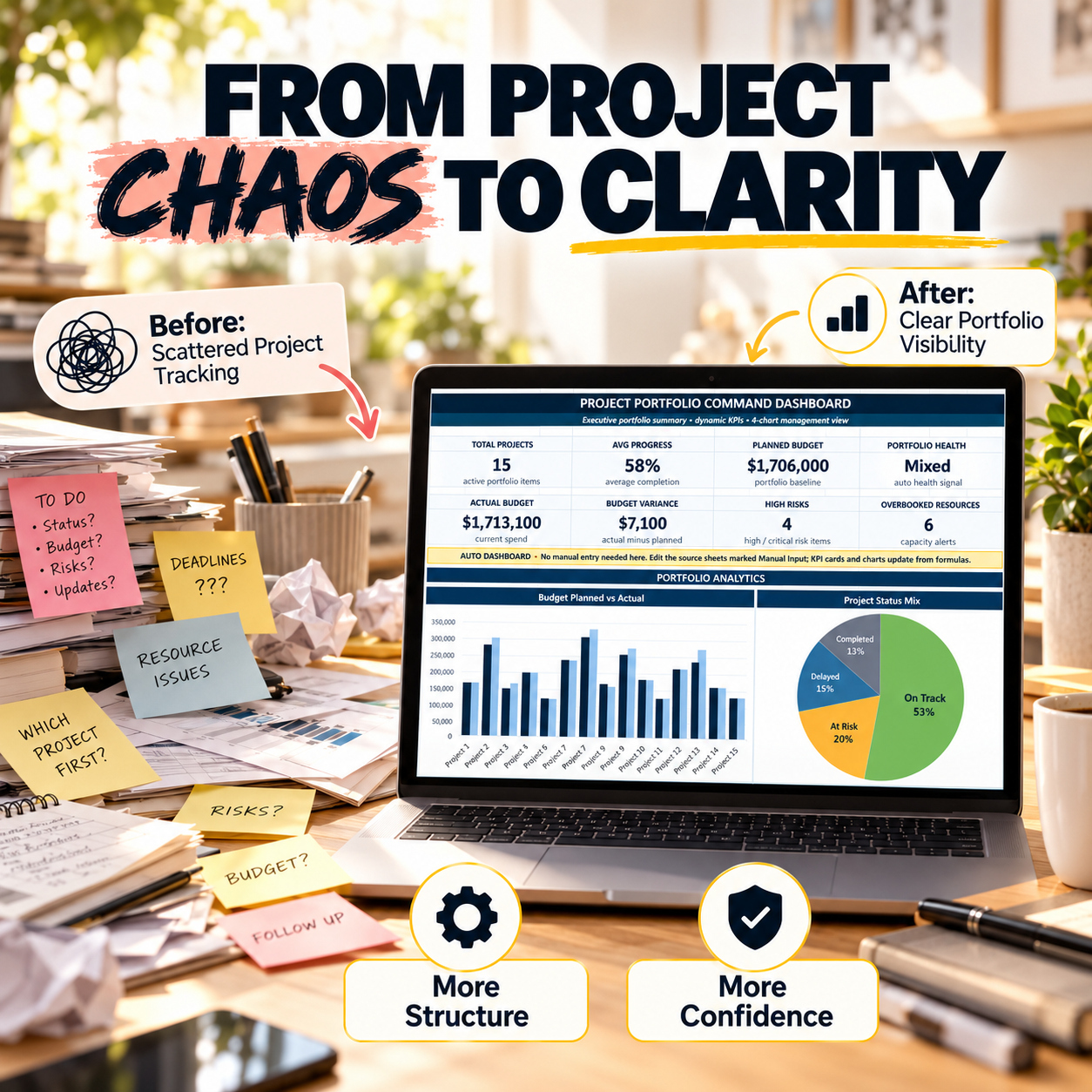
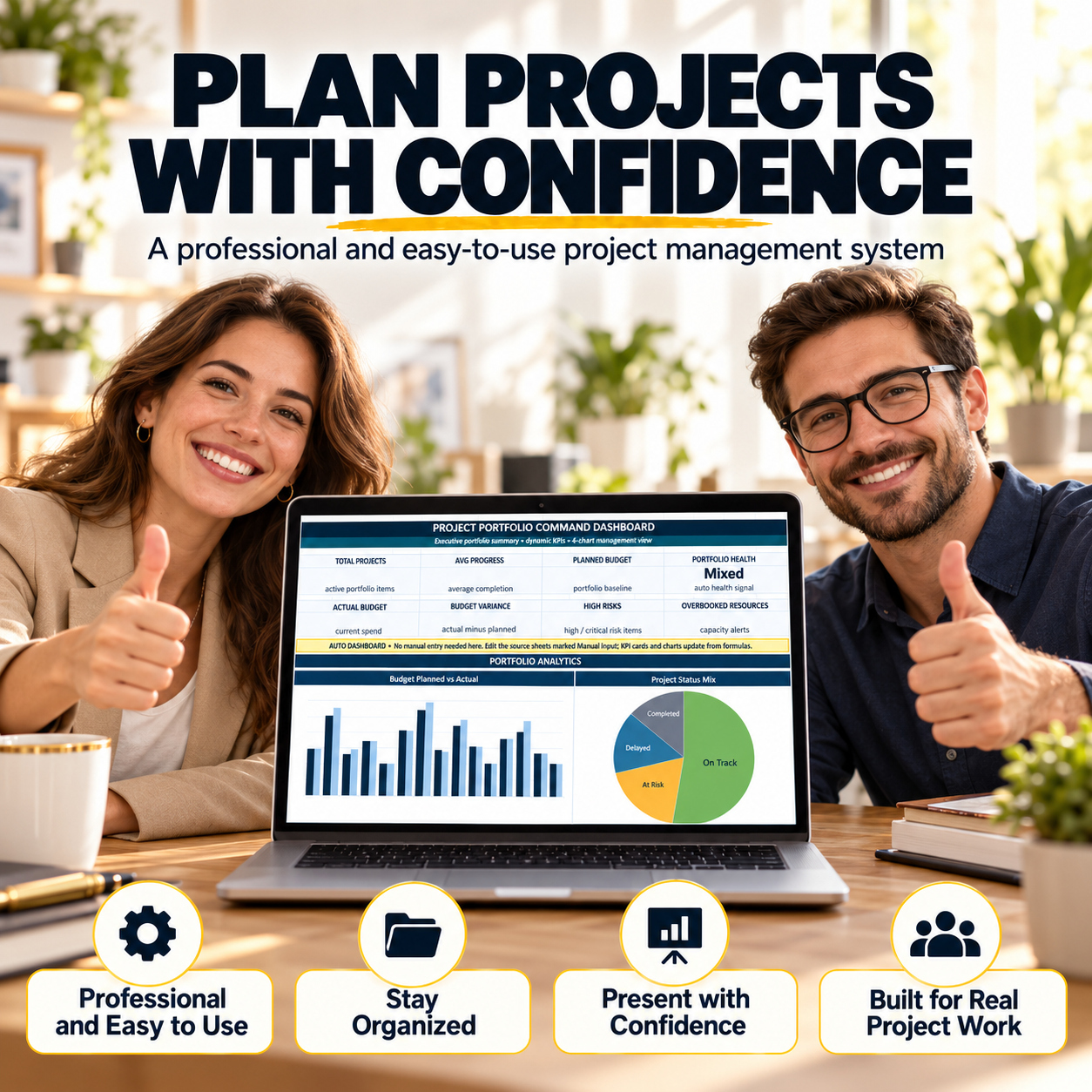
📊 EXECUTIVE DASHBOARD
The Dashboard is designed as a management-level portfolio summary rather than a manual data-entry sheet.
It contains 8 headline KPI areas:
  • Total Projects
  • Average Progress
  • Planned Budget
  • Portfolio Health
  • Actual Budget
  • Budget Variance
  • High Risks
  • Overbooked Resources
Below the KPI area are 4 Excel dashboard charts:
📈 Budget Planned vs Actual
📊 Project Status Mix
⚠️ Risk Heat Distribution
🎯 Progress Mix


The dashboard updates from the underlying workbook data and provides a concise portfolio view for leadership discussions, management reviews and presentation-ready reporting.


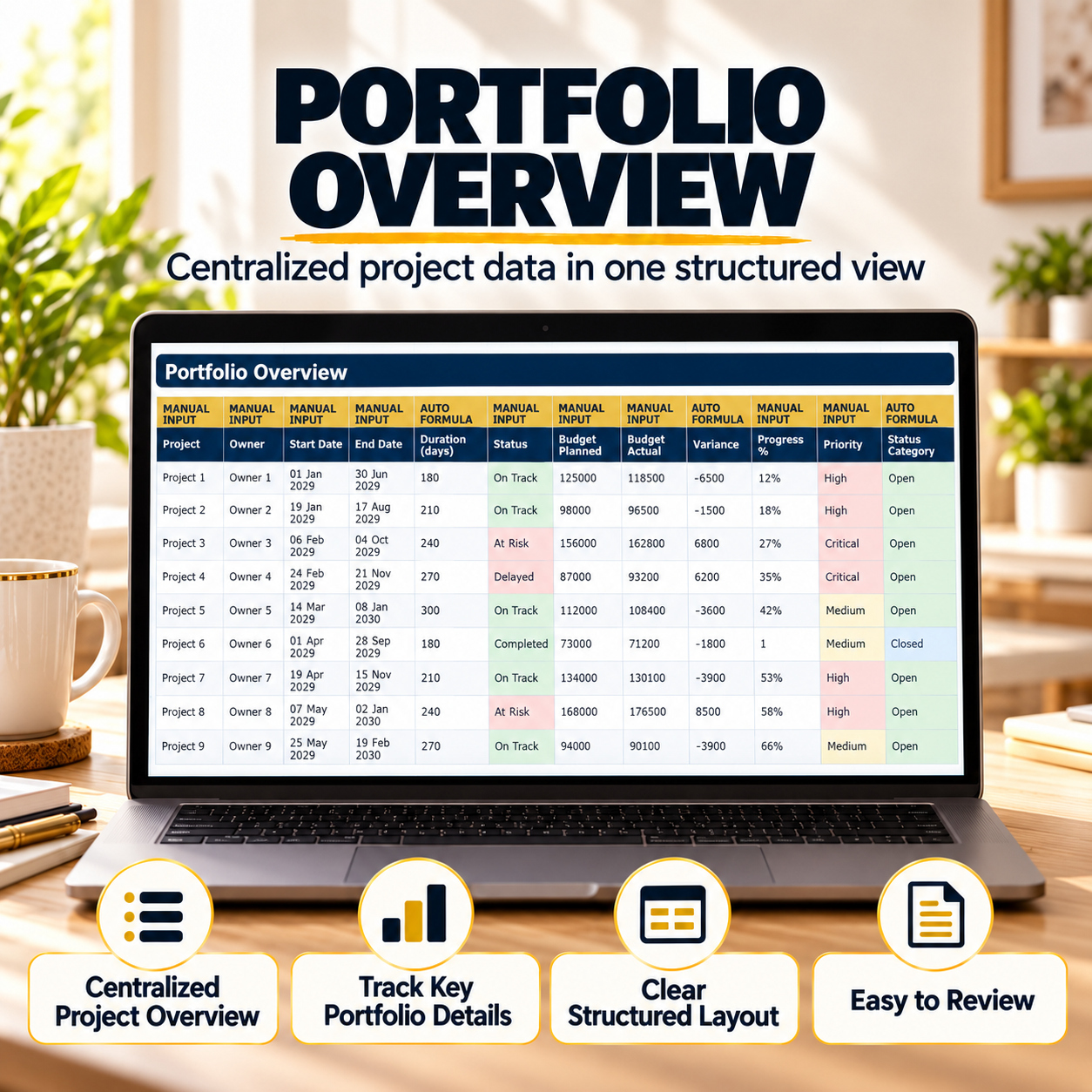
📋 PORTFOLIO OVERVIEW
Use Portfolio Overview as the central register for the project portfolio.
Track and review fields such as:
  • Project
  • Owner
  • Start and end dates
  • Duration
  • Status
  • Planned budget
  • Actual budget
  • Variance
  • Progress
  • Priority
  • Risk level
  • Portfolio group
Formula-driven fields add additional management context, including:
  • Status Category
  • Schedule Status
  • Completion Category
  • Budget Status
  • Overall Health
  • Focus Flag
This creates a central portfolio-level source for recurring management review.


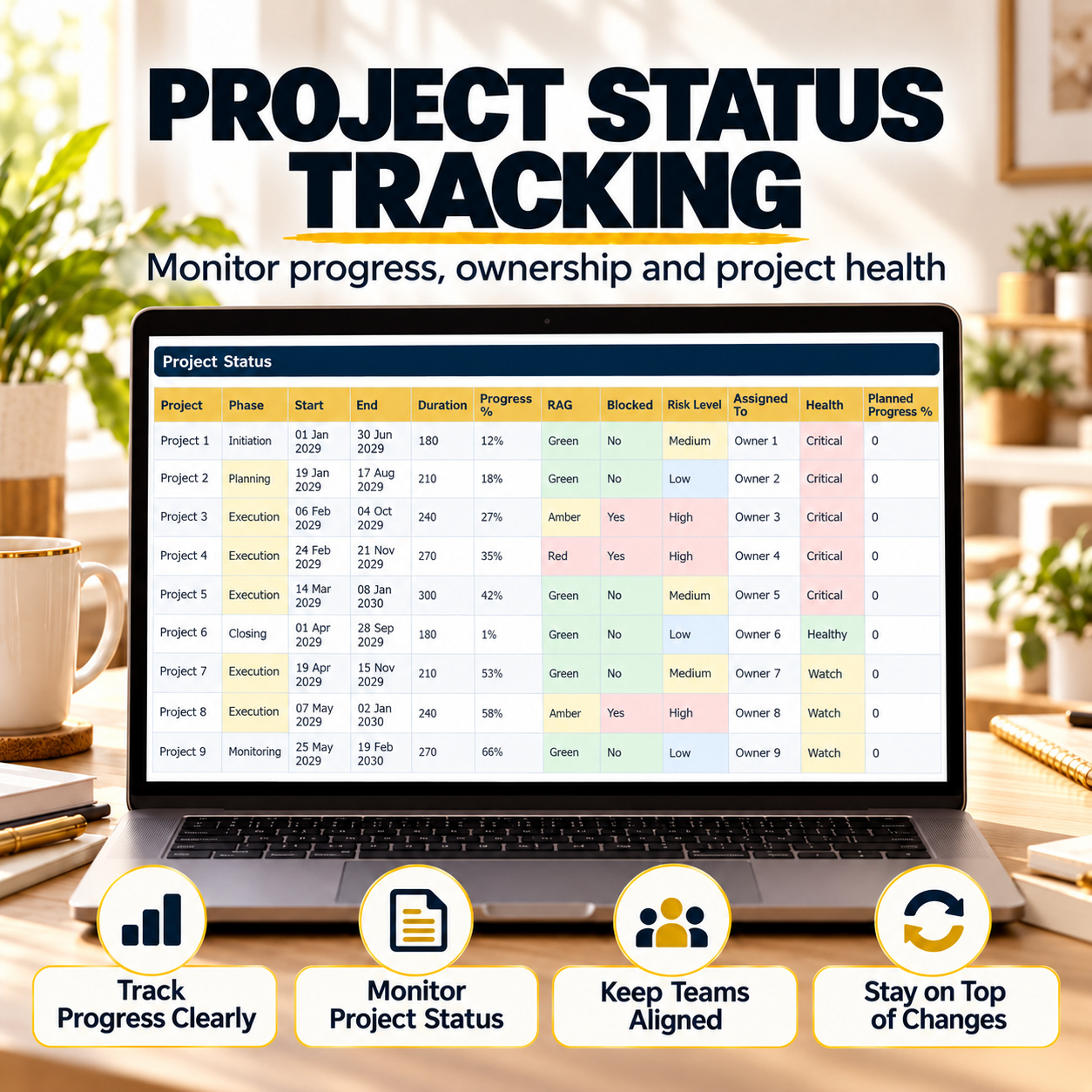
🚦 PROJECT STATUS
The Project Status area provides a more operational view of delivery conditions across individual projects.
Track:
  • Project phase
  • Start and end dates
  • Duration
  • Progress
  • RAG status
  • Blockers
  • Risk level
  • Assigned owner
Automated fields support additional review through:
  • Health classification
  • Planned progress
  • Progress versus plan
  • Escalation indicators
  • Focus area
  • Delay category
This sheet is designed to help PMO and project teams identify projects that may require additional attention.


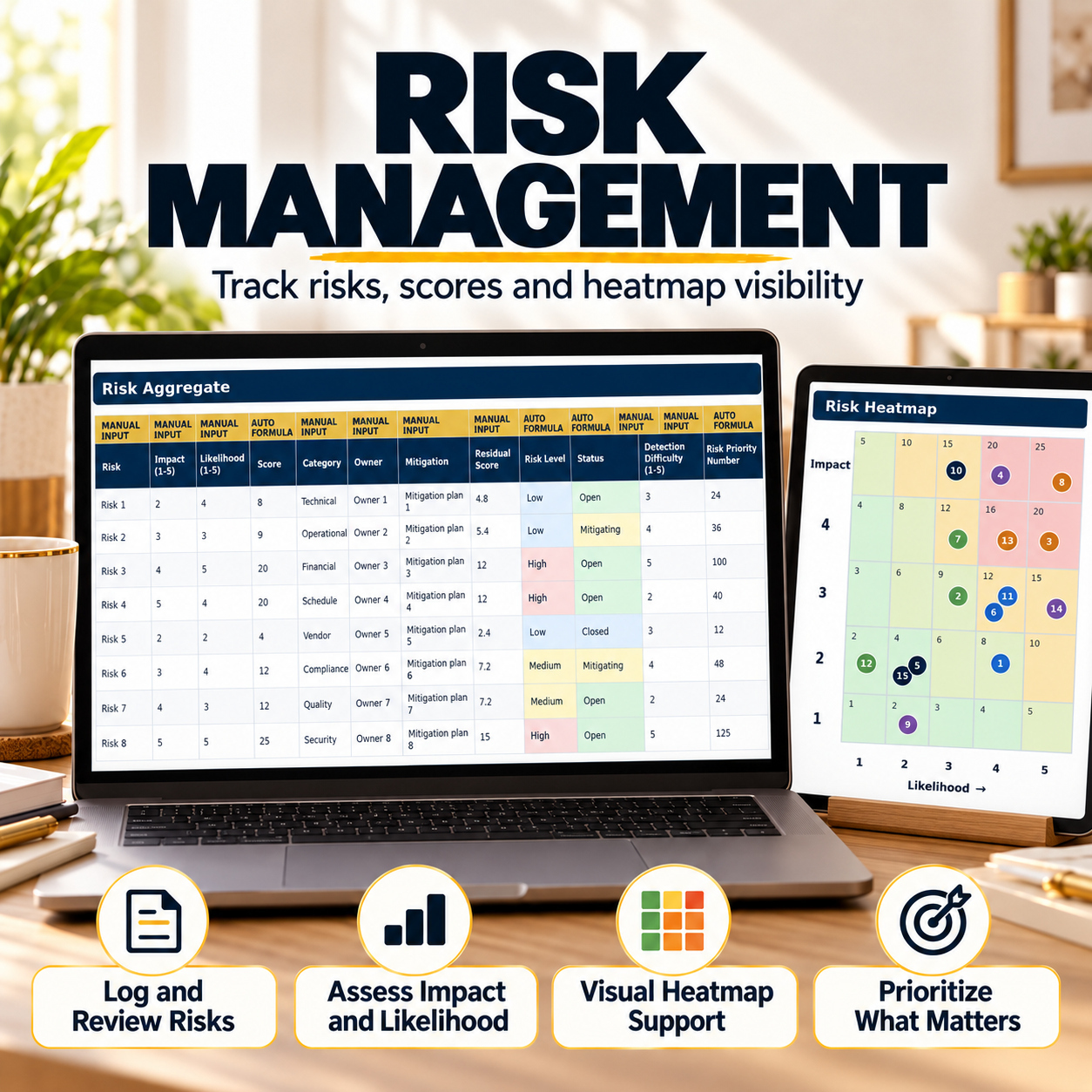
⚠️ RISK AGGREGATE
Maintain a centralized portfolio risk register using structured scoring and mitigation fields.
Track:
  • Risk description
  • Impact
  • Likelihood
  • Risk category
  • Owner
  • Mitigation
  • Status
  • Detection difficulty
Formula-driven outputs include:
📊 Risk Score
📉 Residual Score
🚦 Risk Level
🎯 Risk Priority Number
⚠️ Top Risk Indicator


The structure supports consistent risk review across multiple projects rather than maintaining disconnected risk logs.


🔥 RISK HEATMAP
The Risk Heatmap converts the risk data into a formula-driven portfolio risk exposure view.
It provides visibility across:
  • Impact
  • Likelihood
  • Risk zone
  • Risk score
  • Risk owner
  • Mitigation status
  • Heat classification
This allows risk exposure to be reviewed in a standardized format during management and portfolio meetings.


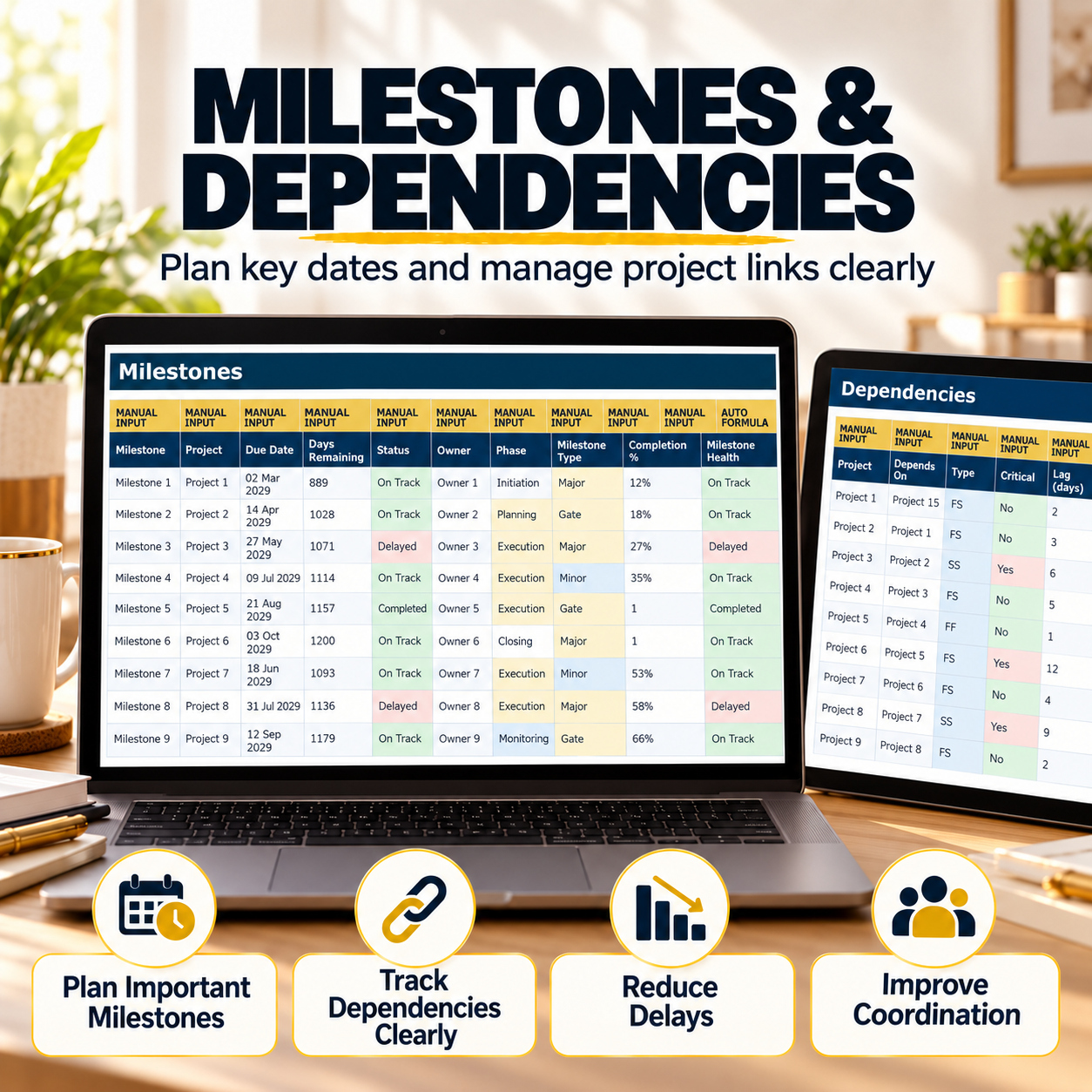
🎯 MILESTONES
Track key milestones across the portfolio with a dedicated schedule-control area.
Fields include:
  • Milestone
  • Project
  • Due date
  • Status
  • Owner
  • Phase
  • Milestone type
  • Completion percentage
Automated outputs include:
  • Days Remaining
  • Milestone Health
The sheet supports schedule reviews and helps separate critical portfolio milestones from detailed task-level tracking.


🔗 DEPENDENCIES
Document dependencies and cross-project relationships that can influence portfolio delivery.
Track:
  • Project
  • Dependent project
  • Dependency type
  • Critical indicator
  • Lag
  • Dependency risk
  • Status
  • Owner
Formula-driven fields provide:
  • Slack
  • Dependency Health
This creates clearer visibility over project links, bottlenecks and dependencies that may affect delivery.


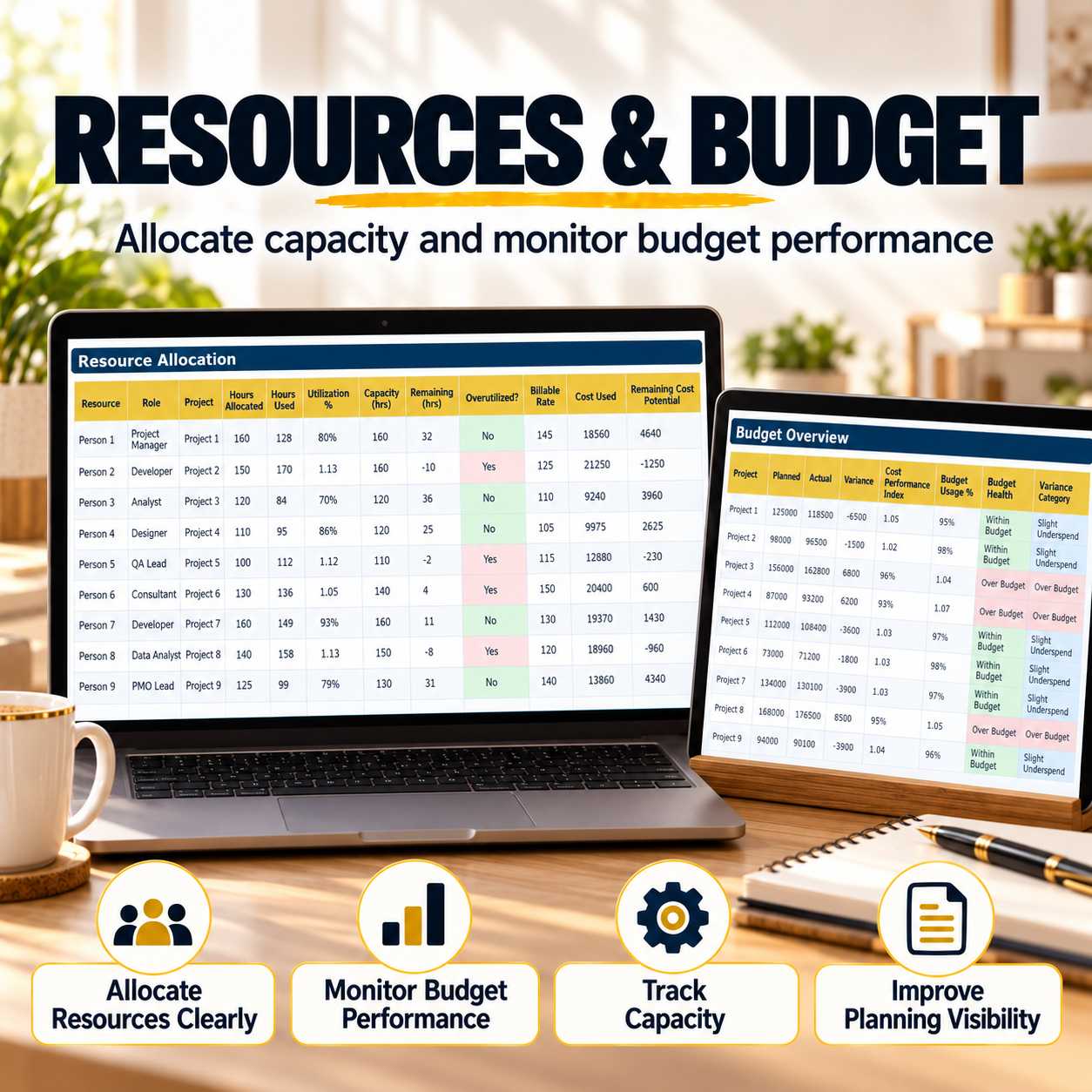
👥 RESOURCE ALLOCATION
Use the Resource Allocation section to review team workload, capacity and resource utilization.
Track:
  • Resource
  • Role
  • Project
  • Hours allocated
  • Hours used
  • Capacity
  • Billable rate
Automated calculations provide:
📊 Utilization %
⏱️ Remaining Hours
⚠️ Overutilized Indicator
💰 Cost Used
💰 Remaining Cost Potential
🚦 Utilization Category


This supports structured capacity reviews and helps identify potential overbooking across the portfolio.


💰 BUDGET OVERVIEW
The Budget Overview provides a formula-driven financial control layer across projects.
Review:
  • Planned budget
  • Actual spend
  • Variance
  • Cost Performance Index
  • Budget Usage %
  • Budget Health
  • Variance Category
The view allows management to compare project-level financial performance and identify projects requiring closer budget attention.
It is designed for internal project and portfolio monitoring and is not an accounting or financial-advice system.


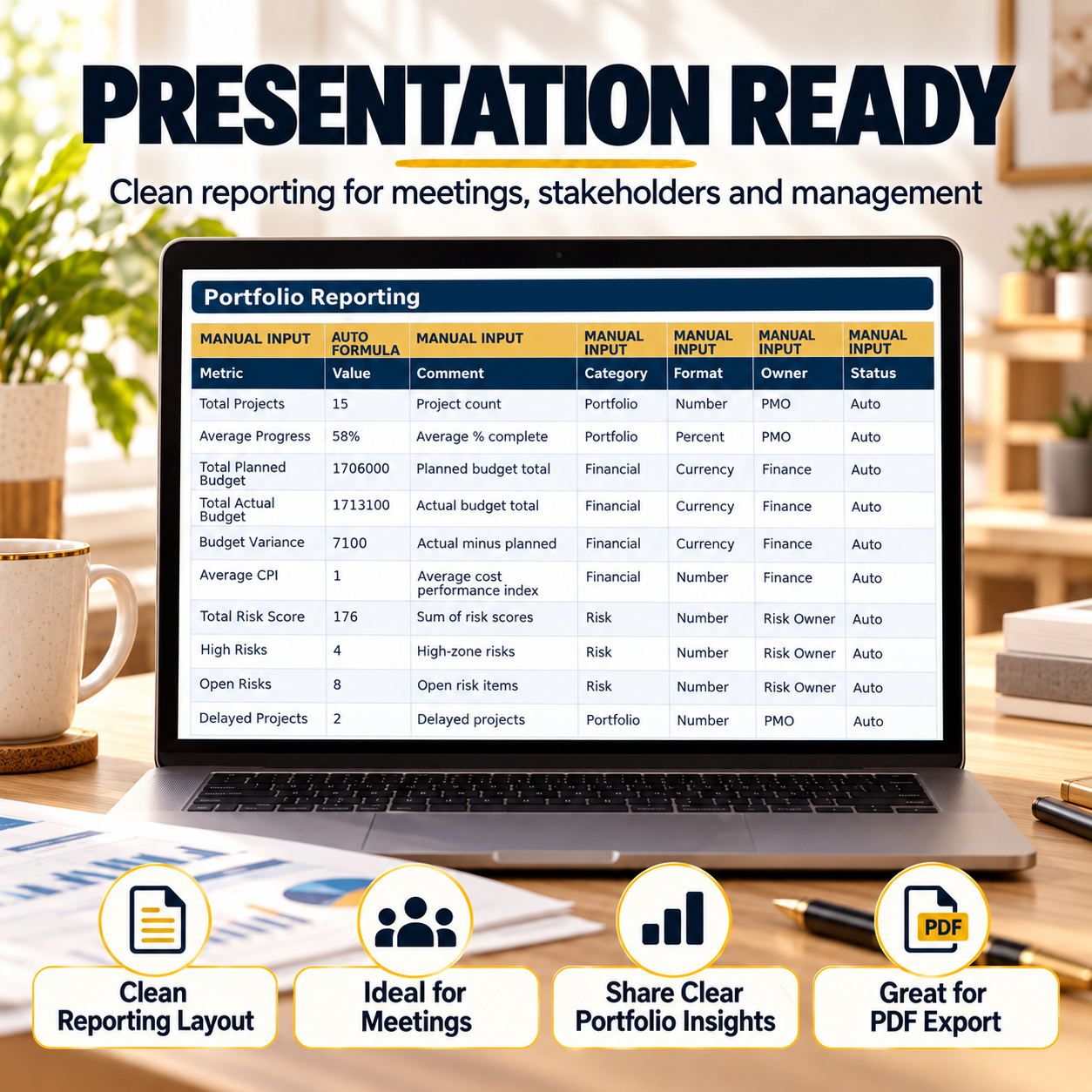
📈 PORTFOLIO REPORTING
The Portfolio Reporting area consolidates headline portfolio information into a structured management-reporting layer.
Included reporting metrics cover:
  • Total Projects
  • Average Progress
  • Total Planned Budget
  • Total Actual Budget
  • Budget Variance
  • Average CPI
  • Total Risk Score
  • High Risks
  • Open Risks
  • Delayed Projects
  • At-Risk Projects
  • Completed Projects
  • Overbooked Resources
  • Completed Milestones
  • Critical Portfolio Items
Prepared continuation rows also allow additional custom management metrics to be added where required.
This section is particularly useful for recurring reporting cycles, stakeholder updates and concise management summaries.


🎁 BONUS – PROJECT REVIEW WORKBOOK
The included Project Review Freebie provides a more compact workflow for individual project reviews, leadership updates and post-meeting follow-up.
It contains 2 dedicated worksheets:
📄 Project Snapshot One-Pager
📋 Action & Risk Log


📄 PROJECT SNAPSHOT ONE-PAGER
Create a concise review of one project using a structured executive-style page.
The sheet includes:
  • Project information
  • Project Manager
  • Review Date
  • Reporting Period
  • Sponsor
  • Phase
  • Project Goal
  • Overall Progress
  • Decision Needed


Automatic summary indicators from the Action & Risk Log show:
📌 Open / Active Items
⏰ Overdue Items
⚠️ High / Critical Items
✅ Completed / Closed Items
🚦 Overall Review Status
Manual project-health indicators cover areas including:
  • Scope
  • Schedule
  • Budget
  • Risks
  • Resources
  • Stakeholders
The page also provides space for key notes, decisions and next actions.


📋 ACTION & RISK LOG
Use the second bonus sheet after project reviews, status calls or management meetings.
The log contains 15 realistic sample records and tracks:
  • Type
  • Description
  • Owner
  • Due Date
  • Status
  • Priority
  • Risk Level
  • Project Area
  • Next Step
  • Notes
Formula-driven fields include:
  • ID
  • Days Until Due
  • Overdue Indicator
The log supports actions, risks, issues and decisions in one compact follow-up structure.


⚙️ FORMULAS, DROPDOWNS & STATUS LOGIC
The workbooks use standard Excel functionality rather than macros.
Included functionality comprises:
✅ Standard Excel formulas
✅ Dropdown selections
✅ Conditional formatting
✅ Automated summary calculations
✅ Status and health logic
✅ Dashboard charts
✅ Prepared entry rows
✅ Manual Input / Auto Formula guidance
✅ Internal workbook navigation
✅ Realistic sample data


No macros are required for normal use.


📊 SAMPLE DATA & PREPARED ENTRY AREAS
The workbook includes realistic sample information so users can understand the intended workflow before replacing it with their own portfolio.


Relevant main workbook areas contain 15 sample rows and prepared customer-entry rows with formatting and workbook logic already extended.


The sample data is provided for demonstration and should be replaced and validated before operational use.


📘 8-PAGE HOW-TO-USE GUIDE
The included PDF guide explains:
  • Initial setup
  • Main workbook structure
  • Navigation
  • Dashboard workflow
  • Daily portfolio-management workflow
  • Bonus workbook workflow
  • Customization
  • PDF export
  • Sample-data usage
  • Important usage considerations


The guide is aligned with the updated main workbook and bonus Project Review tool.


💻 TECHNICAL ENVIRONMENT
The system is designed primarily for Microsoft Excel Desktop on Windows or Mac.
The files use standard Excel formulas, dropdowns, conditional formatting and chart functionality.
For the most consistent layout, formula behavior, charts and export results, Microsoft Excel Desktop should be treated as the reference environment.


👤 SUITABLE FOR
This system is particularly relevant for:
  • Project Managers
  • PMO teams
  • Portfolio Managers
  • Program and Operations teams
  • Consultants
  • Business Managers
  • Agencies
  • SMEs
  • Delivery teams
  • Leadership teams reviewing multiple projects


It is especially useful when multiple projects need to be reviewed through a consistent structure for status, risk, budgets, resources, milestones and management reporting.


💡 KEY BUSINESS VALUE
The system is designed to help teams:
  • Centralize portfolio information
  • Improve visibility across multiple projects
  • Standardize project-status reviews
  • Structure portfolio risk management
  • Identify resource pressure
  • Monitor project budgets and variances
  • Track milestones and dependencies
  • Strengthen management reporting
  • Support recurring PMO review cycles
  • Create clearer project-level follow-up


⚖️ IMPORTANT DISCLAIMER
This toolkit is provided for project and portfolio organization, planning, documentation and internal management purposes only.


It does not replace professional consulting, certified project-management software, legal advice, financial advice or formal business assessment. All calculations and indicators depend on user-entered data and should be reviewed and validated before operational, financial or strategic decisions are made.


This Project Portfolio Management System brings project visibility, risk, resources, budgets, milestones, dependencies and reporting into one coordinated Excel framework.


It is designed to help PMO teams and business professionals establish more consistent portfolio reviews, clearer management visibility and stronger structured reporting across multiple projects.

This Best Practice includes
Project Portfolio Tracker 10-in-1 (.xlsx), Project Review Freebie (.xlsx), How-to-Use Guide (.pdf)

Acquire business license for $34.90

Add to cart

Add to bookmarks

Discuss

Further information

The objectives of this toolkit are to:

Centralize project portfolio information

Structure recurring PMO and management reviews

Improve visibility across project status and progress

Monitor portfolio-level risks and risk exposure

Track milestones and project dependencies

Review resource capacity and utilization

Monitor planned versus actual project budgets

Strengthen project and portfolio reporting

Improve traceability of project-level actions and follow-up

Support more consistent management decision preparation

Create standardized portfolio-review workflows

Provide a compact project-review tool alongside the main portfolio system

The toolkit supports management, organization and reporting processes but does not guarantee project, financial or business outcomes.

This toolkit is particularly suitable for:

Project Managers

PMO teams

Portfolio Managers

Consultants

Operations teams

SMEs

Business managers

Agencies managing multiple projects

Delivery and implementation teams

Leadership teams requiring recurring portfolio visibility

It works best when an organization needs a structured Excel-based framework for reviewing multiple projects through consistent status, risk, milestone, dependency, resource, budget and reporting dimensions.

It is particularly useful for recurring PMO reviews, management meetings, client portfolio reviews and periodic project-reporting cycles.

This system is not intended to replace enterprise PPM, ERP, accounting, collaboration or specialist resource-management platforms where extensive workflow automation, real-time multi-user collaboration, enterprise integrations or advanced portfolio optimization are required.

It is an Excel-based management framework rather than a connected SaaS platform.

Microsoft Excel Desktop is the reference environment. Users should validate formulas, indicators and outputs against their own project information before relying on them for operational, financial or strategic decisions.


0.0 / 5 (0 votes)

please wait...