
Publication number: ELQ-19986-1
View all versions & Certificate

Real Estate Fund NAV and Capital Activity Validation Suite
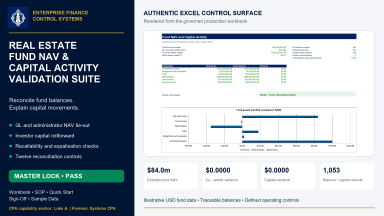
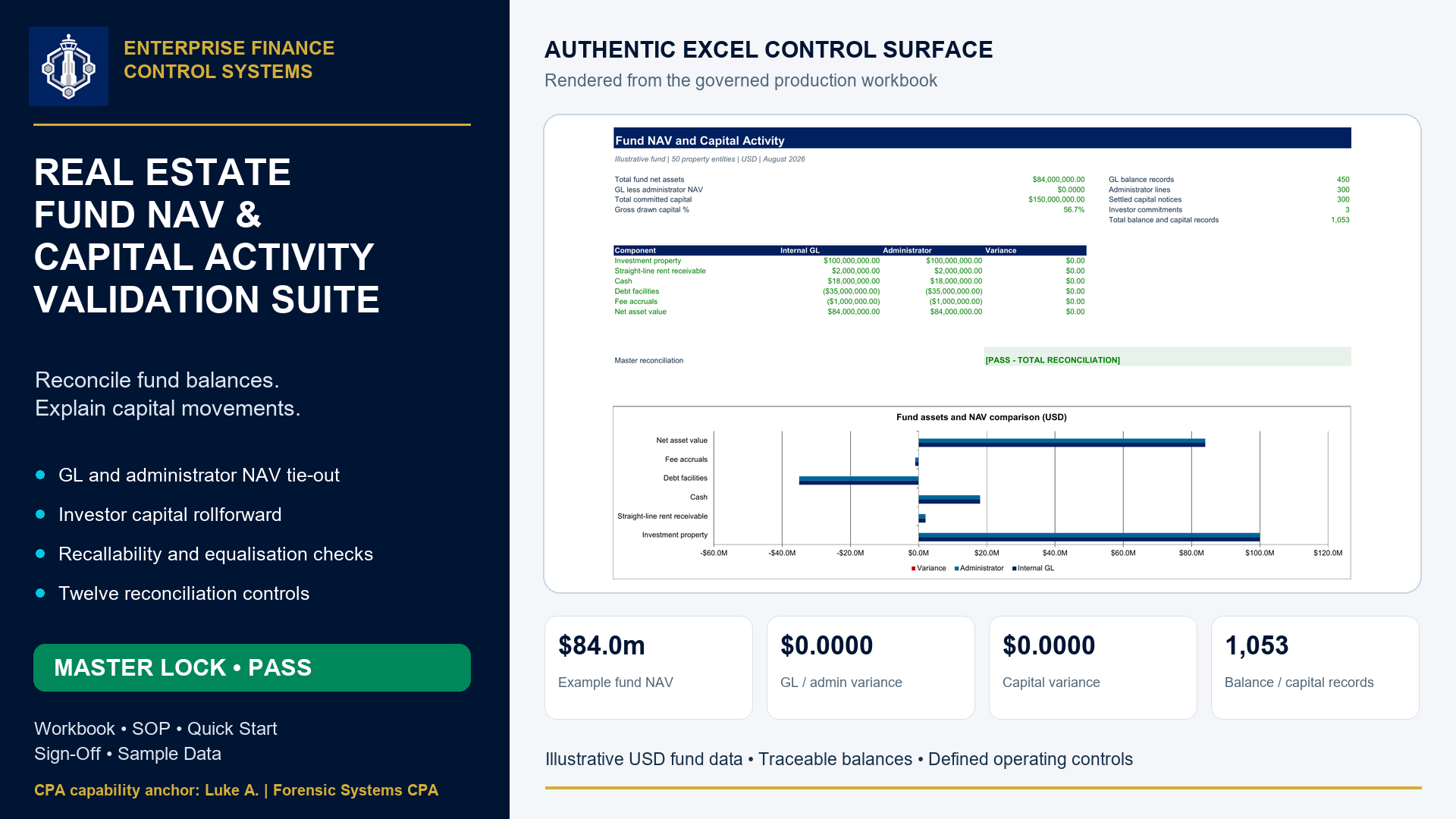
Reconcile fund NAV, investor capital movements and commitments through seven Excel worksheets and twelve business controls.
The Real Estate Fund NAV and Capital Activity Validation Suite gives fund controllers and finance reviewers an Excel workflow for comparing general ledger balances with an administrator NAV package and explaining investor capital movements.
Workbook Structure
The workbook brings the comparison, capital schedules, and business controls into seven clearly named worksheets, with editable inputs separated from protected calculations.
The delivered illustration covers:
- One USD fund
- One monthly period
- 50 property entities
- Three investors
It includes:
- 450 asset, liability, and equity records
- 300 administrator component lines
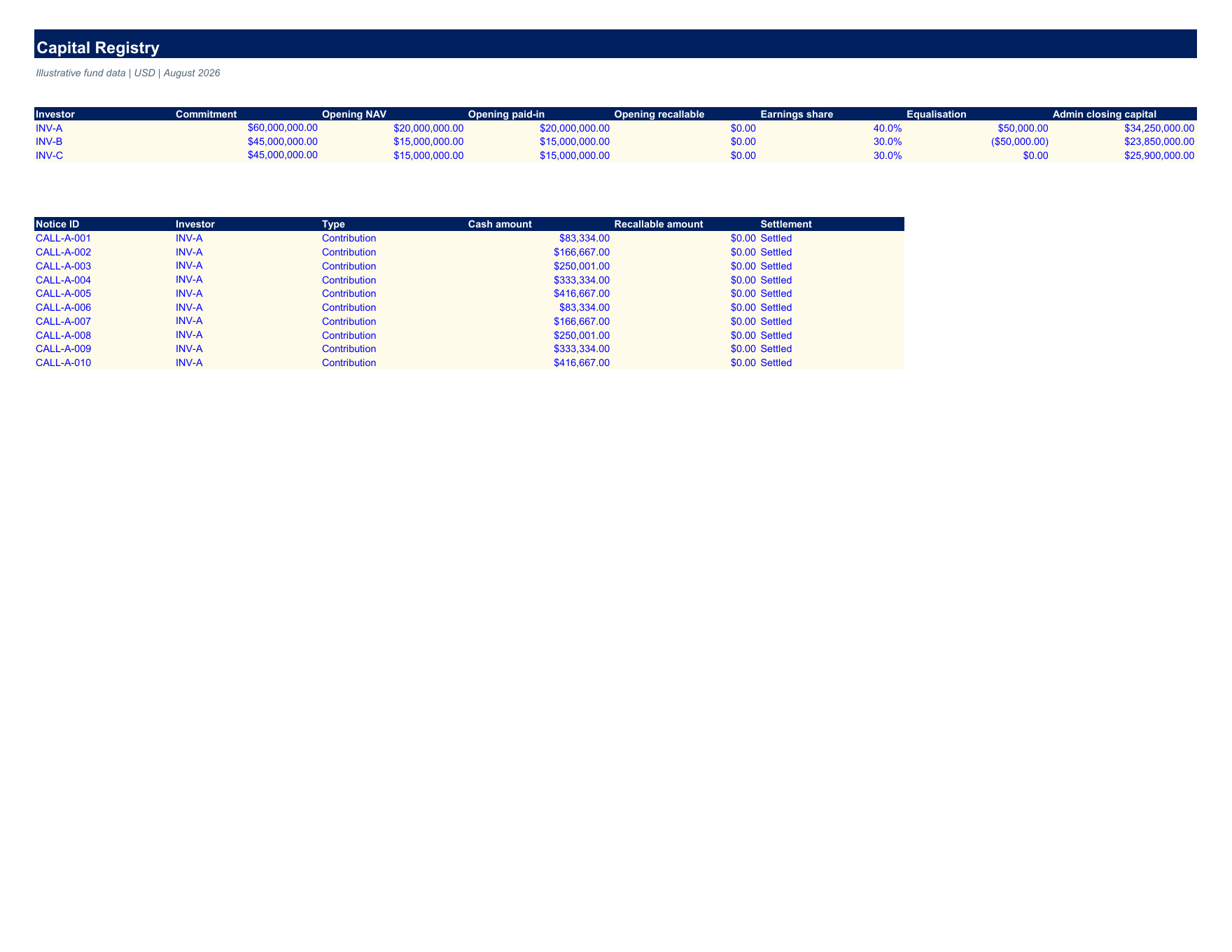
- 300 settled capital notices
- 150 performance records
- Three investor commitment records
This completes the balance and capital record count of 1,053.
The example produces:
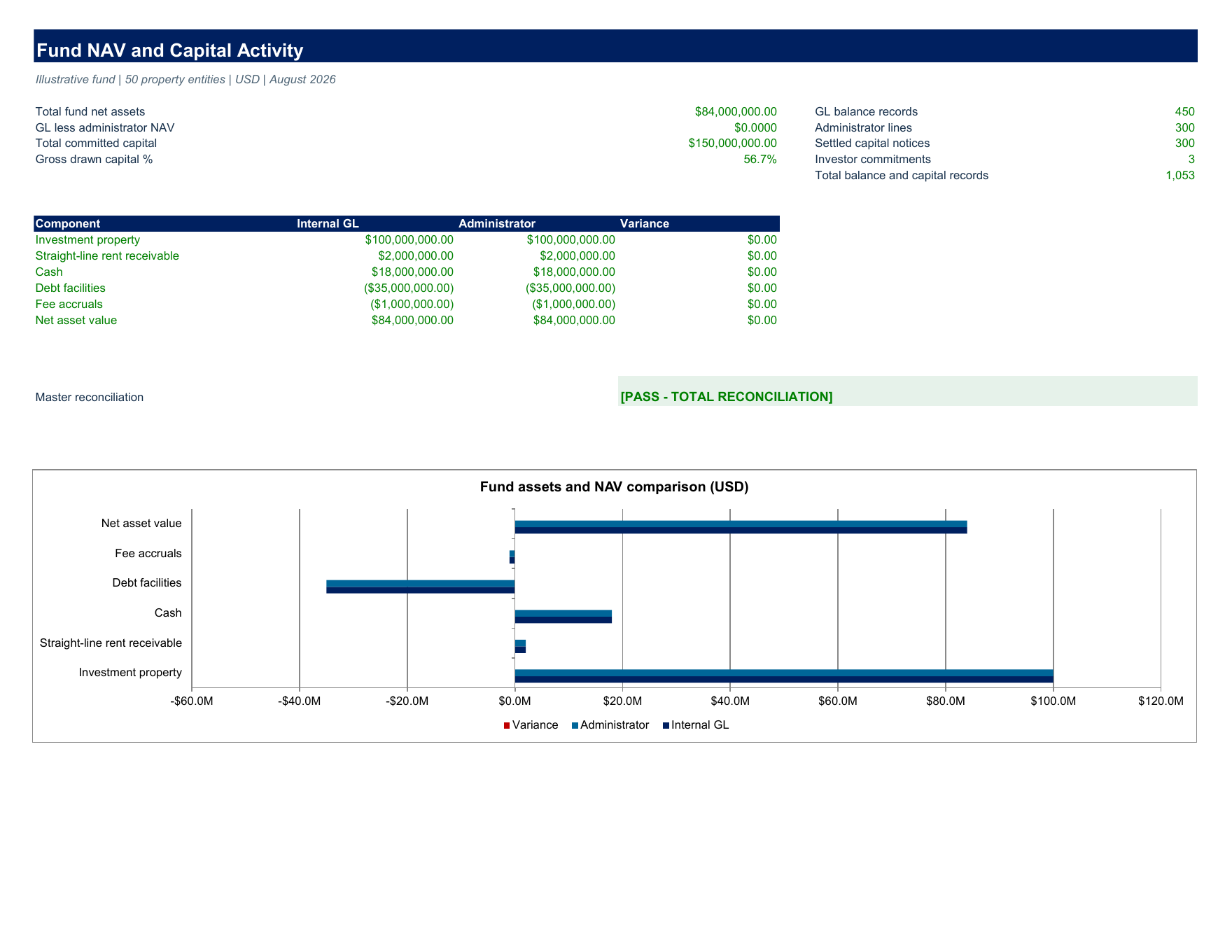
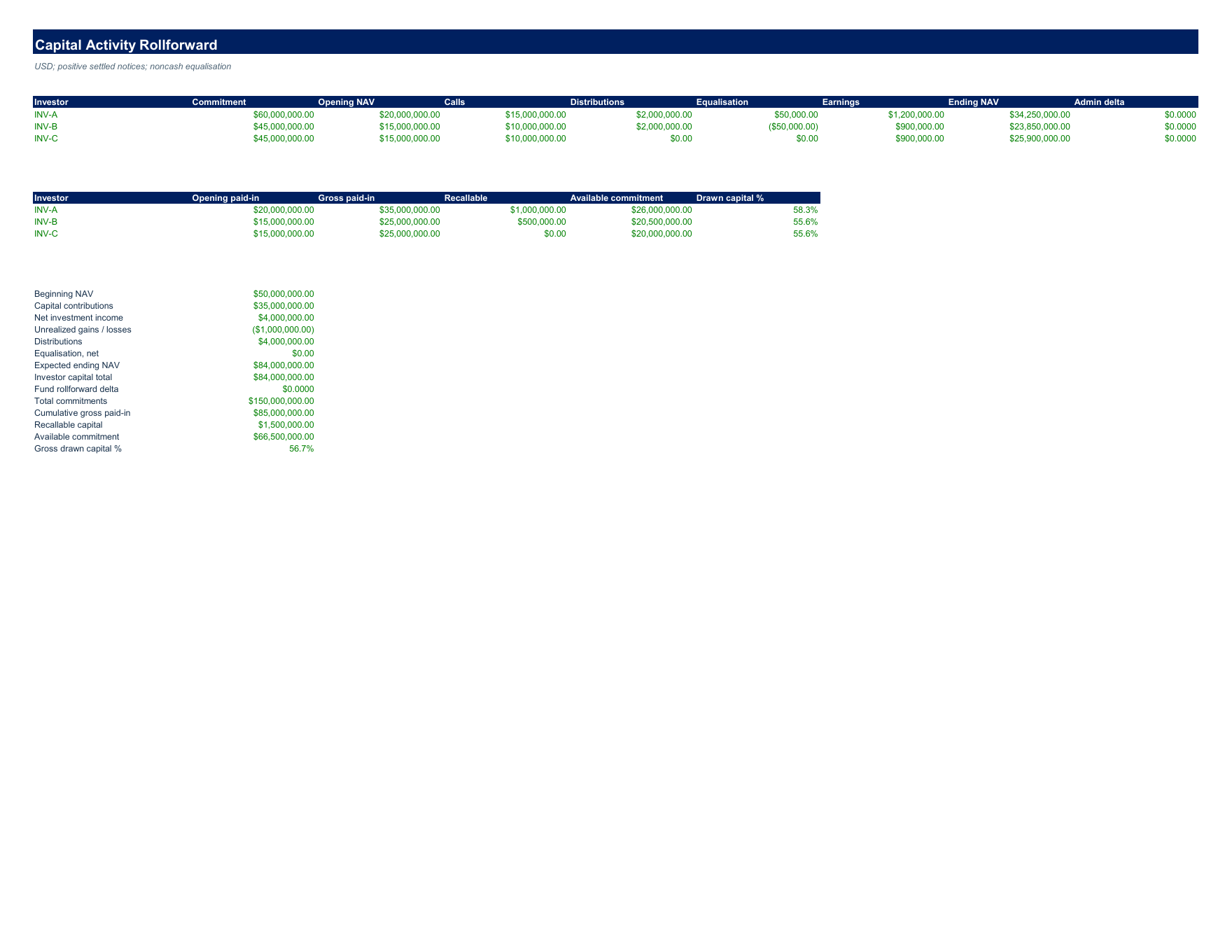
- An $84 million NAV
- Zero GL-to-administrator difference
- Zero fund capital rollforward variance
Key FeaturesNAV Reconciliation
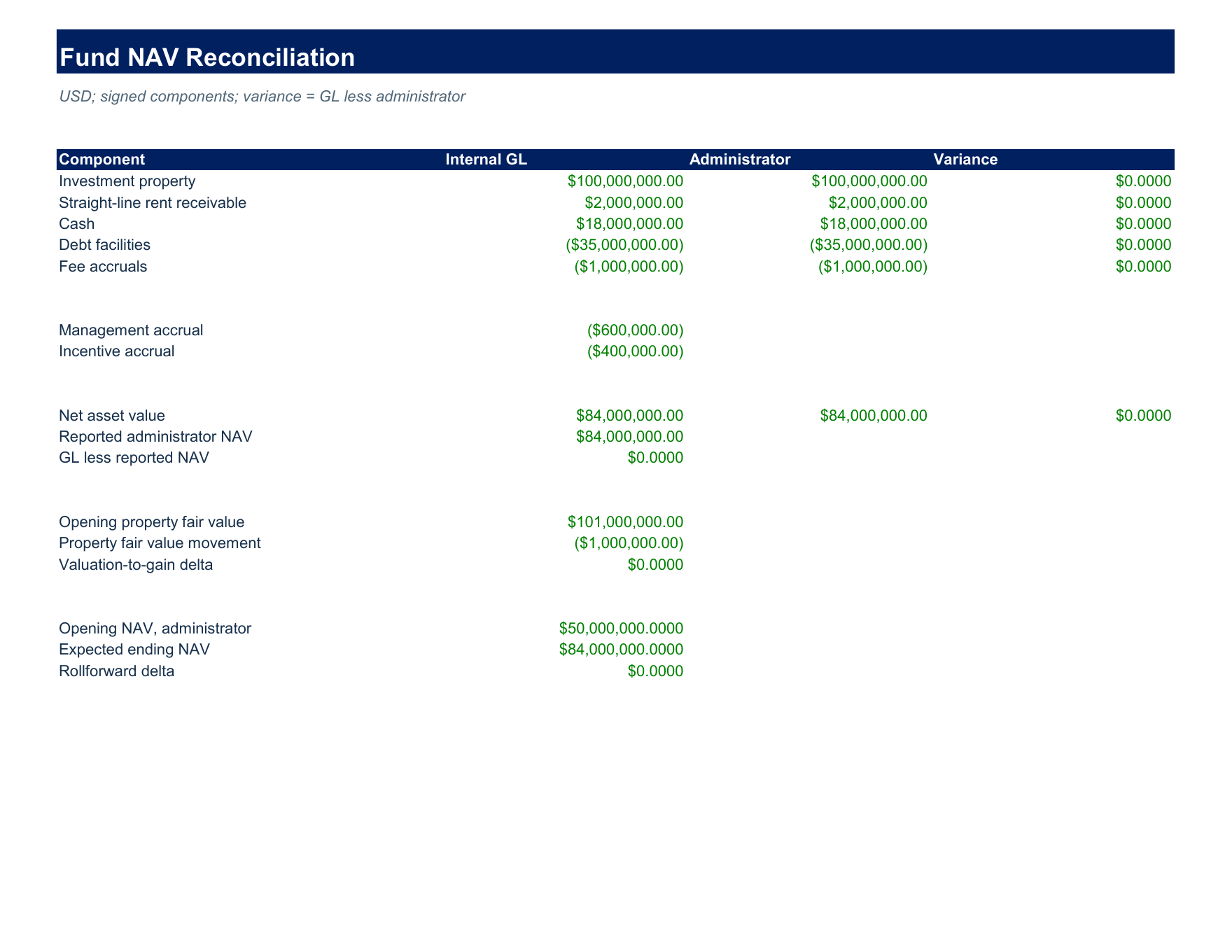
Compares:
- Property values
- Separately recognised rent receivable
- Cash
- Debt
- Fee accruals
against independent administrator inputs.
Capital Activity Rollforward
Explains:
- Opening capital
- Contributions
- Distributions
- Noncash equalisation
- Earnings allocations
It also tracks:
- Cumulative gross paid-in capital
- Recallable distributions
- Available commitment
- Drawn capital percentages
Executive Summary
Combines formula-driven totals with a native Excel comparison chart.
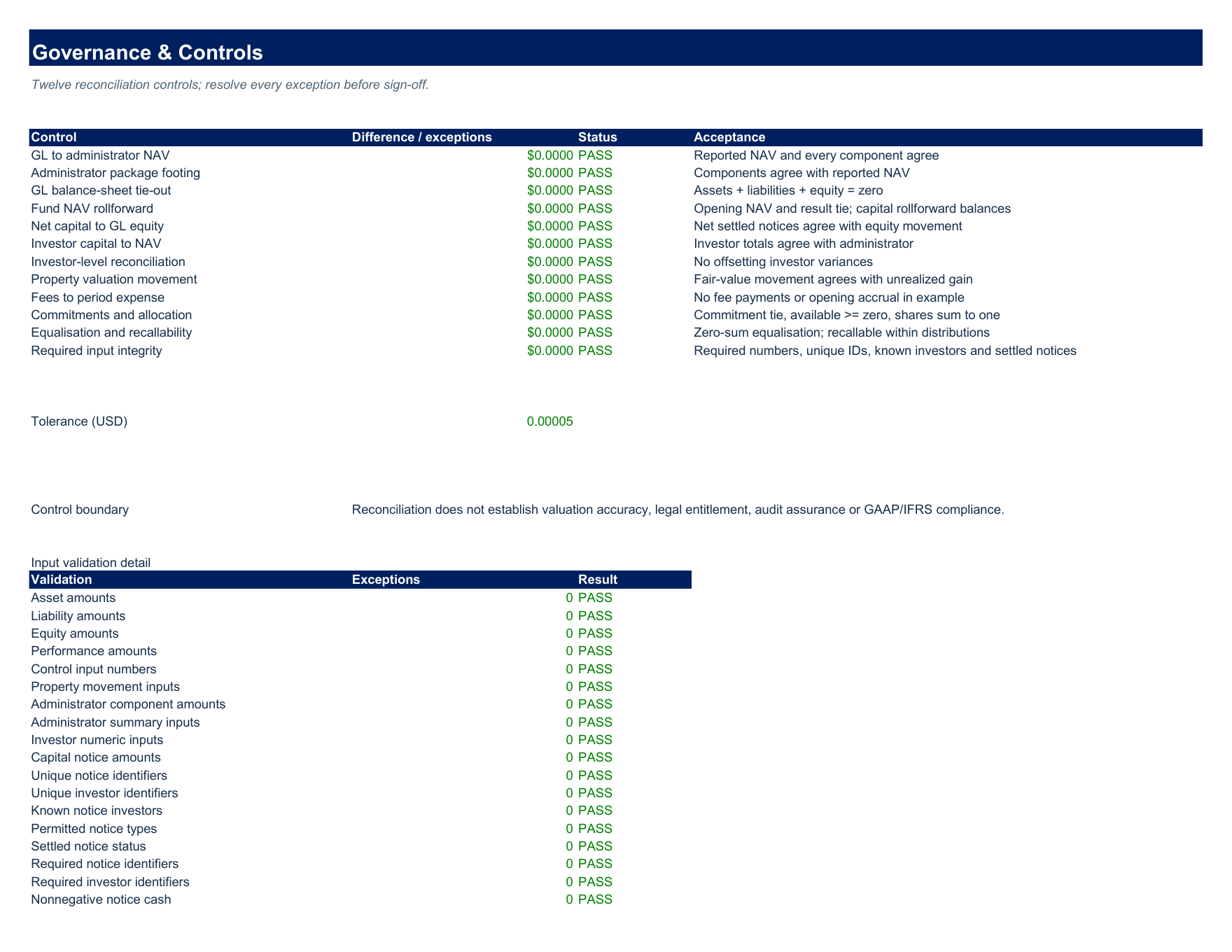
Controls
Twelve controls address:
- Package footing
- Balance-sheet integrity
- Fund and investor rollforwards
- Property movements
- Fees
- Commitments
- Allocation shares
- Equalisation
- Required input quality
Input validation detail helps identify:
- Missing amounts
- Duplicate identifiers
- Unknown investors
- Unsupported notice status
Results remain traceable through ordinary worksheet calculations, so a reviewer can investigate a difference before approving the period close.
Download Contents
The download contains:
- The Excel model
- A six-page operating manual
- A three-page quick-start guide
- A two-page cutover and sign-off template
- A CSV containing the 300 example capital notices
Guidance
The guides explain:
- Source preparation
- Sign conventions
- Responsibilities
- Exception handling
- Capacity changes
- Acceptance procedures
Native worksheet images show the delivered example rather than a simulated interface.
Data Nature
All included figures are synthetic examples, not actual client records or investment results.
Model Specifications
The current model uses:
- Three investors
- Fixed earnings shares
- Defined input capacities
Changes require controlled extension and revalidation.
It does not calculate:
- Valuations
- Fee entitlements
- Carried interest
- Waterfalls
- Foreign exchange
- Tax
- Accounting-standard compliance
Requirements
- Administrator figures must be entered independently
- Reconciliation success is not an audit opinion
- Desktop Microsoft Excel is required for the supplied operating workflow.
This Best Practice includes
Excel model; six-page operating manual; three-page quick-start guide; two-page cutover and sign-off template; CSV with 300 synthetic capital notices.
